








MapInfo Pro v2023
The Next Dimension in Spatial Analytics
Housekeeping
Webinar Audio
• Today’s webinar audio is streamed through your computer speakers and
audio lines are muted.
• If you need technical assistance with the web interface or audio, please
reach out to us using the Q&A box.
Webinar Platform
• Chrome web browser is recommended.
• You can resize and move the different webinar panels.
Questions Welcome
• Submit your questions at any time using the Q&A box. If we don't get to
your question, we will follow-up via email.
Recording and slides
• This webinar is being recorded. You will receive an email following the
webinar with a link to the recording and slides.
Agenda
• Introduction
• What’s new in MapInfo Pro v2023
• 3D visualisation demo
• Open Forum
• Knowledge resource overview
3
MapInfo Pro v2023
PRESENTER
Jennifer Kokkinos
Director, Product Management
PRESENTER
Esther Kasinathan
Senior Sales Engineer
PRESENTER
Bob Fortin
Senior Technology Architect –
Distinguished Engineer
MapInfo Pro v2023
Released 12th September
(English, German, and French)
MapInfo Pro v2023
• Easily take advantage of a
three-dimensional view of
risks and opportunities
• Display data in 2D and 3D
simultaneously to reveal
patterns and relationships
not seen in traditional
representations
• Seamlessly connect to
enterprise-level spatial
analytics
Cutting-edge 3D visualisation, enhanced data
collaboration, and streamlined processes
• Faster time to meaningful
insights with enhanced
data analytics toolkit
• Benefit from user-requested
usability upgrades and
community tools with
MapInfo Marketplace
The next dimension
in spatial analytics
Learn more about
MapInfo Pro v2023
3D Visualisation
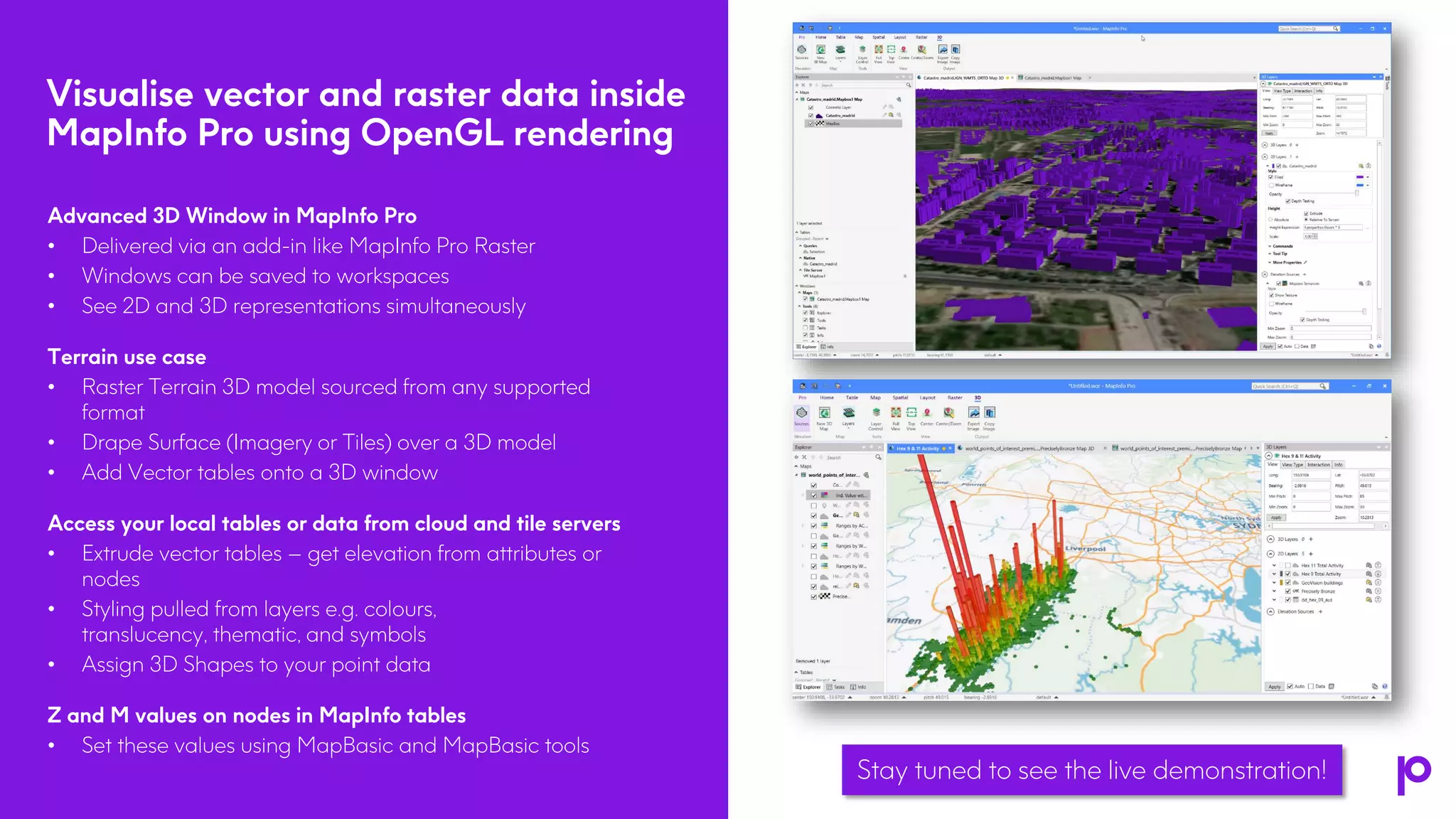
Visualise vector and raster data inside
MapInfo Pro using OpenGL rendering
5
Advanced 3D Window in MapInfo Pro
• Delivered via an add-in like MapInfo Pro Raster
• Windows can be saved to workspaces
• See 2D and 3D representations simultaneously
Terrain use case
• Raster Terrain 3D model sourced from any supported
format
• Drape Surface (Imagery or Tiles) over a 3D model
• Add Vector tables onto a 3D window
Access your local tables or data from cloud and tile servers
• Extrude vector tables – get elevation from attributes or
nodes
• Styling pulled from layers e.g. colours,
translucency, thematic, and symbols
• Assign 3D Shapes to your point data
Z and M values on nodes in MapInfo tables
• Set these values using MapBasic and MapBasic tools
Stay tuned to see the live demonstration!
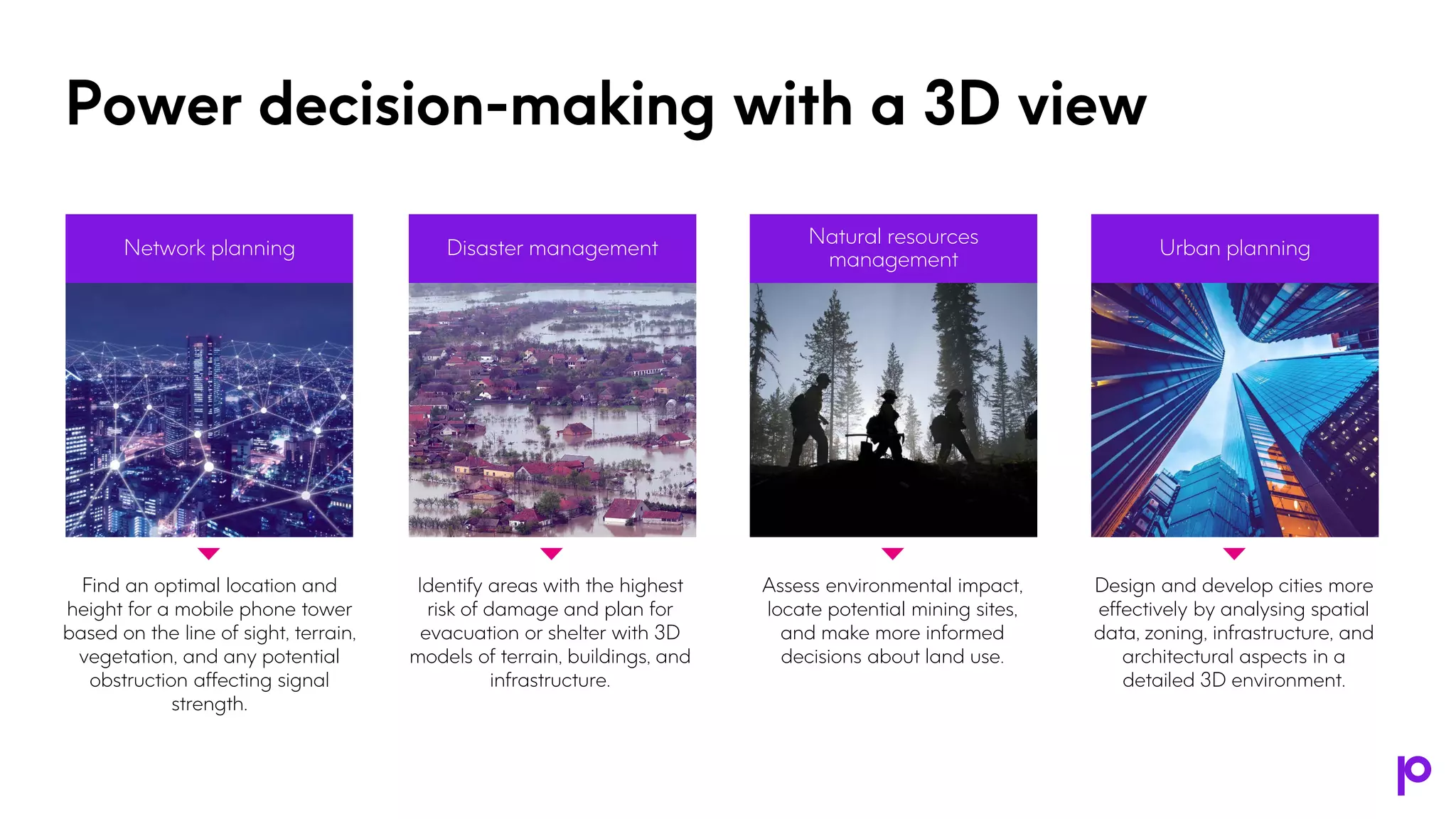
Power decision-making with a 3D view
Find an optimal location and
height for a mobile phone tower
based on the line of sight, terrain,
vegetation, and any potential
obstruction affecting signal
strength.
Network planning
Identify areas with the highest
risk of damage and plan for
evacuation or shelter with 3D
models of terrain, buildings, and
infrastructure.
Disaster management
Assess environmental impact,
locate potential mining sites,
and make more informed
decisions about land use.
Natural resources
management
Design and develop cities more
effectively by analysing spatial
data, zoning, infrastructure, and
architectural aspects in a
detailed 3D environment.
Urban planning
Integration with
Spectrum Spatial
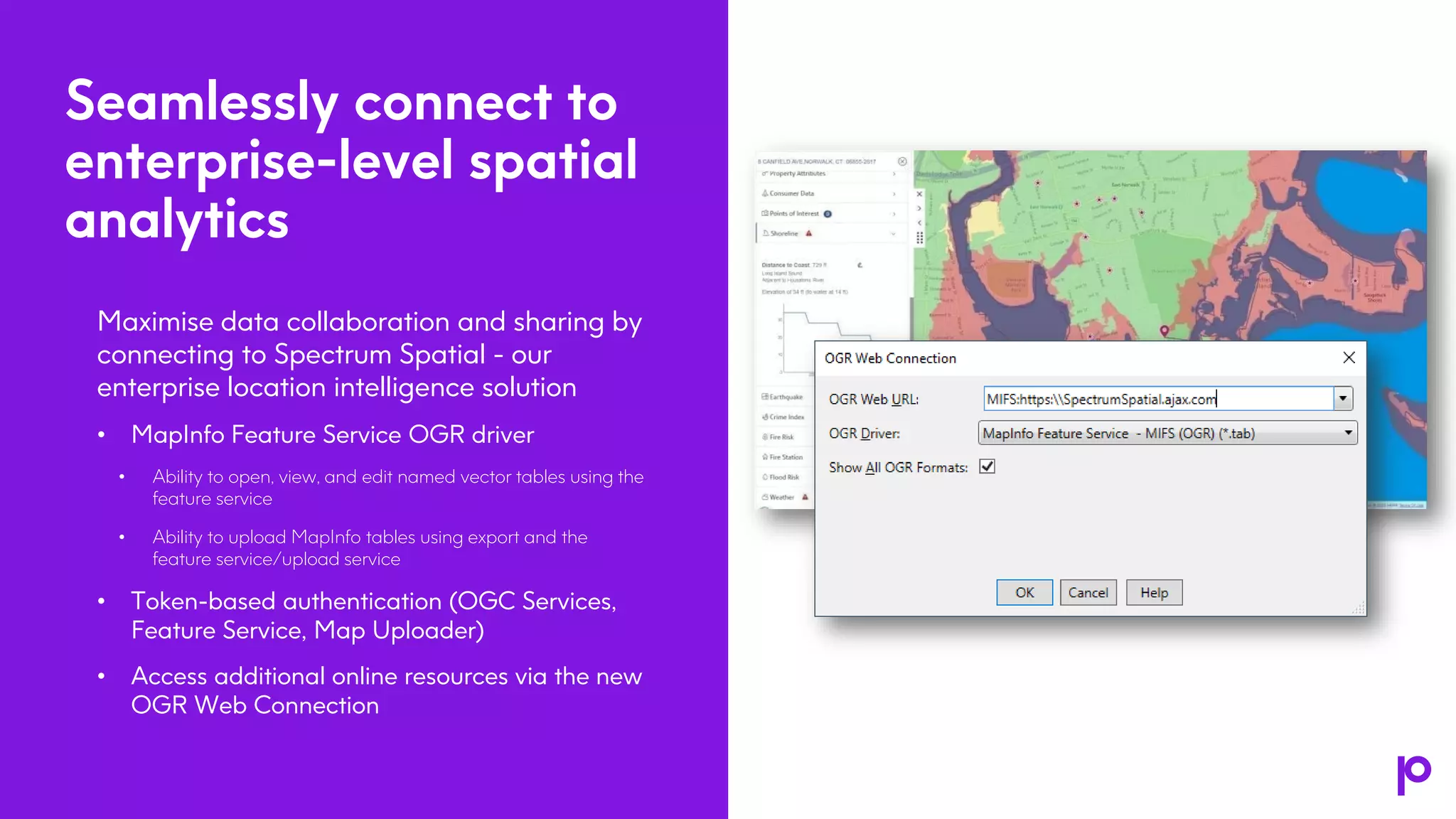
Seamlessly connect to
enterprise-level spatial
analytics
Maximise data collaboration and sharing by
connecting to Spectrum Spatial - our
enterprise location intelligence solution
• MapInfo Feature Service OGR driver
• Ability to open, view, and edit named vector tables using the
feature service
• Ability to upload MapInfo tables using export and the
feature service/upload service
• Token-based authentication (OGC Services,
Feature Service, Map Uploader)
• Access additional online resources via the new
OGR Web Connection
5
Release enhancements
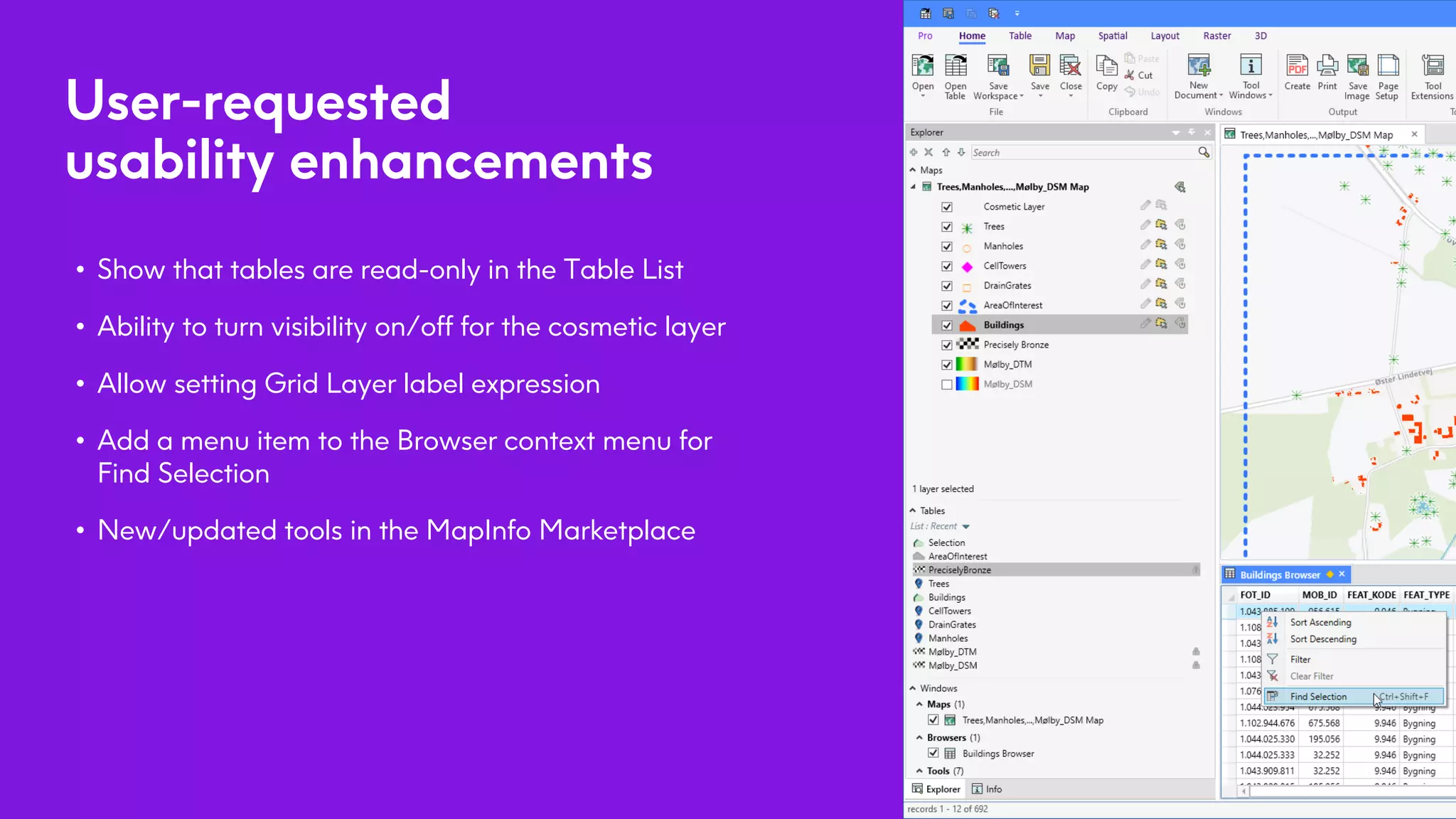
User-requested
usability enhancements
• Show that tables are read-only in the Table List
• Ability to turn visibility on/off for the cosmetic layer
• Allow setting Grid Layer label expression
• Add a menu item to the Browser context menu for
Find Selection
• New/updated tools in the MapInfo Marketplace
5
5
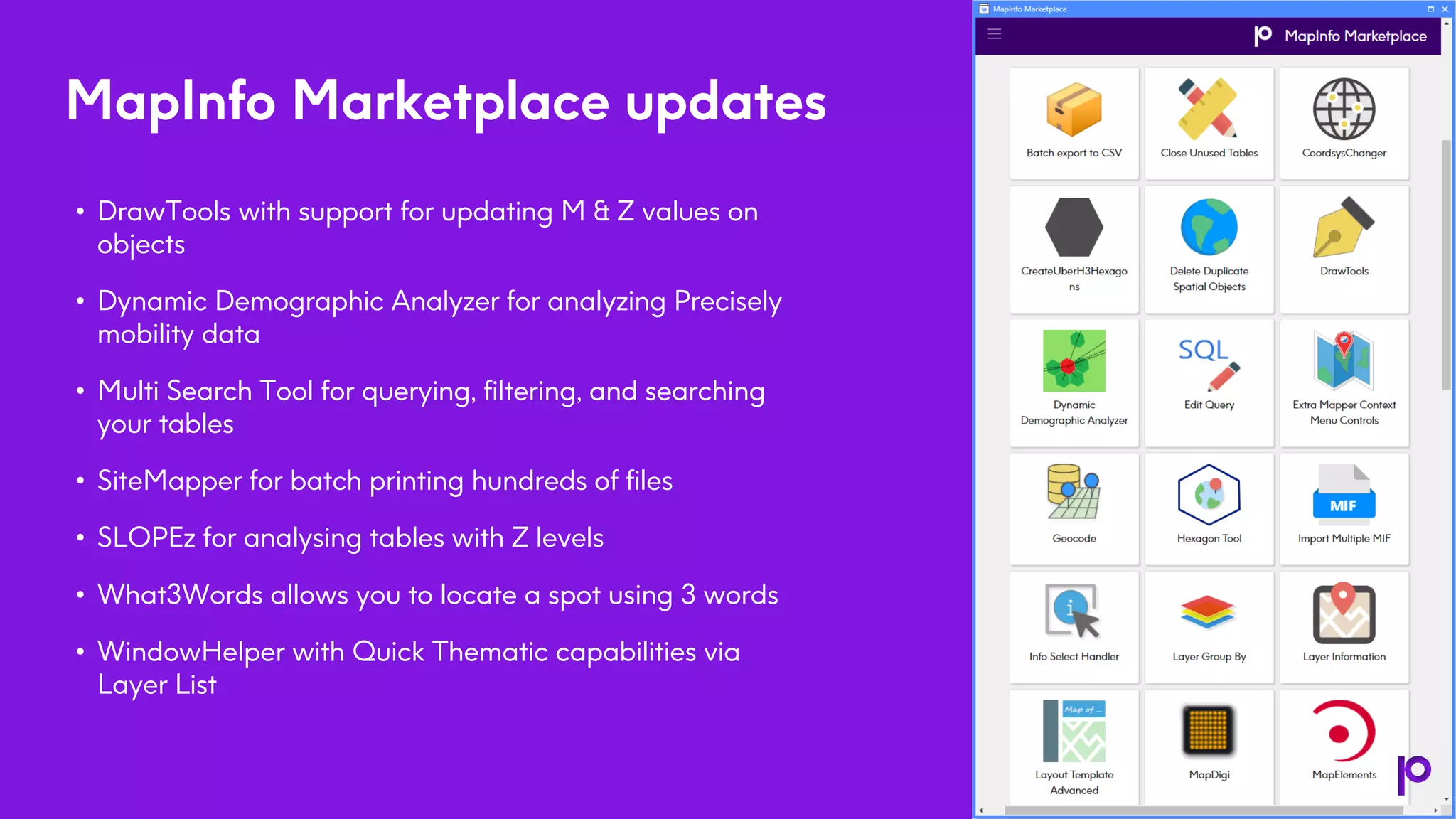
MapInfo Marketplace updates
• DrawTools with support for updating M & Z values on
objects
• Dynamic Demographic Analyzer for analyzing Precisely
mobility data
• Multi Search Tool for querying, filtering, and searching
your tables
• SiteMapper for batch printing hundreds of files
• SLOPEz for analysing tables with Z levels
• What3Words allows you to locate a spot using 3 words
• WindowHelper with Quick Thematic capabilities via
Layer List
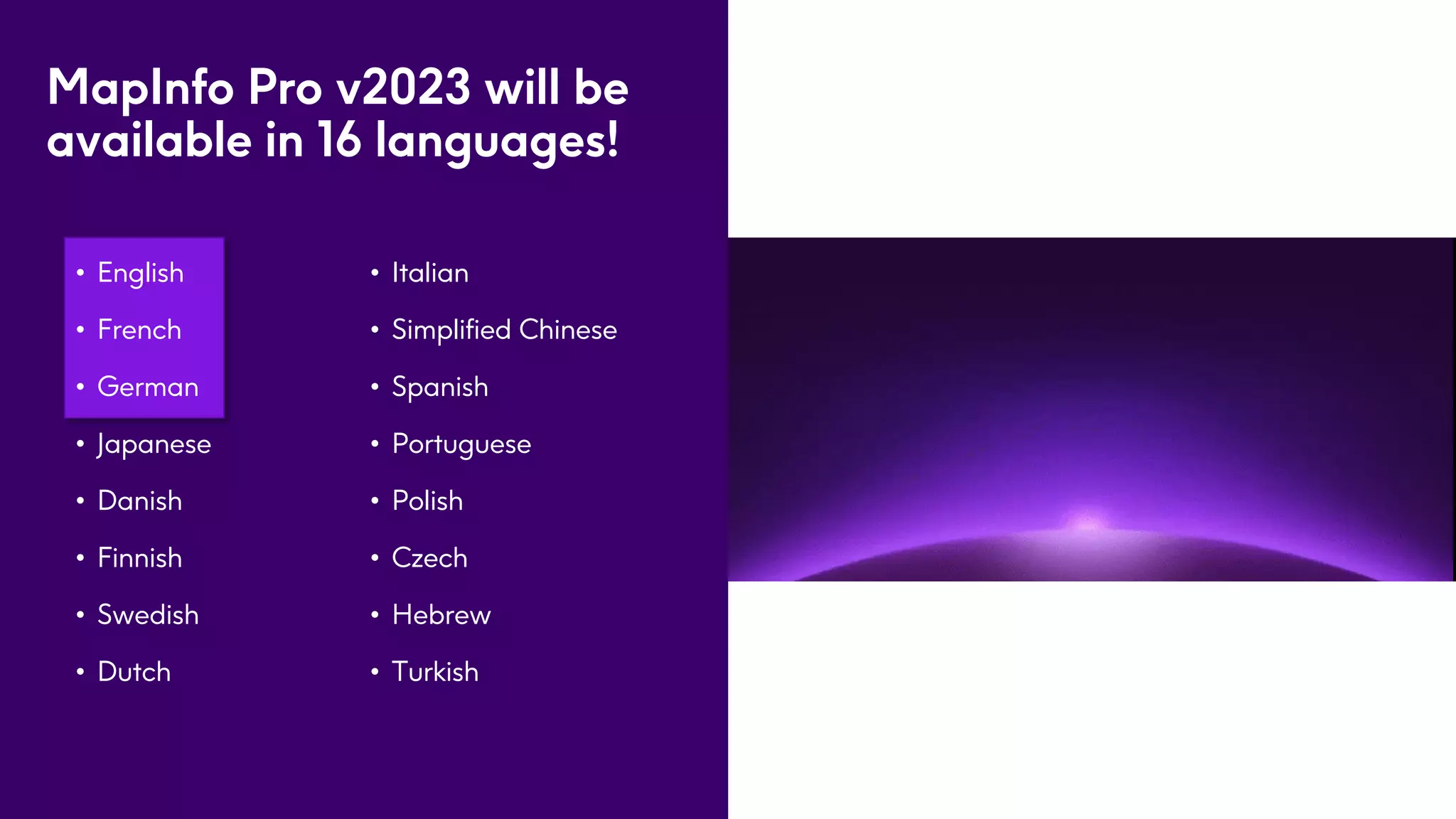
MapInfo Pro v2023 will be
available in 16 languages!
• English
• French
• German
• Japanese
• Danish
• Finnish
• Swedish
• Dutch
5
• Italian
• Simplified Chinese
• Spanish
• Portuguese
• Polish
• Czech
• Hebrew
• Turkish
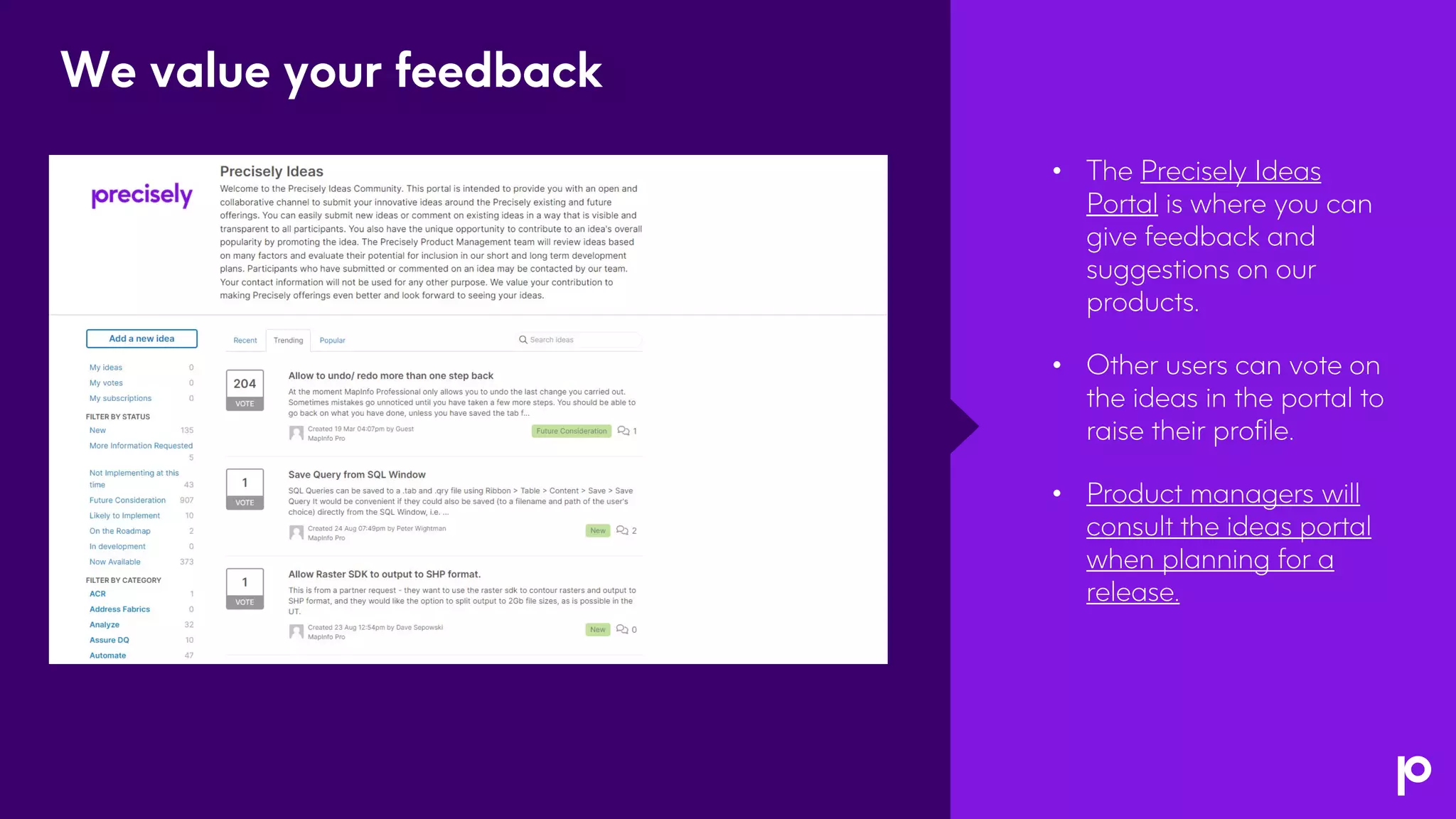
• The Precisely Ideas
Portal is where you can
give feedback and
suggestions on our
products.
• Other users can vote on
the ideas in the portal to
raise their profile.
• Product managers will
consult the ideas portal
when planning for a
release.
We value your feedback
Live Demo
Open Forum
Resource
Enablement
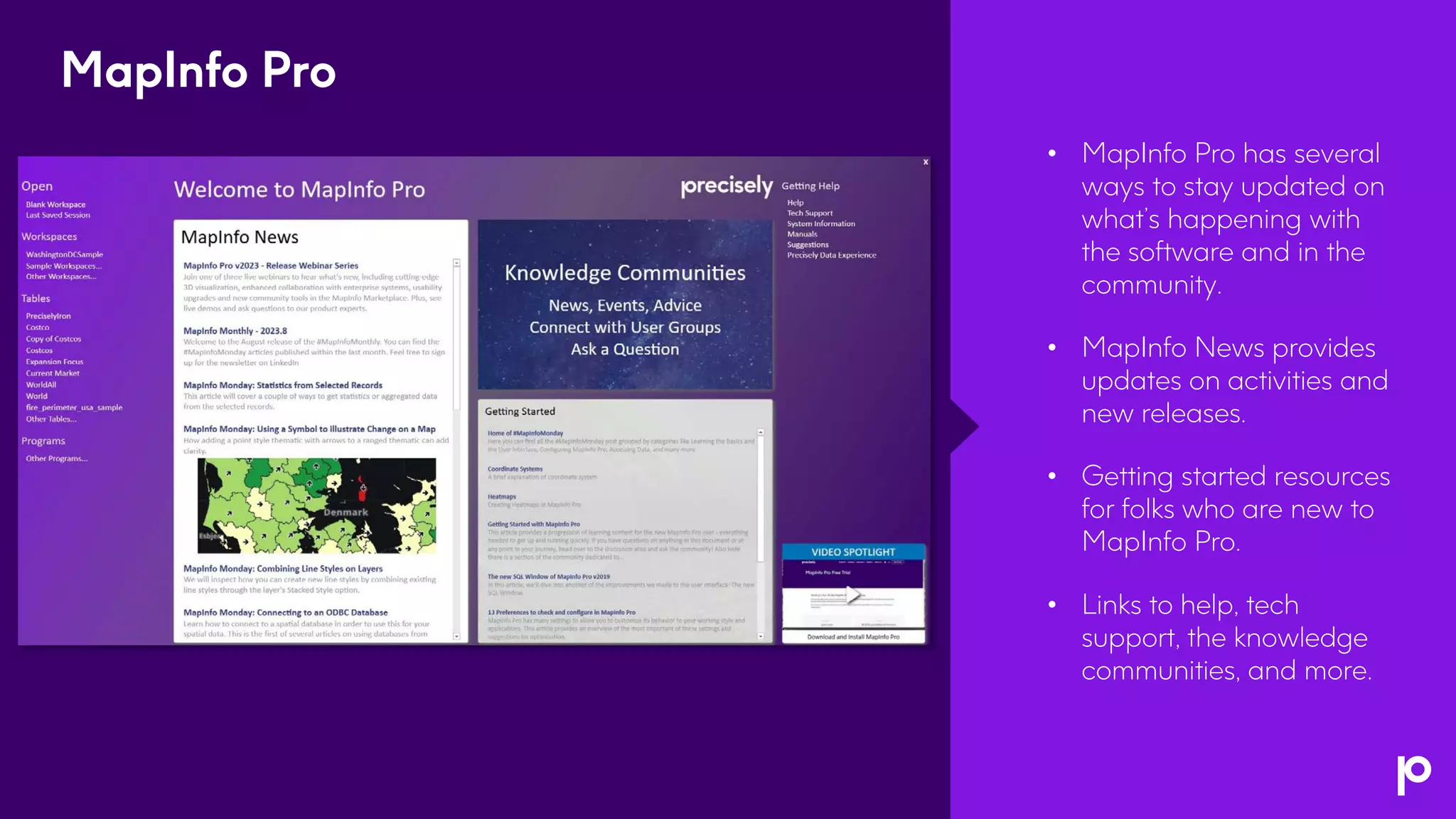
• MapInfo Pro has several
ways to stay updated on
what’s happening with
the software and in the
community.
• MapInfo News provides
updates on activities and
new releases.
• Getting started resources
for folks who are new to
MapInfo Pro.
• Links to help, tech
support, the knowledge
communities, and more.
MapInfo Pro
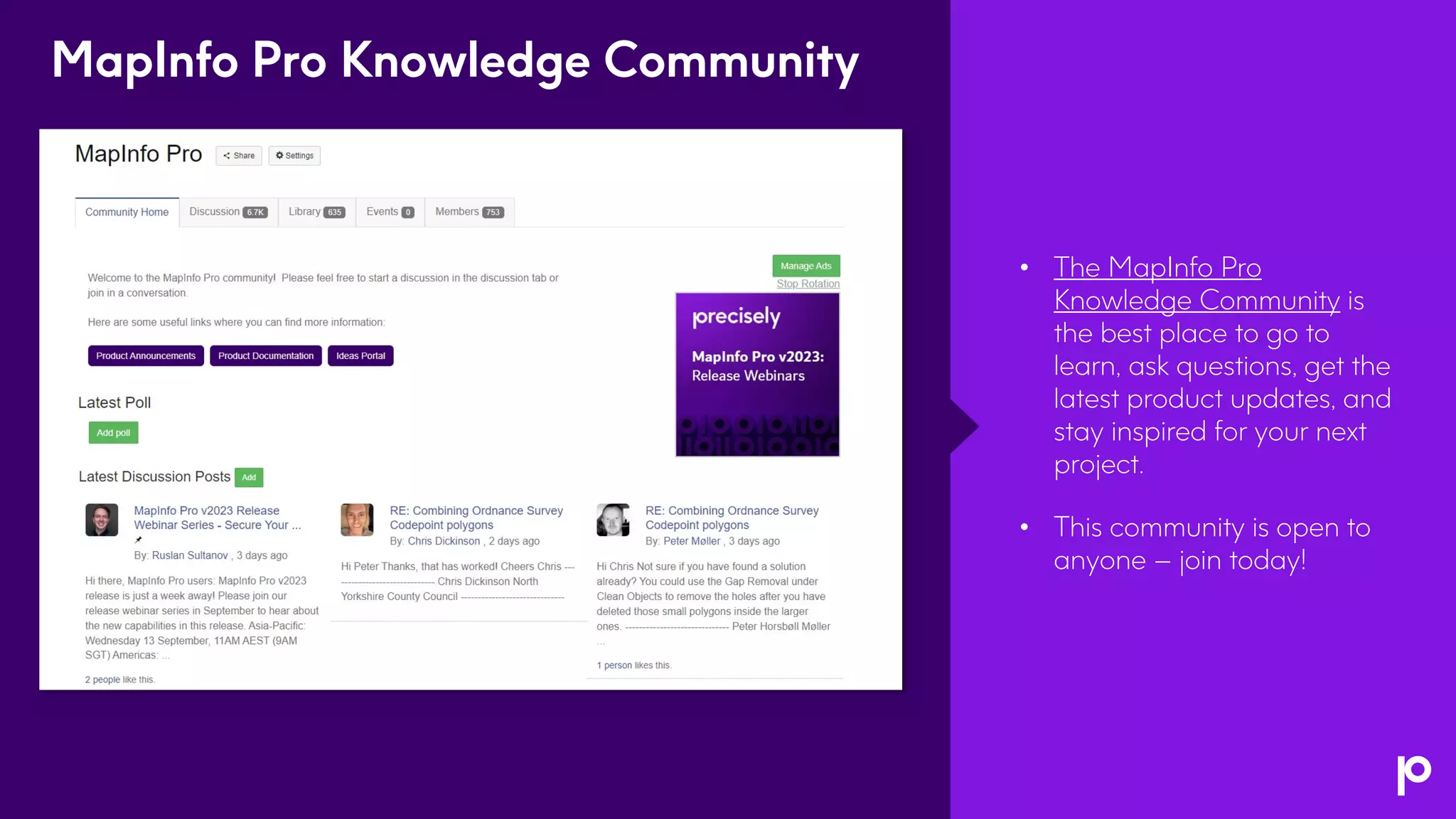
• The MapInfo Pro
Knowledge Community is
the best place to go to
learn, ask questions, get the
latest product updates, and
stay inspired for your next
project.
• This community is open to
anyone – join today!
MapInfo Pro Knowledge Community
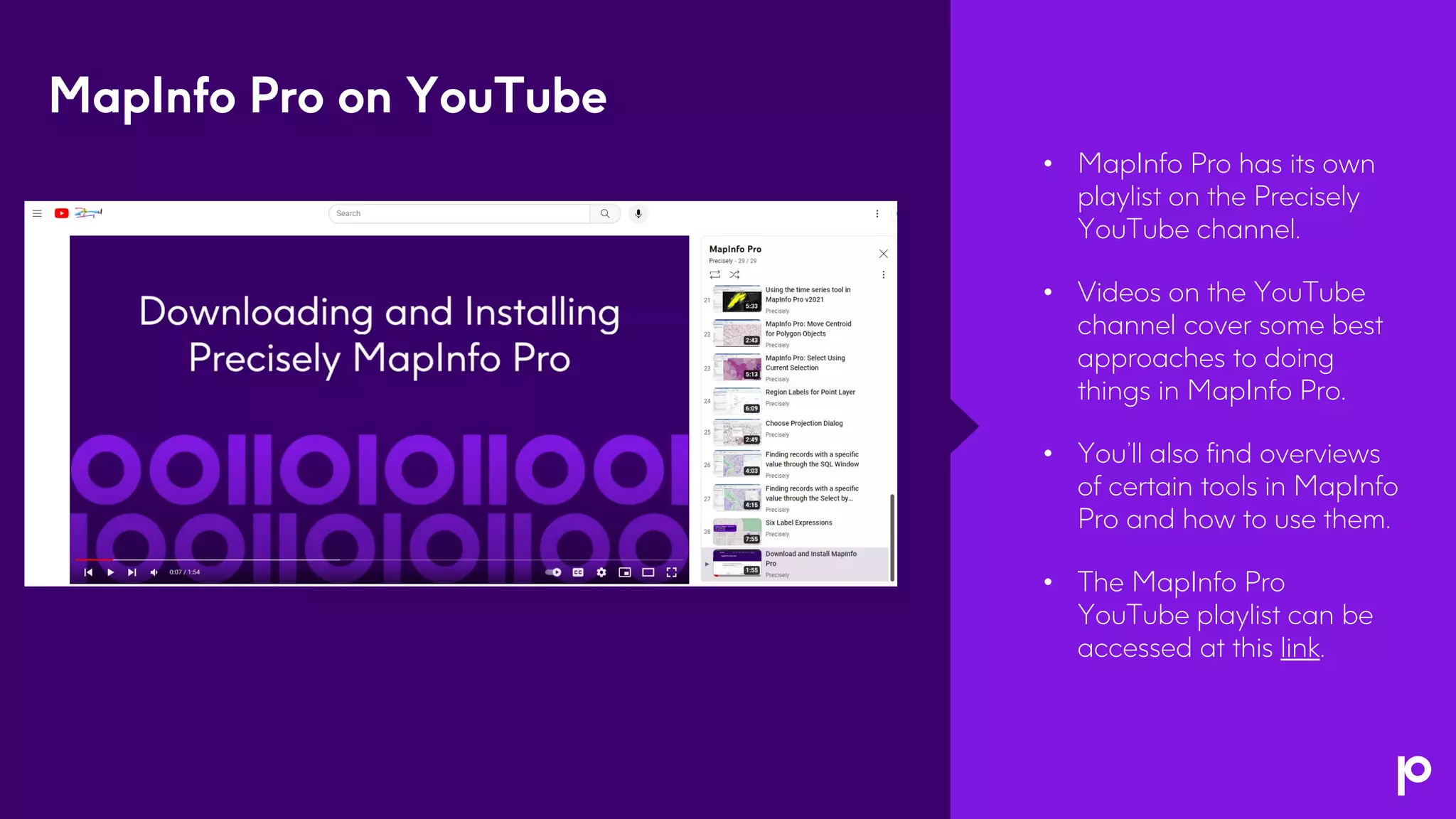
• MapInfo Pro has its own
playlist on the Precisely
YouTube channel.
• Videos on the YouTube
channel cover some best
approaches to doing
things in MapInfo Pro.
• You’ll also find overviews
of certain tools in MapInfo
Pro and how to use them.
• The MapInfo Pro
YouTube playlist can be
accessed at this link.
MapInfo Pro on YouTube
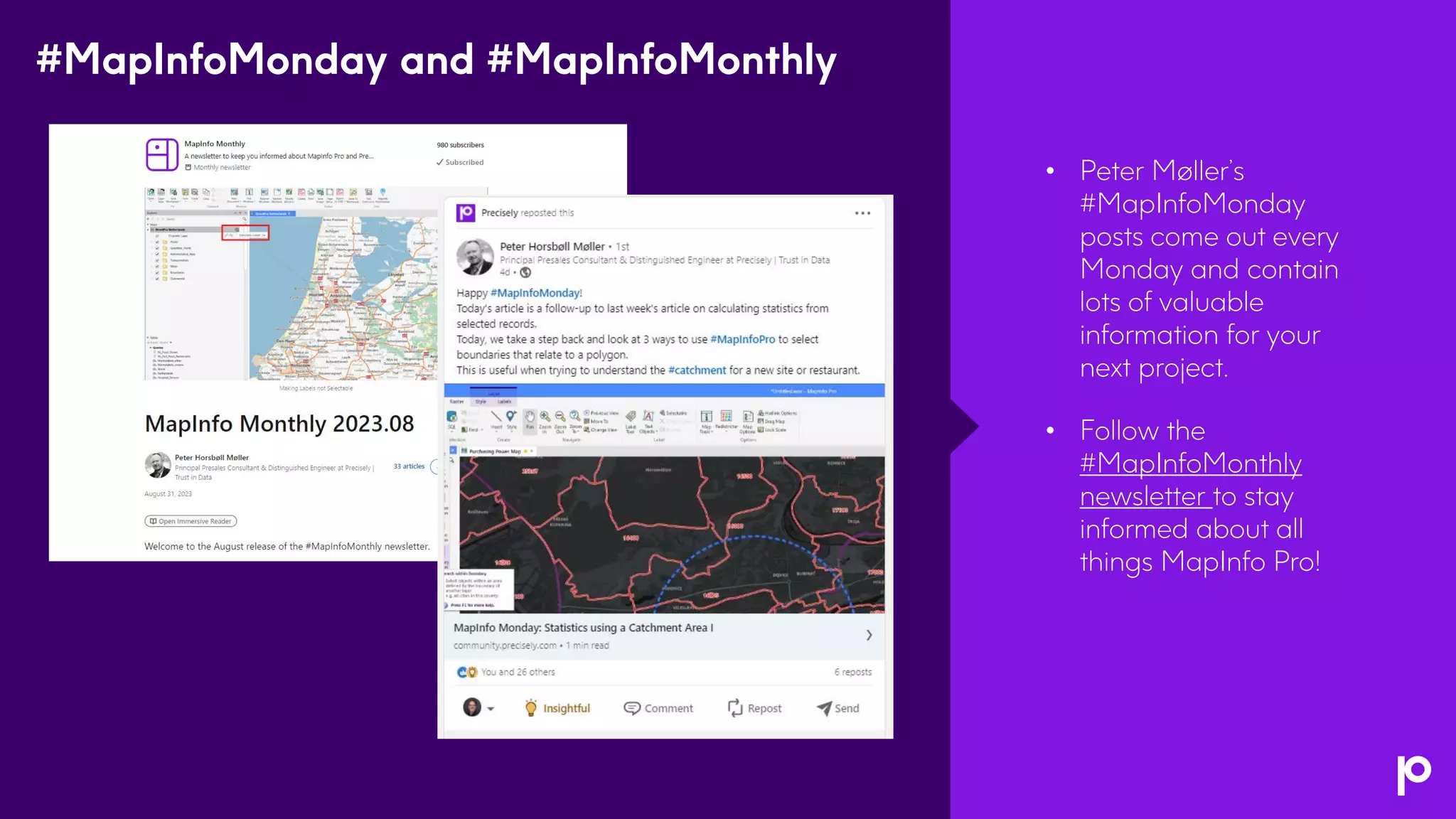
• Peter Møller’s
#MapInfoMonday
posts come out every
Monday and contain
lots of valuable
information for your
next project.
• Follow the
#MapInfoMonthly
newsletter to stay
informed about all
things MapInfo Pro!
#MapInfoMonday and #MapInfoMonthly
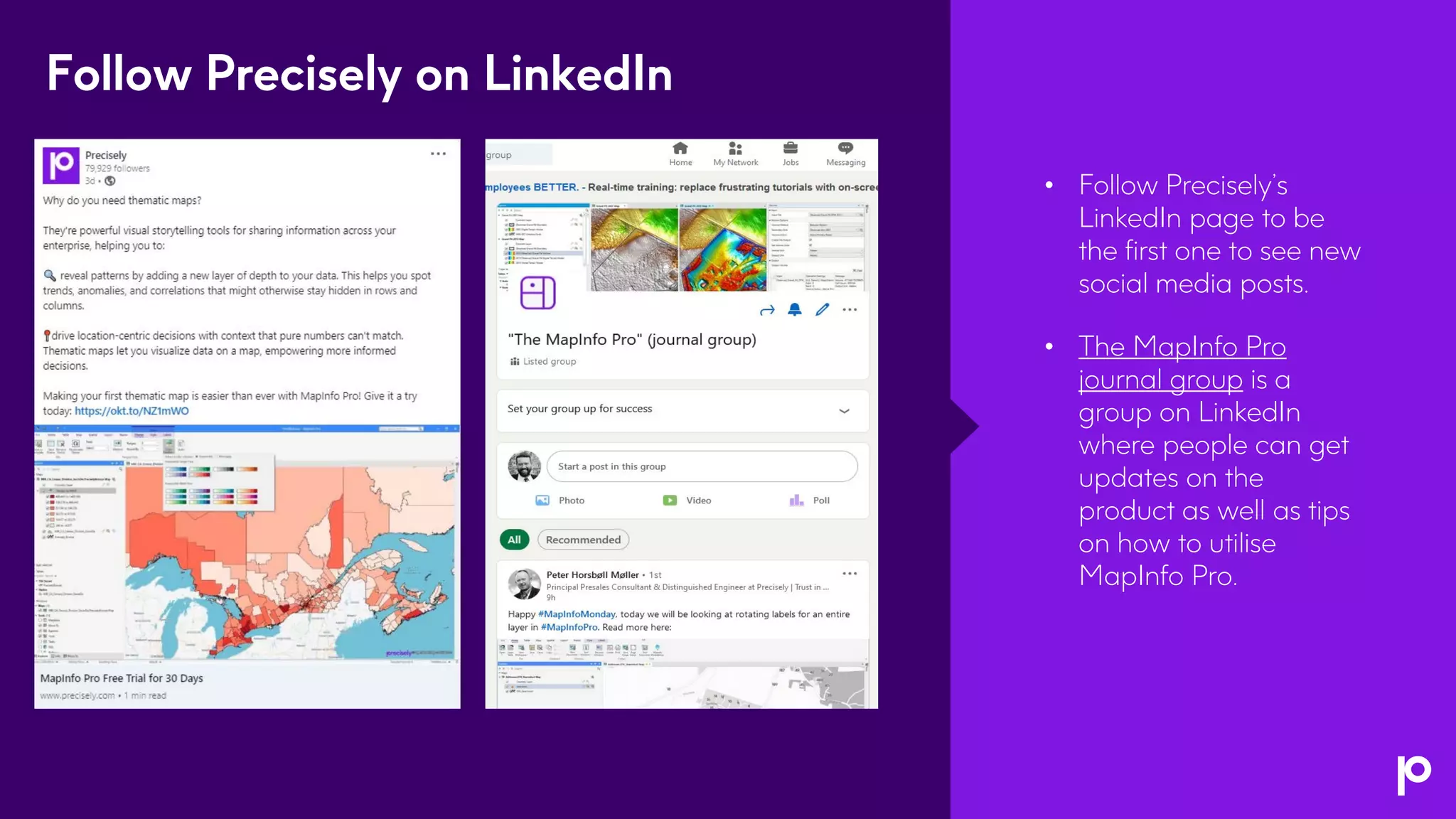
• Follow Precisely’s
LinkedIn page to be
the first one to see new
social media posts.
• The MapInfo Pro
journal group is a
group on LinkedIn
where people can get
updates on the
product as well as tips
on how to utilise
MapInfo Pro.
Follow Precisely on LinkedIn
Thank You

MapInfo Pro v2023: The Next Dimension in Spatial Analytics

  • 1.
    MapInfo Pro v2023 TheNext Dimension in Spatial Analytics
  • 2.
    Housekeeping Webinar Audio • Today’swebinar audio is streamed through your computer speakers and audio lines are muted. • If you need technical assistance with the web interface or audio, please reach out to us using the Q&A box. Webinar Platform • Chrome web browser is recommended. • You can resize and move the different webinar panels. Questions Welcome • Submit your questions at any time using the Q&A box. If we don't get to your question, we will follow-up via email. Recording and slides • This webinar is being recorded. You will receive an email following the webinar with a link to the recording and slides.
  • 3.
    Agenda • Introduction • What’snew in MapInfo Pro v2023 • 3D visualisation demo • Open Forum • Knowledge resource overview 3
  • 4.
    MapInfo Pro v2023 PRESENTER JenniferKokkinos Director, Product Management PRESENTER Esther Kasinathan Senior Sales Engineer PRESENTER Bob Fortin Senior Technology Architect – Distinguished Engineer
  • 5.
    MapInfo Pro v2023 Released12th September (English, German, and French)
  • 6.
    MapInfo Pro v2023 •Easily take advantage of a three-dimensional view of risks and opportunities • Display data in 2D and 3D simultaneously to reveal patterns and relationships not seen in traditional representations • Seamlessly connect to enterprise-level spatial analytics Cutting-edge 3D visualisation, enhanced data collaboration, and streamlined processes • Faster time to meaningful insights with enhanced data analytics toolkit • Benefit from user-requested usability upgrades and community tools with MapInfo Marketplace The next dimension in spatial analytics Learn more about MapInfo Pro v2023
  • 7.
  • 8.
    Visualise vector andraster data inside MapInfo Pro using OpenGL rendering 5 Advanced 3D Window in MapInfo Pro • Delivered via an add-in like MapInfo Pro Raster • Windows can be saved to workspaces • See 2D and 3D representations simultaneously Terrain use case • Raster Terrain 3D model sourced from any supported format • Drape Surface (Imagery or Tiles) over a 3D model • Add Vector tables onto a 3D window Access your local tables or data from cloud and tile servers • Extrude vector tables – get elevation from attributes or nodes • Styling pulled from layers e.g. colours, translucency, thematic, and symbols • Assign 3D Shapes to your point data Z and M values on nodes in MapInfo tables • Set these values using MapBasic and MapBasic tools Stay tuned to see the live demonstration!
  • 9.
    Power decision-making witha 3D view Find an optimal location and height for a mobile phone tower based on the line of sight, terrain, vegetation, and any potential obstruction affecting signal strength. Network planning Identify areas with the highest risk of damage and plan for evacuation or shelter with 3D models of terrain, buildings, and infrastructure. Disaster management Assess environmental impact, locate potential mining sites, and make more informed decisions about land use. Natural resources management Design and develop cities more effectively by analysing spatial data, zoning, infrastructure, and architectural aspects in a detailed 3D environment. Urban planning
  • 10.
  • 11.
    Seamlessly connect to enterprise-levelspatial analytics Maximise data collaboration and sharing by connecting to Spectrum Spatial - our enterprise location intelligence solution • MapInfo Feature Service OGR driver • Ability to open, view, and edit named vector tables using the feature service • Ability to upload MapInfo tables using export and the feature service/upload service • Token-based authentication (OGC Services, Feature Service, Map Uploader) • Access additional online resources via the new OGR Web Connection 5
  • 12.
  • 13.
    User-requested usability enhancements • Showthat tables are read-only in the Table List • Ability to turn visibility on/off for the cosmetic layer • Allow setting Grid Layer label expression • Add a menu item to the Browser context menu for Find Selection • New/updated tools in the MapInfo Marketplace 5
  • 14.
    5 MapInfo Marketplace updates •DrawTools with support for updating M & Z values on objects • Dynamic Demographic Analyzer for analyzing Precisely mobility data • Multi Search Tool for querying, filtering, and searching your tables • SiteMapper for batch printing hundreds of files • SLOPEz for analysing tables with Z levels • What3Words allows you to locate a spot using 3 words • WindowHelper with Quick Thematic capabilities via Layer List
  • 15.
    MapInfo Pro v2023will be available in 16 languages! • English • French • German • Japanese • Danish • Finnish • Swedish • Dutch 5 • Italian • Simplified Chinese • Spanish • Portuguese • Polish • Czech • Hebrew • Turkish
  • 16.
    • The PreciselyIdeas Portal is where you can give feedback and suggestions on our products. • Other users can vote on the ideas in the portal to raise their profile. • Product managers will consult the ideas portal when planning for a release. We value your feedback
  • 17.
  • 18.
  • 19.
  • 20.
    • MapInfo Prohas several ways to stay updated on what’s happening with the software and in the community. • MapInfo News provides updates on activities and new releases. • Getting started resources for folks who are new to MapInfo Pro. • Links to help, tech support, the knowledge communities, and more. MapInfo Pro
  • 21.
    • The MapInfoPro Knowledge Community is the best place to go to learn, ask questions, get the latest product updates, and stay inspired for your next project. • This community is open to anyone – join today! MapInfo Pro Knowledge Community
  • 22.
    • MapInfo Prohas its own playlist on the Precisely YouTube channel. • Videos on the YouTube channel cover some best approaches to doing things in MapInfo Pro. • You’ll also find overviews of certain tools in MapInfo Pro and how to use them. • The MapInfo Pro YouTube playlist can be accessed at this link. MapInfo Pro on YouTube
  • 23.
    • Peter Møller’s #MapInfoMonday postscome out every Monday and contain lots of valuable information for your next project. • Follow the #MapInfoMonthly newsletter to stay informed about all things MapInfo Pro! #MapInfoMonday and #MapInfoMonthly
  • 24.
    • Follow Precisely’s LinkedInpage to be the first one to see new social media posts. • The MapInfo Pro journal group is a group on LinkedIn where people can get updates on the product as well as tips on how to utilise MapInfo Pro. Follow Precisely on LinkedIn
  • 25.