Making Visual GUI Testing
Agile
2016-04-28
Geoff Bache
Today’s take home points
• Arrange, Act, Assert: separate problems, different techniques/tools!
• Capture system behaviour, filter it, and manage changes in it
o This is called ”Approval Testing” and comes with tool support!
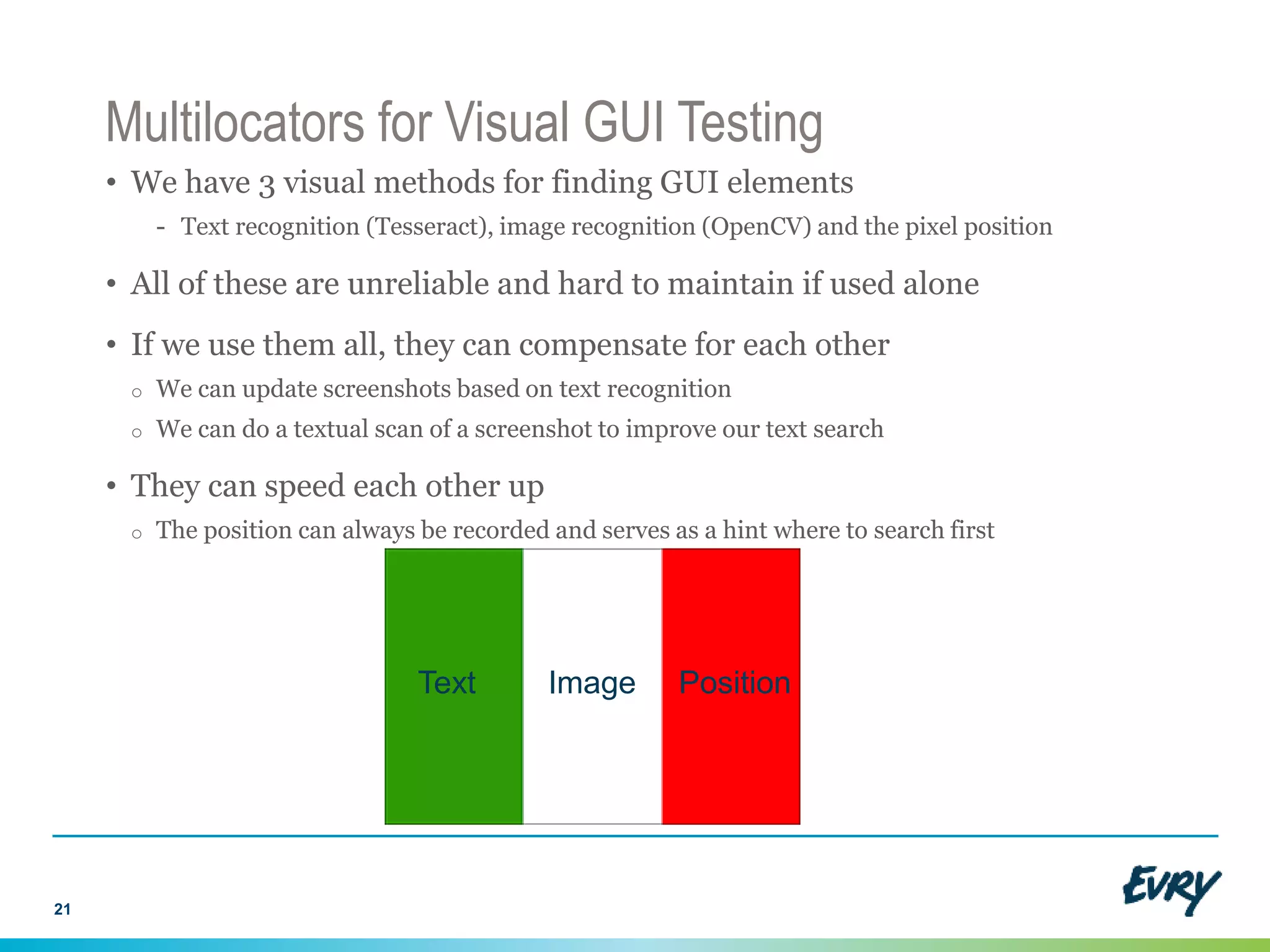
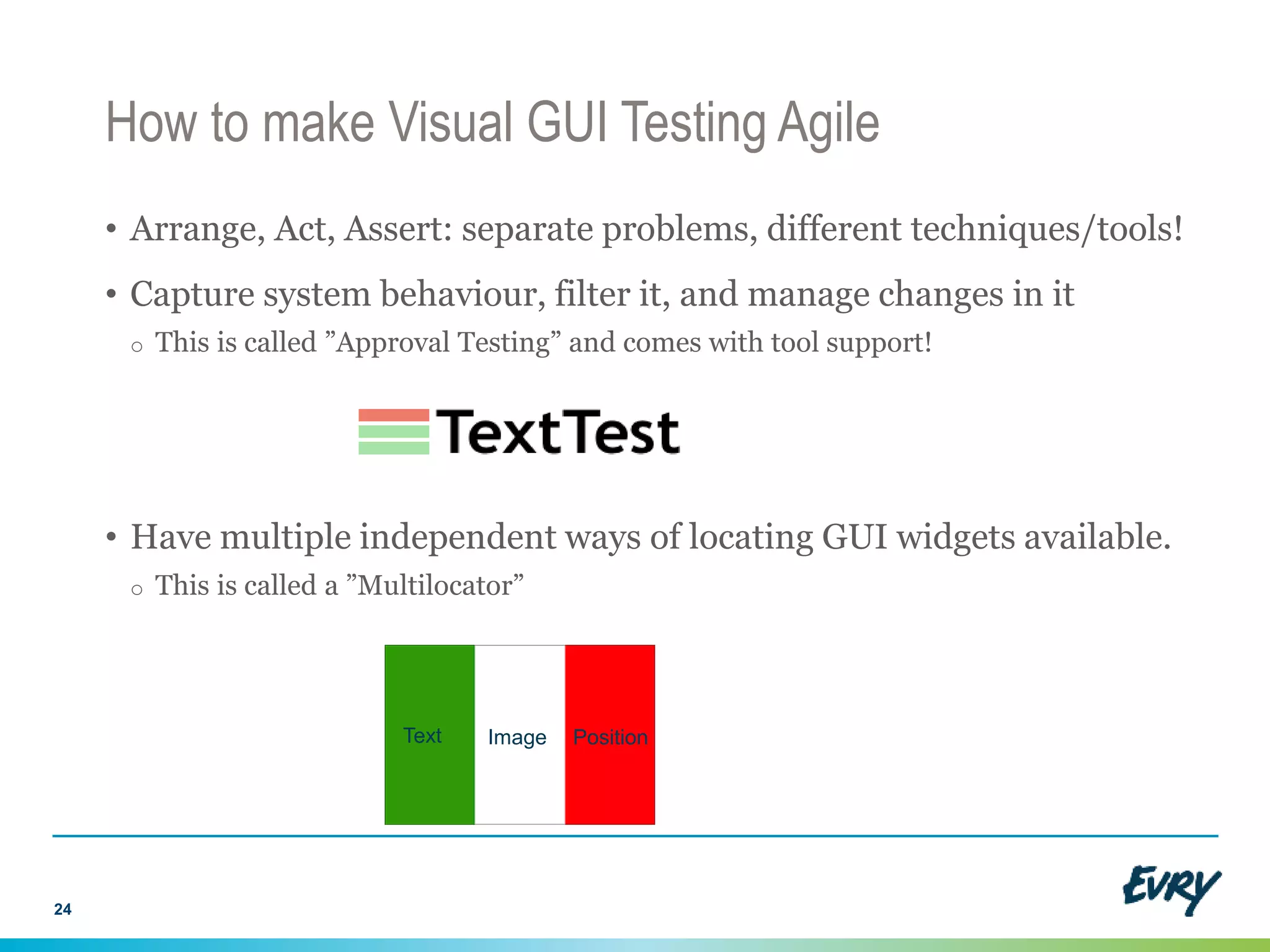
• Have multiple independent ways of locating GUI widgets available.
o This is called a ”Multilocator”
2
Text Image Position
Visual GUI Testing Fact Sheet
• How it works
o Treats the GUI like a bitmap
o Use the mouse and keyboard to control it
o Makes use of image recognition and text recognition (OCR) techniques
• Examples:
o Open source: Sikuli
o Commercial tools: JAutomate, Eggplant, UFT etc
3
Why Visual GUI Testing?
• Advantages
o Independent of GUI technology
o Can simulate a user very closely
o Easy to get going quickly
• Disadvantages
o Fairly immature and ”bleeding edge”
o Brittle and un-Agile?
4
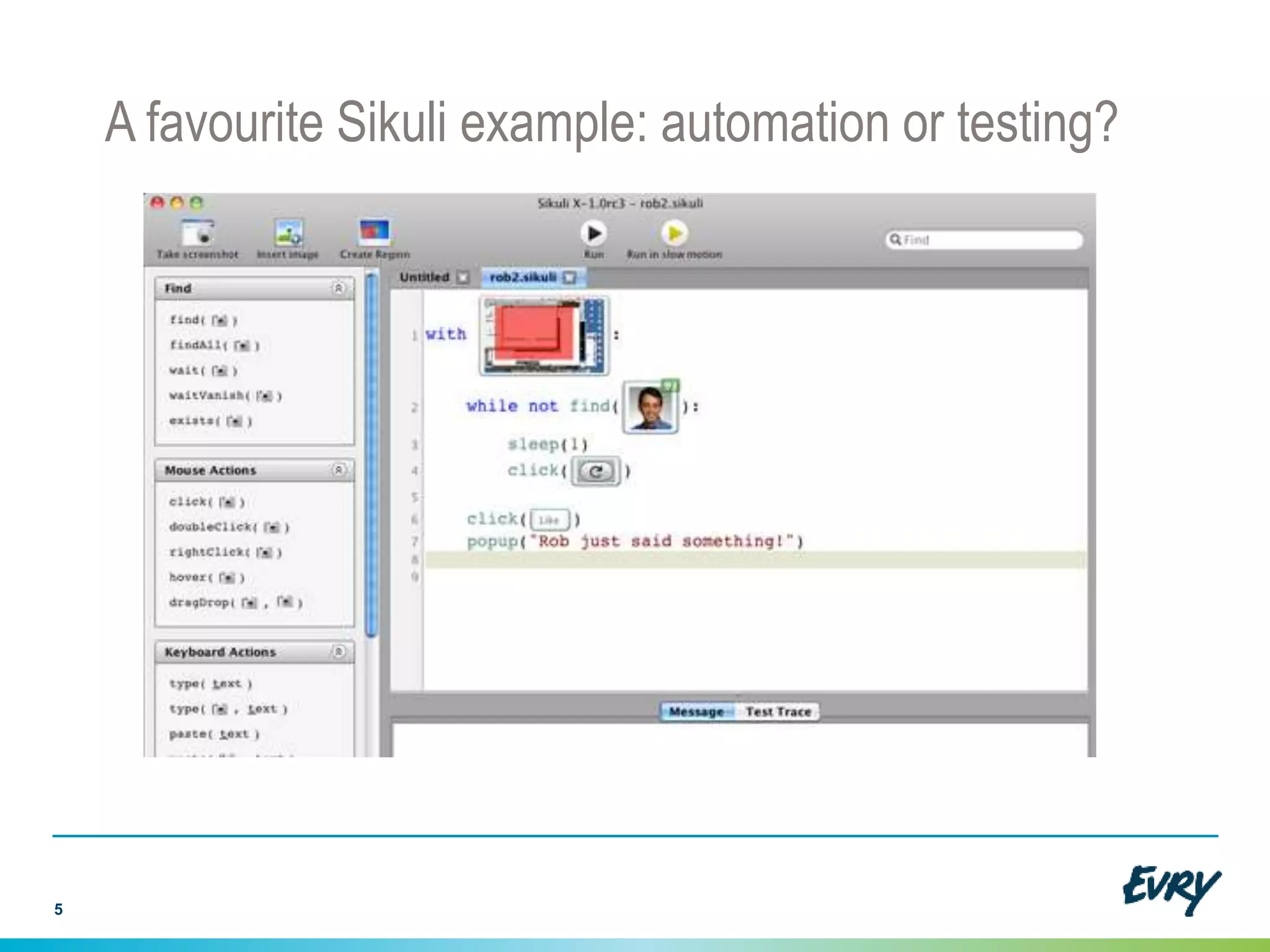
A favourite Sikuli example: automation or testing?
5
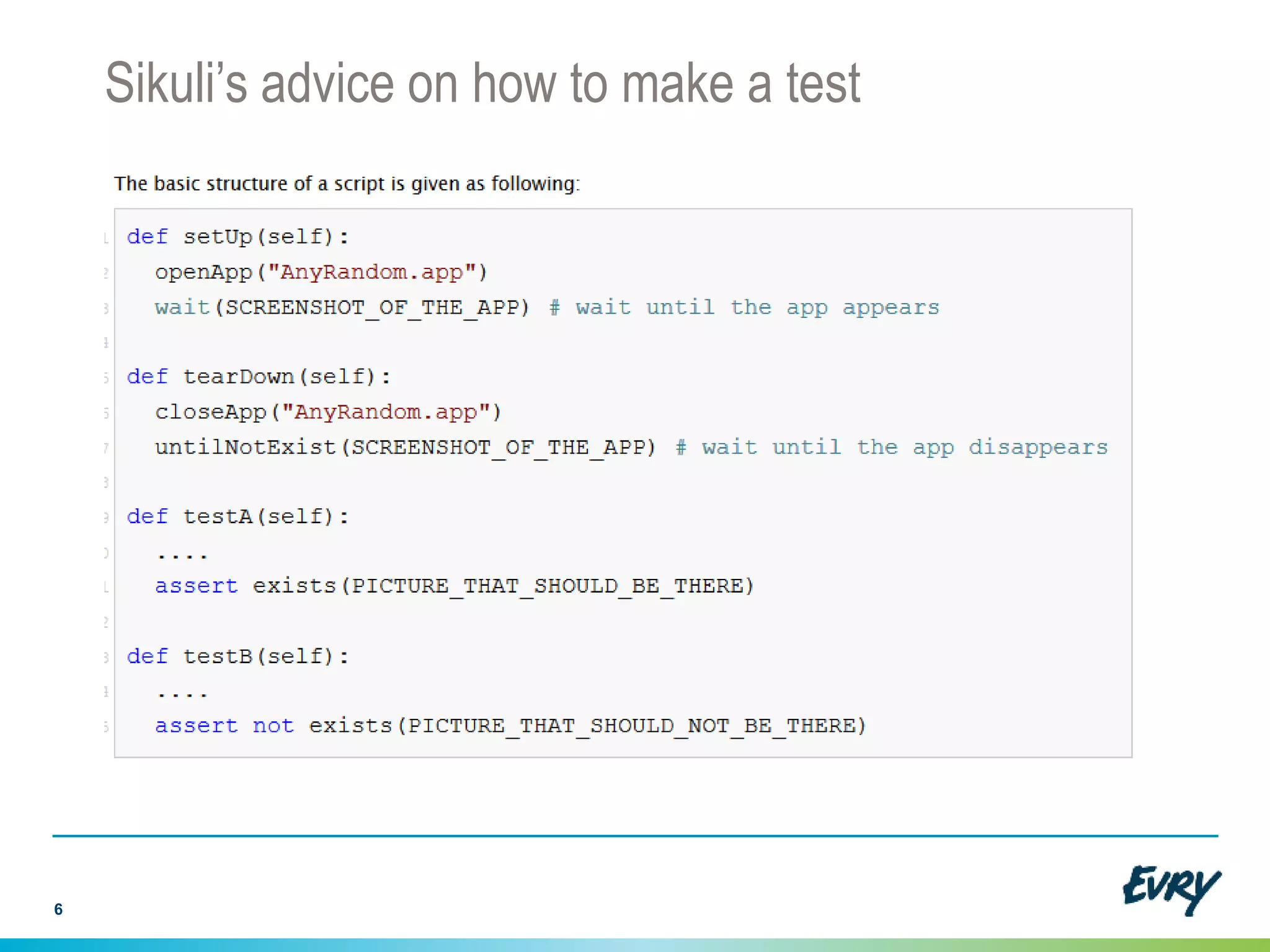
Sikuli’s advice on how to make a test
6
Unit Test Case: Arrange-Act-Assert
7
Arrange Act Assert
x = Number(1);
y = Number(2);
x.add(y); assert x.value() == 3;
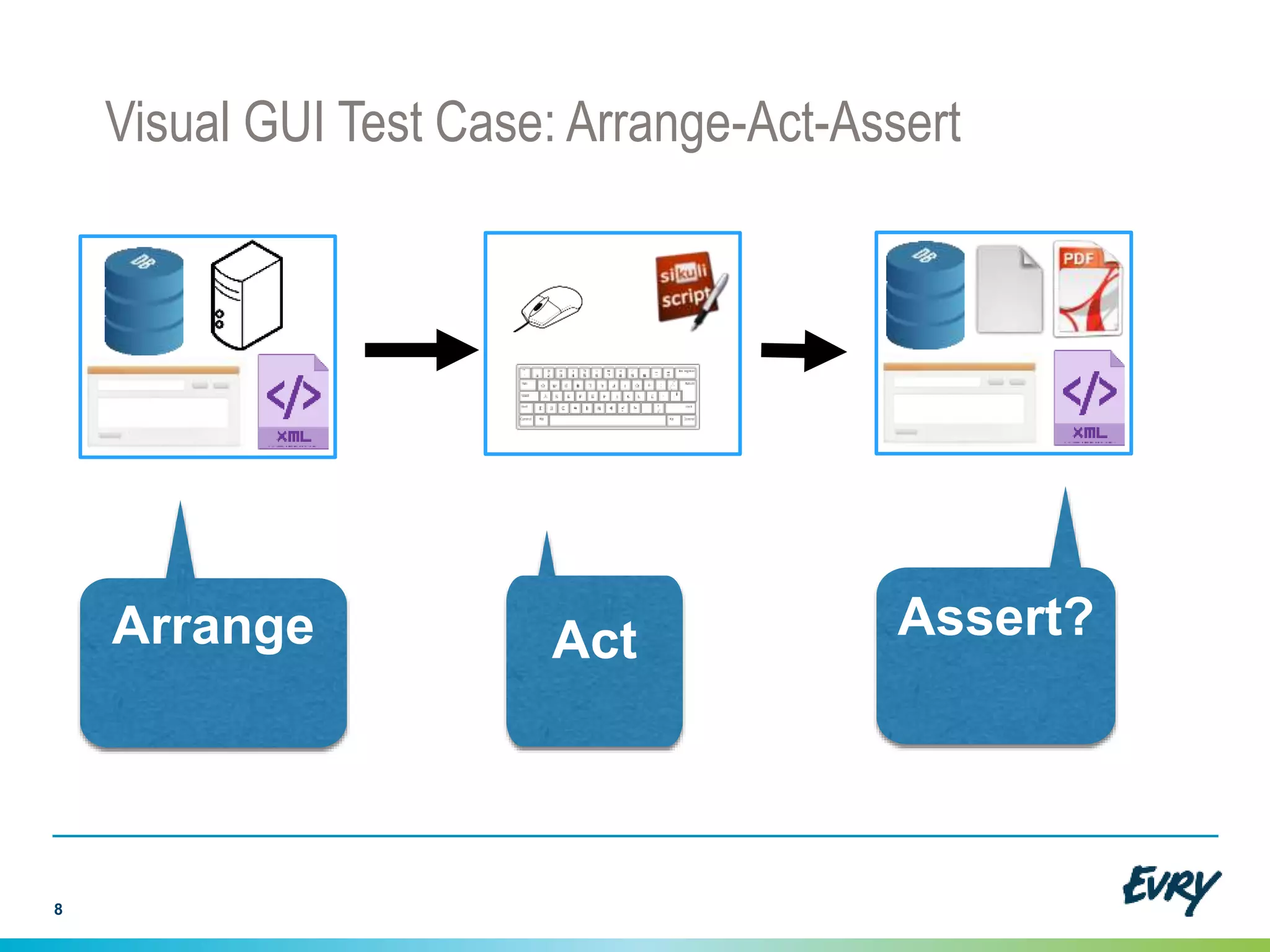
Visual GUI Test Case: Arrange-Act-Assert
8
Arrange Act Assert?
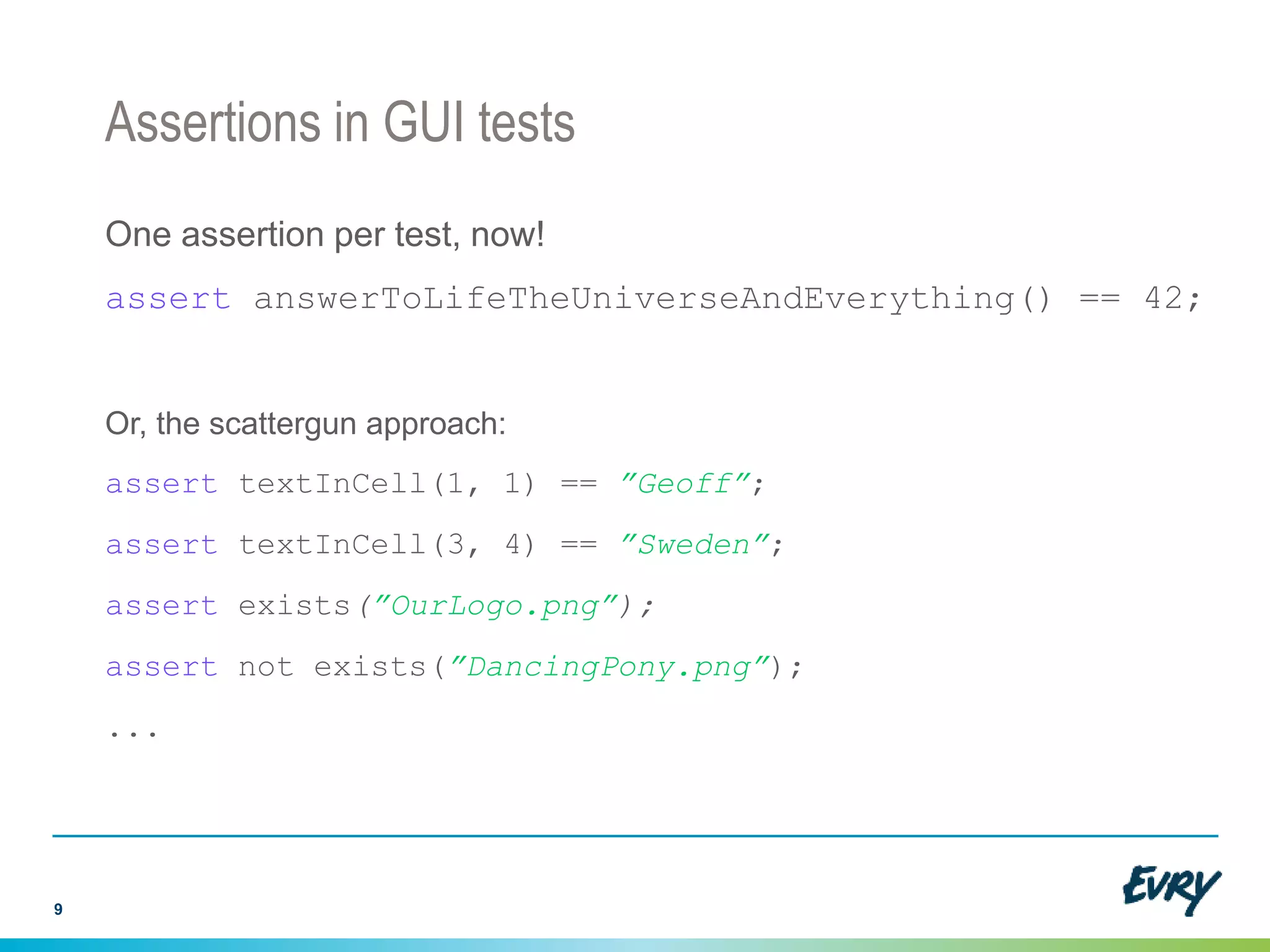
Assertions in GUI tests
One assertion per test, now!
assert answerToLifeTheUniverseAndEverything() == 42;
Or, the scattergun approach:
assert textInCell(1, 1) == ”Geoff”;
assert textInCell(3, 4) == ”Sweden”;
assert exists(”OurLogo.png”);
assert not exists(”DancingPony.png”);
...
9
Approval Test Case: Assert = Collate-Filter-Compare
10
Arrange Act
Assert
dump
copy
pdf2text
xmllint
CompareFilterCollate
Behaviour change!
11
Approved Output New Output
TEST FAILURE
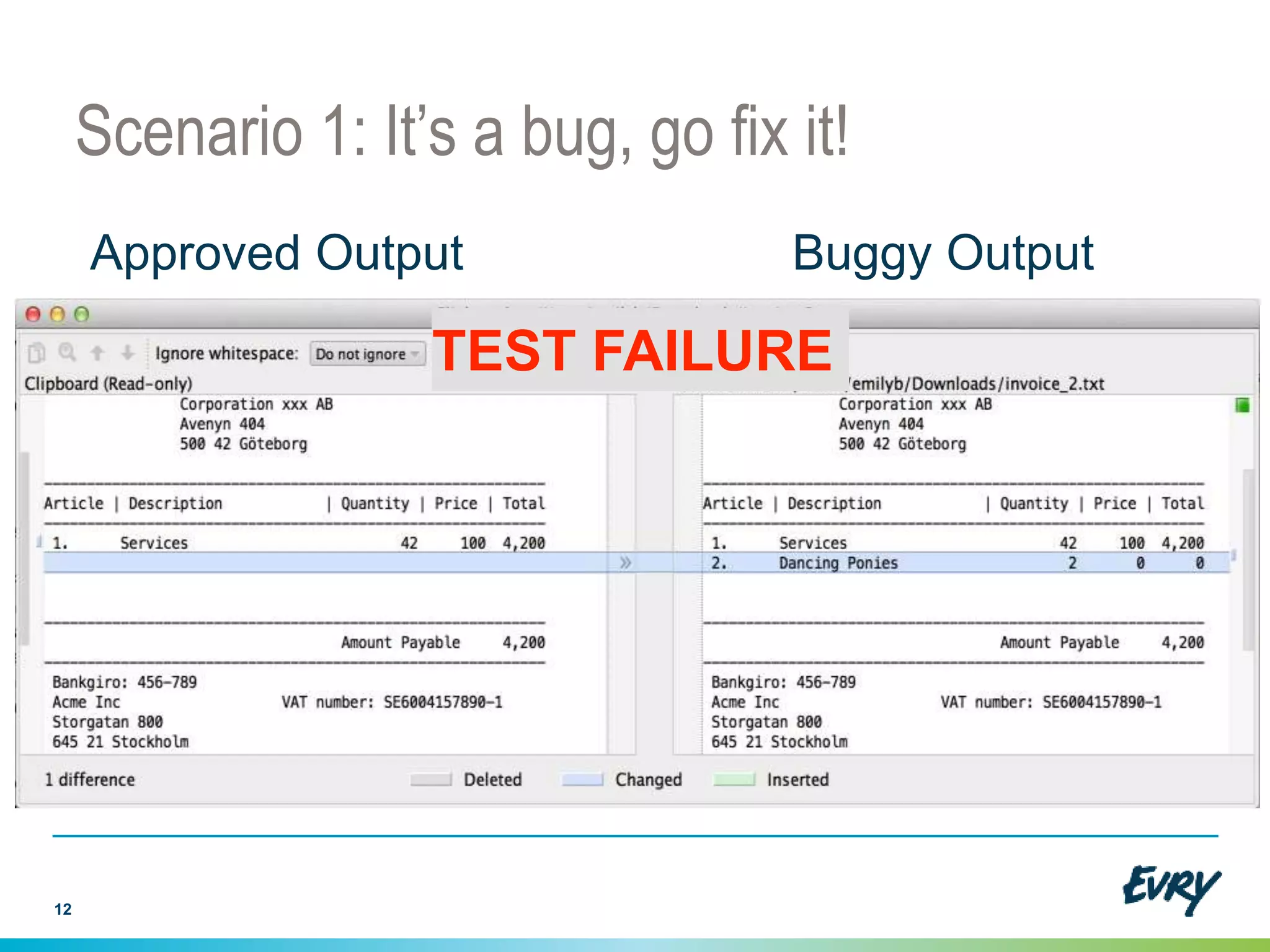
Scenario 1: It’s a bug, go fix it!
12
Approved Output Buggy Output
TEST FAILURE
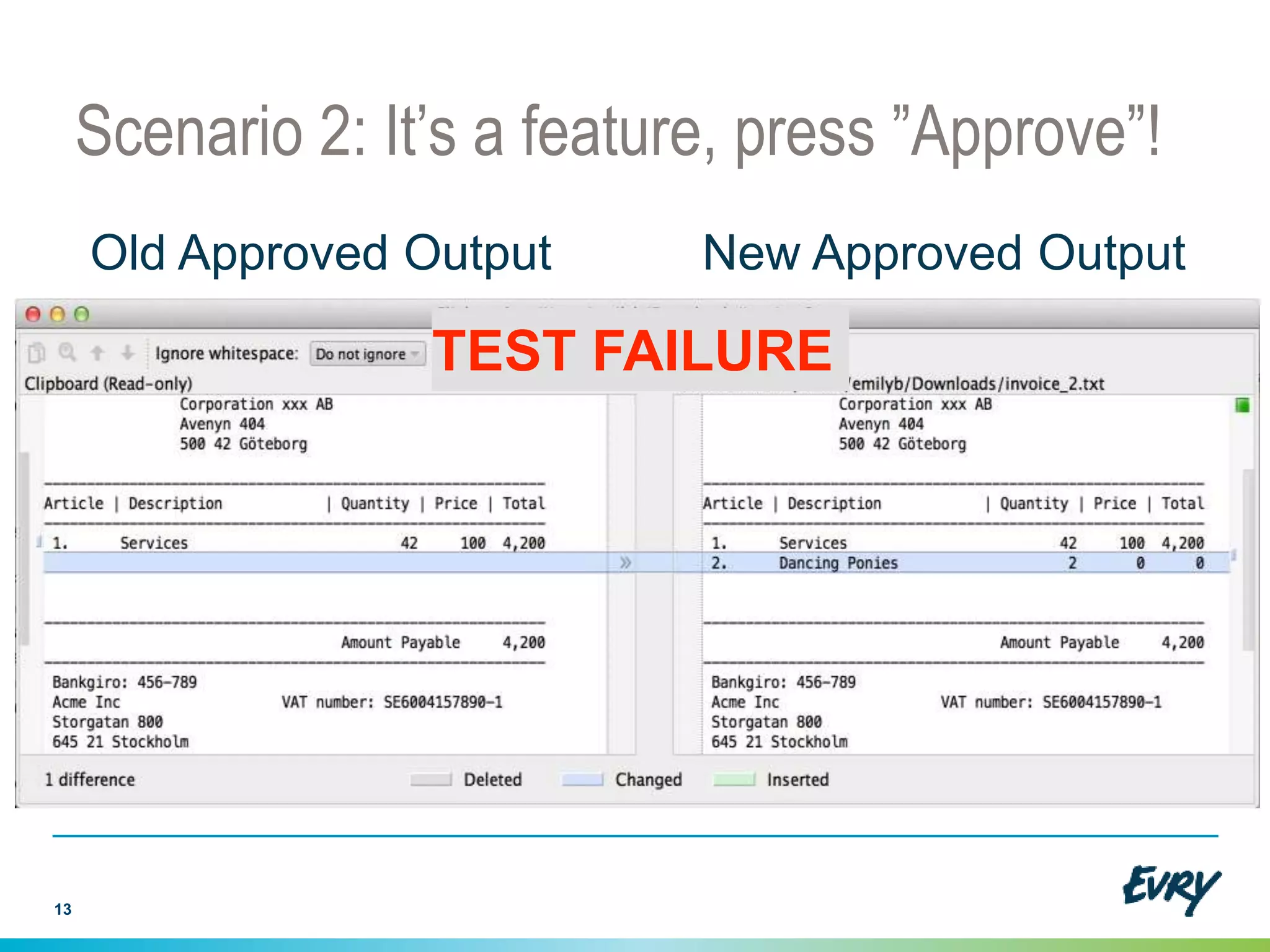
Scenario 2: It’s a feature, press ”Approve”!
13
Old Approved Output New Approved Output
TEST FAILURE
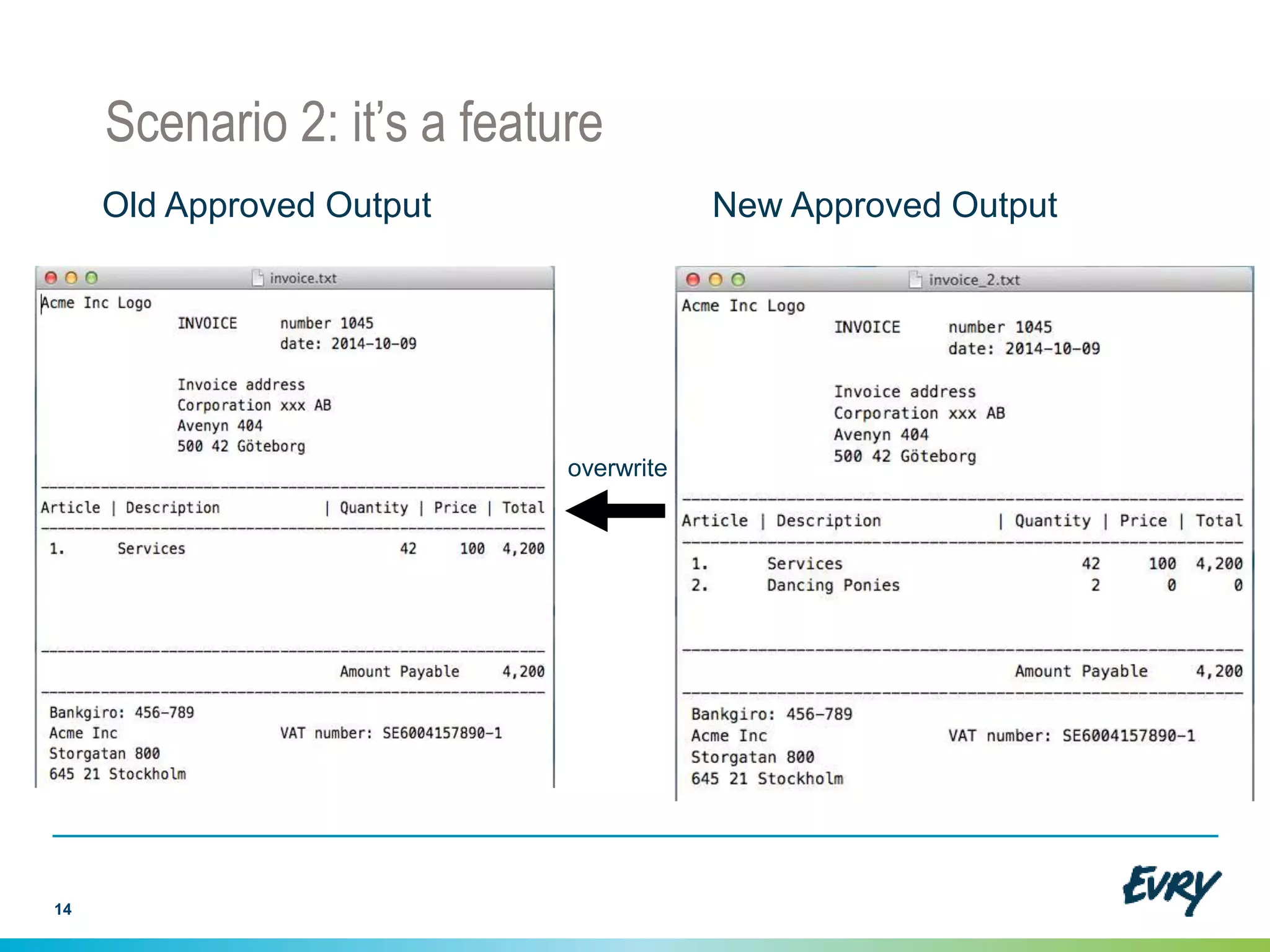
Scenario 2: it’s a feature
14
Old Approved Output New Approved Output
overwrite
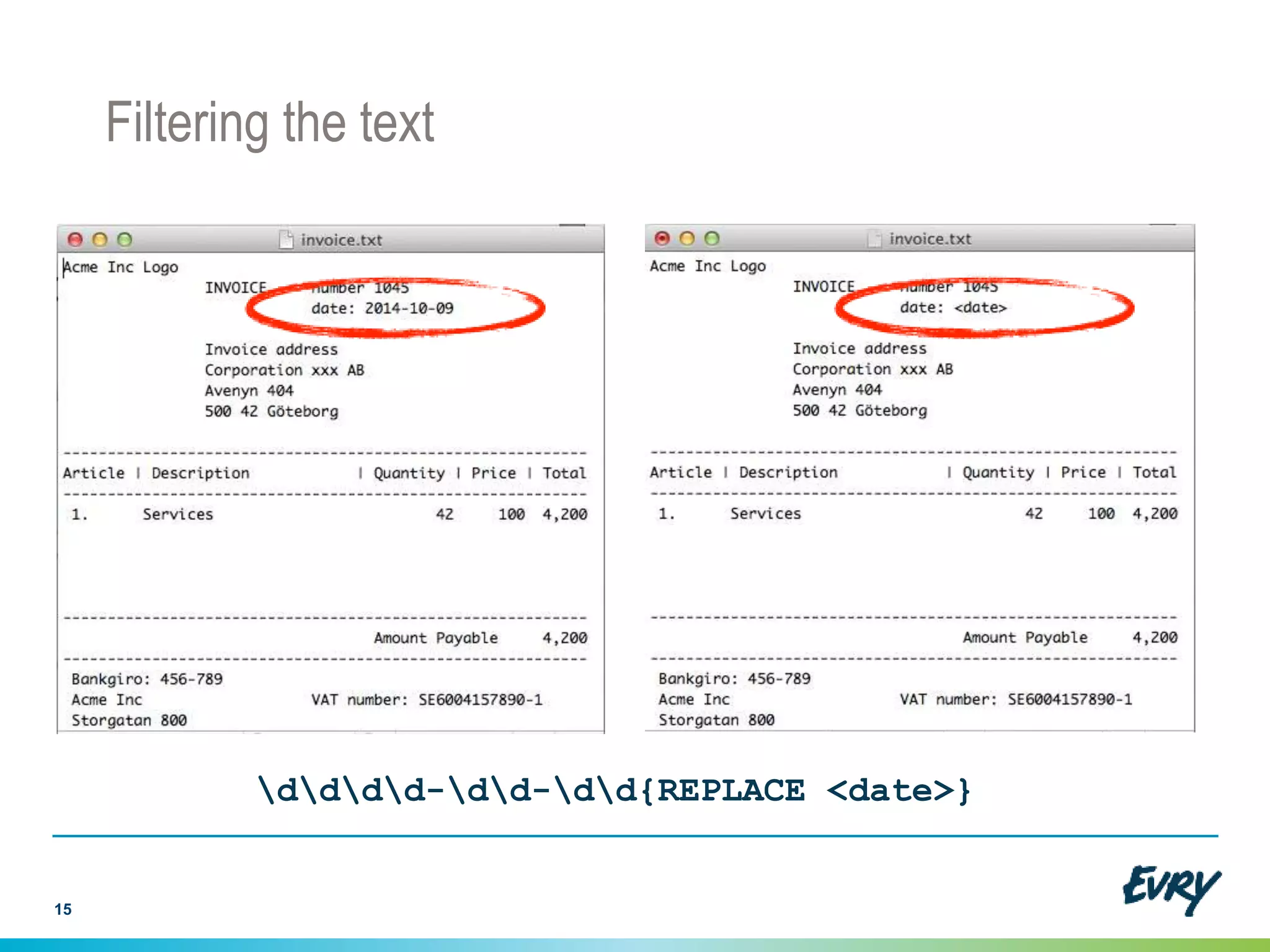
Filtering the text
15
dddd-dd-dd{REPLACE <date>}
Tool support for Approval Testing
● Open Source
● Approval Testing
● Data-Driven Testing
● Test Management
● Mature (since 2004) and feature-rich
● I am the author
http://texttest.org
Other tools:
• Approval Tests (Llewellyn Falco): http://approvaltests.sourceforge.net/
• Pearlfish (Nat Pryce): http://github.com/pearlfish/pearlfish-java
16
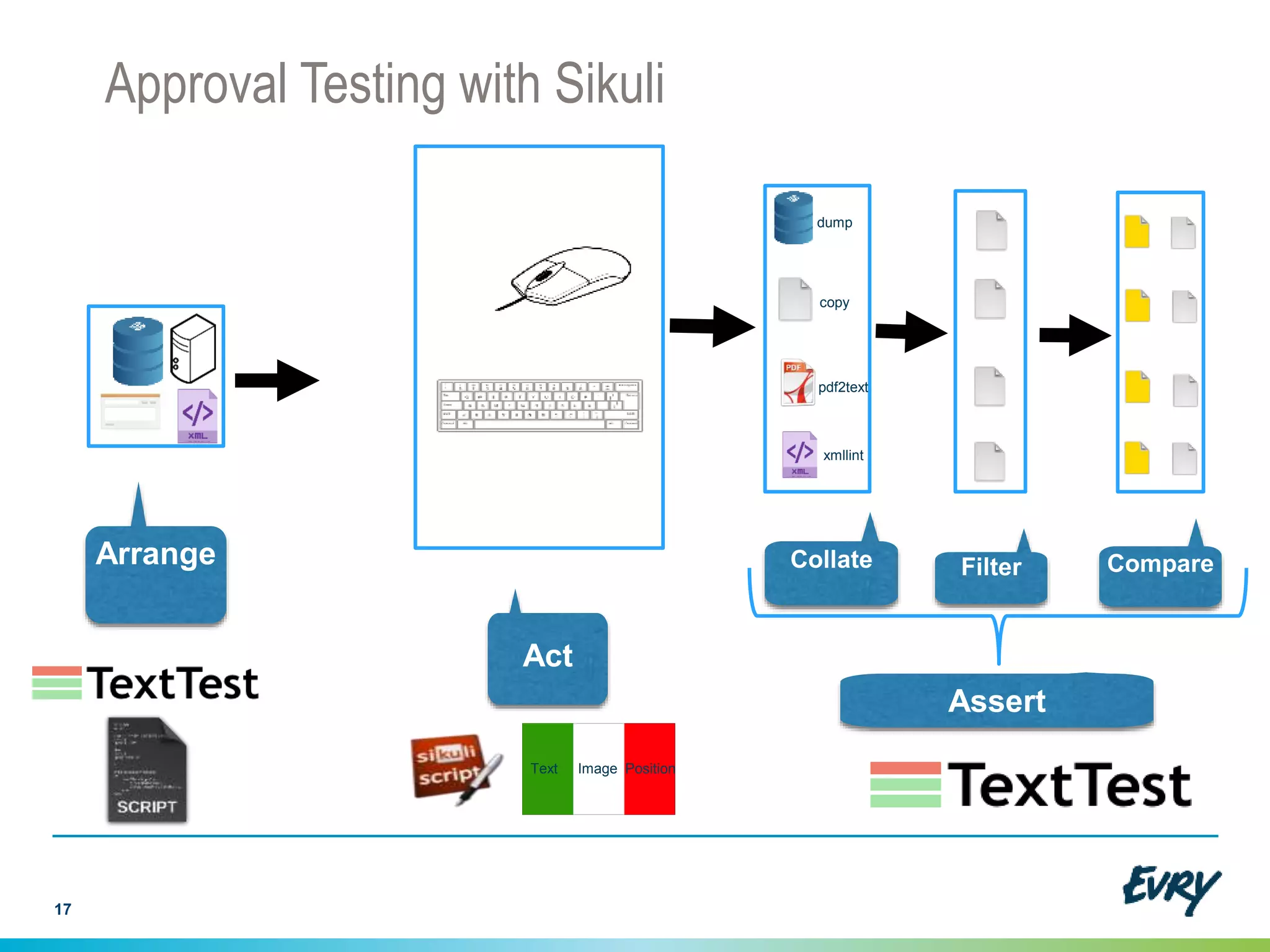
Approval Testing with Sikuli
17
Arrange
Act
Assert
dump
copy
pdf2text
xmllint
CompareFilterCollate
Text Image Position
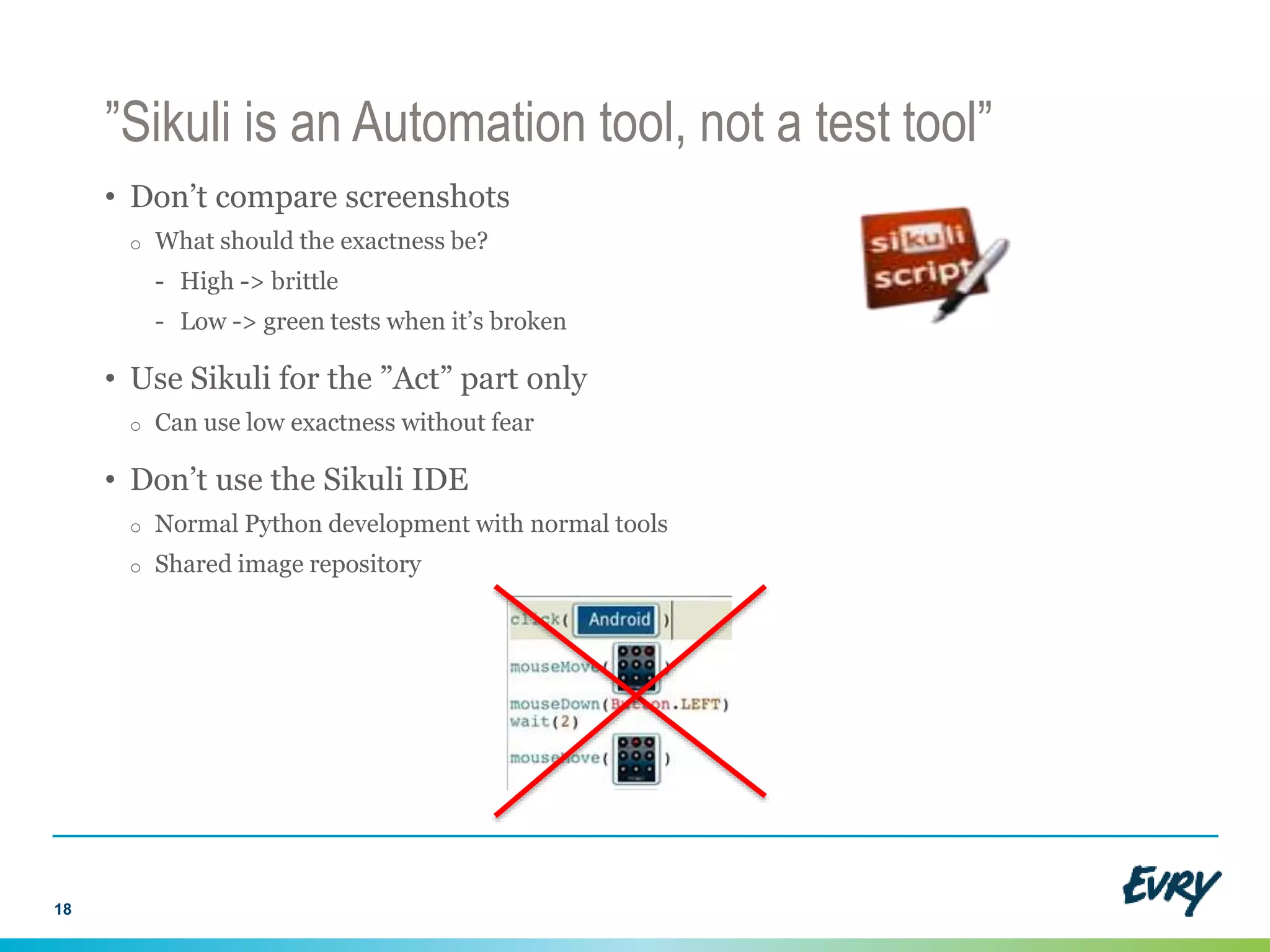
”Sikuli is an Automation tool, not a test tool”
• Don’t compare screenshots
o What should the exactness be?
- High -> brittle
- Low -> green tests when it’s broken
• Use Sikuli for the ”Act” part only
o Can use low exactness without fear
• Don’t use the Sikuli IDE
o Normal Python development with normal tools
o Shared image repository
18
Reliability and maintenance issues
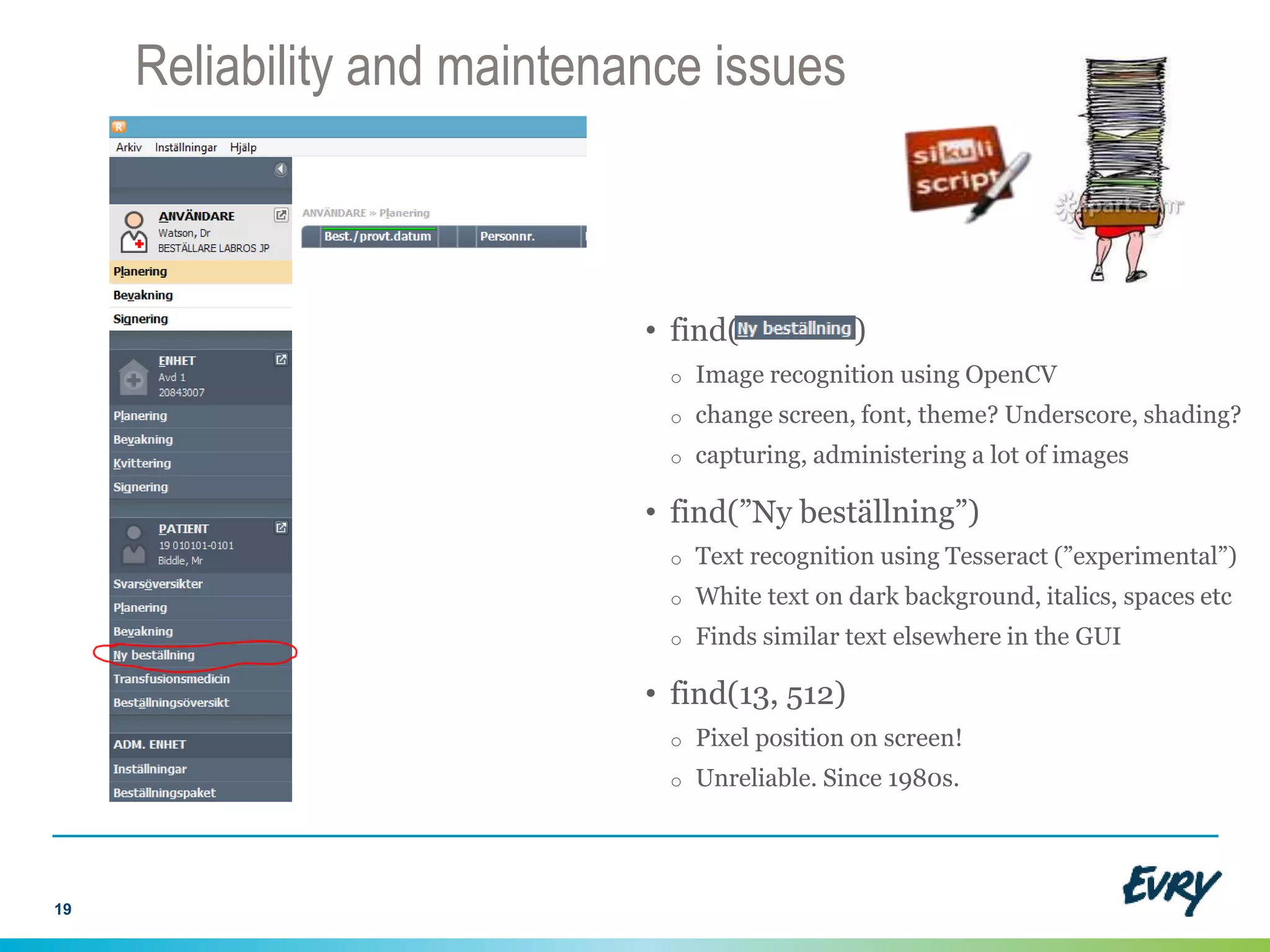
• find( )
o Image recognition using OpenCV
o change screen, font, theme? Underscore, shading?
o capturing, administering a lot of images
• find(”Ny beställning”)
o Text recognition using Tesseract (”experimental”)
o White text on dark background, italics, spaces etc
o Finds similar text elsewhere in the GUI
• find(13, 512)
o Pixel position on screen!
o Unreliable. Since 1980s.
19
Multilocators
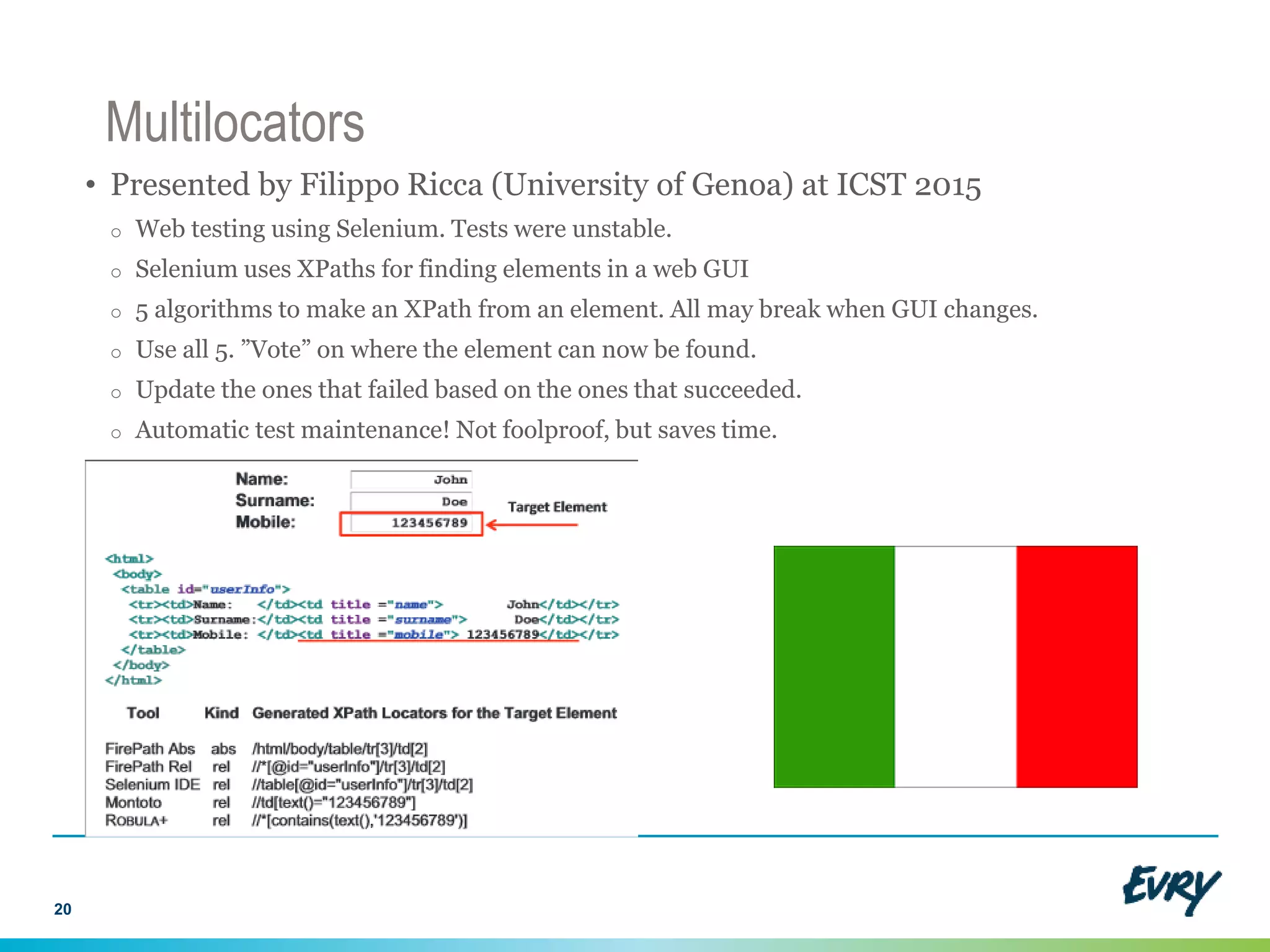
• Presented by Filippo Ricca (University of Genoa) at ICST 2015
o Web testing using Selenium. Tests were unstable.
o Selenium uses XPaths for finding elements in a web GUI
o 5 algorithms to make an XPath from an element. All may break when GUI changes.
o Use all 5. ”Vote” on where the element can now be found.
o Update the ones that failed based on the ones that succeeded.
o Automatic test maintenance! Not foolproof, but saves time.
20
Multilocators for Visual GUI Testing
• We have 3 visual methods for finding GUI elements
- Text recognition (Tesseract), image recognition (OpenCV) and the pixel position
• All of these are unreliable and hard to maintain if used alone
• If we use them all, they can compensate for each other
o We can update screenshots based on text recognition
o We can do a textual scan of a screenshot to improve our text search
• They can speed each other up
o The position can always be recorded and serves as a hint where to search first
21
Text Image Position
Combined method for finding GUI-objects
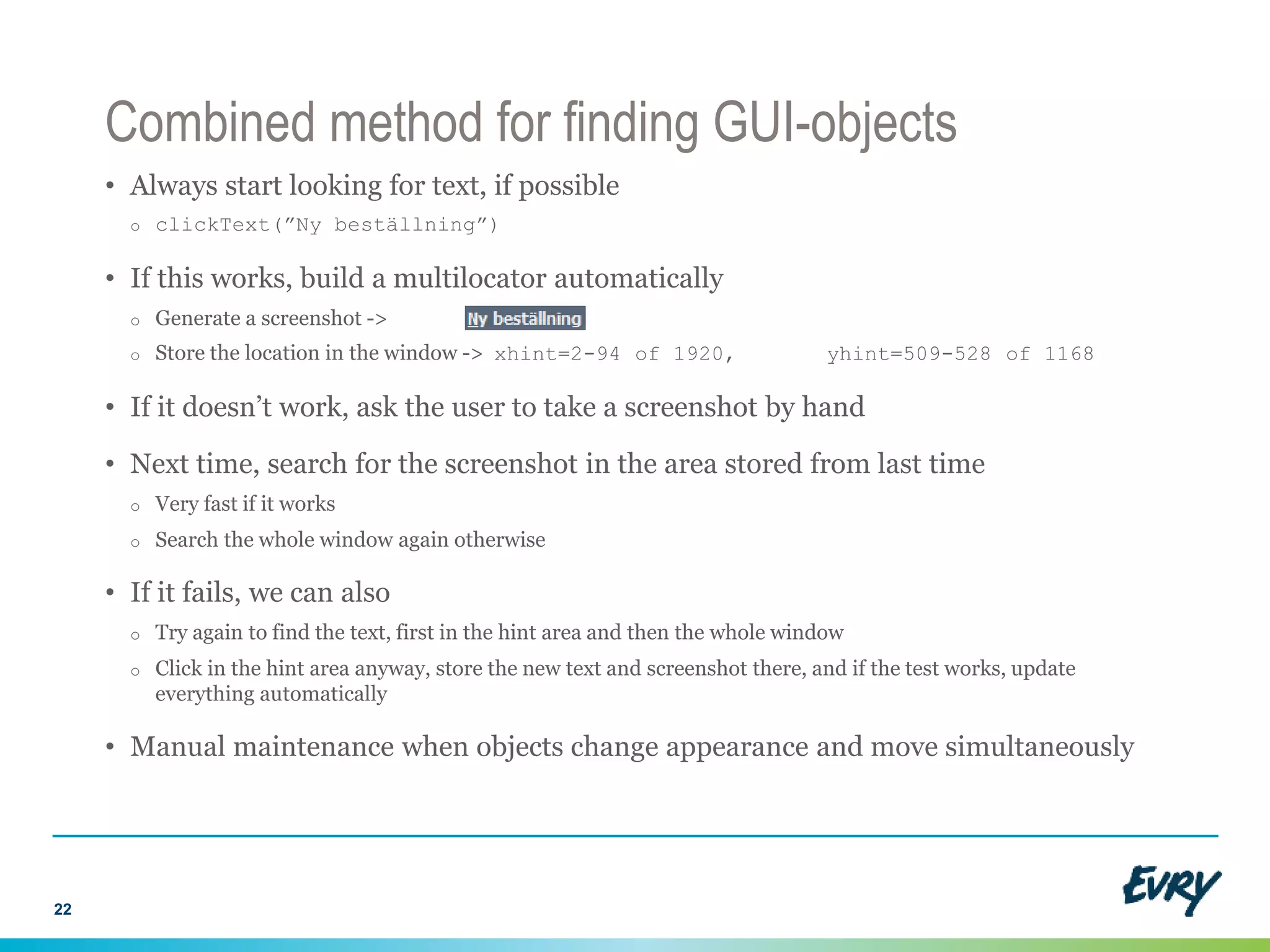
• Always start looking for text, if possible
o clickText(”Ny beställning”)
• If this works, build a multilocator automatically
o Generate a screenshot ->
o Store the location in the window -> xhint=2-94 of 1920, yhint=509-528 of 1168
• If it doesn’t work, ask the user to take a screenshot by hand
• Next time, search for the screenshot in the area stored from last time
o Very fast if it works
o Search the whole window again otherwise
• If it fails, we can also
o Try again to find the text, first in the hint area and then the whole window
o Click in the hint area anyway, store the new text and screenshot there, and if the test works, update
everything automatically
• Manual maintenance when objects change appearance and move simultaneously
22
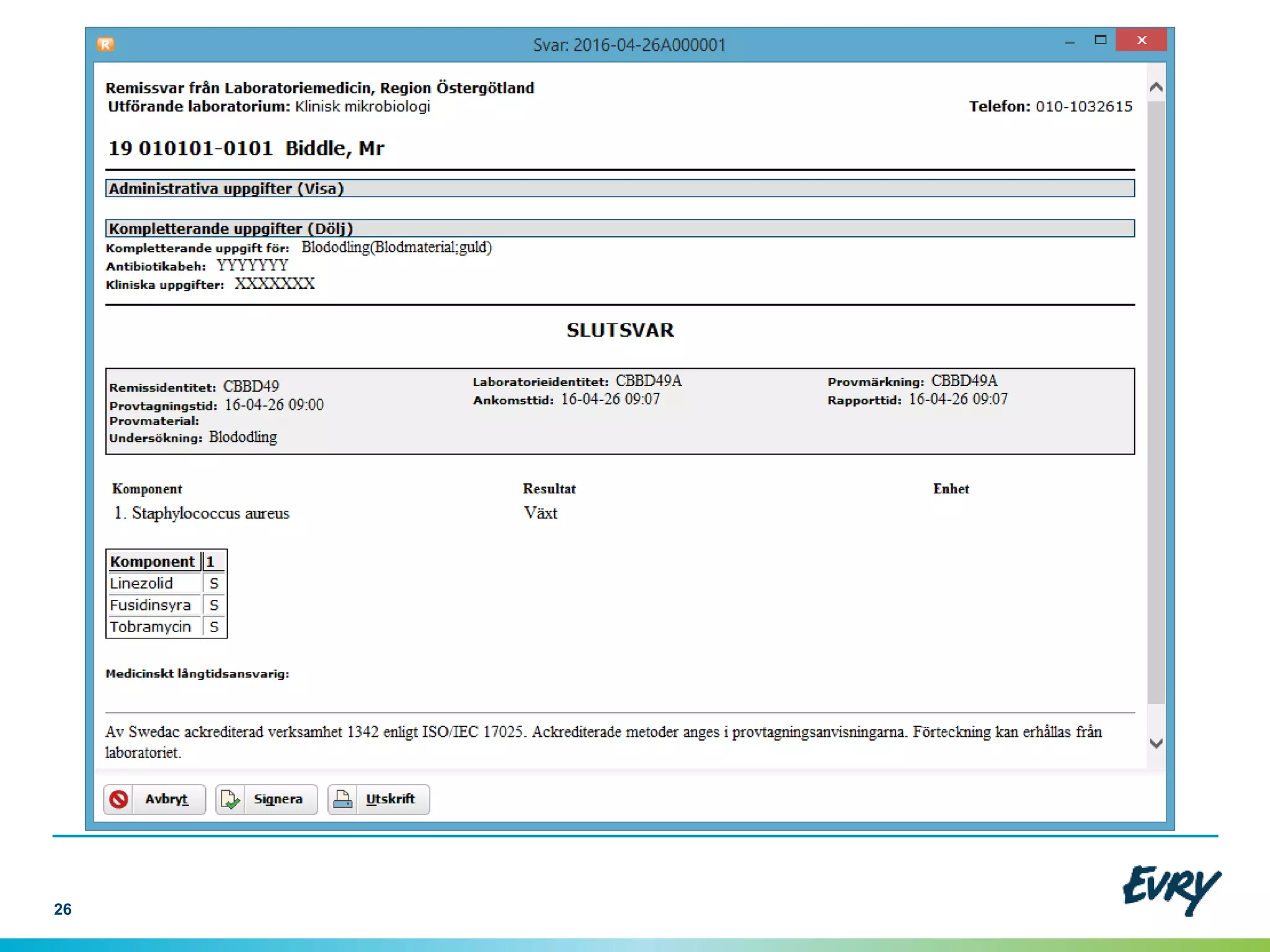
In real life: Evry’s medical referral system
• 120 tests that run every night
o ”Arrange”: Carefully created minimal databases, stored as text files, scripting
o ”Act”: Hierarchically defined ”usecases” in Python, using Sikuli and Multilocators
o ”Assert” : Approval testing with TextTest
- Database dumps, asciified HTML views, internal logs and XML sent to other systems
o Random failure rate about one every other run (~0,5%)
- Timing
- Windows 8’s Metro interface...
23
Text Image Position
How to make Visual GUI Testing Agile
• Arrange, Act, Assert: separate problems, different techniques/tools!
• Capture system behaviour, filter it, and manage changes in it
o This is called ”Approval Testing” and comes with tool support!
• Have multiple independent ways of locating GUI widgets available.
o This is called a ”Multilocator”
24
Text Image Position
25
26

Making visual gui testing agile

  • 1.
    Making Visual GUITesting Agile 2016-04-28 Geoff Bache
  • 2.
    Today’s take homepoints • Arrange, Act, Assert: separate problems, different techniques/tools! • Capture system behaviour, filter it, and manage changes in it o This is called ”Approval Testing” and comes with tool support! • Have multiple independent ways of locating GUI widgets available. o This is called a ”Multilocator” 2 Text Image Position
  • 3.
    Visual GUI TestingFact Sheet • How it works o Treats the GUI like a bitmap o Use the mouse and keyboard to control it o Makes use of image recognition and text recognition (OCR) techniques • Examples: o Open source: Sikuli o Commercial tools: JAutomate, Eggplant, UFT etc 3
  • 4.
    Why Visual GUITesting? • Advantages o Independent of GUI technology o Can simulate a user very closely o Easy to get going quickly • Disadvantages o Fairly immature and ”bleeding edge” o Brittle and un-Agile? 4
  • 5.
    A favourite Sikuliexample: automation or testing? 5
  • 6.
    Sikuli’s advice onhow to make a test 6
  • 7.
    Unit Test Case:Arrange-Act-Assert 7 Arrange Act Assert x = Number(1); y = Number(2); x.add(y); assert x.value() == 3;
  • 8.
    Visual GUI TestCase: Arrange-Act-Assert 8 Arrange Act Assert?
  • 9.
    Assertions in GUItests One assertion per test, now! assert answerToLifeTheUniverseAndEverything() == 42; Or, the scattergun approach: assert textInCell(1, 1) == ”Geoff”; assert textInCell(3, 4) == ”Sweden”; assert exists(”OurLogo.png”); assert not exists(”DancingPony.png”); ... 9
  • 10.
    Approval Test Case:Assert = Collate-Filter-Compare 10 Arrange Act Assert dump copy pdf2text xmllint CompareFilterCollate
  • 11.
    Behaviour change! 11 Approved OutputNew Output TEST FAILURE
  • 12.
    Scenario 1: It’sa bug, go fix it! 12 Approved Output Buggy Output TEST FAILURE
  • 13.
    Scenario 2: It’sa feature, press ”Approve”! 13 Old Approved Output New Approved Output TEST FAILURE
  • 14.
    Scenario 2: it’sa feature 14 Old Approved Output New Approved Output overwrite
  • 15.
  • 16.
    Tool support forApproval Testing ● Open Source ● Approval Testing ● Data-Driven Testing ● Test Management ● Mature (since 2004) and feature-rich ● I am the author http://texttest.org Other tools: • Approval Tests (Llewellyn Falco): http://approvaltests.sourceforge.net/ • Pearlfish (Nat Pryce): http://github.com/pearlfish/pearlfish-java 16
  • 17.
    Approval Testing withSikuli 17 Arrange Act Assert dump copy pdf2text xmllint CompareFilterCollate Text Image Position
  • 18.
    ”Sikuli is anAutomation tool, not a test tool” • Don’t compare screenshots o What should the exactness be? - High -> brittle - Low -> green tests when it’s broken • Use Sikuli for the ”Act” part only o Can use low exactness without fear • Don’t use the Sikuli IDE o Normal Python development with normal tools o Shared image repository 18
  • 19.
    Reliability and maintenanceissues • find( ) o Image recognition using OpenCV o change screen, font, theme? Underscore, shading? o capturing, administering a lot of images • find(”Ny beställning”) o Text recognition using Tesseract (”experimental”) o White text on dark background, italics, spaces etc o Finds similar text elsewhere in the GUI • find(13, 512) o Pixel position on screen! o Unreliable. Since 1980s. 19
  • 20.
    Multilocators • Presented byFilippo Ricca (University of Genoa) at ICST 2015 o Web testing using Selenium. Tests were unstable. o Selenium uses XPaths for finding elements in a web GUI o 5 algorithms to make an XPath from an element. All may break when GUI changes. o Use all 5. ”Vote” on where the element can now be found. o Update the ones that failed based on the ones that succeeded. o Automatic test maintenance! Not foolproof, but saves time. 20
  • 21.
    Multilocators for VisualGUI Testing • We have 3 visual methods for finding GUI elements - Text recognition (Tesseract), image recognition (OpenCV) and the pixel position • All of these are unreliable and hard to maintain if used alone • If we use them all, they can compensate for each other o We can update screenshots based on text recognition o We can do a textual scan of a screenshot to improve our text search • They can speed each other up o The position can always be recorded and serves as a hint where to search first 21 Text Image Position
  • 22.
    Combined method forfinding GUI-objects • Always start looking for text, if possible o clickText(”Ny beställning”) • If this works, build a multilocator automatically o Generate a screenshot -> o Store the location in the window -> xhint=2-94 of 1920, yhint=509-528 of 1168 • If it doesn’t work, ask the user to take a screenshot by hand • Next time, search for the screenshot in the area stored from last time o Very fast if it works o Search the whole window again otherwise • If it fails, we can also o Try again to find the text, first in the hint area and then the whole window o Click in the hint area anyway, store the new text and screenshot there, and if the test works, update everything automatically • Manual maintenance when objects change appearance and move simultaneously 22
  • 23.
    In real life:Evry’s medical referral system • 120 tests that run every night o ”Arrange”: Carefully created minimal databases, stored as text files, scripting o ”Act”: Hierarchically defined ”usecases” in Python, using Sikuli and Multilocators o ”Assert” : Approval testing with TextTest - Database dumps, asciified HTML views, internal logs and XML sent to other systems o Random failure rate about one every other run (~0,5%) - Timing - Windows 8’s Metro interface... 23 Text Image Position
  • 24.
    How to makeVisual GUI Testing Agile • Arrange, Act, Assert: separate problems, different techniques/tools! • Capture system behaviour, filter it, and manage changes in it o This is called ”Approval Testing” and comes with tool support! • Have multiple independent ways of locating GUI widgets available. o This is called a ”Multilocator” 24 Text Image Position
  • 25.
  • 26.