VIDEO CREATION
Paul HOPKINS
University of Hull
School of Education and Social Sciences
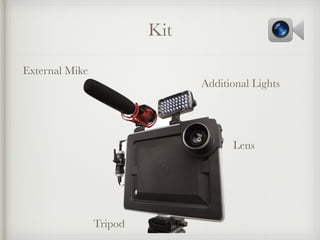
Kit
External Mike
Additional Lights
Lens
Tripod
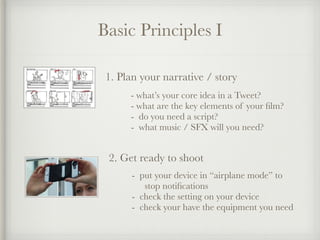
Basic Principles I
1. Plan your narrative / story
- what’s your core idea in a Tweet?
- what are the key elements of your film?
- do you need a script?
- what music / SFX will you need?
2. Get ready to shoot
- put your device in “airplane mode” to
stop notifications
- check the setting on your device
- check your have the equipment you need
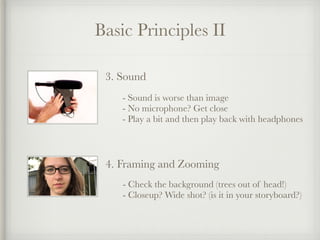
Basic Principles II
3. Sound
- Sound is worse than image
- No microphone? Get close
- Play a bit and then play back with headphones
4. Framing and Zooming
- Check the background (trees out of head!)
- Closeup? Wide shot? (is it in your storyboard?)
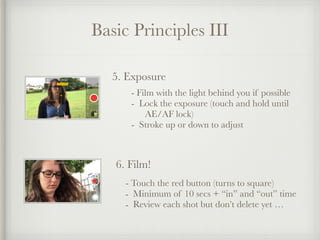
Basic Principles III
5. Exposure
- Film with the light behind you if possible
- Lock the exposure (touch and hold until 

AE/AF lock)
- Stroke up or down to adjust
6. Film!
- Touch the red button (turns to square)
- Minimum of 10 secs + “in” and “out” time
- Review each shot but don’t delete yet …
Basic Principles IV
7. Edit
- Drop your clips into the editor in order,
or order them in the editor
- Use the effects but KISS!
- Add titles, credits at the end
8. Show
- Get your popcorn and
soda and …
A few Free Apps
iMovie
Quik
Clips
Spark
Exploring a couple of these …
iMovie
Clips
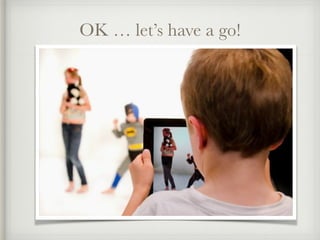
OK … let’s have a go!
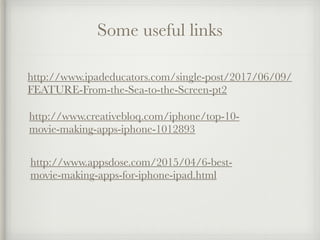
Some useful links
http://www.ipadeducators.com/single-post/2017/06/09/
FEATURE-From-the-Sea-to-the-Screen-pt2
http://www.creativebloq.com/iphone/top-10-
movie-making-apps-iphone-1012893
http://www.appsdose.com/2015/04/6-best-
movie-making-apps-for-iphone-ipad.html
Making video

Making video