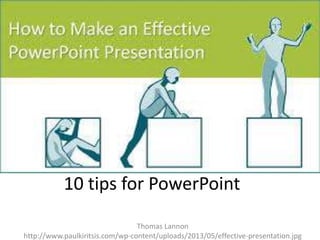
10 tips for PowerPoint
Thomas Lannon
http://www.paulkiritsis.com/wp-content/uploads/2013/05/effective-presentation.jpg
Keep it Simple

https://www.google.com/search?q=pictures&source=lnms&tbm=isch&sa=X&ei=G-ZdUqCUNXq2QWHzYCYCg&ved=0CAcQ_AUoAQ&biw=1672&bih=885&dpr=1#q=keep+it+simple&tbm=isch&facrc=_&imgdii=_&imgrc=At8I_6sdpjUGCM%3A%3BLa_OsQ
MNVFu1SM%3Bhttp%253A%252F%252Fwww.jimdoyle.com%252Fwpcontent%252Fuploads%252F2013%252F09%252Fsimple.png%3Bhttp%253A%252F%252Fwww.jimdoyle.com%252Fblog%252F2013%252F09%252F12%252Fcop
y-keep-it-simple%252F%3B2560%3B1600
Limit your bullets/text
https://www.google.com/search?q=limit+your+bullets/text&source=lnms&tbm=isch&sa=X&ei=uZdUsL3N8bK2AXkiIDYDA&ved=0CAcQ_AUoAQ&biw=1672&bih=885&dpr=1#facrc=_&imgrc=pmIp7KDjsgWcaM%3A%3B
DvmwU5hSpI2DdM%3Bhttp%253A%252F%252Fwww.presentationteam.com%252Fimages%252Ftips%252Fpowerpoint
%252Fsucccessful-investor-presentation%252FLimit-Long-Bullets-Investor-PowerPointTip.png%3Bhttp%253A%252F%252Fwww.presentationteam.com%252Fpresentation-tips%252Fpowerpointtips%252Fsuccessful-investor-presentation%3B960%3B600
Limit the Transitions
https://www.google.com/search?q=limit+transitions&source=lnms&tbm=isch&sa=X&ei=JddUriUGYbO2QWCt4CQCg&ved=0CAcQ_AUoAQ&biw=1672&bih=885&dpr=1#facrc=_&imgdii=_&imgrc=qZo2_fbNp7PRM%3A%3BOQ3_h8nZexNQM%3Bhttp%253A%252F%252Fmediachance.com%252Fdvdlab%252FHelppro%252Fimages%252Ftransit.gif%3
Bhttp%253A%252F%252Fmediachance.com%252Fdvdlab%252FHelppro%252Ftransitions.htm%3B364%3B200
Use high quality pictures
https://www.google.com/search?q=limit+transitions&source=lnms&tbm=isch&sa=X&ei=J-ddUriUGYbO2QWCt4CQCg&ved=0CAcQ_AUoAQ&biw=1672&bih=885&dpr=1#q=use+highquality+images&tbm=isch&facrc=_&imgdii=_&imgrc=mra6oXywoZP8NM%3A%3BhHxZhnMNSgLl9M%3Bhttp%253A%252F%252Fwww.picwals.com%252Fstatic%252Fwallpaper%252F1600x900
%252Fhd-wallpapers-windows-high-quality-wallpaper-use-cover-edit-1600x900-wallpaper.jpg%3Bhttp%253A%252F%252Fwww.picwals.com%252Fwindows-high-quality-wallpaper-use-coveredit%252F%3B1600%3B900
Avoid
templates

https://www.google.com/search?q=limit+transitions&source=lnms&tbm=isch&sa=X&ei=JddUriUGYbO2QWCt4CQCg&ved=0CAcQ_AUoAQ&biw=1672&bih=885&dpr=1#q=avoid+templates&tbm=isch&facrc=_&imgdii=_&imgrc=udKiFrBHT9PlUM%3A%3BBffJJ8J2vbyyGM%3Bhttp%253A%252F%252Fpptlt.crystalgraphics.com%252Flt_outfromproblem_co_34_powerpoint_templates_title_slide.jpg%3Bhttp%253A%252F%252Fwww.crystalgraphics.com%252FPowerPoint%252FTemplates.Search.Details.asp%253Fproduc
t%253DOutFromProblem_co_34%3B640%3B480
Use the right chart
https://www.google.com/search?q=limit+transitions&source=lnms&tbm=isch&sa=X&ei=JddUriUGYbO2QWCt4CQCg&ved=0CAcQ_AUoAQ&biw=1672&bih=885&dpr=1#q=use+the+right+chart&tbm=isch&facrc=_&imgdii=_&imgrc=60mhjbfSqOxUM%3A%3BbCrbRW57HE7EWM%3Bhttp%253A%252F%252Fwww.newthinktank.com%252Fwp-content%252Fuploads%252F2013%252F07%252FVaping-PowerChart.png%3Bhttp%253A%252F%252Fwww.newthinktank.com%252F2013%252F07%252Feasy-way-to-quit-smoking%252F%3B1154%3B689
Use color to persuade
https://www.google.com/search?q=limit+transitions&source=lnms&tbm=isch&sa=X&ei=JddUriUGYbO2QWCt4CQCg&ved=0CAcQ_AUoAQ&biw=1672&bih=885&dpr=1#q=use+color+to+persuade&tbm=isch&facrc=_&imgdii=_&imgrc=X0Y2DWzbAjEGoM%3A%3BTFDeInofMF7ZMM%3Bhttp%253A%252F%25
2Fblogcontent.yola.net%252Fblog%252Fwp-content%252Fuploads%252F2013%252F06%252FColors-Calling-to-Action.png%3Bhttp%253A%252F%252Fwww.yola.com%252Fblog%252Fpicking-the-right-brand-colorsfor-your-website%252F%3B983%3B630
Use the right Font

http://renovatecd.com/cd/cdmedia/2012/12/fonts01.006-1.png
Use video/audio when necessary
https://www.google.com/search?q=limit+transitions&source=lnms&tbm=isch&sa=X&ei=JddUriUGYbO2QWCt4CQCg&ved=0CAcQ_AUoAQ&biw=1672&bih=885&dpr=1#q=use+video%2Faudio+when+necessary&tbm=isch&facrc=_&imgdii=_&imgrc=iZhm7jAggQtfXM%3A%3BsODWAU5jdr1fPM%3Bhttp%253
A%252F%252Fwww.avs4you.com%252FOnlineHelp%252Fimages%252FVideoEditor4%252FAudioEffect.png%3Bhttp%253A%252F%252Fwww.avs4you.com%252FOnlineHelp%252FAVS-VideoEditor4%252FFeatures%252FCreatingandEditingVideos%252FEditingVideos%252FAudio%252Findex.aspx%3B457%3B365
Use slide sorter
https://www.google.com/search?q=limit+transitions&source=lnms&tbm=isch&sa=X&ei=JddUriUGYbO2QWCt4CQCg&ved=0CAcQ_AUoAQ&biw=1672&bih=885&dpr=1#q=use+slide+sorter&tbm=isch&facrc=_&imgdii=_&imgrc=1AcWzICh7QSubM%3A%3BrT7LG5V
D1qwkyM%3Bhttp%253A%252F%252F0.tqn.com%252Fd%252Fpresentationsoft%252F1%252F0%252Fq%252FB%252F-%252F%252F03slide_sorter.gif%3Bhttp%253A%252F%252Fpresentationsoft.about.com%252Fod%252Fpowerpoint101%252Fss%252Freorder_delete_3.htm%3B370%3B353

Tips for making a PowerPoint