1
&

MOBILE
BOOK OF TRENDS
2014

Marcin Treder, Adam Pachucki, Adam Zielonko, Kamil Łukasiewicz
Index
1. TYPOGRAPHY 	

4

2. FLAT DESIGN & SIMPLICITY	

14

3. GESTURAL INTERFACES	

26

4. CIRCLES	35
5. ENTERPRISE MOBILE	

45

6. WEARABLE COMPUTERS	

56

7. PURE GUIDELINES	

67

8. CONTEXTUAL AWARENESS	

78

9. LARGE IMAGES	

89

10. BLUR	100
11. INFOGRAPHIC	112
12. MICROINTERACTIONS	125
13. MOBILE-POWERED CUSTOMER	

136

14. BONUS: 10 MUST-HAVE METRO APPS FOR WINDOWS PHONE	

147

ABOUT UXPIN & MOVADE	156

3
1. TYPOGRAPHY
I have a small theory that I’d like to share with you - great typography
equals design maturity. Web designers, until a couple of years ago, weren’t paying nearly enough attention to typography. When the whole field
matured - typography blossomed and became a huge design trend.
Good typography is not only decisive when it comes to the readability of
the text, but also builds up a message that the designer intended to share.
It’s an important part of the overall user experience. On the other hand, a
lack of good typography shows the unprofessionalism of the whole product.
Text is a basic ingredient of the majority of interfaces - if that’s designed
badly, why go any further?
The first years of the growth of native applications on iOS and Android were
just terrible. It seemed like the majority of designers and developers weren’t thinking about typography at all. It was under-appreciated and looked
accidental. Boring fonts were usually applied with no good taste. A design
nightmare.
Mobile design is long past its early days now and we can clearly see signs
of the maturity of the field. Typography is one of the most vivid examples. Most of the typography on popular applications can be described as
“decent”. Whether that’s Facebook, Mailbox, or Twitter – the text is clear
and the fonts look at least OK. What’s even more interesting - in 2013 we
saw lots and lots of mobile apps with an absolutely stunning usage of fonts.
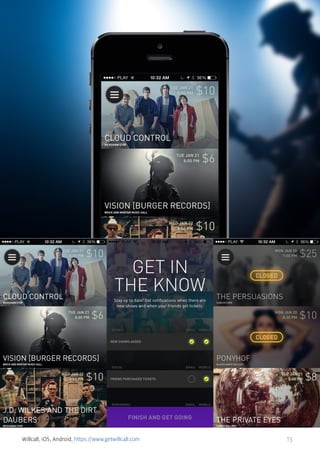
Ultravisual, WillCall, Hotel Tonight to mention a few great examples.
4
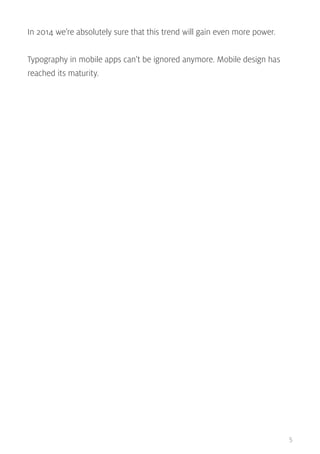
In 2014 we’re absolutely sure that this trend will gain even more power.
Typography in mobile apps can’t be ignored anymore. Mobile design has
reached its maturity.

5
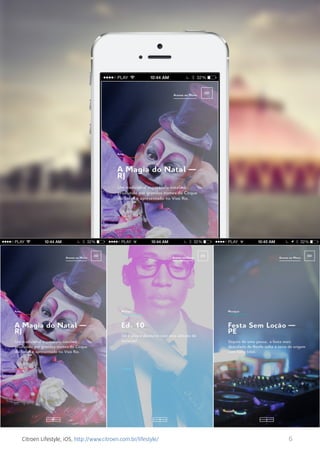
Citroen Lifestyle, iOS, http://www.citroen.com.br/lifestyle/

6
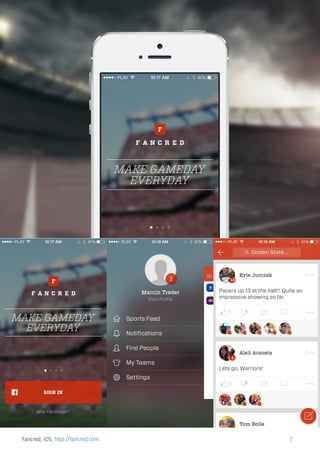
Fancred, iOS, http://fancred.com

7
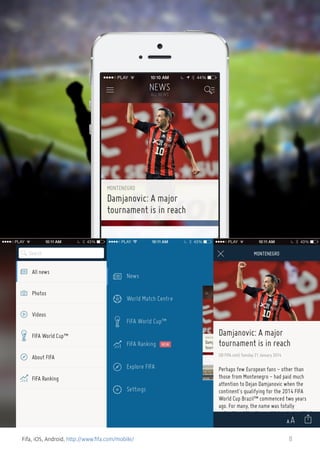
Fifa, iOS, Android, http://www.fifa.com/mobile/

8
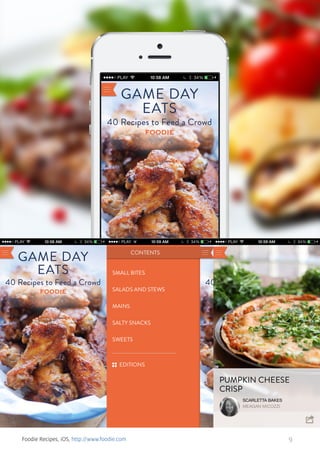
Foodie Recipes, iOS, http://www.foodie.com

9
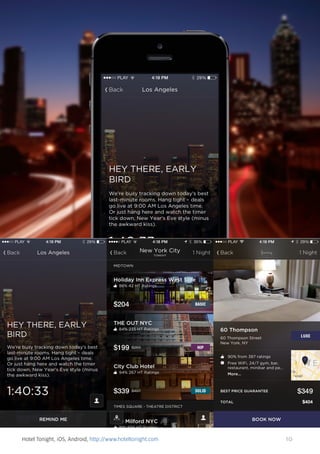
Hotel Tonight, iOS, Android, http://www.hoteltonight.com

10
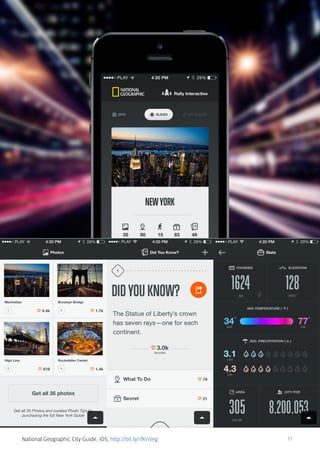
National Geographic City Guide, iOS, http://bit.ly/1fKnVeg

11
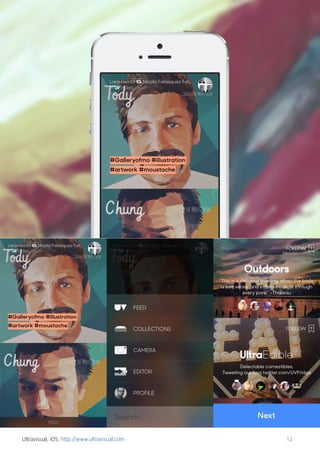
Ultravisual, iOS, http://www.ultravisual.com

12
Willcall, iOS, Android, https://www.getwillcall.com

13
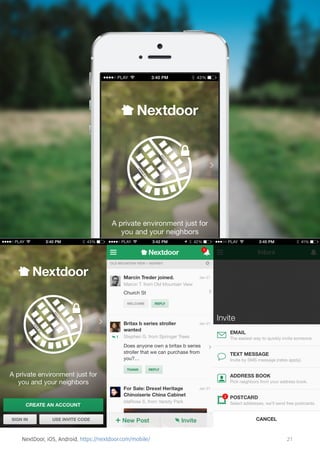
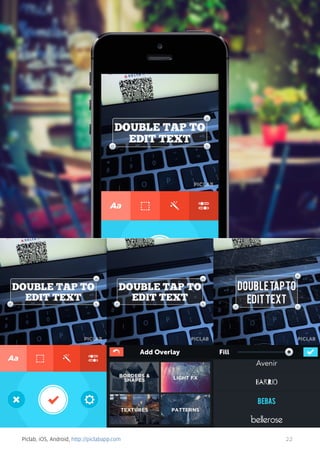
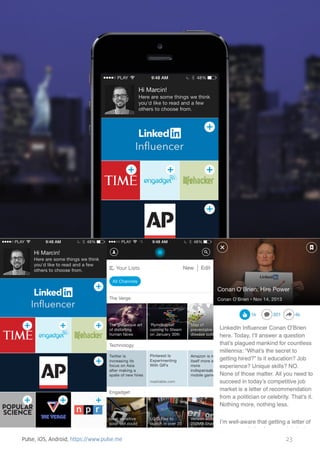
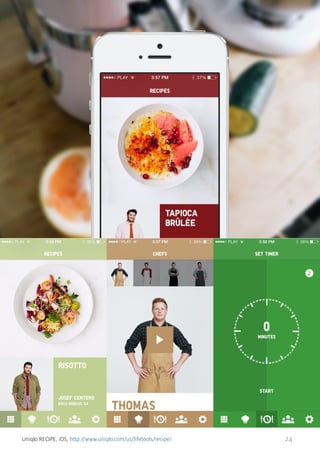
2. FLAT DESIGN & SIMPLICITY
2013 was the year of flat design. After Apple’s announcement of iOS7, mobile designers all over the world started to work on redesigns of their apps
seeking a simpler form and much desired flatness.
No wonder! Flat design, if done correctly, looks stunning. The freshness of
the flat form gave us all a much-needed break from the heaviness of skeuomorphism (often just badly applied). In a way, this trend is a scream for
simplicity. A form that follows function. Design that does not stand in the
way.
Hence, flat became more than just a fashion for gradient-free buttons and a
lack of textures. Flat design became a trend that’s all about seeking clarity.
Light colours, clear fonts, lots of whitespace and general UI modesty became signs of a good flat design.
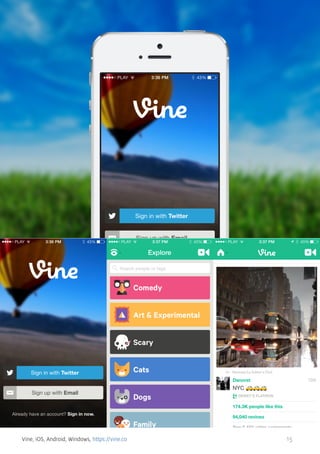
The list of apps that follow these principles would be really, really long. Twitter, Facebook, Foursquare… they all got flattened in 2013, making everything
that’s not flat look old-fashioned. Even though among all these great flat
apps there are products that are just on another level - apps that define
simplicity in an unprecedented way. Pure diamonds of mobile design. I’m
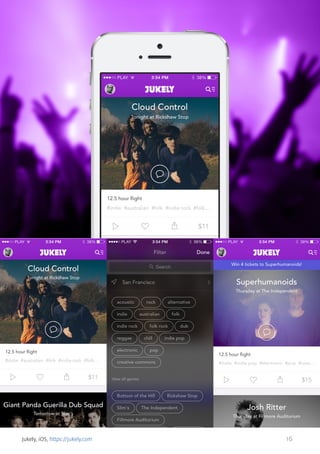
talking about Vine, VSCO, Jukly, Highlight… and a few others that will make
flat design a permanent part of mobile design, not just a seasonal trend.
Get ready for 2014. Take a look at our selection of the best examples of flat
mobile design.
14
Vine, iOS, Android, Windows, https://vine.co

15
Jukely, iOS, https://jukely.com

16
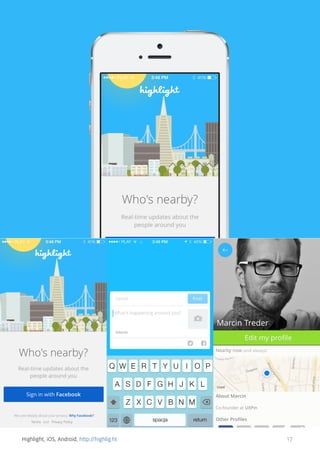
Highlight, iOS, Android, http://highlig.ht

17
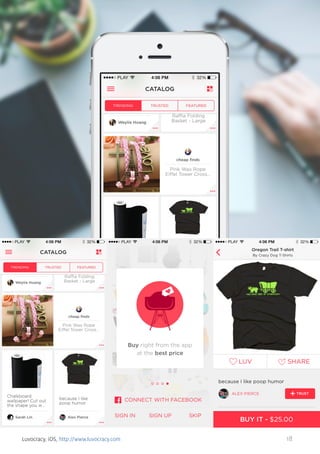
Luvocracy, iOS, http://www.luvocracy.com

18
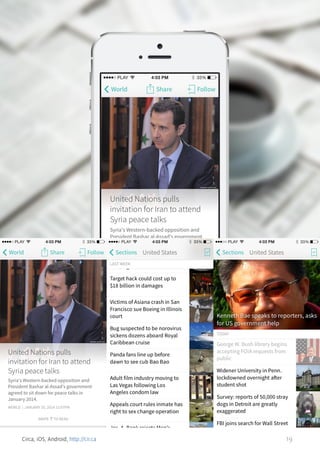
Circa, iOS, Android, http://cir.ca

19
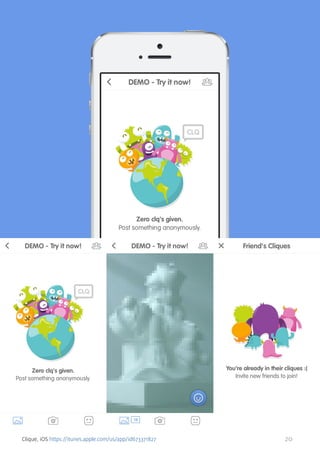
Clique, iOS https://itunes.apple.com/us/app/id673371827

20
NextDoor, iOS, Android, https://nextdoor.com/mobile/

21
Piclab, iOS, Android, http://piclabapp.com

22
Pulse, iOS, Android, https://www.pulse.me

23
Uniqlo RECIPE, iOS, http://www.uniqlo.com/us/lifetools/recipe/

24
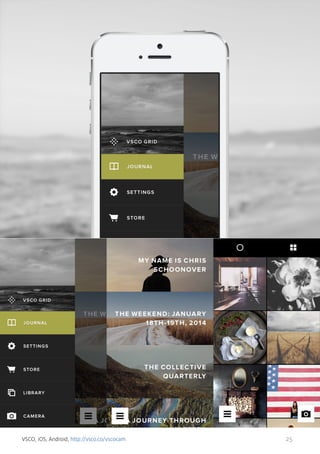
VSCO, iOS, Android, http://vsco.co/vscocam

25
3. GESTURAL INTERFACES
At the beginning of the mobile design era, designers were trying to copy
interaction patterns from the web/software world. Simply, a tap was meant
to represent a click, which led designers to plan simple and straight-forward
interactions.
Touch-screens, however, had more to offer. Swipe, pinch, stretch,
press&hold… all these gestures were waiting to be properly used.
Introducing new interaction and navigation patterns is always controversial
and challenging. I remember when Twitter used a swipe gesture to provide
a shortcut to a couple of popular actions. Many designers tossed it as an
unnecessary complication. After all… all these actions were available just a
couple of taps away.
Many designers, however, believed that using a tap-centered interaction
pattern makes even a simple task too complicated on a small screen of a
smartphone. Gestures, if properly applied, could make the interaction much
quicker and more natural.
Today, it’s hard to imagine many applications without a gesture control system. Think Mailbox, or Clear - apps that build their popularity mainly on the
great appliance of gesture-based interactions.
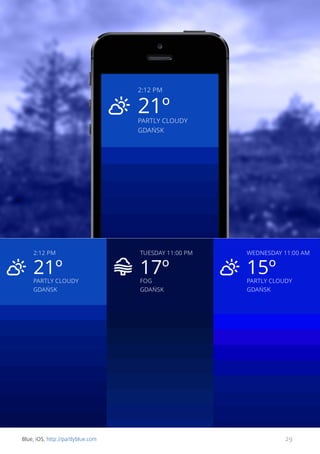
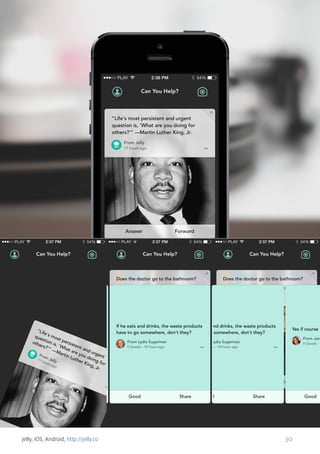
Apps such as - Blue, Tinder, or recently Jelly - followed. All the signs show
that 2014 will be all about gestures. Get ready.
26
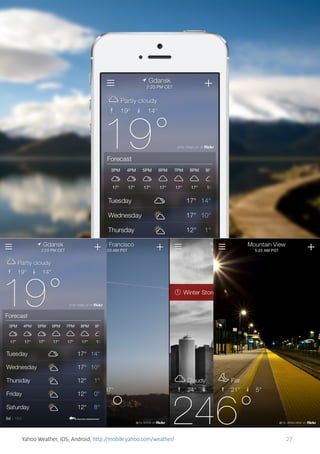
Yahoo Weather, iOS, Android, http://mobile.yahoo.com/weather/

27
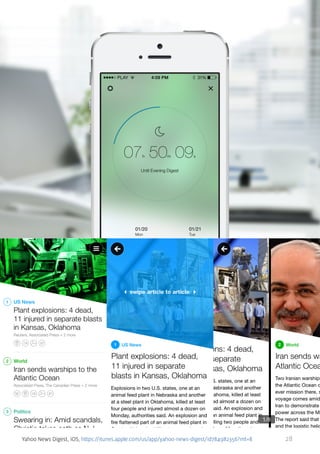
Yahoo News Digest, iOS, https://itunes.apple.com/us/app/yahoo-news-digest/id784982356?mt=8

28
Blue, iOS, http://partlyblue.com

29
Jelly, iOS, Android, http://jelly.co

30
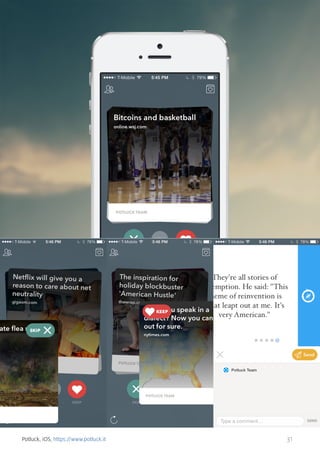
Potluck, iOS, https://www.potluck.it

31
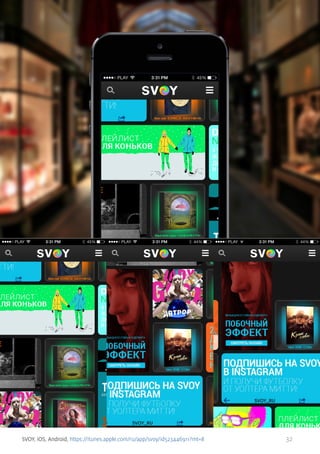
SVOY, iOS, Android, https://itunes.apple.com/ru/app/svoy/id523446911?mt=8

32
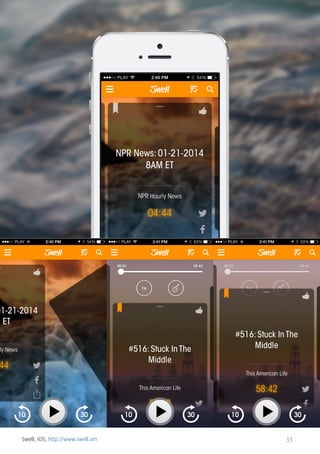
Swell, iOS, http://www.swell.am

33
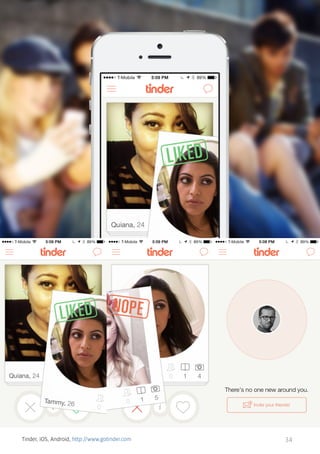
Tinder, iOS, Android, http://www.gotinder.com

34
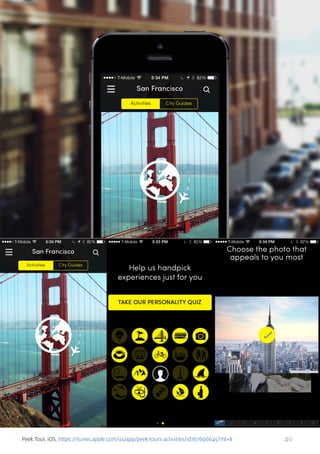
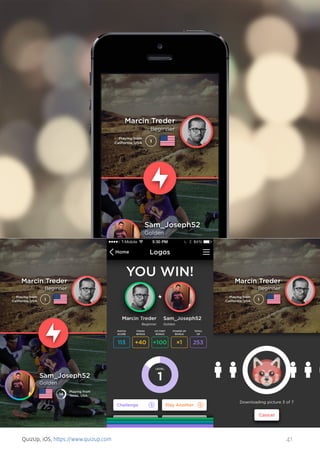
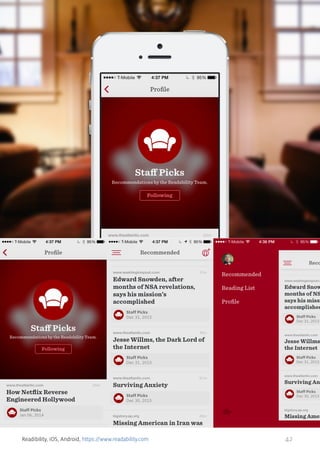
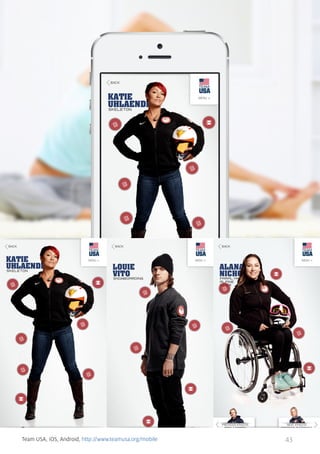
4. CIRCLES
Not all of the design trends are rational. Not all of the design trends are a
sign of progress. Some trends simply appear suddenly and become a fashion. One of them is the circle trend.
Based on my mere observation - it all started in web design in 2012. Out of
sudden circles, it became the thing. In 2013 mobile design simply followed
the trend.
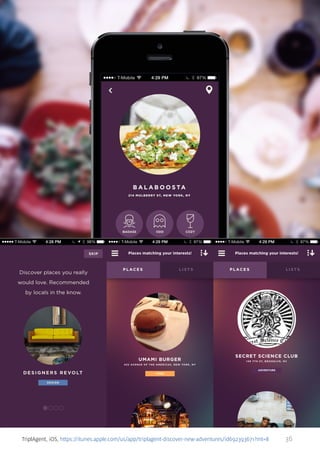
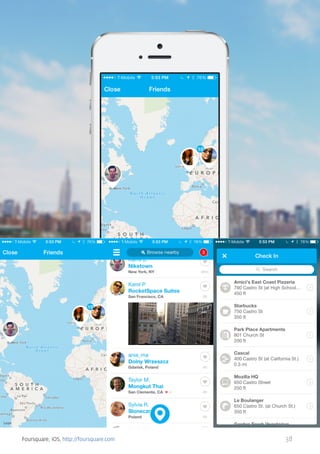
Foursquare, Facebook Messenger, Uber… and even contacts on iOS7 are
using circles for many elements of the interface. Great, innovative apps such
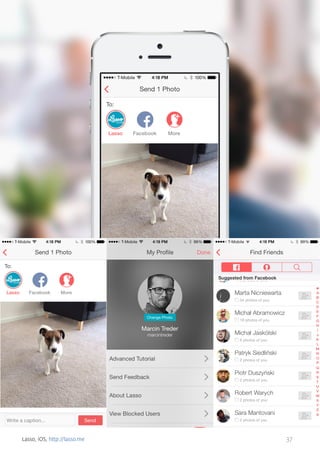
as Spark, Lasso, or QuizUp are all about circles.
The beginning of 2014 shows that circles are here to stay…until a new trend
arrives.

35
TriplAgent, iOS, https://itunes.apple.com/us/app/triplagent-discover-new-adventures/id692393671?mt=8

36
Lasso, iOS, http://lasso.me

37
Foursquare, iOS, http://foursquare.com

38
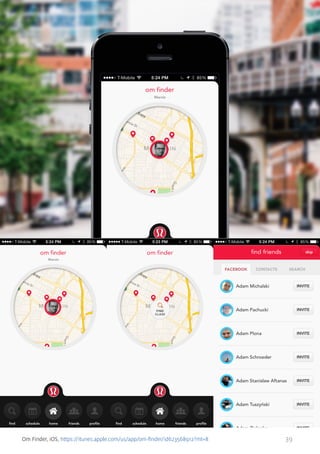
Om Finder, iOS, https://itunes.apple.com/us/app/om-finder/id623568912?mt=8

39
Peek Tour, iOS, https://itunes.apple.com/us/app/peek-tours-activities/id767696645?mt=8

40
QuizUp, iOS, https://www.quizup.com

41
Readibility, iOS, Android, https://www.readability.com

42
Team USA, iOS, Android, http://www.teamusa.org/mobile

43
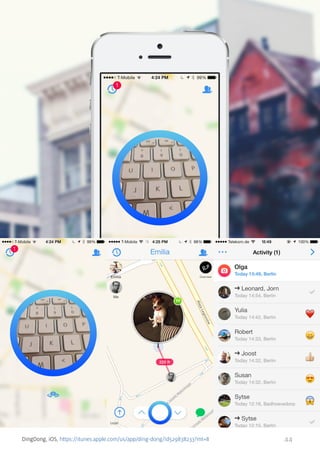
DingDong, iOS, https://itunes.apple.com/us/app/ding-dong/id529838233?mt=8

44
5. ENTERPRISE MOBILE
The consumerization of enterprise applications is a strong trend on the Hitech market. After years of pushing hardly usable apps on innocent corporate employees, the tech world finally realised that the users of enterprise
products are… human beings. And, like every human being, they enjoy well
designed products (well to be honest, I guess enjoyment wasn’t as decisive
a factor here as the opportunity to save some money, but anyway…).
In 2013 the consumerization of enterprises trend reached mobile apps.
Since the industry agreed that corporate workers are people… it just
couldn’t miss the fact that human beings love their smartphones and
tablets. What is even more important, smartphones and tablets can make
people very productive.
This thesis led to the creation of dozens of enterprise mobile apps. We’ve
chosen 10 well designed ones to show you the basis for our prediction for
2014 - enterprise mobile apps will go wild.
Enjoy!

45
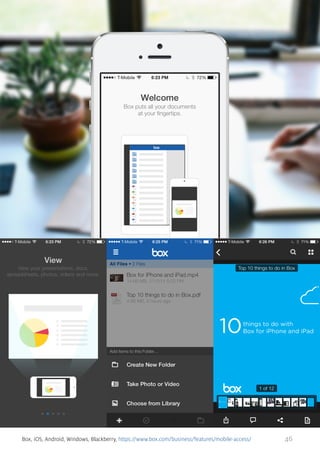
Box, iOS, Android, Windows, Blackberry, https://www.box.com/business/features/mobile-access/

46
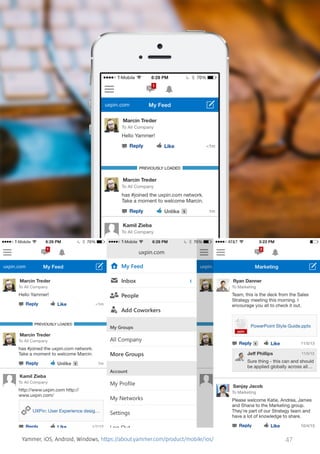
Yammer, iOS, Android, Windows, https://about.yammer.com/product/mobile/ios/

47
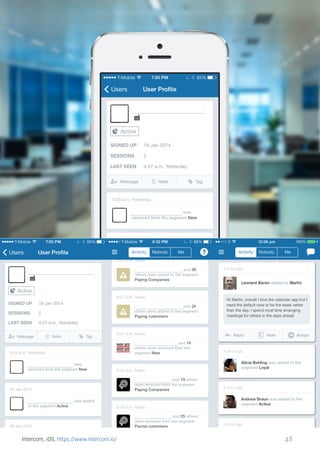
Intercom, iOS, https://www.intercom.io/

48
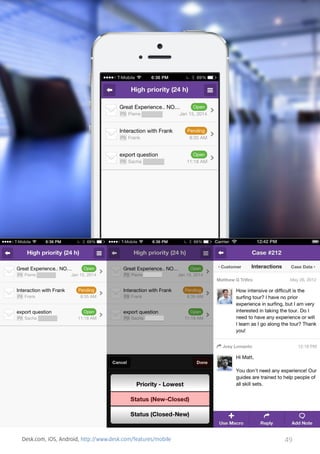
Desk.com, iOS, Android, http://www.desk.com/features/mobile

49
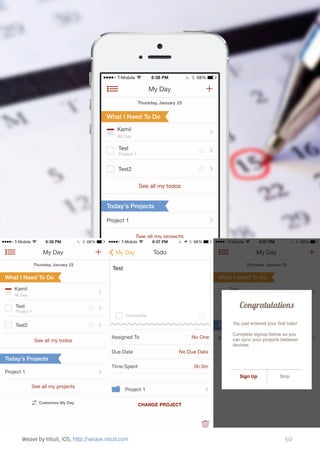
Weave by Intuit, iOS, http://weave.intuit.com

50
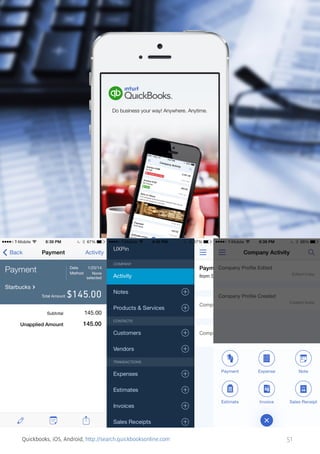
Quickbooks, iOS, Android, http://search.quickbooksonline.com

51
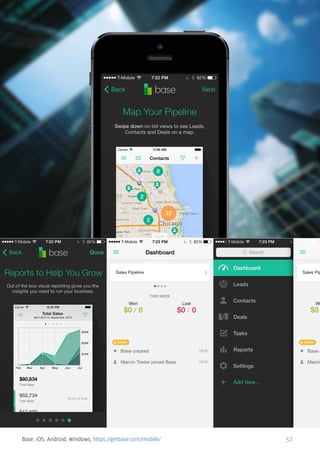
Base, iOS, Android, Windows, https://getbase.com/mobile/

52
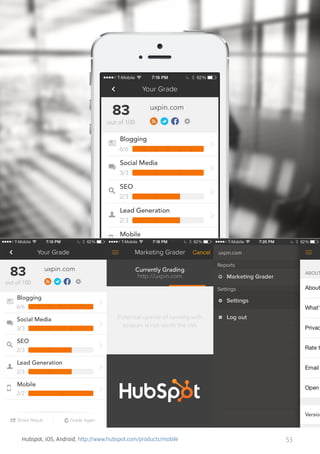
Hubspot, iOS, Android, http://www.hubspot.com/products/mobile

53
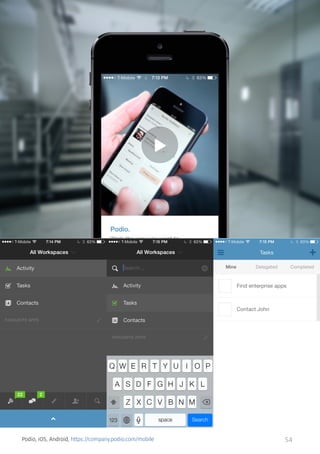
Podio, iOS, Android, https://company.podio.com/mobile

54
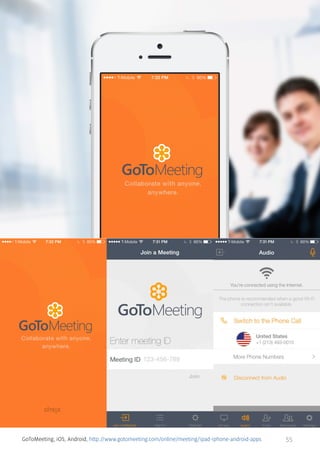
GoToMeeting, iOS, Android, http://www.gotomeeting.com/online/meeting/ipad-iphone-android-apps

55
6. WEARABLE COMPUTERS
Wearable computers are the next step in the evolution of mobile tech. After
having a computer in our backpack and pocket, with the arrival of Google
Glass, smart watches and wrist bands, we can actually have them on us.
Wearables create a completely new environment for designers to play with.
Highly contextualised, subtle yet powerful, devices need a completely new
approach to the design of applications. And though these are still the early
days of the whole wearable technology, few disagree that this is the future.
Beautiful Pebble, convenient Fitbit, Google Glass and dozens of its apps,
these are all early examples of what’s coming. 2014 will be the year of the
wearable.
Get ready!

56
For Google Glass

Source:
https://blog.twitter.com/2013/twitter-for-google-glass
http://www.engadget.com/2013/05/16/google-glass-apps/

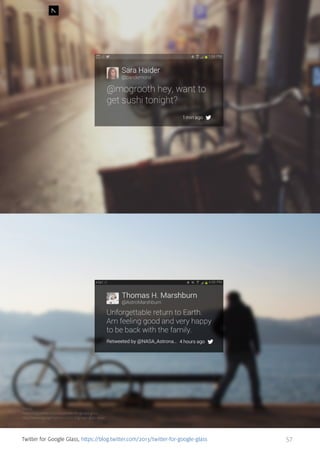
Twitter for Google Glass, https://blog.twitter.com/2013/twitter-for-google-glass

57
For Google Glass

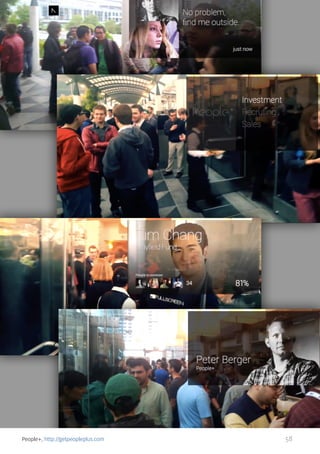
People+, http://getpeopleplus.com

58
For Google Glass

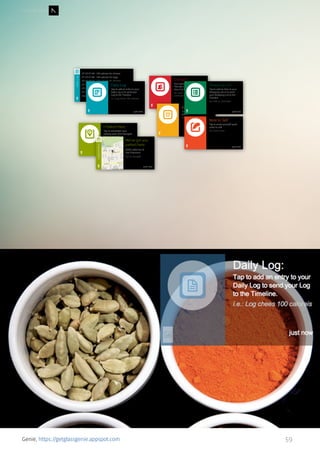
Genie, https://getglassgenie.appspot.com

59
For Google Glass

Source:
https://vimeo.com/66838775

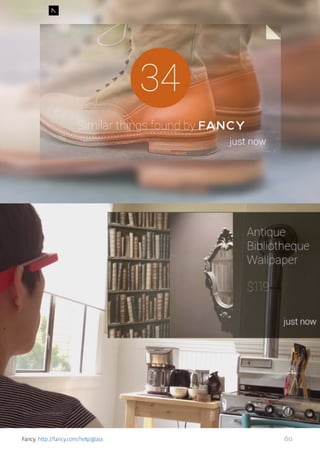
Fancy, http://fancy.com/help/glass

60
For Google Glass

Source:
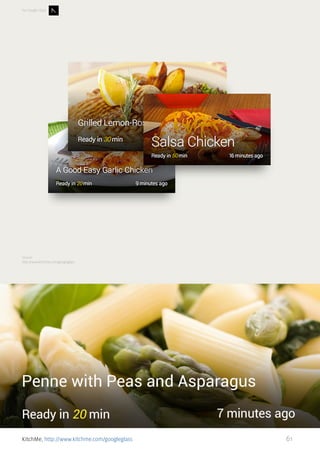
http://www.kitchme.com/googleglass

KitchMe, http://www.kitchme.com/googleglass

61
Source:
http://www.flickr.com/photos/61209873@N00/10061112236/

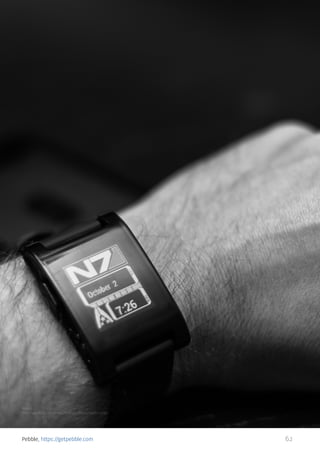
Pebble, https://getpebble.com

62
Source:
http://fitbit.com

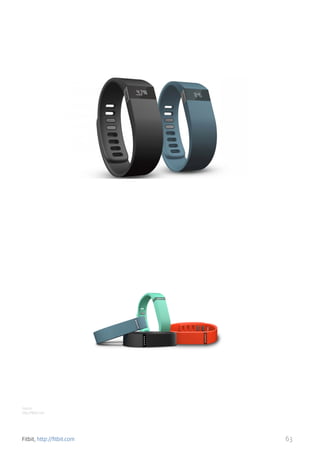
Fitbit, http://fitbit.com

63
Whistle, http://www.whistle.com

64
Source:
http://www.spaceglasses.com

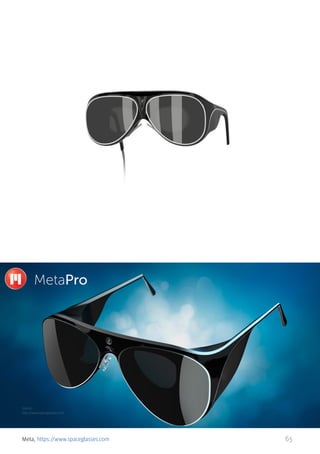
Meta, https://www.spaceglasses.com

65
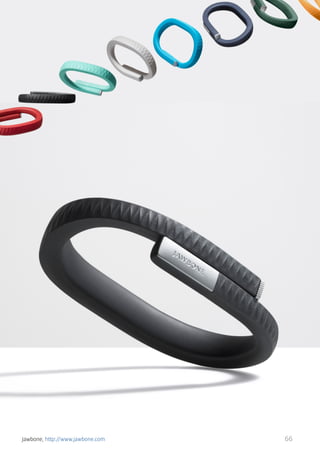
Jawbone, http://www.jawbone.com

66
7. PURE GUIDELINES
We have gone a long way since the early days of mobile design and there
was a lot of turbulence along the way. Among this you will find skeuomorphism, porting web UI solutions and, let’s be honest, ugliness.
Some platforms figured out these issues quicker, some of them lagged
behind. Nonetheless, we have come to a point where it is all pretty much
sorted out. The outcome? Beautiful and usable apps, a harmonized experience for end users, and easiness of development.
It has got to be said, though, that these guidelines for iOS 7, Android and
Windows Phone devices may be keeping some designers from the exploration of new interactions, UI solutions, and visual experimentation.
However, to be able to break the rules, you need to get to know the principles absolutely to the very bone. Believe me, they exist for very good
reasons and quickly lead to tremendous results.
Let’s hop on and explore examples of apps tailored to suit the user habits
of a specific platform. They look and work great, while strictly following the
guidelines.
PS. I strongly advise bookmarking these pages and visiting them from time
to time:
	• iOS Human Interface Guidelines
	• Android Design
	• Windows Phone Design Principles
67
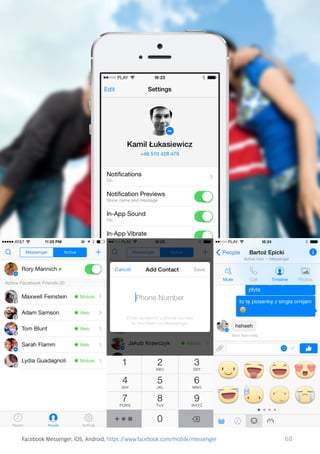
Facebook Messenger, iOS, Android, https://www.facebook.com/mobile/messenger

68
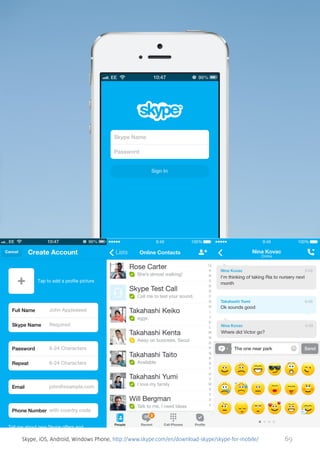
Skype, iOS, Android, Windows Phone, http://www.skype.com/en/download-skype/skype-for-mobile/

69
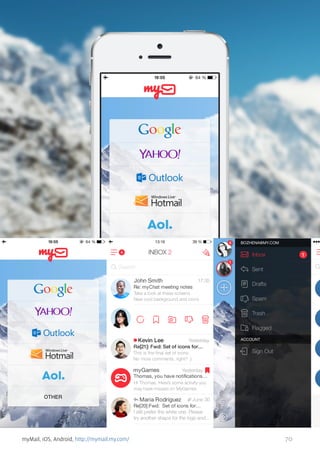
myMail, iOS, Android, http://mymail.my.com/

70
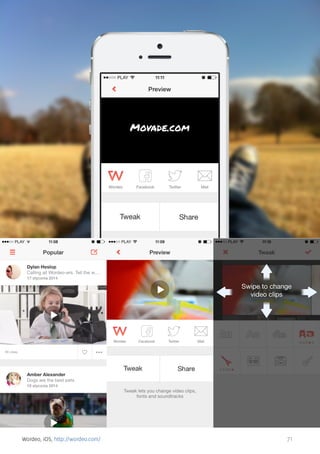
Wordeo, iOS, http://wordeo.com/

71
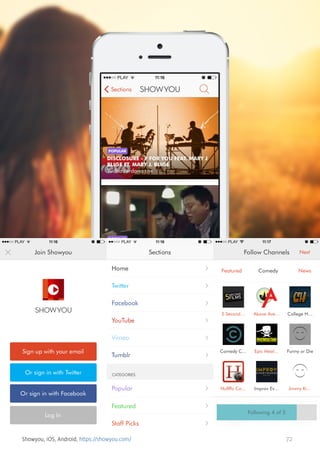
Showyou, iOS, Android, https://showyou.com/

72
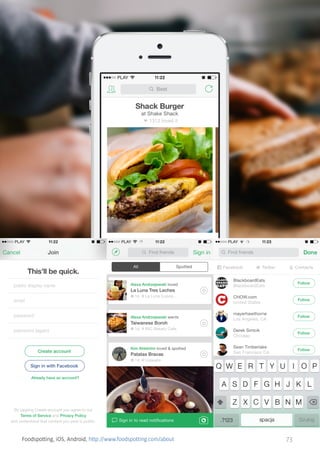
Foodspotting, iOS, Android, http://www.foodspotting.com/about

73
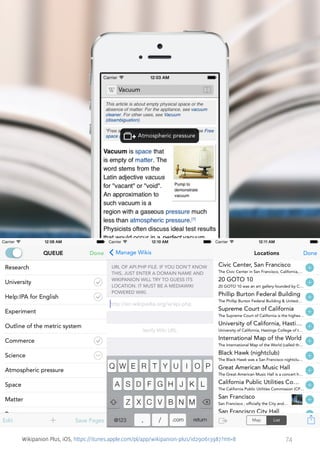
Wikipanion Plus, iOS, https://itunes.apple.com/pl/app/wikipanion-plus/id290613987?mt=8

74
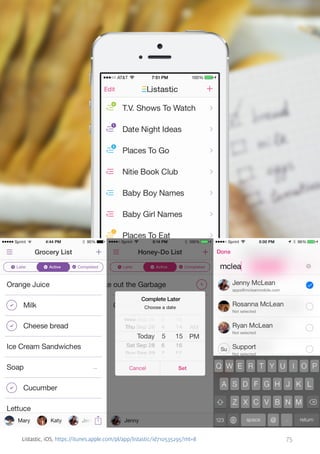
Listastic, iOS, https://itunes.apple.com/pl/app/listastic/id710535295?mt=8

75
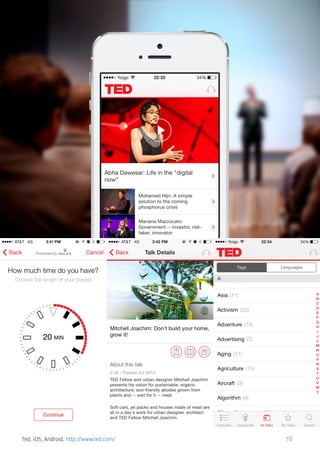
Ted, iOS, Android, http://www.ted.com/

76
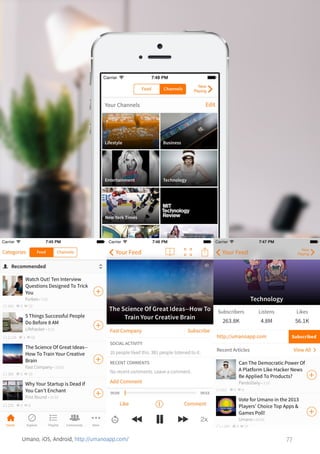
Umano, iOS, Android, http://umanoapp.com/

77
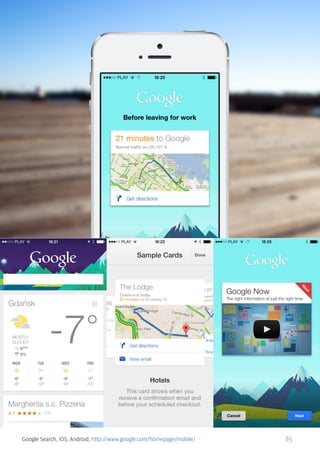
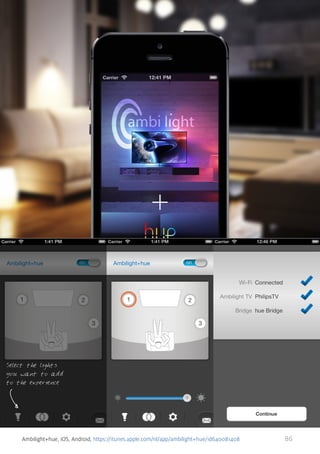
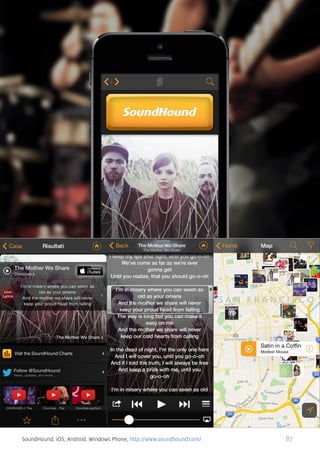
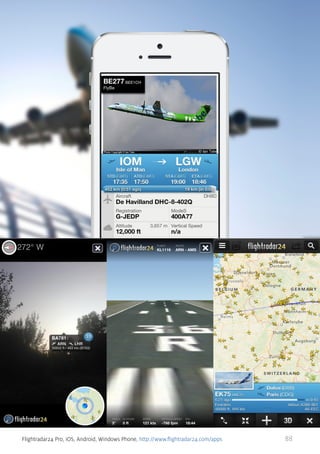
8. CONTEXTUAL AWARENESS
The most obvious things that make mobile devices so different from desktop computers is their size and the fact that you literally always have them
with you. The other thing is they have loads of sensors and this is what
makes them different from ‘almost gone’ phones, too. They are smart.
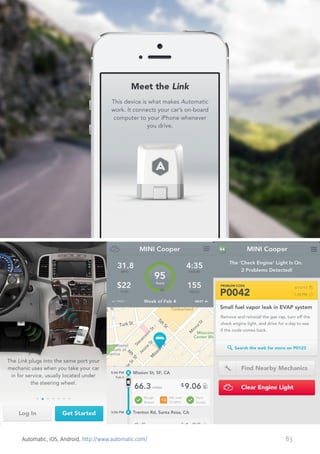
Imagine how many situations you find yourself in every day. You drive a car,
work at the office, go out to grab some lunch, meet up with friends in the
evening, and you finally come back home to sleep. Does it affect the way
you interact with your smartphone? Yes, it does, indeed!
Your smartphone can easily know where it is, especially now thanks to
Bluetooth Low Energy, also known as Bluetooth Smart. It knows loads of
other stuff, too...
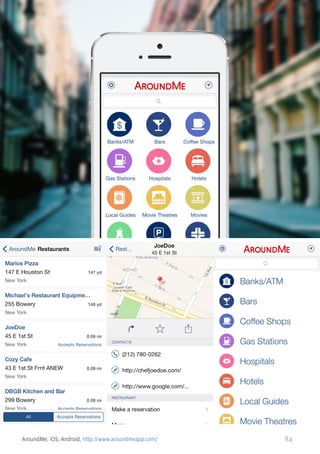
Knowing, however, is not enough. Modern apps need to leverage this information and provide users with an enhanced experience tailored perfectly to
their current situation. Only then can they really become smart apps.
We have been getting there for years, however, surprisingly slowly. It
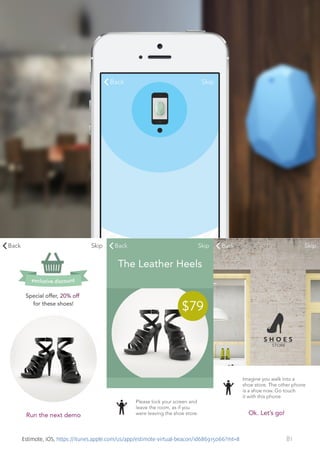
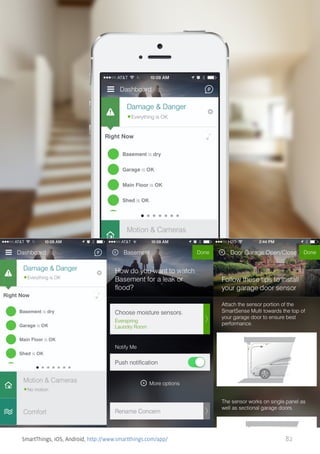
changed in 2013, though, and the trend is now on the rise. You see solutions provided by Shopkick, Estimote and Nest getting awesome traction.
The trend will hit it big in the coming years!

78
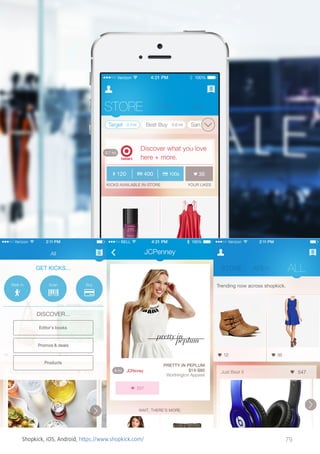
Shopkick, iOS, Android, https://www.shopkick.com/

79
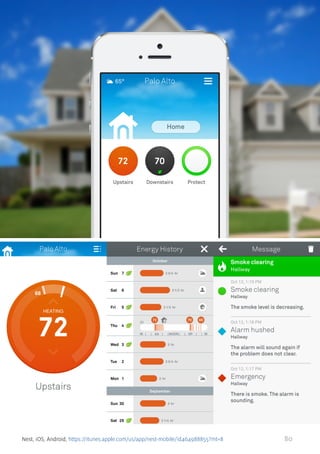
Nest, iOS, Android, https://itunes.apple.com/us/app/nest-mobile/id464988855?mt=8

80
Estimote, iOS, https://itunes.apple.com/us/app/estimote-virtual-beacon/id686915066?mt=8

81
SmartThings, iOS, Android, http://www.smartthings.com/app/

82
Automatic, iOS, Android, http://www.automatic.com/

83
AroundMe, iOS, Android, http://www.aroundmeapp.com/

84
Google Search, iOS, Android, http://www.google.com/homepage/mobile/

85
Ambilight+hue, iOS, Android, https://itunes.apple.com/nl/app/ambilight+hue/id640081408

86
SoundHound, iOS, Android, Windows Phone, http://www.soundhound.com/

87
Flightradar24 Pro, iOS, Android, Windows Phone, http://www.flightradar24.com/apps

88
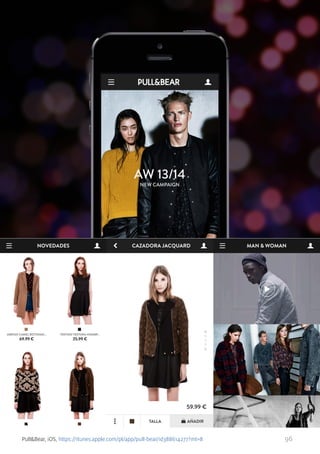
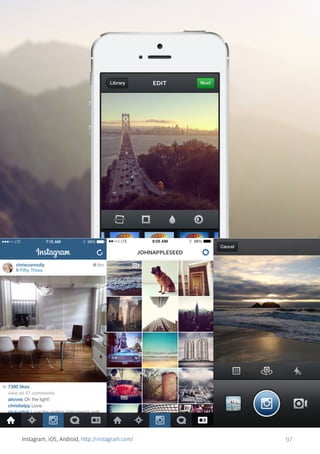
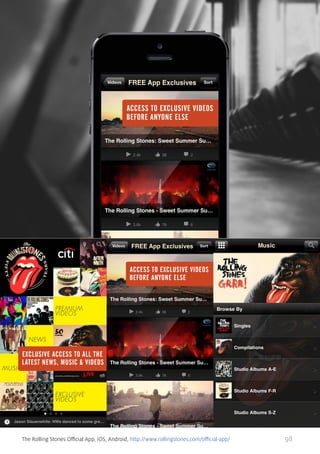
9. LARGE IMAGES
At the beginning of the mobile design era, designers were trying to copy
interaction patterns from the web/software world. Simply, a tap was meant
to represent a click, which led designers to plan simple and straight-forward
interactions.
Have you noticed how fast the screens of mobile devices keep being improved? I am amazed by their extremely high resolution, perfect brightness
and colors.
I bet you love photos. Remember having those colorful pieces of paper in
your hand? They are now being replaced by your smartphones and tablets.
They finally look beautiful on them and this is why attractive imagery and
video make many mobile apps so appealing.
Swiping through images and pinching them is a great experience and adds
great experience to clean and simple interfaces, no matter the platform.
You can easily find great examples and among them incredible apps like
Airbnb, Arsty, Fotopedia or extremely attractive Ultravisual.
Have a look below and be amazed.

89
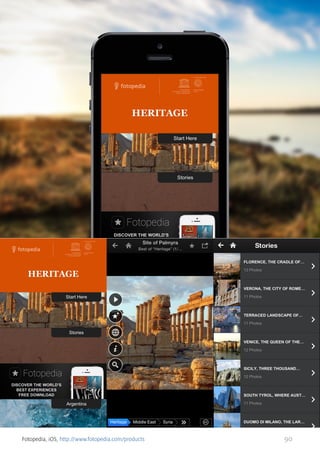
Fotopedia, iOS, http://www.fotopedia.com/products

90
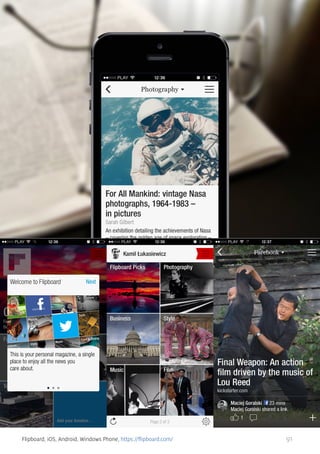
Flipboard, iOS, Android, Windows Phone, https://flipboard.com/

91
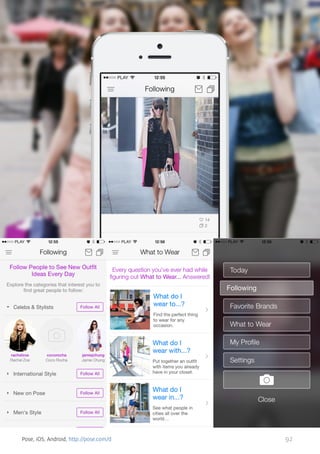
Pose, iOS, Android, http://pose.com/d

92
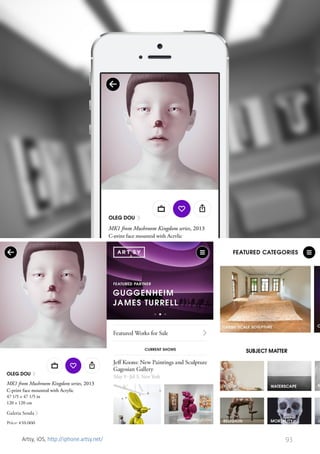
Artsy, iOS, http://iphone.artsy.net/

93
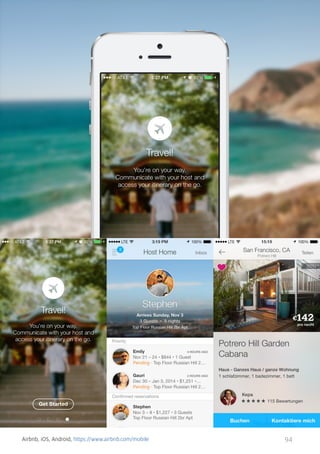
Airbnb, iOS, Android, https://www.airbnb.com/mobile

94
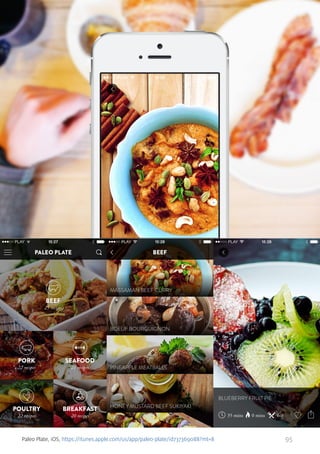
Paleo Plate, iOS, https://itunes.apple.com/us/app/paleo-plate/id737369088?mt=8

95
Pull&Bear, iOS, https://itunes.apple.com/pl/app/pull-bear/id388614277?mt=8

96
Instagram, iOS, Android, http://instagram.com/

97
The Rolling Stones Official App, iOS, Android, http://www.rollingstones.com/official-app/

98
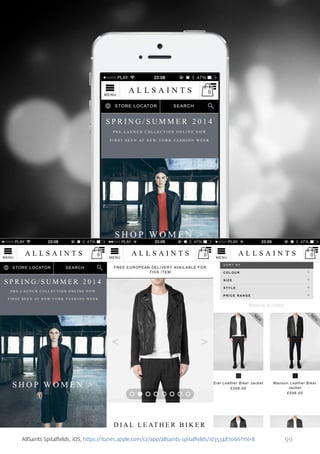
AllSaints Spitalfields, iOS, https://itunes.apple.com/cz/app/allsaints-spitalfields/id353487066?mt=8

99
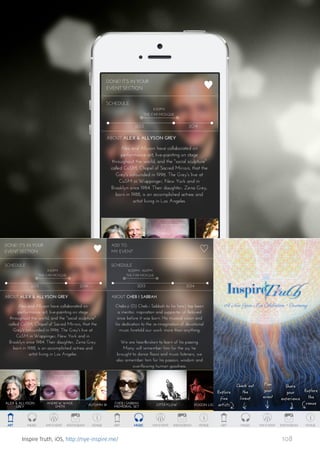
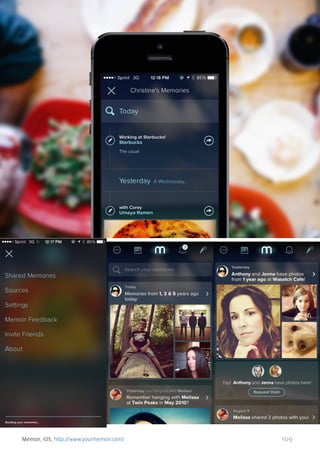
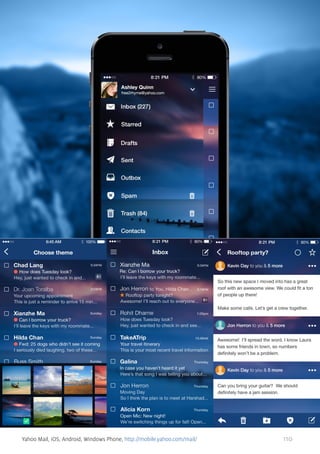
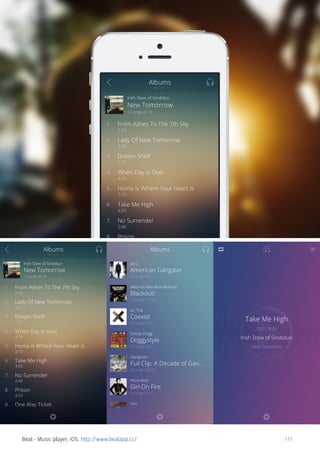
10. BLUR
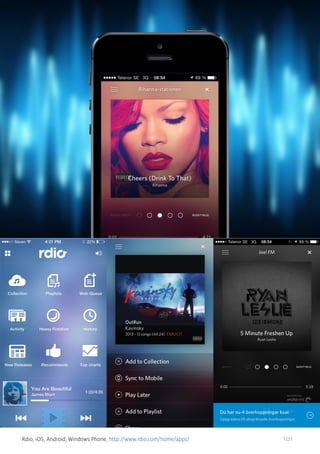
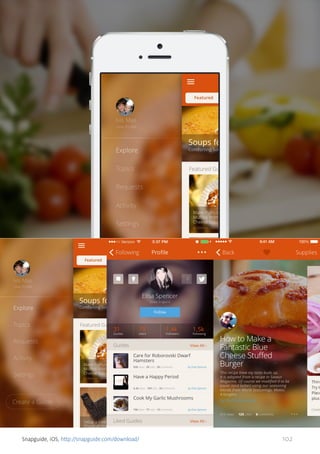
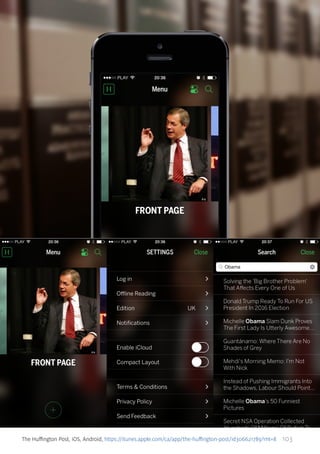
Together with beautiful large images came the issue of putting text and
other content over them. There were some solutions but one of them
caught on very quickly - blurred images and translucent elements over
them. It received a huge boost as it has become the trademark of iOS 7.
It solves the problem of legibility perfectly and puts the content first, while
still giving the application a great visual appeal. More than that, it is so easy
to apply, you can almost never go wrong with it!
This trend is not exclusive to mobile apps as it appears often on websites,
however, not to such an extent and is not that attractive visually. The reason
behind it is that apps are more responsive to interactions which are also
more direct, and therefore more tempting, as you play with the interface
with your bare fingers.
Have a look at Jukely, where it is applied perfectly, and check out Rdio to
see for yourself how it changes the way you perceive the whole interface. It
now has a stylish and deeper feeling. It simply has “something” in it.

100
Rdio, iOS, Android, Windows Phone, http://www.rdio.com/home/apps/

101
Snapguide, iOS, http://snapguide.com/download/

102
The Huffington Post, iOS, Android, https://itunes.apple.com/ca/app/the-huffington-post/id306621789?mt=8

103
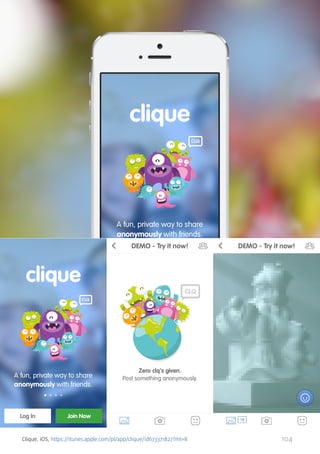
Clique, iOS, https://itunes.apple.com/pl/app/clique/id673371827?mt=8

104
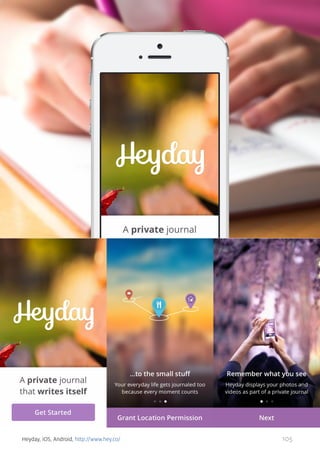
Heyday, iOS, Android, http://www.hey.co/

105
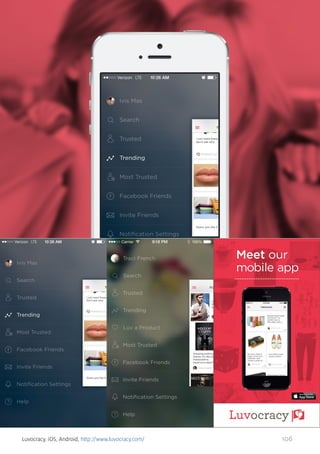
Luvocracy, iOS, Android, http://www.luvocracy.com/

106
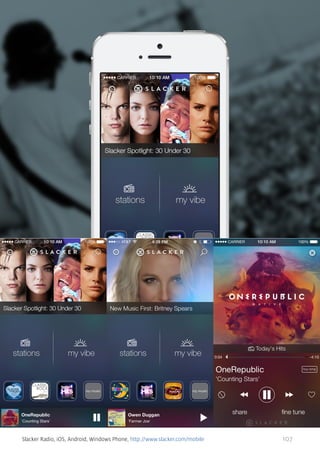
Slacker Radio, iOS, Android, Windows Phone, http://www.slacker.com/mobile

107
Inspire Truth, iOS, http://nye-inspire.me/

108
Memoir, iOS, http://www.yourmemoir.com/

109
Yahoo Mail, iOS, Android, Windows Phone, http://mobile.yahoo.com/mail/

110
Beat - Music player, iOS, http://www.beatapp.cc/

111
11. INFOGRAPHIC
If you use the internet on a daily basis, you probably haven’t missed thousands of infographics appearing every day for the last couple of years on
the web. It turns out this is also a great solution for smaller screens through
which you experience mobile apps.
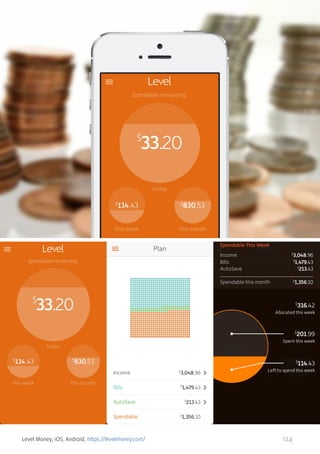
The reason is simple, they are a great way to represent information even if it
is a complicated set of data. When designers don’t have much space to put
the data in, they need to make it much easier to read and more appealing.
Only then will users want to scroll through it and play around with it. The
results can be truly amazing. You may find your content is actually consumed more, people can actually understand and remember it.
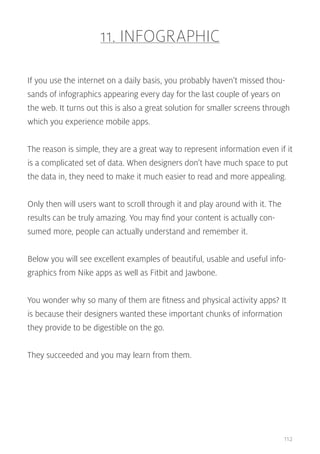
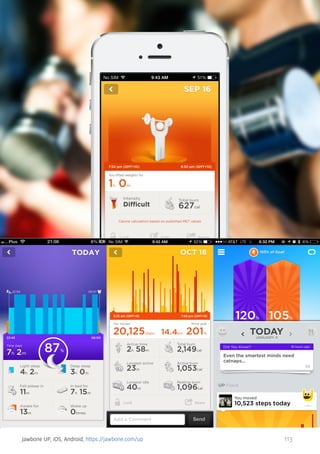
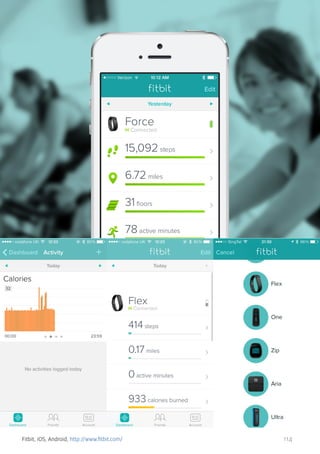
Below you will see excellent examples of beautiful, usable and useful infographics from Nike apps as well as Fitbit and Jawbone.
You wonder why so many of them are fitness and physical activity apps? It
is because their designers wanted these important chunks of information
they provide to be digestible on the go.
They succeeded and you may learn from them.

112
Jawbone UP, iOS, Android, https://jawbone.com/up

113
Fitbit, iOS, Android, http://www.fitbit.com/

114
Nike+ Running, iOS, Android, http://nikeplus.nike.com/plus/products/gps_app/

115
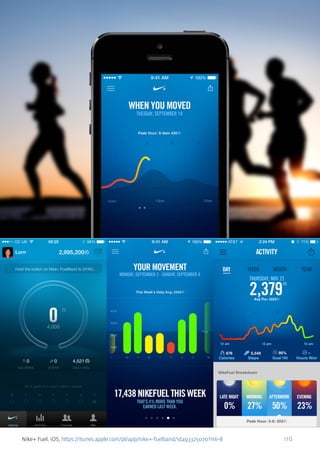
Nike+ Fuel, iOS, https://itunes.apple.com/pl/app/nike+-fuelband/id493325070?mt=8

116
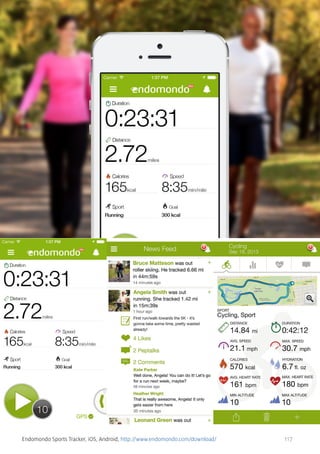
Endomondo Sports Tracker, iOS, Android, http://www.endomondo.com/download/

117
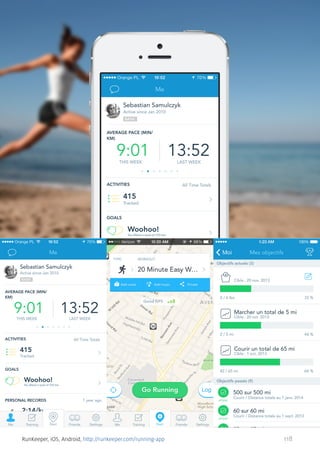
RunKeeper, iOS, Android, http://runkeeper.com/running-app

118
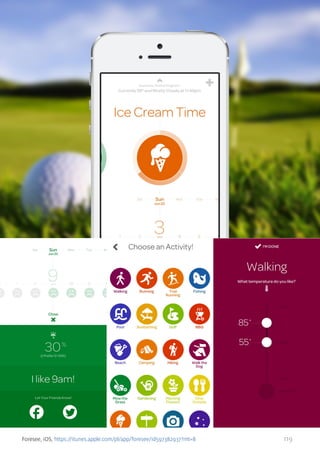
Foresee, iOS, https://itunes.apple.com/pl/app/foresee/id597382937?mt=8

119
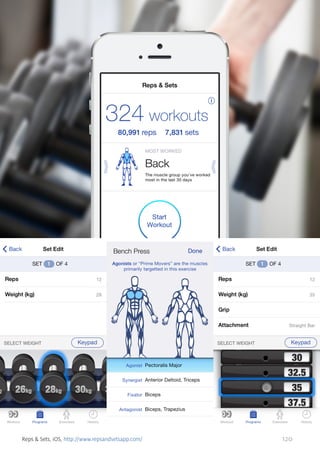
Reps & Sets, iOS, http://www.repsandsetsapp.com/

120
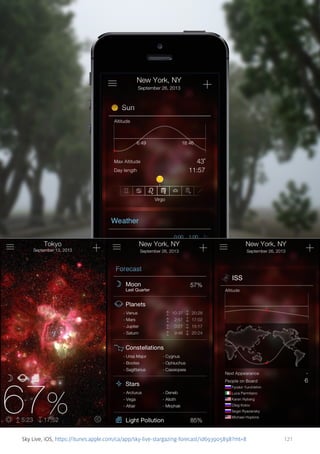
Sky Live, iOS, https://itunes.apple.com/ca/app/sky-live-stargazing-forecast/id693905898?mt=8

121
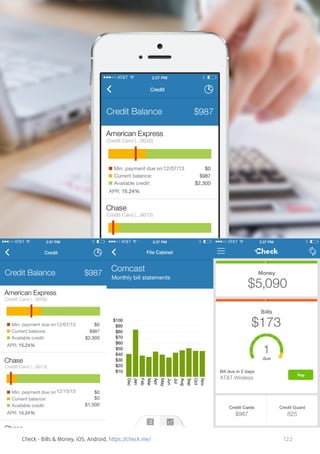
Check - Bills & Money, iOS, Android, https://check.me/

122
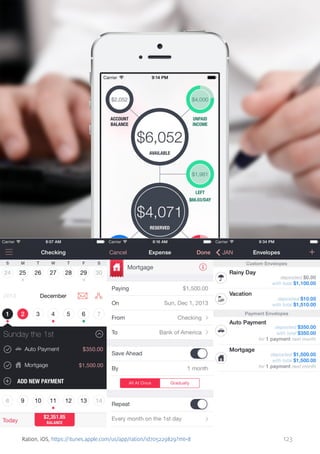
Ration, iOS, https://itunes.apple.com/us/app/ration/id705229829?mt=8

123
Level Money, iOS, Android, https://levelmoney.com/

124
12. MICROINTERACTIONS
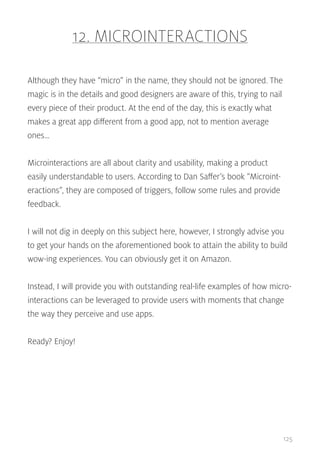
Although they have “micro” in the name, they should not be ignored. The
magic is in the details and good designers are aware of this, trying to nail
every piece of their product. At the end of the day, this is exactly what
makes a great app different from a good app, not to mention average
ones…
Microinteractions are all about clarity and usability, making a product
easily understandable to users. According to Dan Saffer’s book “Microinteractions”, they are composed of triggers, follow some rules and provide
feedback.
I will not dig in deeply on this subject here, however, I strongly advise you
to get your hands on the aforementioned book to attain the ability to build
wow-ing experiences. You can obviously get it on Amazon.
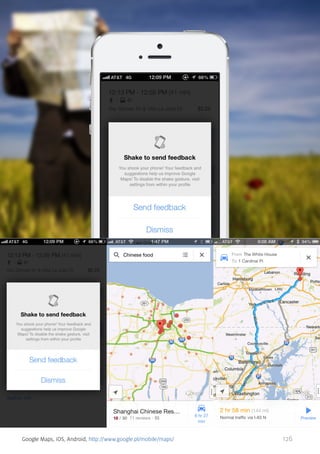
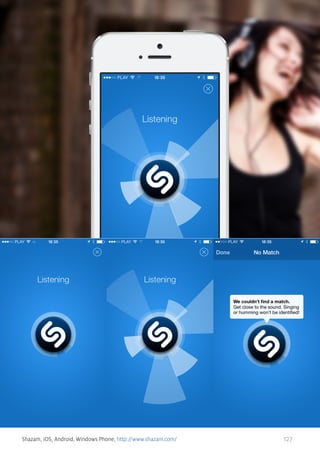
Instead, I will provide you with outstanding real-life examples of how microinteractions can be leveraged to provide users with moments that change
the way they perceive and use apps.
Ready? Enjoy!

125
Google Maps, iOS, Android, http://www.google.pl/mobile/maps/

126
Shazam, iOS, Android, Windows Phone, http://www.shazam.com/

127
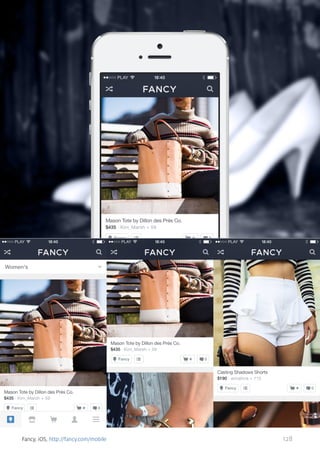
Fancy, iOS, http://fancy.com/mobile

128
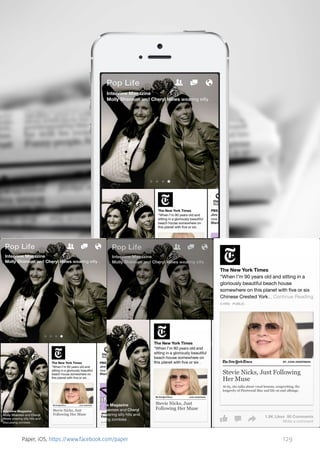
Paper, iOS, https://www.facebook.com/paper

129
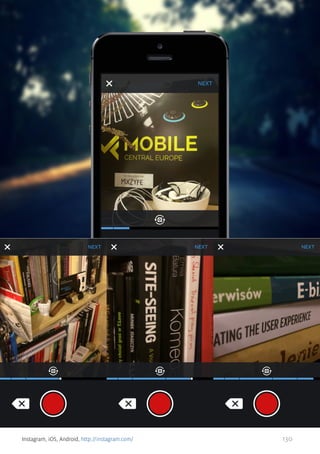
Instagram, iOS, Android, http://instagram.com/

130
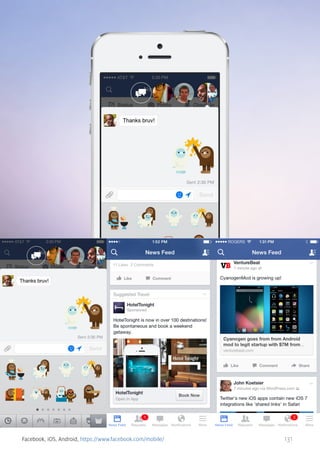
Facebook, iOS, Android, https://www.facebook.com/mobile/

131
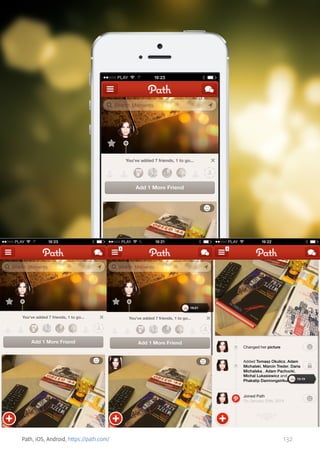
Path, iOS, Android, https://path.com/

132
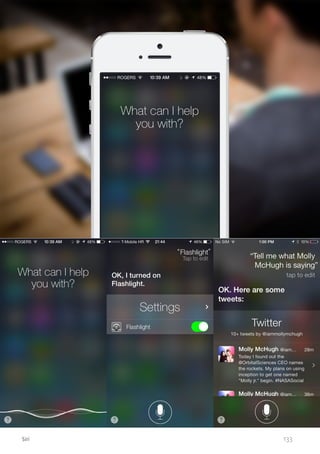
Siri

133
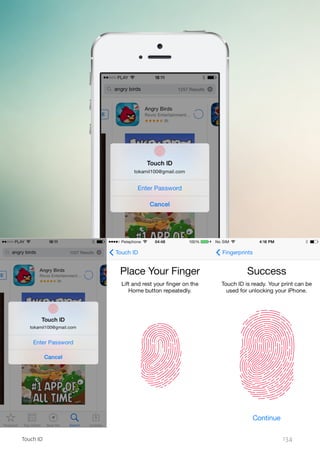
Touch ID

134
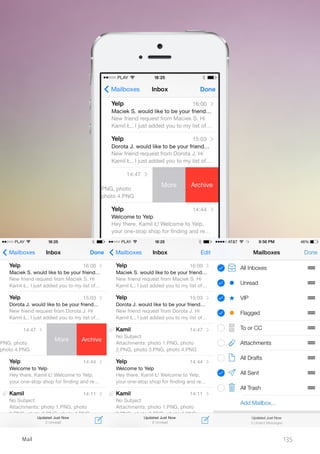
Mail

135
13. MOBILE-POWERED CUSTOMER
Some of the most popular apps on every platform are those with a goal to
enhance your experiences when doing what all of us do literally every day. I
mean buying stuff, being a customer.
Online sales are huge and growing rapidly, and although mobile commerce
still lags behind, it is apparently not going to forever. Even big retailers who
were not so quick to adapt to changes driven by the ubiquitous internet
connection, have realized that mobile is the way to go.
They now provide exceptional solutions to inspire you, help you make the
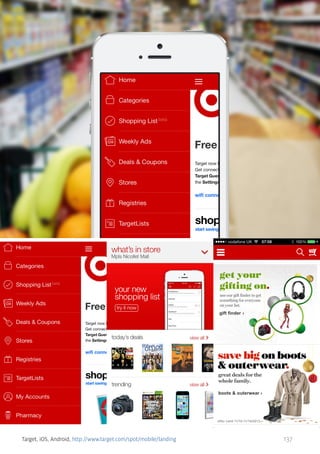
right decisions, and transact. Have a look at Target’s app, which is truly well
designed and provides such features as coupon alerts, store finder and
barcode scanner. Have you tried Starbucks app already? Ever used apps
developed by independent companies such as Red-Laser?
They simply help you buy smarter and quicker. Others, like Amazon, Groupon and Wanelo provide you with additional perks like coupons and make
participating in loyalty programs easier.
Literally every company selling any kind of stuff, and any consumer buying
anything can benefit from mobile. Check out my selection of great examples below and see what I mean.

136
Target, iOS, Android, http://www.target.com/spot/mobile/landing

137
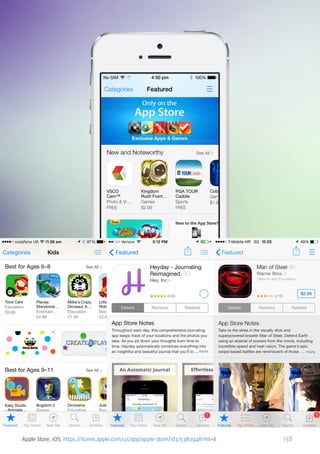
Apple Store, iOS, https://itunes.apple.com/us/app/apple-store/id375380948?mt=8

138
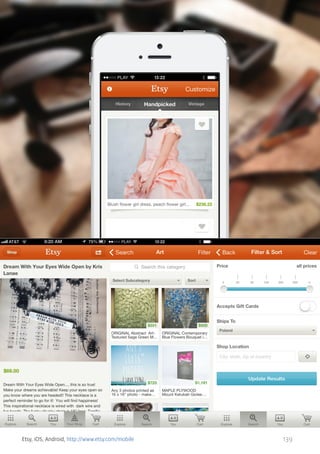
Etsy, iOS, Android, http://www.etsy.com/mobile

139
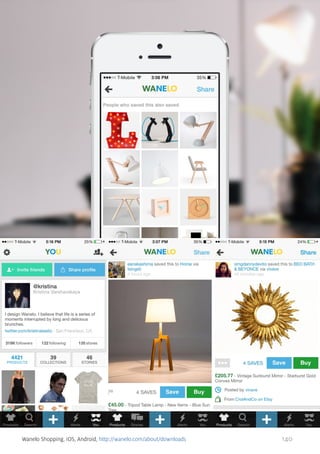
Wanelo Shopping, iOS, Android, http://wanelo.com/about/downloads

140
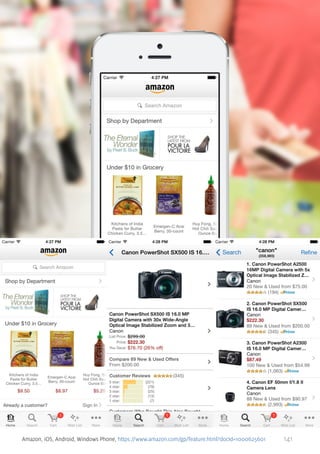
Amazon, iOS, Android, Windows Phone, https://www.amazon.com/gp/feature.html?docId=1000625601

141
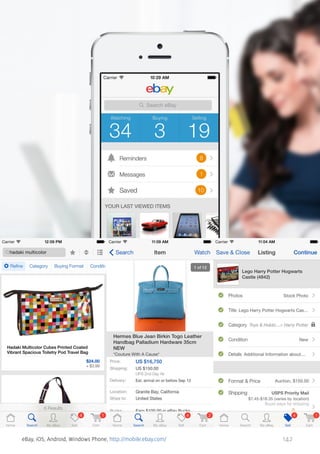
eBay, iOS, Android, Windows Phone, http://mobile.ebay.com/

142
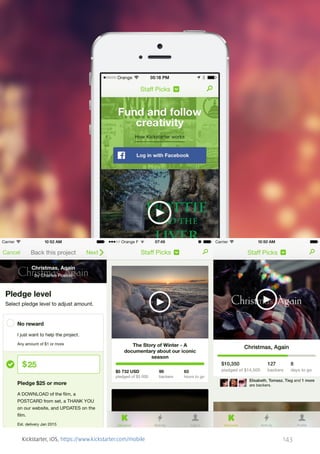
Kickstarter, iOS, https://www.kickstarter.com/mobile

143
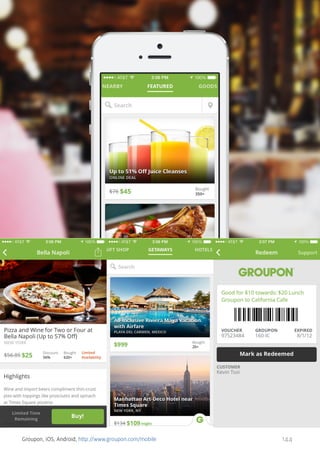
Groupon, iOS, Android, http://www.groupon.com/mobile

144
H&M, iOS, Android, https://itunes.apple.com/pl/app/h-m/id589351740?mt=8

145
Yelp, iOS, Android, http://www.yelp.com/yelpmobile

146
14. BONUS: 10 MUST-HAVE METRO
APPS FOR WINDOWS PHONE
Although I focused only on the two most popular platforms, which are iOS
and Android, I am a huge proponent of competition and therefore I would
like you to have a look at some great Windows Phone apps below.
This is a system that already had a say in and made a difference to the approach to mobile design. For one, it doesn’t rely on icons, instead of which
tiles are used. This is quite a step from the usual approach, isn’t it? I have a
huge respect for the brave designers who made such a decision.
If you are considering an upgrade to your smartphone or simply have not
had a chance to play around with any Windows Phone device, please scroll
down and see the 10 apps I think of as must-haves.

147
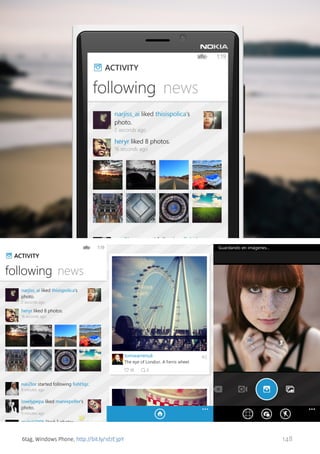
6tag, Windows Phone, http://bit.ly/1d7E3pY

148
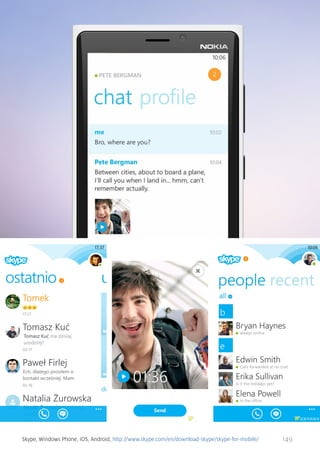
Skype, Windows Phone, iOS, Android, http://www.skype.com/en/download-skype/skype-for-mobile/

149
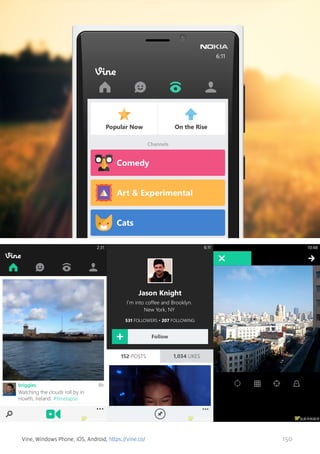
Vine, Windows Phone, iOS, Android, https://vine.co/

150
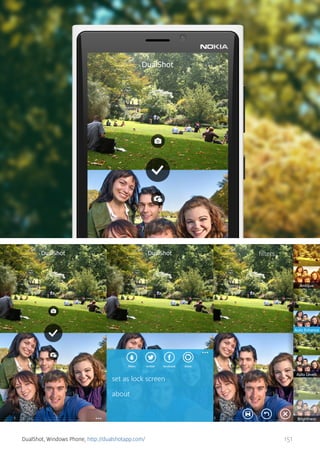
DualShot, Windows Phone, http://dualshotapp.com/

151
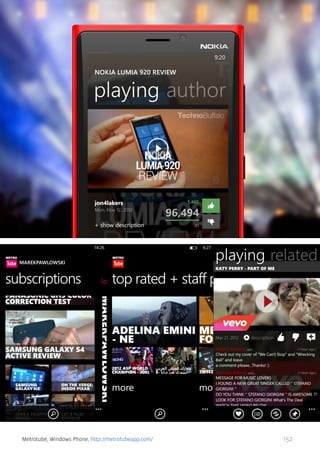
Metrotube, Windows Phone, http://metrotubeapp.com/

152
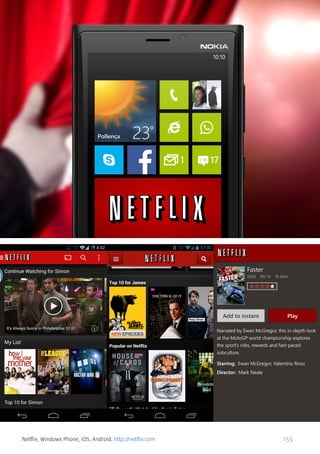
Netflix, Windows Phone, iOS, Android, http://netflix.com

153
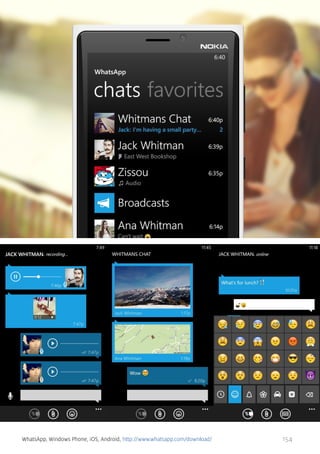
WhatsApp, Windows Phone, iOS, Android, http://www.whatsapp.com/download/

154
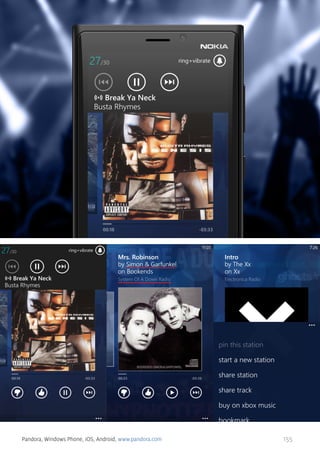
Pandora, Windows Phone, iOS, Android, www.pandora.com

155
ABOUT UXPIN & MOVADE

156
The UX Design Platform
Complete Prototyping Framework for
Web, Mobile and Wearable
Built for Teams

www.uxpin.com

157
Strategy

Design

Development

LET’S START YOUR
PROJECT TODAY
www.movade.com

158

Mobile Book of Trends 2014

  • 1.
  • 2.
    & MOBILE BOOK OF TRENDS 2014 MarcinTreder, Adam Pachucki, Adam Zielonko, Kamil Łukasiewicz
  • 3.
    Index 1. TYPOGRAPHY 4 2.FLAT DESIGN & SIMPLICITY 14 3. GESTURAL INTERFACES 26 4. CIRCLES 35 5. ENTERPRISE MOBILE 45 6. WEARABLE COMPUTERS 56 7. PURE GUIDELINES 67 8. CONTEXTUAL AWARENESS 78 9. LARGE IMAGES 89 10. BLUR 100 11. INFOGRAPHIC 112 12. MICROINTERACTIONS 125 13. MOBILE-POWERED CUSTOMER 136 14. BONUS: 10 MUST-HAVE METRO APPS FOR WINDOWS PHONE 147 ABOUT UXPIN & MOVADE 156 3
  • 4.
    1. TYPOGRAPHY I havea small theory that I’d like to share with you - great typography equals design maturity. Web designers, until a couple of years ago, weren’t paying nearly enough attention to typography. When the whole field matured - typography blossomed and became a huge design trend. Good typography is not only decisive when it comes to the readability of the text, but also builds up a message that the designer intended to share. It’s an important part of the overall user experience. On the other hand, a lack of good typography shows the unprofessionalism of the whole product. Text is a basic ingredient of the majority of interfaces - if that’s designed badly, why go any further? The first years of the growth of native applications on iOS and Android were just terrible. It seemed like the majority of designers and developers weren’t thinking about typography at all. It was under-appreciated and looked accidental. Boring fonts were usually applied with no good taste. A design nightmare. Mobile design is long past its early days now and we can clearly see signs of the maturity of the field. Typography is one of the most vivid examples. Most of the typography on popular applications can be described as “decent”. Whether that’s Facebook, Mailbox, or Twitter – the text is clear and the fonts look at least OK. What’s even more interesting - in 2013 we saw lots and lots of mobile apps with an absolutely stunning usage of fonts. Ultravisual, WillCall, Hotel Tonight to mention a few great examples. 4
  • 5.
    In 2014 we’reabsolutely sure that this trend will gain even more power. Typography in mobile apps can’t be ignored anymore. Mobile design has reached its maturity. 5
  • 6.
    Citroen Lifestyle, iOS,http://www.citroen.com.br/lifestyle/ 6
  • 7.
  • 8.
    Fifa, iOS, Android,http://www.fifa.com/mobile/ 8
  • 9.
    Foodie Recipes, iOS,http://www.foodie.com 9
  • 10.
    Hotel Tonight, iOS,Android, http://www.hoteltonight.com 10
  • 11.
    National Geographic CityGuide, iOS, http://bit.ly/1fKnVeg 11
  • 12.
  • 13.
    Willcall, iOS, Android,https://www.getwillcall.com 13
  • 14.
    2. FLAT DESIGN& SIMPLICITY 2013 was the year of flat design. After Apple’s announcement of iOS7, mobile designers all over the world started to work on redesigns of their apps seeking a simpler form and much desired flatness. No wonder! Flat design, if done correctly, looks stunning. The freshness of the flat form gave us all a much-needed break from the heaviness of skeuomorphism (often just badly applied). In a way, this trend is a scream for simplicity. A form that follows function. Design that does not stand in the way. Hence, flat became more than just a fashion for gradient-free buttons and a lack of textures. Flat design became a trend that’s all about seeking clarity. Light colours, clear fonts, lots of whitespace and general UI modesty became signs of a good flat design. The list of apps that follow these principles would be really, really long. Twitter, Facebook, Foursquare… they all got flattened in 2013, making everything that’s not flat look old-fashioned. Even though among all these great flat apps there are products that are just on another level - apps that define simplicity in an unprecedented way. Pure diamonds of mobile design. I’m talking about Vine, VSCO, Jukly, Highlight… and a few others that will make flat design a permanent part of mobile design, not just a seasonal trend. Get ready for 2014. Take a look at our selection of the best examples of flat mobile design. 14
  • 15.
    Vine, iOS, Android,Windows, https://vine.co 15
  • 16.
  • 17.
    Highlight, iOS, Android,http://highlig.ht 17
  • 18.
  • 19.
    Circa, iOS, Android,http://cir.ca 19
  • 20.
  • 21.
    NextDoor, iOS, Android,https://nextdoor.com/mobile/ 21
  • 22.
    Piclab, iOS, Android,http://piclabapp.com 22
  • 23.
    Pulse, iOS, Android,https://www.pulse.me 23
  • 24.
    Uniqlo RECIPE, iOS,http://www.uniqlo.com/us/lifetools/recipe/ 24
  • 25.
    VSCO, iOS, Android,http://vsco.co/vscocam 25
  • 26.
    3. GESTURAL INTERFACES Atthe beginning of the mobile design era, designers were trying to copy interaction patterns from the web/software world. Simply, a tap was meant to represent a click, which led designers to plan simple and straight-forward interactions. Touch-screens, however, had more to offer. Swipe, pinch, stretch, press&hold… all these gestures were waiting to be properly used. Introducing new interaction and navigation patterns is always controversial and challenging. I remember when Twitter used a swipe gesture to provide a shortcut to a couple of popular actions. Many designers tossed it as an unnecessary complication. After all… all these actions were available just a couple of taps away. Many designers, however, believed that using a tap-centered interaction pattern makes even a simple task too complicated on a small screen of a smartphone. Gestures, if properly applied, could make the interaction much quicker and more natural. Today, it’s hard to imagine many applications without a gesture control system. Think Mailbox, or Clear - apps that build their popularity mainly on the great appliance of gesture-based interactions. Apps such as - Blue, Tinder, or recently Jelly - followed. All the signs show that 2014 will be all about gestures. Get ready. 26
  • 27.
    Yahoo Weather, iOS,Android, http://mobile.yahoo.com/weather/ 27
  • 28.
    Yahoo News Digest,iOS, https://itunes.apple.com/us/app/yahoo-news-digest/id784982356?mt=8 28
  • 29.
  • 30.
    Jelly, iOS, Android,http://jelly.co 30
  • 31.
  • 32.
    SVOY, iOS, Android,https://itunes.apple.com/ru/app/svoy/id523446911?mt=8 32
  • 33.
  • 34.
    Tinder, iOS, Android,http://www.gotinder.com 34
  • 35.
    4. CIRCLES Not allof the design trends are rational. Not all of the design trends are a sign of progress. Some trends simply appear suddenly and become a fashion. One of them is the circle trend. Based on my mere observation - it all started in web design in 2012. Out of sudden circles, it became the thing. In 2013 mobile design simply followed the trend. Foursquare, Facebook Messenger, Uber… and even contacts on iOS7 are using circles for many elements of the interface. Great, innovative apps such as Spark, Lasso, or QuizUp are all about circles. The beginning of 2014 shows that circles are here to stay…until a new trend arrives. 35
  • 36.
  • 37.
  • 38.
  • 39.
    Om Finder, iOS,https://itunes.apple.com/us/app/om-finder/id623568912?mt=8 39
  • 40.
    Peek Tour, iOS,https://itunes.apple.com/us/app/peek-tours-activities/id767696645?mt=8 40
  • 41.
  • 42.
    Readibility, iOS, Android,https://www.readability.com 42
  • 43.
    Team USA, iOS,Android, http://www.teamusa.org/mobile 43
  • 44.
  • 45.
    5. ENTERPRISE MOBILE Theconsumerization of enterprise applications is a strong trend on the Hitech market. After years of pushing hardly usable apps on innocent corporate employees, the tech world finally realised that the users of enterprise products are… human beings. And, like every human being, they enjoy well designed products (well to be honest, I guess enjoyment wasn’t as decisive a factor here as the opportunity to save some money, but anyway…). In 2013 the consumerization of enterprises trend reached mobile apps. Since the industry agreed that corporate workers are people… it just couldn’t miss the fact that human beings love their smartphones and tablets. What is even more important, smartphones and tablets can make people very productive. This thesis led to the creation of dozens of enterprise mobile apps. We’ve chosen 10 well designed ones to show you the basis for our prediction for 2014 - enterprise mobile apps will go wild. Enjoy! 45
  • 46.
    Box, iOS, Android,Windows, Blackberry, https://www.box.com/business/features/mobile-access/ 46
  • 47.
    Yammer, iOS, Android,Windows, https://about.yammer.com/product/mobile/ios/ 47
  • 48.
  • 49.
    Desk.com, iOS, Android,http://www.desk.com/features/mobile 49
  • 50.
    Weave by Intuit,iOS, http://weave.intuit.com 50
  • 51.
    Quickbooks, iOS, Android,http://search.quickbooksonline.com 51
  • 52.
    Base, iOS, Android,Windows, https://getbase.com/mobile/ 52
  • 53.
    Hubspot, iOS, Android,http://www.hubspot.com/products/mobile 53
  • 54.
    Podio, iOS, Android,https://company.podio.com/mobile 54
  • 55.
    GoToMeeting, iOS, Android,http://www.gotomeeting.com/online/meeting/ipad-iphone-android-apps 55
  • 56.
    6. WEARABLE COMPUTERS Wearablecomputers are the next step in the evolution of mobile tech. After having a computer in our backpack and pocket, with the arrival of Google Glass, smart watches and wrist bands, we can actually have them on us. Wearables create a completely new environment for designers to play with. Highly contextualised, subtle yet powerful, devices need a completely new approach to the design of applications. And though these are still the early days of the whole wearable technology, few disagree that this is the future. Beautiful Pebble, convenient Fitbit, Google Glass and dozens of its apps, these are all early examples of what’s coming. 2014 will be the year of the wearable. Get ready! 56
  • 57.
  • 58.
    For Google Glass People+,http://getpeopleplus.com 58
  • 59.
    For Google Glass Genie,https://getglassgenie.appspot.com 59
  • 60.
  • 61.
  • 62.
  • 63.
  • 64.
  • 65.
  • 66.
  • 67.
    7. PURE GUIDELINES Wehave gone a long way since the early days of mobile design and there was a lot of turbulence along the way. Among this you will find skeuomorphism, porting web UI solutions and, let’s be honest, ugliness. Some platforms figured out these issues quicker, some of them lagged behind. Nonetheless, we have come to a point where it is all pretty much sorted out. The outcome? Beautiful and usable apps, a harmonized experience for end users, and easiness of development. It has got to be said, though, that these guidelines for iOS 7, Android and Windows Phone devices may be keeping some designers from the exploration of new interactions, UI solutions, and visual experimentation. However, to be able to break the rules, you need to get to know the principles absolutely to the very bone. Believe me, they exist for very good reasons and quickly lead to tremendous results. Let’s hop on and explore examples of apps tailored to suit the user habits of a specific platform. They look and work great, while strictly following the guidelines. PS. I strongly advise bookmarking these pages and visiting them from time to time: • iOS Human Interface Guidelines • Android Design • Windows Phone Design Principles 67
  • 68.
    Facebook Messenger, iOS,Android, https://www.facebook.com/mobile/messenger 68
  • 69.
    Skype, iOS, Android,Windows Phone, http://www.skype.com/en/download-skype/skype-for-mobile/ 69
  • 70.
    myMail, iOS, Android,http://mymail.my.com/ 70
  • 71.
  • 72.
    Showyou, iOS, Android,https://showyou.com/ 72
  • 73.
    Foodspotting, iOS, Android,http://www.foodspotting.com/about 73
  • 74.
    Wikipanion Plus, iOS,https://itunes.apple.com/pl/app/wikipanion-plus/id290613987?mt=8 74
  • 75.
  • 76.
    Ted, iOS, Android,http://www.ted.com/ 76
  • 77.
    Umano, iOS, Android,http://umanoapp.com/ 77
  • 78.
    8. CONTEXTUAL AWARENESS Themost obvious things that make mobile devices so different from desktop computers is their size and the fact that you literally always have them with you. The other thing is they have loads of sensors and this is what makes them different from ‘almost gone’ phones, too. They are smart. Imagine how many situations you find yourself in every day. You drive a car, work at the office, go out to grab some lunch, meet up with friends in the evening, and you finally come back home to sleep. Does it affect the way you interact with your smartphone? Yes, it does, indeed! Your smartphone can easily know where it is, especially now thanks to Bluetooth Low Energy, also known as Bluetooth Smart. It knows loads of other stuff, too... Knowing, however, is not enough. Modern apps need to leverage this information and provide users with an enhanced experience tailored perfectly to their current situation. Only then can they really become smart apps. We have been getting there for years, however, surprisingly slowly. It changed in 2013, though, and the trend is now on the rise. You see solutions provided by Shopkick, Estimote and Nest getting awesome traction. The trend will hit it big in the coming years! 78
  • 79.
    Shopkick, iOS, Android,https://www.shopkick.com/ 79
  • 80.
    Nest, iOS, Android,https://itunes.apple.com/us/app/nest-mobile/id464988855?mt=8 80
  • 81.
  • 82.
    SmartThings, iOS, Android,http://www.smartthings.com/app/ 82
  • 83.
    Automatic, iOS, Android,http://www.automatic.com/ 83
  • 84.
    AroundMe, iOS, Android,http://www.aroundmeapp.com/ 84
  • 85.
    Google Search, iOS,Android, http://www.google.com/homepage/mobile/ 85
  • 86.
    Ambilight+hue, iOS, Android,https://itunes.apple.com/nl/app/ambilight+hue/id640081408 86
  • 87.
    SoundHound, iOS, Android,Windows Phone, http://www.soundhound.com/ 87
  • 88.
    Flightradar24 Pro, iOS,Android, Windows Phone, http://www.flightradar24.com/apps 88
  • 89.
    9. LARGE IMAGES Atthe beginning of the mobile design era, designers were trying to copy interaction patterns from the web/software world. Simply, a tap was meant to represent a click, which led designers to plan simple and straight-forward interactions. Have you noticed how fast the screens of mobile devices keep being improved? I am amazed by their extremely high resolution, perfect brightness and colors. I bet you love photos. Remember having those colorful pieces of paper in your hand? They are now being replaced by your smartphones and tablets. They finally look beautiful on them and this is why attractive imagery and video make many mobile apps so appealing. Swiping through images and pinching them is a great experience and adds great experience to clean and simple interfaces, no matter the platform. You can easily find great examples and among them incredible apps like Airbnb, Arsty, Fotopedia or extremely attractive Ultravisual. Have a look below and be amazed. 89
  • 90.
  • 91.
    Flipboard, iOS, Android,Windows Phone, https://flipboard.com/ 91
  • 92.
    Pose, iOS, Android,http://pose.com/d 92
  • 93.
  • 94.
    Airbnb, iOS, Android,https://www.airbnb.com/mobile 94
  • 95.
    Paleo Plate, iOS,https://itunes.apple.com/us/app/paleo-plate/id737369088?mt=8 95
  • 96.
  • 97.
    Instagram, iOS, Android,http://instagram.com/ 97
  • 98.
    The Rolling StonesOfficial App, iOS, Android, http://www.rollingstones.com/official-app/ 98
  • 99.
    AllSaints Spitalfields, iOS,https://itunes.apple.com/cz/app/allsaints-spitalfields/id353487066?mt=8 99
  • 100.
    10. BLUR Together withbeautiful large images came the issue of putting text and other content over them. There were some solutions but one of them caught on very quickly - blurred images and translucent elements over them. It received a huge boost as it has become the trademark of iOS 7. It solves the problem of legibility perfectly and puts the content first, while still giving the application a great visual appeal. More than that, it is so easy to apply, you can almost never go wrong with it! This trend is not exclusive to mobile apps as it appears often on websites, however, not to such an extent and is not that attractive visually. The reason behind it is that apps are more responsive to interactions which are also more direct, and therefore more tempting, as you play with the interface with your bare fingers. Have a look at Jukely, where it is applied perfectly, and check out Rdio to see for yourself how it changes the way you perceive the whole interface. It now has a stylish and deeper feeling. It simply has “something” in it. 100
  • 101.
    Rdio, iOS, Android,Windows Phone, http://www.rdio.com/home/apps/ 101
  • 102.
  • 103.
    The Huffington Post,iOS, Android, https://itunes.apple.com/ca/app/the-huffington-post/id306621789?mt=8 103
  • 104.
  • 105.
    Heyday, iOS, Android,http://www.hey.co/ 105
  • 106.
    Luvocracy, iOS, Android,http://www.luvocracy.com/ 106
  • 107.
    Slacker Radio, iOS,Android, Windows Phone, http://www.slacker.com/mobile 107
  • 108.
    Inspire Truth, iOS,http://nye-inspire.me/ 108
  • 109.
  • 110.
    Yahoo Mail, iOS,Android, Windows Phone, http://mobile.yahoo.com/mail/ 110
  • 111.
    Beat - Musicplayer, iOS, http://www.beatapp.cc/ 111
  • 112.
    11. INFOGRAPHIC If youuse the internet on a daily basis, you probably haven’t missed thousands of infographics appearing every day for the last couple of years on the web. It turns out this is also a great solution for smaller screens through which you experience mobile apps. The reason is simple, they are a great way to represent information even if it is a complicated set of data. When designers don’t have much space to put the data in, they need to make it much easier to read and more appealing. Only then will users want to scroll through it and play around with it. The results can be truly amazing. You may find your content is actually consumed more, people can actually understand and remember it. Below you will see excellent examples of beautiful, usable and useful infographics from Nike apps as well as Fitbit and Jawbone. You wonder why so many of them are fitness and physical activity apps? It is because their designers wanted these important chunks of information they provide to be digestible on the go. They succeeded and you may learn from them. 112
  • 113.
    Jawbone UP, iOS,Android, https://jawbone.com/up 113
  • 114.
    Fitbit, iOS, Android,http://www.fitbit.com/ 114
  • 115.
    Nike+ Running, iOS,Android, http://nikeplus.nike.com/plus/products/gps_app/ 115
  • 116.
    Nike+ Fuel, iOS,https://itunes.apple.com/pl/app/nike+-fuelband/id493325070?mt=8 116
  • 117.
    Endomondo Sports Tracker,iOS, Android, http://www.endomondo.com/download/ 117
  • 118.
    RunKeeper, iOS, Android,http://runkeeper.com/running-app 118
  • 119.
  • 120.
    Reps & Sets,iOS, http://www.repsandsetsapp.com/ 120
  • 121.
    Sky Live, iOS,https://itunes.apple.com/ca/app/sky-live-stargazing-forecast/id693905898?mt=8 121
  • 122.
    Check - Bills& Money, iOS, Android, https://check.me/ 122
  • 123.
  • 124.
    Level Money, iOS,Android, https://levelmoney.com/ 124
  • 125.
    12. MICROINTERACTIONS Although theyhave “micro” in the name, they should not be ignored. The magic is in the details and good designers are aware of this, trying to nail every piece of their product. At the end of the day, this is exactly what makes a great app different from a good app, not to mention average ones… Microinteractions are all about clarity and usability, making a product easily understandable to users. According to Dan Saffer’s book “Microinteractions”, they are composed of triggers, follow some rules and provide feedback. I will not dig in deeply on this subject here, however, I strongly advise you to get your hands on the aforementioned book to attain the ability to build wow-ing experiences. You can obviously get it on Amazon. Instead, I will provide you with outstanding real-life examples of how microinteractions can be leveraged to provide users with moments that change the way they perceive and use apps. Ready? Enjoy! 125
  • 126.
    Google Maps, iOS,Android, http://www.google.pl/mobile/maps/ 126
  • 127.
    Shazam, iOS, Android,Windows Phone, http://www.shazam.com/ 127
  • 128.
  • 129.
  • 130.
    Instagram, iOS, Android,http://instagram.com/ 130
  • 131.
    Facebook, iOS, Android,https://www.facebook.com/mobile/ 131
  • 132.
    Path, iOS, Android,https://path.com/ 132
  • 133.
  • 134.
  • 135.
  • 136.
    13. MOBILE-POWERED CUSTOMER Someof the most popular apps on every platform are those with a goal to enhance your experiences when doing what all of us do literally every day. I mean buying stuff, being a customer. Online sales are huge and growing rapidly, and although mobile commerce still lags behind, it is apparently not going to forever. Even big retailers who were not so quick to adapt to changes driven by the ubiquitous internet connection, have realized that mobile is the way to go. They now provide exceptional solutions to inspire you, help you make the right decisions, and transact. Have a look at Target’s app, which is truly well designed and provides such features as coupon alerts, store finder and barcode scanner. Have you tried Starbucks app already? Ever used apps developed by independent companies such as Red-Laser? They simply help you buy smarter and quicker. Others, like Amazon, Groupon and Wanelo provide you with additional perks like coupons and make participating in loyalty programs easier. Literally every company selling any kind of stuff, and any consumer buying anything can benefit from mobile. Check out my selection of great examples below and see what I mean. 136
  • 137.
    Target, iOS, Android,http://www.target.com/spot/mobile/landing 137
  • 138.
    Apple Store, iOS,https://itunes.apple.com/us/app/apple-store/id375380948?mt=8 138
  • 139.
    Etsy, iOS, Android,http://www.etsy.com/mobile 139
  • 140.
    Wanelo Shopping, iOS,Android, http://wanelo.com/about/downloads 140
  • 141.
    Amazon, iOS, Android,Windows Phone, https://www.amazon.com/gp/feature.html?docId=1000625601 141
  • 142.
    eBay, iOS, Android,Windows Phone, http://mobile.ebay.com/ 142
  • 143.
  • 144.
    Groupon, iOS, Android,http://www.groupon.com/mobile 144
  • 145.
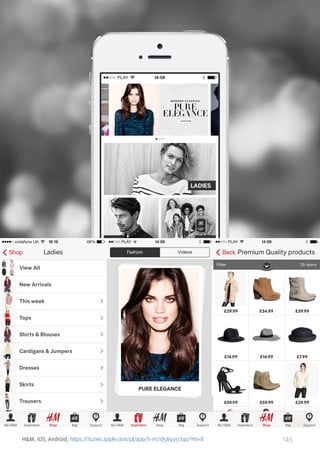
    H&M, iOS, Android,https://itunes.apple.com/pl/app/h-m/id589351740?mt=8 145
  • 146.
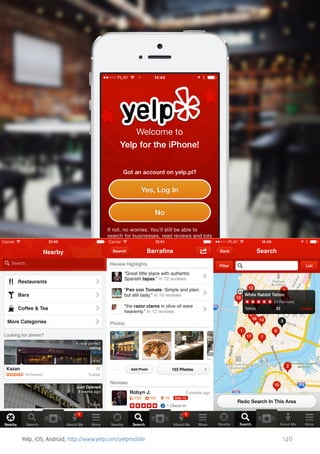
    Yelp, iOS, Android,http://www.yelp.com/yelpmobile 146
  • 147.
    14. BONUS: 10MUST-HAVE METRO APPS FOR WINDOWS PHONE Although I focused only on the two most popular platforms, which are iOS and Android, I am a huge proponent of competition and therefore I would like you to have a look at some great Windows Phone apps below. This is a system that already had a say in and made a difference to the approach to mobile design. For one, it doesn’t rely on icons, instead of which tiles are used. This is quite a step from the usual approach, isn’t it? I have a huge respect for the brave designers who made such a decision. If you are considering an upgrade to your smartphone or simply have not had a chance to play around with any Windows Phone device, please scroll down and see the 10 apps I think of as must-haves. 147
  • 148.
    6tag, Windows Phone,http://bit.ly/1d7E3pY 148
  • 149.
    Skype, Windows Phone,iOS, Android, http://www.skype.com/en/download-skype/skype-for-mobile/ 149
  • 150.
    Vine, Windows Phone,iOS, Android, https://vine.co/ 150
  • 151.
    DualShot, Windows Phone,http://dualshotapp.com/ 151
  • 152.
    Metrotube, Windows Phone,http://metrotubeapp.com/ 152
  • 153.
    Netflix, Windows Phone,iOS, Android, http://netflix.com 153
  • 154.
    WhatsApp, Windows Phone,iOS, Android, http://www.whatsapp.com/download/ 154
  • 155.
    Pandora, Windows Phone,iOS, Android, www.pandora.com 155
  • 156.
    ABOUT UXPIN &MOVADE 156
  • 157.
    The UX DesignPlatform Complete Prototyping Framework for Web, Mobile and Wearable Built for Teams www.uxpin.com 157
  • 158.