ARUBA OS
HIGH AVAILABILITY WITH AP FAST FAILOVER
10:00 GMT | 11:00 CET | 13:00 GST
Jan 31st, 2017
Presenter: Britto Jagadesh
Britto.jagadesh@hpe.com
SUMMARY OF HA FEATURES IN 6.3
HA FEATURES INTRODUCED IN 6.4:
1. INTER-CONTROLLER HEARTBEAT
2. CLIENT STATE SYNC
3. N+1 OVER SUBSCRIPTION
OVERVIEW OF HA FUNCTIONALITY IN 6.3
4
Controller Roles in HA
A controller using this feature can have one of three high availability roles:
active, standby or dual.
Active - Controller serves APs, but cannot act as a failover standby controller
for any AP except for those that it serves as active.
Standby - Controller acts as a failover backup controller, but cannot be
configured as the primary controller for any AP.
Dual - controller can support both roles, acting as the active controller for one
set of APs, and as a standby controller for another set of APs.
5
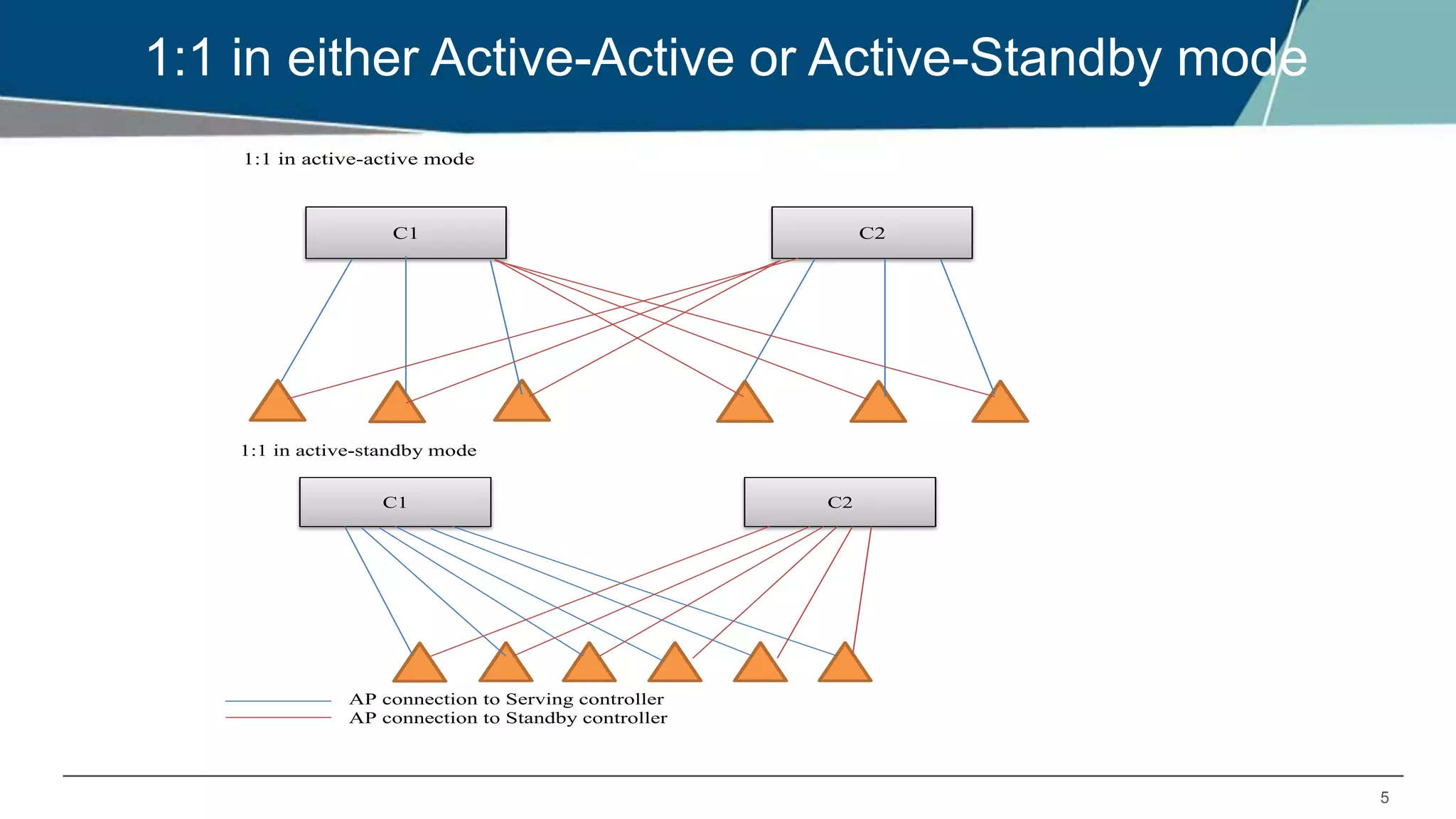
1:1 in either Active-Active or Active-Standby mode
1:1 in active-active mode
C1 C2
1:1 in active-standby mode
AP connection to Serving controller
AP connection to Standby controller
C1 C2
6
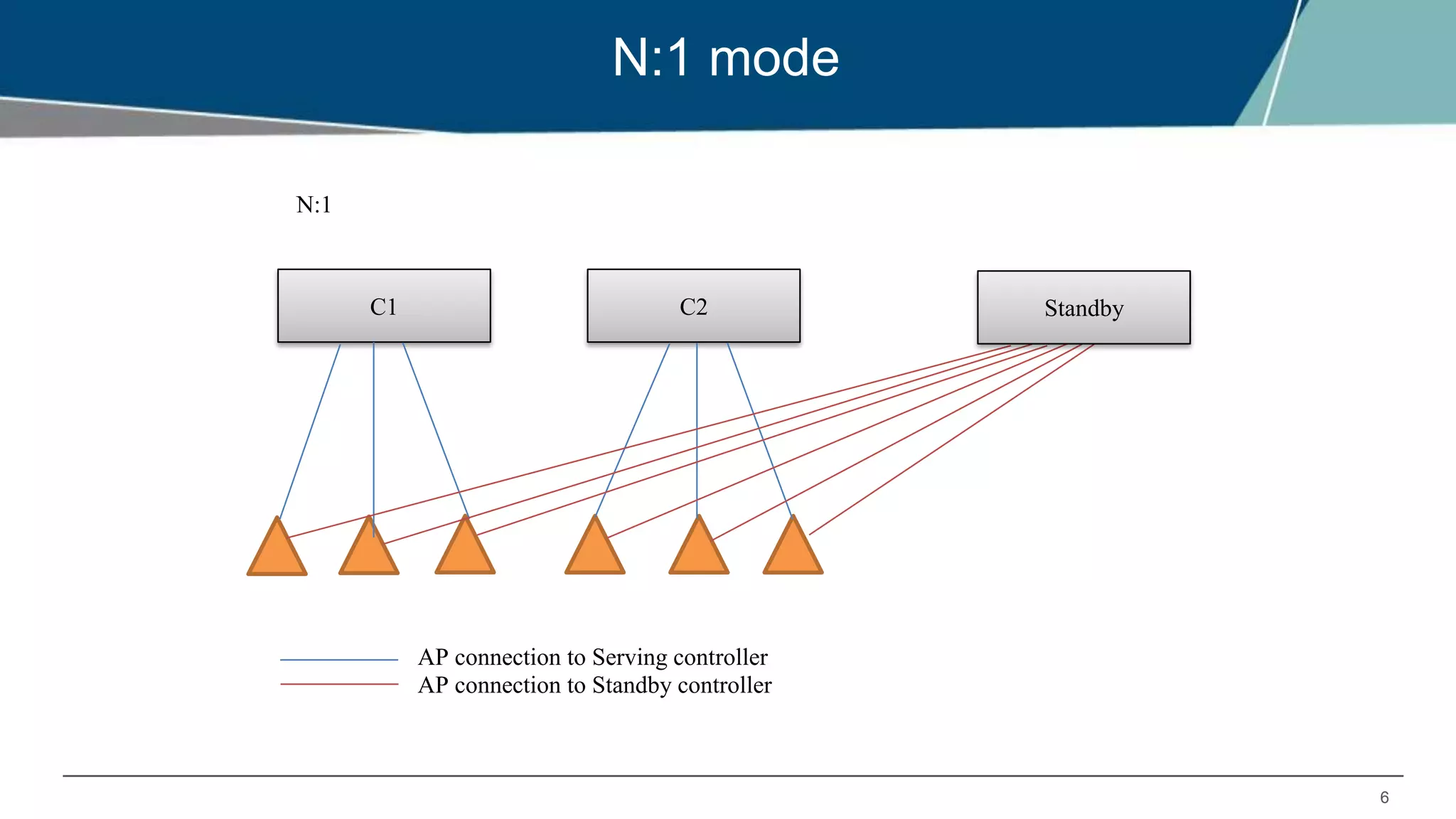
N:1 mode
N:1
AP connection to Serving controller
AP connection to Standby controller
C1 C2 Standby
7
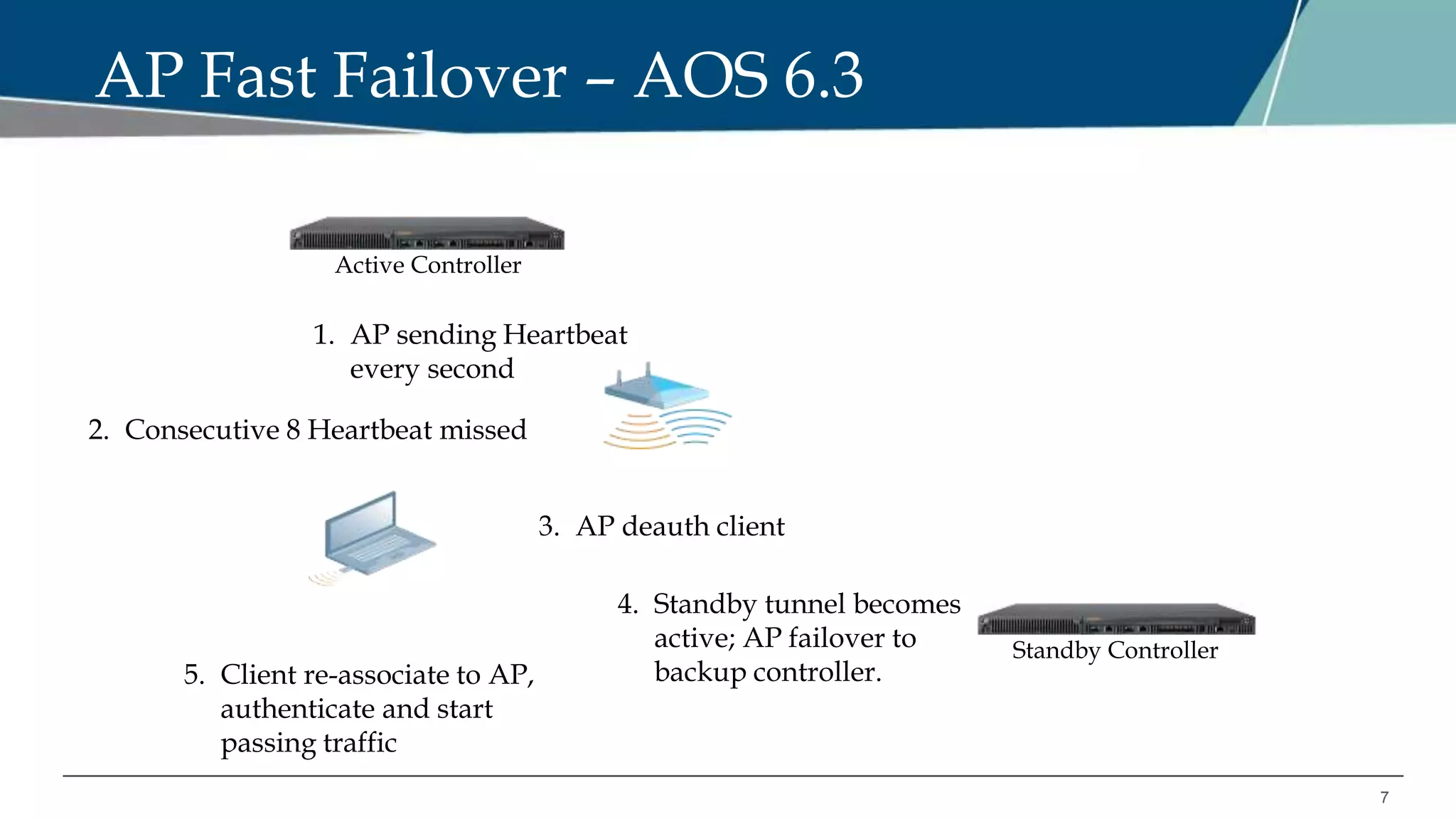
AP Fast Failover – AOS 6.3
Standby Controller
Active Controller
1. AP sending Heartbeat
every second
4. Standby tunnel becomes
active; AP failover to
backup controller.5. Client re-associate to AP,
authenticate and start
passing traffic
3. AP deauth client
2. Consecutive 8 Heartbeat missed
8
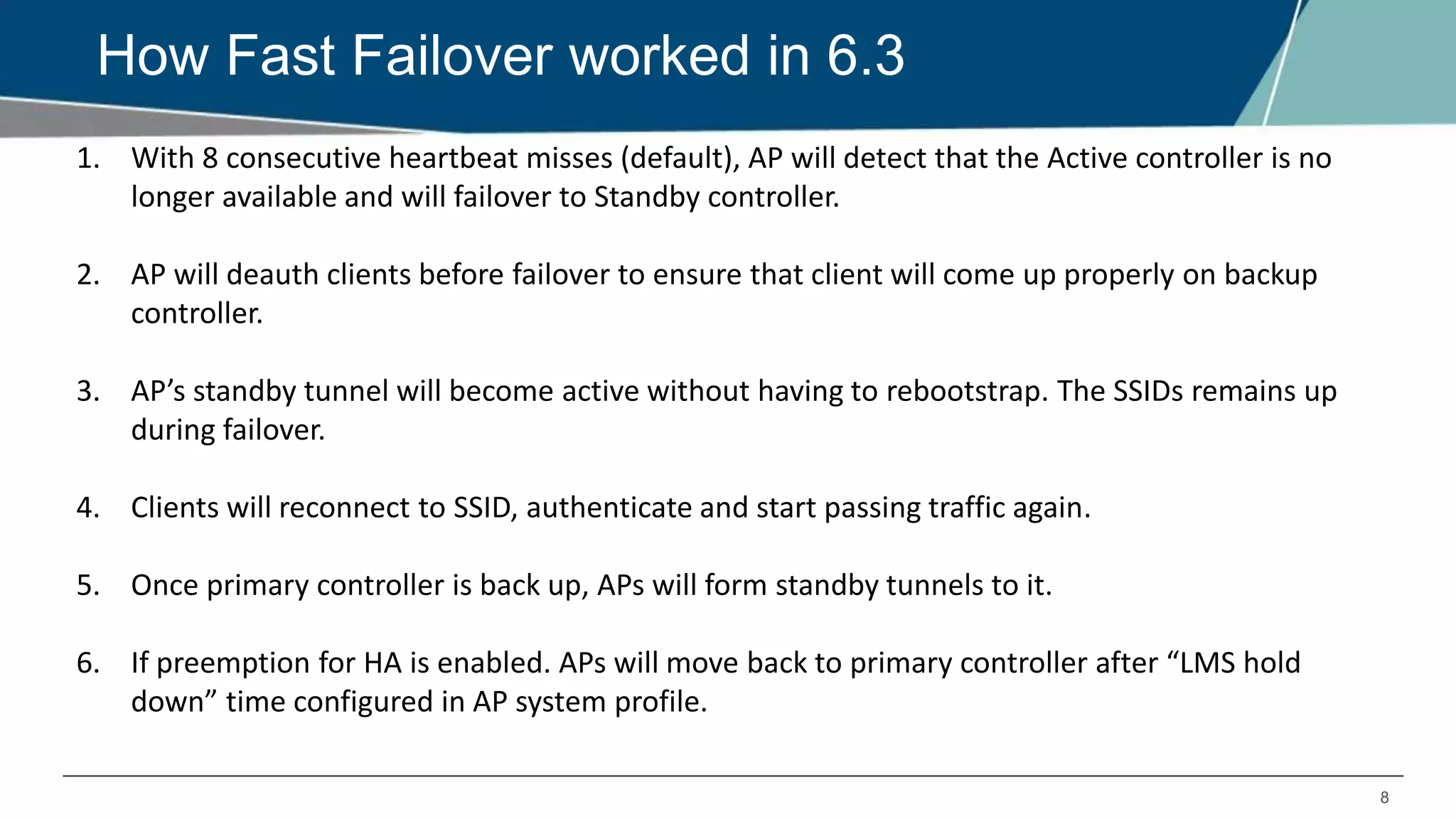
How Fast Failover worked in 6.3
1. With 8 consecutive heartbeat misses (default), AP will detect that the Active controller is no
longer available and will failover to Standby controller.
2. AP will deauth clients before failover to ensure that client will come up properly on backup
controller.
3. AP’s standby tunnel will become active without having to rebootstrap. The SSIDs remains up
during failover.
4. Clients will reconnect to SSID, authenticate and start passing traffic again.
5. Once primary controller is back up, APs will form standby tunnels to it.
6. If preemption for HA is enabled. APs will move back to primary controller after “LMS hold
down” time configured in AP system profile.
9
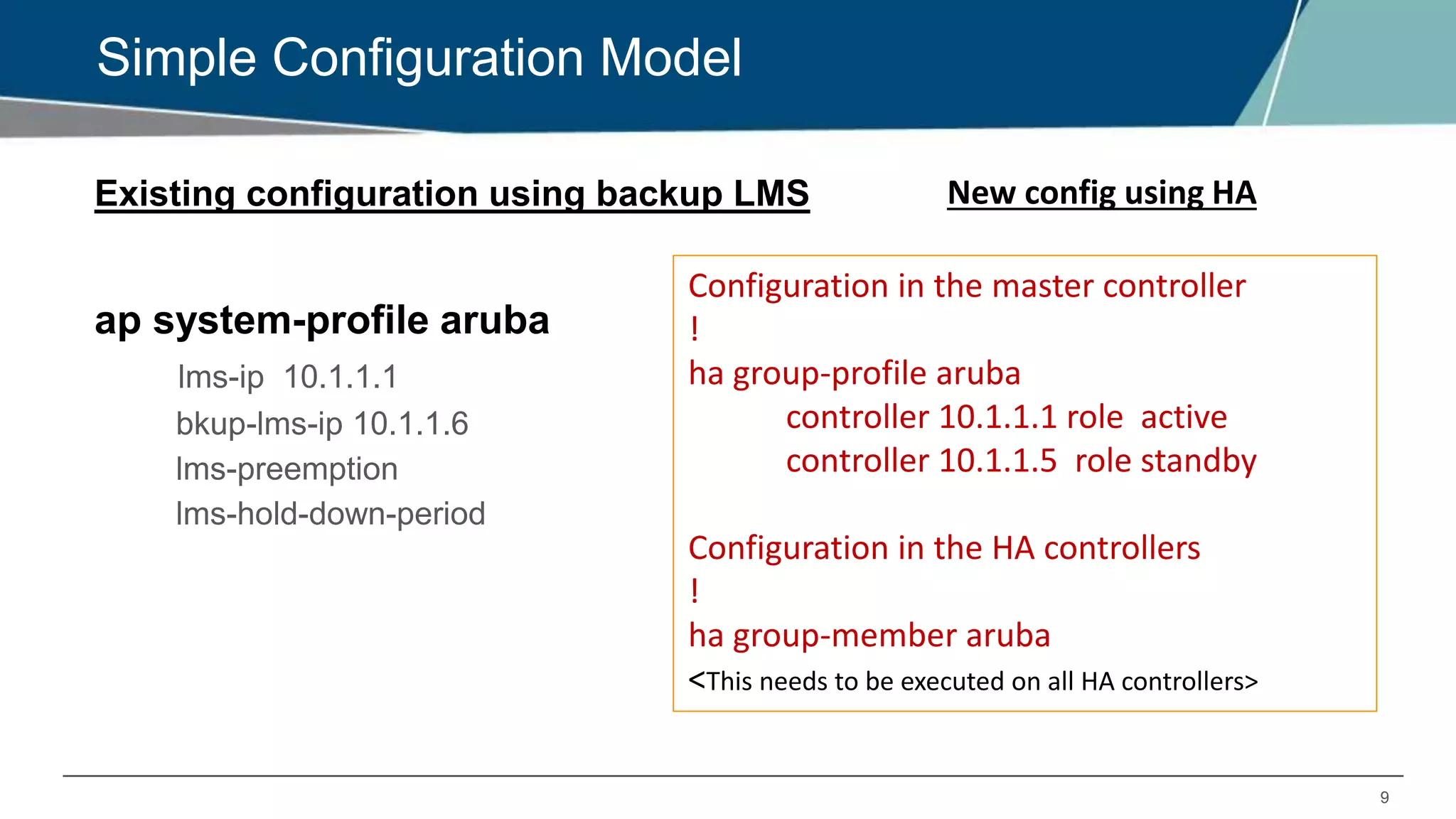
Simple Configuration Model
Existing configuration using backup LMS
ap system-profile aruba
lms-ip 10.1.1.1
bkup-lms-ip 10.1.1.6
lms-preemption
lms-hold-down-period
New config using HA
Configuration in the master controller
!
ha group-profile aruba
controller 10.1.1.1 role active
controller 10.1.1.5 role standby
Configuration in the HA controllers
!
ha group-member aruba
<This needs to be executed on all HA controllers>
6.4 HA FEATURE: INTER-CONTROLLER HEARTBEAT
11
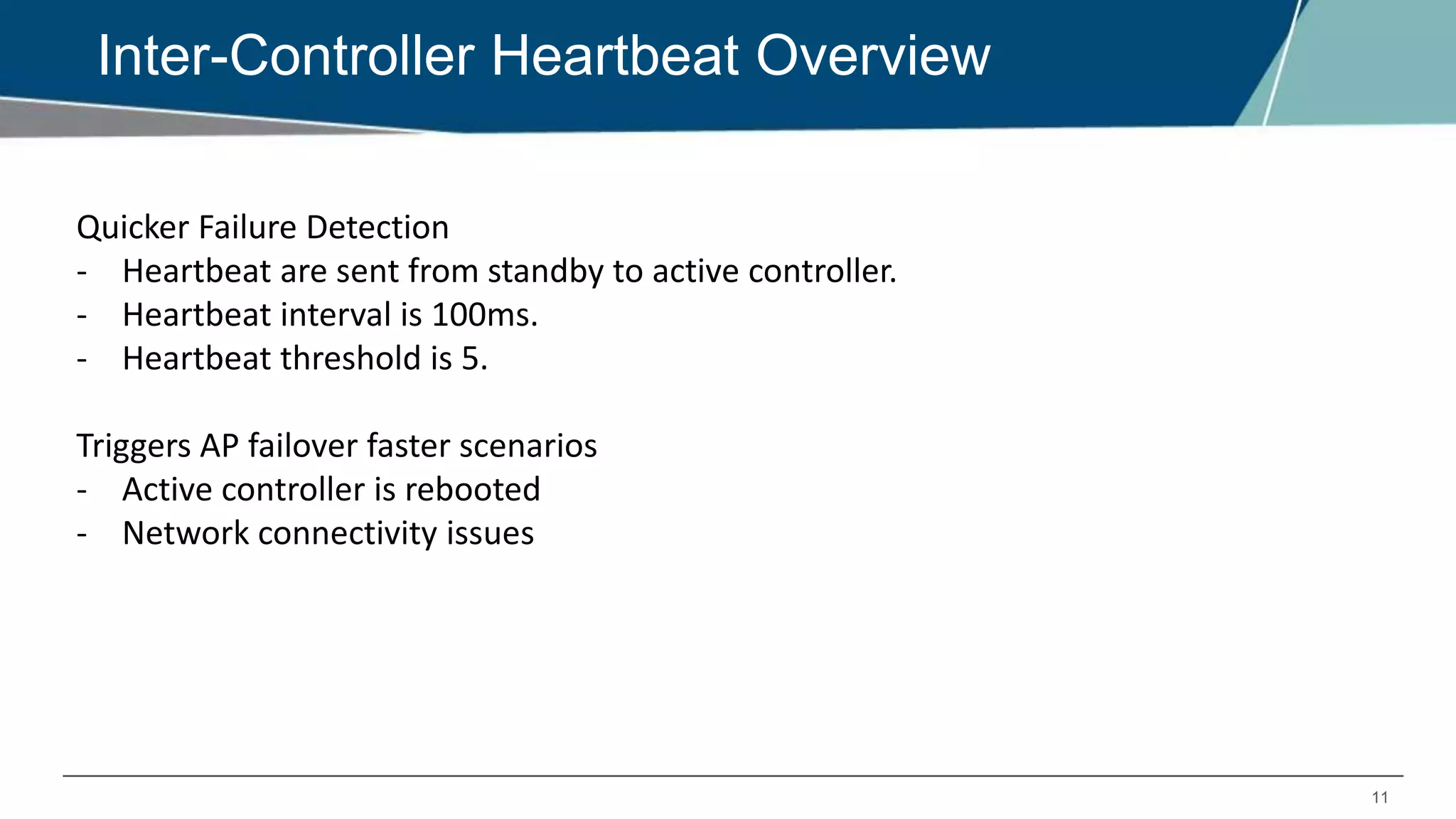
Inter-Controller Heartbeat Overview
Quicker Failure Detection
- Heartbeat are sent from standby to active controller.
- Heartbeat interval is 100ms.
- Heartbeat threshold is 5.
Triggers AP failover faster scenarios
- Active controller is rebooted
- Network connectivity issues
12
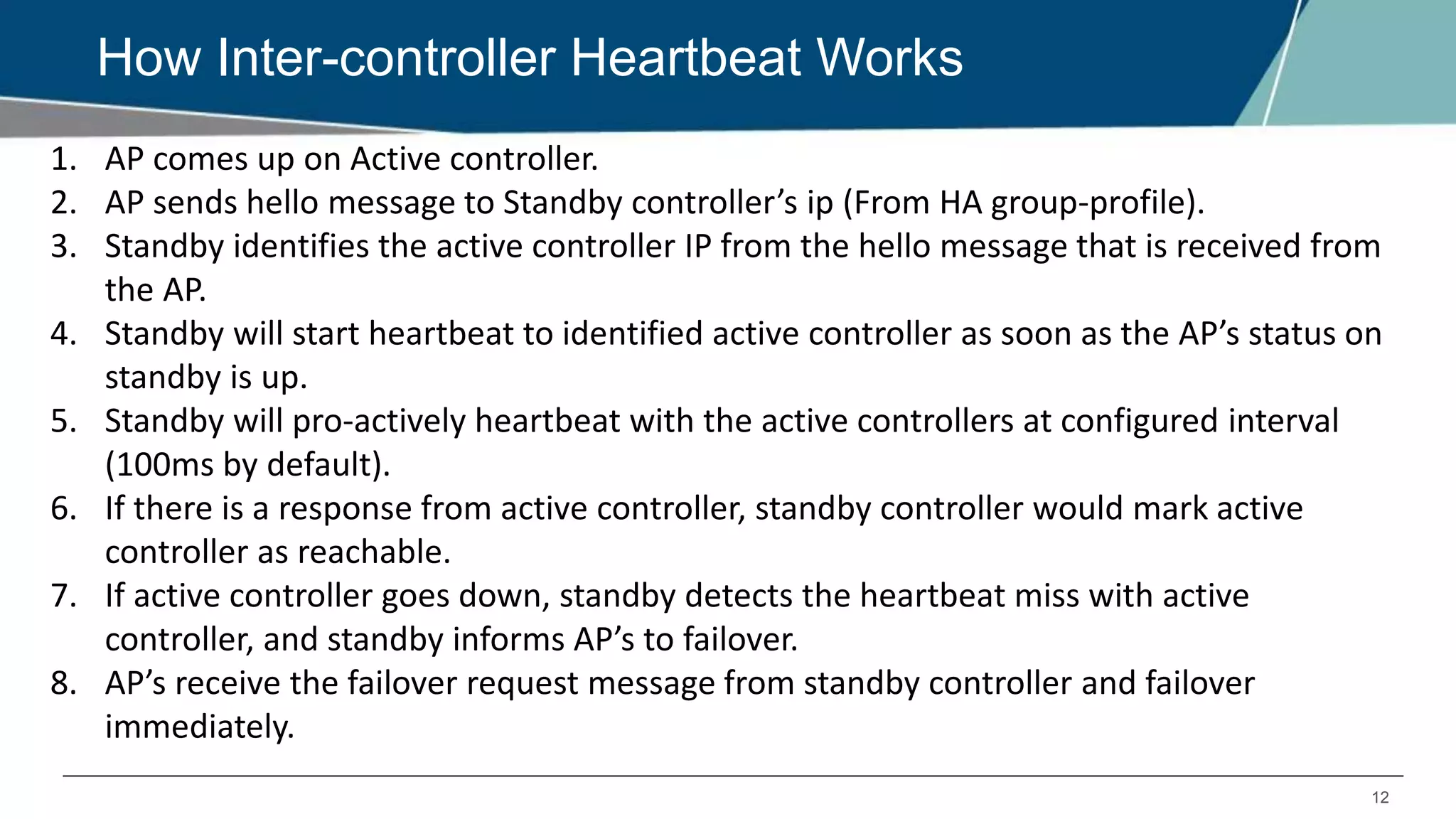
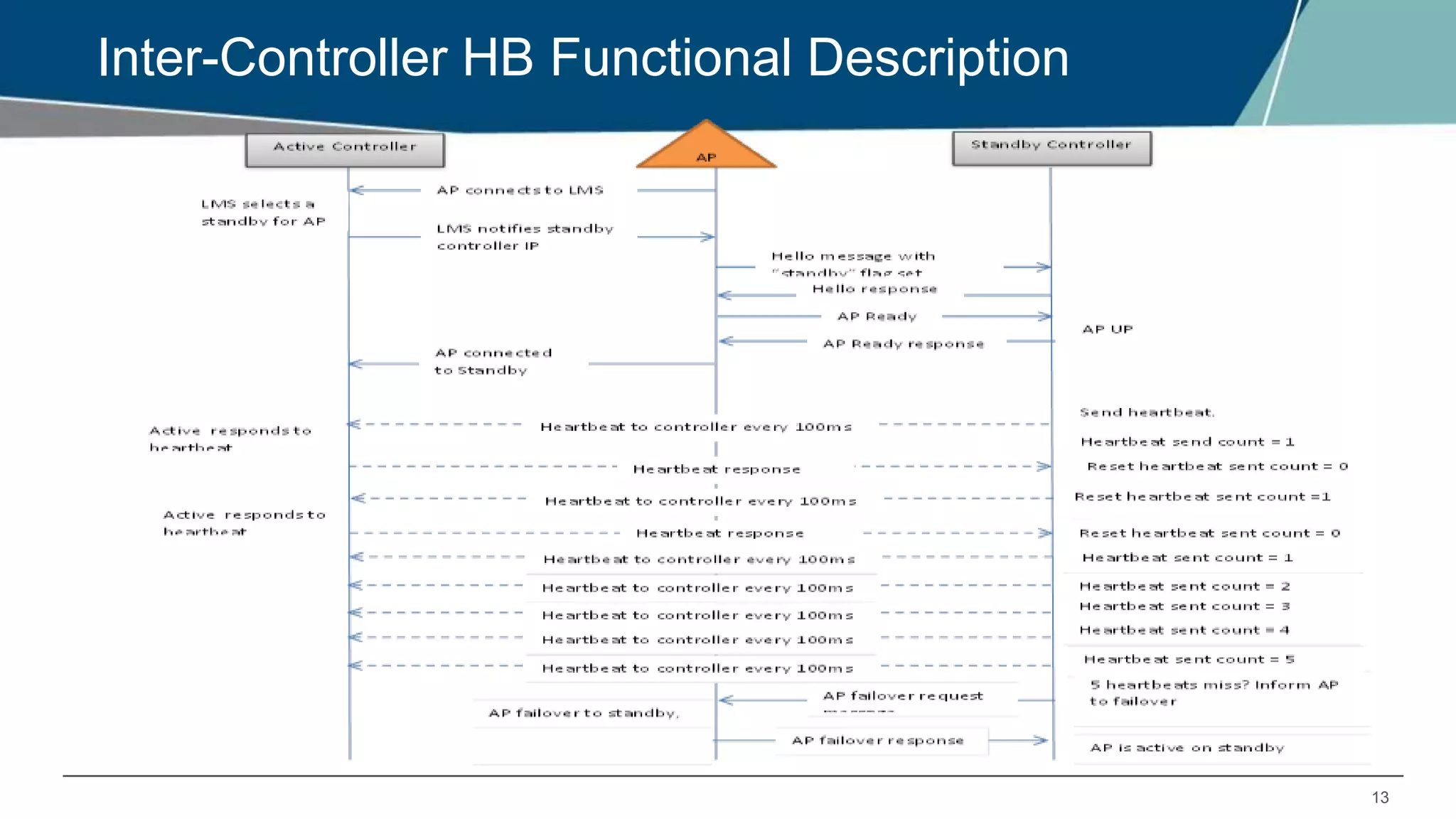
How Inter-controller Heartbeat Works
1. AP comes up on Active controller.
2. AP sends hello message to Standby controller’s ip (From HA group-profile).
3. Standby identifies the active controller IP from the hello message that is received from
the AP.
4. Standby will start heartbeat to identified active controller as soon as the AP’s status on
standby is up.
5. Standby will pro-actively heartbeat with the active controllers at configured interval
(100ms by default).
6. If there is a response from active controller, standby controller would mark active
controller as reachable.
7. If active controller goes down, standby detects the heartbeat miss with active
controller, and standby informs AP’s to failover.
8. AP’s receive the failover request message from standby controller and failover
immediately.
13
Inter-Controller HB Functional Description
14
Inter-Controller Heartbeat Frame
1. Heartbeat frame is a PAPI message that is initialized and sent from HA-
Mgr.
2. IPSEC connection is not required for inter-controller heartbeat.
3. If IPSEC tunnel exists (master-local,etc), then heartbeat would go over
the IPSEC tunnel.
15
Inter-Controller Heartbeat Logging
“logging level debugging system process ha_mgr”
16
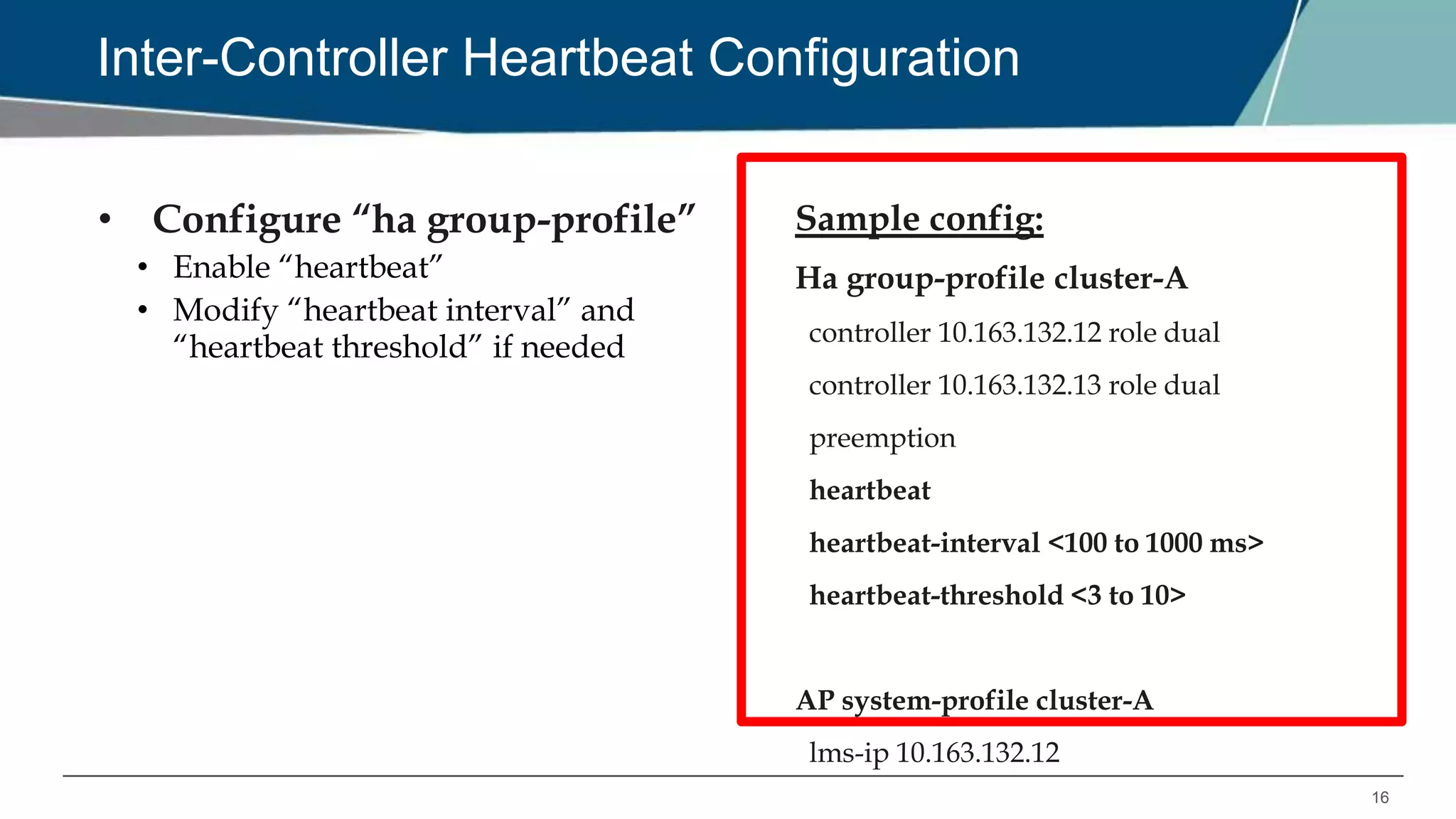
Inter-Controller Heartbeat Configuration
• Configure “ha group-profile”
• Enable “heartbeat”
• Modify “heartbeat interval” and
“heartbeat threshold” if needed
Sample config:
Ha group-profile cluster-A
controller 10.163.132.12 role dual
controller 10.163.132.13 role dual
preemption
heartbeat
heartbeat-interval <100 to 1000 ms>
heartbeat-threshold <3 to 10>
AP system-profile cluster-A
lms-ip 10.163.132.12
6.4 HA FEATURE: CLIENT STATE-SYNC
18
Client State Sync Overview
• Reduces time taken by dot1x clients to reconnect after controller failover
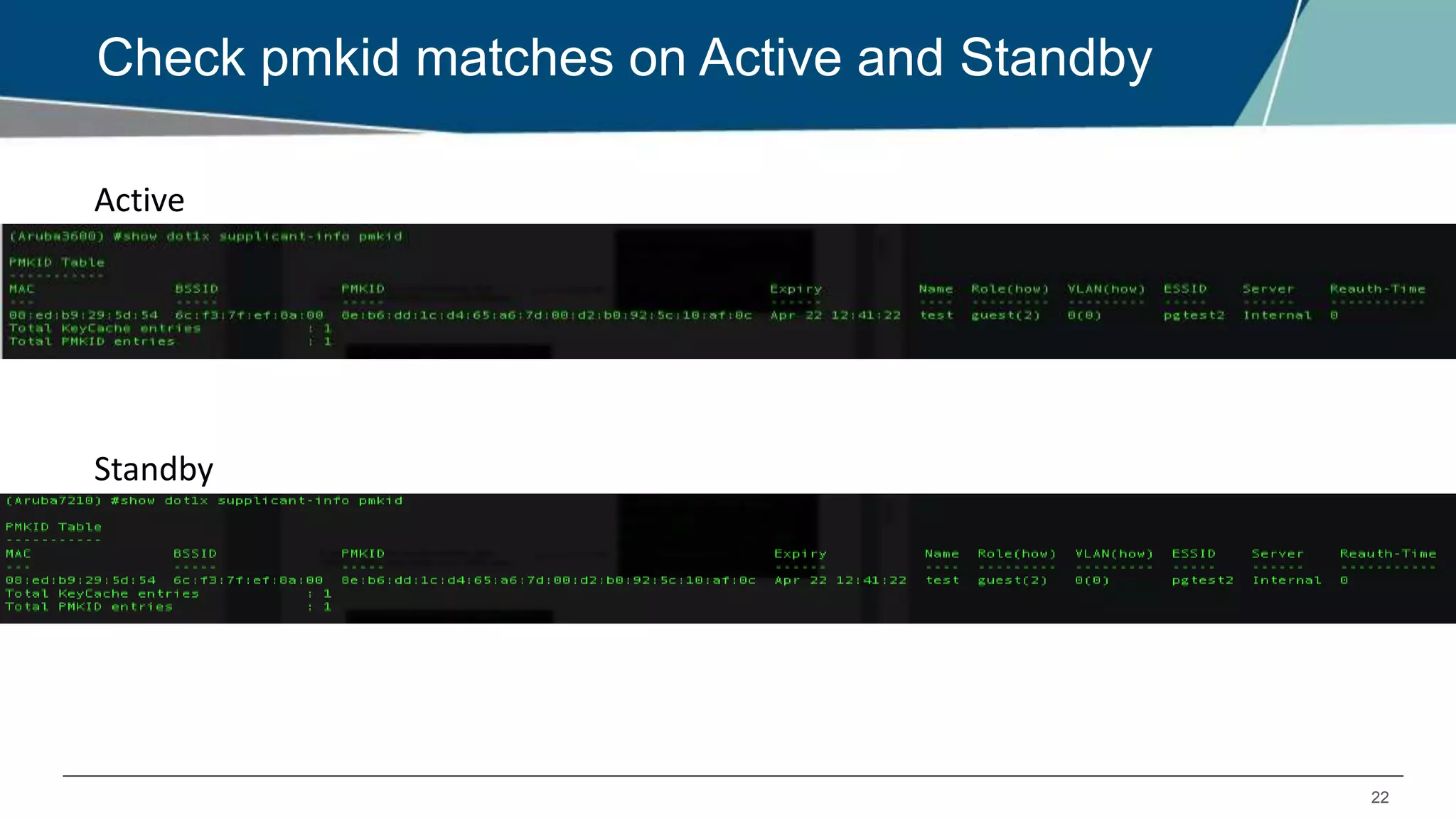
• PMK entries are synced between Active and Standby controllers
• Full dot1x does not occur after failover
• Only 4-way handshake without EAP exchange is done.
19
Client State Sync Support
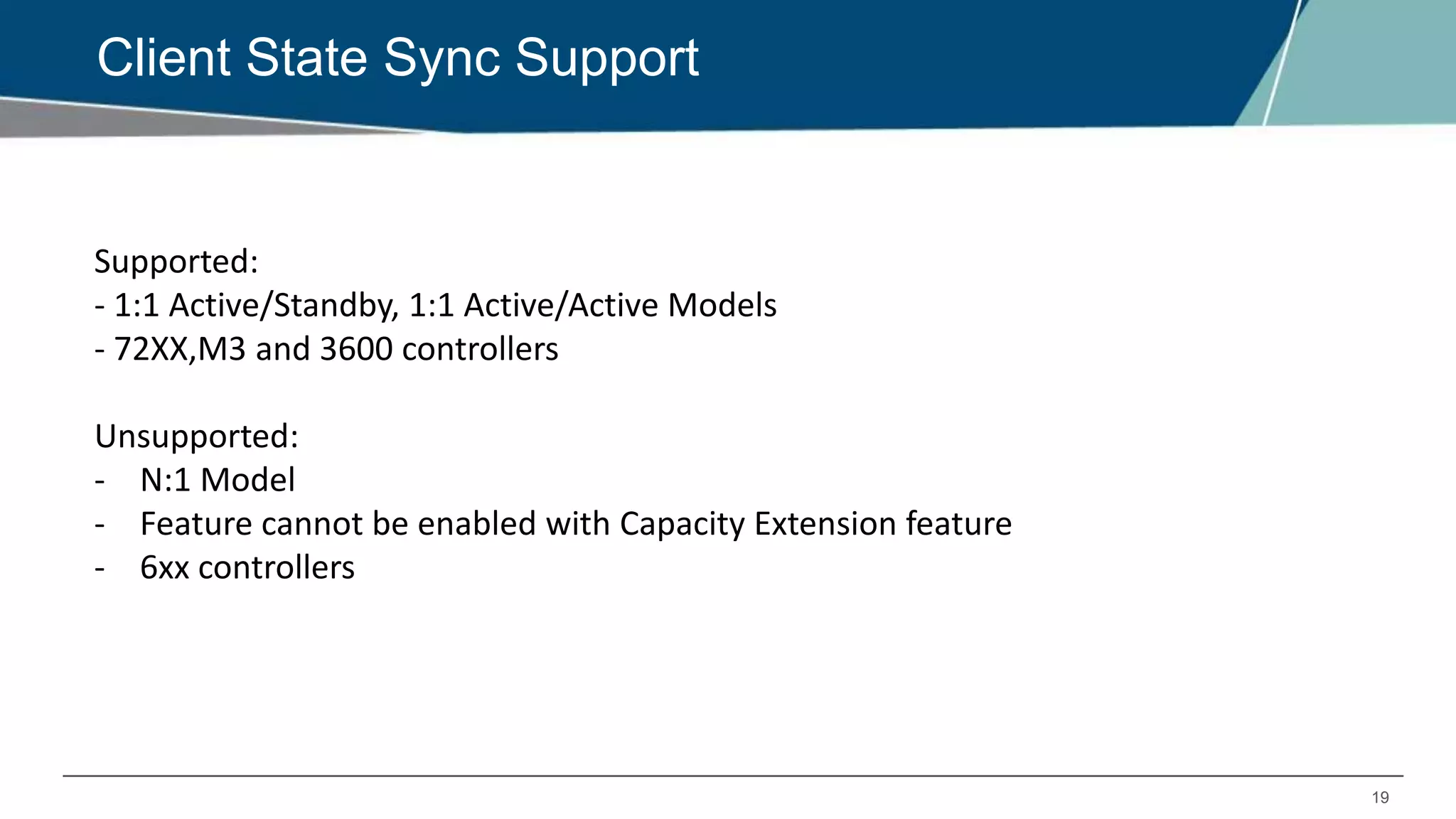
Supported:
- 1:1 Active/Standby, 1:1 Active/Active Models
- 72XX,M3 and 3600 controllers
Unsupported:
- N:1 Model
- Feature cannot be enabled with Capacity Extension feature
- 6xx controllers
20
State Sync Limitations
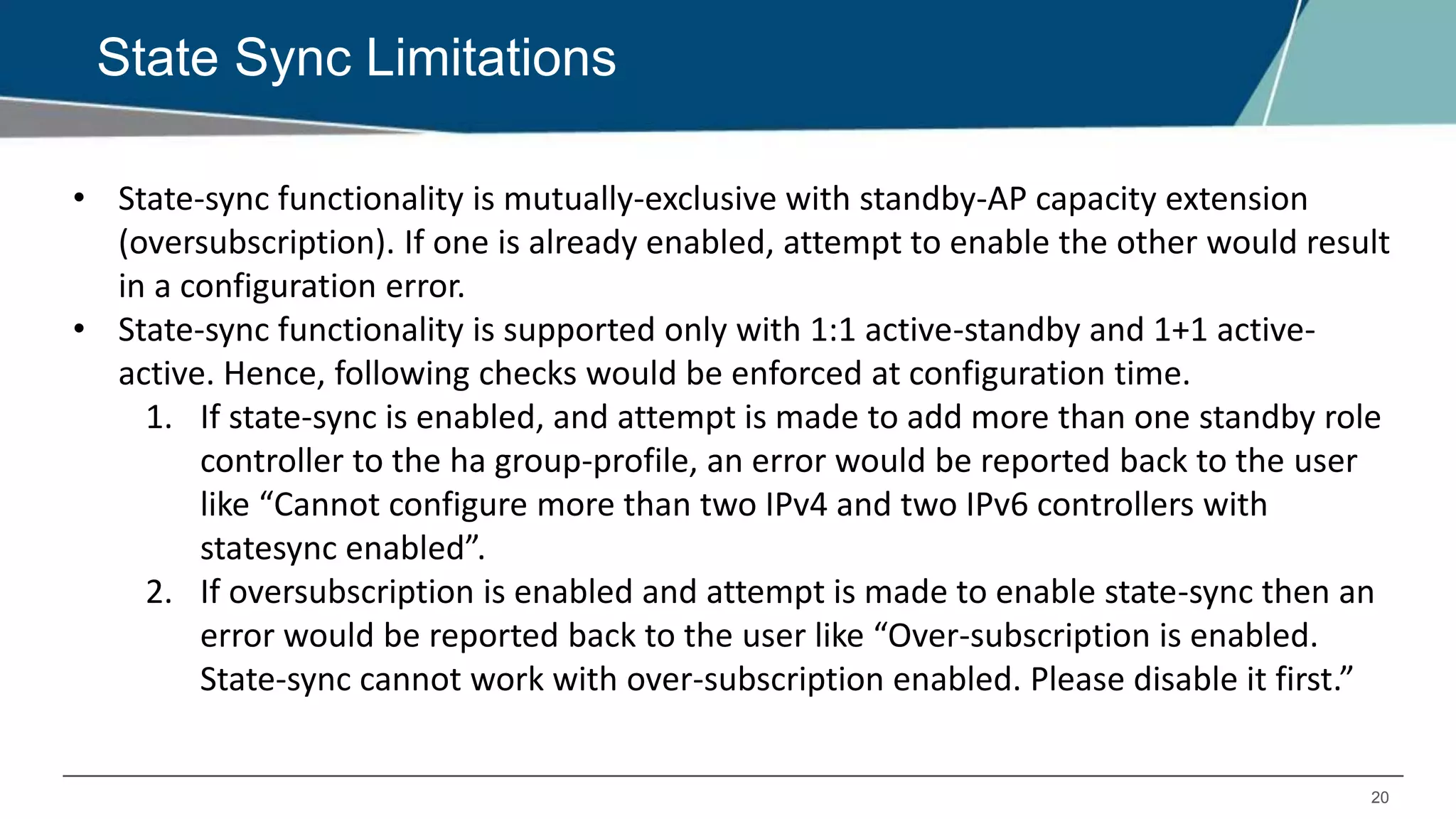
• State-sync functionality is mutually-exclusive with standby-AP capacity extension
(oversubscription). If one is already enabled, attempt to enable the other would result
in a configuration error.
• State-sync functionality is supported only with 1:1 active-standby and 1+1 active-
active. Hence, following checks would be enforced at configuration time.
1. If state-sync is enabled, and attempt is made to add more than one standby role
controller to the ha group-profile, an error would be reported back to the user
like “Cannot configure more than two IPv4 and two IPv6 controllers with
statesync enabled”.
2. If oversubscription is enabled and attempt is made to enable state-sync then an
error would be reported back to the user like “Over-subscription is enabled.
State-sync cannot work with over-subscription enabled. Please disable it first.”
21
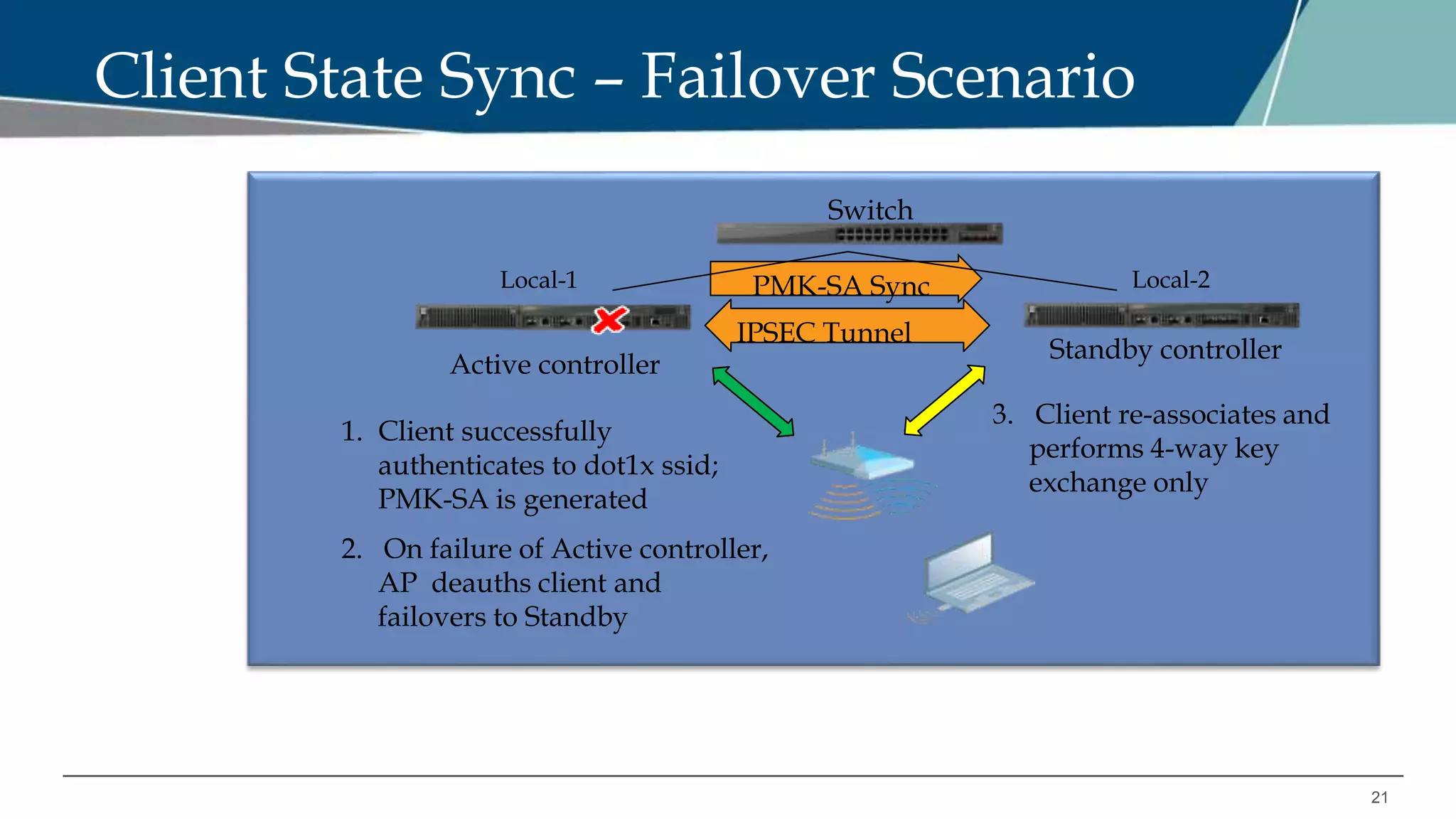
Client State Sync – Failover Scenario
Active controller
Standby controller
Switch
PMK-SA Sync
1. Client successfully
authenticates to dot1x ssid;
PMK-SA is generated
3. Client re-associates and
performs 4-way key
exchange only
2. On failure of Active controller,
AP deauths client and
failovers to Standby
IPSEC Tunnel
Local-1 Local-2
22
Check pmkid matches on Active and Standby
Active
Standby
23
State-sync Configuration
• Configure “ha group-profile”
• Enable “state-sync”
• Configure “pre-shared-key”
(Pre-shared key for secure tunnel between
HA controllers)
Note: State-sync will not be enabled until
pre-shared-key is configured
Sample config:
ha group-profile cluster
controller 10.163.132.12 role dual
controller 10.163.132.13 role dual
preemption
state-sync
pre-shared-key <shared key>
ap system-profile cluster
lms-ip 10.163.132.12
24
COA Processing
RADIUS server stores nas-ip-address received in user authentication request, and uses the
same to send any COA messages for that user.
For HA failover with state-sync, no new authentication request is sent to RADIUS server after
AP failover to C2, so RADIUS server will keep sending COA messages to C1 (as RADIUS server
has C1’s nas-ip).
To solve this, we need to configure VRRP between the two controllers, and set the nas-ip in
the authentication server profile as the VRRP IP address.
Recommendation is to have VRRP and HA preemption to be enabled or disabled together.
6.4 HA FEATURE: CAPACITY EXTENSION
26
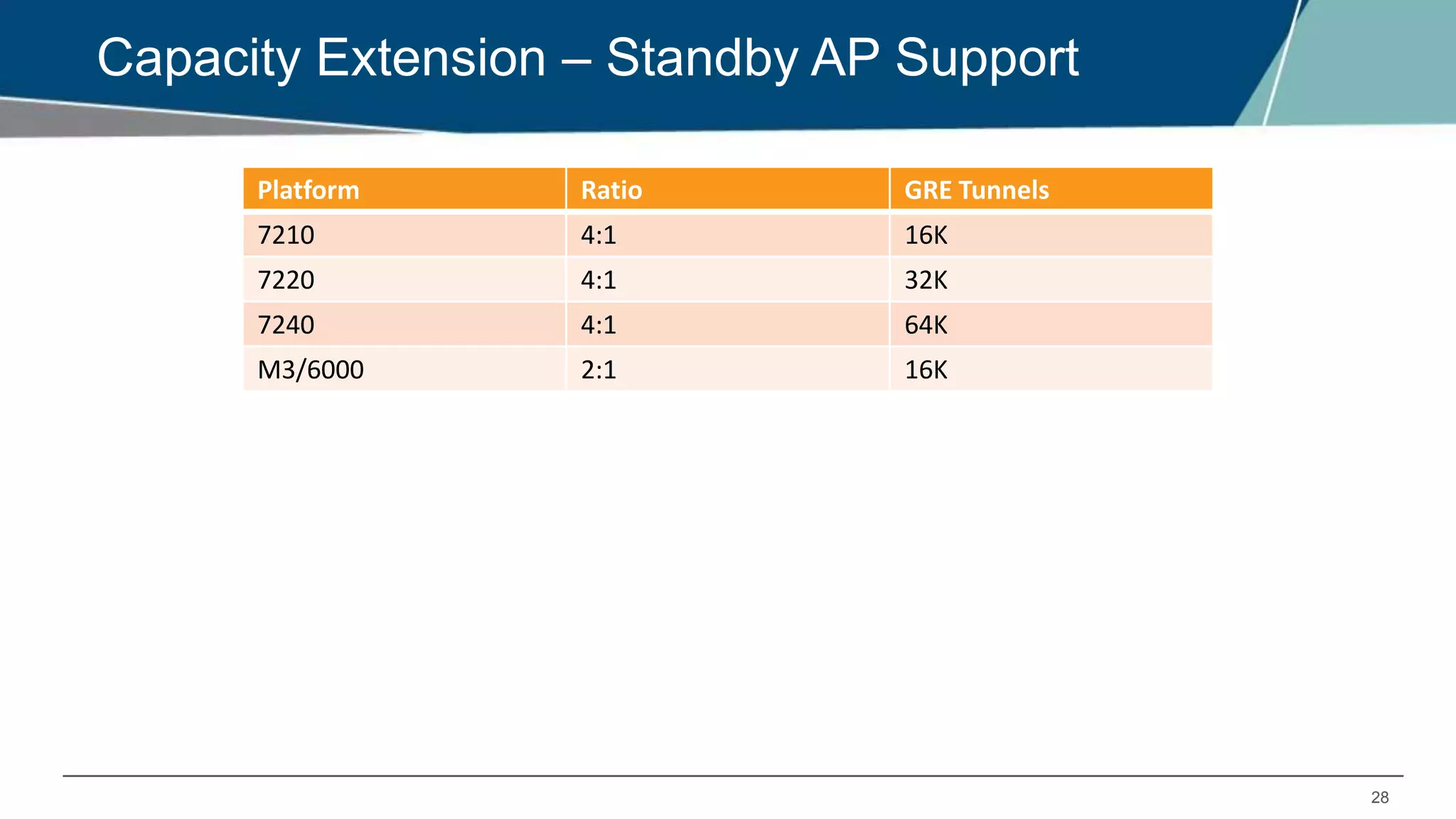
Capacity Extension Overview
• Allows Standby controller to terminate standby AP tunnels above its platform limit.
• Supported only for 72xx, M3 and 3600 controllers.
- 72xx allows 4 times oversubscription
- M3 and 6000 allows 2 times oversubscription
Example:
C1 – 7210 – platform limit 512 AP’s
C2 – 7210 – platform limit 512 AP’s
Standby Controller – 7210 – can now have 1024 AP tunnels (Max limit is 2048)
27
Capacity Extension Configuration
• Configure “ha group-profile”
• Enable “over-subscription”
• Make sure centralized licensing is
enabled
Error: Centralized licensing is disabled.
Enable it before enabling over-
subscription, using command 'license
profile centralized-licensing-enable'
Sample config:
Ha group-profile cluster
controller 10.1.1.100 role active
controller 10.1.1.101 role active
controller 10.1.1.102 role active
controller 10.1.1.103 role standby
over-subscription
AP system-profile cluster
lms-ip 10.1.1.100
28
Capacity Extension – Standby AP Support
Platform Ratio GRE Tunnels
7210 4:1 16K
7220 4:1 32K
7240 4:1 64K
M3/6000 2:1 16K
29
How to Check Oversubscription Capacity
30
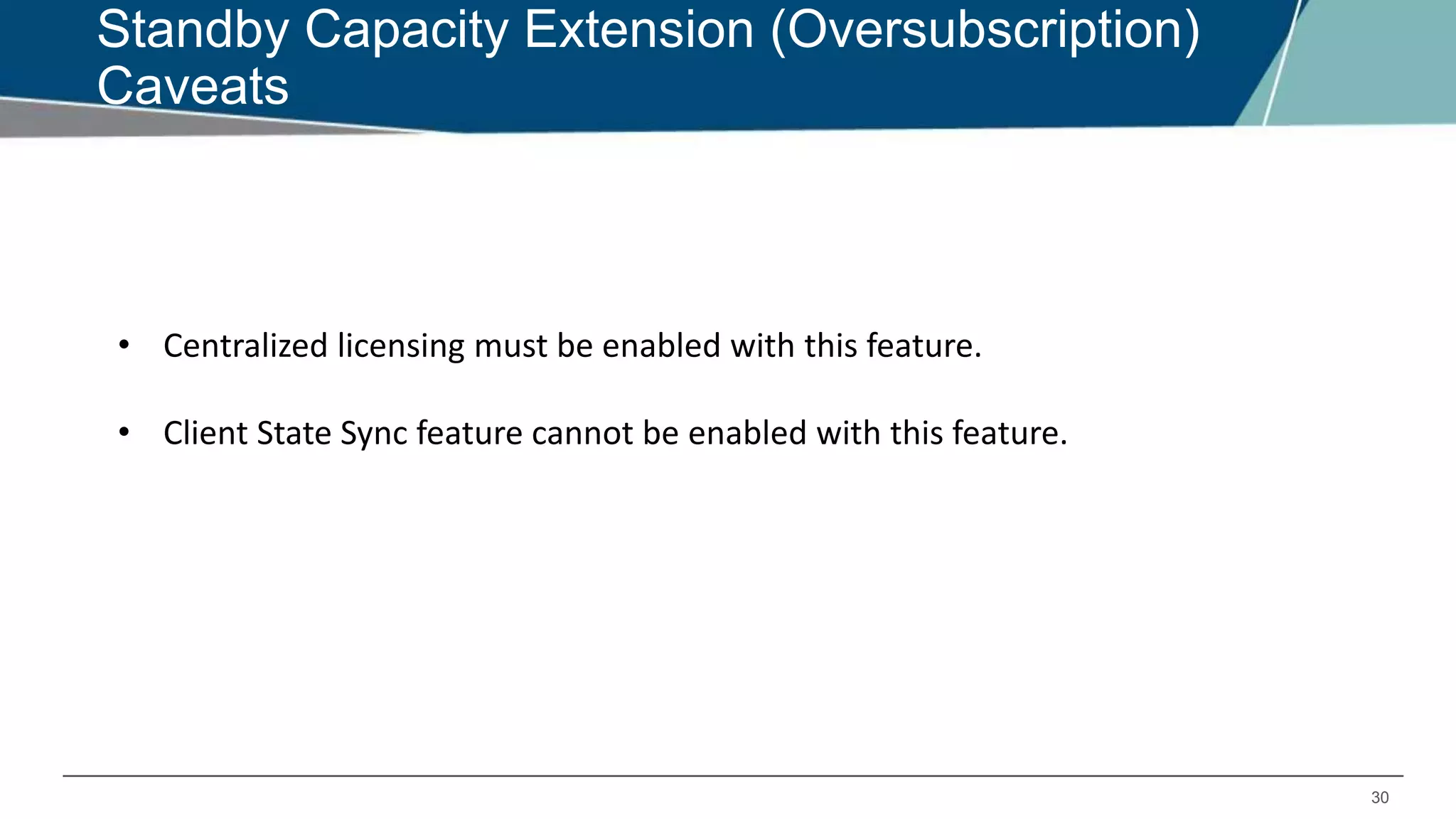
Standby Capacity Extension (Oversubscription)
Caveats
• Centralized licensing must be enabled with this feature.
• Client State Sync feature cannot be enabled with this feature.
31
Master-Redundancy Deployment Model
Support for Master Redundancy deployment was introduced in
6.4
Recommended configuration:
1. Master – standby controller should be configured in dual role.
2. The inter-controller heartbeat feature is not recommended for backup-
master and master controller pairs using the high availability feature.
3. If the inter-controller heartbeat feature is enabled then inter-controller
failover time must be greater than the VRRP failover time.
4. LMS ip should be configured as Active master controller ip address.
32
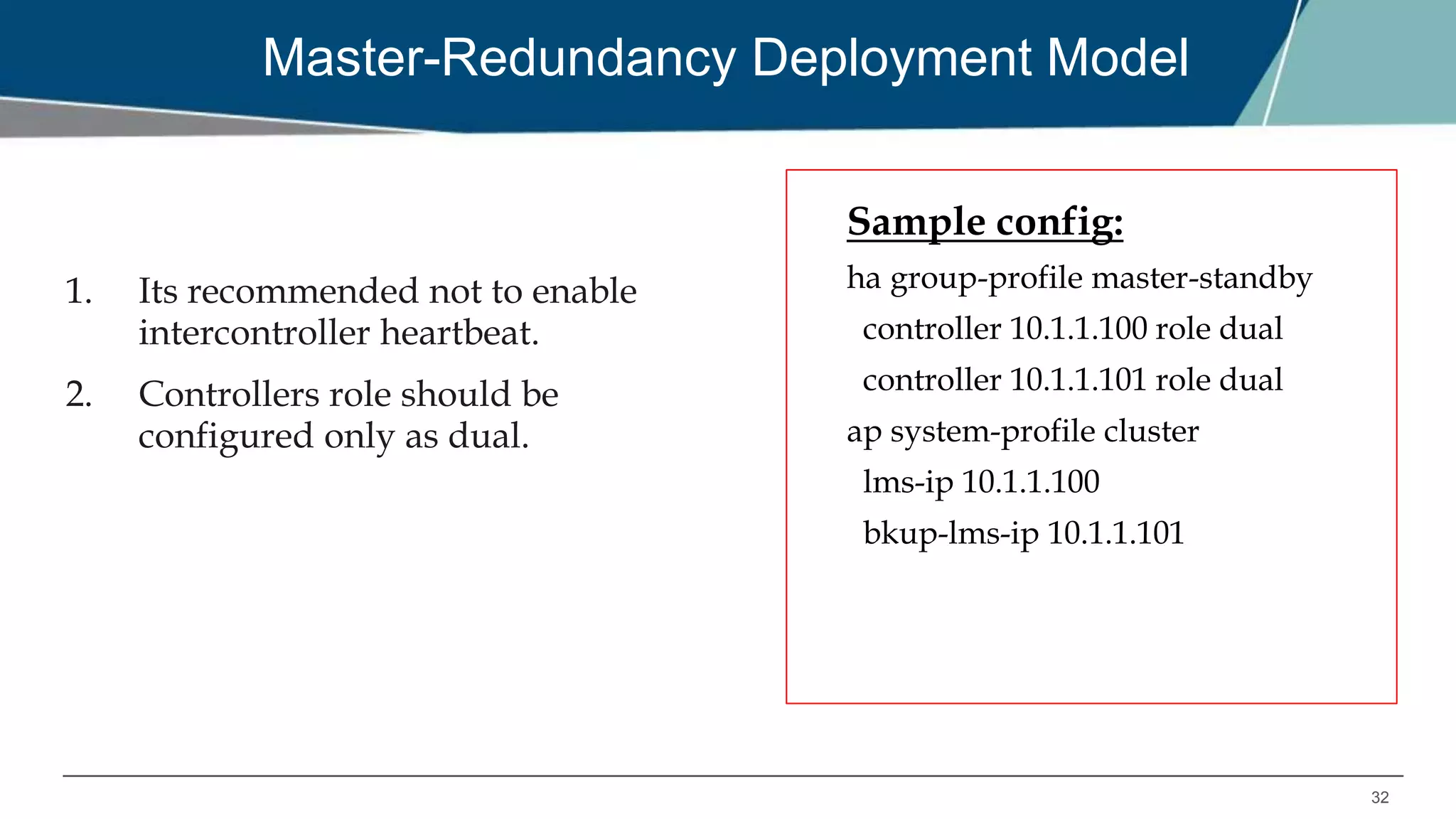
Master-Redundancy Deployment Model
1. Its recommended not to enable
intercontroller heartbeat.
2. Controllers role should be
configured only as dual.
Sample config:
ha group-profile master-standby
controller 10.1.1.100 role dual
controller 10.1.1.101 role dual
ap system-profile cluster
lms-ip 10.1.1.100
bkup-lms-ip 10.1.1.101
33
Caveats
1. AP will receive configuration only from the lms-ip address.
2. Command “ap-move” can be used to move AP to its standby
controller.
3. Campus APs supports tunnel, decrypt-tunnel and bridge mode but
on bridge forwarding mode HA is supported on the 7000 Series
and 7200 Series controllers only.
4. HA is not supported on remote APs or mesh APs in any forward
mode.
THANK YOU!

EMEA Airheads- ArubaOS - High availability with AP Fast Failover

  • 1.
    ARUBA OS HIGH AVAILABILITYWITH AP FAST FAILOVER 10:00 GMT | 11:00 CET | 13:00 GST Jan 31st, 2017 Presenter: Britto Jagadesh Britto.jagadesh@hpe.com
  • 2.
    SUMMARY OF HAFEATURES IN 6.3 HA FEATURES INTRODUCED IN 6.4: 1. INTER-CONTROLLER HEARTBEAT 2. CLIENT STATE SYNC 3. N+1 OVER SUBSCRIPTION
  • 3.
    OVERVIEW OF HAFUNCTIONALITY IN 6.3
  • 4.
    4 Controller Roles inHA A controller using this feature can have one of three high availability roles: active, standby or dual. Active - Controller serves APs, but cannot act as a failover standby controller for any AP except for those that it serves as active. Standby - Controller acts as a failover backup controller, but cannot be configured as the primary controller for any AP. Dual - controller can support both roles, acting as the active controller for one set of APs, and as a standby controller for another set of APs.
  • 5.
    5 1:1 in eitherActive-Active or Active-Standby mode 1:1 in active-active mode C1 C2 1:1 in active-standby mode AP connection to Serving controller AP connection to Standby controller C1 C2
  • 6.
    6 N:1 mode N:1 AP connectionto Serving controller AP connection to Standby controller C1 C2 Standby
  • 7.
    7 AP Fast Failover– AOS 6.3 Standby Controller Active Controller 1. AP sending Heartbeat every second 4. Standby tunnel becomes active; AP failover to backup controller.5. Client re-associate to AP, authenticate and start passing traffic 3. AP deauth client 2. Consecutive 8 Heartbeat missed
  • 8.
    8 How Fast Failoverworked in 6.3 1. With 8 consecutive heartbeat misses (default), AP will detect that the Active controller is no longer available and will failover to Standby controller. 2. AP will deauth clients before failover to ensure that client will come up properly on backup controller. 3. AP’s standby tunnel will become active without having to rebootstrap. The SSIDs remains up during failover. 4. Clients will reconnect to SSID, authenticate and start passing traffic again. 5. Once primary controller is back up, APs will form standby tunnels to it. 6. If preemption for HA is enabled. APs will move back to primary controller after “LMS hold down” time configured in AP system profile.
  • 9.
    9 Simple Configuration Model Existingconfiguration using backup LMS ap system-profile aruba lms-ip 10.1.1.1 bkup-lms-ip 10.1.1.6 lms-preemption lms-hold-down-period New config using HA Configuration in the master controller ! ha group-profile aruba controller 10.1.1.1 role active controller 10.1.1.5 role standby Configuration in the HA controllers ! ha group-member aruba <This needs to be executed on all HA controllers>
  • 10.
    6.4 HA FEATURE:INTER-CONTROLLER HEARTBEAT
  • 11.
    11 Inter-Controller Heartbeat Overview QuickerFailure Detection - Heartbeat are sent from standby to active controller. - Heartbeat interval is 100ms. - Heartbeat threshold is 5. Triggers AP failover faster scenarios - Active controller is rebooted - Network connectivity issues
  • 12.
    12 How Inter-controller HeartbeatWorks 1. AP comes up on Active controller. 2. AP sends hello message to Standby controller’s ip (From HA group-profile). 3. Standby identifies the active controller IP from the hello message that is received from the AP. 4. Standby will start heartbeat to identified active controller as soon as the AP’s status on standby is up. 5. Standby will pro-actively heartbeat with the active controllers at configured interval (100ms by default). 6. If there is a response from active controller, standby controller would mark active controller as reachable. 7. If active controller goes down, standby detects the heartbeat miss with active controller, and standby informs AP’s to failover. 8. AP’s receive the failover request message from standby controller and failover immediately.
  • 13.
  • 14.
    14 Inter-Controller Heartbeat Frame 1.Heartbeat frame is a PAPI message that is initialized and sent from HA- Mgr. 2. IPSEC connection is not required for inter-controller heartbeat. 3. If IPSEC tunnel exists (master-local,etc), then heartbeat would go over the IPSEC tunnel.
  • 15.
    15 Inter-Controller Heartbeat Logging “logginglevel debugging system process ha_mgr”
  • 16.
    16 Inter-Controller Heartbeat Configuration •Configure “ha group-profile” • Enable “heartbeat” • Modify “heartbeat interval” and “heartbeat threshold” if needed Sample config: Ha group-profile cluster-A controller 10.163.132.12 role dual controller 10.163.132.13 role dual preemption heartbeat heartbeat-interval <100 to 1000 ms> heartbeat-threshold <3 to 10> AP system-profile cluster-A lms-ip 10.163.132.12
  • 17.
    6.4 HA FEATURE:CLIENT STATE-SYNC
  • 18.
    18 Client State SyncOverview • Reduces time taken by dot1x clients to reconnect after controller failover • PMK entries are synced between Active and Standby controllers • Full dot1x does not occur after failover • Only 4-way handshake without EAP exchange is done.
  • 19.
    19 Client State SyncSupport Supported: - 1:1 Active/Standby, 1:1 Active/Active Models - 72XX,M3 and 3600 controllers Unsupported: - N:1 Model - Feature cannot be enabled with Capacity Extension feature - 6xx controllers
  • 20.
    20 State Sync Limitations •State-sync functionality is mutually-exclusive with standby-AP capacity extension (oversubscription). If one is already enabled, attempt to enable the other would result in a configuration error. • State-sync functionality is supported only with 1:1 active-standby and 1+1 active- active. Hence, following checks would be enforced at configuration time. 1. If state-sync is enabled, and attempt is made to add more than one standby role controller to the ha group-profile, an error would be reported back to the user like “Cannot configure more than two IPv4 and two IPv6 controllers with statesync enabled”. 2. If oversubscription is enabled and attempt is made to enable state-sync then an error would be reported back to the user like “Over-subscription is enabled. State-sync cannot work with over-subscription enabled. Please disable it first.”
  • 21.
    21 Client State Sync– Failover Scenario Active controller Standby controller Switch PMK-SA Sync 1. Client successfully authenticates to dot1x ssid; PMK-SA is generated 3. Client re-associates and performs 4-way key exchange only 2. On failure of Active controller, AP deauths client and failovers to Standby IPSEC Tunnel Local-1 Local-2
  • 22.
    22 Check pmkid matcheson Active and Standby Active Standby
  • 23.
    23 State-sync Configuration • Configure“ha group-profile” • Enable “state-sync” • Configure “pre-shared-key” (Pre-shared key for secure tunnel between HA controllers) Note: State-sync will not be enabled until pre-shared-key is configured Sample config: ha group-profile cluster controller 10.163.132.12 role dual controller 10.163.132.13 role dual preemption state-sync pre-shared-key <shared key> ap system-profile cluster lms-ip 10.163.132.12
  • 24.
    24 COA Processing RADIUS serverstores nas-ip-address received in user authentication request, and uses the same to send any COA messages for that user. For HA failover with state-sync, no new authentication request is sent to RADIUS server after AP failover to C2, so RADIUS server will keep sending COA messages to C1 (as RADIUS server has C1’s nas-ip). To solve this, we need to configure VRRP between the two controllers, and set the nas-ip in the authentication server profile as the VRRP IP address. Recommendation is to have VRRP and HA preemption to be enabled or disabled together.
  • 25.
    6.4 HA FEATURE:CAPACITY EXTENSION
  • 26.
    26 Capacity Extension Overview •Allows Standby controller to terminate standby AP tunnels above its platform limit. • Supported only for 72xx, M3 and 3600 controllers. - 72xx allows 4 times oversubscription - M3 and 6000 allows 2 times oversubscription Example: C1 – 7210 – platform limit 512 AP’s C2 – 7210 – platform limit 512 AP’s Standby Controller – 7210 – can now have 1024 AP tunnels (Max limit is 2048)

  • 27.
    27 Capacity Extension Configuration •Configure “ha group-profile” • Enable “over-subscription” • Make sure centralized licensing is enabled Error: Centralized licensing is disabled. Enable it before enabling over- subscription, using command 'license profile centralized-licensing-enable' Sample config: Ha group-profile cluster controller 10.1.1.100 role active controller 10.1.1.101 role active controller 10.1.1.102 role active controller 10.1.1.103 role standby over-subscription AP system-profile cluster lms-ip 10.1.1.100
  • 28.
    28 Capacity Extension –Standby AP Support Platform Ratio GRE Tunnels 7210 4:1 16K 7220 4:1 32K 7240 4:1 64K M3/6000 2:1 16K
  • 29.
    29 How to CheckOversubscription Capacity
  • 30.
    30 Standby Capacity Extension(Oversubscription) Caveats • Centralized licensing must be enabled with this feature. • Client State Sync feature cannot be enabled with this feature.
  • 31.
    31 Master-Redundancy Deployment Model Supportfor Master Redundancy deployment was introduced in 6.4 Recommended configuration: 1. Master – standby controller should be configured in dual role. 2. The inter-controller heartbeat feature is not recommended for backup- master and master controller pairs using the high availability feature. 3. If the inter-controller heartbeat feature is enabled then inter-controller failover time must be greater than the VRRP failover time. 4. LMS ip should be configured as Active master controller ip address.
  • 32.
    32 Master-Redundancy Deployment Model 1.Its recommended not to enable intercontroller heartbeat. 2. Controllers role should be configured only as dual. Sample config: ha group-profile master-standby controller 10.1.1.100 role dual controller 10.1.1.101 role dual ap system-profile cluster lms-ip 10.1.1.100 bkup-lms-ip 10.1.1.101
  • 33.
    33 Caveats 1. AP willreceive configuration only from the lms-ip address. 2. Command “ap-move” can be used to move AP to its standby controller. 3. Campus APs supports tunnel, decrypt-tunnel and bridge mode but on bridge forwarding mode HA is supported on the 7000 Series and 7200 Series controllers only. 4. HA is not supported on remote APs or mesh APs in any forward mode.
  • 34.