Implement Modern Management as like
brewing a beer
Beerko
@mirkocolemberg | mirko@colemberg.ch | blog.colemberg.ch
Beerko ;-)
choepfli.beer
blog.colemberg.ch
How to Brew beer
Equipment
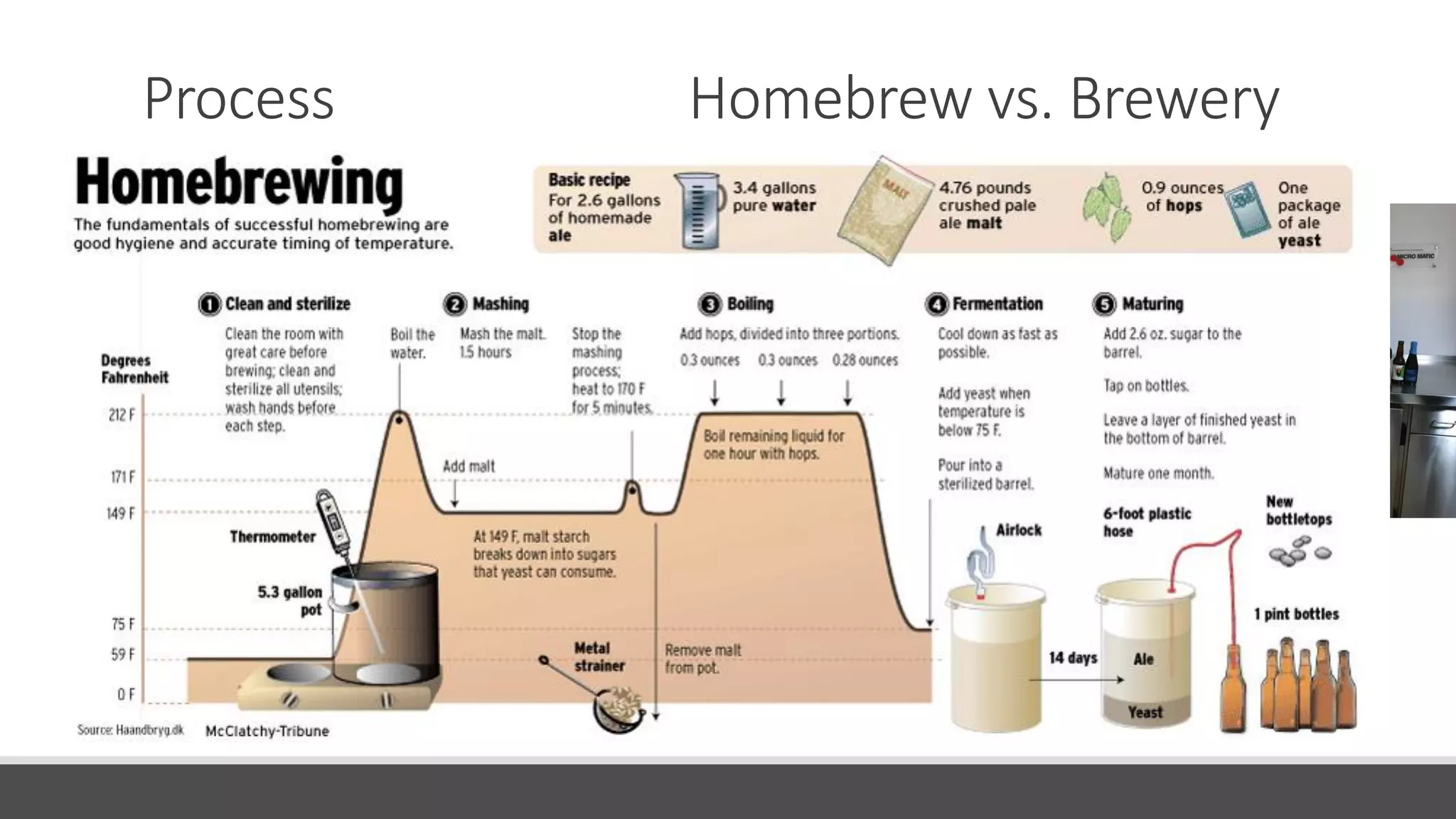
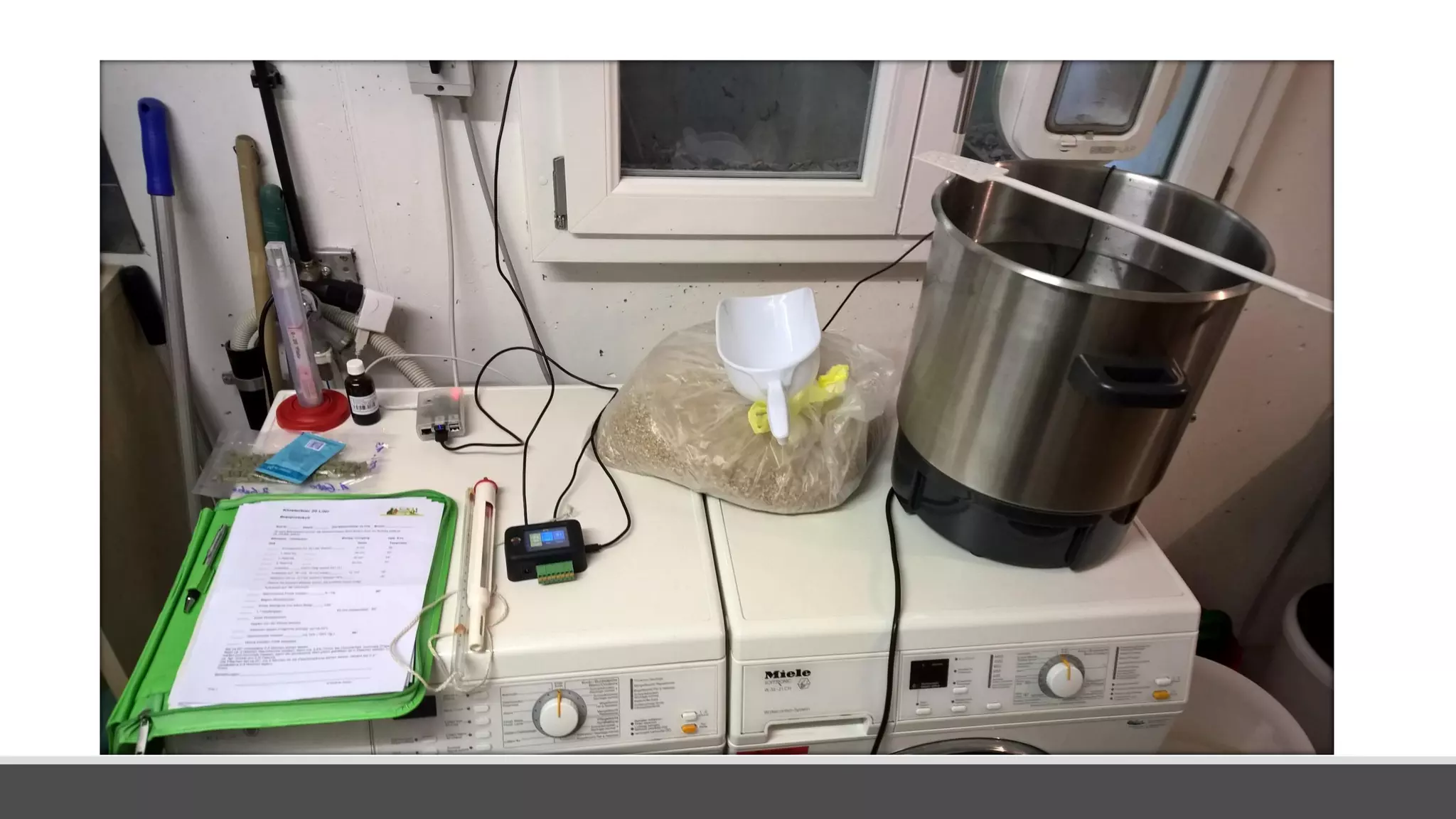
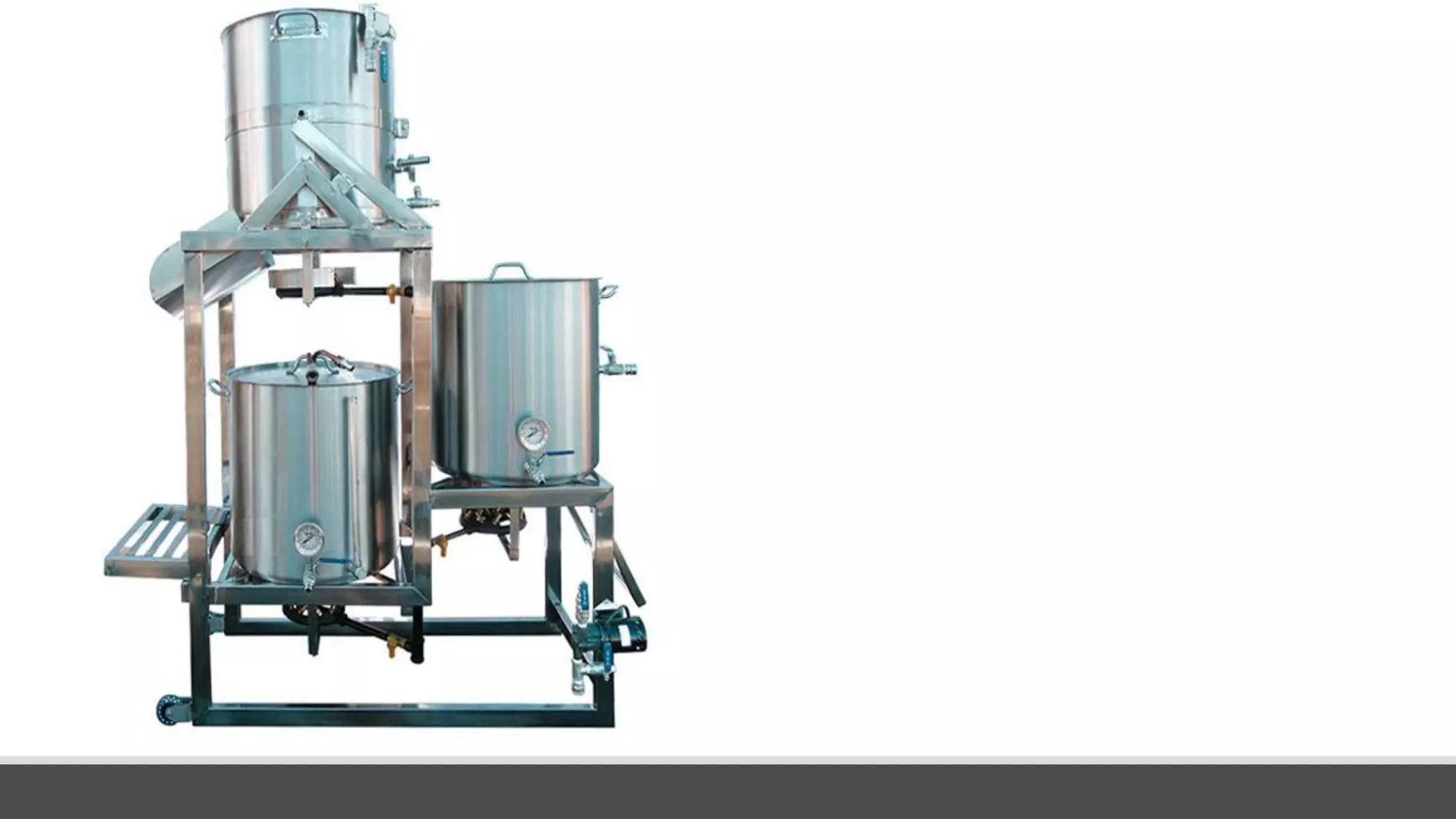
Homebrew vs. Brewery
Water
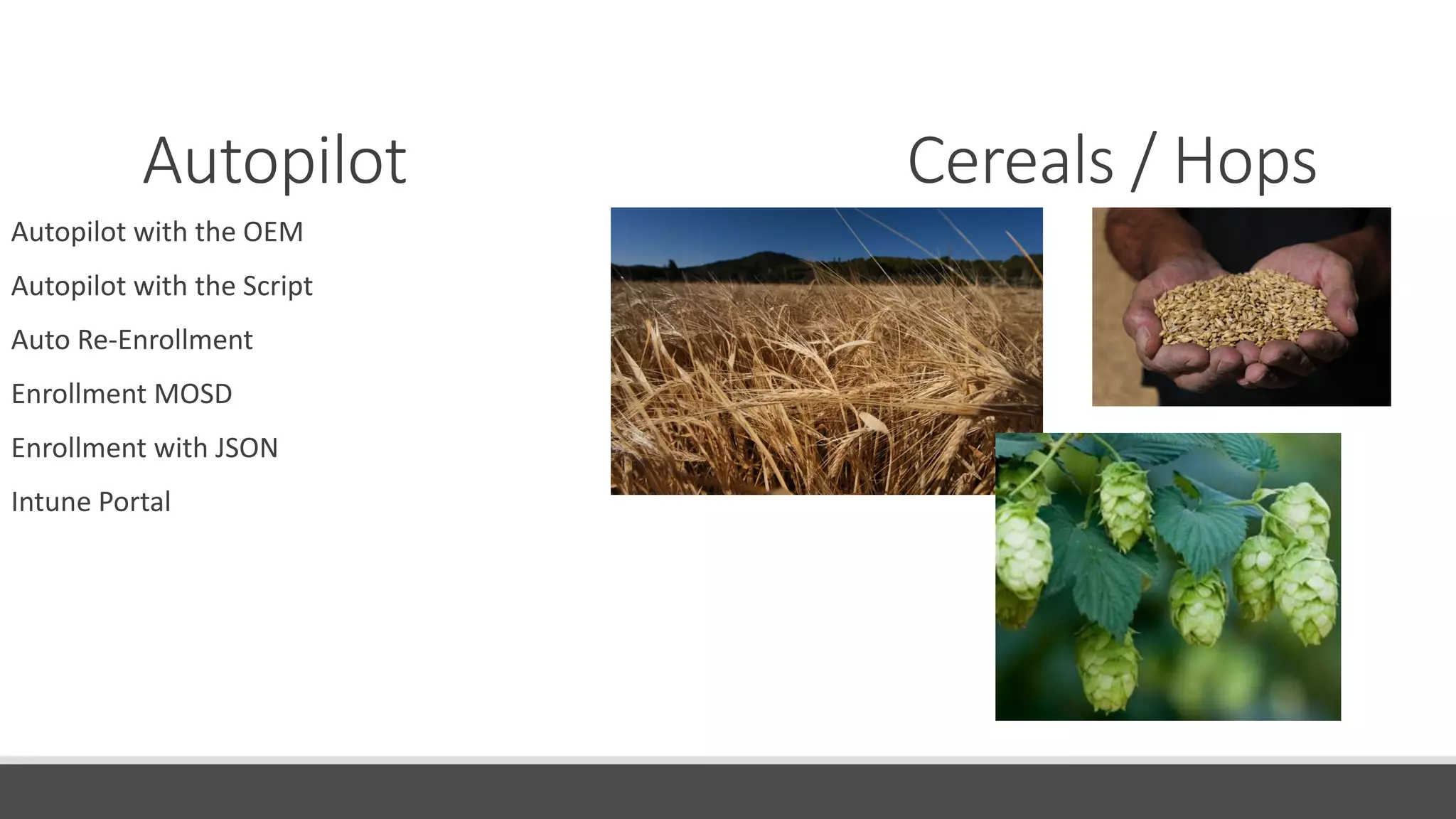
Cereals / Hops
Mashing / Boiling
Fermentation
Maturation
Packaging
Statistics
Process
AD vs. AAD
Autopilot
Intune
App and Application Management
Using Modern Windows (OMA)
Update and Patching
How to go Modern
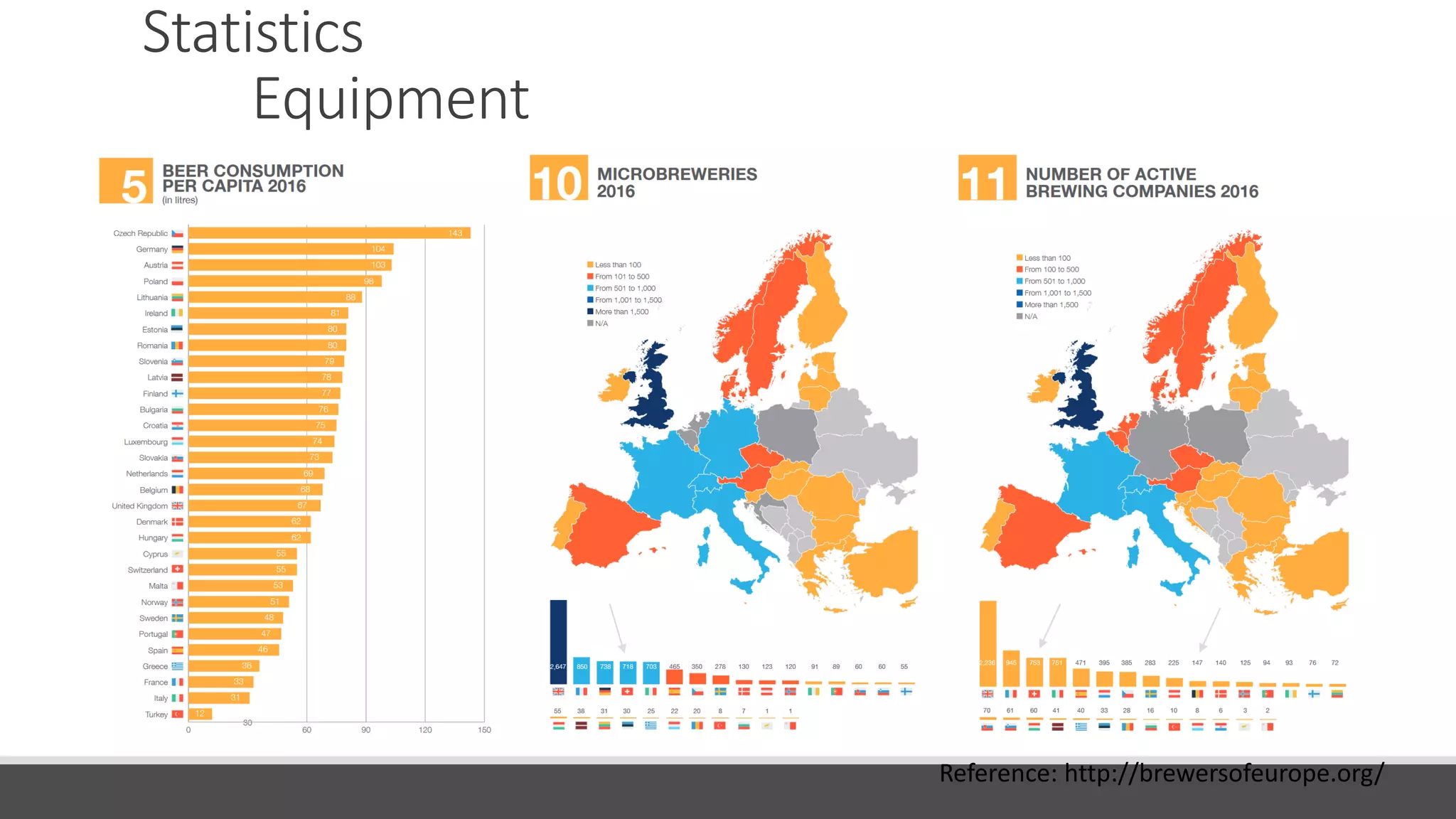
Statistics
Equipment
Reference: http://brewersofeurope.org/
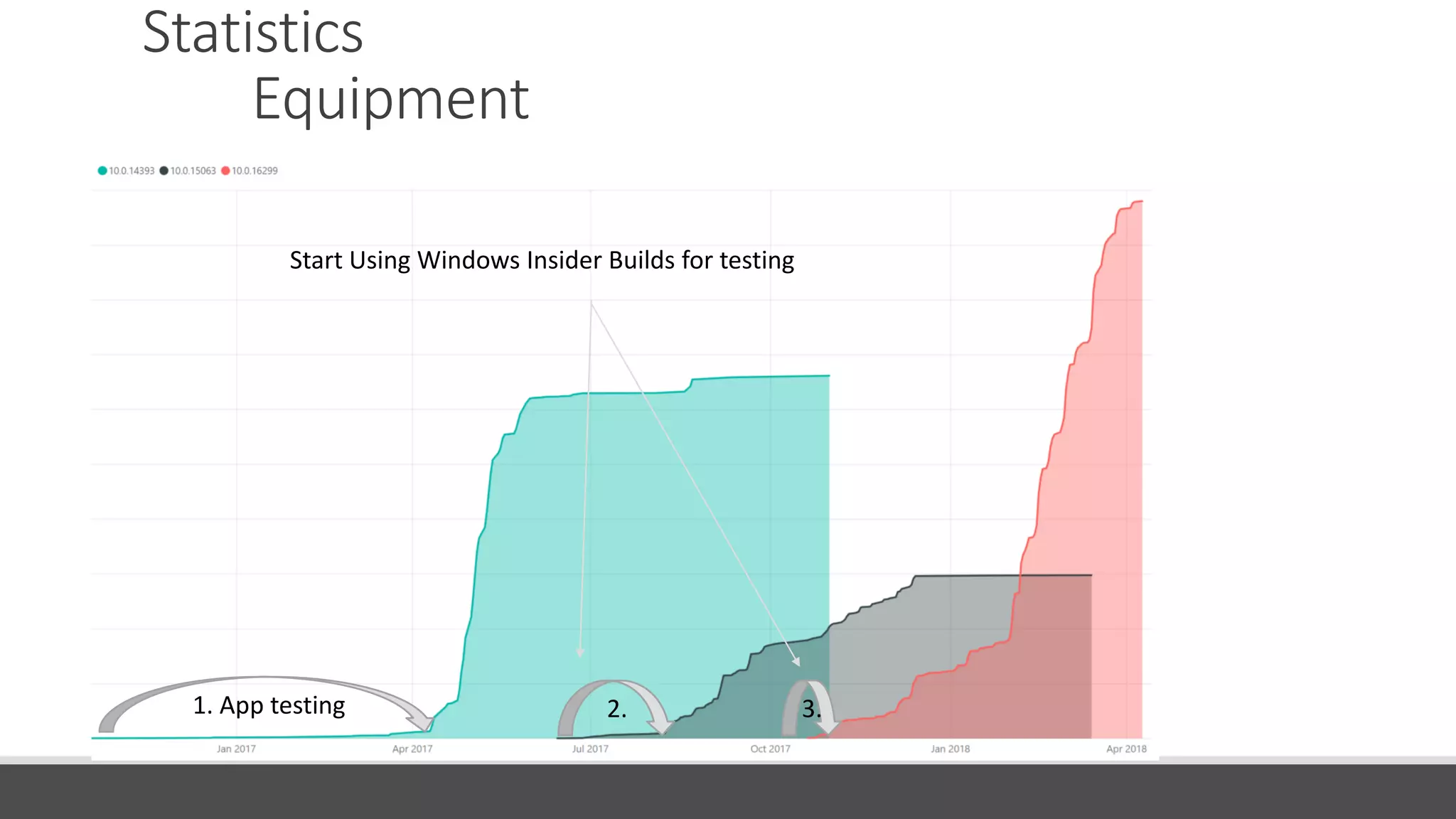
Statistics
Equipment
1. App testing 2. 3.
Start Using Windows Insider Builds for testing
Process Homebrew vs. Brewery
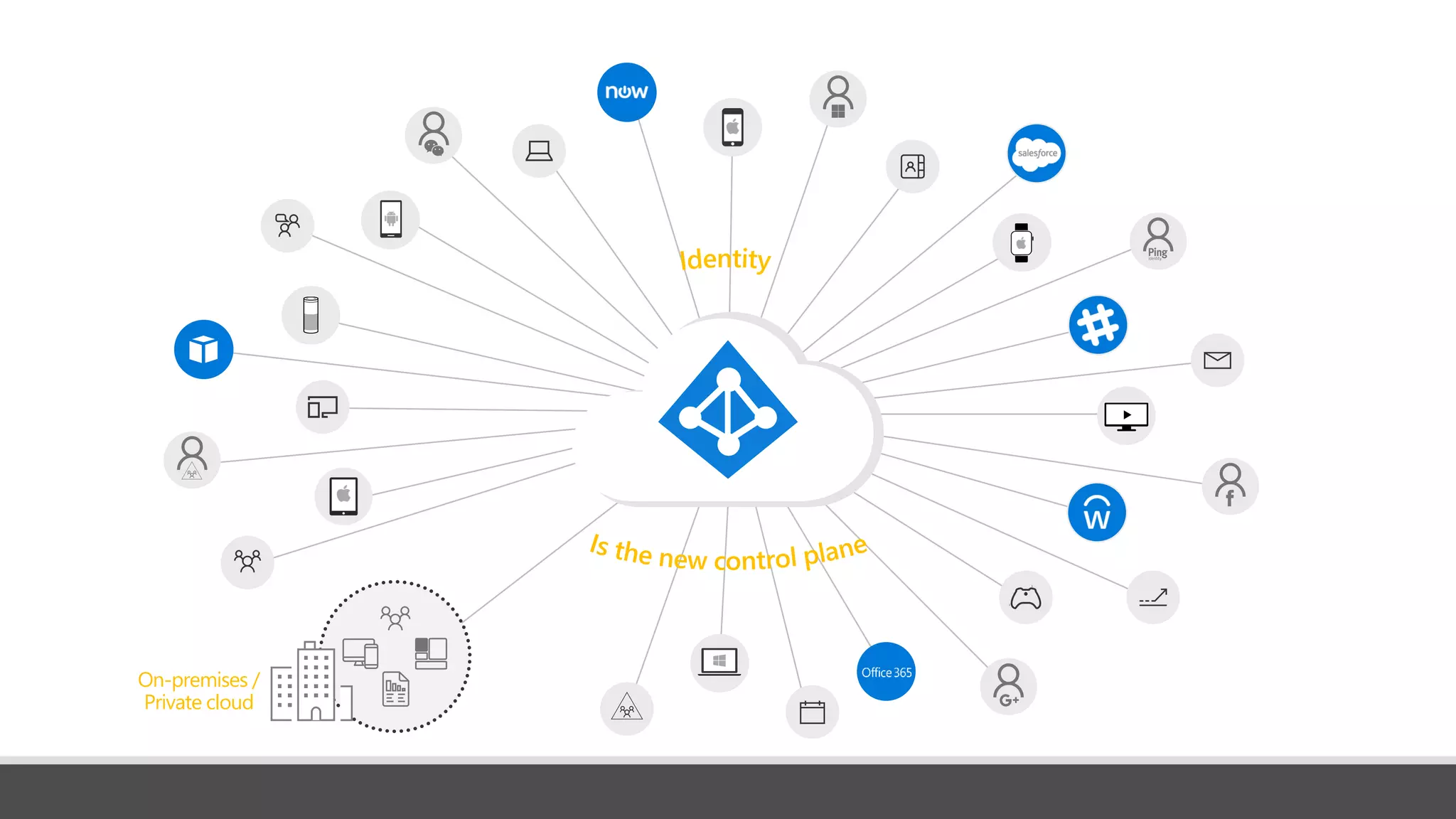
On-premises /
Private cloud
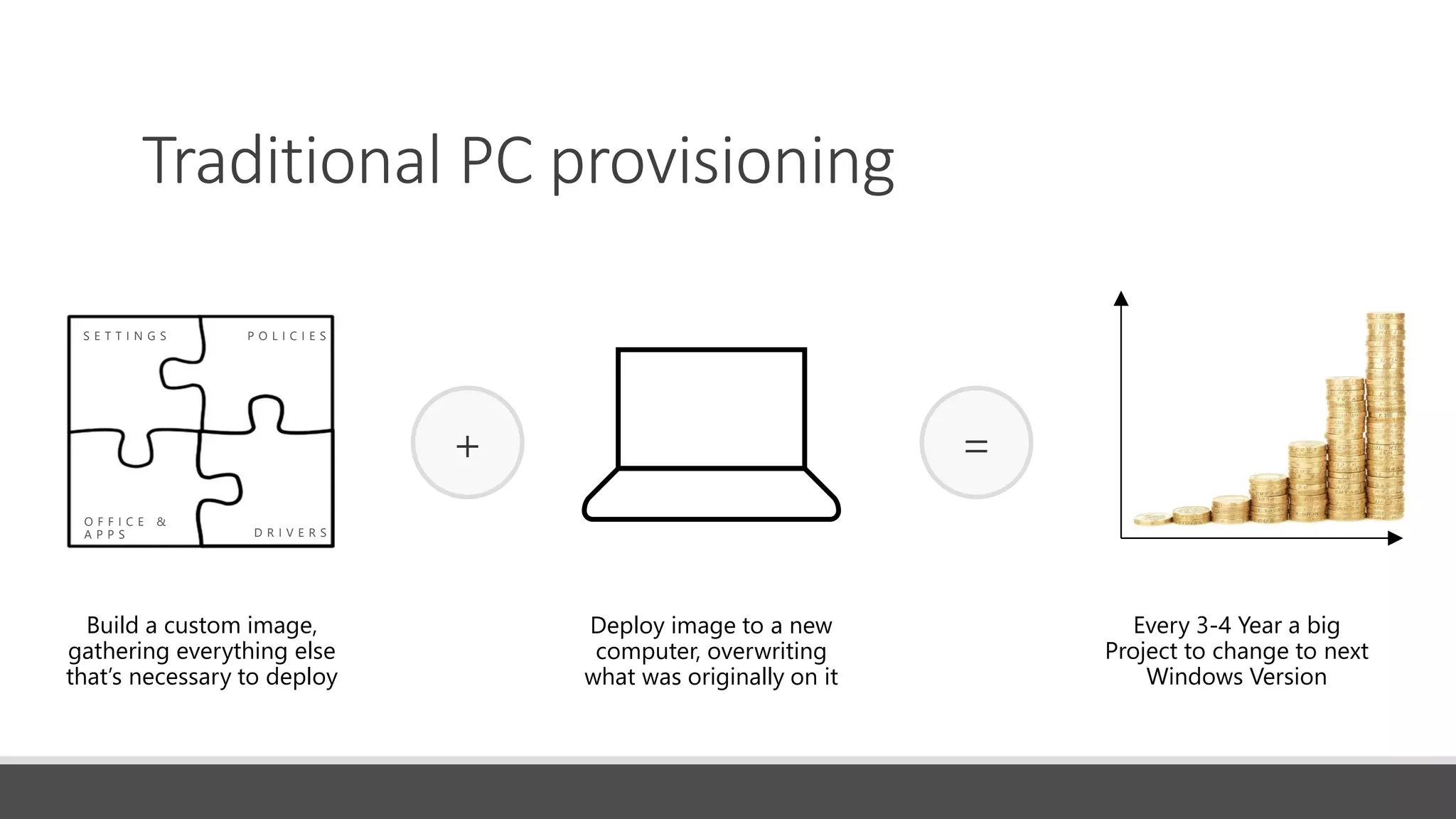
Traditional PC provisioning
S E T T I N G S P O L I C I E S
O F F I C E &
A P P S D R I V E R S
Build a custom image,
gathering everything else
that’s necessary to deploy
Deploy image to a new
computer, overwriting
what was originally on it
Time
Money
+ =
Every 3-4 Year a big
Project to change to next
Windows Version
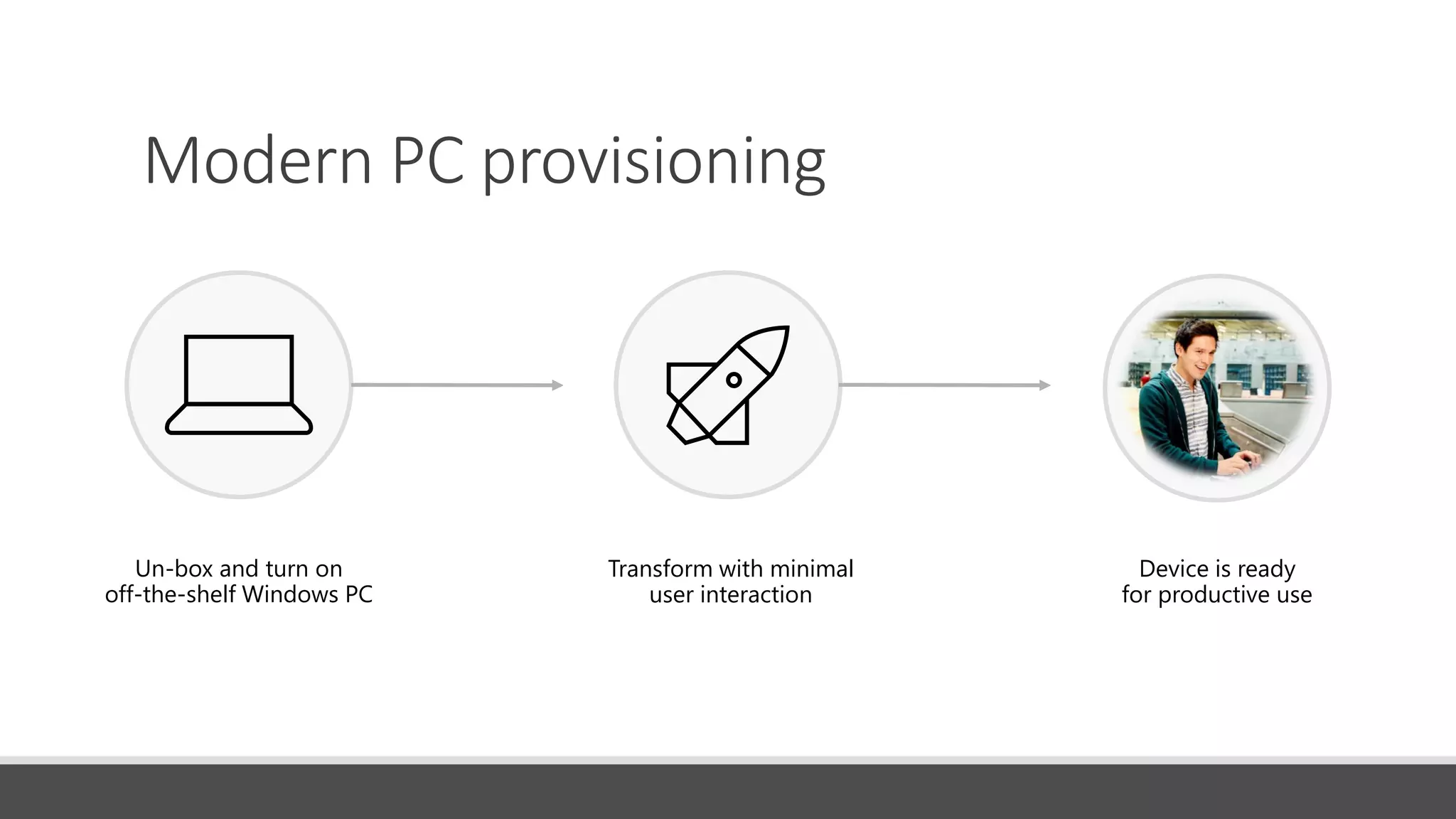
Modern PC provisioning
Un-box and turn on
off-the-shelf Windows PC
Transform with minimal
user interaction
Device is ready
for productive use
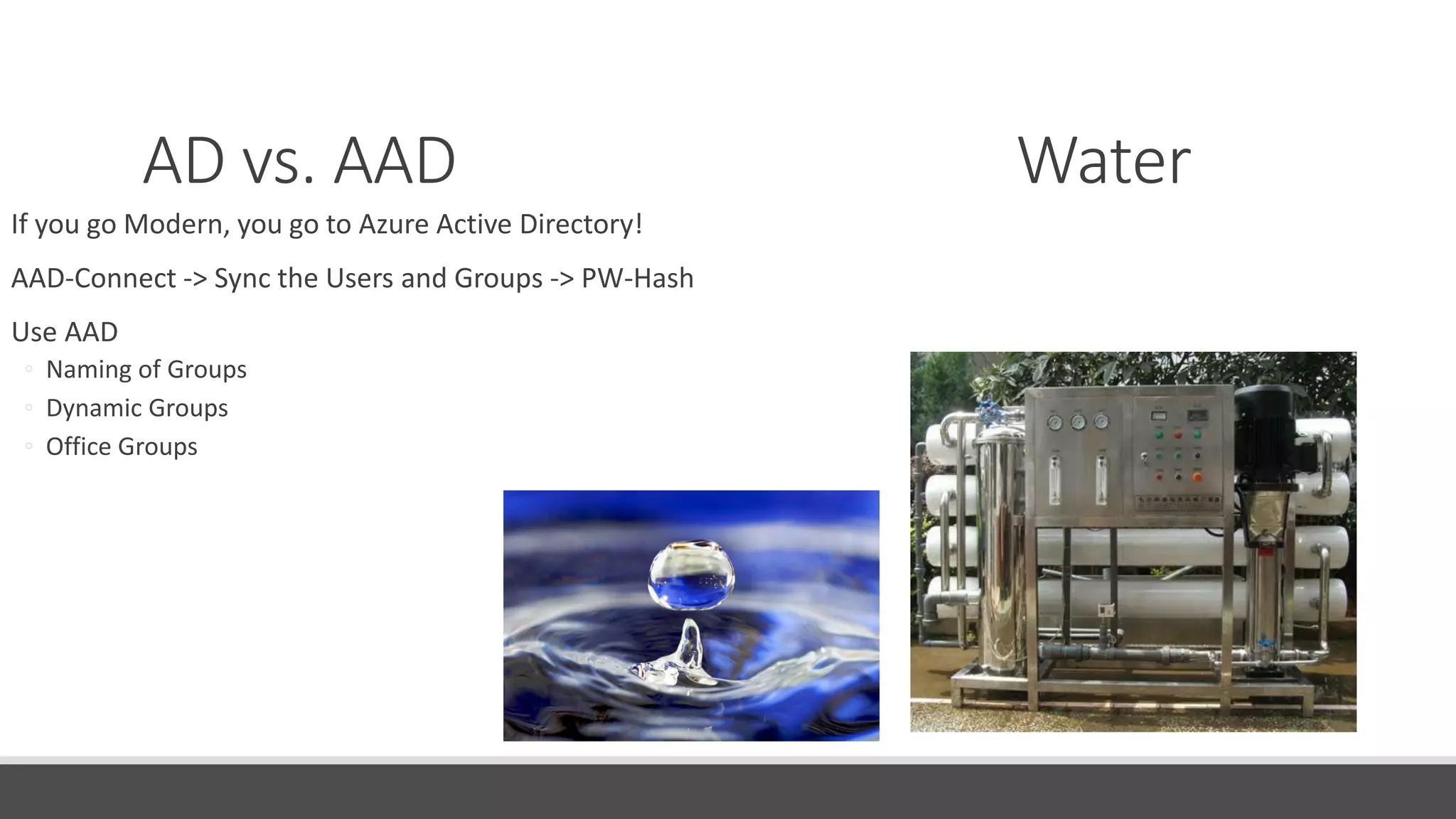
AD vs. AAD Water
If you go Modern, you go to Azure Active Directory!
AAD-Connect -> Sync the Users and Groups -> PW-Hash
Use AAD
◦ Naming of Groups
◦ Dynamic Groups
◦ Office Groups
Autopilot Cereals / Hops
Autopilot with the OEM
Autopilot with the Script
Auto Re-Enrollment
Enrollment MOSD
Enrollment with JSON
Intune Portal
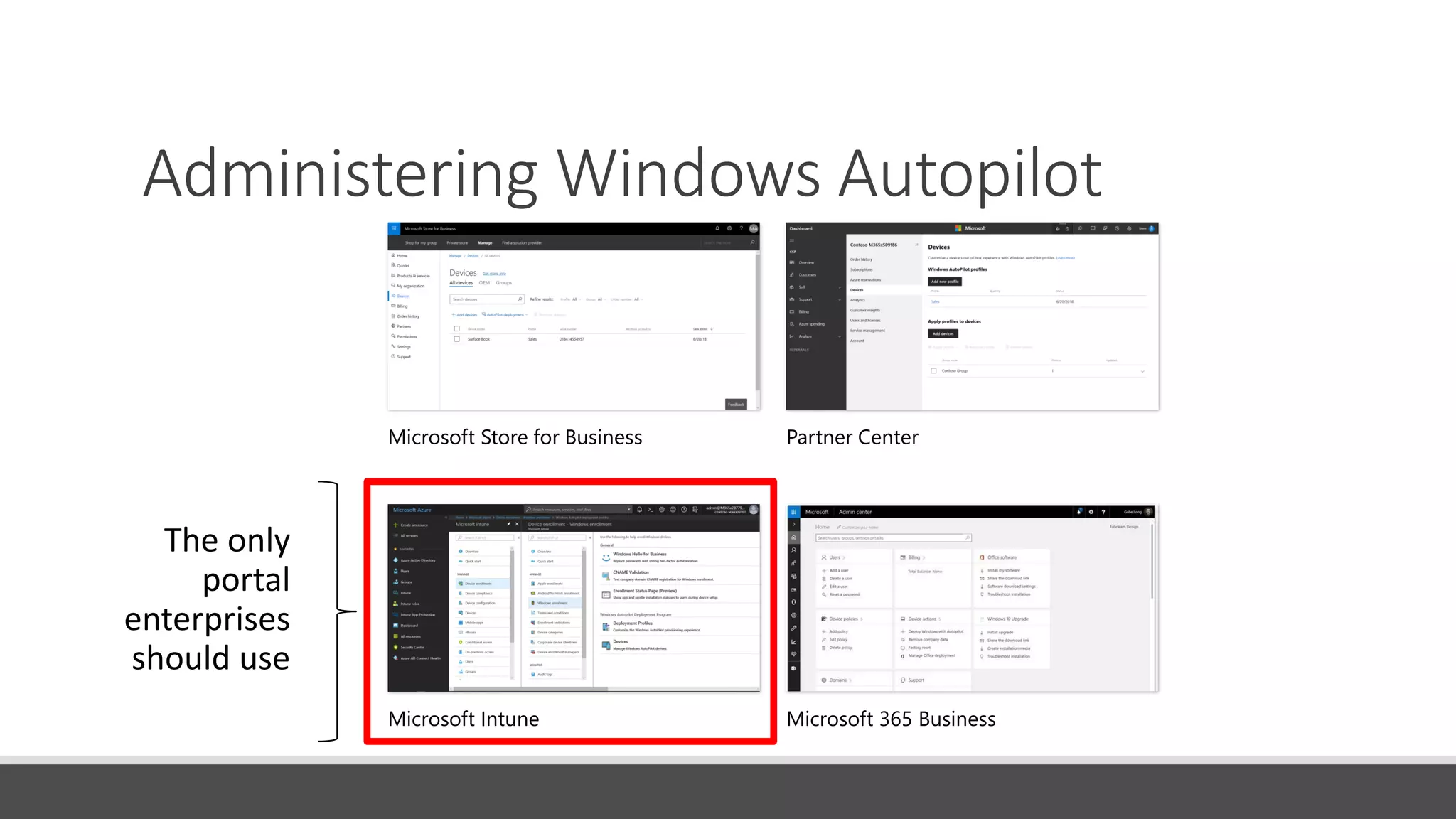
Administering Windows Autopilot
Microsoft Store for Business
Microsoft Intune
Partner Center
Microsoft 365 Business
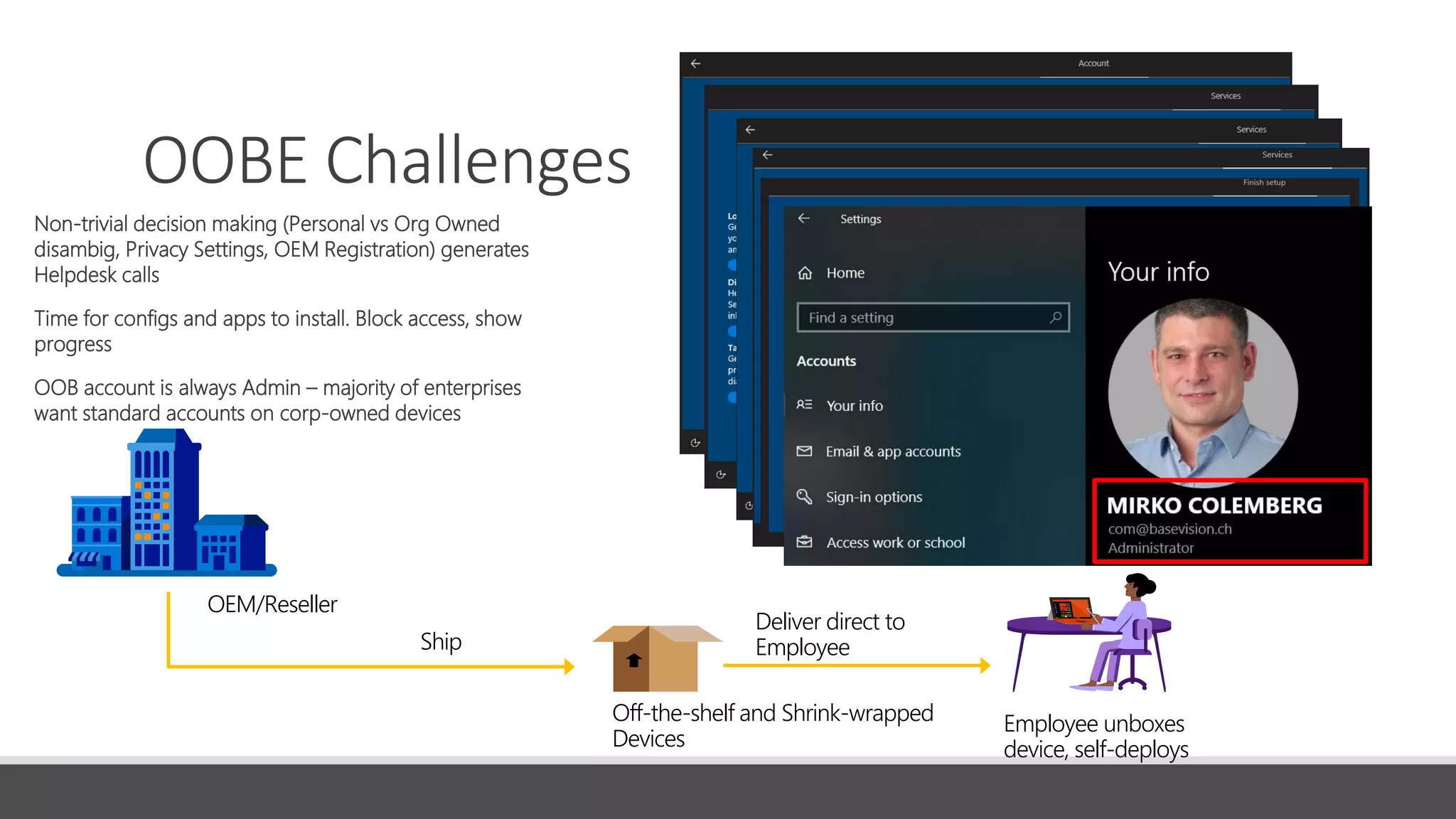
OOBE Challenges
Non-trivial decision making (Personal vs Org Owned
disambig, Privacy Settings, OEM Registration) generates
Helpdesk calls
Time for configs and apps to install. Block access, show
progress
OOB account is always Admin – majority of enterprises
want standard accounts on corp-owned devices
OEM/Reseller
Ship
Off-the-shelf and Shrink-wrapped
Devices
Employee unboxes
device, self-deploys
Deliver direct to
Employee
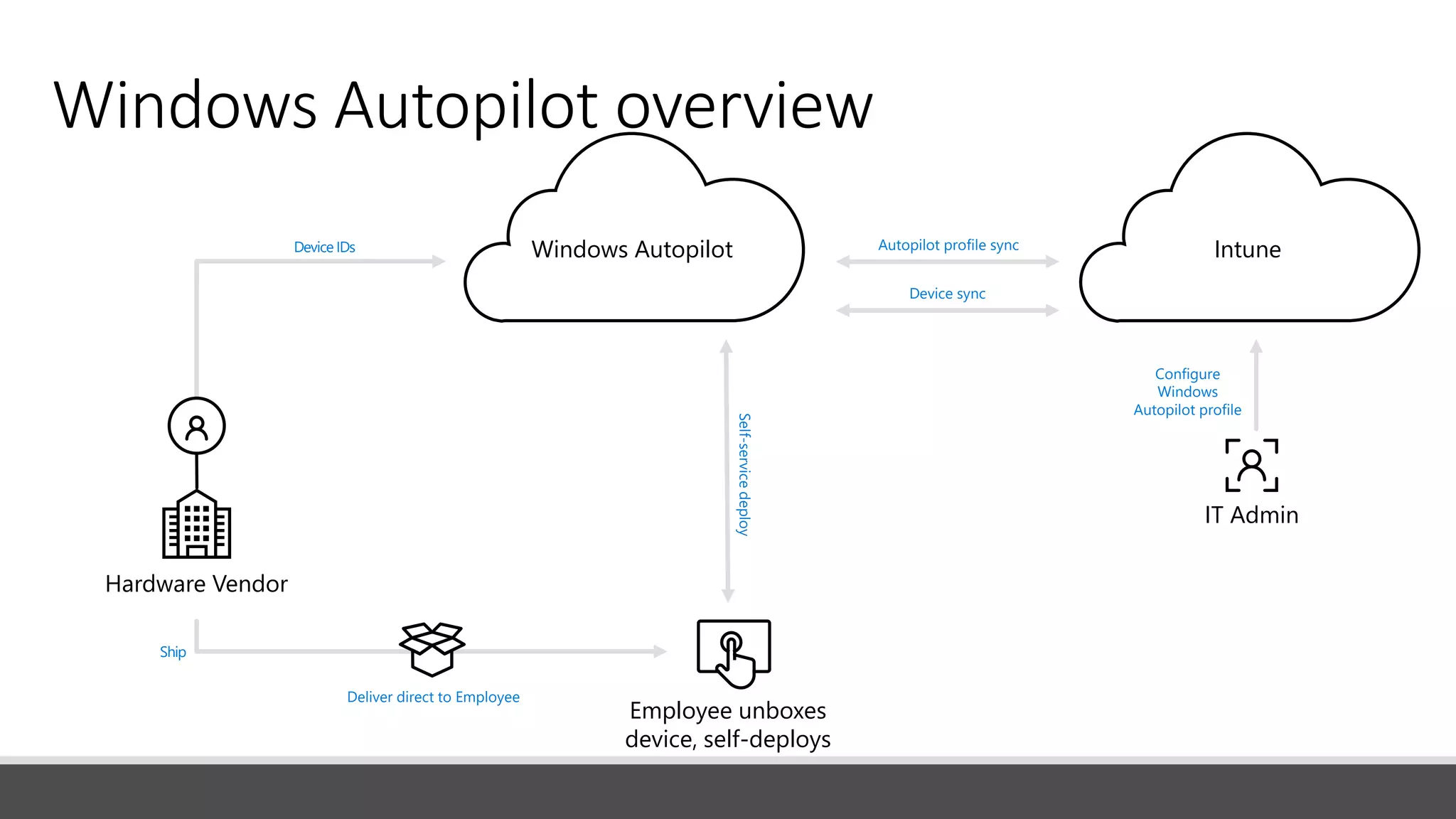
Windows Autopilot overview
Configure
Windows
Autopilot profile
Self-servicedeploy
Device IDs
Hardware Vendor
IT Admin
Ship
Deliver direct to Employee
Employee unboxes
device, self-deploys
IntuneWindows Autopilot
Device sync
Autopilot profile sync
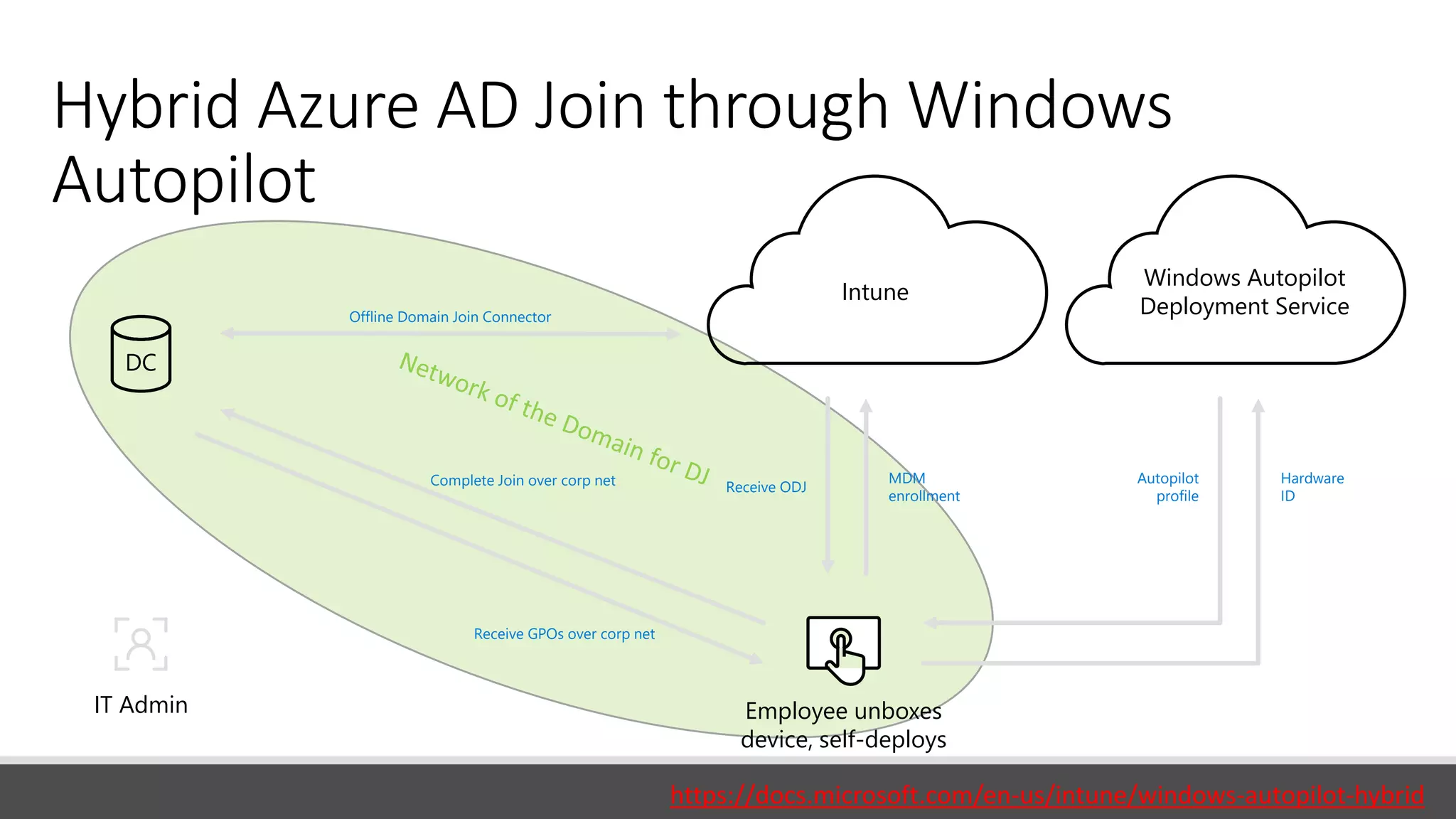
Hybrid Azure AD Join through Windows
Autopilot
IT Admin
Offline Domain Join Connector
Windows Autopilot
Deployment Service
Employee unboxes
device, self-deploys
DC
Intune
Complete Join over corp net
Receive GPOs over corp net
Receive ODJ
MDM
enrollment
Autopilot
profile
Hardware
ID
https://docs.microsoft.com/en-us/intune/windows-autopilot-hybrid
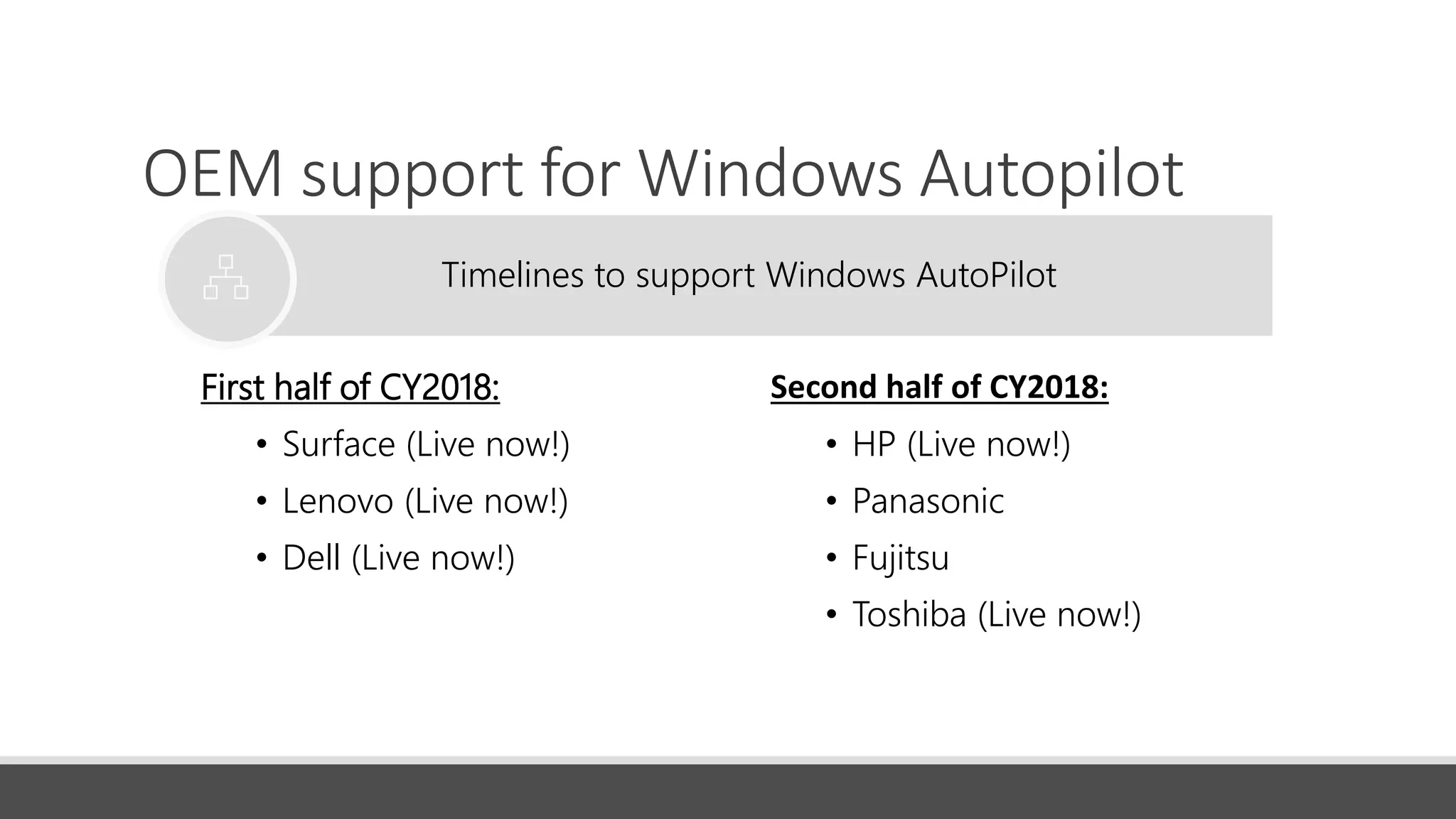
OEM support for Windows Autopilot
First half of CY2018:
• Surface (Live now!)
• Lenovo (Live now!)
• Dell (Live now!)
Timelines to support Windows AutoPilot
Second half of CY2018:
• HP (Live now!)
• Panasonic
• Fujitsu
• Toshiba (Live now!)
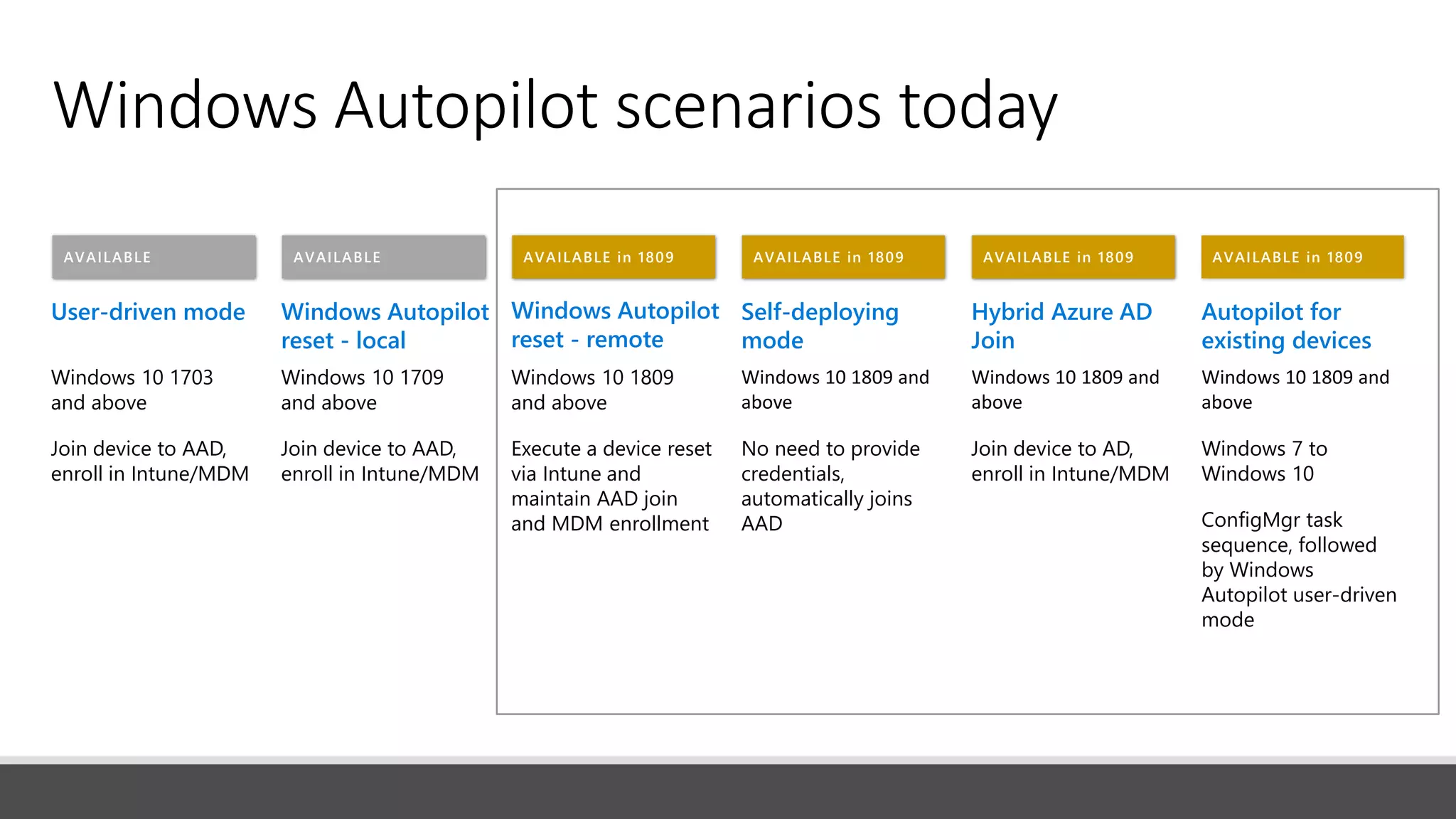
AVAILABLE in 1809AVAILABLE in 1809AVAILABLE in 1809AVAILABLE in 1809AVAILABLEAVAILABLE
Windows Autopilot scenarios today
User-driven mode
Windows 10 1703
and above
Join device to AAD,
enroll in Intune/MDM
Autopilot for
existing devices
Windows 10 1809 and
above
Windows 7 to
Windows 10
ConfigMgr task
sequence, followed
by Windows
Autopilot user-driven
mode
Self-deploying
mode
Windows 10 1809 and
above
No need to provide
credentials,
automatically joins
AAD
Hybrid Azure AD
Join
Windows 10 1809 and
above
Join device to AD,
enroll in Intune/MDM
Windows Autopilot
reset - local
Windows 10 1709
and above
Join device to AAD,
enroll in Intune/MDM
Windows Autopilot
reset - remote
Windows 10 1809
and above
Execute a device reset
via Intune and
maintain AAD join
and MDM enrollment
AVAILABLE in 1809AVAILABLE in 1809AVAILABLE in 1809AVAILABLEAVAILABLE
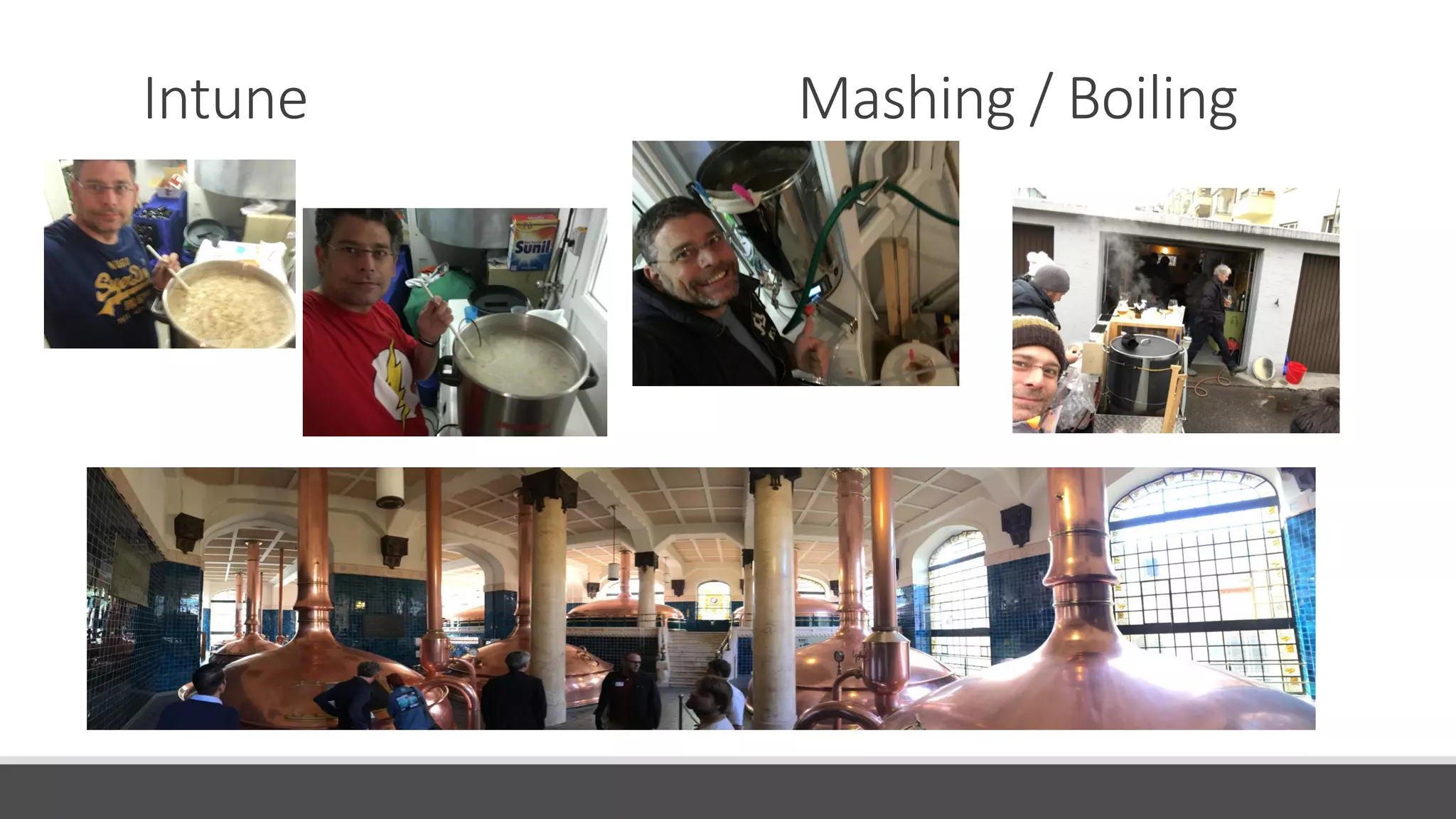
Intune Mashing / Boiling
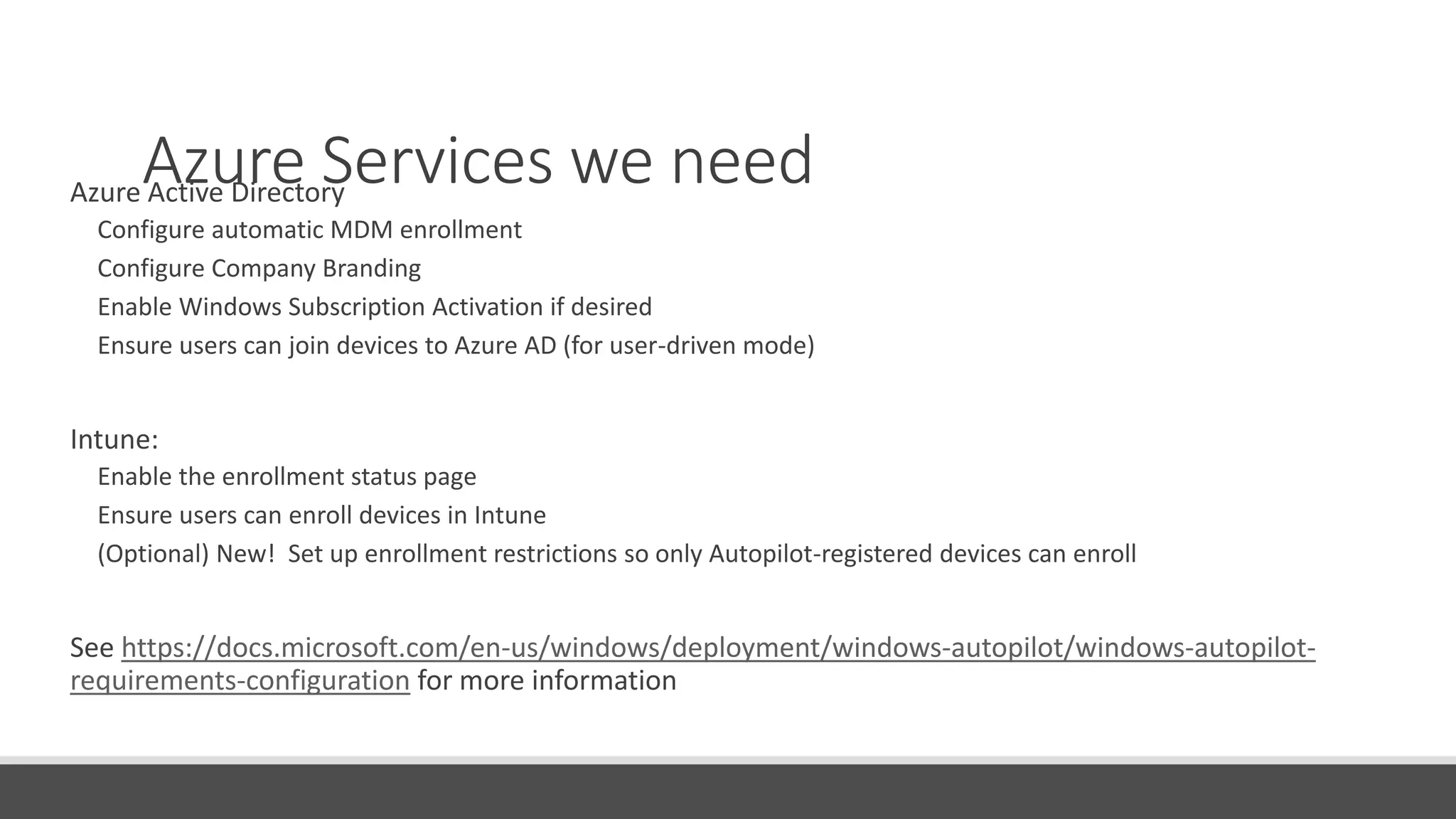
Azure Services we needAzure Active Directory
Configure automatic MDM enrollment
Configure Company Branding
Enable Windows Subscription Activation if desired
Ensure users can join devices to Azure AD (for user-driven mode)
Intune:
Enable the enrollment status page
Ensure users can enroll devices in Intune
(Optional) New! Set up enrollment restrictions so only Autopilot-registered devices can enroll
See https://docs.microsoft.com/en-us/windows/deployment/windows-autopilot/windows-autopilot-
requirements-configuration for more information
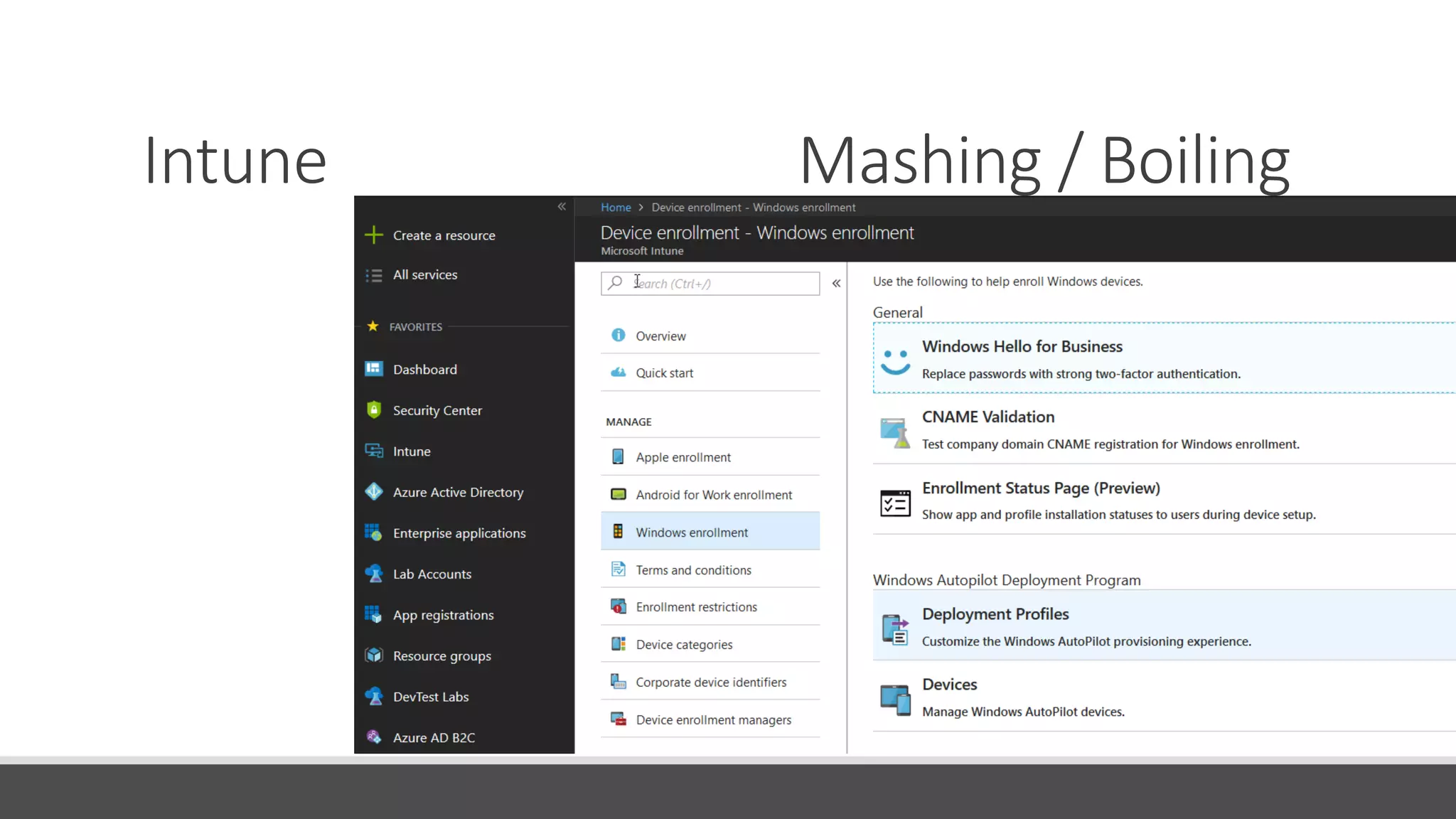
Intune Mashing / Boiling
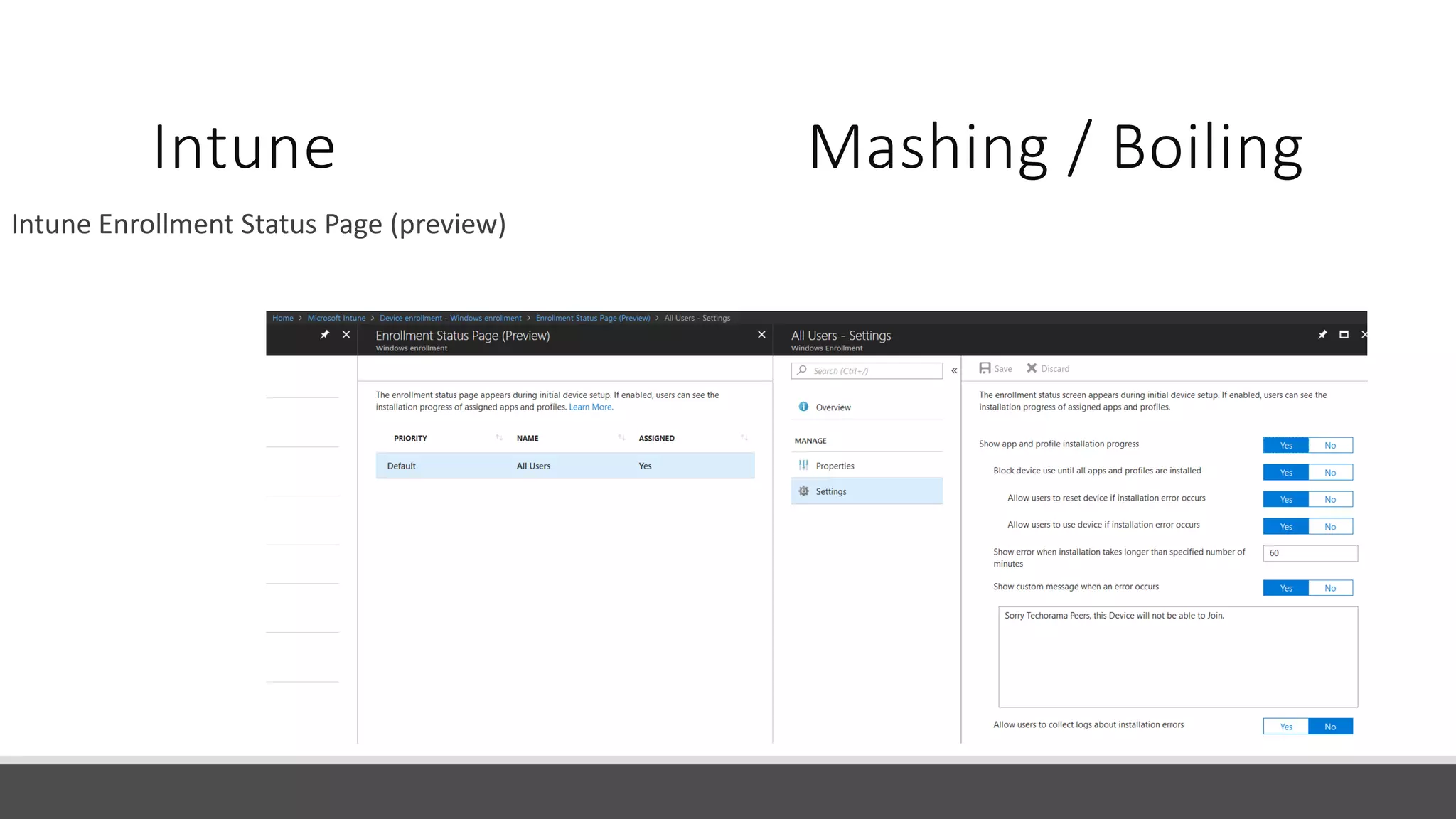
Intune Enrollment Status Page (preview)
Intune Mashing / Boiling
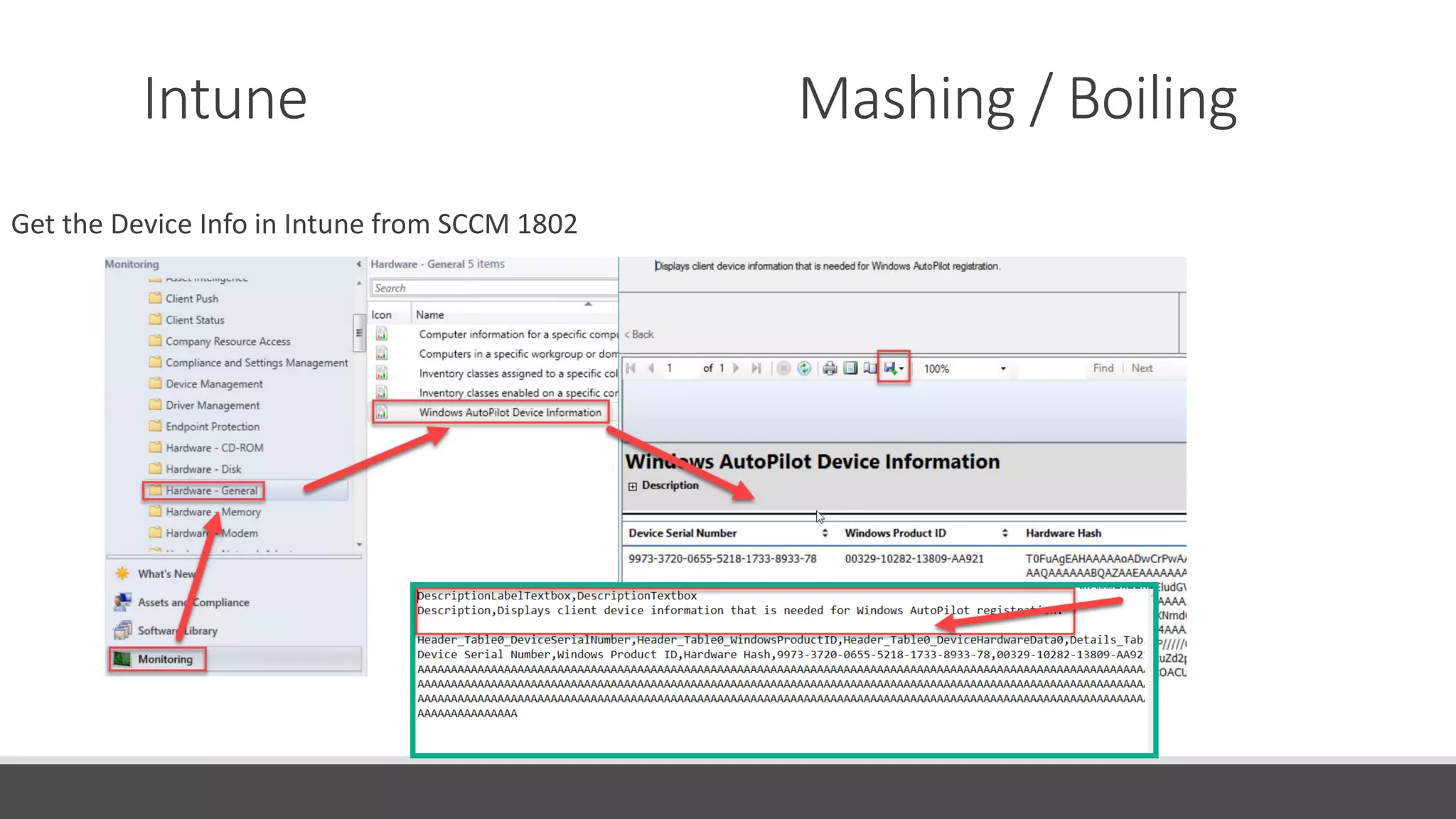
Get the Device Info in Intune from SCCM 1802
Intune Mashing / Boiling
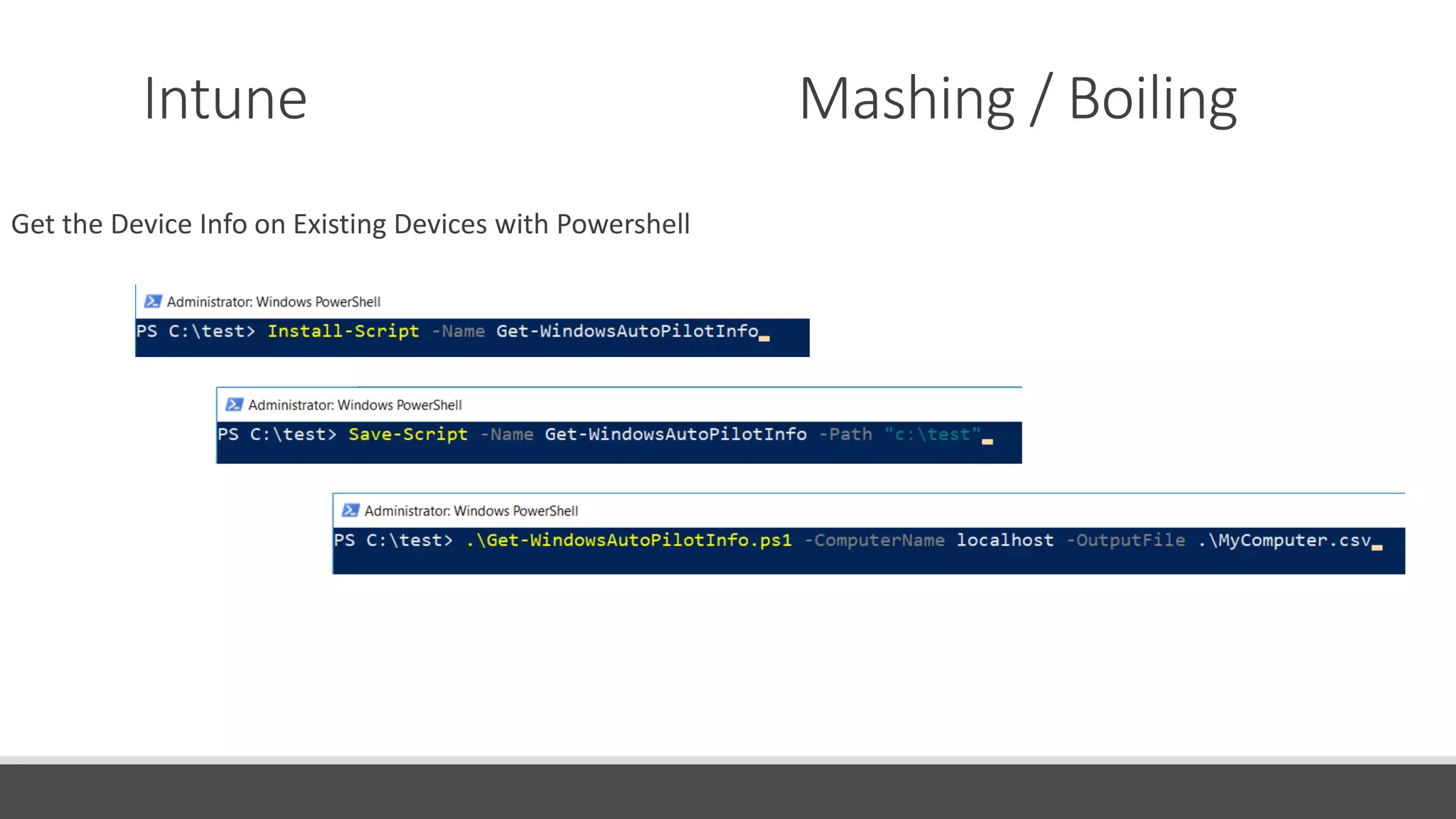
Get the Device Info on Existing Devices with Powershell
DEMO Autopilot
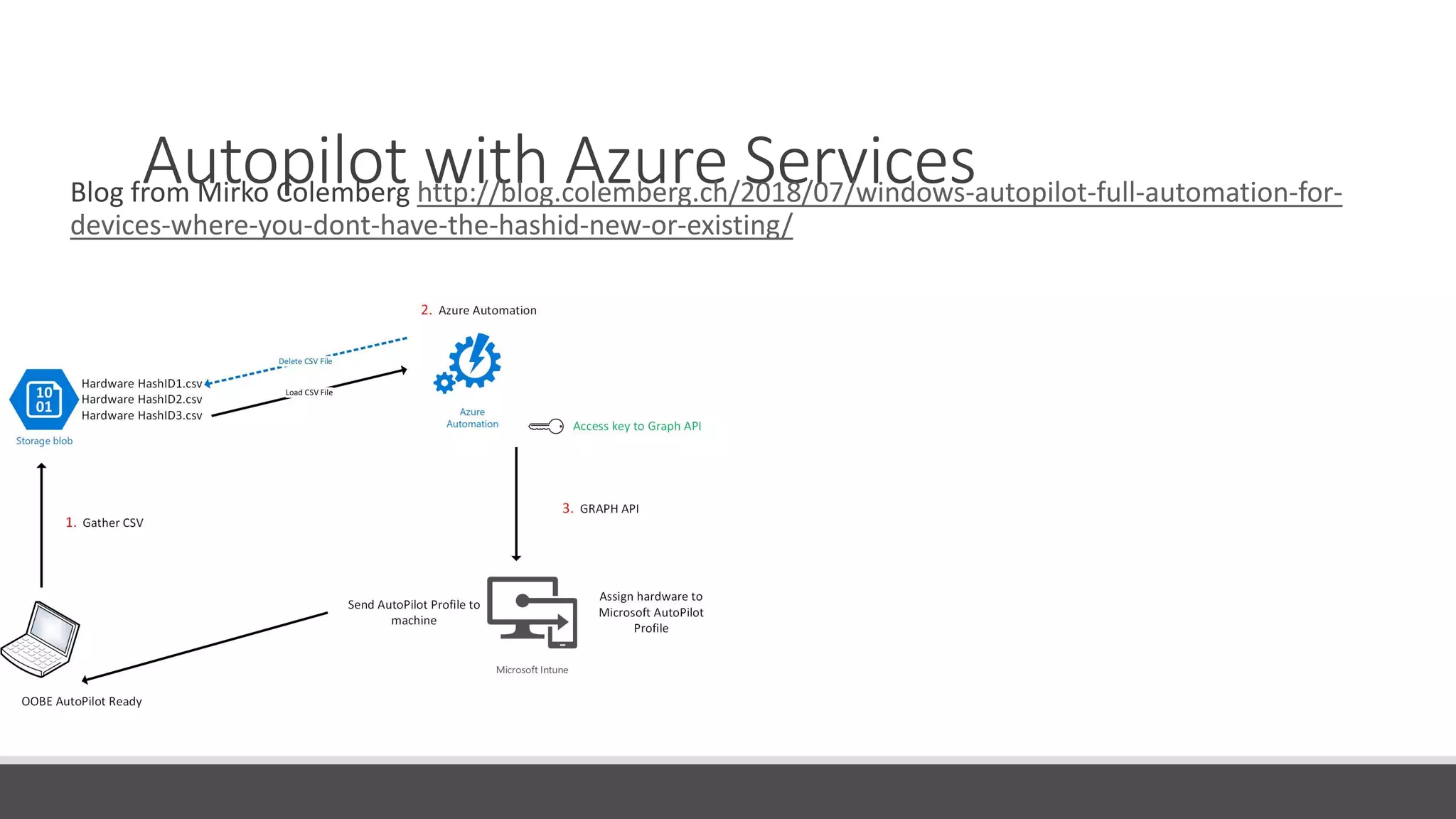
Autopilot with Azure ServicesBlog from Mirko Colemberg http://blog.colemberg.ch/2018/07/windows-autopilot-full-automation-for-
devices-where-you-dont-have-the-hashid-new-or-existing/
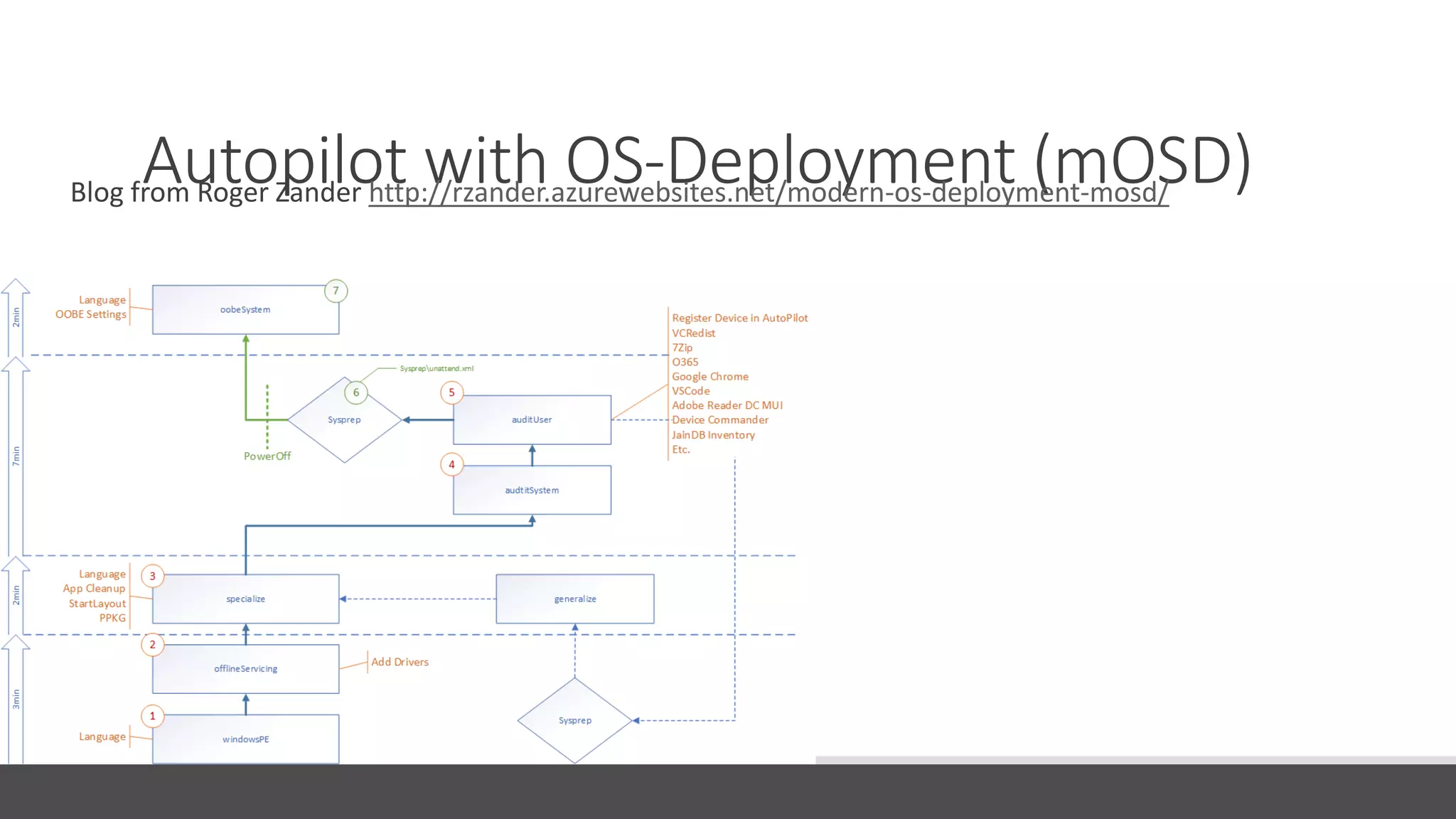
Autopilot with OS-Deployment (mOSD)Blog from Roger Zander http://rzander.azurewebsites.net/modern-os-deployment-mosd/
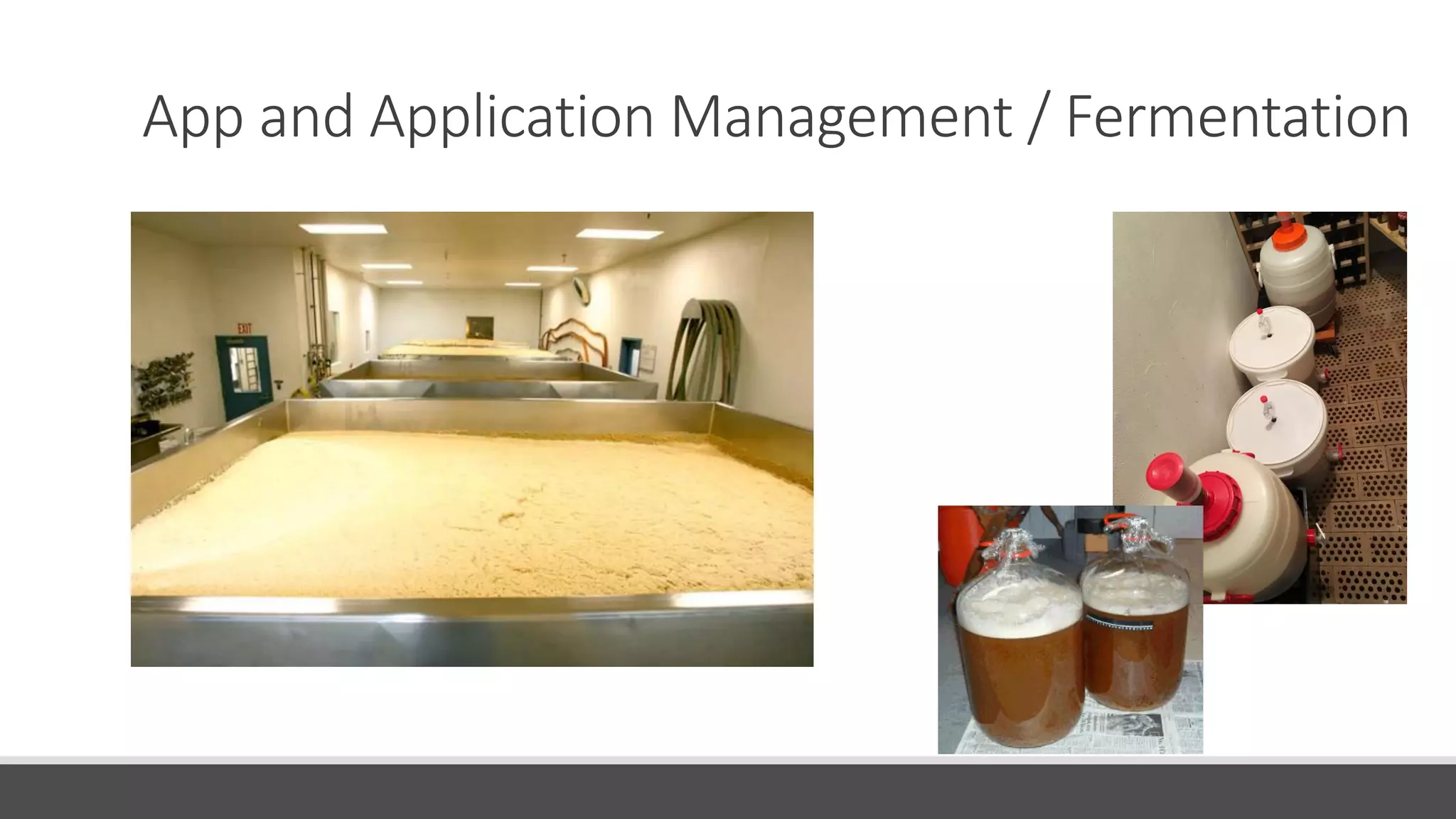
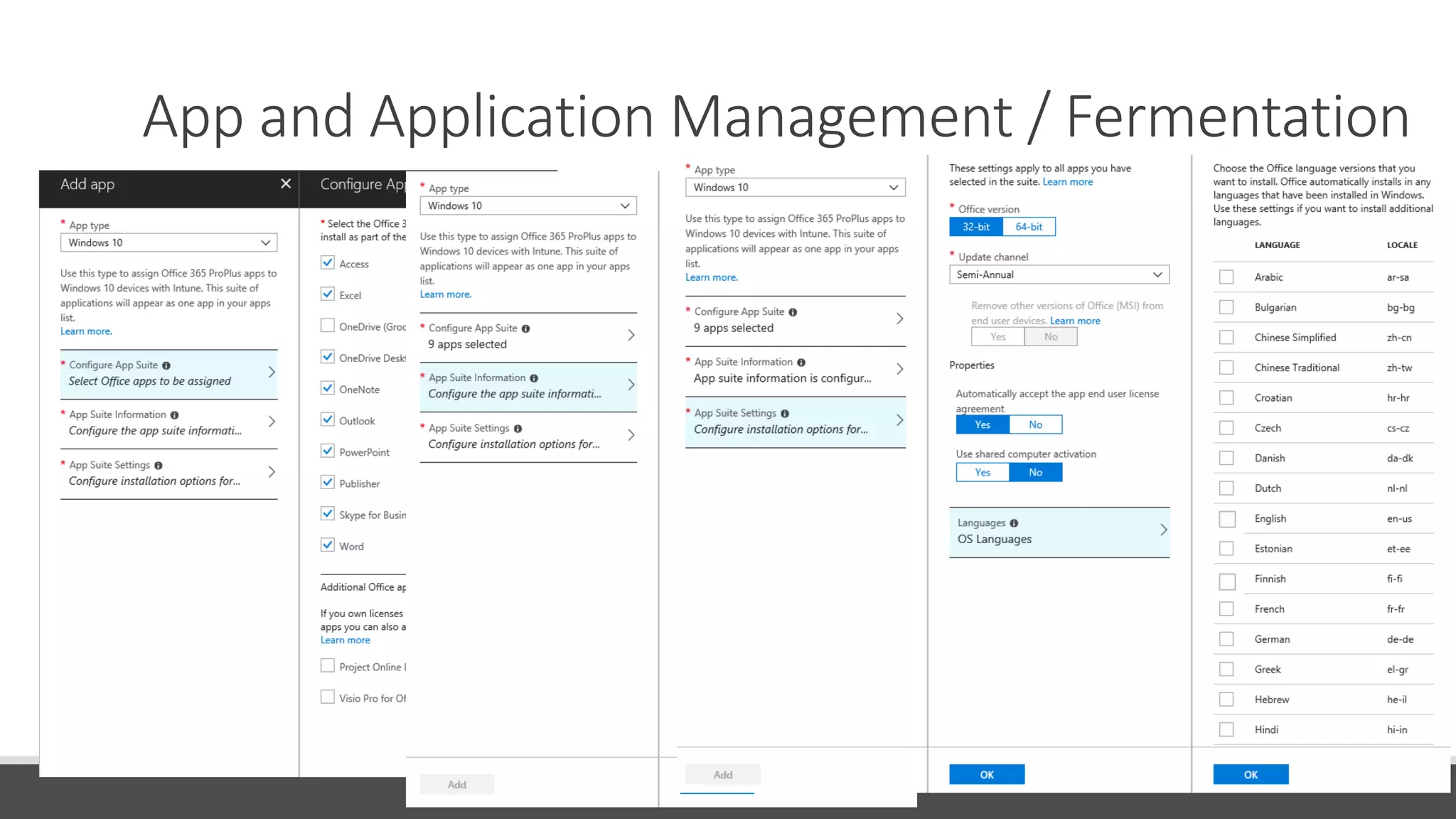
App and Application Management / Fermentation
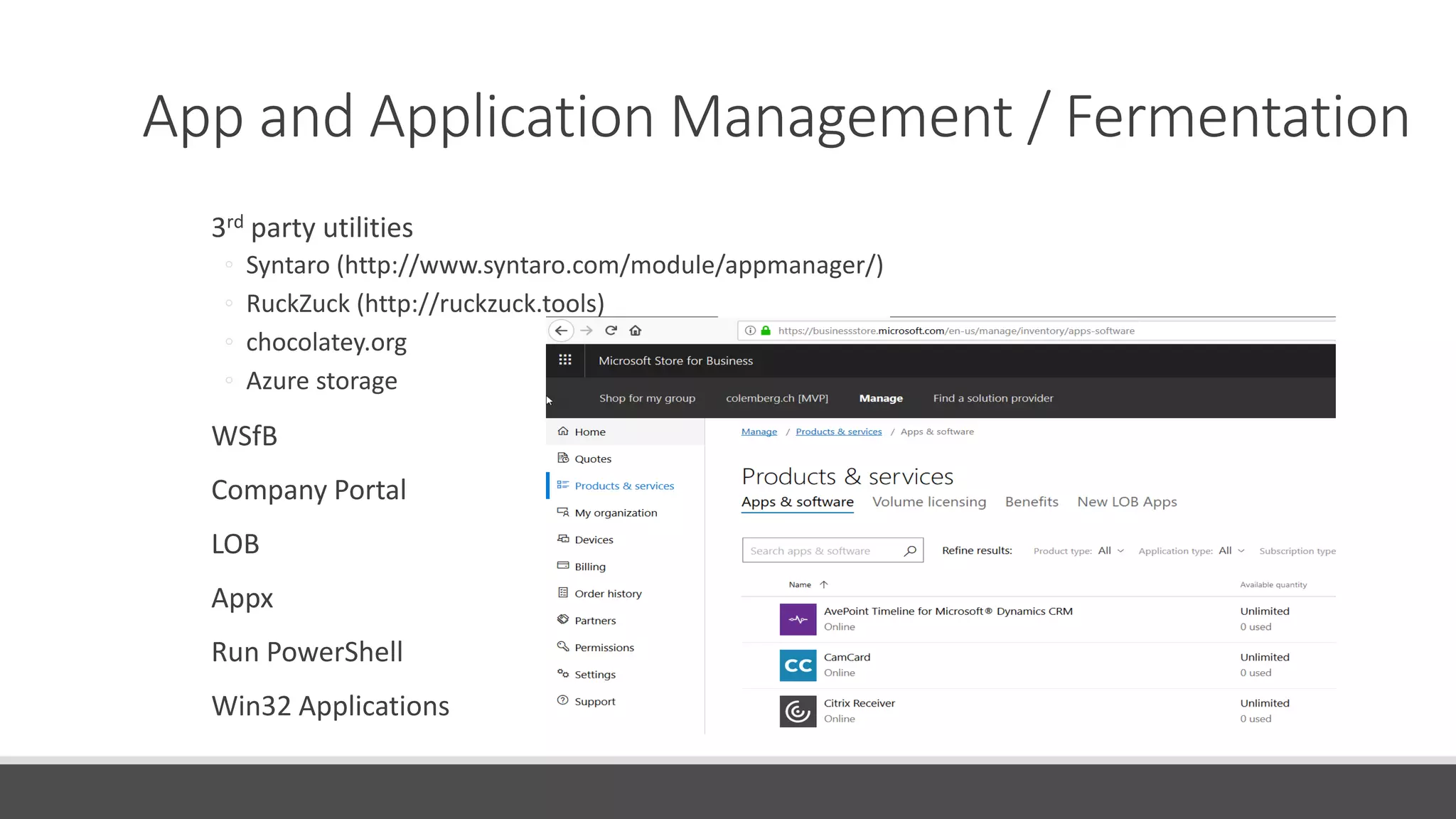
3rd party utilities
◦ Syntaro (http://www.syntaro.com/module/appmanager/)
◦ RuckZuck (http://ruckzuck.tools)
◦ chocolatey.org
◦ Azure storage
WSfB
Company Portal
LOB
Appx
Run PowerShell
Win32 Applications
App and Application Management / Fermentation
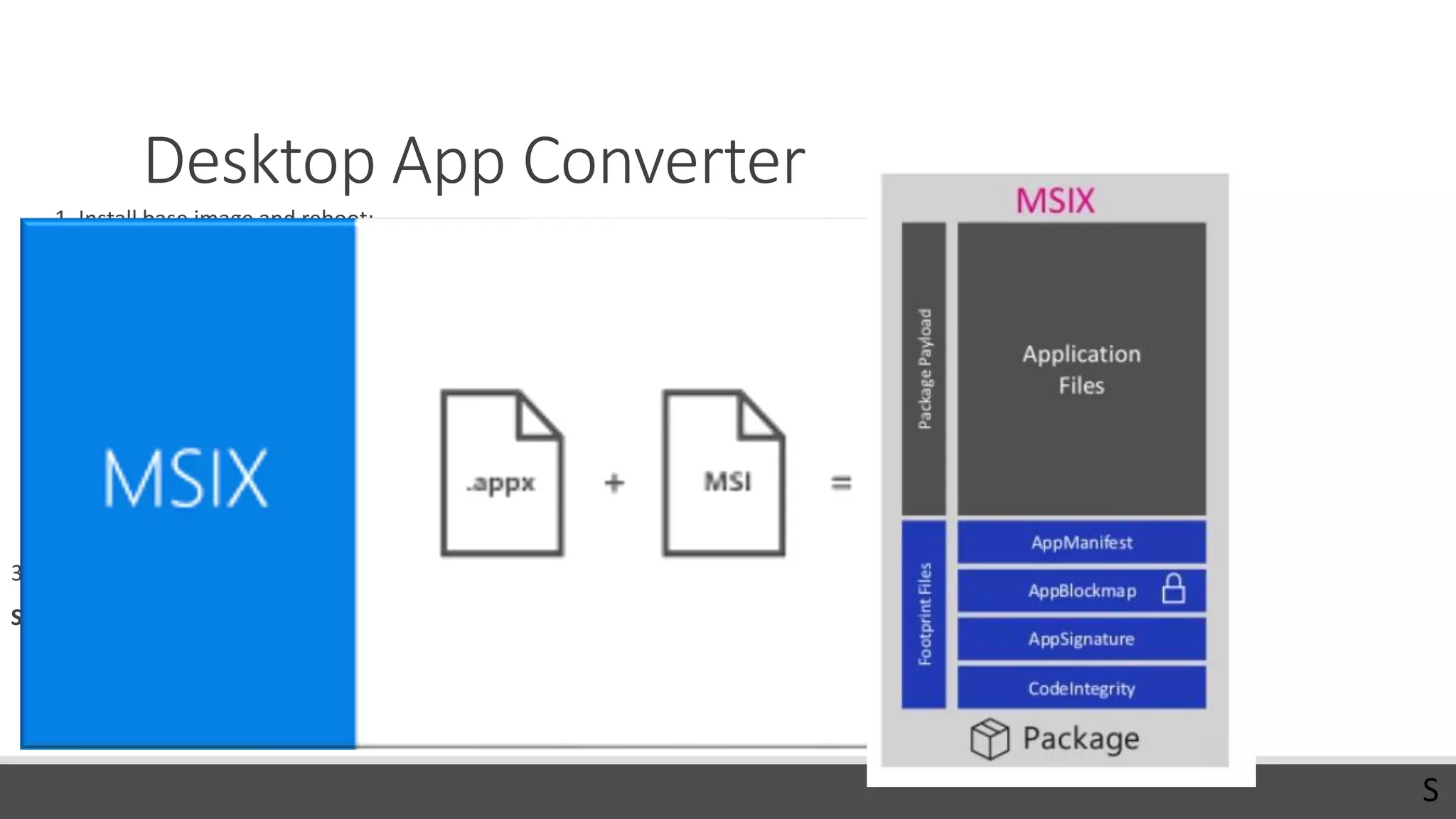
Desktop App Converter
1. Install base image and reboot:
◦ desktopappconverter.exe -setup -baseimage 'C:BaseWindows_InsiderPreview_DAC_16299.wim‘
◦ Current OS must match the base image version!
2. Create .appx file:
desktopappconverter -installer 'C:appssetup.exe' -InstallerArguments "/s" -Destination c:appx
-PackageName “App.UWP" -Publisher "CN=ProTrainITDemo, O=ProTrainIT, C=FI" -Version 1.0.0.0 –MakeAppx
◦ Package name: 3-50 chars, alpha-numeric, period, and dash characters.
3. Sign appx
SignTool sign /fd sha256 /a /f c:softatcert.pfx /p Password1 c:softatSoftaUWP.appx
Publisher must match the identity of the certificate!
S
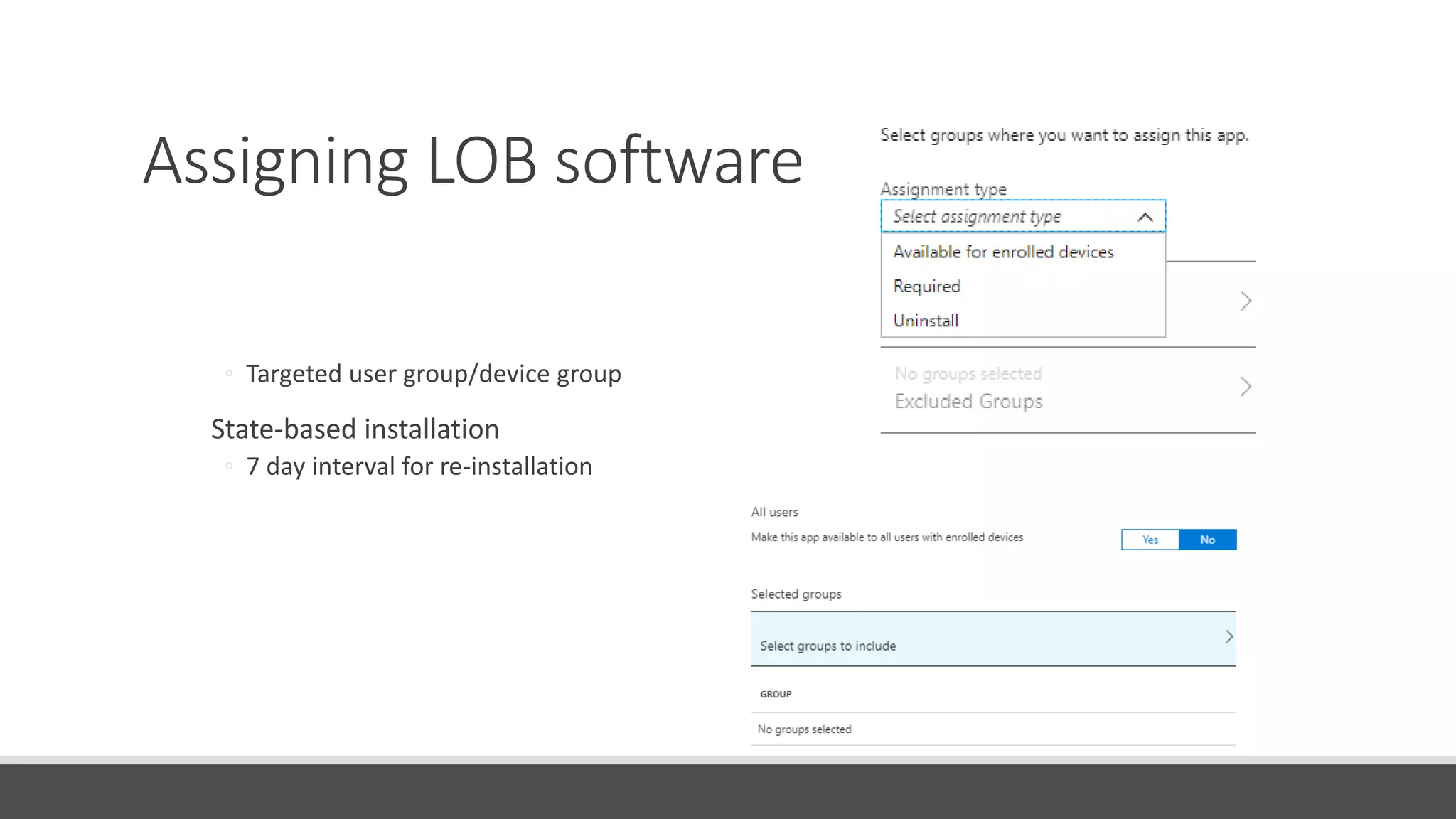
Assigning LOB software
Available/Required/Uninstall
◦ Targeted user group/device group
State-based installation
◦ 7 day interval for re-installation
Note: Available for dynamic groups
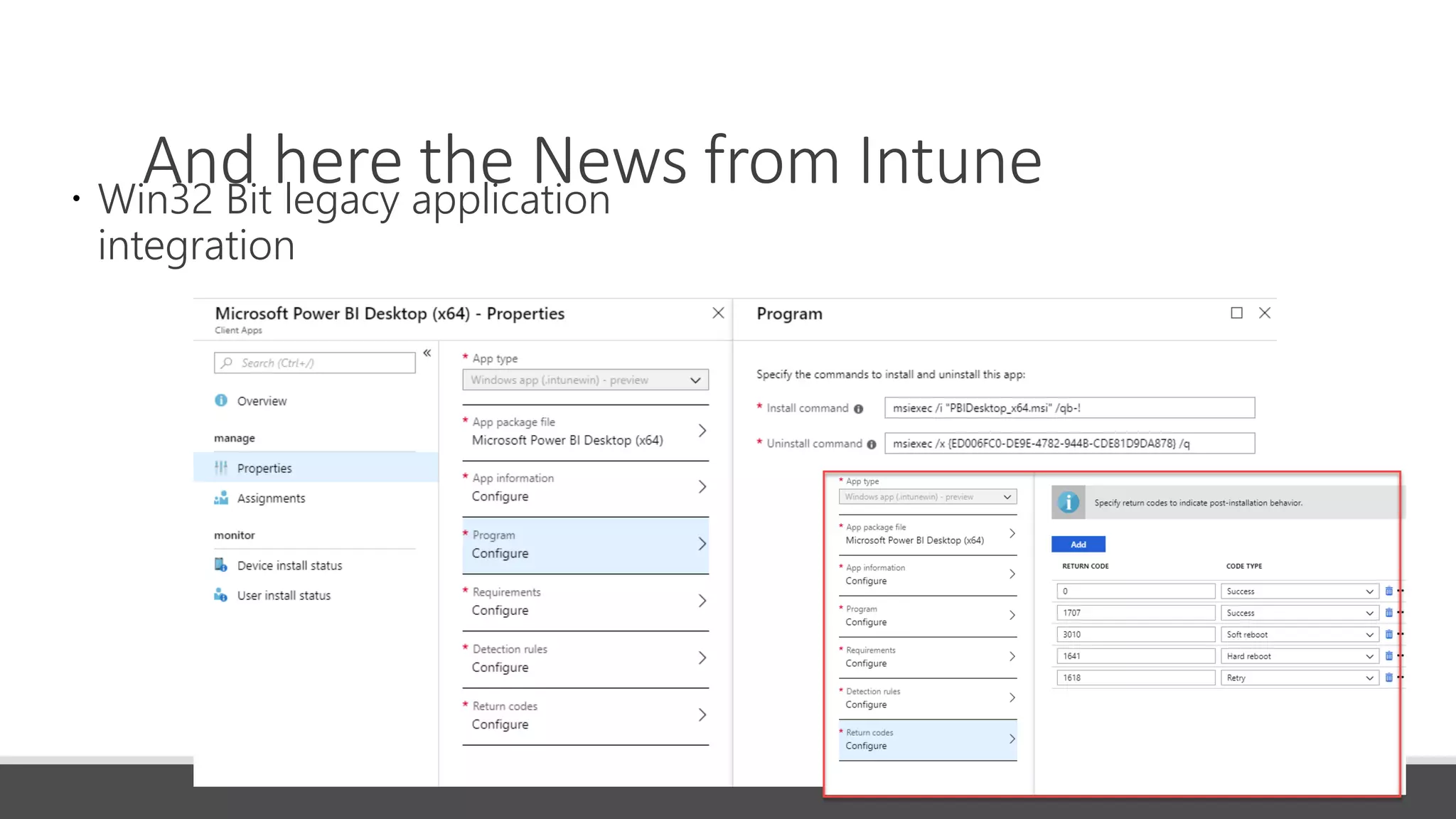
And here the News from Intune Win32 Bit legacy application
integration
DEMO Applications in Intune
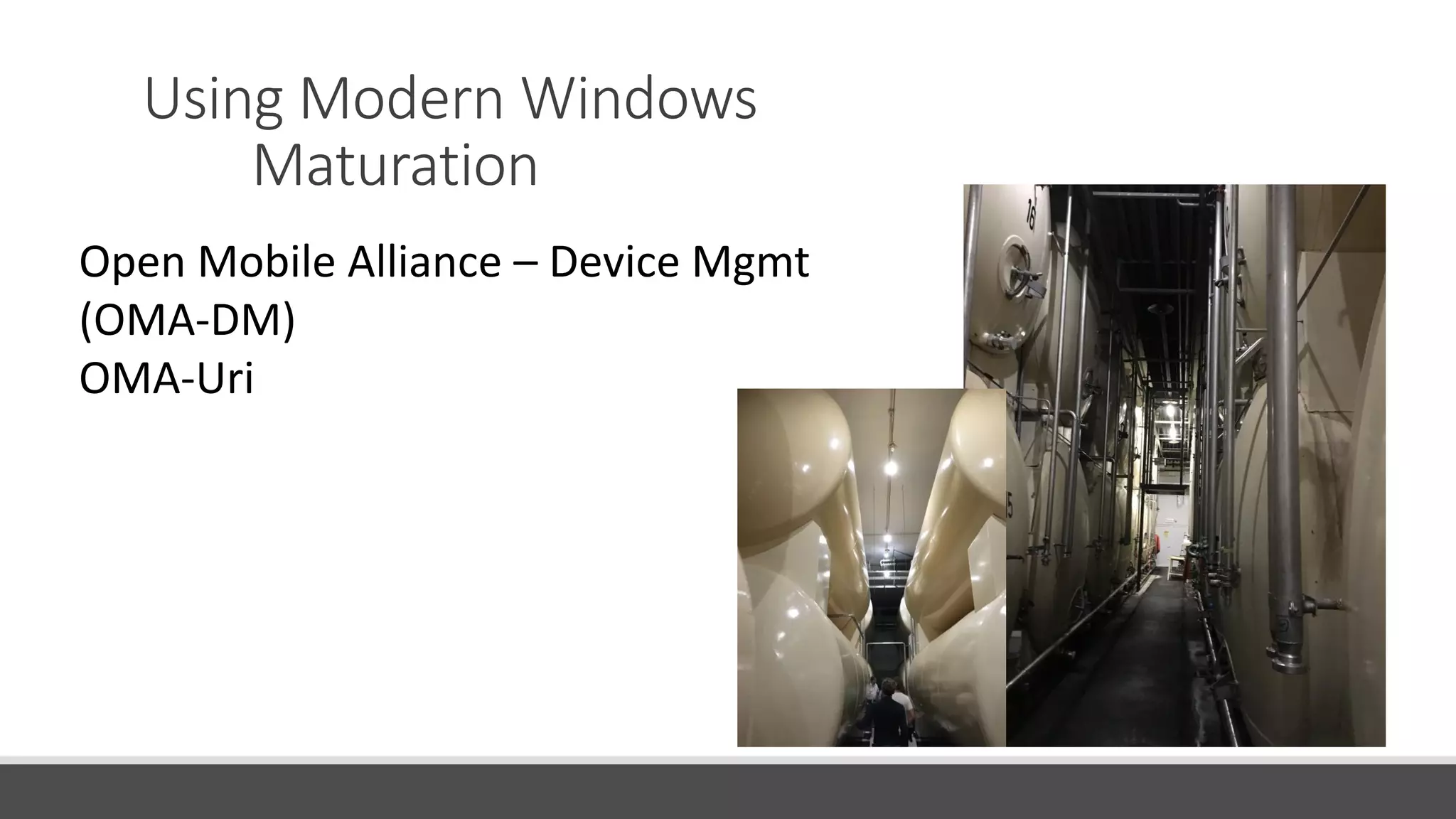
Using Modern Windows
Maturation
Open Mobile Alliance – Device Mgmt
(OMA-DM)
OMA-Uri
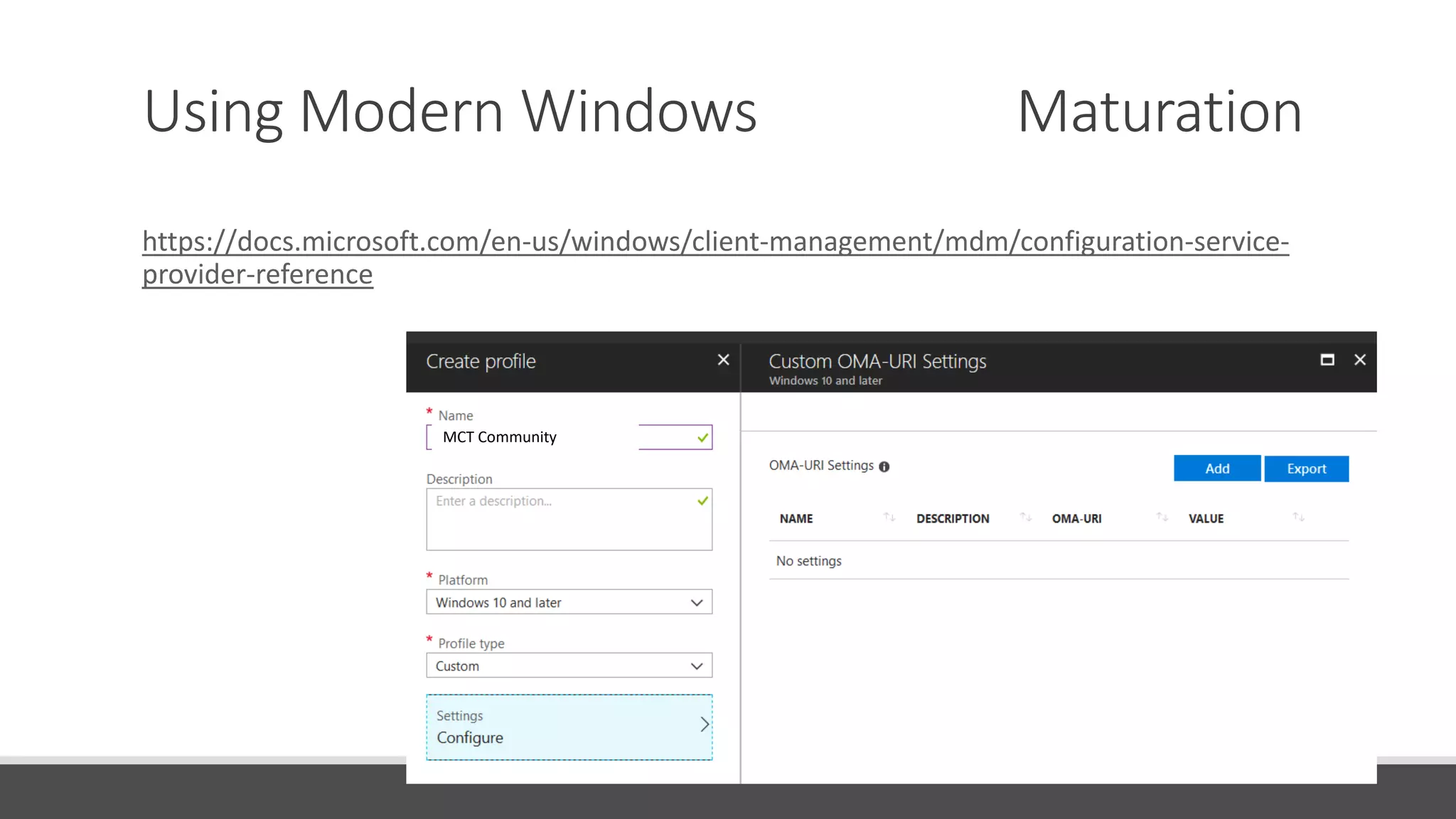
Using Modern Windows Maturation
https://docs.microsoft.com/en-us/windows/client-management/mdm/configuration-service-
provider-reference
MCT Community
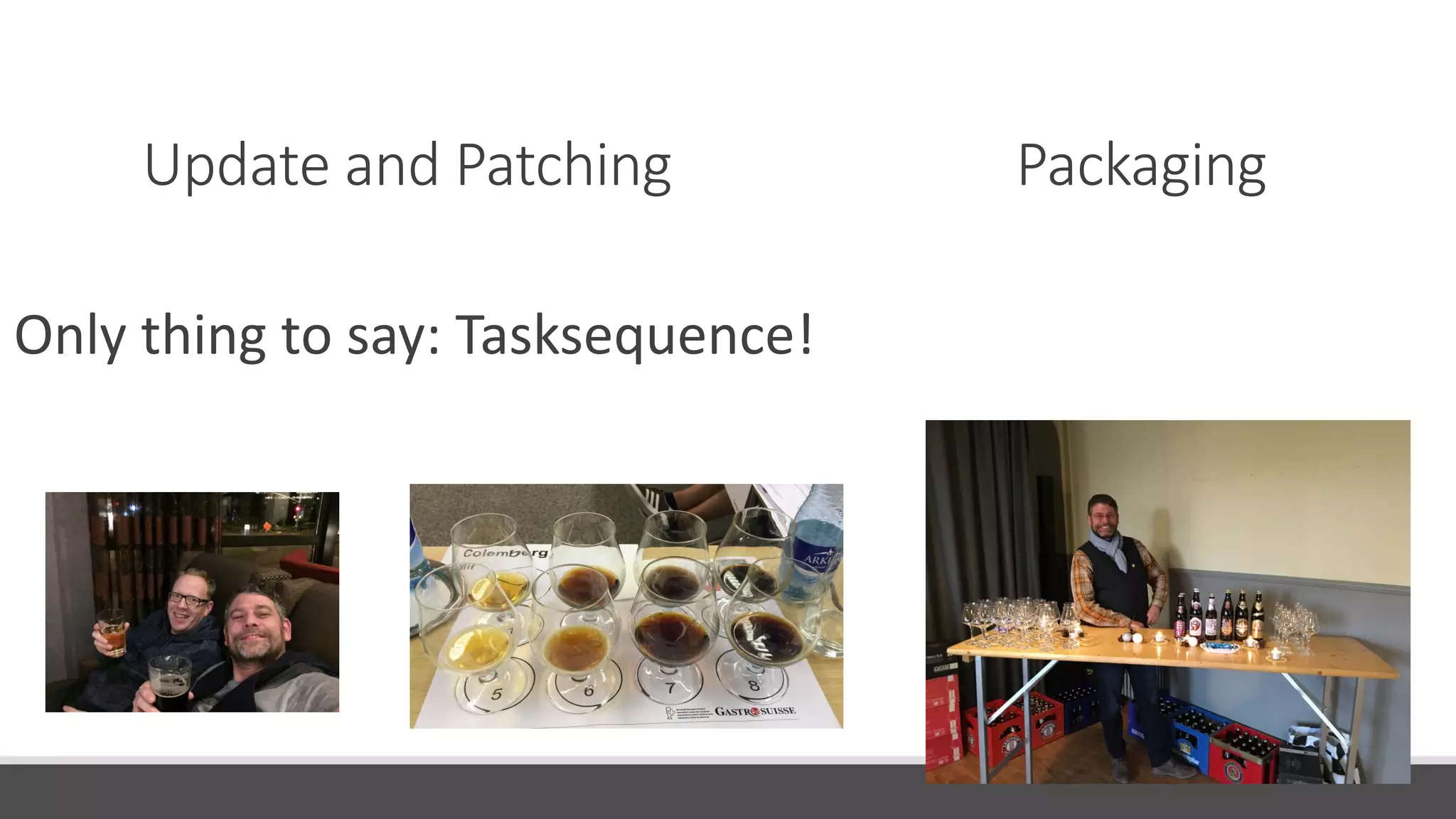
Update and Patching Packaging
Only thing to say: Tasksequence!
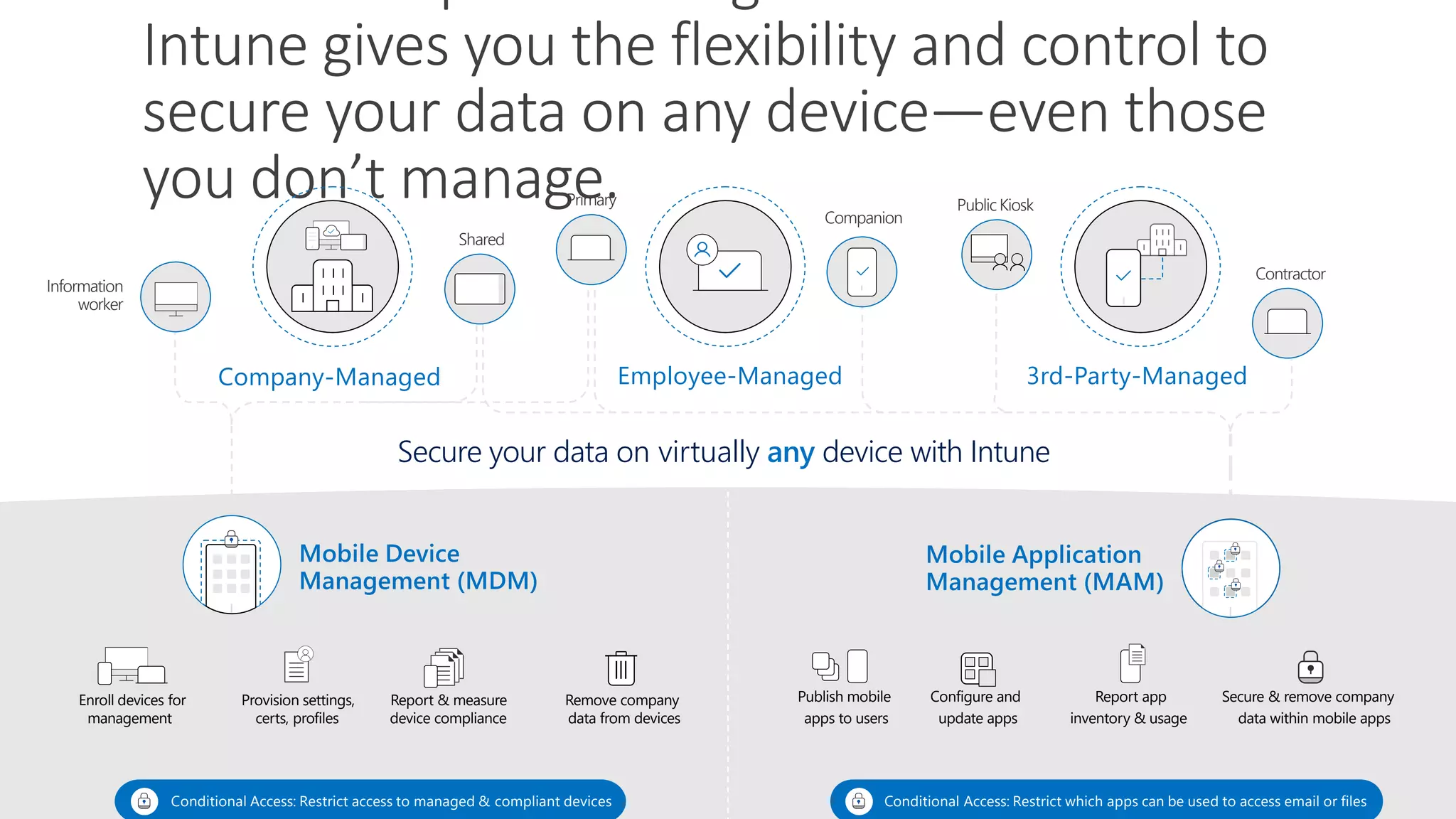
Mobile Device
Management (MDM)
Mobile Application
Management (MAM)
Conditional Access: Restrict access to managed & compliant devices Conditional Access: Restrict which apps can be used to access email or files
Secure your data on virtually any device with Intune
Intune gives you the flexibility and control to
secure your data on any device—even those
you don’t manage.
Company-Managed Employee-Managed 3rd-Party-Managed
Enroll devices for Provision settings, Report & measure Remove company Publish mobile Configure and Report app Secure & remove company
management certs, profiles device compliance data from devices apps to users update apps inventory & usage data within mobile apps
Information
worker
Shared
Primary
Companion
Public Kiosk
Contractor
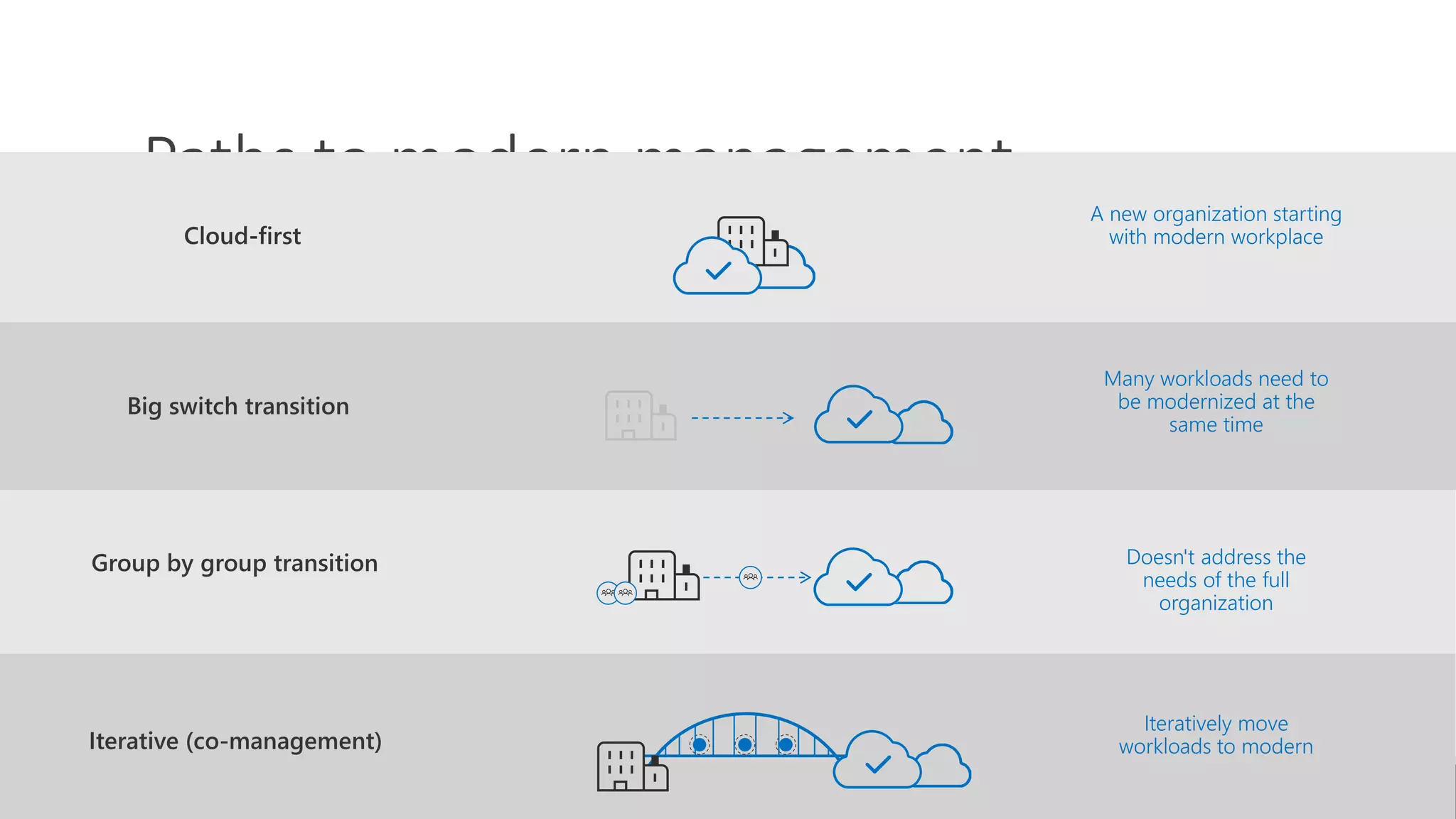
Paths to modern management
Many workloads need to
be modernized at the
same time
Doesn't address the
needs of the full
organization
Iteratively move
workloads to modern
A new organization starting
with modern workplace
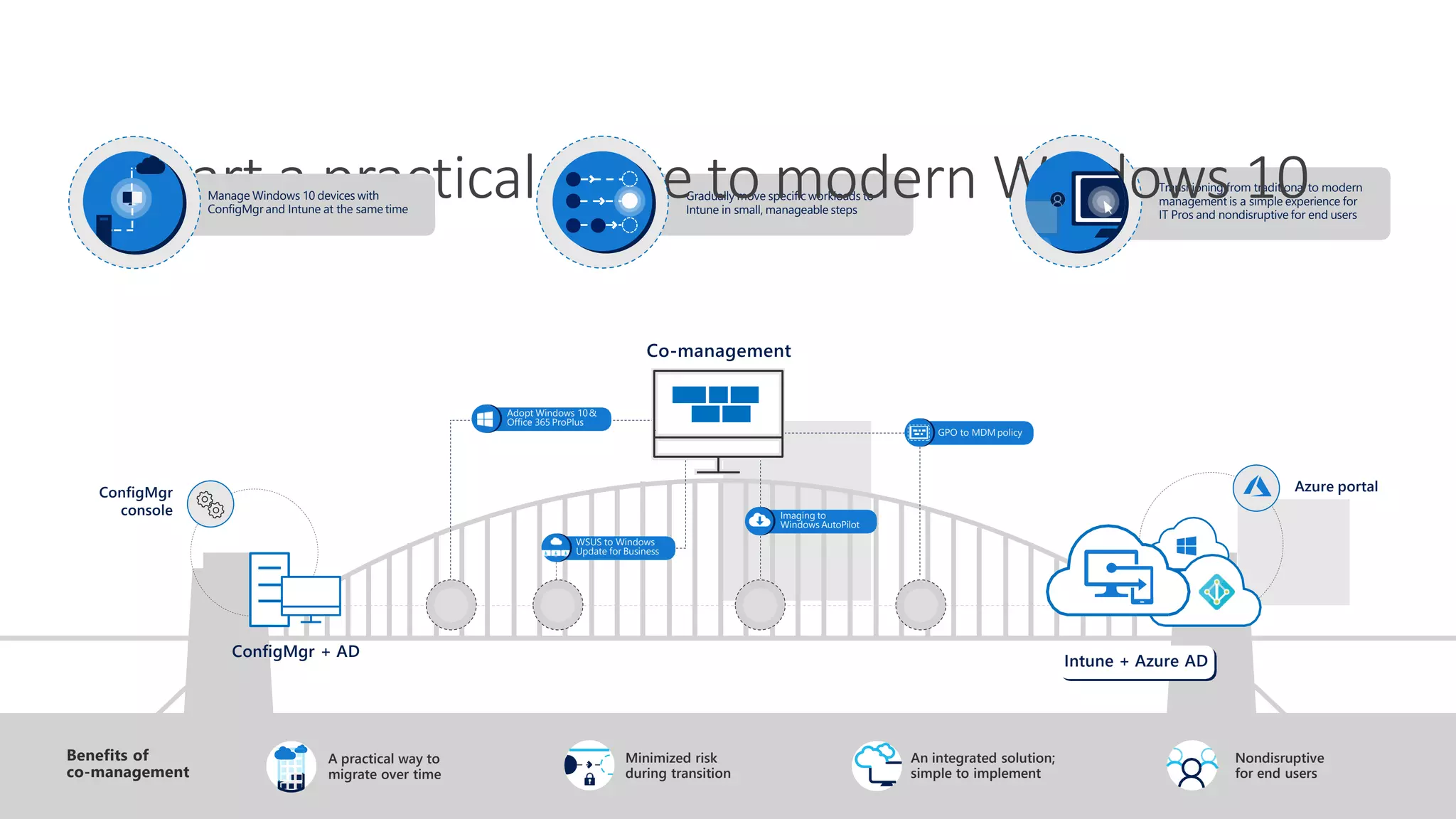
Transitioning from traditional to modern
management is a simple experience for
IT Pros and nondisruptive for end users
Gradually move specific workloads to
Intune in small, manageable steps
Start a practical move to modern Windows 10
A practical way to
migrate over time
Benefits of
co-management
Minimized risk
during transition
An integrated solution;
simple to implement
Nondisruptive
for end users
Azure portal
Co-management
ConfigMgr + AD
Intune + Azure AD
Adopt Windows 10&
Office 365 ProPlus
GPO to MDM policy
Imaging to
Windows AutoPilot
WSUS to Windows
Update for Business
Manage Windows 10 devices with
ConfigMgr and Intune at the same time
ConfigMgr
console
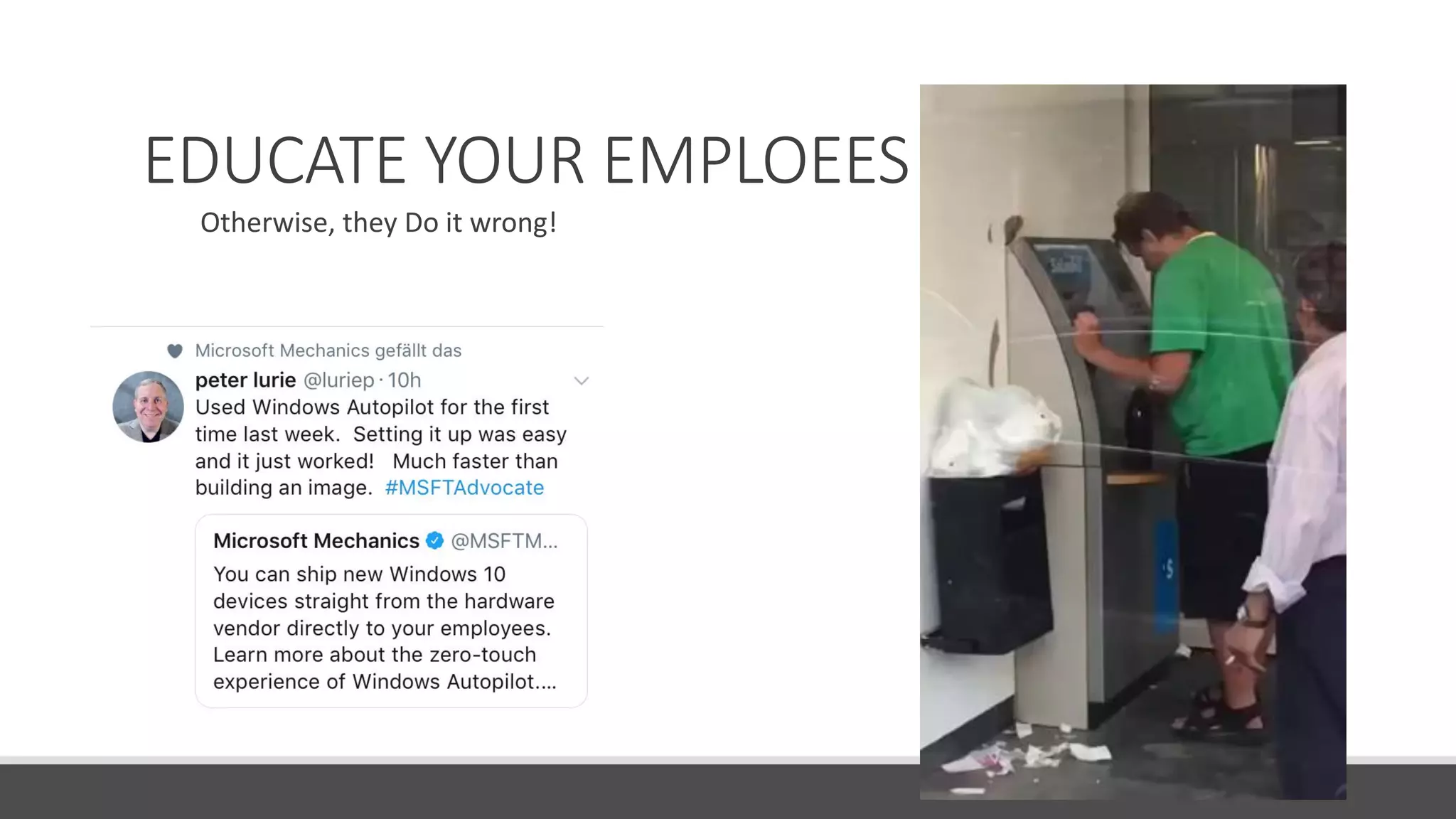
EDUCATE YOUR EMPLOEES!!!
Otherwise, they Do it wrong!
Thank you and have FUN at the conference
Do not forget Delivery Optimization,
it helps ;-)

Llunitebe2018 implement modern management as like brewing a beer

  • 1.
    Implement Modern Managementas like brewing a beer Beerko @mirkocolemberg | mirko@colemberg.ch | blog.colemberg.ch
  • 2.
  • 3.
    How to Brewbeer Equipment Homebrew vs. Brewery Water Cereals / Hops Mashing / Boiling Fermentation Maturation Packaging Statistics Process AD vs. AAD Autopilot Intune App and Application Management Using Modern Windows (OMA) Update and Patching How to go Modern
  • 4.
  • 5.
    Statistics Equipment 1. App testing2. 3. Start Using Windows Insider Builds for testing
  • 6.
  • 9.
  • 10.
    Traditional PC provisioning SE T T I N G S P O L I C I E S O F F I C E & A P P S D R I V E R S Build a custom image, gathering everything else that’s necessary to deploy Deploy image to a new computer, overwriting what was originally on it Time Money + = Every 3-4 Year a big Project to change to next Windows Version
  • 11.
    Modern PC provisioning Un-boxand turn on off-the-shelf Windows PC Transform with minimal user interaction Device is ready for productive use
  • 12.
    AD vs. AADWater If you go Modern, you go to Azure Active Directory! AAD-Connect -> Sync the Users and Groups -> PW-Hash Use AAD ◦ Naming of Groups ◦ Dynamic Groups ◦ Office Groups
  • 13.
    Autopilot Cereals /Hops Autopilot with the OEM Autopilot with the Script Auto Re-Enrollment Enrollment MOSD Enrollment with JSON Intune Portal
  • 14.
    Administering Windows Autopilot MicrosoftStore for Business Microsoft Intune Partner Center Microsoft 365 Business
  • 15.
    OOBE Challenges Non-trivial decisionmaking (Personal vs Org Owned disambig, Privacy Settings, OEM Registration) generates Helpdesk calls Time for configs and apps to install. Block access, show progress OOB account is always Admin – majority of enterprises want standard accounts on corp-owned devices OEM/Reseller Ship Off-the-shelf and Shrink-wrapped Devices Employee unboxes device, self-deploys Deliver direct to Employee
  • 16.
    Windows Autopilot overview Configure Windows Autopilotprofile Self-servicedeploy Device IDs Hardware Vendor IT Admin Ship Deliver direct to Employee Employee unboxes device, self-deploys IntuneWindows Autopilot Device sync Autopilot profile sync
  • 17.
    Hybrid Azure ADJoin through Windows Autopilot IT Admin Offline Domain Join Connector Windows Autopilot Deployment Service Employee unboxes device, self-deploys DC Intune Complete Join over corp net Receive GPOs over corp net Receive ODJ MDM enrollment Autopilot profile Hardware ID https://docs.microsoft.com/en-us/intune/windows-autopilot-hybrid
  • 18.
    OEM support forWindows Autopilot First half of CY2018: • Surface (Live now!) • Lenovo (Live now!) • Dell (Live now!) Timelines to support Windows AutoPilot Second half of CY2018: • HP (Live now!) • Panasonic • Fujitsu • Toshiba (Live now!)
  • 19.
    AVAILABLE in 1809AVAILABLEin 1809AVAILABLE in 1809AVAILABLE in 1809AVAILABLEAVAILABLE Windows Autopilot scenarios today User-driven mode Windows 10 1703 and above Join device to AAD, enroll in Intune/MDM Autopilot for existing devices Windows 10 1809 and above Windows 7 to Windows 10 ConfigMgr task sequence, followed by Windows Autopilot user-driven mode Self-deploying mode Windows 10 1809 and above No need to provide credentials, automatically joins AAD Hybrid Azure AD Join Windows 10 1809 and above Join device to AD, enroll in Intune/MDM Windows Autopilot reset - local Windows 10 1709 and above Join device to AAD, enroll in Intune/MDM Windows Autopilot reset - remote Windows 10 1809 and above Execute a device reset via Intune and maintain AAD join and MDM enrollment AVAILABLE in 1809AVAILABLE in 1809AVAILABLE in 1809AVAILABLEAVAILABLE
  • 20.
  • 21.
    Azure Services weneedAzure Active Directory Configure automatic MDM enrollment Configure Company Branding Enable Windows Subscription Activation if desired Ensure users can join devices to Azure AD (for user-driven mode) Intune: Enable the enrollment status page Ensure users can enroll devices in Intune (Optional) New! Set up enrollment restrictions so only Autopilot-registered devices can enroll See https://docs.microsoft.com/en-us/windows/deployment/windows-autopilot/windows-autopilot- requirements-configuration for more information
  • 22.
  • 23.
    Intune Enrollment StatusPage (preview) Intune Mashing / Boiling
  • 24.
    Intune Mashing /Boiling Get the Device Info in Intune from SCCM 1802
  • 25.
    Intune Mashing /Boiling Get the Device Info on Existing Devices with Powershell
  • 26.
  • 27.
    Autopilot with AzureServicesBlog from Mirko Colemberg http://blog.colemberg.ch/2018/07/windows-autopilot-full-automation-for- devices-where-you-dont-have-the-hashid-new-or-existing/
  • 28.
    Autopilot with OS-Deployment(mOSD)Blog from Roger Zander http://rzander.azurewebsites.net/modern-os-deployment-mosd/
  • 29.
    App and ApplicationManagement / Fermentation
  • 30.
    App and ApplicationManagement / Fermentation
  • 31.
    3rd party utilities ◦Syntaro (http://www.syntaro.com/module/appmanager/) ◦ RuckZuck (http://ruckzuck.tools) ◦ chocolatey.org ◦ Azure storage WSfB Company Portal LOB Appx Run PowerShell Win32 Applications App and Application Management / Fermentation
  • 32.
    Desktop App Converter 1.Install base image and reboot: ◦ desktopappconverter.exe -setup -baseimage 'C:BaseWindows_InsiderPreview_DAC_16299.wim‘ ◦ Current OS must match the base image version! 2. Create .appx file: desktopappconverter -installer 'C:appssetup.exe' -InstallerArguments "/s" -Destination c:appx -PackageName “App.UWP" -Publisher "CN=ProTrainITDemo, O=ProTrainIT, C=FI" -Version 1.0.0.0 –MakeAppx ◦ Package name: 3-50 chars, alpha-numeric, period, and dash characters. 3. Sign appx SignTool sign /fd sha256 /a /f c:softatcert.pfx /p Password1 c:softatSoftaUWP.appx Publisher must match the identity of the certificate! S
  • 33.
    Assigning LOB software Available/Required/Uninstall ◦Targeted user group/device group State-based installation ◦ 7 day interval for re-installation Note: Available for dynamic groups
  • 34.
    And here theNews from Intune Win32 Bit legacy application integration
  • 35.
  • 36.
    Using Modern Windows Maturation OpenMobile Alliance – Device Mgmt (OMA-DM) OMA-Uri
  • 37.
    Using Modern WindowsMaturation https://docs.microsoft.com/en-us/windows/client-management/mdm/configuration-service- provider-reference MCT Community
  • 38.
    Update and PatchingPackaging Only thing to say: Tasksequence!
  • 39.
    Mobile Device Management (MDM) MobileApplication Management (MAM) Conditional Access: Restrict access to managed & compliant devices Conditional Access: Restrict which apps can be used to access email or files Secure your data on virtually any device with Intune Intune gives you the flexibility and control to secure your data on any device—even those you don’t manage. Company-Managed Employee-Managed 3rd-Party-Managed Enroll devices for Provision settings, Report & measure Remove company Publish mobile Configure and Report app Secure & remove company management certs, profiles device compliance data from devices apps to users update apps inventory & usage data within mobile apps Information worker Shared Primary Companion Public Kiosk Contractor
  • 40.
    Paths to modernmanagement Many workloads need to be modernized at the same time Doesn't address the needs of the full organization Iteratively move workloads to modern A new organization starting with modern workplace
  • 41.
    Transitioning from traditionalto modern management is a simple experience for IT Pros and nondisruptive for end users Gradually move specific workloads to Intune in small, manageable steps Start a practical move to modern Windows 10 A practical way to migrate over time Benefits of co-management Minimized risk during transition An integrated solution; simple to implement Nondisruptive for end users Azure portal Co-management ConfigMgr + AD Intune + Azure AD Adopt Windows 10& Office 365 ProPlus GPO to MDM policy Imaging to Windows AutoPilot WSUS to Windows Update for Business Manage Windows 10 devices with ConfigMgr and Intune at the same time ConfigMgr console
  • 42.
  • 43.
    Thank you andhave FUN at the conference Do not forget Delivery Optimization, it helps ;-)