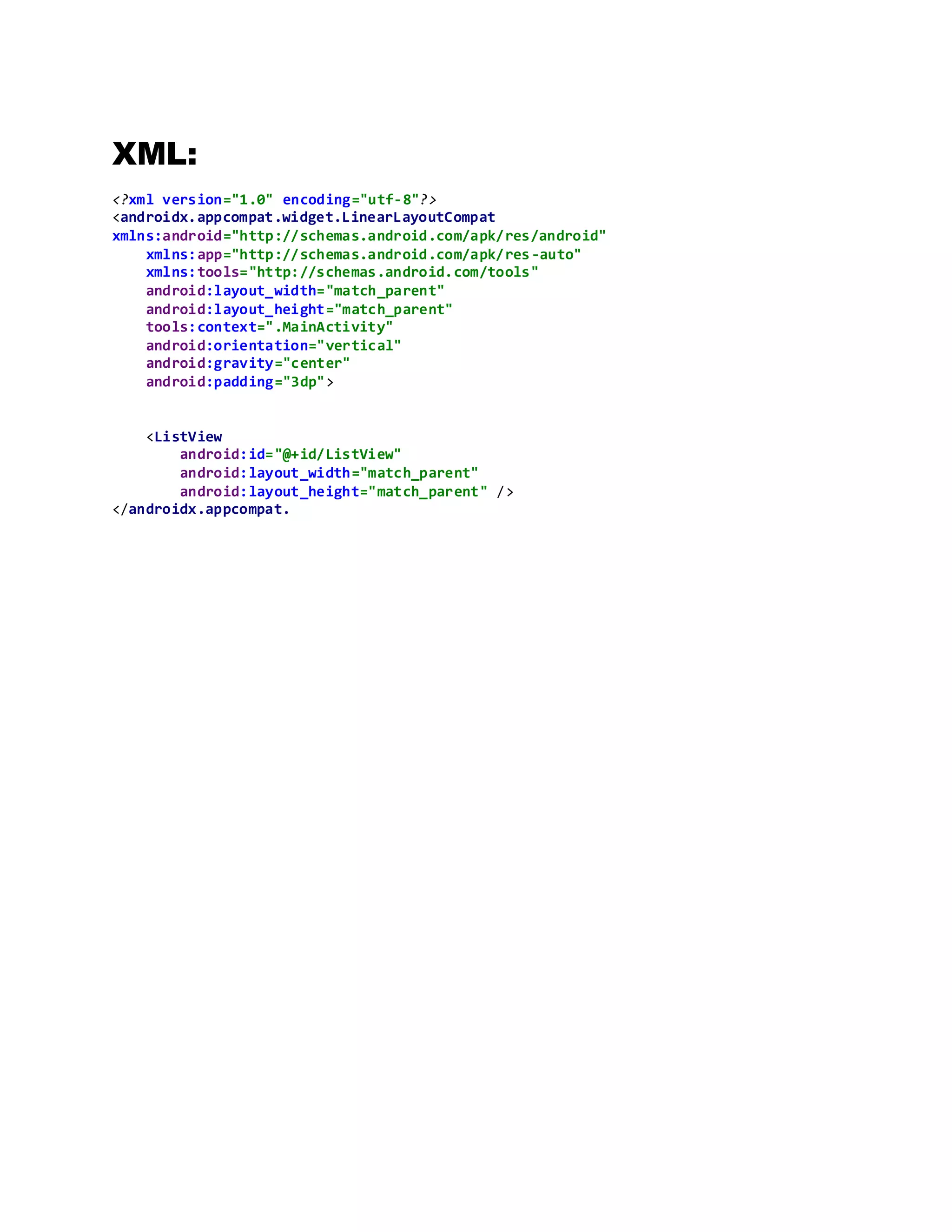
The document contains code for creating a simple list view in an Android application. It includes Java code to define an array of string items for the list, instantiate a ListView object, set an ArrayAdapter to populate the list with the string array items, and attach an onClick listener. It also includes XML layout code which defines a vertical LinearLayout containing the ListView with id and dimensions set to match the parent layout.
![List view:
Java:
package com.example.listview2;
import androidx.appcompat.app.AppCompatActivity;
import android.os.Bundle;
import android.view.View;
import android.widget.AdapterView;
import android.widget.ArrayAdapter;
import android.widget.ListView;
import android.widget.Toast;
public class MainActivity extends AppCompatActivity {
ListView itemList;
String[] languageitem={"C++","C#","C","python","PHP","HTML","COBOL","BASIC"};
private Object AdapterView;
@Override
protected void onCreate(Bundle savedInstanceState) {
super.onCreate(savedInstanceState);
setContentView(R.layout.activity_main);
itemList = (ListView) findViewById(R.id.ListView);
ArrayAdapter<String> adapter=new
ArrayAdapter<String>(this,android.R.layout.simple_list_item_1,languageitem);
itemList.setAdapter(adapter);
}
}](https://image.slidesharecdn.com/listviewlanguages-200818064832/75/List-view-languages-1-2048.jpg)


![ListView and Custom ListView on Android Development [Thai]](https://cdn.slidesharecdn.com/ss_thumbnails/customlistviewpresentation-150219011101-conversion-gate02-thumbnail.jpg?width=640&height=640&fit=bounds)


![Vibe Coding vs. Spec-Driven Development [Free Meetup]](https://cdn.slidesharecdn.com/ss_thumbnails/vibecodingvsspecdrivendevelopment-251209105622-43f455e7-thumbnail.jpg?width=640&height=640&fit=bounds)
