You Have A LinkedIn 
Account Now What?! 
Lisa Miller, UOP Faculty, LMFT
Learning Objectives 
 Highlight professional strengths and 
uniqueness directly onto participants 
LinkedIn profile 
 Develop online networking skills by making 
the right connections and joining 
professional groups 
 Learn how to increase profile visitors by 
posting articles or status updates 
 Learn about important privacy setting 
options.
The Basics 
 Headshot 
 Headline 
 Summary 
 Experience 
 Including Recommendations
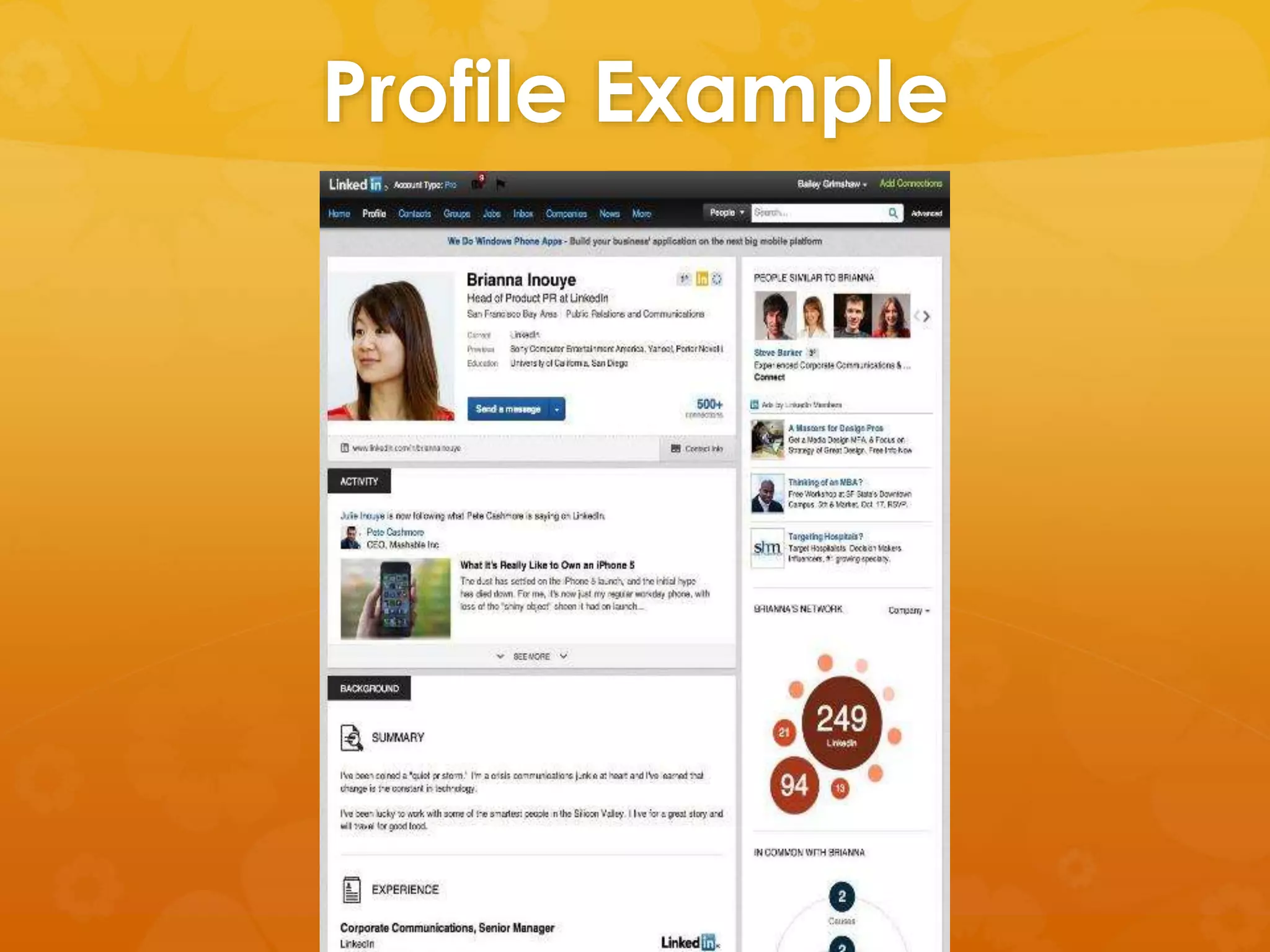
Profile Example
Headshot 
 Use a professional that will help you look 
your best 
 Wear comfortable clothes that are new or 
look new 
 Avoid alcohol and/or drugs the day of or 
night before photo is taken 
 Drink lots of water and be well rested
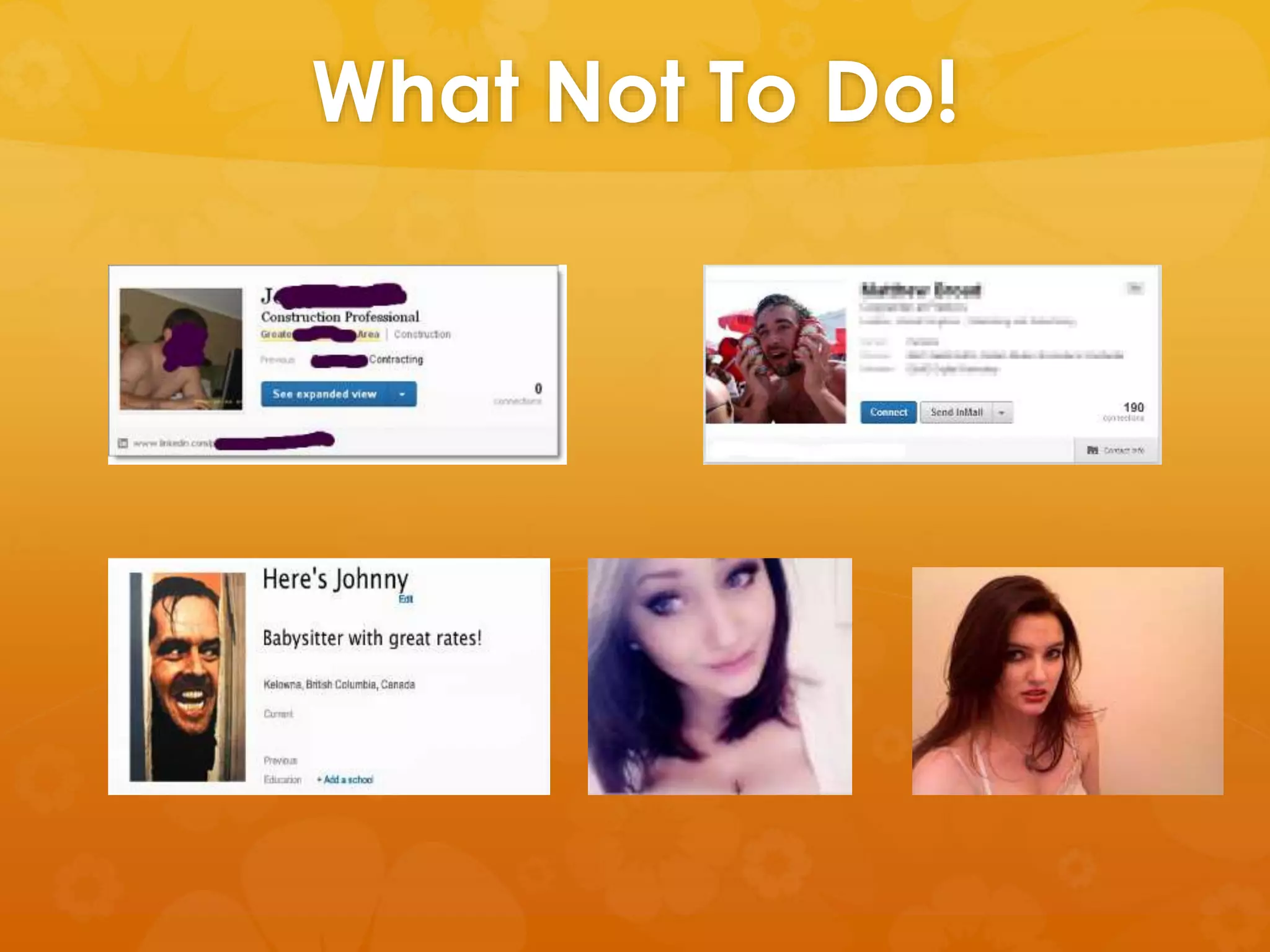
What Not To Do!
Headline 
 Found directly under your name 
 This is your professional identity 
 Hook the reader! 
 Don’t just list your most recent position 
 Use key-words for search engine 
optimization
Headline Examples 
 CA LMFT, Certified Trauma Consultant, 
Professor, Art Therapy Community Organizer 
 Founder & CEO, Speaker, Product Design & 
Development, Change Agent 
 Social Media and Content Marketing, 
Author,
Summary 
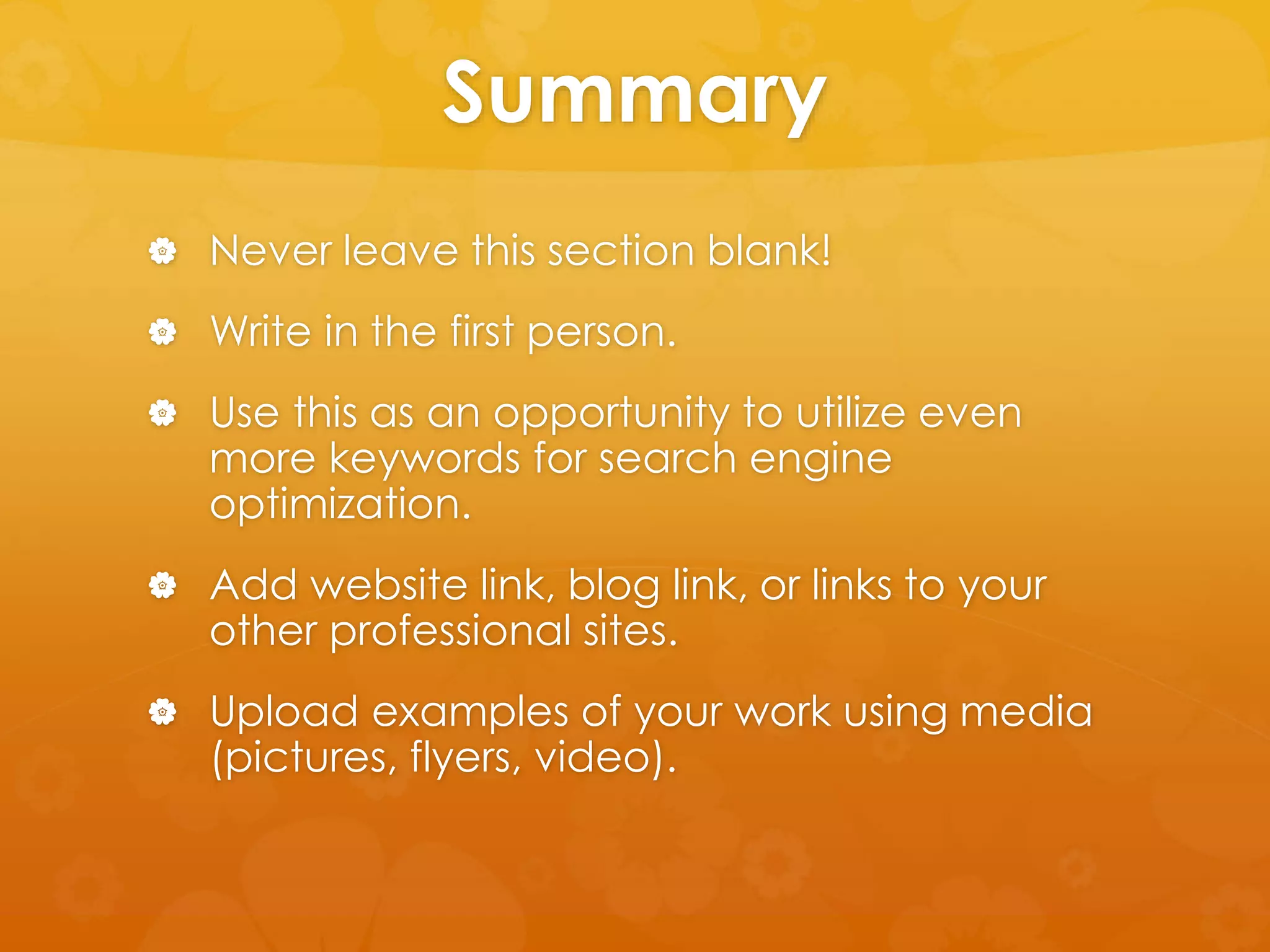
 Never leave this section blank! 
 Write in the first person. 
 Use this as an opportunity to utilize even 
more keywords for search engine 
optimization. 
 Add website link, blog link, or links to your 
other professional sites. 
 Upload examples of your work using media 
(pictures, flyers, video).
Experience 
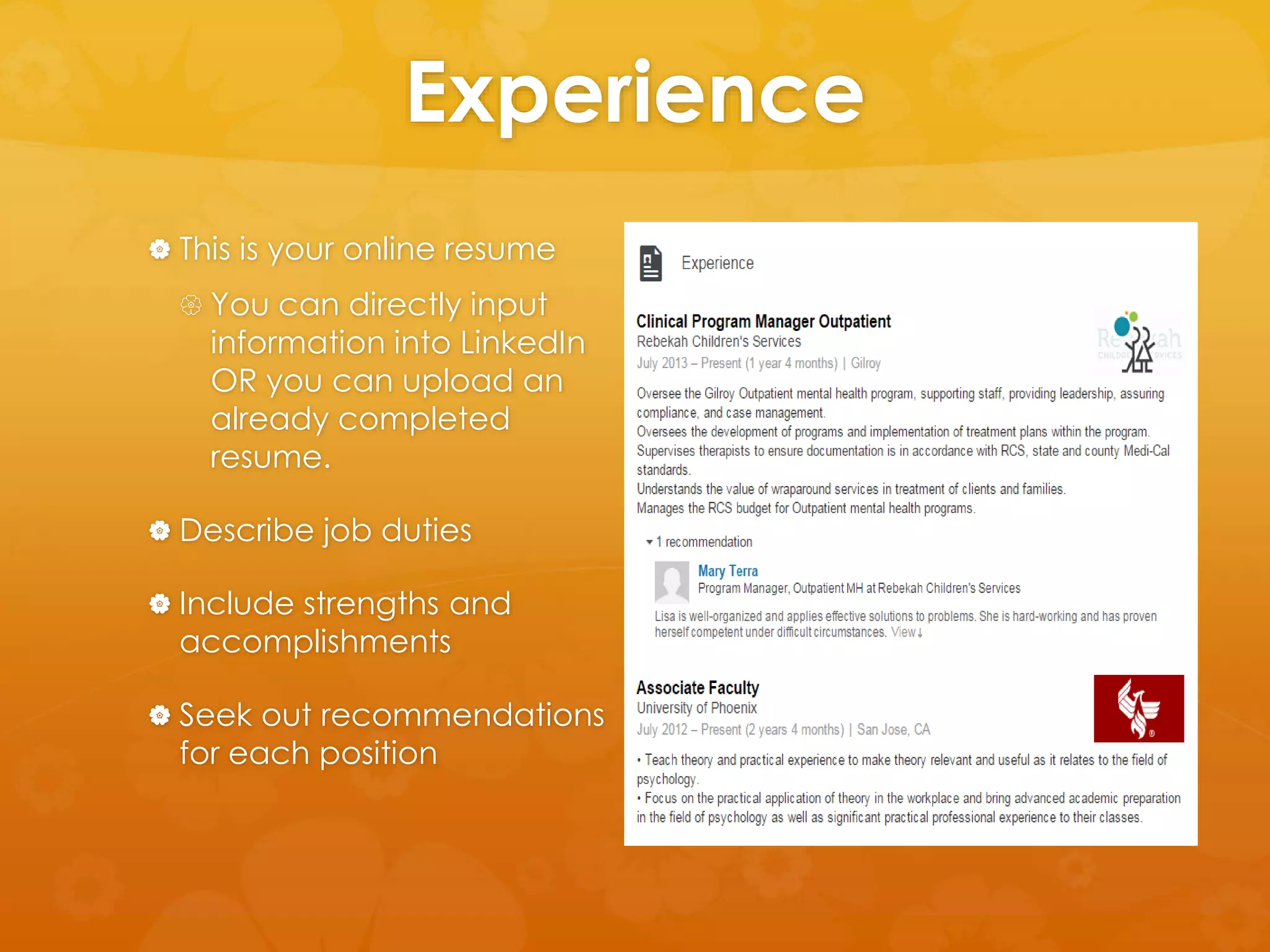
 This is your online resume 
 You can directly input 
information into LinkedIn 
OR you can upload an 
already completed 
resume. 
 Describe job duties 
 Include strengths and 
accomplishments 
 Seek out recommendations 
for each position
Experience: 
Getting Recommendations 
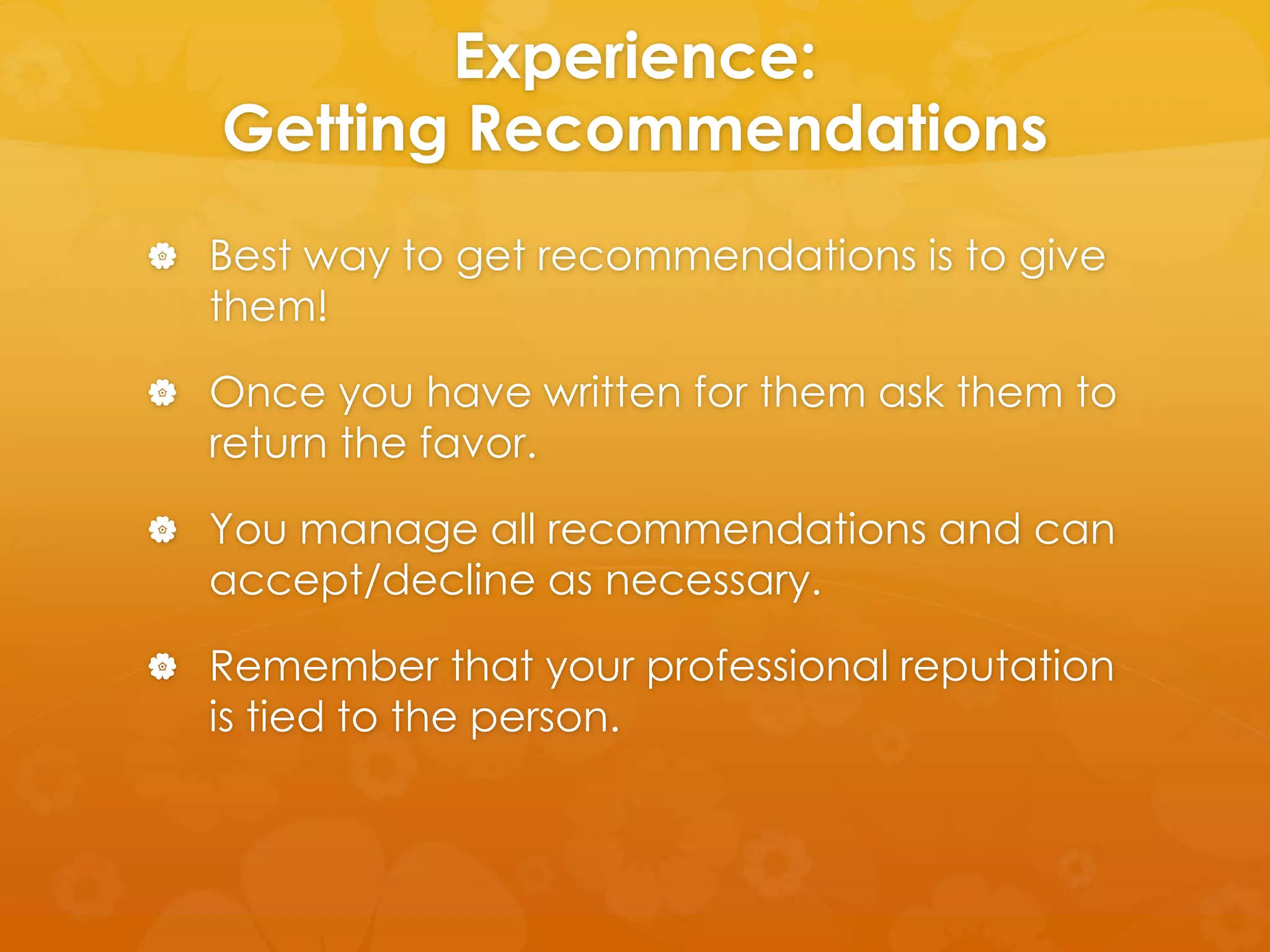
 Best way to get recommendations is to give 
them! 
 Once you have written for them ask them to 
return the favor. 
 You manage all recommendations and can 
accept/decline as necessary. 
 Remember that your professional reputation 
is tied to the person.
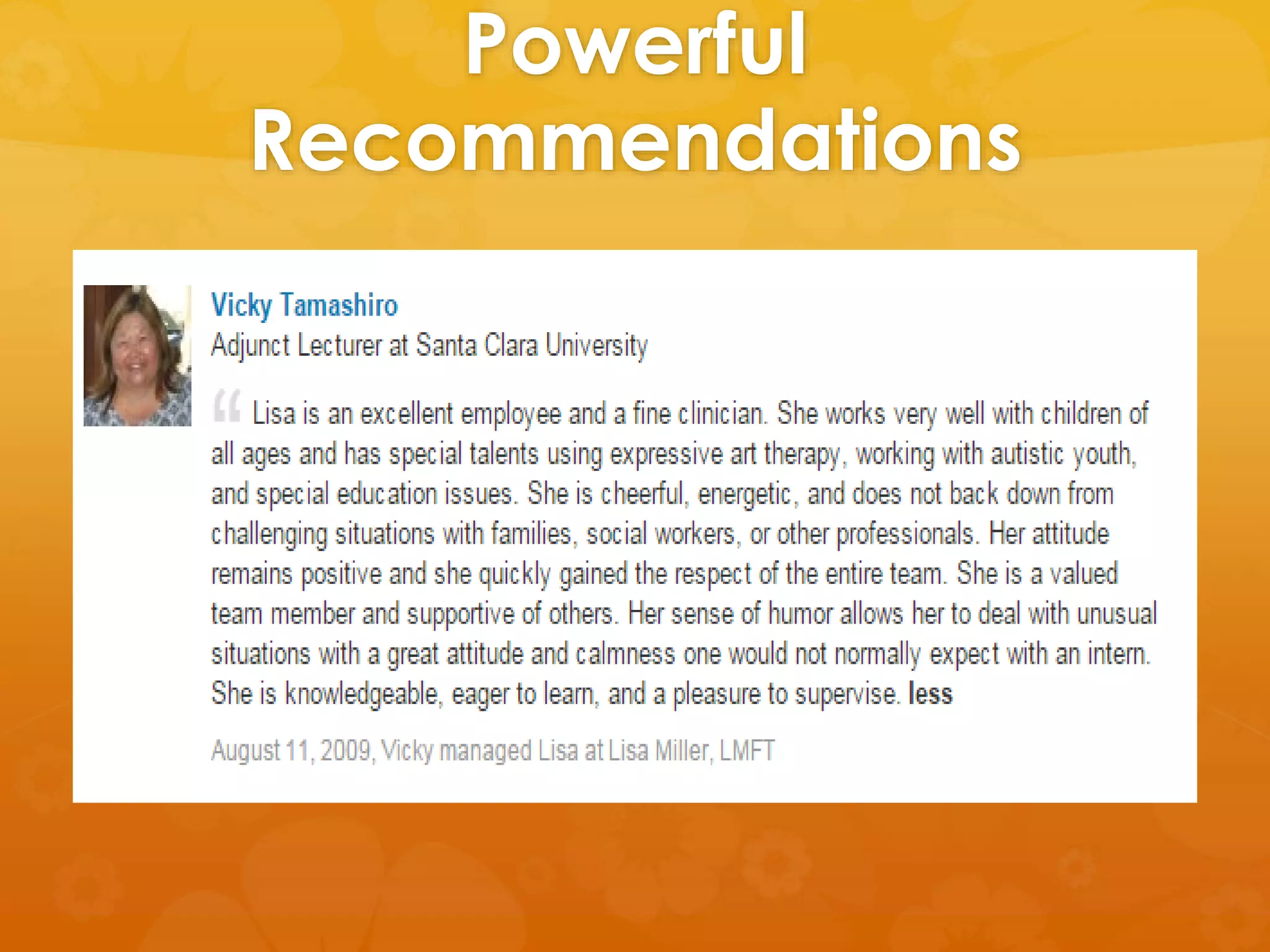
Powerful 
Recommendations
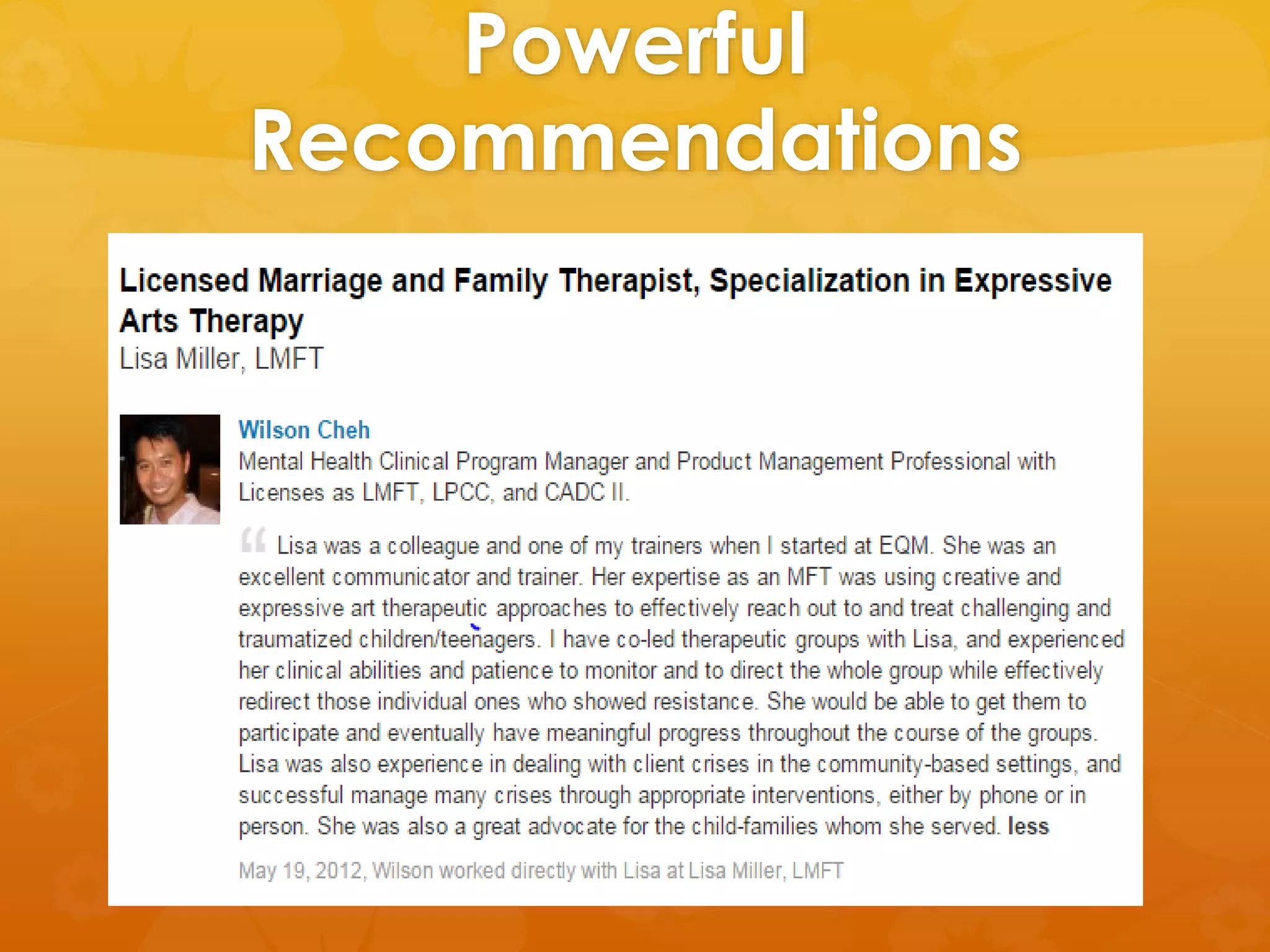
Recommendation Writing Tips 
 Grab readers attention 
 Describe your relationship 
 Share stand out traits/strengths 
 Insight into their personality 
 End with a short, sweet, solid statement to 
seal the deal
Powerful 
Recommendations
Networking 
 Connect with current and former 
colleagues 
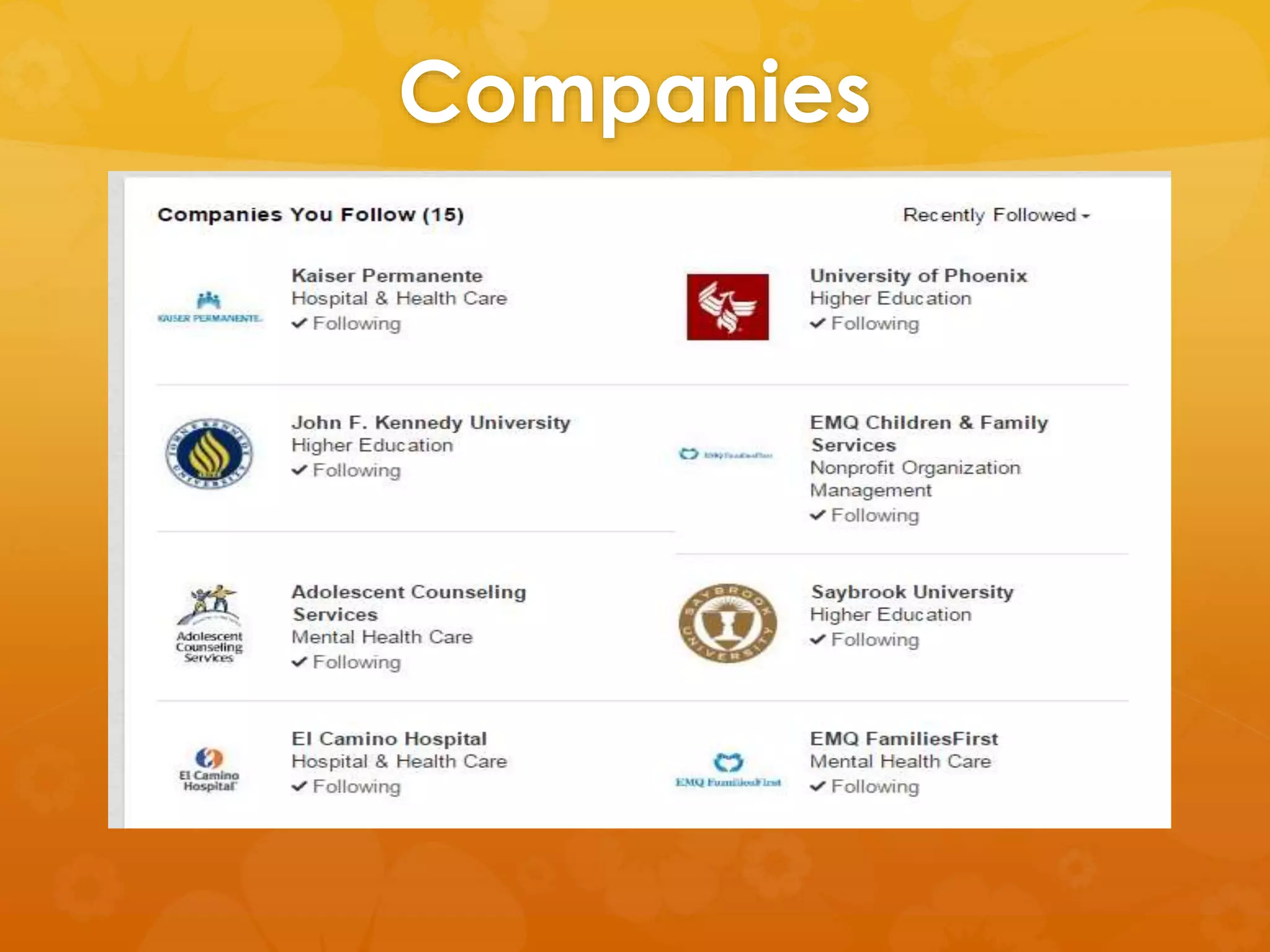
 Follow company’s that you have a business 
relationship with or would like to eventually 
work for 
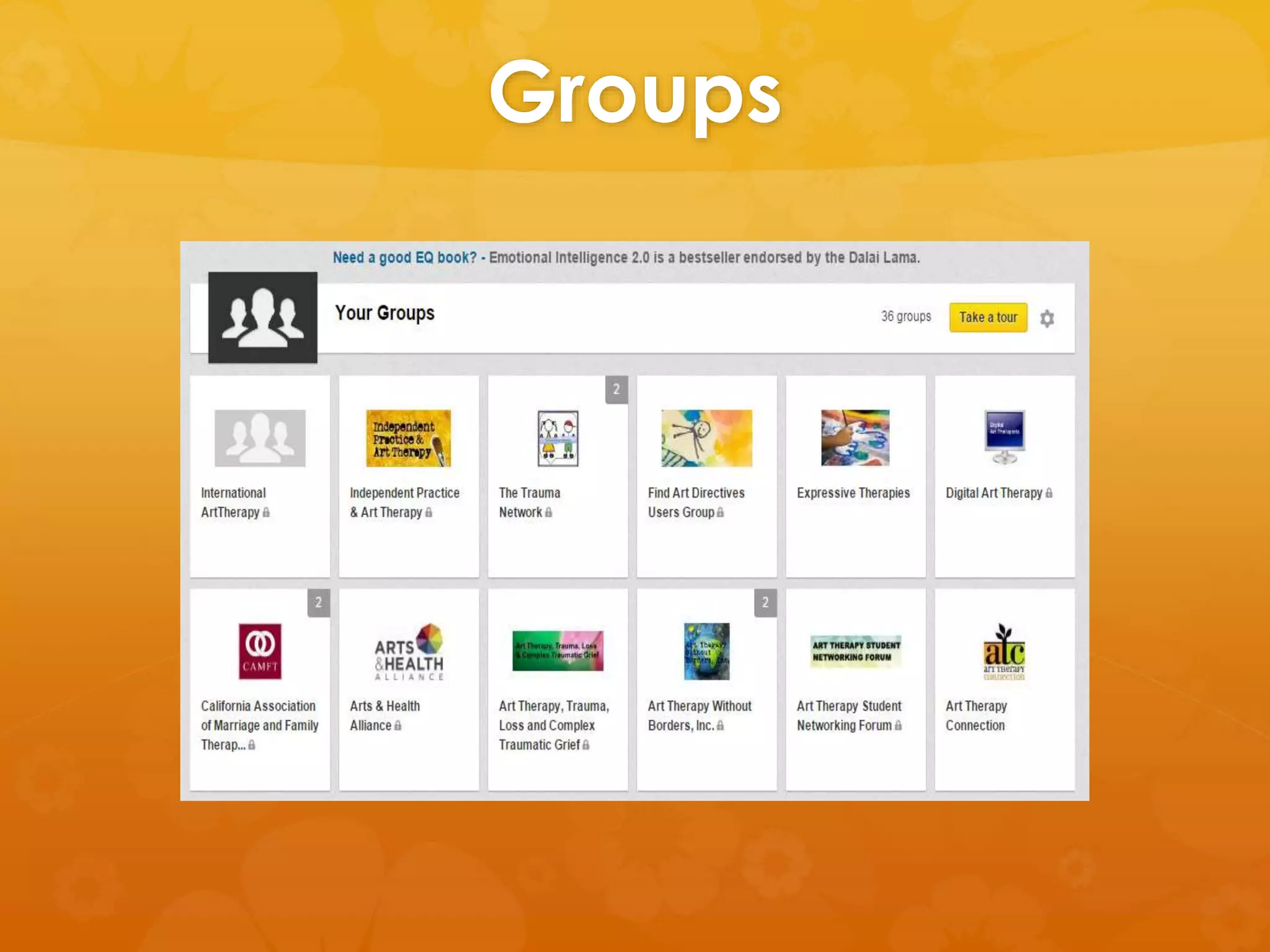
 Join LinkedIn Groups related to your business 
or future career interests
Groups
Companies
Stay Visible 
 Share articles and videos of interest 
 Post status updates about business and/or 
professional success 
 Participate in discussions 
 Connect your other professional social 
media sites
LinkedIn Privacy Settings 
 Public Profile 
 To restrict what viewers see go to the Profile 
Settings section and uncheck the profile 
features that you don’t want displayed 
publically. 
 Feed visibility 
 Visible to everyone, only those in your 
network, only direct connections, or nobody 
(feed won’t be displayed).
LinkedIn Privacy Settings 
 Twitter Settings 
 Go to profile settings and chose twitter 
settings. 
 Add/Remove twitter accounts and decide 
what tweets you want to share. 
 Hashtag #in allows only these updates to 
feed into twitter.
Questions/Comments

Professional Benefits of Linkedin

  • 1.
    You Have ALinkedIn Account Now What?! Lisa Miller, UOP Faculty, LMFT
  • 2.
    Learning Objectives Highlight professional strengths and uniqueness directly onto participants LinkedIn profile  Develop online networking skills by making the right connections and joining professional groups  Learn how to increase profile visitors by posting articles or status updates  Learn about important privacy setting options.
  • 3.
    The Basics Headshot  Headline  Summary  Experience  Including Recommendations
  • 4.
  • 5.
    Headshot  Usea professional that will help you look your best  Wear comfortable clothes that are new or look new  Avoid alcohol and/or drugs the day of or night before photo is taken  Drink lots of water and be well rested
  • 6.
  • 7.
    Headline  Founddirectly under your name  This is your professional identity  Hook the reader!  Don’t just list your most recent position  Use key-words for search engine optimization
  • 8.
    Headline Examples CA LMFT, Certified Trauma Consultant, Professor, Art Therapy Community Organizer  Founder & CEO, Speaker, Product Design & Development, Change Agent  Social Media and Content Marketing, Author,
  • 9.
    Summary  Neverleave this section blank!  Write in the first person.  Use this as an opportunity to utilize even more keywords for search engine optimization.  Add website link, blog link, or links to your other professional sites.  Upload examples of your work using media (pictures, flyers, video).
  • 10.
    Experience  Thisis your online resume  You can directly input information into LinkedIn OR you can upload an already completed resume.  Describe job duties  Include strengths and accomplishments  Seek out recommendations for each position
  • 11.
    Experience: Getting Recommendations  Best way to get recommendations is to give them!  Once you have written for them ask them to return the favor.  You manage all recommendations and can accept/decline as necessary.  Remember that your professional reputation is tied to the person.
  • 12.
  • 13.
    Recommendation Writing Tips  Grab readers attention  Describe your relationship  Share stand out traits/strengths  Insight into their personality  End with a short, sweet, solid statement to seal the deal
  • 14.
  • 15.
    Networking  Connectwith current and former colleagues  Follow company’s that you have a business relationship with or would like to eventually work for  Join LinkedIn Groups related to your business or future career interests
  • 16.
  • 17.
  • 18.
    Stay Visible Share articles and videos of interest  Post status updates about business and/or professional success  Participate in discussions  Connect your other professional social media sites
  • 19.
    LinkedIn Privacy Settings  Public Profile  To restrict what viewers see go to the Profile Settings section and uncheck the profile features that you don’t want displayed publically.  Feed visibility  Visible to everyone, only those in your network, only direct connections, or nobody (feed won’t be displayed).
  • 20.
    LinkedIn Privacy Settings  Twitter Settings  Go to profile settings and chose twitter settings.  Add/Remove twitter accounts and decide what tweets you want to share.  Hashtag #in allows only these updates to feed into twitter.
  • 21.

Editor's Notes

  • #4 Have participants take out PDF of LinkedIn Profile to follow along and/or begin filling in.
  • #6 http://www.headshot-photos.com/tips_for_business_portraits.php What to wear - Men: The standard business look is a suit jacket, dress shirt and tie A casual business look is often a jacket and open dress shirt, shirt and tie (no jacket), or dress shirt on it's own Polo shirts are a good look for some businesses. Be sure the shirt is in good condition and fits well For a no-jacket casual look, bring colored shirts - ideally darker than your skin tone A white dress shirt by itself is a bad idea - unless you plan to wear it underneath something (jacket or sweater) Bring a few different jackets, shirt colors and ties so we have choices for the photo What to wear - Women: Avoid big prints and busy patterns Different necklines will change the apparent shape of your face. Bring a variety different shirts/blouses to see what works best For a no-jacket casual look, bring various colored blouses - ideally darker than your skin tone Be stylish and fashionable, but remember the picture is about your face and not your clothes Remember: Select and wear clothes that make you feel comfortable. Select something that makes you look and feel good. Jewelry: Keep jewelry extremely simple - small is better Avoid jewelry that would distract from your face or that looks dated The picture is about your face, not your jewelry Be prepared to remove facial piercings or multiple ear piercings
  • #8 Here are a few things to consider when creating your winning headline: Three or four keywords that represent what you do. Three or four keywords others use when needing your services. How are you different from others with the same job title? Identify what decision-makers care about when they hire someone like you. Be specific. Use a human voice. https://www.linkedin.com/pulse/article/20140508125335-96757-craft-a-powerful-linkedin-professional-headline
  • #14 Kathy would be an asset to any team
  • #16 You can do this by searching their names, allowing LinkedIn to explore your contact lists (this will email LinkedIn invites to everyone), exploring connections of colleagues/friends/family This allows you to see who they are connected to, what advances/direction the company is making, what groups employees of the company are part of, and essentially find out the needs of the company as well as how you can fill those needs. Pick top 3-5 groups that relate to your target demographic, contribute to the most popular discussions in order to be “seen”, start your own discussions/group, keep your topics/discussions going by commenting back to responders
  • #20 www.linkedin.com/profile/view?id=41001021&trk=nav_responsive_tab_profile