By Irina Shamaeva,
 Partner, Chief Sourcer, Brain Gain Recruiting
 http://www.linkedin.com/in/irinashamaeva
                  http://twitter.com/braingain
             http://bit.ly/gplus-irinashamaeva
              Blog: http://booleanstrings.com
Certification http://sourcingcertification.com
 eGrabberTM data capture software
quickly capture and process
 unstructured data
 such as Sales Leads, Resumes, etc.

http://www.egrabber.com
 LinkedIn: Bird’s Eye View
   • Global Statistics
 The Basics
   • Concepts
   • Basic vs. Paid Accounts
   • Best Practices
 From a Job Description to      Identifying and
 Contacting Candidates
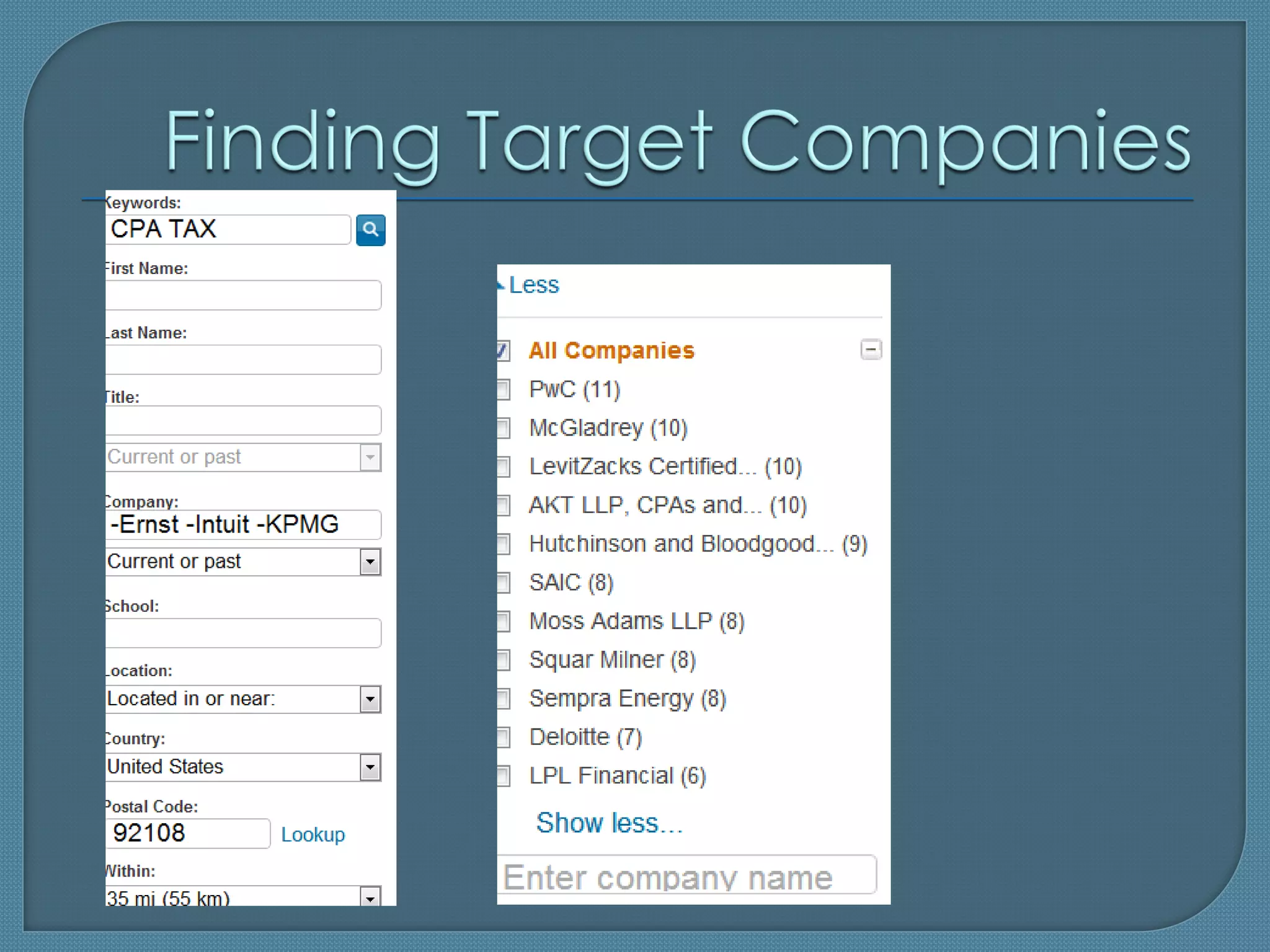
  • Research on LinkedIn: Identifying Competitors
  • The Proper Use of the People Search Dialog
  • Messaging and InMailing
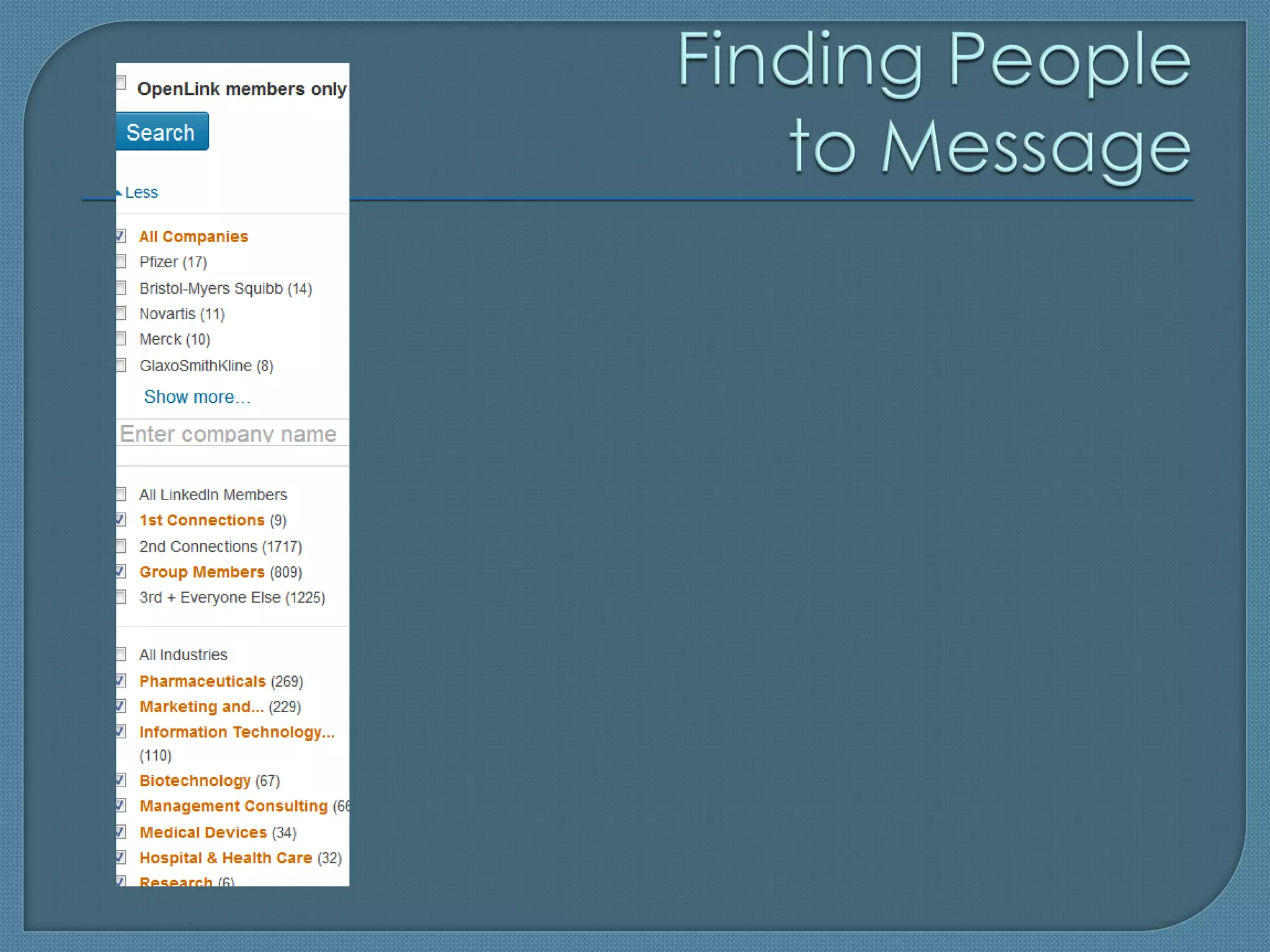
  • Finding People to Message
  • Shortcut to Messaging
  • Last Name Search Tip
 Demo   and Q&A
 (Potentially)   rich professional profiles
  • Structured Search


 Company     profiles

 Messaging/InMailing      system

 Discussions:
             groups, answers; signal;
 search for content = BIG DATA
 Drawbacks 
  • Bugs
  • Confusing UX
  • Shallow profiles
  • Duplicates
  • Expensive

 Is THE top business network, as a fact of
  life

 Accounts    for 100% of our placements in
  2011-2012
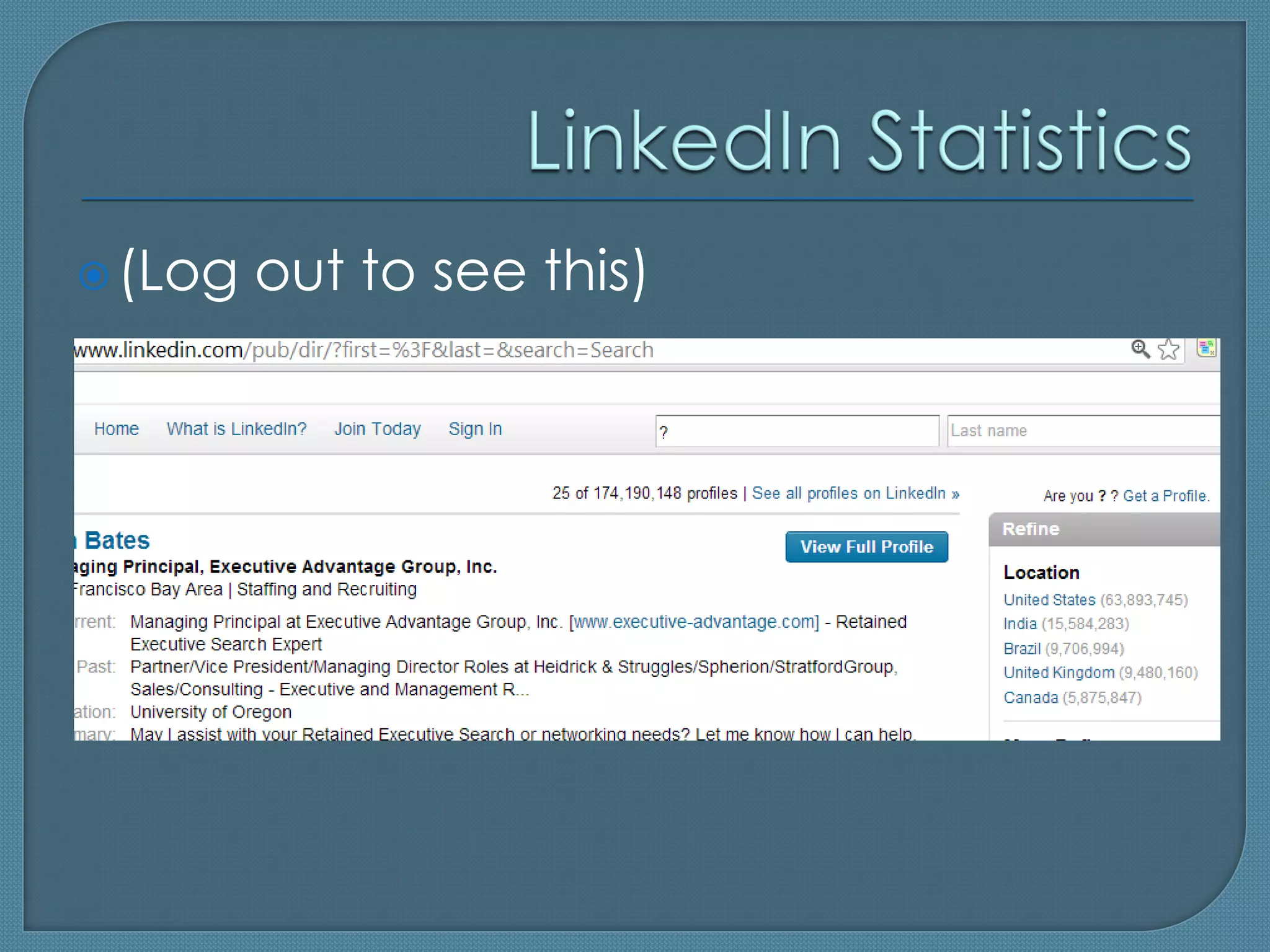
 (Log   out to see this)
A   member’s network consists of:
 • 1st, 2nd and 3rd degree connections
    Basic users see less info on the 3rd level

 • Those who belong to the member’s groups

 • People who have OpenLink accounts
    i.e. Business accounts with the option selected
      (note: search for the “open link” is broken)


                                                       7
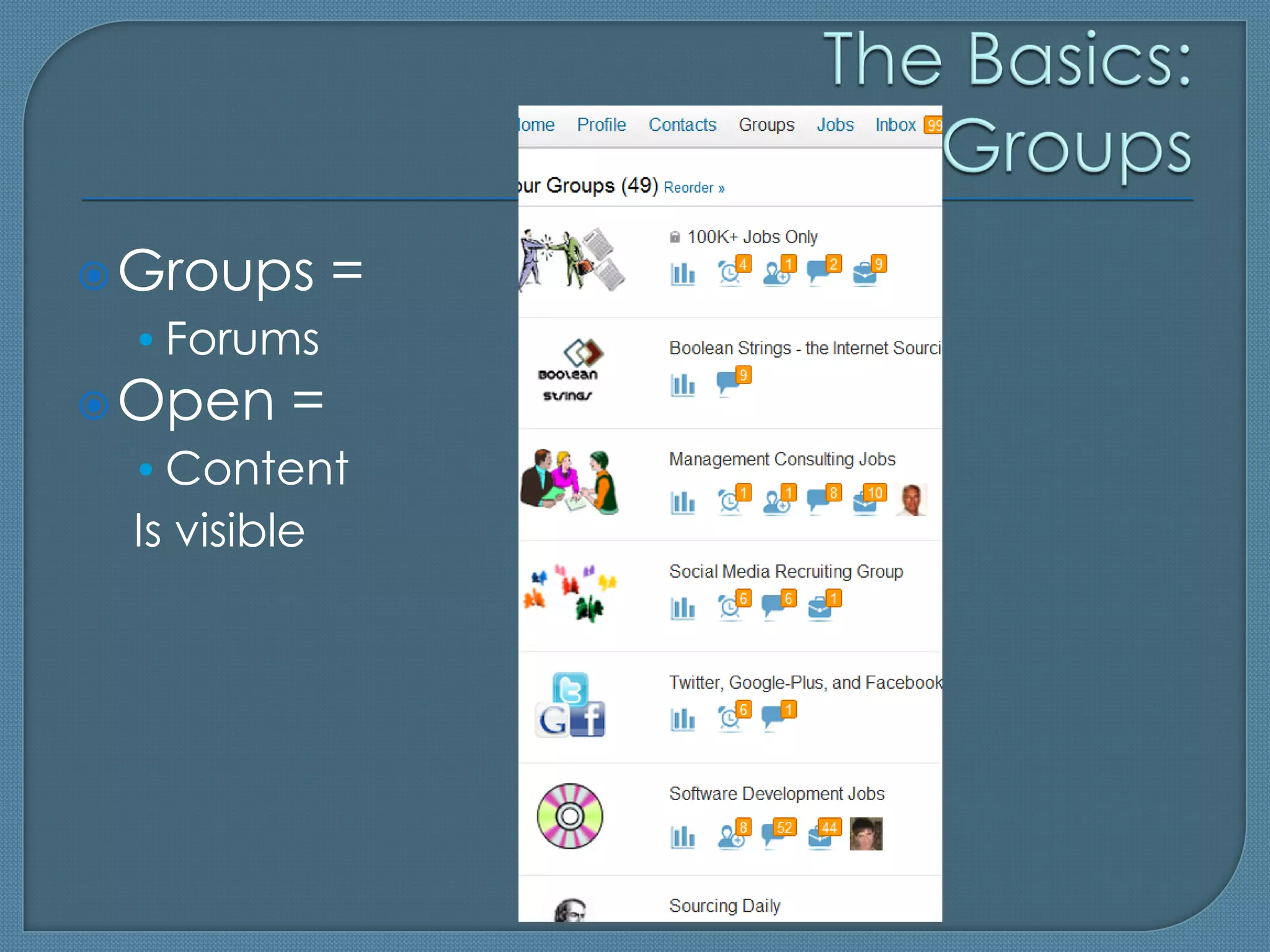
 Groups      =
 • Forums
 Open    =
 • Content
 Is visible
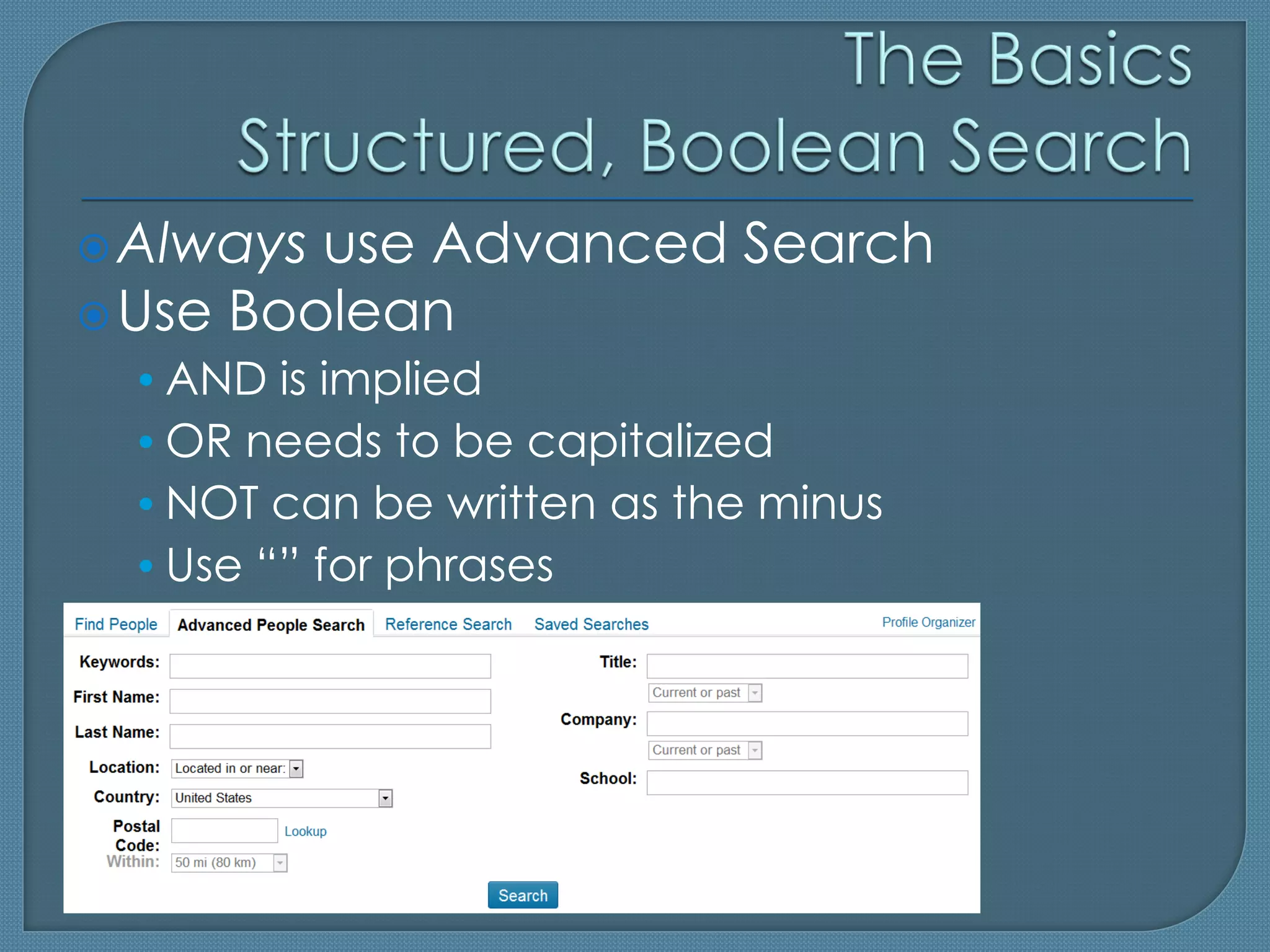
 Always use Advanced Search
 Use Boolean
 • AND is implied
 • OR needs to be capitalized
 • NOT can be written as the minus
 • Use “” for phrases
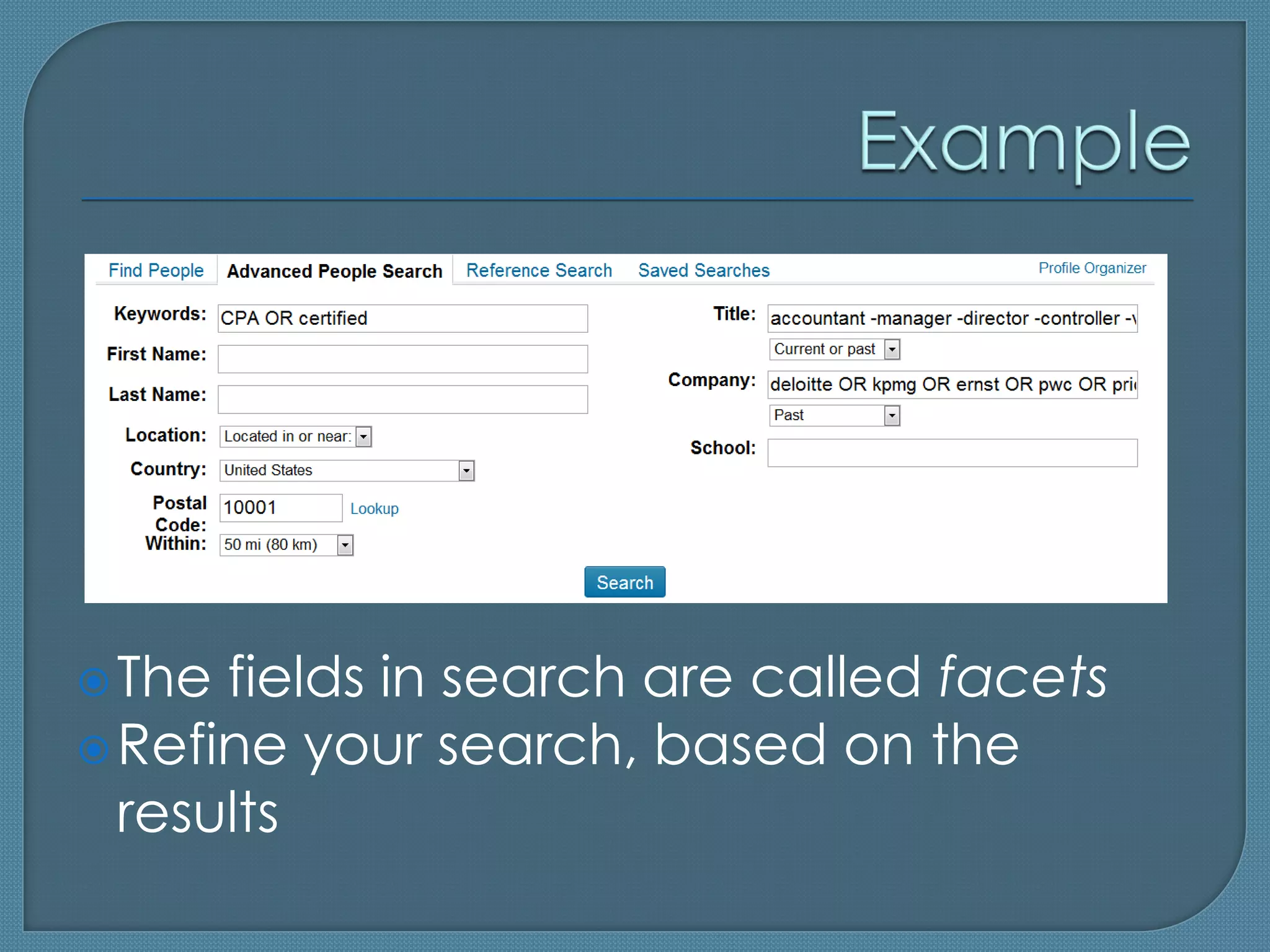
 The fields in search are called facets
 Refine your search, based on the
  results
 Paid features
  • Extra Search Facets
  • Extra Inmails (messages to members)/ worth it
  • Other extra features

 LinkedIn Recruiter: different UX
     LOTs of InMails; mass InMails /useful
     Team collaboration /maybe
     UI /inconvenient
     Expensive
     VERY promising: pipeline
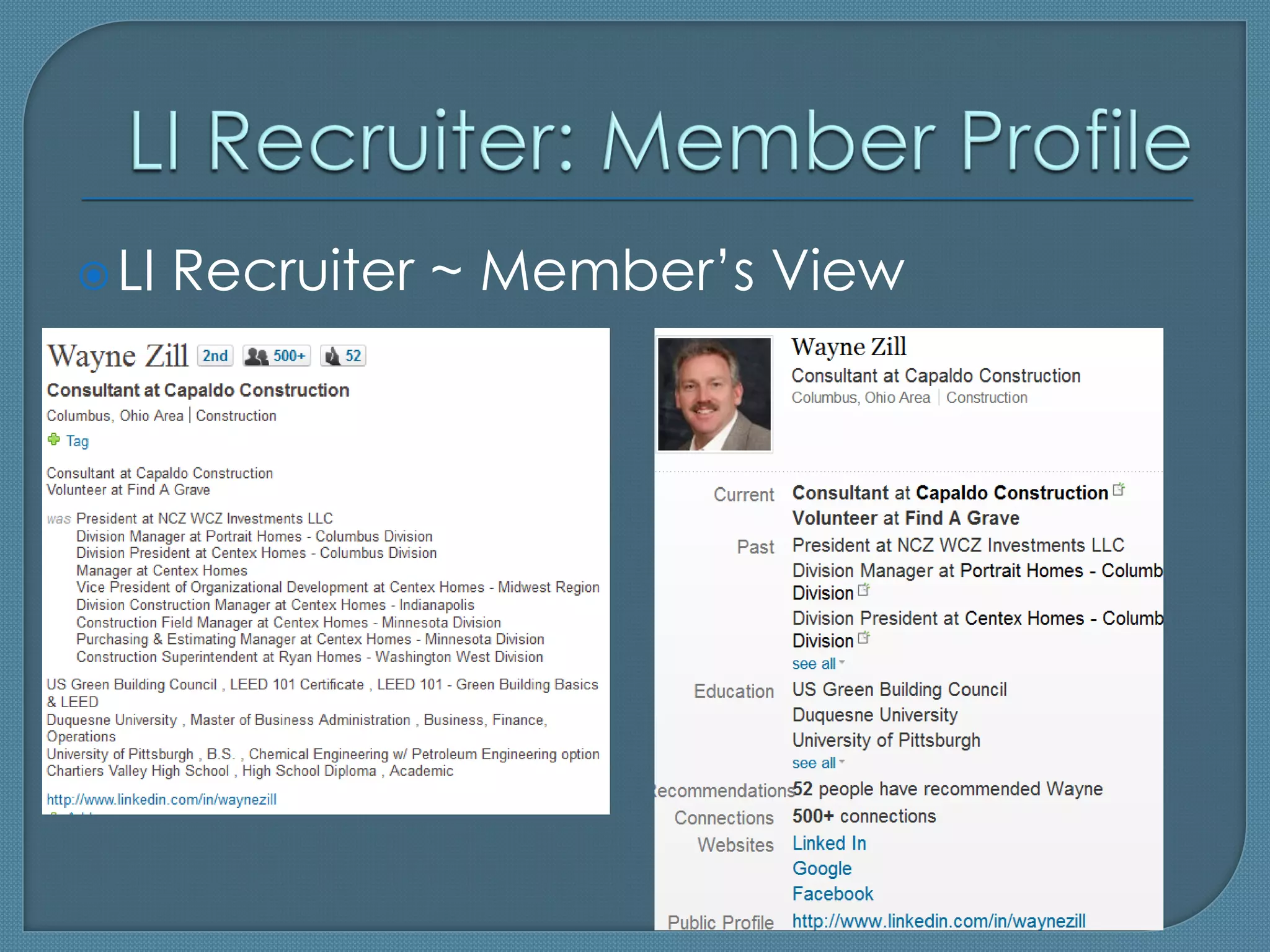
 LI   Recruiter ~ Member’s View
 LinkedIn   is not a Job Board

 Members      see you as a member, so:
  • Fill out your profile
  • Connect with others; join groups
  • Post good content
  • Send messages with care
 From
     a Job Description to Identifying
 and Contacting Candidates
 • Research on LinkedIn: Identifying Competitors
 • The Proper Use of the People Search Dialog
 • Messaging and InMailing
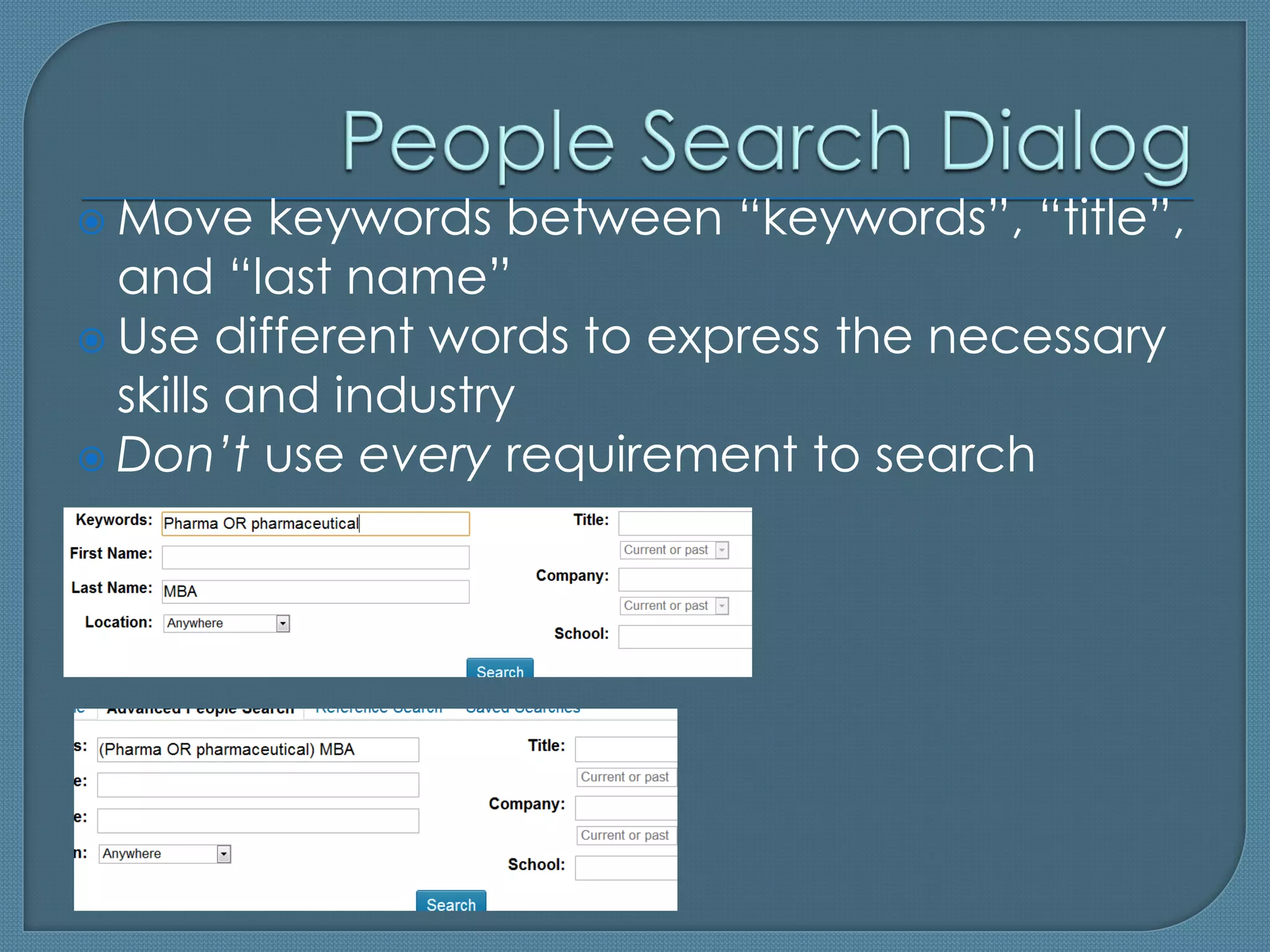
 Move    keywords between “keywords”, “title”,
  and “last name”
 Use different words to express the necessary
  skills and industry
 Don’t use every requirement to search
 Both   are messages to members
  • Messages can be sent to group members and
    1st level connections for free
  • InMails can be sent to all others (unless they
    have blocked the InMails)
 Messages/InMails
                 get 10x better
 response than emailing:
 • The recipients can (and will) check you out
 • Safe, within the trusted network
 • Doesn’t land in their junk email folder
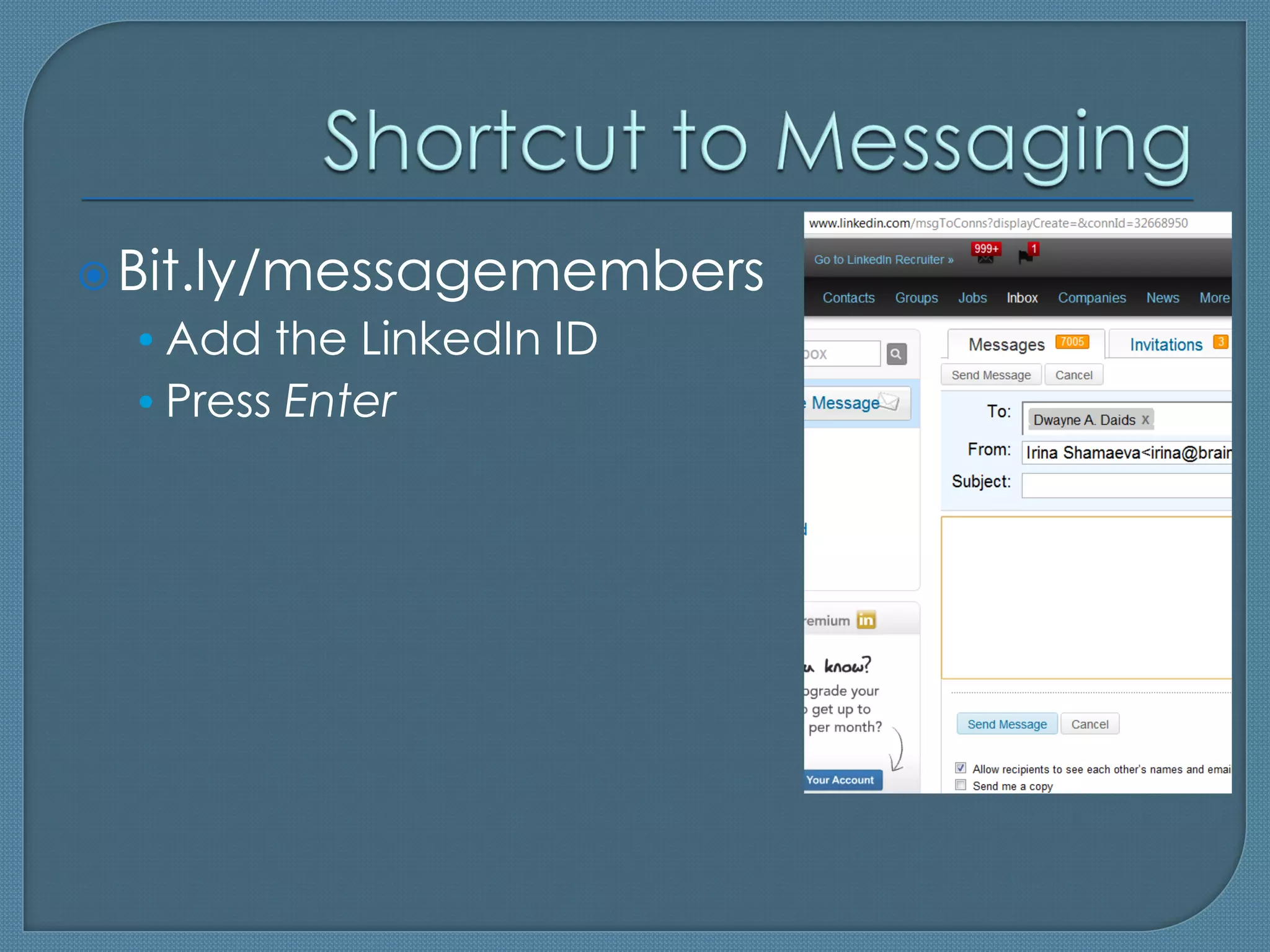
 Bit.ly/messagemembers
 • Add the LinkedIn ID
 • Press Enter
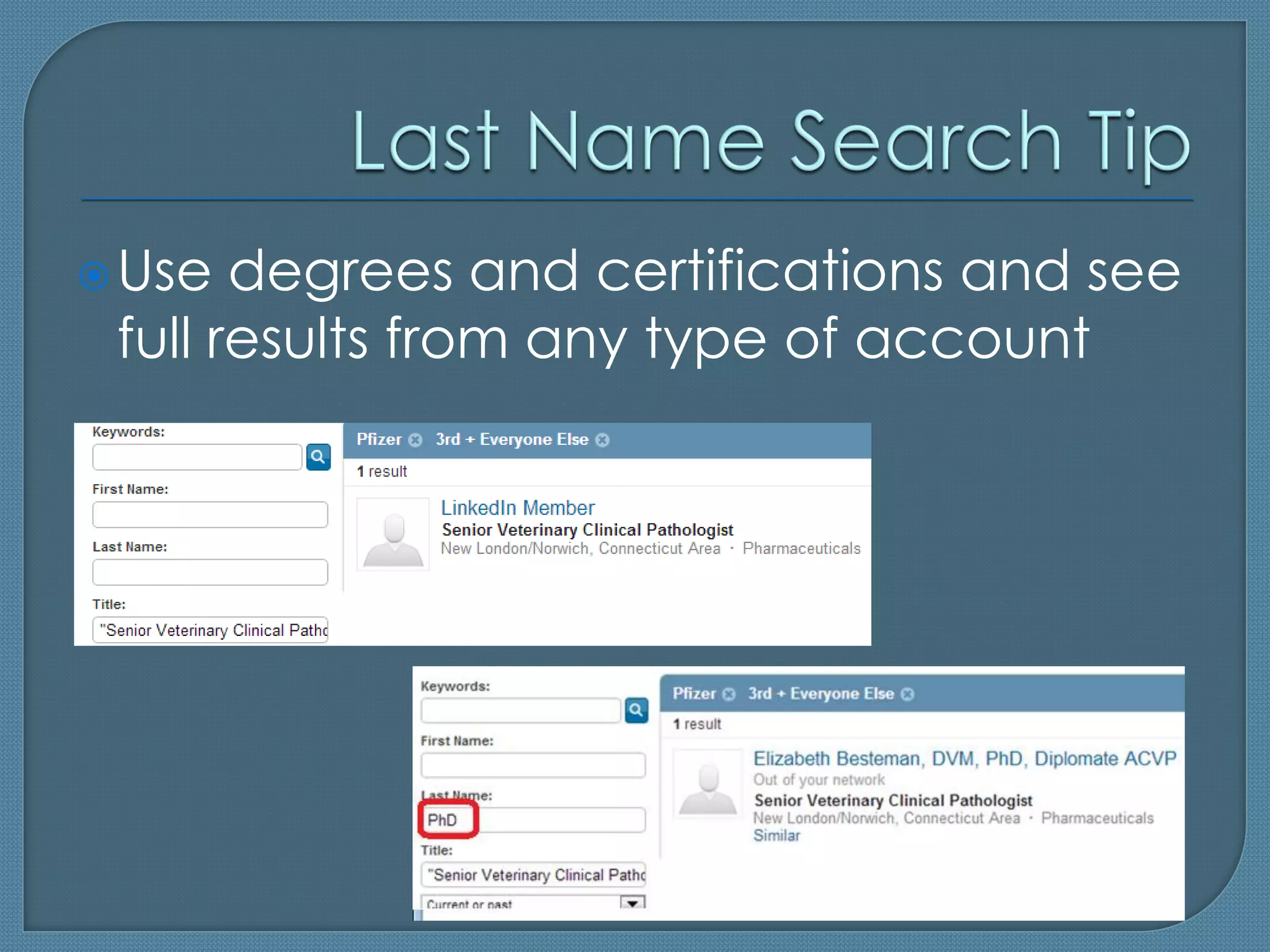
 Use  degrees and certifications and see
 full results from any type of account
 Bloghttp://booleanstrings.com
 Largest Sourcers’ Online Community
  • "Boolean Strings" Group on LinkedIn
  • Boolean Strings Network
 People   Sourcing Certifications
  • http://sourcingcertification.com
LinkedIn Presentation for MRI

LinkedIn Presentation for MRI

  • 1.
    By Irina Shamaeva, Partner, Chief Sourcer, Brain Gain Recruiting http://www.linkedin.com/in/irinashamaeva http://twitter.com/braingain http://bit.ly/gplus-irinashamaeva Blog: http://booleanstrings.com Certification http://sourcingcertification.com
  • 2.
     eGrabberTM datacapture software quickly capture and process unstructured data such as Sales Leads, Resumes, etc. http://www.egrabber.com
  • 3.
     LinkedIn: Bird’sEye View • Global Statistics  The Basics • Concepts • Basic vs. Paid Accounts • Best Practices  From a Job Description to Identifying and Contacting Candidates • Research on LinkedIn: Identifying Competitors • The Proper Use of the People Search Dialog • Messaging and InMailing • Finding People to Message • Shortcut to Messaging • Last Name Search Tip  Demo and Q&A
  • 4.
     (Potentially) rich professional profiles • Structured Search  Company profiles  Messaging/InMailing system  Discussions: groups, answers; signal; search for content = BIG DATA
  • 5.
     Drawbacks  • Bugs • Confusing UX • Shallow profiles • Duplicates • Expensive  Is THE top business network, as a fact of life  Accounts for 100% of our placements in 2011-2012
  • 6.
     (Log out to see this)
  • 7.
    A member’s network consists of: • 1st, 2nd and 3rd degree connections  Basic users see less info on the 3rd level • Those who belong to the member’s groups • People who have OpenLink accounts  i.e. Business accounts with the option selected  (note: search for the “open link” is broken) 7
  • 8.
     Groups = • Forums  Open = • Content Is visible
  • 9.
     Always useAdvanced Search  Use Boolean • AND is implied • OR needs to be capitalized • NOT can be written as the minus • Use “” for phrases
  • 10.
     The fieldsin search are called facets  Refine your search, based on the results
  • 11.
     Paid features • Extra Search Facets • Extra Inmails (messages to members)/ worth it • Other extra features  LinkedIn Recruiter: different UX  LOTs of InMails; mass InMails /useful  Team collaboration /maybe  UI /inconvenient  Expensive  VERY promising: pipeline
  • 12.
     LI Recruiter ~ Member’s View
  • 13.
     LinkedIn is not a Job Board  Members see you as a member, so: • Fill out your profile • Connect with others; join groups • Post good content • Send messages with care
  • 14.
     From a Job Description to Identifying and Contacting Candidates • Research on LinkedIn: Identifying Competitors • The Proper Use of the People Search Dialog • Messaging and InMailing
  • 16.
     Move keywords between “keywords”, “title”, and “last name”  Use different words to express the necessary skills and industry  Don’t use every requirement to search
  • 17.
     Both are messages to members • Messages can be sent to group members and 1st level connections for free • InMails can be sent to all others (unless they have blocked the InMails)
  • 18.
     Messages/InMails get 10x better response than emailing: • The recipients can (and will) check you out • Safe, within the trusted network • Doesn’t land in their junk email folder
  • 20.
     Bit.ly/messagemembers •Add the LinkedIn ID • Press Enter
  • 21.
     Use degrees and certifications and see full results from any type of account
  • 22.
     Bloghttp://booleanstrings.com  LargestSourcers’ Online Community • "Boolean Strings" Group on LinkedIn • Boolean Strings Network  People Sourcing Certifications • http://sourcingcertification.com