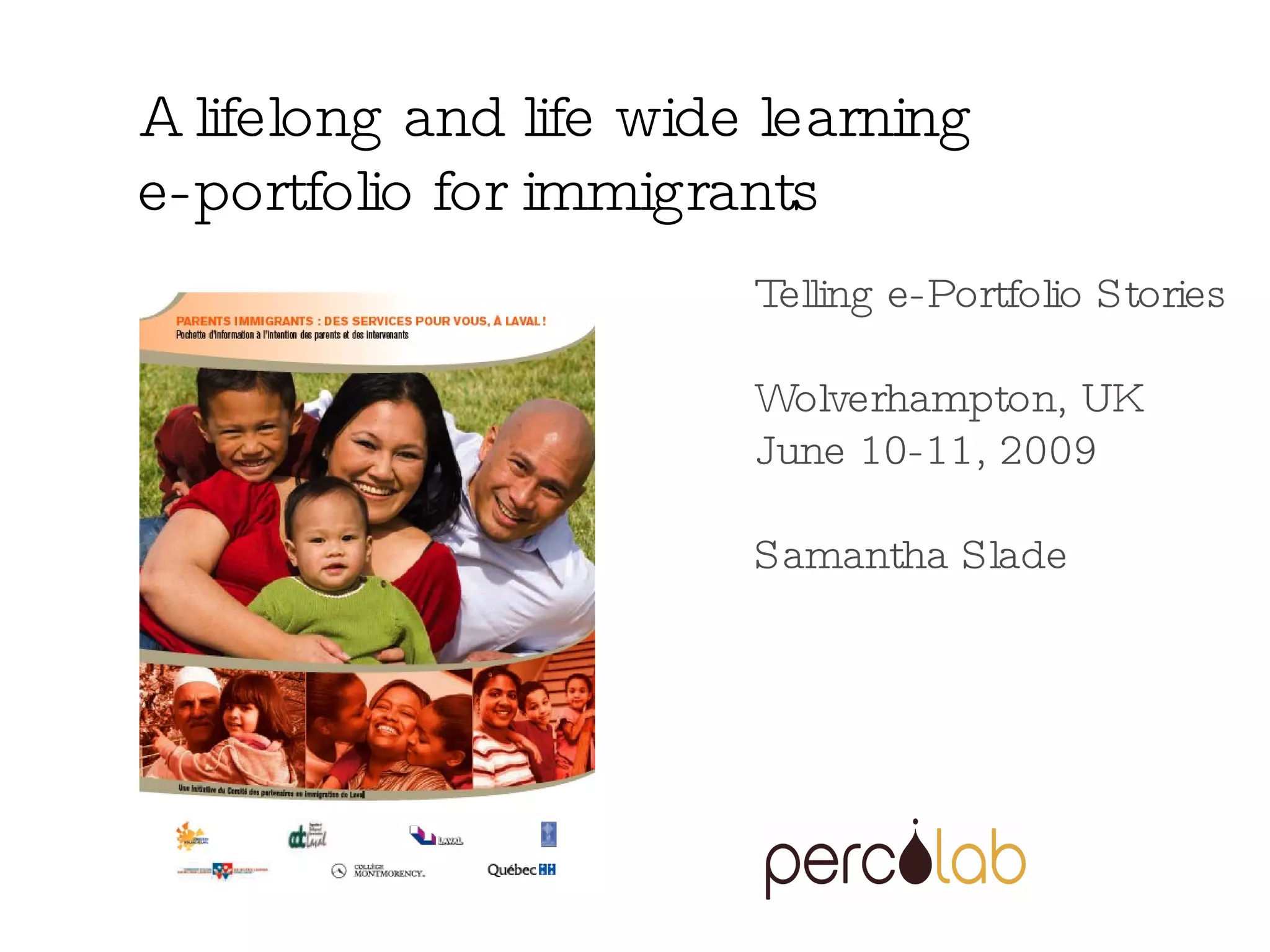
Telling e-Portfolio Stories Wolverhampton, UK June 10-11, 2009 Samantha Slade A lifelong and life wide learning  e-portfolio for immigrants
Why an e-portfolio for immigrants? A changing landscape For example, in region of Laval, Quebec: Immigrants represent 1/5 of the population  More than ¼ of the population has a first language other than French or English Immigrants have a higher level of poverty and social exclusion (despite their education)  Recruiting and keeping immigrants in the work force is part of the regional strategic plan
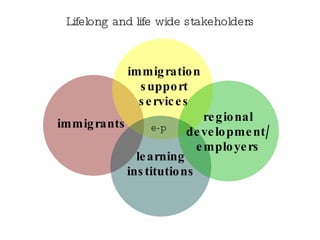
Lifelong and life wide stakeholders immigrants immigration support services learning institutions regional development/employers e-p
Within that context, challenges for learning institutions to meet needs percolab and a regional educational authority partnered to explore the potential of  e-portfolios to support immigrants and learning and teaching (eventually other partners joined in)
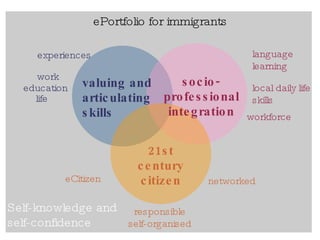
ePortfolio for immigrants valuing and articulating skills socio-professional integration 21st century citizen experiences   work education life language learning local daily life skills workforce eCitizen responsible self-organised networked Self-knowledge and self-confidence
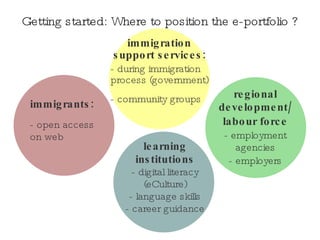
Getting started: Where to position the e-portfolio ? immigrants: - open access on web regional development/ labour force - employment agencies - employers immigration support services: - during immigration process (government) - community groups  learning institutions - digital literacy (eCulture) - language skills - career guidance
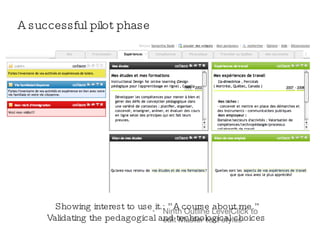
A successful pilot phase Showing interest to use it.: ”A course about me.” Validating the pedagogical and technological choices
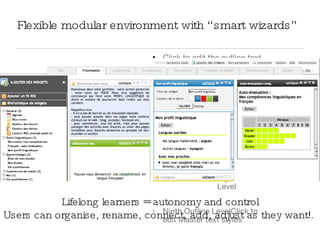
Flexible modular environment with “smart wizards” Lifelong learners = autonomy and control Users can organise, rename, connect, add, adjust as they want!.
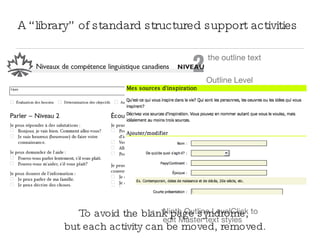
A “library” of standard structured support activities To avoid the blank page syndrome,  but each activity can be moved, removed.
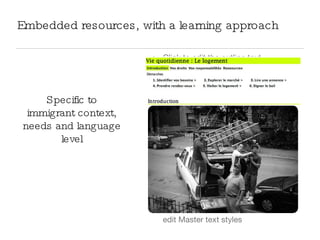
Embedded resources, with a learning approach  Specific to immigrant context, needs and language level
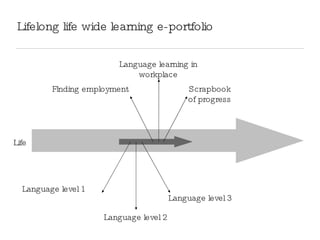
Lifelong life wide learning e-portfolio Language level 1 Language level 2 Language level 3 Language learning in workplace Finding employment Scrapbook of progress Life
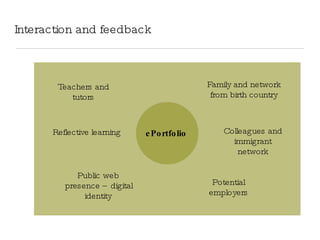
Interaction and feedback Family and network from birth country Colleagues and immigrant network Teachers and tutors Reflective learning Public web presence – digital identity Potential employers ePortfolio
Teachers: Using e-portfolios is part of CPD Specifically 2 competencies integrating technology into teaching and learning experimenting innovative teaching/learning methods By El Dude, Flickr.com
Collaborative approach: towards a learning region  Integrate existing resources (standards): improve access to resources and services that are too often hidden, scattered, partial.  By Kazuhiko Teramoto, Flickr.com
References Widgets for flexible learning and ePortfolios,  Yves Otis http://www.percolab.com/blog/2008/09/14/widgets-for-flexible-learning-environment/ Creating Flexible User Applications Using Widget Technology , Scott Wilson http://www.elearning.ac.uk/features/feature.2008-07-08.2311704736
Samantha Slade [email_address] My e-portfolio: samanthaslade.ca/wiki This presentation will be available at slideshare.net/sam5

Lifelong and Life wide learning

  • 1.
    Telling e-Portfolio StoriesWolverhampton, UK June 10-11, 2009 Samantha Slade A lifelong and life wide learning e-portfolio for immigrants
  • 2.
    Why an e-portfoliofor immigrants? A changing landscape For example, in region of Laval, Quebec: Immigrants represent 1/5 of the population More than ¼ of the population has a first language other than French or English Immigrants have a higher level of poverty and social exclusion (despite their education) Recruiting and keeping immigrants in the work force is part of the regional strategic plan
  • 3.
    Lifelong and lifewide stakeholders immigrants immigration support services learning institutions regional development/employers e-p
  • 4.
    Within that context,challenges for learning institutions to meet needs percolab and a regional educational authority partnered to explore the potential of e-portfolios to support immigrants and learning and teaching (eventually other partners joined in)
  • 5.
    ePortfolio for immigrantsvaluing and articulating skills socio-professional integration 21st century citizen experiences work education life language learning local daily life skills workforce eCitizen responsible self-organised networked Self-knowledge and self-confidence
  • 6.
    Getting started: Whereto position the e-portfolio ? immigrants: - open access on web regional development/ labour force - employment agencies - employers immigration support services: - during immigration process (government) - community groups learning institutions - digital literacy (eCulture) - language skills - career guidance
  • 7.
    A successful pilotphase Showing interest to use it.: ”A course about me.” Validating the pedagogical and technological choices
  • 8.
    Flexible modular environmentwith “smart wizards” Lifelong learners = autonomy and control Users can organise, rename, connect, add, adjust as they want!.
  • 9.
    A “library” ofstandard structured support activities To avoid the blank page syndrome, but each activity can be moved, removed.
  • 10.
    Embedded resources, witha learning approach Specific to immigrant context, needs and language level
  • 11.
    Lifelong life widelearning e-portfolio Language level 1 Language level 2 Language level 3 Language learning in workplace Finding employment Scrapbook of progress Life
  • 12.
    Interaction and feedbackFamily and network from birth country Colleagues and immigrant network Teachers and tutors Reflective learning Public web presence – digital identity Potential employers ePortfolio
  • 13.
    Teachers: Using e-portfoliosis part of CPD Specifically 2 competencies integrating technology into teaching and learning experimenting innovative teaching/learning methods By El Dude, Flickr.com
  • 14.
    Collaborative approach: towardsa learning region Integrate existing resources (standards): improve access to resources and services that are too often hidden, scattered, partial. By Kazuhiko Teramoto, Flickr.com
  • 15.
    References Widgets forflexible learning and ePortfolios, Yves Otis http://www.percolab.com/blog/2008/09/14/widgets-for-flexible-learning-environment/ Creating Flexible User Applications Using Widget Technology , Scott Wilson http://www.elearning.ac.uk/features/feature.2008-07-08.2311704736
  • 16.
    Samantha Slade [email_address]My e-portfolio: samanthaslade.ca/wiki This presentation will be available at slideshare.net/sam5