UCL Library
Lynne Meehan and Ruth Russell
lib-sciteam@ucl.ac.uk
http://delicious.com/LynneMeehan/eap
How and where to search
How:
Example search: Healthcare funding
Breakdown search
Key Concept 1 Key Concept 2
Health care Fund or funds or funding
Where:
Library catalogues, web gateways and
websites, databases
Library catalogue
• http://library.ucl.ac.uk
Useful for searching for books on topics and
for finding books on your reading list
• QUIZ:
• In which library would you find the book “Rationing
in the NHS” by Bill New, and what is the shelf
location?
• What is the earliest issue of “ Healthcare policy”
available electronically?
Intute
www.intute.ac.uk
A gateway to peer-reviewed academic
information on the web
WHO
http://www.who.int/en/
Useful for information on health policy across the
world
Quiz:
Find the factsheet “Paying for health services”
Current research:
Step 1: Define your topic
• Manufacturing potential therapies for AIDS
• Key concepts
• Alternative terms
Health care Funding or fund or funds
Healthcare Economic or economics
Finance or finances or
financing
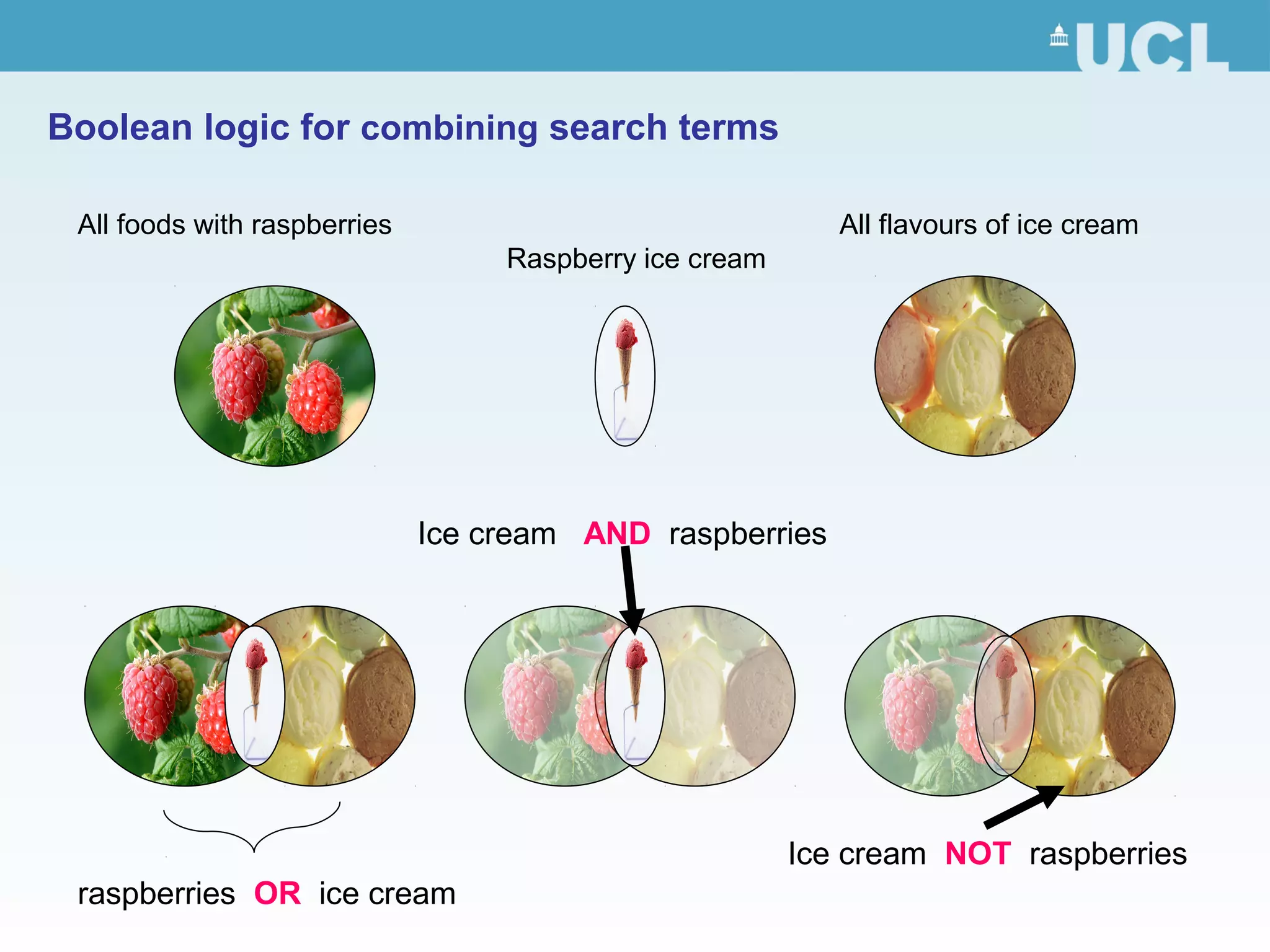
Boolean logic for combining search terms
All foods with raspberries All flavours of ice cream
Raspberry ice cream
raspberries OR ice cream
Ice cream AND raspberries
Ice cream NOT raspberries
Current research:
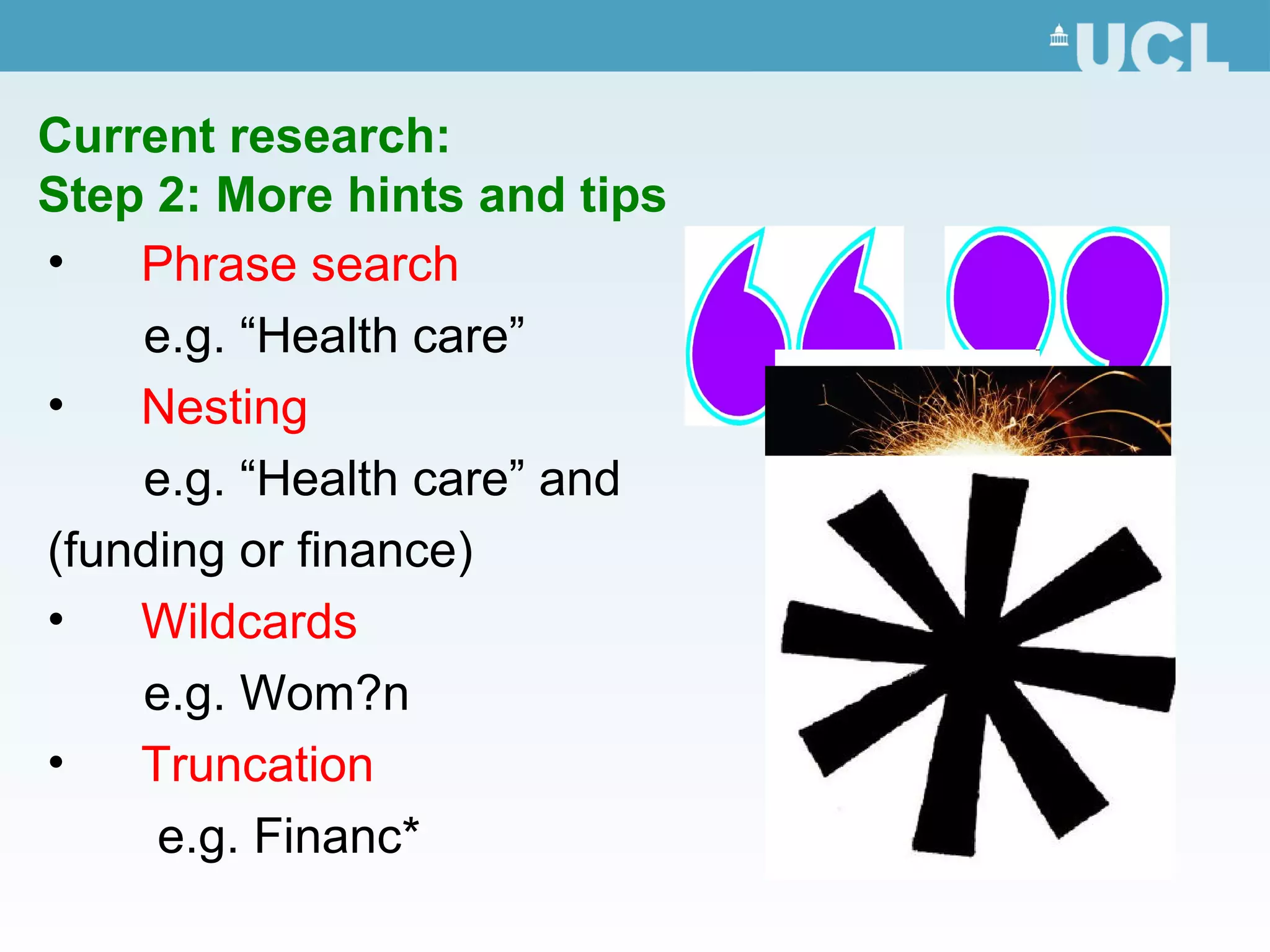
Step 2: More hints and tips
• Phrase search
e.g. “Health care”
• Nesting
e.g. “Health care” and
(funding or finance)
• Wildcards
e.g. Wom?n
• Truncation
e.g. Financ*
Current research:
Step 3: Search the databases
• Database of engineering journals and conference
proceedings
• Go to the library website www.ucl.ac.uk/library
• Click on Databases
• Click on W
• Click on Web of Science
• QUIZ:
• Using Web of Science find three articles on Health care
funding using the tips shown in the previous slides?
• Use SFX to locate the articles?
• Email yourself the records for the two articles?
Material not held at UCL
• can be used in most databases to check
journal holdings at UCL and other universities
• Use the drop down menu in SFX to search
across library catalogues with COPAC or ULS
• Links to nearby university libraries here
http://www.ucl.ac.uk/Library/otherlib.shtml
• Books and journal articles can be requested via
inter-library loan: http://
www.ucl.ac.uk/Library/ill.shtml
How to avoid plagiarism - Citing your
references

Citing styles: Harvard and
Vancouver

Systematic notes

Note the content
http://www.ucl.ac.uk/silva/current-
students/guidelines/policies/plagia
rism
Access to e-resources
• Most electronic resources can be accessed on or
off campus
• The best route to these is via the library website
• You will need your UCL userid to log in
• For further information go to
http://www.ucl.ac.uk/library/e-res.shtml#res-home
WISE
• Library Services’ online induction
• Includes training in various resources
• Go to http://www.ucl.ac.uk/Library/wise.shtml
• Click the link to WISE for beginners and log in
using your UCL computing username and
password
• Enrol yourself on the course
Help!

WISE: http://www.ucl.ac.uk/moodle

Ask at the Enquiry Desk
Ground floor, Science Library
Opposite the Issue Desk at the Main Library
Tel: 020 7679 7700
Email: library@ucl.ac.uk

Find your subject librarian listed at
http://www.ucl.ac.uk/Library/who.shtml
Thank you
Please fill in the evaluation form at
http://tinyurl.com/ylgdpws
Lynne Meehan (Room 314, Science library)
Tel: 020 7679 2634 (ext 32634)
Email:lib-sciteam@ucl.ac.uk

Library skills for EAP students

  • 1.
    UCL Library Lynne Meehanand Ruth Russell lib-sciteam@ucl.ac.uk http://delicious.com/LynneMeehan/eap
  • 2.
    How and whereto search How: Example search: Healthcare funding Breakdown search Key Concept 1 Key Concept 2 Health care Fund or funds or funding Where: Library catalogues, web gateways and websites, databases
  • 3.
    Library catalogue • http://library.ucl.ac.uk Usefulfor searching for books on topics and for finding books on your reading list • QUIZ: • In which library would you find the book “Rationing in the NHS” by Bill New, and what is the shelf location? • What is the earliest issue of “ Healthcare policy” available electronically?
  • 4.
    Intute www.intute.ac.uk A gateway topeer-reviewed academic information on the web
  • 5.
    WHO http://www.who.int/en/ Useful for informationon health policy across the world Quiz: Find the factsheet “Paying for health services”
  • 6.
    Current research: Step 1:Define your topic • Manufacturing potential therapies for AIDS • Key concepts • Alternative terms Health care Funding or fund or funds Healthcare Economic or economics Finance or finances or financing
  • 7.
    Boolean logic forcombining search terms All foods with raspberries All flavours of ice cream Raspberry ice cream raspberries OR ice cream Ice cream AND raspberries Ice cream NOT raspberries
  • 8.
    Current research: Step 2:More hints and tips • Phrase search e.g. “Health care” • Nesting e.g. “Health care” and (funding or finance) • Wildcards e.g. Wom?n • Truncation e.g. Financ*
  • 9.
    Current research: Step 3:Search the databases • Database of engineering journals and conference proceedings • Go to the library website www.ucl.ac.uk/library • Click on Databases • Click on W • Click on Web of Science • QUIZ: • Using Web of Science find three articles on Health care funding using the tips shown in the previous slides? • Use SFX to locate the articles? • Email yourself the records for the two articles?
  • 10.
    Material not heldat UCL • can be used in most databases to check journal holdings at UCL and other universities • Use the drop down menu in SFX to search across library catalogues with COPAC or ULS • Links to nearby university libraries here http://www.ucl.ac.uk/Library/otherlib.shtml • Books and journal articles can be requested via inter-library loan: http:// www.ucl.ac.uk/Library/ill.shtml
  • 11.
    How to avoidplagiarism - Citing your references  Citing styles: Harvard and Vancouver  Systematic notes  Note the content http://www.ucl.ac.uk/silva/current- students/guidelines/policies/plagia rism
  • 12.
    Access to e-resources •Most electronic resources can be accessed on or off campus • The best route to these is via the library website • You will need your UCL userid to log in • For further information go to http://www.ucl.ac.uk/library/e-res.shtml#res-home
  • 13.
    WISE • Library Services’online induction • Includes training in various resources • Go to http://www.ucl.ac.uk/Library/wise.shtml • Click the link to WISE for beginners and log in using your UCL computing username and password • Enrol yourself on the course
  • 14.
    Help!  WISE: http://www.ucl.ac.uk/moodle  Ask atthe Enquiry Desk Ground floor, Science Library Opposite the Issue Desk at the Main Library Tel: 020 7679 7700 Email: library@ucl.ac.uk  Find your subject librarian listed at http://www.ucl.ac.uk/Library/who.shtml
  • 15.
    Thank you Please fillin the evaluation form at http://tinyurl.com/ylgdpws Lynne Meehan (Room 314, Science library) Tel: 020 7679 2634 (ext 32634) Email:lib-sciteam@ucl.ac.uk

Editor's Notes

  • #11 Demonstrate: Copac, Union List of Serials, ILL request on catalogue
  • #13 “If you try and access e-resources via other routes look out for a links labelled “institutional login”, “UK federation login”, “Shibboleth login” or similar”