LIBRARY CONNECT WEBINAR – February 13, 2020
The library’s role in high-value profiles of
researchers and institutions
Denise Brush
Engineering & Earth Sciences
Librarian
Rowan University Libraries
https://libraryconnect.elsevier.com/library-connect-webinars
Guus van den Brekel
Medical Information Specialist
Central Medical Library
University Medical Center Groningen
Jonathan Jiras
Technology Services Librarian
Rowan University Libraries
Rachel Miles
Research Impact Librarian
Virginia Polytechnic Institute and State
University
Webinar Library Connect 23.1.2020
Guus van den Brekel, Central Medical Library,
University Medical Center Groningen
The importance of
high-value profiles of
researchers and
institutions
How the library participates, supports and collaborates with
instructing researchers establishing and curating research
profiles and raising visibility of their research output, inside an
academic hospital.
Bullets:
1. personal, institutional and other research profiles
2. the use of institutional repository (research assessment and
analytics)
3. creating awareness & support on outreach and impact
4. promoting, support and registering open access
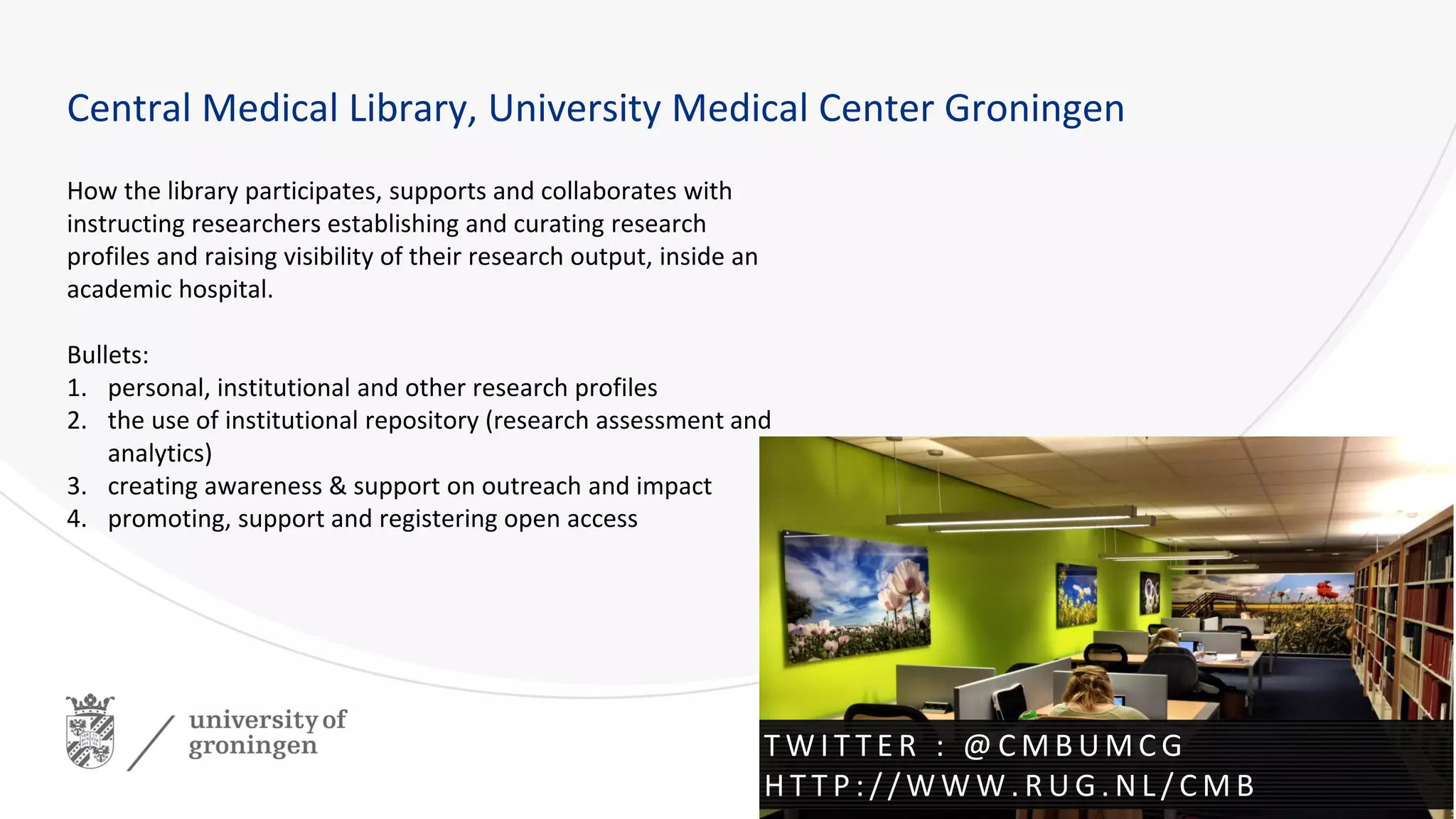
Central Medical Library, University Medical Center Groningen
T W I T T E R : @ C M B U M C G
H T T P : / / W W W . R U G . N L / C M B
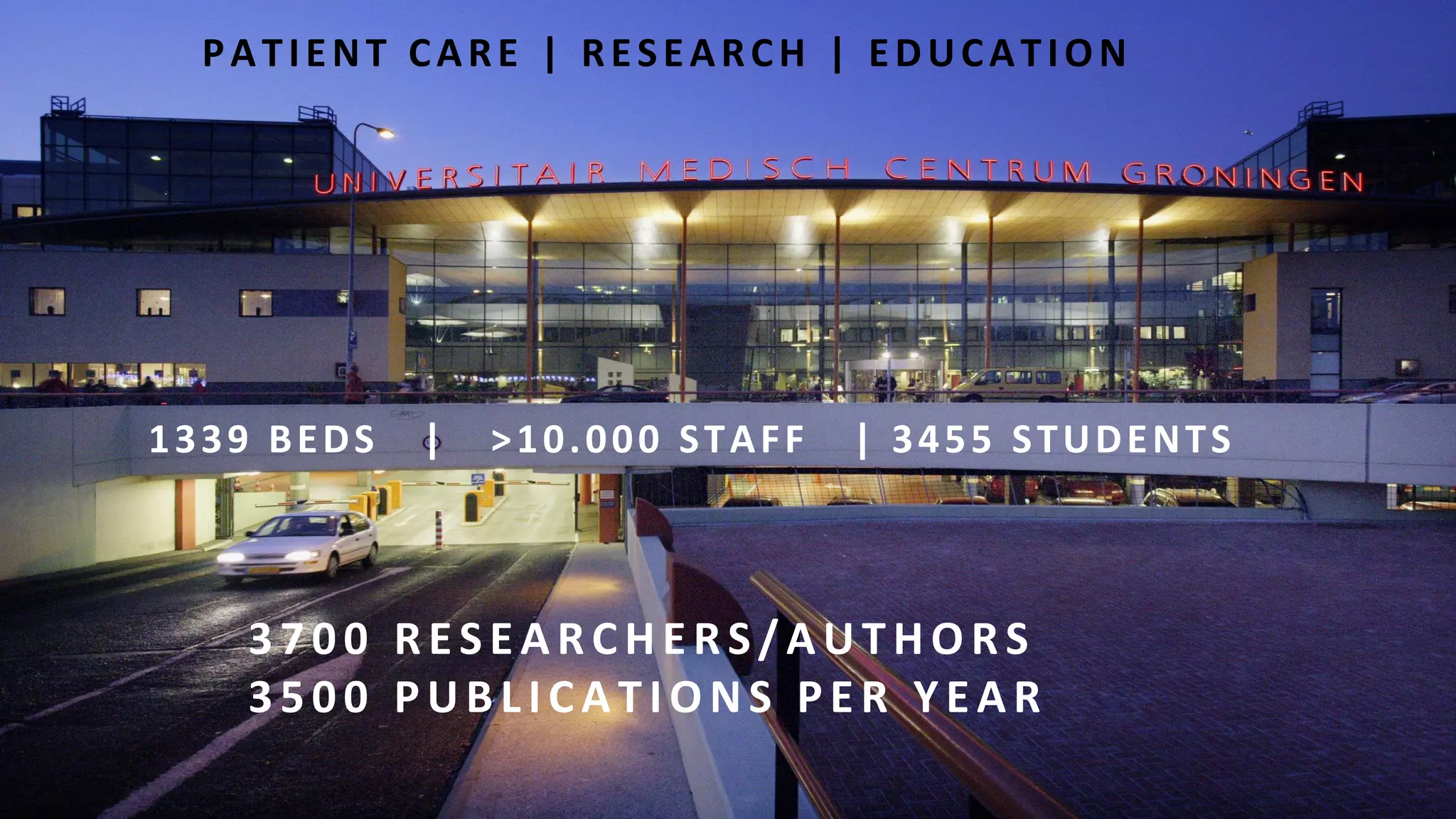
PATIENT CARE | RESEARCH | EDUCATION
1339 BEDS | >10.000 STAFF | 3455 STUDENTS
3700 RESEARCHERS/AUTHO RS
3500 PUBLICATIO NS PER YEAR
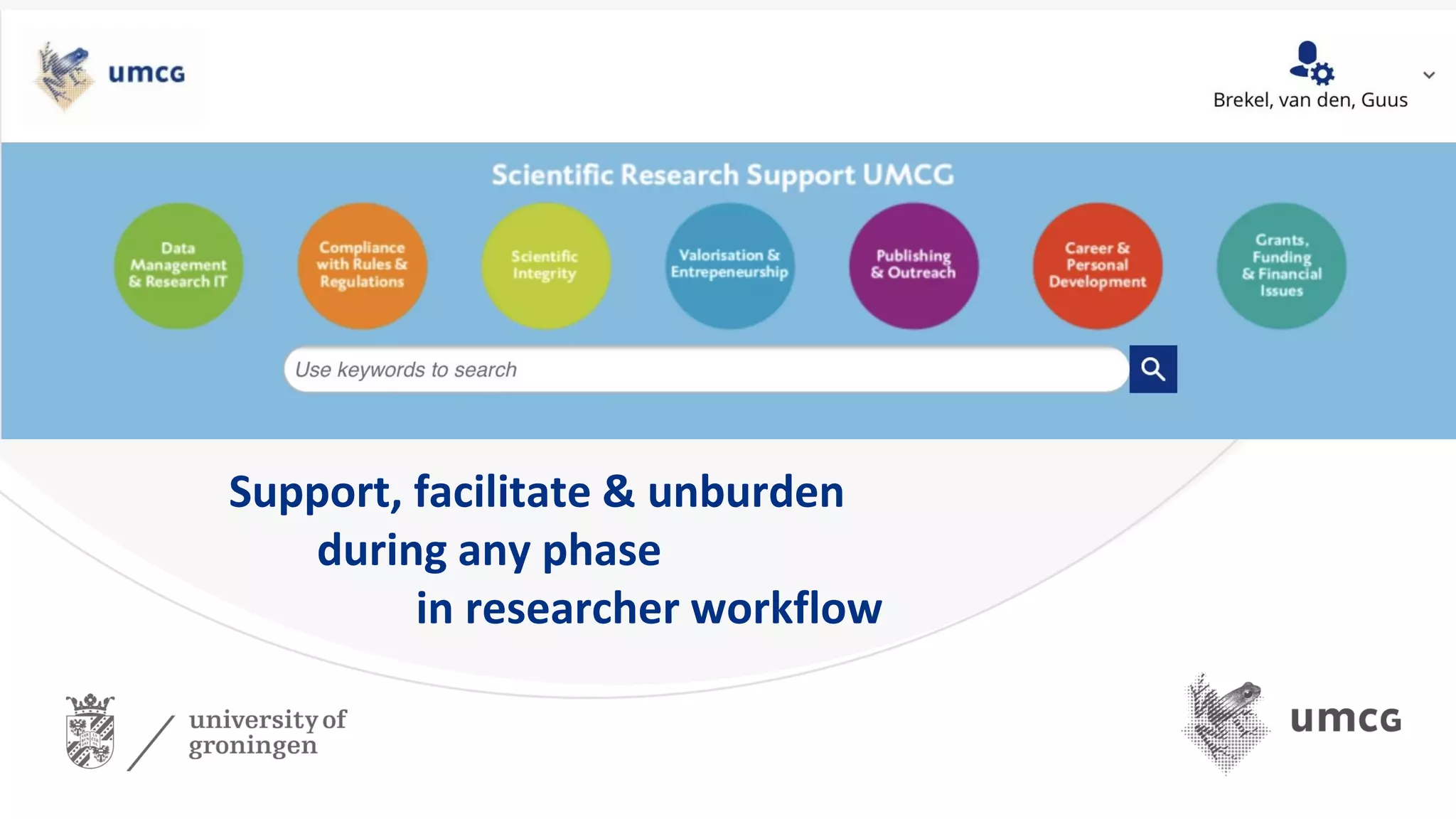
Support, facilitate & unburden
during any phase
in researcher workflow
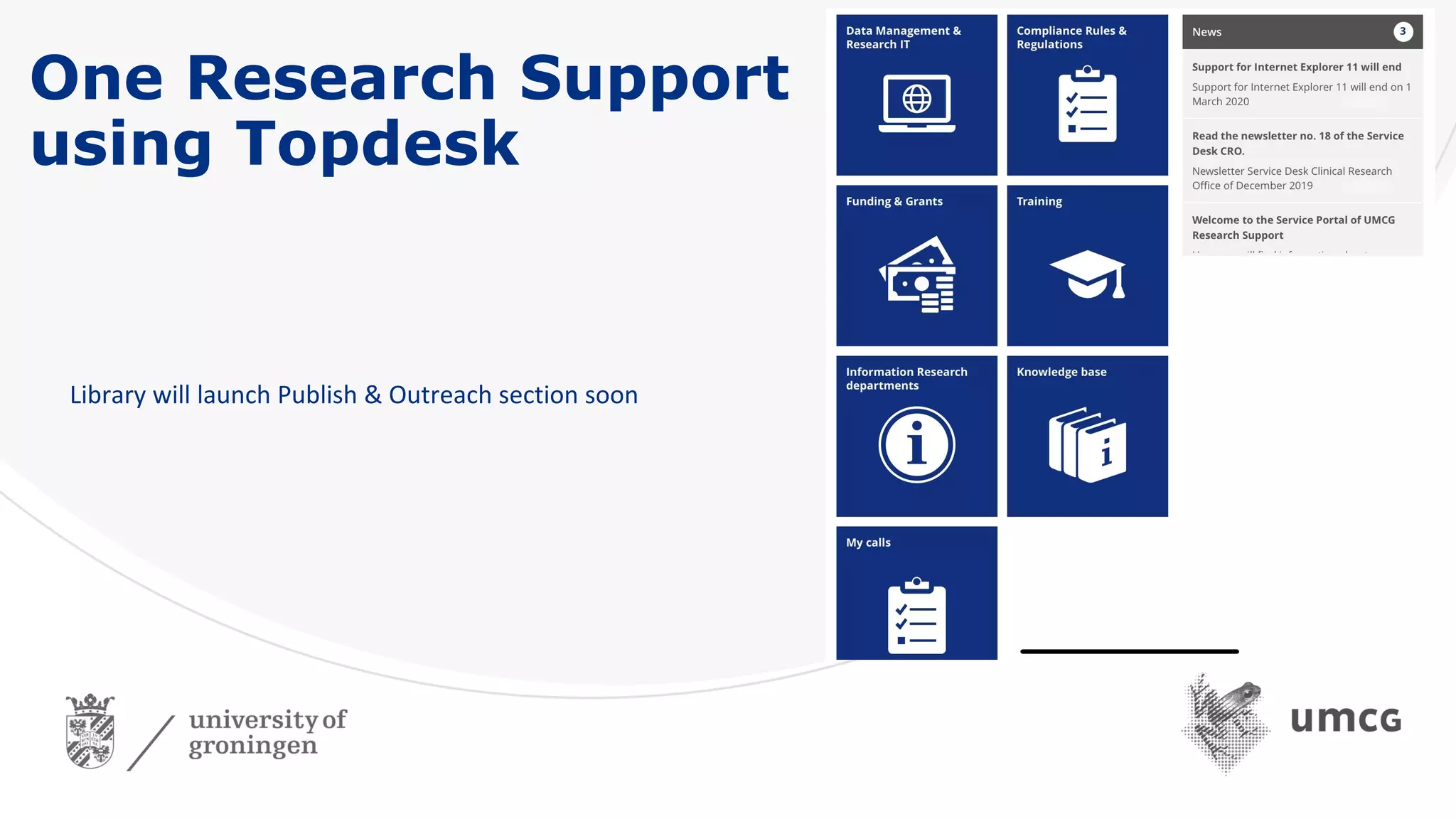
One Research Support
using Topdesk
Library will launch Publish & Outreach section soon
1. Personal, institutional and other research profiles
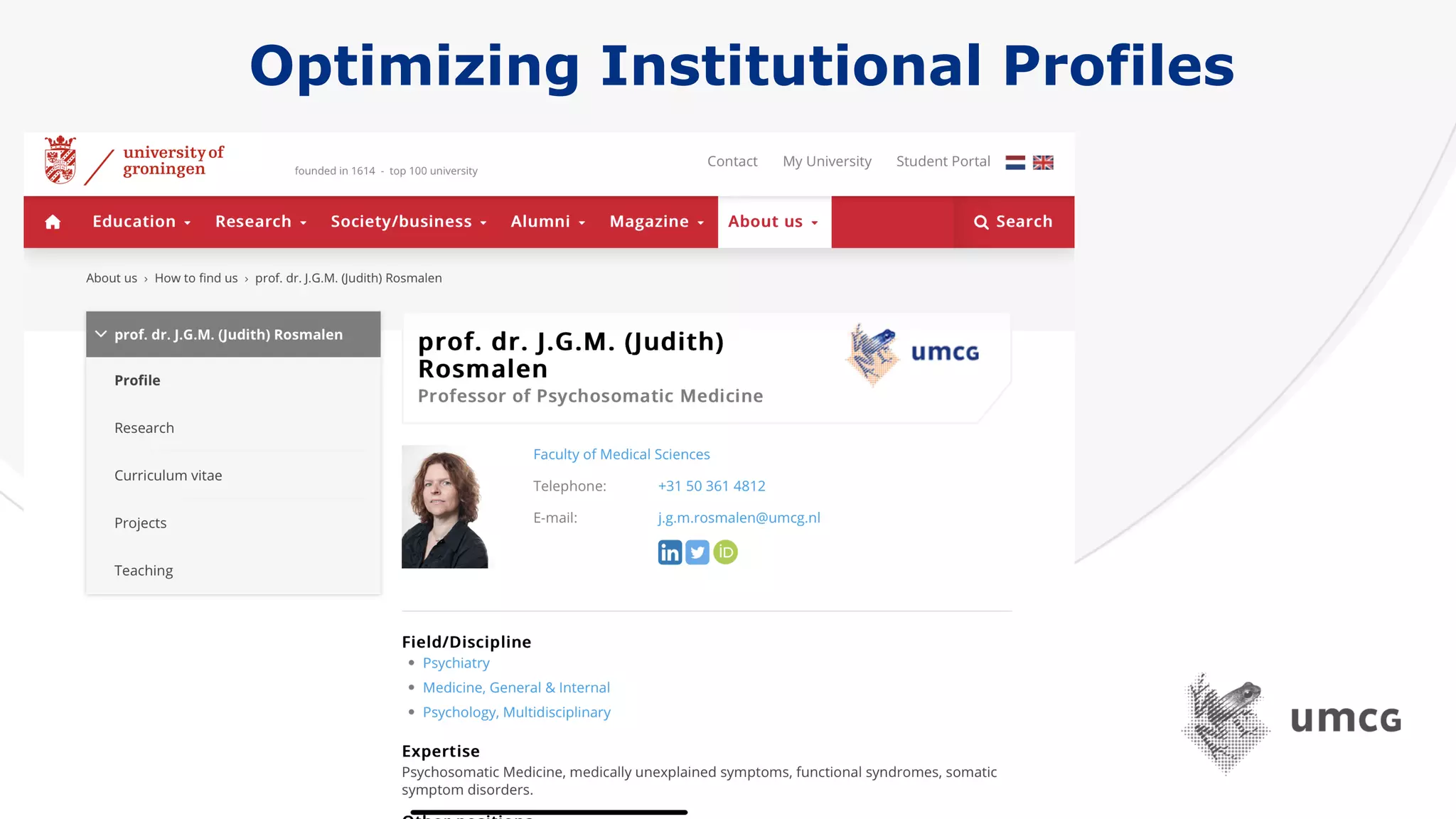
Optimizing Institutional Profiles
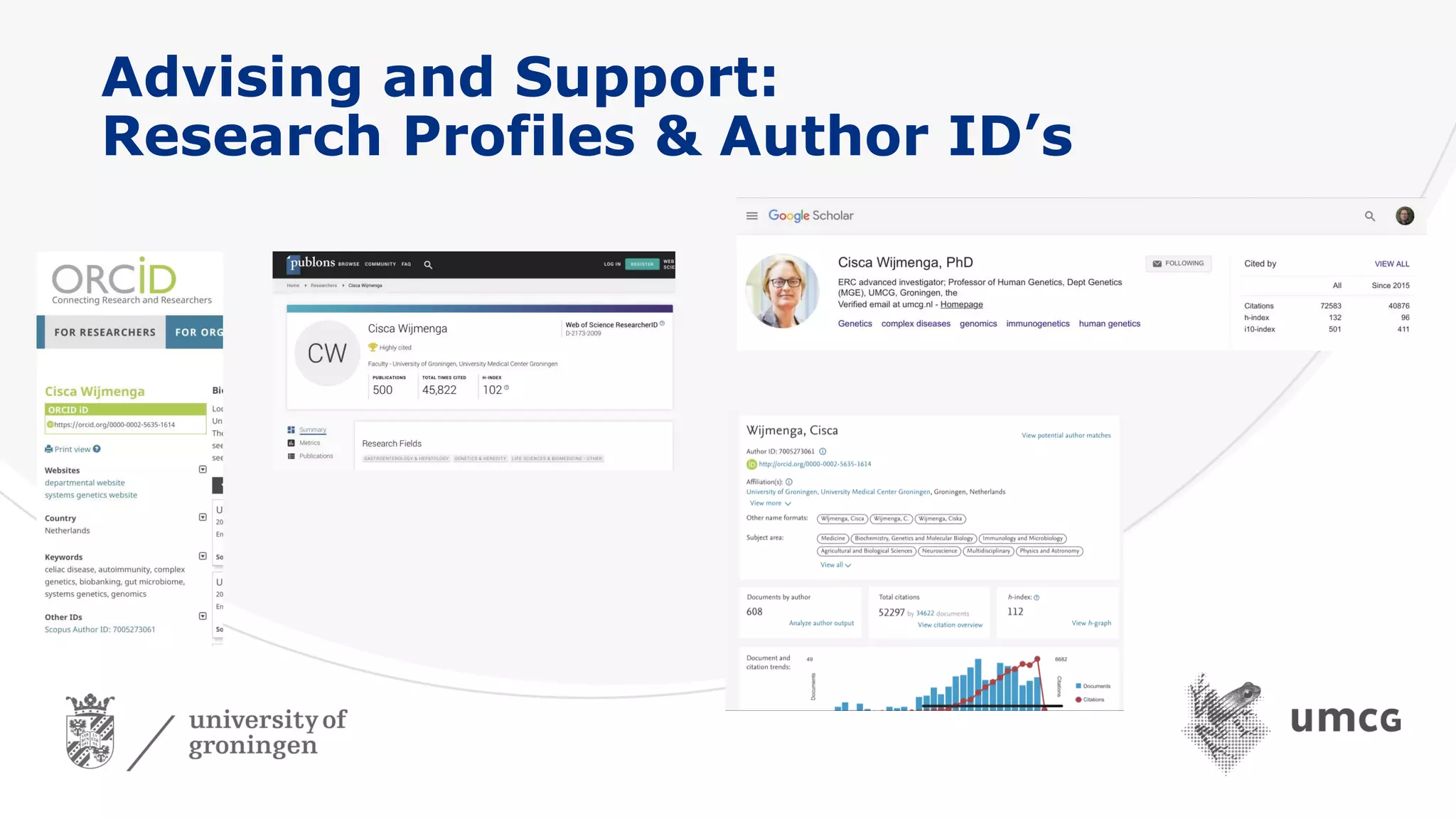
Advising and Support:
Research Profiles & Author ID’s
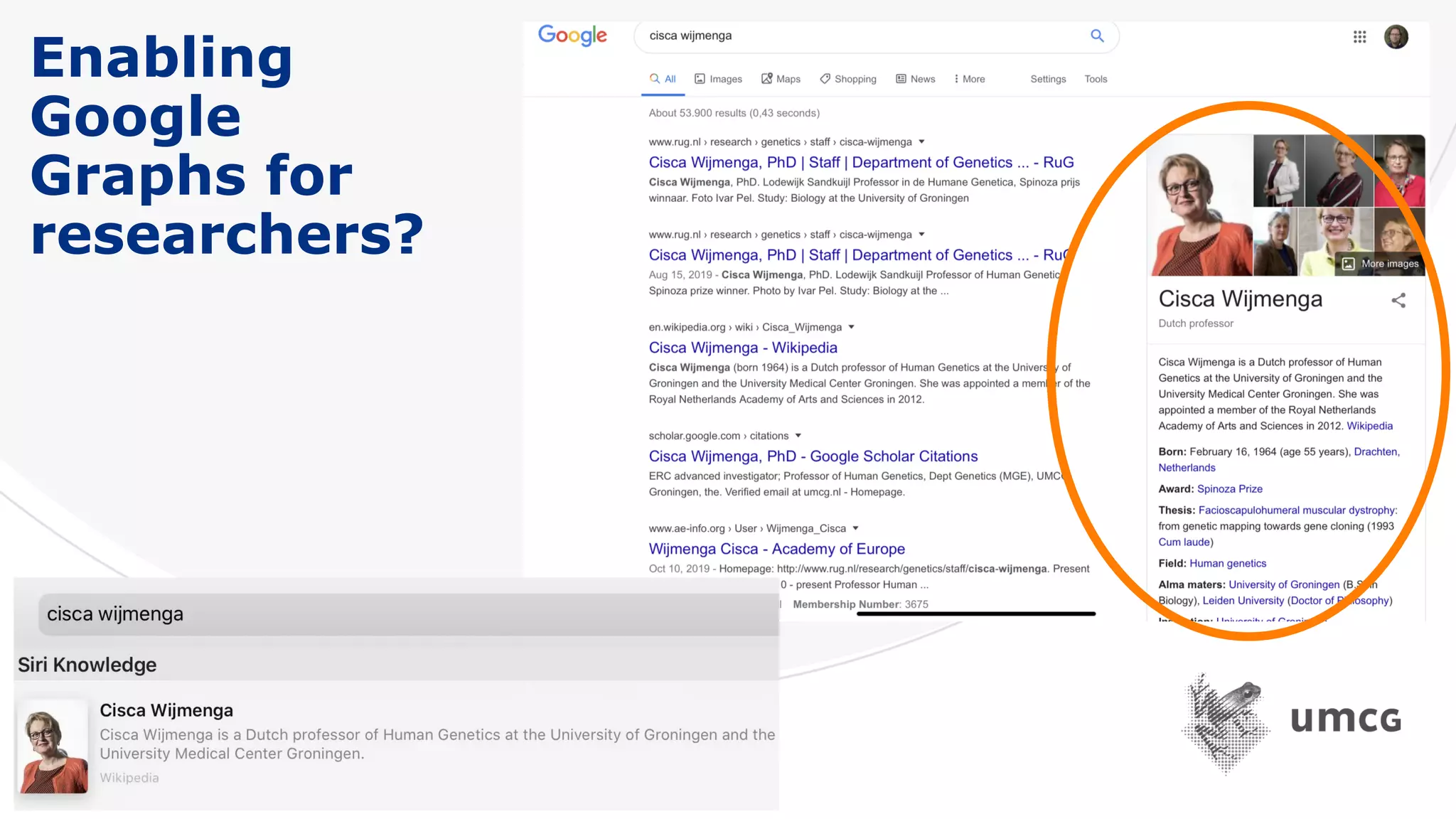
Enabling
Google
Graphs for
researchers?
2. The use of institutional repository (research
assessment and analytics)
Research impact & societal relevance
Together with Research Office UMCG:
Role in SEP, MTR and KUOZ, Analytics, benchmarks, policy
Research support services & projects (with University of Groningen Library) :
• Open Access Services;
• ORCID
• Research Output 2020
• Research Analytics; “Factsheets”; article-level metrics,
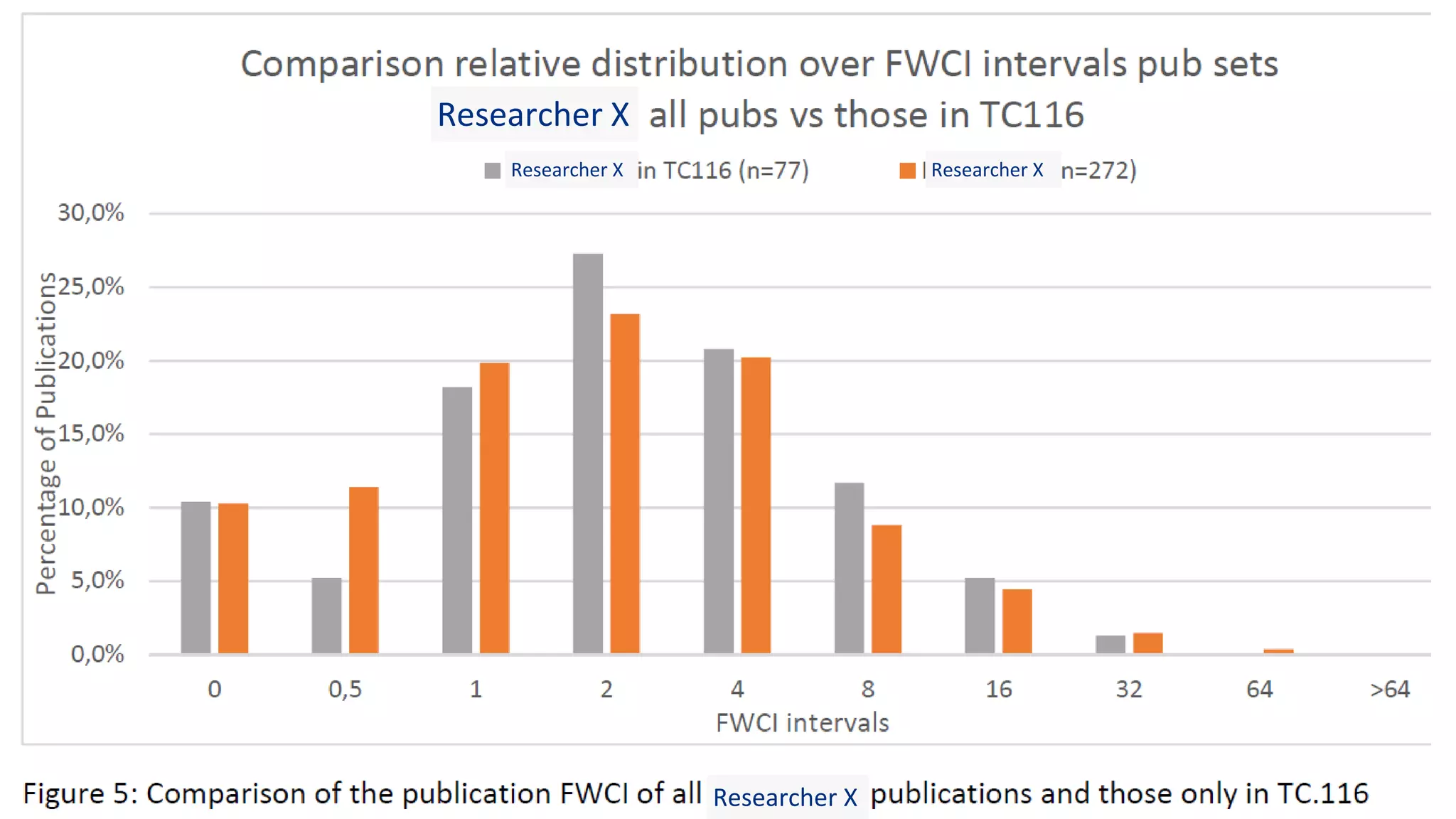
• Frequency distribution FWCI over intervals
Researcher X
Researcher X Researcher X
Researcher X
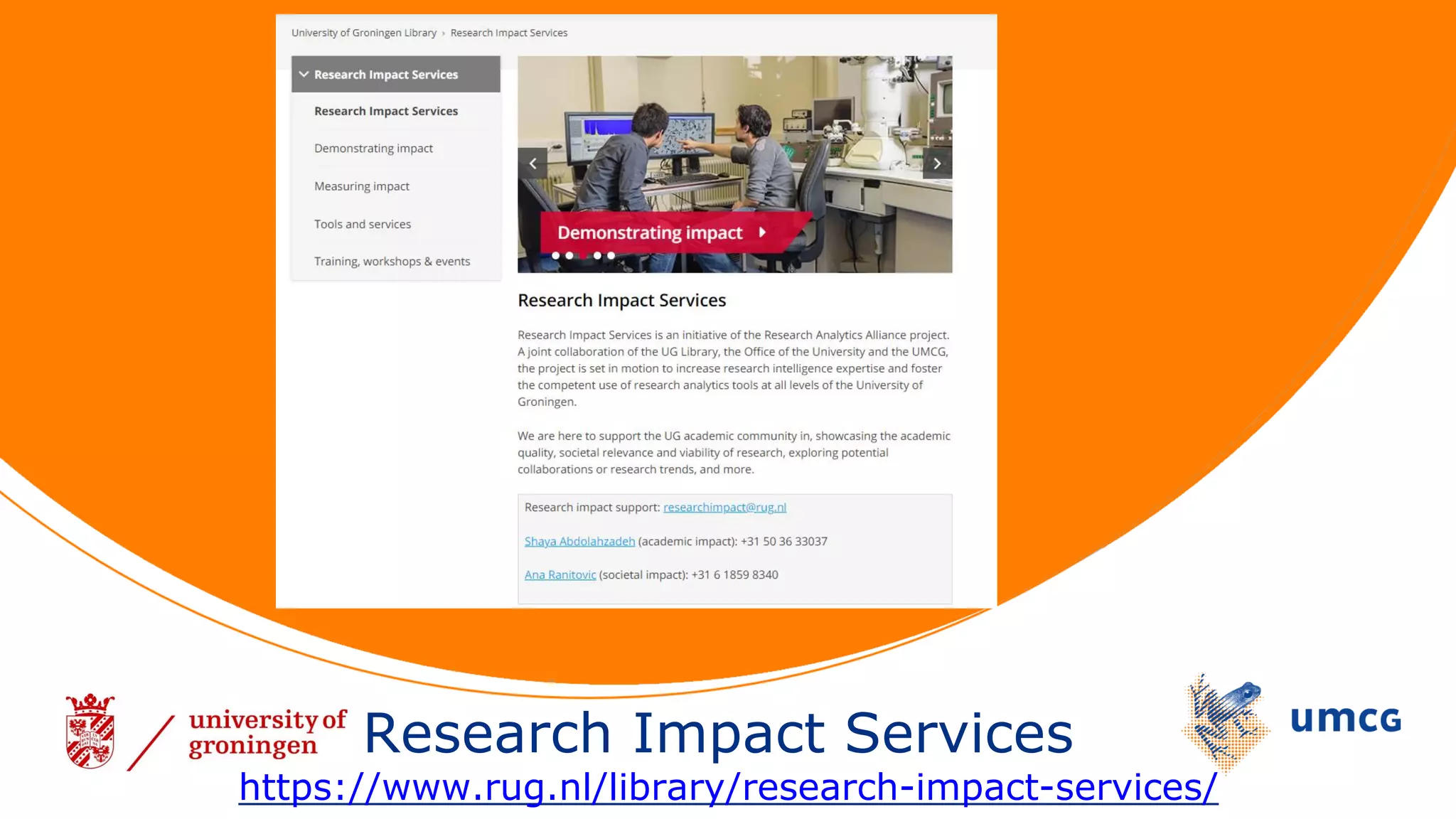
Research Impact Services
https://www.rug.nl/library/research-impact-services/
3. Creating awareness & support on outreach and impact
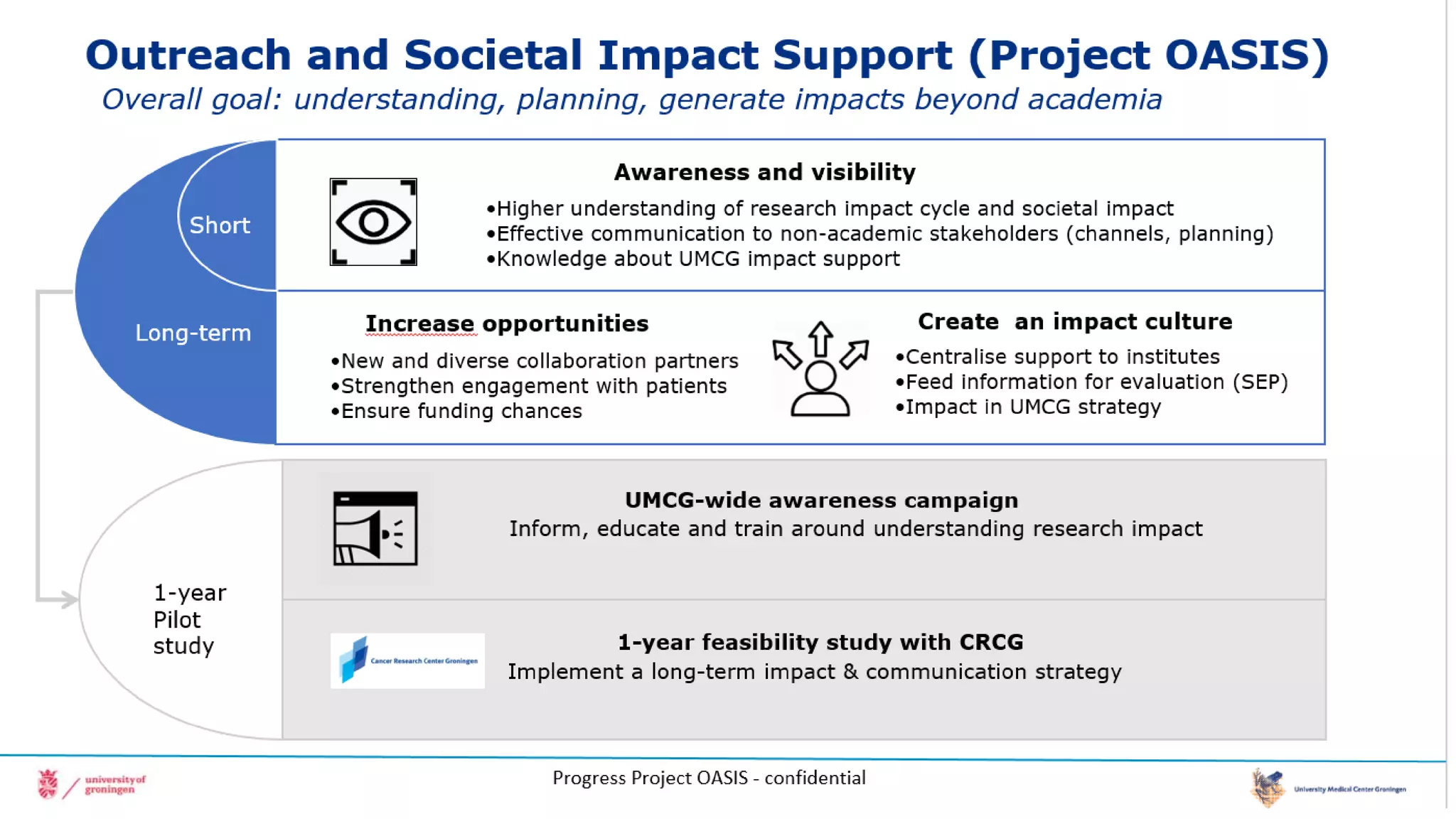
Project OASIS Outreach and Societal Impact Support
(understanding, planning, generate impacts beyond academia)
4. Promoting, support and registering open access
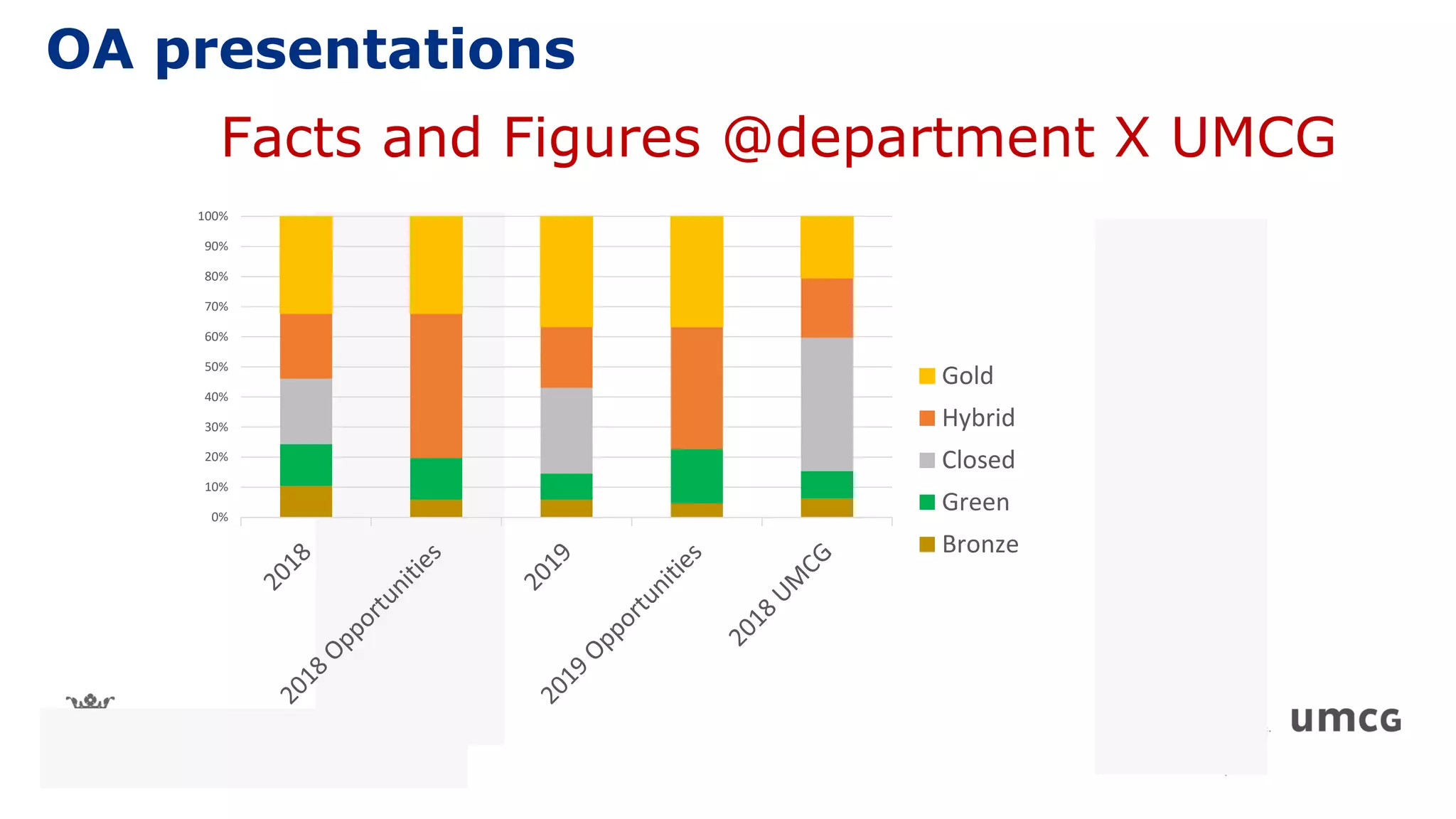
Facts and Figures @department X UMCG
0%
10%
20%
30%
40%
50%
60%
70%
80%
90%
100%
Gold
Hybrid
Closed
Green
Bronze
OA presentations
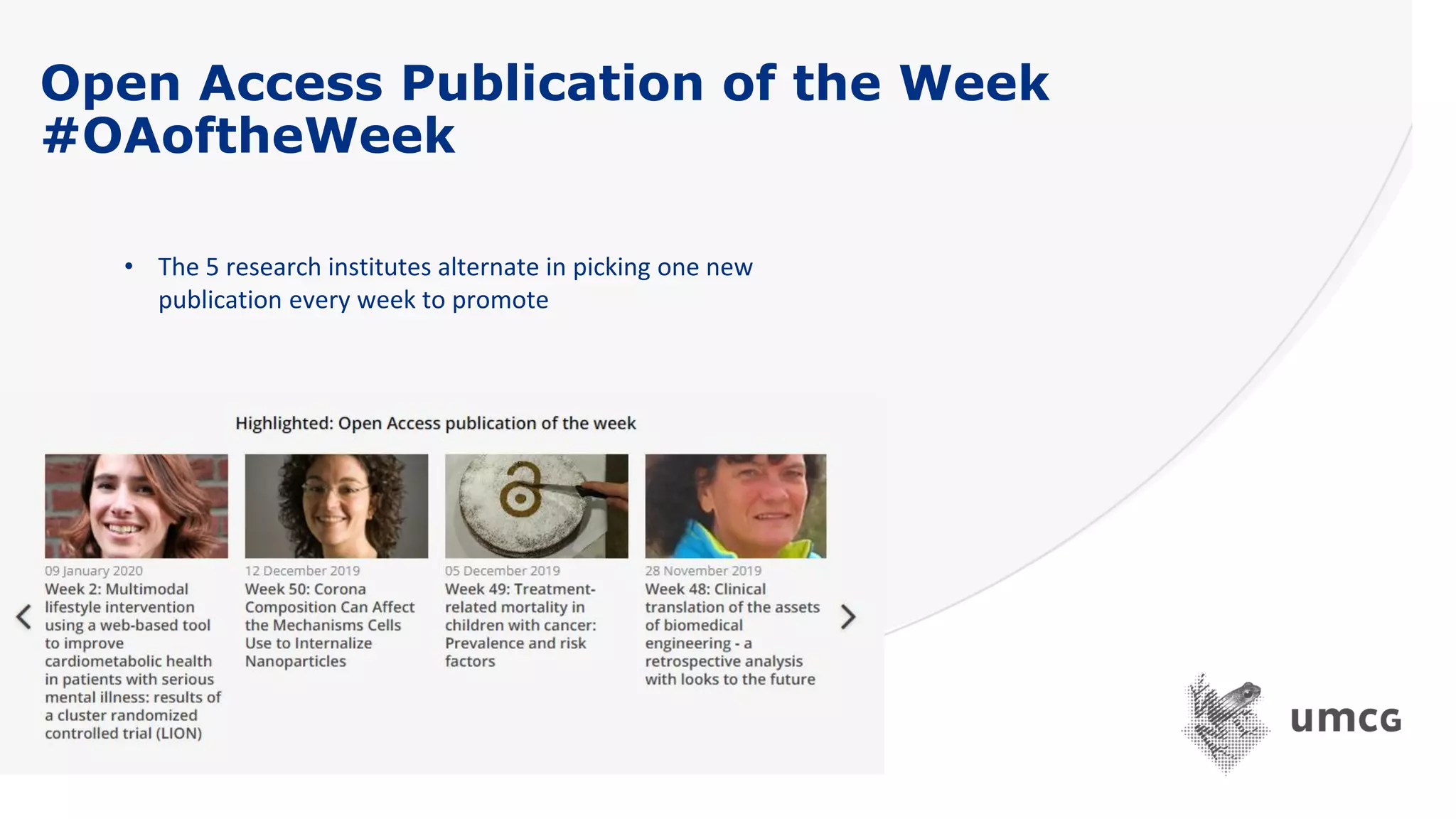
Open Access Publication of the Week
#OAoftheWeek
• The 5 research institutes alternate in picking one new
publication every week to promote
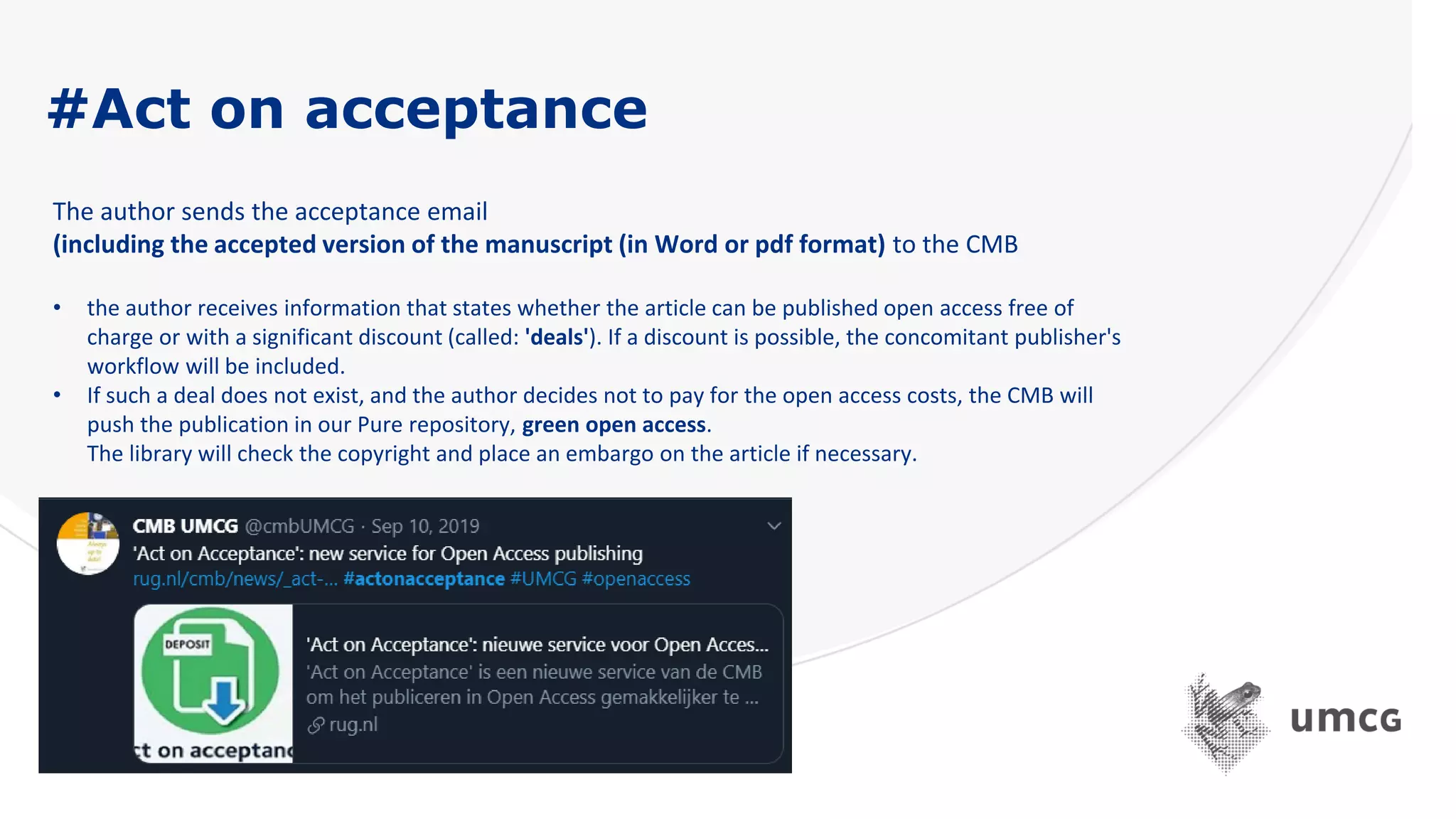
#Act on acceptance
The author sends the acceptance email
(including the accepted version of the manuscript (in Word or pdf format) to the CMB
• the author receives information that states whether the article can be published open access free of
charge or with a significant discount (called: 'deals'). If a discount is possible, the concomitant publisher's
workflow will be included.
• If such a deal does not exist, and the author decides not to pay for the open access costs, the CMB will
push the publication in our Pure repository, green open access.
The library will check the copyright and place an embargo on the article if necessary.
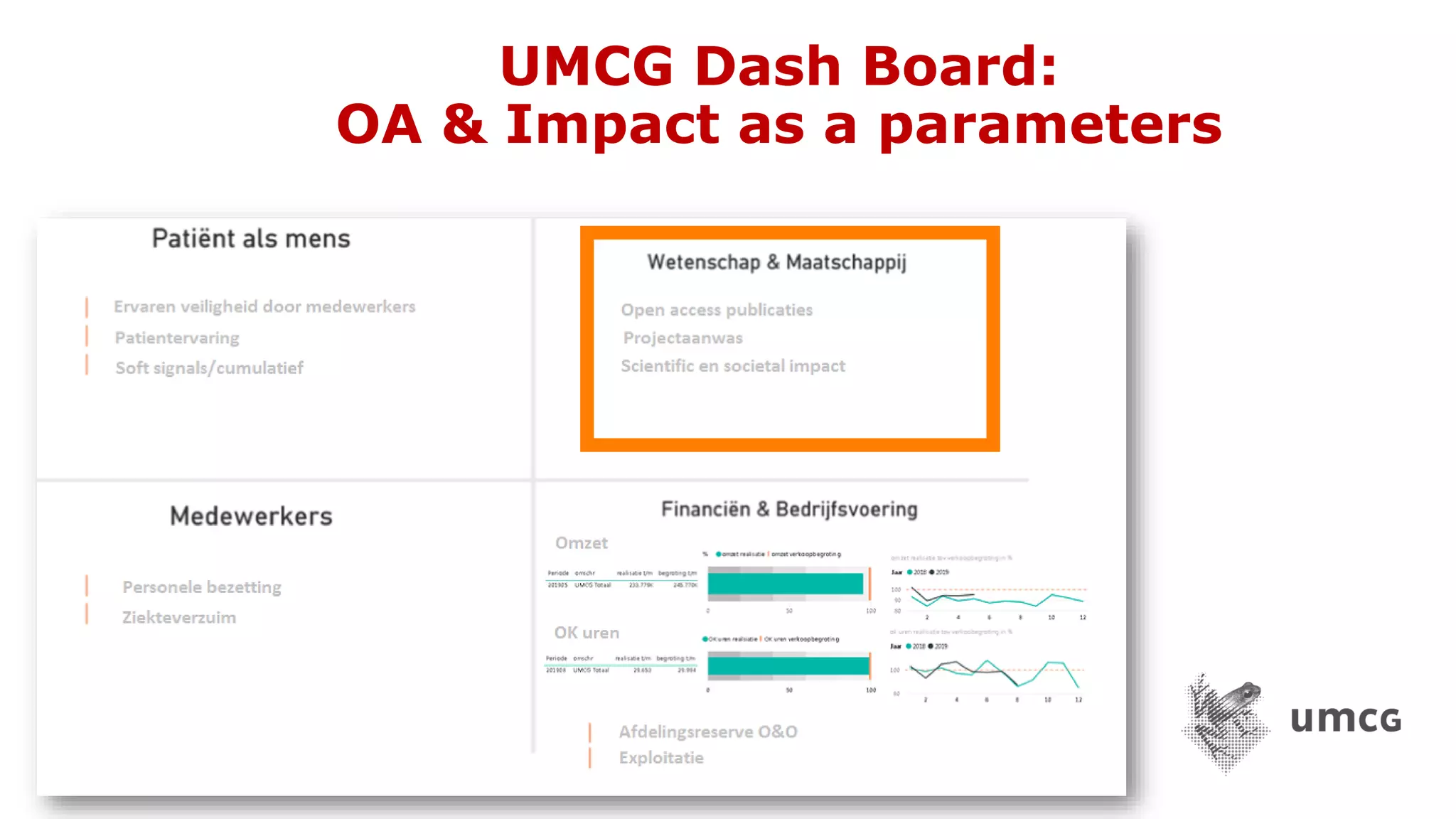
UMCG Dash Board:
OA & Impact as a parameters
https://linktr.ee/digicmb
Thank you for your attention!
Guus van den Brekel
Central Medical Library
University Medical Center Groningen
The Netherlands
Scopus Basics:
Search, Refine, Compare,
and Understand Scopus
Research Impact Metrics
Rachel Miles
Research Impact Librarian
ramiles@vt.edu
Slides available at
http://bit.ly/ScopusSearchBasics
These slides are licensed under a Creative Commons
Attribution-NonCommercial-ShareAlike (CC BY-NC-SA)
4.0 International License
Outline
▪ Scopus coverage – comparing data sources
▪ Setting up an account with Scopus (and why)
▪ Search basics + benefits to faculty:
▪ Author disambiguation
▪ Connecting profiles (e.g., ORCID iD)
▪ Saving searches vs. saving lists
▪ Scopus metrics & interpretation
● Web of Science (WoS)
● Almost all journal articles covered by WoS also covered by Scopus
● WoS covers meeting abstracts and book reviews (doc types not covered by Scopus)
● Substantial share of proceedings covered by WoS not covered by Scopus either
● More coverage of arts & humanities in WoS due to the doc types covered, but Scopus has improved
its coverage of docs in arts & humanities in recent years (i.e., likely needs revisiting)
● Dimensions and Crossref
● Large number of journal pubs in both are not covered by Scopus
● Some of these docs are of “little scientific significance” (e.g., list of editorial board members, cover of a
journal issue).
● Dimensions & Crossref also cover many book chapters not covered by Scopus
● Scopus covers some proceedings not covered by Dimensions & Crossref
● Significant problems with incompleteness of citation links in Dimensions
● Significant problems with classification of doc types and disciplinary classifications in Dimensions
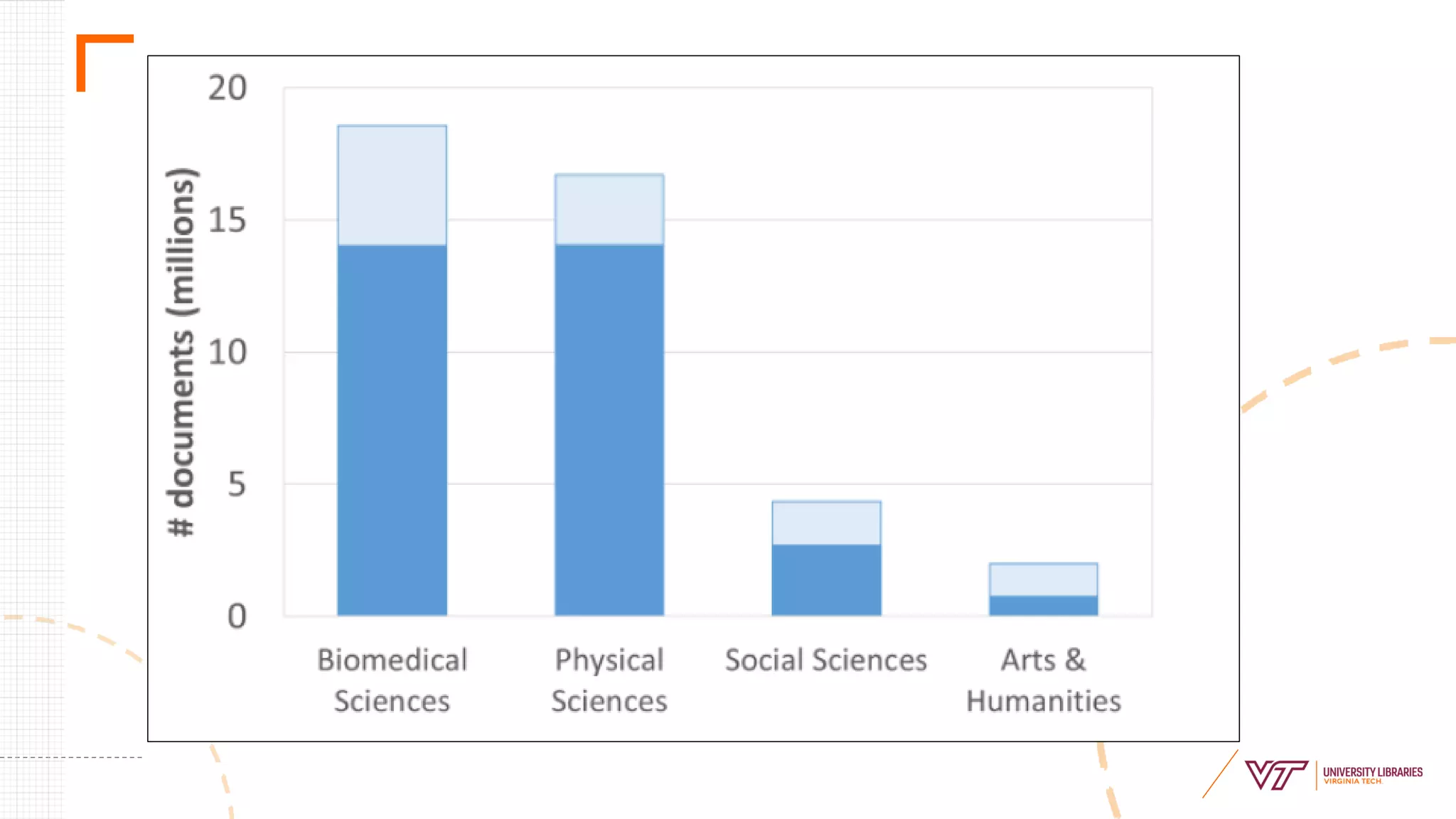
● Large percentage of unique documents found in WoS, Dimensions, & CrossRef
within the social science and humanities fields
Scopus Database Coverage -
Document Overlap with other data sources
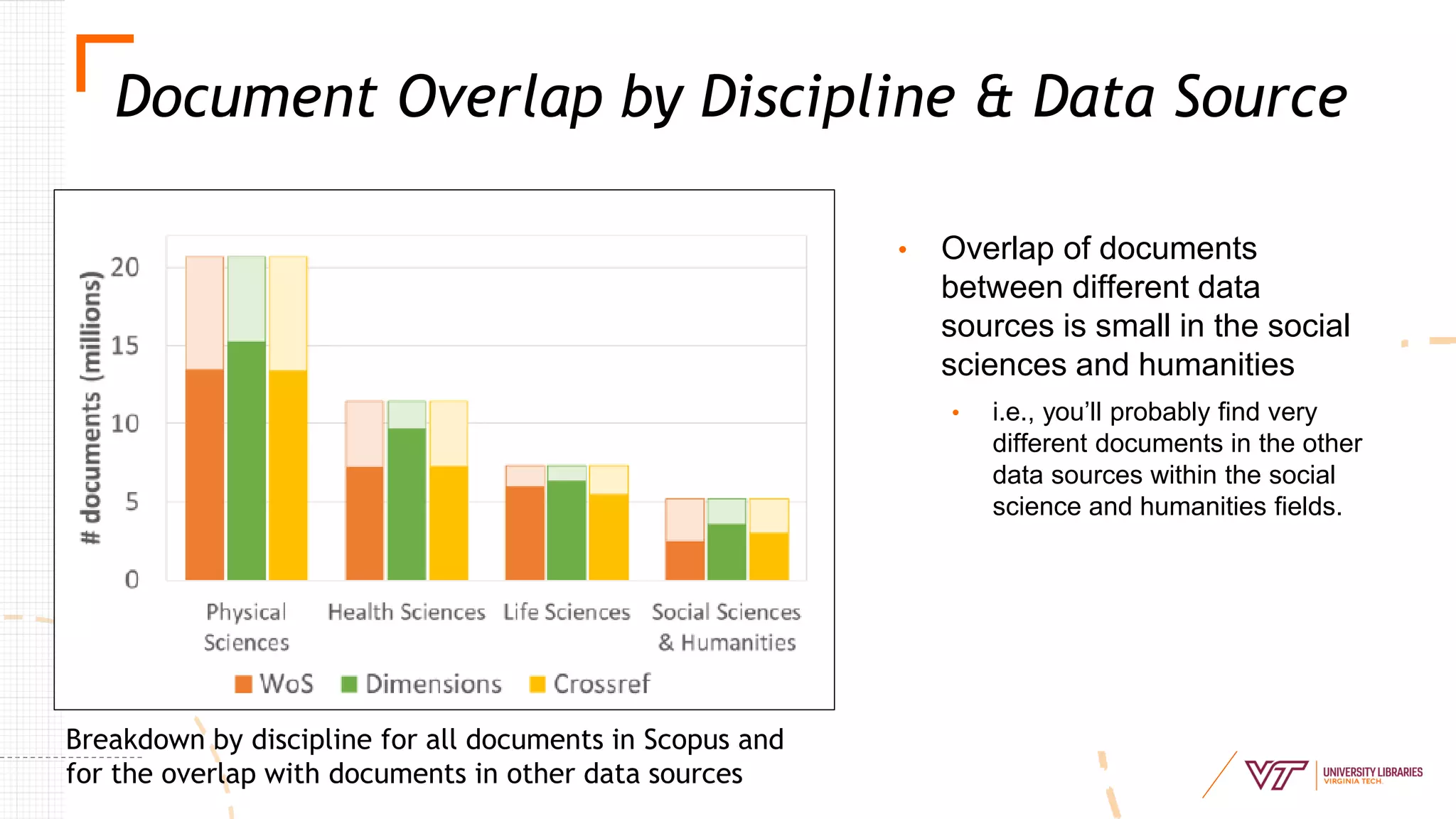
• Overlap of documents
between different data
sources is small in the social
sciences and humanities
• i.e., you’ll probably find very
different documents in the other
data sources within the social
science and humanities fields.
Document Overlap by Discipline & Data Source
Breakdown by discipline for all documents in Scopus and
for the overlap with documents in other data sources
Scopus Database Coverage - Languages
● Most documents in English language (from all data sources)
● Documents not in English language do not have overlap with
other data sources (Web of Science, Crossref, Dimensions)
○ Likewise, most documents in WoS & Dimensions not in English do not
have matching documents in Scopus
○ Therefore, non-English documents tend to be unique in bibliographic
databases, but their coverage is still quite small
Graph & data from these three slides courtesy of Visser, van Eck, & Waltman, 2019
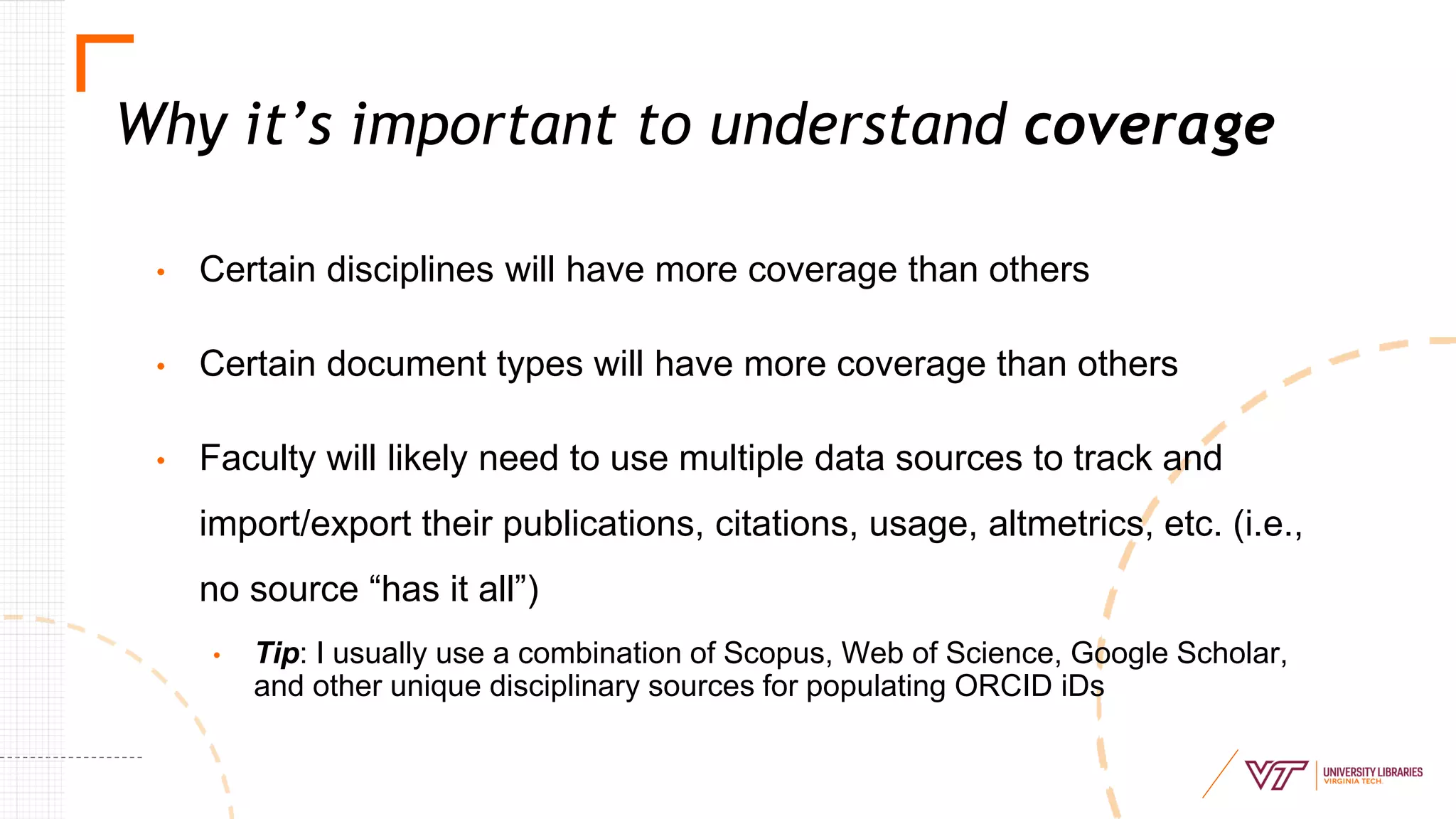
• Certain disciplines will have more coverage than others
• Certain document types will have more coverage than others
• Faculty will likely need to use multiple data sources to track and
import/export their publications, citations, usage, altmetrics, etc. (i.e.,
no source “has it all”)
• Tip: I usually use a combination of Scopus, Web of Science, Google Scholar,
and other unique disciplinary sources for populating ORCID iDs
Why it’s important to understand coverage
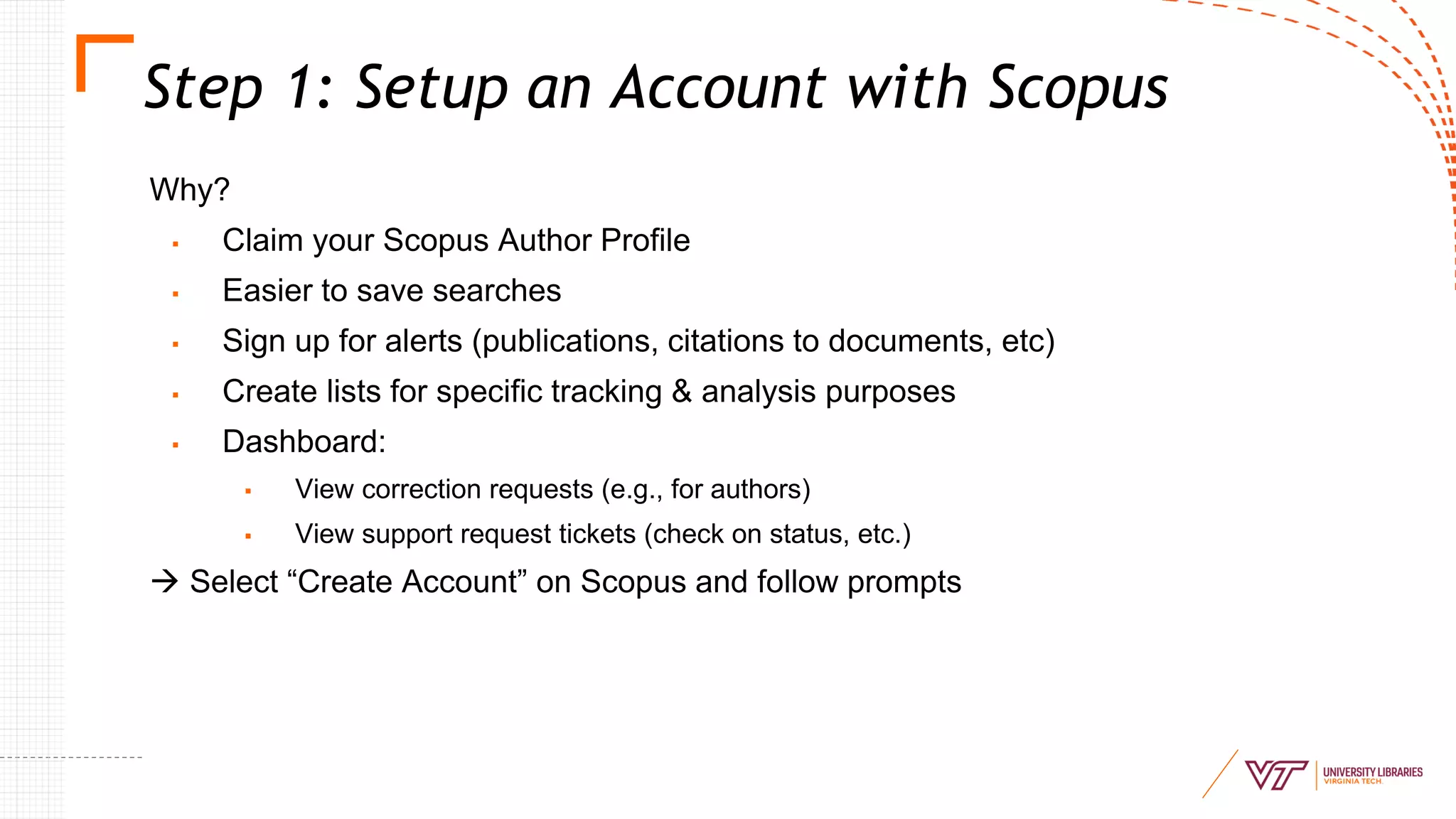
Step 1: Setup an Account with Scopus
Why?
▪ Claim your Scopus Author Profile
▪ Easier to save searches
▪ Sign up for alerts (publications, citations to documents, etc)
▪ Create lists for specific tracking & analysis purposes
▪ Dashboard:
▪ View correction requests (e.g., for authors)
▪ View support request tickets (check on status, etc.)
→ Select “Create Account” on Scopus and follow prompts
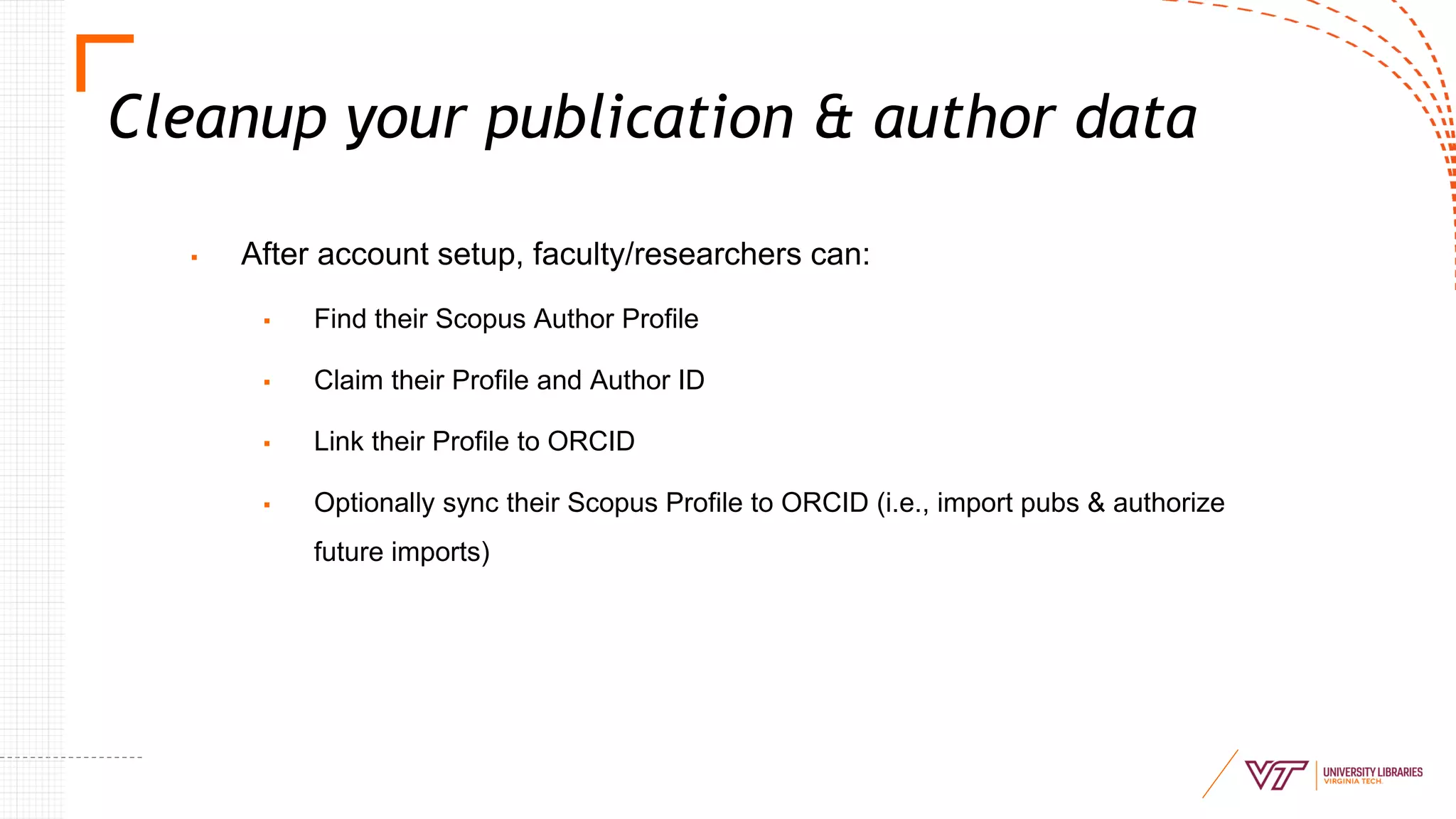
Cleanup your publication & author data
▪ After account setup, faculty/researchers can:
▪ Find their Scopus Author Profile
▪ Claim their Profile and Author ID
▪ Link their Profile to ORCID
▪ Optionally sync their Scopus Profile to ORCID (i.e., import pubs & authorize
future imports)
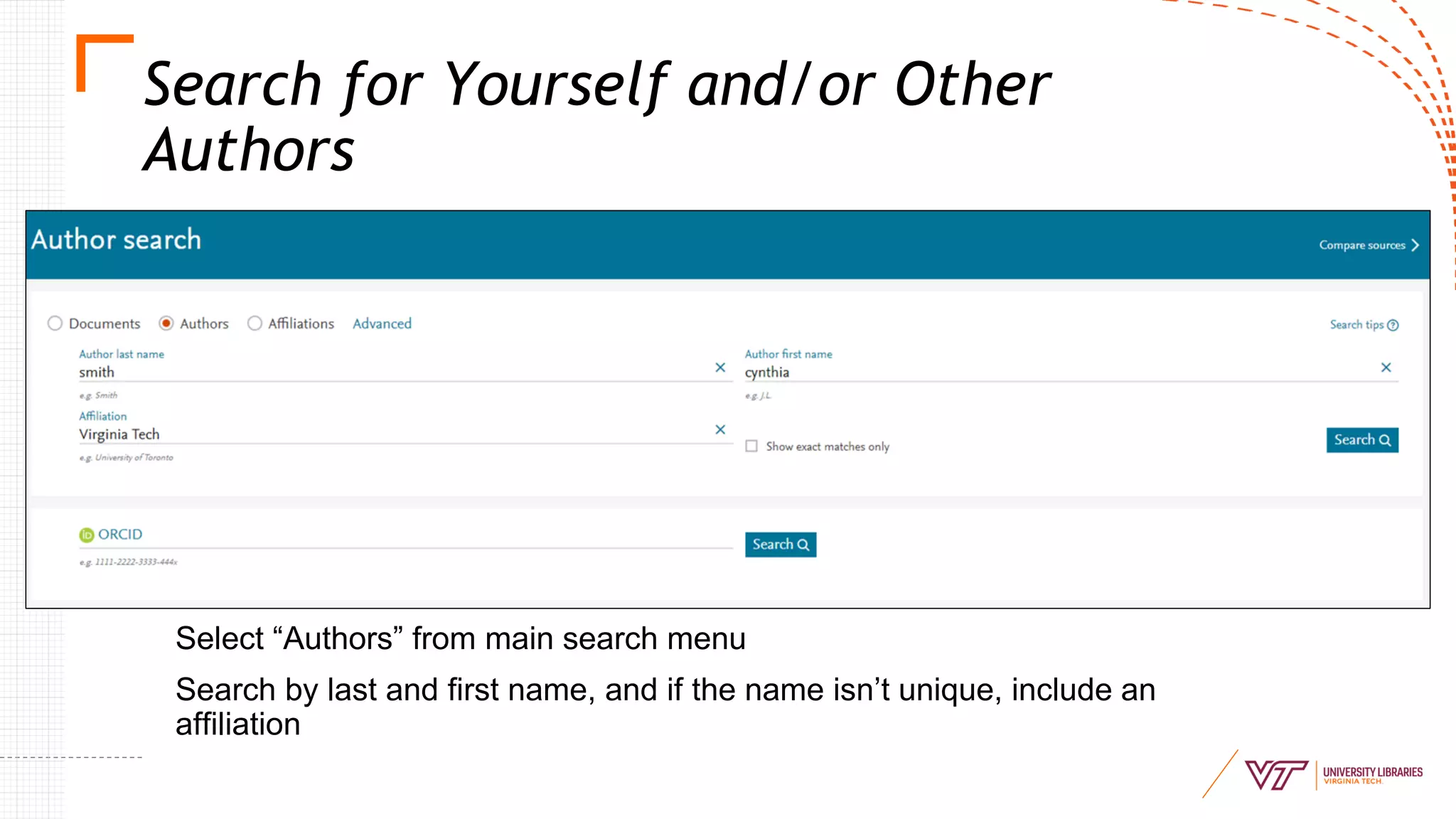
Search for Yourself and/or Other
Authors
Select “Authors” from main search menu
Search by last and first name, and if the name isn’t unique, include an
affiliation
Search for Yourself and/or Other
Authors
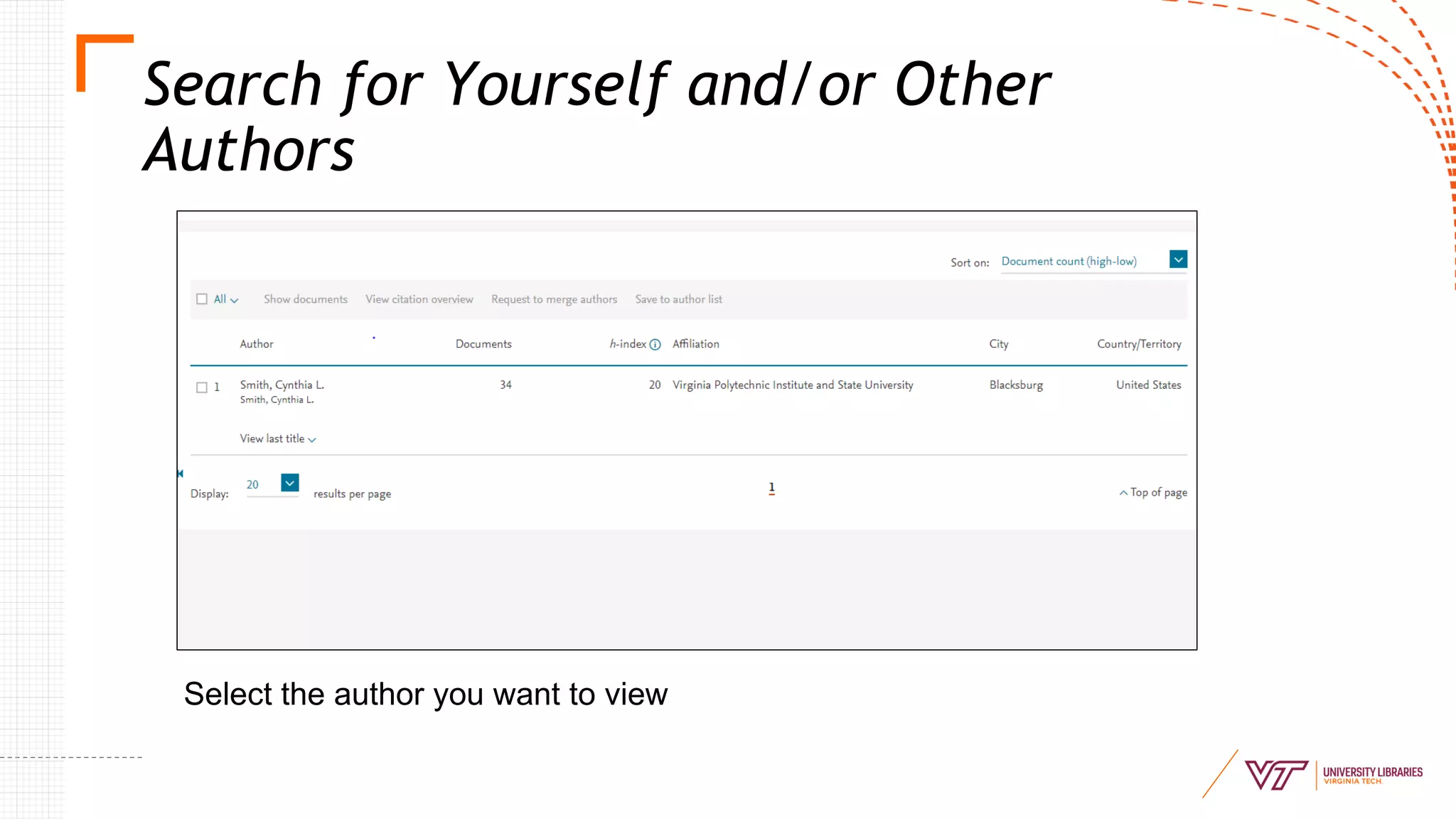
Select the author you want to view
Search for Yourself and/or Other
Authors
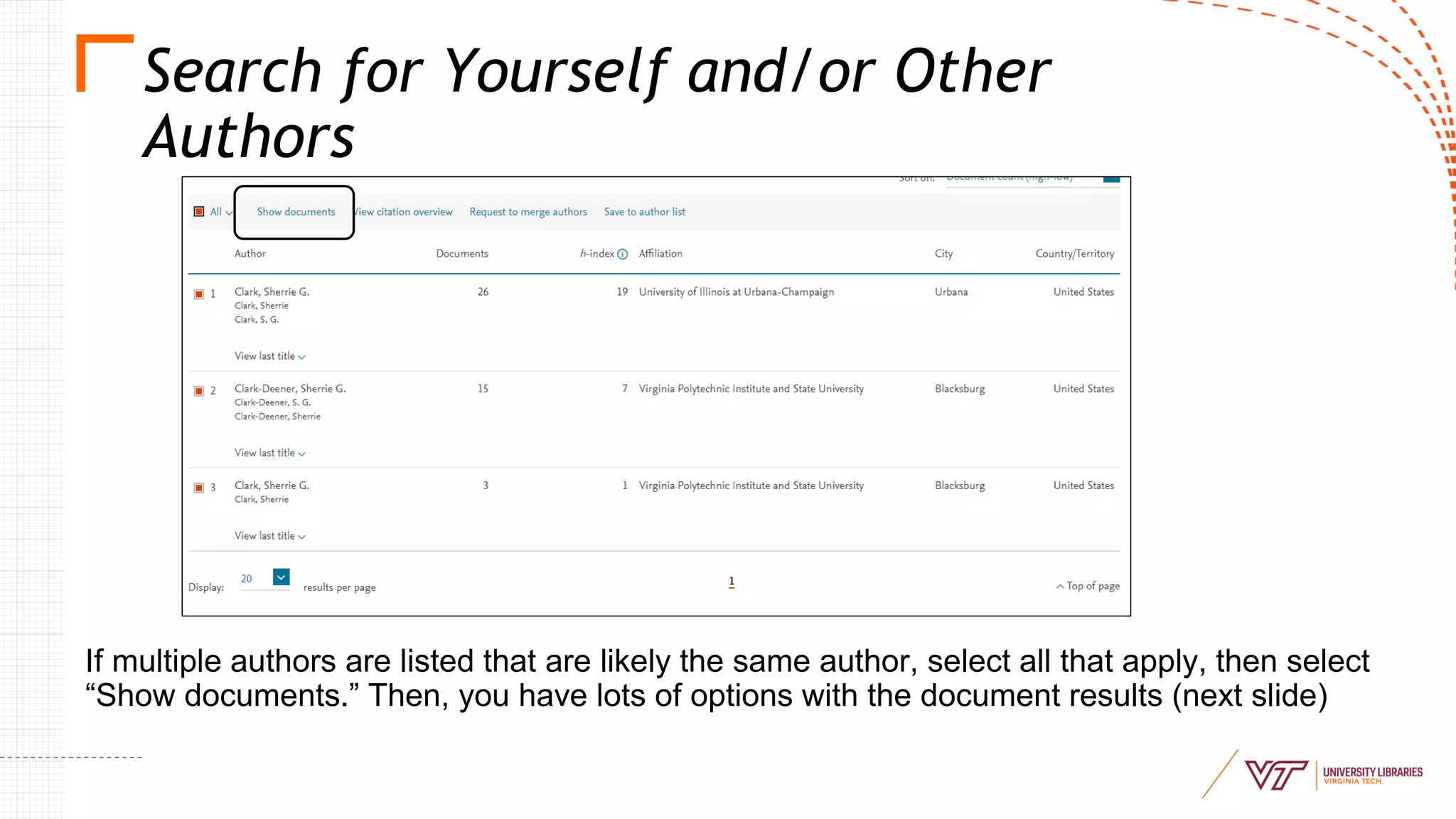
If multiple authors are listed that are likely the same author, select all that apply, then select
“Show documents.” Then, you have lots of options with the document results (next slide)
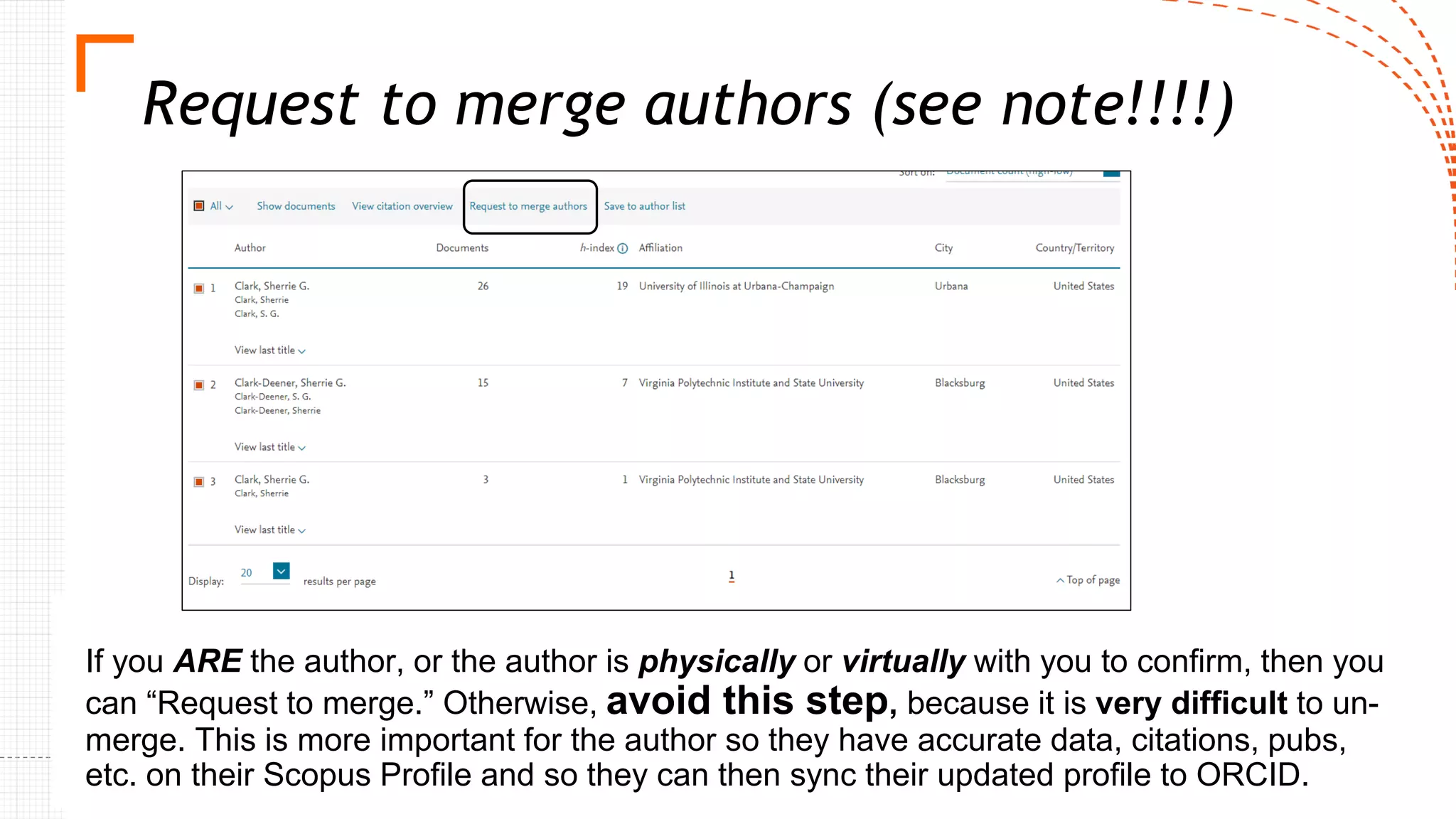
Request to merge authors (see note!!!!)
If you ARE the author, or the author is physically or virtually with you to confirm, then you
can “Request to merge.” Otherwise, avoid this step, because it is very difficult to un-
merge. This is more important for the author so they have accurate data, citations, pubs,
etc. on their Scopus Profile and so they can then sync their updated profile to ORCID.
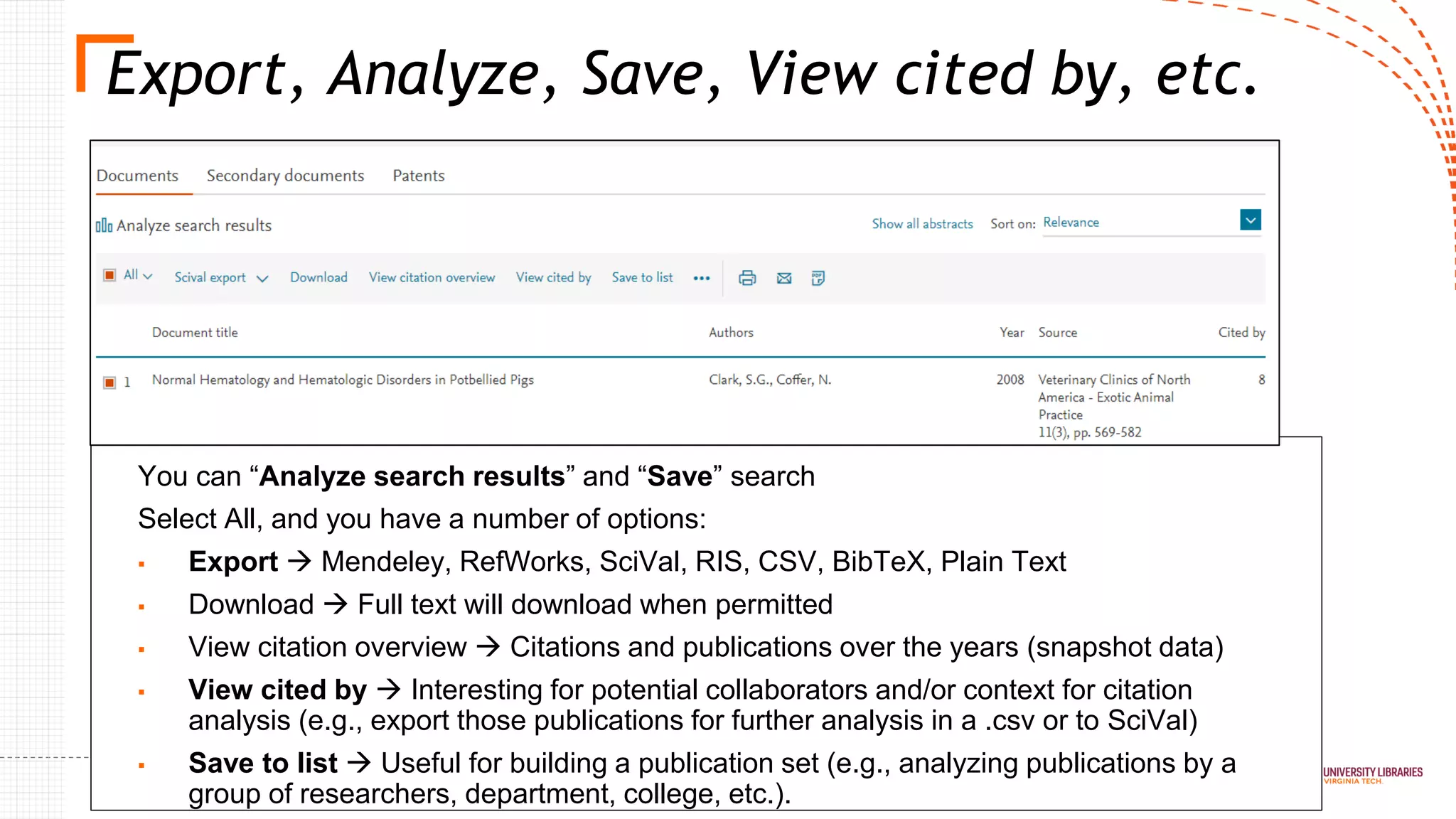
Export, Analyze, Save, View cited by, etc.
You can “Analyze search results” and “Save” search
Select All, and you have a number of options:
▪ Export → Mendeley, RefWorks, SciVal, RIS, CSV, BibTeX, Plain Text
▪ Download → Full text will download when permitted
▪ View citation overview → Citations and publications over the years (snapshot data)
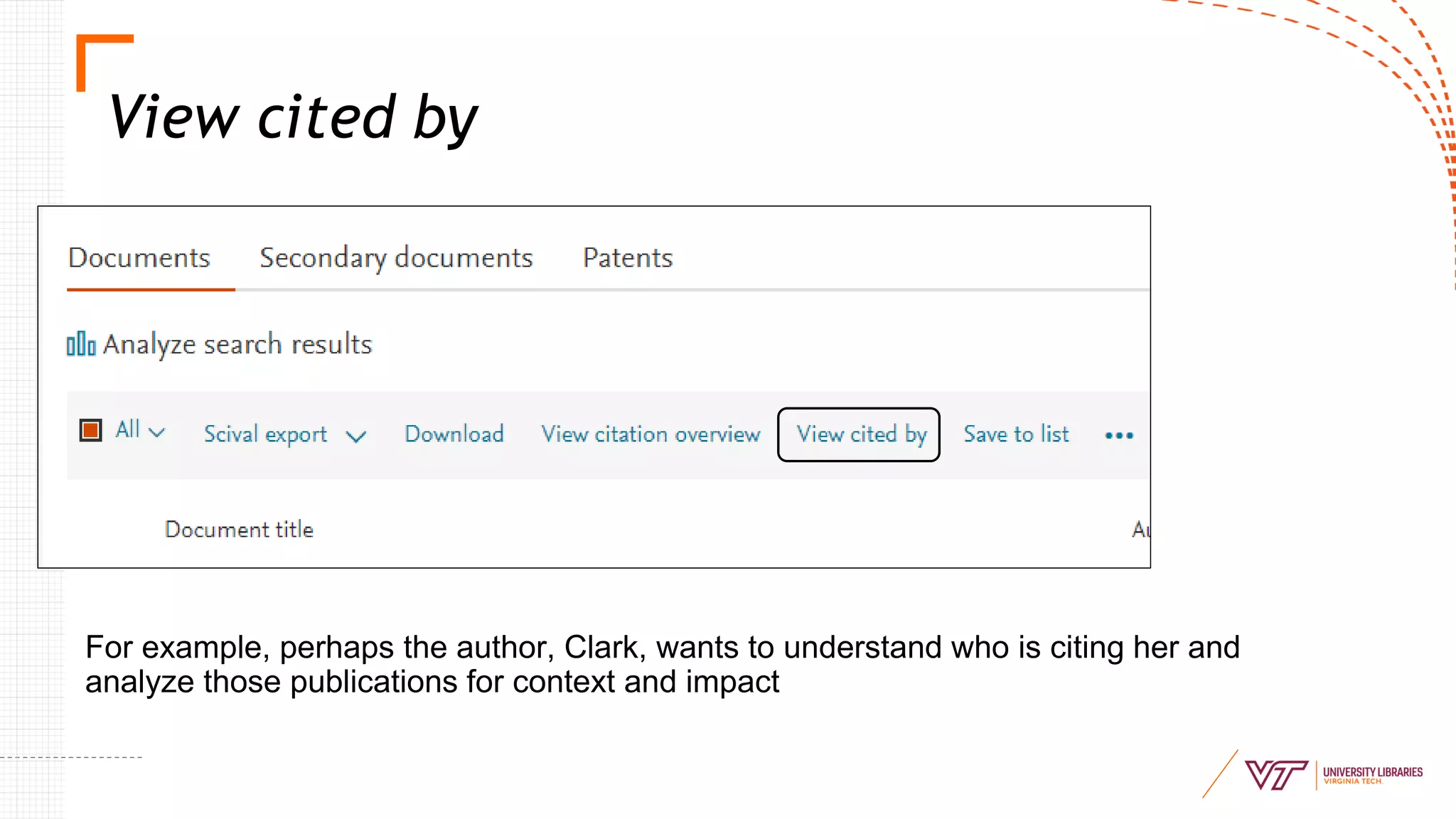
▪ View cited by → Interesting for potential collaborators and/or context for citation
analysis (e.g., export those publications for further analysis in a .csv or to SciVal)
▪ Save to list → Useful for building a publication set (e.g., analyzing publications by a
group of researchers, department, college, etc.).
View cited by
For example, perhaps the author, Clark, wants to understand who is citing her and
analyze those publications for context and impact
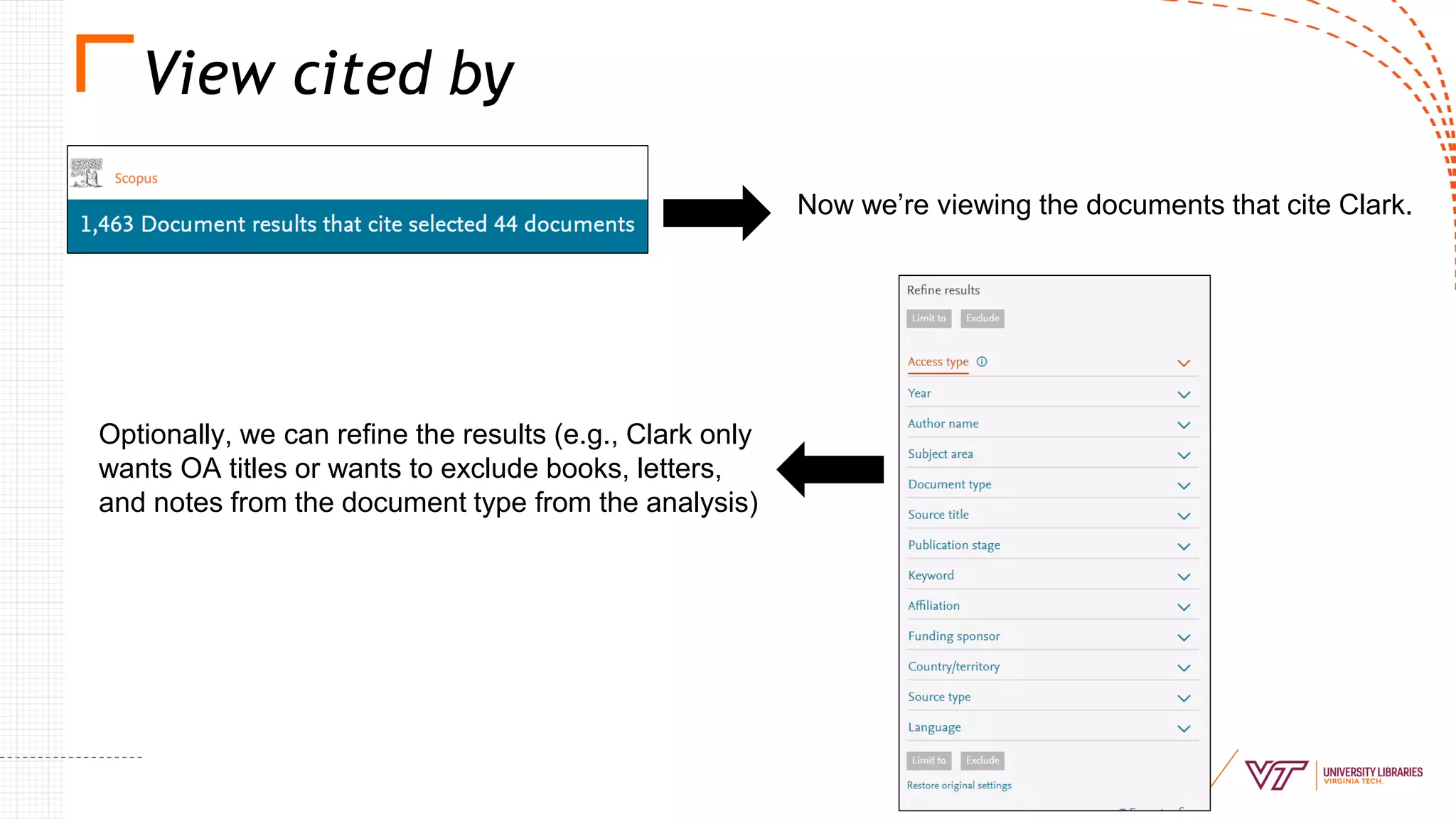
View cited by
Now we’re viewing the documents that cite Clark.
Optionally, we can refine the results (e.g., Clark only
wants OA titles or wants to exclude books, letters,
and notes from the document type from the analysis)
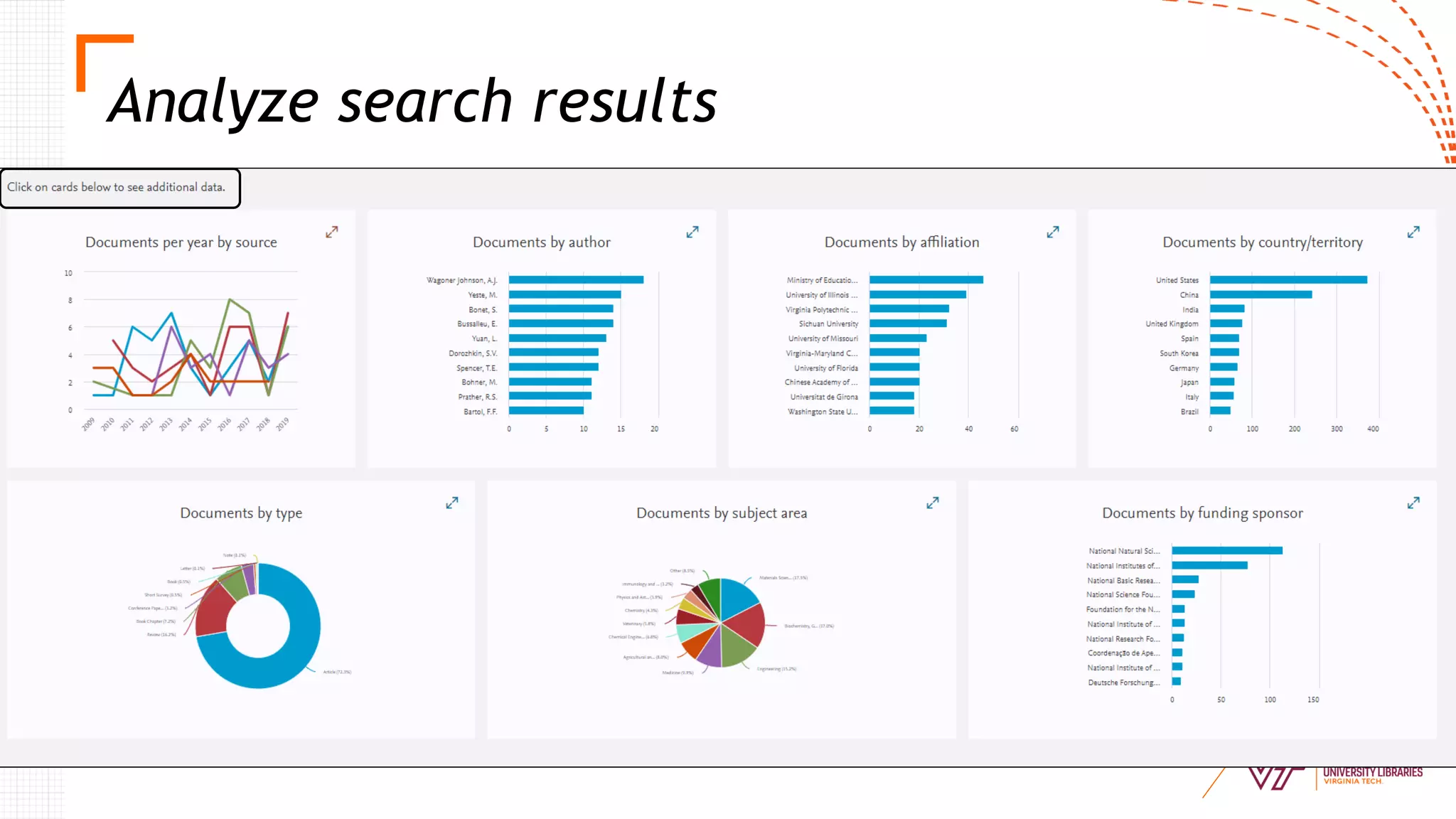
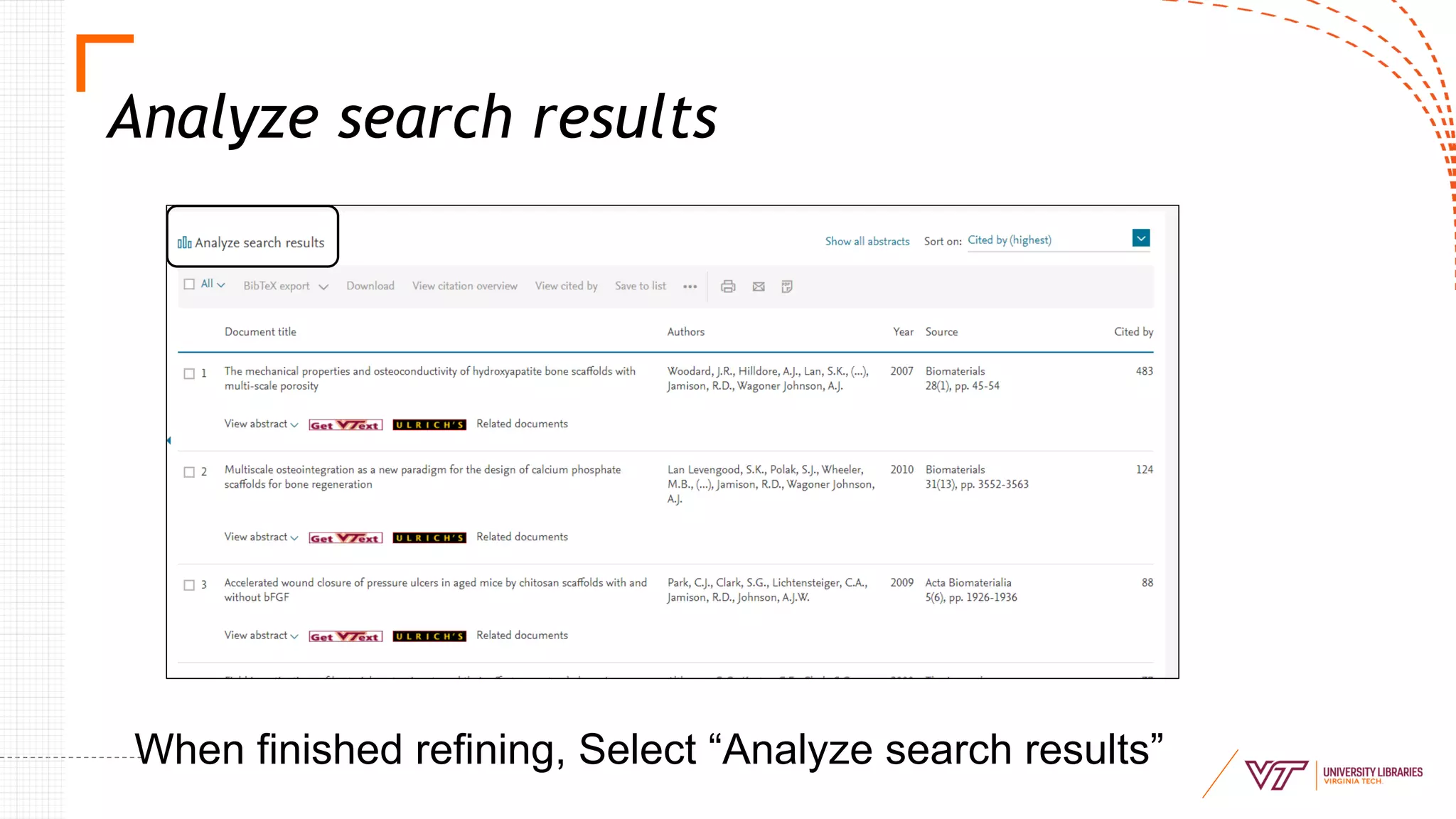
Analyze search results
When finished refining, Select “Analyze search results”
Analyze search results
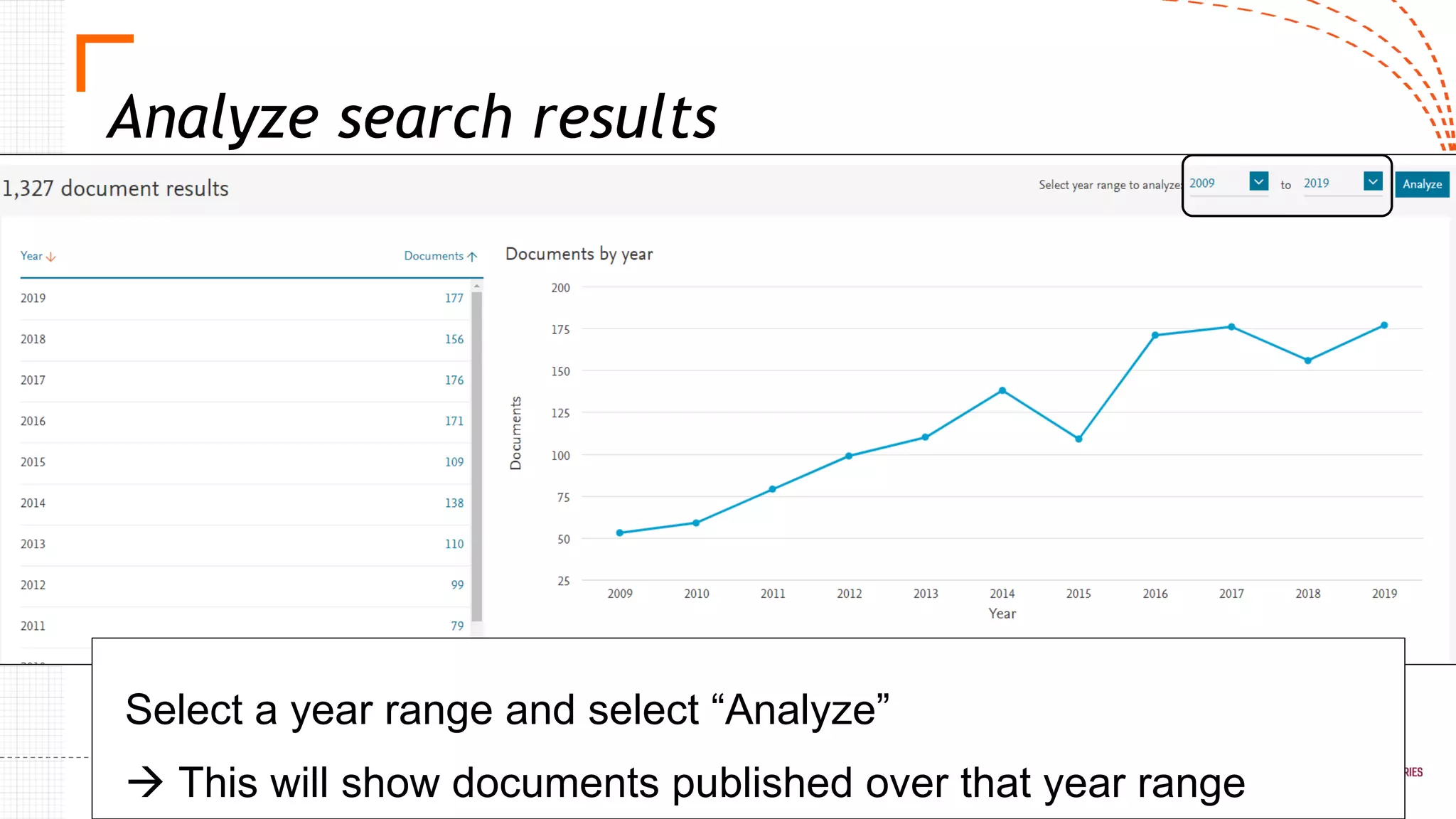
Select a year range and select “Analyze”
→ This will show documents published over that year range
Analyze search results
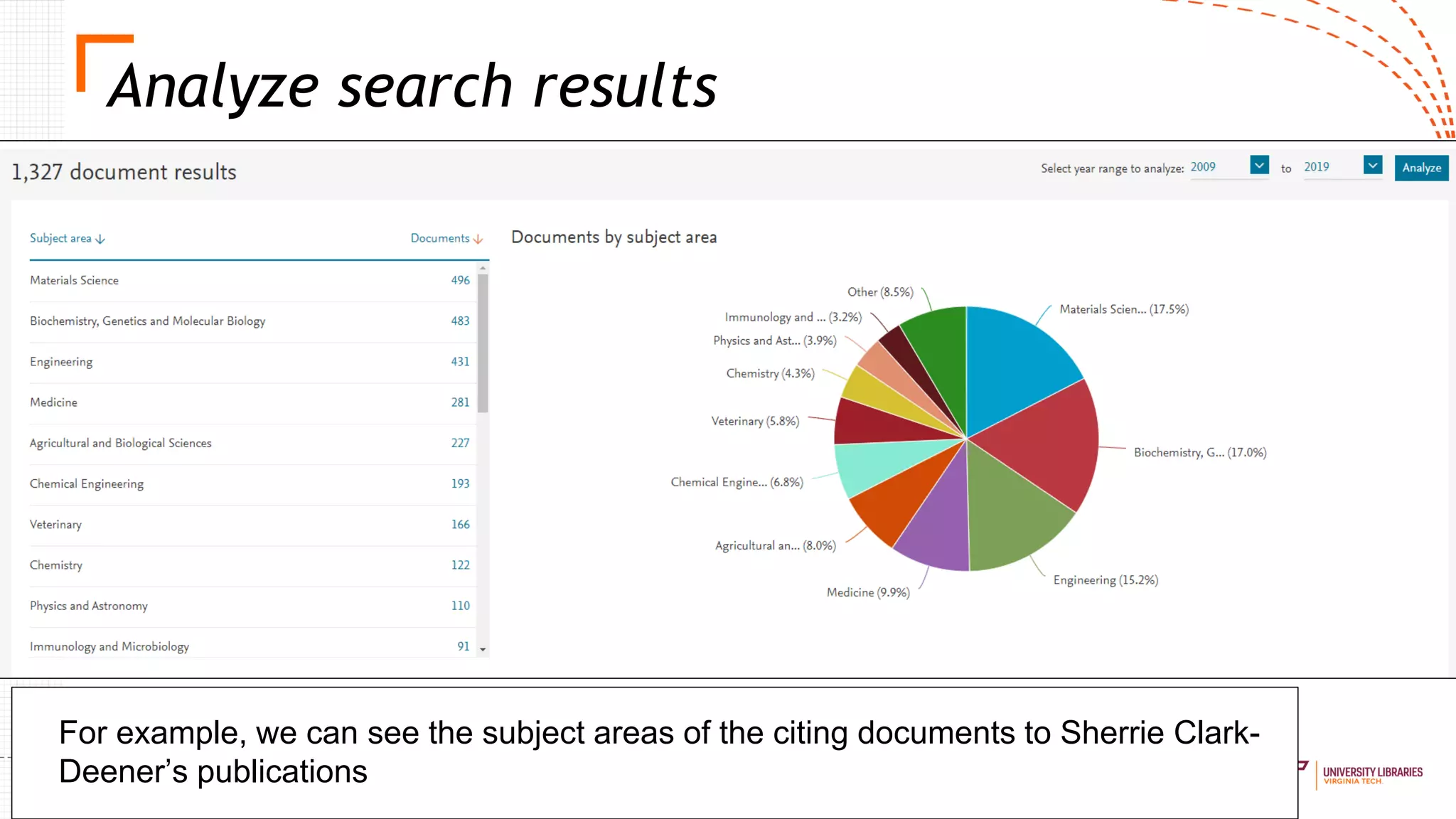
For example, we can see the subject areas of the citing documents to Sherrie Clark-
Deener’s publications
Analyze search results
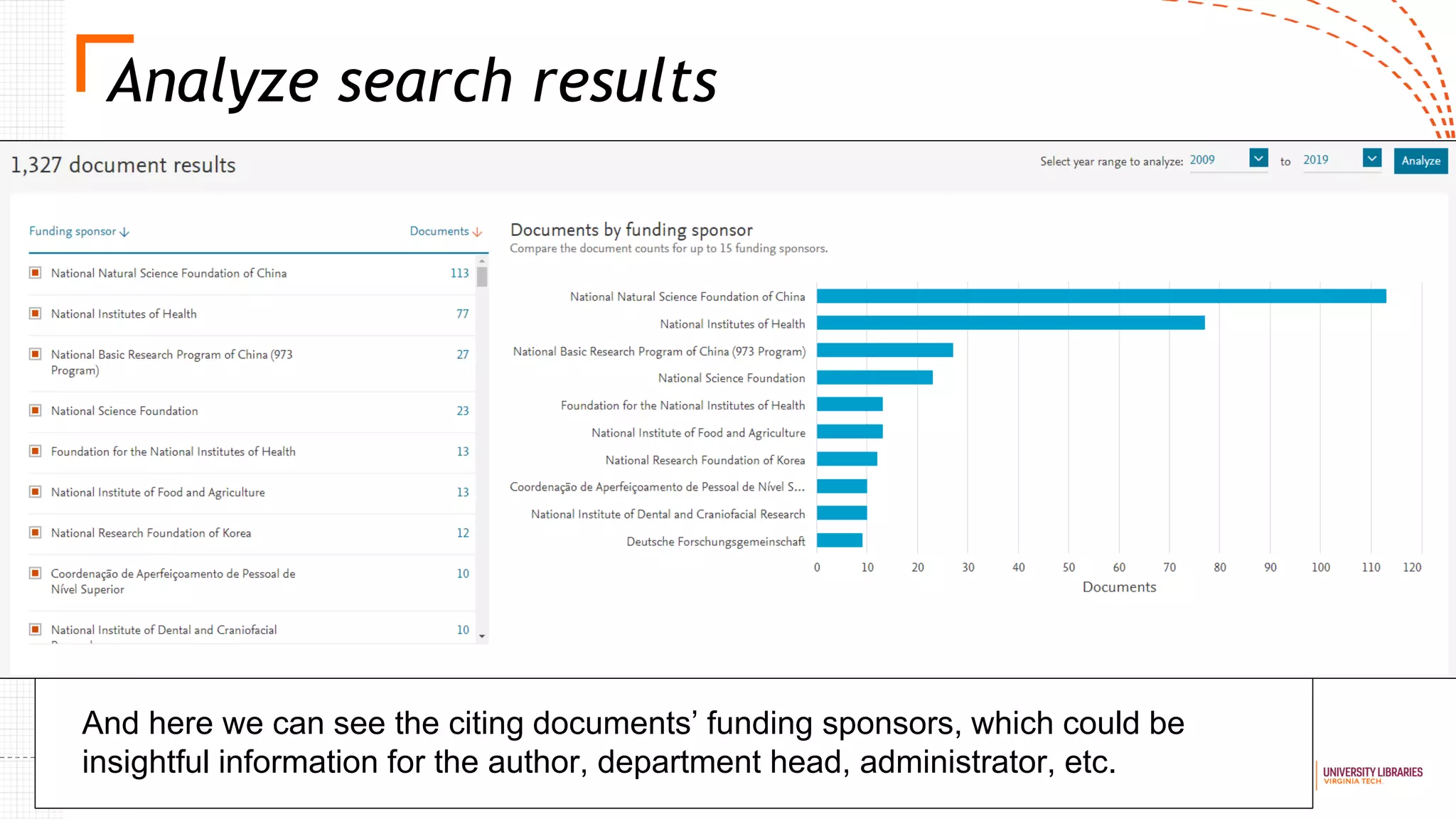
And here we can see the citing documents’ funding sponsors, which could be
insightful information for the author, department head, administrator, etc.
Exporting results
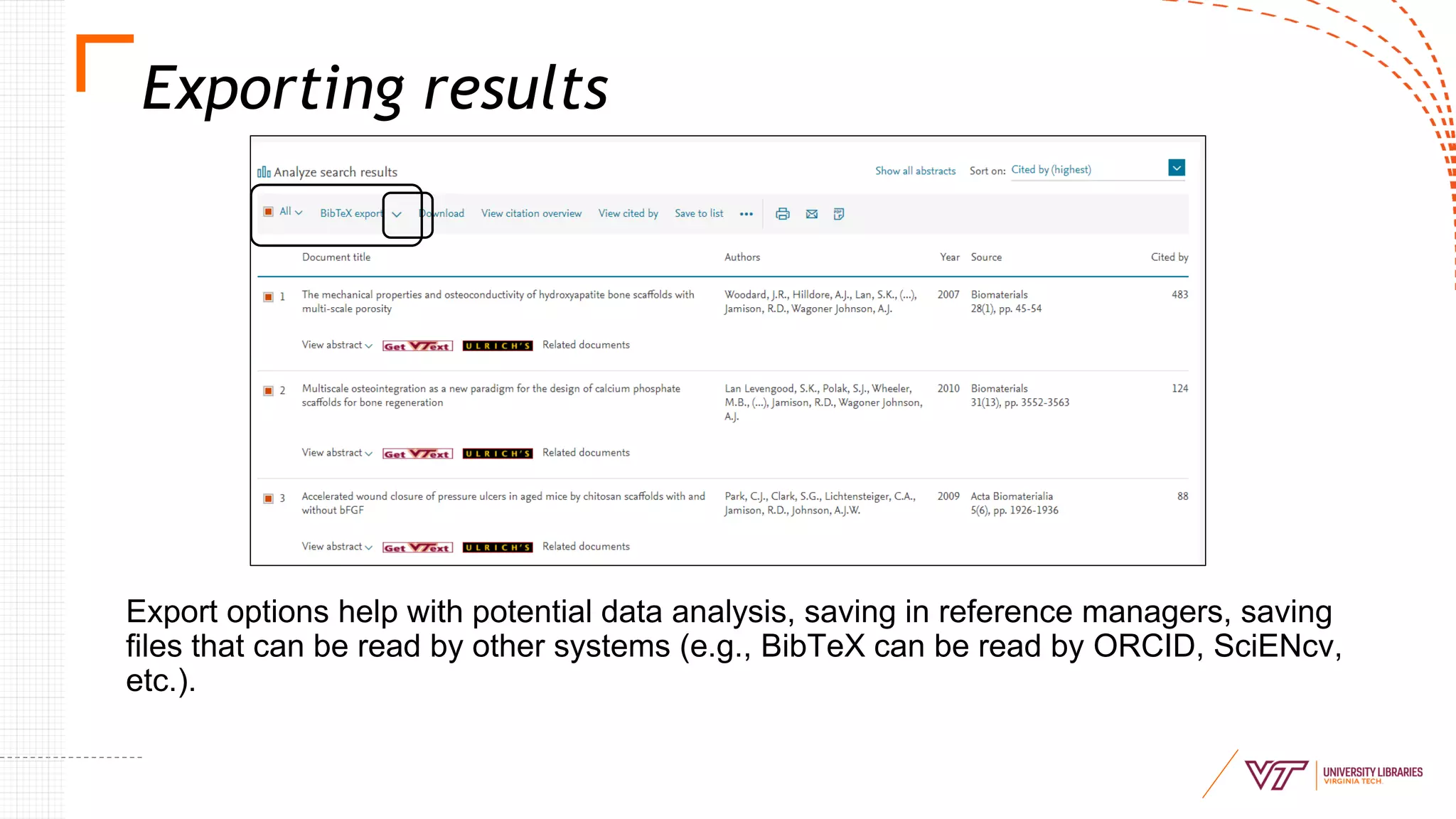
Export options help with potential data analysis, saving in reference managers, saving
files that can be read by other systems (e.g., BibTeX can be read by ORCID, SciENcv,
etc.).
Sele
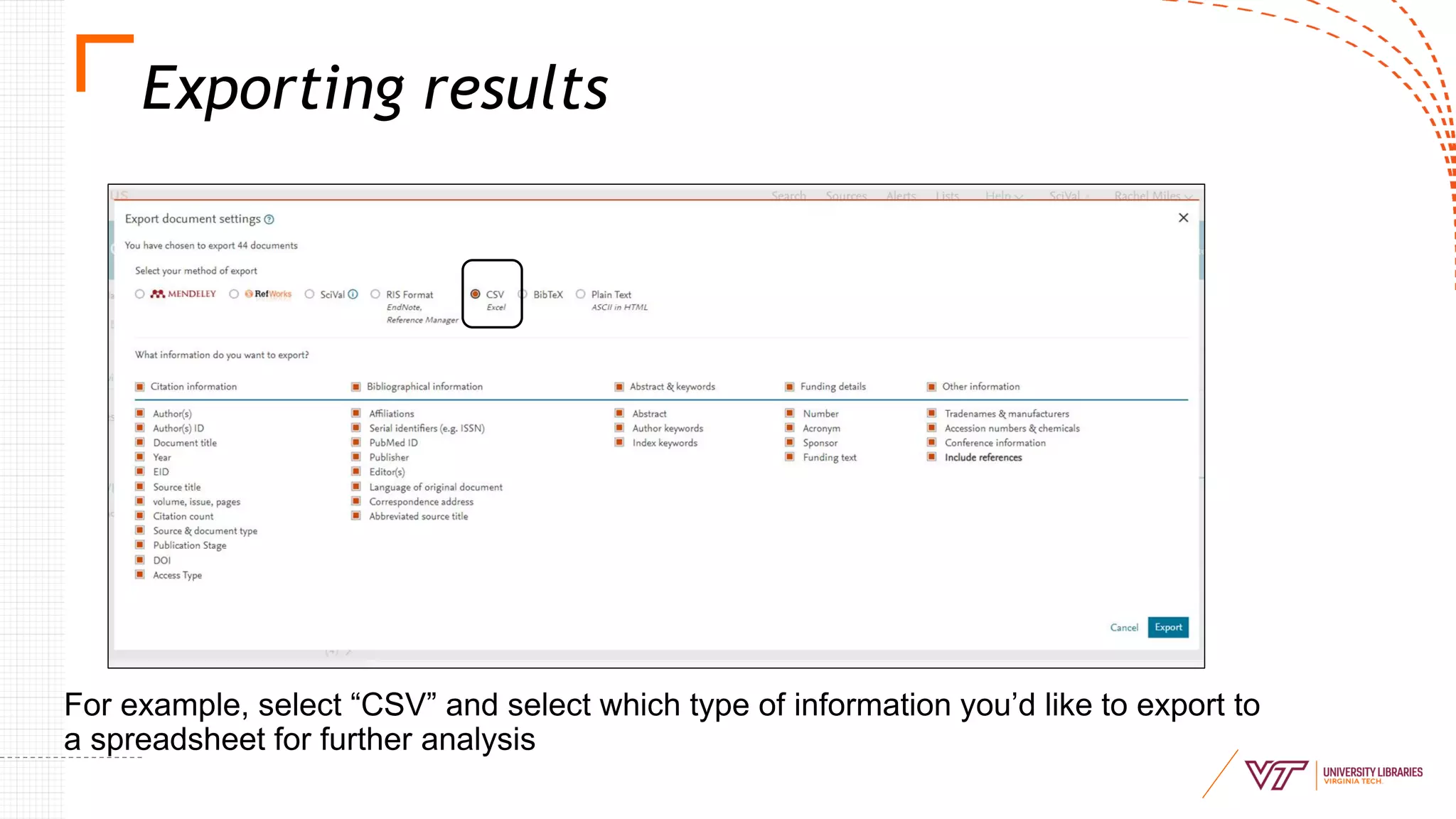
For example, select “CSV” and select which type of information you’d like to export to
a spreadsheet for further analysis
Exporting results
Save search
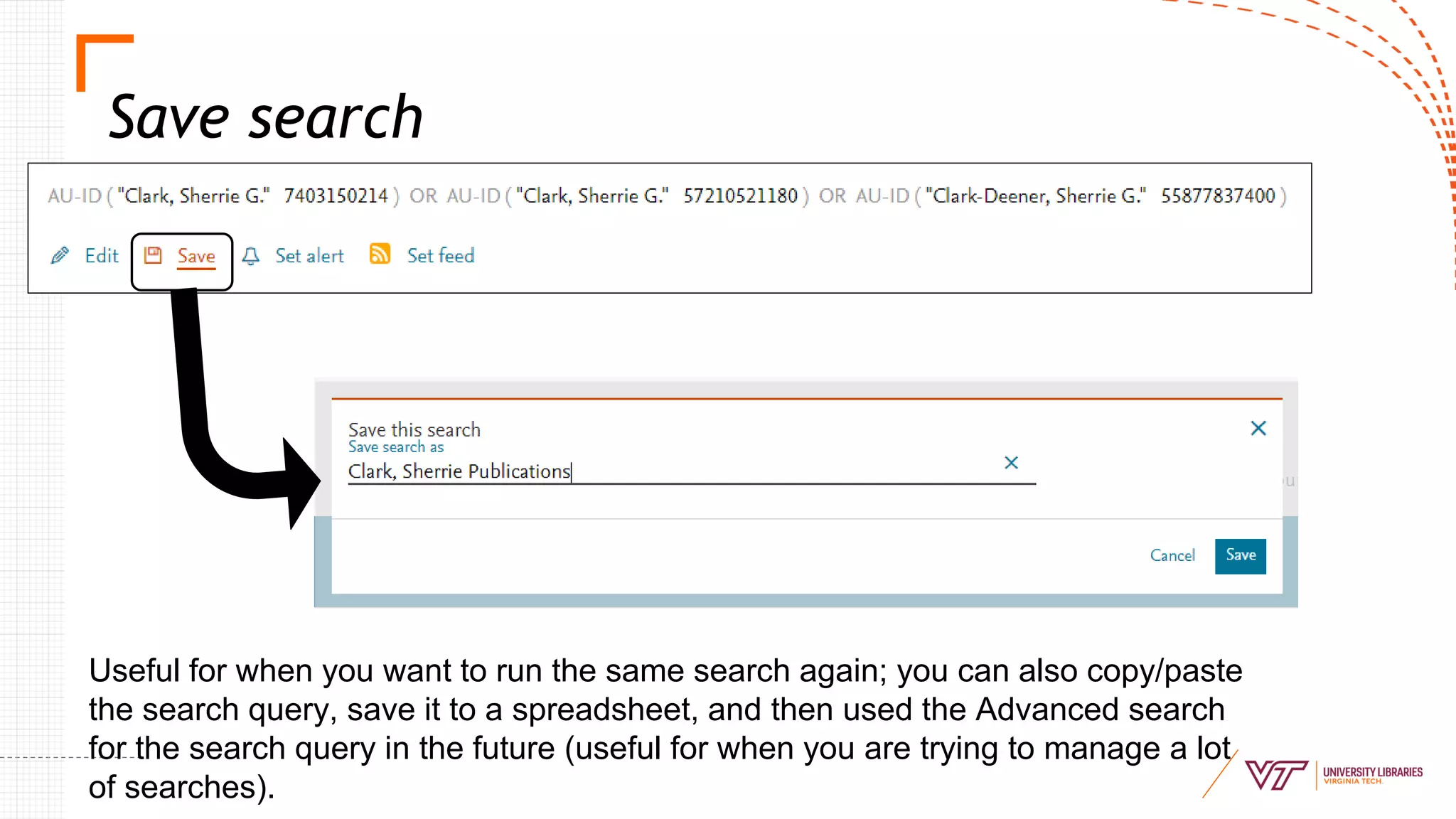
Useful for when you want to run the same search again; you can also copy/paste
the search query, save it to a spreadsheet, and then used the Advanced search
for the search query in the future (useful for when you are trying to manage a lot
of searches).
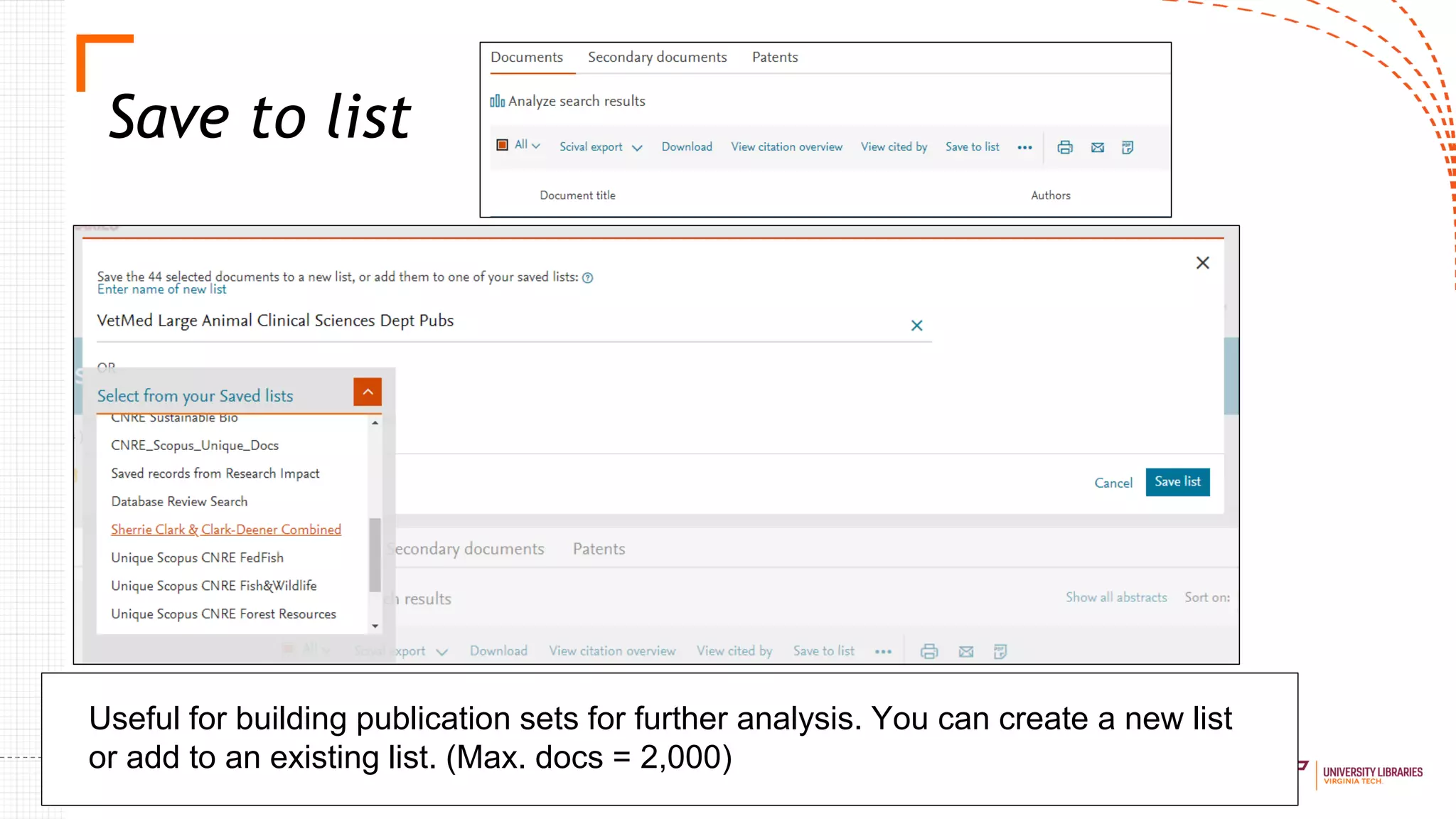
Save to list
Useful for building publication sets for further analysis. You can create a new list
or add to an existing list. (Max. docs = 2,000)
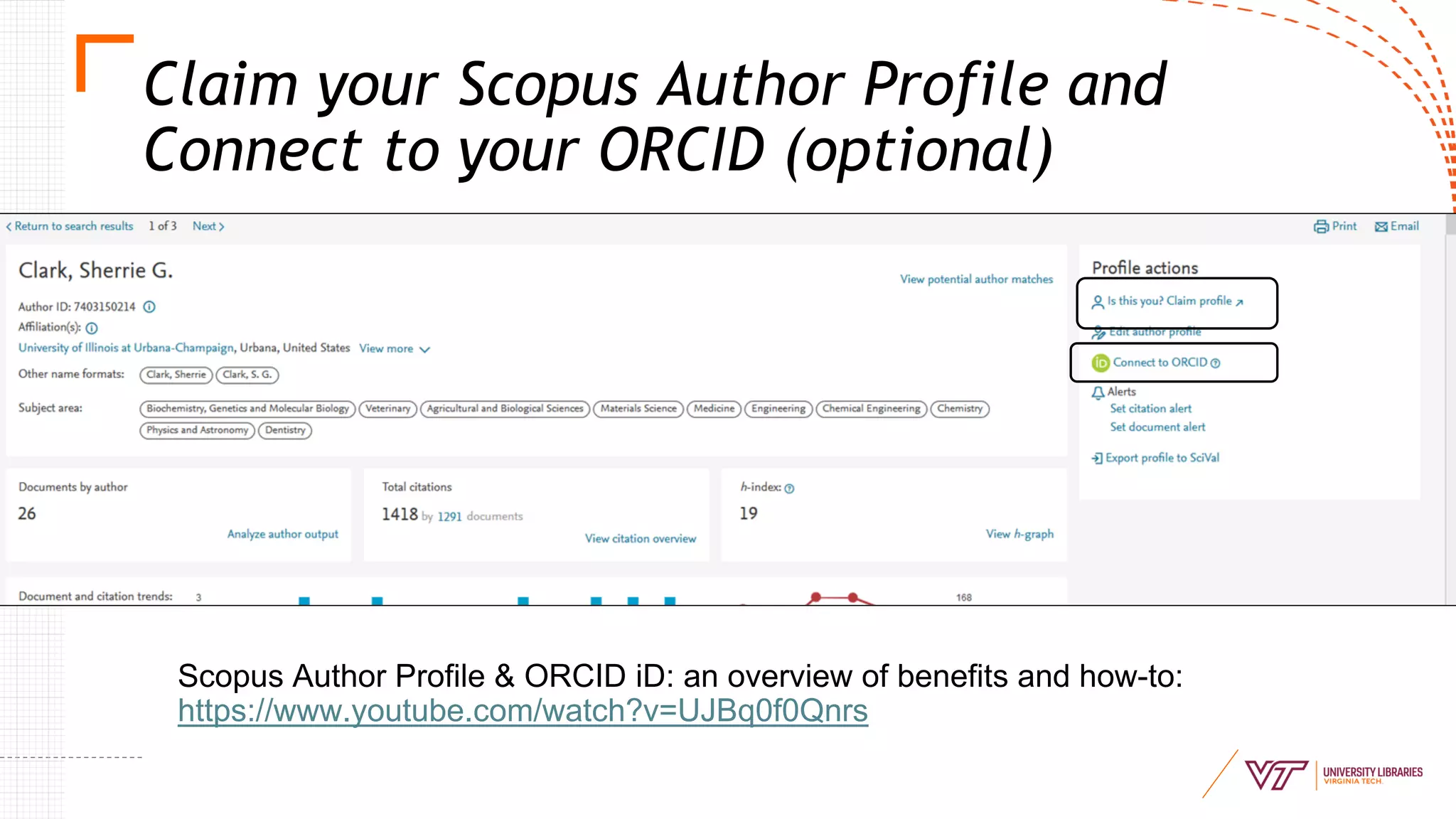
Scopus Author Profile & ORCID iD: an overview of benefits and how-to:
https://www.youtube.com/watch?v=UJBq0f0Qnrs
Claim your Scopus Author Profile and
Connect to your ORCID (optional)
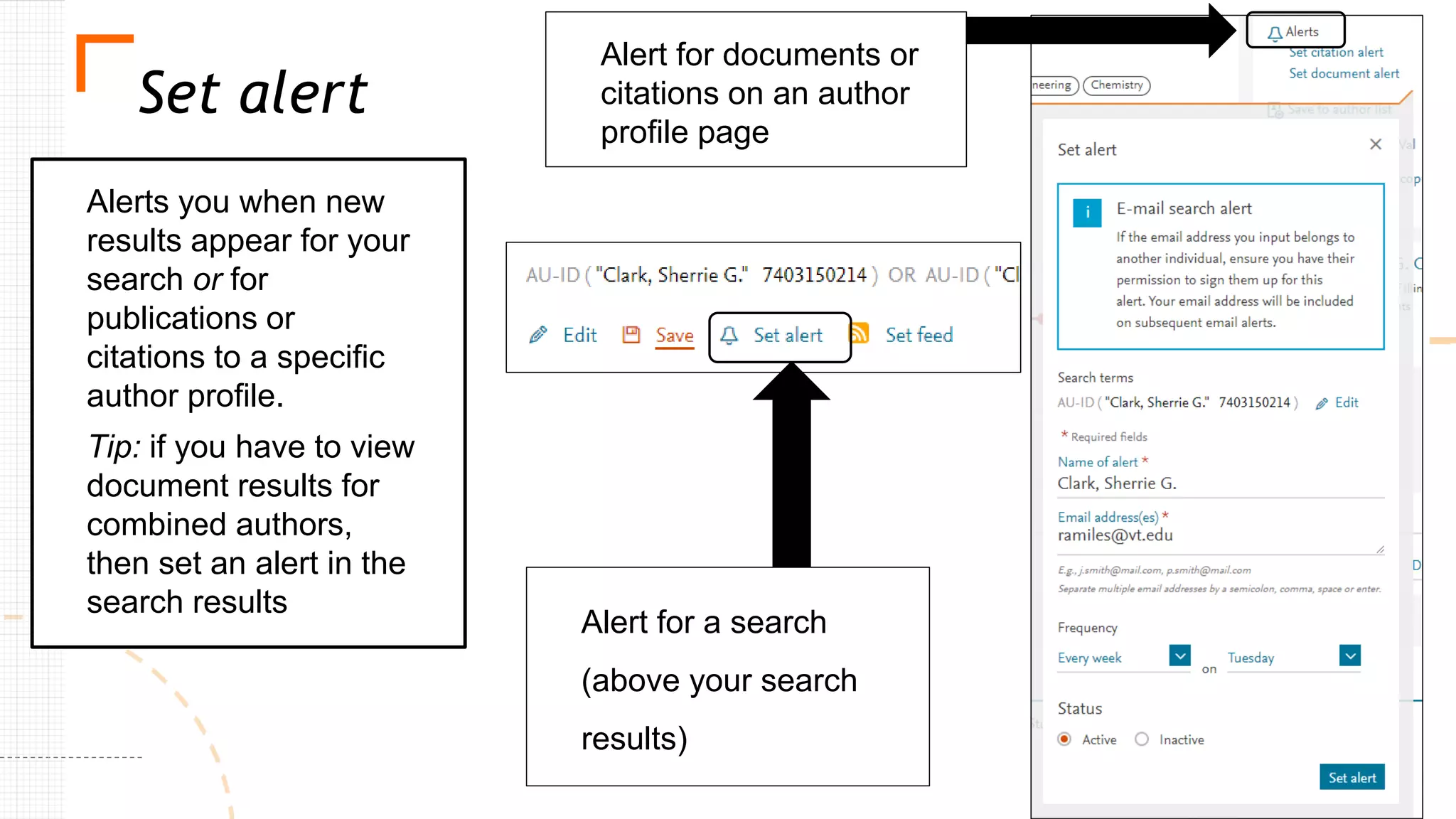
Set alert
Alerts you when new
results appear for your
search or for
publications or
citations to a specific
author profile.
Tip: if you have to view
document results for
combined authors,
then set an alert in the
search results
Alert for documents or
citations on an author
profile page
Alert for a search
(above your search
results)
Why ORCID?
▪ ORCID is the most universal author identifier
▪ Helps to provide accurate data to other systems and vice versa (e.g., CrossRef,
DataCite, ISNI, MLA International Bibliography, Scopus, Airiti, and so on)
▪ Helps to sync to other external systems: ImpactStory, Kudos, SciENcv, etc.,
which means:
▪ Only entering the data once! (faculty’s favorite benefit)
▪ Possibly not at all (if everything is imported using the other systems)
▪ However, some may require manual entry: IR handles for OA versions of publications,
presentation slides on IRs, etc., but it’s usually fairly easy
▪ Currently, Scopus Profile appears to be the only identifier that can be synced to ORCID
(others can be synced from ORCID).
▪ This is because Web of Science is transitioning its author identifiers from ResearcherID to
Publons. Other export options exist for this though (e.g., BibTeX).
▪ Other databases and sources can be used to import works to ORCID (BibTeX being the
most compatible file, but these databases do not host profile systems and cannot be
“synced” with ORCID.
▪ Therefore, if Scopus is an option, it is a good option for starting the ORCID iD works’
population process.
▪ e.g., Google Scholar can be used for additional works by exporting works into a BibTeX, but the
data is usually not as “clean” and not as complete.
Scopus Profile & ORCID iD
Journal-level:
● CiteScore
● Source-Normalized Impact per Paper (SNIP) - available at
https://www.journalindicators.com/indicators
● SCImago Journal Rankings - available at
https://www.scimagojr.com/
Article-level
● Field-Weighted Citation Impact (FWCI)
● Field-Weighted Citation Percentiles (FWCP)
Scopus Metrics
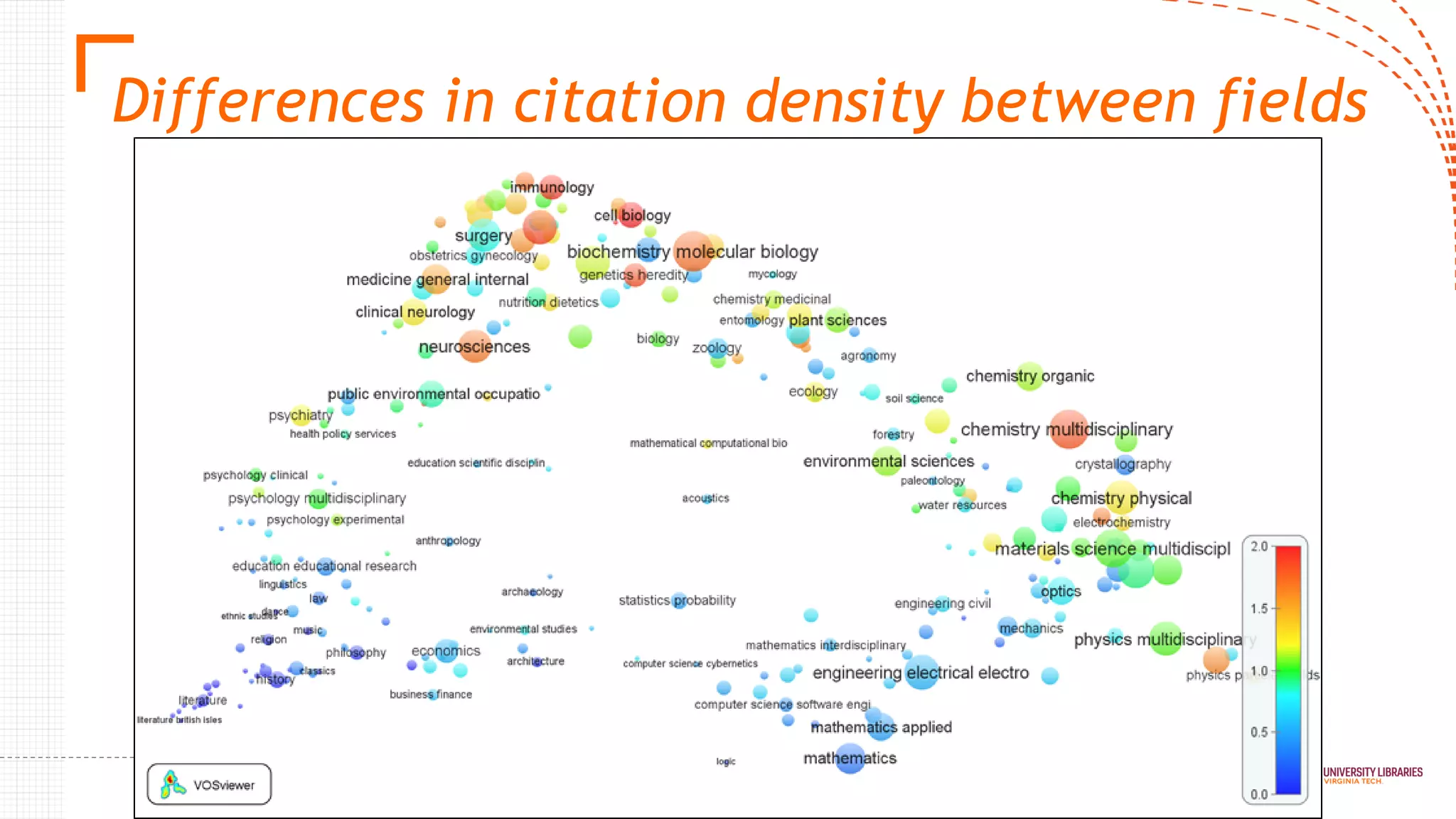
Differences in citation density between fields
Normalized Citation Metrics
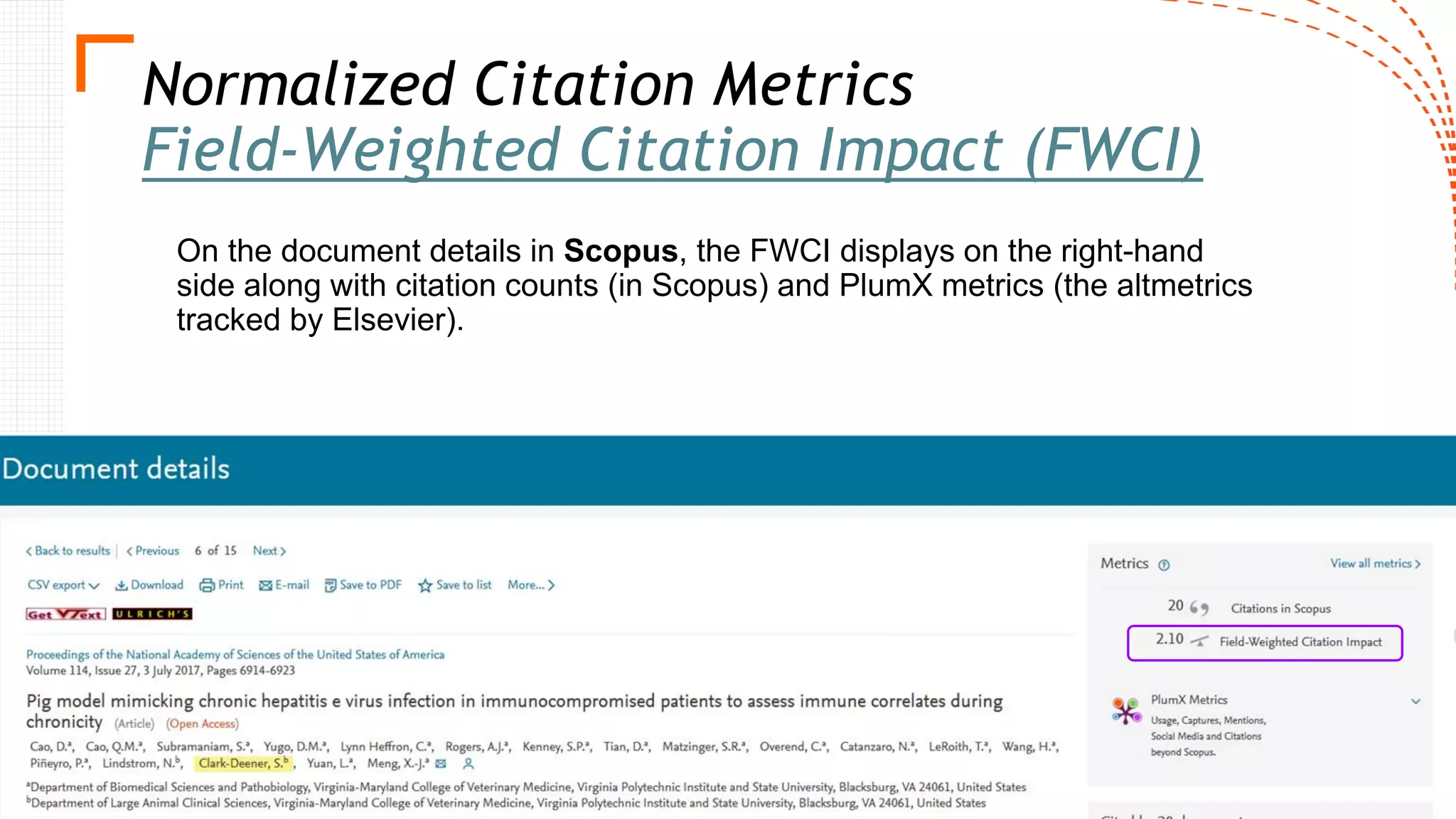
Field-Weighted Citation Impact (FWCI)
On the document details in Scopus, the FWCI displays on the right-hand
side along with citation counts (in Scopus) and PlumX metrics (the altmetrics
tracked by Elsevier).
Normalized Citation Metrics from Scopus
Citation Benchmarking (percentiles)
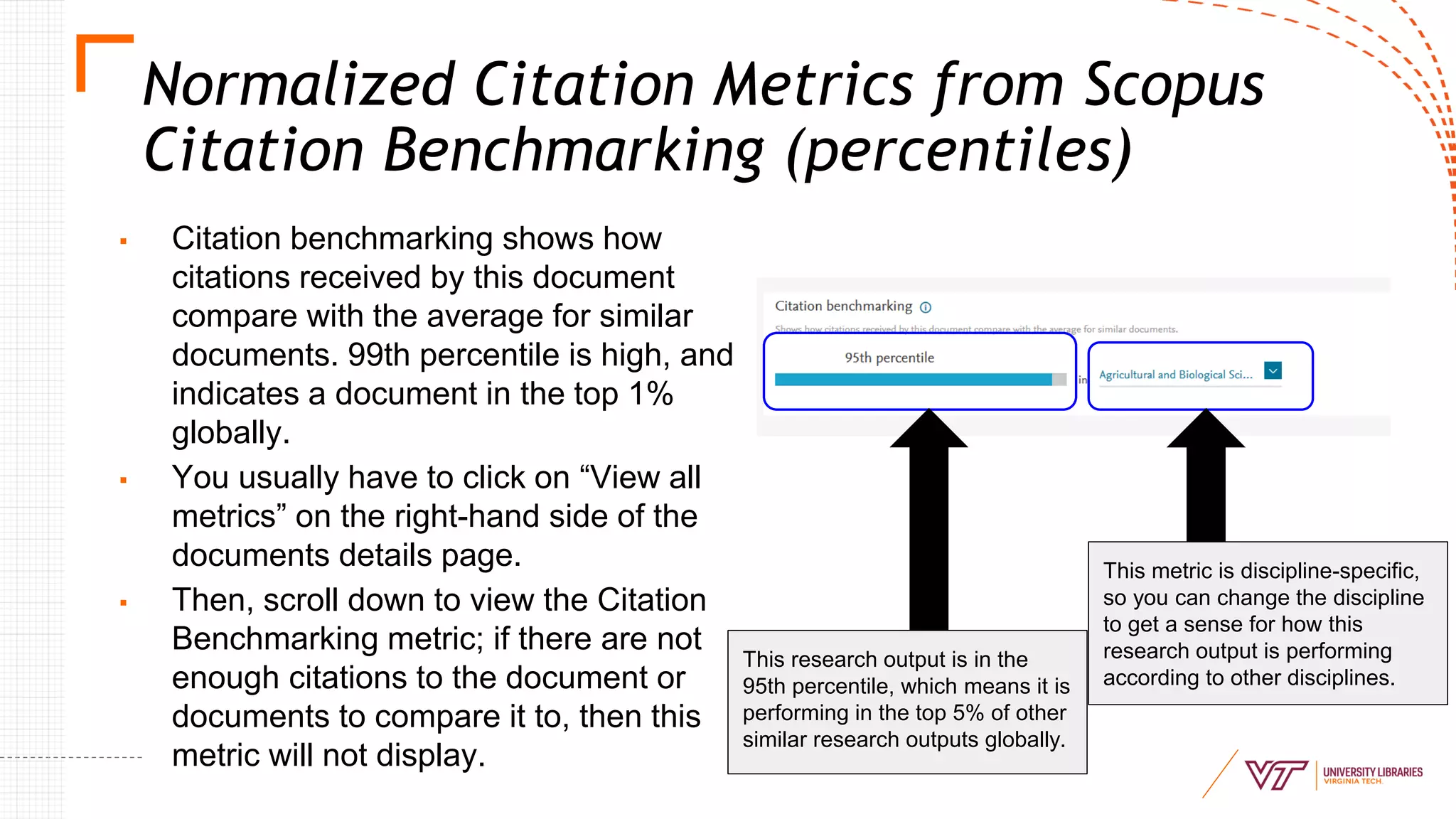
▪ Citation benchmarking shows how
citations received by this document
compare with the average for similar
documents. 99th percentile is high, and
indicates a document in the top 1%
globally.
▪ You usually have to click on “View all
metrics” on the right-hand side of the
documents details page.
▪ Then, scroll down to view the Citation
Benchmarking metric; if there are not
enough citations to the document or
documents to compare it to, then this
metric will not display.
This research output is in the
95th percentile, which means it is
performing in the top 5% of other
similar research outputs globally.
This metric is discipline-specific,
so you can change the discipline
to get a sense for how this
research output is performing
according to other disciplines.
Keep in mind...
Many difficulties & complications
arise with field normalization
▪ Any classification of publications into fields is
artificial; in reality, fields are overlapping and
have fuzzy boundaries
▪ Normalization is complicated especially in
analyses at low levels of aggregation
▪ i.e., apples to oranges is fine, but Granny Smith apples to Honeycrisp apples
becomes more of a problem
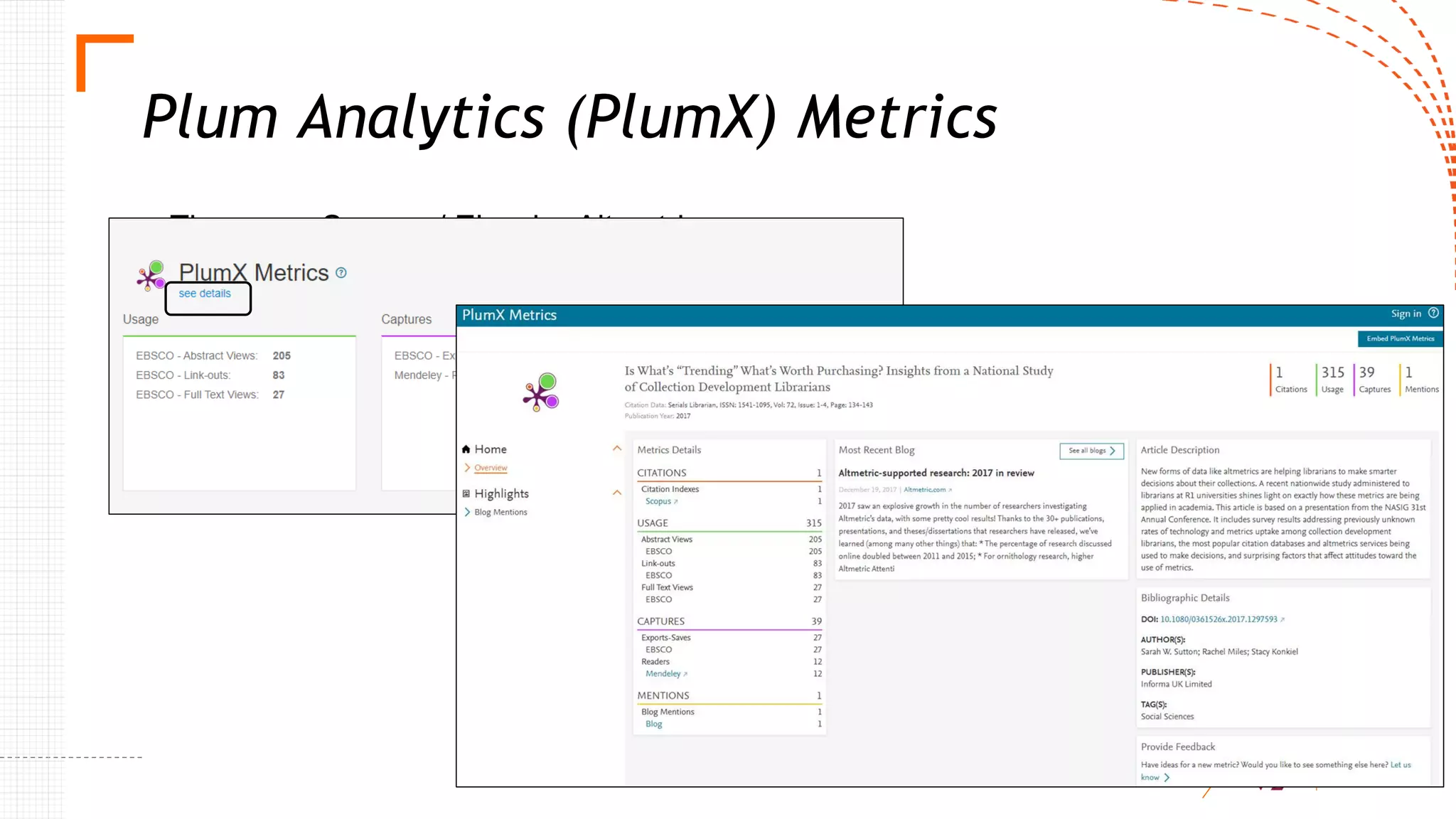
Plum Analytics (PlumX) Metrics
These are Scopus / Elsevier Altmetrics
Altmetrics
Altmetrics track online attention and engagement to research on:
▪ Social media
▪ News media
▪ Public policy
▪ Patents
▪ Syllabi
▪ Post-publication peer review
▪ Blogs (including Retraction Watch)
▪ Reference managers
▪ Other sources - YouTube, Wikipedia, Reddit
Questions?
Comments?
ramiles@vt.edu
Reference
Visser, M., van Eck, N.J., Waltman, L. (2019). Large-scale comparison of
bibliographic data sources: Web of Science, Scopus, Dimensions, and Crossref.
International Society for Scientometrics and Informetrics 2019 Proceedings 2,
2358-2369. Retrieved from http://www.issi-society.org/publications/issi-
conference-proceedings/proceedings-of-issi-2019/
Expert Gallery Suite
February 13, 2020
Jonathan Jiras & Denise Brush
Background
● Rowan University is a public research university in southern New Jersey with two
medical schools and around 18,000 undergraduates
● Rowan University Libraries became a Digital Commons customer in 2015 and
launched Rowan Digital Works in December 2015
● In 2016 we subscribed to Selected Works (now Expert Gallery Suite)
● Timing coincided with surge of faculty hiring and reclassification from R3 to R2
Rowan University / University Libraries 62
Rowan University / University Libraries 63
Why have Researcher Profiles?
• Researcher profiles are visible to the world thus increasing your institution’s
reputation globally by showcasing innovative research being done at your institution
• Faculty will have profiles at other services (Research Gate, Google Scholar, ORCID,
etc..), but Experts Gallery provides authoritative institution approved profiles
• Faculty across your institution can see what their colleagues are researching and
develop interdisciplinary research partnerships
• Expert Gallery from bepress provides an easy-to-use web platform for creating high
quality profiles
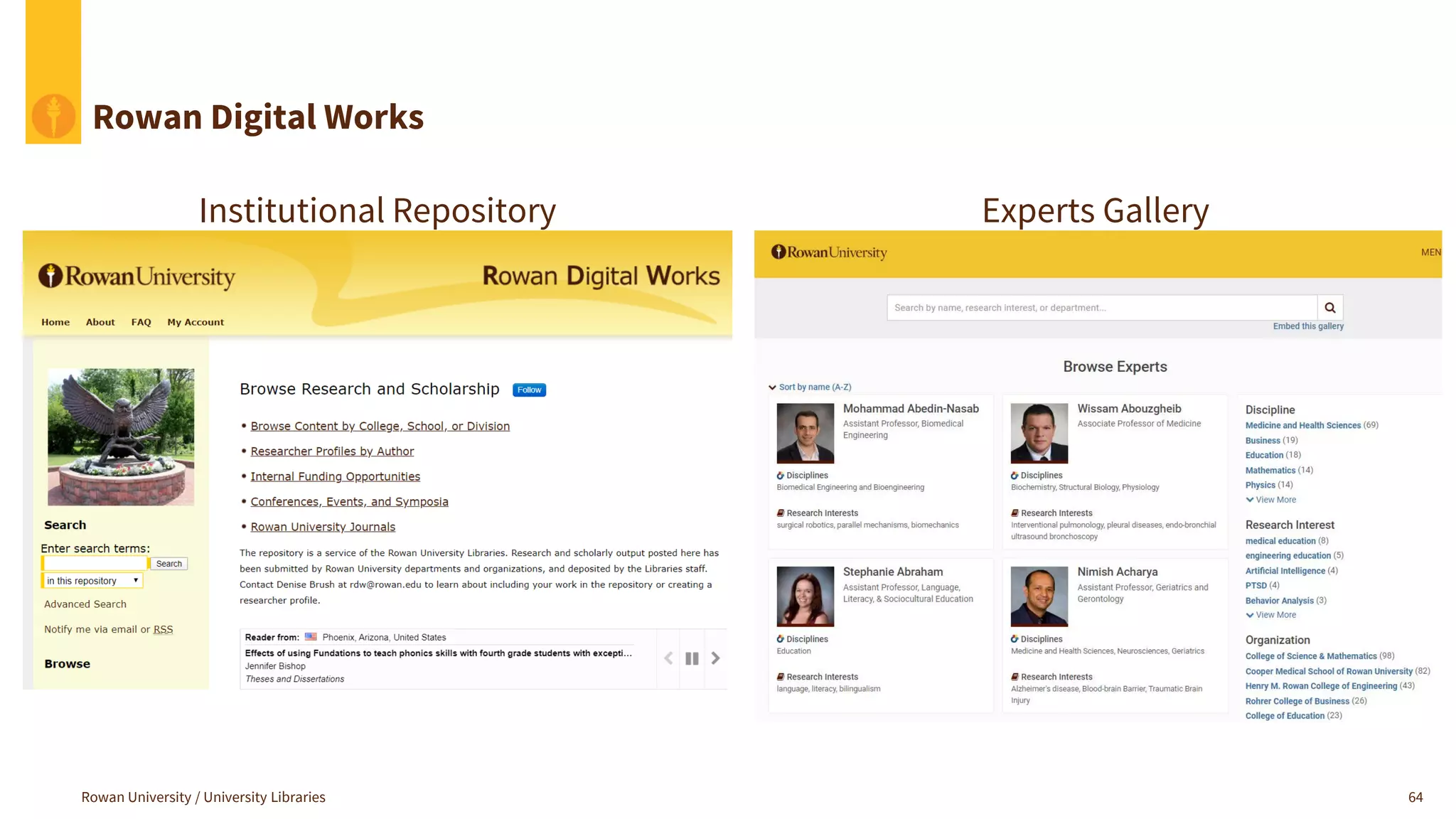
Rowan Digital Works
Rowan University / University Libraries 64
Institutional Repository Experts Gallery
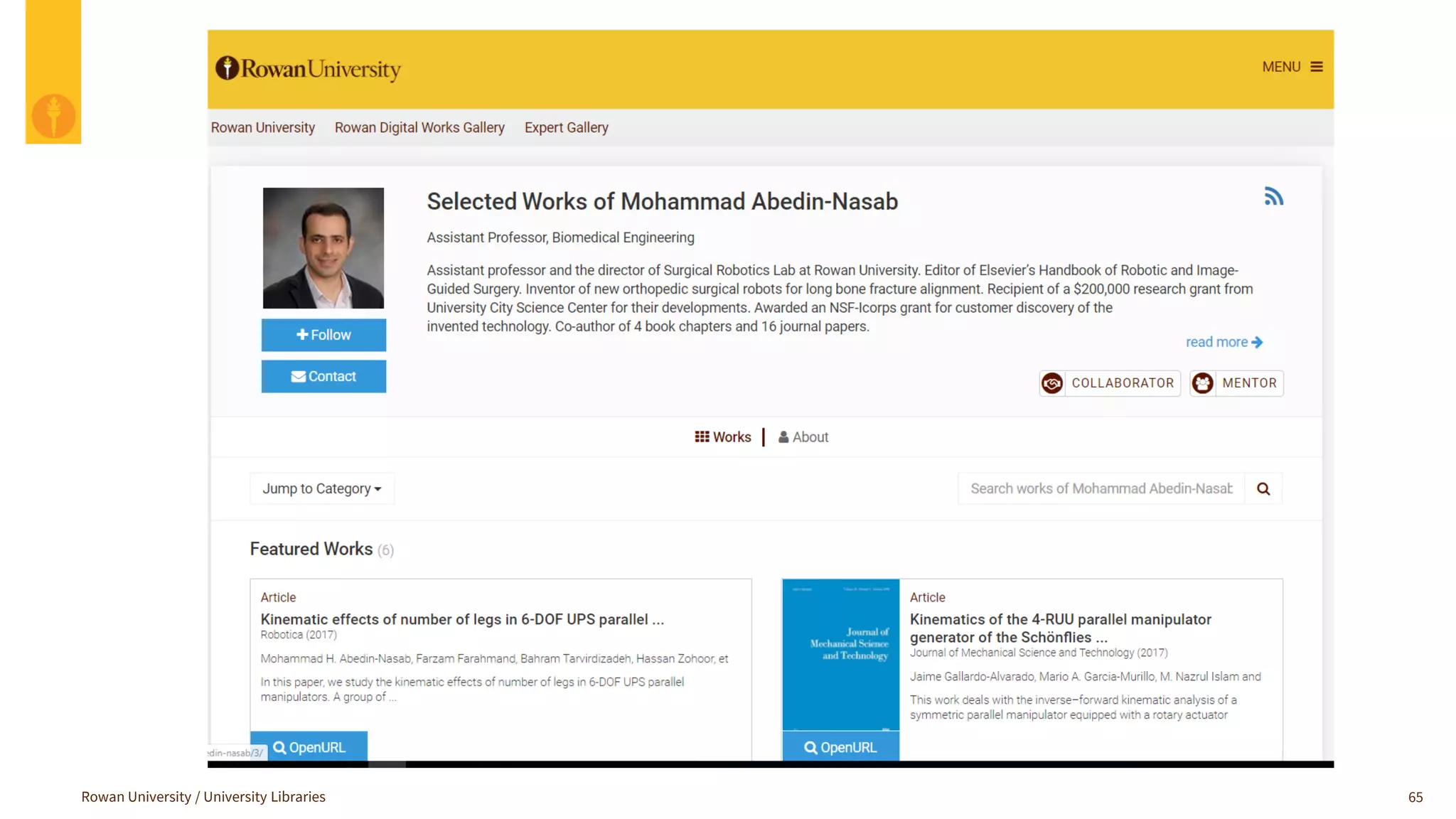
Rowan University / University Libraries 65
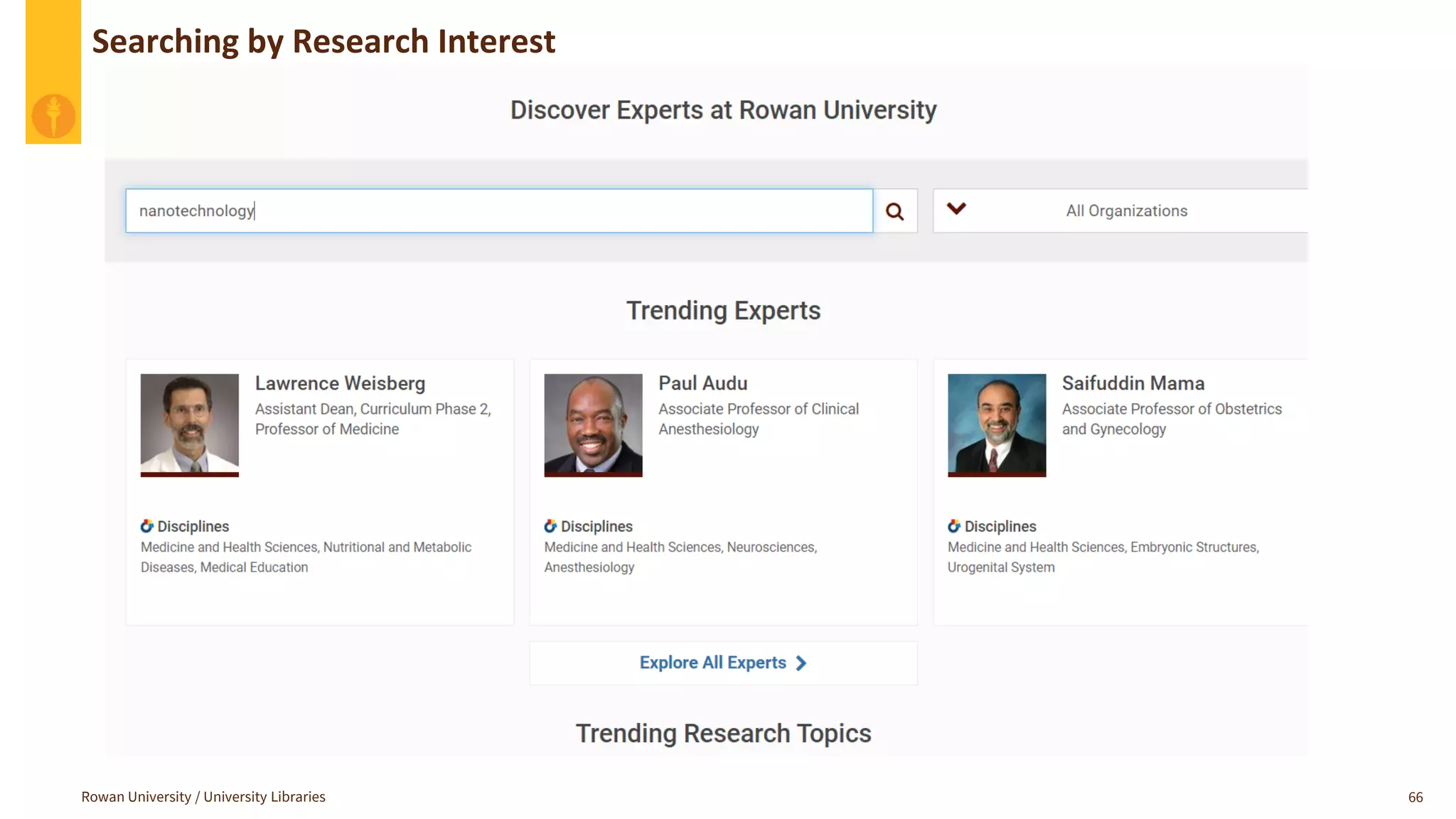
Rowan University / University Libraries 66
Searching by Research Interest
Workflow Details
Rowan University / University Libraries 67
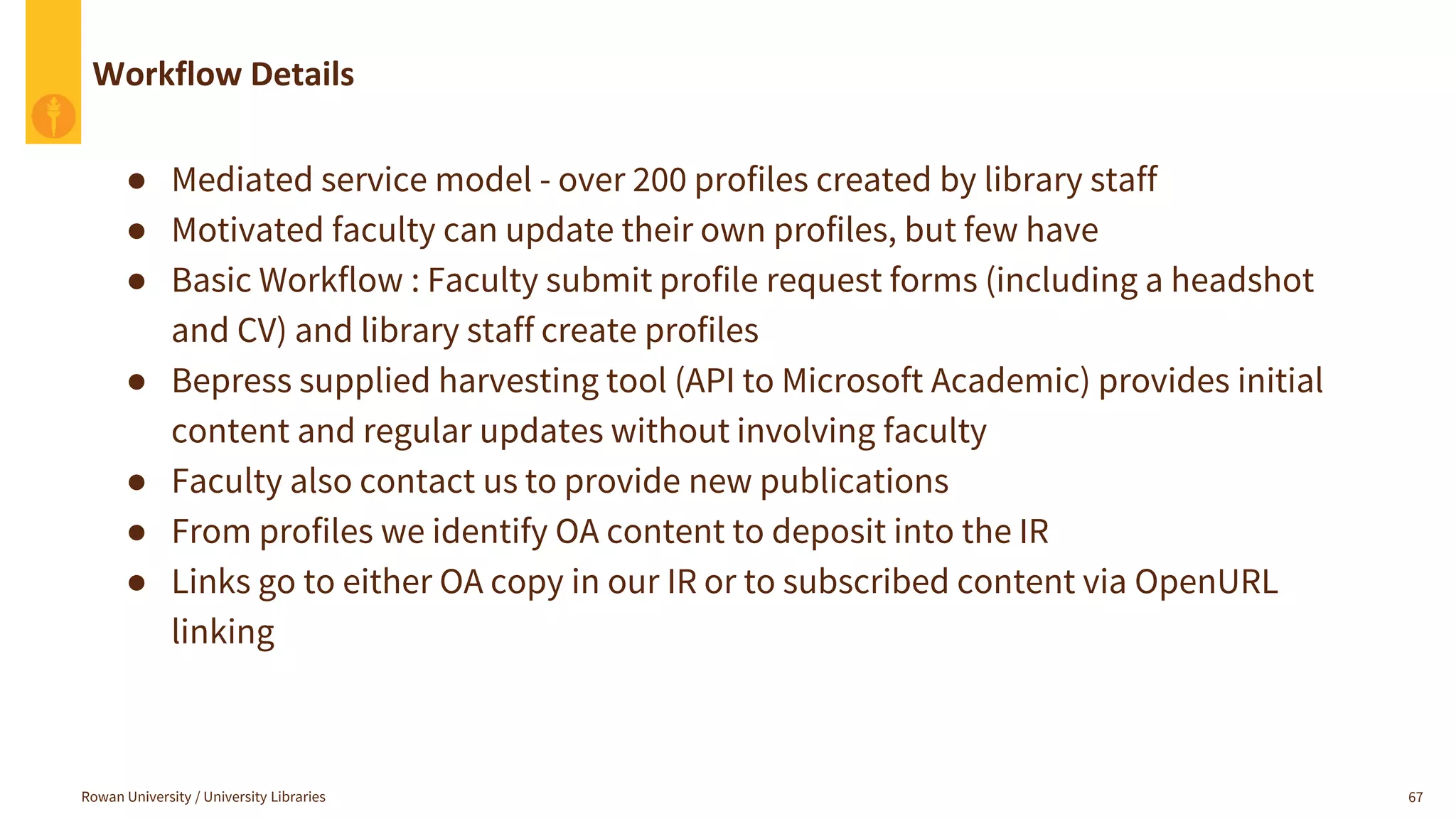
● Mediated service model - over 200 profiles created by library staff
● Motivated faculty can update their own profiles, but few have
● Basic Workflow : Faculty submit profile request forms (including a headshot
and CV) and library staff create profiles
● Bepress supplied harvesting tool (API to Microsoft Academic) provides initial
content and regular updates without involving faculty
● Faculty also contact us to provide new publications
● From profiles we identify OA content to deposit into the IR
● Links go to either OA copy in our IR or to subscribed content via OpenURL
linking
Linking Choices
Rowan University / University Libraries 68
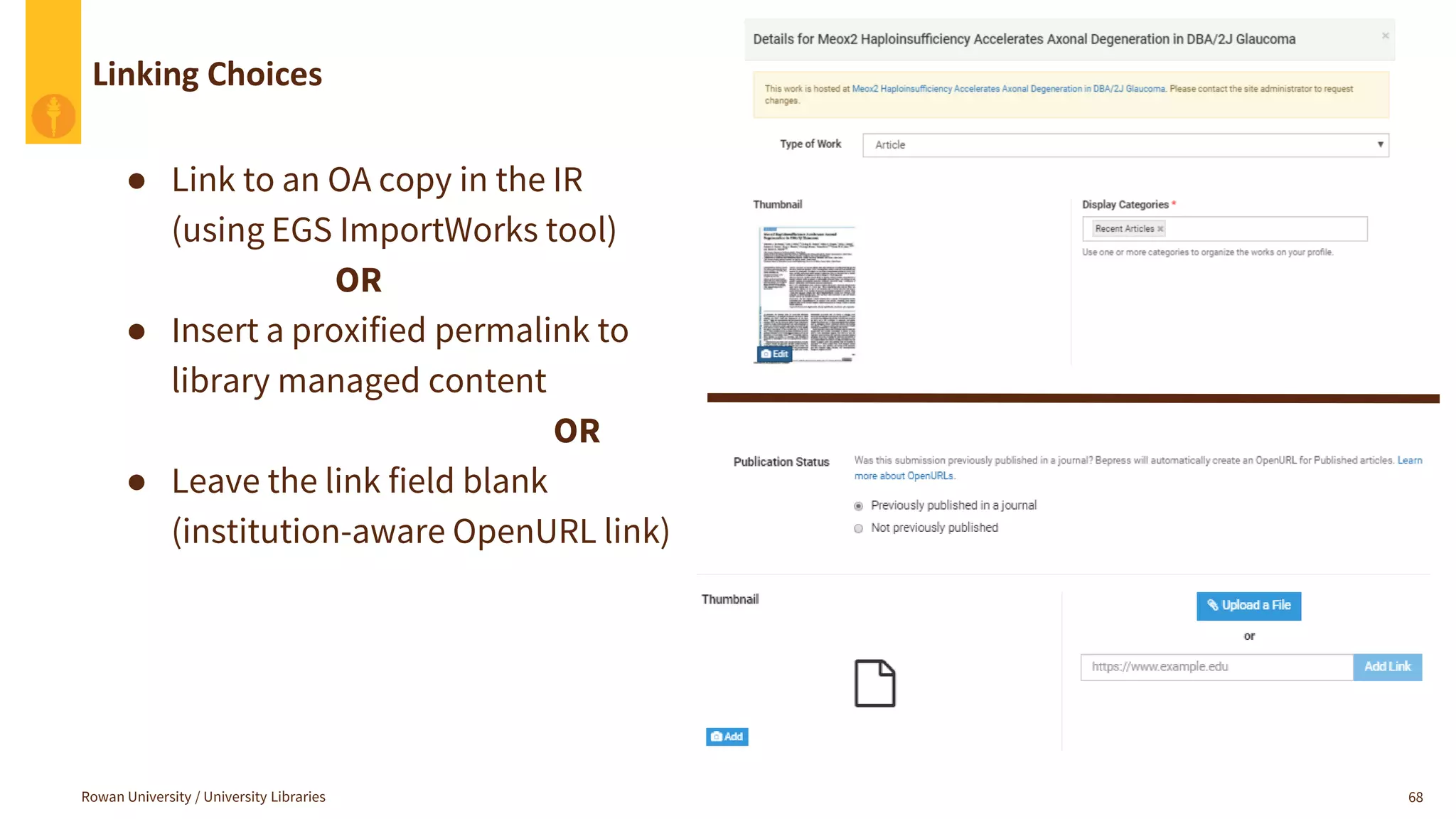
● Link to an OA copy in the IR
(using EGS ImportWorks tool)
OR
● Insert a proxified permalink to
library managed content
OR
● Leave the link field blank
(institution-aware OpenURL link)
Rowan University / University Libraries 69
Initial Strategies
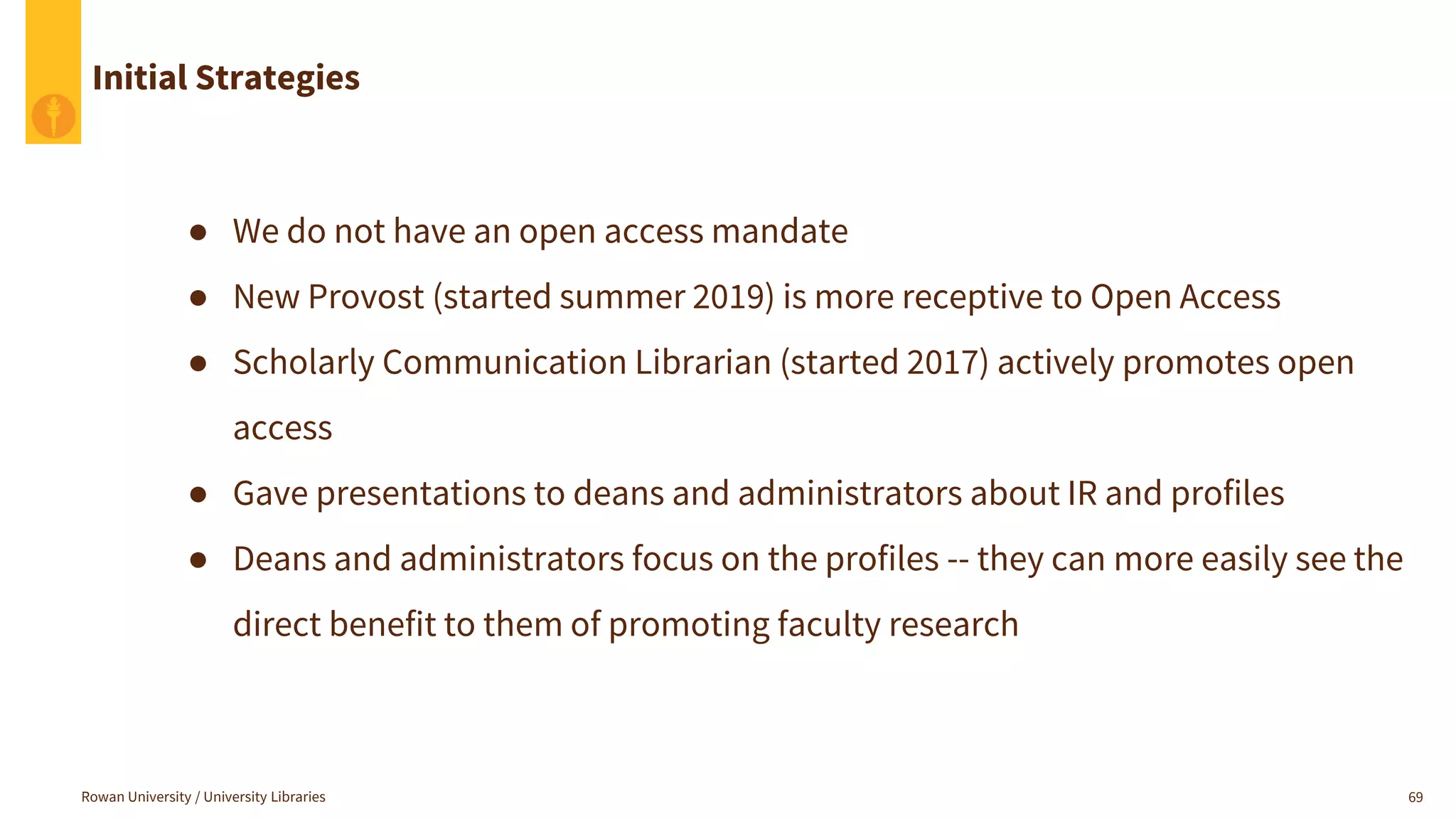
● We do not have an open access mandate
● New Provost (started summer 2019) is more receptive to Open Access
● Scholarly Communication Librarian (started 2017) actively promotes open
access
● Gave presentations to deans and administrators about IR and profiles
● Deans and administrators focus on the profiles -- they can more easily see the
direct benefit to them of promoting faculty research
Rowan University / University Libraries 70
Internal Funding Programs Strategy
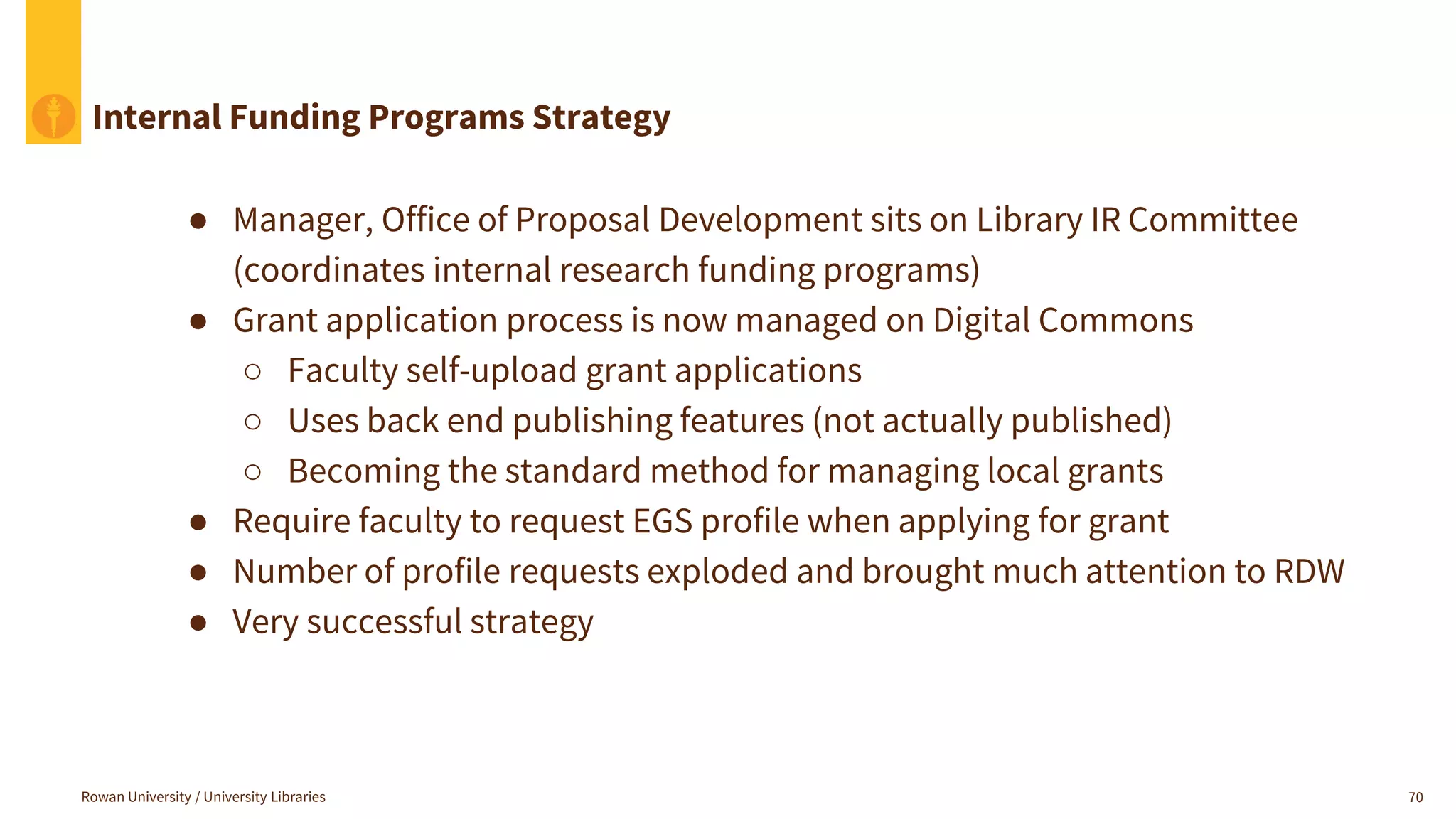
● Manager, Office of Proposal Development sits on Library IR Committee
(coordinates internal research funding programs)
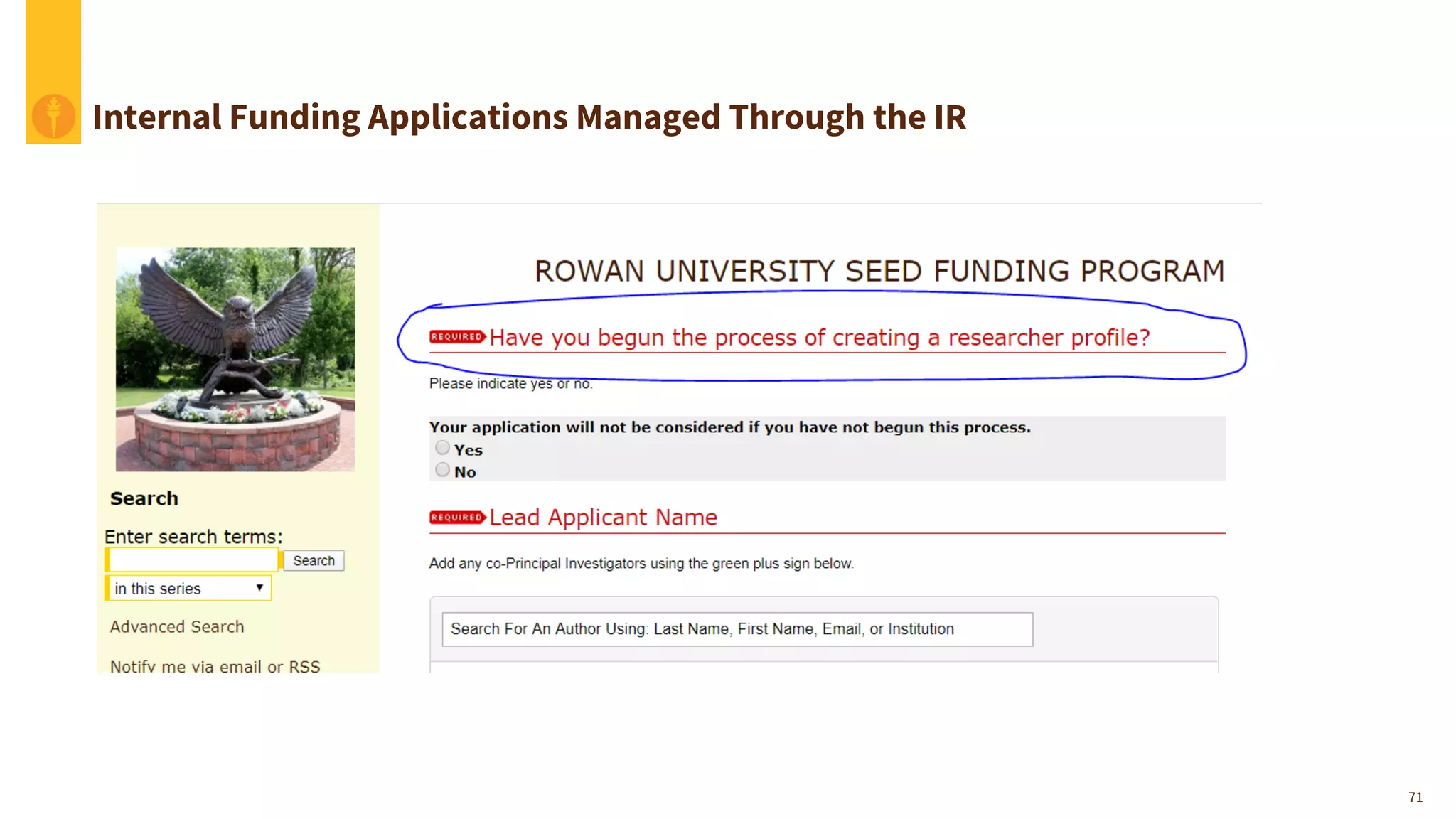
● Grant application process is now managed on Digital Commons
○ Faculty self-upload grant applications
○ Uses back end publishing features (not actually published)
○ Becoming the standard method for managing local grants
● Require faculty to request EGS profile when applying for grant
● Number of profile requests exploded and brought much attention to RDW
● Very successful strategy
71
Internal Funding Applications Managed Through the IR
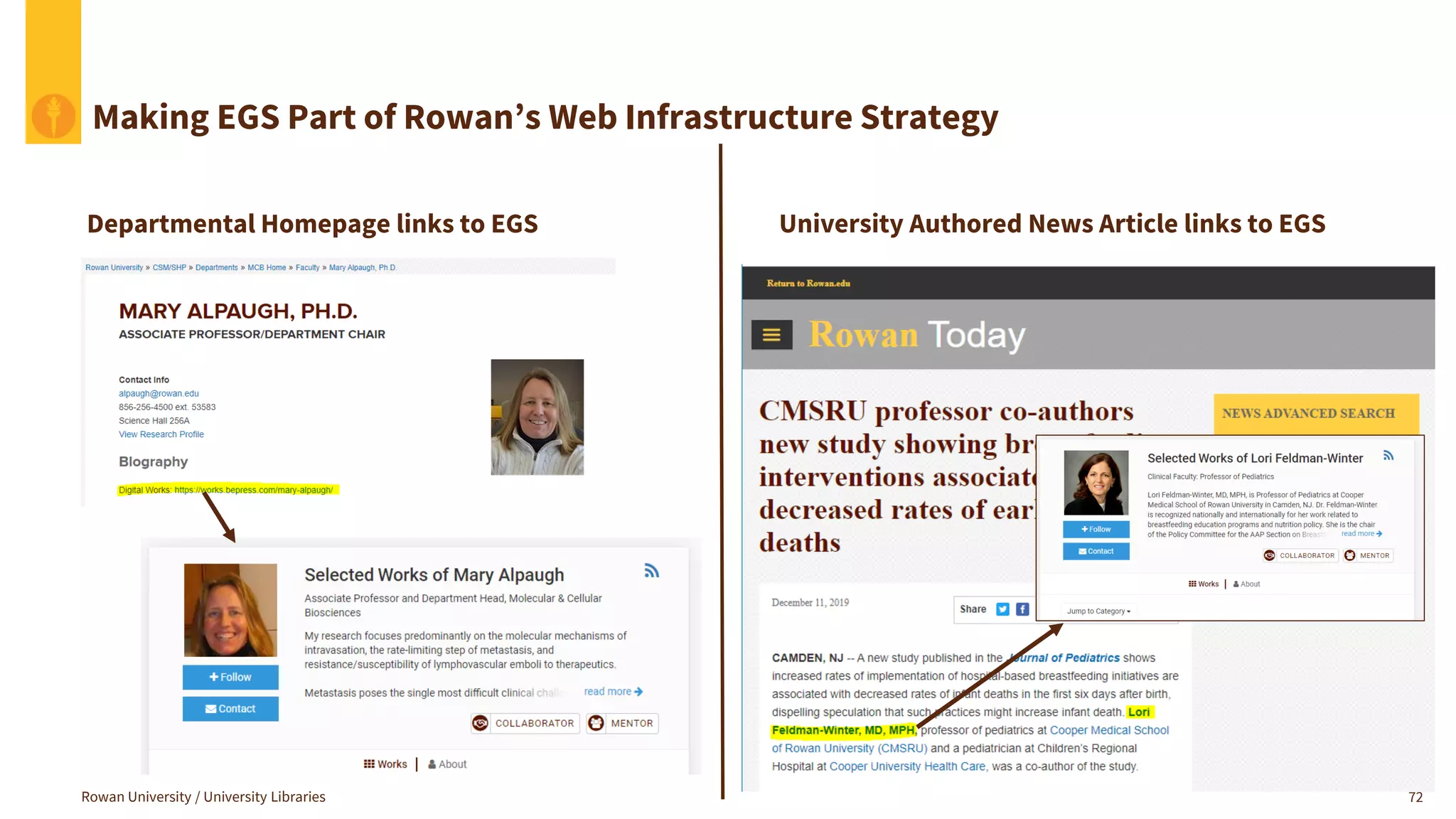
Making EGS Part of Rowan’s Web Infrastructure Strategy
72
Departmental Homepage links to EGS University Authored News Article links to EGS
Rowan University / University Libraries
What Expert Gallery Suite Does for us:
Rowan University / University Libraries 73
● EGS is a feeder of content to the IR (not the other way around)
● Almost all OA faculty scholarship in our IR came through profile creation
● Allows us to keep the IR 100% downloadable content
● Paywalled scholarship is showcased in Expert Gallery Suite profiles
● EGS increases faculty awareness of Rowan Digital Works because profiles
let them highlight all their publications (not just the Open Access ones)
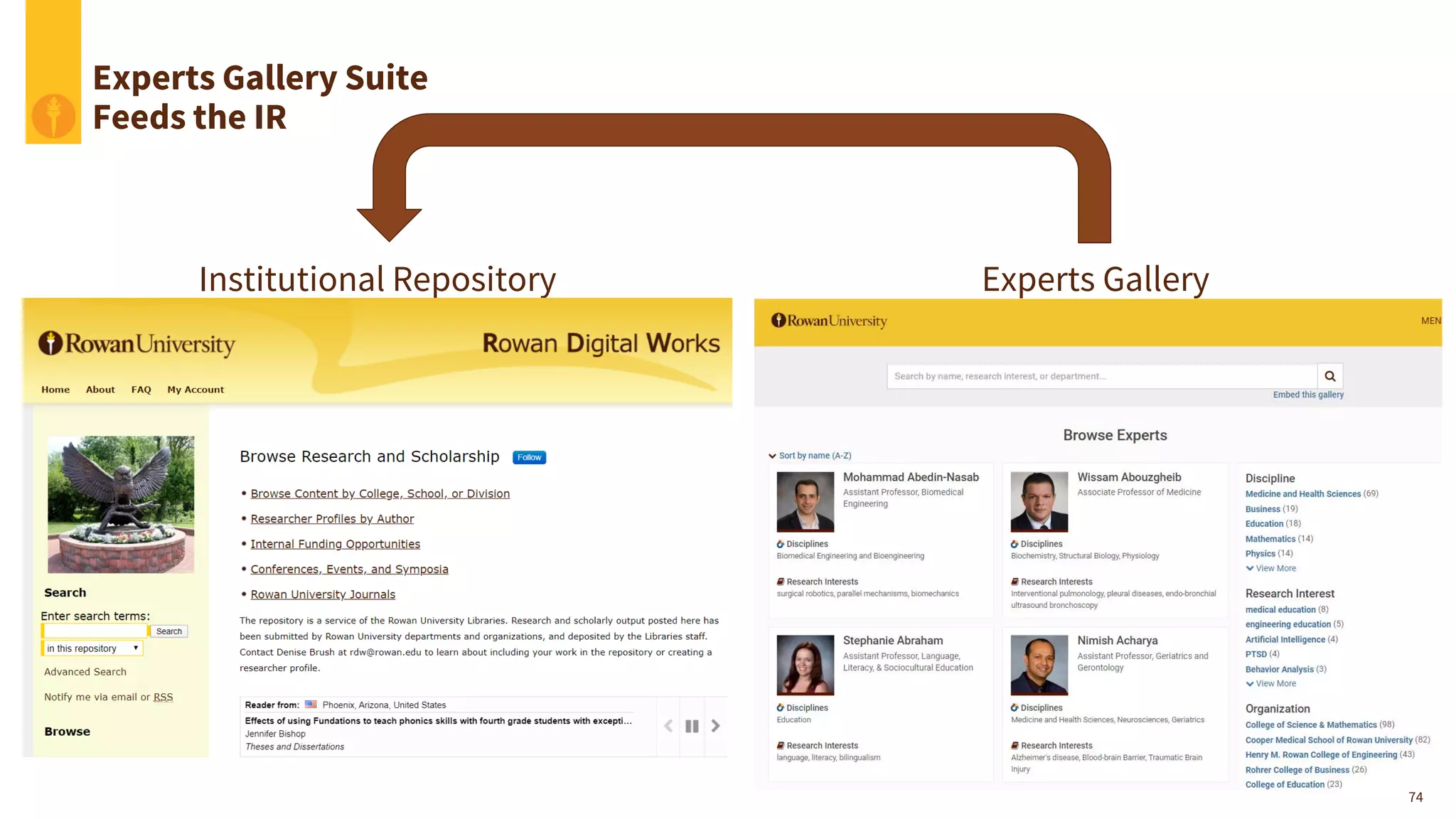
Institutional Repository Experts Gallery
Experts Gallery Suite
Feeds the IR
74
Summary
The Expert Gallery Suite has played an essential role in the success of our Digital
Commons institutional repository.
● It’s the most visible part of our research support services
● It feeds open access content to our repository
● It allows us to limit the IR content to OA full-text downloadable content
● It provides a place to highlight author publications including those that are not OA
● It allows the library to play a pivotal role in managing the research reputations of the
faculty and the institution
Rowan University / University Libraries 75
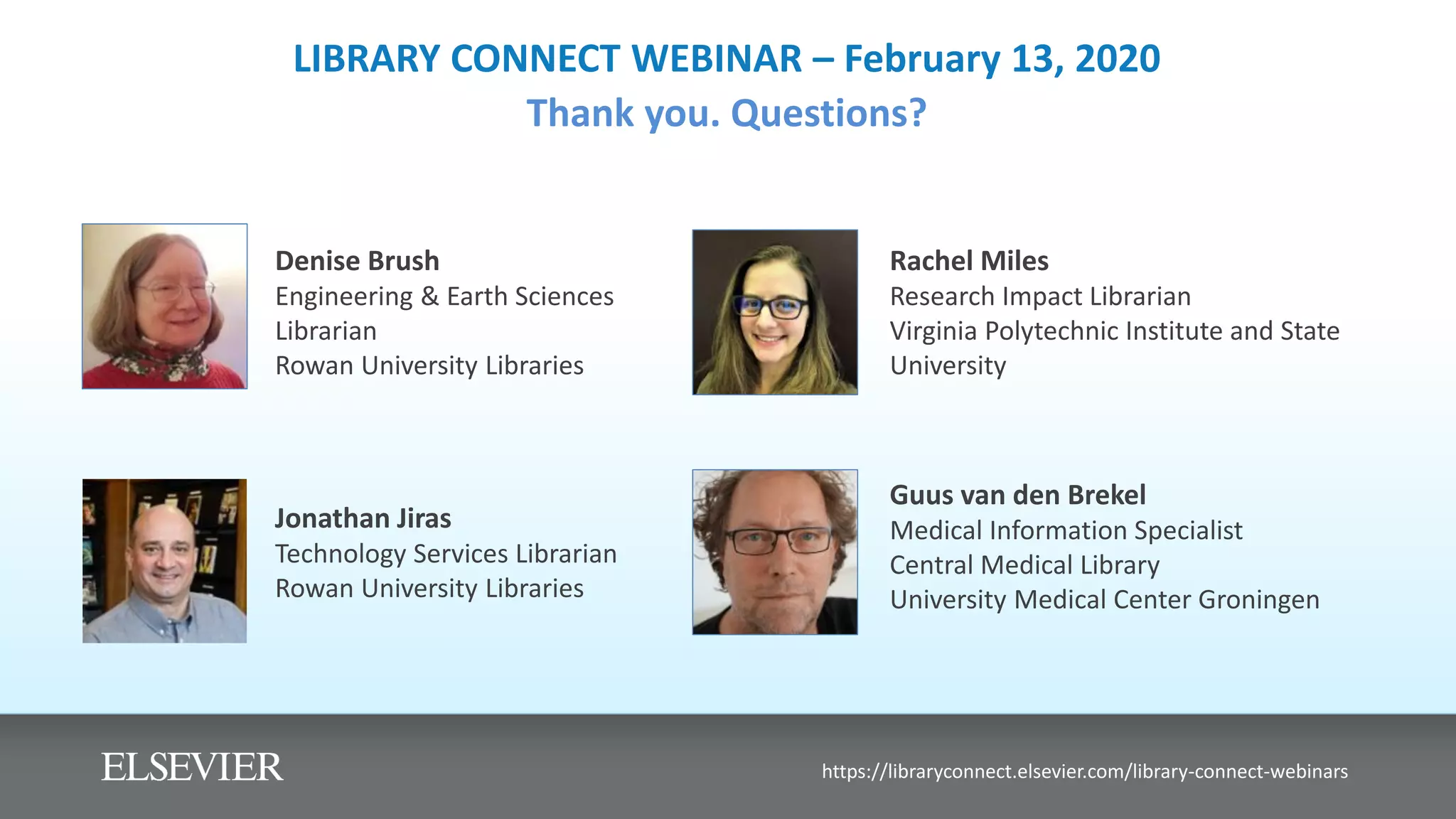
LIBRARY CONNECT WEBINAR – February 13, 2020
Thank you. Questions?
Denise Brush
Engineering & Earth Sciences
Librarian
Rowan University Libraries
https://libraryconnect.elsevier.com/library-connect-webinars
Guus van den Brekel
Medical Information Specialist
Central Medical Library
University Medical Center Groningen
Jonathan Jiras
Technology Services Librarian
Rowan University Libraries
Rachel Miles
Research Impact Librarian
Virginia Polytechnic Institute and State
University

Library connect-webinar---february-2020---slides 560401

  • 1.
    LIBRARY CONNECT WEBINAR– February 13, 2020 The library’s role in high-value profiles of researchers and institutions Denise Brush Engineering & Earth Sciences Librarian Rowan University Libraries https://libraryconnect.elsevier.com/library-connect-webinars Guus van den Brekel Medical Information Specialist Central Medical Library University Medical Center Groningen Jonathan Jiras Technology Services Librarian Rowan University Libraries Rachel Miles Research Impact Librarian Virginia Polytechnic Institute and State University
  • 2.
    Webinar Library Connect23.1.2020 Guus van den Brekel, Central Medical Library, University Medical Center Groningen The importance of high-value profiles of researchers and institutions
  • 3.
    How the libraryparticipates, supports and collaborates with instructing researchers establishing and curating research profiles and raising visibility of their research output, inside an academic hospital. Bullets: 1. personal, institutional and other research profiles 2. the use of institutional repository (research assessment and analytics) 3. creating awareness & support on outreach and impact 4. promoting, support and registering open access Central Medical Library, University Medical Center Groningen T W I T T E R : @ C M B U M C G H T T P : / / W W W . R U G . N L / C M B
  • 4.
    PATIENT CARE |RESEARCH | EDUCATION 1339 BEDS | >10.000 STAFF | 3455 STUDENTS 3700 RESEARCHERS/AUTHO RS 3500 PUBLICATIO NS PER YEAR
  • 5.
    Support, facilitate &unburden during any phase in researcher workflow
  • 6.
    One Research Support usingTopdesk Library will launch Publish & Outreach section soon
  • 7.
    1. Personal, institutionaland other research profiles
  • 8.
  • 9.
    Advising and Support: ResearchProfiles & Author ID’s
  • 10.
  • 11.
    2. The useof institutional repository (research assessment and analytics) Research impact & societal relevance Together with Research Office UMCG: Role in SEP, MTR and KUOZ, Analytics, benchmarks, policy Research support services & projects (with University of Groningen Library) : • Open Access Services; • ORCID • Research Output 2020 • Research Analytics; “Factsheets”; article-level metrics, • Frequency distribution FWCI over intervals
  • 12.
    Researcher X Researcher XResearcher X Researcher X
  • 13.
  • 14.
    3. Creating awareness& support on outreach and impact Project OASIS Outreach and Societal Impact Support (understanding, planning, generate impacts beyond academia)
  • 17.
    4. Promoting, supportand registering open access
  • 18.
    Facts and Figures@department X UMCG 0% 10% 20% 30% 40% 50% 60% 70% 80% 90% 100% Gold Hybrid Closed Green Bronze OA presentations
  • 19.
    Open Access Publicationof the Week #OAoftheWeek • The 5 research institutes alternate in picking one new publication every week to promote
  • 20.
    #Act on acceptance Theauthor sends the acceptance email (including the accepted version of the manuscript (in Word or pdf format) to the CMB • the author receives information that states whether the article can be published open access free of charge or with a significant discount (called: 'deals'). If a discount is possible, the concomitant publisher's workflow will be included. • If such a deal does not exist, and the author decides not to pay for the open access costs, the CMB will push the publication in our Pure repository, green open access. The library will check the copyright and place an embargo on the article if necessary.
  • 21.
    UMCG Dash Board: OA& Impact as a parameters
  • 22.
    https://linktr.ee/digicmb Thank you foryour attention! Guus van den Brekel Central Medical Library University Medical Center Groningen The Netherlands
  • 23.
    Scopus Basics: Search, Refine,Compare, and Understand Scopus Research Impact Metrics Rachel Miles Research Impact Librarian ramiles@vt.edu Slides available at http://bit.ly/ScopusSearchBasics These slides are licensed under a Creative Commons Attribution-NonCommercial-ShareAlike (CC BY-NC-SA) 4.0 International License
  • 24.
    Outline ▪ Scopus coverage– comparing data sources ▪ Setting up an account with Scopus (and why) ▪ Search basics + benefits to faculty: ▪ Author disambiguation ▪ Connecting profiles (e.g., ORCID iD) ▪ Saving searches vs. saving lists ▪ Scopus metrics & interpretation
  • 25.
    ● Web ofScience (WoS) ● Almost all journal articles covered by WoS also covered by Scopus ● WoS covers meeting abstracts and book reviews (doc types not covered by Scopus) ● Substantial share of proceedings covered by WoS not covered by Scopus either ● More coverage of arts & humanities in WoS due to the doc types covered, but Scopus has improved its coverage of docs in arts & humanities in recent years (i.e., likely needs revisiting) ● Dimensions and Crossref ● Large number of journal pubs in both are not covered by Scopus ● Some of these docs are of “little scientific significance” (e.g., list of editorial board members, cover of a journal issue). ● Dimensions & Crossref also cover many book chapters not covered by Scopus ● Scopus covers some proceedings not covered by Dimensions & Crossref ● Significant problems with incompleteness of citation links in Dimensions ● Significant problems with classification of doc types and disciplinary classifications in Dimensions ● Large percentage of unique documents found in WoS, Dimensions, & CrossRef within the social science and humanities fields Scopus Database Coverage - Document Overlap with other data sources
  • 27.
    • Overlap ofdocuments between different data sources is small in the social sciences and humanities • i.e., you’ll probably find very different documents in the other data sources within the social science and humanities fields. Document Overlap by Discipline & Data Source Breakdown by discipline for all documents in Scopus and for the overlap with documents in other data sources
  • 28.
    Scopus Database Coverage- Languages ● Most documents in English language (from all data sources) ● Documents not in English language do not have overlap with other data sources (Web of Science, Crossref, Dimensions) ○ Likewise, most documents in WoS & Dimensions not in English do not have matching documents in Scopus ○ Therefore, non-English documents tend to be unique in bibliographic databases, but their coverage is still quite small Graph & data from these three slides courtesy of Visser, van Eck, & Waltman, 2019
  • 29.
    • Certain disciplineswill have more coverage than others • Certain document types will have more coverage than others • Faculty will likely need to use multiple data sources to track and import/export their publications, citations, usage, altmetrics, etc. (i.e., no source “has it all”) • Tip: I usually use a combination of Scopus, Web of Science, Google Scholar, and other unique disciplinary sources for populating ORCID iDs Why it’s important to understand coverage
  • 30.
    Step 1: Setupan Account with Scopus Why? ▪ Claim your Scopus Author Profile ▪ Easier to save searches ▪ Sign up for alerts (publications, citations to documents, etc) ▪ Create lists for specific tracking & analysis purposes ▪ Dashboard: ▪ View correction requests (e.g., for authors) ▪ View support request tickets (check on status, etc.) → Select “Create Account” on Scopus and follow prompts
  • 31.
    Cleanup your publication& author data ▪ After account setup, faculty/researchers can: ▪ Find their Scopus Author Profile ▪ Claim their Profile and Author ID ▪ Link their Profile to ORCID ▪ Optionally sync their Scopus Profile to ORCID (i.e., import pubs & authorize future imports)
  • 32.
    Search for Yourselfand/or Other Authors Select “Authors” from main search menu Search by last and first name, and if the name isn’t unique, include an affiliation
  • 33.
    Search for Yourselfand/or Other Authors Select the author you want to view
  • 34.
    Search for Yourselfand/or Other Authors If multiple authors are listed that are likely the same author, select all that apply, then select “Show documents.” Then, you have lots of options with the document results (next slide)
  • 35.
    Request to mergeauthors (see note!!!!) If you ARE the author, or the author is physically or virtually with you to confirm, then you can “Request to merge.” Otherwise, avoid this step, because it is very difficult to un- merge. This is more important for the author so they have accurate data, citations, pubs, etc. on their Scopus Profile and so they can then sync their updated profile to ORCID.
  • 36.
    Export, Analyze, Save,View cited by, etc. You can “Analyze search results” and “Save” search Select All, and you have a number of options: ▪ Export → Mendeley, RefWorks, SciVal, RIS, CSV, BibTeX, Plain Text ▪ Download → Full text will download when permitted ▪ View citation overview → Citations and publications over the years (snapshot data) ▪ View cited by → Interesting for potential collaborators and/or context for citation analysis (e.g., export those publications for further analysis in a .csv or to SciVal) ▪ Save to list → Useful for building a publication set (e.g., analyzing publications by a group of researchers, department, college, etc.).
  • 37.
    View cited by Forexample, perhaps the author, Clark, wants to understand who is citing her and analyze those publications for context and impact
  • 38.
    View cited by Nowwe’re viewing the documents that cite Clark. Optionally, we can refine the results (e.g., Clark only wants OA titles or wants to exclude books, letters, and notes from the document type from the analysis)
  • 39.
    Analyze search results Whenfinished refining, Select “Analyze search results”
  • 40.
    Analyze search results Selecta year range and select “Analyze” → This will show documents published over that year range
  • 41.
  • 42.
    Analyze search results Forexample, we can see the subject areas of the citing documents to Sherrie Clark- Deener’s publications
  • 43.
    Analyze search results Andhere we can see the citing documents’ funding sponsors, which could be insightful information for the author, department head, administrator, etc.
  • 44.
    Exporting results Export optionshelp with potential data analysis, saving in reference managers, saving files that can be read by other systems (e.g., BibTeX can be read by ORCID, SciENcv, etc.).
  • 45.
    Sele For example, select“CSV” and select which type of information you’d like to export to a spreadsheet for further analysis Exporting results
  • 46.
    Save search Useful forwhen you want to run the same search again; you can also copy/paste the search query, save it to a spreadsheet, and then used the Advanced search for the search query in the future (useful for when you are trying to manage a lot of searches).
  • 47.
    Save to list Usefulfor building publication sets for further analysis. You can create a new list or add to an existing list. (Max. docs = 2,000)
  • 48.
    Scopus Author Profile& ORCID iD: an overview of benefits and how-to: https://www.youtube.com/watch?v=UJBq0f0Qnrs Claim your Scopus Author Profile and Connect to your ORCID (optional)
  • 49.
    Set alert Alerts youwhen new results appear for your search or for publications or citations to a specific author profile. Tip: if you have to view document results for combined authors, then set an alert in the search results Alert for documents or citations on an author profile page Alert for a search (above your search results)
  • 50.
    Why ORCID? ▪ ORCIDis the most universal author identifier ▪ Helps to provide accurate data to other systems and vice versa (e.g., CrossRef, DataCite, ISNI, MLA International Bibliography, Scopus, Airiti, and so on) ▪ Helps to sync to other external systems: ImpactStory, Kudos, SciENcv, etc., which means: ▪ Only entering the data once! (faculty’s favorite benefit) ▪ Possibly not at all (if everything is imported using the other systems) ▪ However, some may require manual entry: IR handles for OA versions of publications, presentation slides on IRs, etc., but it’s usually fairly easy
  • 51.
    ▪ Currently, ScopusProfile appears to be the only identifier that can be synced to ORCID (others can be synced from ORCID). ▪ This is because Web of Science is transitioning its author identifiers from ResearcherID to Publons. Other export options exist for this though (e.g., BibTeX). ▪ Other databases and sources can be used to import works to ORCID (BibTeX being the most compatible file, but these databases do not host profile systems and cannot be “synced” with ORCID. ▪ Therefore, if Scopus is an option, it is a good option for starting the ORCID iD works’ population process. ▪ e.g., Google Scholar can be used for additional works by exporting works into a BibTeX, but the data is usually not as “clean” and not as complete. Scopus Profile & ORCID iD
  • 52.
    Journal-level: ● CiteScore ● Source-NormalizedImpact per Paper (SNIP) - available at https://www.journalindicators.com/indicators ● SCImago Journal Rankings - available at https://www.scimagojr.com/ Article-level ● Field-Weighted Citation Impact (FWCI) ● Field-Weighted Citation Percentiles (FWCP) Scopus Metrics
  • 53.
    Differences in citationdensity between fields
  • 54.
    Normalized Citation Metrics Field-WeightedCitation Impact (FWCI) On the document details in Scopus, the FWCI displays on the right-hand side along with citation counts (in Scopus) and PlumX metrics (the altmetrics tracked by Elsevier).
  • 55.
    Normalized Citation Metricsfrom Scopus Citation Benchmarking (percentiles) ▪ Citation benchmarking shows how citations received by this document compare with the average for similar documents. 99th percentile is high, and indicates a document in the top 1% globally. ▪ You usually have to click on “View all metrics” on the right-hand side of the documents details page. ▪ Then, scroll down to view the Citation Benchmarking metric; if there are not enough citations to the document or documents to compare it to, then this metric will not display. This research output is in the 95th percentile, which means it is performing in the top 5% of other similar research outputs globally. This metric is discipline-specific, so you can change the discipline to get a sense for how this research output is performing according to other disciplines.
  • 56.
    Keep in mind... Manydifficulties & complications arise with field normalization ▪ Any classification of publications into fields is artificial; in reality, fields are overlapping and have fuzzy boundaries ▪ Normalization is complicated especially in analyses at low levels of aggregation ▪ i.e., apples to oranges is fine, but Granny Smith apples to Honeycrisp apples becomes more of a problem
  • 57.
    Plum Analytics (PlumX)Metrics These are Scopus / Elsevier Altmetrics
  • 58.
    Altmetrics Altmetrics track onlineattention and engagement to research on: ▪ Social media ▪ News media ▪ Public policy ▪ Patents ▪ Syllabi ▪ Post-publication peer review ▪ Blogs (including Retraction Watch) ▪ Reference managers ▪ Other sources - YouTube, Wikipedia, Reddit
  • 59.
  • 60.
    Reference Visser, M., vanEck, N.J., Waltman, L. (2019). Large-scale comparison of bibliographic data sources: Web of Science, Scopus, Dimensions, and Crossref. International Society for Scientometrics and Informetrics 2019 Proceedings 2, 2358-2369. Retrieved from http://www.issi-society.org/publications/issi- conference-proceedings/proceedings-of-issi-2019/
  • 61.
    Expert Gallery Suite February13, 2020 Jonathan Jiras & Denise Brush
  • 62.
    Background ● Rowan Universityis a public research university in southern New Jersey with two medical schools and around 18,000 undergraduates ● Rowan University Libraries became a Digital Commons customer in 2015 and launched Rowan Digital Works in December 2015 ● In 2016 we subscribed to Selected Works (now Expert Gallery Suite) ● Timing coincided with surge of faculty hiring and reclassification from R3 to R2 Rowan University / University Libraries 62
  • 63.
    Rowan University /University Libraries 63 Why have Researcher Profiles? • Researcher profiles are visible to the world thus increasing your institution’s reputation globally by showcasing innovative research being done at your institution • Faculty will have profiles at other services (Research Gate, Google Scholar, ORCID, etc..), but Experts Gallery provides authoritative institution approved profiles • Faculty across your institution can see what their colleagues are researching and develop interdisciplinary research partnerships • Expert Gallery from bepress provides an easy-to-use web platform for creating high quality profiles
  • 64.
    Rowan Digital Works RowanUniversity / University Libraries 64 Institutional Repository Experts Gallery
  • 65.
    Rowan University /University Libraries 65
  • 66.
    Rowan University /University Libraries 66 Searching by Research Interest
  • 67.
    Workflow Details Rowan University/ University Libraries 67 ● Mediated service model - over 200 profiles created by library staff ● Motivated faculty can update their own profiles, but few have ● Basic Workflow : Faculty submit profile request forms (including a headshot and CV) and library staff create profiles ● Bepress supplied harvesting tool (API to Microsoft Academic) provides initial content and regular updates without involving faculty ● Faculty also contact us to provide new publications ● From profiles we identify OA content to deposit into the IR ● Links go to either OA copy in our IR or to subscribed content via OpenURL linking
  • 68.
    Linking Choices Rowan University/ University Libraries 68 ● Link to an OA copy in the IR (using EGS ImportWorks tool) OR ● Insert a proxified permalink to library managed content OR ● Leave the link field blank (institution-aware OpenURL link)
  • 69.
    Rowan University /University Libraries 69 Initial Strategies ● We do not have an open access mandate ● New Provost (started summer 2019) is more receptive to Open Access ● Scholarly Communication Librarian (started 2017) actively promotes open access ● Gave presentations to deans and administrators about IR and profiles ● Deans and administrators focus on the profiles -- they can more easily see the direct benefit to them of promoting faculty research
  • 70.
    Rowan University /University Libraries 70 Internal Funding Programs Strategy ● Manager, Office of Proposal Development sits on Library IR Committee (coordinates internal research funding programs) ● Grant application process is now managed on Digital Commons ○ Faculty self-upload grant applications ○ Uses back end publishing features (not actually published) ○ Becoming the standard method for managing local grants ● Require faculty to request EGS profile when applying for grant ● Number of profile requests exploded and brought much attention to RDW ● Very successful strategy
  • 71.
    71 Internal Funding ApplicationsManaged Through the IR
  • 72.
    Making EGS Partof Rowan’s Web Infrastructure Strategy 72 Departmental Homepage links to EGS University Authored News Article links to EGS Rowan University / University Libraries
  • 73.
    What Expert GallerySuite Does for us: Rowan University / University Libraries 73 ● EGS is a feeder of content to the IR (not the other way around) ● Almost all OA faculty scholarship in our IR came through profile creation ● Allows us to keep the IR 100% downloadable content ● Paywalled scholarship is showcased in Expert Gallery Suite profiles ● EGS increases faculty awareness of Rowan Digital Works because profiles let them highlight all their publications (not just the Open Access ones)
  • 74.
    Institutional Repository ExpertsGallery Experts Gallery Suite Feeds the IR 74
  • 75.
    Summary The Expert GallerySuite has played an essential role in the success of our Digital Commons institutional repository. ● It’s the most visible part of our research support services ● It feeds open access content to our repository ● It allows us to limit the IR content to OA full-text downloadable content ● It provides a place to highlight author publications including those that are not OA ● It allows the library to play a pivotal role in managing the research reputations of the faculty and the institution Rowan University / University Libraries 75
  • 76.
    LIBRARY CONNECT WEBINAR– February 13, 2020 Thank you. Questions? Denise Brush Engineering & Earth Sciences Librarian Rowan University Libraries https://libraryconnect.elsevier.com/library-connect-webinars Guus van den Brekel Medical Information Specialist Central Medical Library University Medical Center Groningen Jonathan Jiras Technology Services Librarian Rowan University Libraries Rachel Miles Research Impact Librarian Virginia Polytechnic Institute and State University