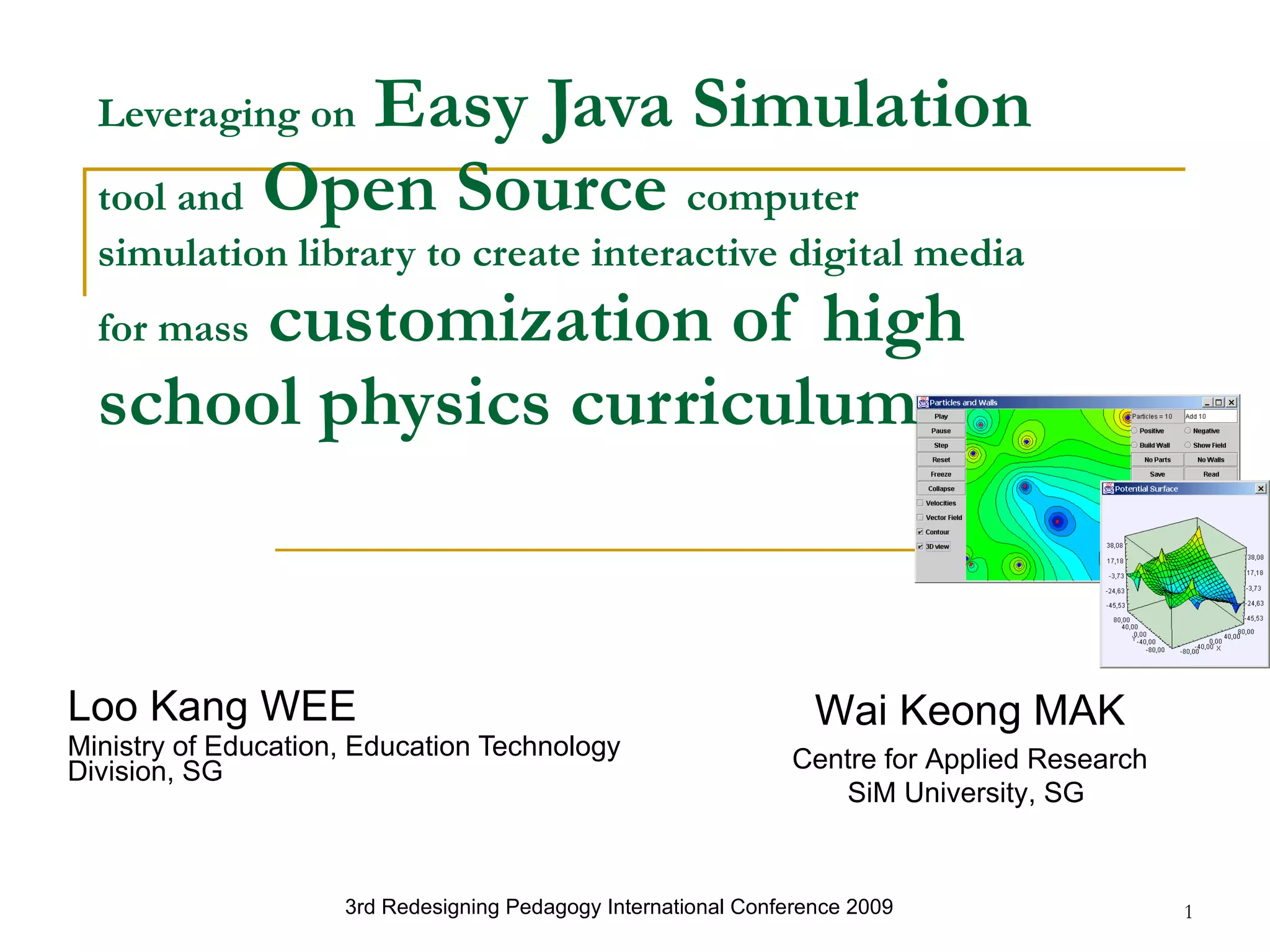
Leveraging on  Easy Java Simulation  tool and  Open Source  computer simulation library to create interactive digital media for mass  customization of high school physics curriculum   Loo Kang WEE Ministry of Education, Education Technology Division, SG 3rd Redesigning Pedagogy International Conference 2009   Wai Keong MAK Centre for Applied Research SiM University, SG
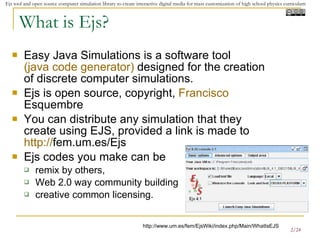
What is Ejs? Easy Java Simulations is a software tool  (java code generator)  designed for the creation of discrete computer simulations.  Ejs is open source, copyright,  Francisco  Esquembre   You can distribute any simulation that they create using EJS, provided a link is made to  http:// fem.um.es/Ejs   Ejs codes you make can be  remix by others,  Web 2.0 way community building creative common licensing. http://www.um.es/fem/EjsWiki/index.php/Main/WhatIsEJS
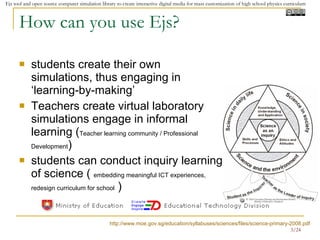
How can you use Ejs? students create their own simulations, thus engaging in ‘learning-by-making’  Teachers create virtual laboratory simulations engage in informal learning ( Teacher learning community / Professional Development )  students can conduct inquiry learning of science (  embedding meaningful ICT experiences, redesign curriculum for school  )  http://www.moe.gov.sg/education/syllabuses/sciences/files/science-primary-2008.pdf
Why use Ejs? legal and free way of enabling teachers and students to learn and modify existing source codes to achieve finer customization of interactive digital media for enhancing learning for physics curriculum http://www3.moe.edu.sg/bluesky/tllm.htm
Why am I doing this sharing? Get more educators to be in this learning community  Share the Ejs tool and its potential for redesigning pedagogy. Student learn by modeling / constructing Teacher in community to make virtual laboratory Teacher in community to make worksheets, design meaningful learning experiences for education Teacher use ready made virtual laboratory simulation to impact their classroom practices My goal is  to create free and open source education resources through co-creation and co-authorship of learning resources  Contribute to greater cause of free access to education What is it it for you? Develop yourself as an educator
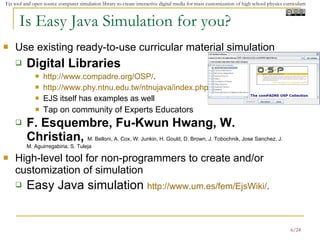
Is Easy Java Simulation for you? Use existing ready-to-use curricular material simulation  Digital Libraries  http:// www.compadre.org /OSP/ .  http://www.phy.ntnu.edu.tw/ntnujava/index.php EJS itself has examples as well Tap on community of Experts Educators F. Esquembre, Fu-Kwun Hwang,  W. Christian,  M. Belloni, A. Cox, W. Junkin, H. Gould, D. Brown, J. Tobochnik,  Jose Sanchez, J. M. Aguirregabiria, S. Tuleja High-level tool for non-programmers to create and/or customization of simulation Easy Java simulation  http:// www.um.es/fem/EjsWiki / .
Pedagogic Advantages of Modeling The premise of modeling is that when students are not actively involved in the modeling process they lose out on much of what can be learned from computer simulations.  We make a distinction between modeling and programming. Modeling is closer to laboratory experiments and is more likely to provide the student with a novel perspective on the behavior of a system. Modeling has been shown to correct weaknesses of traditional instruction by engaging students in the design of physical models to describe, explain, and predict phenomena. Although the modeling method can be used without computers, the use of computers allows students to study problems that are difficult and time consuming, to visualize their results, and to communicate their results with others. The combination of computer modeling with theory and experiment can achieve insight and understanding that cannot be achieved with only one approach.  Taken from: http://sc07.sc-education.org/conference/presentations/SC07.ppt

Leveraging On Easy Java Simulation Tool And Open Source Computer Simulation Library To Create Interactive Digital Media For Mass Customization Of High School Physics Curriculum

  • 1.
    Leveraging on Easy Java Simulation tool and Open Source computer simulation library to create interactive digital media for mass customization of high school physics curriculum Loo Kang WEE Ministry of Education, Education Technology Division, SG 3rd Redesigning Pedagogy International Conference 2009 Wai Keong MAK Centre for Applied Research SiM University, SG
  • 2.
    What is Ejs?Easy Java Simulations is a software tool (java code generator) designed for the creation of discrete computer simulations. Ejs is open source, copyright, Francisco Esquembre You can distribute any simulation that they create using EJS, provided a link is made to http:// fem.um.es/Ejs Ejs codes you make can be remix by others, Web 2.0 way community building creative common licensing. http://www.um.es/fem/EjsWiki/index.php/Main/WhatIsEJS
  • 3.
    How can youuse Ejs? students create their own simulations, thus engaging in ‘learning-by-making’ Teachers create virtual laboratory simulations engage in informal learning ( Teacher learning community / Professional Development ) students can conduct inquiry learning of science ( embedding meaningful ICT experiences, redesign curriculum for school ) http://www.moe.gov.sg/education/syllabuses/sciences/files/science-primary-2008.pdf
  • 4.
    Why use Ejs?legal and free way of enabling teachers and students to learn and modify existing source codes to achieve finer customization of interactive digital media for enhancing learning for physics curriculum http://www3.moe.edu.sg/bluesky/tllm.htm
  • 5.
    Why am Idoing this sharing? Get more educators to be in this learning community Share the Ejs tool and its potential for redesigning pedagogy. Student learn by modeling / constructing Teacher in community to make virtual laboratory Teacher in community to make worksheets, design meaningful learning experiences for education Teacher use ready made virtual laboratory simulation to impact their classroom practices My goal is to create free and open source education resources through co-creation and co-authorship of learning resources Contribute to greater cause of free access to education What is it it for you? Develop yourself as an educator
  • 6.
    Is Easy JavaSimulation for you? Use existing ready-to-use curricular material simulation Digital Libraries http:// www.compadre.org /OSP/ . http://www.phy.ntnu.edu.tw/ntnujava/index.php EJS itself has examples as well Tap on community of Experts Educators F. Esquembre, Fu-Kwun Hwang, W. Christian, M. Belloni, A. Cox, W. Junkin, H. Gould, D. Brown, J. Tobochnik, Jose Sanchez, J. M. Aguirregabiria, S. Tuleja High-level tool for non-programmers to create and/or customization of simulation Easy Java simulation http:// www.um.es/fem/EjsWiki / .
  • 7.
    Pedagogic Advantages ofModeling The premise of modeling is that when students are not actively involved in the modeling process they lose out on much of what can be learned from computer simulations. We make a distinction between modeling and programming. Modeling is closer to laboratory experiments and is more likely to provide the student with a novel perspective on the behavior of a system. Modeling has been shown to correct weaknesses of traditional instruction by engaging students in the design of physical models to describe, explain, and predict phenomena. Although the modeling method can be used without computers, the use of computers allows students to study problems that are difficult and time consuming, to visualize their results, and to communicate their results with others. The combination of computer modeling with theory and experiment can achieve insight and understanding that cannot be achieved with only one approach. Taken from: http://sc07.sc-education.org/conference/presentations/SC07.ppt

Editor's Notes

  • #8 Taken from http://sc07.sc-education.org/conference/presentations/SC07.ppt