a.Identify the differenttools used in
creating a network cable
b.Perform the steps in creating a
network cable
c.Appreciate the importance of
creating a network cable
At the end of this lesson, the students
are expected to:
NETWORK CABLE
NETWORK CABLE
TOOLSTYPES STEPS ACTIVITY QUIZ
Computer Network
Networks are collections of computers, software, and
hardware that are all connected to help their users work
together.
A network connects computers by means of cabling
systems, specialized software, and devices that manage
data traffic.
Content
6.
NETWORK CABLE
NETWORK CABLE
OptionsContent
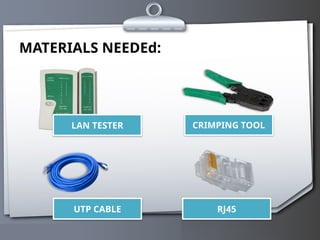
UTP CABLE
RJ 45
CRIMPING TOOL
CABLE TESTER
TOOLS TYPES STEPS ACTIVITY QUIZ
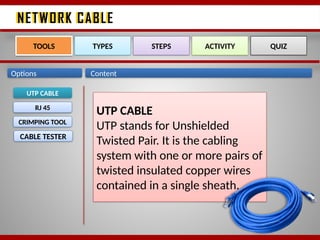
UTP CABLE
UTP stands for Unshielded
Twisted Pair. It is the cabling
system with one or more pairs of
twisted insulated copper wires
contained in a single sheath.
7.
NETWORK CABLE
NETWORK CABLE
OptionsContent
UTP CABLE
RJ 45
CRIMPING TOOL
CABLE TESTER
TOOLS TYPES STEPS ACTIVITY QUIZ
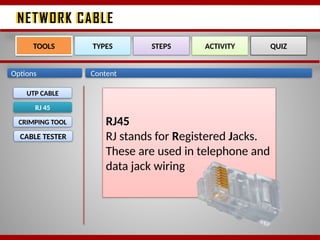
RJ45
RJ stands for Registered Jacks.
These are used in telephone and
data jack wiring
8.
NETWORK CABLE
NETWORK CABLE
OptionsContent
UTP CABLE
RJ 45
CRIMPING TOOL
CABLE TESTER
TOOLS TYPES STEPS ACTIVITY QUIZ
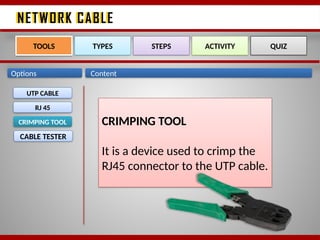
CRIMPING TOOL
It is a device used to crimp the
RJ45 connector to the UTP cable.
9.
NETWORK CABLE
NETWORK CABLE
OptionsContent
UTP CABLE
RJ 45
CRIMPING TOOL
CABLE TESTER
TOOLS TYPES STEPS ACTIVITY QUIZ
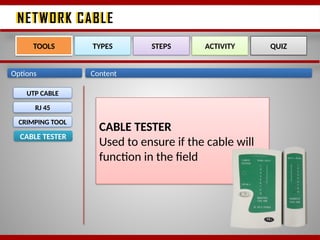
CABLE TESTER
Used to ensure if the cable will
function in the field
10.
NETWORK CABLE
NETWORK CABLE
Options
STRAIGHT-
THROUGH
TOOLSTYPES STEPS ACTIVITY QUIZ
CROSSOVER
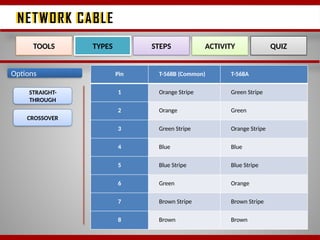
Pin T-568B (Common) T-568A
1 Orange Stripe Green Stripe
2 Orange Green
3 Green Stripe Orange Stripe
4 Blue Blue
5 Blue Stripe Blue Stripe
6 Green Orange
7 Brown Stripe Brown Stripe
8 Brown Brown
11.
NETWORK CABLE
NETWORK CABLE
OptionsContent
STRAIGHT-
THROUGH
TOOLS TYPES STEPS ACTIVITY QUIZ
CROSSOVER
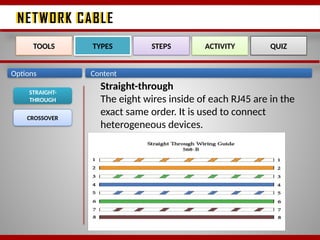
Straight-through
The eight wires inside of each RJ45 are in the
exact same order. It is used to connect
heterogeneous devices.
12.
NETWORK CABLE
NETWORK CABLE
OptionsContent
STRAIGHT-
THROUGH
TOOLS TYPES STEPS ACTIVITY QUIZ
CROSSOVER
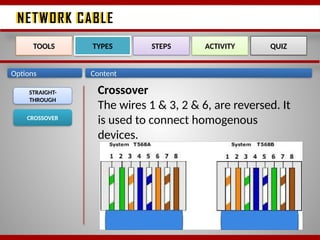
Crossover
The wires 1 & 3, 2 & 6, are reversed. It
is used to connect homogenous
devices.
13.
NETWORK CABLE
NETWORK CABLE
OptionsContent
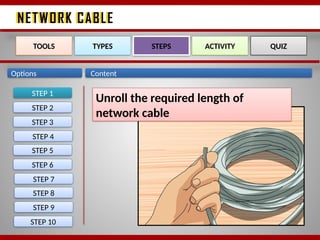
STEP 1
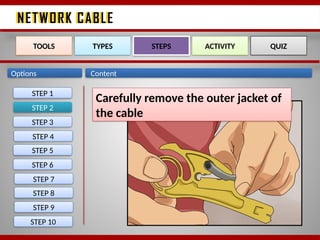
STEP 2
STEP 3
STEP 4
STEP 5
STEP 6
STEP 7
STEP 8
STEP 9
STEP 10
TOOLS TYPES STEPS ACTIVITY QUIZ
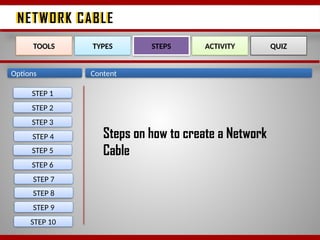
Steps on how to create a Network
Cable
NETWORK CABLE
NETWORK CABLE
OptionsContent
STEP 3
TOOLS TYPES STEPS ACTIVITY QUIZ
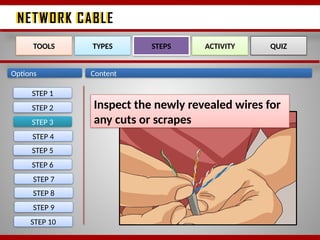
Inspect the newly revealed wires for
any cuts or scrapes
STEP 1
STEP 2
STEP 4
STEP 5
STEP 6
STEP 7
STEP 8
STEP 9
STEP 10
17.
NETWORK CABLE
NETWORK CABLE
OptionsContent
STEP 4
TOOLS TYPES STEPS ACTIVITY QUIZ
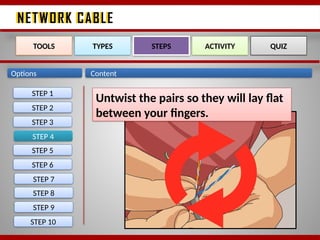
Untwist the pairs so they will lay flat
between your fingers.
STEP 1
STEP 2
STEP 3
STEP 5
STEP 6
STEP 7
STEP 8
STEP 9
STEP 10
18.
NETWORK CABLE
NETWORK CABLE
OptionsContent
STEP 5
TOOLS TYPES STEPS ACTIVITY QUIZ
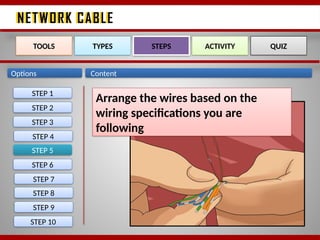
Arrange the wires based on the
wiring specifications you are
following
STEP 1
STEP 2
STEP 3
STEP 4
STEP 6
STEP 7
STEP 8
STEP 9
STEP 10
19.
NETWORK CABLE
NETWORK CABLE
OptionsContent
STEP 6
TOOLS TYPES STEPS ACTIVITY QUIZ
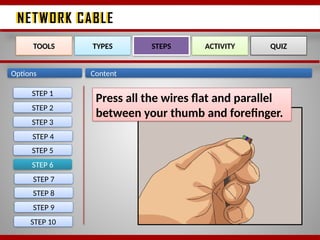
Press all the wires flat and parallel
between your thumb and forefinger.
STEP 1
STEP 2
STEP 3
STEP 4
STEP 5
STEP 7
STEP 8
STEP 9
STEP 10
20.
NETWORK CABLE
NETWORK CABLE
OptionsContent
STEP 7
TOOLS TYPES STEPS ACTIVITY QUIZ
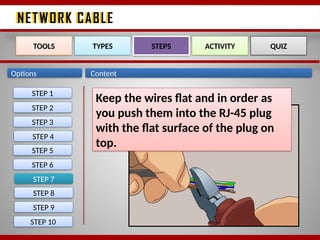
Keep the wires flat and in order as
you push them into the RJ-45 plug
with the flat surface of the plug on
top.
STEP 1
STEP 2
STEP 3
STEP 4
STEP 5
STEP 6
STEP 8
STEP 9
STEP 10
21.
NETWORK CABLE
NETWORK CABLE
OptionsContent
STEP 8
TOOLS TYPES STEPS ACTIVITY QUIZ
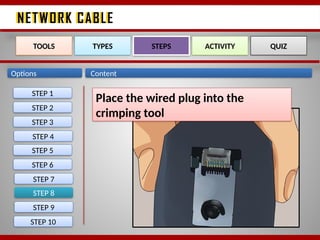
Place the wired plug into the
crimping tool
STEP 1
STEP 2
STEP 3
STEP 4
STEP 5
STEP 6
STEP 7
STEP 9
STEP 10
22.
NETWORK CABLE
NETWORK CABLE
OptionsContent
STEP 9
TOOLS TYPES STEPS ACTIVITY QUIZ
Repeat all of the above steps with
the other end of the cable.
STEP 1
STEP 2
STEP 3
STEP 4
STEP 5
STEP 6
STEP 7
STEP 8
STEP 10
23.
NETWORK CABLE
NETWORK CABLE
OptionsContent
STEP 10
TOOLS TYPES STEPS ACTIVITY QUIZ
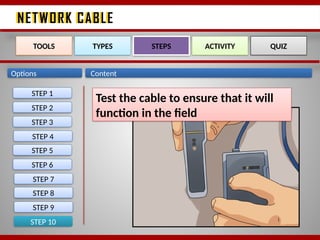
Test the cable to ensure that it will
function in the field
STEP 1
STEP 2
STEP 3
STEP 4
STEP 5
STEP 6
STEP 7
STEP 8
STEP 9
24.
NETWORK CABLE
NETWORK CABLE
Content
TOOLSTYPES STEPS ACTIVITY QUIZ
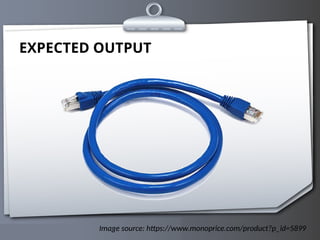
Create one network cable for Straight-through
and one network cable for Crossover wiring
specifications.
NETWORK CABLE
NETWORK CABLE
TOOLSTYPES STEPS ACTIVITY QUIZ NO. 7
Content
Direction: Identify what is being asked on each number. Write the
correct answers on a ¼ sheet of paper.
1. ____________ are collections of computers, software, and
hardware that are all connected to help their users work
together.
2. _________ is the cabling system with one or more pairs of
twisted insulated copper wires contained in a single sheath.
3. RJ stands for _________.
4. What are the two common types of network cable
specification?
5. __________ is a device used to crimp the RJ45 connector to the
UTP cable.
27.
NETWORK CABLE
NETWORK CABLE
TOOLSTYPES STEPS ACTIVITY QUIZ
Content
Agreement
TOPIC: FILE-SHARING
Look for the meaning of the following words:
IP Address
Dynamic IP Address
Static IP Address
Guide Questions:
What is file-sharing?
How do we share offline files from one computer to another computer?
Follow up Assignment:
Create a straight-through cable on your own. Follow the steps on how
to make a network cable. Check if the cable is working properly by using a cable
tester.
Editor's Notes
#5 A network enables users to share files and resources, such as printers, as well as send messages electronically (e-mail) to each other.
Most common types of network:
LAN within single geographical location ex. Office, building
WAN spans to different cities or over countries
MAN connection within a single city or metropolis