Jocelyn M. Gamo
Web Design Terminology
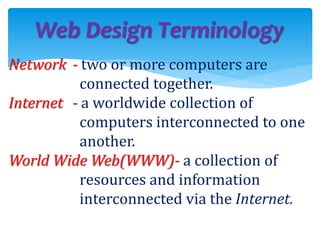
Network - two or more computers are
connected together.
Internet - a worldwide collection of
computers interconnected to one
another.
World Wide Web(WWW)- a collection of
resources and information
interconnected via the Internet.
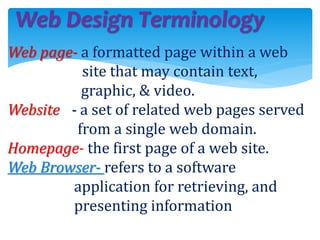
Web page- a formatted page within a web
site that may contain text,
graphic, & video.
Website - a set of related web pages served
from a single web domain.
Homepage- the first page of a web site.
Web Browser- refers to a software
application for retrieving, and
presenting information
Web Design Terminology
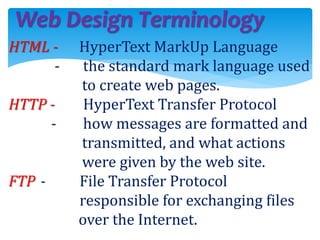
HTML - HyperText MarkUp Language
- the standard mark language used
to create web pages.
HTTP - HyperText Transfer Protocol
- how messages are formatted and
transmitted, and what actions
were given by the web site.
FTP - File Transfer Protocol
responsible for exchanging files
over the Internet.
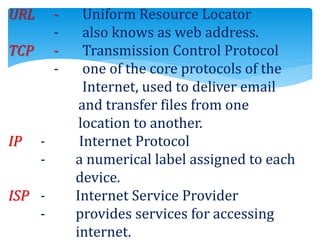
URL - Uniform Resource Locator
- also knows as web address.
TCP - Transmission Control Protocol
- one of the core protocols of the
Internet, used to deliver email
and transfer files from one
location to another.
IP - Internet Protocol
- a numerical label assigned to each
device.
ISP - Internet Service Provider
- provides services for accessing
internet.
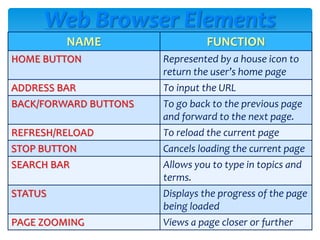
Web Browser Elements
NAME FUNCTION
HOME BUTTON Represented by a house icon to
return the user’s home page
ADDRESS BAR To input the URL
BACK/FORWARD BUTTONS To go back to the previous page
and forward to the next page.
REFRESH/RELOAD To reload the current page
STOP BUTTON Cancels loading the current page
SEARCH BAR Allows you to type in topics and
terms.
STATUS Displays the progress of the page
being loaded
PAGE ZOOMING Views a page closer or further
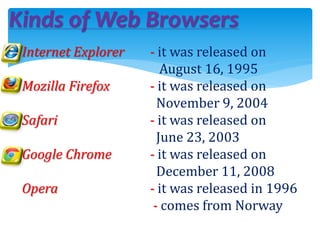
Kinds of Web Browsers
Internet Explorer - it was released on
August 16, 1995
Mozilla Firefox - it was released on
November 9, 2004
Safari - it was released on
June 23, 2003
Google Chrome - it was released on
December 11, 2008
Opera - it was released in 1996
- comes from Norway
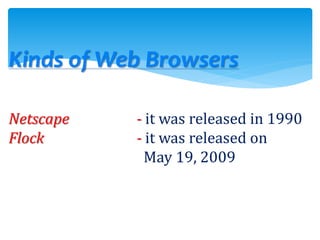
Kinds of Web Browsers
Netscape - it was released in 1990
Flock - it was released on
May 19, 2009
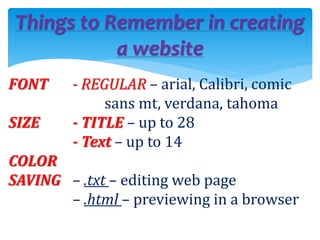
Things to Remember in creating
a website
FONT - REGULAR – arial, Calibri, comic
sans mt, verdana, tahoma
SIZE - TITLE – up to 28
- Text – up to 14
COLOR
SAVING – .txt – editing web page
– .html – previewing in a browser
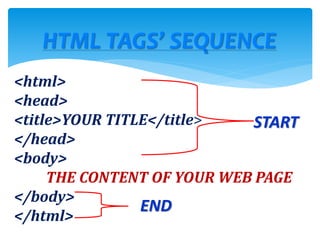
HTML TAGS’ SEQUENCE
<html>
<head>
<title>YOUR TITLE</title>
</head>
<body>
THE CONTENT OF YOUR WEB PAGE
</body>
</html>
START
END
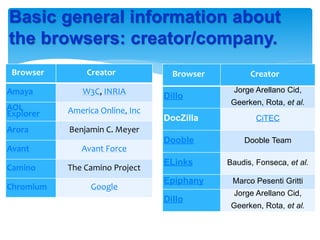
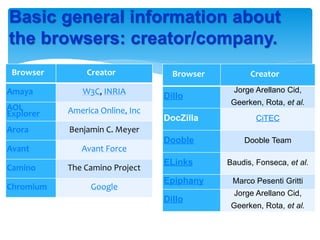
Basic general information about
the browsers: creator/company.
Browser Creator
Amaya W3C, INRIA
AOL
Explorer America Online, Inc
Arora Benjamin C. Meyer
Avant Avant Force
Camino The Camino Project
Chromium Google
Browser Creator
Dillo
Jorge Arellano Cid,
Geerken, Rota, et al.
DocZilla CiTEC
Dooble Dooble Team
ELinks Baudis, Fonseca, et al.
Epiphany Marco Pesenti Gritti
Dillo
Jorge Arellano Cid,
Geerken, Rota, et al.
Basic general information about
the browsers: creator/company.
Browser Creator
Amaya W3C, INRIA
AOL
Explorer America Online, Inc
Arora Benjamin C. Meyer
Avant Avant Force
Camino The Camino Project
Chromium Google
Browser Creator
Dillo
Jorge Arellano Cid,
Geerken, Rota, et al.
DocZilla CiTEC
Dooble Dooble Team
ELinks Baudis, Fonseca, et al.
Epiphany Marco Pesenti Gritti
Dillo
Jorge Arellano Cid,
Geerken, Rota, et al.
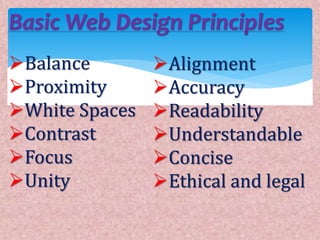
Basic Web Design Principles
Balance
Proximity
White Spaces
Contrast
Focus
Unity
Alignment
Accuracy
Readability
Understandable
Concise
Ethical and legal
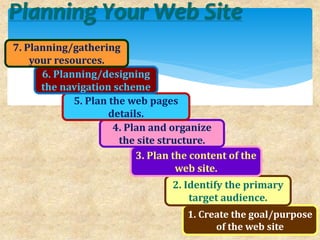
Planning Your Web Site
1. Create the goal/purpose
of the web site
2. Identify the primary
target audience.
3. Plan the content of the
web site.
4. Plan and organize
the site structure.
5. Plan the web pages
details.
6. Planning/designing
the navigation scheme
7. Planning/gathering
your resources.
HISTORY OF SOCIAL
NETWORKING
SITES/APPLICATIONS
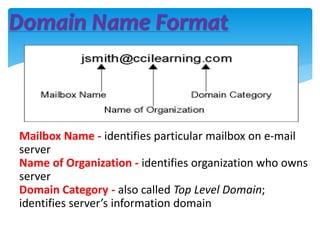
Domain Name Format
Mailbox Name - identifies particular mailbox on e-mail
server
Name of Organization - identifies organization who owns
server
Domain Category - also called Top Level Domain;
identifies server’s information domain
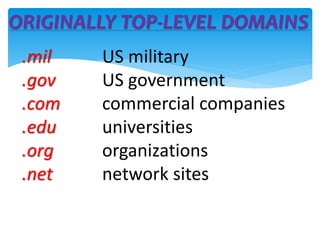
ORIGINALLY TOP-LEVEL DOMAINS
.mil US military
.gov US government
.com commercial companies
.edu universities
.org organizations
.net network sites
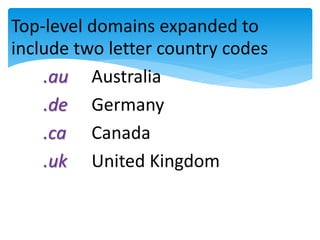
Top-level domains expanded to
include two letter country codes
.au Australia
.de Germany
.ca Canada
.uk United Kingdom
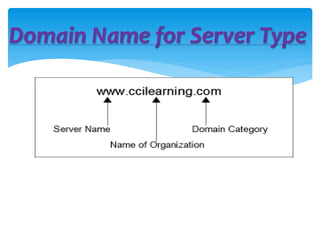
Domain Name for Server Type

lesson_3.2.pptx

  • 1.
  • 2.
    Web Design Terminology Network- two or more computers are connected together. Internet - a worldwide collection of computers interconnected to one another. World Wide Web(WWW)- a collection of resources and information interconnected via the Internet.
  • 3.
    Web page- aformatted page within a web site that may contain text, graphic, & video. Website - a set of related web pages served from a single web domain. Homepage- the first page of a web site. Web Browser- refers to a software application for retrieving, and presenting information Web Design Terminology
  • 4.
    Web Design Terminology HTML- HyperText MarkUp Language - the standard mark language used to create web pages. HTTP - HyperText Transfer Protocol - how messages are formatted and transmitted, and what actions were given by the web site. FTP - File Transfer Protocol responsible for exchanging files over the Internet.
  • 5.
    URL - UniformResource Locator - also knows as web address. TCP - Transmission Control Protocol - one of the core protocols of the Internet, used to deliver email and transfer files from one location to another. IP - Internet Protocol - a numerical label assigned to each device. ISP - Internet Service Provider - provides services for accessing internet.
  • 6.
    Web Browser Elements NAMEFUNCTION HOME BUTTON Represented by a house icon to return the user’s home page ADDRESS BAR To input the URL BACK/FORWARD BUTTONS To go back to the previous page and forward to the next page. REFRESH/RELOAD To reload the current page STOP BUTTON Cancels loading the current page SEARCH BAR Allows you to type in topics and terms. STATUS Displays the progress of the page being loaded PAGE ZOOMING Views a page closer or further
  • 7.
    Kinds of WebBrowsers Internet Explorer - it was released on August 16, 1995 Mozilla Firefox - it was released on November 9, 2004 Safari - it was released on June 23, 2003 Google Chrome - it was released on December 11, 2008 Opera - it was released in 1996 - comes from Norway
  • 8.
    Kinds of WebBrowsers Netscape - it was released in 1990 Flock - it was released on May 19, 2009
  • 9.
    Things to Rememberin creating a website FONT - REGULAR – arial, Calibri, comic sans mt, verdana, tahoma SIZE - TITLE – up to 28 - Text – up to 14 COLOR SAVING – .txt – editing web page – .html – previewing in a browser
  • 10.
    HTML TAGS’ SEQUENCE <html> <head> <title>YOURTITLE</title> </head> <body> THE CONTENT OF YOUR WEB PAGE </body> </html> START END
  • 11.
    Basic general informationabout the browsers: creator/company. Browser Creator Amaya W3C, INRIA AOL Explorer America Online, Inc Arora Benjamin C. Meyer Avant Avant Force Camino The Camino Project Chromium Google Browser Creator Dillo Jorge Arellano Cid, Geerken, Rota, et al. DocZilla CiTEC Dooble Dooble Team ELinks Baudis, Fonseca, et al. Epiphany Marco Pesenti Gritti Dillo Jorge Arellano Cid, Geerken, Rota, et al.
  • 12.
    Basic general informationabout the browsers: creator/company. Browser Creator Amaya W3C, INRIA AOL Explorer America Online, Inc Arora Benjamin C. Meyer Avant Avant Force Camino The Camino Project Chromium Google Browser Creator Dillo Jorge Arellano Cid, Geerken, Rota, et al. DocZilla CiTEC Dooble Dooble Team ELinks Baudis, Fonseca, et al. Epiphany Marco Pesenti Gritti Dillo Jorge Arellano Cid, Geerken, Rota, et al.
  • 13.
    Basic Web DesignPrinciples Balance Proximity White Spaces Contrast Focus Unity Alignment Accuracy Readability Understandable Concise Ethical and legal
  • 14.
    Planning Your WebSite 1. Create the goal/purpose of the web site 2. Identify the primary target audience. 3. Plan the content of the web site. 4. Plan and organize the site structure. 5. Plan the web pages details. 6. Planning/designing the navigation scheme 7. Planning/gathering your resources.
  • 15.
  • 16.
    Domain Name Format MailboxName - identifies particular mailbox on e-mail server Name of Organization - identifies organization who owns server Domain Category - also called Top Level Domain; identifies server’s information domain
  • 17.
    ORIGINALLY TOP-LEVEL DOMAINS .milUS military .gov US government .com commercial companies .edu universities .org organizations .net network sites
  • 18.
    Top-level domains expandedto include two letter country codes .au Australia .de Germany .ca Canada .uk United Kingdom
  • 19.
    Domain Name forServer Type