slidesdocs.com
LESSON 1- INTRODUCTION TO
3RD
QUARTER – 2ND
SEMESTER
LEARNING COMPETENCIES
Prepare feature list in line with client
requirements. [TLE_ICTP.NET11-12DAMWAIc-h-35]
Prepare release plan and agree with clients based
on dependencies and business values.
[TLE_ICTP.NET11-12DAMWAIc-h-35]
LEARNING OBJECTIVES
Define key terms and concepts related to client
requirements, feature lists, and release planning in
Visual Basic development.
Use Visual Basic tools to create a sample feature list
based on a provided set of client requirements.
Develop a Visual Basic program to serve as a draft
for a preliminary feature list aligned with specified
client requirements.
LESSON 1.1
OVERVIEW OF
VISUAL BASIC
What is Visual Basic?
Visual Basic is a third-generation event-driven
programming language and Integrated Development
Programming (IDE) first released by Microsoft in
1991 for its COM Programming Model . It evolved
from the earlier DOS version called
BASIC. BASIC means :-
Beginners’All Purpose Symbolic Instruction Code.
Since then, Microsoft has released many
versions of Visual Basic, from Visual Basic 1.0
to the final version Visual Basic 6.0. Visual
Basic is a user-friendly programming language
designed for beginners, and it enables anyone to
develop GUI window applications easily.
VB AS PROGRAMMING LANGUAGE
Visual Basic is a Programming tool that
allows user to develop Windows or GUI (
Graphical User Interface ) applications.
It means that rather than writing
numerous line for code to describe the
appearance and location for interface
elements like C , C + + or Basic.
VB AS PROGRAMMING LANGUAGE
User can simply drag and drop pre-built
objects into the form window on computer
screen. VB is a much enhance version of
BASIC programming language (BASIC is
Predecessor of VB). The main difference is
that the VB can create windows programs by
just Drag & Drop where as BASIC could only
create DOS programs or work only in CUI
(Command User Interface).
BRIEF HISTORY OF VISUAL BASIC
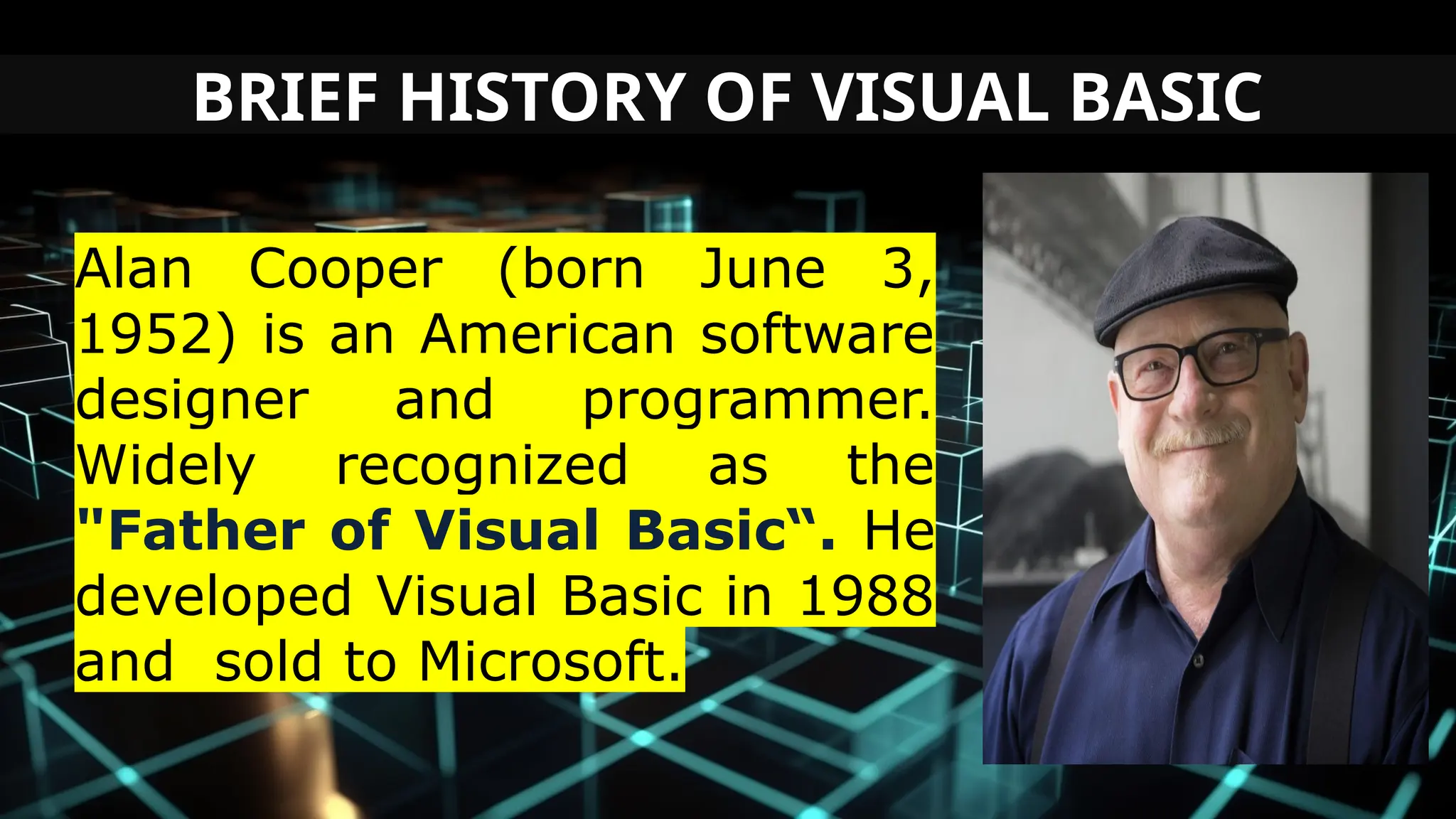
Alan Cooper (born June 3,
1952) is an American software
designer and programmer.
Widely recognized as the
"Father of Visual Basic“. He
developed Visual Basic in 1988
and sold to Microsoft.
BRIEF HISTORY OF VISUAL BASIC
VB1 Debuts at Windows World in March
20,1991
VB2 Debuts in November 1992
VB3 Debuts in June 1993
VB4 Debuts in October 1996
VB5 Debuts in April 1997
VB6 Debuts in October 1998
EDITIONS OF VISUAL BASIC
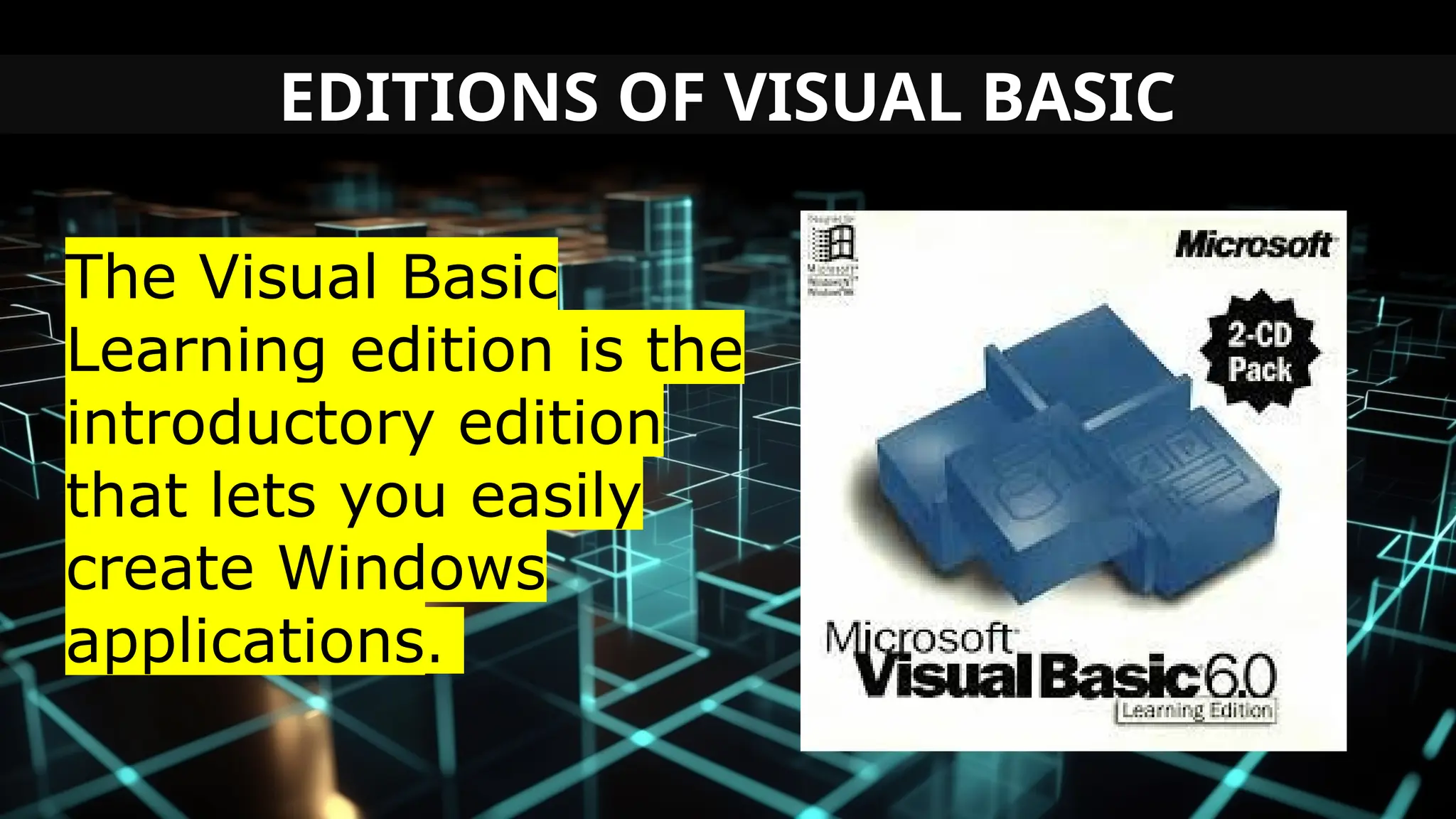
The Visual Basic
Learning edition is the
introductory edition
that lets you easily
create Windows
applications.
EDITIONS OF VISUAL BASIC
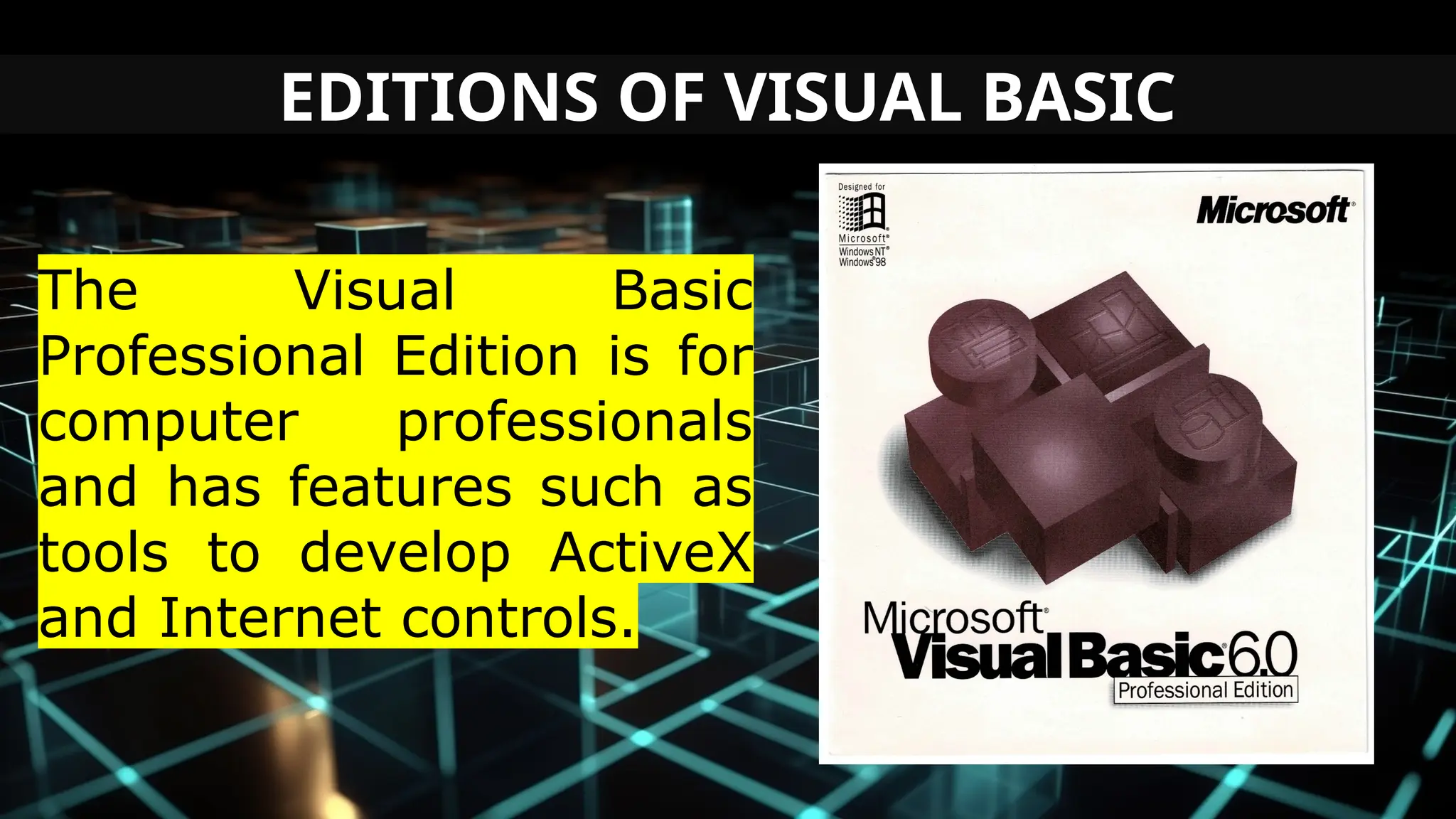
The Visual Basic
Professional Edition is for
computer professionals
and has features such as
tools to develop ActiveX
and Internet controls.
EDITIONS OF VISUAL BASIC
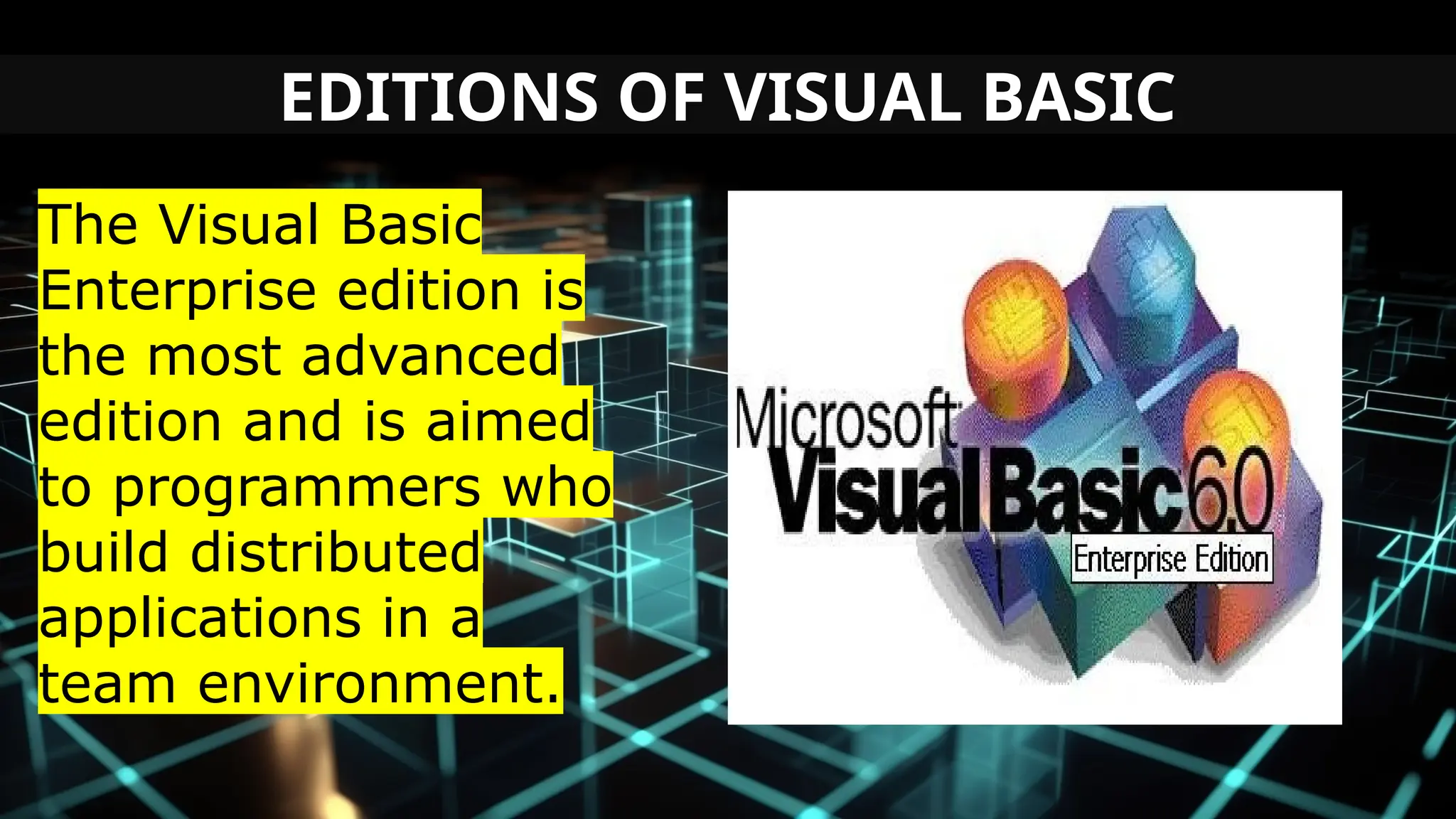
The Visual Basic
Enterprise edition is
the most advanced
edition and is aimed
to programmers who
build distributed
applications in a
team environment.
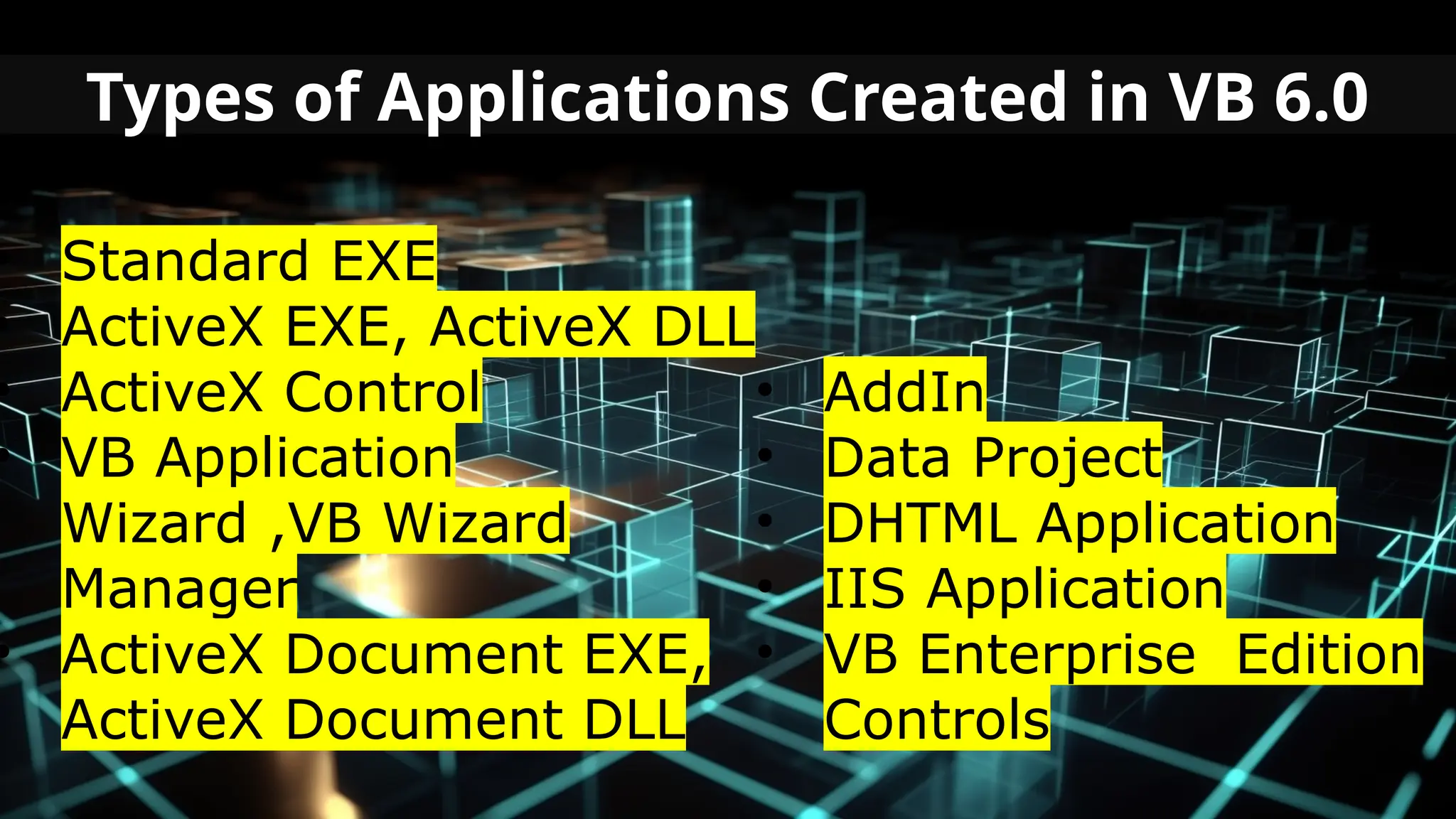
Types of Applications Created in VB 6.0
• Standard EXE
• ActiveX EXE, ActiveX DLL
• ActiveX Control
• VB Application
Wizard ,VB Wizard
Manager
• ActiveX Document EXE,
ActiveX Document DLL
• AddIn
• Data Project
• DHTML Application
• IIS Application
• VB Enterprise Edition
Controls
Features Of Visual Basic
1. It is a simple language.
2.It supports Integrated Development
Environment(IDE), as multiple projects can be
opened.
3. The lines of codes are Compiled
Automatically with a faster compiler.
4. It completes the word automatically.
5. Bookmarks can be placed for quick search.
Features Of Visual Basic
6. Break points can be toggled easily.
7. Drag and drop facility Clipboard and
printer access.
8. Handle fixed and dynamic variable
and control arrays.
9. Sequential random access file, and
Binary access file support.
10. Useful debugger and error handling
facilities.
Advantages of Visual Basic
A. The structure of the Basic programming
language is very simple, particularly as to
the executable code.
B. VB is not only a language but primarily
an integrated, interactive development
environment ("IDE").
Advantages of Visual Basic
C. The VB-IDE has been highly optimized to
support rapid application development ("RAD").
It is particularly easy to develop graphical user
interfaces and to connect them to handler
functions provided by the application.
D. VB is attuned to Microsoft’s Computer
Object Model(“COM”).
Advantages of Visual Basic
E. The graphical user interface of the VB-
IDE provides intuitively appealing views for
the management of the program structure in
the large and the various types of entities
(classes, modules, procedures, forms).
LESSON 1.2
VISUAL BASIC
INTEGRATED DEVELOPMENT
ENVIRONMENT (IDE)
INTRODUCTION
IDE is a term commonly used in the programming
world to describe the interface and environment that
we use to create our applications. It is called integrated
because we can access virtually all of the development
tools that we need from one screen called an interface.
The IDE is also commonly referred to as the design
environment, or the program
INTERFACE OF VISUAL BASIC
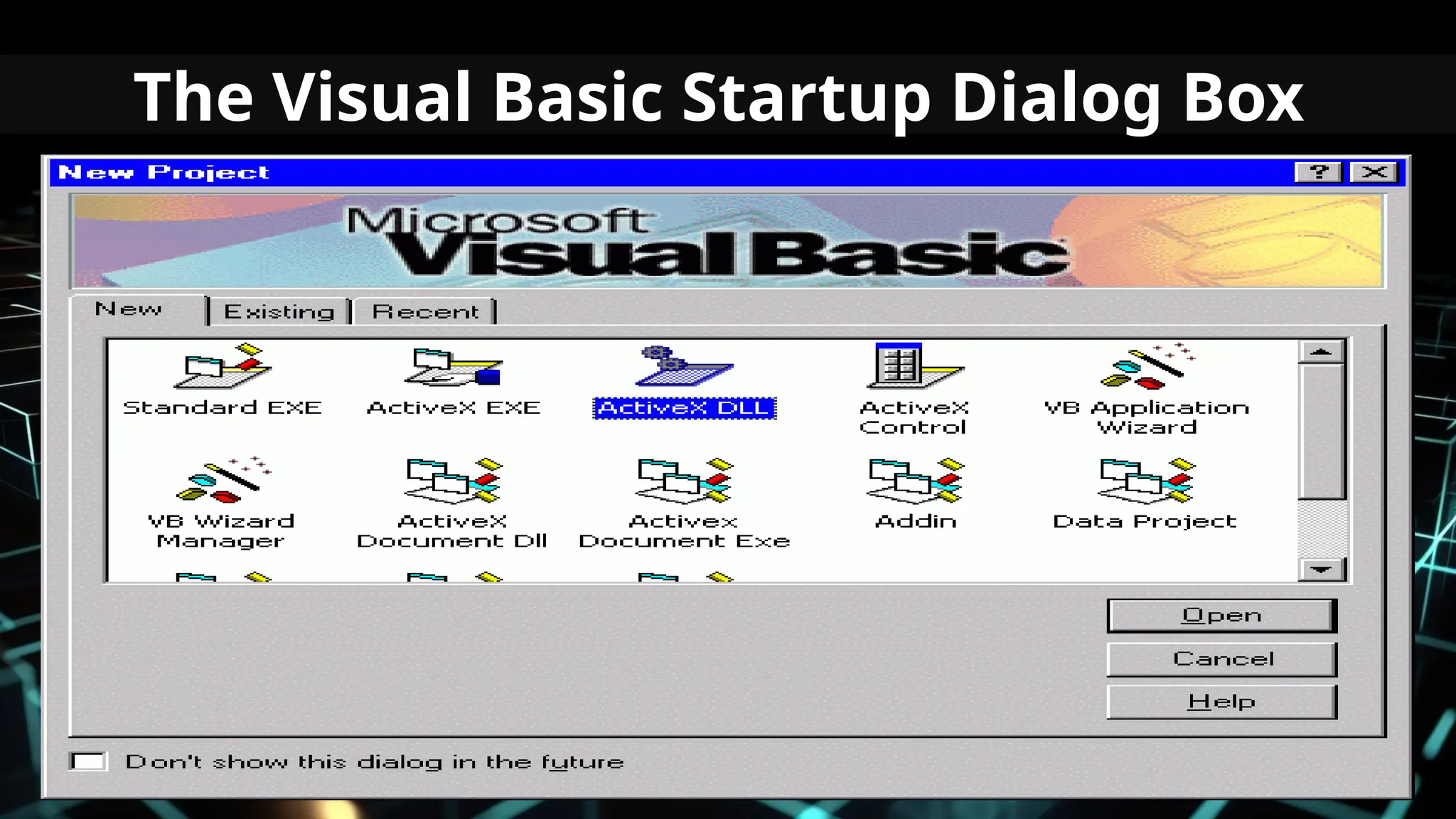
When user start the window, it display a screen
having certain option. With the help of this
screen user can select the type of project user
want to make.
Visual Basic environment is platform provided by
VB to develop and execute a project . This
environment consist of different platforms or
control tools and various other options.
The Visual Basic Startup Dialog Box
The Visual Basic IDE
When user choose any application platform,
like any other window application, VB consists
of multiple window, which appear at start up.
The windows that are display when user start VB
are collectively Known as Visual basic
Integrated Development Environment ( IDE ).
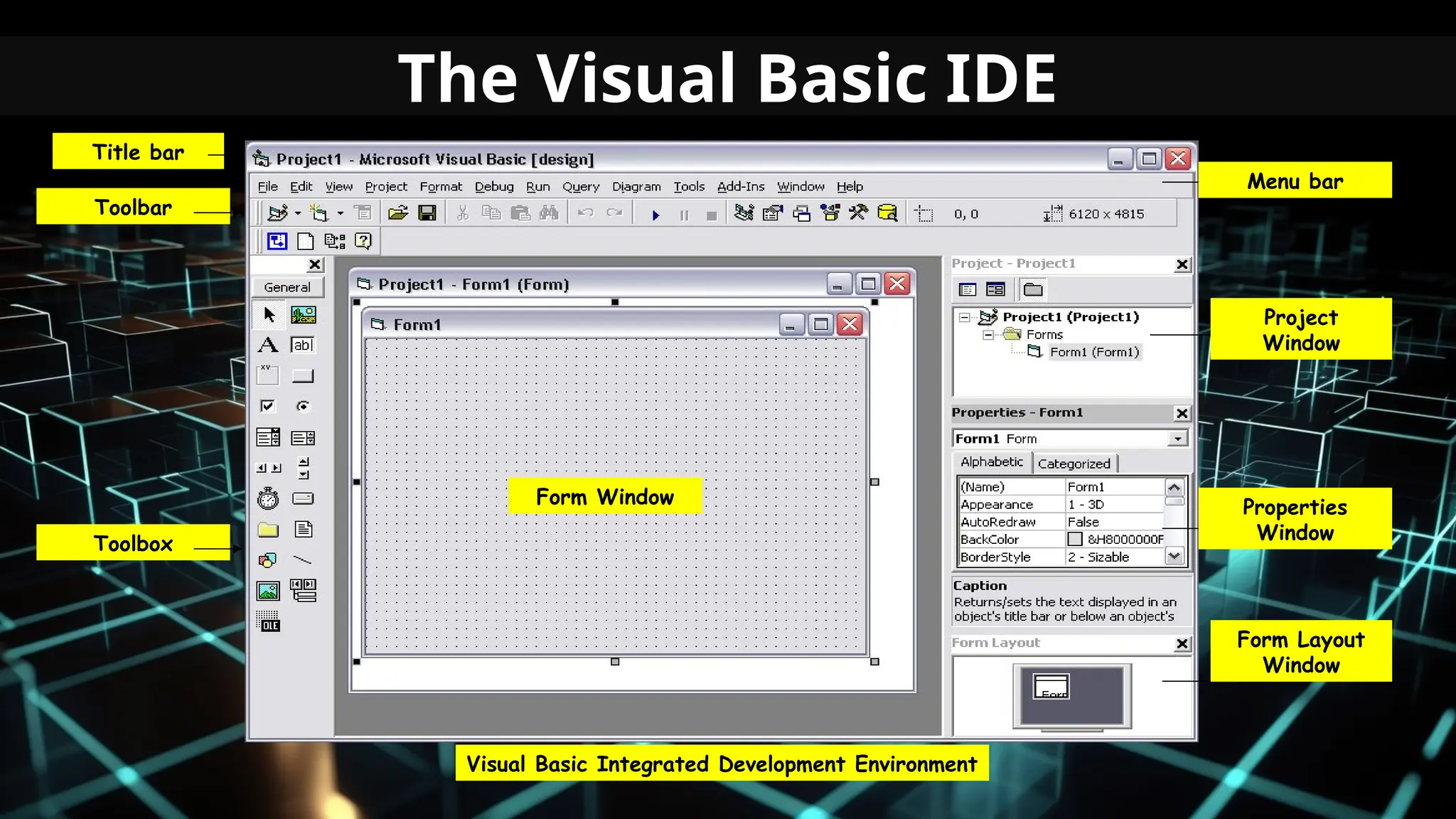
The Visual Basic IDE
Project
Window
Properties
Window
Form Layout
Window
Form Window
Toolbox
Toolbar
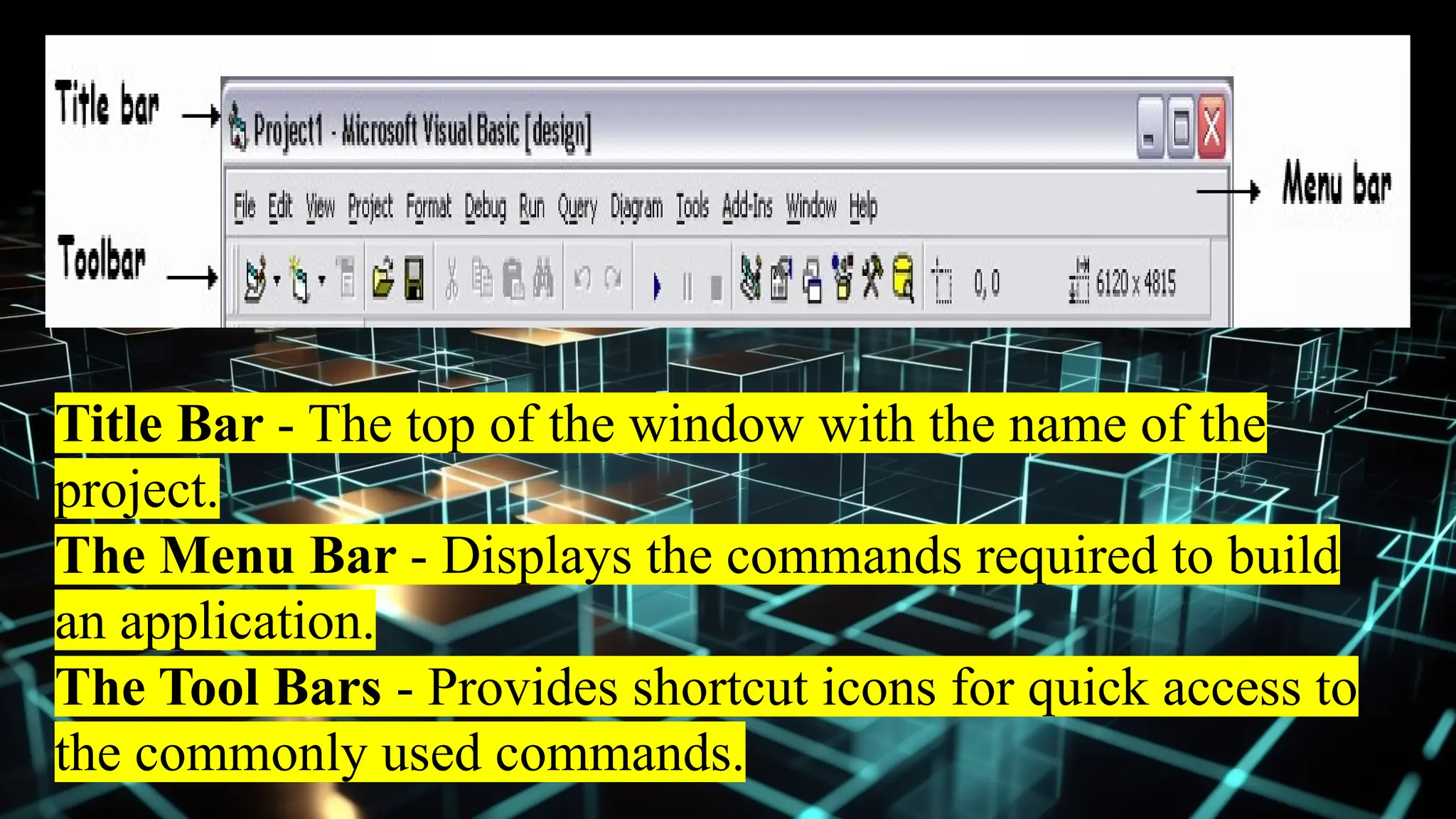
Title bar
Menu bar
Visual Basic Integrated Development Environment
Title Bar - The top of the window with the name of the
project.
The Menu Bar - Displays the commands required to build
an application.
The Tool Bars - Provides shortcut icons for quick access to
the commonly used commands.
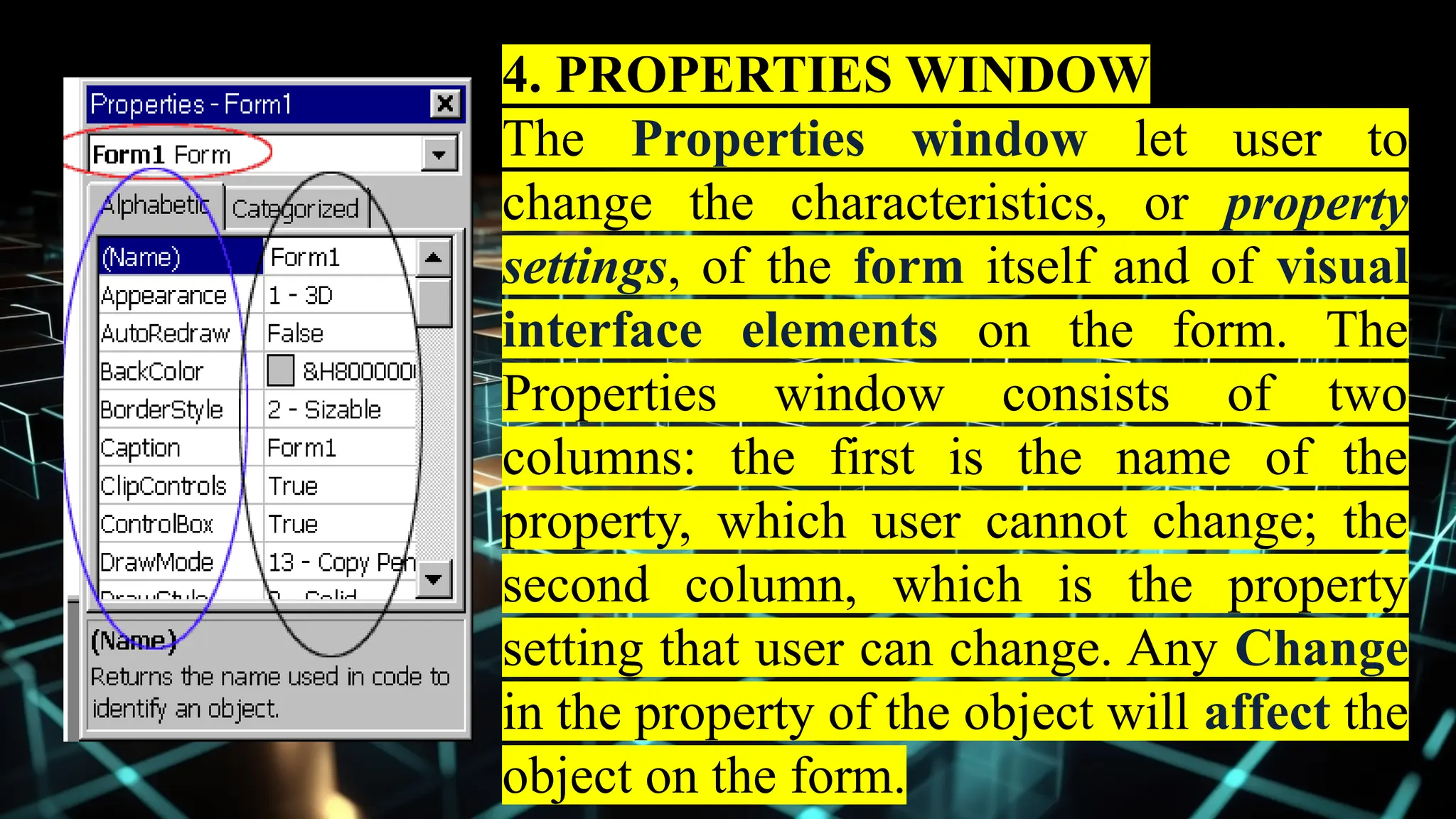
4. PROPERTIES WINDOW
The Properties window let user to
change the characteristics, or property
settings, of the form itself and of visual
interface elements on the form. The
Properties window consists of two
columns: the first is the name of the
property, which user cannot change; the
second column, which is the property
setting that user can change. Any Change
in the property of the object will affect the
object on the form.
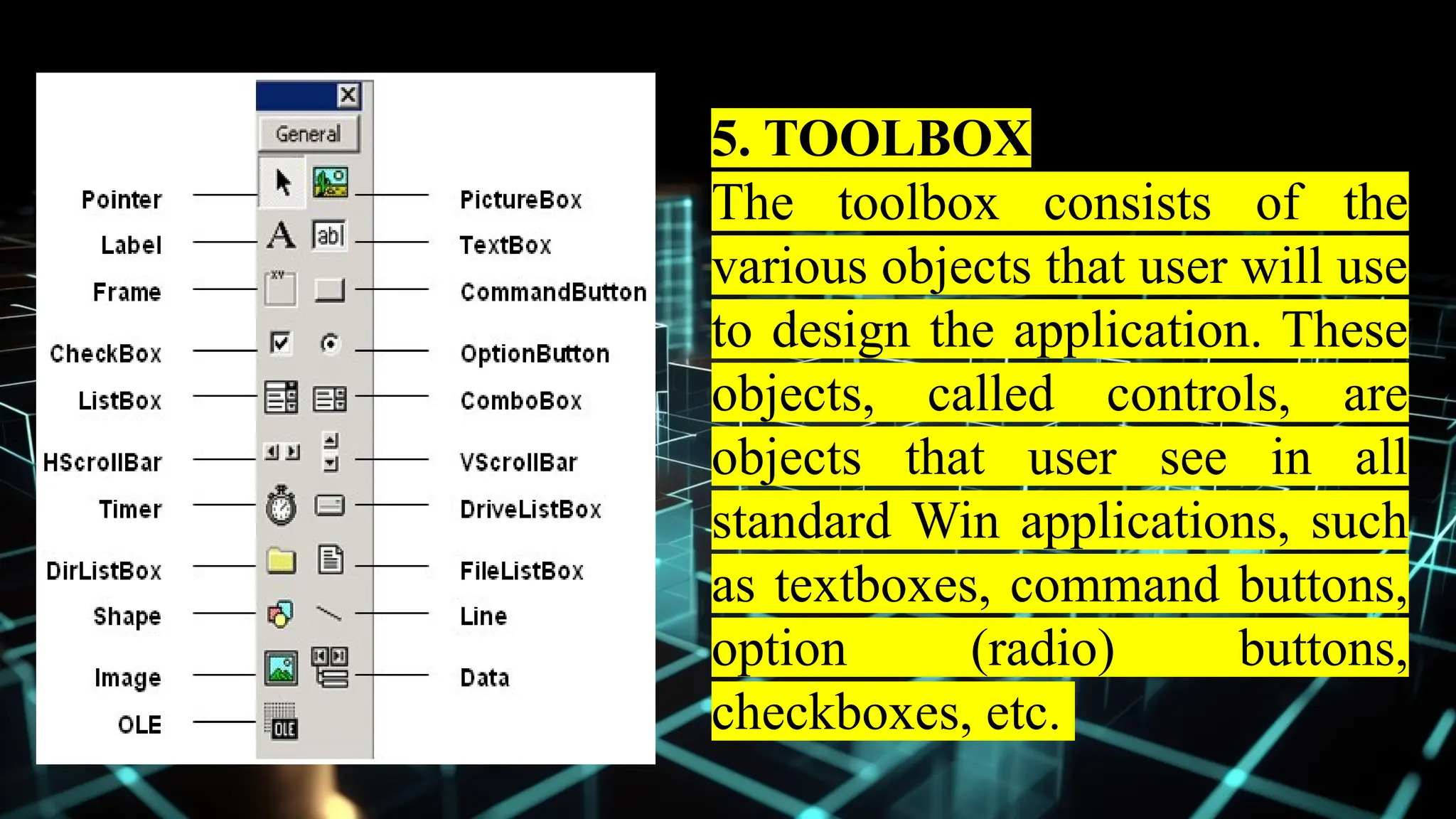
5. TOOLBOX
The toolbox consists of the
various objects that user will use
to design the application. These
objects, called controls, are
objects that user see in all
standard Win applications, such
as textboxes, command buttons,
option (radio) buttons,
checkboxes, etc.
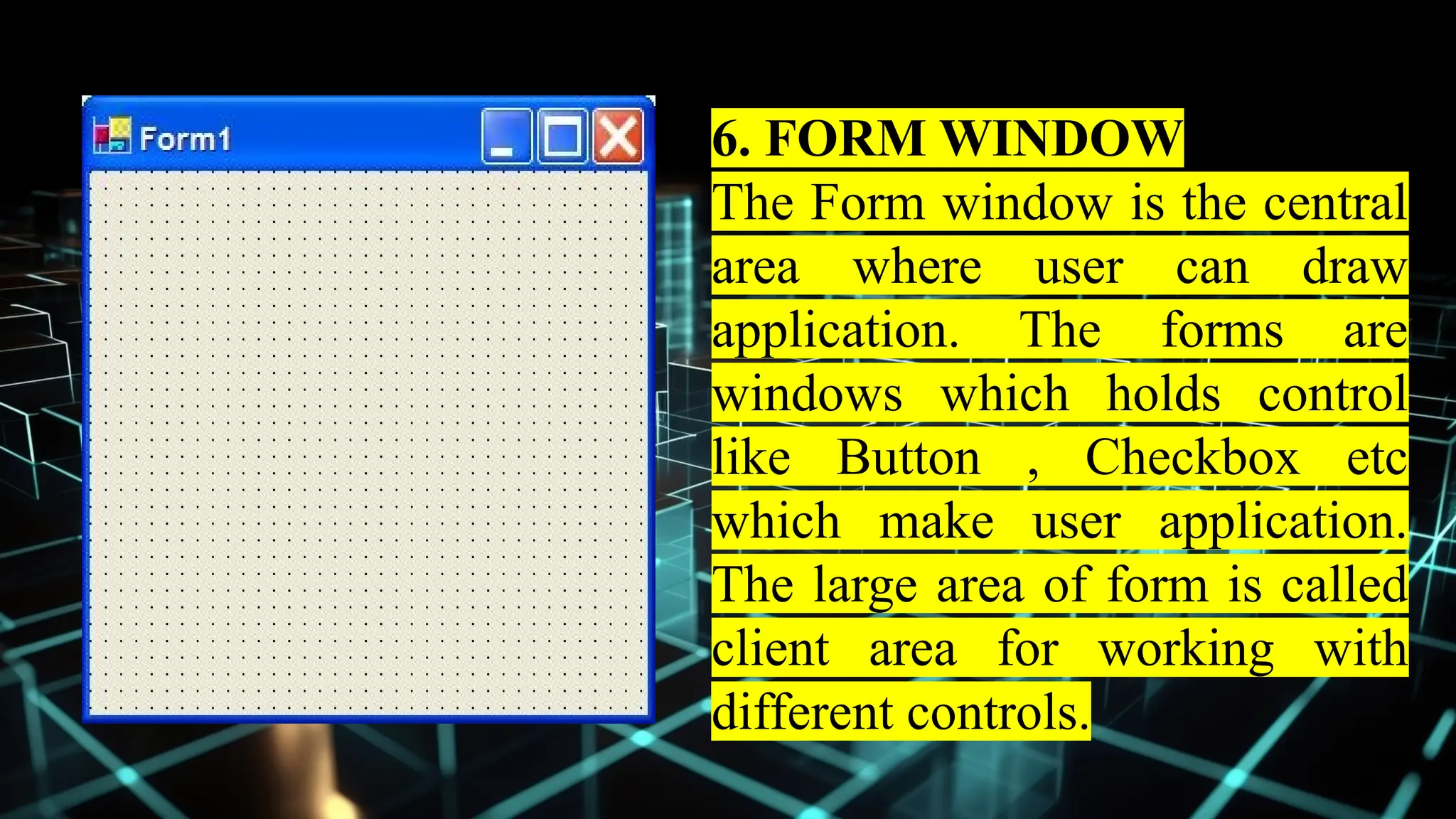
6. FORM WINDOW
The Form window is the central
area where user can draw
application. The forms are
windows which holds control
like Button , Checkbox etc
which make user application.
The large area of form is called
client area for working with
different controls.
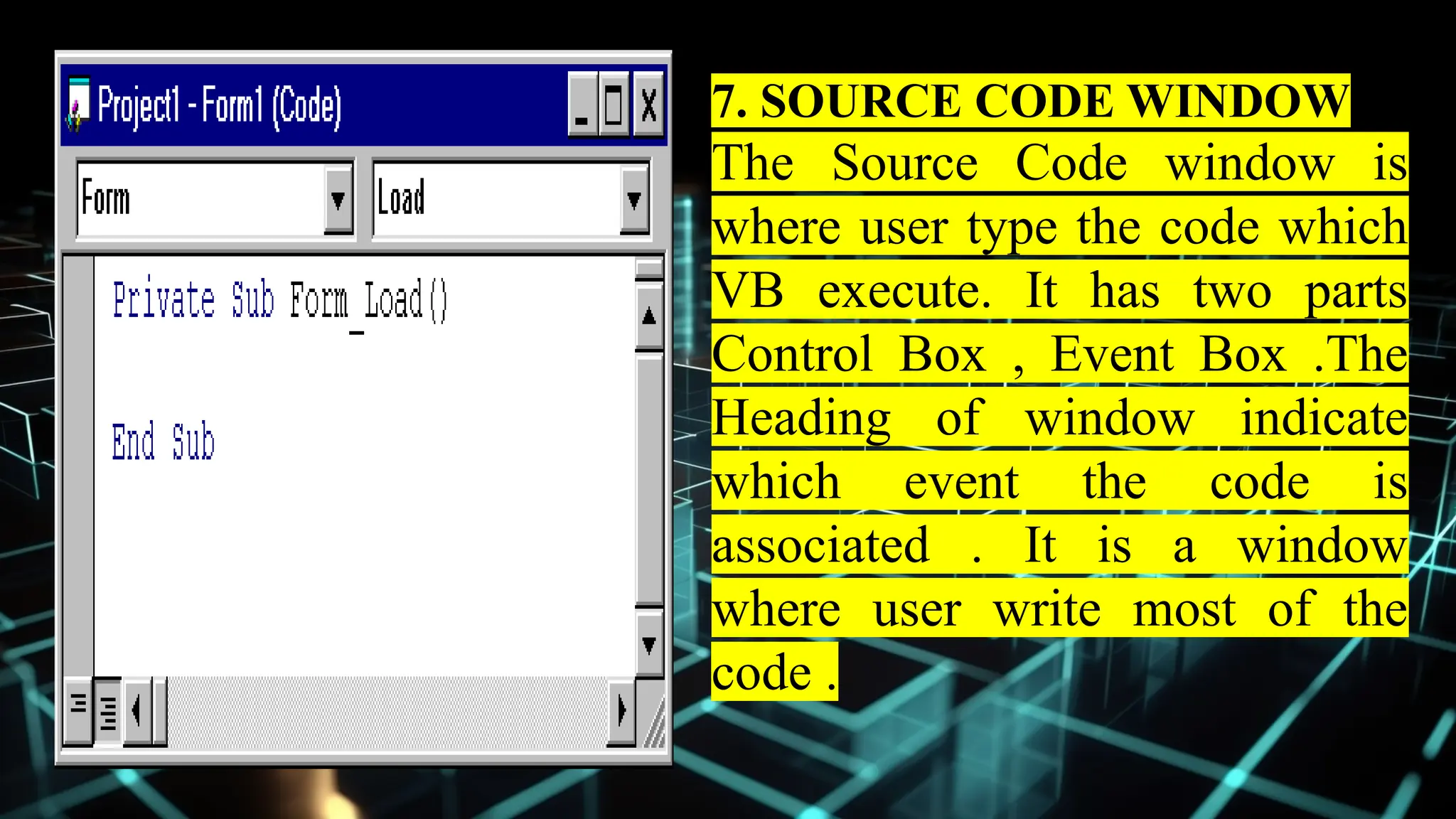
7. SOURCE CODE WINDOW
The Source Code window is
where user type the code which
VB execute. It has two parts
Control Box , Event Box .The
Heading of window indicate
which event the code is
associated . It is a window
where user write most of the
code .
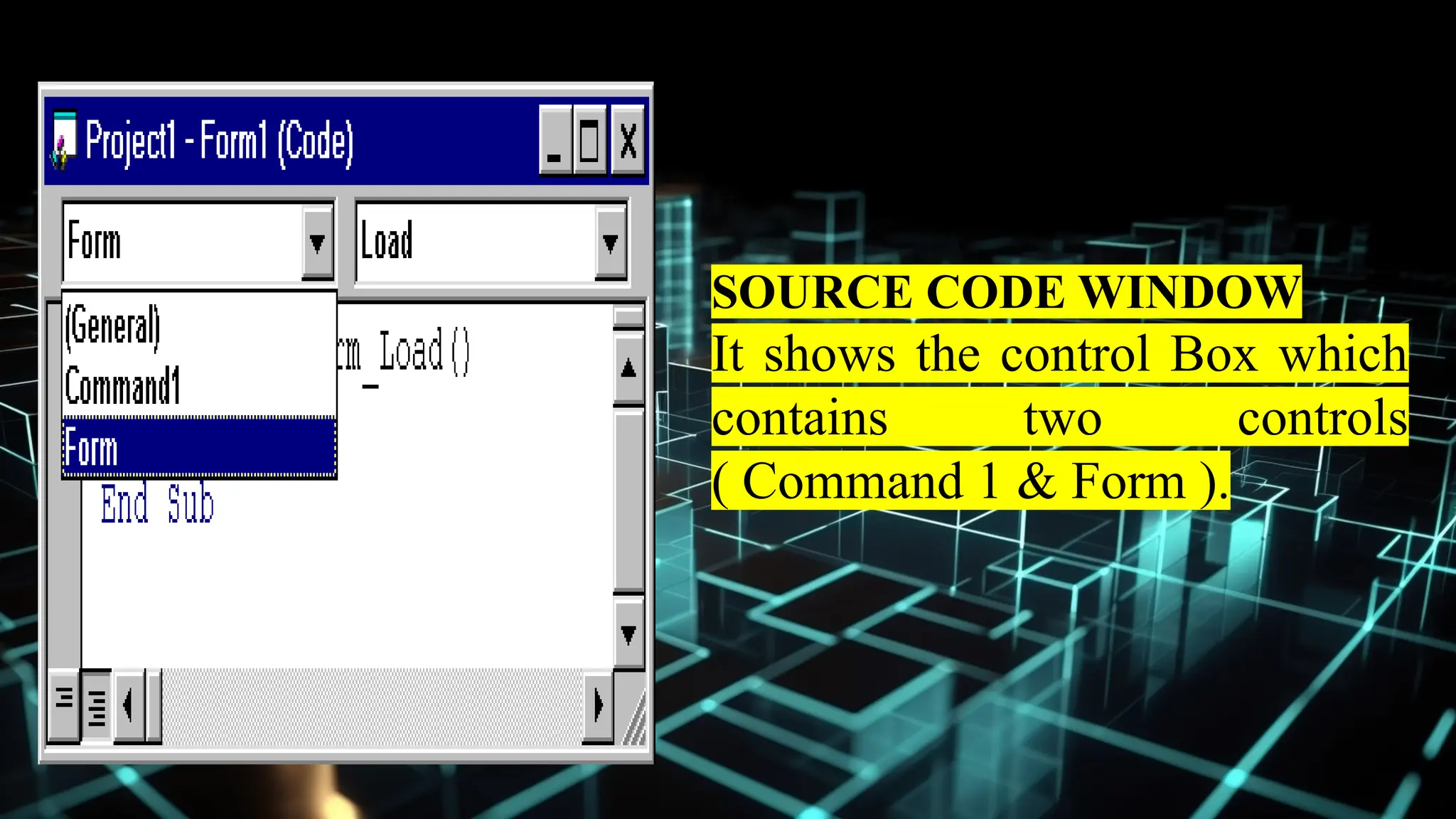
SOURCE CODE WINDOW
It shows the control Box which
contains two controls
( Command 1 & Form ).
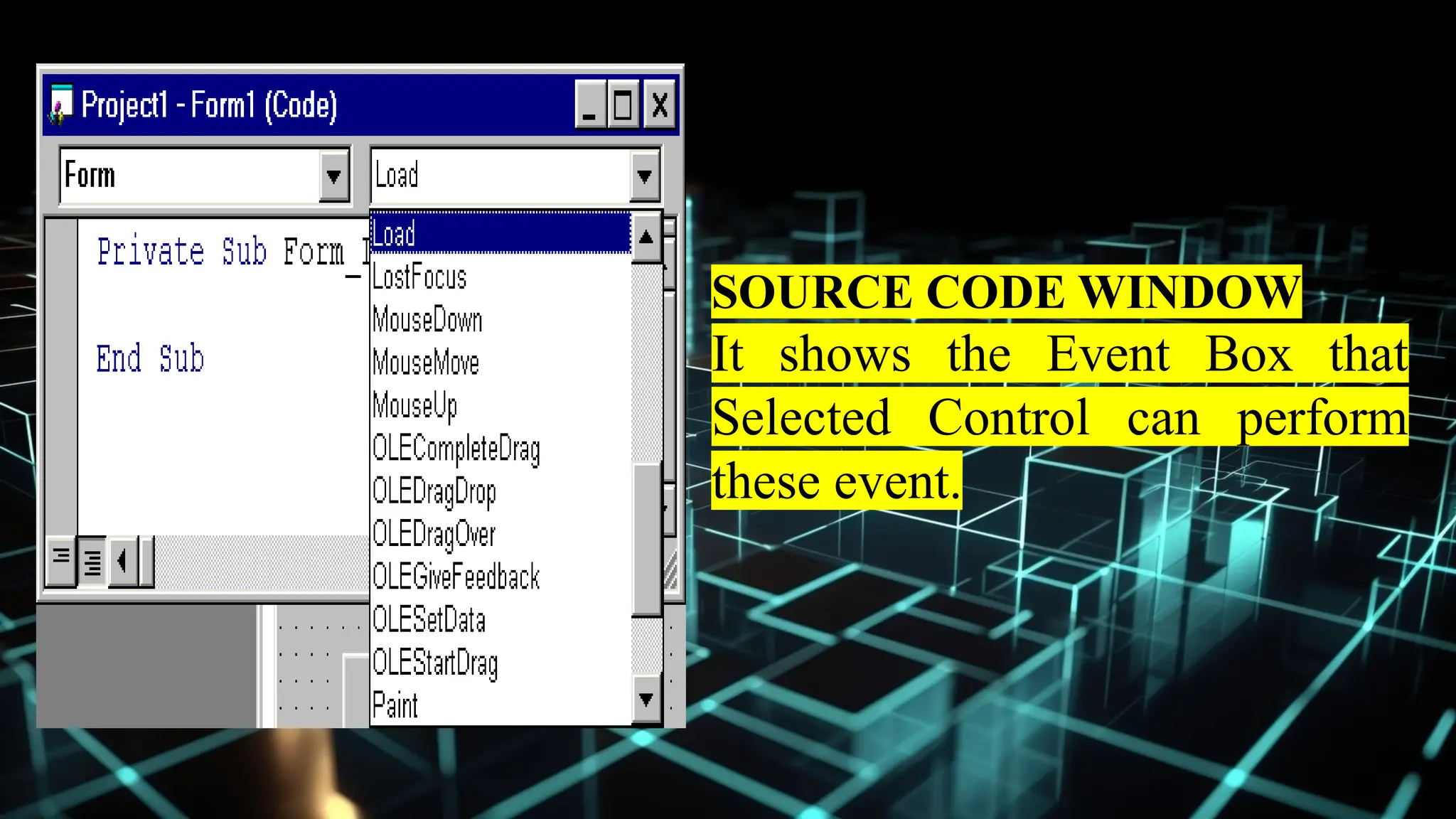
SOURCE CODE WINDOW
It shows the Event Box that
Selected Control can perform
these event.
OPENING A PROJECT
Opening a Project : - To open a VB project ,
invoke VB6 shortcut on the Desktop or going
through the pull-up menu select VB program .
Start - Program - Microsoft Visual Basic 6.0 .
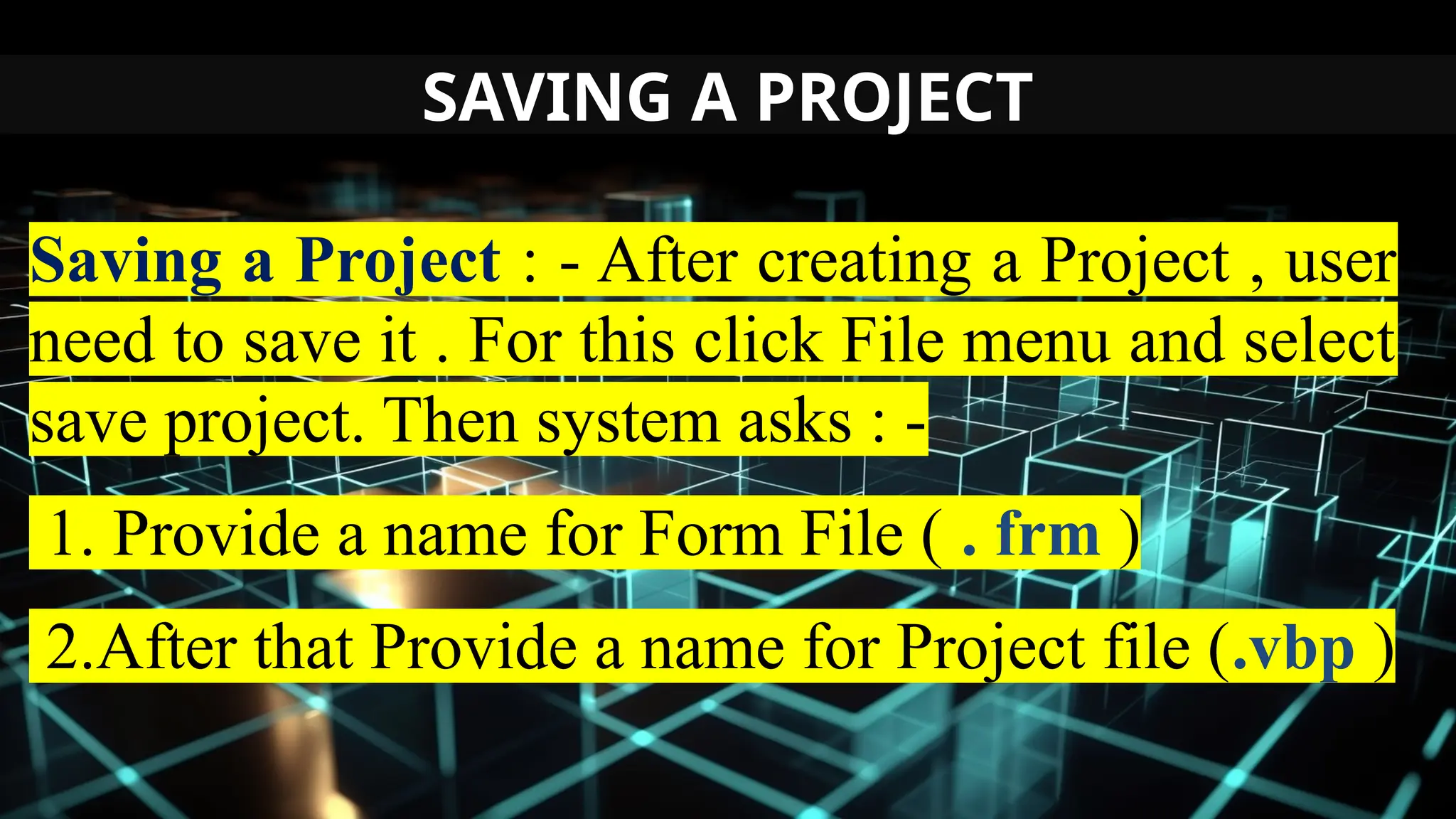
SAVING A PROJECT
Saving a Project : - After creating a Project , user
need to save it . For this click File menu and select
save project. Then system asks : -
1. Provide a name for Form File ( . frm )
2.After that Provide a name for Project file (.vbp )
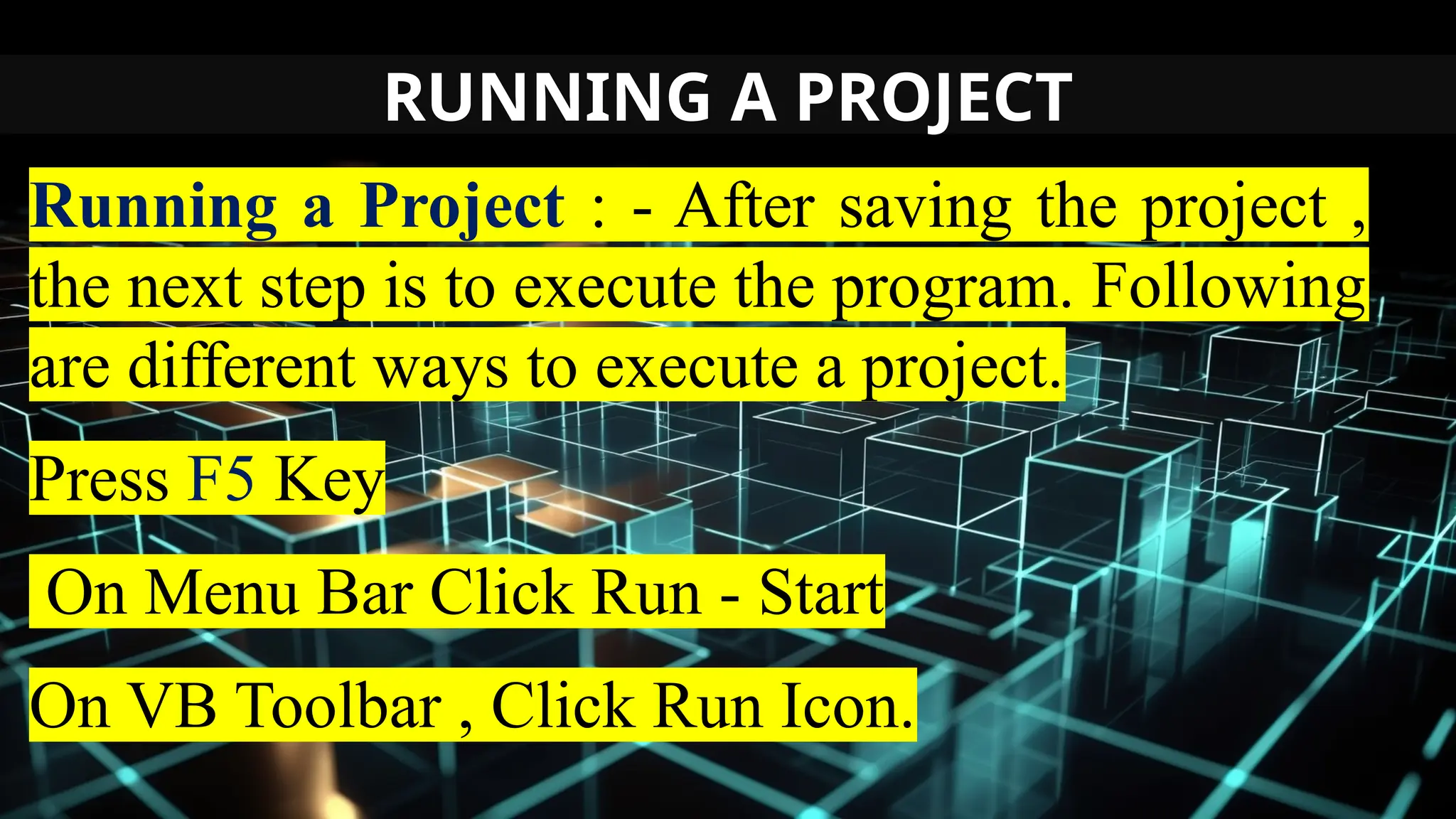
RUNNING A PROJECT
Running a Project : - After saving the project ,
the next step is to execute the program. Following
are different ways to execute a project.
Press F5 Key
On Menu Bar Click Run - Start
On VB Toolbar , Click Run Icon.
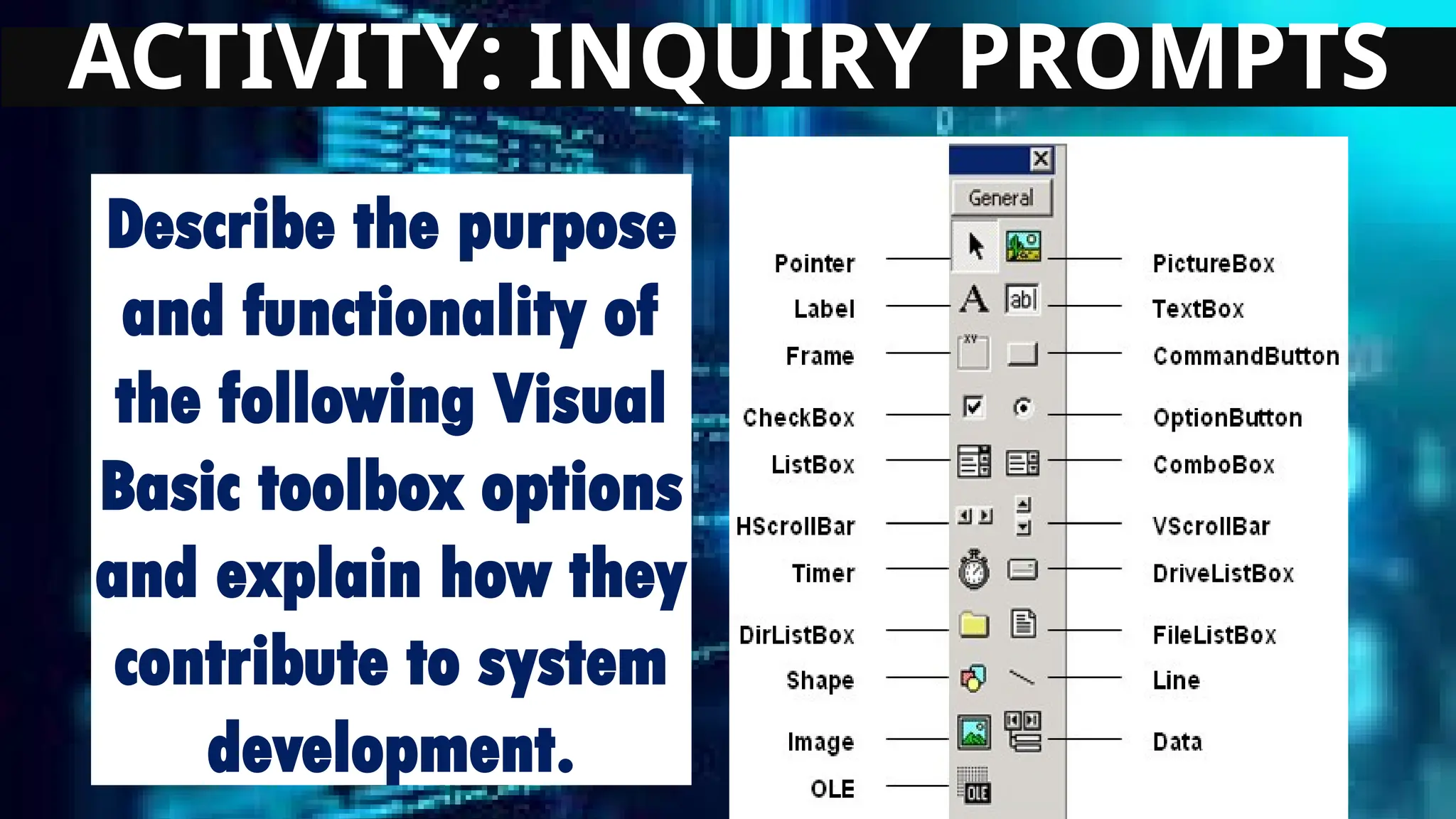
ACTIVITY: INQUIRY PROMPTS
Directions: Answer the following
questions completely. Write your
answer in Yellow Pad Paper.
ACTIVITY: INQUIRY PROMPTS
Describe the purpose
and functionality of
the following Visual
Basic toolbox options
and explain how they
contribute to system
development.
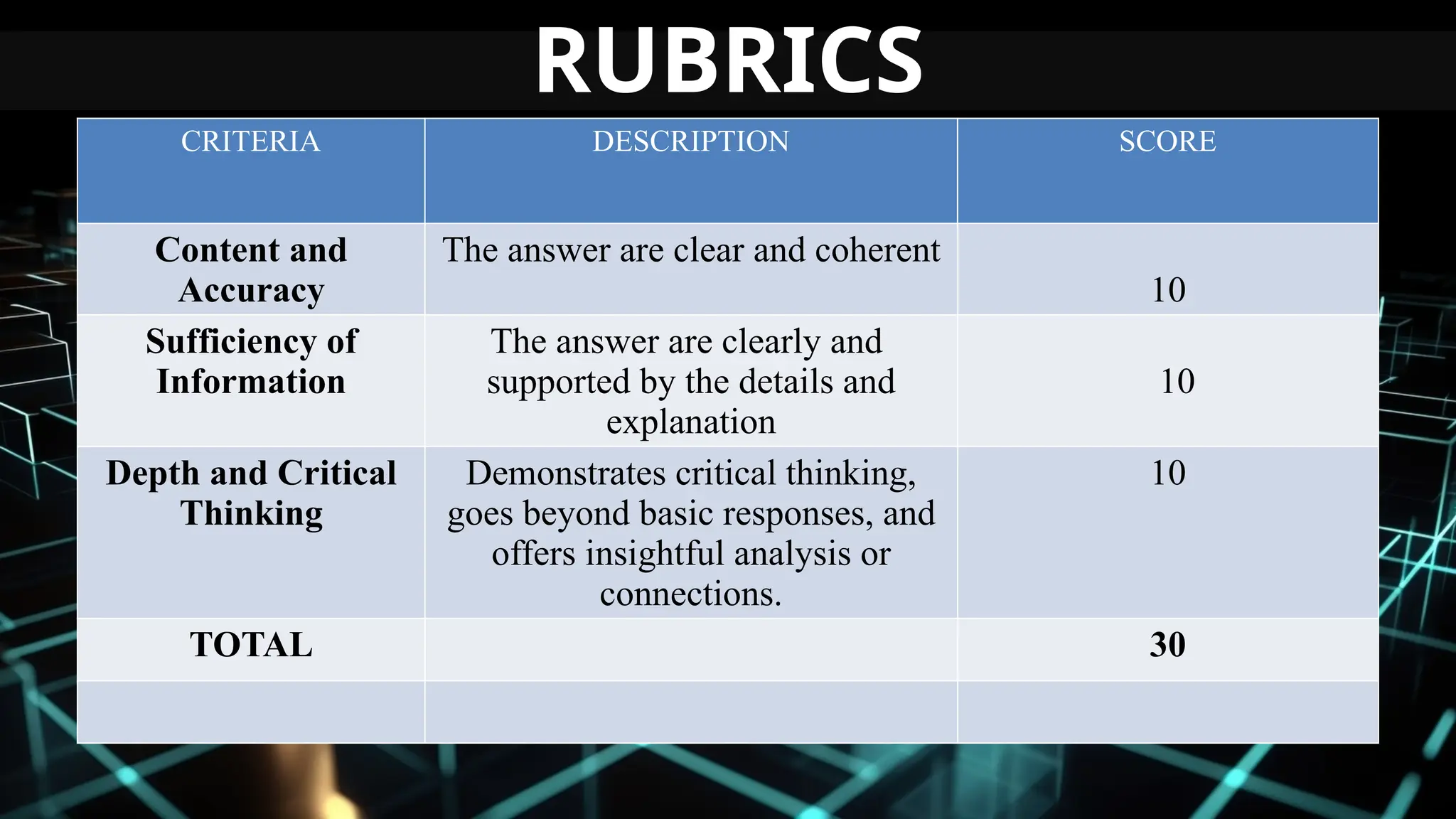
CRITERIA DESCRIPTION SCORE
Content and
Accuracy
The answer are clear and coherent
10
Sufficiency of
Information
The answer are clearly and
supported by the details and
explanation
10
Depth and Critical
Thinking
Demonstrates critical thinking,
goes beyond basic responses, and
offers insightful analysis or
connections.
10
TOTAL 30
RUBRICS
LESSON 1.3
Introduction to Object-Oriented
Programming (OOP)
Visual Basic (VB) is an object-oriented programming
(OOP) language, which means it uses objects to model real-
world entities.
Key Concepts of OOP:
1. Class: A blueprint for creating objects.
2. Object: An instance of a class.
3. Modules: Containers for organizing code.
4. Events: Actions or occurrences that trigger code
execution.
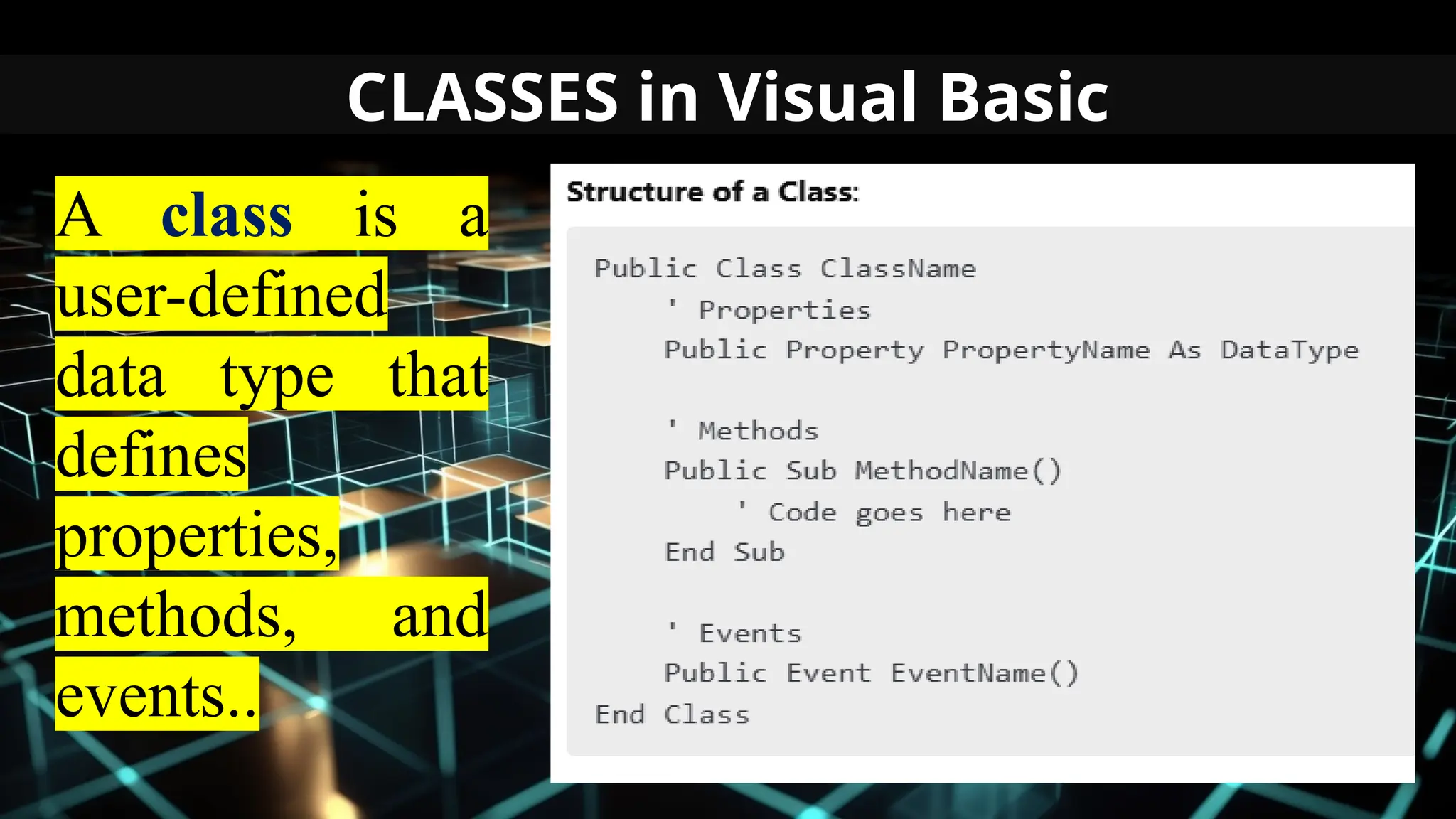
CLASSES in Visual Basic
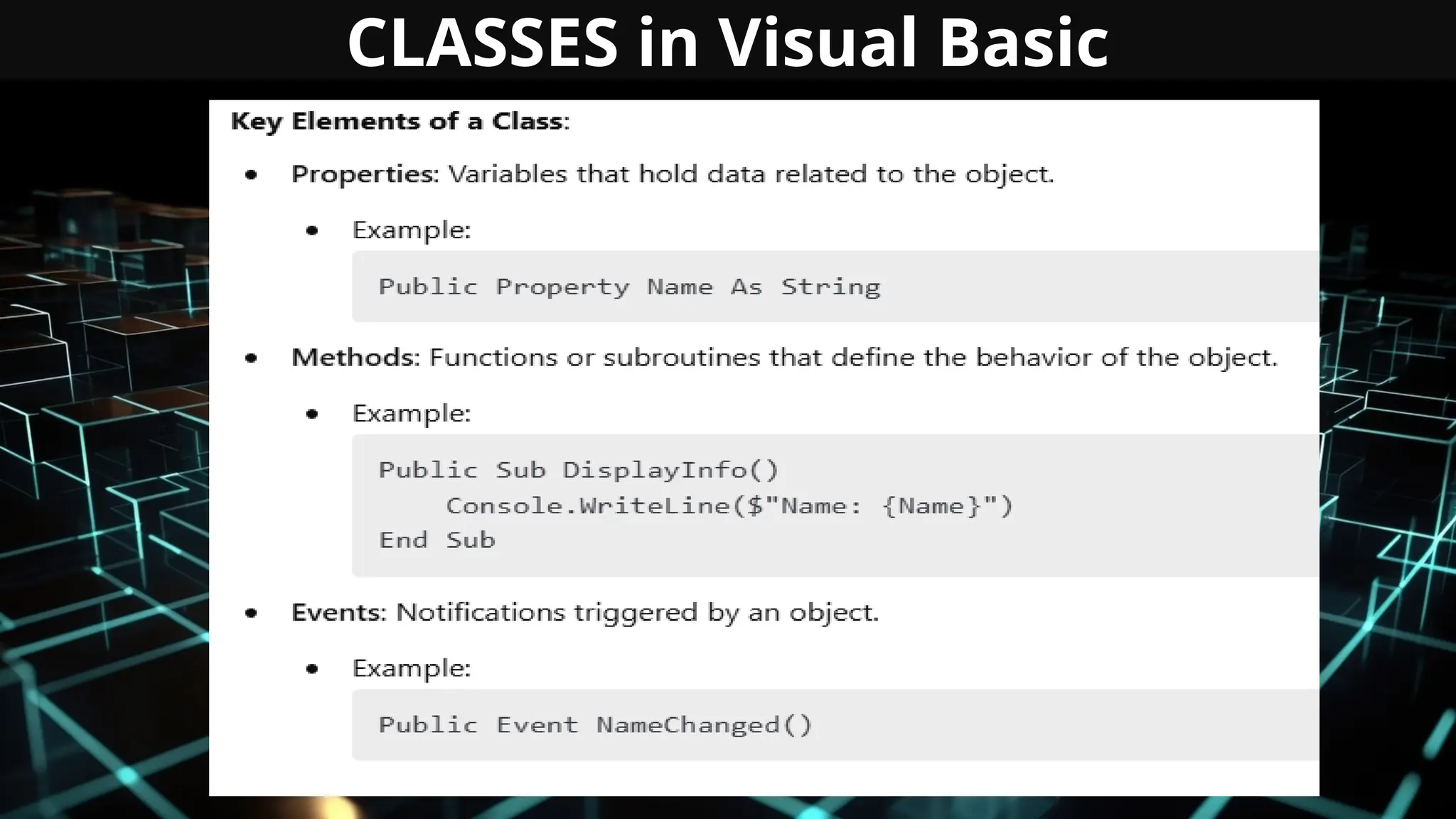
A class is a
user-defined
data type that
defines
properties,
methods, and
events..
CLASSES in Visual Basic
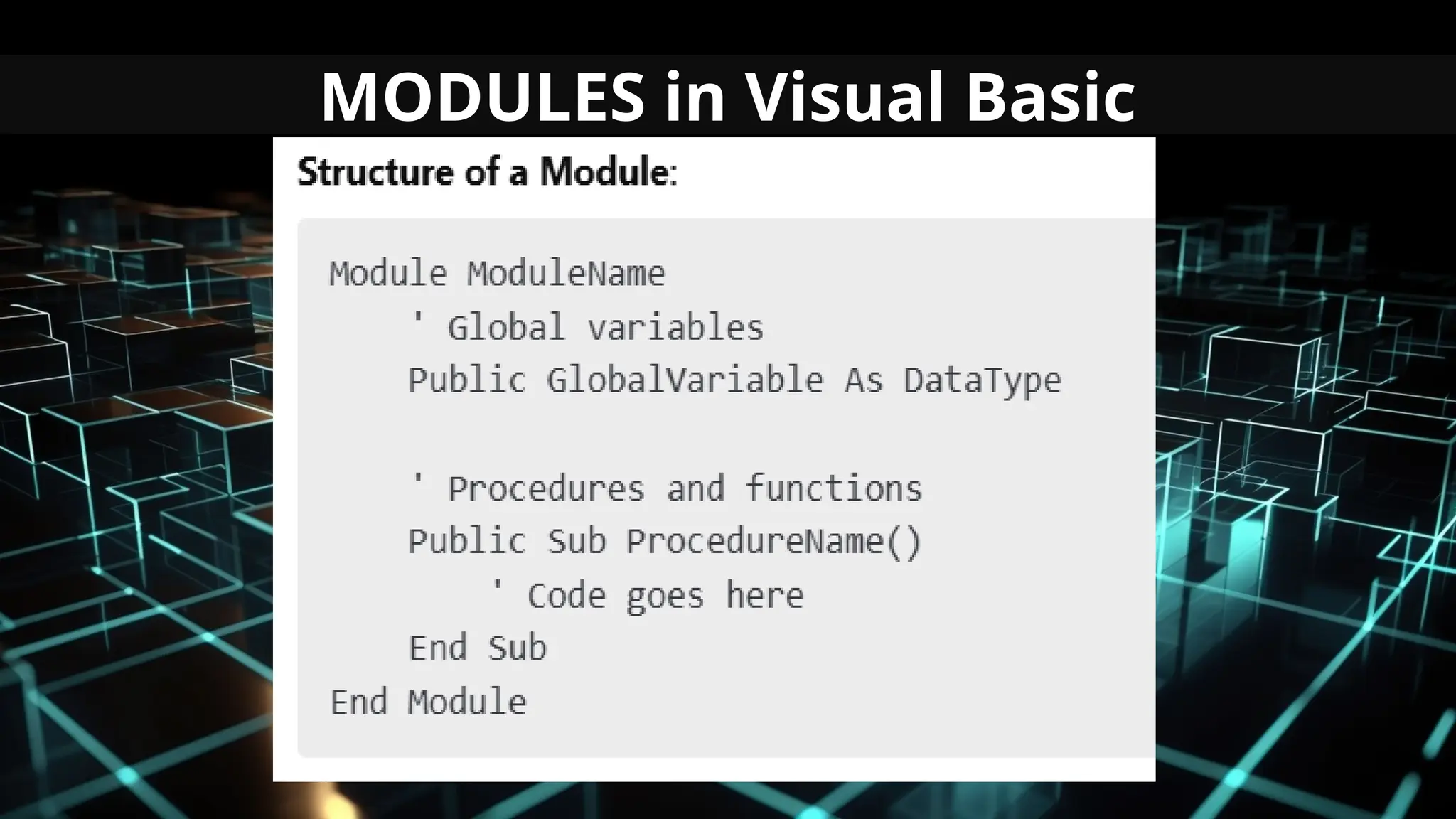
MODULES in Visual Basic
A module is a container for procedures,
variables, and functions that can be shared
across an application.
Purpose
1. Provide global scope to shared code.
2. Group related procedures and functions
MODULES in Visual Basic
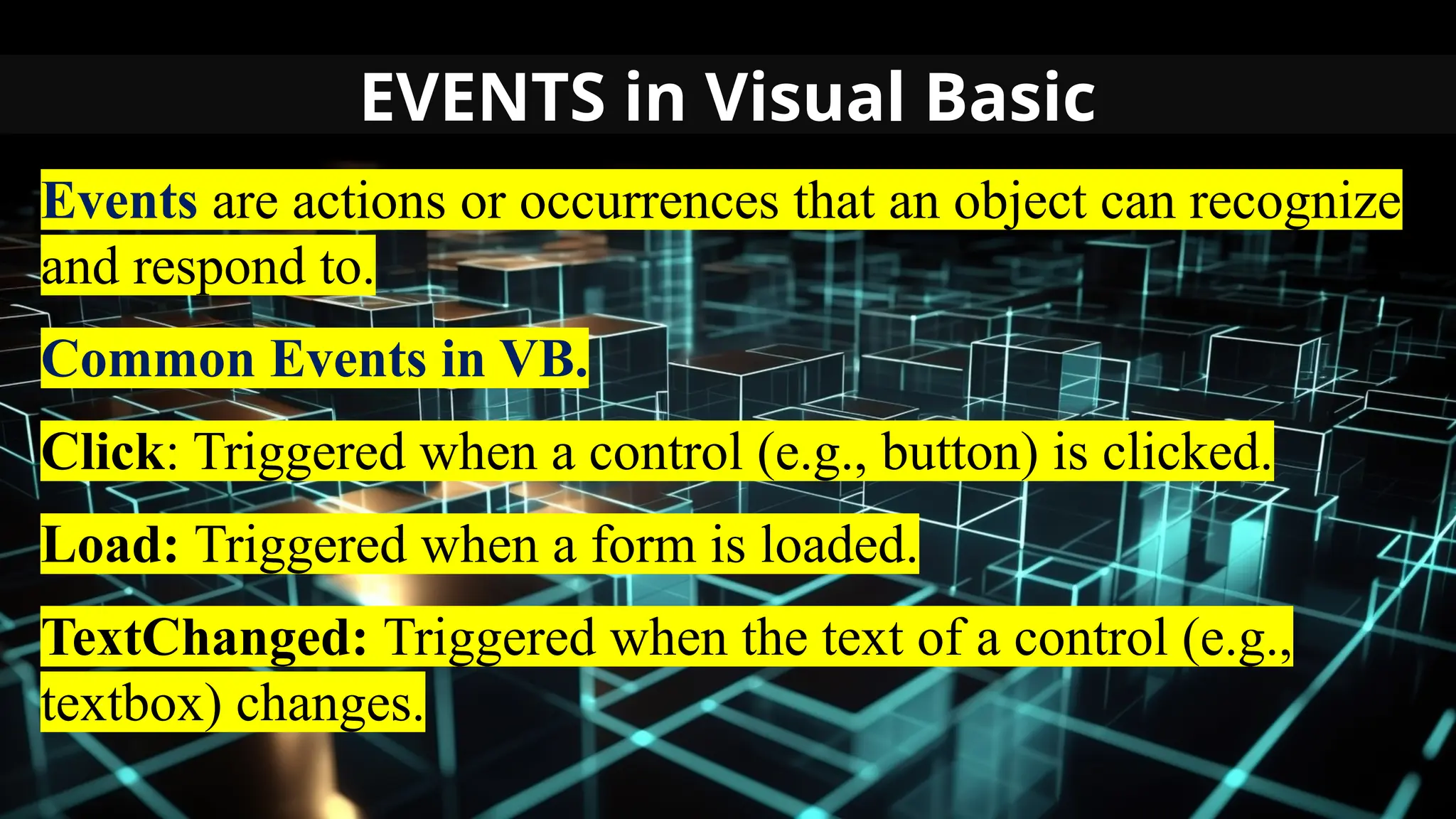
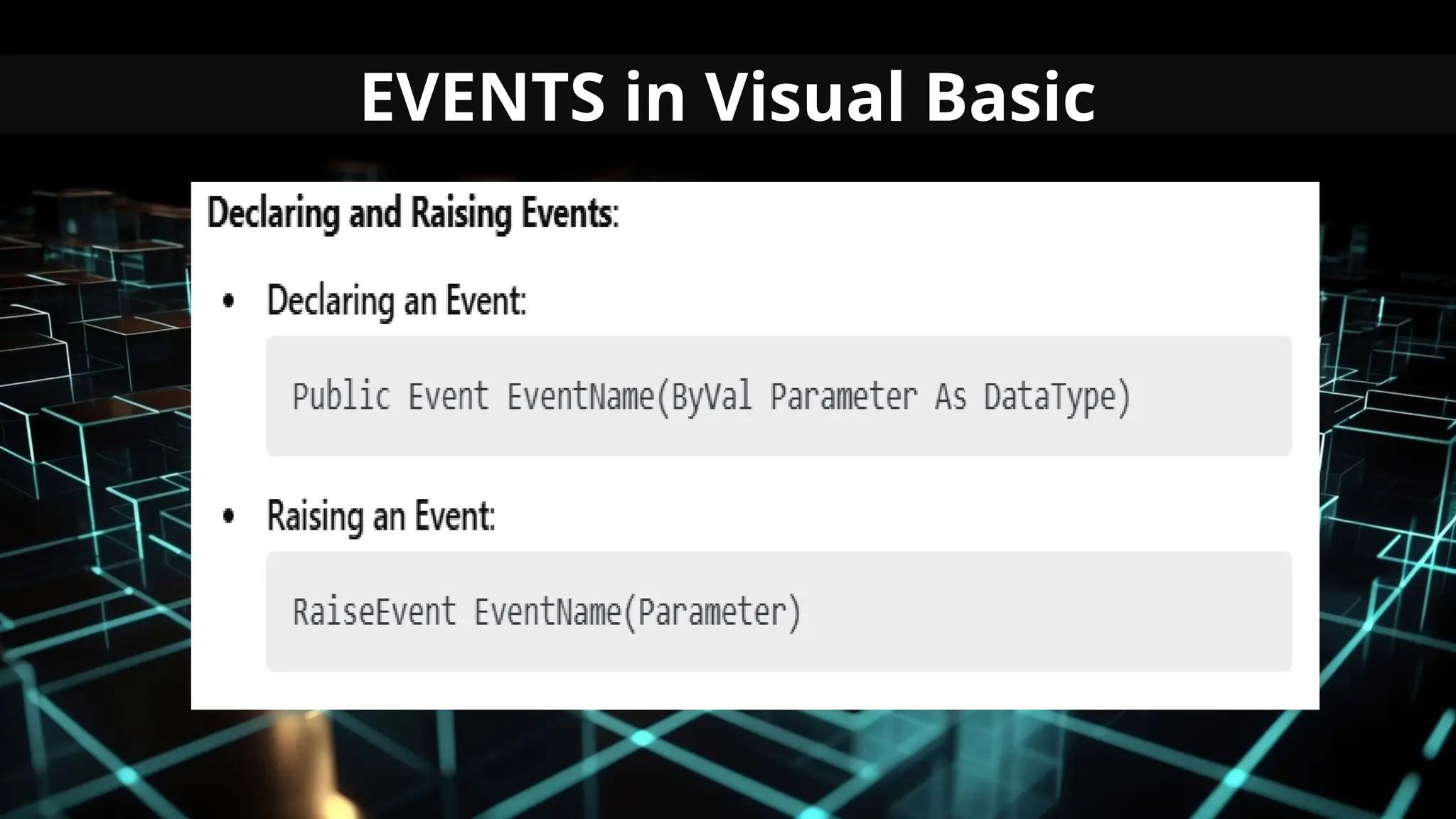
EVENTS in Visual Basic
Events are actions or occurrences that an object can recognize
and respond to.
Common Events in VB.
Click: Triggered when a control (e.g., button) is clicked.
Load: Triggered when a form is loaded.
TextChanged: Triggered when the text of a control (e.g.,
textbox) changes.
EVENTS in Visual Basic
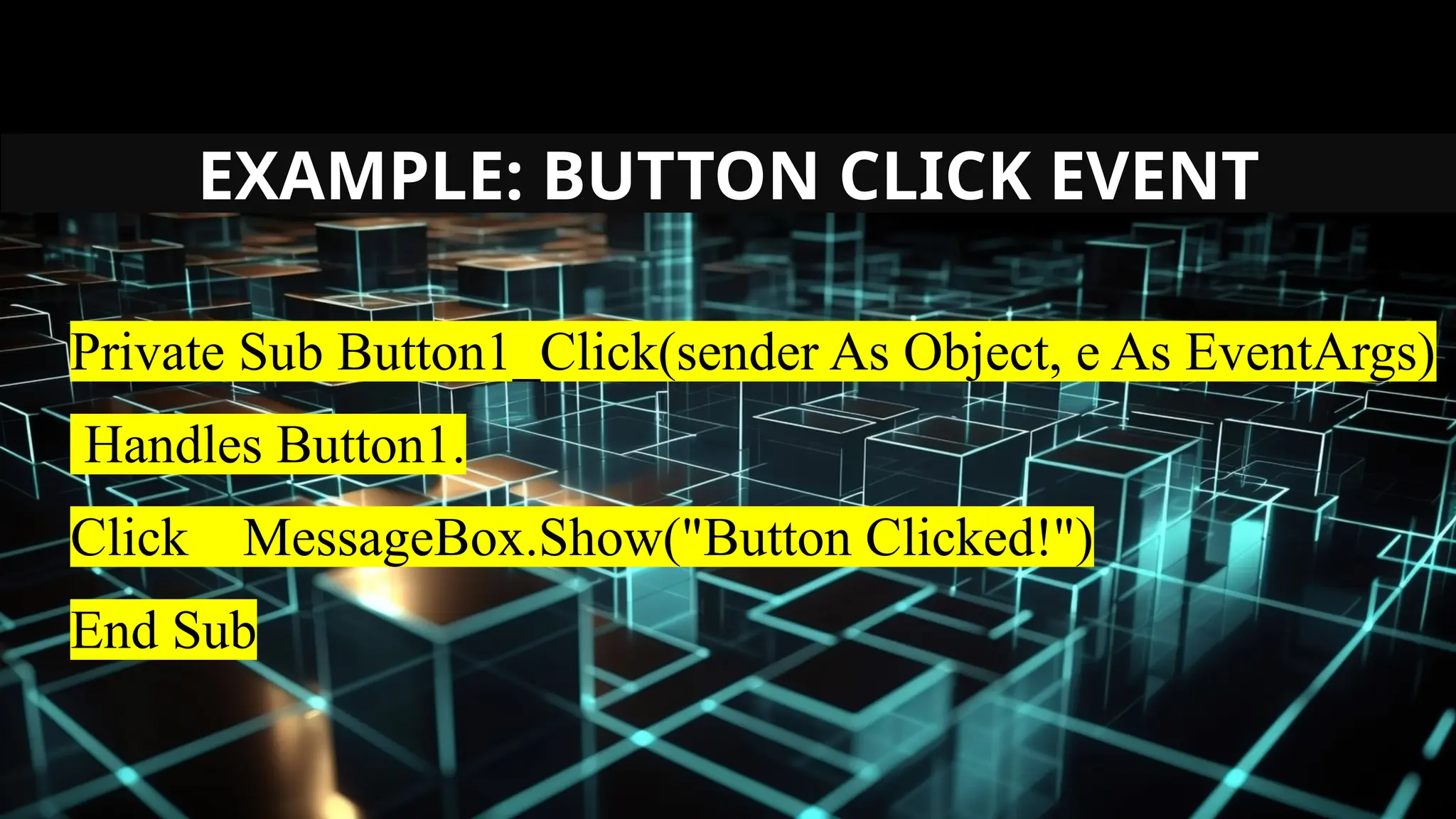
EXAMPLE: BUTTON CLICK EVENT
Private Sub Button1_Click(sender As Object, e As EventArgs)
Handles Button1.
Click MessageBox.Show("Button Clicked!")
End Sub
DATA TYPES SUPPORTED IN VB
Data types in Visual Basic specify the type of data a
variable can hold, ensuring proper memory allocation and
operation.
Importance:
Helps in efficient memory usage.
Ensures data integrity.
Prevents runtime errors.
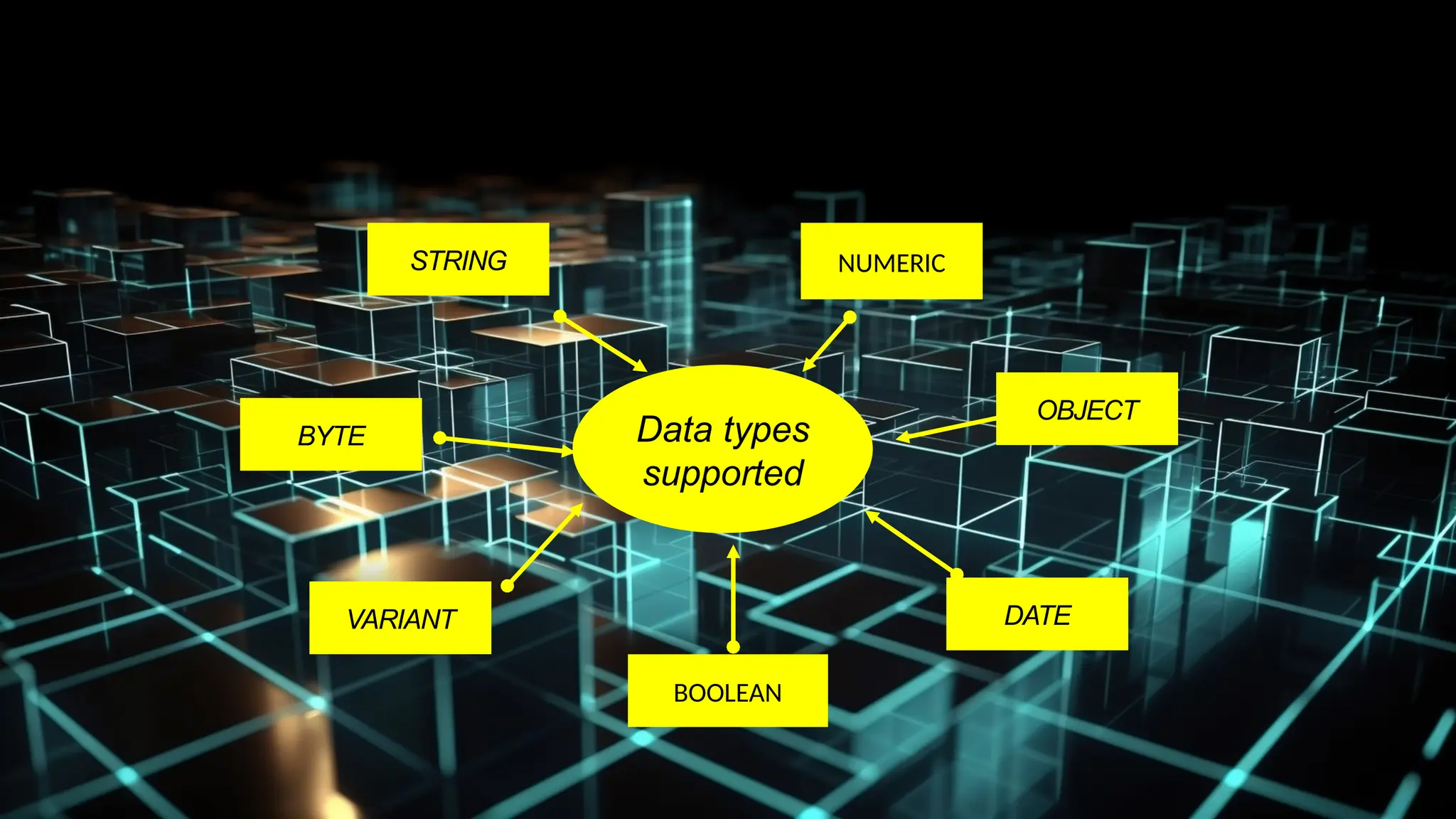
DATE
STRING
BYTE
VARIANT
OBJECT
Data types
supported
BOOLEAN
NUMERIC
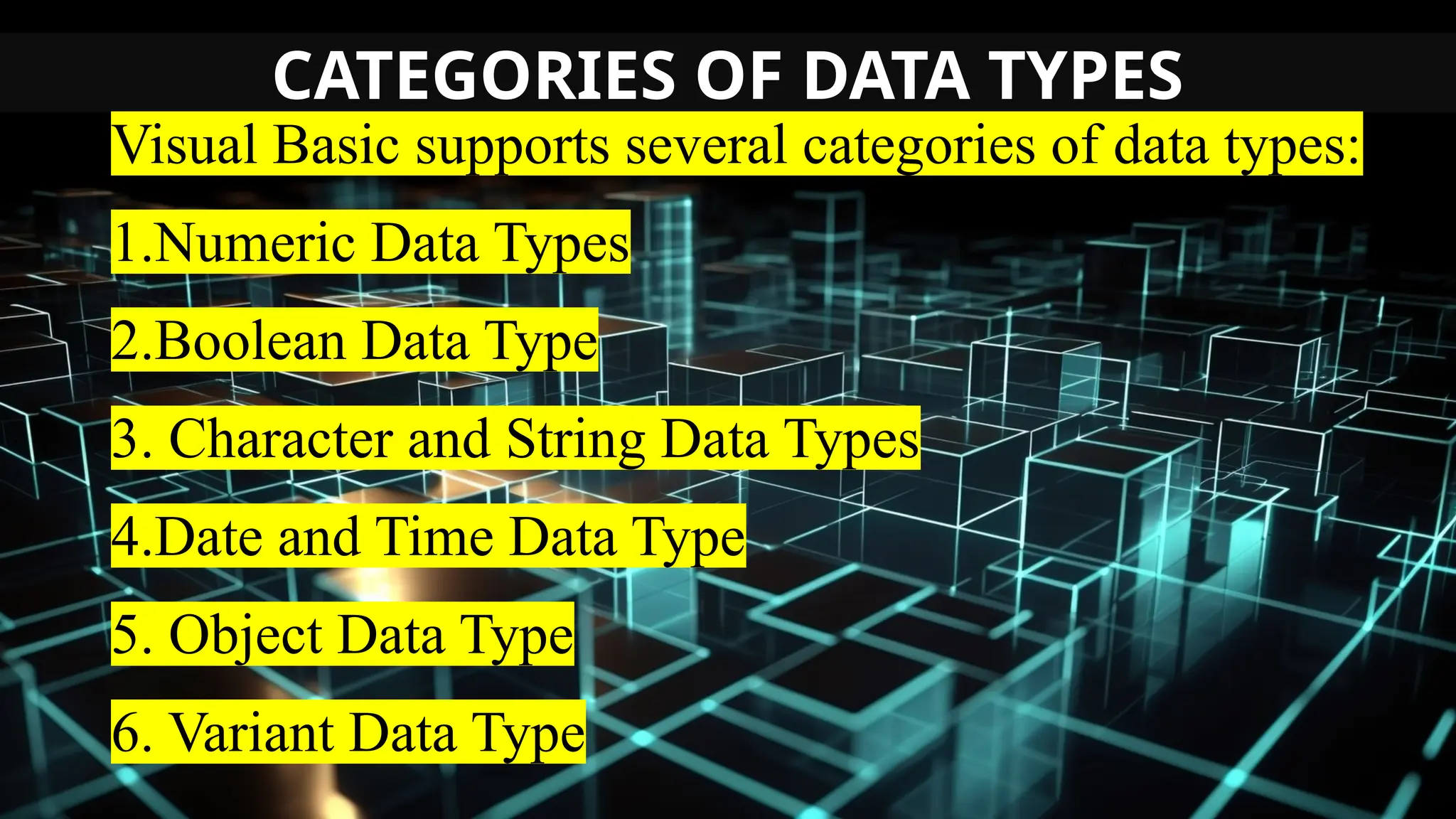
CATEGORIES OF DATA TYPES
Visual Basic supports several categories of data types:
1.Numeric Data Types
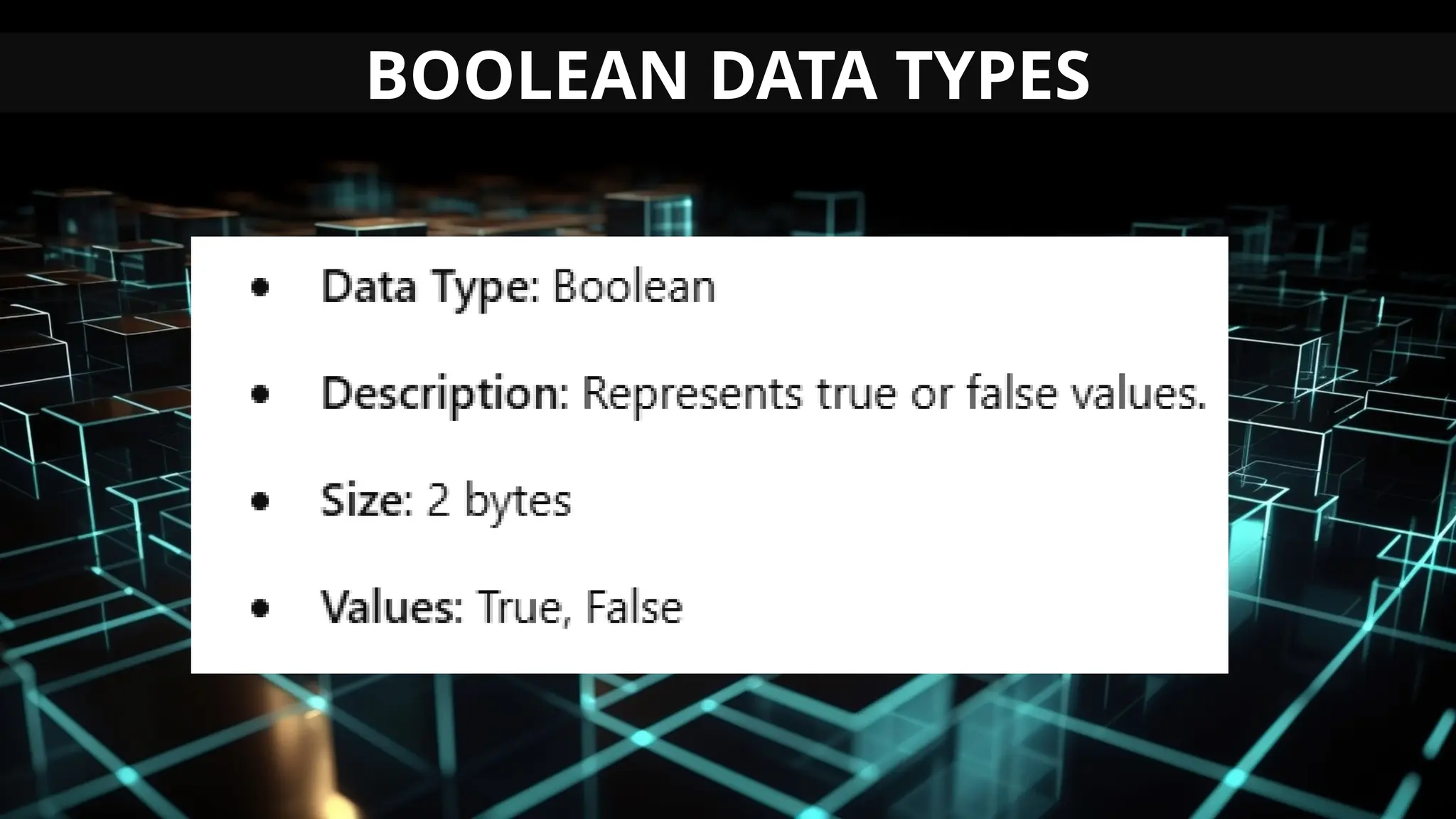
2.Boolean Data Type
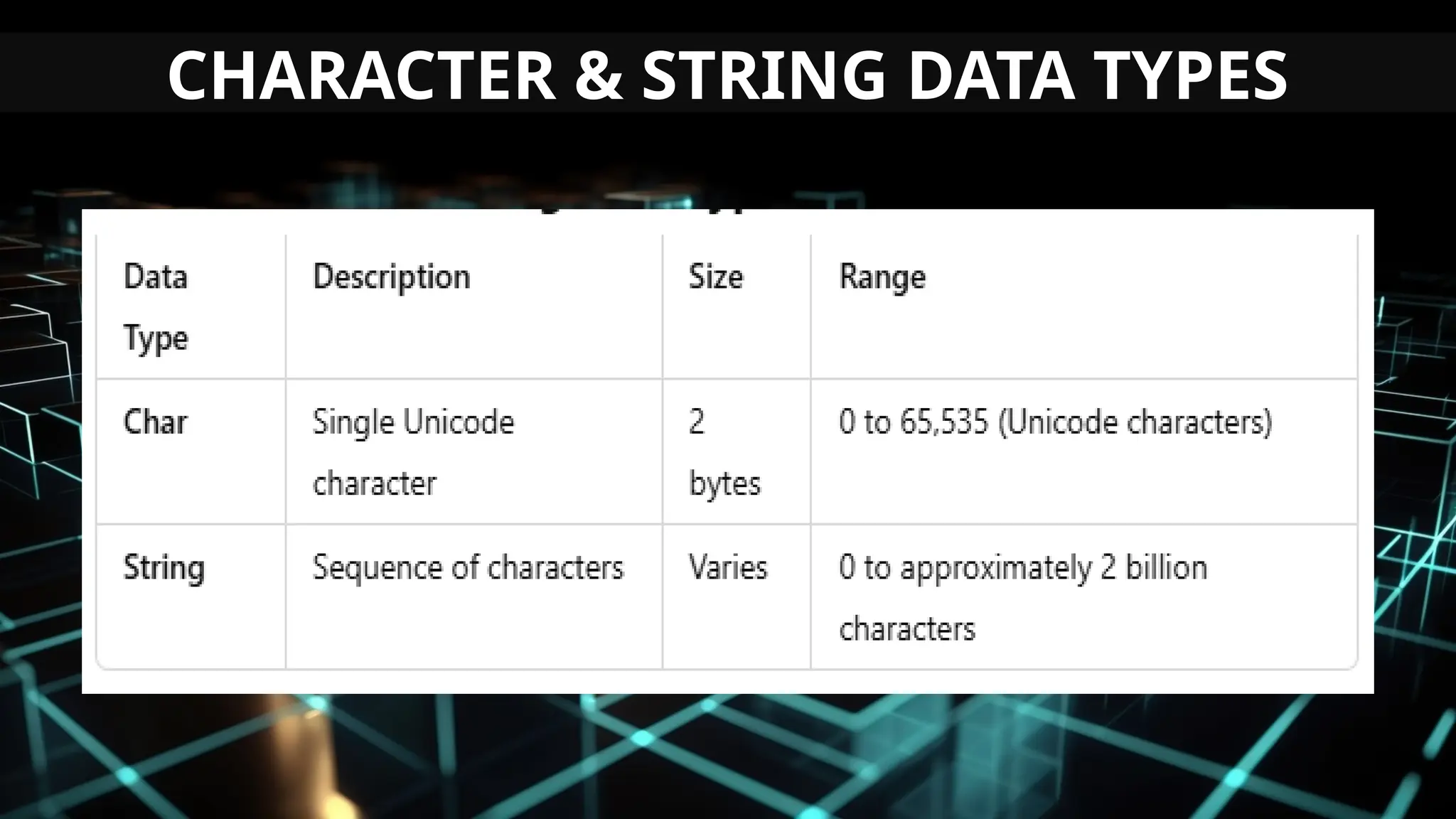
3. Character and String Data Types
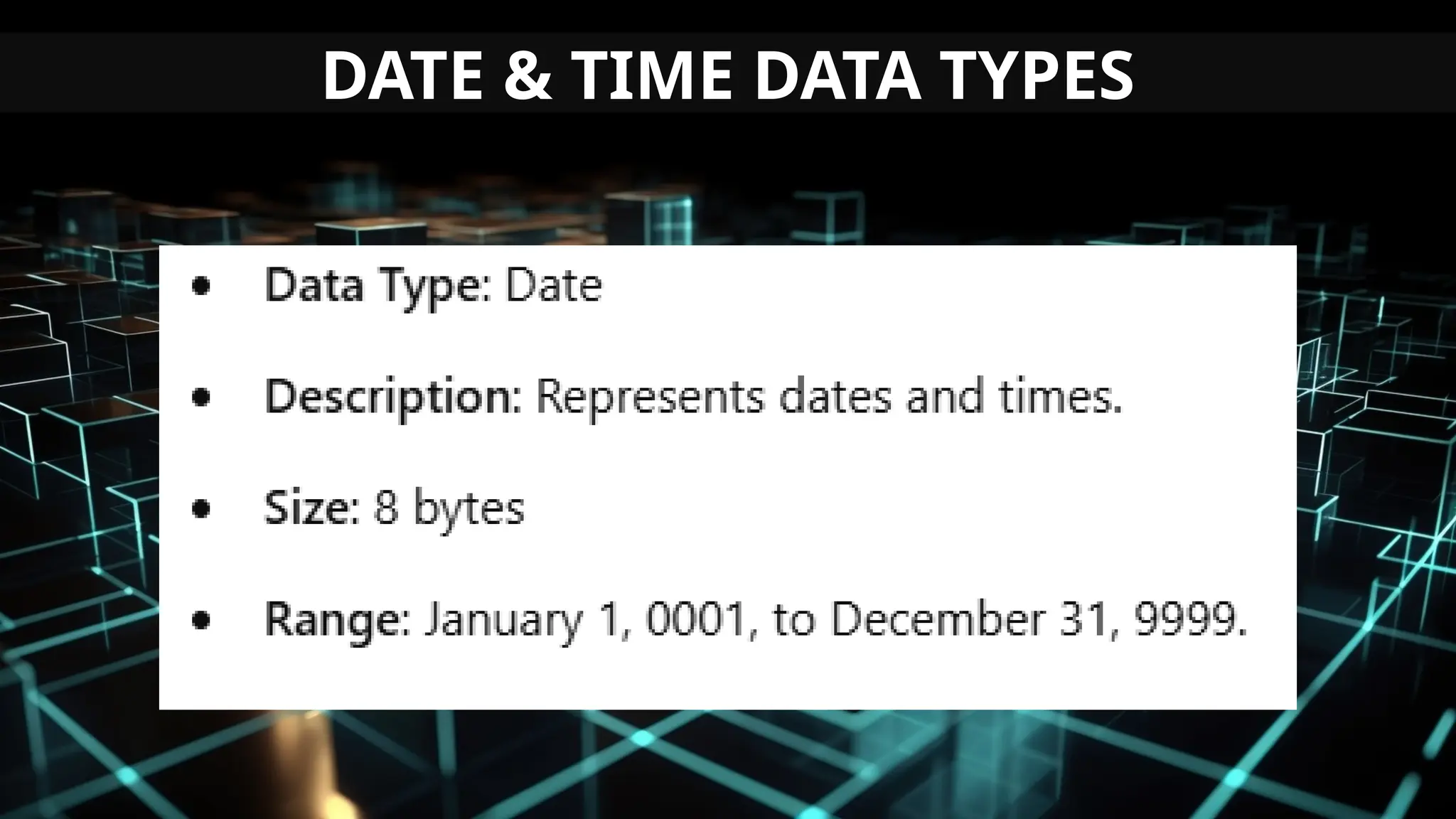
4.Date and Time Data Type
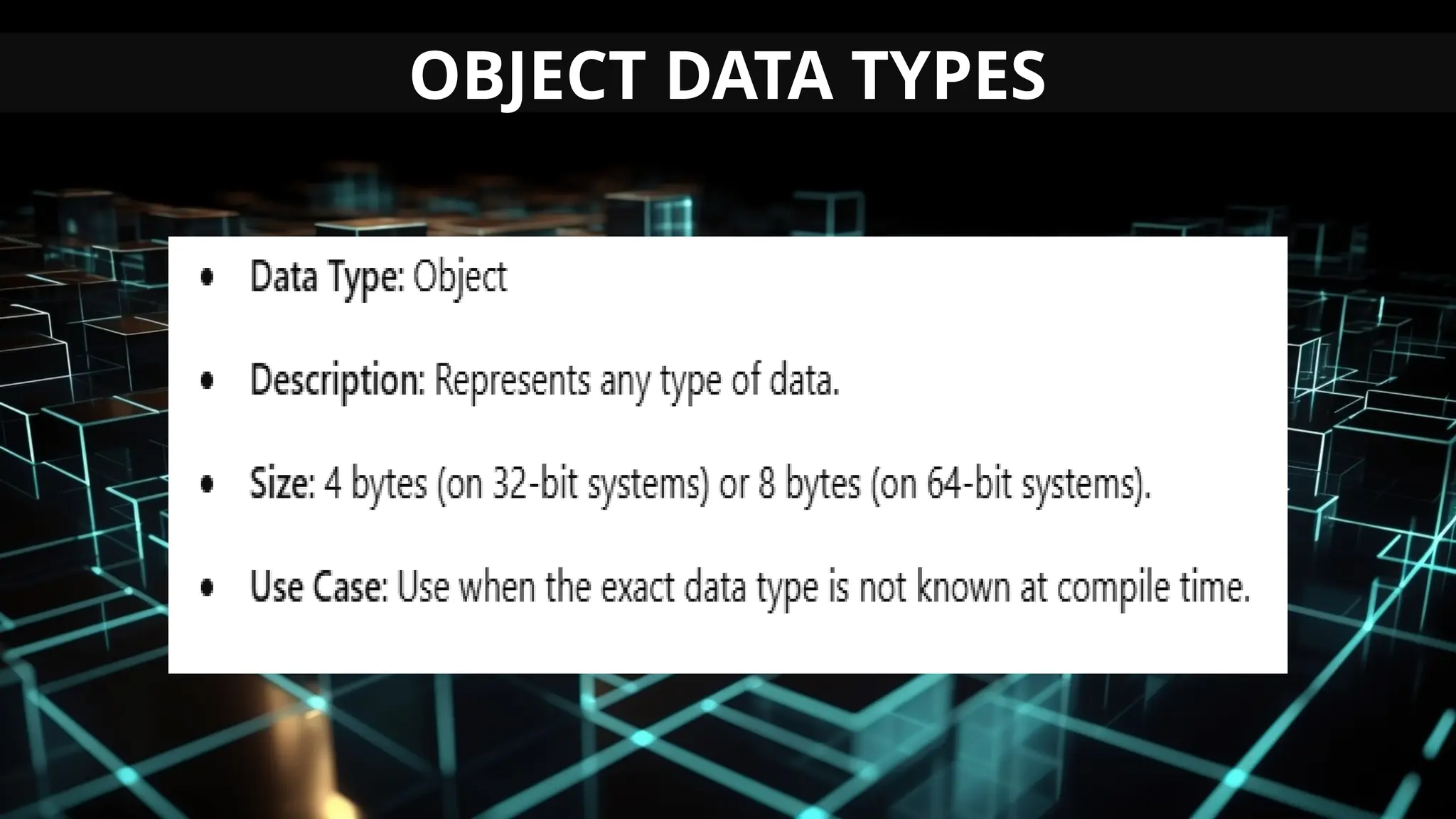
5. Object Data Type
6. Variant Data Type
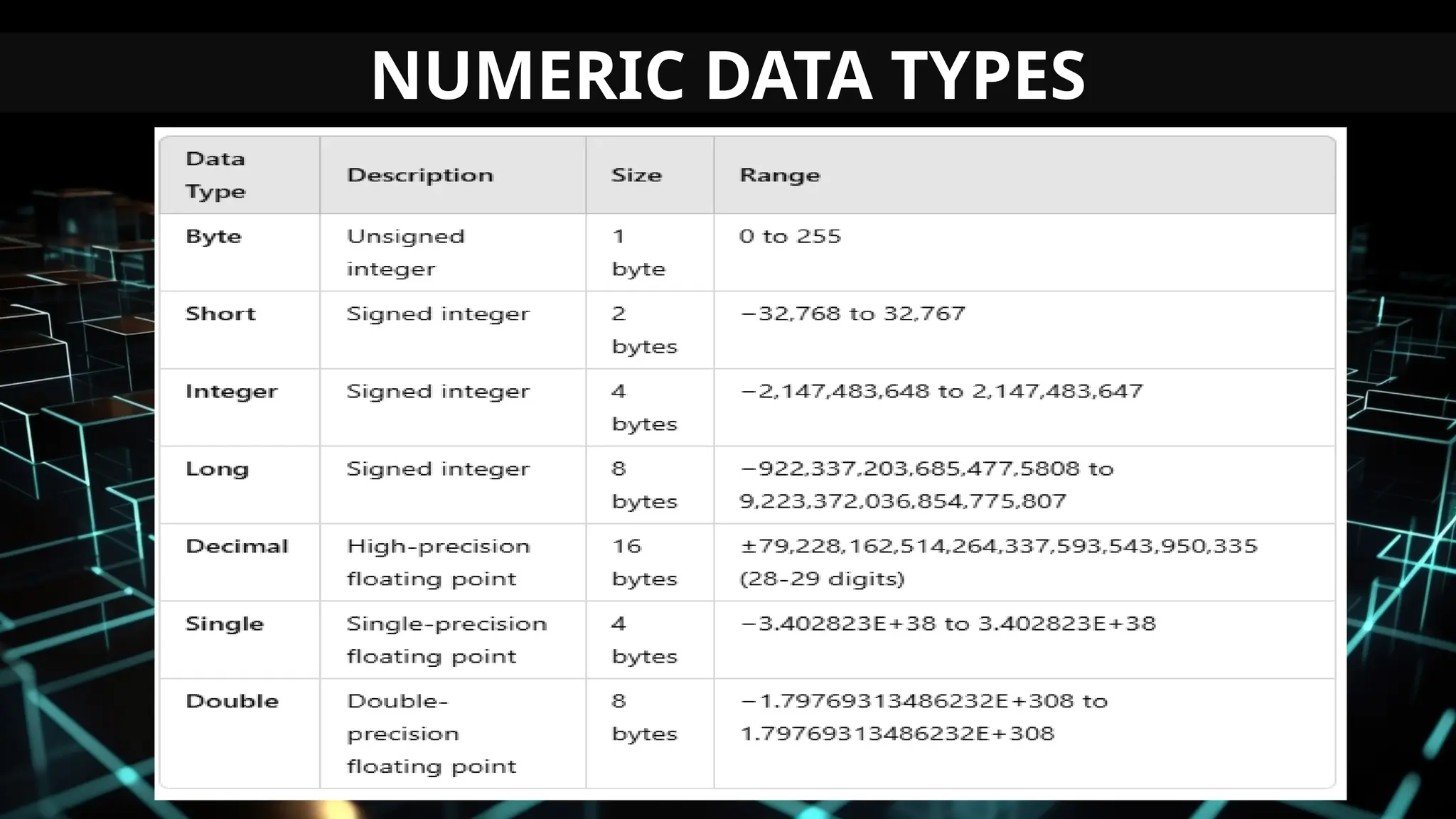
NUMERIC DATA TYPES
BOOLEAN DATA TYPES
CHARACTER & STRING DATA TYPES
DATE & TIME DATA TYPES
OBJECT DATA TYPES
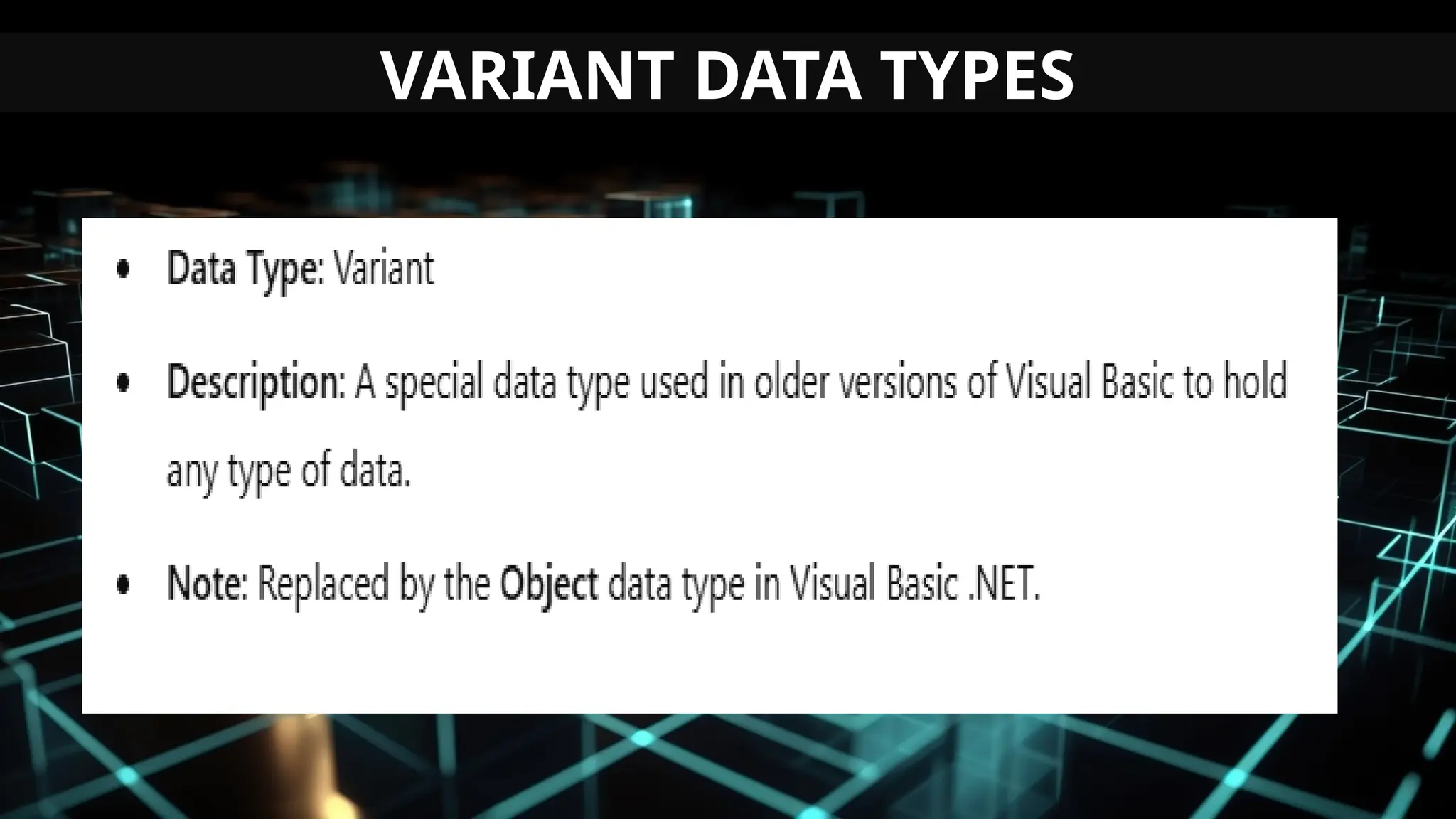
VARIANT DATA TYPES
PROGRAMMING TASK:
LOG IN FORM DRAFTING
Directions: Develop a login form using
Visual Basic as a draft to outline a
preliminary feature list in accordance
with the specified client requirements.
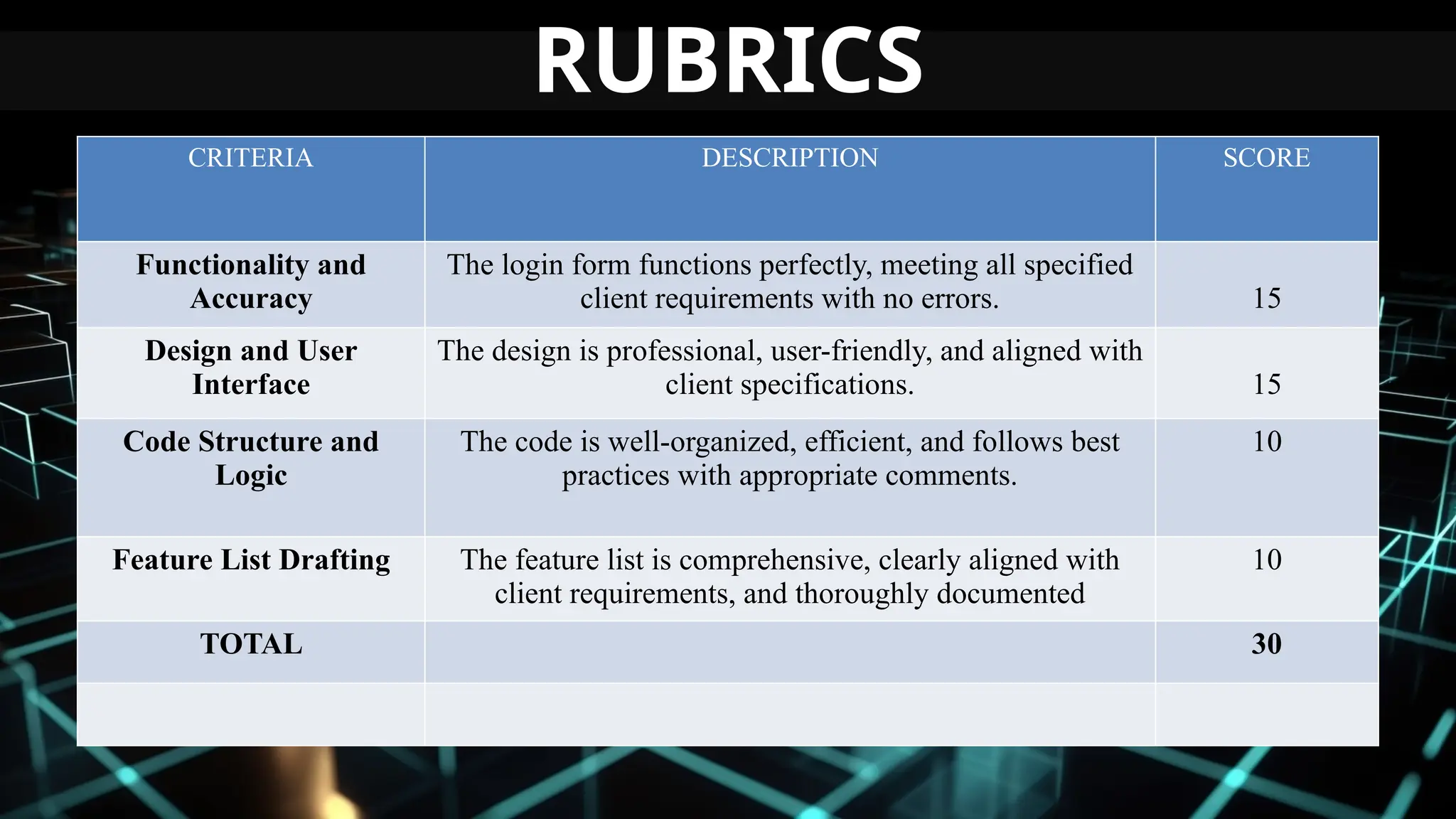
CRITERIA DESCRIPTION SCORE
Functionality and
Accuracy
The login form functions perfectly, meeting all specified
client requirements with no errors. 15
Design and User
Interface
The design is professional, user-friendly, and aligned with
client specifications. 15
Code Structure and
Logic
The code is well-organized, efficient, and follows best
practices with appropriate comments.
10
Feature List Drafting The feature list is comprehensive, clearly aligned with
client requirements, and thoroughly documented
10
TOTAL 30
RUBRICS
slidesdocs.com
THANK YOU FOR LISTENING
QUESTIONS???

LESSON1-INTRODUCTION-TO-VISUALBASIC-1.pptx

  • 1.
    slidesdocs.com LESSON 1- INTRODUCTIONTO 3RD QUARTER – 2ND SEMESTER
  • 2.
    LEARNING COMPETENCIES Prepare featurelist in line with client requirements. [TLE_ICTP.NET11-12DAMWAIc-h-35] Prepare release plan and agree with clients based on dependencies and business values. [TLE_ICTP.NET11-12DAMWAIc-h-35]
  • 3.
    LEARNING OBJECTIVES Define keyterms and concepts related to client requirements, feature lists, and release planning in Visual Basic development. Use Visual Basic tools to create a sample feature list based on a provided set of client requirements. Develop a Visual Basic program to serve as a draft for a preliminary feature list aligned with specified client requirements.
  • 4.
  • 5.
    What is VisualBasic? Visual Basic is a third-generation event-driven programming language and Integrated Development Programming (IDE) first released by Microsoft in 1991 for its COM Programming Model . It evolved from the earlier DOS version called BASIC. BASIC means :- Beginners’All Purpose Symbolic Instruction Code.
  • 6.
    Since then, Microsofthas released many versions of Visual Basic, from Visual Basic 1.0 to the final version Visual Basic 6.0. Visual Basic is a user-friendly programming language designed for beginners, and it enables anyone to develop GUI window applications easily.
  • 7.
    VB AS PROGRAMMINGLANGUAGE Visual Basic is a Programming tool that allows user to develop Windows or GUI ( Graphical User Interface ) applications. It means that rather than writing numerous line for code to describe the appearance and location for interface elements like C , C + + or Basic.
  • 8.
    VB AS PROGRAMMINGLANGUAGE User can simply drag and drop pre-built objects into the form window on computer screen. VB is a much enhance version of BASIC programming language (BASIC is Predecessor of VB). The main difference is that the VB can create windows programs by just Drag & Drop where as BASIC could only create DOS programs or work only in CUI (Command User Interface).
  • 9.
    BRIEF HISTORY OFVISUAL BASIC Alan Cooper (born June 3, 1952) is an American software designer and programmer. Widely recognized as the "Father of Visual Basic“. He developed Visual Basic in 1988 and sold to Microsoft.
  • 10.
    BRIEF HISTORY OFVISUAL BASIC VB1 Debuts at Windows World in March 20,1991 VB2 Debuts in November 1992 VB3 Debuts in June 1993 VB4 Debuts in October 1996 VB5 Debuts in April 1997 VB6 Debuts in October 1998
  • 11.
    EDITIONS OF VISUALBASIC The Visual Basic Learning edition is the introductory edition that lets you easily create Windows applications.
  • 12.
    EDITIONS OF VISUALBASIC The Visual Basic Professional Edition is for computer professionals and has features such as tools to develop ActiveX and Internet controls.
  • 13.
    EDITIONS OF VISUALBASIC The Visual Basic Enterprise edition is the most advanced edition and is aimed to programmers who build distributed applications in a team environment.
  • 14.
    Types of ApplicationsCreated in VB 6.0 • Standard EXE • ActiveX EXE, ActiveX DLL • ActiveX Control • VB Application Wizard ,VB Wizard Manager • ActiveX Document EXE, ActiveX Document DLL • AddIn • Data Project • DHTML Application • IIS Application • VB Enterprise Edition Controls
  • 15.
    Features Of VisualBasic 1. It is a simple language. 2.It supports Integrated Development Environment(IDE), as multiple projects can be opened. 3. The lines of codes are Compiled Automatically with a faster compiler. 4. It completes the word automatically. 5. Bookmarks can be placed for quick search.
  • 16.
    Features Of VisualBasic 6. Break points can be toggled easily. 7. Drag and drop facility Clipboard and printer access. 8. Handle fixed and dynamic variable and control arrays. 9. Sequential random access file, and Binary access file support. 10. Useful debugger and error handling facilities.
  • 17.
    Advantages of VisualBasic A. The structure of the Basic programming language is very simple, particularly as to the executable code. B. VB is not only a language but primarily an integrated, interactive development environment ("IDE").
  • 18.
    Advantages of VisualBasic C. The VB-IDE has been highly optimized to support rapid application development ("RAD"). It is particularly easy to develop graphical user interfaces and to connect them to handler functions provided by the application. D. VB is attuned to Microsoft’s Computer Object Model(“COM”).
  • 19.
    Advantages of VisualBasic E. The graphical user interface of the VB- IDE provides intuitively appealing views for the management of the program structure in the large and the various types of entities (classes, modules, procedures, forms).
  • 20.
    LESSON 1.2 VISUAL BASIC INTEGRATEDDEVELOPMENT ENVIRONMENT (IDE)
  • 21.
    INTRODUCTION IDE is aterm commonly used in the programming world to describe the interface and environment that we use to create our applications. It is called integrated because we can access virtually all of the development tools that we need from one screen called an interface. The IDE is also commonly referred to as the design environment, or the program
  • 22.
    INTERFACE OF VISUALBASIC When user start the window, it display a screen having certain option. With the help of this screen user can select the type of project user want to make. Visual Basic environment is platform provided by VB to develop and execute a project . This environment consist of different platforms or control tools and various other options.
  • 23.
    The Visual BasicStartup Dialog Box
  • 24.
    The Visual BasicIDE When user choose any application platform, like any other window application, VB consists of multiple window, which appear at start up. The windows that are display when user start VB are collectively Known as Visual basic Integrated Development Environment ( IDE ).
  • 25.
    The Visual BasicIDE Project Window Properties Window Form Layout Window Form Window Toolbox Toolbar Title bar Menu bar Visual Basic Integrated Development Environment
  • 26.
    Title Bar -The top of the window with the name of the project. The Menu Bar - Displays the commands required to build an application. The Tool Bars - Provides shortcut icons for quick access to the commonly used commands.
  • 27.
    4. PROPERTIES WINDOW TheProperties window let user to change the characteristics, or property settings, of the form itself and of visual interface elements on the form. The Properties window consists of two columns: the first is the name of the property, which user cannot change; the second column, which is the property setting that user can change. Any Change in the property of the object will affect the object on the form.
  • 28.
    5. TOOLBOX The toolboxconsists of the various objects that user will use to design the application. These objects, called controls, are objects that user see in all standard Win applications, such as textboxes, command buttons, option (radio) buttons, checkboxes, etc.
  • 29.
    6. FORM WINDOW TheForm window is the central area where user can draw application. The forms are windows which holds control like Button , Checkbox etc which make user application. The large area of form is called client area for working with different controls.
  • 30.
    7. SOURCE CODEWINDOW The Source Code window is where user type the code which VB execute. It has two parts Control Box , Event Box .The Heading of window indicate which event the code is associated . It is a window where user write most of the code .
  • 31.
    SOURCE CODE WINDOW Itshows the control Box which contains two controls ( Command 1 & Form ).
  • 32.
    SOURCE CODE WINDOW Itshows the Event Box that Selected Control can perform these event.
  • 33.
    OPENING A PROJECT Openinga Project : - To open a VB project , invoke VB6 shortcut on the Desktop or going through the pull-up menu select VB program . Start - Program - Microsoft Visual Basic 6.0 .
  • 34.
    SAVING A PROJECT Savinga Project : - After creating a Project , user need to save it . For this click File menu and select save project. Then system asks : - 1. Provide a name for Form File ( . frm ) 2.After that Provide a name for Project file (.vbp )
  • 35.
    RUNNING A PROJECT Runninga Project : - After saving the project , the next step is to execute the program. Following are different ways to execute a project. Press F5 Key On Menu Bar Click Run - Start On VB Toolbar , Click Run Icon.
  • 36.
    ACTIVITY: INQUIRY PROMPTS Directions:Answer the following questions completely. Write your answer in Yellow Pad Paper.
  • 37.
    ACTIVITY: INQUIRY PROMPTS Describethe purpose and functionality of the following Visual Basic toolbox options and explain how they contribute to system development.
  • 38.
    CRITERIA DESCRIPTION SCORE Contentand Accuracy The answer are clear and coherent 10 Sufficiency of Information The answer are clearly and supported by the details and explanation 10 Depth and Critical Thinking Demonstrates critical thinking, goes beyond basic responses, and offers insightful analysis or connections. 10 TOTAL 30 RUBRICS
  • 39.
    LESSON 1.3 Introduction toObject-Oriented Programming (OOP)
  • 40.
    Visual Basic (VB)is an object-oriented programming (OOP) language, which means it uses objects to model real- world entities. Key Concepts of OOP: 1. Class: A blueprint for creating objects. 2. Object: An instance of a class. 3. Modules: Containers for organizing code. 4. Events: Actions or occurrences that trigger code execution.
  • 41.
    CLASSES in VisualBasic A class is a user-defined data type that defines properties, methods, and events..
  • 42.
  • 43.
    MODULES in VisualBasic A module is a container for procedures, variables, and functions that can be shared across an application. Purpose 1. Provide global scope to shared code. 2. Group related procedures and functions
  • 44.
  • 45.
    EVENTS in VisualBasic Events are actions or occurrences that an object can recognize and respond to. Common Events in VB. Click: Triggered when a control (e.g., button) is clicked. Load: Triggered when a form is loaded. TextChanged: Triggered when the text of a control (e.g., textbox) changes.
  • 46.
  • 47.
    EXAMPLE: BUTTON CLICKEVENT Private Sub Button1_Click(sender As Object, e As EventArgs) Handles Button1. Click MessageBox.Show("Button Clicked!") End Sub
  • 48.
    DATA TYPES SUPPORTEDIN VB Data types in Visual Basic specify the type of data a variable can hold, ensuring proper memory allocation and operation. Importance: Helps in efficient memory usage. Ensures data integrity. Prevents runtime errors.
  • 49.
  • 50.
    CATEGORIES OF DATATYPES Visual Basic supports several categories of data types: 1.Numeric Data Types 2.Boolean Data Type 3. Character and String Data Types 4.Date and Time Data Type 5. Object Data Type 6. Variant Data Type
  • 51.
  • 52.
  • 53.
  • 54.
    DATE & TIMEDATA TYPES
  • 55.
  • 56.
  • 57.
    PROGRAMMING TASK: LOG INFORM DRAFTING Directions: Develop a login form using Visual Basic as a draft to outline a preliminary feature list in accordance with the specified client requirements.
  • 58.
    CRITERIA DESCRIPTION SCORE Functionalityand Accuracy The login form functions perfectly, meeting all specified client requirements with no errors. 15 Design and User Interface The design is professional, user-friendly, and aligned with client specifications. 15 Code Structure and Logic The code is well-organized, efficient, and follows best practices with appropriate comments. 10 Feature List Drafting The feature list is comprehensive, clearly aligned with client requirements, and thoroughly documented 10 TOTAL 30 RUBRICS
  • 59.
    slidesdocs.com THANK YOU FORLISTENING QUESTIONS???