LessonTranslations:
Classroom to Online
Are you avoiding technology?
Learn how you can integrate
some simple technology to
update stale lessons.
By Carolyn Bergshoeff
Now what?
•How do I connect with my
students?
•How can I expose my
students to new
experiences?
•How can I add new life to
old lessons?
•How can I move away
from the text?
•How can I engage a
different learning style?
•How can I do less talking
as the teacher/instructor?
Overview
1. Comic/Movie Creator sites
2. Maps/Charts
3. Quiz/Survey/Questionnaire
4. Voice/Sound Recorders
5. Add a Comment
6. Blogs
7. Wikis
8. Games
COMIC / MOVIE CREATOR
Comic Strip Sites
Strip Generator Make Beliefs Comix
Movie Creator Sites
Go! Animate Dvolver Moviemaker
MAPS / CHARTS
Maps
Google Maps Activities
• Give a city tour
• Virtual adventure (web
quest)
• Create your ideal city
• World scavenger hunt
• Create a world map
(group)
• Where is this?
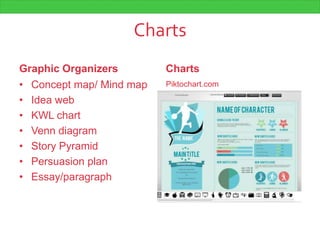
Charts
Graphic Organizers
• Concept map/ Mind map
• Idea web
• KWL chart
• Venn diagram
• Story Pyramid
• Persuasion plan
• Essay/paragraph
Charts
Piktochart.com
QUIZ / SURVEY
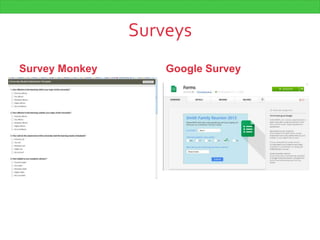
Surveys
Survey Monkey Google Survey
Online Quizzes
QuizStar eQuizzer
VOICE / SOUND RECORDER
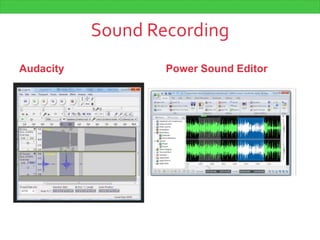
Sound Recording
Audacity Power Sound Editor
ADD A COMMENT
Blah, blah, blah
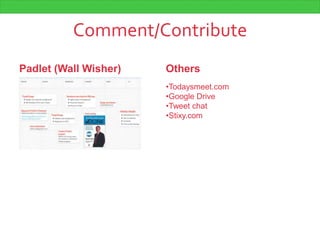
Comment/Contribute
Padlet (Wall Wisher) Others
•Todaysmeet.com
•Google Drive
•Tweet chat
•Stixy.com
BLOGS
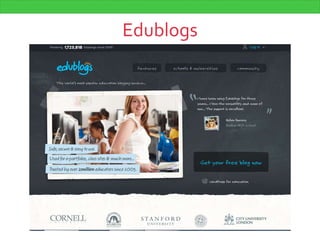
Edublogs
Blogs for teacher
• Esltech.wordpress.com
• Classroom20.com
• Edgalaxy.com
• larryferlazzo.edublogs.org
• shellyterrell.com
• authenticteaching.wordpress.com
• vickyloras.wordpress.com
Blogs for students
• englishkaroline.blogspot.no
• juliazofiaa.blogspot.no
• englishclas.wordpress.com
• ourclass07.blogspot.ca
• intermediatelow.blogspot.ca
• msestevezeslblog.blogspot.ca
WIKIS
Wiki
Wikispaces Wikia
GAMES
Games for homework
• Grammar Gorilla
• Cipher Break
• Fling the Teacher
• Hoop Shoot
Assign as extra resources.
Students bring in top scores and
they can compete against each
other.
Keep a record of overall top scores
to beat.
Games for the classroom
• Face Match
(learnenglishkids.britishcouncil.org/en/fun-
games/face-match/)
• ESL Wheel Game
(www.eslgamesplus.com/preposition-
interactive-grammar-game-for-esl-wheel-
game/)
• Grammar Casino (http://www.mes-
english.com/games/grammarcasino.php)
• Hoop Shoot
(http://www.eslgamesworld.com/members/g
ames/grammar/basketball/verb%20+%20pre
positions/verb%20+%20prepositions.html)
Divide class into teams and host
the online game.
Have students break into groups
and each group plays on a
computer. Winners go into bonus
round.
Create your own game with
PowerPoint. Students work in
teams to answer/correct.
?
Mellyn Mixer anyone?
6pm at Duke ofYork
(Bloor and Bedford)

Lesson translations

Editor's Notes

  • #2 Though there are some teachers who have accepted and embraced technology in the classroom or lesson plans, most of us tried to hide. We avoided. I’m no different…I was happy teaching in a school that had access to computers, but I chose never to use them. I opted for different kinds of activities – which worked just fine. But then I started teaching at LINC Homestudy – teaching online. I was grateful for my limited knowledge in computers as it’s what helped me get the job. You just don’t know what your own future will bring. And refusing to keep up with developments in our field is not helping to make us a valued member of the team.
  • #3 I’m Carolyn Bergshoeff, I currently teach at LINC Homestudy Canada.Co-founded Mellyn Education as a resourcefor ESL teachers.To connect teachers to ideas, resource and community.-Mellyn Mixers
  • #4 Though there are some teachers who have accepted and embraced technology in the classroom or lesson plans, most of us tried to hide. We avoided. I’m no different…I was happy teaching in a school that had access to computers, but I chose never to use them. I opted for different kinds of activities – which worked just fine. But then I started teaching at LINC Homestudy – teaching online. I was grateful for my limited knowledge in computers as it’s what helped me get the job. You just don’t know what your own future will bring. And refusing to keep up with developments in our field is not helping to make us a valued member of the team.
  • #5 Eventually, you get to this point…Better to be proactive about your development.
  • #6 Today, we’ll be talking about 8 specific types of activity technology that you can slip into your lessons. I’ll also give a few offline alternatives or supplementary activities as well. I have a list of resource links with all the programs I will be mentioning – plus a few more. The lesson ideas are yours to steal, but you have to write them down! All the programs are free.Create an email address specially for signing up for these things.Let’s begin!
  • #7 These are execllent replacement activities for writing a dialogue or roleplay.A popular activity is to whiteout the speech in a comic strip and photocopy it for students to fill in the text.Just like the image. There are programs that can be used to create a professional-looking comic strip. Students enjoy the artistic element here and can get quite involved in the process. Planning is key.
  • #8 Strip Generator: limited characters, provides link that students can send you or you can embed into a class site. No need to regsiter.Make Beliefs Comix: More detail, variety of characters that have personality. Students can email the comic to you.Good for use in practicing short grammar structures (phrases, idioms, superlatives, rather than, etc.)Publish in a classroom “Funnies” page.Post around the schoolLevels playing fieldComic strips can also be hand drawn. Photocopy and hand out blank frames. Include the characters, but whiteout the speech and thought bubbles.Have students explain how they created the strip to practice computer vocabulary/tenses (I clicked here and dragged the image there)
  • #9 Go Animate: has a quick version and full version. Requires registration. Full tutorial that teaches step-by-step instructions – great for higher level students as there is reading and instructions to follow. Students can record their own voice, mix gestures and expressions. They have a school version, but the free one works for me. http://goanimate.com/videos/0iwDMoNIyQGo http://goanimate.com/videos/0iwDMoNIyQGo?utm_source=linkshareDvolver: Very simple, choose the plot, no fiddling with actions, etc. Choose backgrounds, characters, and type in text. Great for lower levels. Can email finished movie (animated comic) Embed code is available as well.Xtranormal: Lots of bonuses and addons- actors and sets are not included, but you get a certain amount of points when you open the account, so it would work for a single project. Educator option includes packages with actors and sets. Have students write out a “movie” script. Work in pairs to create the movie. Then host a film festival. Create posters to promote the film. Create awards and make sure they have prepared an acceptance speech!Assign groups to tell the same story using slang, casual, and formal language – then compare the differences (and choices that were made).
  • #10 I found this area to be a surprising area in teaching. Some students can recognize and use charts immediately because the skill is transferrable. However, others (even with the same language ability) will have never used them before.It’s an incredibly important skill – to be able to understand charts, graphs, and organizational representations. And to discuss trends.
  • #11 Google Maps: Free. Well-known. Different features (street view, directions by transit, etc.) May require introductory class on how to use a map, what they look like in paper form, etc.Map reading is non-typical text reading. An important skill they may not have.Screen shot of the student’s home town, or current place of residence, or favourite spot in Toronto. Give a short tour of the surroundings. Input vocab teaching of choice.Plan a vacation/trip where a map and activities need to be provided and documented. (Virtual adventure)World map scavenger huntIn groups, create their own world map.Show pictures and students speculate on where in the world it was taken. (explaining their opinion, using descriptive words)
  • #12 Looked at in different ways: Organizers to help teach concepts and organize thoughts – or a visual representation of numbers, etc. to help explain or support opinions. BOTH are needed.Organizers help add a visual element. Engage a different learning style. Promotes prep-work. Allows you to plan in stages and can be easier to check progress.Charts are often reserved for advanced students, but low-level learners should be exposed to charts and tables early on. I taught an IELTS course about 7 years ago and the content included charts and teaching students that vocabulary around charts and graphs. It hadn’t occurred to me before then.Examining which chart makes the numbers look more impressive (compare and critical thinking)Follow a stock for a while and track progress.Vocabulary to discuss trendsPiktochart offers themes to create your own infographic. Free, but you have to register.
  • #13 A great alternative to paper quizzes that have to be marked or assessed. Also a great alternative to pre-reading discussion questions.I started doing Online quizzes as a tool to bring awareness to a student for their abilities. Surveys are excellent for pre-discussion, taking pulse on different classroom elements, or a fun piece of homework.
  • #14 Survey Monkey is probably the easiest way to make and send out a survey. They have templates you can use. The free version limits your surveys to 10 questions and 100 respondents. You can email it, provide a link, embed it on a web page, post it on Facebook. And you can see results as they come in!To use Google for your survey, you need to have a Google account, Google Drive, Chrome browser, and the “one click” web form app installed. Tyson Seburn has used it with the board members and has success with it – when set up properly it can help organize received information (group information, roles, etc.) – info goes into a spreadsheet.
  • #15 Quiz Star has a teacher entry point and a student entry point. It’s an excellent resource for all subjects.Quizzes are created for a specific class. Quizzes can be private or public. It may take some time to register the students yourself, or have the students register and you have to approve their registration. A public quiz is open for anyone to take.# of attemptsAnswers givenFeedback givenEmail results to teacherTimed quizTime limited quiz (Only available to write for three days)Multiple choice, short answer, true/falseInclude images/objects/media (audio)eQuizzer can also do fill-in-the-blank questions, but there doesn’t seem to be the option to include media. You can also have student generated quizzes – that you approve.
  • #16 I invested in a better microphone to do my recordings. It minimizes background noises and has a better quality recording, but most computers come with a microphone that will work just fine.Voice recording can work in a variety of ways: Conversation listening, instructions to follow, identify social context, note-taking, onomatopeia? Listen to a story in real time and write it out in reported speech. Create your own additional listening to go with your textbook.You can deliver in class or post on a site, or send as an email. You can also use the audio in those quizzes.If students know that they will be recorded, they place more effort in it.
  • #17 Audacity is a program you download for free. It’s fairly user-friendly and can get as high-tech as you like: removing background noise, laying tracks on top of each other. I use it just for recording voice. I open the program, click record, and save as an mp3 file.Power Sound Editor is basically the same thing, but you have a few more options – convert video to audio. And a more attractive interface.Tips: Get two different voices (accents, pitch, gender), speak unscripted, but give topic.
  • #18 These are programs that encourage students to contribute content.Allows students time to think and plan a response.
  • #19 I have used WallWisher as a way to accumulate information across classes. I have a wall where I ask my students to contribute their study tips to share. I now use it as a resource for new students and they like that the tips are from students just like them and not only me. Contribute a recipe, add to a timeline, personal greeting/introduction, etc.Students are given the URL and they sign in and leave a comment that gets posted. You can design colours, etc. Lower level students may require some guidance. Another similar one is Stixy.com or Todaysmeet.comAnother option with different options is Google Docs. Where edits and comments can be left and you can see who has left which comment. An effective tool for peer editing, story continuations. You have to share with all students involved and can allow different permissions. For individual students I use Word and simply track changes. But you can use Google drive for small classes and allow for collaborative efforts online.
  • #20 Has anyone used a blog in their teaching before?Creating a class blog can allow taking turns writing. Or you the teacher can write the blog and each student can comment to encourage discussion. Have the students find a blog and they follow it for a certain amount of time. This might make them read outside of the classroom – they choose a blog on a subject matter they are interested in. I’d make sure that it’s approved by you first. Check on frequency of posts and length.Blogs for teachersBlogs for studentsA tutor blog (great for self-study)There are thousands of blogs to choose from. A few blogs that you (the teacher) may enjoy are:
  • #21 Edublogs is an amazing resource if you’re interested in using blogs in the classroom. You can find blogs, connect with other class blogs, create a blog – as an individual or a class.There is a free option, but there’s also an Educator option (about $40/year or $8/month) and it allows all your students to create a blog for free – add them to a class. Additional features as well.
  • #22 These are some that I like. I don’t read them regularly – just when I have time.
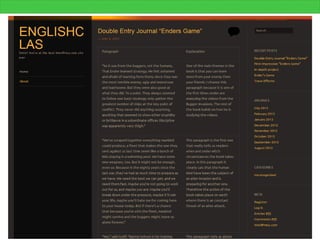
  • #23 These are examples of blogs that your students can be exposed to.The “Our Class” one is really interesting as it is a teacher’s blog for her students. I included it here to show you an interesting way to assign homework and keep students up to date (includes links to 2008 and 2009 blogs too).
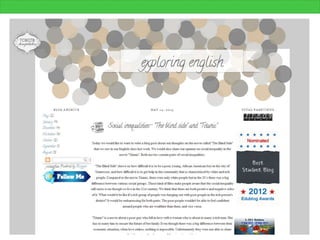
  • #24 Here is a student blog that gives a variety of blog topics e.g. explaining an article paragraph by paragraph, book review, etc. Looks like the blog documents several class activities.
  • #25 They can design their blog and add a link to their bio. They may also include links to other student blogs.These blogs can also get awards and nominations.
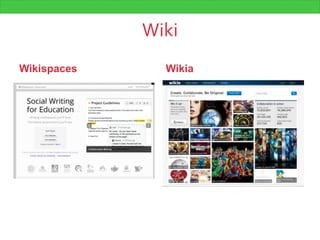
  • #26 A wiki is a webpage that you can edit and others can contribute to. Like Wikipedia.I was timid to try this one out, but it turned out to be an excellent tool. I use it in two distinct ways: class create (all students contribute to the page), or find the errors (Teacher creates the page and students find and correct the errors).Idea: Create a fictional town : history, attractions, culture, etc.
  • #27 I’ve included a link in the resources to a YouTube video with step-by-step instructions on how to create a Wiki with Wikispaces. It’s a bit dry, but informative.Wikia is also an option, but they house an enormous amount of videogame, and pop culture wikis. Maybe a great source more ideas.
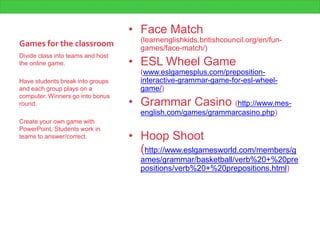
  • #28 Some teachers don’t like to play games in class. It’s been my experience that students of all ages enjoy games – just make sure they’re relevant in subject and appropriate in age.
  • #31 Out of all the activities you have heard about in this session, which ones are you going to look into trying? How will you use it?
  • #32 Mellyn Education is hosting a post conference mixer for anyone wishing to continue the conversation. It’s free to join and there’s no pressure to stay or participate. We’ll be meeting at the