Characters
Escape Sequences
Comparison of Characters
The Character Class
The String Class
String Concatenation
Classes and Objects
Reference Variables
String Methods
CS 120 -Programming I
Lecture 2: Character and Strings
Jubail Industrial College
Computer Science & Engineering Department
2.
2
• Characters
• EscapeSequences
• Comparison of Characters
• The Character Class
• The String Class
• String Concatenation
• Classes and Objects
• Reference Variables
• String Methods
Outline
3.
Characters
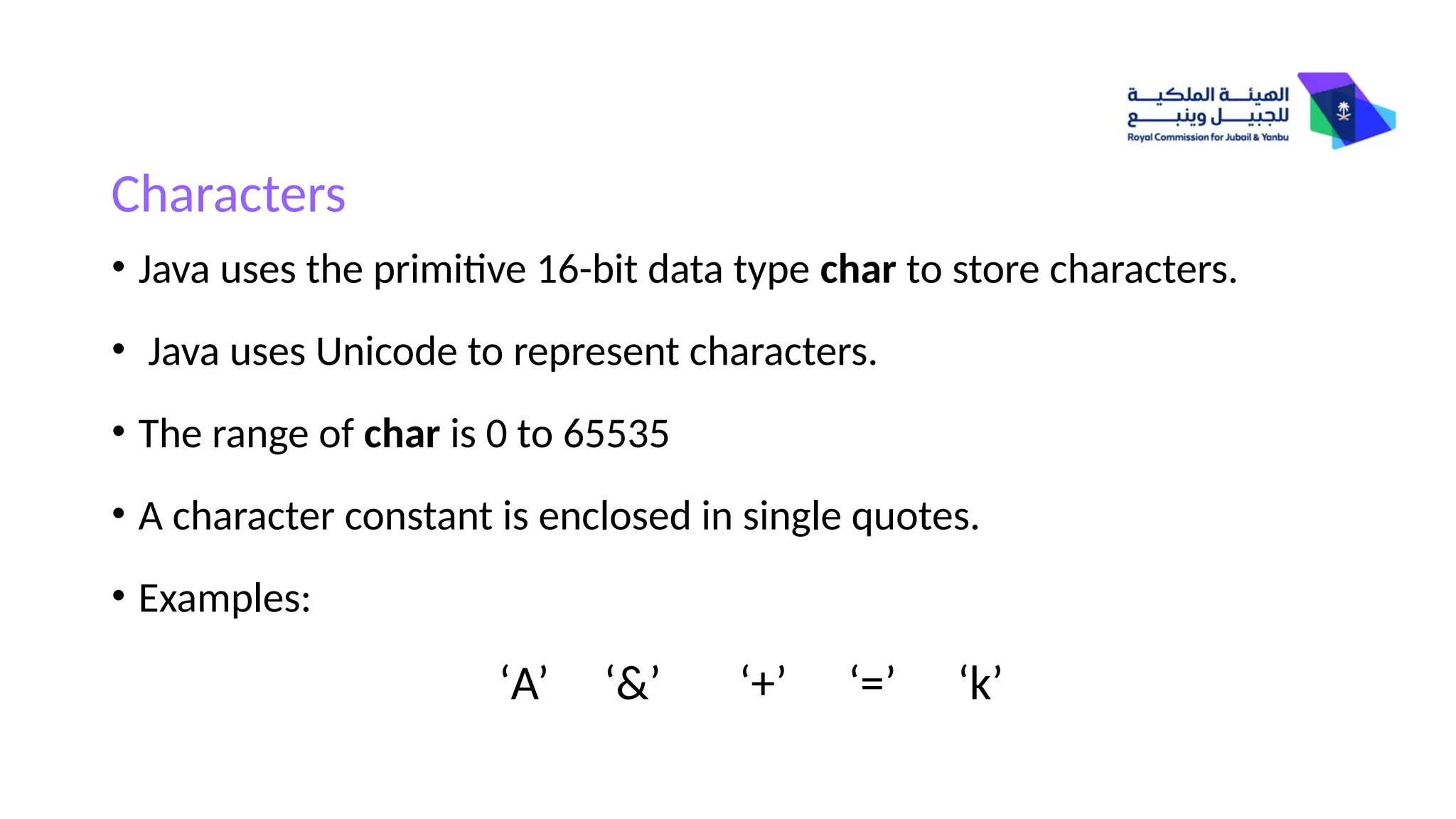
• Java usesthe primitive 16-bit data type char to store characters.
• Java uses Unicode to represent characters.
• The range of char is 0 to 65535
• A character constant is enclosed in single quotes.
• Examples:
‘A’ ‘&’ ‘+’ ‘=’ ‘k’
4.
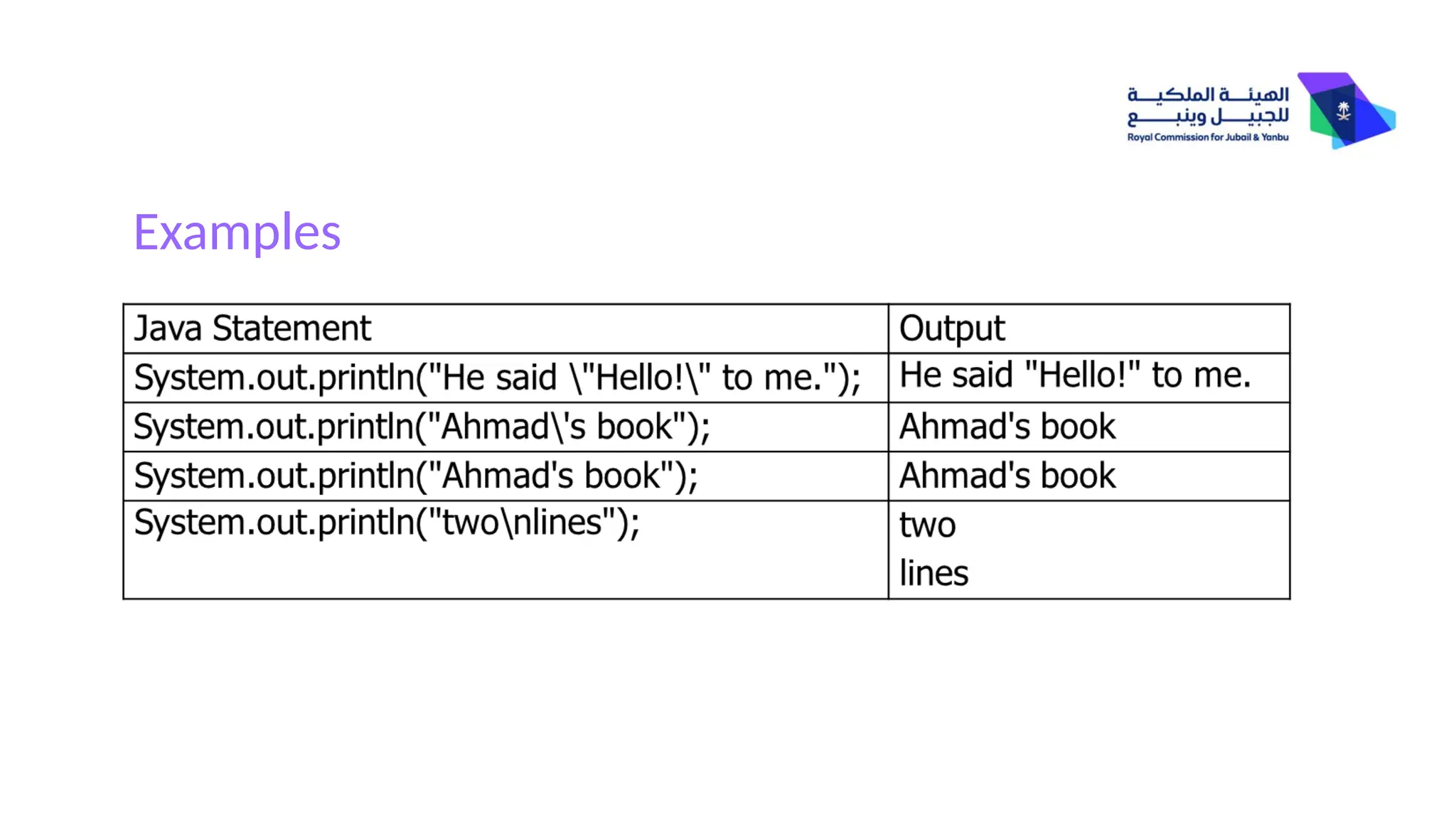
Escape Sequences
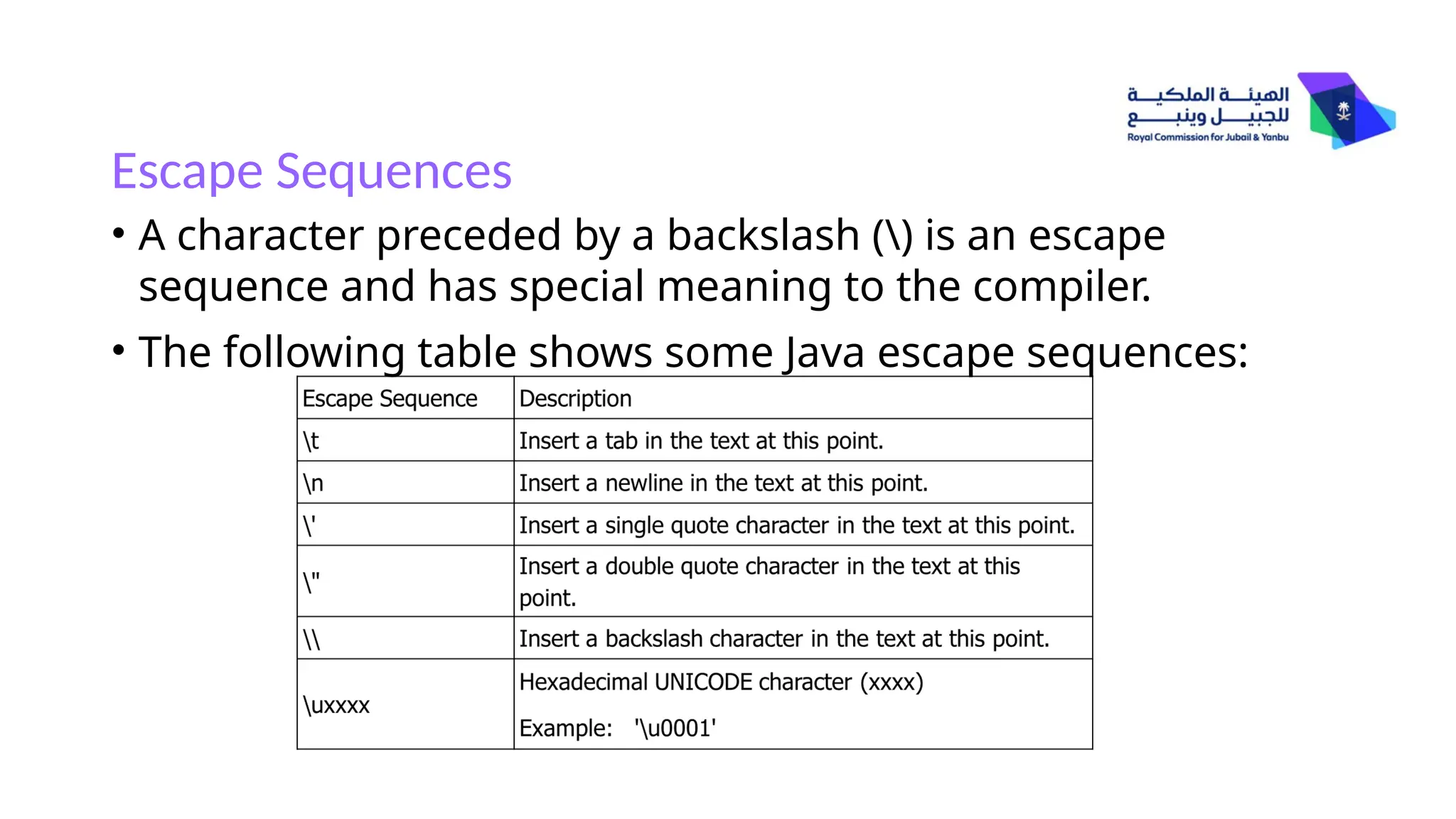
• Acharacter preceded by a backslash () is an escape
sequence and has special meaning to the compiler.
• The following table shows some Java escape sequences:
Examples
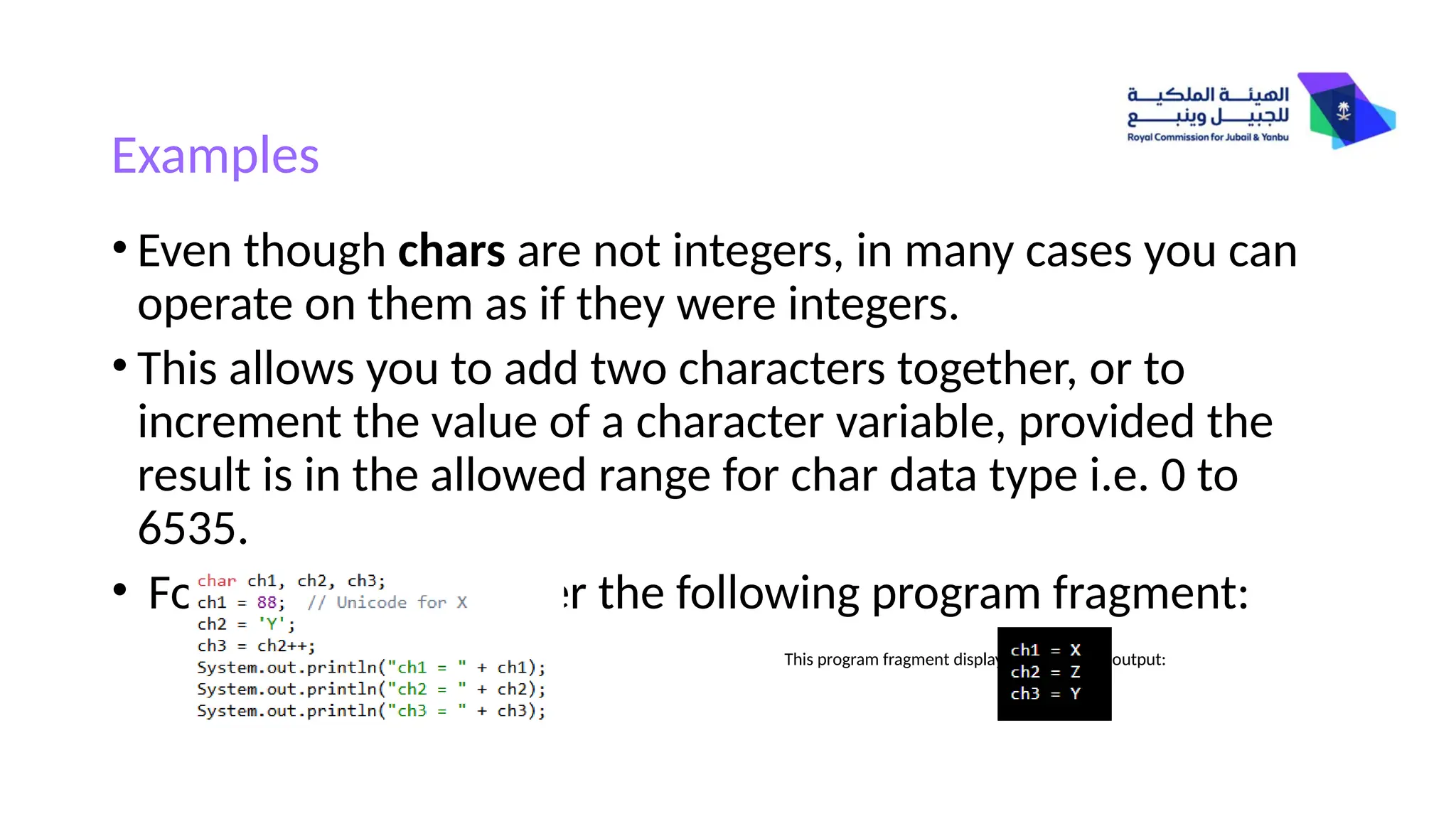
• Even thoughchars are not integers, in many cases you can
operate on them as if they were integers.
• This allows you to add two characters together, or to
increment the value of a character variable, provided the
result is in the allowed range for char data type i.e. 0 to
6535.
• For example, consider the following program fragment:
This program fragment displays the following output:
7.
String Concatenation
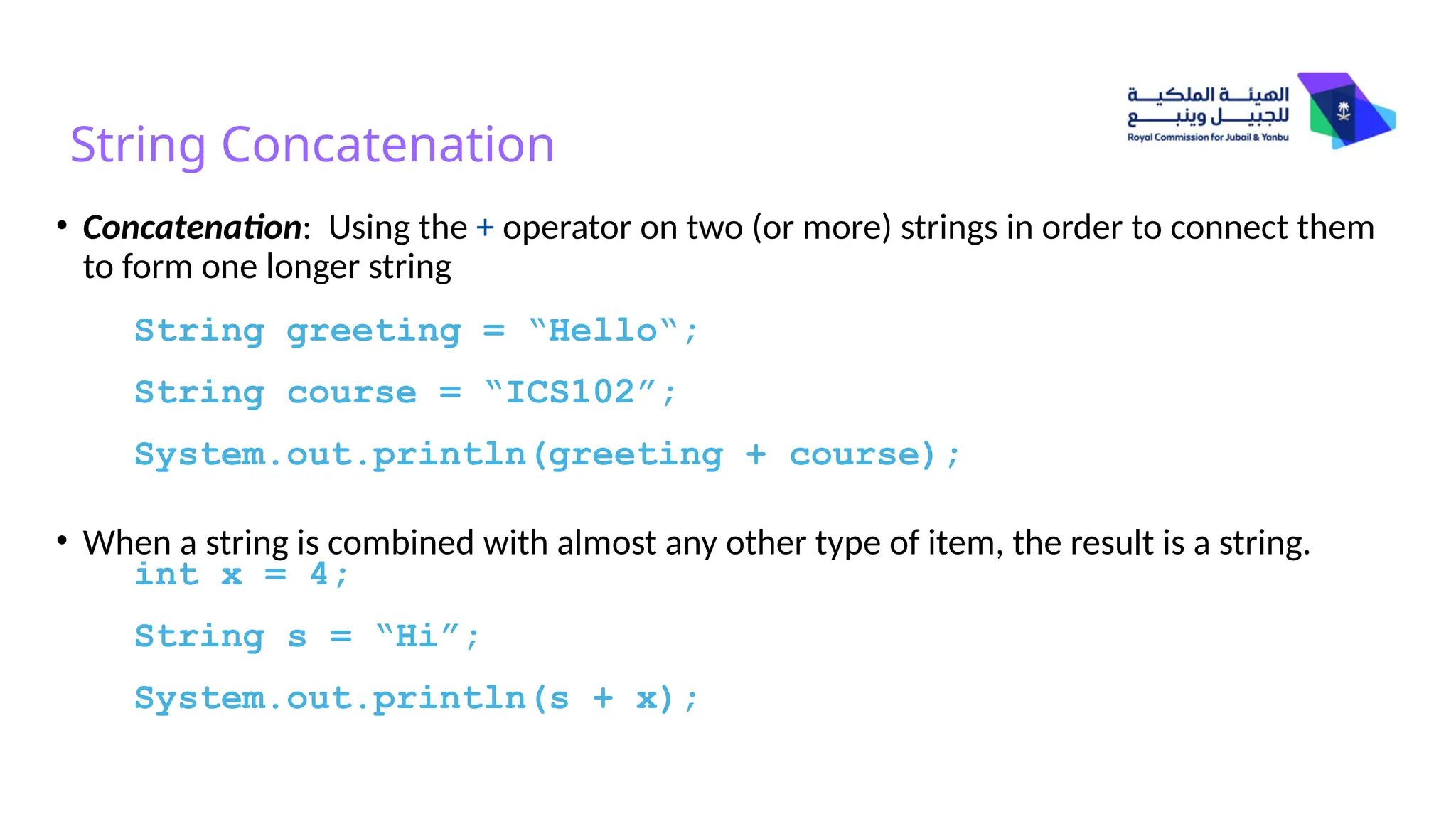
• Concatenation:Using the + operator on two (or more) strings in order to connect them
to form one longer string
• When a string is combined with almost any other type of item, the result is a string.
String greeting = “Hello“;
String course = “ICS102”;
System.out.println(greeting + course);
int x = 4;
String s = “Hi”;
System.out.println(s + x);
8.
Classes and Objects
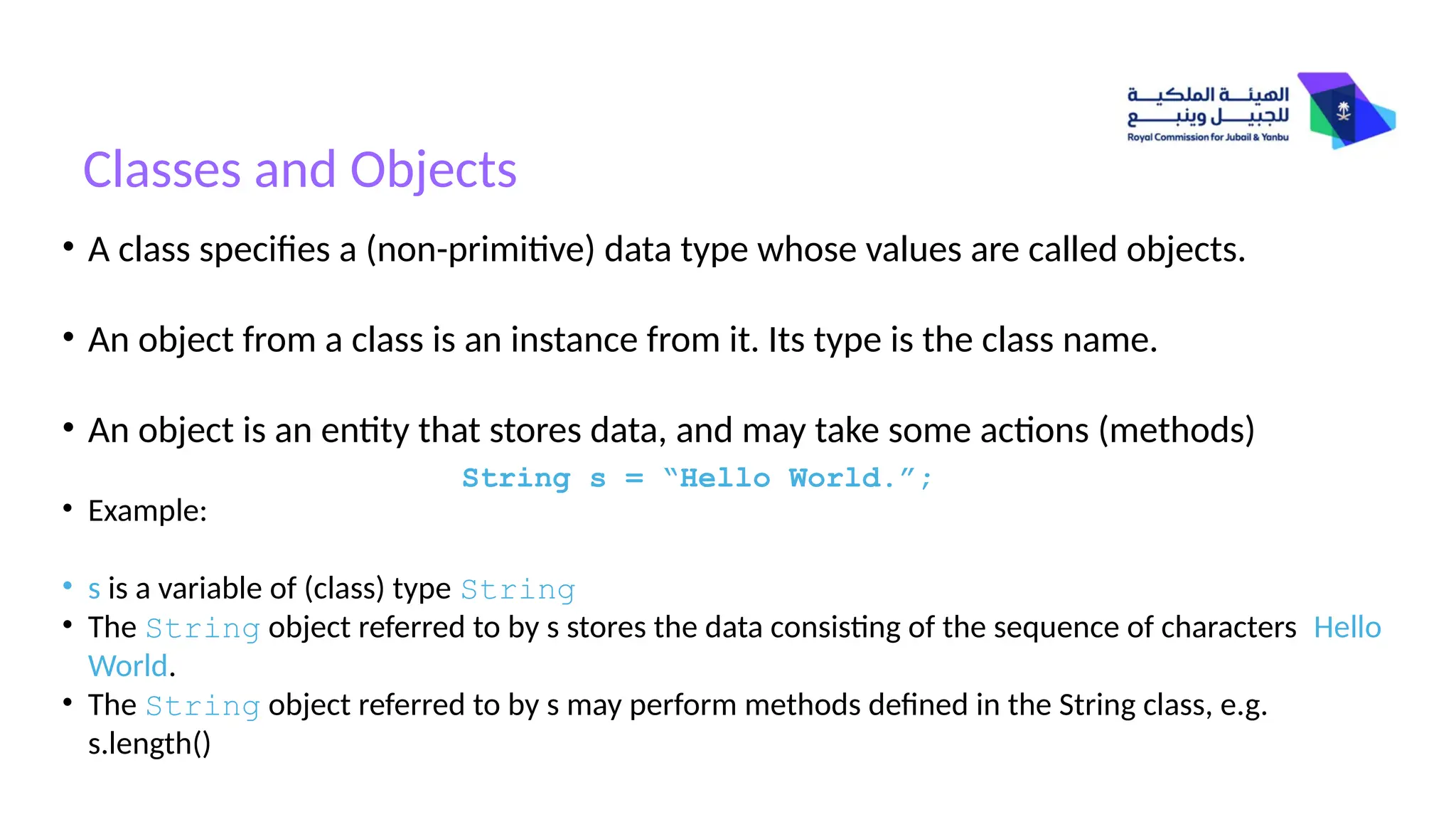
•A class specifies a (non-primitive) data type whose values are called objects.
• An object from a class is an instance from it. Its type is the class name.
• An object is an entity that stores data, and may take some actions (methods)
• Example:
• s is a variable of (class) type String
• The String object referred to by s stores the data consisting of the sequence of characters Hello
World.
• The String object referred to by s may perform methods defined in the String class, e.g.
s.length()
String s = “Hello World.”;
9.
Classes and Objects
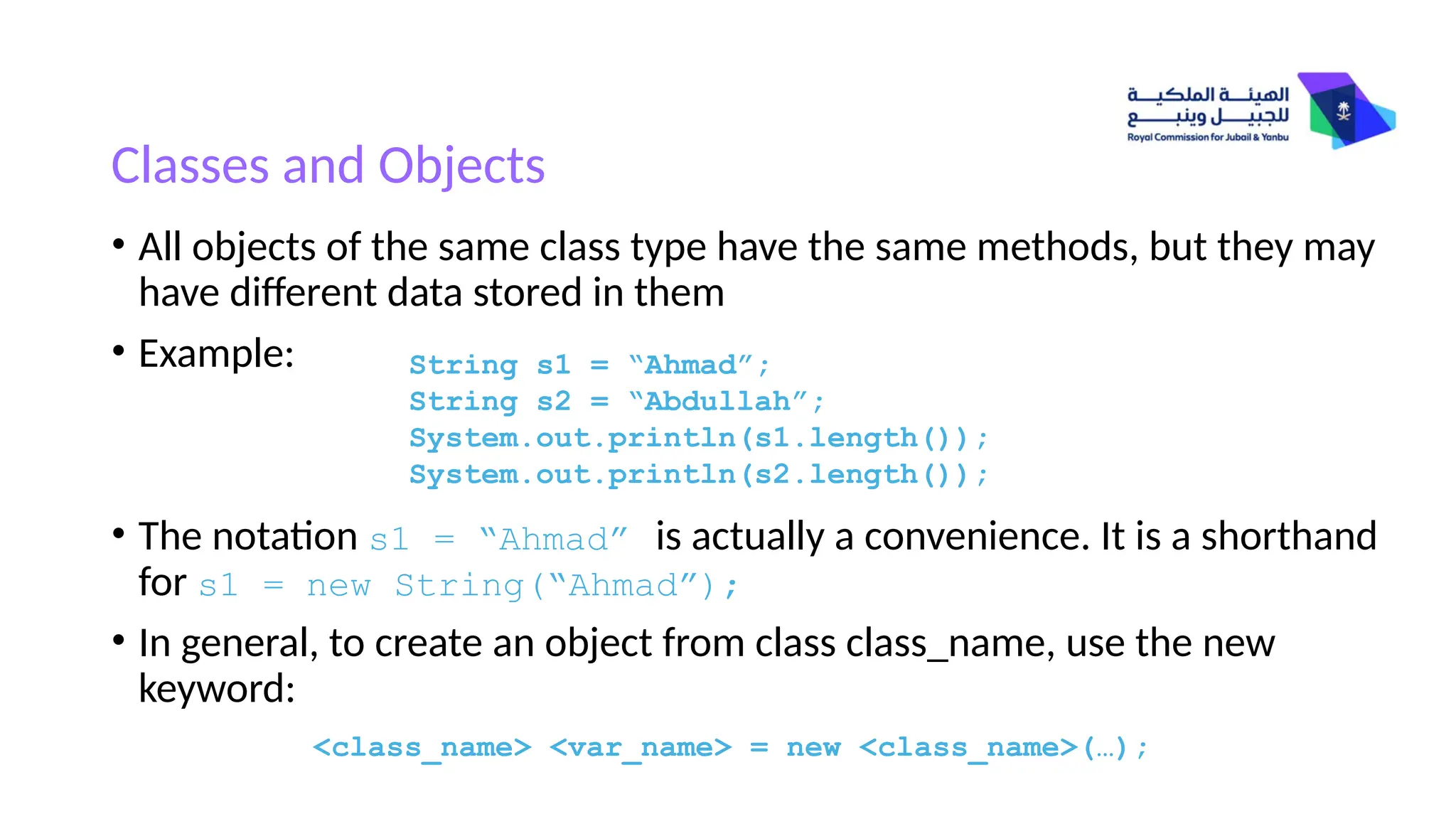
•All objects of the same class type have the same methods, but they may
have different data stored in them
• Example:
• The notation s1 = “Ahmad” is actually a convenience. It is a shorthand
for s1 = new String(“Ahmad”);
• In general, to create an object from class class_name, use the new
keyword:
<class_name> <var_name> = new <class_name>(…);
String s1 = “Ahmad”;
String s2 = “Abdullah”;
System.out.println(s1.length());
System.out.println(s2.length());
10.
Example: String Objects
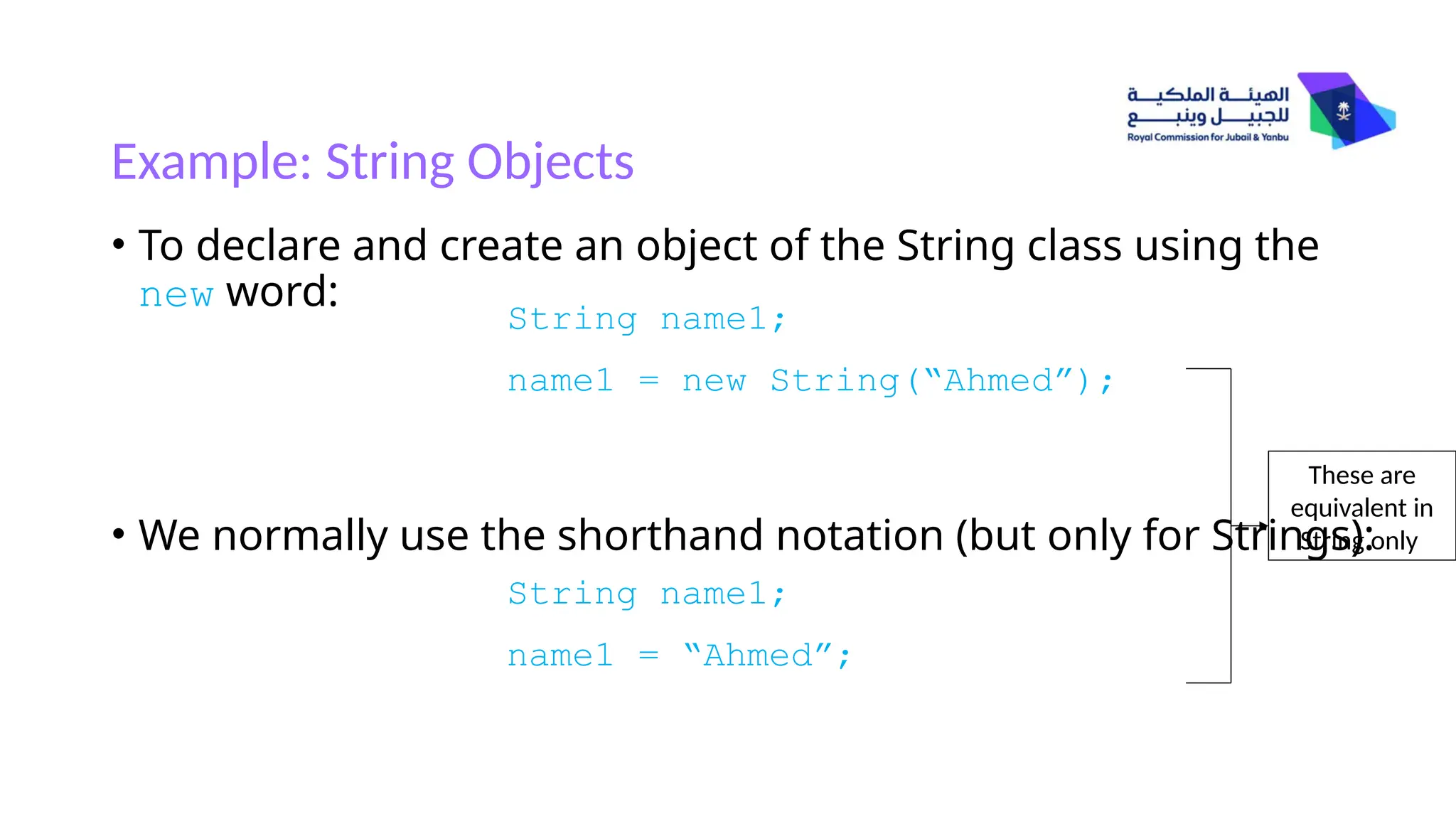
•To declare and create an object of the String class using the
new word:
• We normally use the shorthand notation (but only for Strings):
String name1;
name1 = new String(“Ahmed”);
String name1;
name1 = “Ahmed”;
These are
equivalent in
String only
11.
String Methods: length()
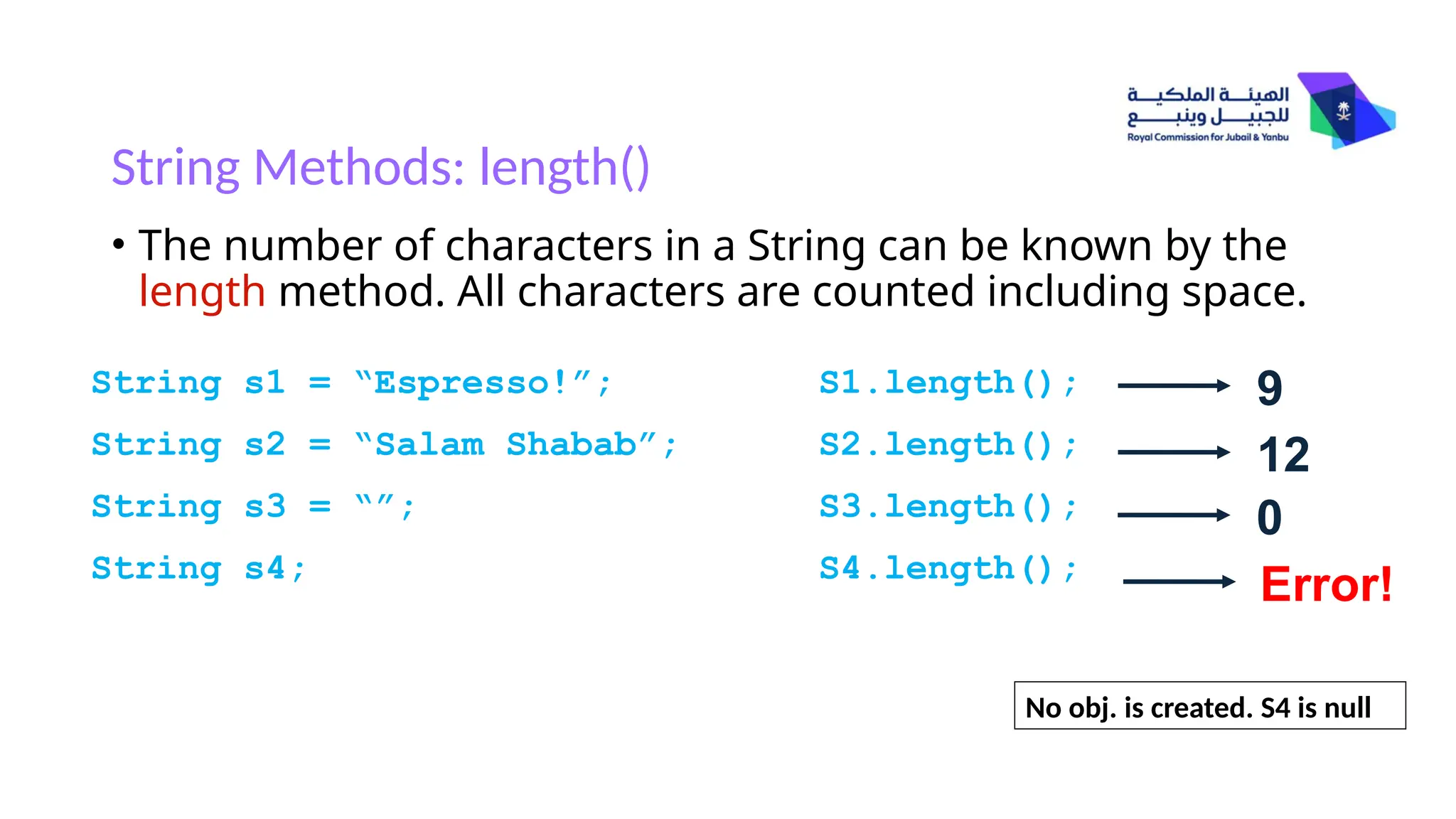
•The number of characters in a String can be known by the
length method. All characters are counted including space.
String s1 = “Espresso!”;
String s2 = “Salam Shabab”;
String s3 = “”;
String s4;
S1.length();
S2.length();
S3.length();
S4.length();
9
12
0
Error!
No obj. is created. S4 is null
12.
String Starting Position
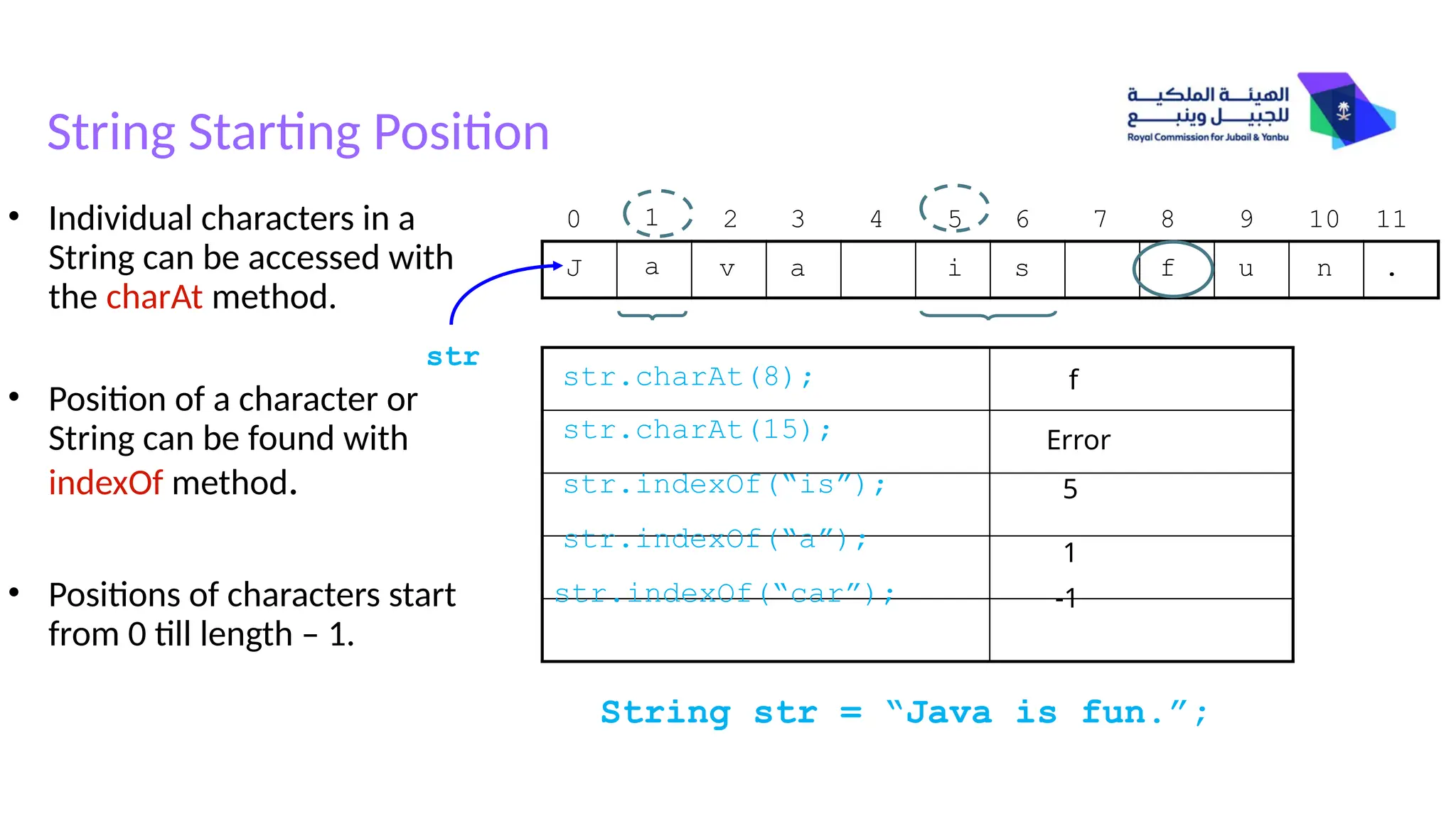
Stringstr = “Java is fun.”;
J a v a i s f u n .
str
0 1 2 3 5 6 8 9 10 11
4 7
str.indexOf(“is”);
str.charAt(8);
• Individual characters in a
String can be accessed with
the charAt method.
• Position of a character or
String can be found with
indexOf method.
• Positions of characters start
from 0 till length – 1.
str.indexOf(“a”);
f
str.charAt(15); Error
str.indexOf(“car”);
5
1
-1
13.
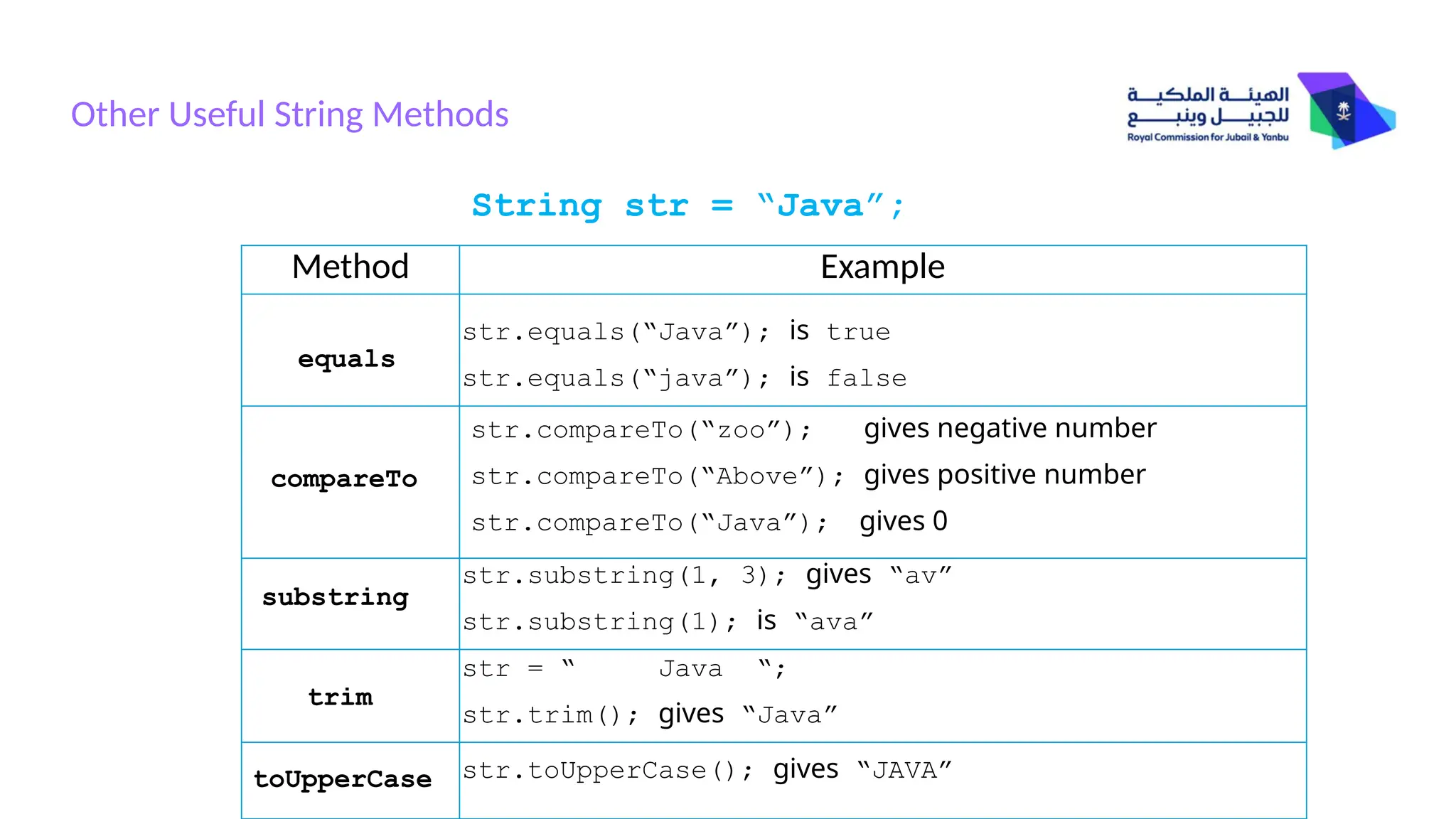
Other Useful StringMethods
String str = “Java”;
Method Example
str.equals(“Java”); is true
str.equals(“java”); is false
equals
compareTo
substring
trim
toUpperCase
str.compareTo(“zoo”); gives negative number
str.compareTo(“Above”); gives positive number
str.compareTo(“Java”); gives 0
str.substring(1, 3); gives “av”
str.substring(1); is “ava”
str = “ Java “;
str.trim(); gives “Java”
str.toUpperCase(); gives “JAVA”
14.
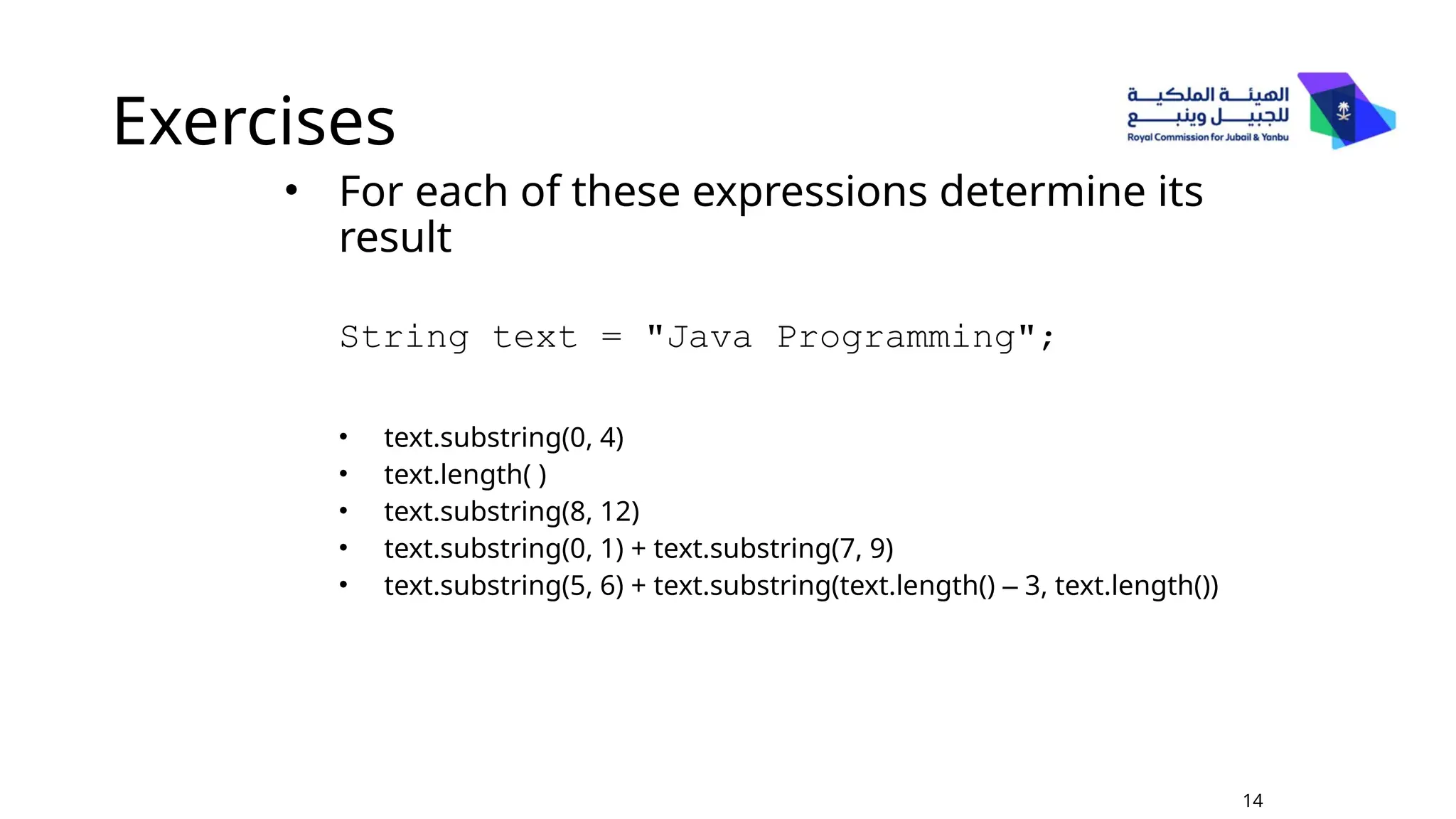
Exercises
• For eachof these expressions determine its
result
String text = "Java Programming";
• text.substring(0, 4)
• text.length( )
• text.substring(8, 12)
• text.substring(0, 1) + text.substring(7, 9)
• text.substring(5, 6) + text.substring(text.length() – 3, text.length())
14
15.
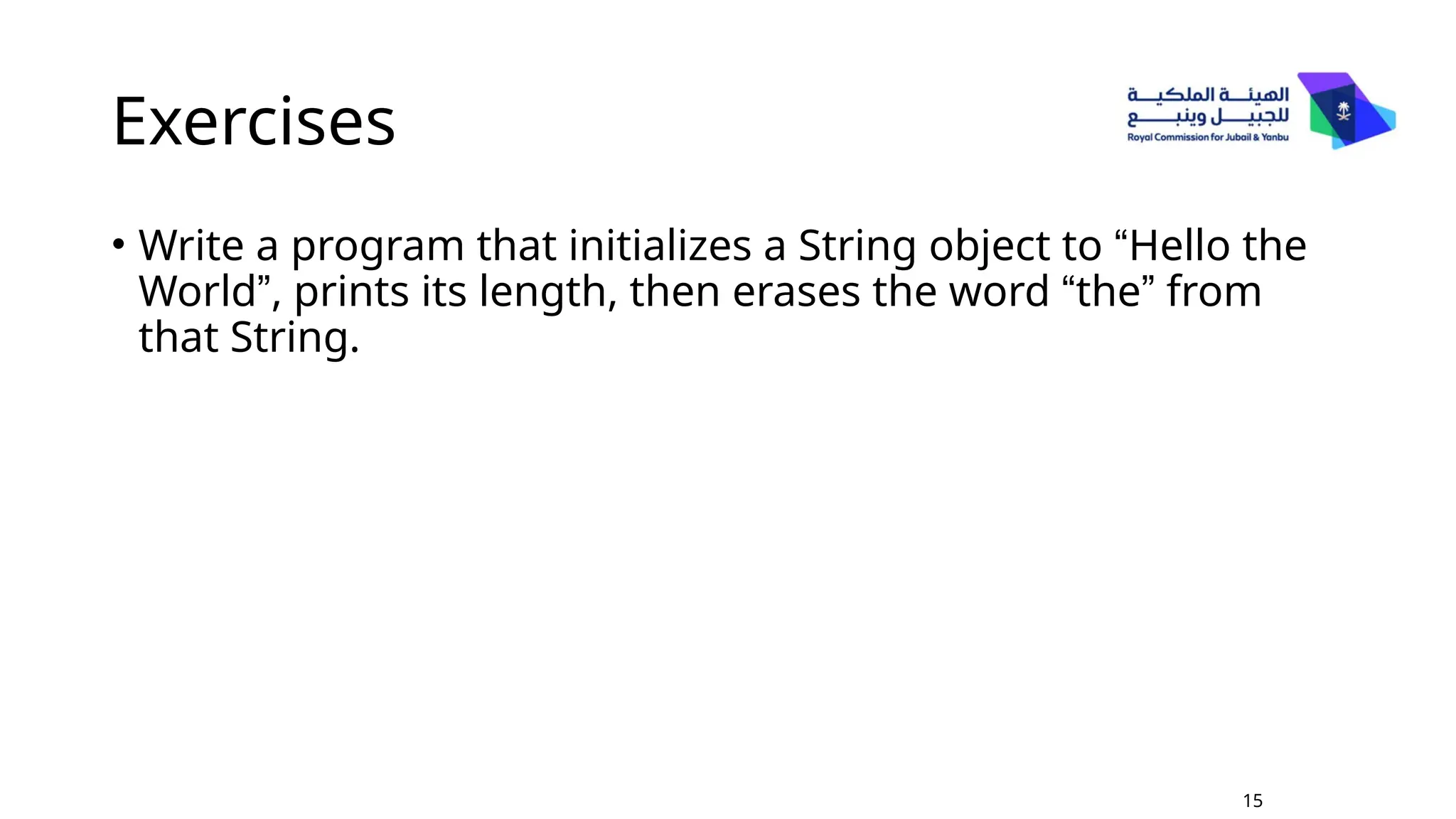
Exercises
• Write aprogram that initializes a String object to “Hello the
World”, prints its length, then erases the word “the” from
that String.
15