ASSEMBLY MODELING
LECTURE #8
MKS 537E – Intro to CAE
Definition
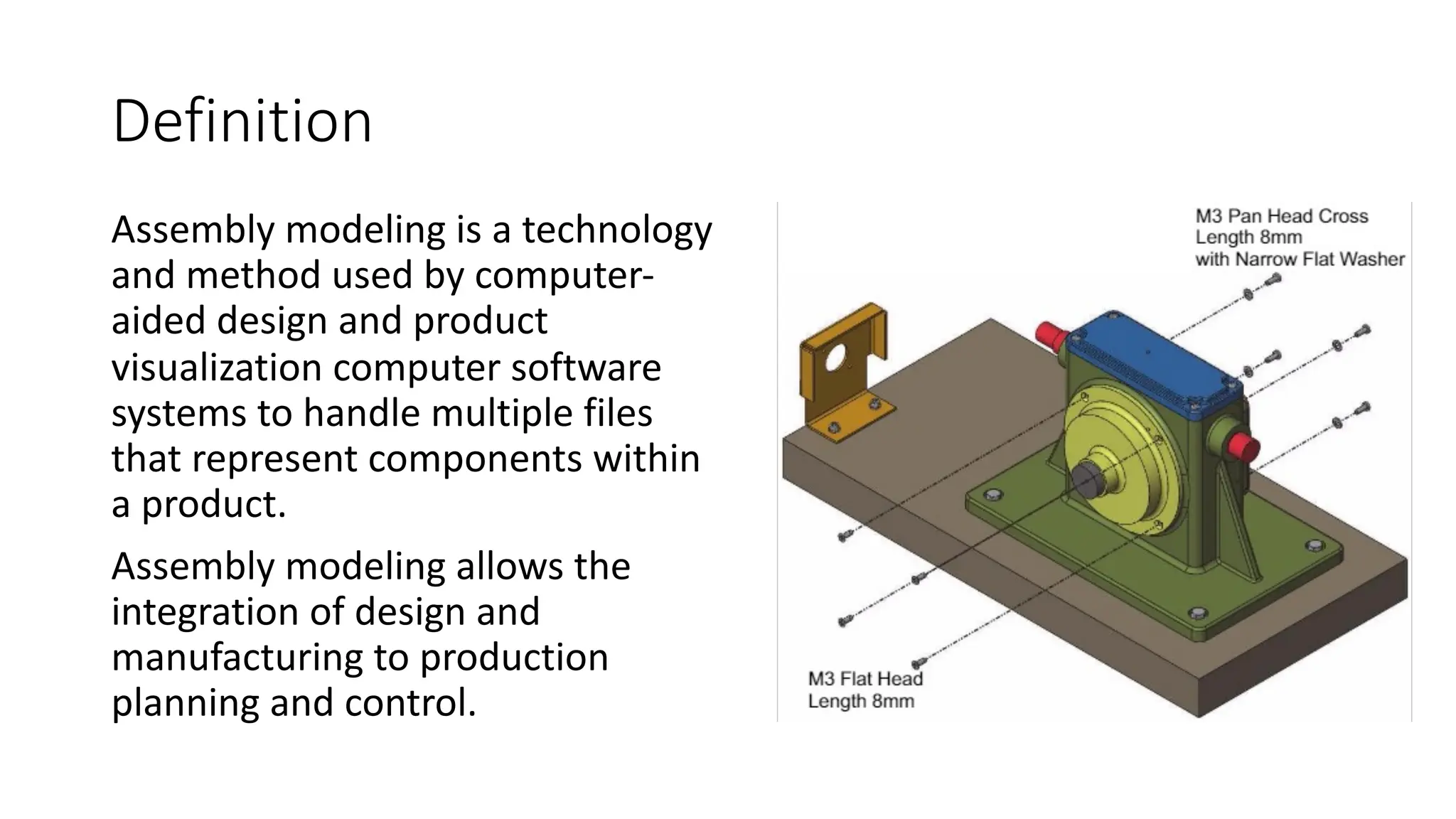
Assembly modeling is a technology
and method used by computer-
aided design and product
visualization computer software
systems to handle multiple files
that represent components within
a product.
Assembly modeling allows the
integration of design and
manufacturing to production
planning and control.
Assembly modeling
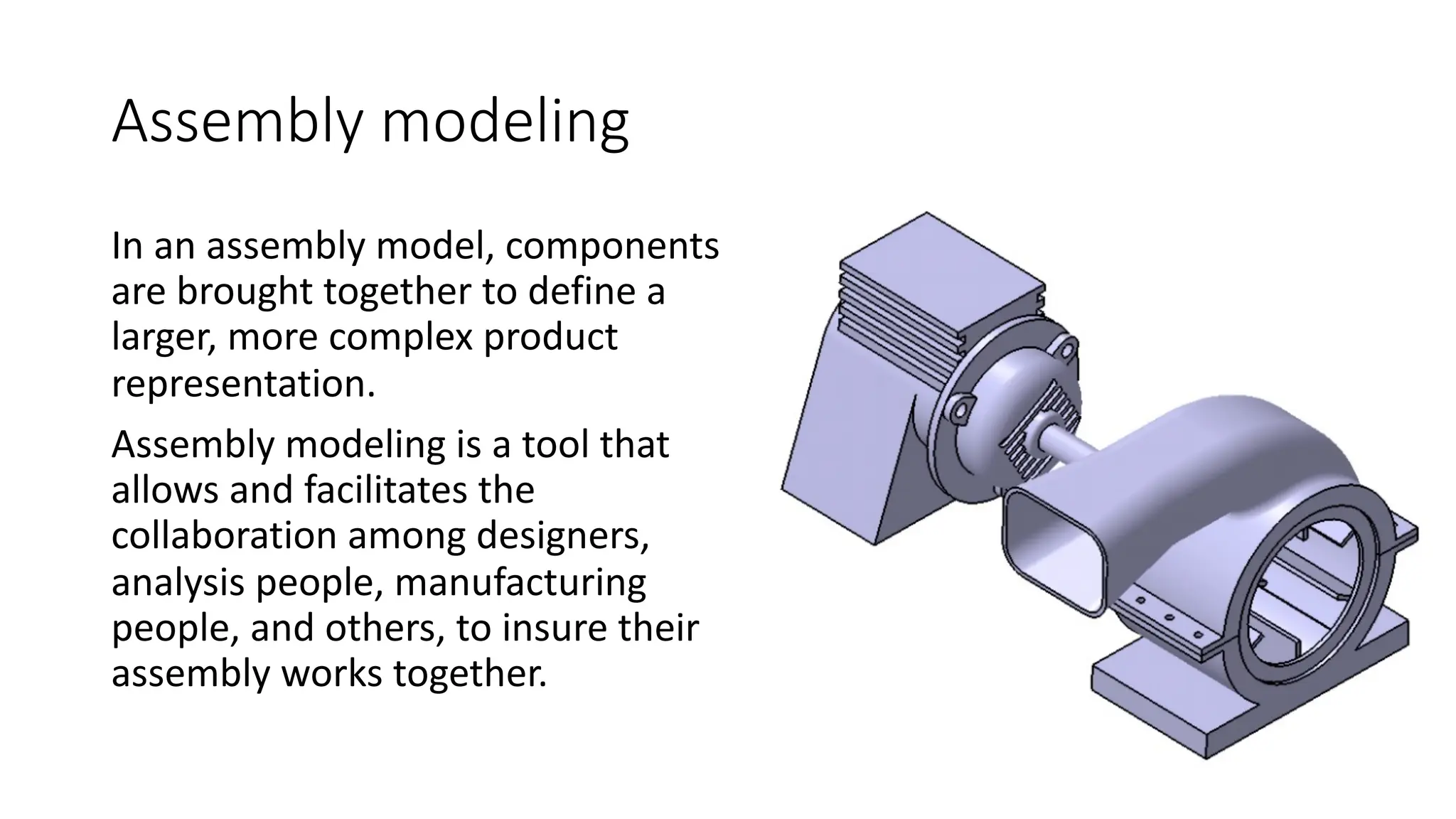
In an assembly model, components
are brought together to define a
larger, more complex product
representation.
Assembly modeling is a tool that
allows and facilitates the
collaboration among designers,
analysis people, manufacturing
people, and others, to insure their
assembly works together.
Assembly modelers
Assembly modelers can be thought of as more advanced geometric
modelers where the data structure is extended to allow representation
and manipulation of hierarchical relationships and mating conditions
that exist between components in an assembly.
Geometric and Assembly Modelers
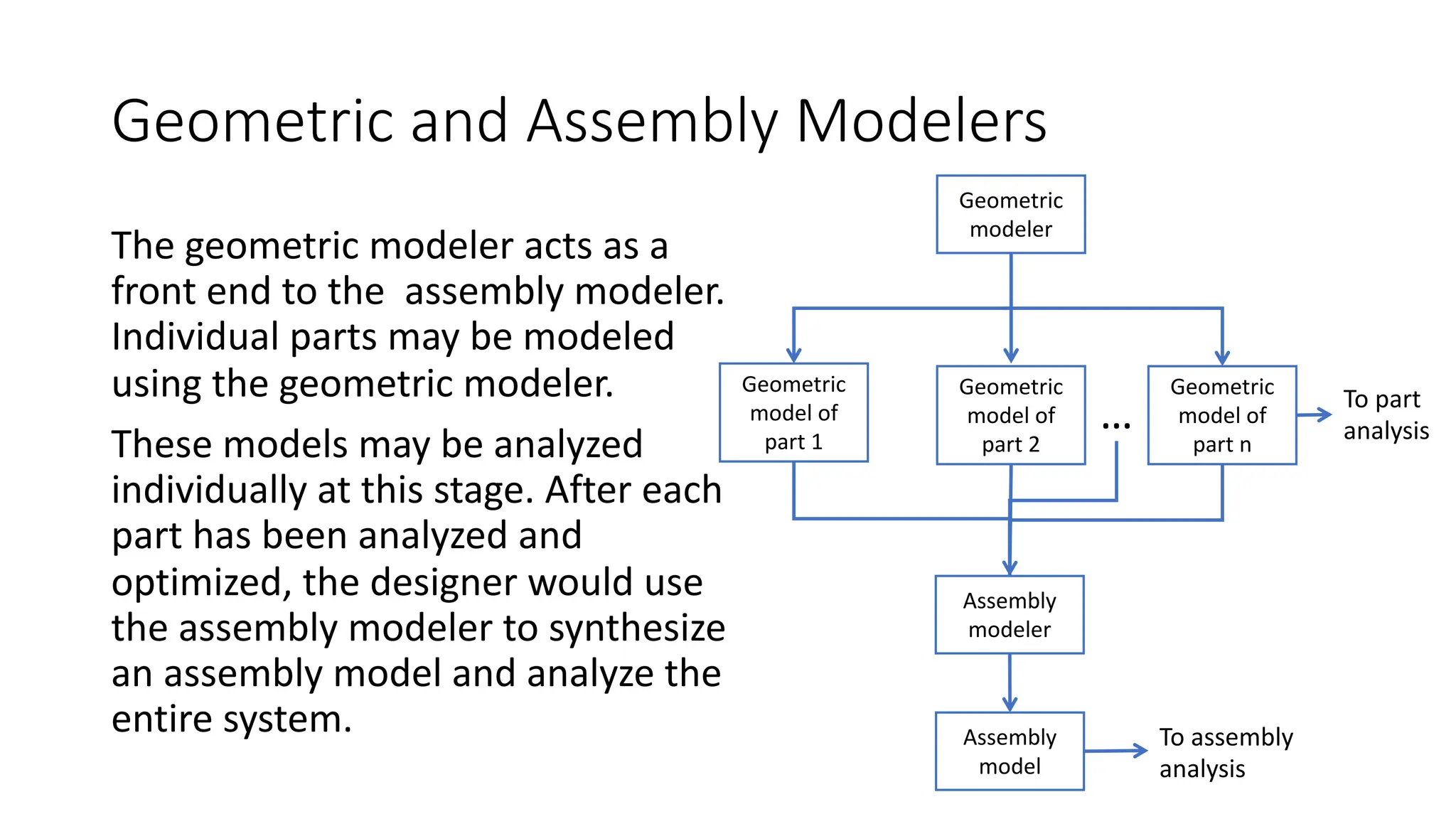
The geometric modeler acts as a
front end to the assembly modeler.
Individual parts may be modeled
using the geometric modeler.
These models may be analyzed
individually at this stage. After each
part has been analyzed and
optimized, the designer would use
the assembly modeler to synthesize
an assembly model and analyze the
entire system.
Geometric
modeler
Geometric
model of
part 1
Geometric
model of
part 2
Geometric
model of
part n
Assembly
modeler
Assembly
model
To part
analysis
To assembly
analysis
…
Assembly modeling
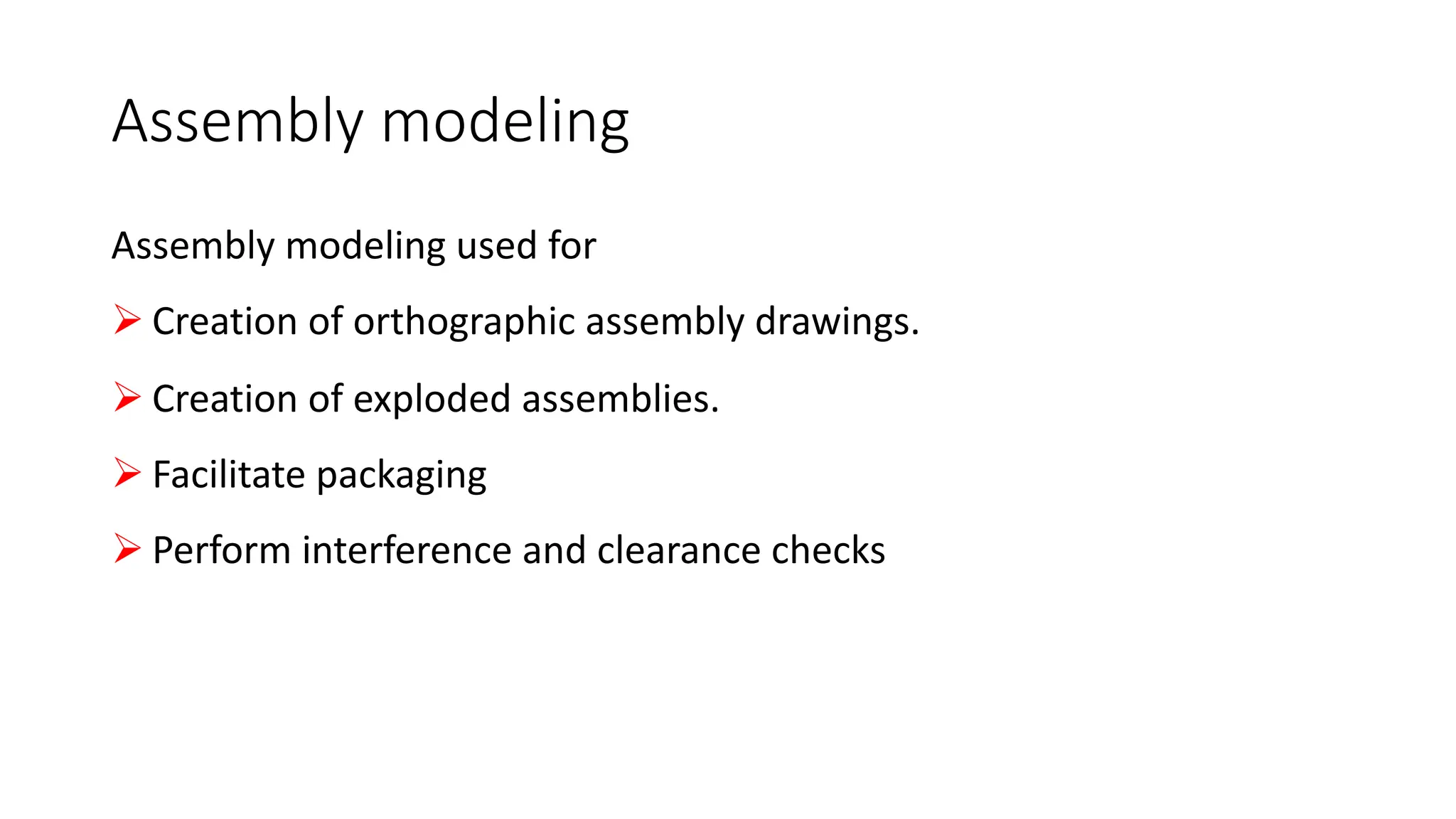
Assembly modeling used for
Ø Creation of orthographic assembly drawings.
Ø Creation of exploded assemblies.
Ø Facilitate packaging
Ø Perform interference and clearance checks
Definitions
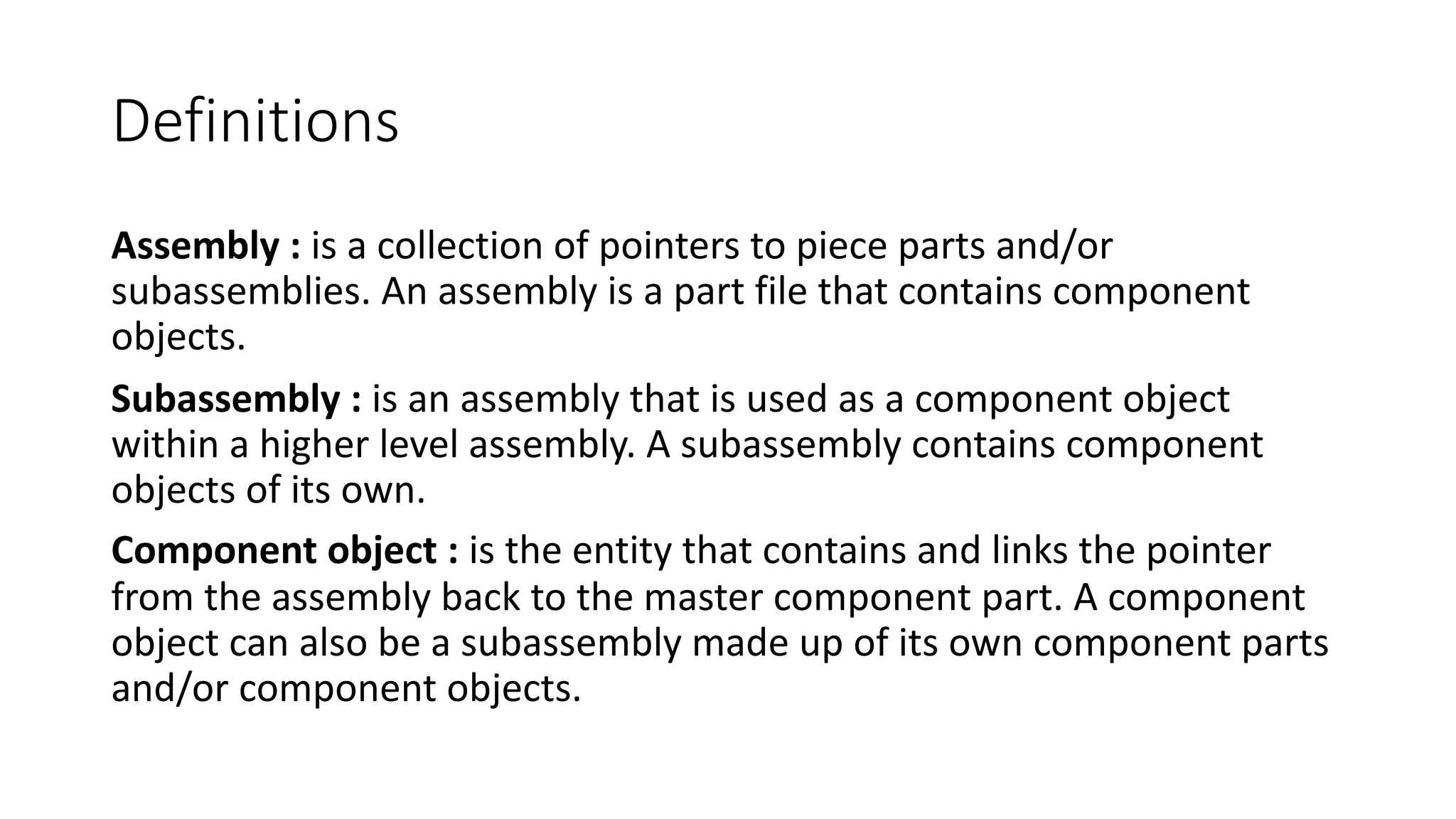
Assembly : is a collection of pointers to piece parts and/or
subassemblies. An assembly is a part file that contains component
objects.
Subassembly : is an assembly that is used as a component object
within a higher level assembly. A subassembly contains component
objects of its own.
Component object : is the entity that contains and links the pointer
from the assembly back to the master component part. A component
object can also be a subassembly made up of its own component parts
and/or component objects.
Types of Assembly Design Approach
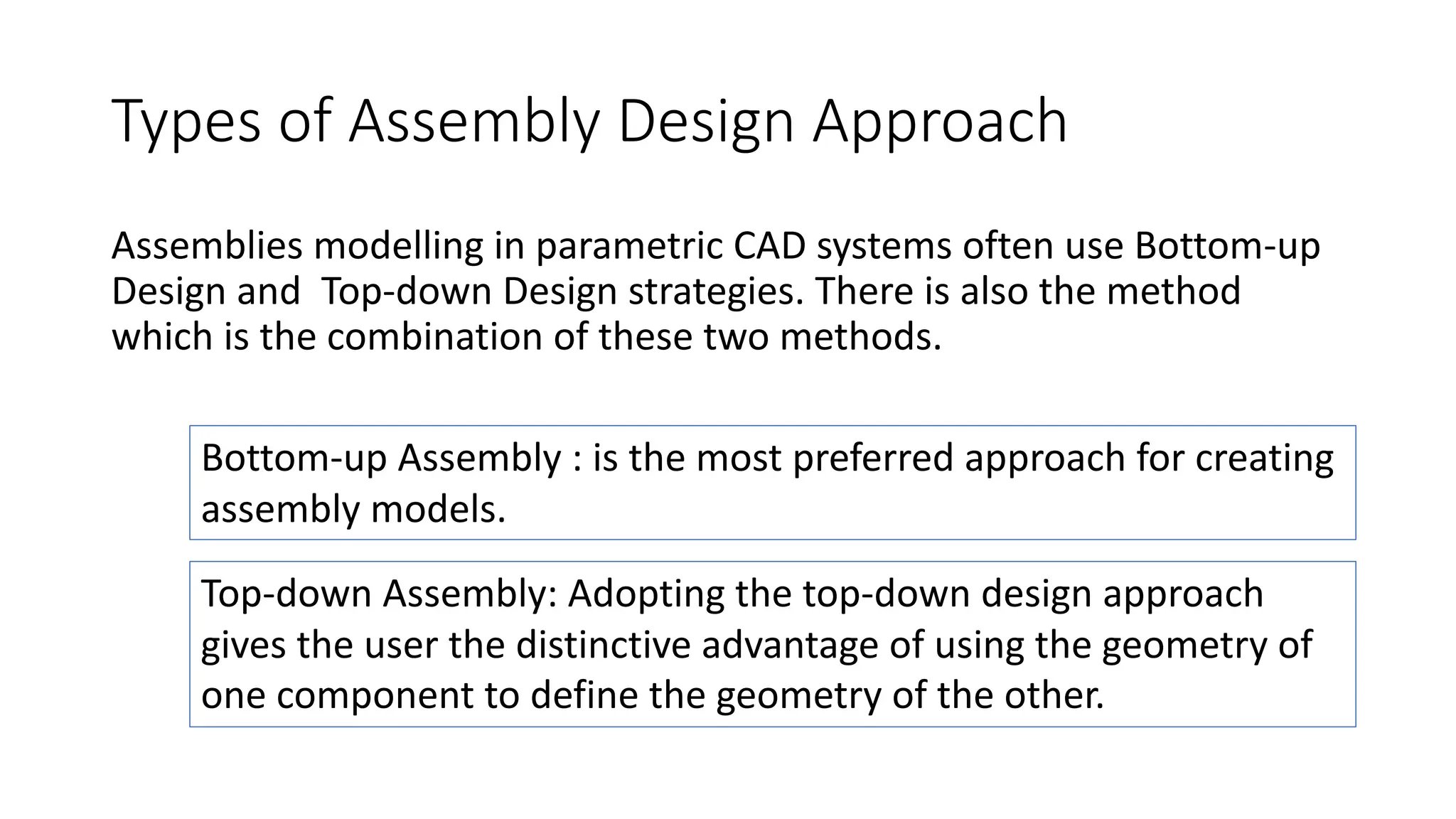
Assemblies modelling in parametric CAD systems often use Bottom-up
Design and Top-down Design strategies. There is also the method
which is the combination of these two methods.
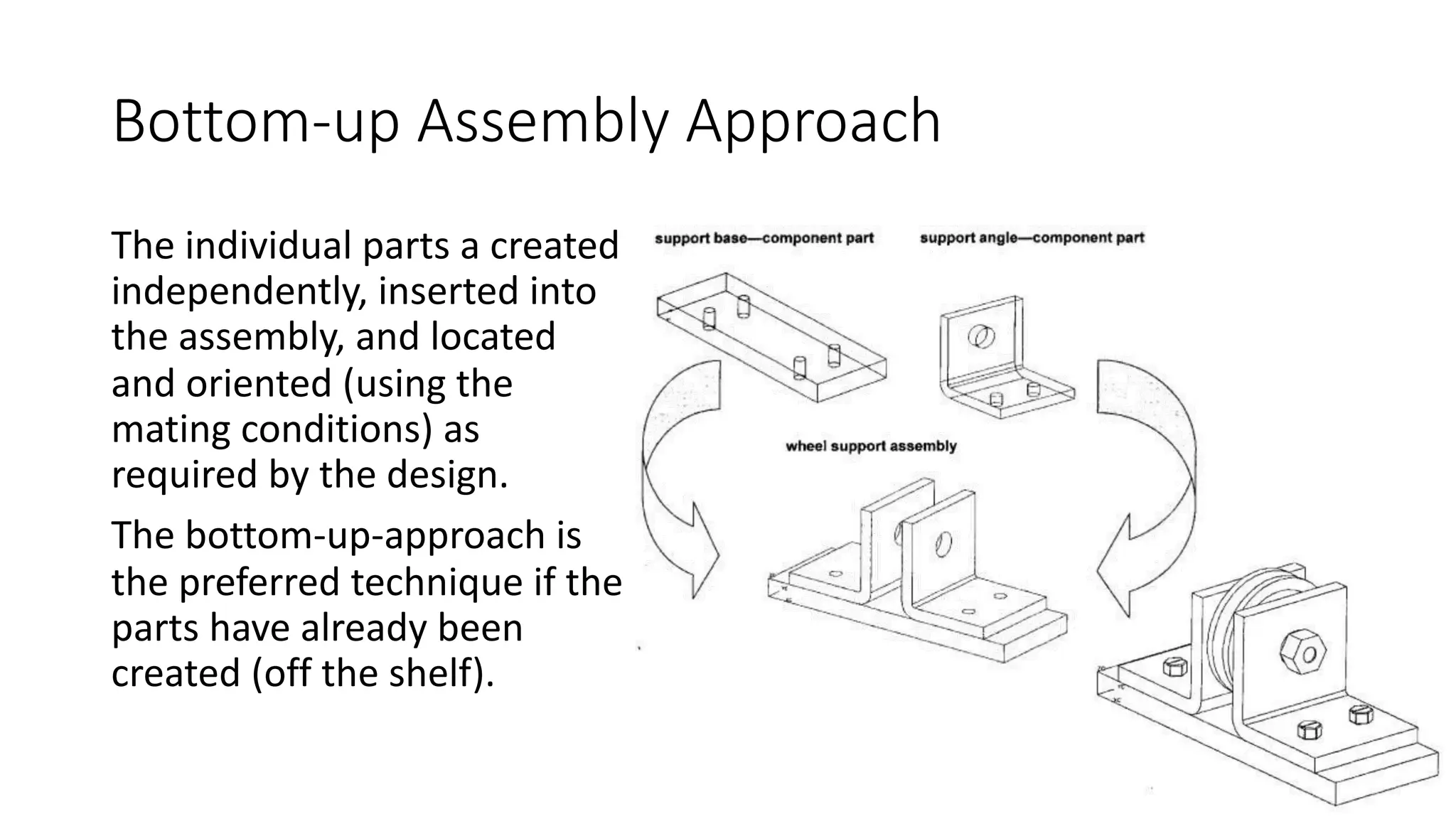
Bottom-up Assembly : is the most preferred approach for creating
assembly models.
Top-down Assembly: Adopting the top-down design approach
gives the user the distinctive advantage of using the geometry of
one component to define the geometry of the other.
Bottom-up Assembly Approach
The individual parts a created
independently, inserted into
the assembly, and located
and oriented (using the
mating conditions) as
required by the design.
The bottom-up-approach is
the preferred technique if the
parts have already been
created (off the shelf).
Top-down Assembly Approach
In this approach, the assembly file is created first with an assembly
layout sketch.
The parts are made in the assembly file or the concept drawing of the
parts are inserted and finalized in the assembly file.
The final geometry of the parts have not been defined before bringing
them into the assembly file.
This design approach is highly preferred, while working on a conceptual
design or a tool design where the reference of previously created parts
is required to develop a new part.
Mixed Assembly Approach
The vast majority of the designed assemblies consist two modelling
strategies, bottom-up technique and top-down technique. Generally,
most of the assemblies are defined of already existing components.
New part is designed in the case when design assumptions are changed
or when the project needs to have some design changes.
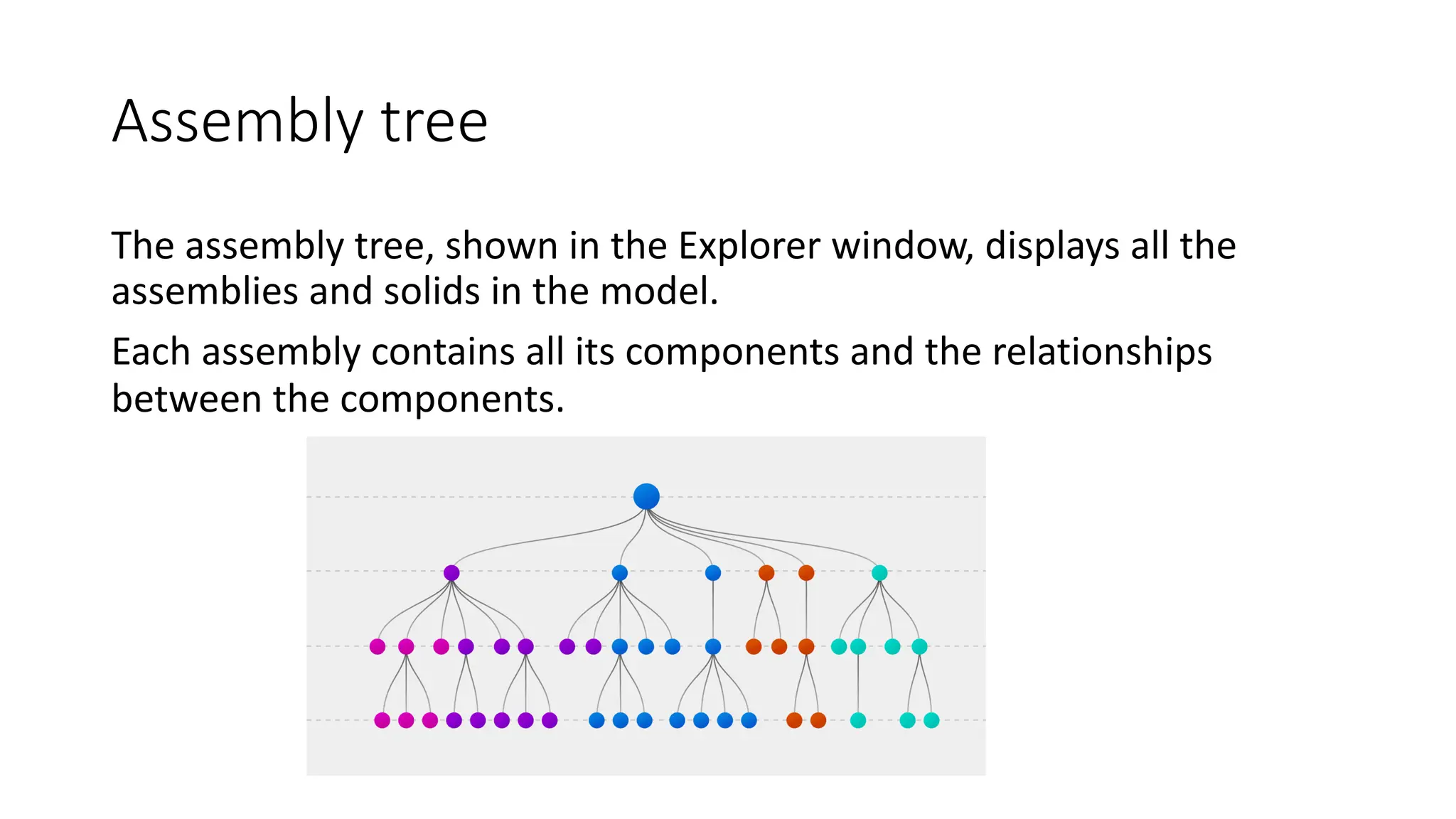
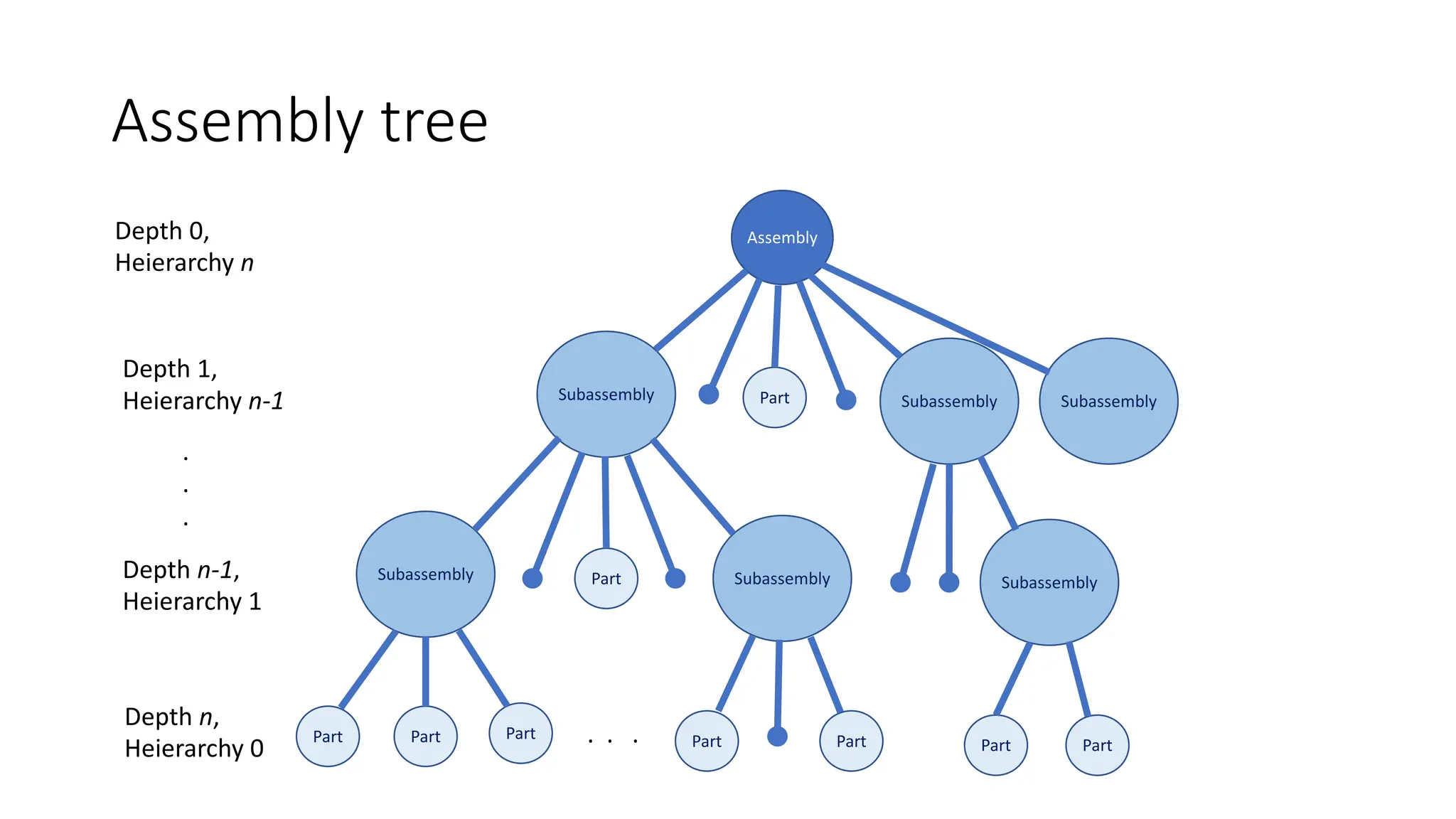
Assembly tree
The assembly tree, shown in the Explorer window, displays all the
assemblies and solids in the model.
Each assembly contains all its components and the relationships
between the components.
Assembly tree
Assembly
Subassembly Subassembly Subassembly
Subassembly
Subassembly
Subassembly
Part Part Part
Part
Part
Part Part Part Part
Depth 0,
Heierarchy n
Depth 1,
Heierarchy n-1
Depth n-1,
Heierarchy 1
Depth n,
Heierarchy 0
.
.
.
. . .
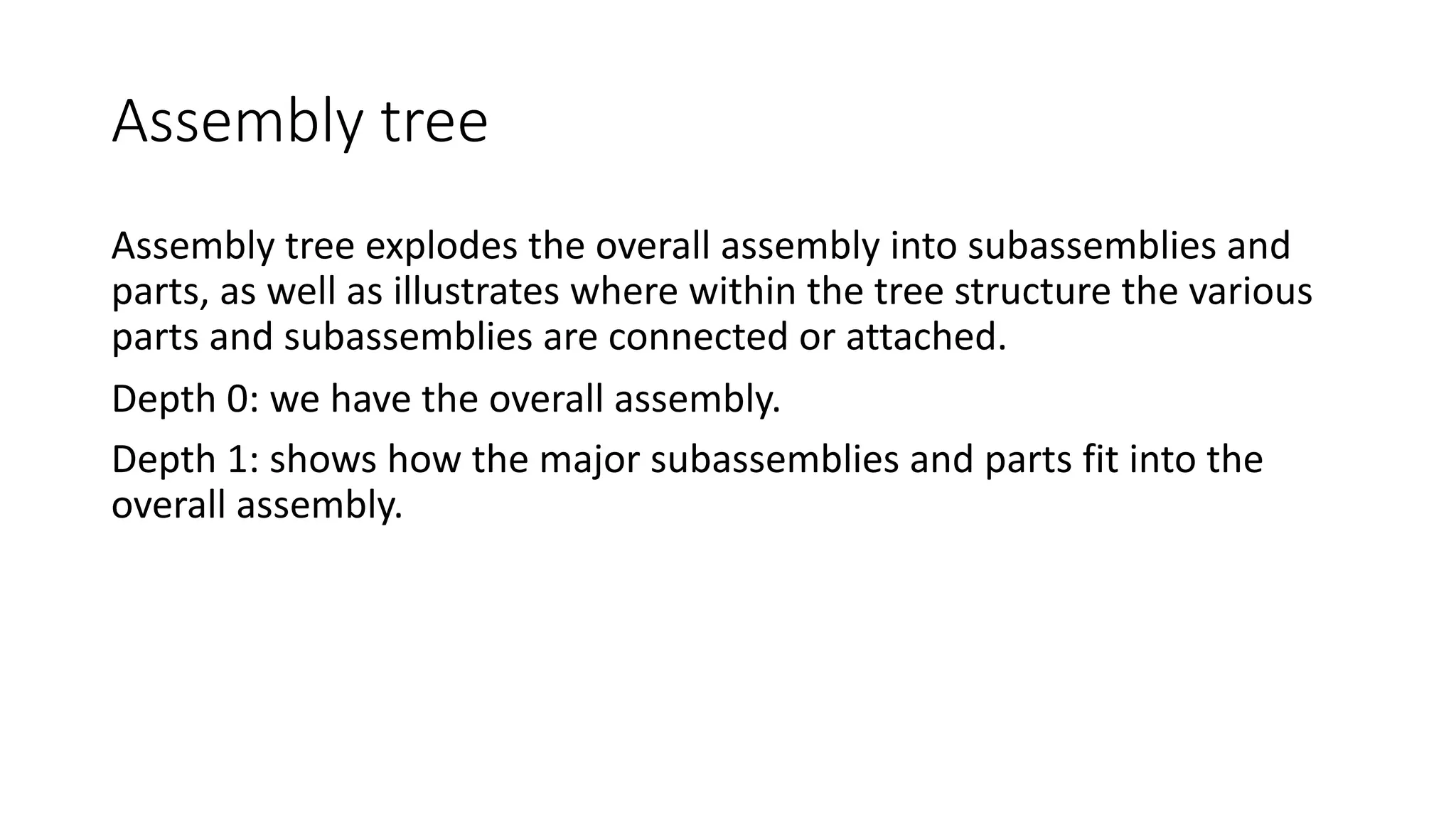
Assembly tree
Assembly tree explodes the overall assembly into subassemblies and
parts, as well as illustrates where within the tree structure the various
parts and subassemblies are connected or attached.
Depth 0: we have the overall assembly.
Depth 1: shows how the major subassemblies and parts fit into the
overall assembly.
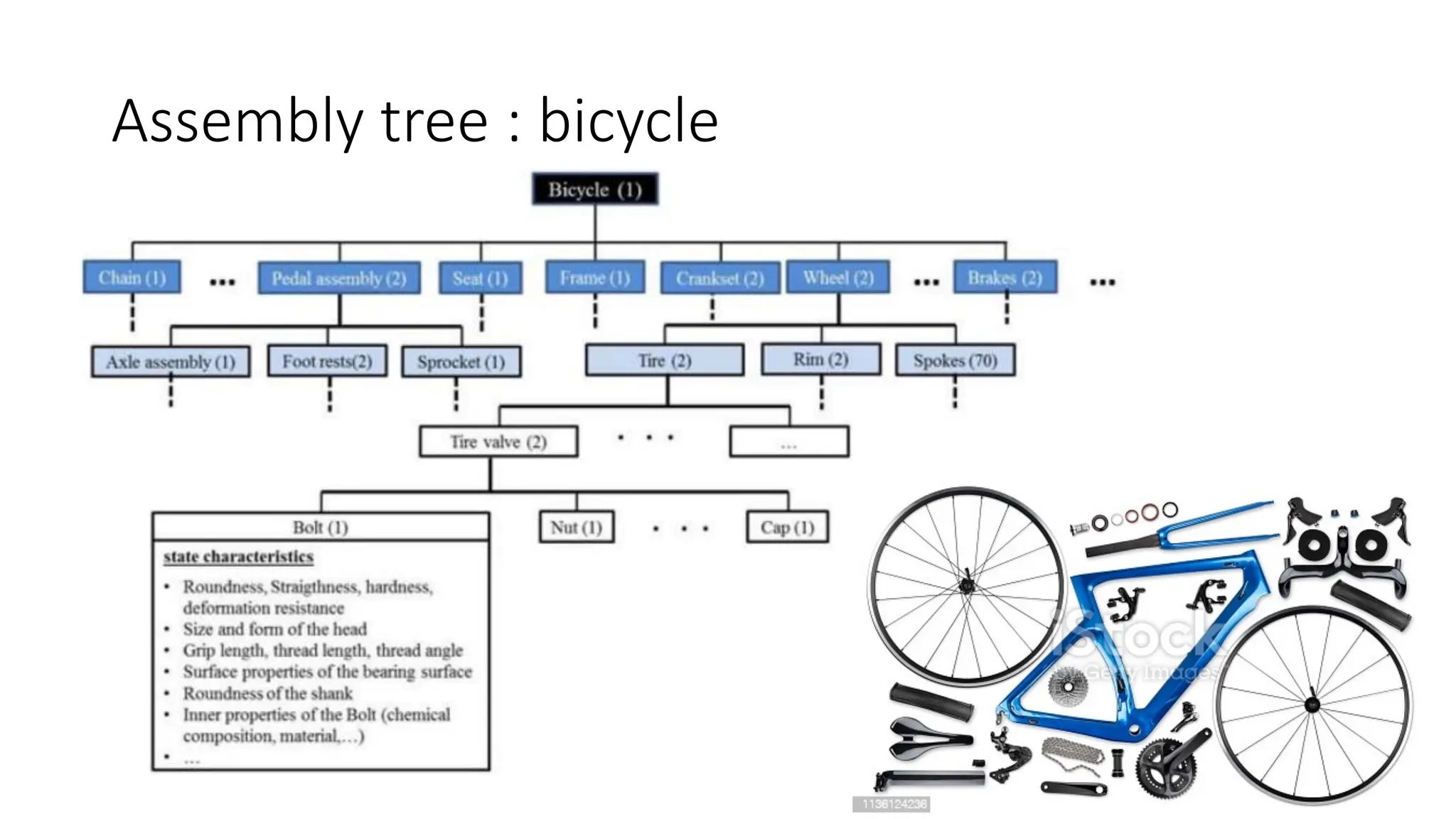
Assembly tree : bicycle
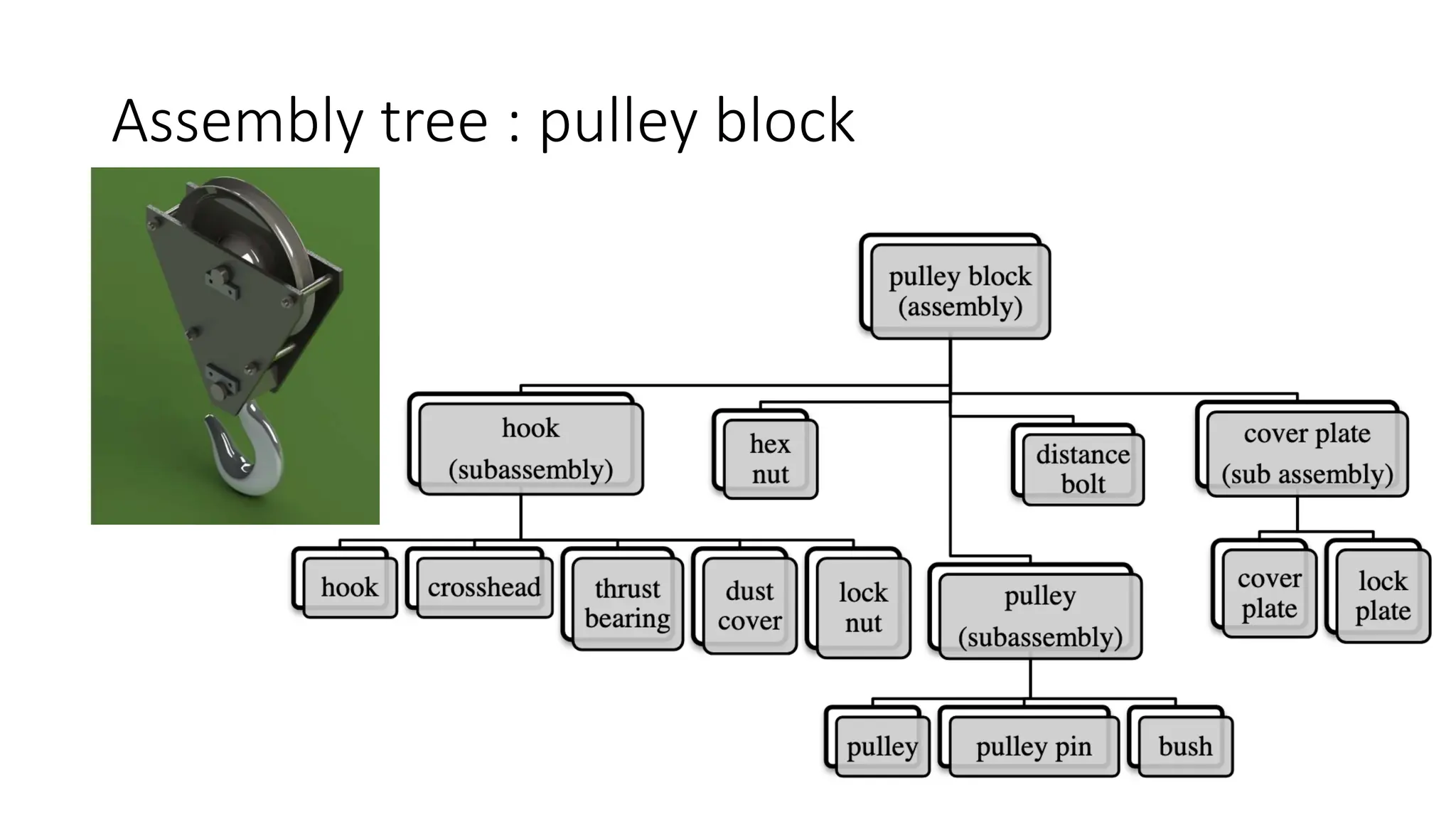
Assembly tree : pulley block
Structural layer
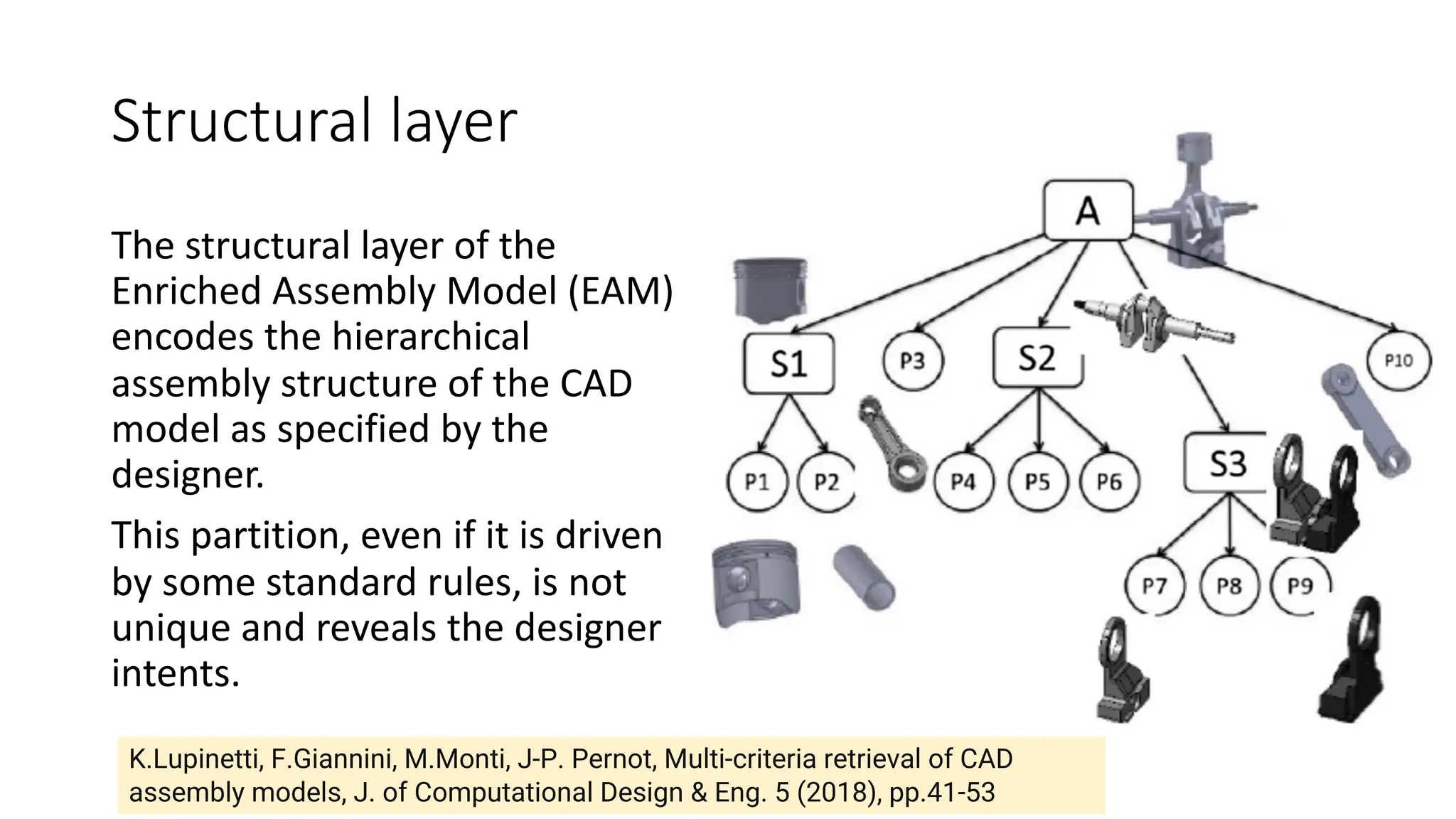
The structural layer of the
Enriched Assembly Model (EAM)
encodes the hierarchical
assembly structure of the CAD
model as specified by the
designer.
This partition, even if it is driven
by some standard rules, is not
unique and reveals the designer
intents.
K.Lupinetti, F.Giannini, M.Monti, J-P. Pernot, Multi-criteria retrieval of CAD
assembly models, J. of Computational Design & Eng. 5 (2018), pp.41-53
Possible relationships between parts
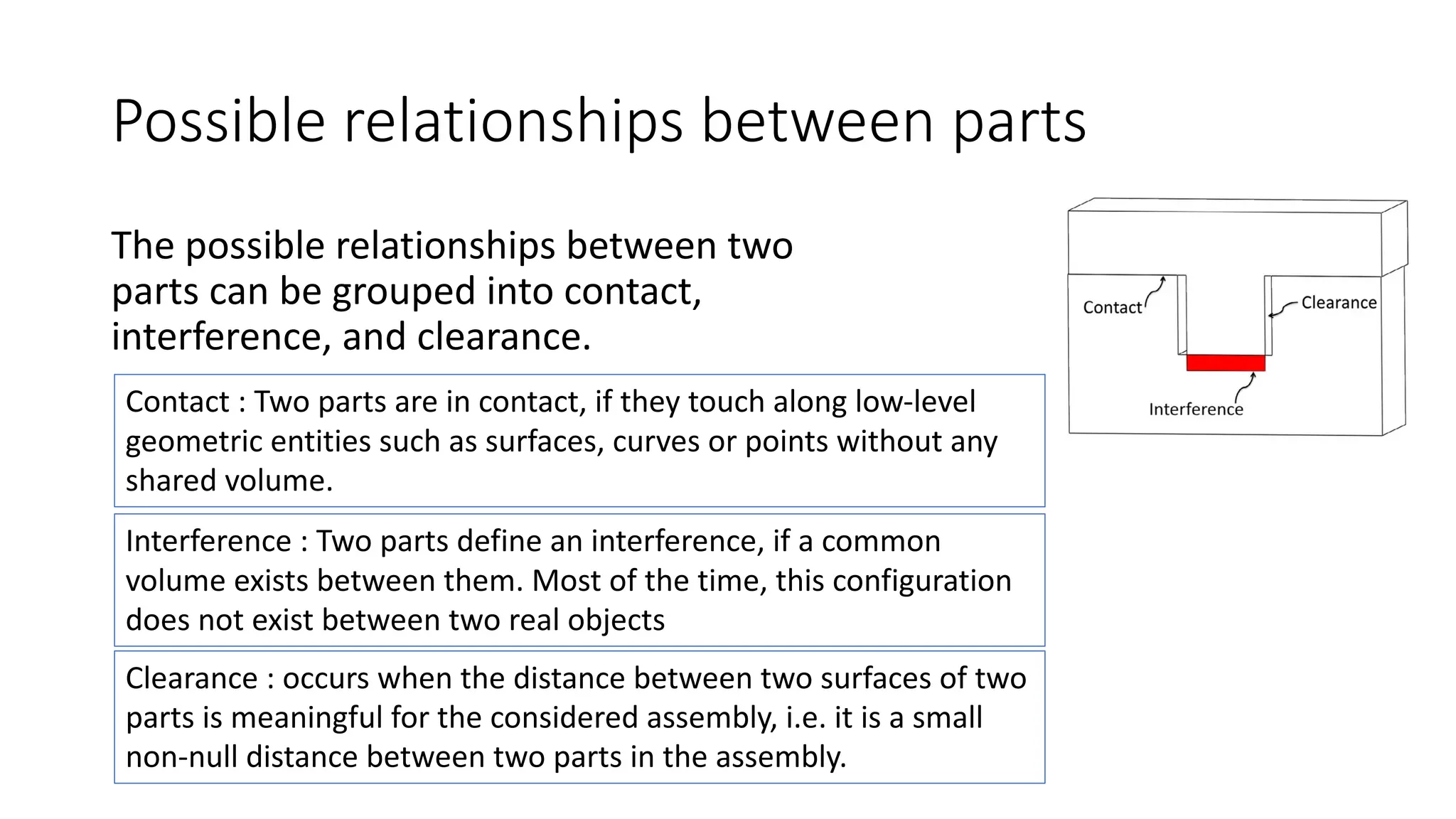
The possible relationships between two
parts can be grouped into contact,
interference, and clearance.
Contact : Two parts are in contact, if they touch along low-level
geometric entities such as surfaces, curves or points without any
shared volume.
Interference : Two parts define an interference, if a common
volume exists between them. Most of the time, this configuration
does not exist between two real objects
Clearance : occurs when the distance between two surfaces of two
parts is meaningful for the considered assembly, i.e. it is a small
non-null distance between two parts in the assembly.
DOF values according to the surface type
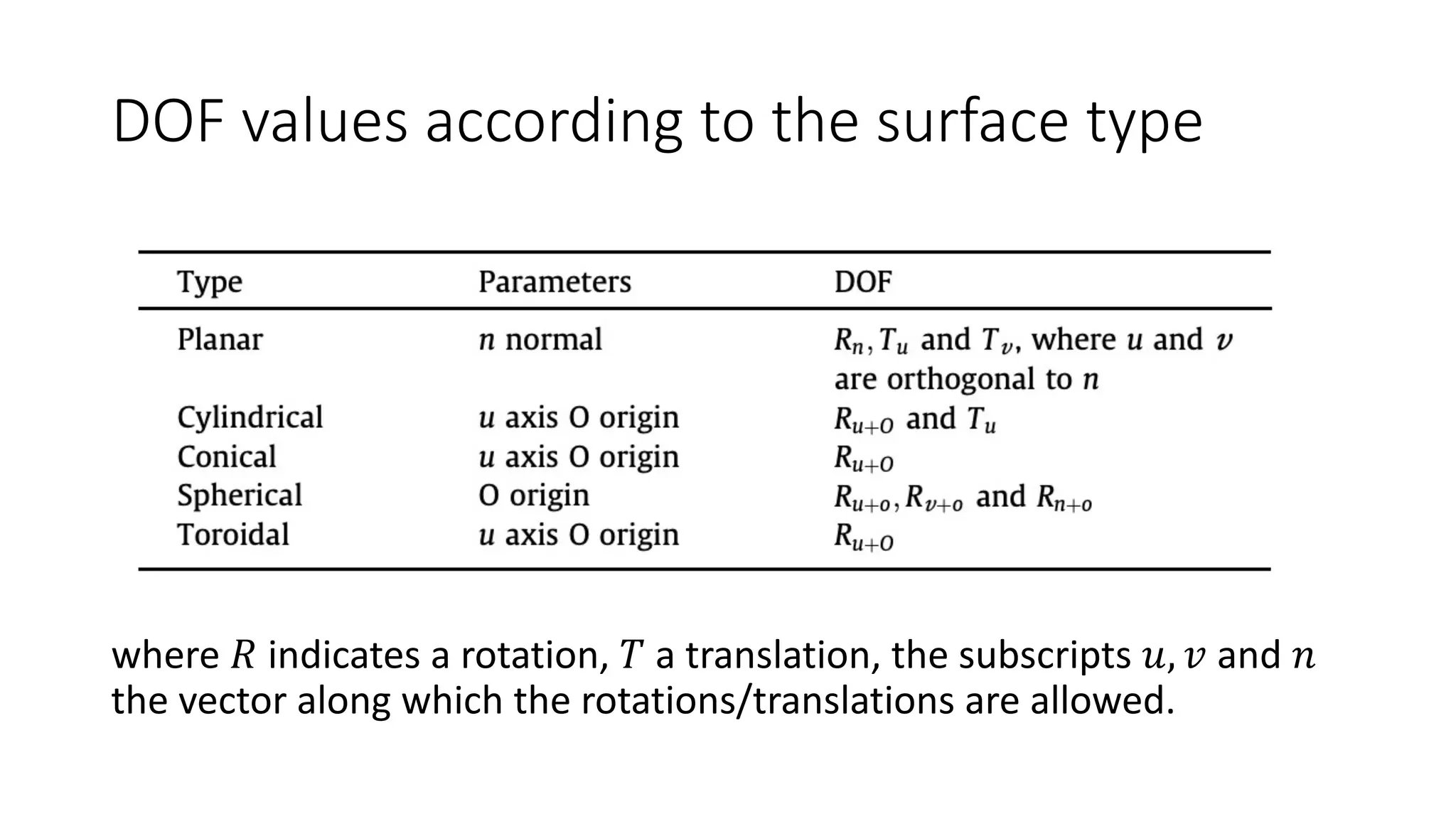
where 𝑅 indicates a rotation, 𝑇 a translation, the subscripts 𝑢, 𝑣 and 𝑛
the vector along which the rotations/translations are allowed.
Example
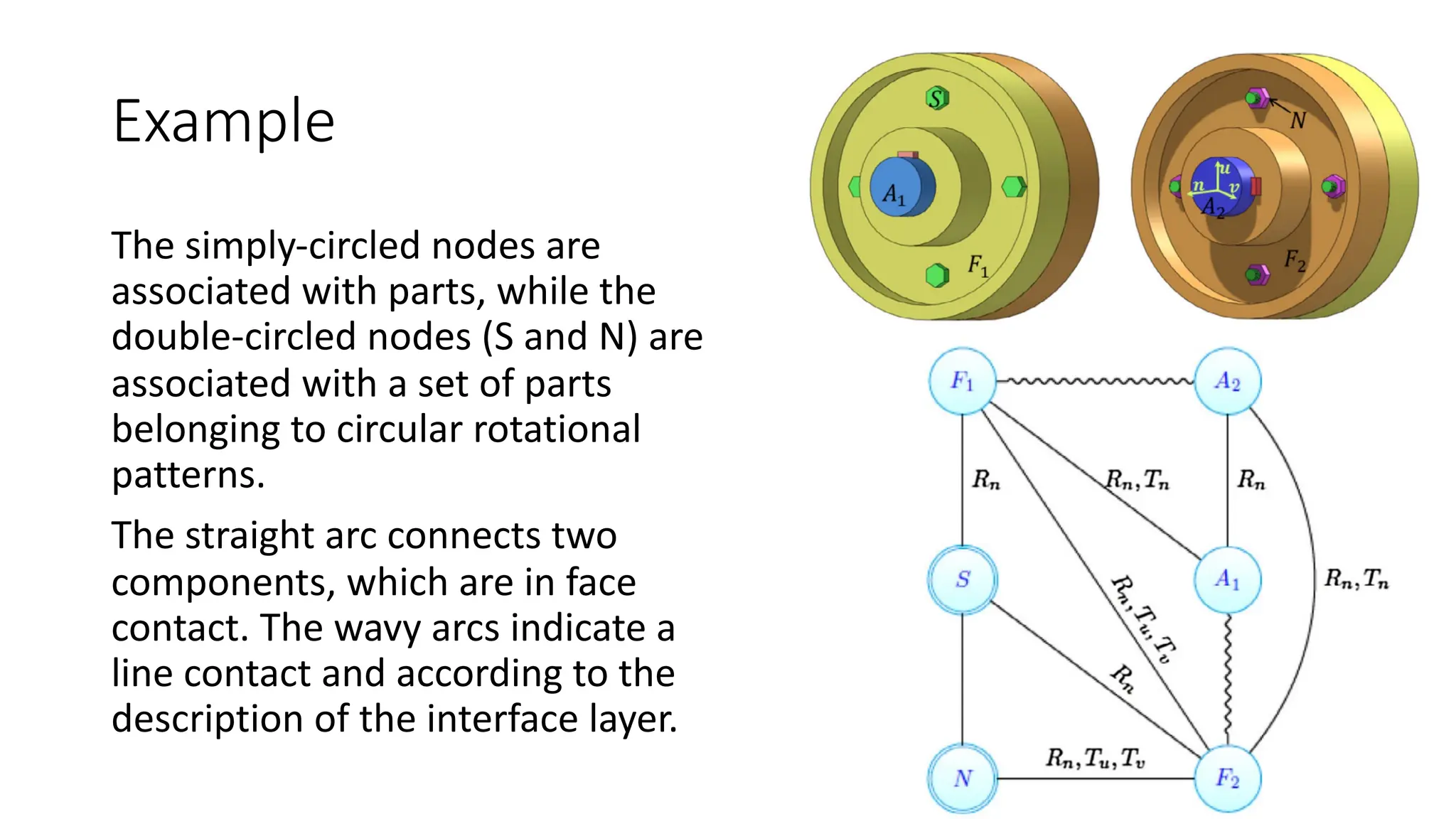
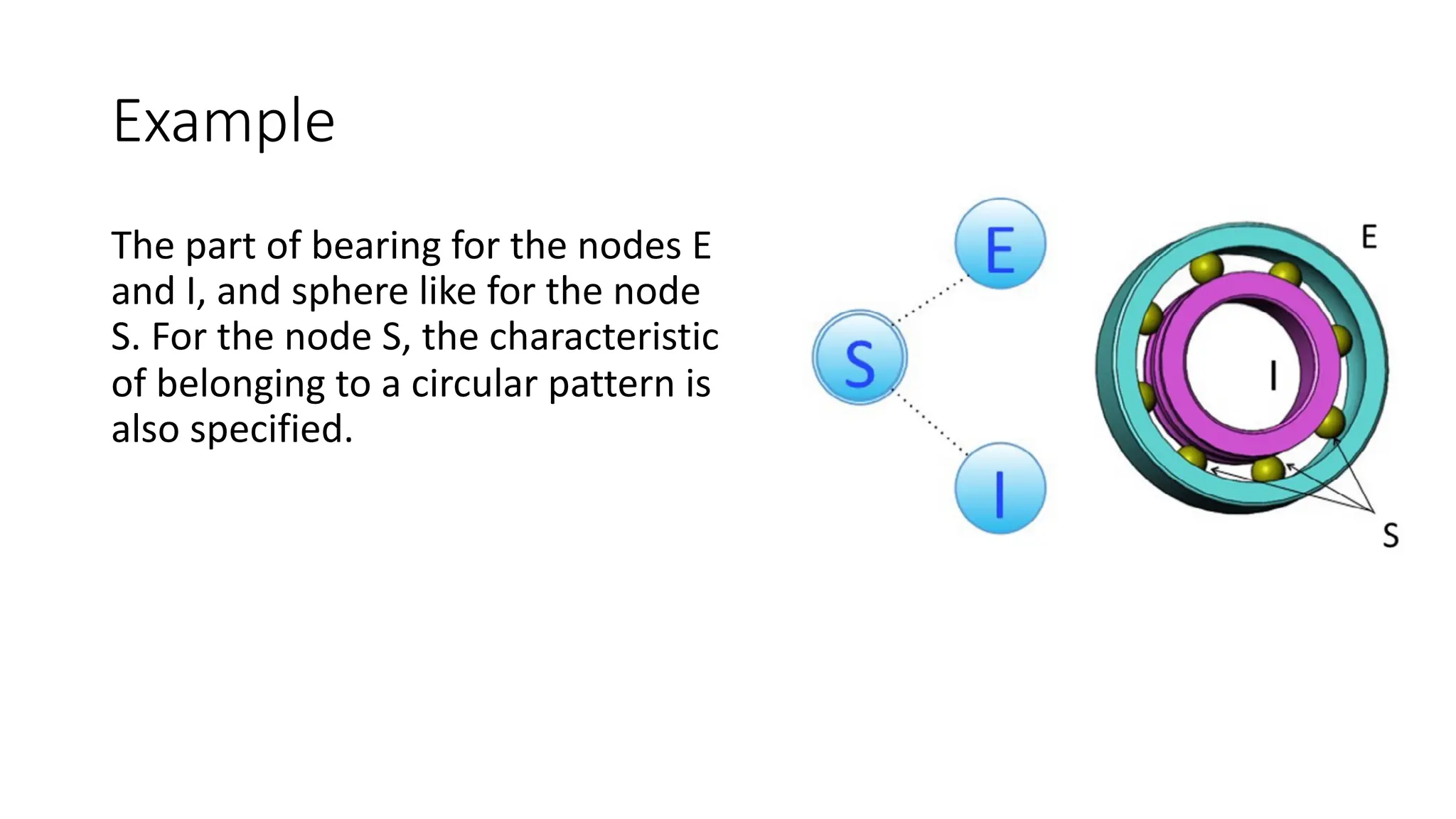
The simply-circled nodes are
associated with parts, while the
double-circled nodes (S and N) are
associated with a set of parts
belonging to circular rotational
patterns.
The straight arc connects two
components, which are in face
contact. The wavy arcs indicate a
line contact and according to the
description of the interface layer.
Example
The part of bearing for the nodes E
and I, and sphere like for the node
S. For the node S, the characteristic
of belonging to a circular pattern is
also specified.
Assembly hierarchy
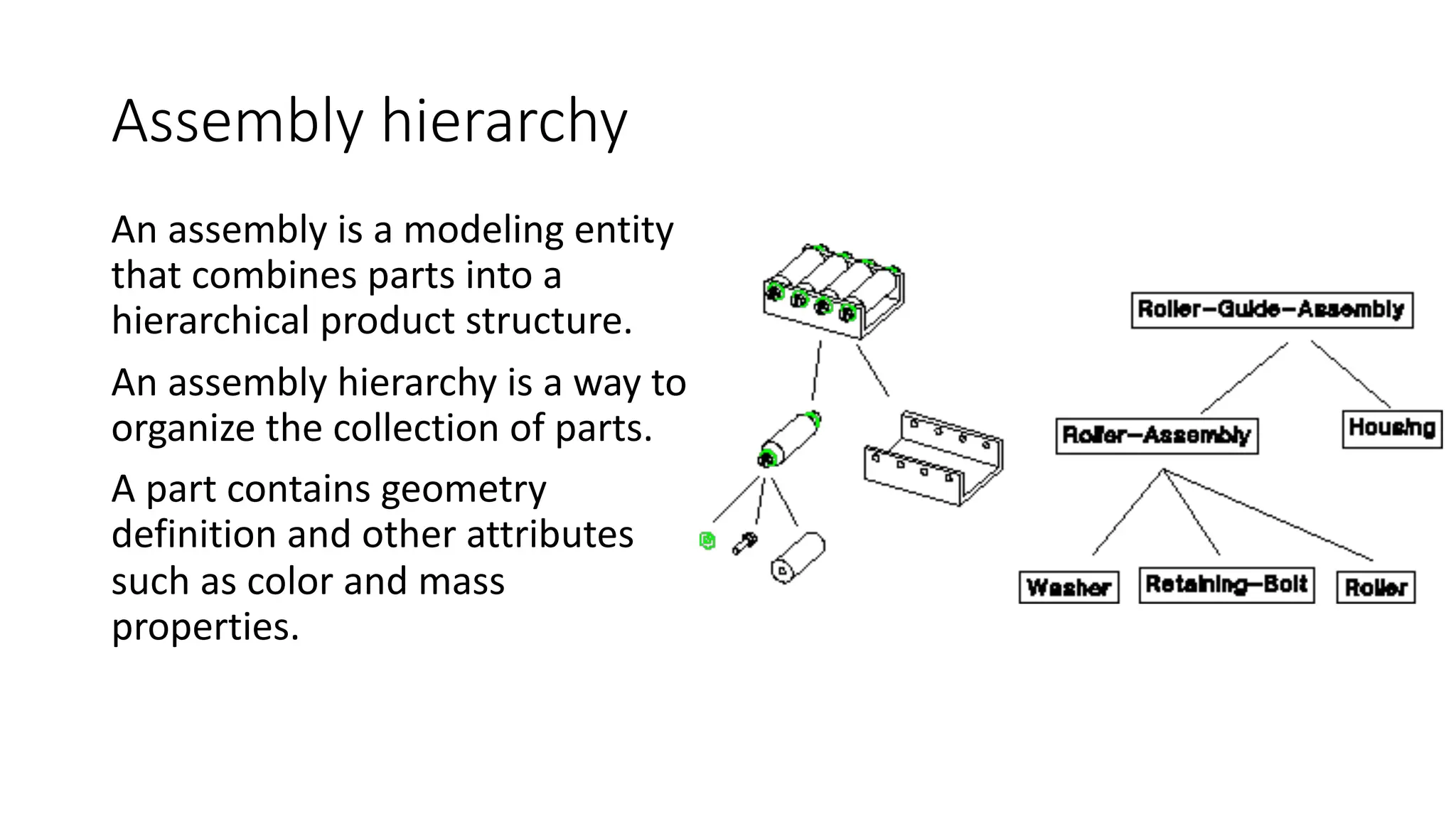
An assembly is a modeling entity
that combines parts into a
hierarchical product structure.
An assembly hierarchy is a way to
organize the collection of parts.
A part contains geometry
definition and other attributes
such as color and mass
properties.
Assembly hierarchy
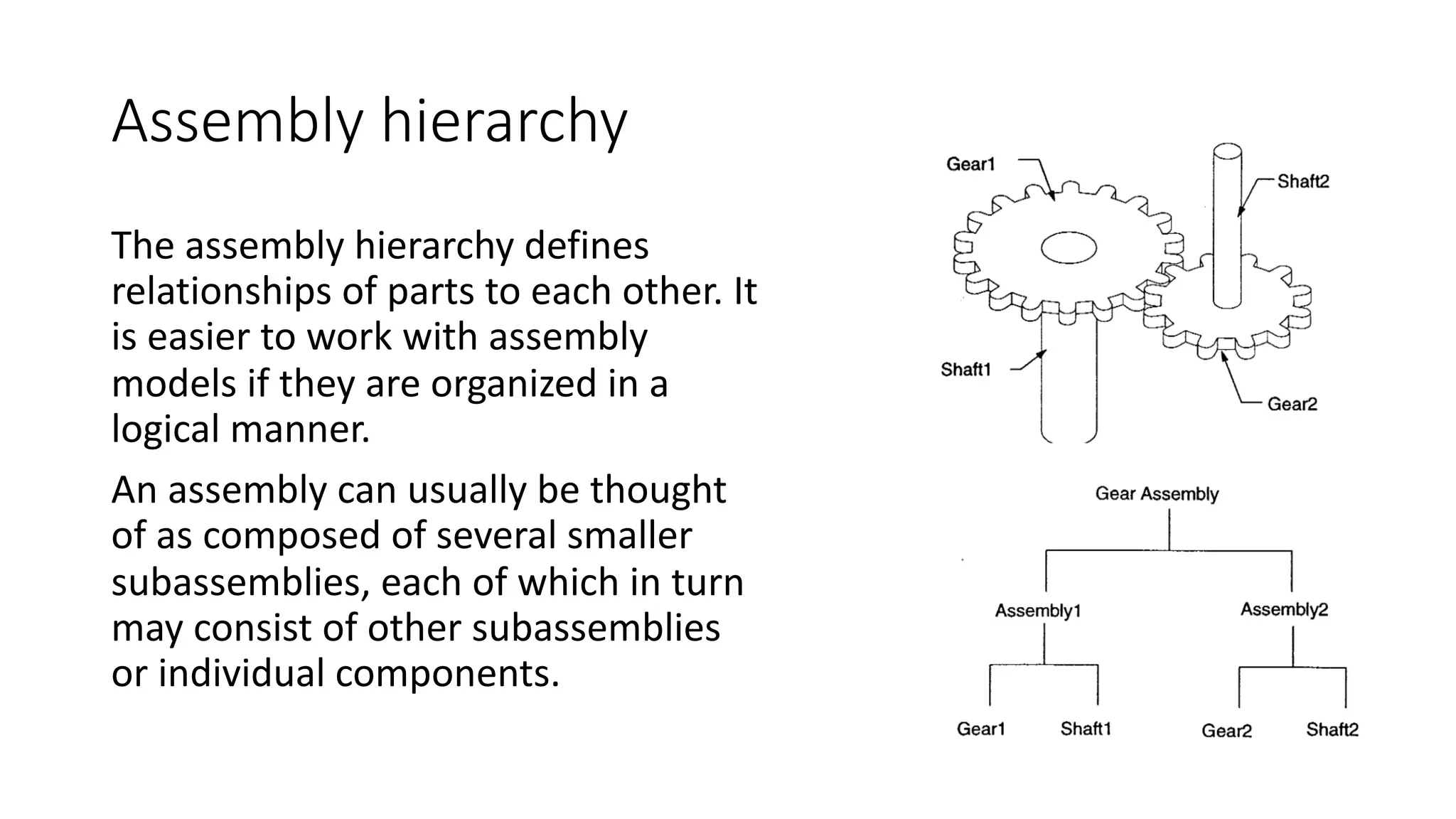
The assembly hierarchy defines
relationships of parts to each other. It
is easier to work with assembly
models if they are organized in a
logical manner.
An assembly can usually be thought
of as composed of several smaller
subassemblies, each of which in turn
may consist of other subassemblies
or individual components.
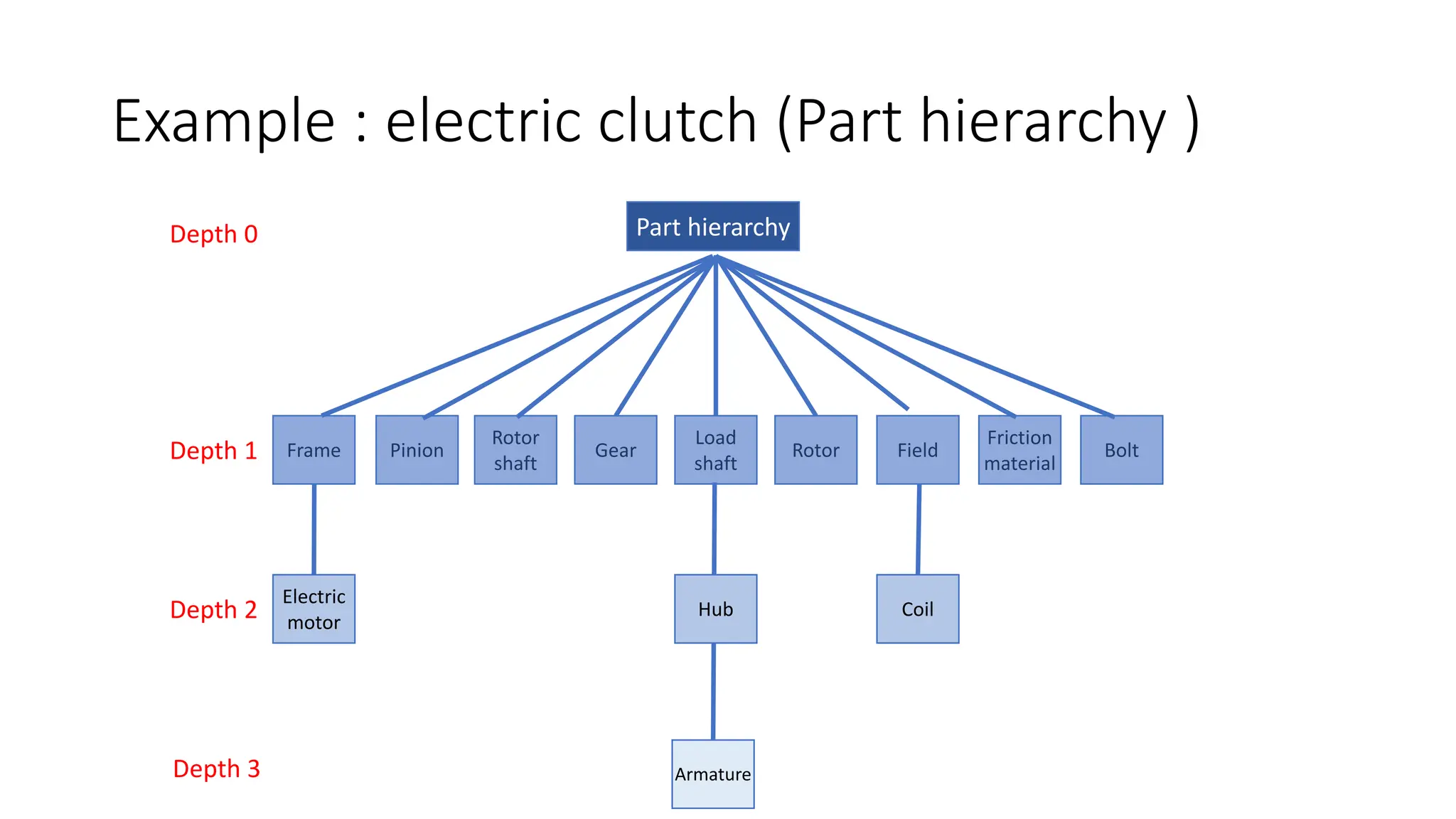
Example : electric clutch (Part hierarchy )
Frame Pinion
Electric
motor
Rotor
shaft
Gear
Load
shaft
Rotor Field
Armature
Friction
material
Bolt
Part hierarchy
Depth 1
Depth 0
Depth 2
Depth 3
Hub Coil
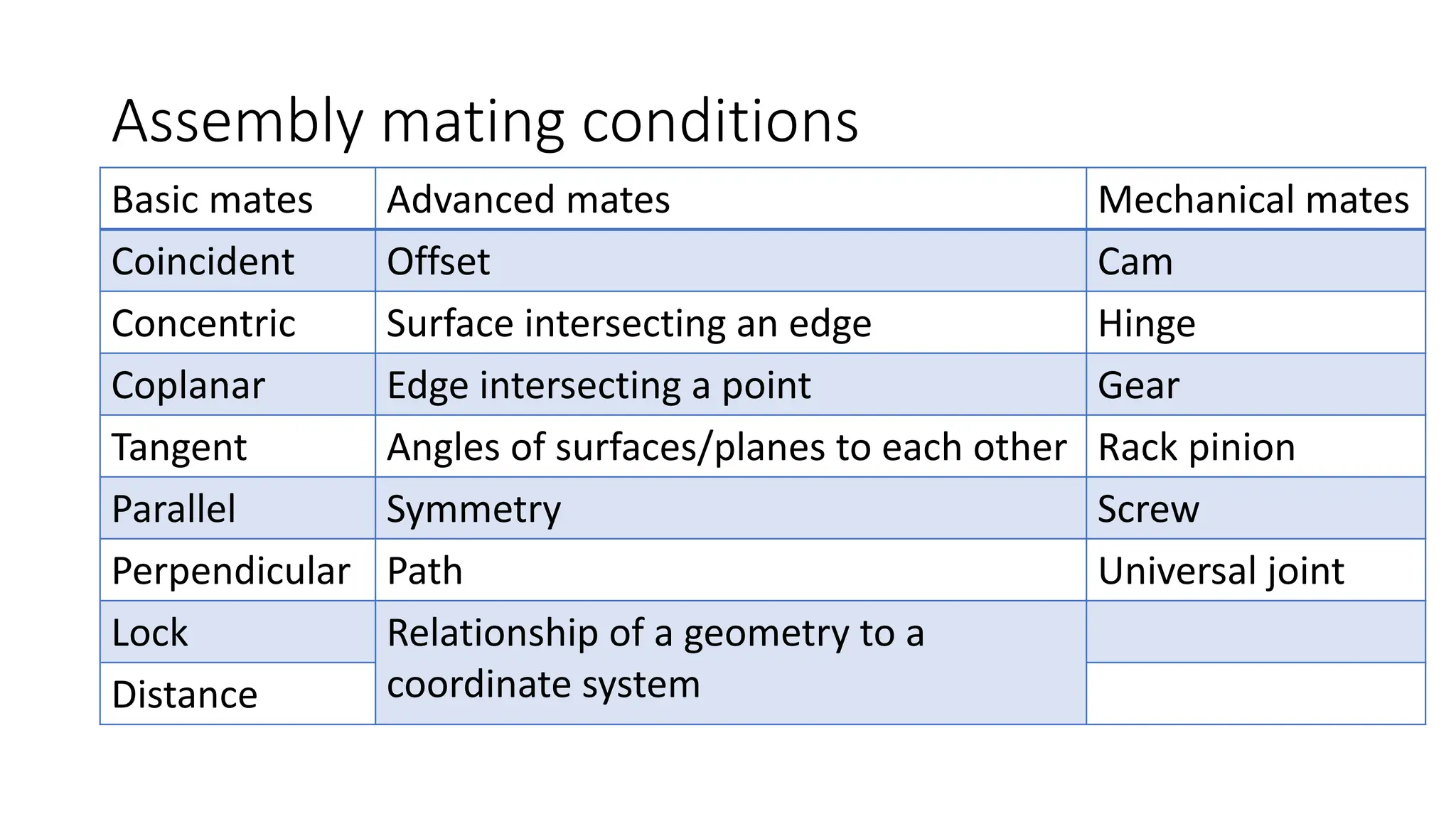
Assembly mating conditions
Basic mates Advanced mates Mechanical mates
Coincident Offset Cam
Concentric Surface intersecting an edge Hinge
Coplanar Edge intersecting a point Gear
Tangent Angles of surfaces/planes to each other Rack pinion
Parallel Symmetry Screw
Perpendicular Path Universal joint
Lock Relationship of a geometry to a
coordinate system
Distance
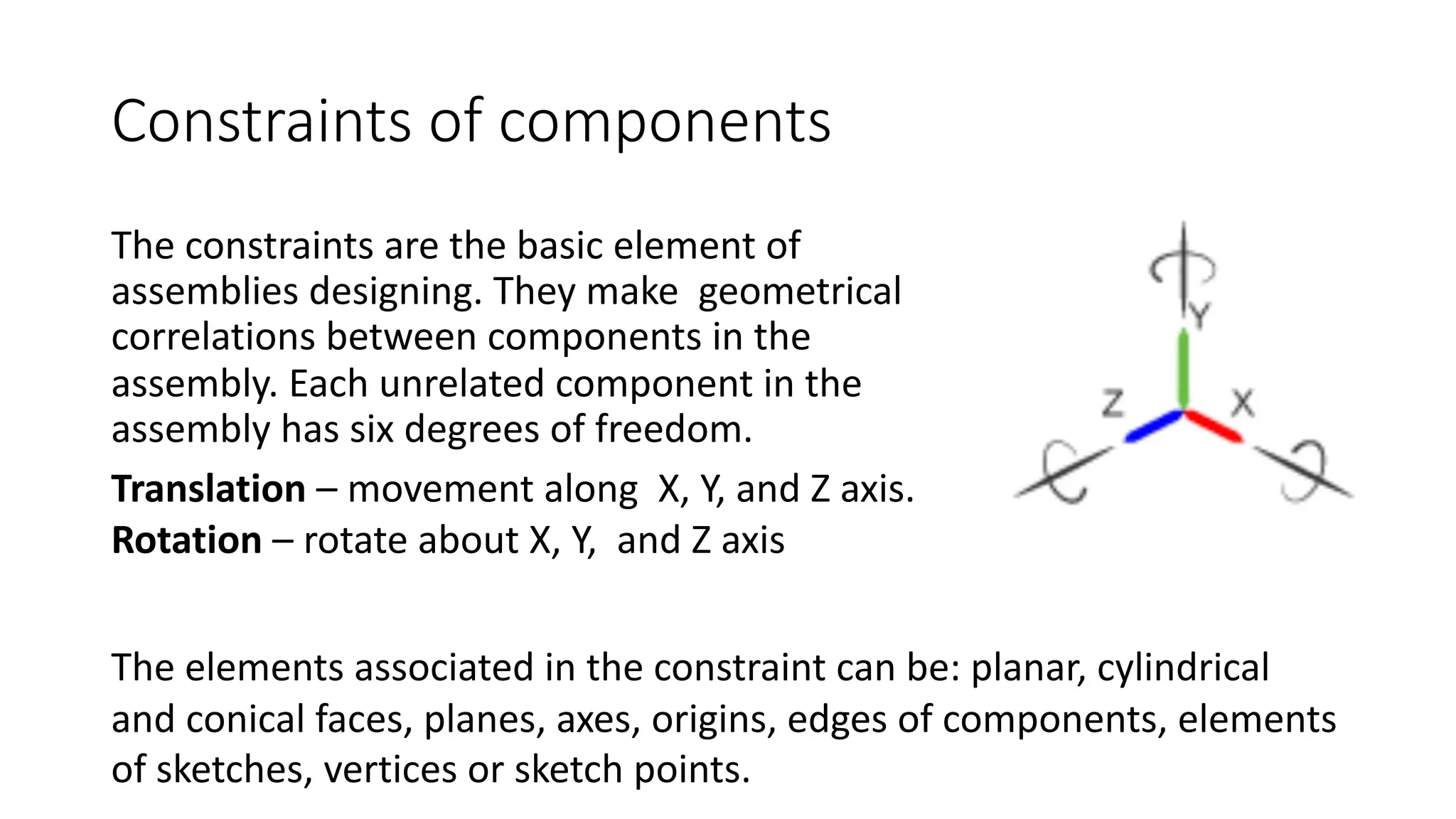
Constraints of components
The constraints are the basic element of
assemblies designing. They make geometrical
correlations between components in the
assembly. Each unrelated component in the
assembly has six degrees of freedom.
The elements associated in the constraint can be: planar, cylindrical
and conical faces, planes, axes, origins, edges of components, elements
of sketches, vertices or sketch points.
Translation – movement along X, Y, and Z axis.
Rotation – rotate about X, Y, and Z axis
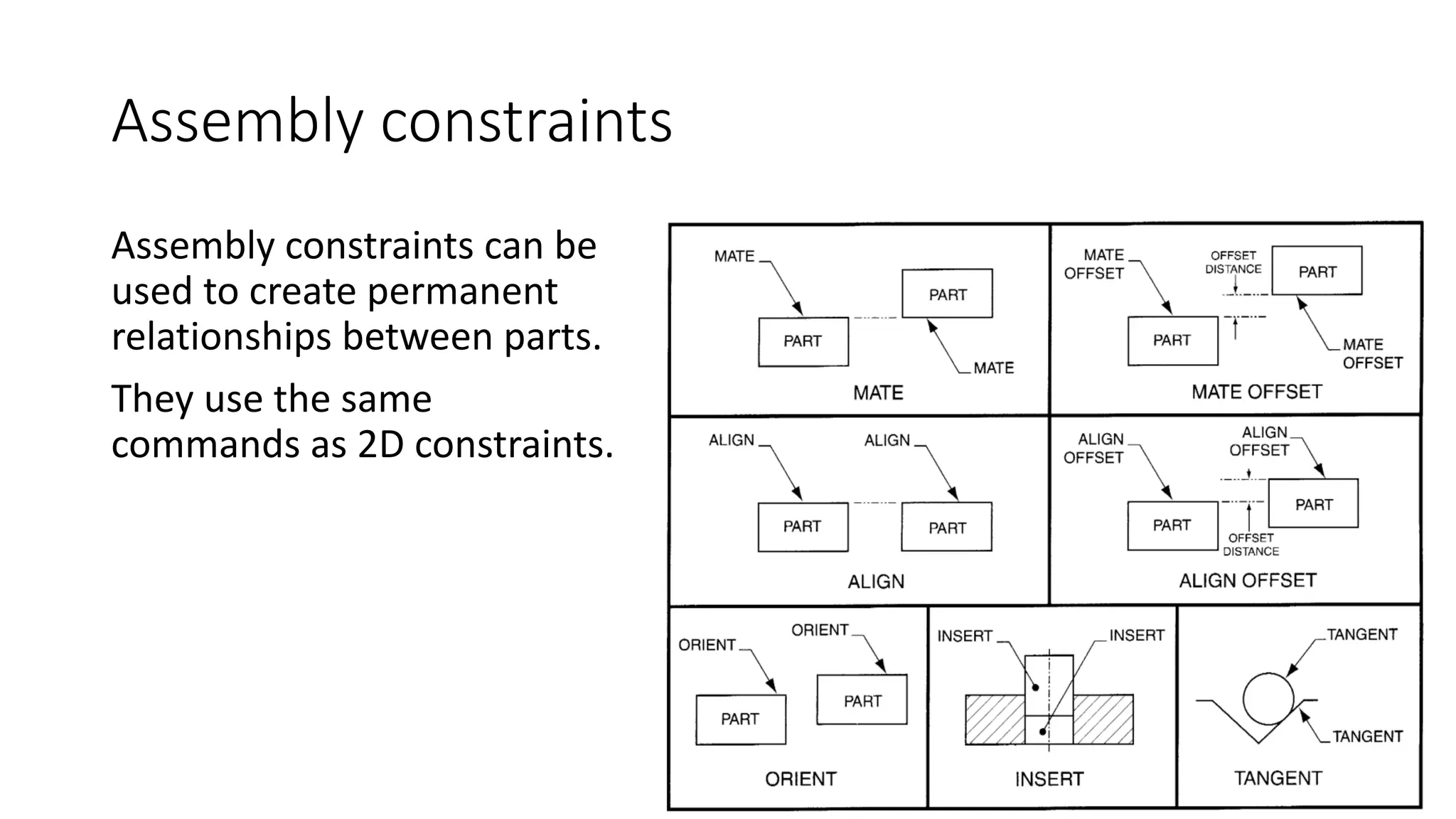
Assembly constraints
Assembly constraints can be
used to create permanent
relationships between parts.
They use the same
commands as 2D constraints.
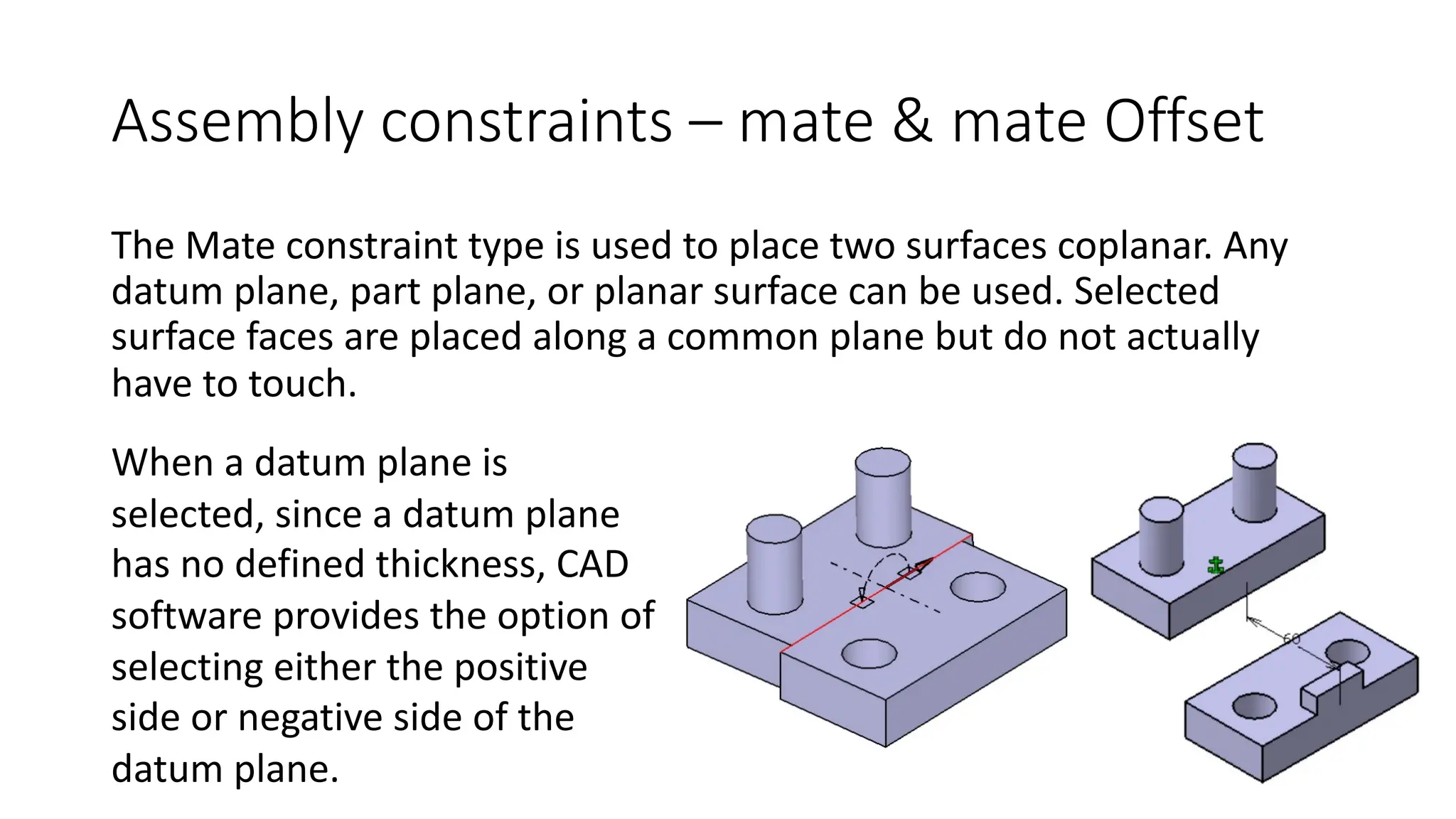
Assembly constraints – mate & mate Offset
The Mate constraint type is used to place two surfaces coplanar. Any
datum plane, part plane, or planar surface can be used. Selected
surface faces are placed along a common plane but do not actually
have to touch.
When a datum plane is
selected, since a datum plane
has no defined thickness, CAD
software provides the option of
selecting either the positive
side or negative side of the
datum plane.
Assembly constraints – mate & mate offset
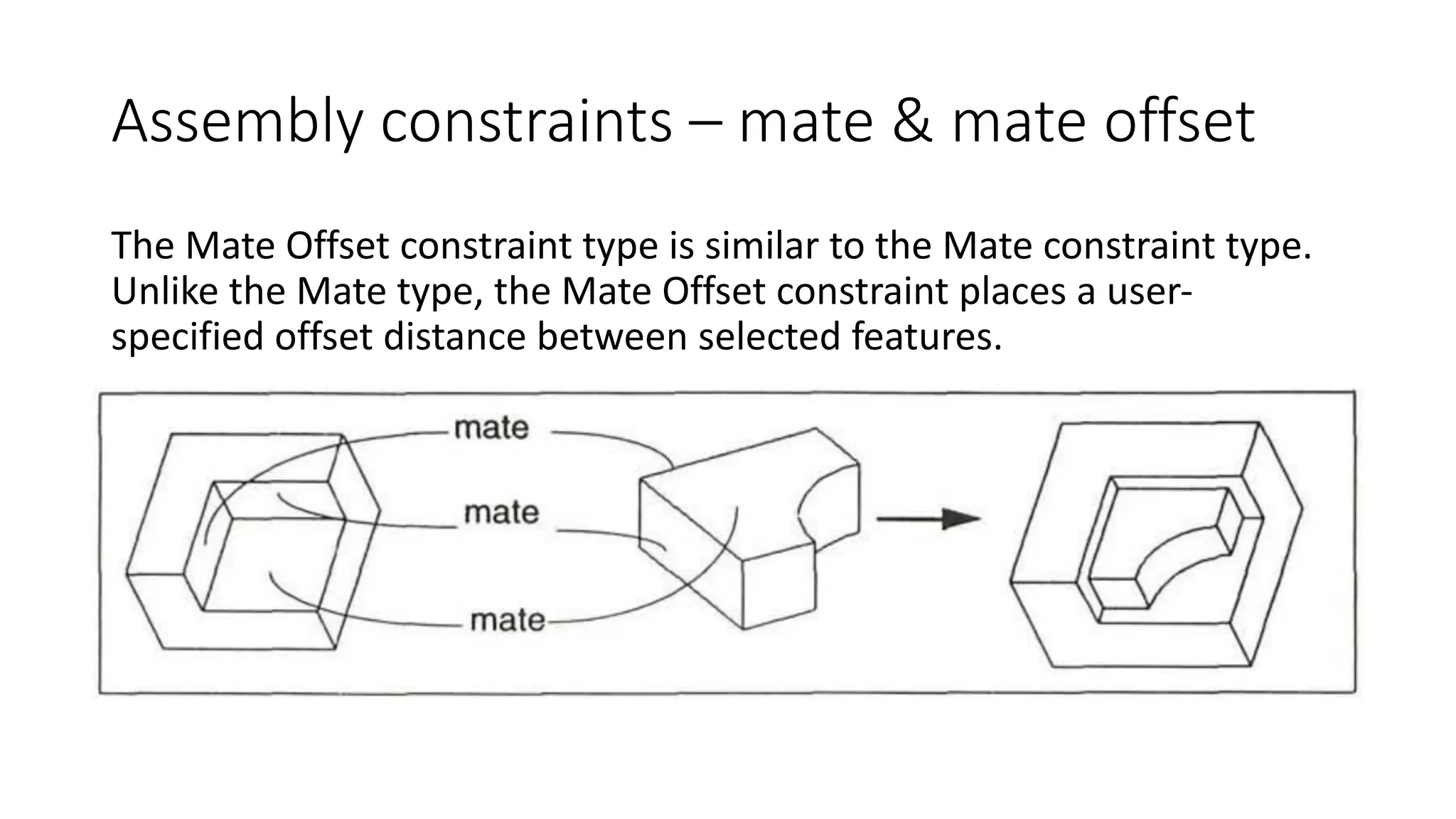
The Mate Offset constraint type is similar to the Mate constraint type.
Unlike the Mate type, the Mate Offset constraint places a user-
specified offset distance between selected features.
Assembly constraints – align & align offset
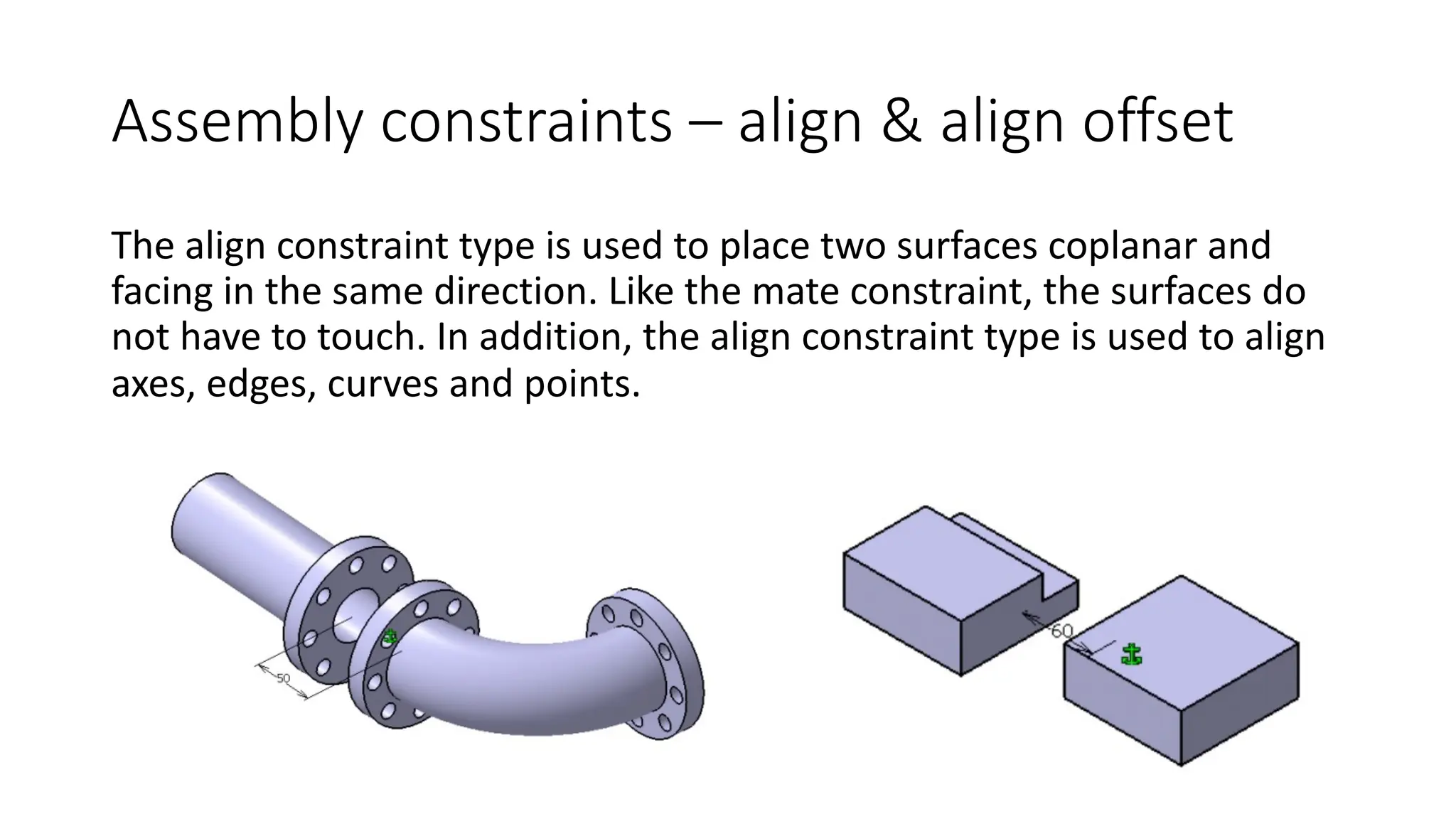
The align constraint type is used to place two surfaces coplanar and
facing in the same direction. Like the mate constraint, the surfaces do
not have to touch. In addition, the align constraint type is used to align
axes, edges, curves and points.
Assembly constraints - Insert
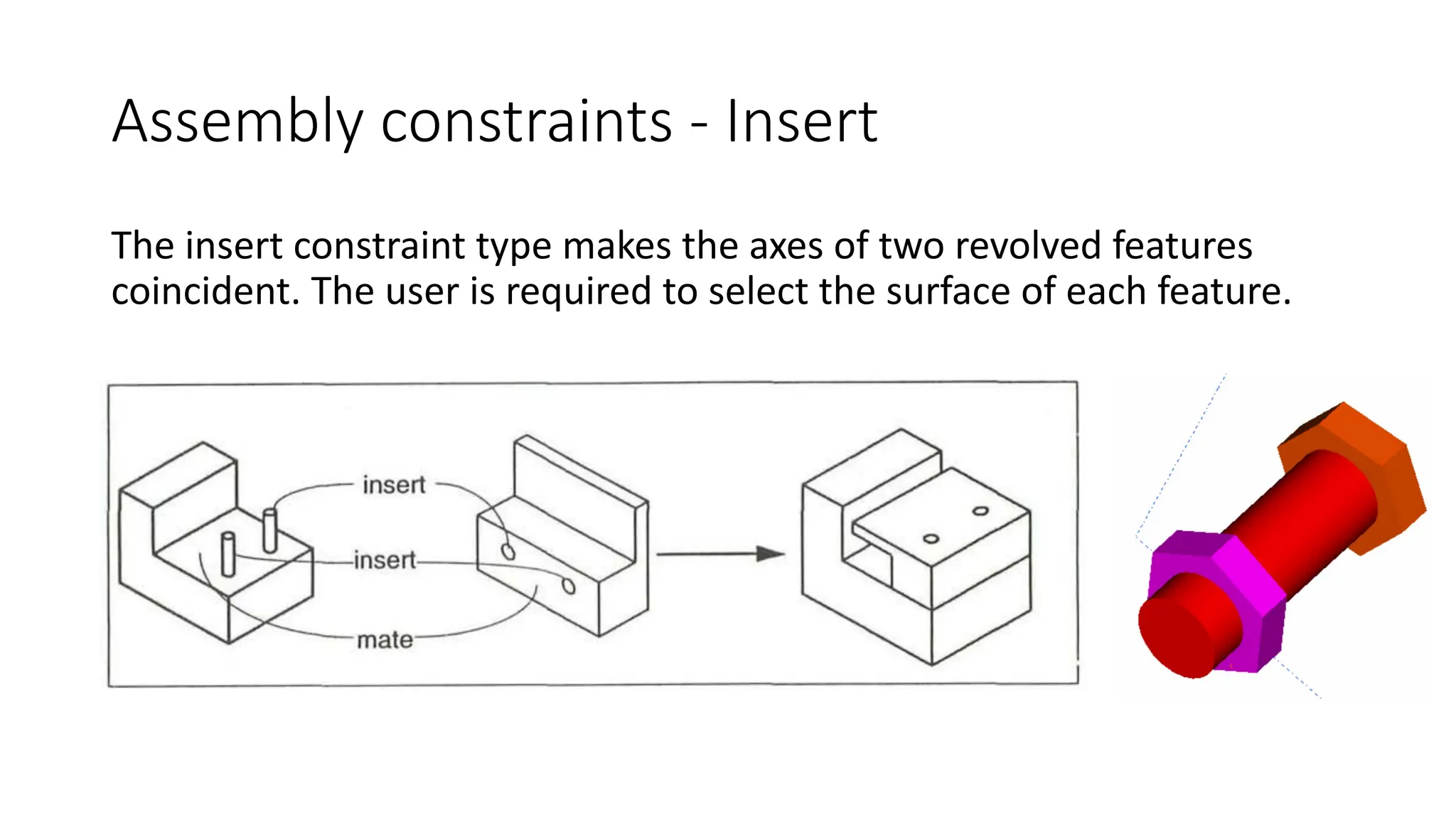
The insert constraint type makes the axes of two revolved features
coincident. The user is required to select the surface of each feature.
Assembly constraints – align & align offset
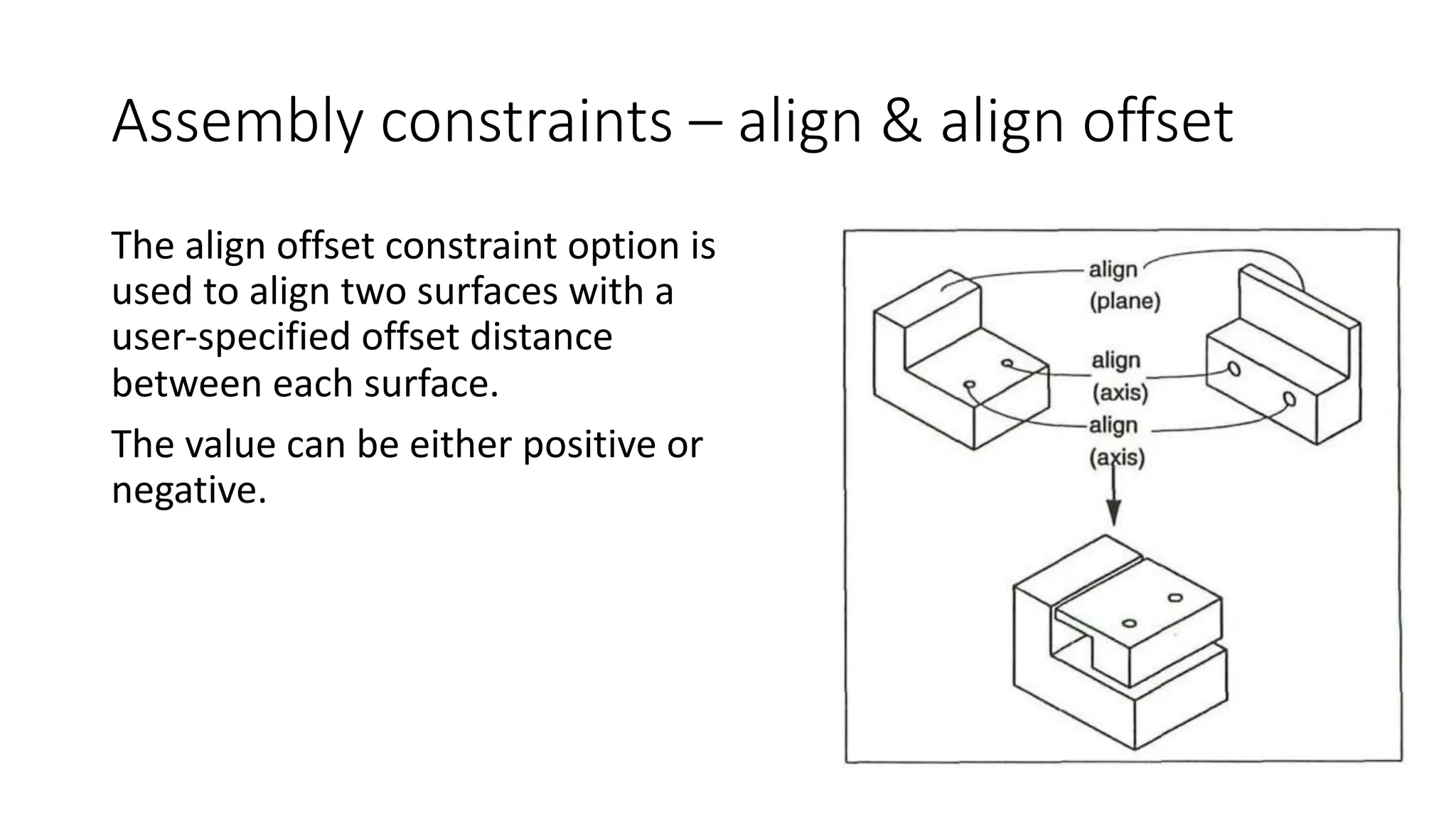
The align offset constraint option is
used to align two surfaces with a
user-specified offset distance
between each surface.
The value can be either positive or
negative.
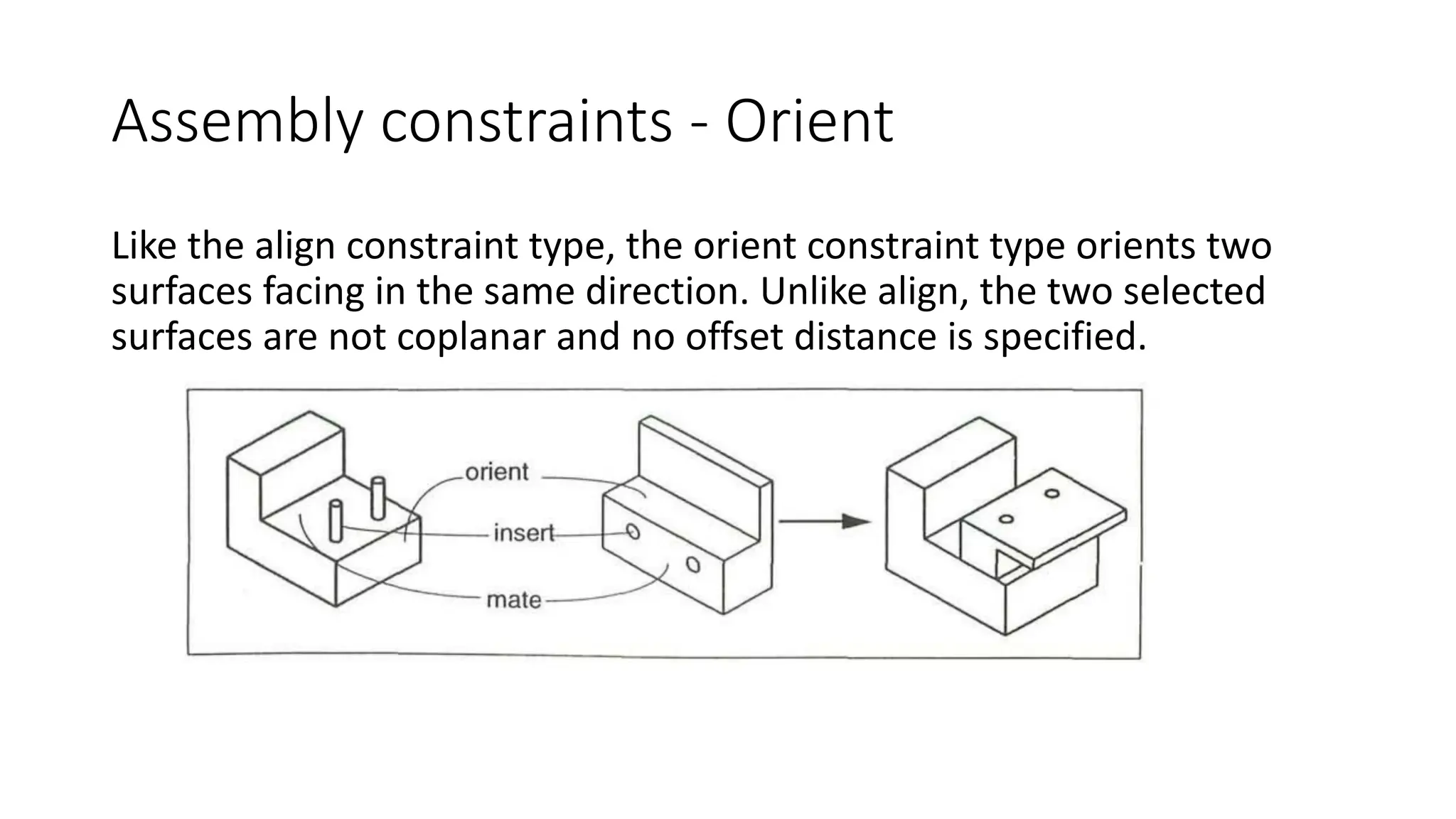
Assembly constraints - Orient
Like the align constraint type, the orient constraint type orients two
surfaces facing in the same direction. Unlike align, the two selected
surfaces are not coplanar and no offset distance is specified.
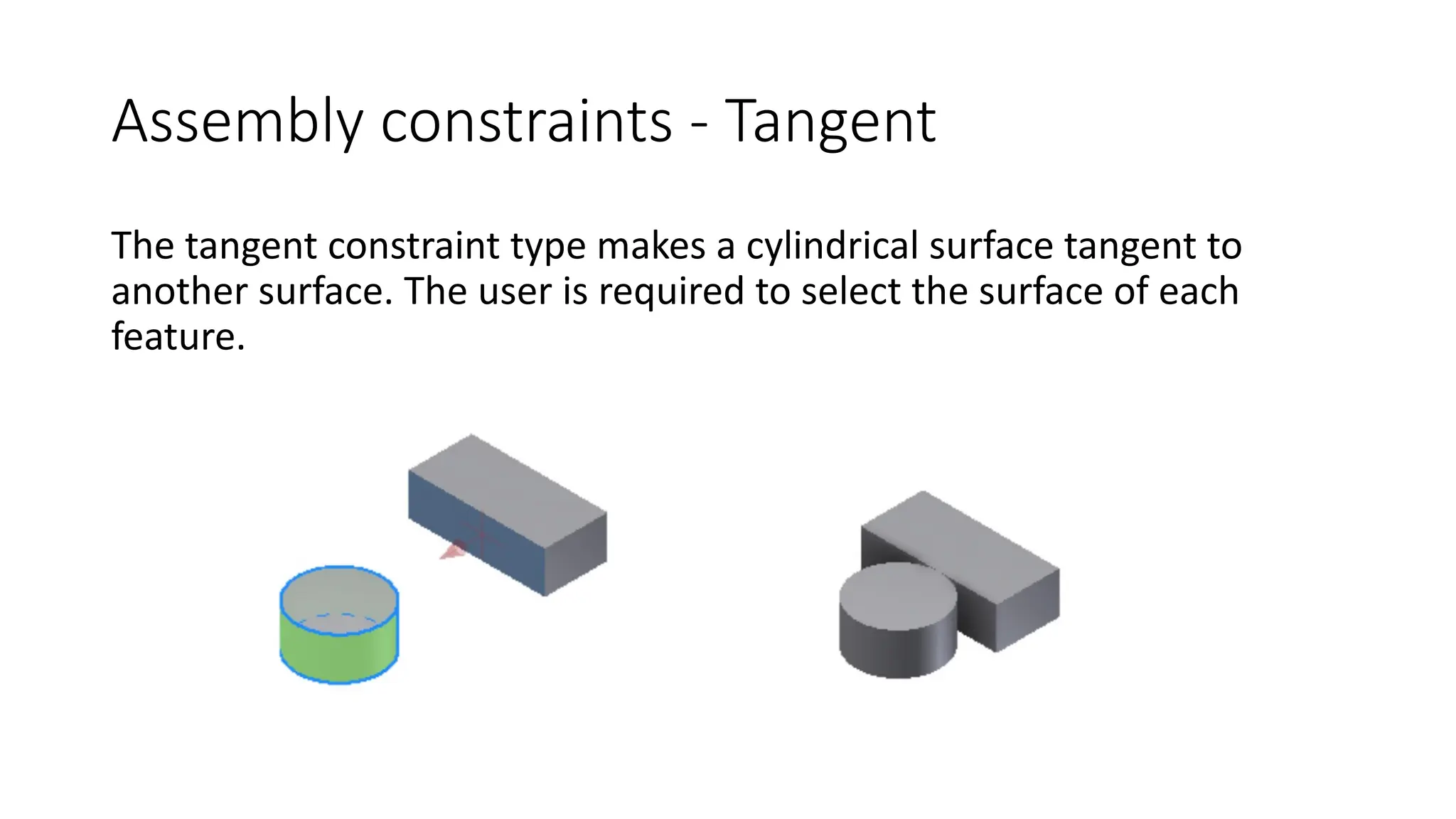
Assembly constraints - Tangent
The tangent constraint type makes a cylindrical surface tangent to
another surface. The user is required to select the surface of each
feature.
Positioning Parts in an Assembly
Parts can be positioned by translating and rotating them into the right
locations. This requires careful measurement of relative locations,
knowledge of coordinate systems, and entry of numerical values. If
position or dimensions of one part change, this has to be redone.
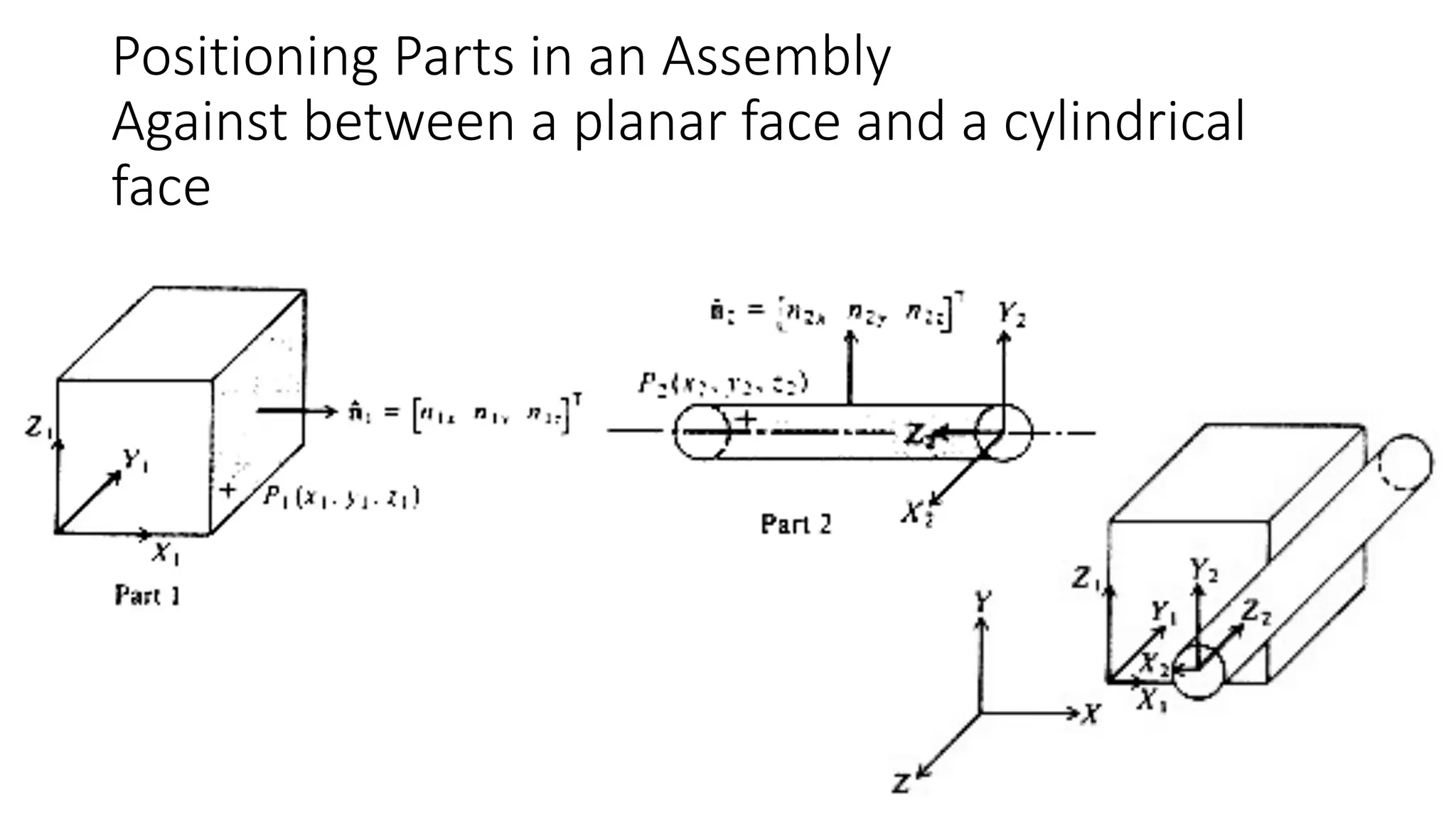
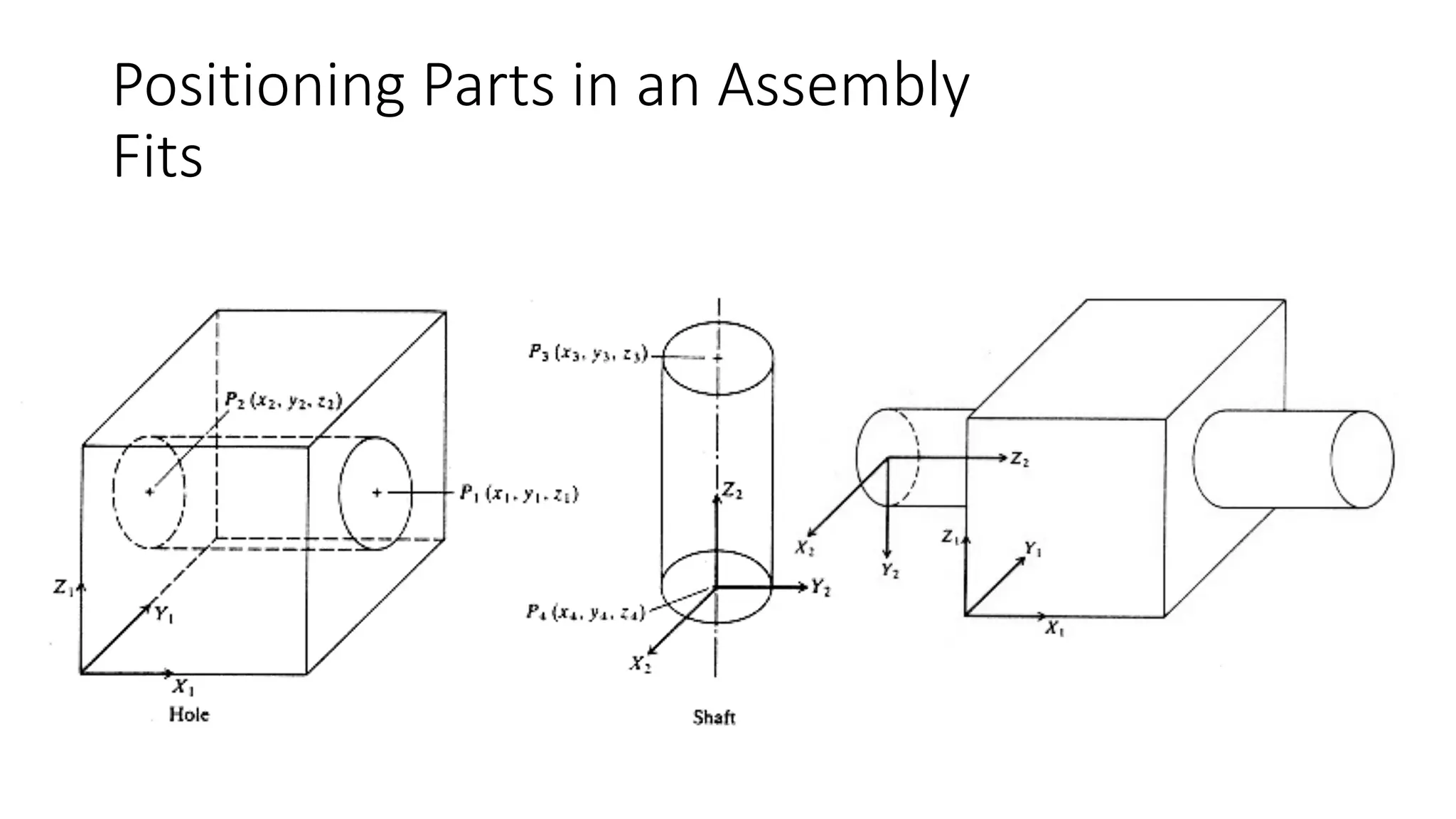
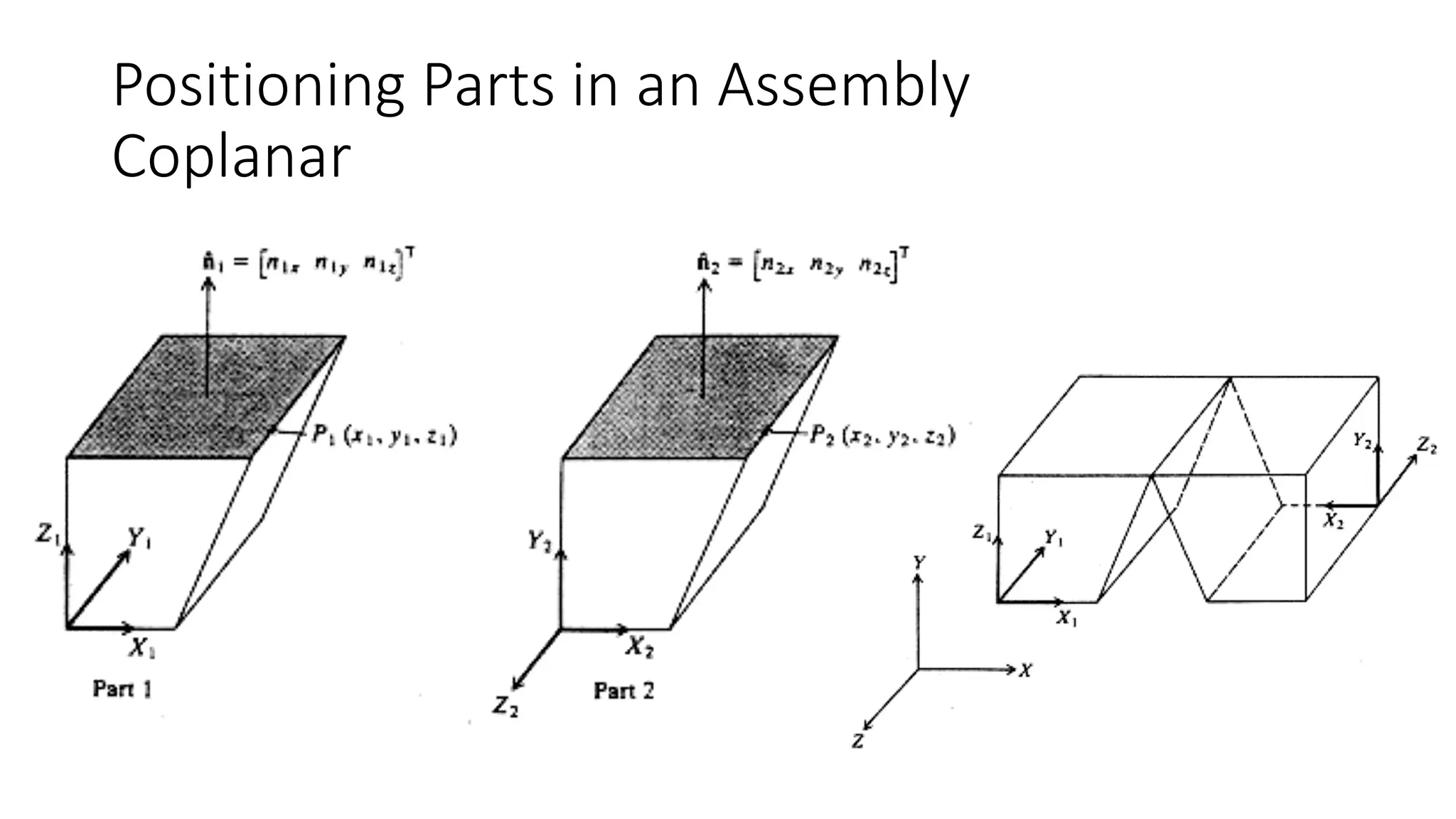
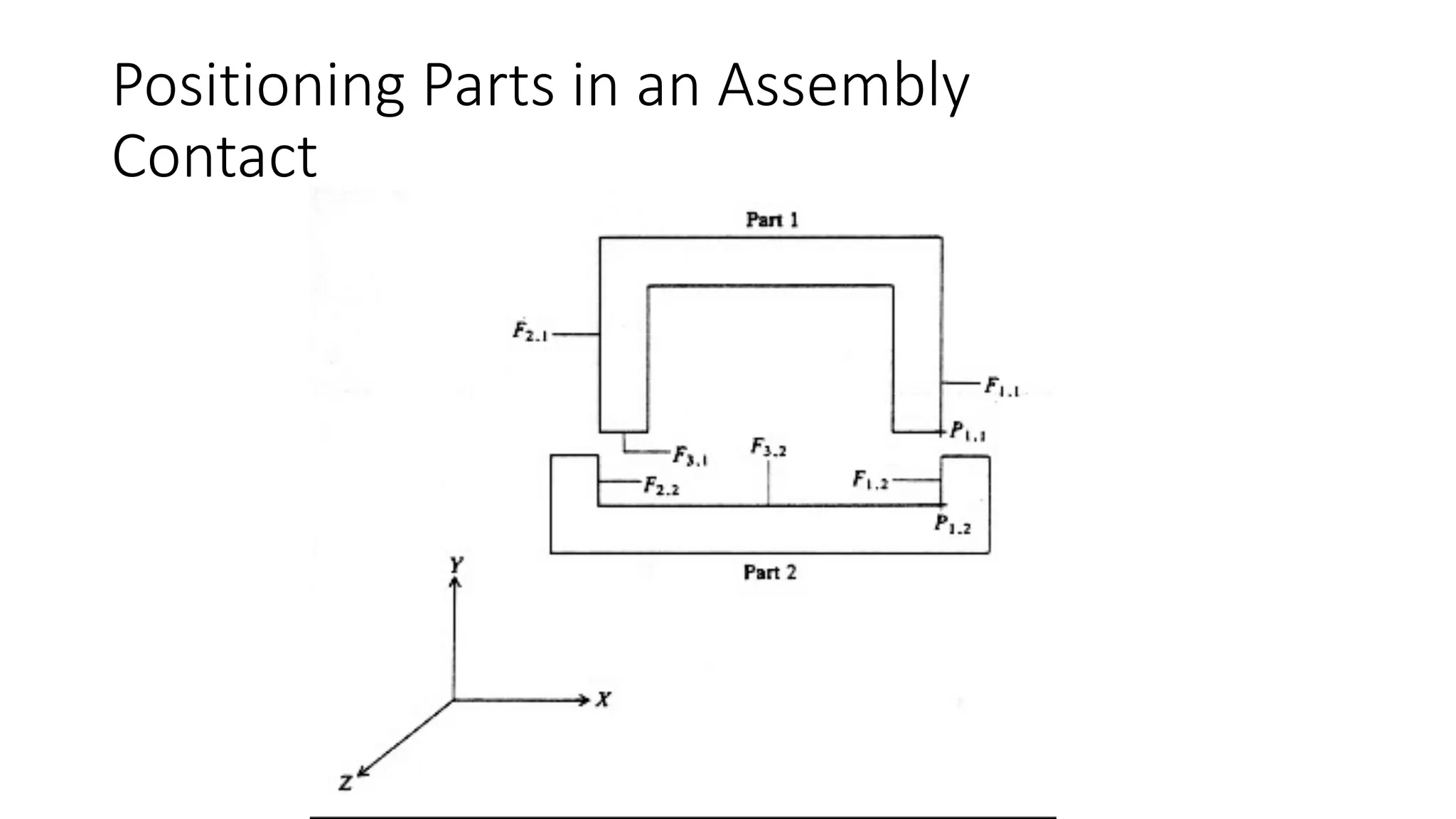
Mating feature types:
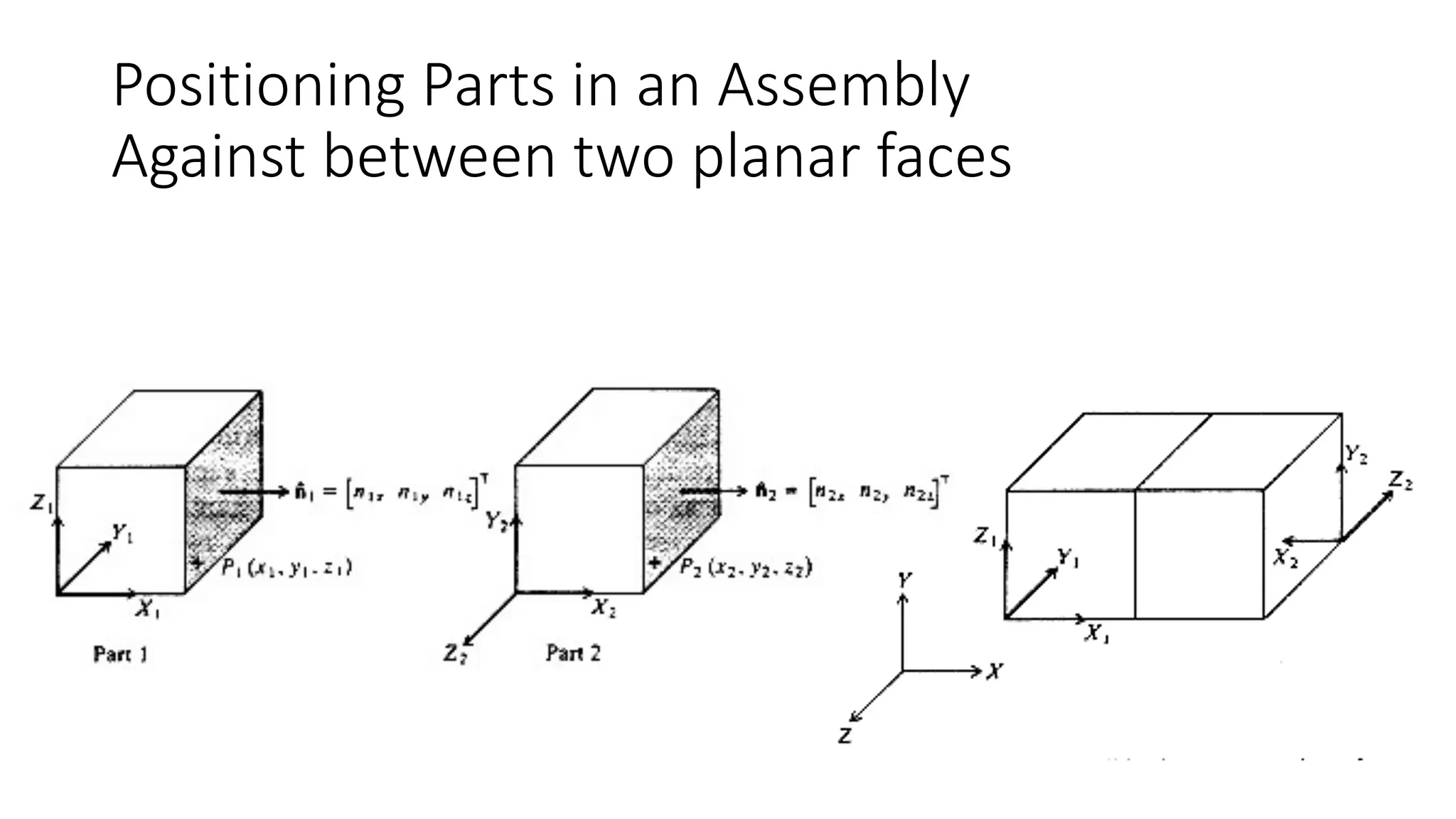
Ø Against : two normal vectors are in against directions
Ø Fits : between two cylinders: center lines are concentric
Ø Contact : requires two points correspond
Ø Coplanar : two normal vectors are parallel
Positioning Parts in an Assembly
Against between two planar faces
Positioning Parts in an Assembly
Against between a planar face and a cylindrical
face
Positioning Parts in an Assembly
Fits
Positioning Parts in an Assembly
Contact
Positioning Parts in an Assembly
Coplanar
Basic Properties of Transforms
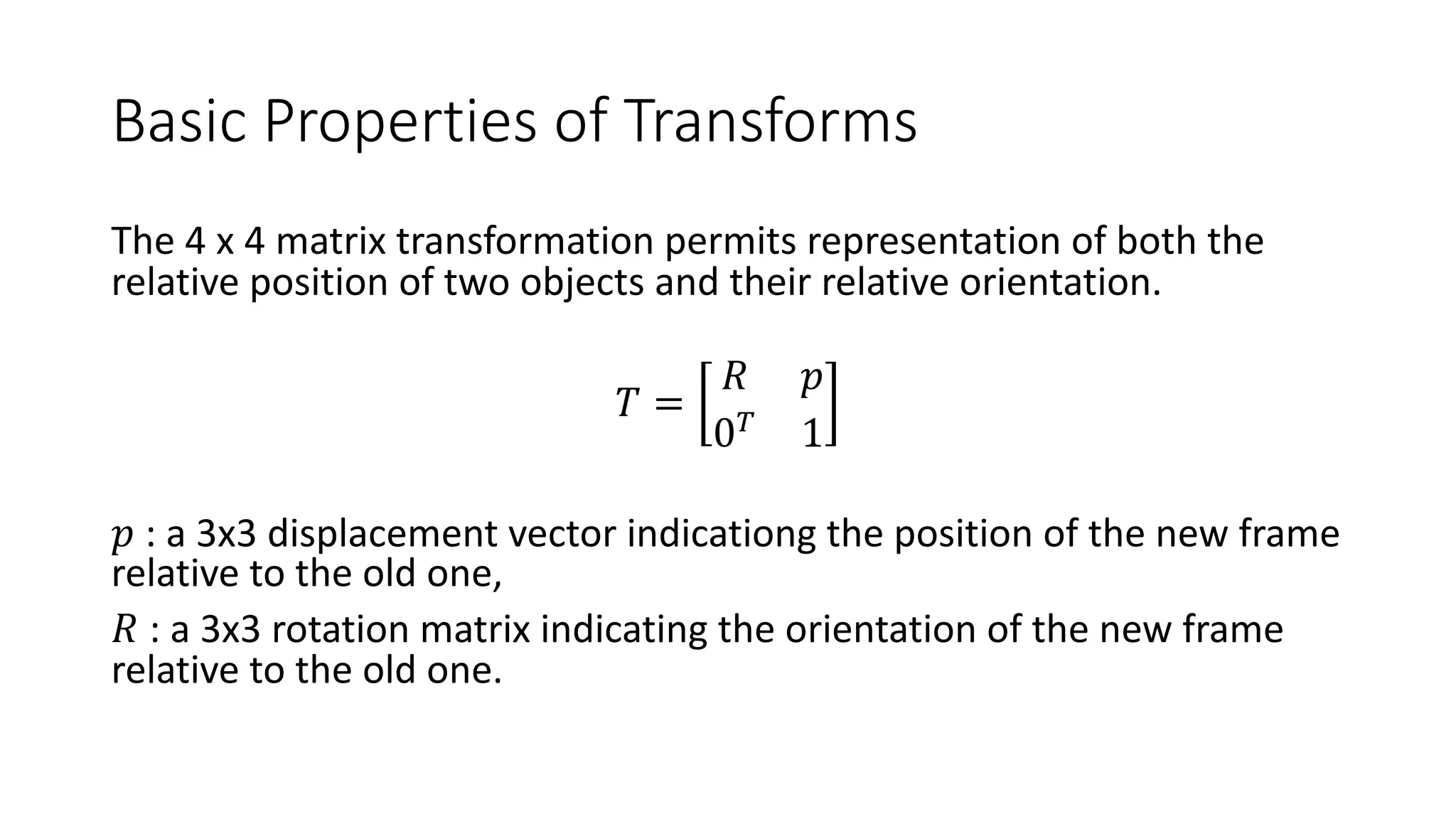
The 4 x 4 matrix transformation permits representation of both the
relative position of two objects and their relative orientation.
𝑇 =
𝑅 𝑝
0!
1
𝑝 : a 3x3 displacement vector indicationg the position of the new frame
relative to the old one,
𝑅 : a 3x3 rotation matrix indicating the orientation of the new frame
relative to the old one.
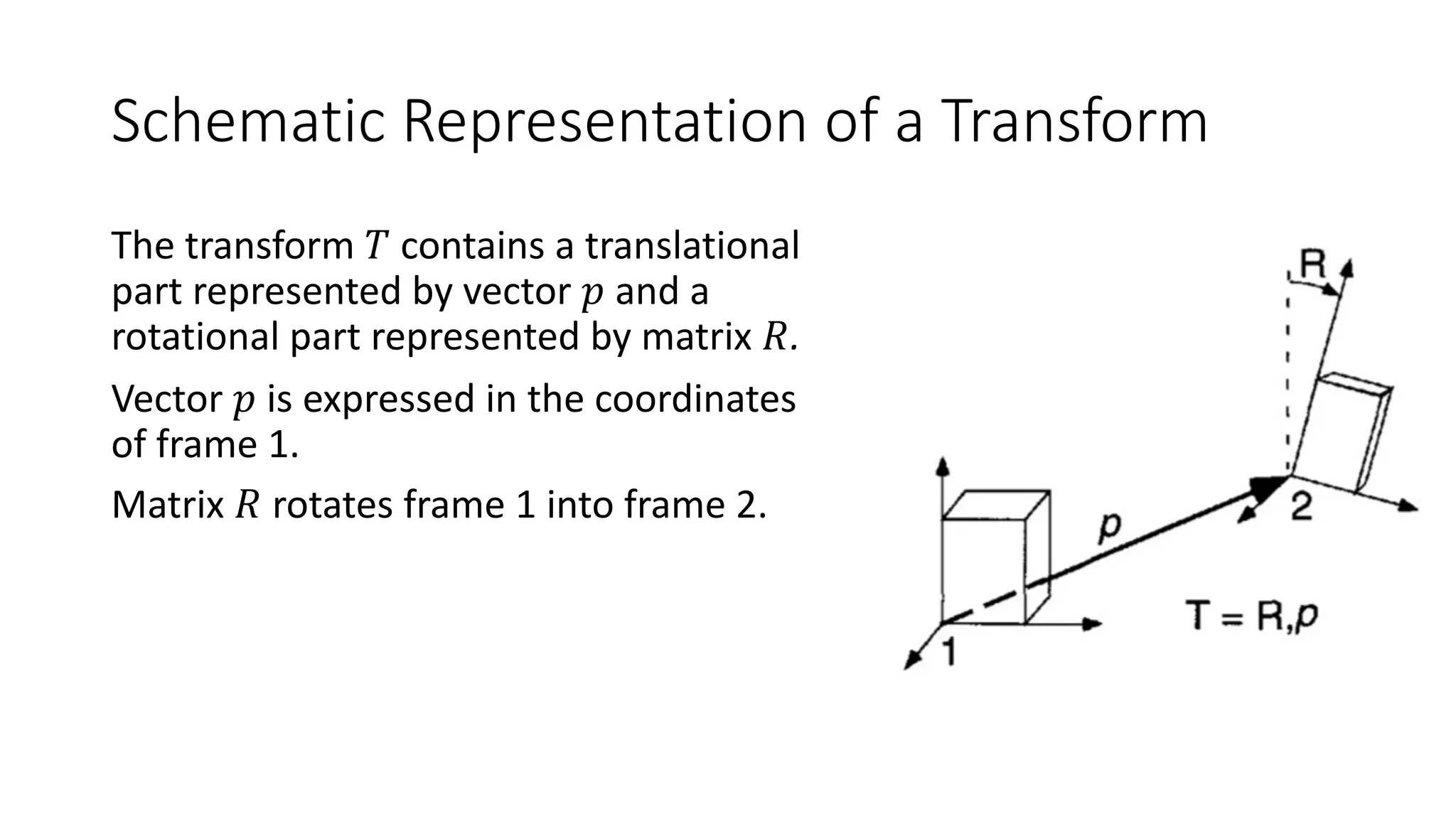
Schematic Representation of a Transform
The transform 𝑇 contains a translational
part represented by vector 𝑝 and a
rotational part represented by matrix 𝑅.
Vector 𝑝 is expressed in the coordinates
of frame 1.
Matrix 𝑅 rotates frame 1 into frame 2.
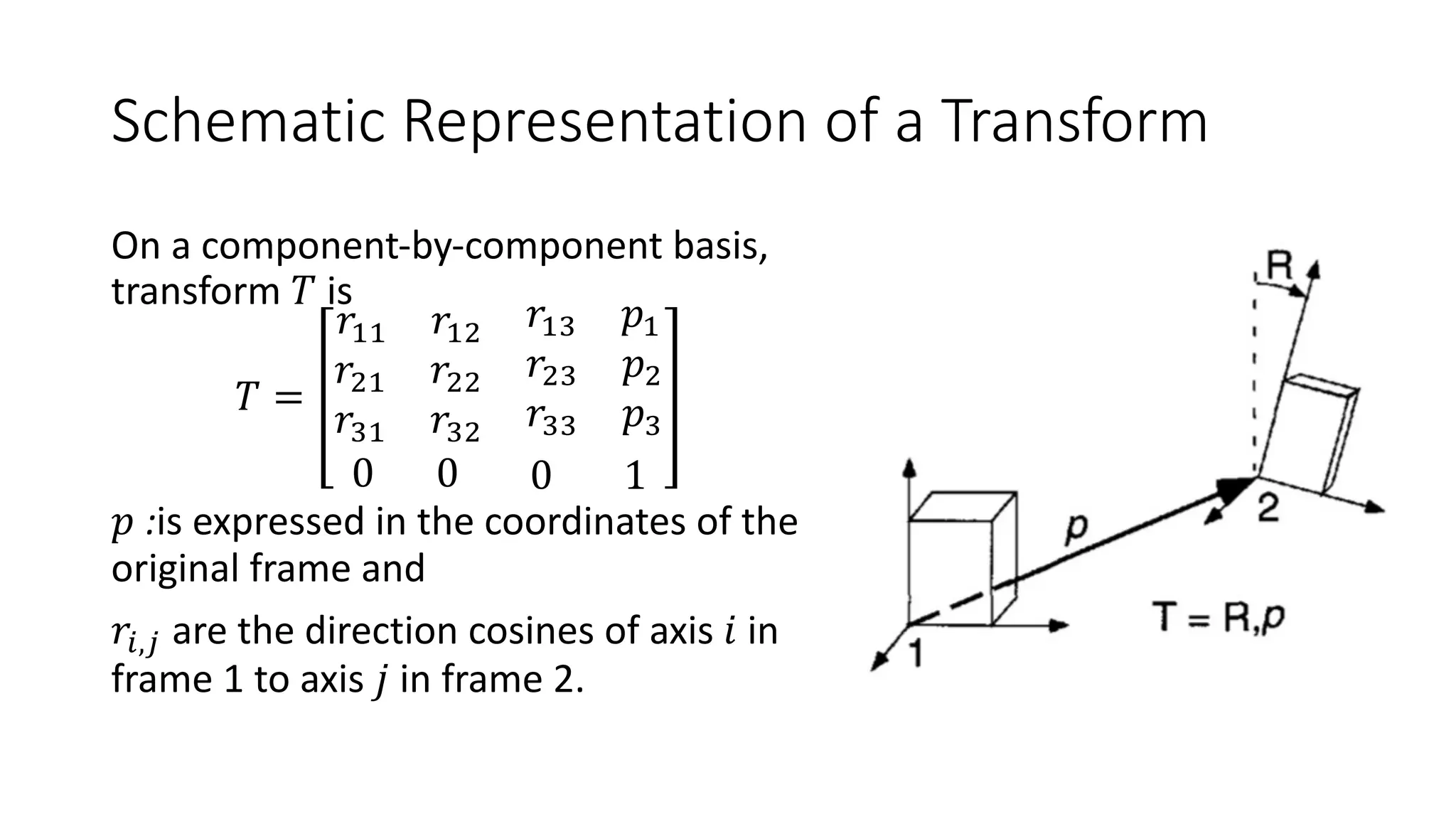
Schematic Representation of a Transform
On a component-by-component basis,
transform 𝑇 is
𝑇 =
𝑟"" 𝑟"#
𝑟"$ 𝑝"
𝑟#" 𝑟## 𝑟#$ 𝑝#
𝑟$" 𝑟$#
𝑟$$ 𝑝$
0 0 0 1
𝑝 :is expressed in the coordinates of the
original frame and
𝑟%,' are the direction cosines of axis 𝑖 in
frame 1 to axis 𝑗 in frame 2.
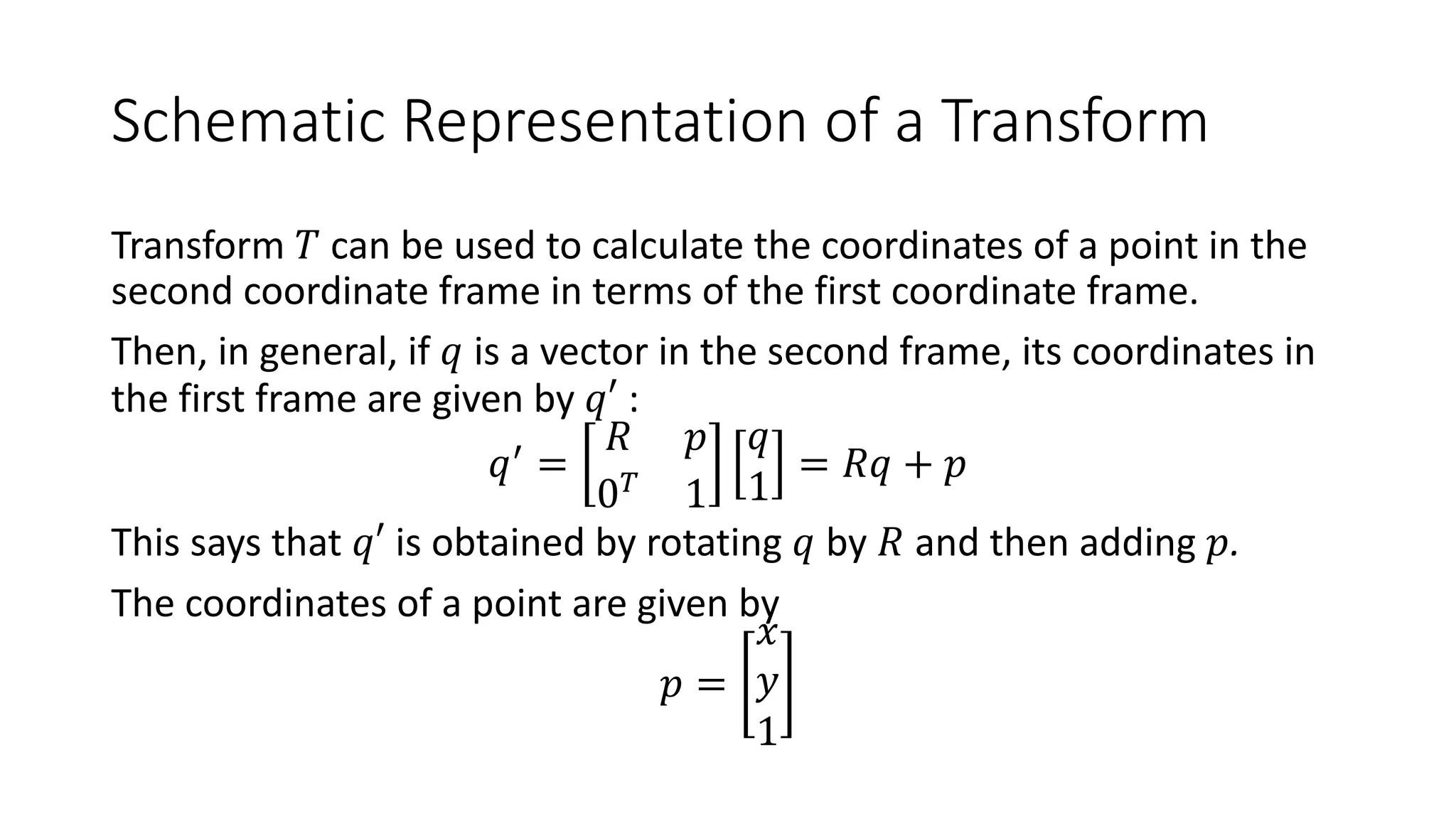
Schematic Representation of a Transform
Transform 𝑇 can be used to calculate the coordinates of a point in the
second coordinate frame in terms of the first coordinate frame.
Then, in general, if 𝑞 is a vector in the second frame, its coordinates in
the first frame are given by 𝑞′ :
𝑞(
=
𝑅 𝑝
0!
1
𝑞
1
= 𝑅𝑞 + 𝑝
This says that 𝑞′ is obtained by rotating 𝑞 by 𝑅 and then adding 𝑝.
The coordinates of a point are given by
𝑝 =
𝑥
𝑦
1
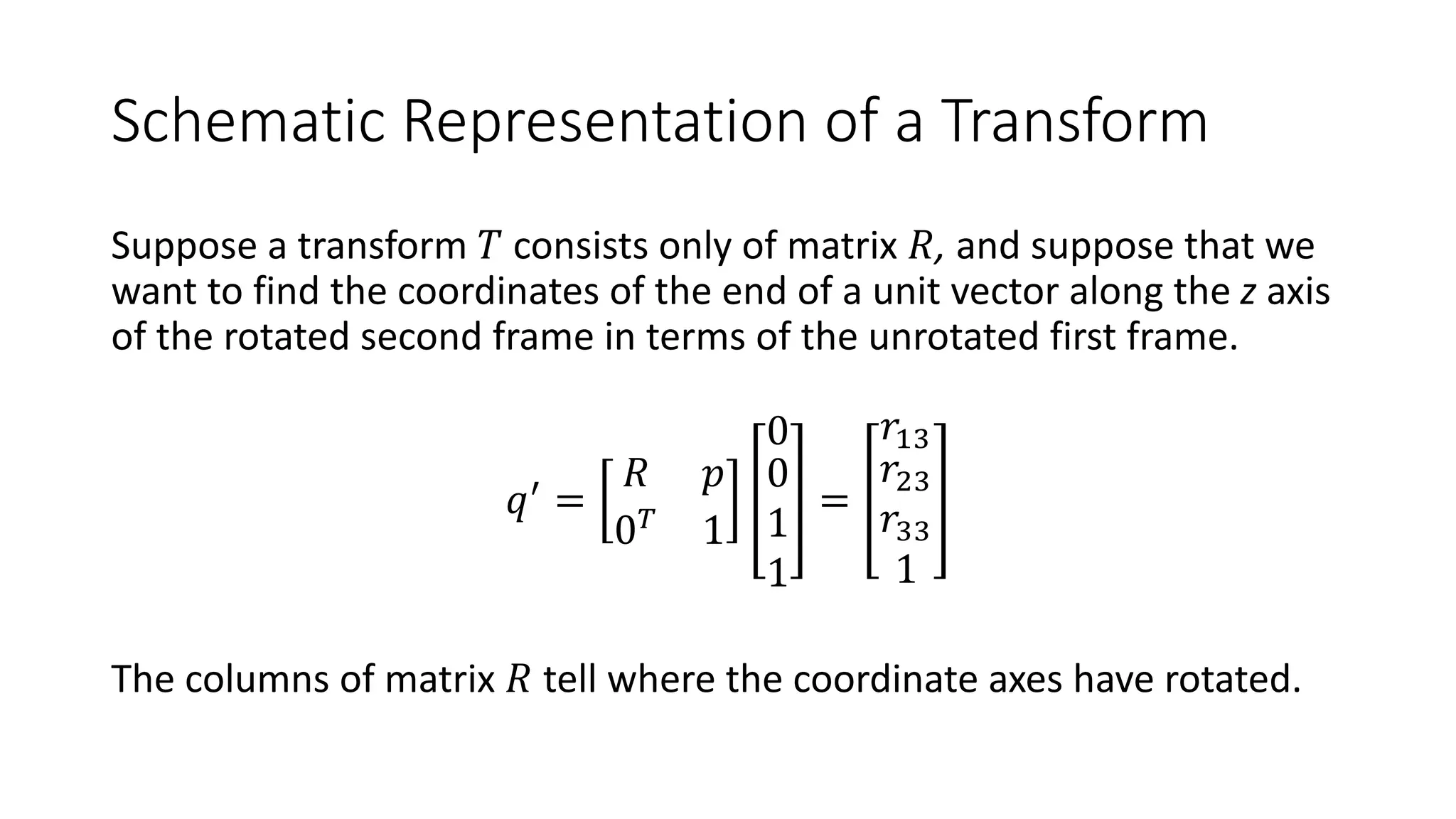
Schematic Representation of a Transform
Suppose a transform 𝑇 consists only of matrix 𝑅, and suppose that we
want to find the coordinates of the end of a unit vector along the z axis
of the rotated second frame in terms of the unrotated first frame.
𝑞(
=
𝑅 𝑝
0!
1
0
0
1
1
=
𝑟"$
𝑟#$
𝑟$$
1
The columns of matrix 𝑅 tell where the coordinate axes have rotated.
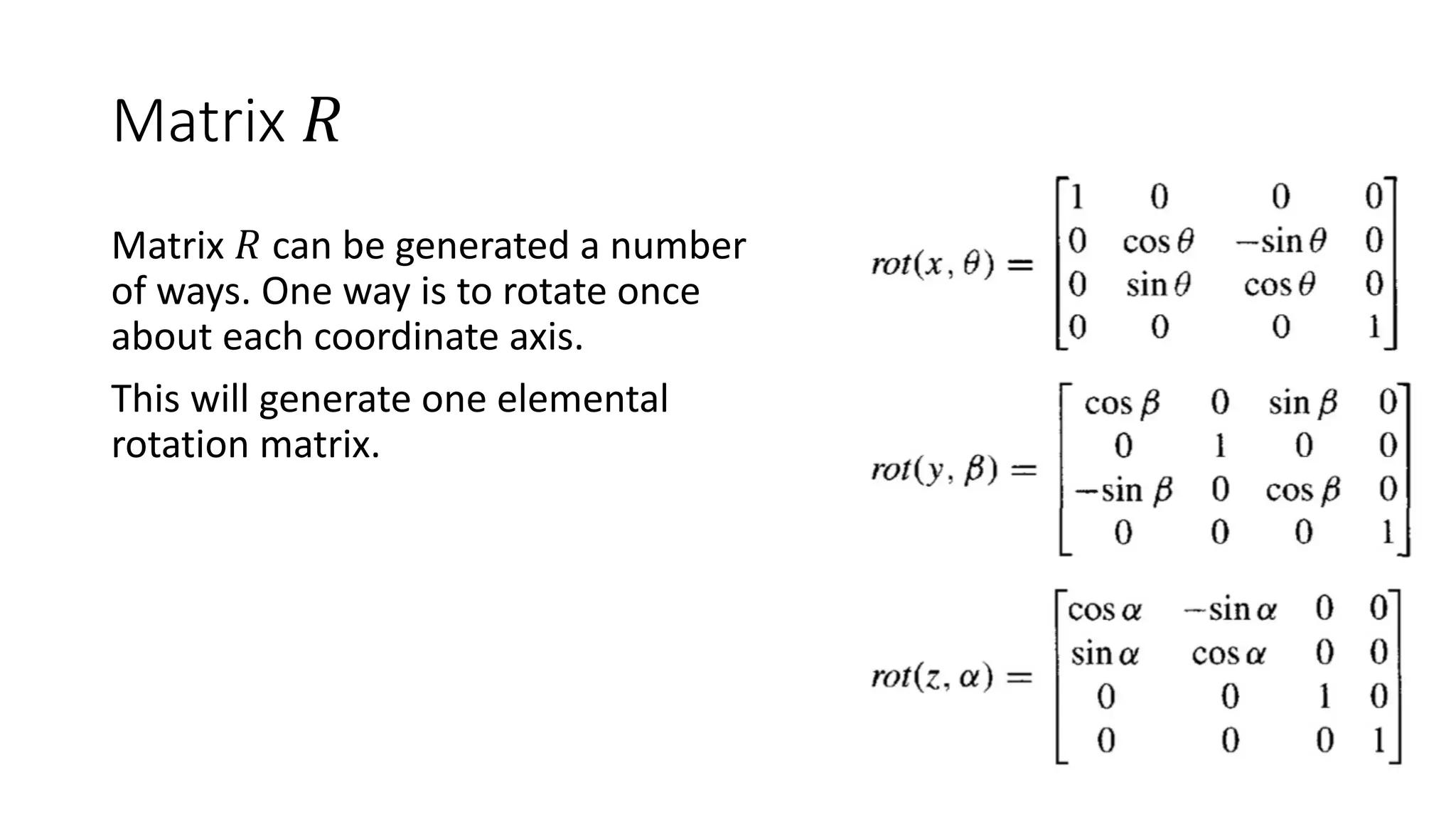
Matrix 𝑅
Matrix 𝑅 can be generated a number
of ways. One way is to rotate once
about each coordinate axis.
This will generate one elemental
rotation matrix.
Schematic Representation of a Transform
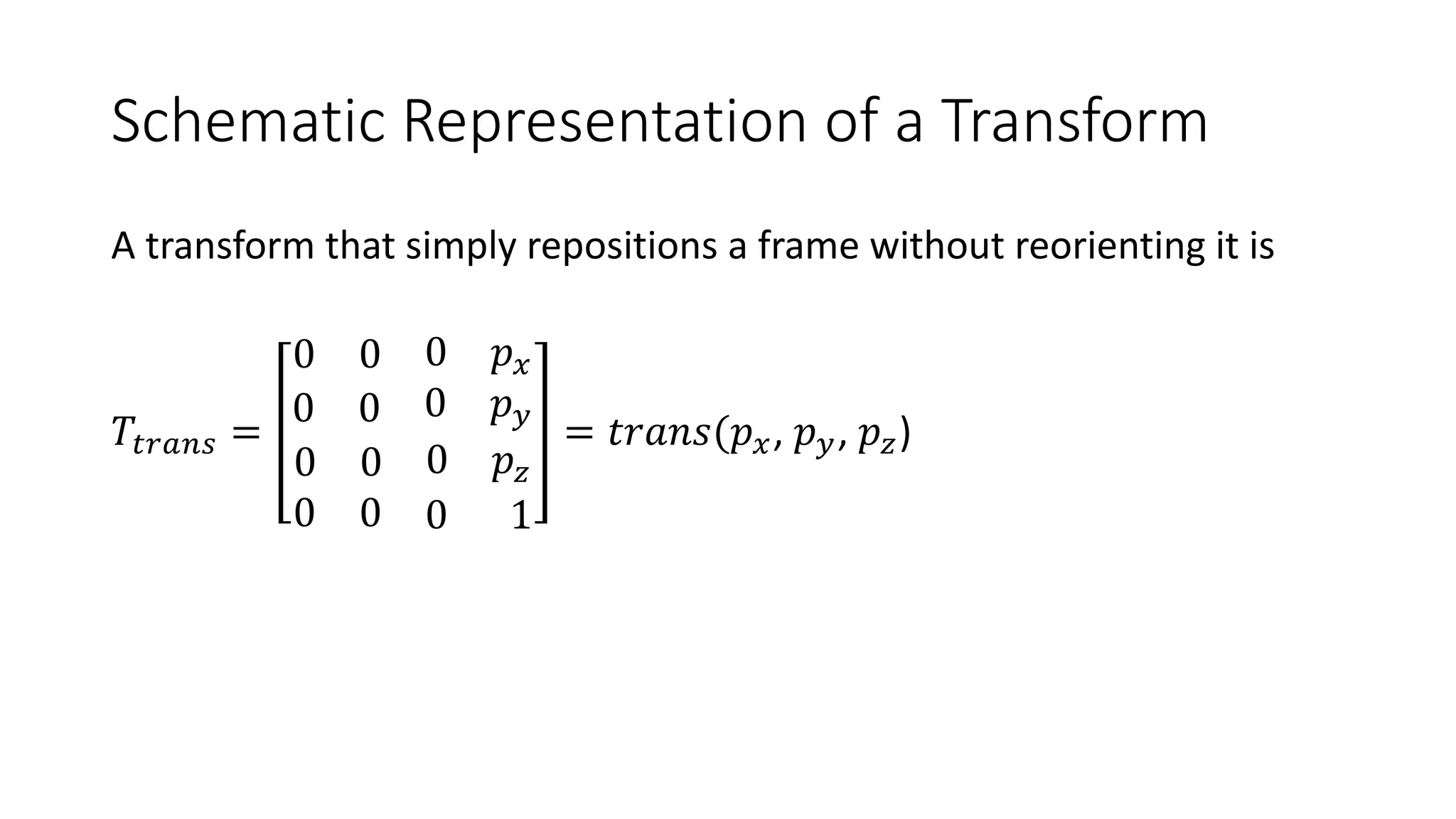
A transform that simply repositions a frame without reorienting it is
𝑇)*+,- =
0 0 0 𝑝.
0 0 0 𝑝/
0 0 0 𝑝0
0 0 0 1
= 𝑡𝑟𝑎𝑛𝑠(𝑝., 𝑝/, 𝑝0)
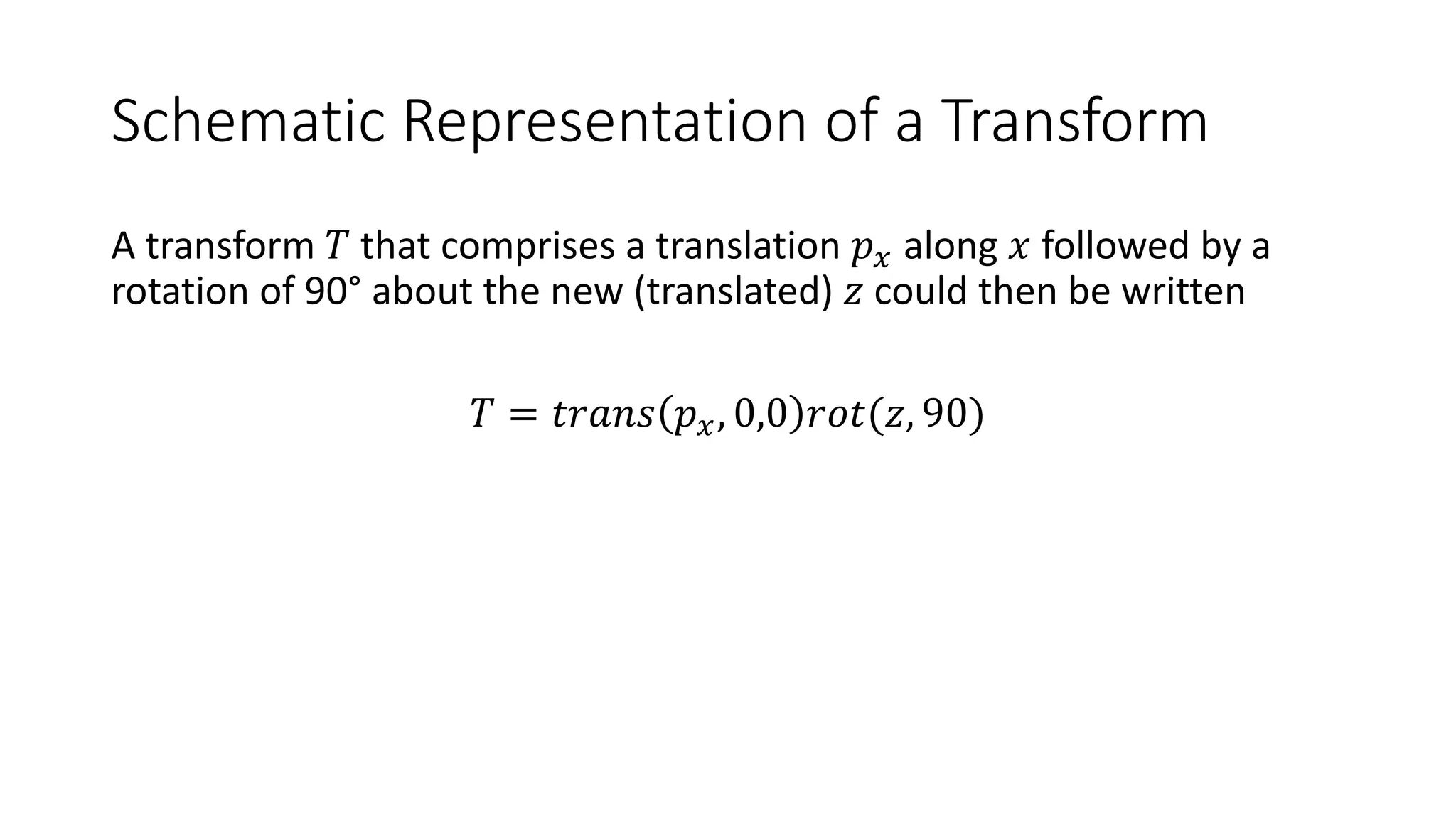
Schematic Representation of a Transform
A transform 𝑇 that comprises a translation 𝑝. along 𝑥 followed by a
rotation of 90° about the new (translated) 𝑧 could then be written
𝑇 = 𝑡𝑟𝑎𝑛𝑠 𝑝., 0,0 𝑟𝑜𝑡(𝑧, 90)
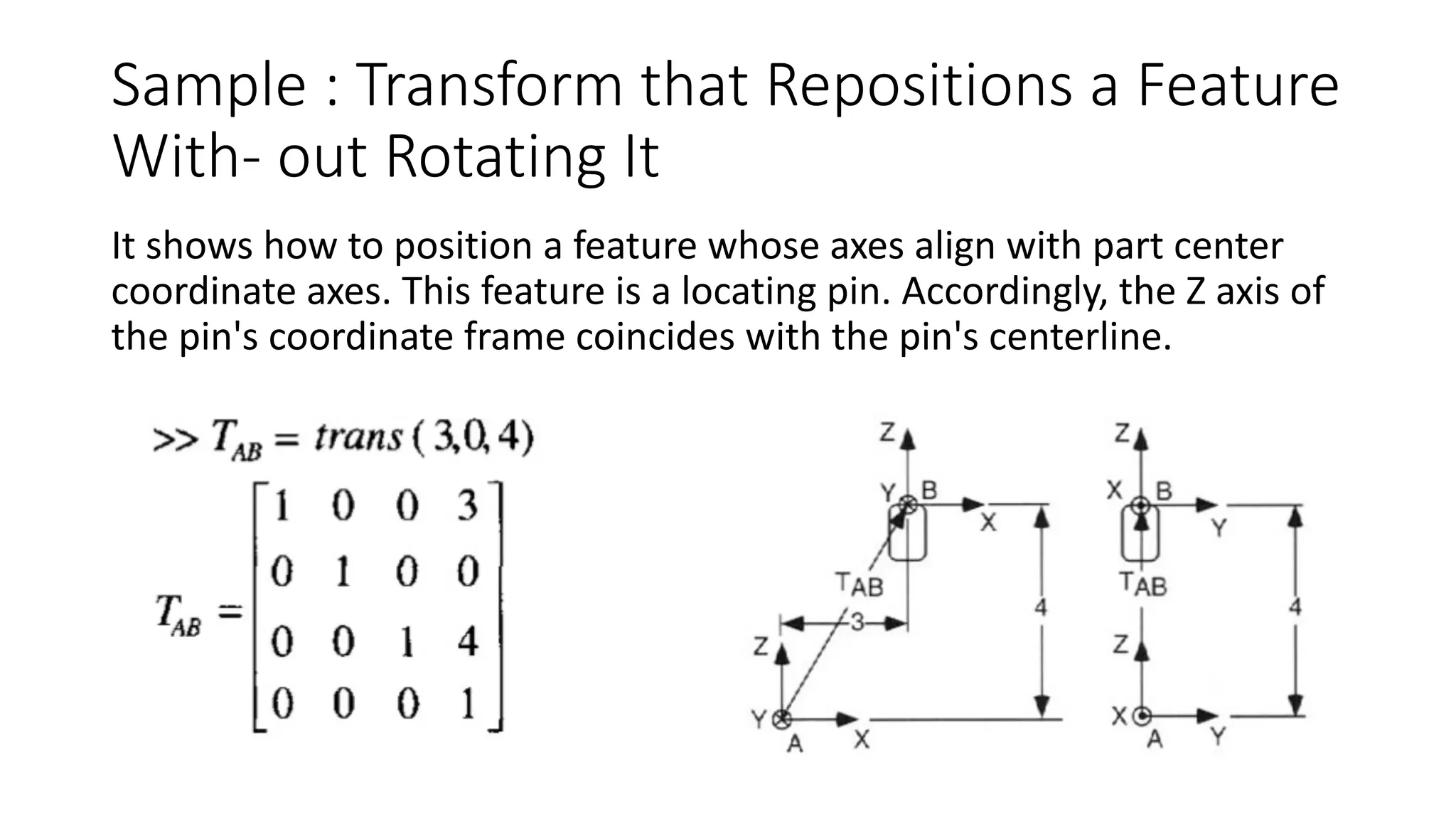
Sample : Transform that Repositions a Feature
With- out Rotating It
It shows how to position a feature whose axes align with part center
coordinate axes. This feature is a locating pin. Accordingly, the Z axis of
the pin's coordinate frame coincides with the pin's centerline.
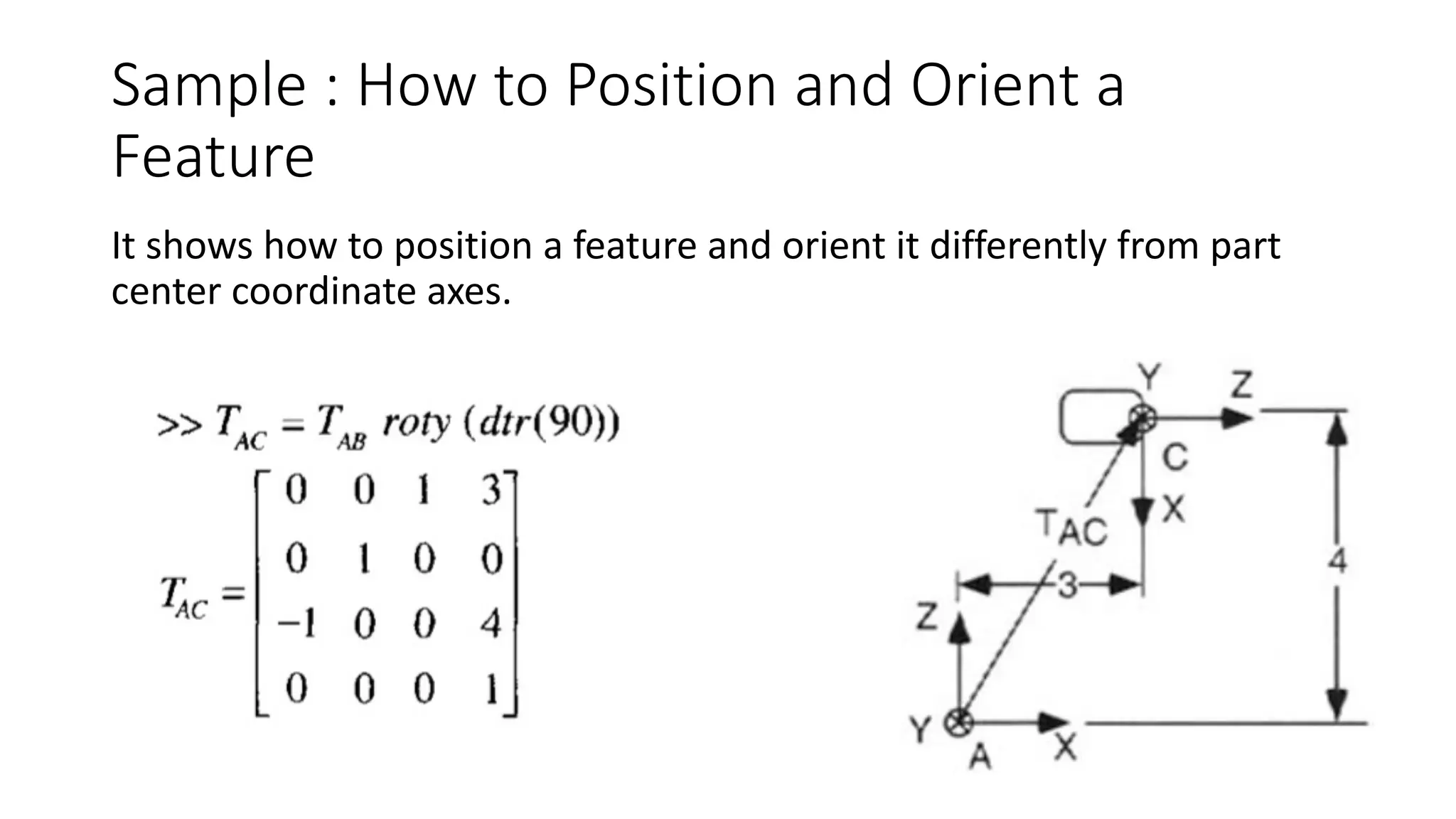
Sample : How to Position and Orient a
Feature
It shows how to position a feature and orient it differently from part
center coordinate axes.
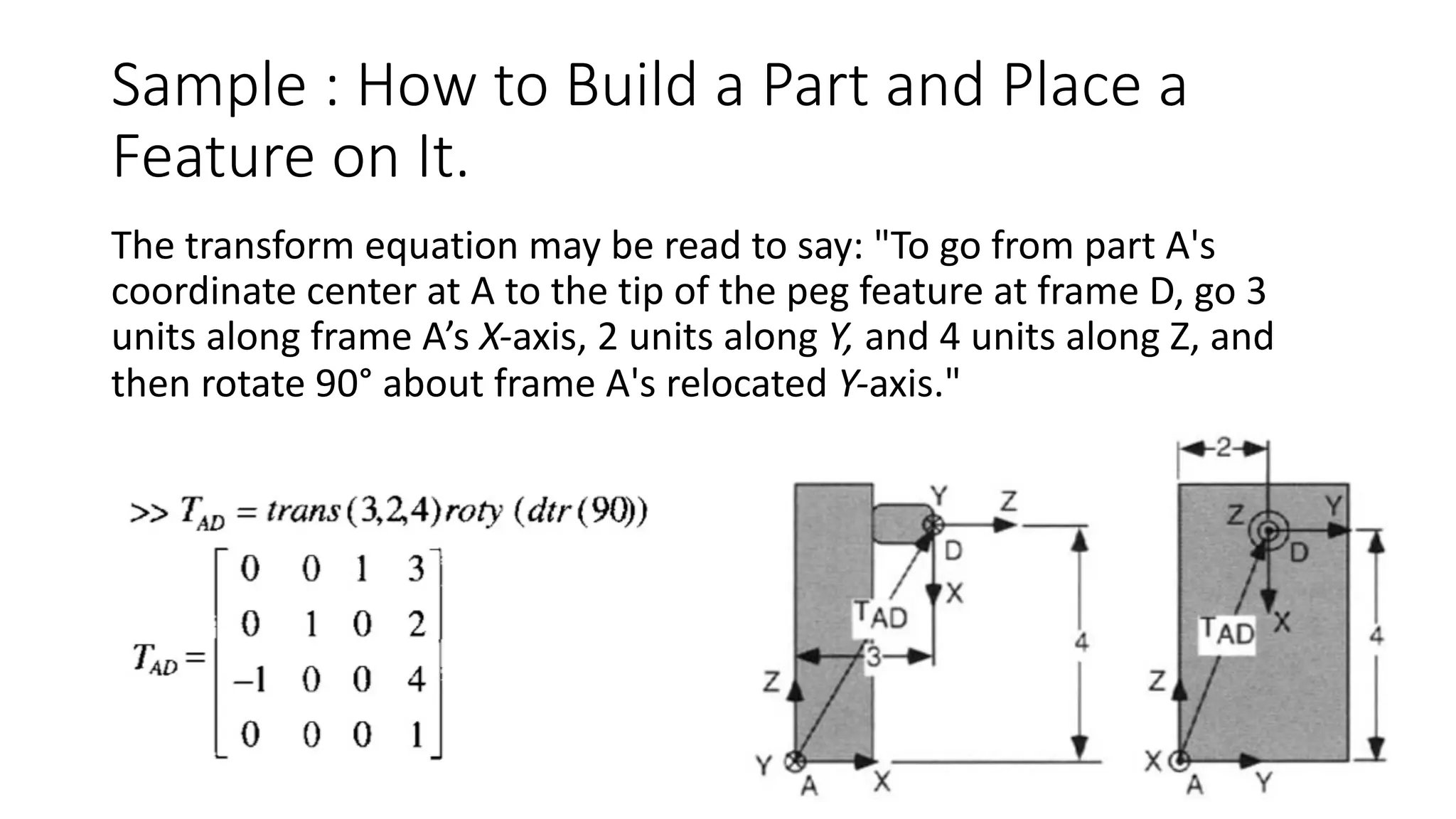
Sample : How to Build a Part and Place a
Feature on It.
The transform equation may be read to say: "To go from part A's
coordinate center at A to the tip of the peg feature at frame D, go 3
units along frame A’s X-axis, 2 units along Y, and 4 units along Z, and
then rotate 90° about frame A's relocated Y-axis."
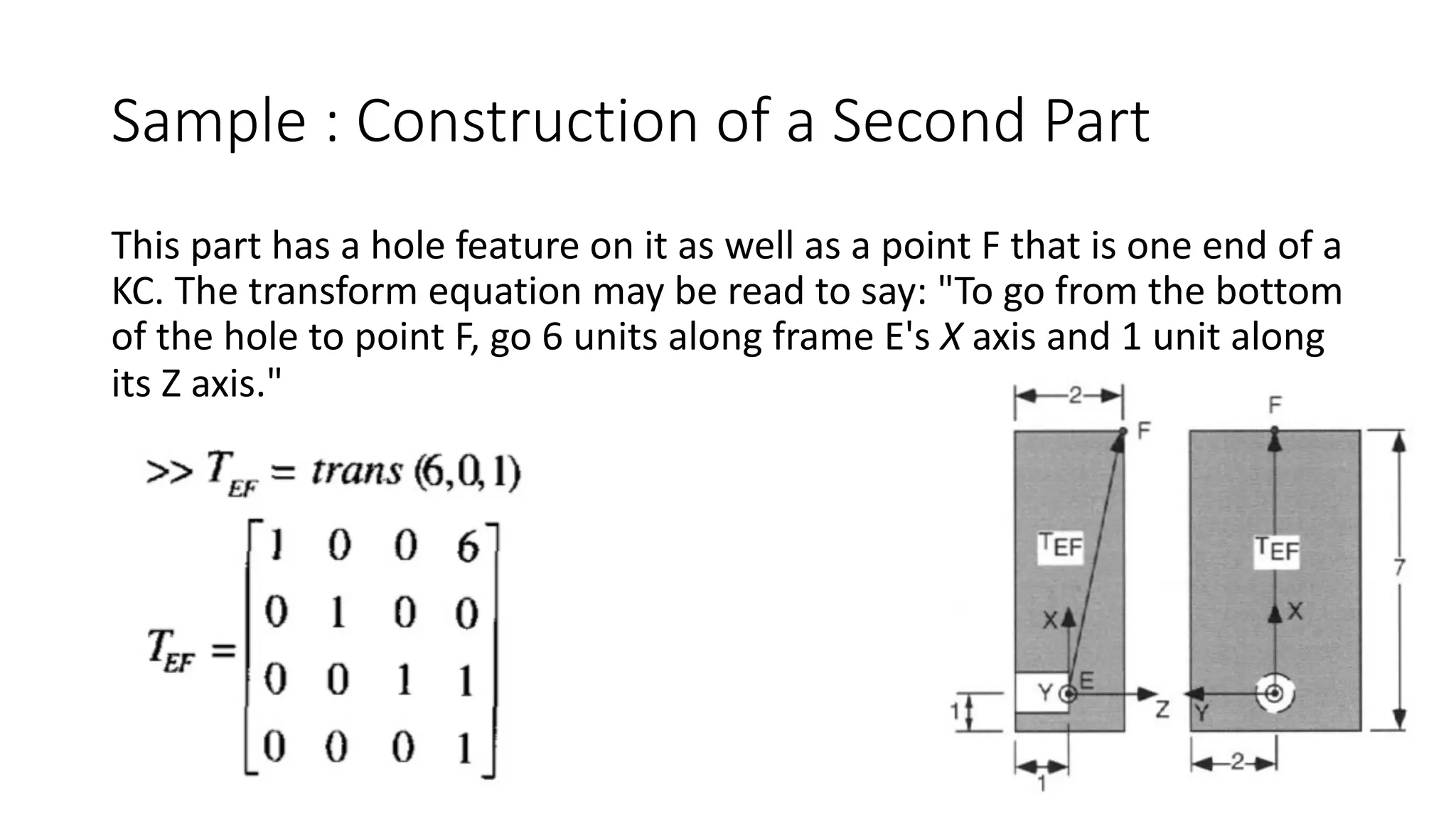
Sample : Construction of a Second Part
This part has a hole feature on it as well as a point F that is one end of a
KC. The transform equation may be read to say: "To go from the bottom
of the hole to point F, go 6 units along frame E's X axis and 1 unit along
its Z axis."
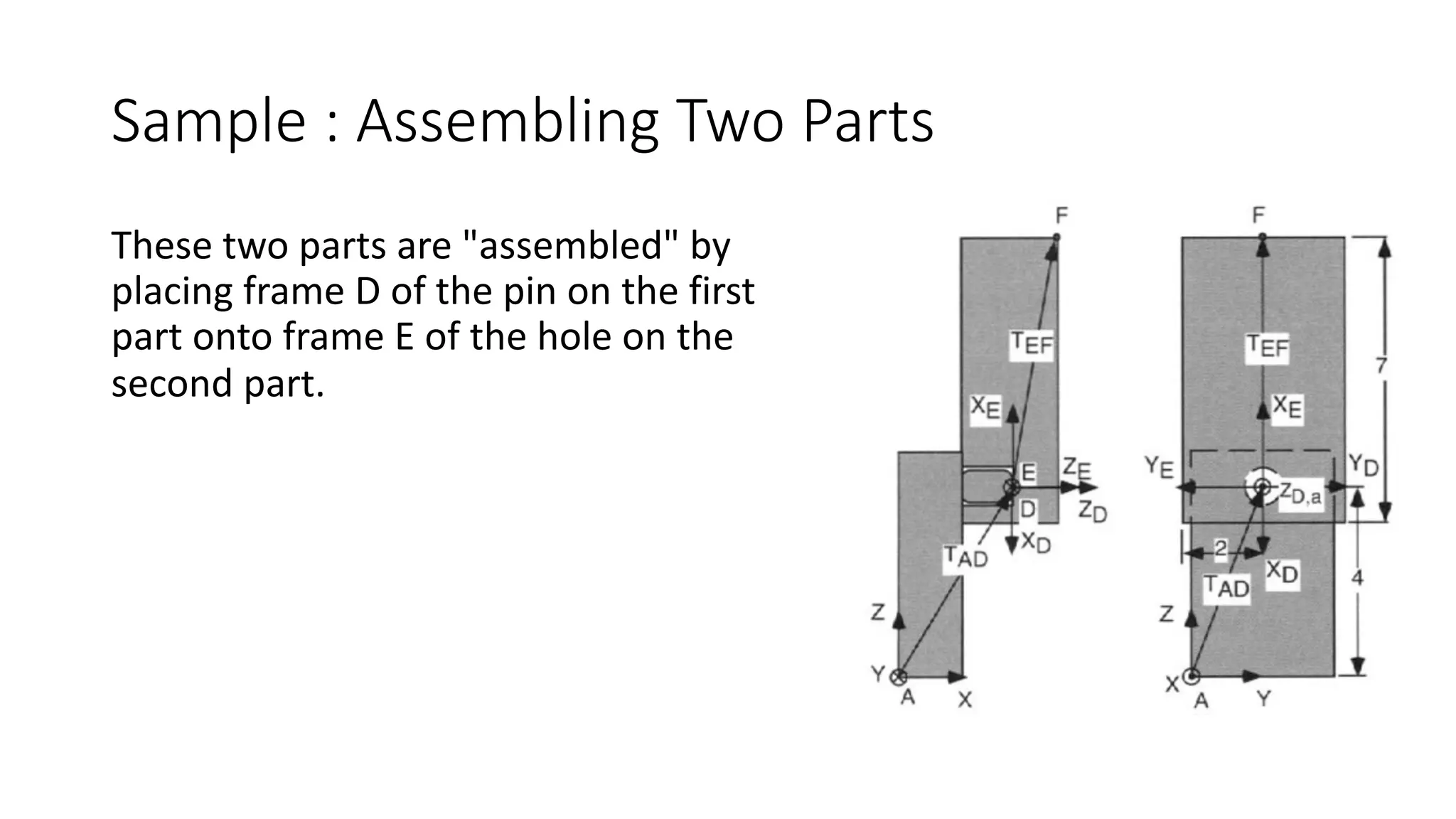
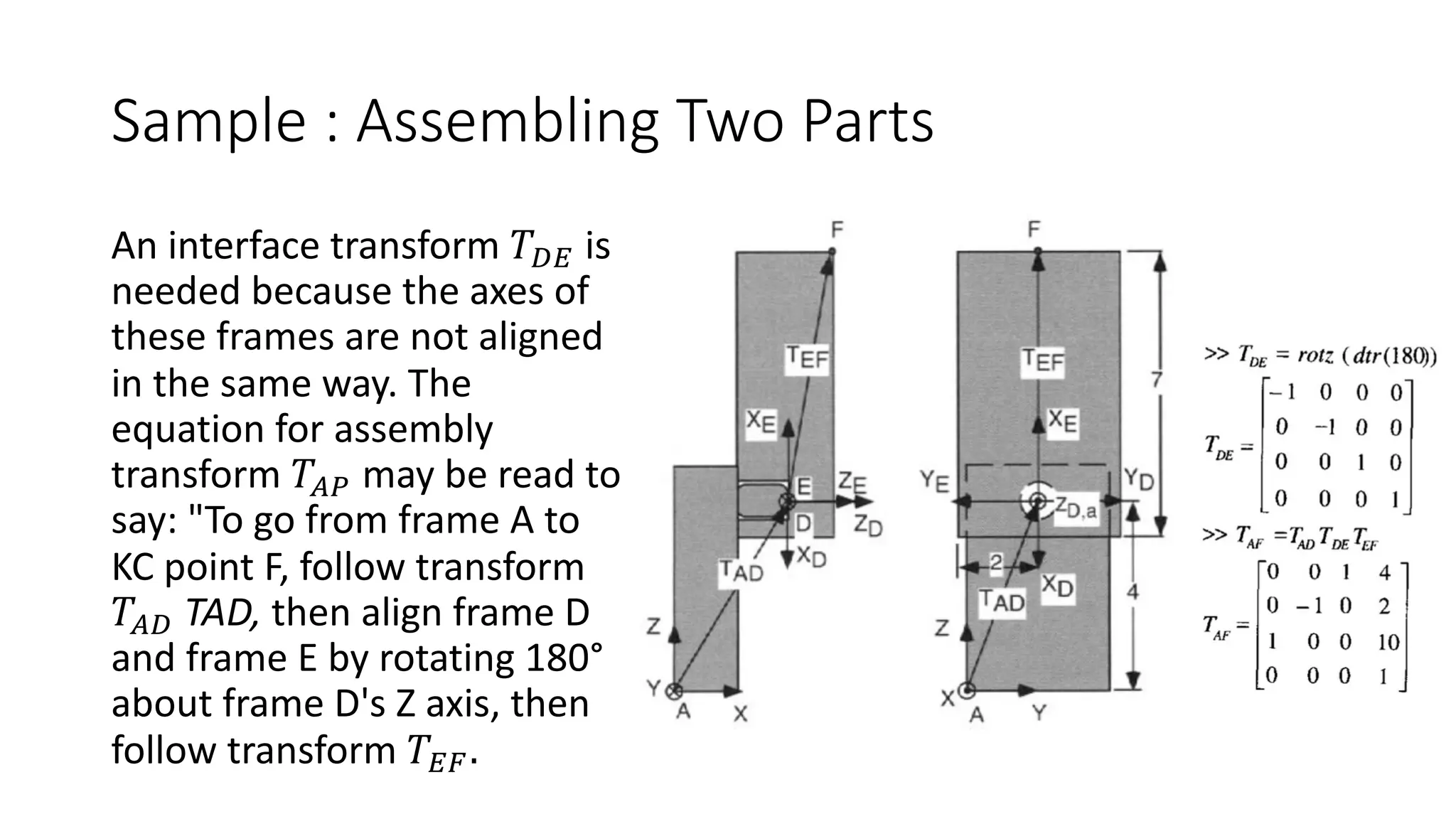
Sample : Assembling Two Parts
These two parts are "assembled" by
placing frame D of the pin on the first
part onto frame E of the hole on the
second part.
Sample : Assembling Two Parts
An interface transform 𝑇12 is
needed because the axes of
these frames are not aligned
in the same way. The
equation for assembly
transform 𝑇34 may be read to
say: "To go from frame A to
KC point F, follow transform
𝑇31 TAD, then align frame D
and frame E by rotating 180°
about frame D's Z axis, then
follow transform 𝑇25.
Assembly representations
Each individual part is represented by its geometric model, and the
assembly is represented by the relative position and orientation of
each individual part in the final assembled configuration. Most non-
geometric information such as fits or joints is stored as text labels.
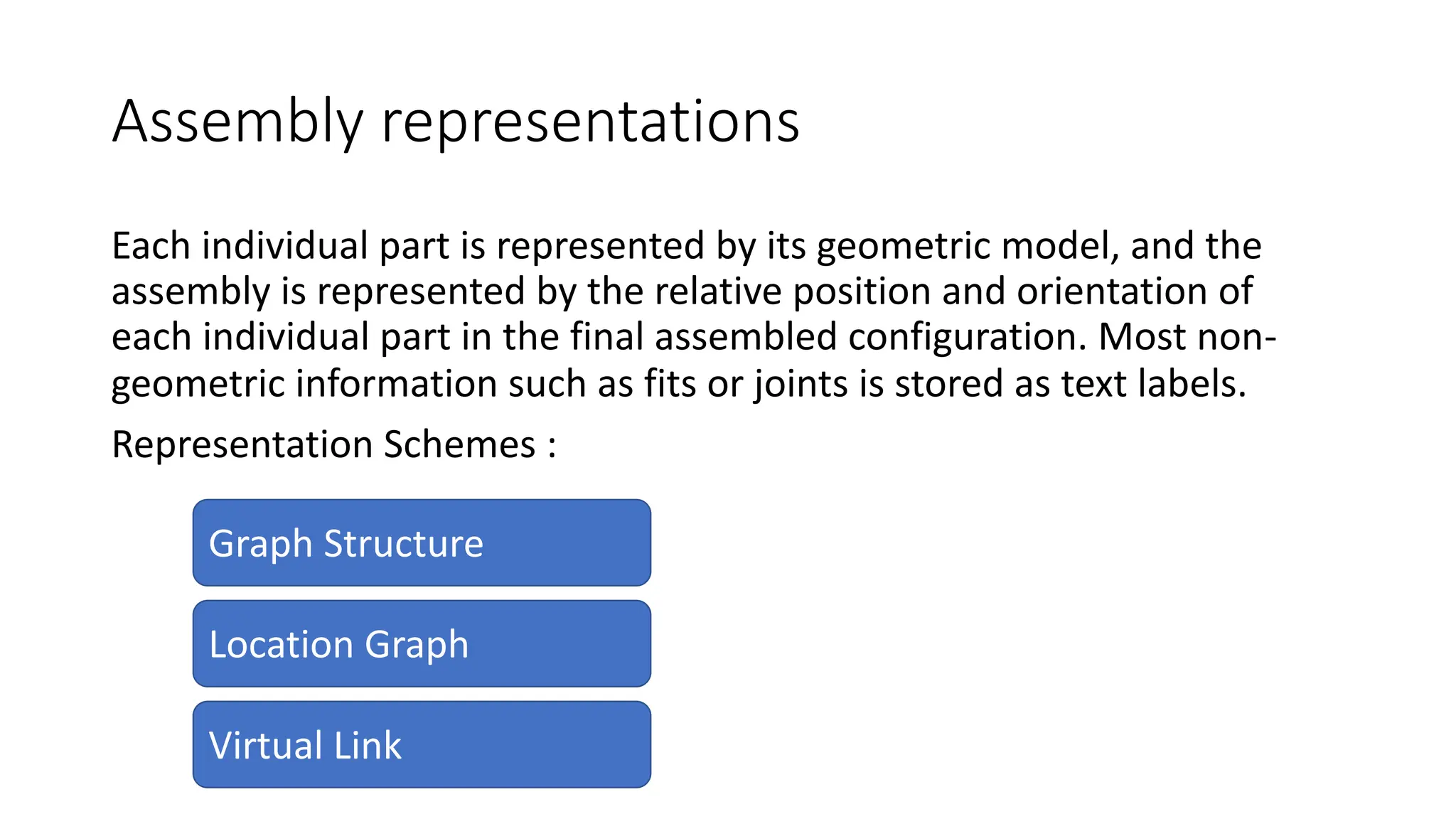
Representation Schemes :
Graph Structure
Virtual Link
Location Graph
Assembly representations
Assembly data base stores:
ØThe geometric models of individual parts.
ØThe spatial positions and orientations of the parts in the assembly.
ØAttachment relationships between parts.
ØThe inherent problem.
Graph Structure
An assembly graph is used to represent the final assembly of a genome
(or metagenomes). In simple terms, the assembler builds this assembly
graph based on reads and their overlap information.
An assembly model is represented by a graph structure.
Graph Structure
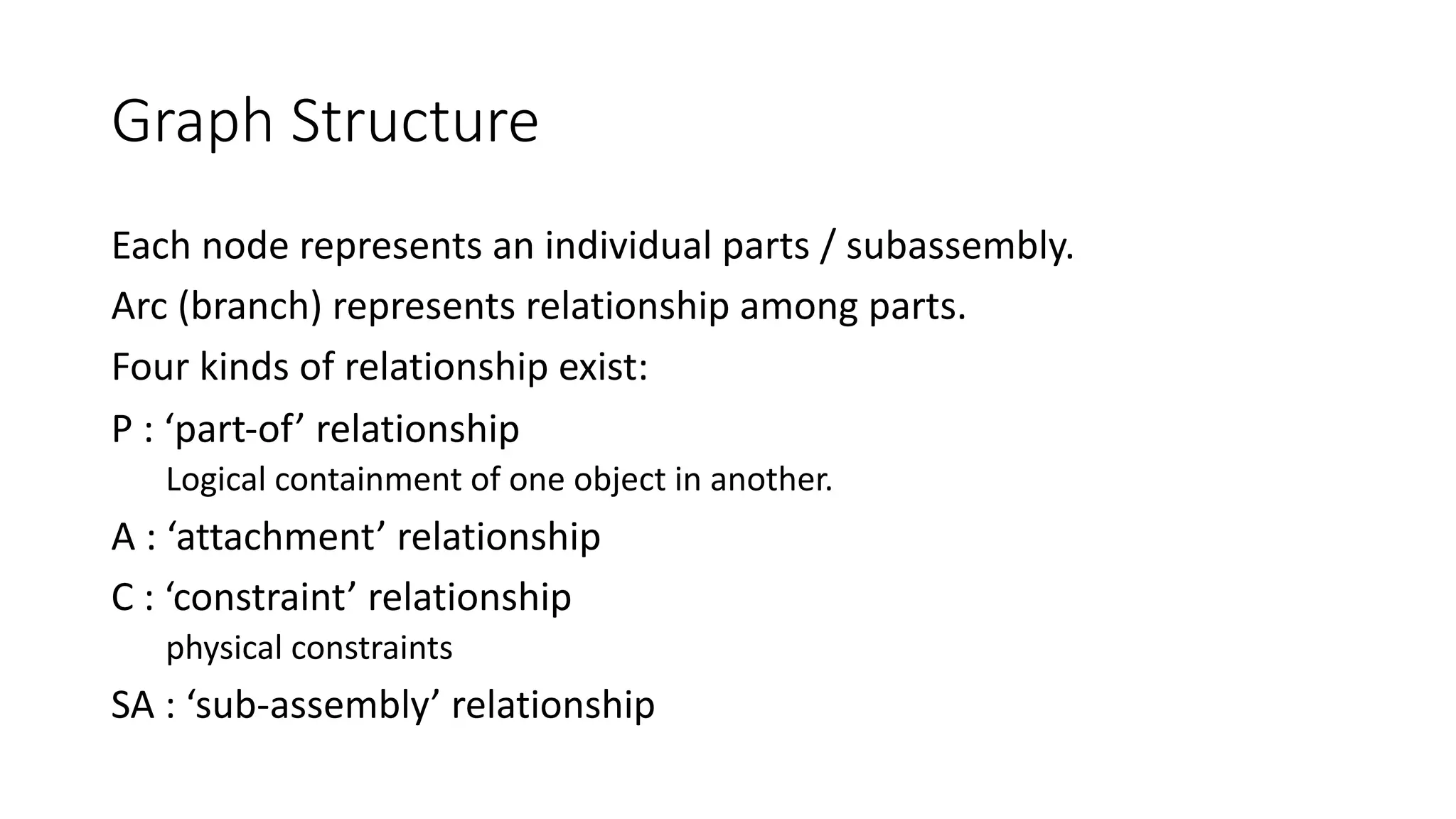
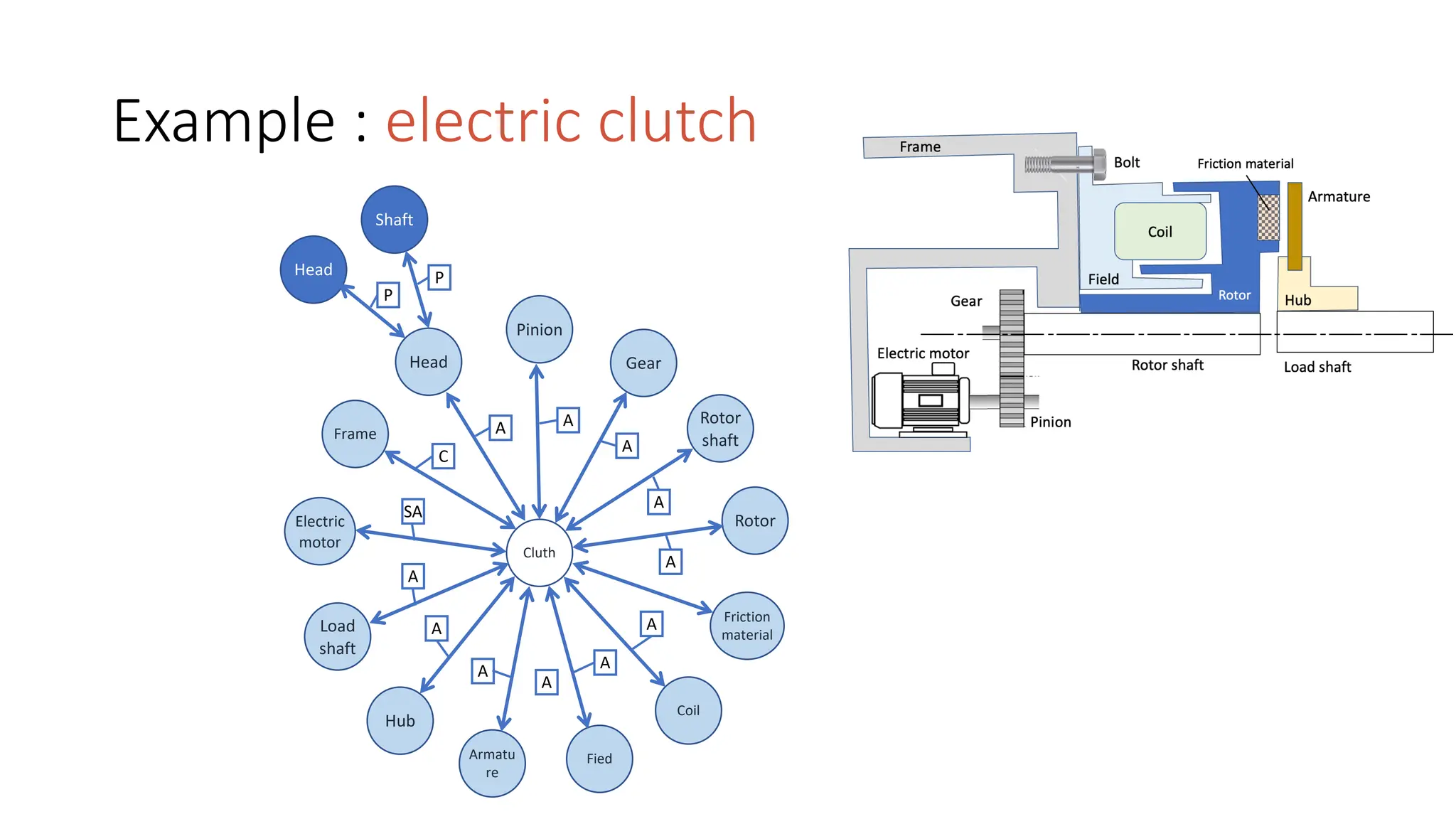
Each node represents an individual parts / subassembly.
Arc (branch) represents relationship among parts.
Four kinds of relationship exist:
P : ‘part-of’ relationship
Logical containment of one object in another.
A : ‘attachment’ relationship
C : ‘constraint’ relationship
physical constraints
SA : ‘sub-assembly’ relationship
Example : electric clutch
Shaft
Head
Head
Pinion
Gear
Frame
Rotor
shaft
Rotor
Electric
motor
Load
shaft
Hub
Armatu
re
Fied
Coil
Friction
material
Cluth
A
A
A
A
A
A
A
A
SA
C
A A
A
P
P
Location Graph
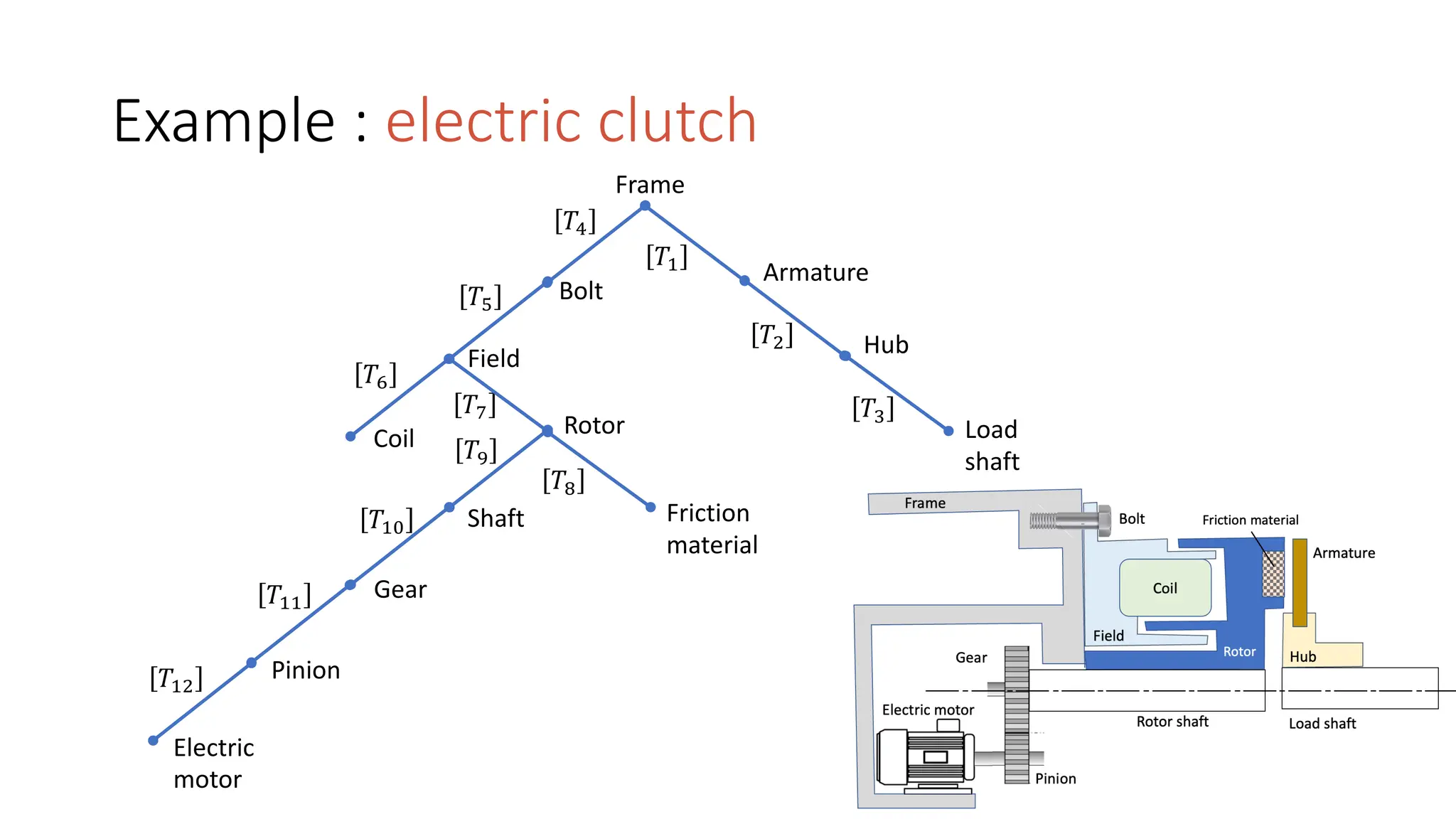
Coordinate system is the means used to specify location of one part
relative to other.
A chain of locations can be defined such that each location is defined in
terms of [T] another part’s coordinate system.
A set of these chains results in a location graph. Part to part is related
by the transformation matrix [T].
Example : electric clutch
Frame
Armature
Hub
Rotor
Field
Shaft Friction
material
Gear
Coil
Pinion
Electric
motor
Load
shaft
𝑇!
𝑇"
Bolt
𝑇#
𝑇$
𝑇%
𝑇&
𝑇'
𝑇(
𝑇)
𝑇#*
𝑇##
𝑇#"
Virtual Link
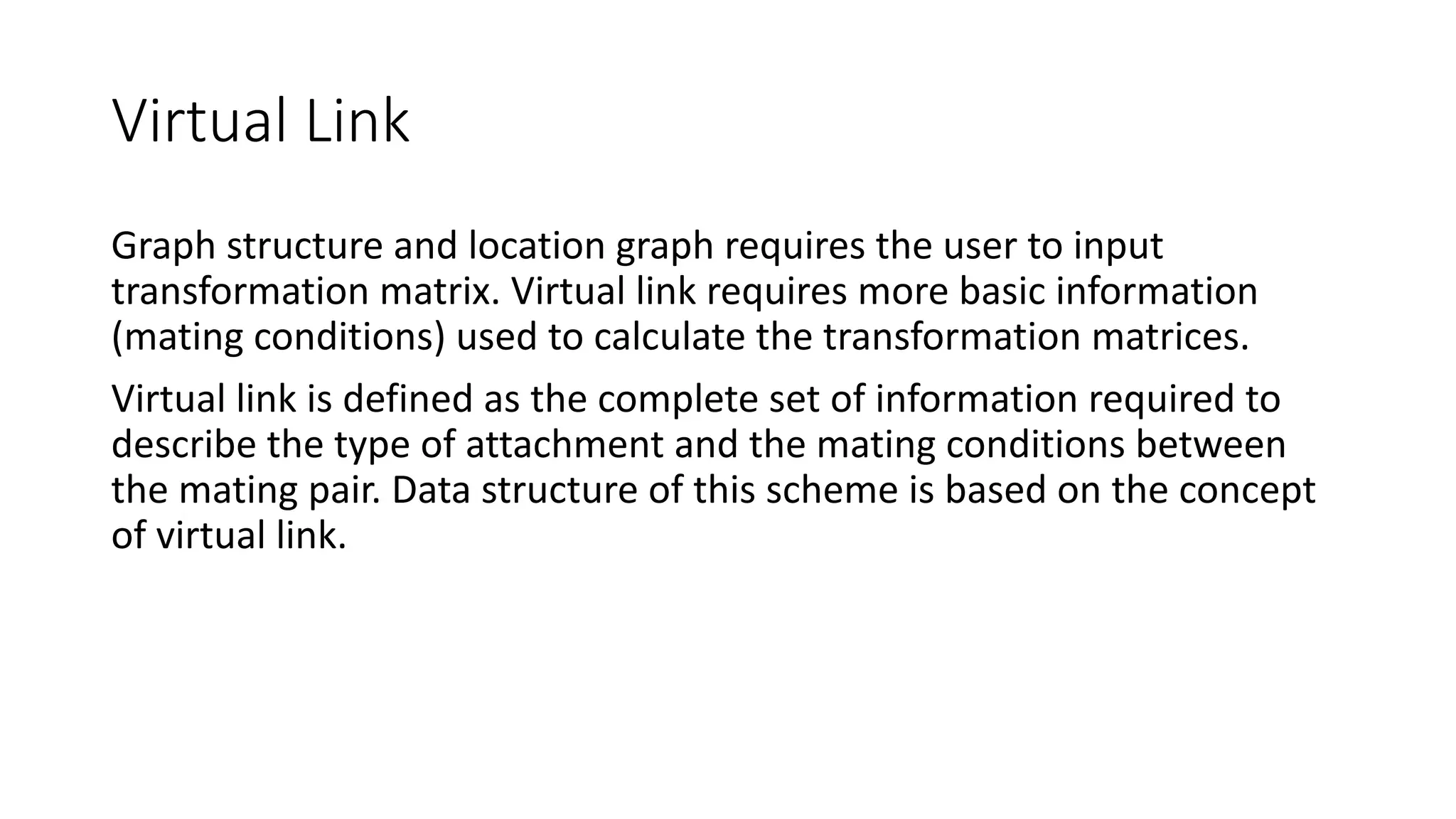
Graph structure and location graph requires the user to input
transformation matrix. Virtual link requires more basic information
(mating conditions) used to calculate the transformation matrices.
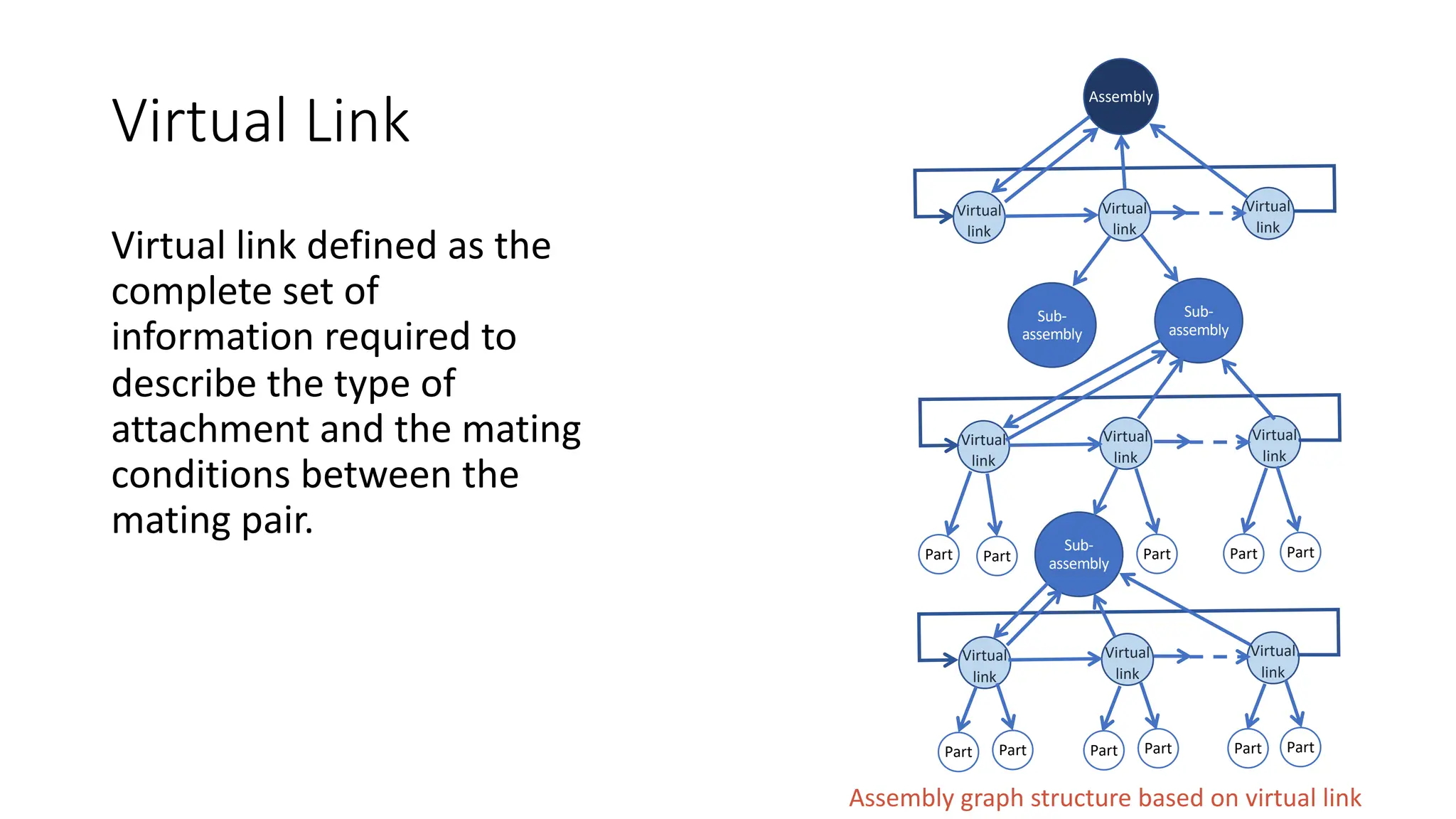
Virtual link is defined as the complete set of information required to
describe the type of attachment and the mating conditions between
the mating pair. Data structure of this scheme is based on the concept
of virtual link.
Virtual Link
Virtual link defined as the
complete set of
information required to
describe the type of
attachment and the mating
conditions between the
mating pair.
Assembly graph structure based on virtual link
Sub-
assembly
Sub-
assembly
Sub-
assembly
Assembly
Virtual
link
Virtual
link
Virtual
link
Virtual
link
Virtual
link
Virtual
link
Virtual
link
Virtual
link
Virtual
link
Part Part Part Part Part
Part
Part
Part
Part
Part
Part
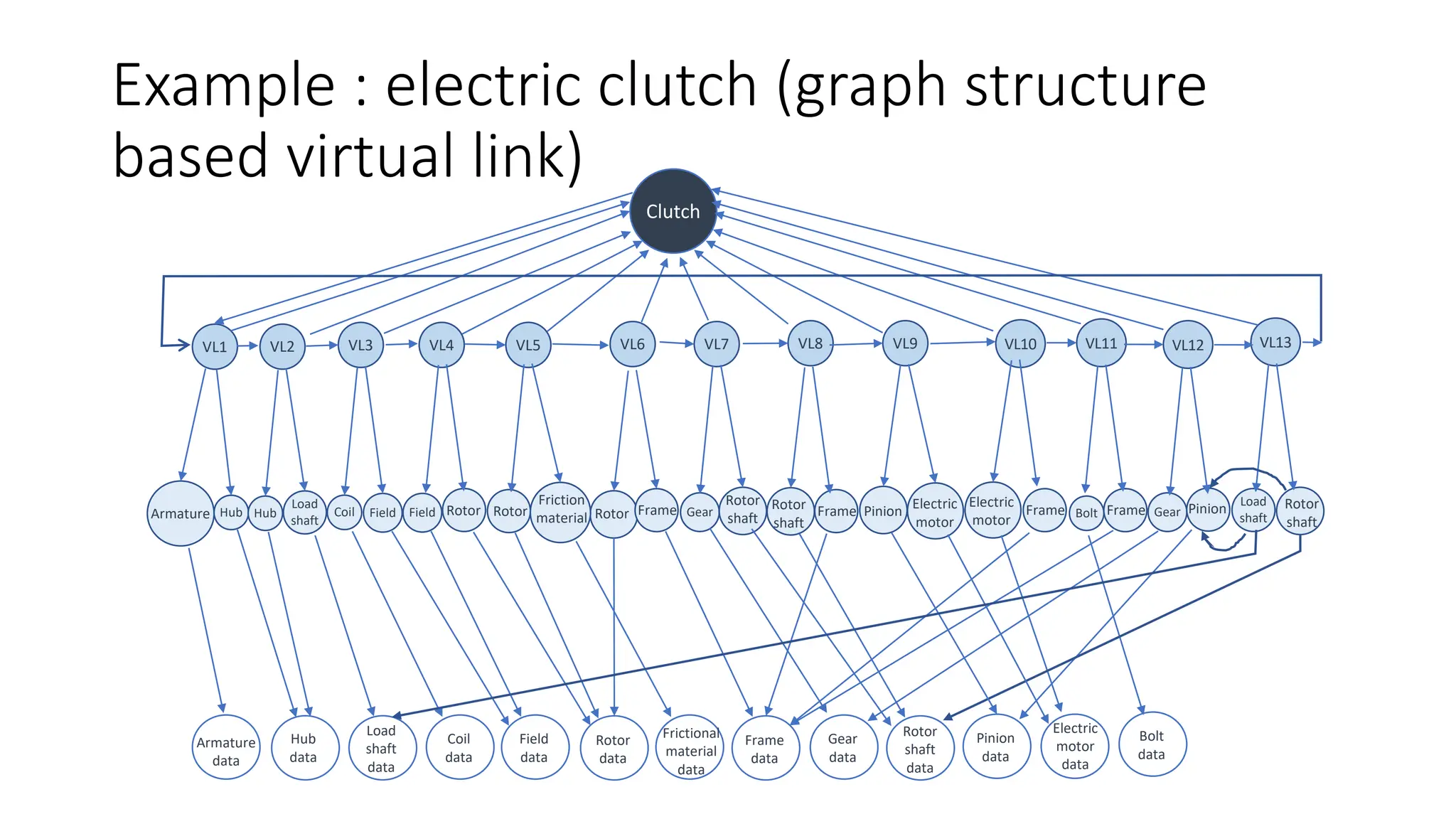
Example : electric clutch (graph structure
based virtual link)
Clutch
VL1 VL2 VL3 VL4 VL5 VL6 VL7 VL8 VL9 VL10 VL11 VL12 VL13
Hub Hub Coil
Load
shaft
Field Field
Friction
material Gear
Frame Frame Frame Frame
Bolt Gear
Load
shaft
Rotor Rotor Rotor
Rotor
shaft
Rotor
shaft
Pinion Electric
motor
Electric
motor
Pinion Rotor
shaft
Armature
Armature
data
Hub
data
Load
shaft
data
Coil
data
Field
data
Rotor
data
Frictional
material
data
Frame
data
Gear
data
Rotor
shaft
data
Pinion
data
Electric
motor
data
Bolt
data
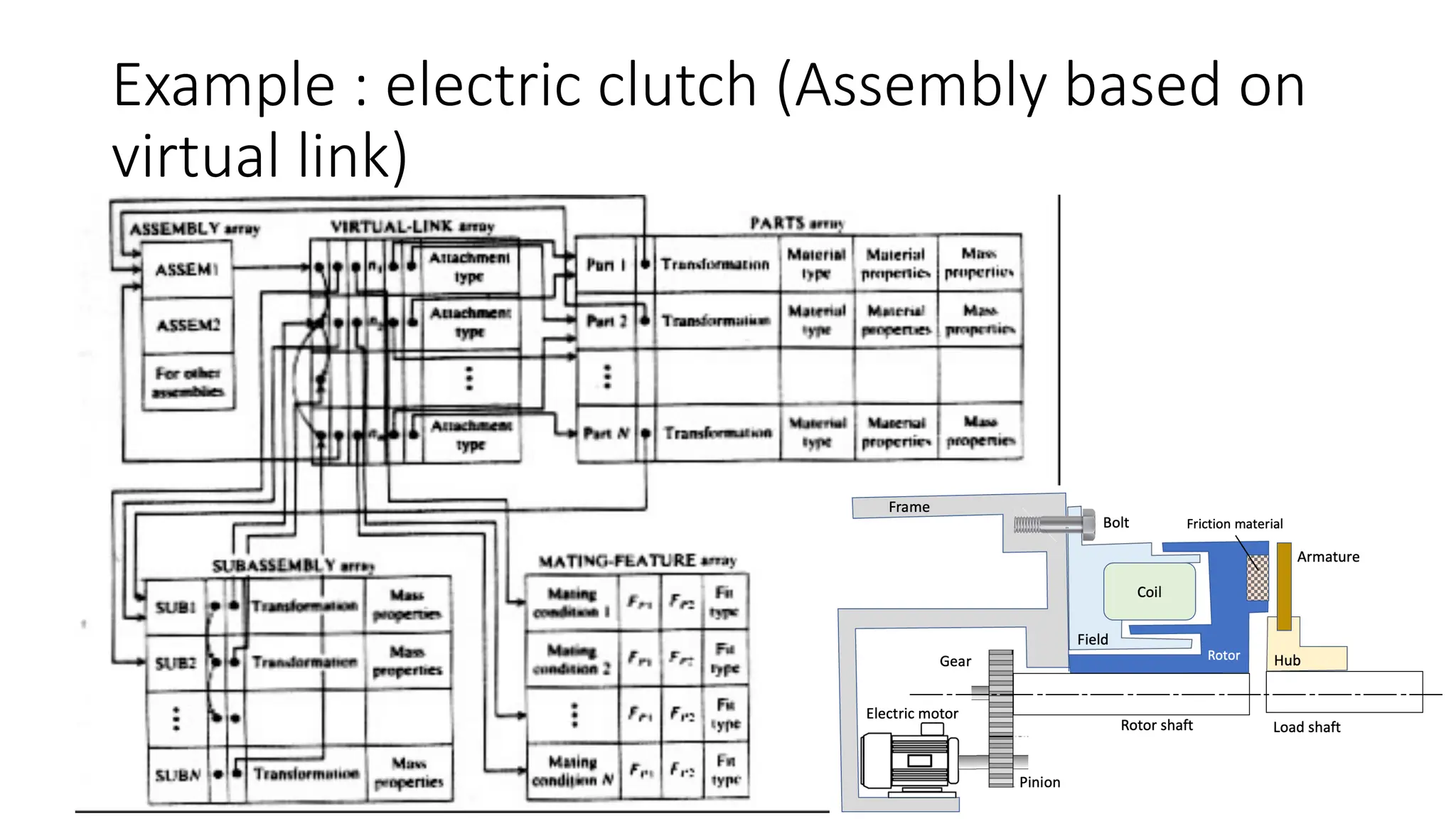
Example : electric clutch (Assembly based on
virtual link)
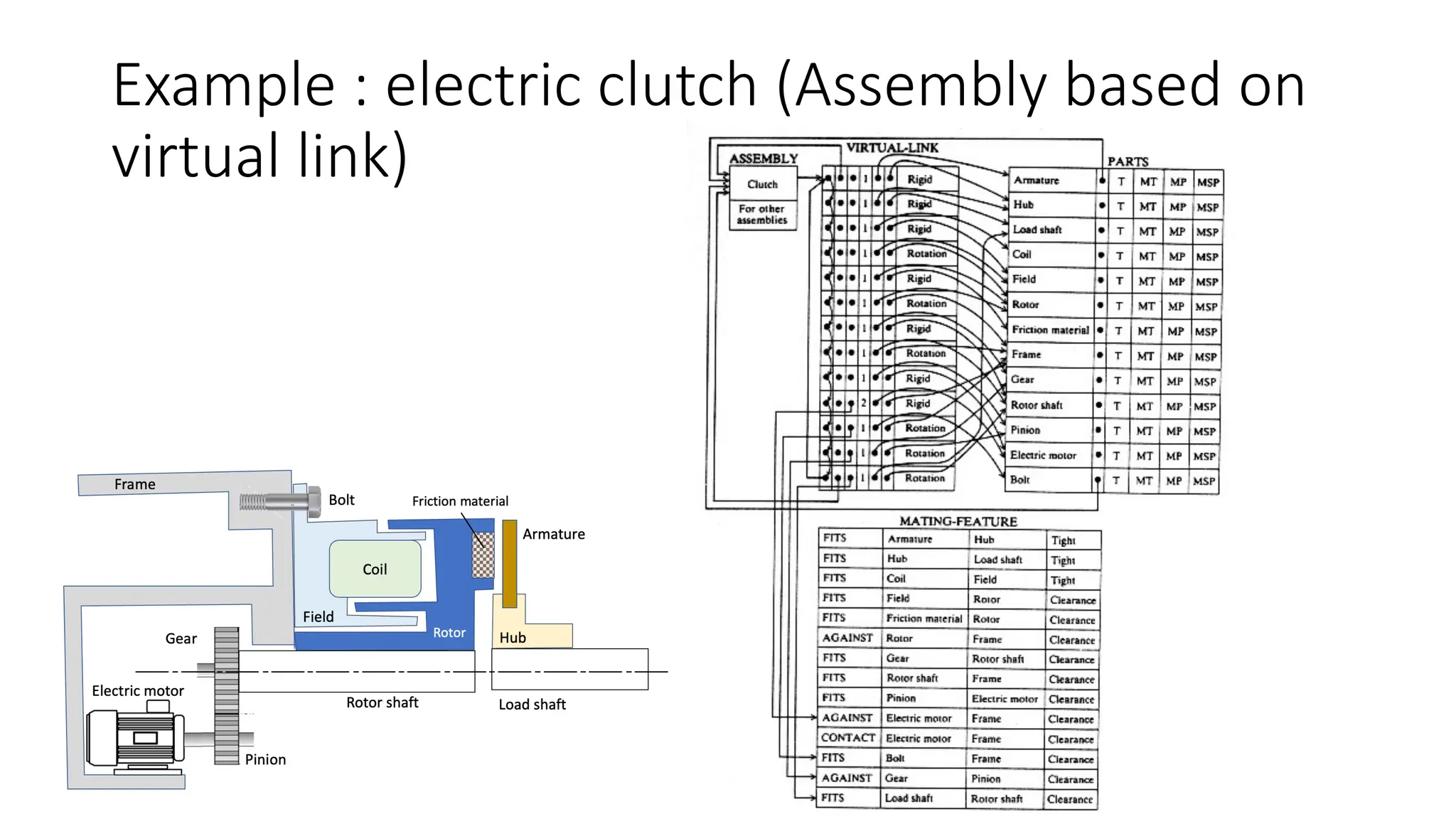
Example : electric clutch (Assembly based on
virtual link)
Assembling sequence
It is always useful when studying the assembly of a part. In most
assembly, there are multiple assembly sequence:
Not unique In most assembly, there are more than one assembly
sequence to generate assemblies from their respective parts.
Production engineer must decide on most optimum sequence.
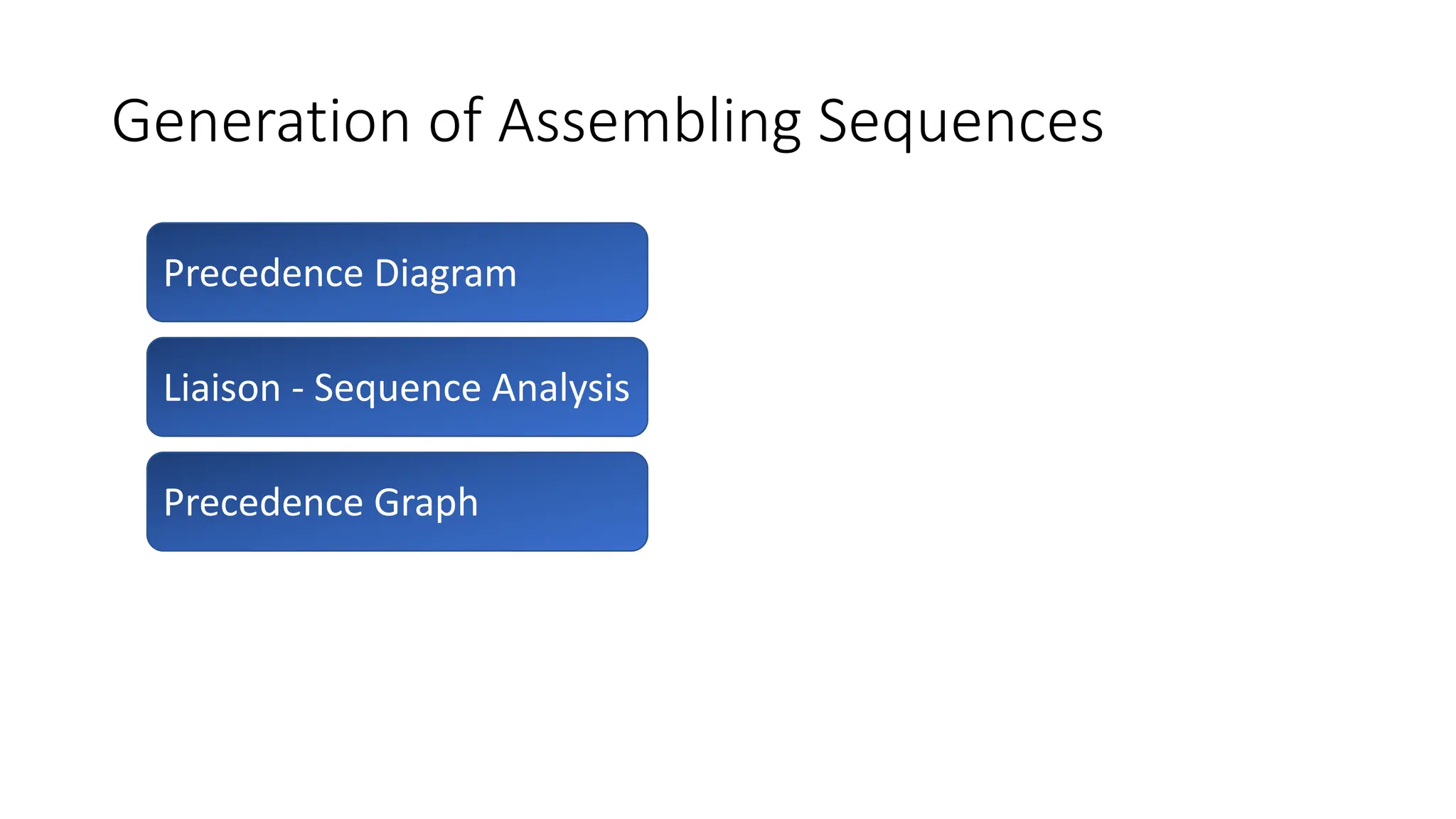
Generation of Assembling Sequences
Precedence Diagram
Liaison - Sequence Analysis
Precedence Graph
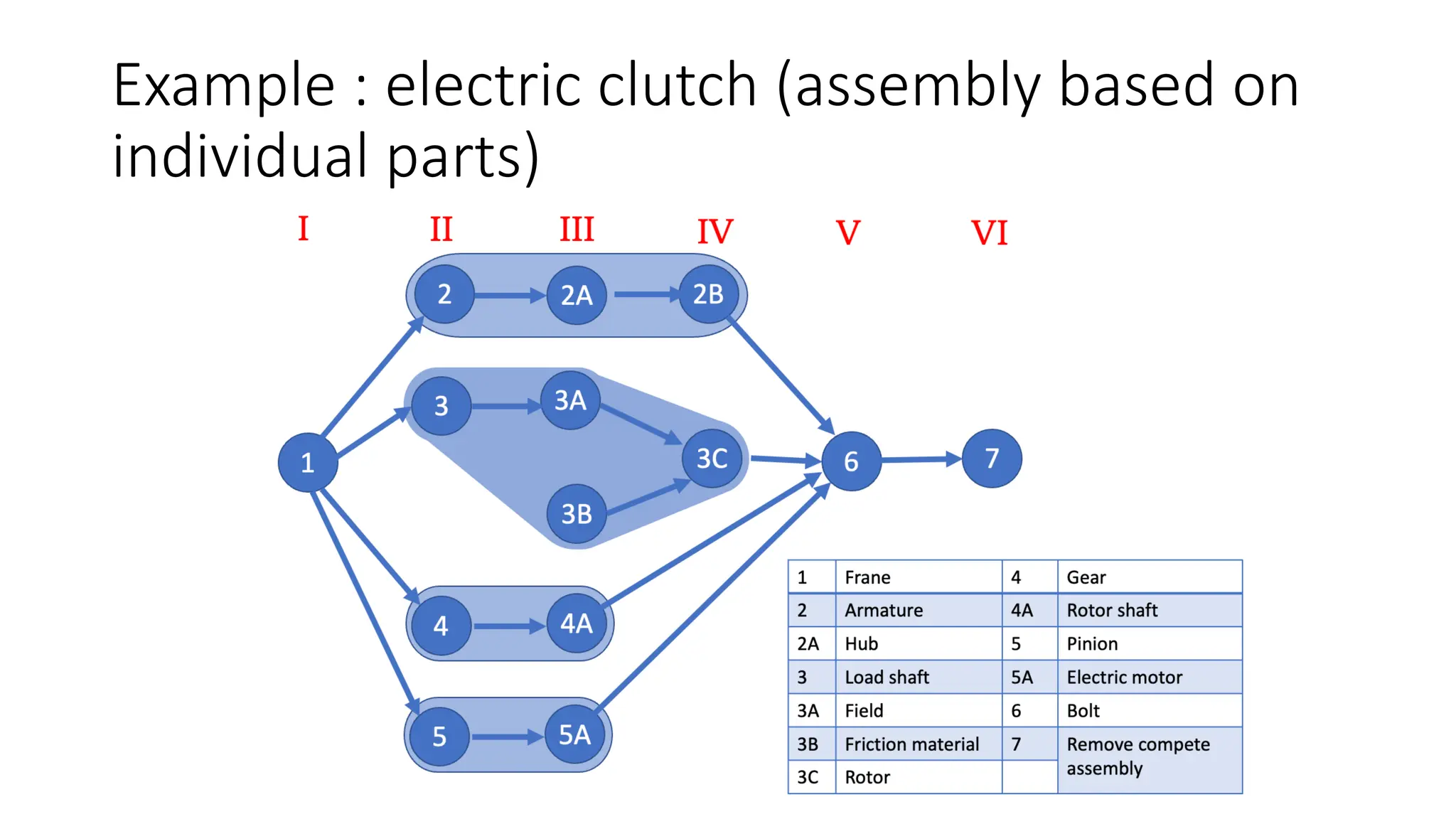
Precedence Diagram
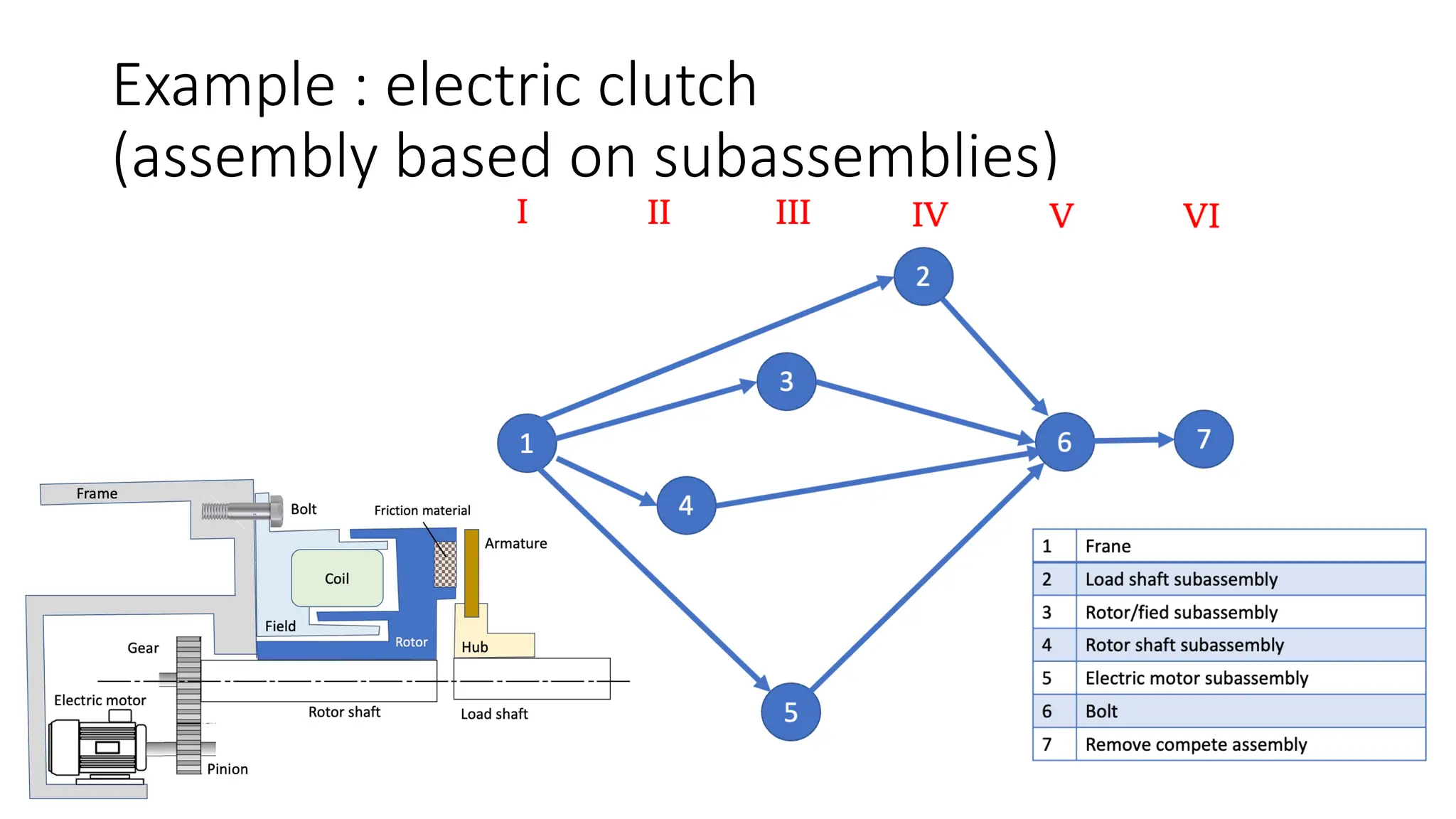
Designed to show all the possible assembly sequences of a product.
Each individual assembly operation is assigned a number.
It show all the possible assembly sequences of a product. To develop
the precedence diagram for a product, each individual assembly
operation is assigned a number & is represented by circle with number
inscribed. Circles are connected by arrows showing the precedence
relations.
Example : electric clutch (assembly based on
individual parts)
Example : electric clutch
(assembly based on subassemblies)
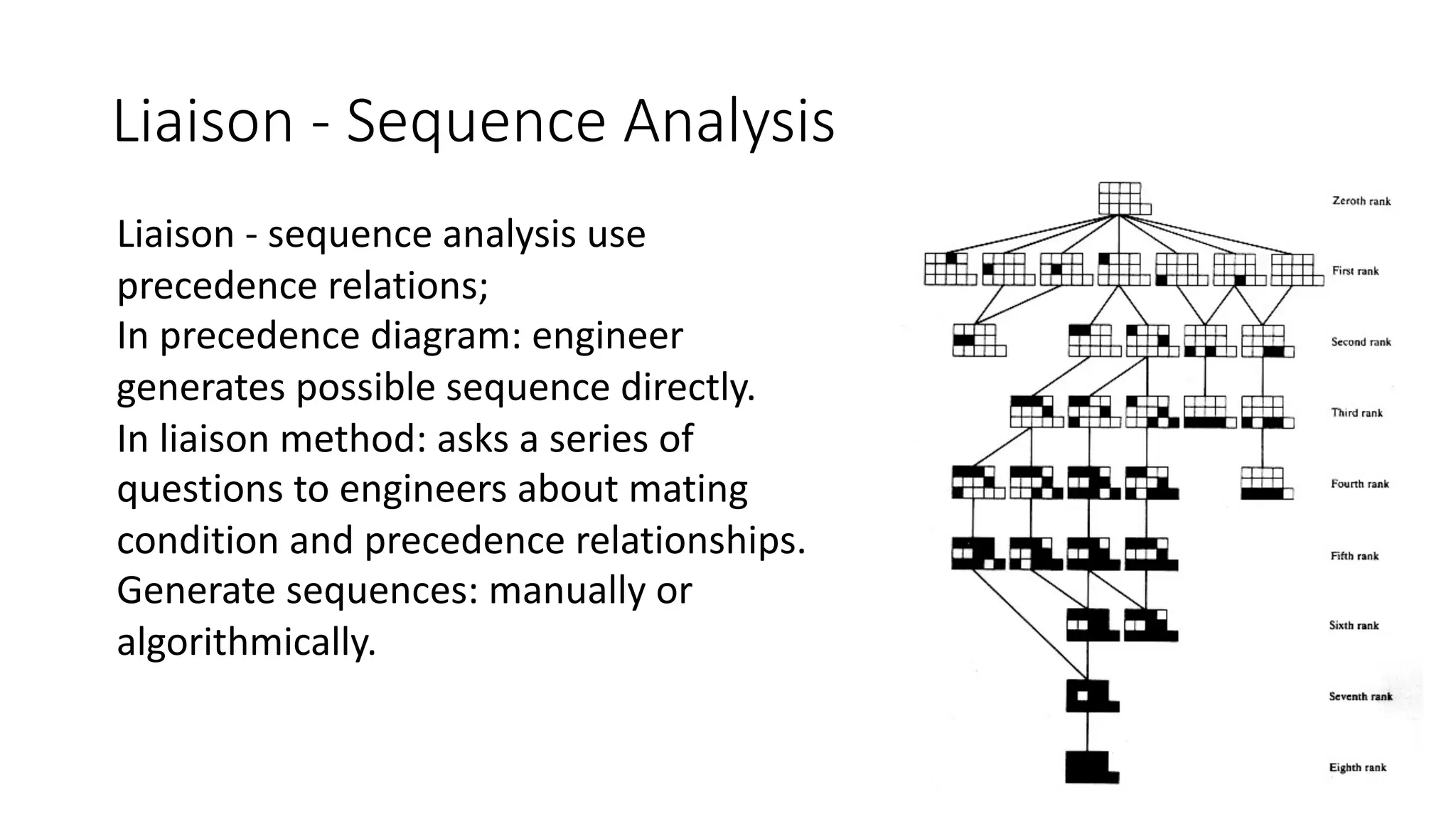
Liaison - Sequence Analysis
Liaison - sequence analysis use
precedence relations;
In precedence diagram: engineer
generates possible sequence directly.
In liaison method: asks a series of
questions to engineers about mating
condition and precedence relationships.
Generate sequences: manually or
algorithmically.
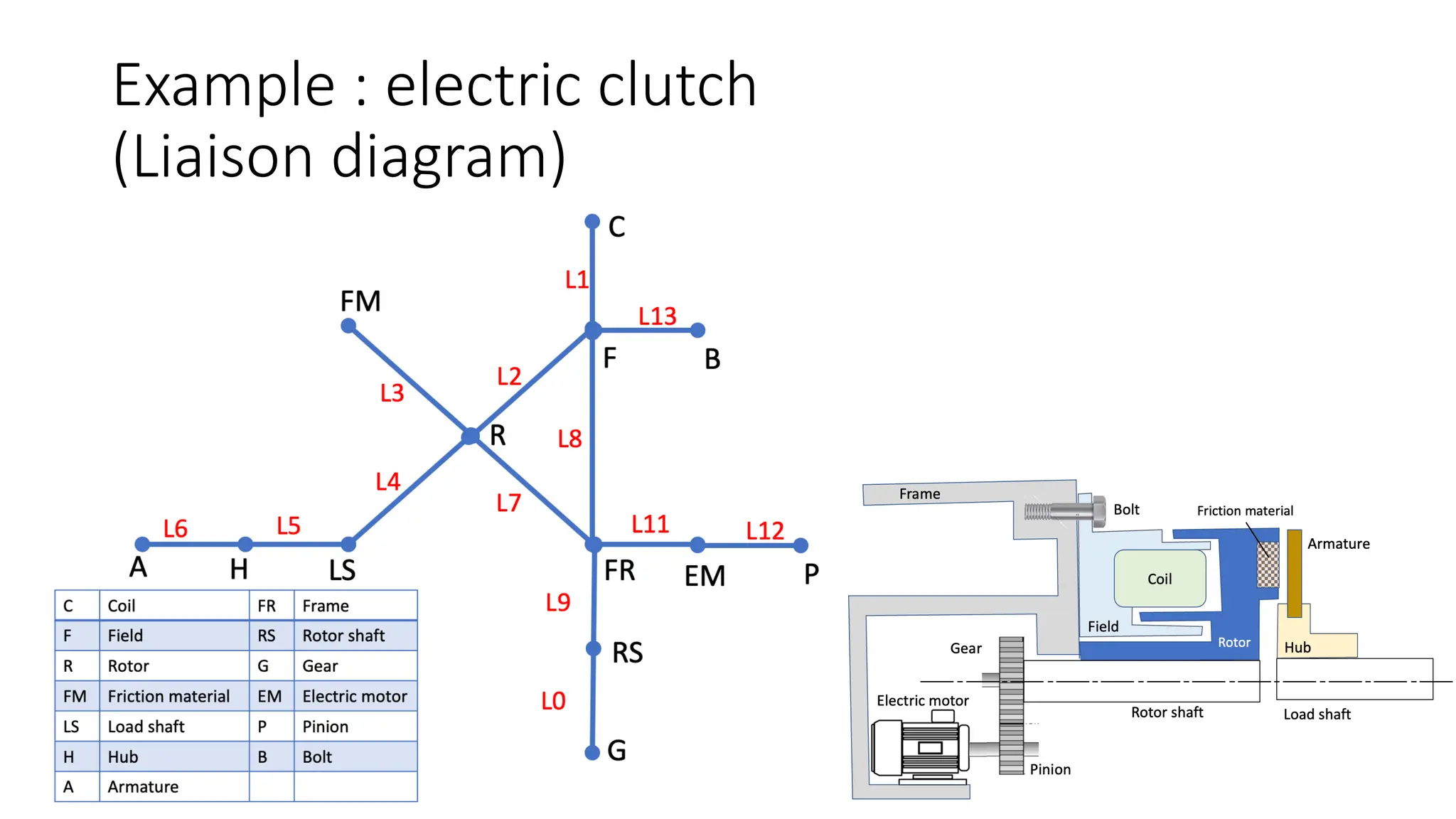
Liaison diagram
A liaison diagram is a simple graph that uses nodes to represent parts
and lines between nodes to represent liaisons or connections between
parts.
A simple graph that denotes parts as nodes and connections as arcs.
Can be augmented with information about the connection.
Node: represent parts
Line: represent any mating conditions between parts.
Each part has no more than one liaison(line) with any other part.
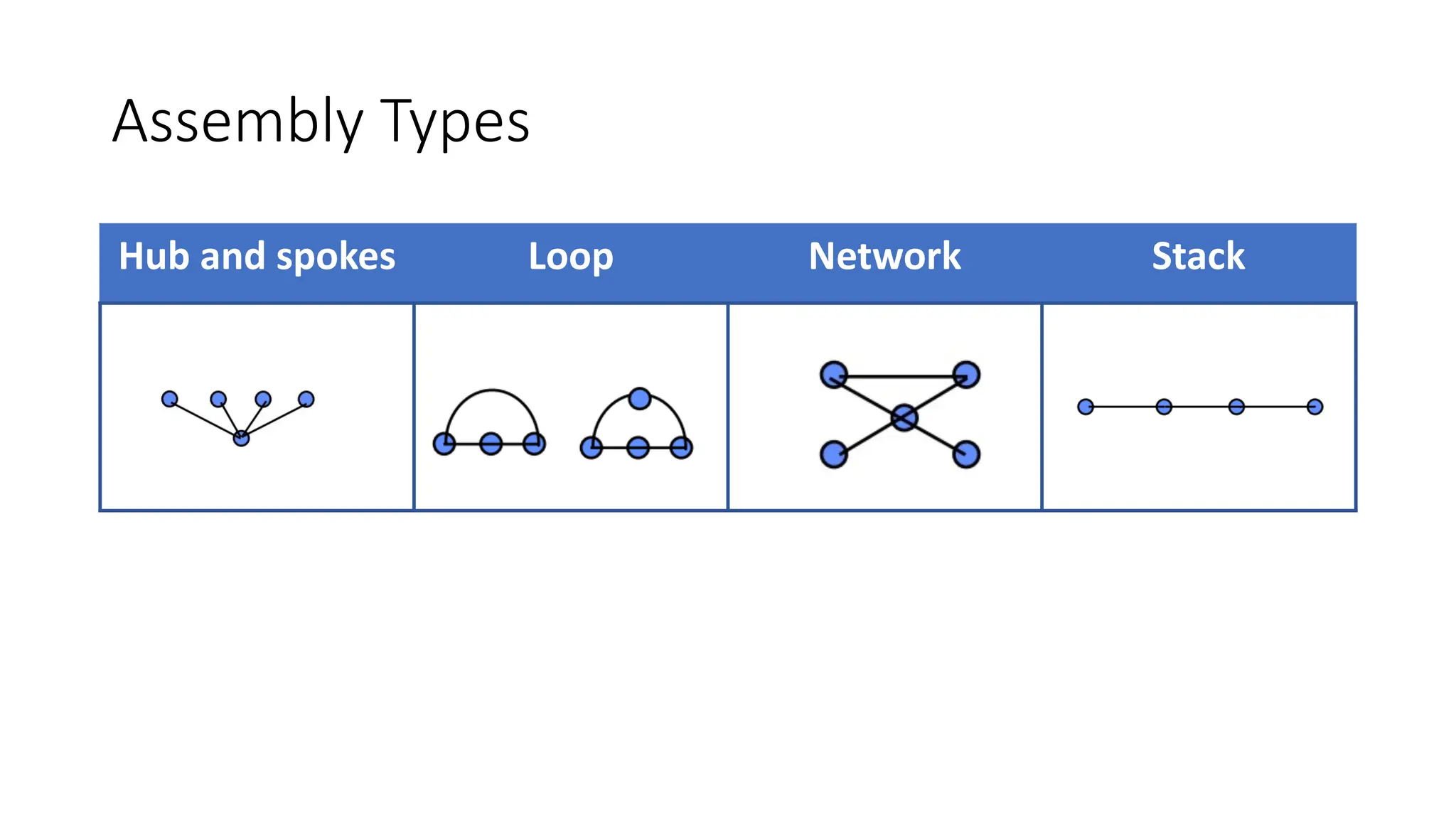
Assembly Types
Hub and spokes Loop Network Stack
Key characteristics
Key characteristics are the product, subassembly, part, and process
features whose variation from nominal significantly impacts the final
cost, performance [including the customer's perception of quality], or
safety of a product. Special control should be applied to those KCs if the
cost of variation justifies the cost of control.
Thornton, A. C., "A Mathematical Framework for the Key Characteristic Process,"
Research in Engineering Design, vol. 11, pp. 145-157, 1999.
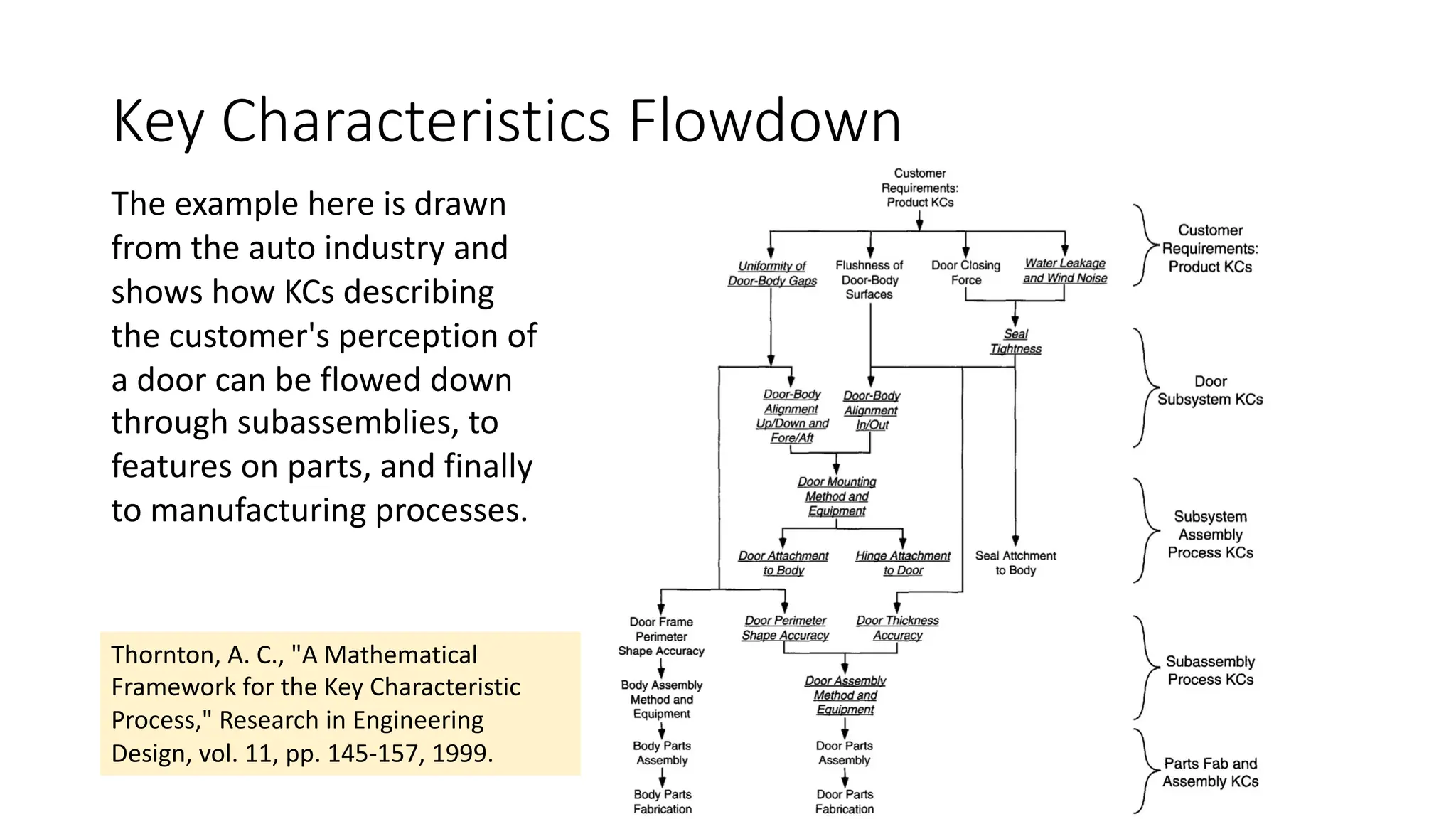
Key Characteristics Flowdown
The example here is drawn
from the auto industry and
shows how KCs describing
the customer's perception of
a door can be flowed down
through subassemblies, to
features on parts, and finally
to manufacturing processes.
Thornton, A. C., "A Mathematical
Framework for the Key Characteristic
Process," Research in Engineering
Design, vol. 11, pp. 145-157, 1999.
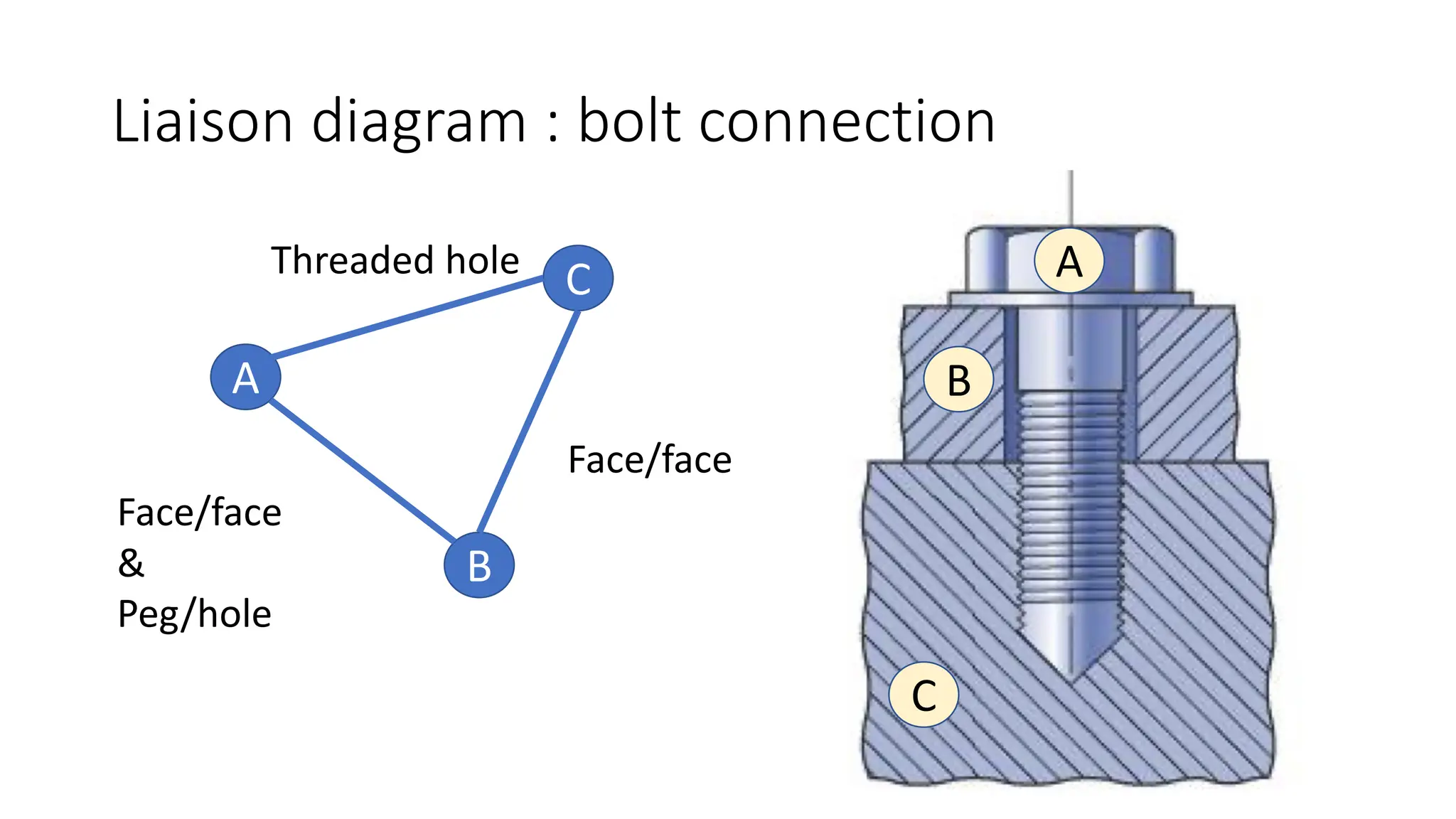
Liaison diagram : bolt connection
A
B
C
C
B
A
Face/face
Threaded hole
Face/face
&
Peg/hole
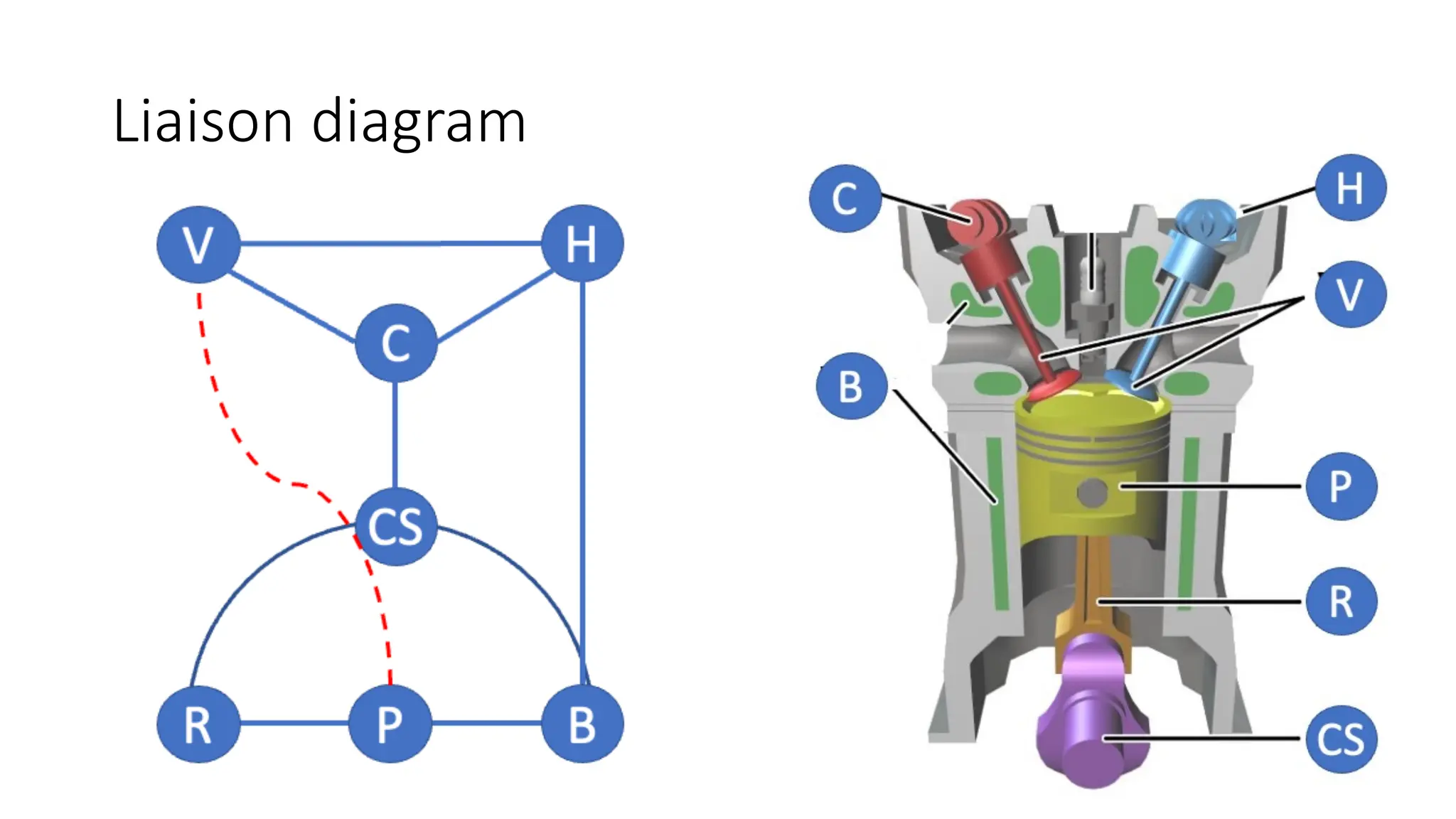
Liaison diagram
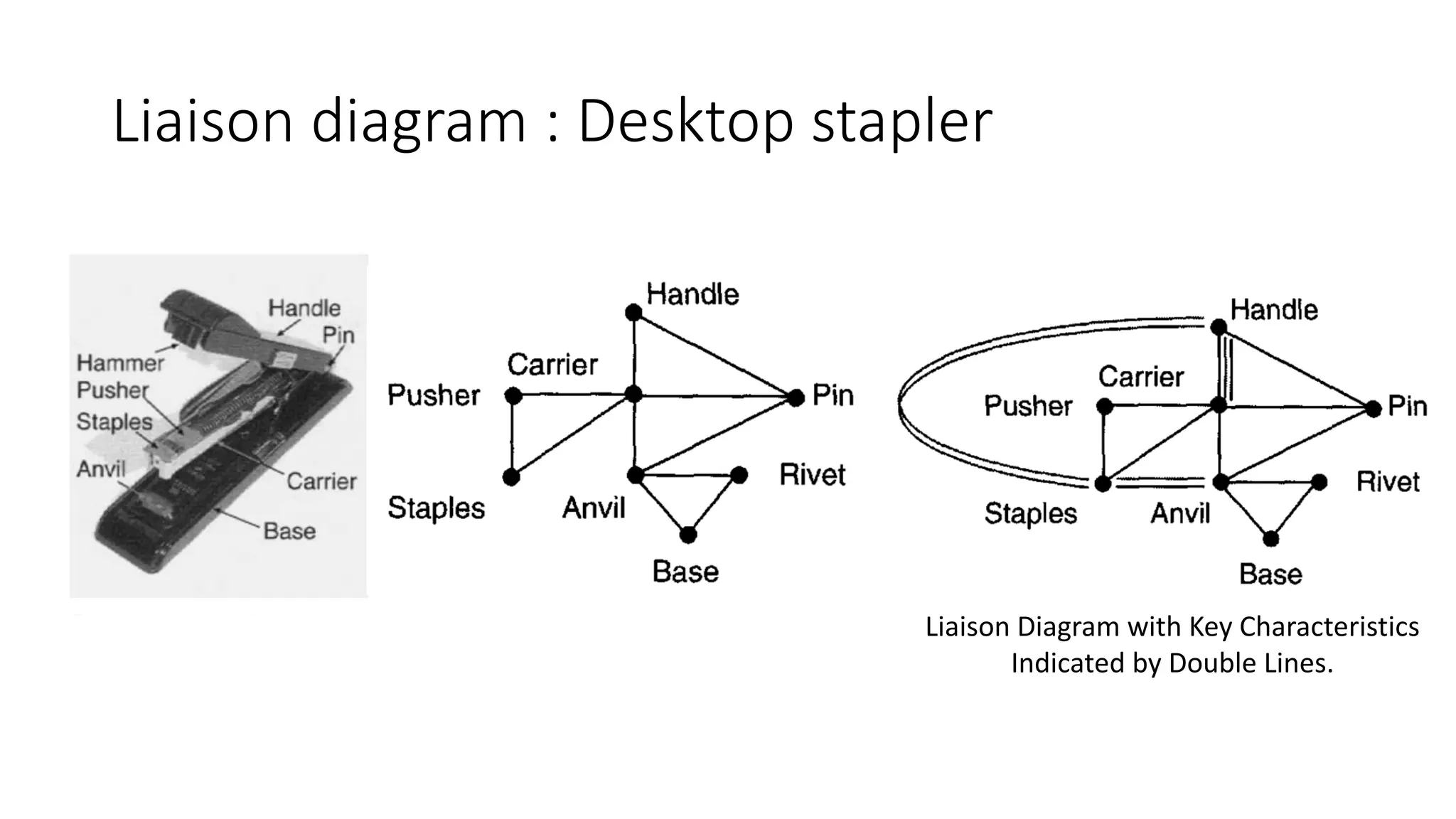
Liaison diagram : Desktop stapler
Liaison Diagram with Key Characteristics
Indicated by Double Lines.
Example : electric clutch
(Liaison diagram)
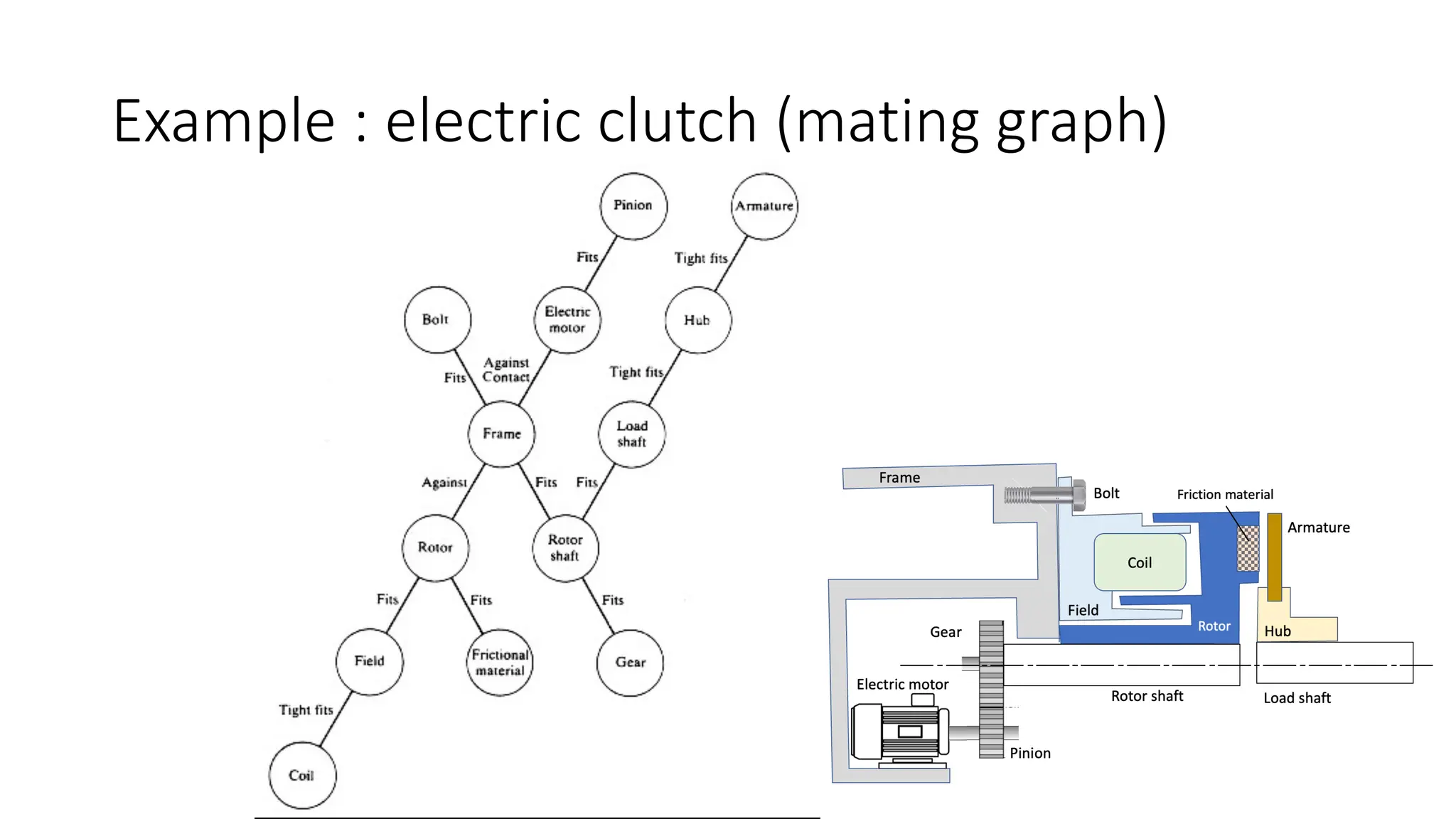
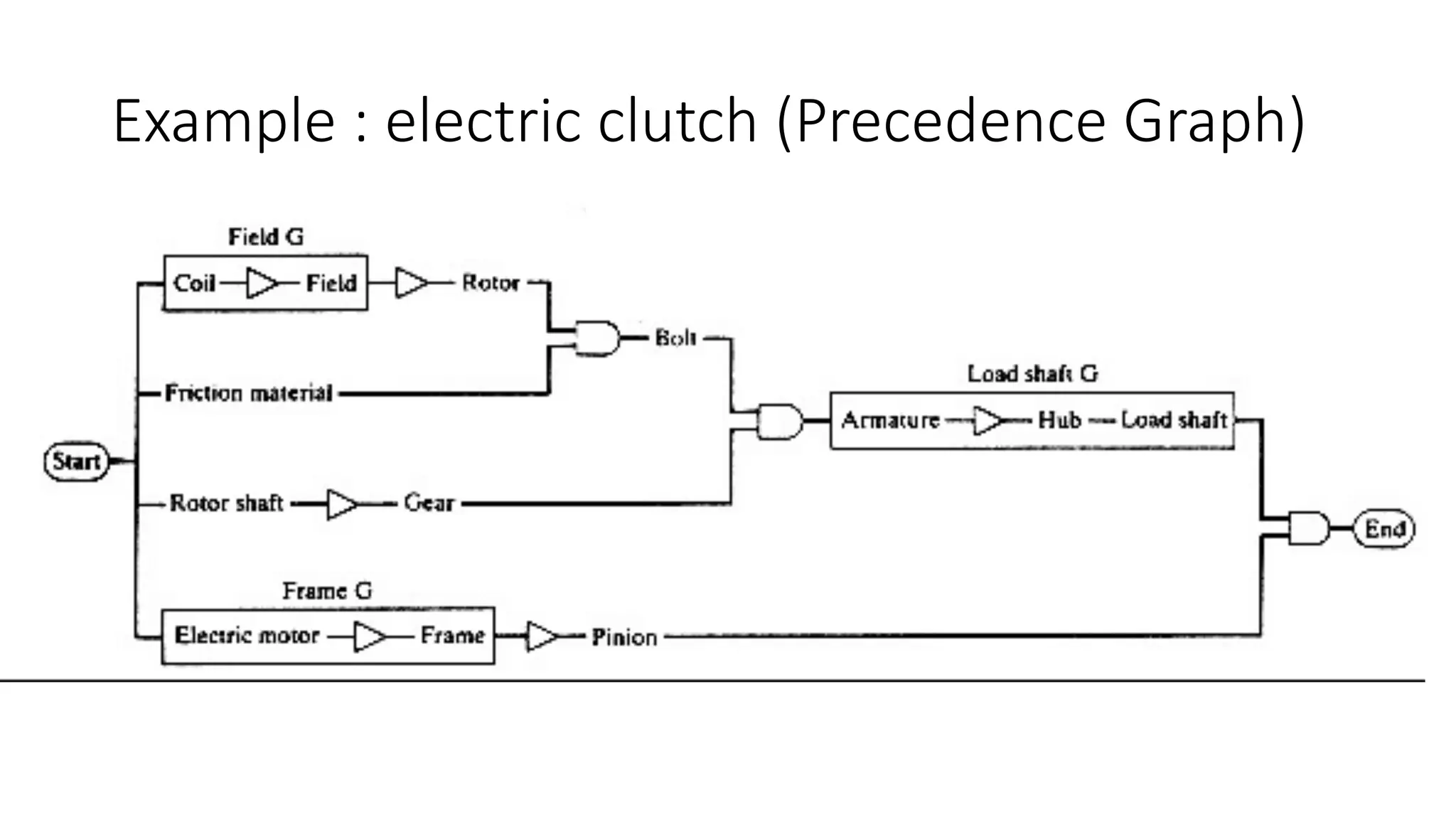
Precedence Graph
The representation mostly used in assembly planning is the precedence
diagram or precedence graph, which contains all the valid sequences of
an assembly. Even for the precedence diagrams, different
representations have been proposed in the literature that include
process times, levels of assembly, etc. .
Assembly sequence is generated with the aid of interference checking.
1. Input mating conditions.
2. Generate mating graph.
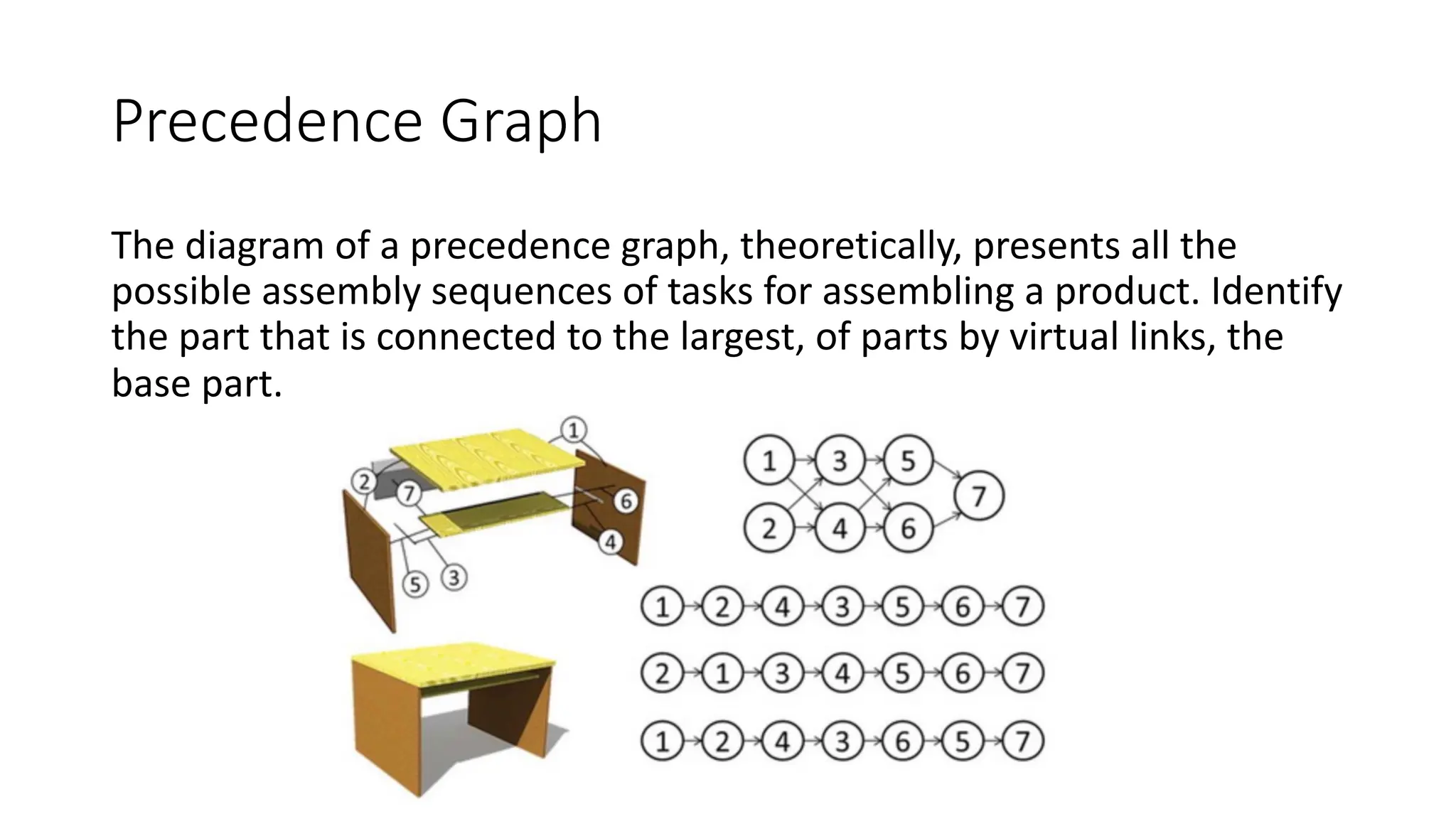
Precedence Graph
The diagram of a precedence graph, theoretically, presents all the
possible assembly sequences of tasks for assembling a product. Identify
the part that is connected to the largest, of parts by virtual links, the
base part.
Example : electric clutch (mating graph)
Example : electric clutch (Precedence Graph)
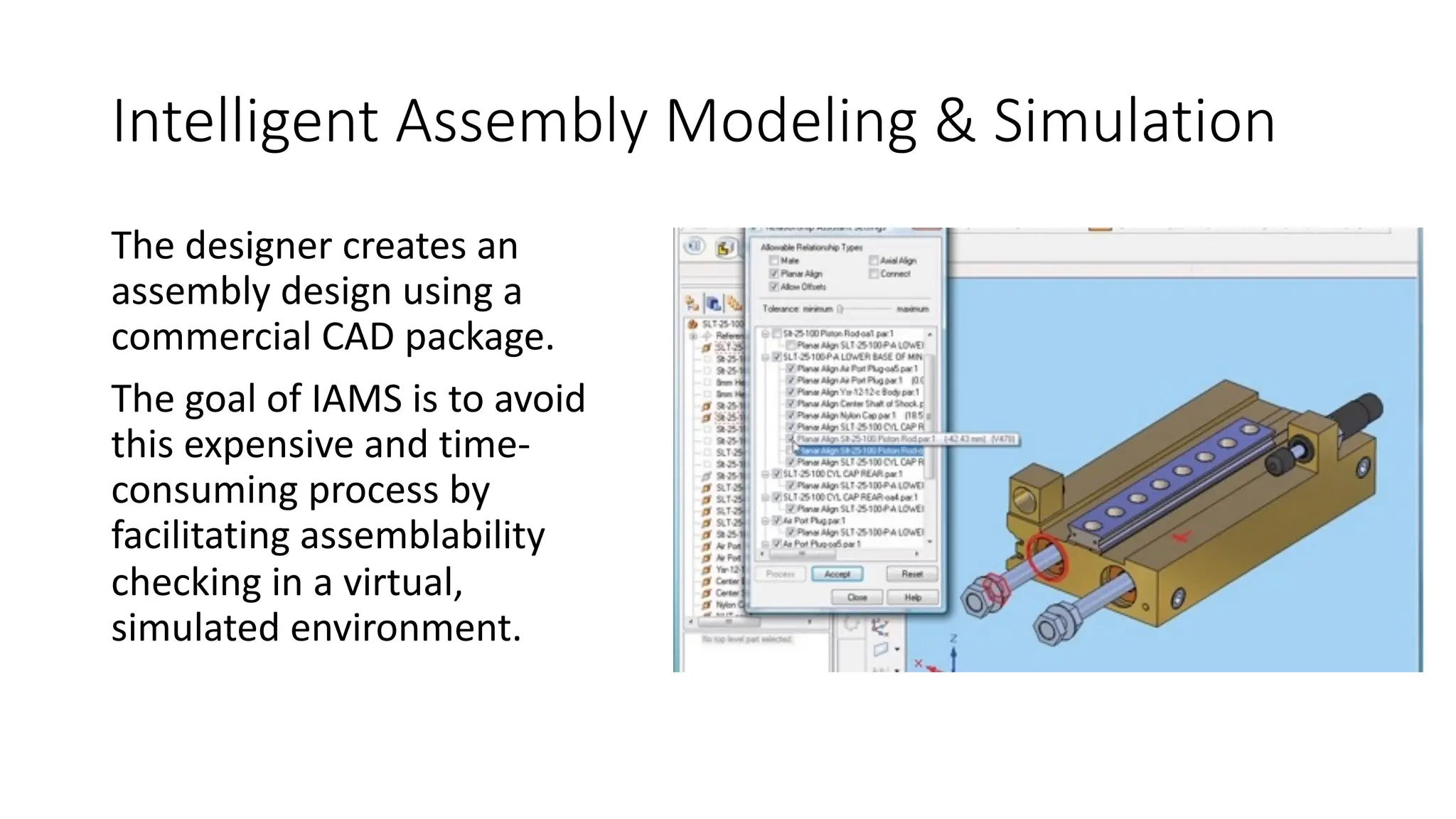
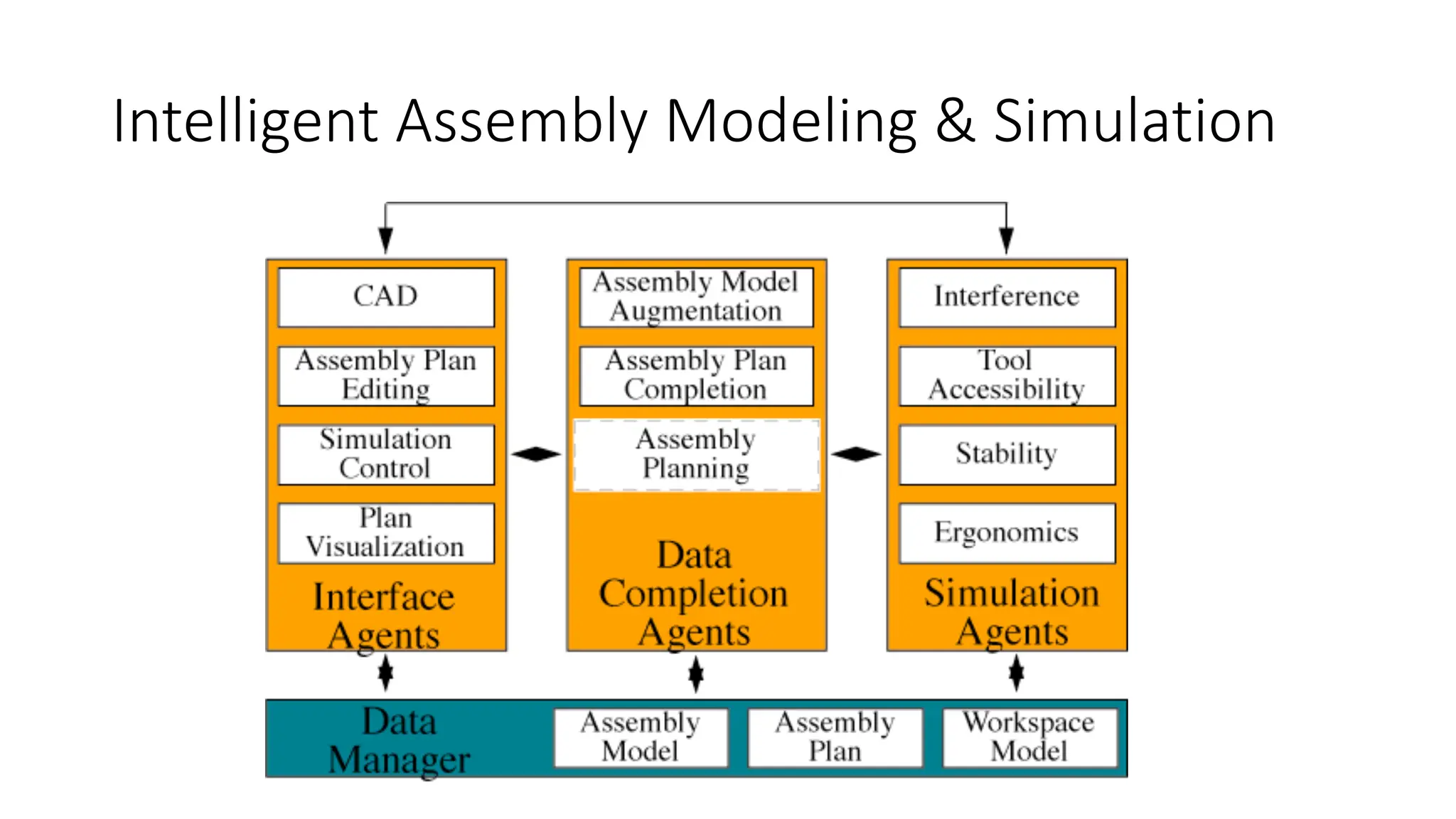
Intelligent Assembly Modeling & Simulation
The designer creates an
assembly design using a
commercial CAD package.
The goal of IAMS is to avoid
this expensive and time-
consuming process by
facilitating assemblability
checking in a virtual,
simulated environment.
Intelligent Assembly Modeling & Simulation
Assembly planning
Assembly planning
Assembly can be done in two ways:
Ølinear assembly; in which parts are assembled one after the other.
Øparallel assembly; in which sub-assemblies (a set of parts grouped
together) are identified and joined simultaneously to obtain the final
assembled product.
As the assembly process uses 50% of total production time and around
20–30% of manufacturing cost, efficient AP is required to reduce the
time and cost of the manufacturing process.
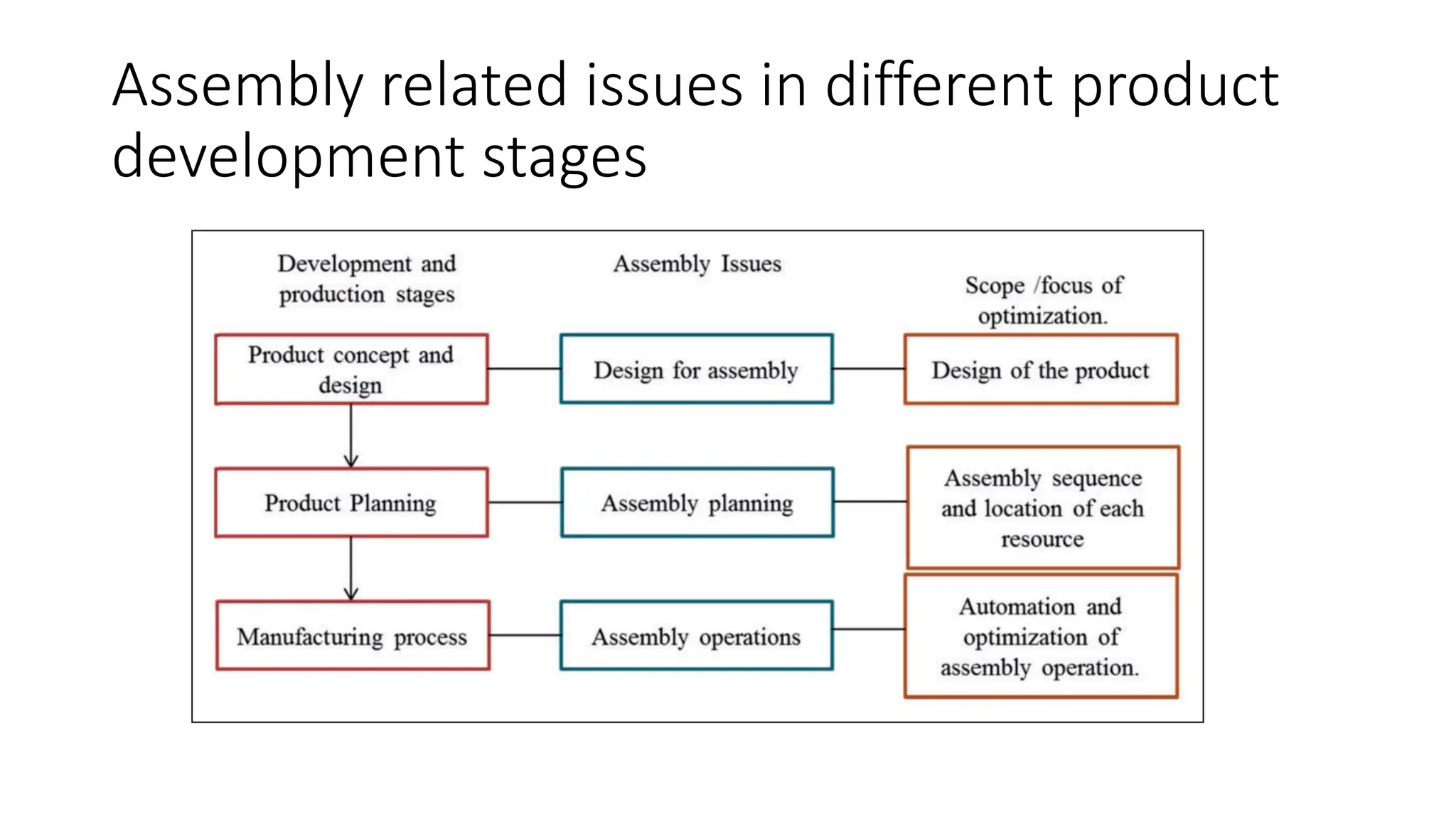
Assembly related issues in different product
development stages
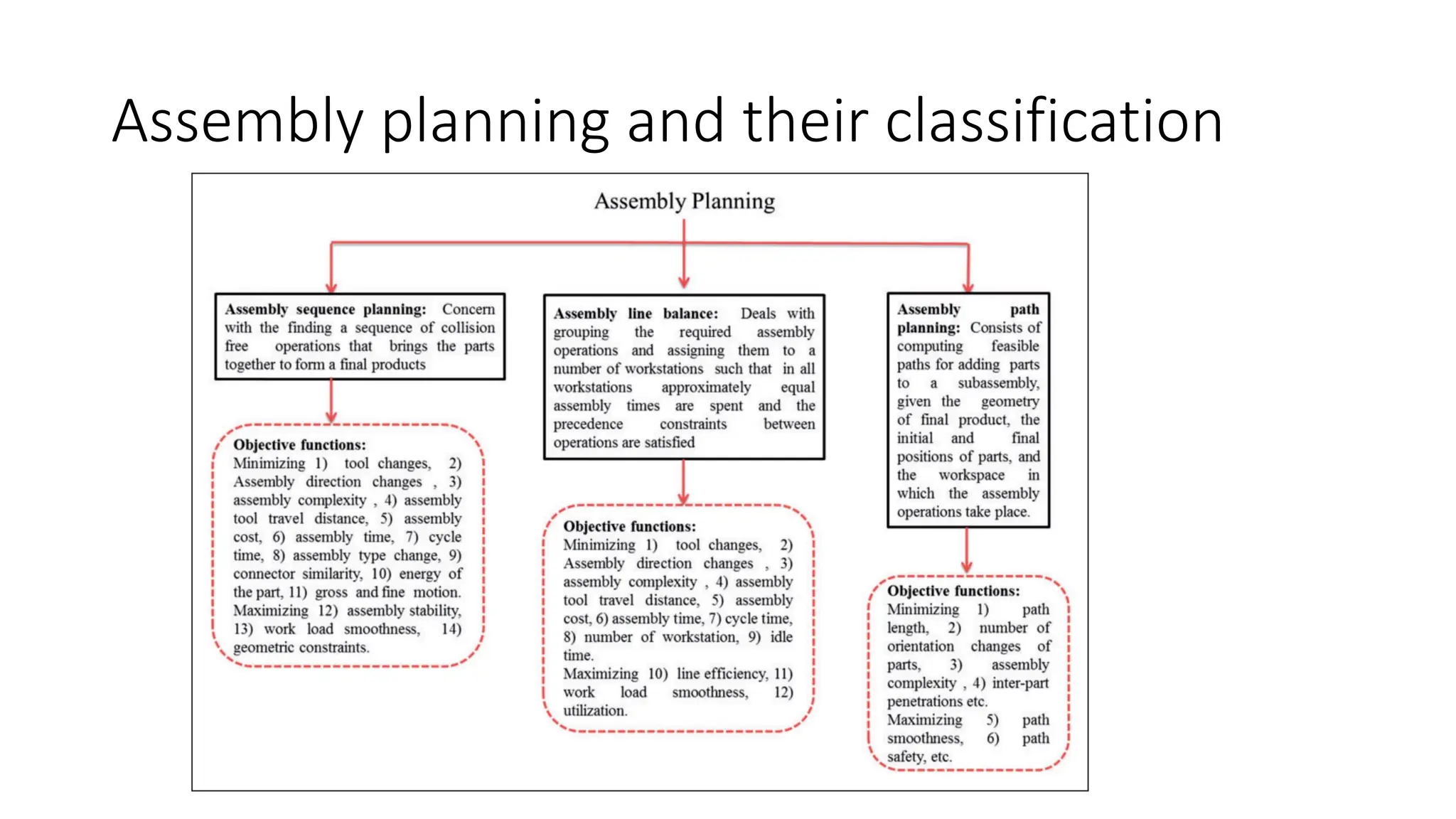
Assembly planning and their classification
Assembly Sequence Planning
Assembly Sequence Planning (ASP) is one of important component in
assembly planning.
ASP refers to a task for which planners, on the basis of their particular
heuristics in assembling all the components of a product, arrange a
specific assembly sequence according to the product design
description.
Assembly Sequence Planning
Assembly optimisation in the production planning stage deals with
determination of optimum assembly sequence and determination of
optimum location of each resource.
Solving the Assembly Sequence Planning (ASP) problem is crucial
because it will determine many assembly aspects including tool
changes, fixture design and assembly freedom.
Assembly representation- directed graph
In assembly representation, directed graph is specifically known as
precedence diagram since the graph represents the precedence
relation of assembly.
Assembly representation- directed graph
An assembly can be described by a directed graph
𝐷 = (𝑃, 𝐶).
P : a finite nonempty set of vertices,
C : a set of edges connecting them.
Each vertex represents a component, and each edge represents a
relationship between the two components. In some cases, the vertices
and edges bring additional information such as assembly orientation,
tool, assembly type and assembly time.
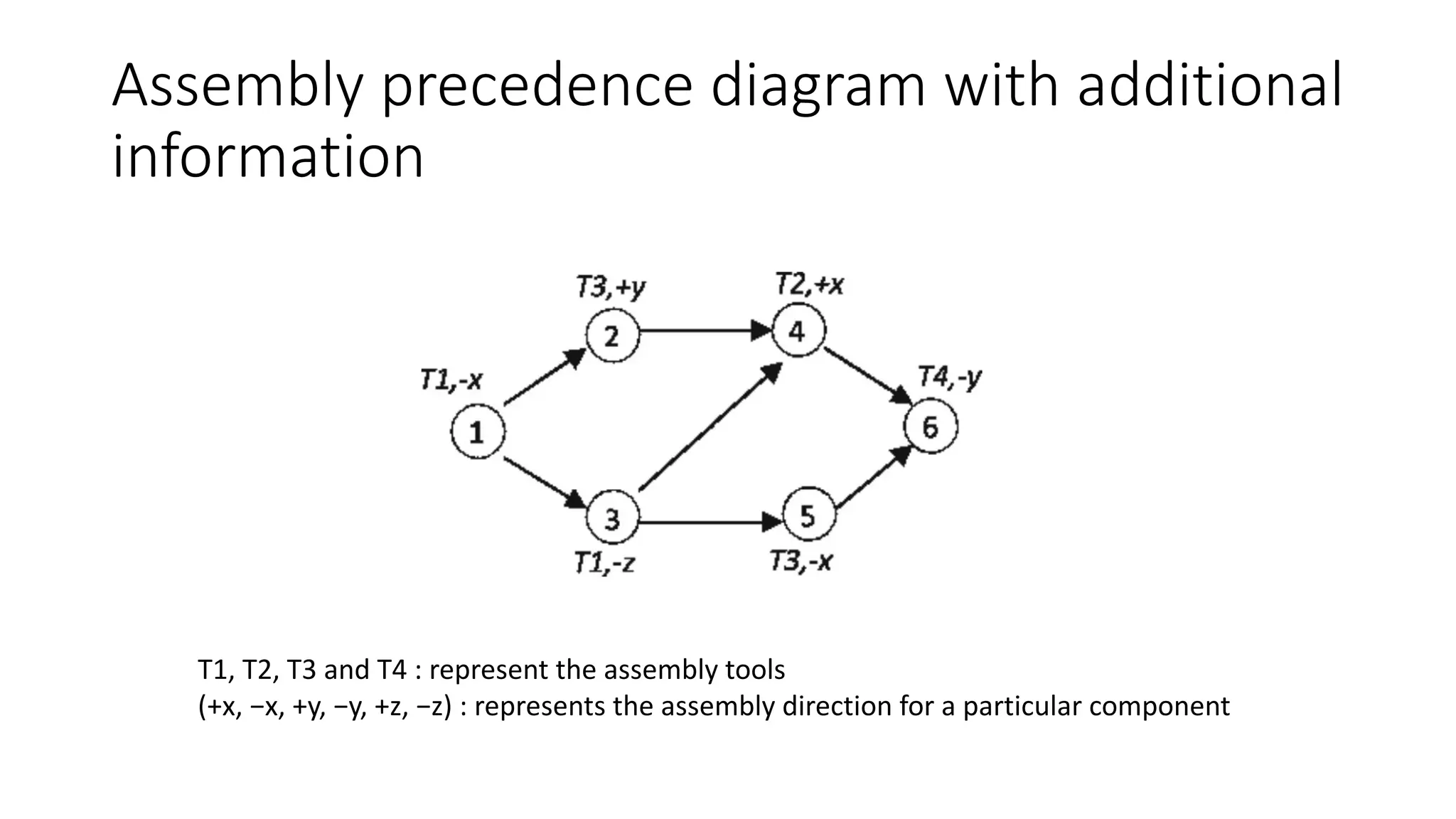
Assembly precedence diagram with additional
information
T1, T2, T3 and T4 : represent the assembly tools
(+x, −x, +y, −y, +z, −z) : represents the assembly direction for a particular component
ASP Constraints
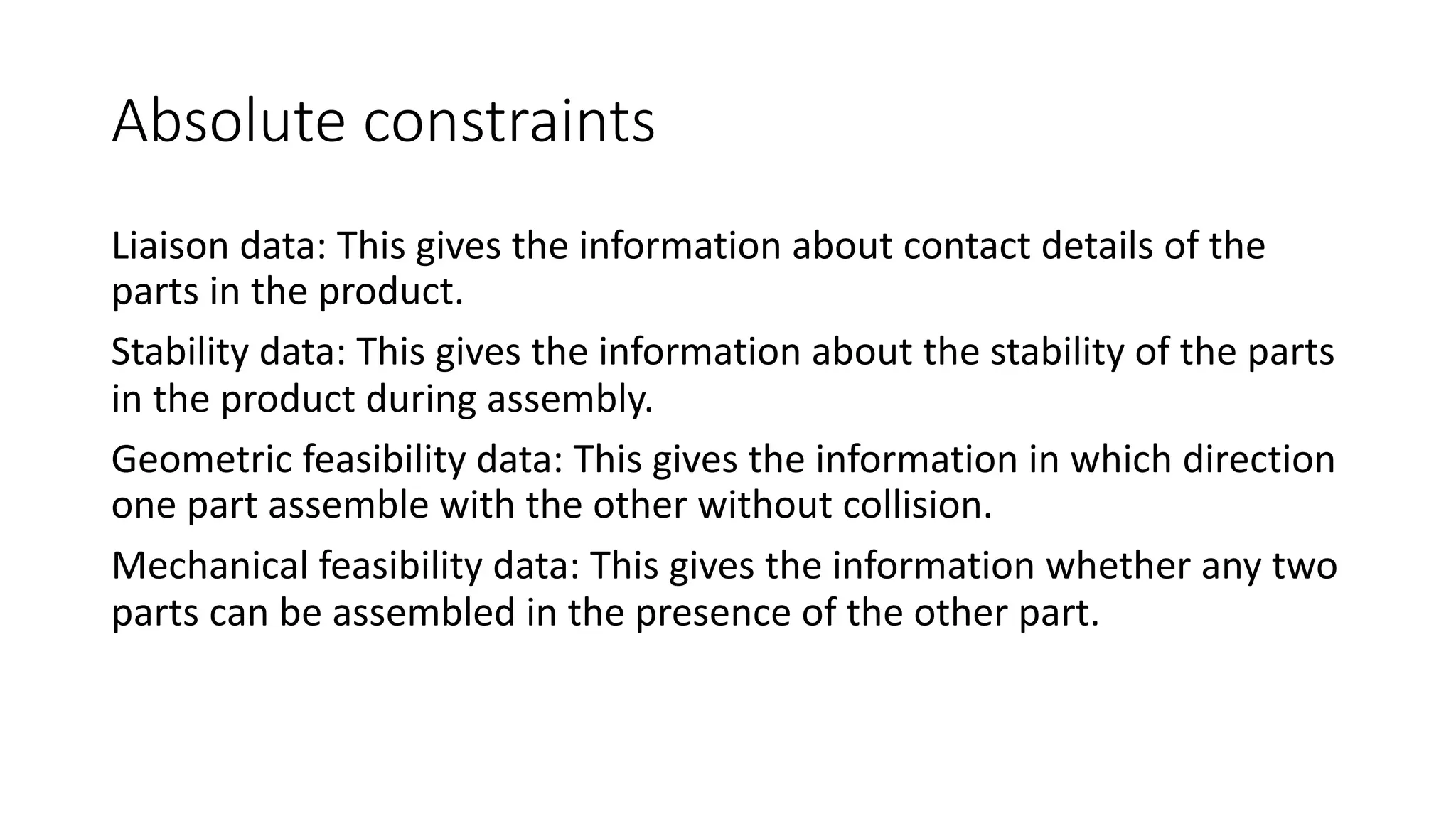
There are two types of constraints in assembly.
• Absolute constraints : refer to constraints that, if violated, lead to
infeasible assembly sequence.
• Optimisation constraints : are the constraints that lead to lower
quality of assembly sequences when violated.
Absolute constraints
Liaison data: This gives the information about contact details of the
parts in the product.
Stability data: This gives the information about the stability of the parts
in the product during assembly.
Geometric feasibility data: This gives the information in which direction
one part assemble with the other without collision.
Mechanical feasibility data: This gives the information whether any two
parts can be assembled in the presence of the other part.
Absolute constraints
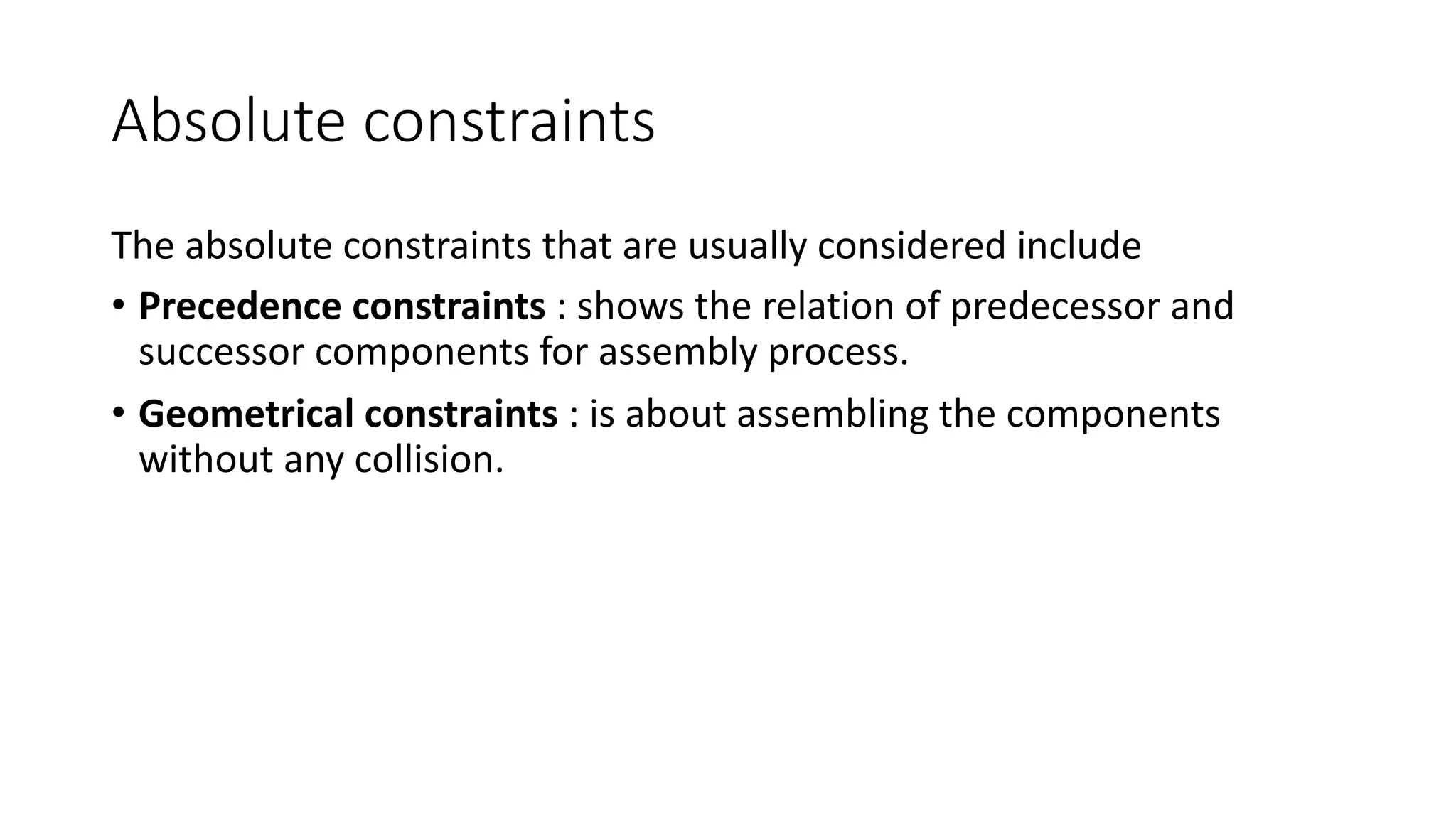
The absolute constraints that are usually considered include
• Precedence constraints : shows the relation of predecessor and
successor components for assembly process.
• Geometrical constraints : is about assembling the components
without any collision.
Absolute constraints
Precedence constraint
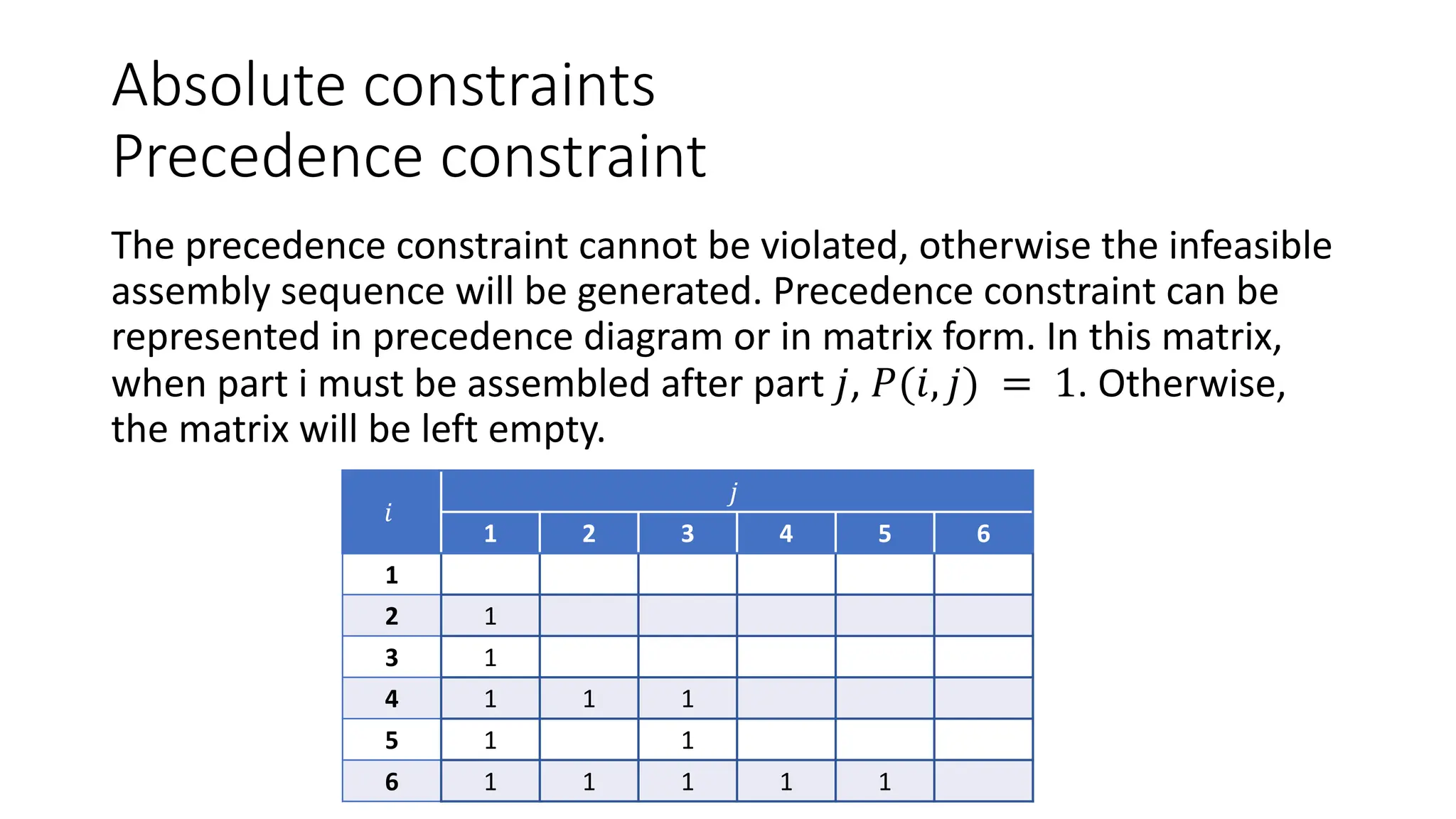
The precedence constraint cannot be violated, otherwise the infeasible
assembly sequence will be generated. Precedence constraint can be
represented in precedence diagram or in matrix form. In this matrix,
when part i must be assembled after part 𝑗, 𝑃(𝑖, 𝑗) = 1. Otherwise,
the matrix will be left empty.
𝑖
𝑗
1 2 3 4 5 6
1
2 1
3 1
4 1 1 1
5 1 1
6 1 1 1 1 1
Absolute constraints
Geometrical constraints
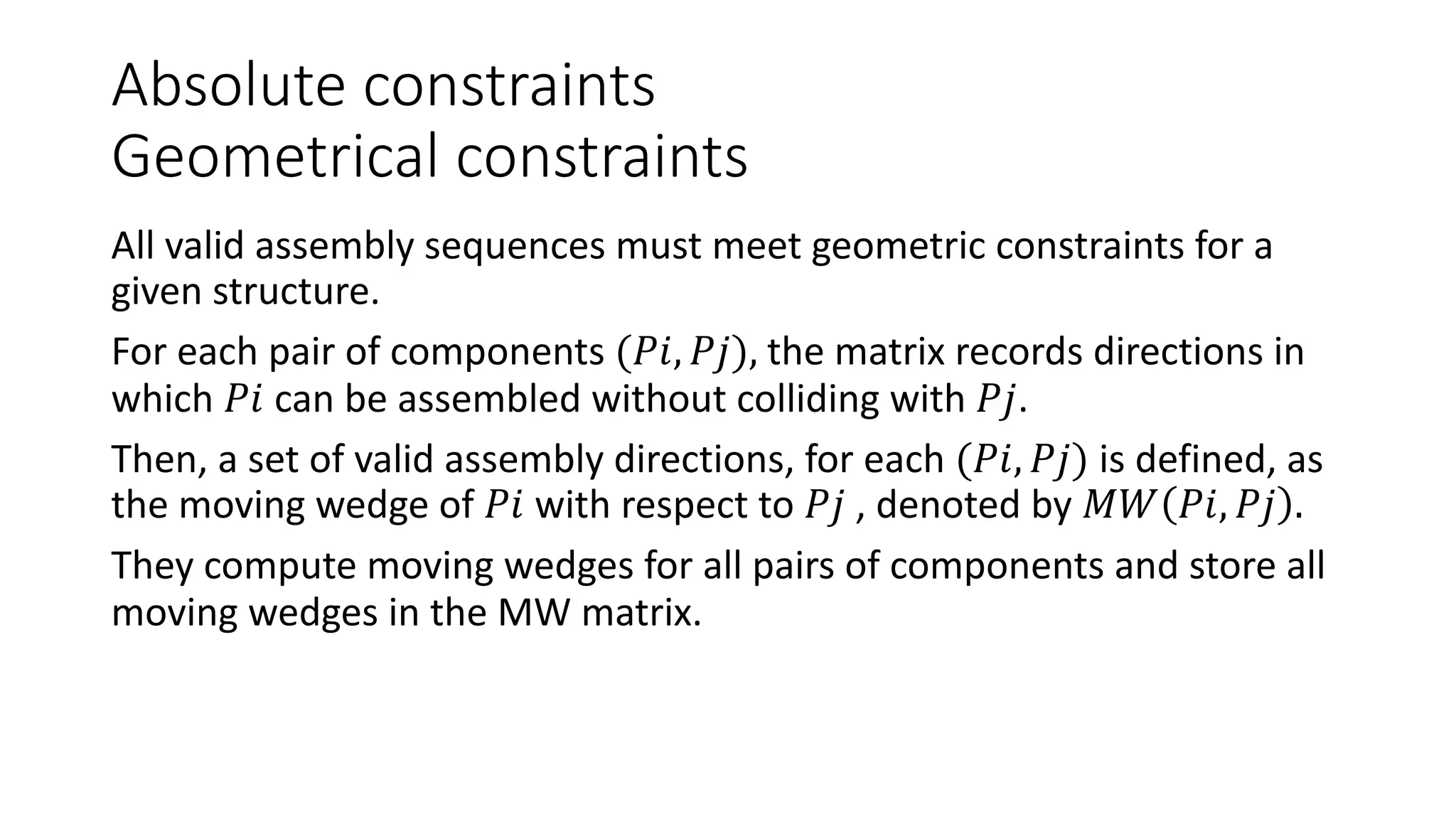
All valid assembly sequences must meet geometric constraints for a
given structure.
For each pair of components (𝑃𝑖, 𝑃𝑗), the matrix records directions in
which 𝑃𝑖 can be assembled without colliding with 𝑃𝑗.
Then, a set of valid assembly directions, for each (𝑃𝑖, 𝑃𝑗) is defined, as
the moving wedge of 𝑃𝑖 with respect to 𝑃𝑗 , denoted by 𝑀𝑊 𝑃𝑖, 𝑃𝑗 .
They compute moving wedges for all pairs of components and store all
moving wedges in the MW matrix.
Assembly Line Balancing
Assembly Line Balancing is the decision problem of optimally
partitioning the assembly work among the stations with respect to
some objective.
ALB was first mathematically formulated by Salveson in 1955.
ALB problem into two categories:
ØSimple Assembly Line Balancing Problem (SALBP)
ØGeneralised Assembly Line Balancing Problem (GALBP)
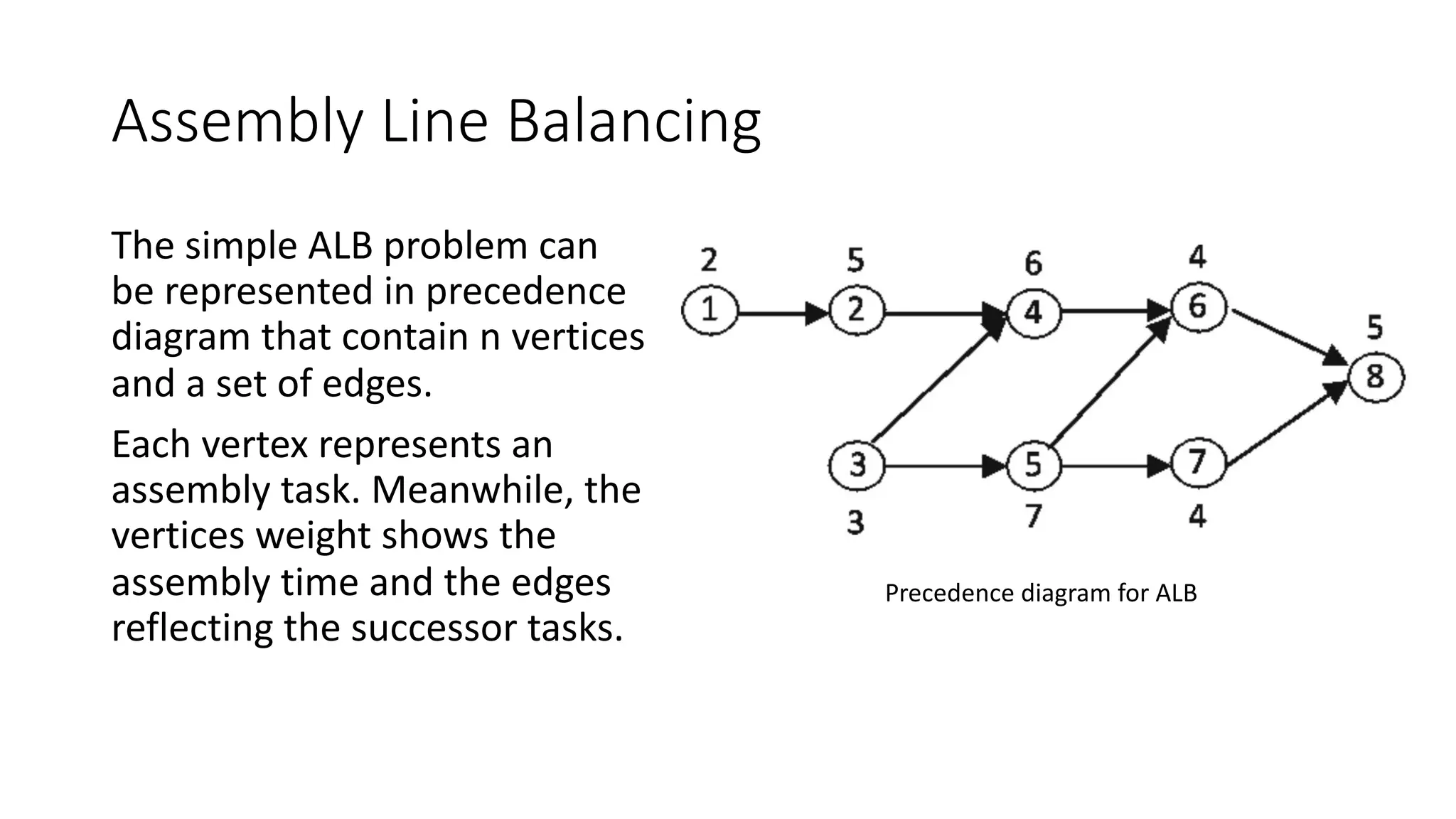
Assembly Line Balancing
The simple ALB problem can
be represented in precedence
diagram that contain n vertices
and a set of edges.
Each vertex represents an
assembly task. Meanwhile, the
vertices weight shows the
assembly time and the edges
reflecting the successor tasks.
Precedence diagram for ALB
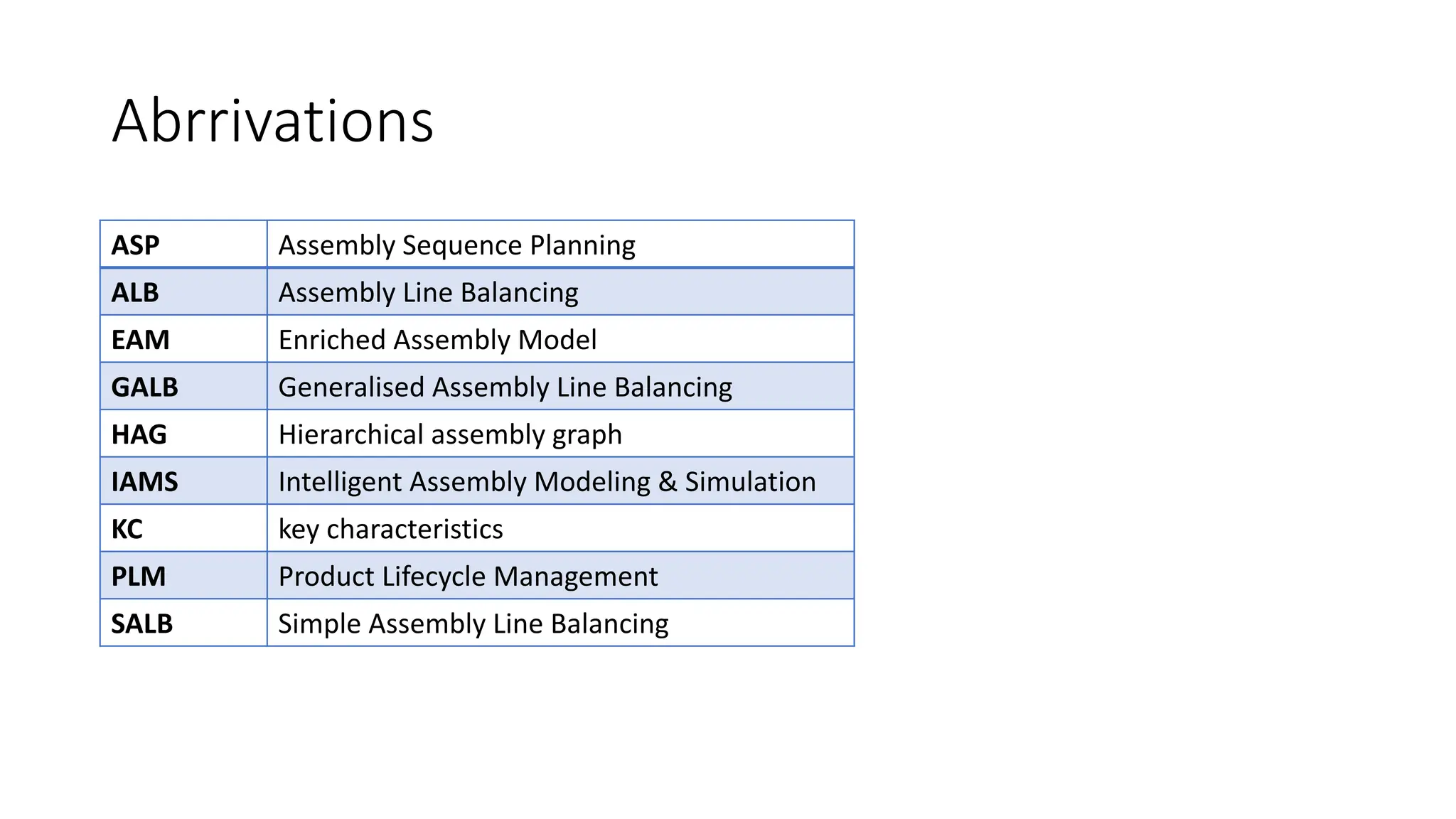
Abrrivations
ASP Assembly Sequence Planning
ALB Assembly Line Balancing
EAM Enriched Assembly Model
GALB Generalised Assembly Line Balancing
HAG Hierarchical assembly graph
IAMS Intelligent Assembly Modeling & Simulation
KC key characteristics
PLM Product Lifecycle Management
SALB Simple Assembly Line Balancing

Leacture about assembly-modeling.pdf

  • 1.
    ASSEMBLY MODELING LECTURE #8 MKS537E – Intro to CAE
  • 2.
    Definition Assembly modeling isa technology and method used by computer- aided design and product visualization computer software systems to handle multiple files that represent components within a product. Assembly modeling allows the integration of design and manufacturing to production planning and control.
  • 3.
    Assembly modeling In anassembly model, components are brought together to define a larger, more complex product representation. Assembly modeling is a tool that allows and facilitates the collaboration among designers, analysis people, manufacturing people, and others, to insure their assembly works together.
  • 4.
    Assembly modelers Assembly modelerscan be thought of as more advanced geometric modelers where the data structure is extended to allow representation and manipulation of hierarchical relationships and mating conditions that exist between components in an assembly.
  • 5.
    Geometric and AssemblyModelers The geometric modeler acts as a front end to the assembly modeler. Individual parts may be modeled using the geometric modeler. These models may be analyzed individually at this stage. After each part has been analyzed and optimized, the designer would use the assembly modeler to synthesize an assembly model and analyze the entire system. Geometric modeler Geometric model of part 1 Geometric model of part 2 Geometric model of part n Assembly modeler Assembly model To part analysis To assembly analysis …
  • 6.
    Assembly modeling Assembly modelingused for Ø Creation of orthographic assembly drawings. Ø Creation of exploded assemblies. Ø Facilitate packaging Ø Perform interference and clearance checks
  • 7.
    Definitions Assembly : isa collection of pointers to piece parts and/or subassemblies. An assembly is a part file that contains component objects. Subassembly : is an assembly that is used as a component object within a higher level assembly. A subassembly contains component objects of its own. Component object : is the entity that contains and links the pointer from the assembly back to the master component part. A component object can also be a subassembly made up of its own component parts and/or component objects.
  • 8.
    Types of AssemblyDesign Approach Assemblies modelling in parametric CAD systems often use Bottom-up Design and Top-down Design strategies. There is also the method which is the combination of these two methods. Bottom-up Assembly : is the most preferred approach for creating assembly models. Top-down Assembly: Adopting the top-down design approach gives the user the distinctive advantage of using the geometry of one component to define the geometry of the other.
  • 9.
    Bottom-up Assembly Approach Theindividual parts a created independently, inserted into the assembly, and located and oriented (using the mating conditions) as required by the design. The bottom-up-approach is the preferred technique if the parts have already been created (off the shelf).
  • 10.
    Top-down Assembly Approach Inthis approach, the assembly file is created first with an assembly layout sketch. The parts are made in the assembly file or the concept drawing of the parts are inserted and finalized in the assembly file. The final geometry of the parts have not been defined before bringing them into the assembly file. This design approach is highly preferred, while working on a conceptual design or a tool design where the reference of previously created parts is required to develop a new part.
  • 11.
    Mixed Assembly Approach Thevast majority of the designed assemblies consist two modelling strategies, bottom-up technique and top-down technique. Generally, most of the assemblies are defined of already existing components. New part is designed in the case when design assumptions are changed or when the project needs to have some design changes.
  • 12.
    Assembly tree The assemblytree, shown in the Explorer window, displays all the assemblies and solids in the model. Each assembly contains all its components and the relationships between the components.
  • 13.
    Assembly tree Assembly Subassembly SubassemblySubassembly Subassembly Subassembly Subassembly Part Part Part Part Part Part Part Part Part Depth 0, Heierarchy n Depth 1, Heierarchy n-1 Depth n-1, Heierarchy 1 Depth n, Heierarchy 0 . . . . . .
  • 14.
    Assembly tree Assembly treeexplodes the overall assembly into subassemblies and parts, as well as illustrates where within the tree structure the various parts and subassemblies are connected or attached. Depth 0: we have the overall assembly. Depth 1: shows how the major subassemblies and parts fit into the overall assembly.
  • 15.
  • 16.
    Assembly tree :pulley block
  • 17.
    Structural layer The structurallayer of the Enriched Assembly Model (EAM) encodes the hierarchical assembly structure of the CAD model as specified by the designer. This partition, even if it is driven by some standard rules, is not unique and reveals the designer intents. K.Lupinetti, F.Giannini, M.Monti, J-P. Pernot, Multi-criteria retrieval of CAD assembly models, J. of Computational Design & Eng. 5 (2018), pp.41-53
  • 18.
    Possible relationships betweenparts The possible relationships between two parts can be grouped into contact, interference, and clearance. Contact : Two parts are in contact, if they touch along low-level geometric entities such as surfaces, curves or points without any shared volume. Interference : Two parts define an interference, if a common volume exists between them. Most of the time, this configuration does not exist between two real objects Clearance : occurs when the distance between two surfaces of two parts is meaningful for the considered assembly, i.e. it is a small non-null distance between two parts in the assembly.
  • 19.
    DOF values accordingto the surface type where 𝑅 indicates a rotation, 𝑇 a translation, the subscripts 𝑢, 𝑣 and 𝑛 the vector along which the rotations/translations are allowed.
  • 20.
    Example The simply-circled nodesare associated with parts, while the double-circled nodes (S and N) are associated with a set of parts belonging to circular rotational patterns. The straight arc connects two components, which are in face contact. The wavy arcs indicate a line contact and according to the description of the interface layer.
  • 21.
    Example The part ofbearing for the nodes E and I, and sphere like for the node S. For the node S, the characteristic of belonging to a circular pattern is also specified.
  • 22.
    Assembly hierarchy An assemblyis a modeling entity that combines parts into a hierarchical product structure. An assembly hierarchy is a way to organize the collection of parts. A part contains geometry definition and other attributes such as color and mass properties.
  • 23.
    Assembly hierarchy The assemblyhierarchy defines relationships of parts to each other. It is easier to work with assembly models if they are organized in a logical manner. An assembly can usually be thought of as composed of several smaller subassemblies, each of which in turn may consist of other subassemblies or individual components.
  • 24.
    Example : electricclutch (Part hierarchy ) Frame Pinion Electric motor Rotor shaft Gear Load shaft Rotor Field Armature Friction material Bolt Part hierarchy Depth 1 Depth 0 Depth 2 Depth 3 Hub Coil
  • 25.
    Assembly mating conditions Basicmates Advanced mates Mechanical mates Coincident Offset Cam Concentric Surface intersecting an edge Hinge Coplanar Edge intersecting a point Gear Tangent Angles of surfaces/planes to each other Rack pinion Parallel Symmetry Screw Perpendicular Path Universal joint Lock Relationship of a geometry to a coordinate system Distance
  • 26.
    Constraints of components Theconstraints are the basic element of assemblies designing. They make geometrical correlations between components in the assembly. Each unrelated component in the assembly has six degrees of freedom. The elements associated in the constraint can be: planar, cylindrical and conical faces, planes, axes, origins, edges of components, elements of sketches, vertices or sketch points. Translation – movement along X, Y, and Z axis. Rotation – rotate about X, Y, and Z axis
  • 27.
    Assembly constraints Assembly constraintscan be used to create permanent relationships between parts. They use the same commands as 2D constraints.
  • 28.
    Assembly constraints –mate & mate Offset The Mate constraint type is used to place two surfaces coplanar. Any datum plane, part plane, or planar surface can be used. Selected surface faces are placed along a common plane but do not actually have to touch. When a datum plane is selected, since a datum plane has no defined thickness, CAD software provides the option of selecting either the positive side or negative side of the datum plane.
  • 29.
    Assembly constraints –mate & mate offset The Mate Offset constraint type is similar to the Mate constraint type. Unlike the Mate type, the Mate Offset constraint places a user- specified offset distance between selected features.
  • 30.
    Assembly constraints –align & align offset The align constraint type is used to place two surfaces coplanar and facing in the same direction. Like the mate constraint, the surfaces do not have to touch. In addition, the align constraint type is used to align axes, edges, curves and points.
  • 31.
    Assembly constraints -Insert The insert constraint type makes the axes of two revolved features coincident. The user is required to select the surface of each feature.
  • 32.
    Assembly constraints –align & align offset The align offset constraint option is used to align two surfaces with a user-specified offset distance between each surface. The value can be either positive or negative.
  • 33.
    Assembly constraints -Orient Like the align constraint type, the orient constraint type orients two surfaces facing in the same direction. Unlike align, the two selected surfaces are not coplanar and no offset distance is specified.
  • 34.
    Assembly constraints -Tangent The tangent constraint type makes a cylindrical surface tangent to another surface. The user is required to select the surface of each feature.
  • 35.
    Positioning Parts inan Assembly Parts can be positioned by translating and rotating them into the right locations. This requires careful measurement of relative locations, knowledge of coordinate systems, and entry of numerical values. If position or dimensions of one part change, this has to be redone. Mating feature types: Ø Against : two normal vectors are in against directions Ø Fits : between two cylinders: center lines are concentric Ø Contact : requires two points correspond Ø Coplanar : two normal vectors are parallel
  • 36.
    Positioning Parts inan Assembly Against between two planar faces
  • 37.
    Positioning Parts inan Assembly Against between a planar face and a cylindrical face
  • 38.
    Positioning Parts inan Assembly Fits
  • 39.
    Positioning Parts inan Assembly Contact
  • 40.
    Positioning Parts inan Assembly Coplanar
  • 41.
    Basic Properties ofTransforms The 4 x 4 matrix transformation permits representation of both the relative position of two objects and their relative orientation. 𝑇 = 𝑅 𝑝 0! 1 𝑝 : a 3x3 displacement vector indicationg the position of the new frame relative to the old one, 𝑅 : a 3x3 rotation matrix indicating the orientation of the new frame relative to the old one.
  • 42.
    Schematic Representation ofa Transform The transform 𝑇 contains a translational part represented by vector 𝑝 and a rotational part represented by matrix 𝑅. Vector 𝑝 is expressed in the coordinates of frame 1. Matrix 𝑅 rotates frame 1 into frame 2.
  • 43.
    Schematic Representation ofa Transform On a component-by-component basis, transform 𝑇 is 𝑇 = 𝑟"" 𝑟"# 𝑟"$ 𝑝" 𝑟#" 𝑟## 𝑟#$ 𝑝# 𝑟$" 𝑟$# 𝑟$$ 𝑝$ 0 0 0 1 𝑝 :is expressed in the coordinates of the original frame and 𝑟%,' are the direction cosines of axis 𝑖 in frame 1 to axis 𝑗 in frame 2.
  • 44.
    Schematic Representation ofa Transform Transform 𝑇 can be used to calculate the coordinates of a point in the second coordinate frame in terms of the first coordinate frame. Then, in general, if 𝑞 is a vector in the second frame, its coordinates in the first frame are given by 𝑞′ : 𝑞( = 𝑅 𝑝 0! 1 𝑞 1 = 𝑅𝑞 + 𝑝 This says that 𝑞′ is obtained by rotating 𝑞 by 𝑅 and then adding 𝑝. The coordinates of a point are given by 𝑝 = 𝑥 𝑦 1
  • 45.
    Schematic Representation ofa Transform Suppose a transform 𝑇 consists only of matrix 𝑅, and suppose that we want to find the coordinates of the end of a unit vector along the z axis of the rotated second frame in terms of the unrotated first frame. 𝑞( = 𝑅 𝑝 0! 1 0 0 1 1 = 𝑟"$ 𝑟#$ 𝑟$$ 1 The columns of matrix 𝑅 tell where the coordinate axes have rotated.
  • 46.
    Matrix 𝑅 Matrix 𝑅can be generated a number of ways. One way is to rotate once about each coordinate axis. This will generate one elemental rotation matrix.
  • 47.
    Schematic Representation ofa Transform A transform that simply repositions a frame without reorienting it is 𝑇)*+,- = 0 0 0 𝑝. 0 0 0 𝑝/ 0 0 0 𝑝0 0 0 0 1 = 𝑡𝑟𝑎𝑛𝑠(𝑝., 𝑝/, 𝑝0)
  • 48.
    Schematic Representation ofa Transform A transform 𝑇 that comprises a translation 𝑝. along 𝑥 followed by a rotation of 90° about the new (translated) 𝑧 could then be written 𝑇 = 𝑡𝑟𝑎𝑛𝑠 𝑝., 0,0 𝑟𝑜𝑡(𝑧, 90)
  • 49.
    Sample : Transformthat Repositions a Feature With- out Rotating It It shows how to position a feature whose axes align with part center coordinate axes. This feature is a locating pin. Accordingly, the Z axis of the pin's coordinate frame coincides with the pin's centerline.
  • 50.
    Sample : Howto Position and Orient a Feature It shows how to position a feature and orient it differently from part center coordinate axes.
  • 51.
    Sample : Howto Build a Part and Place a Feature on It. The transform equation may be read to say: "To go from part A's coordinate center at A to the tip of the peg feature at frame D, go 3 units along frame A’s X-axis, 2 units along Y, and 4 units along Z, and then rotate 90° about frame A's relocated Y-axis."
  • 52.
    Sample : Constructionof a Second Part This part has a hole feature on it as well as a point F that is one end of a KC. The transform equation may be read to say: "To go from the bottom of the hole to point F, go 6 units along frame E's X axis and 1 unit along its Z axis."
  • 53.
    Sample : AssemblingTwo Parts These two parts are "assembled" by placing frame D of the pin on the first part onto frame E of the hole on the second part.
  • 54.
    Sample : AssemblingTwo Parts An interface transform 𝑇12 is needed because the axes of these frames are not aligned in the same way. The equation for assembly transform 𝑇34 may be read to say: "To go from frame A to KC point F, follow transform 𝑇31 TAD, then align frame D and frame E by rotating 180° about frame D's Z axis, then follow transform 𝑇25.
  • 55.
    Assembly representations Each individualpart is represented by its geometric model, and the assembly is represented by the relative position and orientation of each individual part in the final assembled configuration. Most non- geometric information such as fits or joints is stored as text labels. Representation Schemes : Graph Structure Virtual Link Location Graph
  • 56.
    Assembly representations Assembly database stores: ØThe geometric models of individual parts. ØThe spatial positions and orientations of the parts in the assembly. ØAttachment relationships between parts. ØThe inherent problem.
  • 57.
    Graph Structure An assemblygraph is used to represent the final assembly of a genome (or metagenomes). In simple terms, the assembler builds this assembly graph based on reads and their overlap information. An assembly model is represented by a graph structure.
  • 58.
    Graph Structure Each noderepresents an individual parts / subassembly. Arc (branch) represents relationship among parts. Four kinds of relationship exist: P : ‘part-of’ relationship Logical containment of one object in another. A : ‘attachment’ relationship C : ‘constraint’ relationship physical constraints SA : ‘sub-assembly’ relationship
  • 59.
    Example : electricclutch Shaft Head Head Pinion Gear Frame Rotor shaft Rotor Electric motor Load shaft Hub Armatu re Fied Coil Friction material Cluth A A A A A A A A SA C A A A P P
  • 60.
    Location Graph Coordinate systemis the means used to specify location of one part relative to other. A chain of locations can be defined such that each location is defined in terms of [T] another part’s coordinate system. A set of these chains results in a location graph. Part to part is related by the transformation matrix [T].
  • 61.
    Example : electricclutch Frame Armature Hub Rotor Field Shaft Friction material Gear Coil Pinion Electric motor Load shaft 𝑇! 𝑇" Bolt 𝑇# 𝑇$ 𝑇% 𝑇& 𝑇' 𝑇( 𝑇) 𝑇#* 𝑇## 𝑇#"
  • 62.
    Virtual Link Graph structureand location graph requires the user to input transformation matrix. Virtual link requires more basic information (mating conditions) used to calculate the transformation matrices. Virtual link is defined as the complete set of information required to describe the type of attachment and the mating conditions between the mating pair. Data structure of this scheme is based on the concept of virtual link.
  • 63.
    Virtual Link Virtual linkdefined as the complete set of information required to describe the type of attachment and the mating conditions between the mating pair. Assembly graph structure based on virtual link Sub- assembly Sub- assembly Sub- assembly Assembly Virtual link Virtual link Virtual link Virtual link Virtual link Virtual link Virtual link Virtual link Virtual link Part Part Part Part Part Part Part Part Part Part Part
  • 64.
    Example : electricclutch (graph structure based virtual link) Clutch VL1 VL2 VL3 VL4 VL5 VL6 VL7 VL8 VL9 VL10 VL11 VL12 VL13 Hub Hub Coil Load shaft Field Field Friction material Gear Frame Frame Frame Frame Bolt Gear Load shaft Rotor Rotor Rotor Rotor shaft Rotor shaft Pinion Electric motor Electric motor Pinion Rotor shaft Armature Armature data Hub data Load shaft data Coil data Field data Rotor data Frictional material data Frame data Gear data Rotor shaft data Pinion data Electric motor data Bolt data
  • 65.
    Example : electricclutch (Assembly based on virtual link)
  • 66.
    Example : electricclutch (Assembly based on virtual link)
  • 67.
    Assembling sequence It isalways useful when studying the assembly of a part. In most assembly, there are multiple assembly sequence: Not unique In most assembly, there are more than one assembly sequence to generate assemblies from their respective parts. Production engineer must decide on most optimum sequence.
  • 68.
    Generation of AssemblingSequences Precedence Diagram Liaison - Sequence Analysis Precedence Graph
  • 69.
    Precedence Diagram Designed toshow all the possible assembly sequences of a product. Each individual assembly operation is assigned a number. It show all the possible assembly sequences of a product. To develop the precedence diagram for a product, each individual assembly operation is assigned a number & is represented by circle with number inscribed. Circles are connected by arrows showing the precedence relations.
  • 70.
    Example : electricclutch (assembly based on individual parts)
  • 71.
    Example : electricclutch (assembly based on subassemblies)
  • 72.
    Liaison - SequenceAnalysis Liaison - sequence analysis use precedence relations; In precedence diagram: engineer generates possible sequence directly. In liaison method: asks a series of questions to engineers about mating condition and precedence relationships. Generate sequences: manually or algorithmically.
  • 73.
    Liaison diagram A liaisondiagram is a simple graph that uses nodes to represent parts and lines between nodes to represent liaisons or connections between parts. A simple graph that denotes parts as nodes and connections as arcs. Can be augmented with information about the connection. Node: represent parts Line: represent any mating conditions between parts. Each part has no more than one liaison(line) with any other part.
  • 74.
    Assembly Types Hub andspokes Loop Network Stack
  • 75.
    Key characteristics Key characteristicsare the product, subassembly, part, and process features whose variation from nominal significantly impacts the final cost, performance [including the customer's perception of quality], or safety of a product. Special control should be applied to those KCs if the cost of variation justifies the cost of control. Thornton, A. C., "A Mathematical Framework for the Key Characteristic Process," Research in Engineering Design, vol. 11, pp. 145-157, 1999.
  • 76.
    Key Characteristics Flowdown Theexample here is drawn from the auto industry and shows how KCs describing the customer's perception of a door can be flowed down through subassemblies, to features on parts, and finally to manufacturing processes. Thornton, A. C., "A Mathematical Framework for the Key Characteristic Process," Research in Engineering Design, vol. 11, pp. 145-157, 1999.
  • 77.
    Liaison diagram :bolt connection A B C C B A Face/face Threaded hole Face/face & Peg/hole
  • 78.
  • 79.
    Liaison diagram :Desktop stapler Liaison Diagram with Key Characteristics Indicated by Double Lines.
  • 80.
    Example : electricclutch (Liaison diagram)
  • 81.
    Precedence Graph The representationmostly used in assembly planning is the precedence diagram or precedence graph, which contains all the valid sequences of an assembly. Even for the precedence diagrams, different representations have been proposed in the literature that include process times, levels of assembly, etc. . Assembly sequence is generated with the aid of interference checking. 1. Input mating conditions. 2. Generate mating graph.
  • 82.
    Precedence Graph The diagramof a precedence graph, theoretically, presents all the possible assembly sequences of tasks for assembling a product. Identify the part that is connected to the largest, of parts by virtual links, the base part.
  • 83.
    Example : electricclutch (mating graph)
  • 84.
    Example : electricclutch (Precedence Graph)
  • 85.
    Intelligent Assembly Modeling& Simulation The designer creates an assembly design using a commercial CAD package. The goal of IAMS is to avoid this expensive and time- consuming process by facilitating assemblability checking in a virtual, simulated environment.
  • 86.
  • 87.
  • 88.
    Assembly planning Assembly canbe done in two ways: Ølinear assembly; in which parts are assembled one after the other. Øparallel assembly; in which sub-assemblies (a set of parts grouped together) are identified and joined simultaneously to obtain the final assembled product. As the assembly process uses 50% of total production time and around 20–30% of manufacturing cost, efficient AP is required to reduce the time and cost of the manufacturing process.
  • 89.
    Assembly related issuesin different product development stages
  • 90.
    Assembly planning andtheir classification
  • 91.
    Assembly Sequence Planning AssemblySequence Planning (ASP) is one of important component in assembly planning. ASP refers to a task for which planners, on the basis of their particular heuristics in assembling all the components of a product, arrange a specific assembly sequence according to the product design description.
  • 92.
    Assembly Sequence Planning Assemblyoptimisation in the production planning stage deals with determination of optimum assembly sequence and determination of optimum location of each resource. Solving the Assembly Sequence Planning (ASP) problem is crucial because it will determine many assembly aspects including tool changes, fixture design and assembly freedom.
  • 93.
    Assembly representation- directedgraph In assembly representation, directed graph is specifically known as precedence diagram since the graph represents the precedence relation of assembly.
  • 94.
    Assembly representation- directedgraph An assembly can be described by a directed graph 𝐷 = (𝑃, 𝐶). P : a finite nonempty set of vertices, C : a set of edges connecting them. Each vertex represents a component, and each edge represents a relationship between the two components. In some cases, the vertices and edges bring additional information such as assembly orientation, tool, assembly type and assembly time.
  • 95.
    Assembly precedence diagramwith additional information T1, T2, T3 and T4 : represent the assembly tools (+x, −x, +y, −y, +z, −z) : represents the assembly direction for a particular component
  • 96.
    ASP Constraints There aretwo types of constraints in assembly. • Absolute constraints : refer to constraints that, if violated, lead to infeasible assembly sequence. • Optimisation constraints : are the constraints that lead to lower quality of assembly sequences when violated.
  • 97.
    Absolute constraints Liaison data:This gives the information about contact details of the parts in the product. Stability data: This gives the information about the stability of the parts in the product during assembly. Geometric feasibility data: This gives the information in which direction one part assemble with the other without collision. Mechanical feasibility data: This gives the information whether any two parts can be assembled in the presence of the other part.
  • 98.
    Absolute constraints The absoluteconstraints that are usually considered include • Precedence constraints : shows the relation of predecessor and successor components for assembly process. • Geometrical constraints : is about assembling the components without any collision.
  • 99.
    Absolute constraints Precedence constraint Theprecedence constraint cannot be violated, otherwise the infeasible assembly sequence will be generated. Precedence constraint can be represented in precedence diagram or in matrix form. In this matrix, when part i must be assembled after part 𝑗, 𝑃(𝑖, 𝑗) = 1. Otherwise, the matrix will be left empty. 𝑖 𝑗 1 2 3 4 5 6 1 2 1 3 1 4 1 1 1 5 1 1 6 1 1 1 1 1
  • 100.
    Absolute constraints Geometrical constraints Allvalid assembly sequences must meet geometric constraints for a given structure. For each pair of components (𝑃𝑖, 𝑃𝑗), the matrix records directions in which 𝑃𝑖 can be assembled without colliding with 𝑃𝑗. Then, a set of valid assembly directions, for each (𝑃𝑖, 𝑃𝑗) is defined, as the moving wedge of 𝑃𝑖 with respect to 𝑃𝑗 , denoted by 𝑀𝑊 𝑃𝑖, 𝑃𝑗 . They compute moving wedges for all pairs of components and store all moving wedges in the MW matrix.
  • 101.
    Assembly Line Balancing AssemblyLine Balancing is the decision problem of optimally partitioning the assembly work among the stations with respect to some objective. ALB was first mathematically formulated by Salveson in 1955. ALB problem into two categories: ØSimple Assembly Line Balancing Problem (SALBP) ØGeneralised Assembly Line Balancing Problem (GALBP)
  • 102.
    Assembly Line Balancing Thesimple ALB problem can be represented in precedence diagram that contain n vertices and a set of edges. Each vertex represents an assembly task. Meanwhile, the vertices weight shows the assembly time and the edges reflecting the successor tasks. Precedence diagram for ALB
  • 103.
    Abrrivations ASP Assembly SequencePlanning ALB Assembly Line Balancing EAM Enriched Assembly Model GALB Generalised Assembly Line Balancing HAG Hierarchical assembly graph IAMS Intelligent Assembly Modeling & Simulation KC key characteristics PLM Product Lifecycle Management SALB Simple Assembly Line Balancing