Information and Communication Technologies
1
BS FOUNDATION SEMESTER
LanguageTranslatorsandComputerProgramming
Why Programming?
2
• Computer is just a dumb machine made up of different electronic
components. It is like a box which cannot do anything by itself.
• It is the user who tells the computer “what it has to do?”
• If we need our computer to perform some task, we first have to teach
the computer in detail “how it will accomplish that task?”
• Once the computer is taught about a particular task, it will completely
obey it but cannot do anything that it is not taught to.
Why Programming?
3
• Like the humans, we can teach the computer through
communicating with it using a particular language.
• The language that computer understands is machine language,
also called as binary language. Machine language is the language
of 0s and 1s.
• We give detailed instructions to the computer to solve a
particular task. Programming is the term that refers to teaching,
instructing or giving commands to the computer.
Why Programming?
4
• Programming is more about problem solving skills than writing
the code itself.
• Programming teaches you how to understand, analyze and solve
the problems. It enhances your analytical reasoning abilities and
helps you cope with daily real life problems as well.
• Hence learning to program is important because it
develops analytical and problem solving abilities.
Why Programming?
5
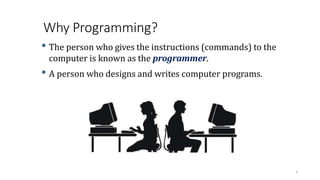
• The person who gives the instructions (commands) to the
computer is known as the programmer.
• A person who designs and writes computer programs.
Why Programming?
6
• Programming is more about problem solving skills than writing
the code itself.
• Programming teaches you how to understand, analyze and solve
the problems. It enhances your analytical reasoning abilities and
helps you cope with daily real life problems as well.
• Hence learning to program is important because it
develops analytical and problem solving abilities.
Instruction
7
• Instruction is any command given to the computer.
• For example:
1) Add two variables A and B
2) Display result
3) Read file
• Each of these is the individual instruction to the computer.
Program
8
NOW DO THIS!
NOW DO THIS!
NOW DO THIS!
NOW DO THIS!
NOW DO THIS!
Program
9
• Program is a set (collection) of instruction to do a meaningful
task.
• A sequence of instructions that are interpreted and executed by a
computer. It can be made of a single or hundred of instructions.
• For example: In order to teach the computer on how to calculate
average of three numbers? We need to give multiple instructions
to the computer to do the task.
Program
10
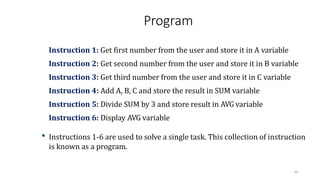
Instruction 1: Get first number from the user and store it in A variable
Instruction 2: Get second number from the user and store it in B variable
Instruction 3: Get third number from the user and store it in C variable
Instruction 4: Add A, B, C and store the result in SUM variable
Instruction 5: Divide SUM by 3 and store result in AVG variable
Instruction 6: Display AVG variable
• Instructions 1-6 are used to solve a single task. This collection of instruction
is known as a program.
Programming Language
11
Programming Language
12
• A programming language is an artificial language designed to
communicate instructions to a computer.
• A programming language is a notation for writing programs.
• A vocabulary and set of grammatical rules for instructing a computer to
perform specific tasks.
Programming Language
13
• Each language has a unique set of keywords (special words that it
understands) and a special syntax (format) for organizing program
instructions.
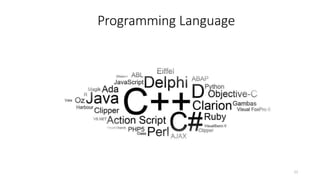
• There are many programming languages. For example:
• GW Basic
• C
• C++
• JAVA
• Pascal
• COBOL
• Python
• C#
Types of Programming Languages
14
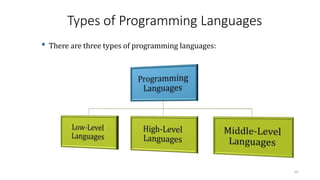
• There are three types of programming languages:
Low-Level Languages
15
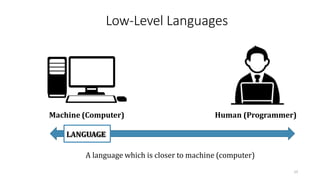
Machine (Computer) Human (Programmer)
LANGUAGE
A language which is closer to machine (computer)
Low-Level Languages
16
• A low level language is one which is closer to the machine (computer).
• It is easier for machines to understand and difficult for humans to
understand.
• It is faster in execution as compared to high and middle level languages.
Low-Level Languages
17
• Two of the types of low level languages are:
Machine Language
18
• It is one of the low level language.
• It is the language of 0s and 1s.
• Machine languages are the only languages directly understood by the
computers.
• While easily understood by computers, machine languages are almost
impossible for humans to use because they consist entirely of numbers (0s
and 1s).
Machine Language
19
• It is the native language of the machines (computers).
• Here all the instructions are written as code of binary sequence. For
example:
• In order to do addition, the code is: 10010001
• In order to decrement a number by one, the code is: 11011011
• In order to move data from one place to another, the code is: 10000111
Machine Language
20
• There are hundreds of instructions and each instruction has a binary code.
• Is it possible to remember all the codes of hundreds of instruction?
• Obviously not! Hence machine language almost impossible to understand.
Machine Language
21
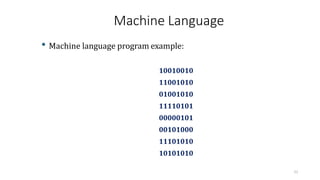
• Machine language program example:
10010010
11001010
01001010
11110101
00000101
00101000
11101010
10101010
Assembly Language
22
• Assembly language is same as machine language but uses English like words
to represent individual operations.
• For example: Instead of binary codes it uses : ADD, MOV, SUB, INC
• Assembly language is also a low-level language.
• It is easier than the machine language but still it is very difficult to control a
larger program using assembly.
Assembly Language
23
• As assembly language contains English like words, which will not be
understood by the computer (because it only understands 0s and 1s)
• A translator first converts the assembly language program into machine
language program.
• Translator used with assembly language is called Assembler.
Assembly Language
24
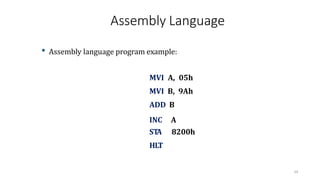
• Assembly language program example:
MVI A, 05h
MVI B, 9Ah
ADD B
INC A
ST
A 8200h
HLT
High-Level Languages
25
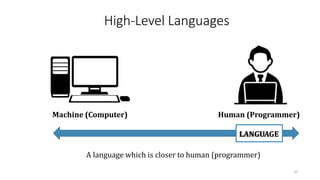
Machine (Computer) Human (Programmer)
LANGUAGE
A language which is closer to human (programmer)
High-Level Languages
26
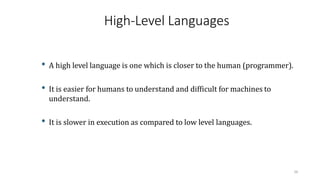
• A high level language is one which is closer to the human (programmer).
• It is easier for humans to understand and difficult for machines to
understand.
• It is slower in execution as compared to low level languages.
High-Level Languages
27
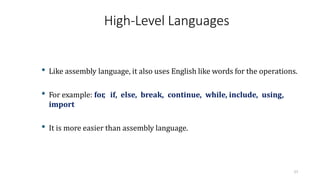
• Like assembly language, it also uses English like words for the operations.
• For example: for
, if, else, break, continue, while, include, using,
import
• It is more easier than assembly language.
High-Level Languages
28
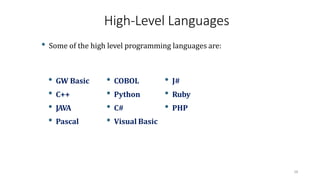
• Some of the high level programming languages are:
• GW Basic • COBOL • J#
• C++ • Python • Ruby
• JAVA • C# • PHP
• Pascal • Visual Basic
High-Level Languages
29
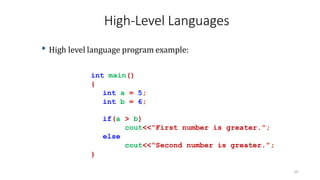
• High level language program example:
int main()
{
int a = 5;
int b = 6;
if(a > b)
cout<<“First number is greater.”;
else
cout<<“Second number is greater.”;
}
Middle-Level Languages
30
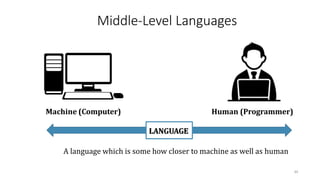
Machine (Computer) Human (Programmer)
LANGUAGE
A language which is some how closer to machine as well as human
Middle-Level Languages
31
• A middle level language is one which is closer to machine (computer) as well
as to human (programmer).
• A language that has the features of both low level and high level languages.
• More formally, a high level language that allows you to write low level
programs in it is called as middle level language.
Middle-Level Languages
32
• Some of the middle level programming languages are:
• C
• IBM PL/S (Programming Language/Systems)
• BCPL (Basic Combined Programming Language)
• BLISS (Bill's Language for Implementing System Software)
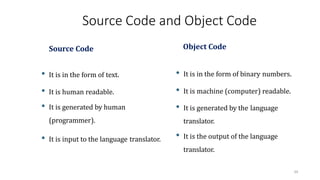
Source Code and Object Code
33
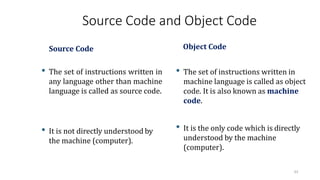
Source Code
• The set of instructions written in
any language other than machine
language is called as source code.
• It is not directly understood by
the machine (computer).
Object Code
• The set of instructions written in
machine language is called as object
code. It is also known as machine
code.
• It is the only code which is directly
understood by the machine
(computer).
Source Code and Object Code
34
Source Code
• It is in the form of text.
• It is human readable.
• It is generated by human
(programmer).
• It is input to the language translator.
Object Code
• It is in the form of binary numbers.
• It is machine (computer) readable.
• It is generated by the language
translator.
• It is the output of the language
translator.
Language Translators
35
Language Translators
36
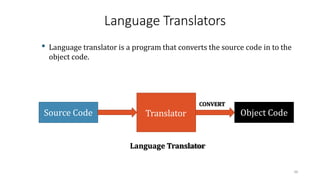
• Language translator is a program that converts the source code in to the
object code.
Source Code Object Code
CONVERT
Language Translator
Translator
Why Language Translators?
37
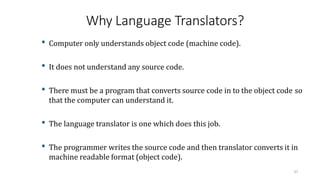
• Computer only understands object code (machine code).
• It does not understand any source code.
• There must be a program that converts source code in to the object code so
that the computer can understand it.
• The language translator is one which does this job.
• The programmer writes the source code and then translator converts it in
machine readable format (object code).
Types of Language Translators
38
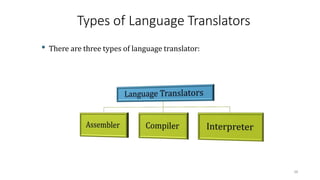
• There are three types of language translator:
Assembler
39
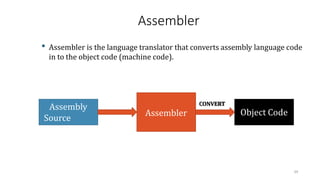
• Assembler is the language translator that converts assembly language code
in to the object code (machine code).
Assembly
Source
Code
Object Code
CONVERT
Assembler
Compiler
40
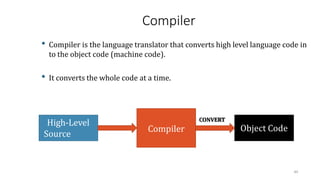
• Compiler is the language translator that converts high level language code in
to the object code (machine code).
• It converts the whole code at a time.
High-Level
Source
Code
Object Code
CONVERT
Compiler
Compiler
Ali Asghar Manjotho, LecturerCSE-MUET 41
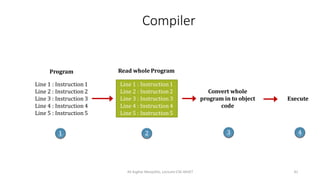
Line 1 : Instruction1
Line 2 : Instruction 2
Line 3 : Instruction 3
Line 4 : Instruction 4
Line 5 : Instruction 5
Program
Line 1 : Instruction1
Line 2 : Instruction 2
Line 3 : Instruction 3
Line 4 : Instruction 4
Line 5 : Instruction 5
Read whole Program
Convert whole
program in to object
code
Execute
1 2 3 4
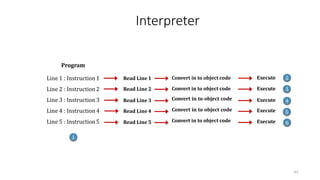
Interpreter
42
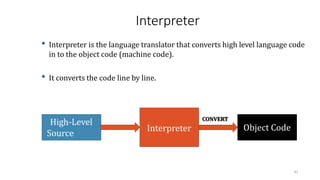
• Interpreter is the language translator that converts high level language code
in to the object code (machine code).
• It converts the code line by line.
High-Level
Source
Code
Object Code
CONVERT
Interpreter
Interpreter
43
Line 1 : Instruction1
Line 2 : Instruction 2
Line 3 : Instruction 3
Line 4 : Instruction 4
Line 5 : Instruction5
Program
1
Read Line 1
Read Line 2
Read Line 3
Read Line 4
Read Line 5
Convert in to object code
Execute
Execute
Execute
Execute 2
Execute 3
4
5
6
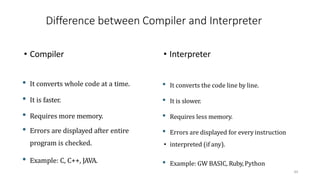
Difference between Compiler and Interpreter
• Compiler
• It converts whole code at a time.
• It is faster.
• Requires more memory.
• Errors are displayed after entire
program is checked.
• Example: C, C++, JAVA.
• Interpreter
• It converts the code line by line.
• It is slower.
• Requires less memory.
• Errors are displayed for everyinstruction
• interpreted (if any).
• Example: GW BASIC, Ruby,Python
44
Bug
45
Bug
46
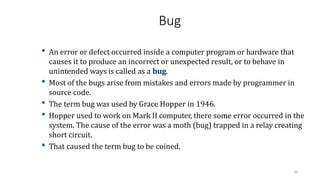
• An error or defect occurred inside a computer program or hardware that
causes it to produce an incorrect or unexpected result, or to behave in
unintended ways is called as a bug.
• Most of the bugs arise from mistakes and errors made by programmer in
source code.
• The term bug was used by Grace Hopper in 1946.
• Hopper used to work on Mark II computer, there some error occurred in the
system. The cause of the error was a moth (bug) trapped in a relay creating
short circuit.
• That caused the term bug to be coined.
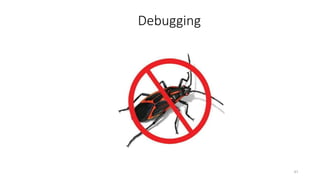
Debugging
47
Debugging
• It is the process of finding and fixing the bugs (errors) in the
program.
• It is the process of removing errors.
• The programmer manually does this by examining the source code.
48
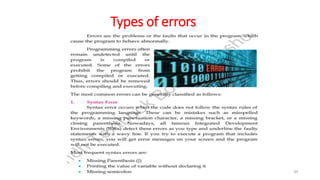
Types of errors
49
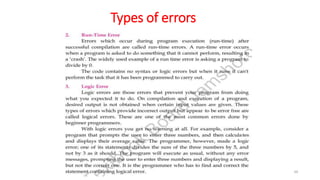
Types of errors
50

Language translators Of Programming in Computer science

  • 1.
    Information and CommunicationTechnologies 1 BS FOUNDATION SEMESTER LanguageTranslatorsandComputerProgramming
  • 2.
    Why Programming? 2 • Computeris just a dumb machine made up of different electronic components. It is like a box which cannot do anything by itself. • It is the user who tells the computer “what it has to do?” • If we need our computer to perform some task, we first have to teach the computer in detail “how it will accomplish that task?” • Once the computer is taught about a particular task, it will completely obey it but cannot do anything that it is not taught to.
  • 3.
    Why Programming? 3 • Likethe humans, we can teach the computer through communicating with it using a particular language. • The language that computer understands is machine language, also called as binary language. Machine language is the language of 0s and 1s. • We give detailed instructions to the computer to solve a particular task. Programming is the term that refers to teaching, instructing or giving commands to the computer.
  • 4.
    Why Programming? 4 • Programmingis more about problem solving skills than writing the code itself. • Programming teaches you how to understand, analyze and solve the problems. It enhances your analytical reasoning abilities and helps you cope with daily real life problems as well. • Hence learning to program is important because it develops analytical and problem solving abilities.
  • 5.
    Why Programming? 5 • Theperson who gives the instructions (commands) to the computer is known as the programmer. • A person who designs and writes computer programs.
  • 6.
    Why Programming? 6 • Programmingis more about problem solving skills than writing the code itself. • Programming teaches you how to understand, analyze and solve the problems. It enhances your analytical reasoning abilities and helps you cope with daily real life problems as well. • Hence learning to program is important because it develops analytical and problem solving abilities.
  • 7.
    Instruction 7 • Instruction isany command given to the computer. • For example: 1) Add two variables A and B 2) Display result 3) Read file • Each of these is the individual instruction to the computer.
  • 8.
    Program 8 NOW DO THIS! NOWDO THIS! NOW DO THIS! NOW DO THIS! NOW DO THIS!
  • 9.
    Program 9 • Program isa set (collection) of instruction to do a meaningful task. • A sequence of instructions that are interpreted and executed by a computer. It can be made of a single or hundred of instructions. • For example: In order to teach the computer on how to calculate average of three numbers? We need to give multiple instructions to the computer to do the task.
  • 10.
    Program 10 Instruction 1: Getfirst number from the user and store it in A variable Instruction 2: Get second number from the user and store it in B variable Instruction 3: Get third number from the user and store it in C variable Instruction 4: Add A, B, C and store the result in SUM variable Instruction 5: Divide SUM by 3 and store result in AVG variable Instruction 6: Display AVG variable • Instructions 1-6 are used to solve a single task. This collection of instruction is known as a program.
  • 11.
  • 12.
    Programming Language 12 • Aprogramming language is an artificial language designed to communicate instructions to a computer. • A programming language is a notation for writing programs. • A vocabulary and set of grammatical rules for instructing a computer to perform specific tasks.
  • 13.
    Programming Language 13 • Eachlanguage has a unique set of keywords (special words that it understands) and a special syntax (format) for organizing program instructions. • There are many programming languages. For example: • GW Basic • C • C++ • JAVA • Pascal • COBOL • Python • C#
  • 14.
    Types of ProgrammingLanguages 14 • There are three types of programming languages:
  • 15.
    Low-Level Languages 15 Machine (Computer)Human (Programmer) LANGUAGE A language which is closer to machine (computer)
  • 16.
    Low-Level Languages 16 • Alow level language is one which is closer to the machine (computer). • It is easier for machines to understand and difficult for humans to understand. • It is faster in execution as compared to high and middle level languages.
  • 17.
    Low-Level Languages 17 • Twoof the types of low level languages are:
  • 18.
    Machine Language 18 • Itis one of the low level language. • It is the language of 0s and 1s. • Machine languages are the only languages directly understood by the computers. • While easily understood by computers, machine languages are almost impossible for humans to use because they consist entirely of numbers (0s and 1s).
  • 19.
    Machine Language 19 • Itis the native language of the machines (computers). • Here all the instructions are written as code of binary sequence. For example: • In order to do addition, the code is: 10010001 • In order to decrement a number by one, the code is: 11011011 • In order to move data from one place to another, the code is: 10000111
  • 20.
    Machine Language 20 • Thereare hundreds of instructions and each instruction has a binary code. • Is it possible to remember all the codes of hundreds of instruction? • Obviously not! Hence machine language almost impossible to understand.
  • 21.
    Machine Language 21 • Machinelanguage program example: 10010010 11001010 01001010 11110101 00000101 00101000 11101010 10101010
  • 22.
    Assembly Language 22 • Assemblylanguage is same as machine language but uses English like words to represent individual operations. • For example: Instead of binary codes it uses : ADD, MOV, SUB, INC • Assembly language is also a low-level language. • It is easier than the machine language but still it is very difficult to control a larger program using assembly.
  • 23.
    Assembly Language 23 • Asassembly language contains English like words, which will not be understood by the computer (because it only understands 0s and 1s) • A translator first converts the assembly language program into machine language program. • Translator used with assembly language is called Assembler.
  • 24.
    Assembly Language 24 • Assemblylanguage program example: MVI A, 05h MVI B, 9Ah ADD B INC A ST A 8200h HLT
  • 25.
    High-Level Languages 25 Machine (Computer)Human (Programmer) LANGUAGE A language which is closer to human (programmer)
  • 26.
    High-Level Languages 26 • Ahigh level language is one which is closer to the human (programmer). • It is easier for humans to understand and difficult for machines to understand. • It is slower in execution as compared to low level languages.
  • 27.
    High-Level Languages 27 • Likeassembly language, it also uses English like words for the operations. • For example: for , if, else, break, continue, while, include, using, import • It is more easier than assembly language.
  • 28.
    High-Level Languages 28 • Someof the high level programming languages are: • GW Basic • COBOL • J# • C++ • Python • Ruby • JAVA • C# • PHP • Pascal • Visual Basic
  • 29.
    High-Level Languages 29 • Highlevel language program example: int main() { int a = 5; int b = 6; if(a > b) cout<<“First number is greater.”; else cout<<“Second number is greater.”; }
  • 30.
    Middle-Level Languages 30 Machine (Computer)Human (Programmer) LANGUAGE A language which is some how closer to machine as well as human
  • 31.
    Middle-Level Languages 31 • Amiddle level language is one which is closer to machine (computer) as well as to human (programmer). • A language that has the features of both low level and high level languages. • More formally, a high level language that allows you to write low level programs in it is called as middle level language.
  • 32.
    Middle-Level Languages 32 • Someof the middle level programming languages are: • C • IBM PL/S (Programming Language/Systems) • BCPL (Basic Combined Programming Language) • BLISS (Bill's Language for Implementing System Software)
  • 33.
    Source Code andObject Code 33 Source Code • The set of instructions written in any language other than machine language is called as source code. • It is not directly understood by the machine (computer). Object Code • The set of instructions written in machine language is called as object code. It is also known as machine code. • It is the only code which is directly understood by the machine (computer).
  • 34.
    Source Code andObject Code 34 Source Code • It is in the form of text. • It is human readable. • It is generated by human (programmer). • It is input to the language translator. Object Code • It is in the form of binary numbers. • It is machine (computer) readable. • It is generated by the language translator. • It is the output of the language translator.
  • 35.
  • 36.
    Language Translators 36 • Languagetranslator is a program that converts the source code in to the object code. Source Code Object Code CONVERT Language Translator Translator
  • 37.
    Why Language Translators? 37 •Computer only understands object code (machine code). • It does not understand any source code. • There must be a program that converts source code in to the object code so that the computer can understand it. • The language translator is one which does this job. • The programmer writes the source code and then translator converts it in machine readable format (object code).
  • 38.
    Types of LanguageTranslators 38 • There are three types of language translator:
  • 39.
    Assembler 39 • Assembler isthe language translator that converts assembly language code in to the object code (machine code). Assembly Source Code Object Code CONVERT Assembler
  • 40.
    Compiler 40 • Compiler isthe language translator that converts high level language code in to the object code (machine code). • It converts the whole code at a time. High-Level Source Code Object Code CONVERT Compiler
  • 41.
    Compiler Ali Asghar Manjotho,LecturerCSE-MUET 41 Line 1 : Instruction1 Line 2 : Instruction 2 Line 3 : Instruction 3 Line 4 : Instruction 4 Line 5 : Instruction 5 Program Line 1 : Instruction1 Line 2 : Instruction 2 Line 3 : Instruction 3 Line 4 : Instruction 4 Line 5 : Instruction 5 Read whole Program Convert whole program in to object code Execute 1 2 3 4
  • 42.
    Interpreter 42 • Interpreter isthe language translator that converts high level language code in to the object code (machine code). • It converts the code line by line. High-Level Source Code Object Code CONVERT Interpreter
  • 43.
    Interpreter 43 Line 1 :Instruction1 Line 2 : Instruction 2 Line 3 : Instruction 3 Line 4 : Instruction 4 Line 5 : Instruction5 Program 1 Read Line 1 Read Line 2 Read Line 3 Read Line 4 Read Line 5 Convert in to object code Convert in to object code Convert in to object code Convert in to object code Convert in to object code Execute Execute Execute Execute 2 Execute 3 4 5 6
  • 44.
    Difference between Compilerand Interpreter • Compiler • It converts whole code at a time. • It is faster. • Requires more memory. • Errors are displayed after entire program is checked. • Example: C, C++, JAVA. • Interpreter • It converts the code line by line. • It is slower. • Requires less memory. • Errors are displayed for everyinstruction • interpreted (if any). • Example: GW BASIC, Ruby,Python 44
  • 45.
  • 46.
    Bug 46 • An erroror defect occurred inside a computer program or hardware that causes it to produce an incorrect or unexpected result, or to behave in unintended ways is called as a bug. • Most of the bugs arise from mistakes and errors made by programmer in source code. • The term bug was used by Grace Hopper in 1946. • Hopper used to work on Mark II computer, there some error occurred in the system. The cause of the error was a moth (bug) trapped in a relay creating short circuit. • That caused the term bug to be coined.
  • 47.
  • 48.
    Debugging • It isthe process of finding and fixing the bugs (errors) in the program. • It is the process of removing errors. • The programmer manually does this by examining the source code. 48
  • 49.
  • 50.