The Language Server Protocol:
Why the Hype?
Mikael Barbero

Eclipse Foundation

Eclipse Summit India 2017
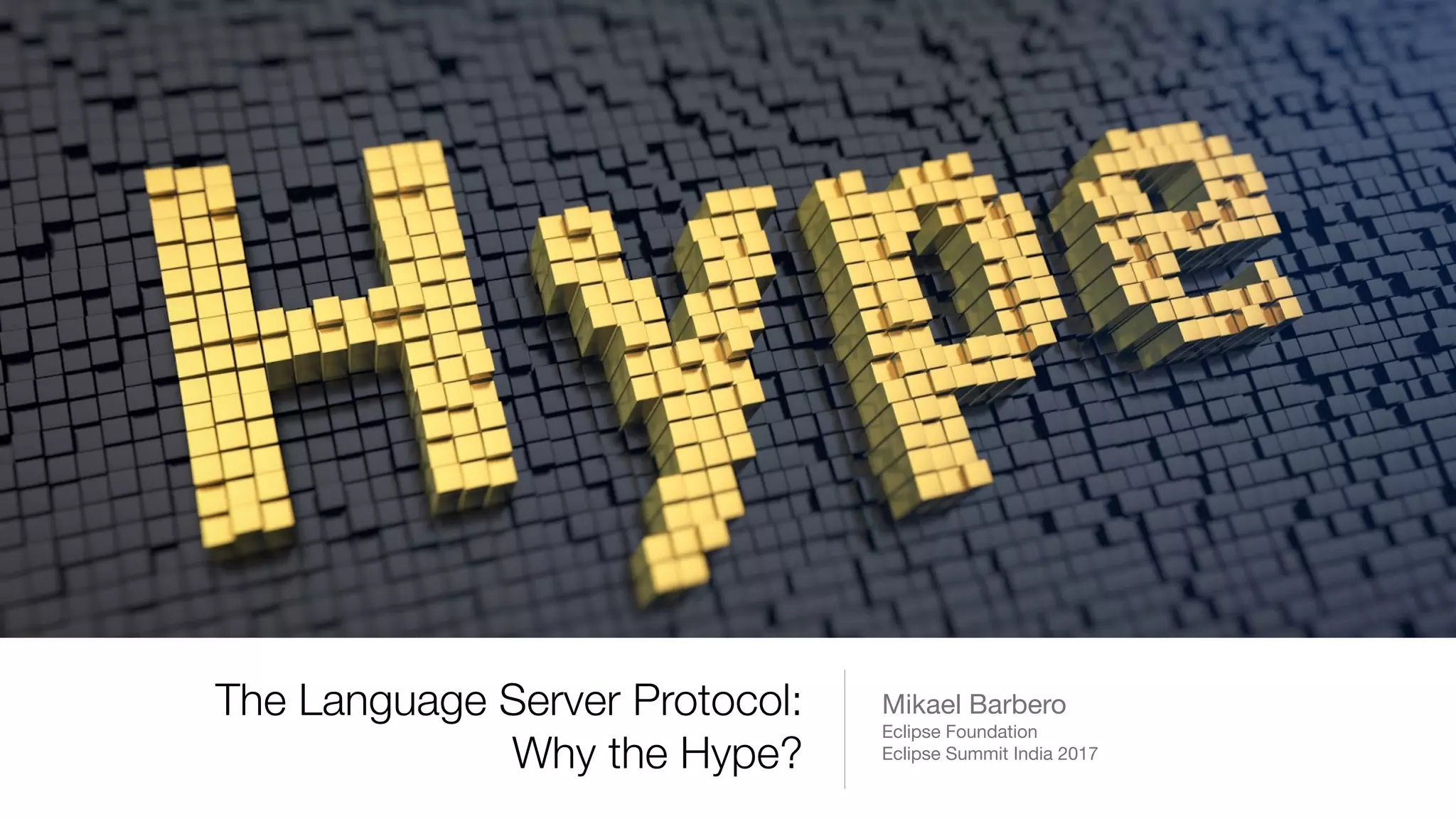
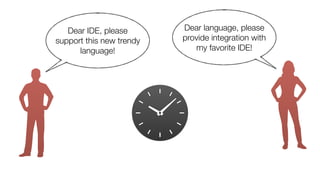
Dear IDE, please
support this new trendy
language!
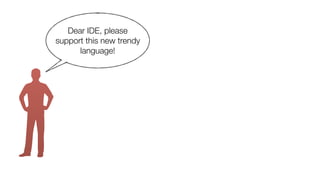
Dear IDE, please
support this new trendy
language!
Dear language, please
provide integration with
my favorite IDE!
Dear IDE, please
support this new trendy
language!
Dear language, please
provide integration with
my favorite IDE!
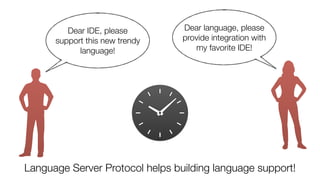
Dear IDE, please
support this new trendy
language!
Dear language, please
provide integration with
my favorite IDE!
Language Server Protocol helps building language support!
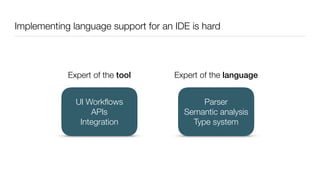
Implementing language support for an IDE is hard
Expert of the tool Expert of the language
Parser
Semantic analysis
Type system
UI Workflows
APIs
Integration
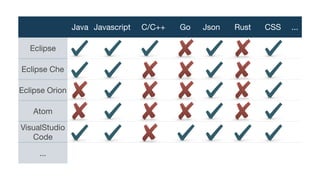
Java Javascript C/C++ Go Json Rust CSS ...
Eclipse
Eclipse Che
Eclipse Orion
Atom
VisualStudio
Code
...
What is the so-called
Language Server Protocol (LSP)?
–Phil Karlton
“There are only two hard things in Computer Science:
cache invalidation and naming things.”
–Phil Karlton
“There are only two hard things in Computer Science:
cache invalidation and naming things.”
What is the so-called
Language Server Protocol (LSP)?
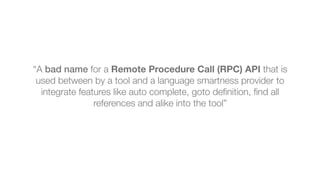
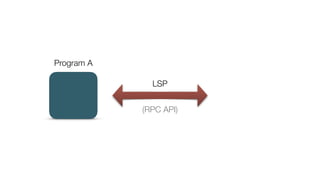
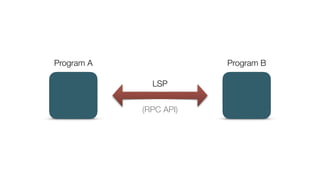
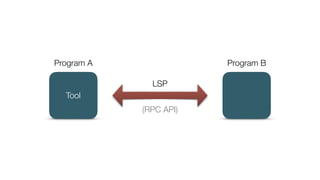
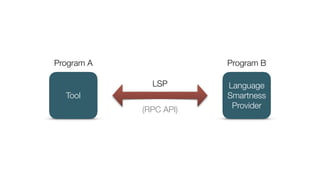
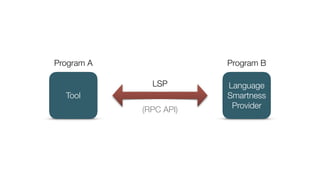
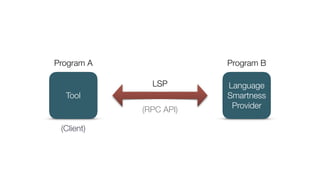
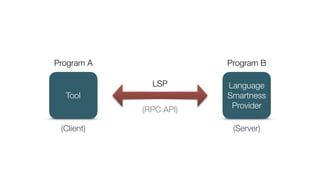
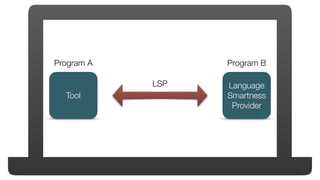
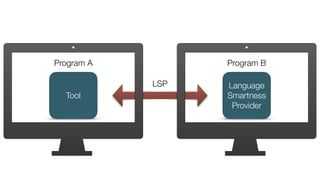
“A bad name for a Remote Procedure Call (RPC) API that is
used between by a tool and a language smartness provider to
integrate features like auto complete, goto definition, find all
references and alike into the tool”
“A bad name for a Remote Procedure Call (RPC) API that is
used between by a tool and a language smartness provider to
integrate features like auto complete, goto definition, find all
references and alike into the tool”
https://github.com/Microsoft/language-server-protocol
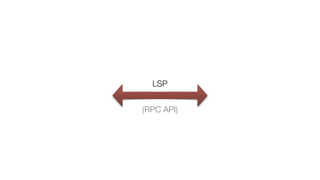
LSP
(RPC API)
Program A
LSP
(RPC API)
Program A Program B
LSP
(RPC API)
Tool
Program A Program B
LSP
(RPC API)
Language
Smartness
Provider
Tool
Program A Program B
LSP
(RPC API)
Language
Smartness
Provider
Tool
Program A Program B
LSP
(RPC API)
Language
Smartness
Provider
Tool
Program A Program B
LSP
(Client)
(RPC API)
Language
Smartness
Provider
Tool
Program A Program B
LSP
(Client) (Server)
(RPC API)
Language
Smartness
Provider
Tool
Program A Program B
LSP
Language
Smartness
Provider
Tool
Program A Program B
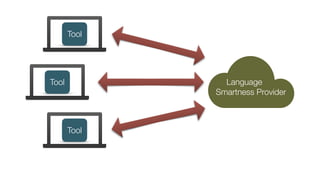
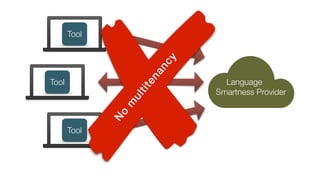
LSP
Tool
Tool
Tool
Language
Smartness Provider
Tool
Tool
Tool
Language
Smartness Provider
N
o
m
ultitenancy
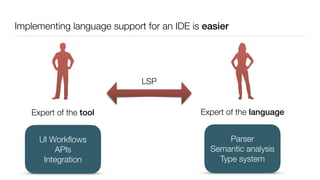
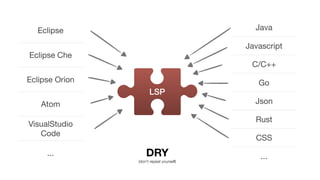
Implementing language support for an IDE is easier
Expert of the tool Expert of the language
Parser
Semantic analysis
Type system
UI Workflows
APIs
Integration
LSP
Eclipse
Eclipse Che
Eclipse Orion
Atom
VisualStudio
Code
...
Java
Javascript
C/C++
Go
Json
Rust
CSS
...
LSP
DRY
(don't repeat yourself)
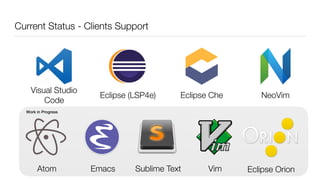
Current Status - Clients Support
Eclipse CheEclipse (LSP4e) NeoVim
Visual Studio
Code
Sublime TextEmacs VimAtom
Work in Progress
Eclipse Orion
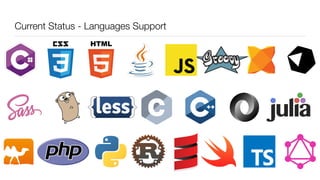
Current Status - Languages Support
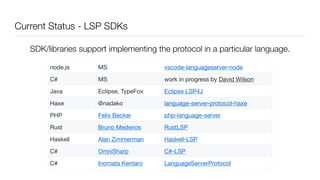
Current Status - LSP SDKs
node.js MS vscode-languageserver-node
C# MS work in progress by David Wilson
Java Eclipse, TypeFox Eclipse LSP4J
Haxe @nadako language-server-protocol-haxe
PHP Felix Becker php-language-server
Rust Bruno Medeiros RustLSP
Haskell Alan Zimmerman Haskell-LSP
C# OmniSharp C#-LSP
C# Inomata Kentaro LanguageServerProtocol
SDK/libraries support implementing the protocol in a particular language.
LSP in depth
JSON-RPC based API
)]}'
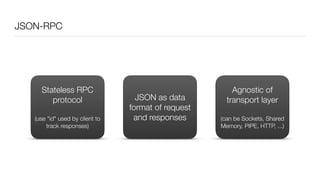
JSON-RPC
Stateless RPC
protocol
(use "id" used by client to
track responses)
JSON as data
format of request
and responses
Agnostic of
transport layer
(can be Sockets, Shared
Memory, PIPE, HTTP, ...)
JSON-RPC
Program A Program B
JSON-RPC
{
"jsonrpc": "2.0",
"method": "subtract",
"params": [42, 23],
"id": 1
}
Program A Program B
JSON-RPC
{
"jsonrpc": "2.0",
"result": 19,
"id": 1
}
{
"jsonrpc": "2.0",
"method": "subtract",
"params": [42, 23],
"id": 1
}
Program A Program B
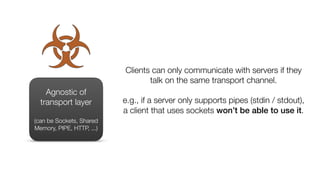
Agnostic of
transport layer
(can be Sockets, Shared
Memory, PIPE, HTTP, ...)
Clients can only communicate with servers if they
talk on the same transport channel.
e.g., if a server only supports pipes (stdin / stdout),
a client that uses sockets won’t be able to use it.
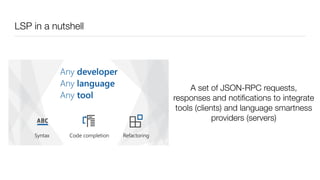
LSP in a nutshell
A set of JSON-RPC requests,
responses and notifications to integrate
tools (clients) and language smartness
providers (servers)
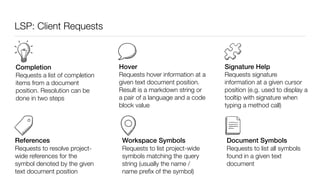
LSP: Client Requests
Completion
Requests a list of completion
items from a document
position. Resolution can be
done in two steps
Hover
Requests hover information at a
given text document position.
Result is a markdown string or
a pair of a language and a code
block value
Signature Help
Requests signature
information at a given cursor
position (e.g. used to display a
tooltip with signature when
typing a method call)
References
Requests to resolve project-
wide references for the
symbol denoted by the given
text document position
Workspace Symbols
Requests to list project-wide
symbols matching the query
string (usually the name /
name prefix of the symbol)
Document Symbols
Requests to list all symbols
found in a given text
document
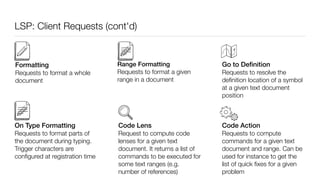
LSP: Client Requests (cont'd)
Formatting
Requests to format a whole
document
Range Formatting
Requests to format a given
range in a document
On Type Formatting
Requests to format parts of
the document during typing.
Trigger characters are
configured at registration time
Go to Definition
Requests to resolve the
definition location of a symbol
at a given text document
position
Code Action
Requests to compute
commands for a given text
document and range. Can be
used for instance to get the
list of quick fixes for a given
problem
Code Lens
Request to compute code
lenses for a given text
document. It returns a list of
commands to be executed for
some text ranges (e.g.
number of references)
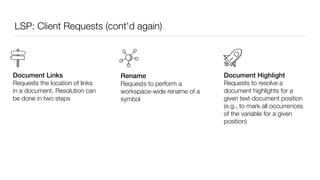
LSP: Client Requests (cont'd again)
Rename
Requests to perform a
workspace-wide rename of a
symbol
Document Links
Requests the location of links
in a document. Resolution can
be done in two steps
Document Highlight
Requests to resolve a
document highlights for a
given text document position
(e.g., to mark all occurrences
of the variable for a given
position)
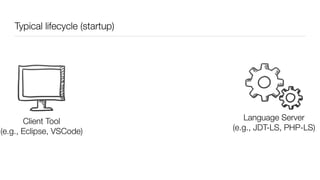
Typical lifecycle (startup)
Client
(e.g., VSCode, Eclipse)
Language Server
(e.g., JDT-LS, PHP-LS)
Client Tool
(e.g., Eclipse, VSCode)
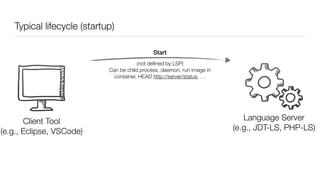
Typical lifecycle (startup)
Client
(e.g., VSCode, Eclipse)
Language Server
(e.g., JDT-LS, PHP-LS)
Start
Client Tool
(e.g., Eclipse, VSCode)
(not defined by LSP)
Can be child process, daemon, run image in
container, HEAD http://server/status, …
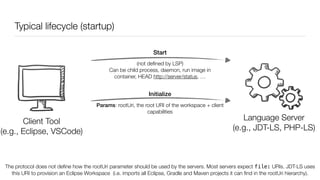
Typical lifecycle (startup)
Client
(e.g., VSCode, Eclipse)
Language Server
(e.g., JDT-LS, PHP-LS)
Start
Initialize
Params: rootUri, the root URI of the workspace + client
capabilities
The protocol does not define how the rootUri parameter should be used by the servers. Most servers expect file: URIs. JDT-LS uses
this URI to provision an Eclipse Workspace (i.e. imports all Eclipse, Gradle and Maven projects it can find in the rootUri hierarchy).
Client Tool
(e.g., Eclipse, VSCode)
(not defined by LSP)
Can be child process, daemon, run image in
container, HEAD http://server/status, …
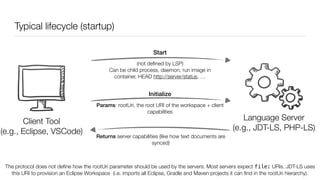
Typical lifecycle (startup)
Client
(e.g., VSCode, Eclipse)
Language Server
(e.g., JDT-LS, PHP-LS)
Start
Initialize
Params: rootUri, the root URI of the workspace + client
capabilities
Returns server capabilities (like how text documents are
synced)
The protocol does not define how the rootUri parameter should be used by the servers. Most servers expect file: URIs. JDT-LS uses
this URI to provision an Eclipse Workspace (i.e. imports all Eclipse, Gradle and Maven projects it can find in the rootUri hierarchy).
Client Tool
(e.g., Eclipse, VSCode)
(not defined by LSP)
Can be child process, daemon, run image in
container, HEAD http://server/status, …
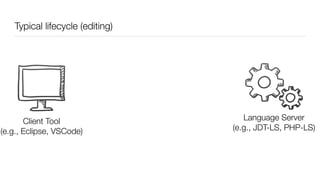
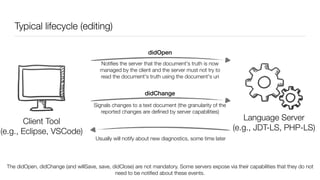
Typical lifecycle (editing)
Client
(e.g., VSCode, Eclipse)
Language Server
(e.g., JDT-LS, PHP-LS)
Client Tool
(e.g., Eclipse, VSCode)
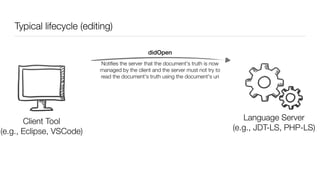
Typical lifecycle (editing)
Client
(e.g., VSCode, Eclipse)
Language Server
(e.g., JDT-LS, PHP-LS)
didOpen
Client Tool
(e.g., Eclipse, VSCode)
Notifies the server that the document's truth is now
managed by the client and the server must not try to
read the document's truth using the document's uri
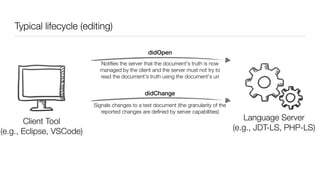
Typical lifecycle (editing)
Client
(e.g., VSCode, Eclipse)
Language Server
(e.g., JDT-LS, PHP-LS)
didOpen
didChange
Signals changes to a text document (the granularity of the
reported changes are defined by server capabilities)
Client Tool
(e.g., Eclipse, VSCode)
Notifies the server that the document's truth is now
managed by the client and the server must not try to
read the document's truth using the document's uri
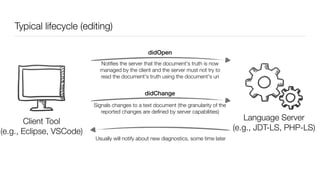
Typical lifecycle (editing)
Client
(e.g., VSCode, Eclipse)
Language Server
(e.g., JDT-LS, PHP-LS)
didOpen
didChange
Signals changes to a text document (the granularity of the
reported changes are defined by server capabilities)
Usually will notify about new diagnostics, some time later
Client Tool
(e.g., Eclipse, VSCode)
Notifies the server that the document's truth is now
managed by the client and the server must not try to
read the document's truth using the document's uri
Typical lifecycle (editing)
Client
(e.g., VSCode, Eclipse)
Language Server
(e.g., JDT-LS, PHP-LS)
didOpen
didChange
Signals changes to a text document (the granularity of the
reported changes are defined by server capabilities)
Usually will notify about new diagnostics, some time later
The didOpen, didChange (and willSave, save, didClose) are not mandatory. Some servers expose via their capabilities that they do not
need to be notified about these events.
Client Tool
(e.g., Eclipse, VSCode)
Notifies the server that the document's truth is now
managed by the client and the server must not try to
read the document's truth using the document's uri
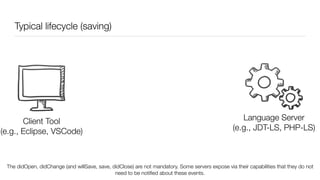
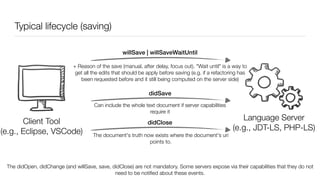
Typical lifecycle (saving)
Client
(e.g., VSCode, Eclipse)
Language Server
(e.g., JDT-LS, PHP-LS)
Client Tool
(e.g., Eclipse, VSCode)
The didOpen, didChange (and willSave, save, didClose) are not mandatory. Some servers expose via their capabilities that they do not
need to be notified about these events.
Typical lifecycle (saving)
Client
(e.g., VSCode, Eclipse)
Language Server
(e.g., JDT-LS, PHP-LS)
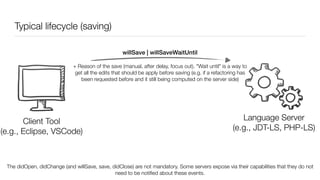
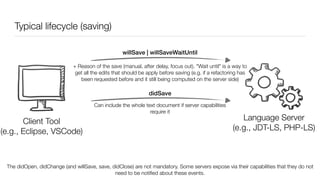
willSave | willSaveWaitUntil
Client Tool
(e.g., Eclipse, VSCode)
+ Reason of the save (manual, after delay, focus out). "Wait until" is a way to
get all the edits that should be apply before saving (e.g. if a refactoring has
been requested before and it still being computed on the server side)
The didOpen, didChange (and willSave, save, didClose) are not mandatory. Some servers expose via their capabilities that they do not
need to be notified about these events.
Typical lifecycle (saving)
Client
(e.g., VSCode, Eclipse)
Language Server
(e.g., JDT-LS, PHP-LS)
willSave | willSaveWaitUntil
didSave
Can include the whole text document if server capabilities
require it
Client Tool
(e.g., Eclipse, VSCode)
+ Reason of the save (manual, after delay, focus out). "Wait until" is a way to
get all the edits that should be apply before saving (e.g. if a refactoring has
been requested before and it still being computed on the server side)
The didOpen, didChange (and willSave, save, didClose) are not mandatory. Some servers expose via their capabilities that they do not
need to be notified about these events.
Typical lifecycle (saving)
Client
(e.g., VSCode, Eclipse)
Language Server
(e.g., JDT-LS, PHP-LS)
willSave | willSaveWaitUntil
didSave
Can include the whole text document if server capabilities
require it
The document's truth now exists where the document's uri
points to.
Client Tool
(e.g., Eclipse, VSCode)
+ Reason of the save (manual, after delay, focus out). "Wait until" is a way to
get all the edits that should be apply before saving (e.g. if a refactoring has
been requested before and it still being computed on the server side)
didClose
The didOpen, didChange (and willSave, save, didClose) are not mandatory. Some servers expose via their capabilities that they do not
need to be notified about these events.
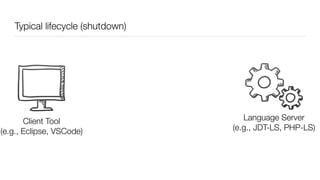
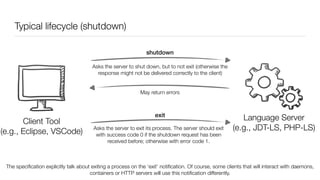
Typical lifecycle (shutdown)
Client
(e.g., VSCode, Eclipse)
Language Server
(e.g., JDT-LS, PHP-LS)
Client Tool
(e.g., Eclipse, VSCode)
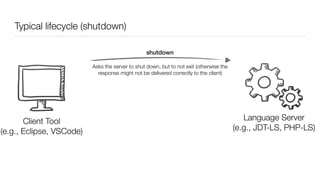
Typical lifecycle (shutdown)
Client
(e.g., VSCode, Eclipse)
Language Server
(e.g., JDT-LS, PHP-LS)
shutdown
Client Tool
(e.g., Eclipse, VSCode)
Asks the server to shut down, but to not exit (otherwise the
response might not be delivered correctly to the client)
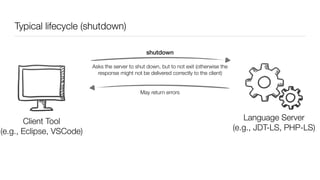
Typical lifecycle (shutdown)
Client
(e.g., VSCode, Eclipse)
Language Server
(e.g., JDT-LS, PHP-LS)
shutdown
May return errors
Client Tool
(e.g., Eclipse, VSCode)
Asks the server to shut down, but to not exit (otherwise the
response might not be delivered correctly to the client)
Typical lifecycle (shutdown)
Client
(e.g., VSCode, Eclipse)
Language Server
(e.g., JDT-LS, PHP-LS)
shutdown
exit
May return errors
Asks the server to exit its process. The server should exit
with success code 0 if the shutdown request has been
received before; otherwise with error code 1.
The specification explicitly talk about exiting a process on the ‘exit’ notification. Of course, some clients that will interact with daemons,
containers or HTTP servers will use this notification differently.
Client Tool
(e.g., Eclipse, VSCode)
Asks the server to shut down, but to not exit (otherwise the
response might not be delivered correctly to the client)
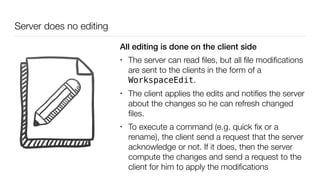
Server does no editing
All editing is done on the client side
• The server can read files, but all file modifications
are sent to the clients in the form of a
WorkspaceEdit.
• The client applies the edits and notifies the server
about the changes so he can refresh changed
files.
• To execute a command (e.g. quick fix or a
rename), the client send a request that the server
acknowledge or not. If it does, then the server
compute the changes and send a request to the
client for him to apply the modifications
LSP Limitations
Text Editing Only
No support for running, testing or debugging
Ongoing work for debug
https://github.com/Microsoft/vscode-debugadapter-node
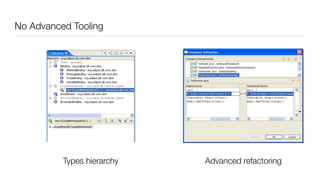
No Advanced Tooling
Types hierarchy Advanced refactoring
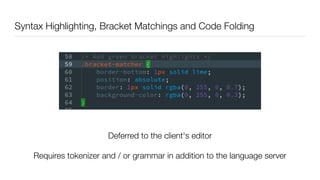
Syntax Highlighting, Bracket Matchings and Code Folding
Deferred to the client's editor
Requires tokenizer and / or grammar in addition to the language server
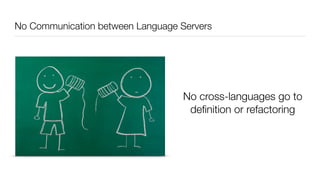
No Communication between Language Servers
No cross-languages go to
definition or refactoring
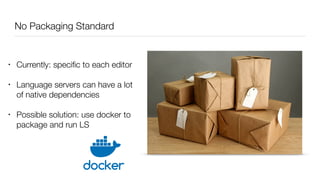
No Packaging Standard
• Currently: specific to each editor
• Language servers can have a lot
of native dependencies
• Possible solution: use docker to
package and run LS
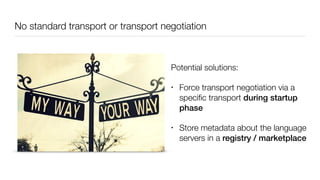
No standard transport or transport negotiation
Potential solutions:
• Force transport negotiation via a
specific transport during startup
phase
• Store metadata about the language
servers in a registry / marketplace
??
?
?
?
?
?
?
?
?
?
?
?
?
?
?
?
?
?
?
?
?
Key Takeaways: why the hype?
Mikaël Barbero
mikael.barbero@eclipse-foundation.org
@mikbarbero
https://eclipse.org/community/eclipse_newsletter/2017/may/
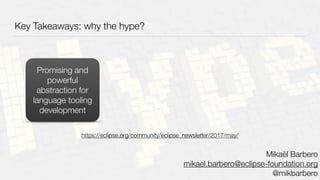
Key Takeaways: why the hype?
Promising and
powerful
abstraction for
language tooling
development
Mikaël Barbero
mikael.barbero@eclipse-foundation.org
@mikbarbero
https://eclipse.org/community/eclipse_newsletter/2017/may/
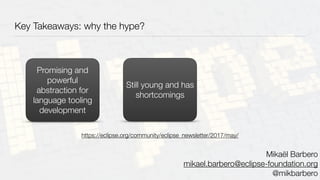
Key Takeaways: why the hype?
Promising and
powerful
abstraction for
language tooling
development
Still young and has
shortcomings
Mikaël Barbero
mikael.barbero@eclipse-foundation.org
@mikbarbero
https://eclipse.org/community/eclipse_newsletter/2017/may/
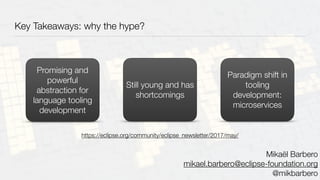
Key Takeaways: why the hype?
Promising and
powerful
abstraction for
language tooling
development
Still young and has
shortcomings
Paradigm shift in
tooling
development:
microservices
Mikaël Barbero
mikael.barbero@eclipse-foundation.org
@mikbarbero
https://eclipse.org/community/eclipse_newsletter/2017/may/

Language Server Protocol - Why the Hype?

  • 1.
    The Language ServerProtocol: Why the Hype? Mikael Barbero Eclipse Foundation Eclipse Summit India 2017
  • 2.
    Dear IDE, please supportthis new trendy language!
  • 3.
    Dear IDE, please supportthis new trendy language! Dear language, please provide integration with my favorite IDE!
  • 4.
    Dear IDE, please supportthis new trendy language! Dear language, please provide integration with my favorite IDE!
  • 5.
    Dear IDE, please supportthis new trendy language! Dear language, please provide integration with my favorite IDE! Language Server Protocol helps building language support!
  • 6.
    Implementing language supportfor an IDE is hard Expert of the tool Expert of the language Parser Semantic analysis Type system UI Workflows APIs Integration
  • 7.
    Java Javascript C/C++Go Json Rust CSS ... Eclipse Eclipse Che Eclipse Orion Atom VisualStudio Code ...
  • 8.
    What is theso-called Language Server Protocol (LSP)?
  • 9.
    –Phil Karlton “There areonly two hard things in Computer Science: cache invalidation and naming things.”
  • 10.
    –Phil Karlton “There areonly two hard things in Computer Science: cache invalidation and naming things.”
  • 11.
    What is theso-called Language Server Protocol (LSP)?
  • 12.
    “A bad namefor a Remote Procedure Call (RPC) API that is used between by a tool and a language smartness provider to integrate features like auto complete, goto definition, find all references and alike into the tool”
  • 13.
    “A bad namefor a Remote Procedure Call (RPC) API that is used between by a tool and a language smartness provider to integrate features like auto complete, goto definition, find all references and alike into the tool”
  • 14.
  • 15.
  • 16.
  • 17.
    Program A ProgramB LSP (RPC API)
  • 18.
    Tool Program A ProgramB LSP (RPC API)
  • 19.
  • 20.
  • 21.
  • 22.
    Language Smartness Provider Tool Program A ProgramB LSP (Client) (Server) (RPC API)
  • 23.
  • 24.
  • 25.
  • 26.
  • 27.
    Implementing language supportfor an IDE is easier Expert of the tool Expert of the language Parser Semantic analysis Type system UI Workflows APIs Integration LSP
  • 28.
  • 29.
    Current Status -Clients Support Eclipse CheEclipse (LSP4e) NeoVim Visual Studio Code Sublime TextEmacs VimAtom Work in Progress Eclipse Orion
  • 30.
    Current Status -Languages Support
  • 31.
    Current Status -LSP SDKs node.js MS vscode-languageserver-node C# MS work in progress by David Wilson Java Eclipse, TypeFox Eclipse LSP4J Haxe @nadako language-server-protocol-haxe PHP Felix Becker php-language-server Rust Bruno Medeiros RustLSP Haskell Alan Zimmerman Haskell-LSP C# OmniSharp C#-LSP C# Inomata Kentaro LanguageServerProtocol SDK/libraries support implementing the protocol in a particular language.
  • 32.
  • 33.
  • 34.
    JSON-RPC Stateless RPC protocol (use "id"used by client to track responses) JSON as data format of request and responses Agnostic of transport layer (can be Sockets, Shared Memory, PIPE, HTTP, ...)
  • 35.
  • 36.
    JSON-RPC { "jsonrpc": "2.0", "method": "subtract", "params":[42, 23], "id": 1 } Program A Program B
  • 37.
    JSON-RPC { "jsonrpc": "2.0", "result": 19, "id":1 } { "jsonrpc": "2.0", "method": "subtract", "params": [42, 23], "id": 1 } Program A Program B
  • 38.
    Agnostic of transport layer (canbe Sockets, Shared Memory, PIPE, HTTP, ...) Clients can only communicate with servers if they talk on the same transport channel. e.g., if a server only supports pipes (stdin / stdout), a client that uses sockets won’t be able to use it.
  • 39.
    LSP in anutshell A set of JSON-RPC requests, responses and notifications to integrate tools (clients) and language smartness providers (servers)
  • 40.
    LSP: Client Requests Completion Requestsa list of completion items from a document position. Resolution can be done in two steps Hover Requests hover information at a given text document position. Result is a markdown string or a pair of a language and a code block value Signature Help Requests signature information at a given cursor position (e.g. used to display a tooltip with signature when typing a method call) References Requests to resolve project- wide references for the symbol denoted by the given text document position Workspace Symbols Requests to list project-wide symbols matching the query string (usually the name / name prefix of the symbol) Document Symbols Requests to list all symbols found in a given text document
  • 41.
    LSP: Client Requests(cont'd) Formatting Requests to format a whole document Range Formatting Requests to format a given range in a document On Type Formatting Requests to format parts of the document during typing. Trigger characters are configured at registration time Go to Definition Requests to resolve the definition location of a symbol at a given text document position Code Action Requests to compute commands for a given text document and range. Can be used for instance to get the list of quick fixes for a given problem Code Lens Request to compute code lenses for a given text document. It returns a list of commands to be executed for some text ranges (e.g. number of references)
  • 42.
    LSP: Client Requests(cont'd again) Rename Requests to perform a workspace-wide rename of a symbol Document Links Requests the location of links in a document. Resolution can be done in two steps Document Highlight Requests to resolve a document highlights for a given text document position (e.g., to mark all occurrences of the variable for a given position)
  • 43.
    Typical lifecycle (startup) Client (e.g.,VSCode, Eclipse) Language Server (e.g., JDT-LS, PHP-LS) Client Tool (e.g., Eclipse, VSCode)
  • 44.
    Typical lifecycle (startup) Client (e.g.,VSCode, Eclipse) Language Server (e.g., JDT-LS, PHP-LS) Start Client Tool (e.g., Eclipse, VSCode) (not defined by LSP) Can be child process, daemon, run image in container, HEAD http://server/status, …
  • 45.
    Typical lifecycle (startup) Client (e.g.,VSCode, Eclipse) Language Server (e.g., JDT-LS, PHP-LS) Start Initialize Params: rootUri, the root URI of the workspace + client capabilities The protocol does not define how the rootUri parameter should be used by the servers. Most servers expect file: URIs. JDT-LS uses this URI to provision an Eclipse Workspace (i.e. imports all Eclipse, Gradle and Maven projects it can find in the rootUri hierarchy). Client Tool (e.g., Eclipse, VSCode) (not defined by LSP) Can be child process, daemon, run image in container, HEAD http://server/status, …
  • 46.
    Typical lifecycle (startup) Client (e.g.,VSCode, Eclipse) Language Server (e.g., JDT-LS, PHP-LS) Start Initialize Params: rootUri, the root URI of the workspace + client capabilities Returns server capabilities (like how text documents are synced) The protocol does not define how the rootUri parameter should be used by the servers. Most servers expect file: URIs. JDT-LS uses this URI to provision an Eclipse Workspace (i.e. imports all Eclipse, Gradle and Maven projects it can find in the rootUri hierarchy). Client Tool (e.g., Eclipse, VSCode) (not defined by LSP) Can be child process, daemon, run image in container, HEAD http://server/status, …
  • 47.
    Typical lifecycle (editing) Client (e.g.,VSCode, Eclipse) Language Server (e.g., JDT-LS, PHP-LS) Client Tool (e.g., Eclipse, VSCode)
  • 48.
    Typical lifecycle (editing) Client (e.g.,VSCode, Eclipse) Language Server (e.g., JDT-LS, PHP-LS) didOpen Client Tool (e.g., Eclipse, VSCode) Notifies the server that the document's truth is now managed by the client and the server must not try to read the document's truth using the document's uri
  • 49.
    Typical lifecycle (editing) Client (e.g.,VSCode, Eclipse) Language Server (e.g., JDT-LS, PHP-LS) didOpen didChange Signals changes to a text document (the granularity of the reported changes are defined by server capabilities) Client Tool (e.g., Eclipse, VSCode) Notifies the server that the document's truth is now managed by the client and the server must not try to read the document's truth using the document's uri
  • 50.
    Typical lifecycle (editing) Client (e.g.,VSCode, Eclipse) Language Server (e.g., JDT-LS, PHP-LS) didOpen didChange Signals changes to a text document (the granularity of the reported changes are defined by server capabilities) Usually will notify about new diagnostics, some time later Client Tool (e.g., Eclipse, VSCode) Notifies the server that the document's truth is now managed by the client and the server must not try to read the document's truth using the document's uri
  • 51.
    Typical lifecycle (editing) Client (e.g.,VSCode, Eclipse) Language Server (e.g., JDT-LS, PHP-LS) didOpen didChange Signals changes to a text document (the granularity of the reported changes are defined by server capabilities) Usually will notify about new diagnostics, some time later The didOpen, didChange (and willSave, save, didClose) are not mandatory. Some servers expose via their capabilities that they do not need to be notified about these events. Client Tool (e.g., Eclipse, VSCode) Notifies the server that the document's truth is now managed by the client and the server must not try to read the document's truth using the document's uri
  • 52.
    Typical lifecycle (saving) Client (e.g.,VSCode, Eclipse) Language Server (e.g., JDT-LS, PHP-LS) Client Tool (e.g., Eclipse, VSCode) The didOpen, didChange (and willSave, save, didClose) are not mandatory. Some servers expose via their capabilities that they do not need to be notified about these events.
  • 53.
    Typical lifecycle (saving) Client (e.g.,VSCode, Eclipse) Language Server (e.g., JDT-LS, PHP-LS) willSave | willSaveWaitUntil Client Tool (e.g., Eclipse, VSCode) + Reason of the save (manual, after delay, focus out). "Wait until" is a way to get all the edits that should be apply before saving (e.g. if a refactoring has been requested before and it still being computed on the server side) The didOpen, didChange (and willSave, save, didClose) are not mandatory. Some servers expose via their capabilities that they do not need to be notified about these events.
  • 54.
    Typical lifecycle (saving) Client (e.g.,VSCode, Eclipse) Language Server (e.g., JDT-LS, PHP-LS) willSave | willSaveWaitUntil didSave Can include the whole text document if server capabilities require it Client Tool (e.g., Eclipse, VSCode) + Reason of the save (manual, after delay, focus out). "Wait until" is a way to get all the edits that should be apply before saving (e.g. if a refactoring has been requested before and it still being computed on the server side) The didOpen, didChange (and willSave, save, didClose) are not mandatory. Some servers expose via their capabilities that they do not need to be notified about these events.
  • 55.
    Typical lifecycle (saving) Client (e.g.,VSCode, Eclipse) Language Server (e.g., JDT-LS, PHP-LS) willSave | willSaveWaitUntil didSave Can include the whole text document if server capabilities require it The document's truth now exists where the document's uri points to. Client Tool (e.g., Eclipse, VSCode) + Reason of the save (manual, after delay, focus out). "Wait until" is a way to get all the edits that should be apply before saving (e.g. if a refactoring has been requested before and it still being computed on the server side) didClose The didOpen, didChange (and willSave, save, didClose) are not mandatory. Some servers expose via their capabilities that they do not need to be notified about these events.
  • 56.
    Typical lifecycle (shutdown) Client (e.g.,VSCode, Eclipse) Language Server (e.g., JDT-LS, PHP-LS) Client Tool (e.g., Eclipse, VSCode)
  • 57.
    Typical lifecycle (shutdown) Client (e.g.,VSCode, Eclipse) Language Server (e.g., JDT-LS, PHP-LS) shutdown Client Tool (e.g., Eclipse, VSCode) Asks the server to shut down, but to not exit (otherwise the response might not be delivered correctly to the client)
  • 58.
    Typical lifecycle (shutdown) Client (e.g.,VSCode, Eclipse) Language Server (e.g., JDT-LS, PHP-LS) shutdown May return errors Client Tool (e.g., Eclipse, VSCode) Asks the server to shut down, but to not exit (otherwise the response might not be delivered correctly to the client)
  • 59.
    Typical lifecycle (shutdown) Client (e.g.,VSCode, Eclipse) Language Server (e.g., JDT-LS, PHP-LS) shutdown exit May return errors Asks the server to exit its process. The server should exit with success code 0 if the shutdown request has been received before; otherwise with error code 1. The specification explicitly talk about exiting a process on the ‘exit’ notification. Of course, some clients that will interact with daemons, containers or HTTP servers will use this notification differently. Client Tool (e.g., Eclipse, VSCode) Asks the server to shut down, but to not exit (otherwise the response might not be delivered correctly to the client)
  • 60.
    Server does noediting All editing is done on the client side • The server can read files, but all file modifications are sent to the clients in the form of a WorkspaceEdit. • The client applies the edits and notifies the server about the changes so he can refresh changed files. • To execute a command (e.g. quick fix or a rename), the client send a request that the server acknowledge or not. If it does, then the server compute the changes and send a request to the client for him to apply the modifications
  • 61.
  • 62.
    Text Editing Only Nosupport for running, testing or debugging Ongoing work for debug https://github.com/Microsoft/vscode-debugadapter-node
  • 63.
    No Advanced Tooling Typeshierarchy Advanced refactoring
  • 64.
    Syntax Highlighting, BracketMatchings and Code Folding Deferred to the client's editor Requires tokenizer and / or grammar in addition to the language server
  • 65.
    No Communication betweenLanguage Servers No cross-languages go to definition or refactoring
  • 66.
    No Packaging Standard •Currently: specific to each editor • Language servers can have a lot of native dependencies • Possible solution: use docker to package and run LS
  • 67.
    No standard transportor transport negotiation Potential solutions: • Force transport negotiation via a specific transport during startup phase • Store metadata about the language servers in a registry / marketplace
  • 68.
  • 69.
    Key Takeaways: whythe hype? Mikaël Barbero mikael.barbero@eclipse-foundation.org @mikbarbero https://eclipse.org/community/eclipse_newsletter/2017/may/
  • 70.
    Key Takeaways: whythe hype? Promising and powerful abstraction for language tooling development Mikaël Barbero mikael.barbero@eclipse-foundation.org @mikbarbero https://eclipse.org/community/eclipse_newsletter/2017/may/
  • 71.
    Key Takeaways: whythe hype? Promising and powerful abstraction for language tooling development Still young and has shortcomings Mikaël Barbero mikael.barbero@eclipse-foundation.org @mikbarbero https://eclipse.org/community/eclipse_newsletter/2017/may/
  • 72.
    Key Takeaways: whythe hype? Promising and powerful abstraction for language tooling development Still young and has shortcomings Paradigm shift in tooling development: microservices Mikaël Barbero mikael.barbero@eclipse-foundation.org @mikbarbero https://eclipse.org/community/eclipse_newsletter/2017/may/