What is LAN Cabling?
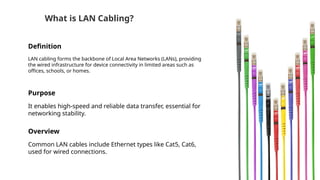
Definition
LAN cabling forms the backbone of Local Area Networks (LANs), providing
the wired infrastructure for device connectivity in limited areas such as
offices, schools, or homes.
Purpose
It enables high-speed and reliable data transfer, essential for
networking stability.
Overview
Common LAN cables include Ethernet types like Cat5, Cat6,
used for wired connections.
Importance of LAN Cabling
Reliability
LAN cabling provides consistent connectivity, minimizing disruptions in
environments requiring stable data flow, such as offices, schools, and
data centers.
Speed
Supports high-speed internet access, ensuring devices can
handle large data transmissions smoothly.
Security
LAN cabling offers secure, hardwired connections that are less
vulnerable to interference or hacking compared to wireless
options.
Applications
of LAN
Cabling
01 Office Networking
02
Educational
Institutions
03 Data Centers
04 Homes and
Residential
05 Industrial Setups
LAN Cabling in Common Environments
Offices and Workspaces
Used for stable connections to computers, phones, and
printers in corporate settings.
Data Centers
Supports high-speed and reliable connections for servers and
network equipment.
Homes and Residential Buildings
Commonly used for stable internet access in home setups,
connecting routers and devices.
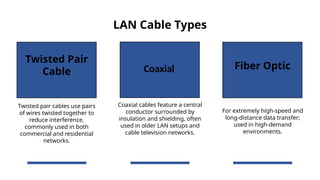
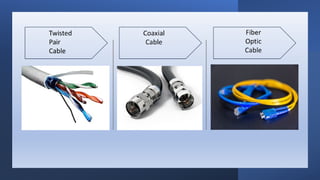
LAN Cable Types
Twisted Pair
Cable
Fiber Optic
Twisted pair cables use pairs
of wires twisted together to
reduce interference,
commonly used in both
commercial and residential
networks.
Coaxial cables feature a central
conductor surrounded by
insulation and shielding, often
used in older LAN setups and
cable television networks.
For extremely high-speed and
long-distance data transfer;
used in high-demand
environments.
Coaxial
LAN Cable
Categories
(Cat)
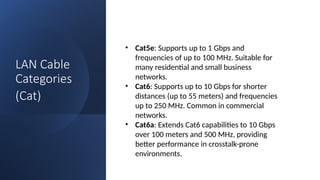
• Cat5e: Supports up to 1 Gbps and
frequencies of up to 100 MHz. Suitable for
many residential and small business
networks.
• Cat6: Supports up to 10 Gbps for shorter
distances (up to 55 meters) and frequencies
up to 250 MHz. Common in commercial
networks.
• Cat6a: Extends Cat6 capabilities to 10 Gbps
over 100 meters and 500 MHz, providing
better performance in crosstalk-prone
environments.
LAN Cable
Categories
(Cat)
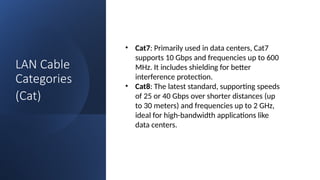
• Cat7: Primarily used in data centers, Cat7
supports 10 Gbps and frequencies up to 600
MHz. It includes shielding for better
interference protection.
• Cat8: The latest standard, supporting speeds
of 25 or 40 Gbps over shorter distances (up
to 30 meters) and frequencies up to 2 GHz,
ideal for high-bandwidth applications like
data centers.
Selecting the
Right
Certification
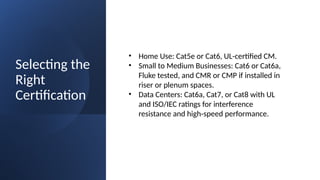
• Home Use: Cat5e or Cat6, UL-certified CM.
• Small to Medium Businesses: Cat6 or Cat6a,
Fluke tested, and CMR or CMP if installed in
riser or plenum spaces.
• Data Centers: Cat6a, Cat7, or Cat8 with UL
and ISO/IEC ratings for interference
resistance and high-speed performance.
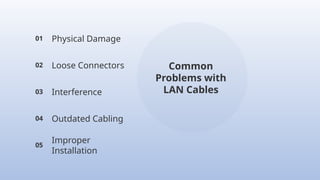
Common
Problems with
LAN Cables
01 Physical Damage
02 Loose Connectors
03 Interference
04 Outdated Cabling
05
Improper
Installation
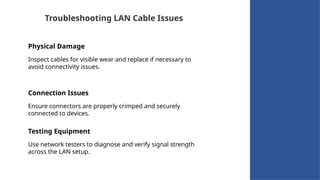
Troubleshooting LAN Cable Issues
Physical Damage
Inspect cables for visible wear and replace if necessary to
avoid connectivity issues.
Connection Issues
Ensure connectors are properly crimped and securely
connected to devices.
Testing Equipment
Use network testers to diagnose and verify signal strength
across the LAN setup.
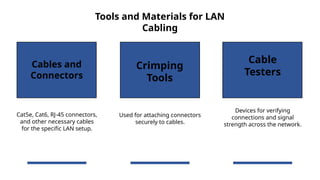
Tools and Materials for LAN
Cabling
Cables and
Connectors
Crimping
Tools
Cable
Testers
Cat5e, Cat6, RJ-45 connectors,
and other necessary cables
for the specific LAN setup.
Used for attaching connectors
securely to cables.
Devices for verifying
connections and signal
strength across the network.
LAN Cable
Certifications
1. TIA/EIA StandardsTIA/EIA-568:
A comprehensive standard governing the performance,
design, and installation of LAN cabling. This standard
specifies performance requirements for cable types,
connectors, and cable installation practices.Categories (Cat):
Within the TIA/EIA-568 standard, different "categories" are
defined for cables, such as Cat5e, Cat6, Cat6a, Cat7, and
Cat8, with higher categories generally supporting higher
speeds and frequencies.
LAN Cable
Certifications
2. ISO/IEC Standards
The ISO/IEC 11801 standard is an international
specification parallel to TIA/EIA but with additional
emphasis on electromagnetic interference protection.
ISO/IEC categorizes cables into Classes D, E, EA, F, and FA,
roughly corresponding to Cat5e to Cat8.
LAN Cable
Certifications
3. UL Certification
Underwriters Laboratories (UL) certifies LAN cables
for safety, particularly for fire resistance. UL ratings
like CM, CMR, and CMP refer to the cable's
suitability for installation in different
environments:
• CM (Communications): General use,
mainly for residential.
• CMR (Riser): Suitable for vertical runs in
multi-story buildings.
• CMP (Plenum): Fire-resistant and safe for
installation in air plenum spaces.
LAN Cable
Certifications
4. Fluke Testing Certification
Fluke Networks provides testing tools to certify
cables meet TIA/EIA and ISO/IEC performance
standards. A Fluke certification indicates the cable
can handle the specified speeds and frequencies,
ensuring reliability.
LAN Cable
Certifications
5. PoE Certifications
•IEEE 802.3af (PoE) and IEEE 802.3at (PoE+):
Certify LAN cables for transmitting power in
addition to data, useful for devices like IP cameras,
access points, and VoIP phones.
•IEEE 802.3bt (PoE++ or 4PPoE): Supports up to 90
watts, requiring high-quality cables like Cat6a or
above.

"LAN Cabling: Installation & Maintenance Basics"

  • 2.
    What is LANCabling? Definition LAN cabling forms the backbone of Local Area Networks (LANs), providing the wired infrastructure for device connectivity in limited areas such as offices, schools, or homes. Purpose It enables high-speed and reliable data transfer, essential for networking stability. Overview Common LAN cables include Ethernet types like Cat5, Cat6, used for wired connections.
  • 3.
    Importance of LANCabling Reliability LAN cabling provides consistent connectivity, minimizing disruptions in environments requiring stable data flow, such as offices, schools, and data centers. Speed Supports high-speed internet access, ensuring devices can handle large data transmissions smoothly. Security LAN cabling offers secure, hardwired connections that are less vulnerable to interference or hacking compared to wireless options.
  • 4.
    Applications of LAN Cabling 01 OfficeNetworking 02 Educational Institutions 03 Data Centers 04 Homes and Residential 05 Industrial Setups
  • 5.
    LAN Cabling inCommon Environments Offices and Workspaces Used for stable connections to computers, phones, and printers in corporate settings. Data Centers Supports high-speed and reliable connections for servers and network equipment. Homes and Residential Buildings Commonly used for stable internet access in home setups, connecting routers and devices.
  • 6.
    LAN Cable Types TwistedPair Cable Fiber Optic Twisted pair cables use pairs of wires twisted together to reduce interference, commonly used in both commercial and residential networks. Coaxial cables feature a central conductor surrounded by insulation and shielding, often used in older LAN setups and cable television networks. For extremely high-speed and long-distance data transfer; used in high-demand environments. Coaxial
  • 9.
    LAN Cable Categories (Cat) • Cat5e:Supports up to 1 Gbps and frequencies of up to 100 MHz. Suitable for many residential and small business networks. • Cat6: Supports up to 10 Gbps for shorter distances (up to 55 meters) and frequencies up to 250 MHz. Common in commercial networks. • Cat6a: Extends Cat6 capabilities to 10 Gbps over 100 meters and 500 MHz, providing better performance in crosstalk-prone environments.
  • 10.
    LAN Cable Categories (Cat) • Cat7:Primarily used in data centers, Cat7 supports 10 Gbps and frequencies up to 600 MHz. It includes shielding for better interference protection. • Cat8: The latest standard, supporting speeds of 25 or 40 Gbps over shorter distances (up to 30 meters) and frequencies up to 2 GHz, ideal for high-bandwidth applications like data centers.
  • 11.
    Selecting the Right Certification • HomeUse: Cat5e or Cat6, UL-certified CM. • Small to Medium Businesses: Cat6 or Cat6a, Fluke tested, and CMR or CMP if installed in riser or plenum spaces. • Data Centers: Cat6a, Cat7, or Cat8 with UL and ISO/IEC ratings for interference resistance and high-speed performance.
  • 12.
    Common Problems with LAN Cables 01Physical Damage 02 Loose Connectors 03 Interference 04 Outdated Cabling 05 Improper Installation
  • 13.
    Troubleshooting LAN CableIssues Physical Damage Inspect cables for visible wear and replace if necessary to avoid connectivity issues. Connection Issues Ensure connectors are properly crimped and securely connected to devices. Testing Equipment Use network testers to diagnose and verify signal strength across the LAN setup.
  • 15.
    Tools and Materialsfor LAN Cabling Cables and Connectors Crimping Tools Cable Testers Cat5e, Cat6, RJ-45 connectors, and other necessary cables for the specific LAN setup. Used for attaching connectors securely to cables. Devices for verifying connections and signal strength across the network.
  • 17.
    LAN Cable Certifications 1. TIA/EIAStandardsTIA/EIA-568: A comprehensive standard governing the performance, design, and installation of LAN cabling. This standard specifies performance requirements for cable types, connectors, and cable installation practices.Categories (Cat): Within the TIA/EIA-568 standard, different "categories" are defined for cables, such as Cat5e, Cat6, Cat6a, Cat7, and Cat8, with higher categories generally supporting higher speeds and frequencies.
  • 18.
    LAN Cable Certifications 2. ISO/IECStandards The ISO/IEC 11801 standard is an international specification parallel to TIA/EIA but with additional emphasis on electromagnetic interference protection. ISO/IEC categorizes cables into Classes D, E, EA, F, and FA, roughly corresponding to Cat5e to Cat8.
  • 19.
    LAN Cable Certifications 3. ULCertification Underwriters Laboratories (UL) certifies LAN cables for safety, particularly for fire resistance. UL ratings like CM, CMR, and CMP refer to the cable's suitability for installation in different environments: • CM (Communications): General use, mainly for residential. • CMR (Riser): Suitable for vertical runs in multi-story buildings. • CMP (Plenum): Fire-resistant and safe for installation in air plenum spaces.
  • 20.
    LAN Cable Certifications 4. FlukeTesting Certification Fluke Networks provides testing tools to certify cables meet TIA/EIA and ISO/IEC performance standards. A Fluke certification indicates the cable can handle the specified speeds and frequencies, ensuring reliability.
  • 21.
    LAN Cable Certifications 5. PoECertifications •IEEE 802.3af (PoE) and IEEE 802.3at (PoE+): Certify LAN cables for transmitting power in addition to data, useful for devices like IP cameras, access points, and VoIP phones. •IEEE 802.3bt (PoE++ or 4PPoE): Supports up to 90 watts, requiring high-quality cables like Cat6a or above.