Amir Moghimi
Lead Platform Engineer
Deloitte Platform Engineering, Australia
Kubernetes
training micro-dragons for a
serious battle
Traditional approach
Micro-services approach
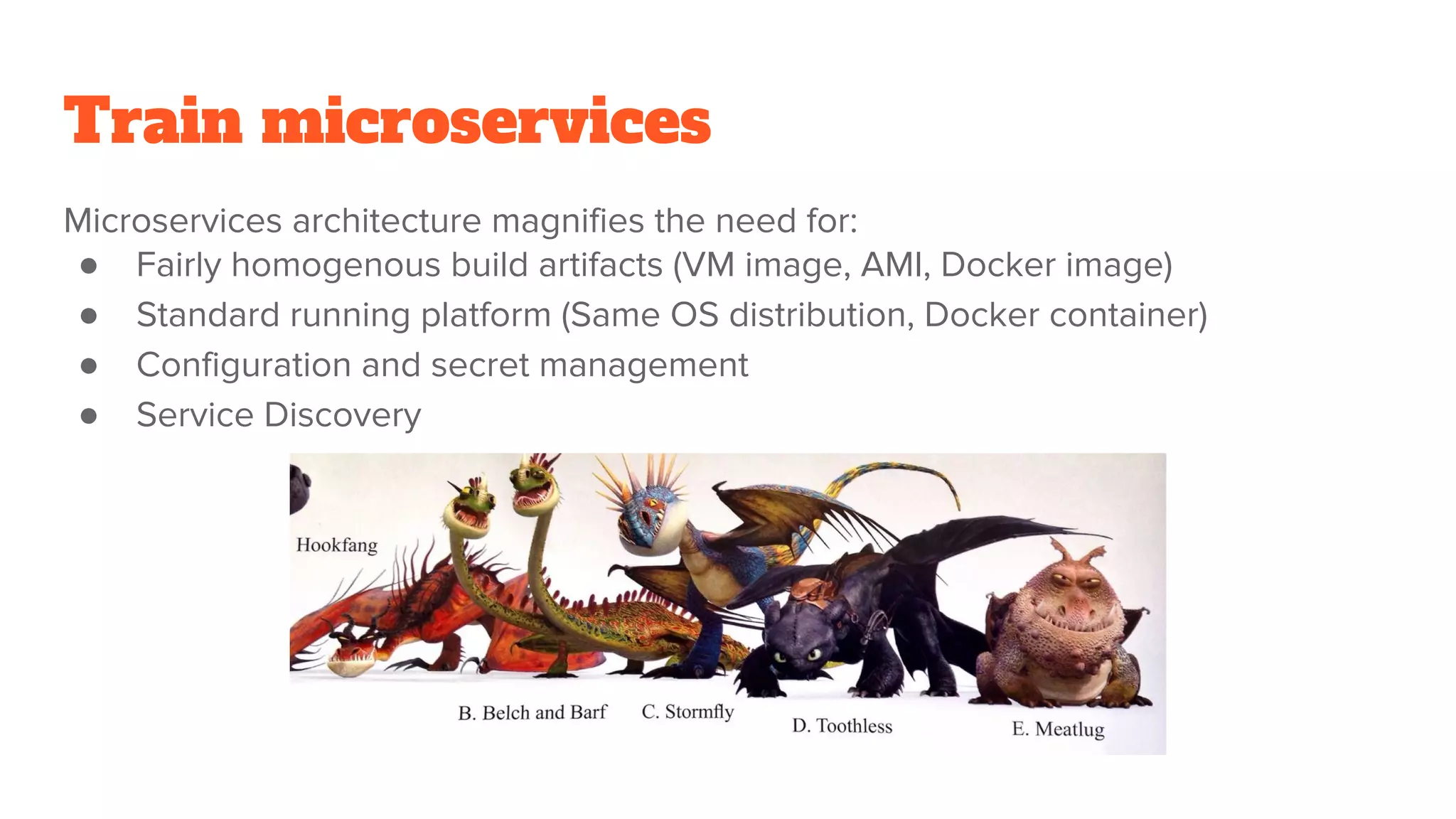
Train microservices
Microservices architecture magnifies the need for:
● Fairly homogenous build artifacts (VM image, AMI, Docker image)
● Standard running platform (Same OS distribution, Docker container)
● Configuration and secret management
● Service Discovery
Polyglot programming
● Pick right tool for the job
● Multiple teams with different expertise/perspectives
● Keep developers busy learning new language(s)
Homogenous build artifacts
Build artifacts:
● Java Jar and War files
● Ruby Gems and Rails apps
● Node packages and apps
● Go binaries
Containerise everything (Docker):
● Universally deployable artifact
● Relatively lightweight
Dockerfile
FROM debian:jessie
RUN apt-get update 
&& apt-get install -y 
openjdk-8-jre-headless
COPY my-app.jar /my-app.jar
ENV MY_APP_CONF_VAR default-value
CMD [“java”, “-jar”, “/my-app.jar”]
docker build -t registry/image_name .
docker push registry/image_name
Configure and run
docker run -d 
-e REDIS_NAMESPACE='staging' 
-e POSTGRES_ENV_POSTGRES_PASSWORD='foo' 
-e POSTGRES_ENV_POSTGRES_USER='bar' 
-e POSTGRES_ENV_DB_NAME='mysite_staging' 
-e POSTGRES_ADDR='docker-db-1.us-east-1.rds.amazonaws.com' 
-e SITE_URL='staging.mysite.com' 
-p 80:80 
--restart=on-failure:10 
--name container_name 
registry/image_name 
image_command cmd_arg1 cmd_arg2
Configuration hell
● Application config
○ Env vars, config files, cmd line args
● Runtime environment config
○ Web server, JVM
● Runtime dependencies config
○ Volumes, logging, monitoring, stats
Configuration management
● Train your app:
○ 12-factor app
● Configuration in a containerised world:
○ Log to stdout
○ Port mappings (from host to container)
○ SaaS blob storage (mount volumes only if providing a storage service)
○ Service discovery (Consul, Eureka, DNS)
○ Secrets (ideally only in memory but how?)
○ Environment Variables for everything else
Configuration management tools
● Chef
● Puppet
● Ansible (classic host-based approach + docker)
● Docker Compose?!
● Shell + Kubernetes (container PaaS)
Taking Chef/Puppet for a ride?
Kubernetes key resources
● Namespace
● Pod (container)
● Replica Set / Replication Controller
● ConfigMap
● Secret
● Service
● Deployment
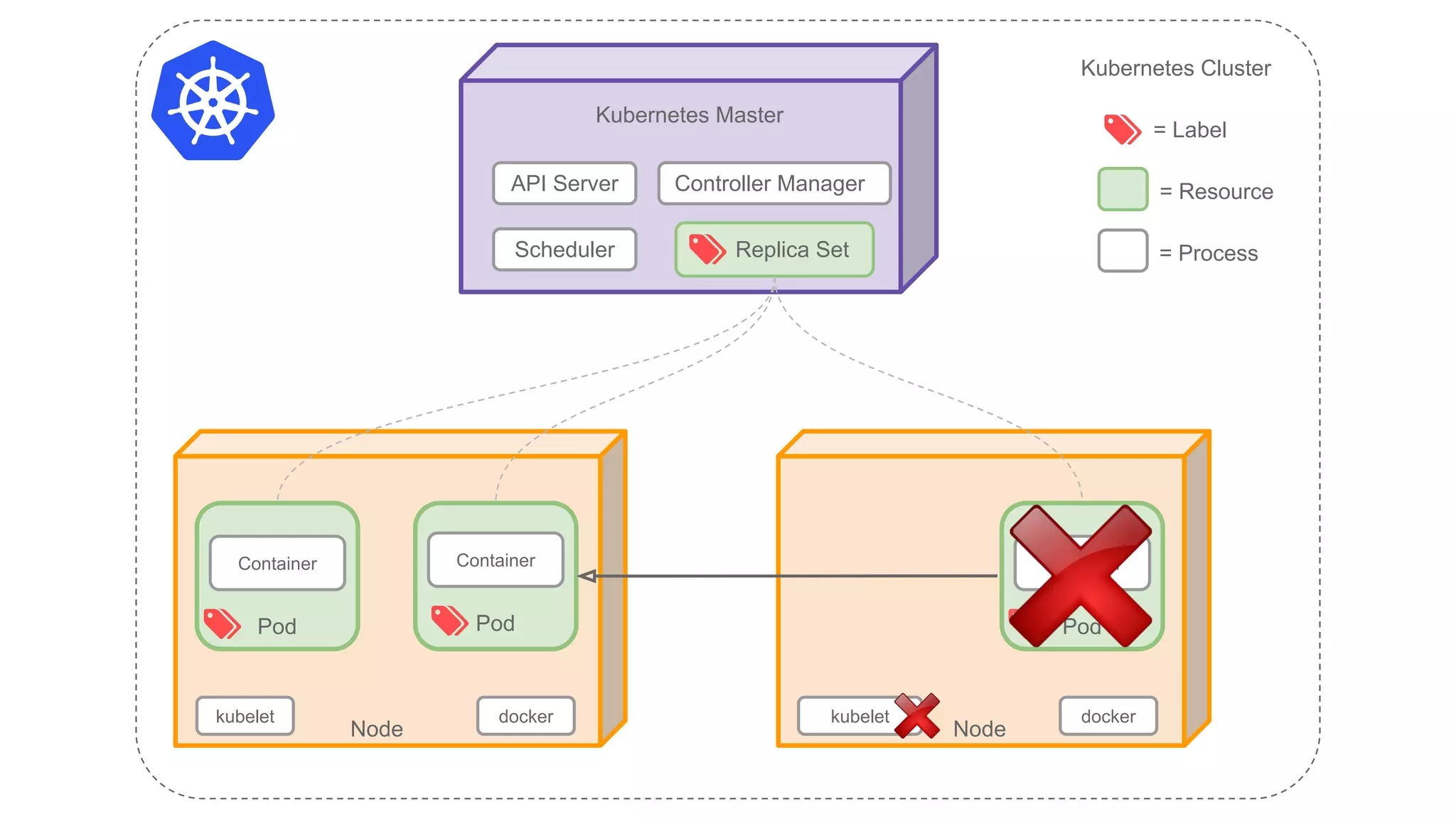
Kubernetes Master
API Server
Replica Set
kubelet
Node
Pod
Container
Pod
Container
kubelet
Node
Pod
Container
Kubernetes Cluster
= Label
= Resource
= ProcessScheduler
Controller Manager
docker docker
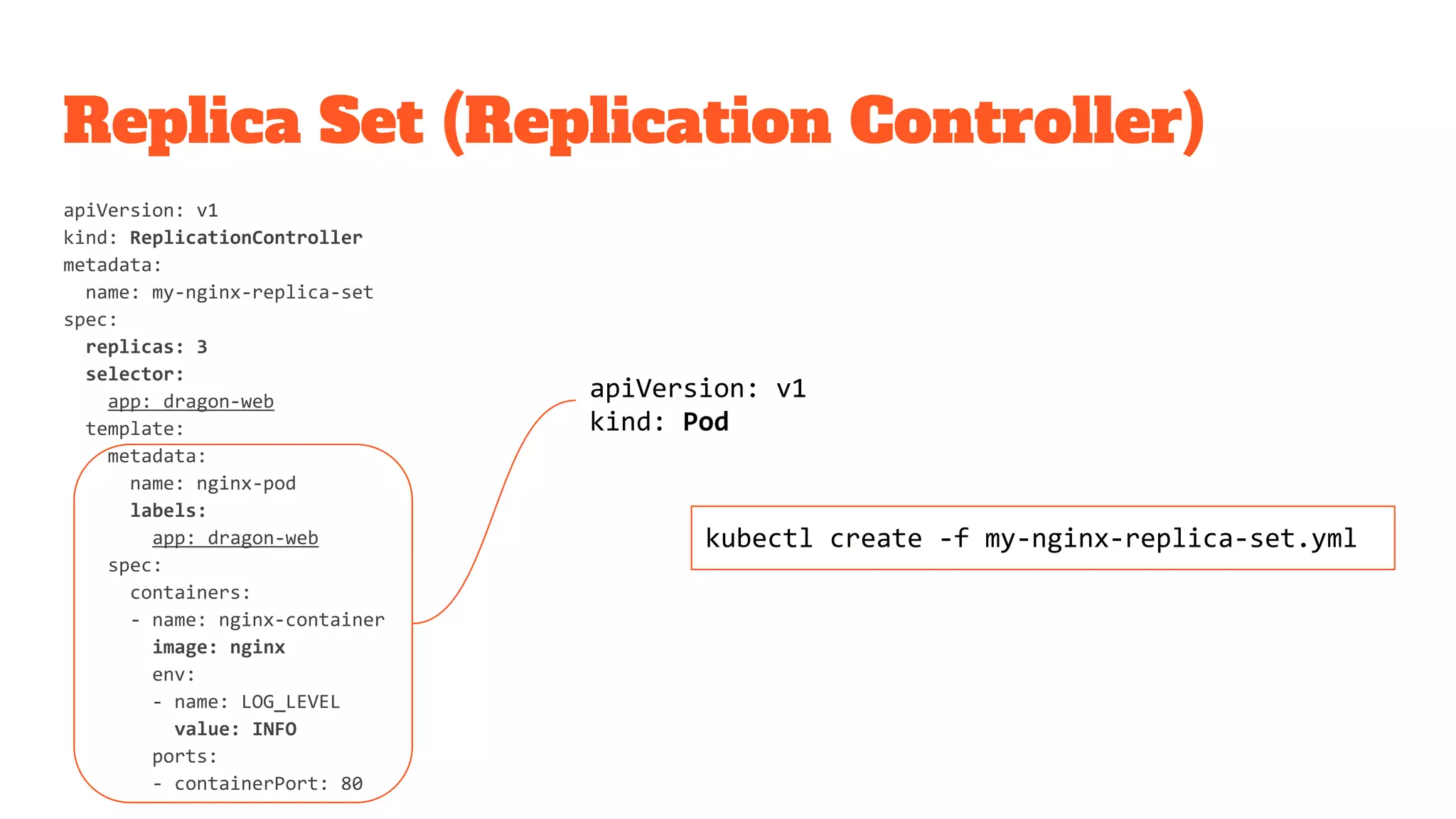
Replica Set (Replication Controller)
apiVersion: v1
kind: ReplicationController
metadata:
name: my-nginx-replica-set
spec:
replicas: 3
selector:
app: dragon-web
template:
metadata:
name: nginx-pod
labels:
app: dragon-web
spec:
containers:
- name: nginx-container
image: nginx
env:
- name: LOG_LEVEL
value: INFO
ports:
- containerPort: 80
apiVersion: v1
kind: Pod
kubectl create -f my-nginx-replica-set.yml
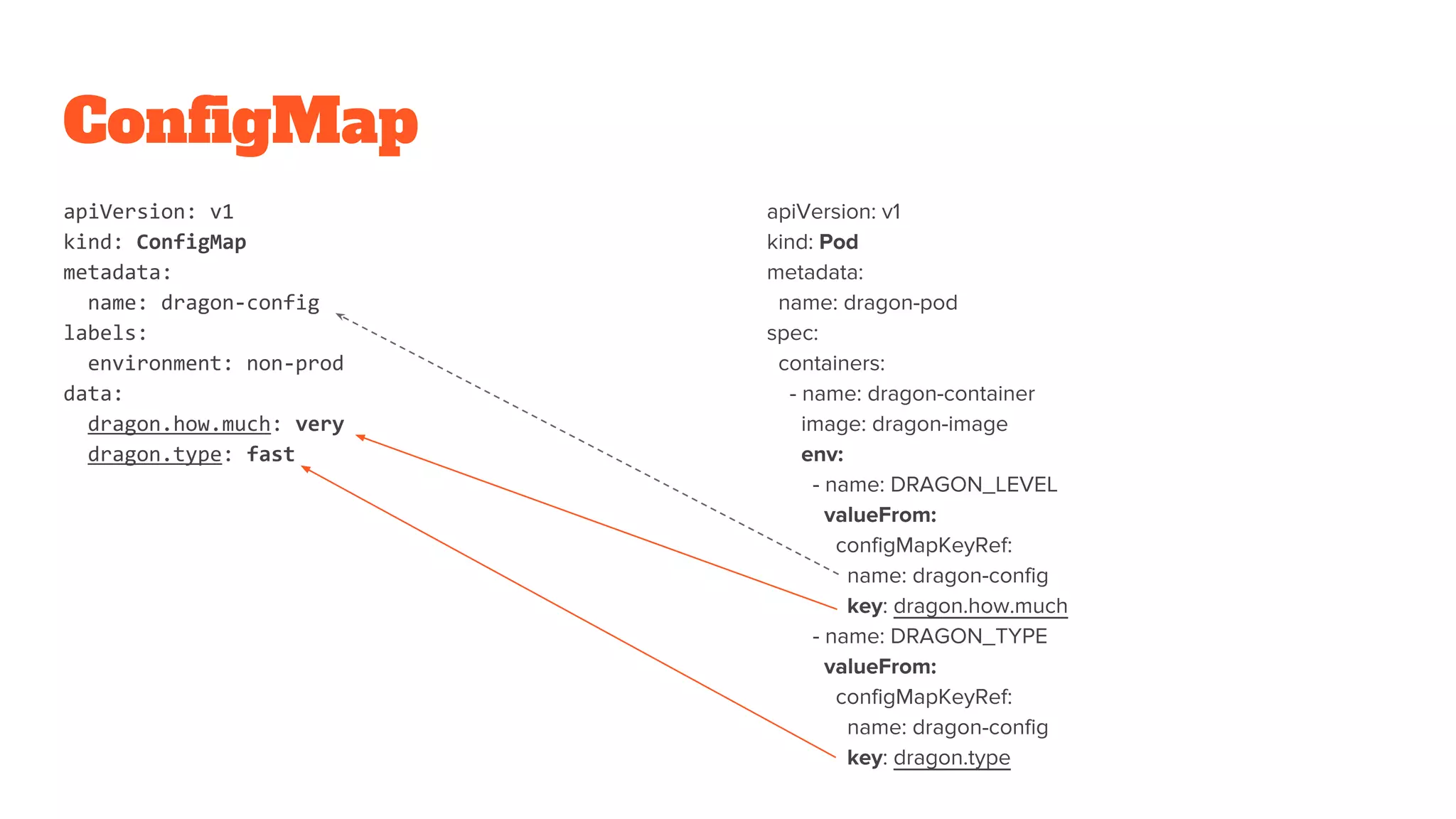
ConfigMap
apiVersion: v1
kind: ConfigMap
metadata:
name: dragon-config
labels:
environment: non-prod
data:
dragon.how.much: very
dragon.type: fast
apiVersion: v1
kind: Pod
metadata:
name: dragon-pod
spec:
containers:
- name: dragon-container
image: dragon-image
env:
- name: DRAGON_LEVEL
valueFrom:
configMapKeyRef:
name: dragon-config
key: dragon.how.much
- name: DRAGON_TYPE
valueFrom:
configMapKeyRef:
name: dragon-config
key: dragon.type
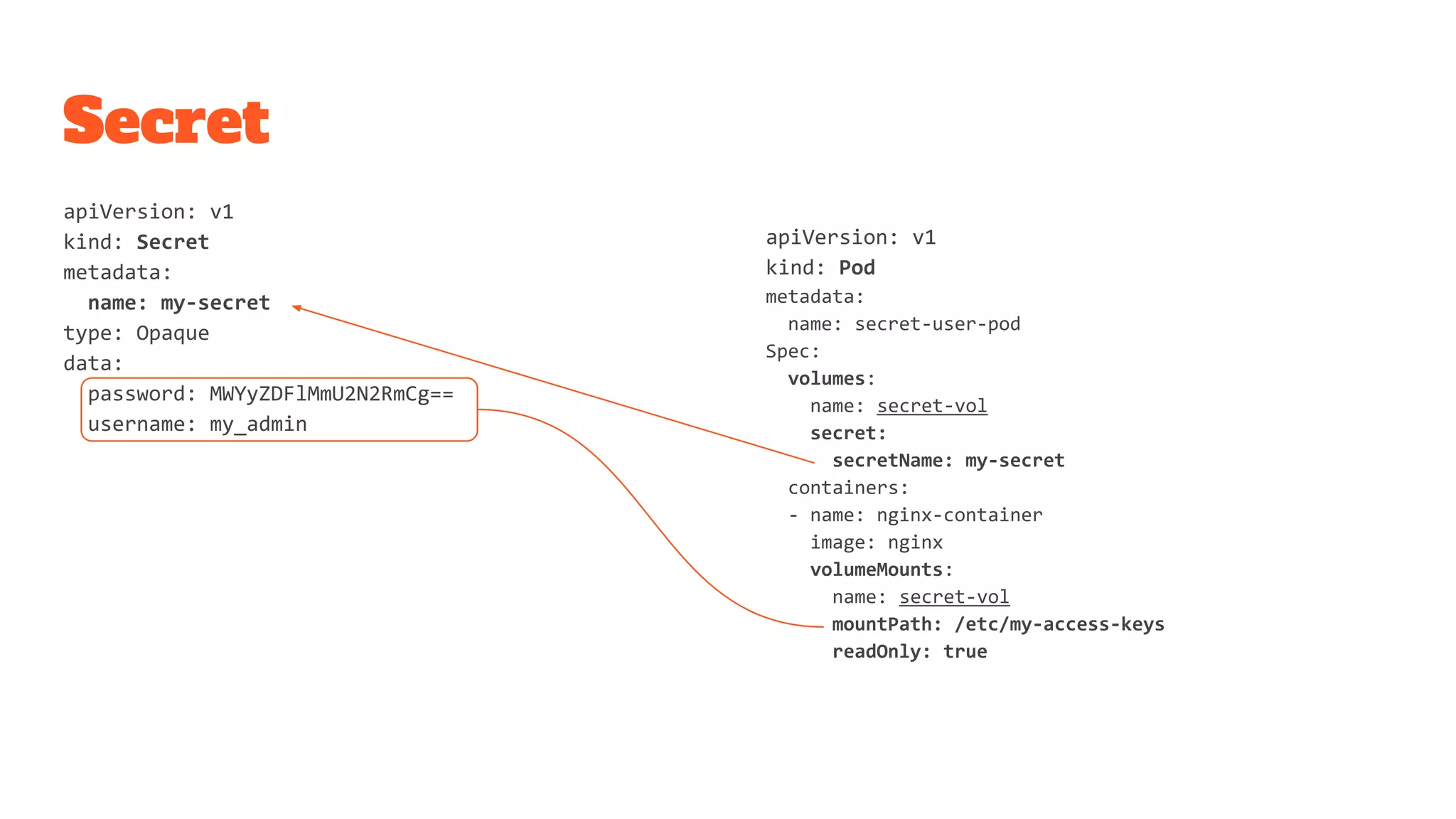
Secret
apiVersion: v1
kind: Secret
metadata:
name: my-secret
type: Opaque
data:
password: MWYyZDFlMmU2N2RmCg==
username: my_admin
apiVersion: v1
kind: Pod
metadata:
name: secret-user-pod
Spec:
volumes:
name: secret-vol
secret:
secretName: my-secret
containers:
- name: nginx-container
image: nginx
volumeMounts:
name: secret-vol
mountPath: /etc/my-access-keys
readOnly: true
Service
{
"apiVersion": "v1",
"kind": "Service",
"metadata": {
"name": "my-service"
},
"spec": {
"selector": {
"app": "dragon-web"
},
"ports": [{
"protocol": "TCP",
"port": 80,
"targetPort": 80
}]
}
}
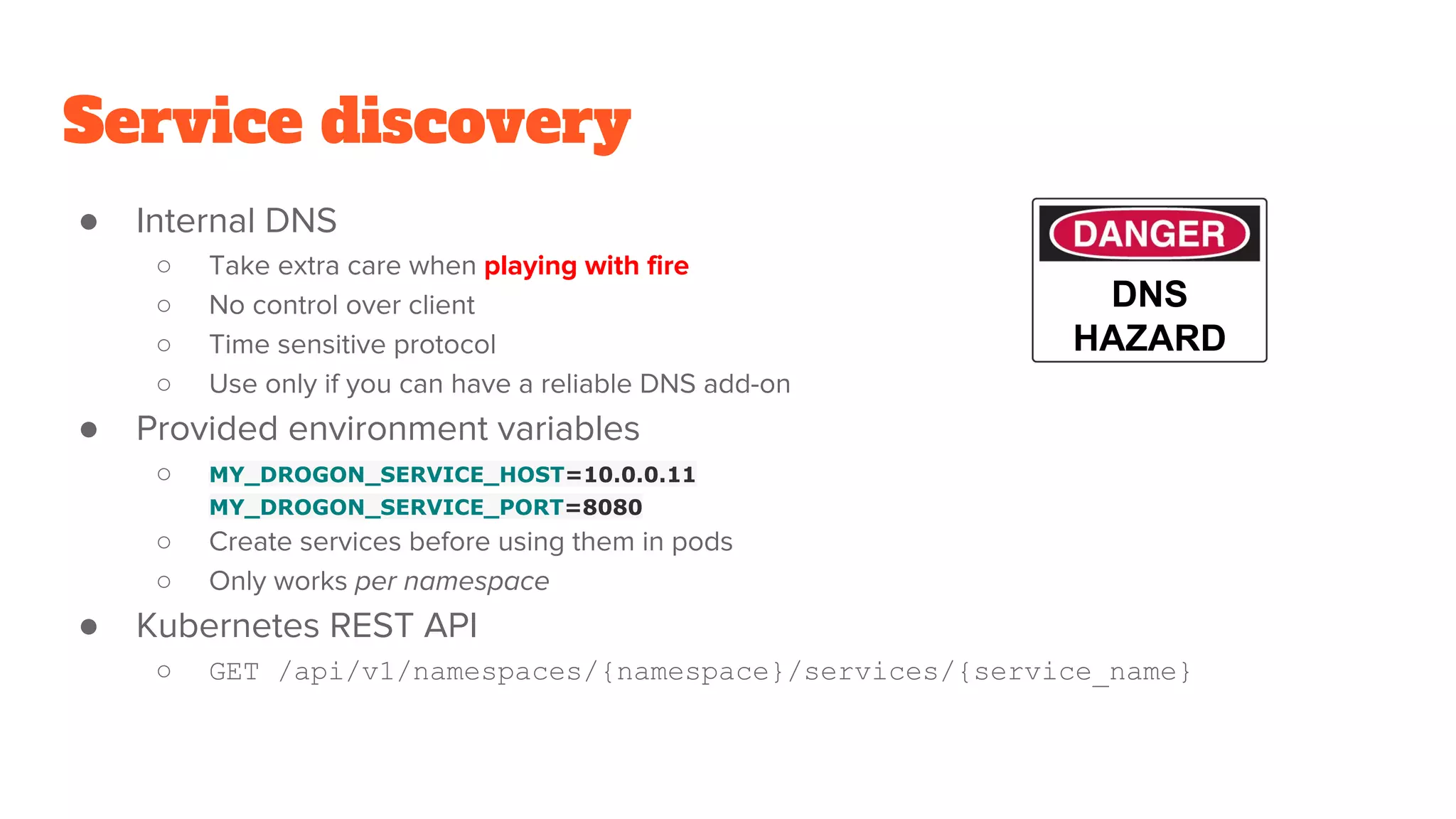
Service discovery
● Internal DNS
○ Take extra care when playing with fire
○ No control over client
○ Time sensitive protocol
○ Use only if you can have a reliable DNS add-on
● Provided environment variables
○ MY_DROGON_SERVICE_HOST=10.0.0.11
MY_DROGON_SERVICE_PORT=8080
○ Create services before using them in pods
○ Only works per namespace
● Kubernetes REST API
○ GET /api/v1/namespaces/{namespace}/services/{service_name}
DNS
HAZARD
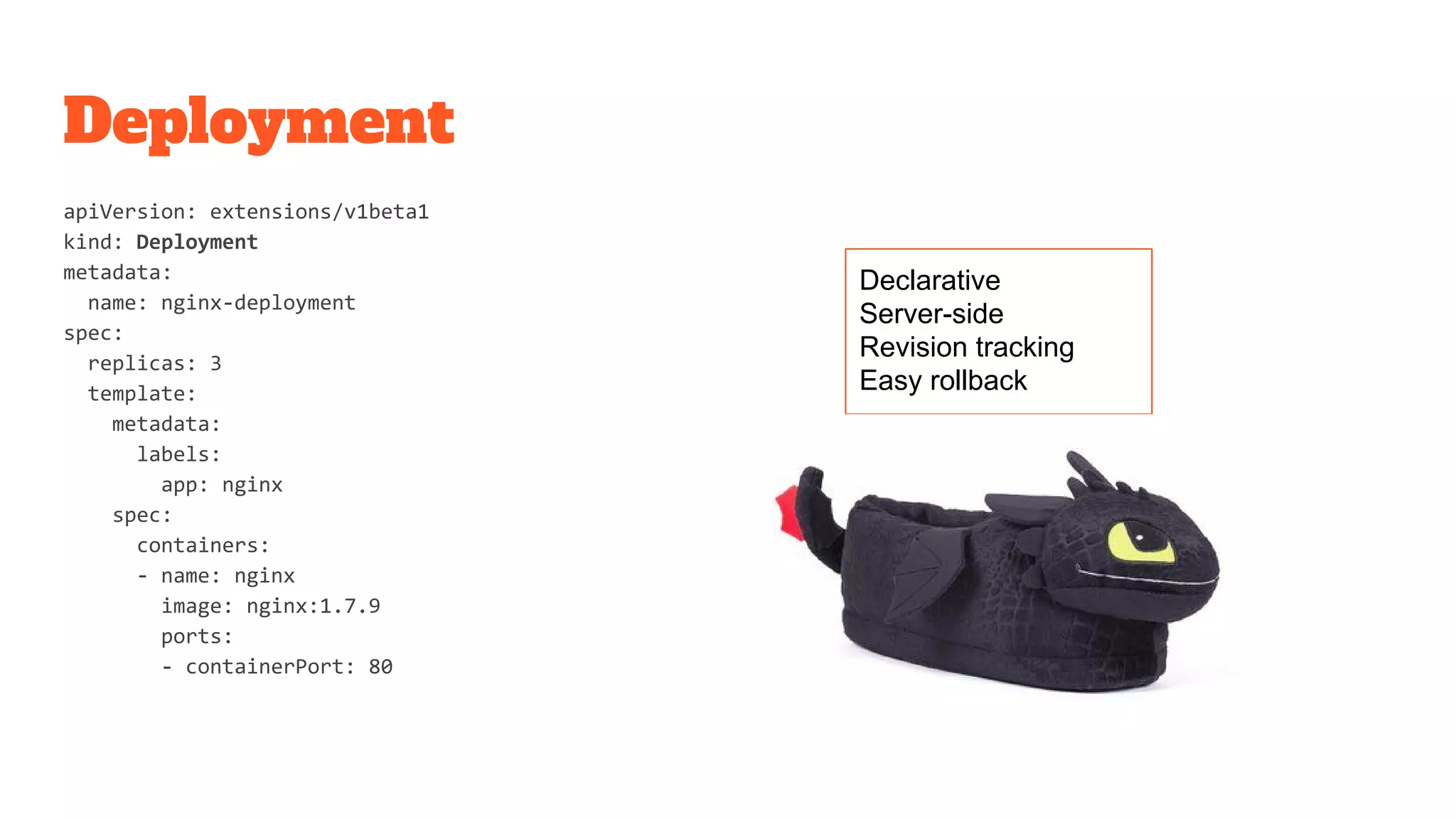
Deployment
apiVersion: extensions/v1beta1
kind: Deployment
metadata:
name: nginx-deployment
spec:
replicas: 3
template:
metadata:
labels:
app: nginx
spec:
containers:
- name: nginx
image: nginx:1.7.9
ports:
- containerPort: 80
Declarative
Server-side
Revision tracking
Easy rollback
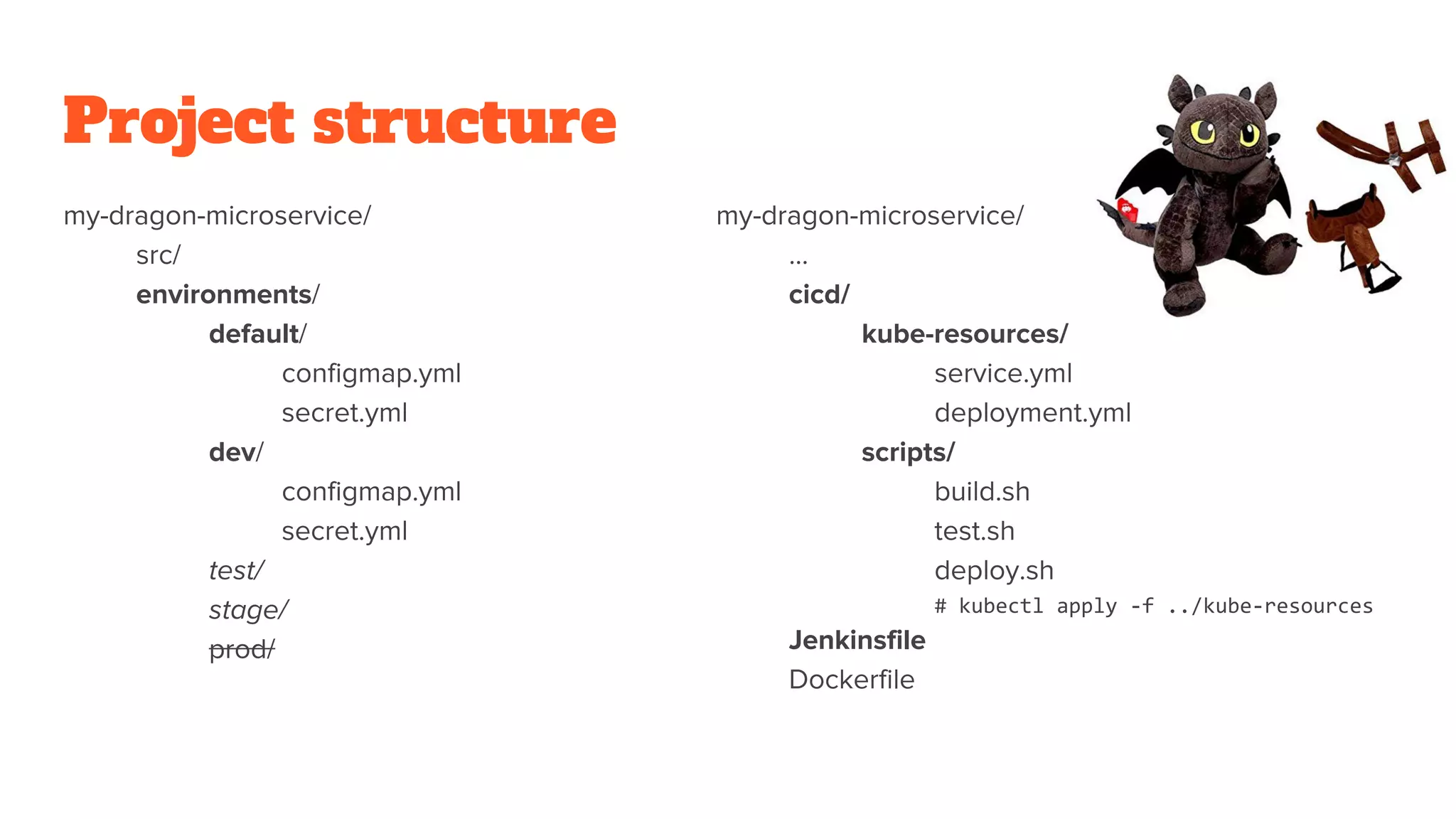
Project structure
my-dragon-microservice/
src/
environments/
default/
configmap.yml
secret.yml
dev/
configmap.yml
secret.yml
test/
stage/
prod/
my-dragon-microservice/
...
cicd/
kube-resources/
service.yml
deployment.yml
scripts/
build.sh
test.sh
deploy.sh
# kubectl apply -f ../kube-resources
Jenkinsfile
Dockerfile
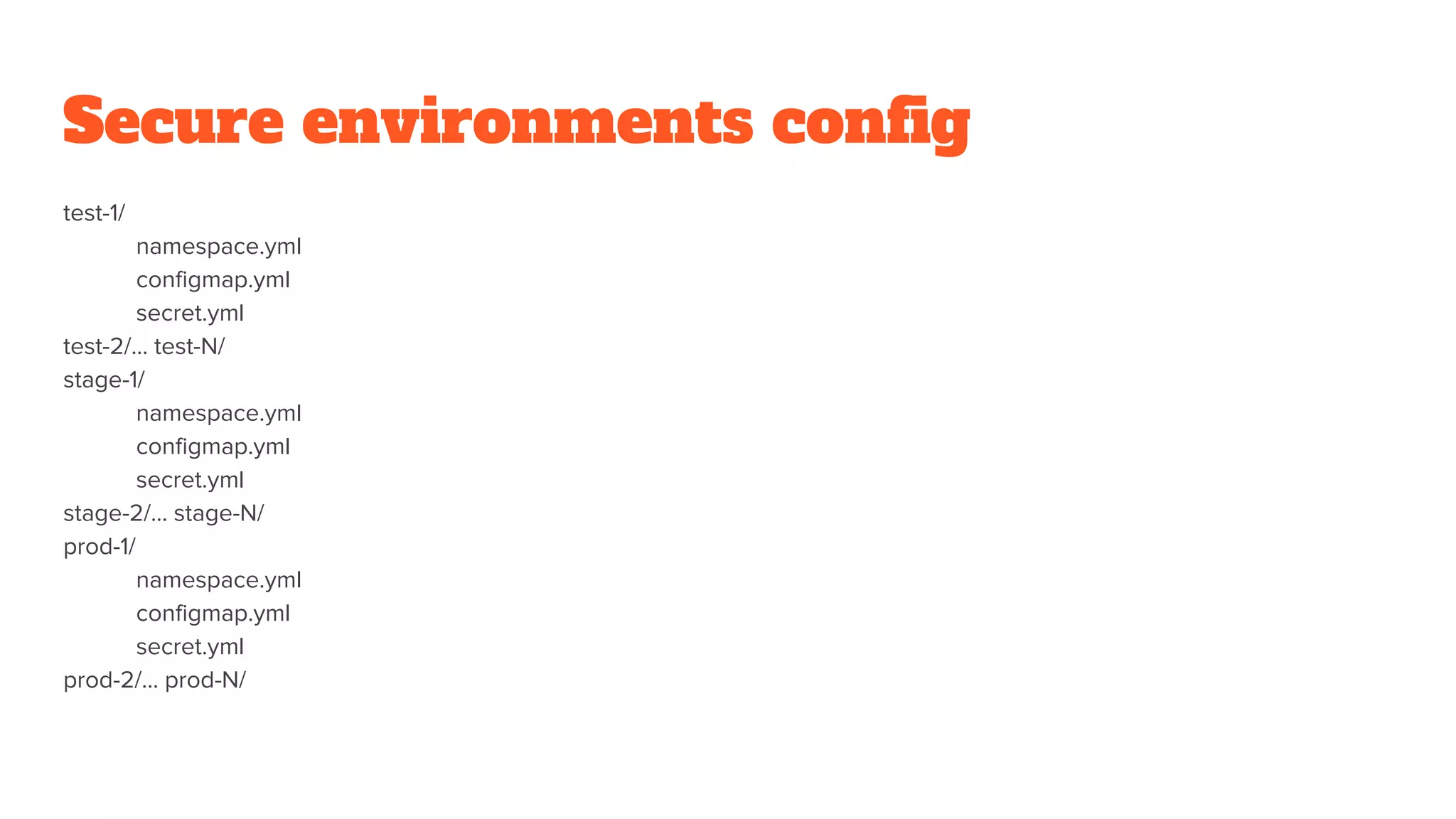
Secure environments config
test-1/
namespace.yml
configmap.yml
secret.yml
test-2/… test-N/
stage-1/
namespace.yml
configmap.yml
secret.yml
stage-2/… stage-N/
prod-1/
namespace.yml
configmap.yml
secret.yml
prod-2/… prod-N/
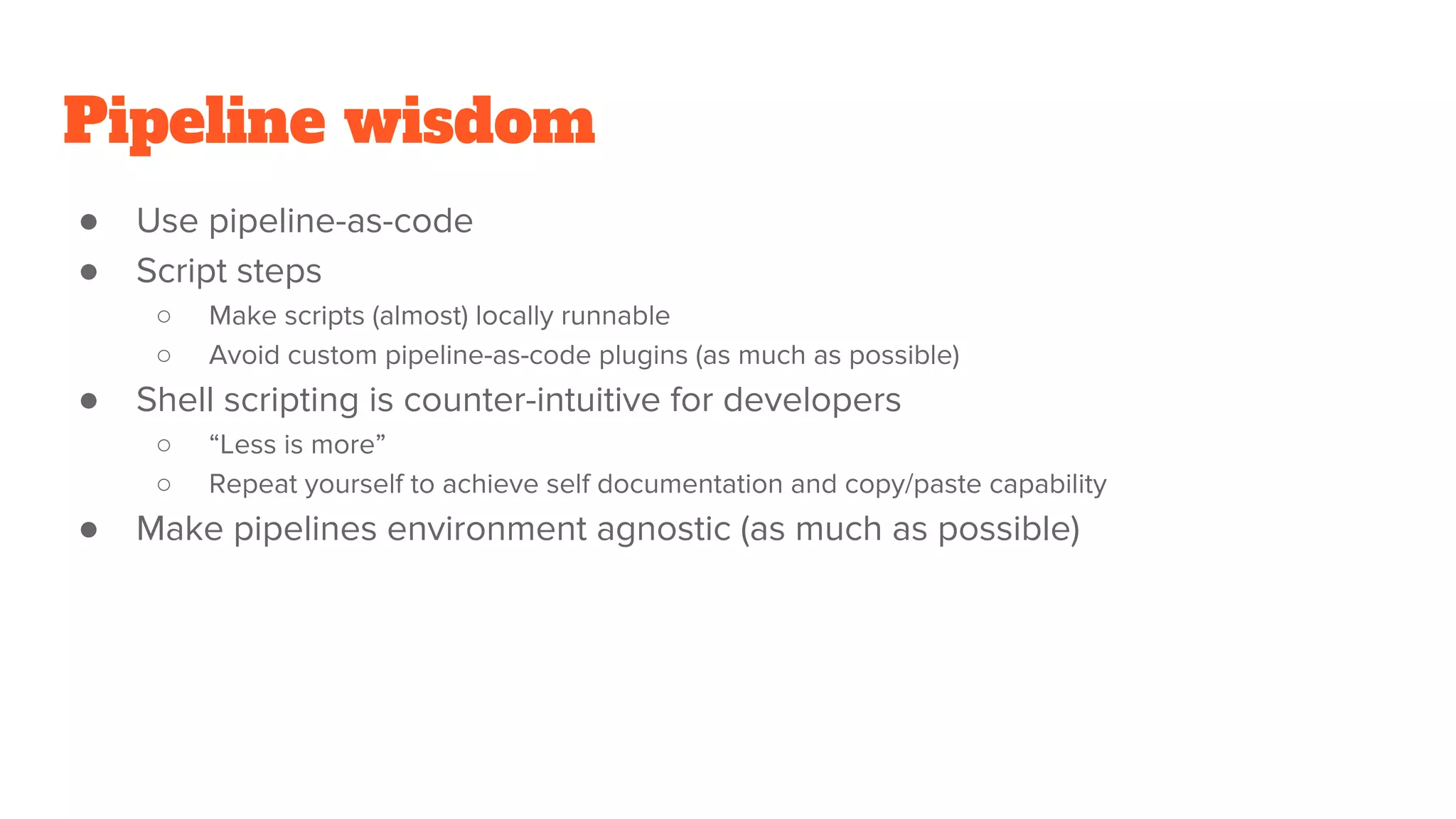
Pipeline wisdom
● Use pipeline-as-code
● Script steps
○ Make scripts (almost) locally runnable
○ Avoid custom pipeline-as-code plugins (as much as possible)
● Shell scripting is counter-intuitive for developers
○ “Less is more”
○ Repeat yourself to achieve self documentation and copy/paste capability
● Make pipelines environment agnostic (as much as possible)
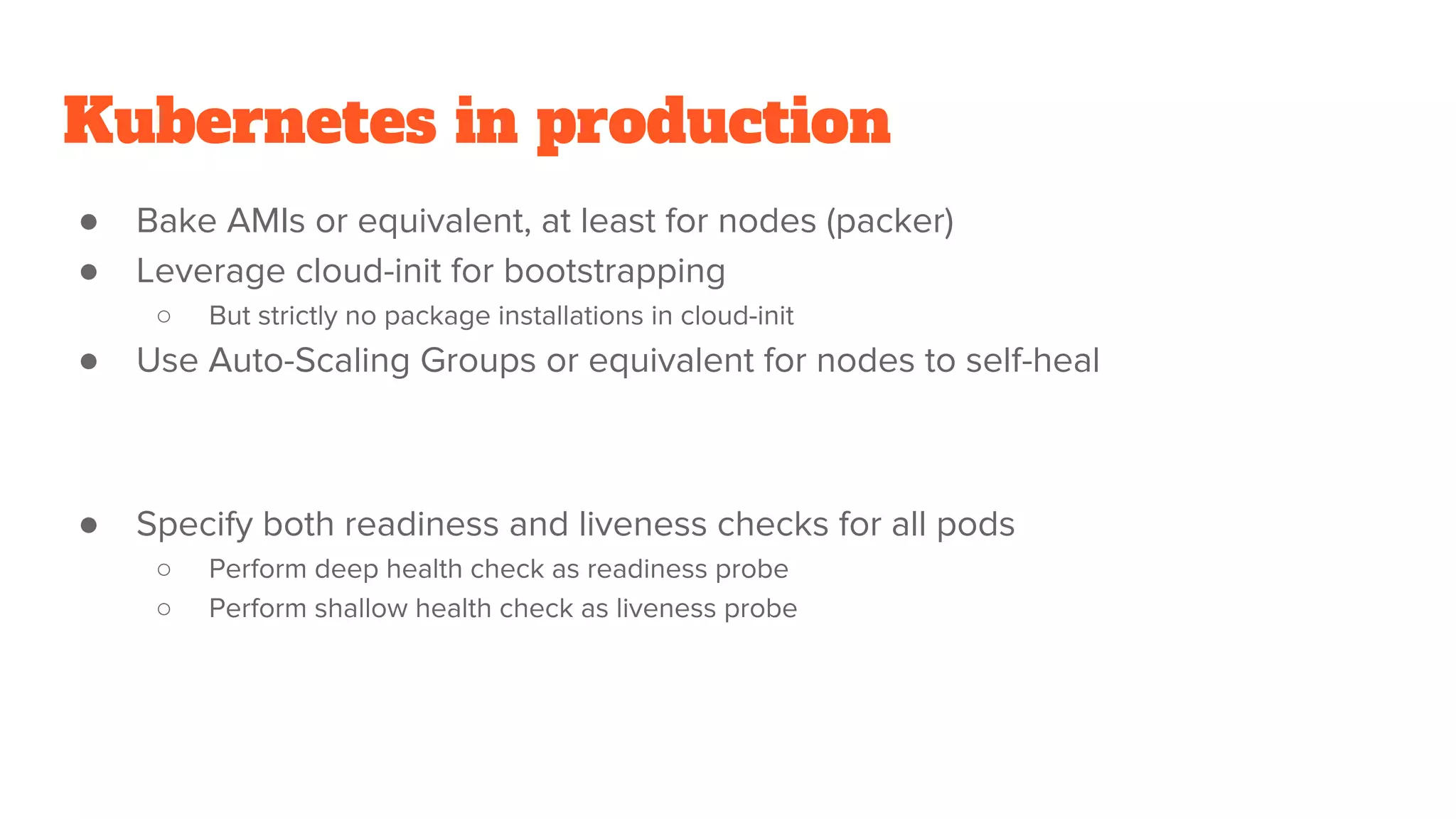
Kubernetes in production
● Bake AMIs or equivalent, at least for nodes (packer)
● Leverage cloud-init for bootstrapping
○ But strictly no package installations in cloud-init
● Use Auto-Scaling Groups or equivalent for nodes to self-heal
● Specify both readiness and liveness checks for all pods
○ Perform deep health check as readiness probe
○ Perform shallow health check as liveness probe
Kubernetes in production
● Use version 1.4 or above
○ Proper Pod eviction
● Specify a LimitRange with default limits per namespace
● Use lower requested cpu/mem values to oversubscribe nodes
● For High Availability, use monitoring tools to make sure there is always free
capacity left in the cluster
● Specify --max-pods for kubelet on each node as a last resort
● Run at least 2 replicas for mission critical apps
● Specify explicit requested cpu/mem values equal to the limit for mission
critical apps
○ To reduce chance of eviction under load
Q & A

Kubernetes: training micro-dragons for a serious battle

  • 1.
    Amir Moghimi Lead PlatformEngineer Deloitte Platform Engineering, Australia Kubernetes training micro-dragons for a serious battle
  • 2.
  • 3.
  • 4.
    Train microservices Microservices architecturemagnifies the need for: ● Fairly homogenous build artifacts (VM image, AMI, Docker image) ● Standard running platform (Same OS distribution, Docker container) ● Configuration and secret management ● Service Discovery
  • 5.
    Polyglot programming ● Pickright tool for the job ● Multiple teams with different expertise/perspectives ● Keep developers busy learning new language(s)
  • 6.
    Homogenous build artifacts Buildartifacts: ● Java Jar and War files ● Ruby Gems and Rails apps ● Node packages and apps ● Go binaries Containerise everything (Docker): ● Universally deployable artifact ● Relatively lightweight
  • 7.
    Dockerfile FROM debian:jessie RUN apt-getupdate && apt-get install -y openjdk-8-jre-headless COPY my-app.jar /my-app.jar ENV MY_APP_CONF_VAR default-value CMD [“java”, “-jar”, “/my-app.jar”] docker build -t registry/image_name . docker push registry/image_name
  • 8.
    Configure and run dockerrun -d -e REDIS_NAMESPACE='staging' -e POSTGRES_ENV_POSTGRES_PASSWORD='foo' -e POSTGRES_ENV_POSTGRES_USER='bar' -e POSTGRES_ENV_DB_NAME='mysite_staging' -e POSTGRES_ADDR='docker-db-1.us-east-1.rds.amazonaws.com' -e SITE_URL='staging.mysite.com' -p 80:80 --restart=on-failure:10 --name container_name registry/image_name image_command cmd_arg1 cmd_arg2
  • 9.
    Configuration hell ● Applicationconfig ○ Env vars, config files, cmd line args ● Runtime environment config ○ Web server, JVM ● Runtime dependencies config ○ Volumes, logging, monitoring, stats
  • 10.
    Configuration management ● Trainyour app: ○ 12-factor app ● Configuration in a containerised world: ○ Log to stdout ○ Port mappings (from host to container) ○ SaaS blob storage (mount volumes only if providing a storage service) ○ Service discovery (Consul, Eureka, DNS) ○ Secrets (ideally only in memory but how?) ○ Environment Variables for everything else
  • 11.
    Configuration management tools ●Chef ● Puppet ● Ansible (classic host-based approach + docker) ● Docker Compose?! ● Shell + Kubernetes (container PaaS)
  • 12.
  • 13.
    Kubernetes key resources ●Namespace ● Pod (container) ● Replica Set / Replication Controller ● ConfigMap ● Secret ● Service ● Deployment
  • 14.
    Kubernetes Master API Server ReplicaSet kubelet Node Pod Container Pod Container kubelet Node Pod Container Kubernetes Cluster = Label = Resource = ProcessScheduler Controller Manager docker docker
  • 15.
    Replica Set (ReplicationController) apiVersion: v1 kind: ReplicationController metadata: name: my-nginx-replica-set spec: replicas: 3 selector: app: dragon-web template: metadata: name: nginx-pod labels: app: dragon-web spec: containers: - name: nginx-container image: nginx env: - name: LOG_LEVEL value: INFO ports: - containerPort: 80 apiVersion: v1 kind: Pod kubectl create -f my-nginx-replica-set.yml
  • 16.
    ConfigMap apiVersion: v1 kind: ConfigMap metadata: name:dragon-config labels: environment: non-prod data: dragon.how.much: very dragon.type: fast apiVersion: v1 kind: Pod metadata: name: dragon-pod spec: containers: - name: dragon-container image: dragon-image env: - name: DRAGON_LEVEL valueFrom: configMapKeyRef: name: dragon-config key: dragon.how.much - name: DRAGON_TYPE valueFrom: configMapKeyRef: name: dragon-config key: dragon.type
  • 17.
    Secret apiVersion: v1 kind: Secret metadata: name:my-secret type: Opaque data: password: MWYyZDFlMmU2N2RmCg== username: my_admin apiVersion: v1 kind: Pod metadata: name: secret-user-pod Spec: volumes: name: secret-vol secret: secretName: my-secret containers: - name: nginx-container image: nginx volumeMounts: name: secret-vol mountPath: /etc/my-access-keys readOnly: true
  • 18.
    Service { "apiVersion": "v1", "kind": "Service", "metadata":{ "name": "my-service" }, "spec": { "selector": { "app": "dragon-web" }, "ports": [{ "protocol": "TCP", "port": 80, "targetPort": 80 }] } }
  • 19.
    Service discovery ● InternalDNS ○ Take extra care when playing with fire ○ No control over client ○ Time sensitive protocol ○ Use only if you can have a reliable DNS add-on ● Provided environment variables ○ MY_DROGON_SERVICE_HOST=10.0.0.11 MY_DROGON_SERVICE_PORT=8080 ○ Create services before using them in pods ○ Only works per namespace ● Kubernetes REST API ○ GET /api/v1/namespaces/{namespace}/services/{service_name} DNS HAZARD
  • 20.
    Deployment apiVersion: extensions/v1beta1 kind: Deployment metadata: name:nginx-deployment spec: replicas: 3 template: metadata: labels: app: nginx spec: containers: - name: nginx image: nginx:1.7.9 ports: - containerPort: 80 Declarative Server-side Revision tracking Easy rollback
  • 21.
  • 22.
    Secure environments config test-1/ namespace.yml configmap.yml secret.yml test-2/…test-N/ stage-1/ namespace.yml configmap.yml secret.yml stage-2/… stage-N/ prod-1/ namespace.yml configmap.yml secret.yml prod-2/… prod-N/
  • 23.
    Pipeline wisdom ● Usepipeline-as-code ● Script steps ○ Make scripts (almost) locally runnable ○ Avoid custom pipeline-as-code plugins (as much as possible) ● Shell scripting is counter-intuitive for developers ○ “Less is more” ○ Repeat yourself to achieve self documentation and copy/paste capability ● Make pipelines environment agnostic (as much as possible)
  • 24.
    Kubernetes in production ●Bake AMIs or equivalent, at least for nodes (packer) ● Leverage cloud-init for bootstrapping ○ But strictly no package installations in cloud-init ● Use Auto-Scaling Groups or equivalent for nodes to self-heal ● Specify both readiness and liveness checks for all pods ○ Perform deep health check as readiness probe ○ Perform shallow health check as liveness probe
  • 25.
    Kubernetes in production ●Use version 1.4 or above ○ Proper Pod eviction ● Specify a LimitRange with default limits per namespace ● Use lower requested cpu/mem values to oversubscribe nodes ● For High Availability, use monitoring tools to make sure there is always free capacity left in the cluster ● Specify --max-pods for kubelet on each node as a last resort ● Run at least 2 replicas for mission critical apps ● Specify explicit requested cpu/mem values equal to the limit for mission critical apps ○ To reduce chance of eviction under load
  • 26.