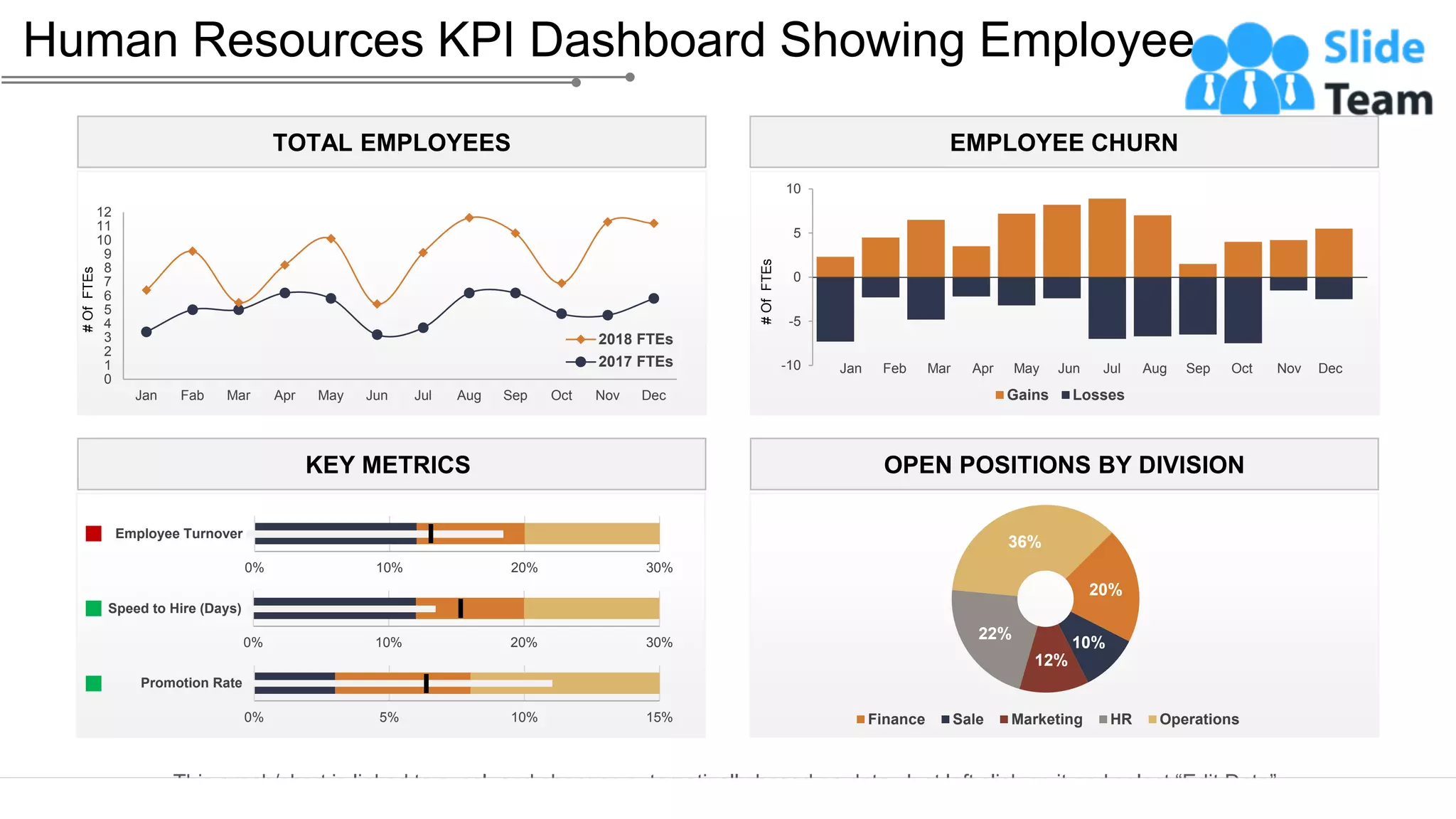
This graph/chart is linked to excel, and changes automatically based on data. Just left click on it and select “Edit Data”.
Human Resources KPI Dashboard Showing Employee…
24
Positions
OPEN POSITIONS BY DIVISION
20%
10%
12%
22%
36%
Finance Sale Marketing HR Operations
KEY METRICS
0% 10% 20% 30%
Speed to Hire (Days)
0% 10% 20% 30%
Employee Turnover
0% 5% 10% 15%
Promotion Rate
TOTAL EMPLOYEES
0
1
2
3
4
5
6
7
8
9
10
11
12
Jan Fab Mar Apr May Jun Jul Aug Sep Oct Nov Dec
#
Of
FTEs
2018 FTEs
2017 FTEs
EMPLOYEE CHURN
-10
-5
0
5
10
#
Of
FTEs
Gains Losses
Jan Feb Mar Apr May Jun Jul Aug Sep Oct Nov Dec
Instructions To Edit This Slide
This slide has been made in PowerPoint using basic PowerPoint shapes, and all graphics are 100%
editable in PowerPoint.
You can change color, size and orientation of any element to your liking, and add/edit any piece of text
anywhere.
All images are 100% editable in PowerPoint
Change color, size and orientation of any icon to your liking”
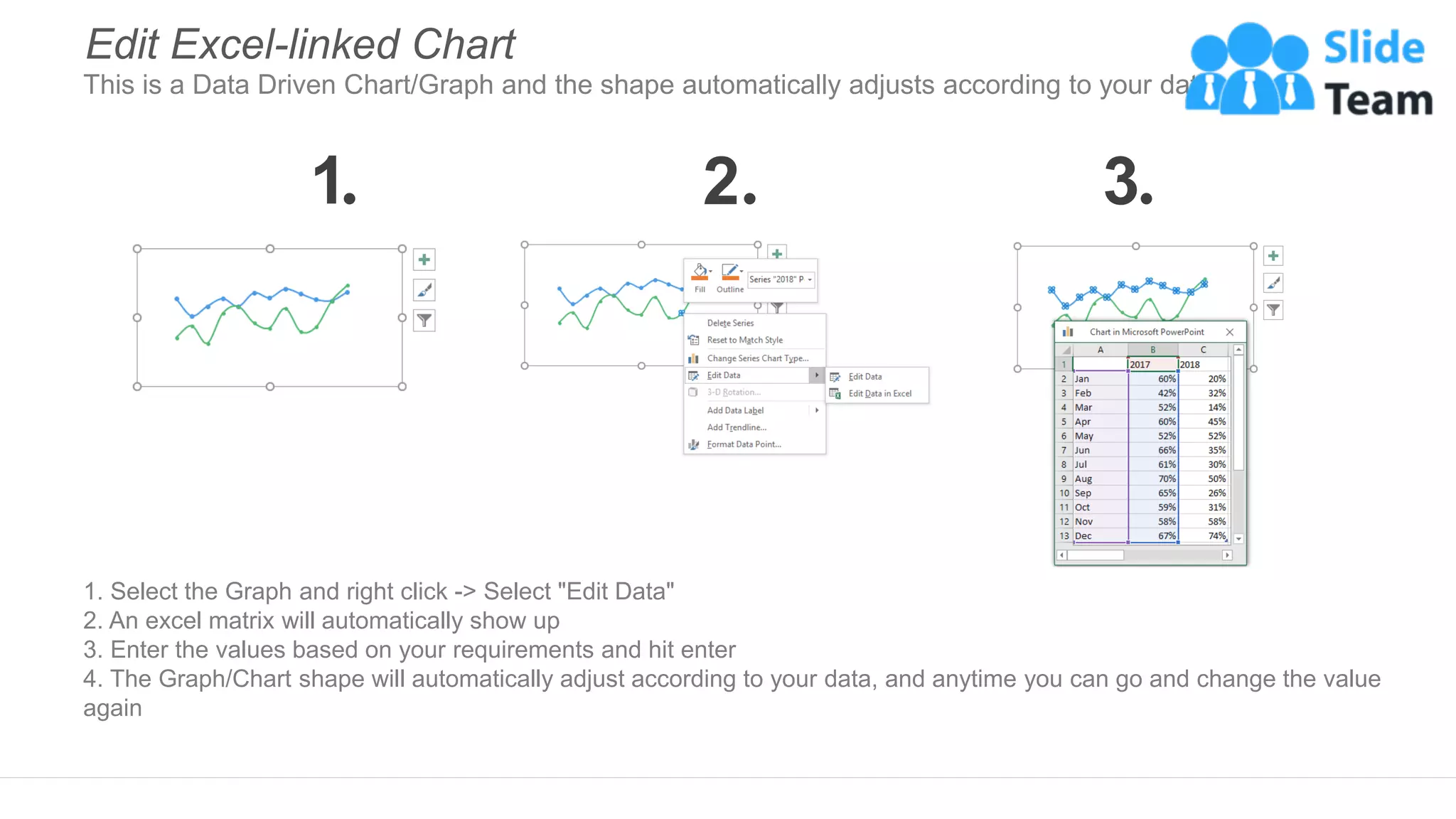
1. Select the Graph and right click -> Select "Edit Data"
2. An excel matrix will automatically show up
3. Enter the values based on your requirements and hit enter
4. The Graph/Chart shape will automatically adjust according to your data, and anytime you can go and change the value
again
Edit Excel-linked Chart
This is a Data Driven Chart/Graph and the shape automatically adjusts according to your data
1 2 3
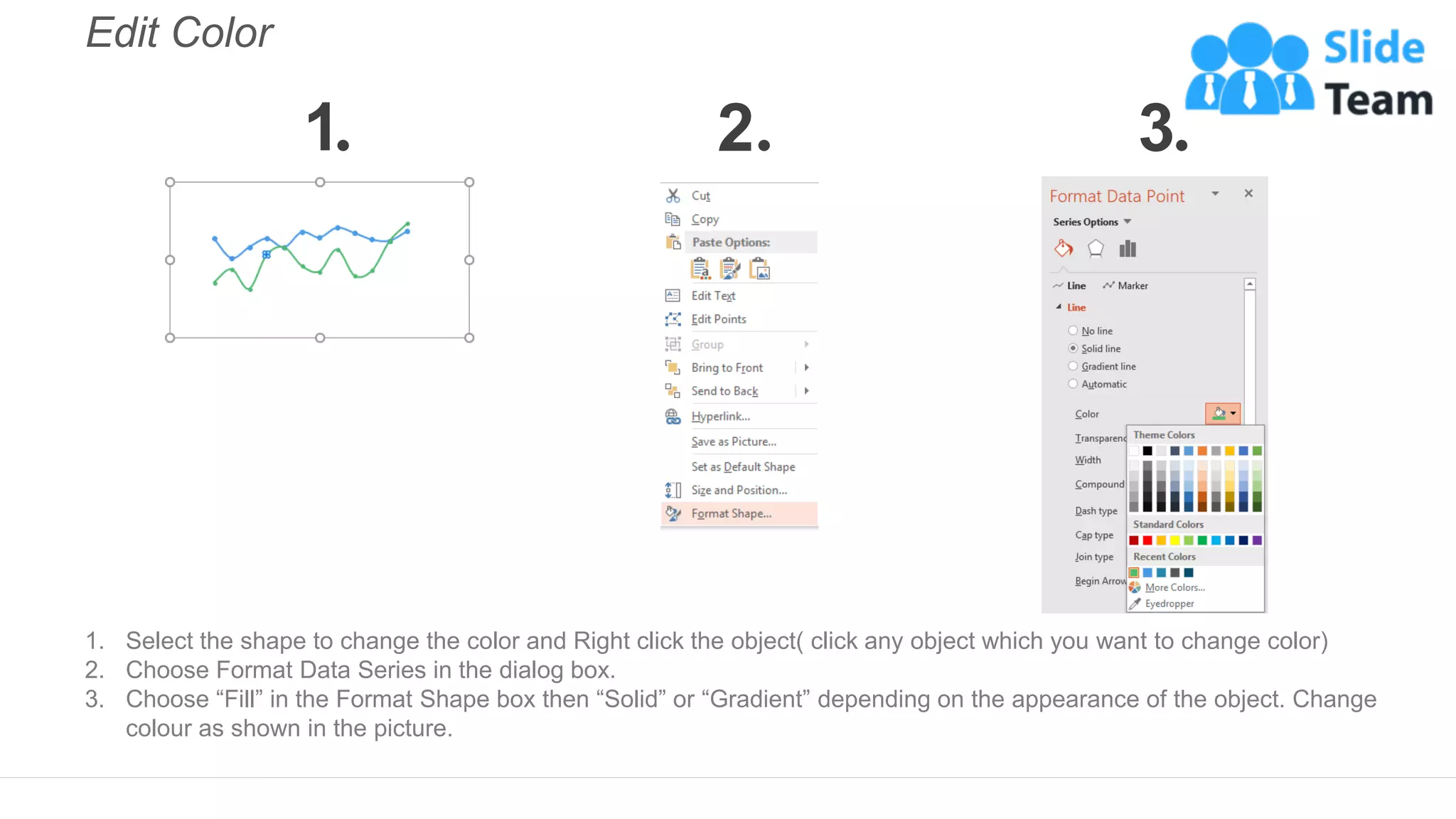
Edit Color
1. Select the shape to change the color and Right click the object( click any object which you want to change color)
2. Choose Format Data Series in the dialog box.
3. Choose “Fill” in the Format Shape box then “Solid” or “Gradient” depending on the appearance of the object. Change
colour as shown in the picture.
1 2 3
Select From Thousands Of Editable Icons On Every Topic
These icons are available at the Icons section on www.slideteam.net

KPI Dashboard Showing Employee Churn Key Metrics And Open Positions

  • 1.
    This graph/chart islinked to excel, and changes automatically based on data. Just left click on it and select “Edit Data”. Human Resources KPI Dashboard Showing Employee… 24 Positions OPEN POSITIONS BY DIVISION 20% 10% 12% 22% 36% Finance Sale Marketing HR Operations KEY METRICS 0% 10% 20% 30% Speed to Hire (Days) 0% 10% 20% 30% Employee Turnover 0% 5% 10% 15% Promotion Rate TOTAL EMPLOYEES 0 1 2 3 4 5 6 7 8 9 10 11 12 Jan Fab Mar Apr May Jun Jul Aug Sep Oct Nov Dec # Of FTEs 2018 FTEs 2017 FTEs EMPLOYEE CHURN -10 -5 0 5 10 # Of FTEs Gains Losses Jan Feb Mar Apr May Jun Jul Aug Sep Oct Nov Dec
  • 2.
    Instructions To EditThis Slide This slide has been made in PowerPoint using basic PowerPoint shapes, and all graphics are 100% editable in PowerPoint. You can change color, size and orientation of any element to your liking, and add/edit any piece of text anywhere.
  • 3.
    All images are100% editable in PowerPoint Change color, size and orientation of any icon to your liking”
  • 4.
    1. Select theGraph and right click -> Select "Edit Data" 2. An excel matrix will automatically show up 3. Enter the values based on your requirements and hit enter 4. The Graph/Chart shape will automatically adjust according to your data, and anytime you can go and change the value again Edit Excel-linked Chart This is a Data Driven Chart/Graph and the shape automatically adjusts according to your data 1 2 3
  • 5.
    Edit Color 1. Selectthe shape to change the color and Right click the object( click any object which you want to change color) 2. Choose Format Data Series in the dialog box. 3. Choose “Fill” in the Format Shape box then “Solid” or “Gradient” depending on the appearance of the object. Change colour as shown in the picture. 1 2 3
  • 6.
    Select From ThousandsOf Editable Icons On Every Topic These icons are available at the Icons section on www.slideteam.net