Students, Teachers & Parents
“Speak Up” about Education,
Technology & 21st
Century Learning
– Are we listening?
2007 K-12 Bridge Symposium
DePauw University
May 31, 2007
Julie Evans
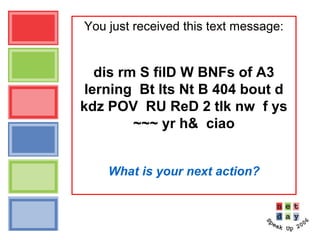
You just received this text message:
dis rm S filD W BNFs of A3
lerning Bt lts Nt B 404 bout d
kdz POV RU ReD 2 tlk nw f ys
~~~ yr h& ciao
What is your next action?
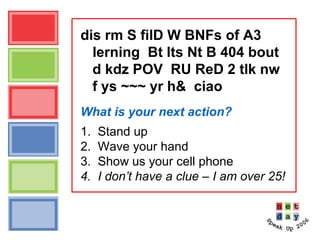
dis rm S filD W BNFs of A3
lerning Bt lts Nt B 404 bout
d kdz POV RU ReD 2 tlk nw
f ys ~~~ yr h& ciao
What is your next action?
1. Stand up
2. Wave your hand
3. Show us your cell phone
4. I don’t have a clue – I am over 25!
Translation please!
dis rm S filD W BNFs of A3 lerning Bt
lts Nt B 404 bout d kdz POV RU ReD 2
tlk nw f ys ~~~ yr h& ciao
This room is filled with big name
fans of anytime, anywhere, anyplace
learning. But let’s not be clueless
about the kids’ point of view. Are
you ready to talk now? If yes,
wave your hand. Goodbye.
(c) Project Tomorrow 2007
Speak Up for Students, Teachers & Parents
• Annual national research project
– Online surveys
– Open for all K-12 schools
– Schools/districts get their own data for planning and budgeting
• Collect data ↔ Stimulate conversations
– Students, Teachers, Parents and . . . . (what’s new for 2007?)
• Inform policies & programs
– Analysis and reporting
– Services: custom reports, consulting with schools, Speak Up Your Way!
• Since 2003:
– 795,000 K-12 students
– 48,000 teachers
– 15,000 parents
– 10,000 schools – all 50 states, DC + DOD schools
(c) Project Tomorrow 2007
Speak Up for Students, Teachers & Parents 2006
National initiative of Project Tomorrow, a national
education nonprofit organization
Our programs and initiatives:
Science Docent Program
Regional Innovation Initiative with high tech
industry
Student Voices Resource Center
NSF National Science Digital Library “Project
TestDrive”
Speak Up National Research Project
(c) Project Tomorrow 2007
Speak Up for Students, Teachers & Parents 2006
2006 Sponsors & Partners
Advanced Network & Services, Inc.
And 100+ national and regional nonprofit partners
(c) Project Tomorrow 2007
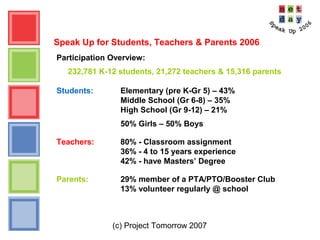
Speak Up for Students, Teachers & Parents 2006
Participation Overview:
232,781 K-12 students, 21,272 teachers & 15,316 parents
Students: Elementary (pre K-Gr 5) – 43%
Middle School (Gr 6-8) – 35%
High School (Gr 9-12) – 21%
50% Girls – 50% Boys
Teachers: 80% - Classroom assignment
36% - 4 to 15 years experience
42% - have Masters’ Degree
Parents: 29% member of a PTA/PTO/Booster Club
13% volunteer regularly @ school
(c) Project Tomorrow 2007
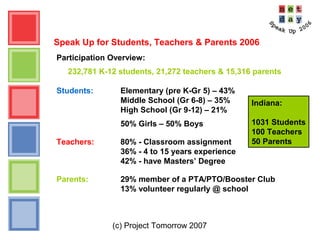
Speak Up for Students, Teachers & Parents 2006
Participation Overview:
232,781 K-12 students, 21,272 teachers & 15,316 parents
Students: Elementary (pre K-Gr 5) – 43%
Middle School (Gr 6-8) – 35%
High School (Gr 9-12) – 21%
50% Girls – 50% Boys
Teachers: 80% - Classroom assignment
36% - 4 to 15 years experience
42% - have Masters’ Degree
Parents: 29% member of a PTA/PTO/Booster Club
13% volunteer regularly @ school
Indiana:
1031 Students
100 Teachers
50 Parents
(c) Project Tomorrow 2007
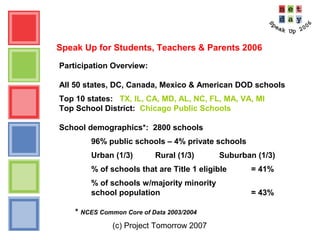
Speak Up for Students, Teachers & Parents 2006
Participation Overview:
All 50 states, DC, Canada, Mexico & American DOD schools
Top 10 states: TX, IL, CA, MD, AL, NC, FL, MA, VA, MI
Top School District: Chicago Public Schools
School demographics*: 2800 schools
96% public schools – 4% private schools
Urban (1/3) Rural (1/3) Suburban (1/3)
% of schools that are Title 1 eligible = 41%
% of schools w/majority minority
school population = 43%
* NCES Common Core of Data 2003/2004
(c) Project Tomorrow 2007
Speak Up for Students, Teachers & Parents 2006
• This year’s survey question themes:
Learning & Teaching with Technology
21st
Century Skills
Communications, Connections & Self-Expression
Math & Science Instruction
Global Collaborations
Competitiveness & Workforce Preparedness
Designing Schools of the Future
What can we learn from today’s learners –
and their parents and teachers?
(c) Project Tomorrow 2007
Let’s talk about . . .
Activities, Attitudes & Aspirations
Disconnects & Differences
Trends to Watch
(c) Project Tomorrow 2007
Speak Up for Students, Teachers & Parents 2006
Preliminary key findings from the student data:
• Communications is #1
• Online connected-ness creating new “friends”
• Online safety & privacy are not top student concerns
• Students say: “Make science & math relevant!”
• Youngest learners are very tech sophisticated
• Continued disconnect between students & adults
(c) Project Tomorrow 2007
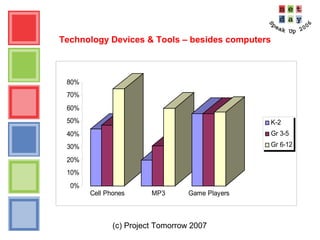
Technology Devices & Tools – besides computers
0%
10%
20%
30%
40%
50%
60%
70%
80%
Cell Phones MP3 Game Players
K-2
Gr 3-5
Gr 6-12
(c) Project Tomorrow 2007
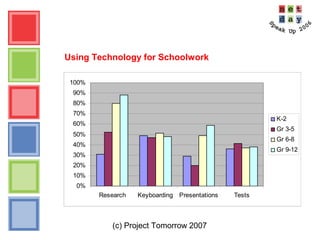
Using Technology for Schoolwork
0%
10%
20%
30%
40%
50%
60%
70%
80%
90%
100%
Research Keyboarding Presentations Tests
K-2
Gr 3-5
Gr 6-8
Gr 9-12
(c) Project Tomorrow 2007
Using Technology for Schoolwork
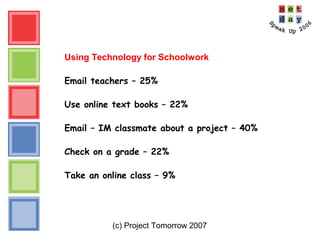
Email teachers – 25%
Use online text books – 22%
Email – IM classmate about a project – 40%
Check on a grade – 22%
Take an online class – 9%
(c) Project Tomorrow 2007
Using Technology for Schoolwork – Online learning
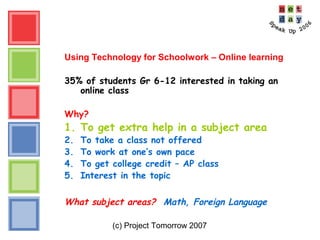
35% of students Gr 6-12 interested in taking an
online class
Why?
1. To get extra help in a subject area
2. To take a class not offered
3. To work at one’s own pace
4. To get college credit – AP class
5. Interest in the topic
What subject areas? Math, Foreign Language
(c) Project Tomorrow 2007
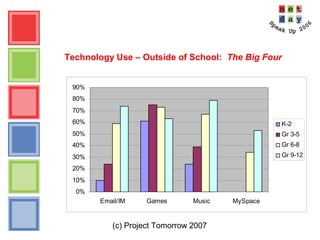
Technology Use – Outside of School: The Big Four
0%
10%
20%
30%
40%
50%
60%
70%
80%
90%
Email/IM Games Music MySpace
K-2
Gr 3-5
Gr 6-8
Gr 9-12
(c) Project Tomorrow 2007
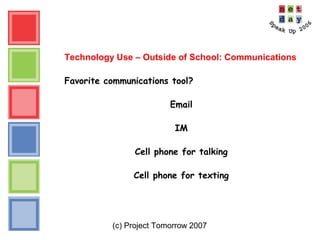
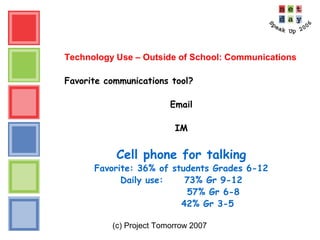
Technology Use – Outside of School: Communications
Favorite communications tool?
Email
IM
Cell phone for talking
Cell phone for texting
(c) Project Tomorrow 2007
Technology Use – Outside of School: Communications
Favorite communications tool?
Email
IM
Cell phone for talking
Favorite: 36% of students Grades 6-12
Daily use: 73% Gr 9-12
57% Gr 6-8
42% Gr 3-5
(c) Project Tomorrow 2007
Technology Use – Connected-ness
Are students using online tools to connect with other
students?
 Connecting with students in the US - 23%
 Connecting with students around the world - 17%
Online friends:
(c) Project Tomorrow 2007
Technology Use – Connected-ness
Are students using online tools to connect with other
students?
 Connecting with students in the US - 23%
 Connecting with students around the world - 17%
Online friends:
 44% connect with 20+ online friends
monthly
 Never met 34% of those friends
(c) Project Tomorrow 2007
Technology Use – Connected-ness
Are students using online tools to connect with other
students?
 Connecting with students in the US - 23%
 Connecting with students around the world - 17%
Online friends:
 44% connect with 20+ online friends monthly
 Never met 34% of those friends
Redefining what is a “friend”
(c) Project Tomorrow 2007
Technology Use – Connected-ness
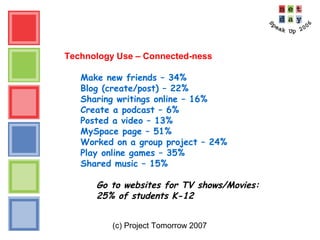
Make new friends – 34%
Blog (create/post) – 22%
Sharing writings online – 16%
Create a podcast – 6%
Posted a video – 13%
MySpace page – 51%
Worked on a group project – 24%
Play online games – 35%
Shared music – 15%
Go to websites for TV shows/Movies:
25% of students K-12
(c) Project Tomorrow 2007
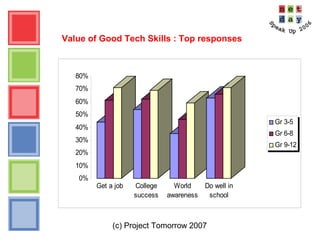
Value of Good Tech Skills : Top responses
0%
10%
20%
30%
40%
50%
60%
70%
80%
Get a job College
success
World
awareness
Do well in
school
Gr 3-5
Gr 6-8
Gr 9-12
(c) Project Tomorrow 2007
Math & Science in K-12 schools:
how today’s students want to learn
•Apply math/science to solve real world problems
•Visit places where science happens
•Multimedia and interactive simulations
•Use equipment and tools
•Solve math puzzles
•Talk to scientists and mathematicians
•Learn math/science that will help me with a job
•All kinds of technology
(c) Project Tomorrow 2007
Math & Science in K-12 schools:
how today’s students want to learn
•Apply math/science to solve real world problems
•Visit places where science happens
•Multimedia and interactive simulations
•Use equipment and tools
•Solve math puzzles
•Talk to scientists and mathematicians
•Learn math/science that will help me with a job
•All kinds of technology
Add relevance to the rigor!
(c) Project Tomorrow 2007
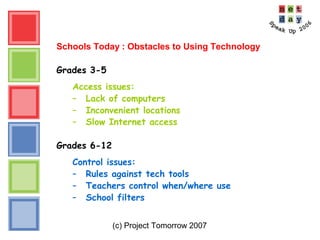
Schools Today : Obstacles to Using Technology
Grades 3-5
Access issues:
– Lack of computers
– Inconvenient locations
– Slow Internet access
Grades 6-12
Control issues:
– Rules against tech tools
– Teachers control when/where use
– School filters
(c) Project Tomorrow 2007
“What if you were designing a new
school for students just like you?”
(c) Project Tomorrow 2007
“What if you were designing a new
school for students just like you?”
Students Kindergarten thru Grade 12
all say the same thing:
A laptop for every student
(c) Project Tomorrow 2007
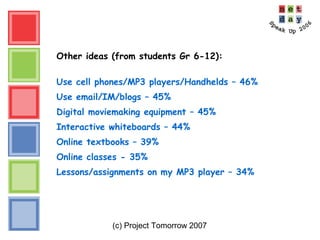
Other ideas (from students Gr 6-12):
Use cell phones/MP3 players/Handhelds – 46%
Use email/IM/blogs – 45%
Digital moviemaking equipment – 45%
Interactive whiteboards – 44%
Online textbooks – 39%
Online classes - 35%
Lessons/assignments on my MP3 player – 34%
(c) Project Tomorrow 2007
Speak Up for Students, Teachers & Parents 2006
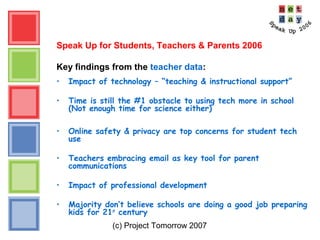
Key findings from the teacher data:
• Impact of technology – “teaching & instructional support”
• Time is still the #1 obstacle to using tech more in school
(Not enough time for science either)
• Online safety & privacy are top concerns for student tech
use
• Teachers embracing email as key tool for parent
communications
• Impact of professional development
• Majority don’t believe schools are doing a good job preparing
kids for 21st
century
(c) Project Tomorrow 2007
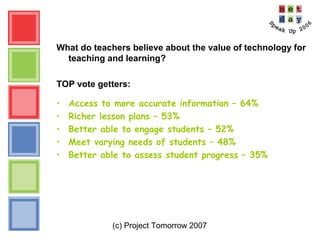
What do teachers believe about the value of technology for
teaching and learning?
TOP vote getters:
• Access to more accurate information – 64%
• Richer lesson plans – 53%
• Better able to engage students – 52%
• Meet varying needs of students – 48%
• Better able to assess student progress – 35%
(c) Project Tomorrow 2007
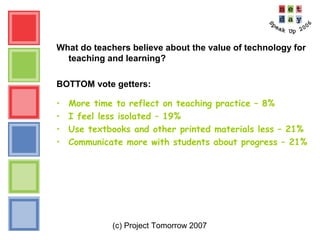
What do teachers believe about the value of technology for
teaching and learning?
BOTTOM vote getters:
• More time to reflect on teaching practice – 8%
• I feel less isolated – 19%
• Use textbooks and other printed materials less – 21%
• Communicate more with students about progress – 21%
(c) Project Tomorrow 2007
What obstacles do you face in using technology?
Time?
Technology?
Access?
What are your obstacles?
(c) Project Tomorrow 2007
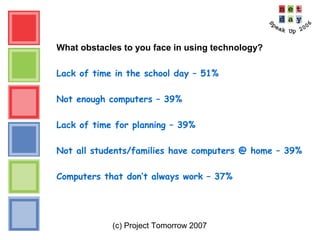
What obstacles to you face in using technology?
Lack of time in the school day – 51%
Not enough computers – 39%
Lack of time for planning – 39%
Not all students/families have computers @ home – 39%
Computers that don’t always work – 37%
(c) Project Tomorrow 2007
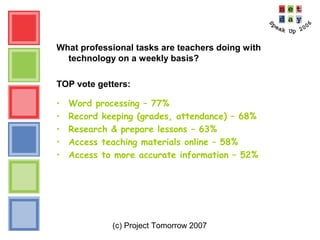
What professional tasks are teachers doing with
technology on a weekly basis?
TOP vote getters:
• Word processing – 77%
• Record keeping (grades, attendance) – 68%
• Research & prepare lessons – 63%
• Access teaching materials online – 58%
• Access to more accurate information – 52%
(c) Project Tomorrow 2007
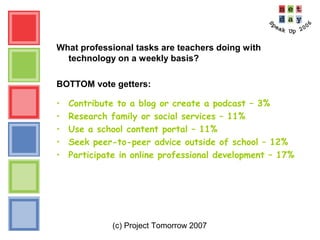
What professional tasks are teachers doing with
technology on a weekly basis?
BOTTOM vote getters:
• Contribute to a blog or create a podcast – 3%
• Research family or social services – 11%
• Use a school content portal – 11%
• Seek peer-to-peer advice outside of school – 12%
• Participate in online professional development – 17%
(c) Project Tomorrow 2007
Big Question:
“Has technology enhanced student
performance & achievement?”
(c) Project Tomorrow 2007
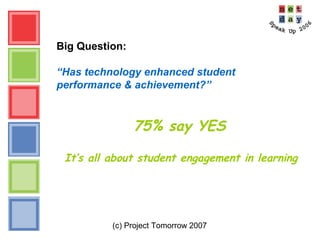
Big Question:
“Has technology enhanced student
performance & achievement?”
75% say YES
It’s all about student engagement in learning
(c) Project Tomorrow 2007
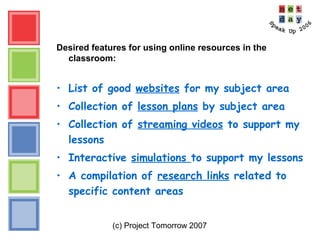
Desired features for using online resources in the
classroom:
• List of good websites for my subject area
• Collection of lesson plans by subject area
• Collection of streaming videos to support my
lessons
• Interactive simulations to support my lessons
• A compilation of research links related to
specific content areas
(c) Project Tomorrow 2007
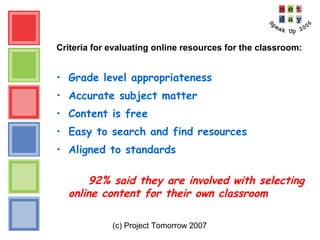
Criteria for evaluating online resources for the classroom:
• Grade level appropriateness
• Accurate subject matter
• Content is free
• Easy to search and find resources
• Aligned to standards
92% said they are involved with selecting
online content for their own classroom
(c) Project Tomorrow 2007
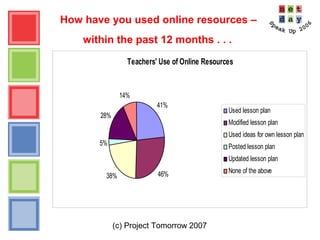
How have you used online resources –
within the past 12 months . . .
Teachers' Use of Online Resources
41%
46%38%
5%
28%
14%
Used lesson plan
Modified lesson plan
Used ideas for own lesson plan
Posted lesson plan
Updated lesson plan
None of the above
(c) Project Tomorrow 2007
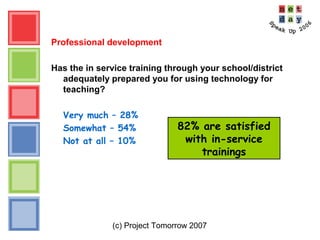
Professional development
Has the in service training through your school/district
adequately prepared you for using technology for
teaching?
Very much – 28%
Somewhat – 54%
Not at all – 10%
82% are satisfied
with in-service
trainings
(c) Project Tomorrow 2007
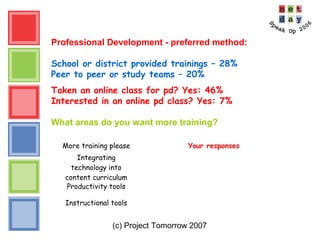
Professional Development - preferred method:
School or district provided trainings – 28%
Peer to peer or study teams – 20%
Taken an online class for pd? Yes: 46%
Interested in an online pd class? Yes: 7%
What areas do you want more training?
More training please Your responses
Integrating
technology into
content curriculum
Productivity tools
Instructional tools
(c) Project Tomorrow 2007
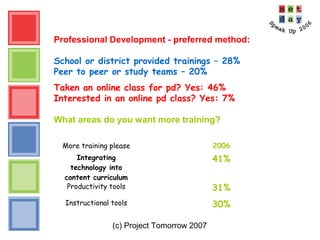
Professional Development - preferred method:
School or district provided trainings – 28%
Peer to peer or study teams – 20%
Taken an online class for pd? Yes: 46%
Interested in an online pd class? Yes: 7%
What areas do you want more training?
More training please 2006
Integrating
technology into
content curriculum
41%
Productivity tools 31%
Instructional tools 30%
(c) Project Tomorrow 2007
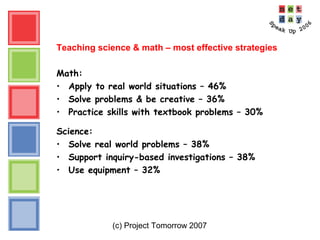
Teaching science & math – most effective strategies
Math:
• Apply to real world situations – 46%
• Solve problems & be creative – 36%
• Practice skills with textbook problems – 30%
Science:
• Solve real world problems – 38%
• Support inquiry-based investigations – 38%
• Use equipment – 32%
(c) Project Tomorrow 2007
Teaching science & math – most effective strategies
Math:
• Apply to real world situations – 46%
• Solve problems & be creative – 36%
• Practice skills with textbook problems – 30%
Science:
• Solve real world problems – 38%
• Support inquiry-based investigations – 38%
• Use equipment – 32%
Challenge to teaching science?
Not enough instructional time
(c) Project Tomorrow 2007
And what if teachers were designing a
new school of the future . . .
Your top priorities would be:
1. _______
2. _______
3. _______
4. _______
5. _______
(c) Project Tomorrow 2007
And what if teachers were designing a new school of the
future . . .
Top priorities for teachers
1. Interactive white boards
2. Wireless laptops for students to use at
school
3. Ways to communicate with parents
4. Ways to use email, IM, blogs with students
& parents
5. Digital cameras and video facilities and
equipment
(c) Project Tomorrow 2007
Speak Up for Students, Teachers & Parents 2006
Key findings from the parent data:
• Satisfaction with school technology? Mixed results.
• Want school info “pushed” out via email
• Online safety & privacy top concerns for student tech use
• Support students having cell phones @ school
• Value math & science for all students
– Concerned about global job competition
• Majority do not believe schools are doing good job preparing
kids for 21st
century
(c) Project Tomorrow 2007
Technology at my child’s school?
Satisfied . . .
• Amount of technology available to students
• Internet safety and privacy of personal information
(c) Project Tomorrow 2007
Technology at my child’s school?
Satisfied . . .
• Amount of technology available to students
• Internet safety and privacy of personal information
Dissatisfied . . .
• Priority placed on tech use
• Technology integration into subject areas
• Amount of time spent using technology
(c) Project Tomorrow 2007
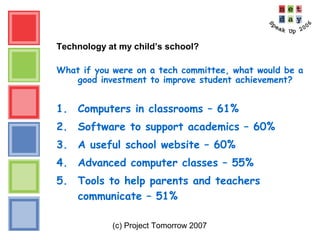
Technology at my child’s school?
What if you were on a tech committee, what would be a
good investment to improve student achievement?
1. Computers in classrooms – 61%
2. Software to support academics – 60%
3. A useful school website – 60%
4. Advanced computer classes – 55%
5. Tools to help parents and teachers
communicate – 51%
(c) Project Tomorrow 2007
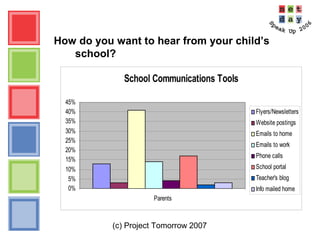
How do you want to hear from your child’s
school?
School Communications Tools
0%
5%
10%
15%
20%
25%
30%
35%
40%
45%
Parents
Flyers/Newsletters
Website postings
Emails to home
Emails to work
Phone calls
School portal
Teacher's blog
Info mailed home
(c) Project Tomorrow 2007
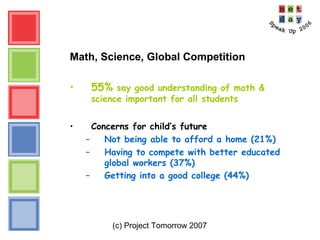
Math, Science, Global Competition
• 55% say good understanding of math &
science important for all students
• Concerns for child’s future
– Not being able to afford a home (21%)
– Having to compete with better educated
global workers (37%)
– Getting into a good college (44%)
(c) Project Tomorrow 2007
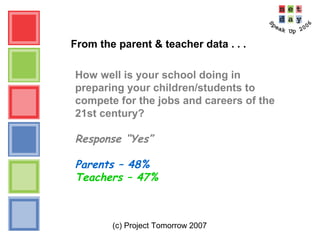
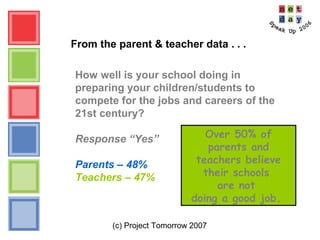
From the parent & teacher data . . .
How well is your school doing in
preparing your children/students to
compete for the jobs and careers of the
21st century?
Response “Yes”
Parents – 48%
Teachers – 47%
(c) Project Tomorrow 2007
From the parent & teacher data . . .
How well is your school doing in
preparing your children/students to
compete for the jobs and careers of the
21st century?
Response “Yes”
Parents – 48%
Teachers – 47%
Over 50% of
parents and
teachers believe
their schools
are not
doing a good job.
(c) Project Tomorrow 2007
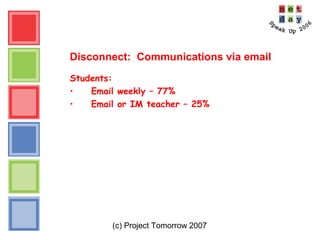
Disconnect: Communications via email
Students:
• Email weekly – 77%
• Email or IM teacher – 25%
(c) Project Tomorrow 2007
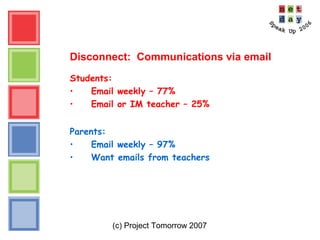
Disconnect: Communications via email
Students:
• Email weekly – 77%
• Email or IM teacher – 25%
Parents:
• Email weekly – 97%
• Want emails from teachers
(c) Project Tomorrow 2007
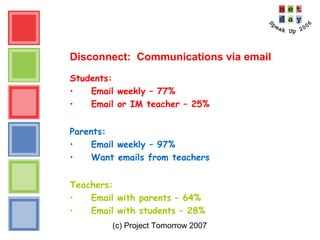
Disconnect: Communications via email
Students:
• Email weekly – 77%
• Email or IM teacher – 25%
Parents:
• Email weekly – 97%
• Want emails from teachers
Teachers:
• Email with parents – 64%
• Email with students – 28%
(c) Project Tomorrow 2007
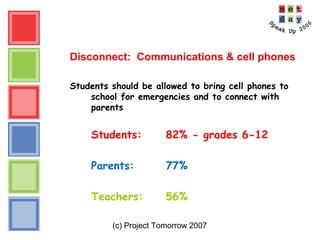
Disconnect: Communications & cell phones
Students should be allowed to bring cell phones to
school for emergencies and to connect with
parents
Students: 82% - grades 6-12
Parents: 77%
Teachers: 56%
(c) Project Tomorrow 2007
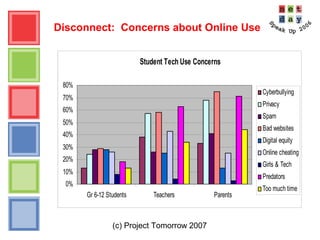
Disconnect: Concerns about Online Use
Student Tech Use Concerns
0%
10%
20%
30%
40%
50%
60%
70%
80%
Gr 6-12 Students Teachers Parents
Cyberbullying
Privacy
Spam
Bad websites
Digital equity
Online cheating
Girls & Tech
Predators
Too much time
(c) Project Tomorrow 2007
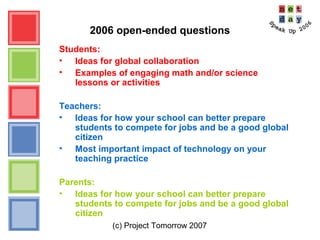
2006 open-ended questions
Students:
• Ideas for global collaboration
• Examples of engaging math and/or science
lessons or activities
Teachers:
• Ideas for how your school can better prepare
students to compete for jobs and be a good global
citizen
• Most important impact of technology on your
teaching practice
Parents:
• Ideas for how your school can better prepare
students to compete for jobs and be a good global
citizen
(c) Project Tomorrow 2007
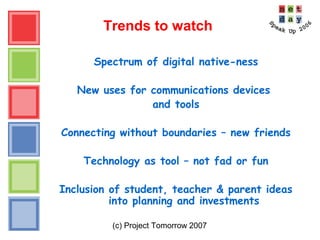
Trends to watch
Spectrum of digital native-ness
New uses for communications devices
and tools
Connecting without boundaries – new friends
Technology as tool – not fad or fun
Inclusion of student, teacher & parent ideas
into planning and investments
(c) Project Tomorrow 2007
Speak Up News
Briefings & Conferences including podcast of the
Congressional Briefing
Speak Up 100 List of Schools
National Report – released in July
Customized reports for schools, districts, state agencies,
other groups and companies
Special Focus Reports – sampling of topics:
– 21st
century skills
– Online learning
– Global collaborations
– Communications, social networking & self-expression
(c) Project Tomorrow 2007
Speak Up News
Speak Up 2007:
Open to all schools and districts to participate
Register your school in July
Survey open October 1 – November 15
Aggregated quantitative data back to schools in January
Use data for: tech planning, priority setting, budgeting,
teacher training, community engagement
(c) Project Tomorrow 2007
Speak Up 2007 – What’s new?
• New themes and questions
(c) Project Tomorrow 2007
Speak Up 2007 – What’s new?
• New themes and questions
• Parent Survey in Spanish
(c) Project Tomorrow 2007
Speak Up 2007 – What’s new?
• New themes and questions
• Parent Survey in Spanish
• Speak Up for School Leaders
• Principals
• Administrators
• School Board Members
(c) Project Tomorrow 2007
Speak Up 2007 – What’s new?
• New themes and questions
• Parent Survey in Spanish
• Speak Up for School Leaders
• Principals
• Administrators
• School Board Members
Be part of our Speak Up team!
Julie Evans
Chief Executive Officer
949-609-4660
jevans@tomorrow.org
Students, Teachers & Parents
“Speak Up” about Education, Technology
& 21st Century Learning
Are we listening?
And . . . how are we responding?
Copyright Project Tomorrow 2007.
This work is the intellectual property of the author.
Permission is granted for this material to be shared for
non-commercial, educational purposes, provided that this
copyright statement appears on the reproduced materials
and notice is given that the copying is by permission of
the author. To disseminate otherwise or to republish
requires written permission from the author.

K-12 Bridge Symposium: Speak Up

  • 1.
    Students, Teachers &Parents “Speak Up” about Education, Technology & 21st Century Learning – Are we listening? 2007 K-12 Bridge Symposium DePauw University May 31, 2007 Julie Evans
  • 2.
    You just receivedthis text message: dis rm S filD W BNFs of A3 lerning Bt lts Nt B 404 bout d kdz POV RU ReD 2 tlk nw f ys ~~~ yr h& ciao What is your next action?
  • 3.
    dis rm SfilD W BNFs of A3 lerning Bt lts Nt B 404 bout d kdz POV RU ReD 2 tlk nw f ys ~~~ yr h& ciao What is your next action? 1. Stand up 2. Wave your hand 3. Show us your cell phone 4. I don’t have a clue – I am over 25!
  • 4.
    Translation please! dis rmS filD W BNFs of A3 lerning Bt lts Nt B 404 bout d kdz POV RU ReD 2 tlk nw f ys ~~~ yr h& ciao This room is filled with big name fans of anytime, anywhere, anyplace learning. But let’s not be clueless about the kids’ point of view. Are you ready to talk now? If yes, wave your hand. Goodbye.
  • 5.
    (c) Project Tomorrow2007 Speak Up for Students, Teachers & Parents • Annual national research project – Online surveys – Open for all K-12 schools – Schools/districts get their own data for planning and budgeting • Collect data ↔ Stimulate conversations – Students, Teachers, Parents and . . . . (what’s new for 2007?) • Inform policies & programs – Analysis and reporting – Services: custom reports, consulting with schools, Speak Up Your Way! • Since 2003: – 795,000 K-12 students – 48,000 teachers – 15,000 parents – 10,000 schools – all 50 states, DC + DOD schools
  • 6.
    (c) Project Tomorrow2007 Speak Up for Students, Teachers & Parents 2006 National initiative of Project Tomorrow, a national education nonprofit organization Our programs and initiatives: Science Docent Program Regional Innovation Initiative with high tech industry Student Voices Resource Center NSF National Science Digital Library “Project TestDrive” Speak Up National Research Project
  • 7.
    (c) Project Tomorrow2007 Speak Up for Students, Teachers & Parents 2006 2006 Sponsors & Partners Advanced Network & Services, Inc. And 100+ national and regional nonprofit partners
  • 8.
    (c) Project Tomorrow2007 Speak Up for Students, Teachers & Parents 2006 Participation Overview: 232,781 K-12 students, 21,272 teachers & 15,316 parents Students: Elementary (pre K-Gr 5) – 43% Middle School (Gr 6-8) – 35% High School (Gr 9-12) – 21% 50% Girls – 50% Boys Teachers: 80% - Classroom assignment 36% - 4 to 15 years experience 42% - have Masters’ Degree Parents: 29% member of a PTA/PTO/Booster Club 13% volunteer regularly @ school
  • 9.
    (c) Project Tomorrow2007 Speak Up for Students, Teachers & Parents 2006 Participation Overview: 232,781 K-12 students, 21,272 teachers & 15,316 parents Students: Elementary (pre K-Gr 5) – 43% Middle School (Gr 6-8) – 35% High School (Gr 9-12) – 21% 50% Girls – 50% Boys Teachers: 80% - Classroom assignment 36% - 4 to 15 years experience 42% - have Masters’ Degree Parents: 29% member of a PTA/PTO/Booster Club 13% volunteer regularly @ school Indiana: 1031 Students 100 Teachers 50 Parents
  • 10.
    (c) Project Tomorrow2007 Speak Up for Students, Teachers & Parents 2006 Participation Overview: All 50 states, DC, Canada, Mexico & American DOD schools Top 10 states: TX, IL, CA, MD, AL, NC, FL, MA, VA, MI Top School District: Chicago Public Schools School demographics*: 2800 schools 96% public schools – 4% private schools Urban (1/3) Rural (1/3) Suburban (1/3) % of schools that are Title 1 eligible = 41% % of schools w/majority minority school population = 43% * NCES Common Core of Data 2003/2004
  • 11.
    (c) Project Tomorrow2007 Speak Up for Students, Teachers & Parents 2006 • This year’s survey question themes: Learning & Teaching with Technology 21st Century Skills Communications, Connections & Self-Expression Math & Science Instruction Global Collaborations Competitiveness & Workforce Preparedness Designing Schools of the Future What can we learn from today’s learners – and their parents and teachers?
  • 12.
    (c) Project Tomorrow2007 Let’s talk about . . . Activities, Attitudes & Aspirations Disconnects & Differences Trends to Watch
  • 13.
    (c) Project Tomorrow2007 Speak Up for Students, Teachers & Parents 2006 Preliminary key findings from the student data: • Communications is #1 • Online connected-ness creating new “friends” • Online safety & privacy are not top student concerns • Students say: “Make science & math relevant!” • Youngest learners are very tech sophisticated • Continued disconnect between students & adults
  • 14.
    (c) Project Tomorrow2007 Technology Devices & Tools – besides computers 0% 10% 20% 30% 40% 50% 60% 70% 80% Cell Phones MP3 Game Players K-2 Gr 3-5 Gr 6-12
  • 15.
    (c) Project Tomorrow2007 Using Technology for Schoolwork 0% 10% 20% 30% 40% 50% 60% 70% 80% 90% 100% Research Keyboarding Presentations Tests K-2 Gr 3-5 Gr 6-8 Gr 9-12
  • 16.
    (c) Project Tomorrow2007 Using Technology for Schoolwork Email teachers – 25% Use online text books – 22% Email – IM classmate about a project – 40% Check on a grade – 22% Take an online class – 9%
  • 17.
    (c) Project Tomorrow2007 Using Technology for Schoolwork – Online learning 35% of students Gr 6-12 interested in taking an online class Why? 1. To get extra help in a subject area 2. To take a class not offered 3. To work at one’s own pace 4. To get college credit – AP class 5. Interest in the topic What subject areas? Math, Foreign Language
  • 18.
    (c) Project Tomorrow2007 Technology Use – Outside of School: The Big Four 0% 10% 20% 30% 40% 50% 60% 70% 80% 90% Email/IM Games Music MySpace K-2 Gr 3-5 Gr 6-8 Gr 9-12
  • 19.
    (c) Project Tomorrow2007 Technology Use – Outside of School: Communications Favorite communications tool? Email IM Cell phone for talking Cell phone for texting
  • 20.
    (c) Project Tomorrow2007 Technology Use – Outside of School: Communications Favorite communications tool? Email IM Cell phone for talking Favorite: 36% of students Grades 6-12 Daily use: 73% Gr 9-12 57% Gr 6-8 42% Gr 3-5
  • 21.
    (c) Project Tomorrow2007 Technology Use – Connected-ness Are students using online tools to connect with other students?  Connecting with students in the US - 23%  Connecting with students around the world - 17% Online friends:
  • 22.
    (c) Project Tomorrow2007 Technology Use – Connected-ness Are students using online tools to connect with other students?  Connecting with students in the US - 23%  Connecting with students around the world - 17% Online friends:  44% connect with 20+ online friends monthly  Never met 34% of those friends
  • 23.
    (c) Project Tomorrow2007 Technology Use – Connected-ness Are students using online tools to connect with other students?  Connecting with students in the US - 23%  Connecting with students around the world - 17% Online friends:  44% connect with 20+ online friends monthly  Never met 34% of those friends Redefining what is a “friend”
  • 24.
    (c) Project Tomorrow2007 Technology Use – Connected-ness Make new friends – 34% Blog (create/post) – 22% Sharing writings online – 16% Create a podcast – 6% Posted a video – 13% MySpace page – 51% Worked on a group project – 24% Play online games – 35% Shared music – 15% Go to websites for TV shows/Movies: 25% of students K-12
  • 25.
    (c) Project Tomorrow2007 Value of Good Tech Skills : Top responses 0% 10% 20% 30% 40% 50% 60% 70% 80% Get a job College success World awareness Do well in school Gr 3-5 Gr 6-8 Gr 9-12
  • 26.
    (c) Project Tomorrow2007 Math & Science in K-12 schools: how today’s students want to learn •Apply math/science to solve real world problems •Visit places where science happens •Multimedia and interactive simulations •Use equipment and tools •Solve math puzzles •Talk to scientists and mathematicians •Learn math/science that will help me with a job •All kinds of technology
  • 27.
    (c) Project Tomorrow2007 Math & Science in K-12 schools: how today’s students want to learn •Apply math/science to solve real world problems •Visit places where science happens •Multimedia and interactive simulations •Use equipment and tools •Solve math puzzles •Talk to scientists and mathematicians •Learn math/science that will help me with a job •All kinds of technology Add relevance to the rigor!
  • 28.
    (c) Project Tomorrow2007 Schools Today : Obstacles to Using Technology Grades 3-5 Access issues: – Lack of computers – Inconvenient locations – Slow Internet access Grades 6-12 Control issues: – Rules against tech tools – Teachers control when/where use – School filters
  • 29.
    (c) Project Tomorrow2007 “What if you were designing a new school for students just like you?”
  • 30.
    (c) Project Tomorrow2007 “What if you were designing a new school for students just like you?” Students Kindergarten thru Grade 12 all say the same thing: A laptop for every student
  • 31.
    (c) Project Tomorrow2007 Other ideas (from students Gr 6-12): Use cell phones/MP3 players/Handhelds – 46% Use email/IM/blogs – 45% Digital moviemaking equipment – 45% Interactive whiteboards – 44% Online textbooks – 39% Online classes - 35% Lessons/assignments on my MP3 player – 34%
  • 32.
    (c) Project Tomorrow2007 Speak Up for Students, Teachers & Parents 2006 Key findings from the teacher data: • Impact of technology – “teaching & instructional support” • Time is still the #1 obstacle to using tech more in school (Not enough time for science either) • Online safety & privacy are top concerns for student tech use • Teachers embracing email as key tool for parent communications • Impact of professional development • Majority don’t believe schools are doing a good job preparing kids for 21st century
  • 33.
    (c) Project Tomorrow2007 What do teachers believe about the value of technology for teaching and learning? TOP vote getters: • Access to more accurate information – 64% • Richer lesson plans – 53% • Better able to engage students – 52% • Meet varying needs of students – 48% • Better able to assess student progress – 35%
  • 34.
    (c) Project Tomorrow2007 What do teachers believe about the value of technology for teaching and learning? BOTTOM vote getters: • More time to reflect on teaching practice – 8% • I feel less isolated – 19% • Use textbooks and other printed materials less – 21% • Communicate more with students about progress – 21%
  • 35.
    (c) Project Tomorrow2007 What obstacles do you face in using technology? Time? Technology? Access? What are your obstacles?
  • 36.
    (c) Project Tomorrow2007 What obstacles to you face in using technology? Lack of time in the school day – 51% Not enough computers – 39% Lack of time for planning – 39% Not all students/families have computers @ home – 39% Computers that don’t always work – 37%
  • 37.
    (c) Project Tomorrow2007 What professional tasks are teachers doing with technology on a weekly basis? TOP vote getters: • Word processing – 77% • Record keeping (grades, attendance) – 68% • Research & prepare lessons – 63% • Access teaching materials online – 58% • Access to more accurate information – 52%
  • 38.
    (c) Project Tomorrow2007 What professional tasks are teachers doing with technology on a weekly basis? BOTTOM vote getters: • Contribute to a blog or create a podcast – 3% • Research family or social services – 11% • Use a school content portal – 11% • Seek peer-to-peer advice outside of school – 12% • Participate in online professional development – 17%
  • 39.
    (c) Project Tomorrow2007 Big Question: “Has technology enhanced student performance & achievement?”
  • 40.
    (c) Project Tomorrow2007 Big Question: “Has technology enhanced student performance & achievement?” 75% say YES It’s all about student engagement in learning
  • 41.
    (c) Project Tomorrow2007 Desired features for using online resources in the classroom: • List of good websites for my subject area • Collection of lesson plans by subject area • Collection of streaming videos to support my lessons • Interactive simulations to support my lessons • A compilation of research links related to specific content areas
  • 42.
    (c) Project Tomorrow2007 Criteria for evaluating online resources for the classroom: • Grade level appropriateness • Accurate subject matter • Content is free • Easy to search and find resources • Aligned to standards 92% said they are involved with selecting online content for their own classroom
  • 43.
    (c) Project Tomorrow2007 How have you used online resources – within the past 12 months . . . Teachers' Use of Online Resources 41% 46%38% 5% 28% 14% Used lesson plan Modified lesson plan Used ideas for own lesson plan Posted lesson plan Updated lesson plan None of the above
  • 44.
    (c) Project Tomorrow2007 Professional development Has the in service training through your school/district adequately prepared you for using technology for teaching? Very much – 28% Somewhat – 54% Not at all – 10% 82% are satisfied with in-service trainings
  • 45.
    (c) Project Tomorrow2007 Professional Development - preferred method: School or district provided trainings – 28% Peer to peer or study teams – 20% Taken an online class for pd? Yes: 46% Interested in an online pd class? Yes: 7% What areas do you want more training? More training please Your responses Integrating technology into content curriculum Productivity tools Instructional tools
  • 46.
    (c) Project Tomorrow2007 Professional Development - preferred method: School or district provided trainings – 28% Peer to peer or study teams – 20% Taken an online class for pd? Yes: 46% Interested in an online pd class? Yes: 7% What areas do you want more training? More training please 2006 Integrating technology into content curriculum 41% Productivity tools 31% Instructional tools 30%
  • 47.
    (c) Project Tomorrow2007 Teaching science & math – most effective strategies Math: • Apply to real world situations – 46% • Solve problems & be creative – 36% • Practice skills with textbook problems – 30% Science: • Solve real world problems – 38% • Support inquiry-based investigations – 38% • Use equipment – 32%
  • 48.
    (c) Project Tomorrow2007 Teaching science & math – most effective strategies Math: • Apply to real world situations – 46% • Solve problems & be creative – 36% • Practice skills with textbook problems – 30% Science: • Solve real world problems – 38% • Support inquiry-based investigations – 38% • Use equipment – 32% Challenge to teaching science? Not enough instructional time
  • 49.
    (c) Project Tomorrow2007 And what if teachers were designing a new school of the future . . . Your top priorities would be: 1. _______ 2. _______ 3. _______ 4. _______ 5. _______
  • 50.
    (c) Project Tomorrow2007 And what if teachers were designing a new school of the future . . . Top priorities for teachers 1. Interactive white boards 2. Wireless laptops for students to use at school 3. Ways to communicate with parents 4. Ways to use email, IM, blogs with students & parents 5. Digital cameras and video facilities and equipment
  • 51.
    (c) Project Tomorrow2007 Speak Up for Students, Teachers & Parents 2006 Key findings from the parent data: • Satisfaction with school technology? Mixed results. • Want school info “pushed” out via email • Online safety & privacy top concerns for student tech use • Support students having cell phones @ school • Value math & science for all students – Concerned about global job competition • Majority do not believe schools are doing good job preparing kids for 21st century
  • 52.
    (c) Project Tomorrow2007 Technology at my child’s school? Satisfied . . . • Amount of technology available to students • Internet safety and privacy of personal information
  • 53.
    (c) Project Tomorrow2007 Technology at my child’s school? Satisfied . . . • Amount of technology available to students • Internet safety and privacy of personal information Dissatisfied . . . • Priority placed on tech use • Technology integration into subject areas • Amount of time spent using technology
  • 54.
    (c) Project Tomorrow2007 Technology at my child’s school? What if you were on a tech committee, what would be a good investment to improve student achievement? 1. Computers in classrooms – 61% 2. Software to support academics – 60% 3. A useful school website – 60% 4. Advanced computer classes – 55% 5. Tools to help parents and teachers communicate – 51%
  • 55.
    (c) Project Tomorrow2007 How do you want to hear from your child’s school? School Communications Tools 0% 5% 10% 15% 20% 25% 30% 35% 40% 45% Parents Flyers/Newsletters Website postings Emails to home Emails to work Phone calls School portal Teacher's blog Info mailed home
  • 56.
    (c) Project Tomorrow2007 Math, Science, Global Competition • 55% say good understanding of math & science important for all students • Concerns for child’s future – Not being able to afford a home (21%) – Having to compete with better educated global workers (37%) – Getting into a good college (44%)
  • 57.
    (c) Project Tomorrow2007 From the parent & teacher data . . . How well is your school doing in preparing your children/students to compete for the jobs and careers of the 21st century? Response “Yes” Parents – 48% Teachers – 47%
  • 58.
    (c) Project Tomorrow2007 From the parent & teacher data . . . How well is your school doing in preparing your children/students to compete for the jobs and careers of the 21st century? Response “Yes” Parents – 48% Teachers – 47% Over 50% of parents and teachers believe their schools are not doing a good job.
  • 59.
    (c) Project Tomorrow2007 Disconnect: Communications via email Students: • Email weekly – 77% • Email or IM teacher – 25%
  • 60.
    (c) Project Tomorrow2007 Disconnect: Communications via email Students: • Email weekly – 77% • Email or IM teacher – 25% Parents: • Email weekly – 97% • Want emails from teachers
  • 61.
    (c) Project Tomorrow2007 Disconnect: Communications via email Students: • Email weekly – 77% • Email or IM teacher – 25% Parents: • Email weekly – 97% • Want emails from teachers Teachers: • Email with parents – 64% • Email with students – 28%
  • 62.
    (c) Project Tomorrow2007 Disconnect: Communications & cell phones Students should be allowed to bring cell phones to school for emergencies and to connect with parents Students: 82% - grades 6-12 Parents: 77% Teachers: 56%
  • 63.
    (c) Project Tomorrow2007 Disconnect: Concerns about Online Use Student Tech Use Concerns 0% 10% 20% 30% 40% 50% 60% 70% 80% Gr 6-12 Students Teachers Parents Cyberbullying Privacy Spam Bad websites Digital equity Online cheating Girls & Tech Predators Too much time
  • 64.
    (c) Project Tomorrow2007 2006 open-ended questions Students: • Ideas for global collaboration • Examples of engaging math and/or science lessons or activities Teachers: • Ideas for how your school can better prepare students to compete for jobs and be a good global citizen • Most important impact of technology on your teaching practice Parents: • Ideas for how your school can better prepare students to compete for jobs and be a good global citizen
  • 65.
    (c) Project Tomorrow2007 Trends to watch Spectrum of digital native-ness New uses for communications devices and tools Connecting without boundaries – new friends Technology as tool – not fad or fun Inclusion of student, teacher & parent ideas into planning and investments
  • 66.
    (c) Project Tomorrow2007 Speak Up News Briefings & Conferences including podcast of the Congressional Briefing Speak Up 100 List of Schools National Report – released in July Customized reports for schools, districts, state agencies, other groups and companies Special Focus Reports – sampling of topics: – 21st century skills – Online learning – Global collaborations – Communications, social networking & self-expression
  • 67.
    (c) Project Tomorrow2007 Speak Up News Speak Up 2007: Open to all schools and districts to participate Register your school in July Survey open October 1 – November 15 Aggregated quantitative data back to schools in January Use data for: tech planning, priority setting, budgeting, teacher training, community engagement
  • 68.
    (c) Project Tomorrow2007 Speak Up 2007 – What’s new? • New themes and questions
  • 69.
    (c) Project Tomorrow2007 Speak Up 2007 – What’s new? • New themes and questions • Parent Survey in Spanish
  • 70.
    (c) Project Tomorrow2007 Speak Up 2007 – What’s new? • New themes and questions • Parent Survey in Spanish • Speak Up for School Leaders • Principals • Administrators • School Board Members
  • 71.
    (c) Project Tomorrow2007 Speak Up 2007 – What’s new? • New themes and questions • Parent Survey in Spanish • Speak Up for School Leaders • Principals • Administrators • School Board Members Be part of our Speak Up team!
  • 72.
    Julie Evans Chief ExecutiveOfficer 949-609-4660 jevans@tomorrow.org Students, Teachers & Parents “Speak Up” about Education, Technology & 21st Century Learning Are we listening? And . . . how are we responding?
  • 73.
    Copyright Project Tomorrow2007. This work is the intellectual property of the author. Permission is granted for this material to be shared for non-commercial, educational purposes, provided that this copyright statement appears on the reproduced materials and notice is given that the copying is by permission of the author. To disseminate otherwise or to republish requires written permission from the author.