
by: Jeremiah G. Gatong
Things to know first…
The JavaScript Ninja!John Resig - is a JavaScript Tool Developer for the Mozilla Corporation and the creator and lead developer of the jQuery.
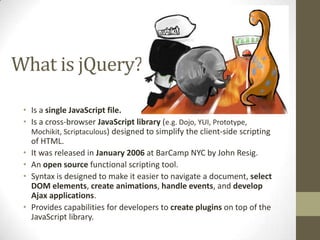
What is jQuery?Is a single JavaScript file.Is a cross-browser JavaScript library (e.g. Dojo, YUI, Prototype, Mochikit, Scriptaculous)designed to simplify the client-side scripting of HTML.It was released in January 2006 at BarCamp NYC by John Resig.An open source functional scripting tool.Syntax is designed to make it easier to navigate a document, select DOM elements, create animations, handle events, and develop Ajax applications.Provides capabilities for developers to create plugins on top of the JavaScript library.
Why use jQuery?Free! (MIT License & GNU GPL v2)Cross browser(IE 6+, Firefox 2+, Safari 3+, Opera 9+ & Chrome 1+)Lightweight (14KB)ExtensibleFully documented (http://docs.jquery.com/Main_Page)Templating engineUnit test (QUnit)Documentation Generator (JsDoc-Toolkit)Browser extensions (jsshell, FireQuery, etc…)Great communityTons of plugins (DataGrid, Sortable table, etc...)
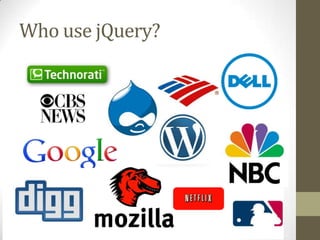
Who use jQuery?
Where can I get jQuery?jQuery official website http://jquery.com/Microsoft adopted it within Visual Studio 2010 for use within Microsoft's ASP.NET AJAX framework and ASP.NET MVC FrameworkPublic Servershttp://www.asp.net/ajaxlibrary/cdn.ashx#jQuery_Releases_on_the_CDN_0http://code.google.com/apis/libraries/devguide.html#jquery
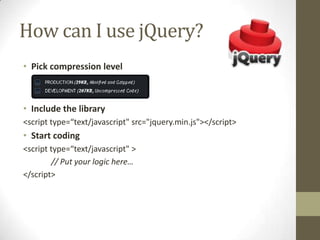
How can I use jQuery?Pick compression levelInclude the library<script type=“text/javascript" src="jquery.min.js"></script>Start coding<script type=“text/javascript" >	// Put your logic here…</script>
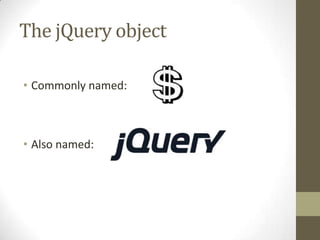
The jQuery objectCommonly named: Also named:
jQuery APIjQuery Selector$(*)$(element)$(id)$(class)$(object)                                        $          $.jQuery Command [factory or utility].doSomething(parameter, …, options, callback);Interchangeable
jQuery UIProvides abstractions for low-level interaction and animation, advanced effects and high-level, themeable widgets, built on top of the jQuery JavaScript Library, that can be used to build interactive web applications.SamplesResizableTabsAccordionProgress BarCalendaretc…
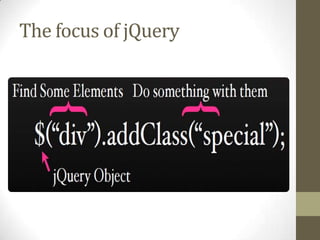
The focus of jQuery
Find some elements…Full CSS selector 1-3 supportBasic XPathBetter CSS selector support than most browsers
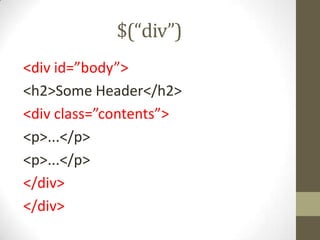
$(“div”)<div id=”body”><h2>Some Header</h2><div class=”contents”><p>...</p><p>...</p></div></div>
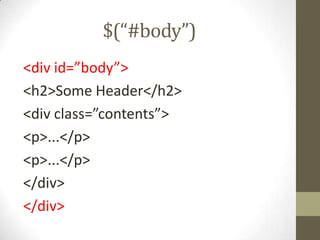
$(“#body”)<div id=”body”><h2>Some Header</h2><div class=”contents”><p>...</p><p>...</p></div></div>
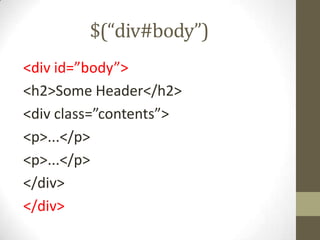
$(“div#body”)<div id=”body”><h2>Some Header</h2><div class=”contents”><p>...</p><p>...</p></div></div>
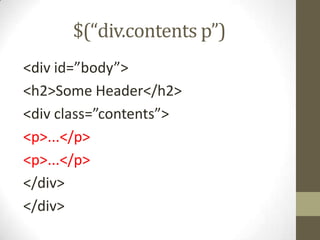
$(“div.contents p”)<div id=”body”><h2>Some Header</h2><div class=”contents”><p>...</p><p>...</p></div></div>
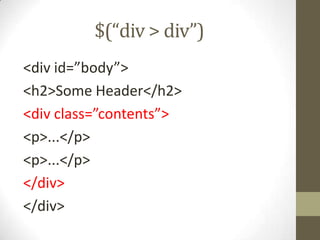
$(“div > div”)<div id=”body”><h2>Some Header</h2><div class=”contents”><p>...</p><p>...</p></div></div>
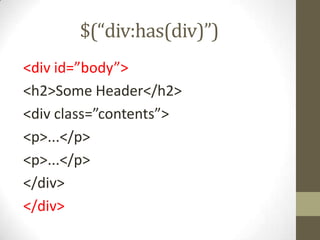
$(“div:has(div)”)<div id=”body”><h2>Some Header</h2><div class=”contents”><p>...</p><p>...</p></div></div>
Do something with themDOM Manipulation (append, prepend, remove)Events (click, hover, toggle)Effects (hide, show, slideDown, fadeOut)AJAX (load, get, post)
DOM Manipulation$(“a[target]”)	.append(“ (Opens in New Window)”);$(“#body”).css({	border: “1px solid green”,	height: “40px”});
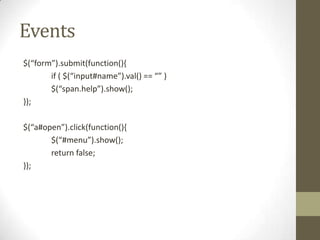
Events$(“form”).submit(function(){	if ( $(“input#name”).val() == “” )	$(“span.help”).show();});$(“a#open”).click(function(){	$(“#menu”).show();	return false;});
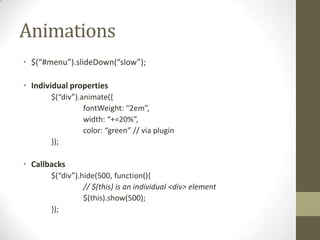
Animations$(“#menu”).slideDown(“slow”);Individual properties	$(“div”).animate({fontWeight: “2em”,		width: “+=20%”,color: “green” // via plugin	});Callbacks	$(“div”).hide(500, function(){		// $(this) is an individual <div> element		$(this).show(500);	});
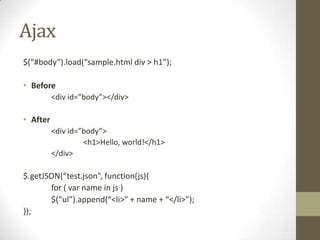
Ajax$(“#body”).load(“sample.html div > h1”);Before	<div id=”body”></div>After	<div id=”body”>		<h1>Hello, world!</h1>	</div>$.getJSON(“test.json”, function(js){	for ( var name in js )	$(“ul”).append(“<li>” + name + “</li>”);});
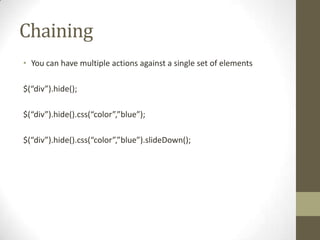
ChainingYou can have multiple actions against a single set of elements$(“div”).hide();$(“div”).hide().css(“color”,”blue”);$(“div”).hide().css(“color”,”blue”).slideDown();
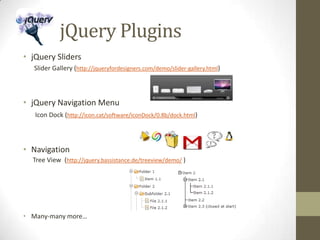
          jQuery PluginsjQuery SlidersSlider Gallery (http://jqueryfordesigners.com/demo/slider-gallery.html)jQuery Navigation Menu Icon Dock (http://icon.cat/software/iconDock/0.8b/dock.html)NavigationTree View  (http://jquery.bassistance.de/treeview/demo/)Many-many more…
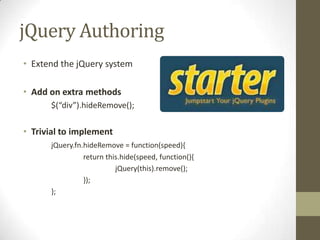
jQuery AuthoringExtend the jQuery systemAdd on extra methods	$(“div”).hideRemove();Trivial to implementjQuery.fn.hideRemove= function(speed){		return this.hide(speed, function(){			jQuery(this).remove();		});	};
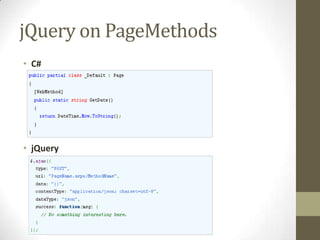
jQuery on PageMethodsC#jQuery
jQuery and JSONJSON (JavaScript Object Notation) - is a lightweight data-interchange format. It is easy for humans to read and write. It is easy for machines to parse and generate.Sample:	{ "firstName": "John", "lastName": "Smith", "age": 25, "address": { "streetAddress": "21 2nd Street", "city": "New York", "state": "NY", "postalCode": "10021" }, "phoneNumber": [ { "type": "home", "number": "212 555-1234" }, { "type": "fax", "number": "646 555-4567" } ] }
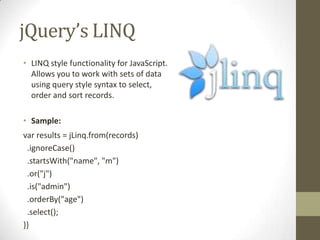
jQuery’s LINQLINQ style functionality for JavaScript. Allows you to work with sets of data using query style syntax to select, order and sort records.Sample:var results = jLinq.from(records)  .ignoreCase()  .startsWith("name", "m")  .or("j")  .is("admin")  .orderBy("age")  .select();}}
jQuery on SVGScalable Vector Graphics (SVG) - is a family of specifications of an XML-based file format for describing two-dimensional vector graphics, both static and dynamic (i.e. interactive or animated).Sample:<svg width="100%" height="100%" version="1.1“ xmlns="http://www.w3.org/2000/svg"><rect width="300" height="100“ style="fill:rgb(0,0,255);stroke-width:1; stroke:rgb(0,0,0)"/>
jQuery Effects IDEGlimmer allows you to easily create interactive elements on your web pages by harnessing the power of the jQuery library. Without having to hand-craft your JavaScript code, you can use Glimmer’s wizards to generate jQuery scripts for common interactive scenarios. Glimmer also has an advanced mode, providing a design surface for creating jQuery effects based on your existing HTML and CSS.
QUnitQunit - is a powerful, easy-to-use, JavaScript test suite. It's used by the jQuery project to test its code and plugins but is capable of testing any generic JavaScript code (and even capable of testing JavaScript code on the server-side).Sample:test("a basic test example", function () {	ok(true, "this test is fine");varvalue = "hello";	equals("hello", value, "We expect value to be hello");	});
jQuery Intelisense in VShttp://weblogs.asp.net/scottgu/archive/2008/11/21/jquery-intellisense-in-vs-2008.aspxjQuery Compressorhttp://javascriptcompressor.com/jQuery Learning Referenceswww.visualjquery.com & www.learningjquery.com
Questions

jQuery

  • 1.
  • 2.
  • 3.
    The JavaScript Ninja!JohnResig - is a JavaScript Tool Developer for the Mozilla Corporation and the creator and lead developer of the jQuery.
  • 4.
    What is jQuery?Isa single JavaScript file.Is a cross-browser JavaScript library (e.g. Dojo, YUI, Prototype, Mochikit, Scriptaculous)designed to simplify the client-side scripting of HTML.It was released in January 2006 at BarCamp NYC by John Resig.An open source functional scripting tool.Syntax is designed to make it easier to navigate a document, select DOM elements, create animations, handle events, and develop Ajax applications.Provides capabilities for developers to create plugins on top of the JavaScript library.
  • 5.
    Why use jQuery?Free!(MIT License & GNU GPL v2)Cross browser(IE 6+, Firefox 2+, Safari 3+, Opera 9+ & Chrome 1+)Lightweight (14KB)ExtensibleFully documented (http://docs.jquery.com/Main_Page)Templating engineUnit test (QUnit)Documentation Generator (JsDoc-Toolkit)Browser extensions (jsshell, FireQuery, etc…)Great communityTons of plugins (DataGrid, Sortable table, etc...)
  • 6.
  • 7.
    Where can Iget jQuery?jQuery official website http://jquery.com/Microsoft adopted it within Visual Studio 2010 for use within Microsoft's ASP.NET AJAX framework and ASP.NET MVC FrameworkPublic Servershttp://www.asp.net/ajaxlibrary/cdn.ashx#jQuery_Releases_on_the_CDN_0http://code.google.com/apis/libraries/devguide.html#jquery
  • 8.
    How can Iuse jQuery?Pick compression levelInclude the library<script type=“text/javascript" src="jquery.min.js"></script>Start coding<script type=“text/javascript" > // Put your logic here…</script>
  • 9.
    The jQuery objectCommonlynamed: Also named:
  • 10.
    jQuery APIjQuery Selector$(*)$(element)$(id)$(class)$(object) $ $.jQuery Command [factory or utility].doSomething(parameter, …, options, callback);Interchangeable
  • 11.
    jQuery UIProvides abstractionsfor low-level interaction and animation, advanced effects and high-level, themeable widgets, built on top of the jQuery JavaScript Library, that can be used to build interactive web applications.SamplesResizableTabsAccordionProgress BarCalendaretc…
  • 12.
  • 13.
    Find some elements…FullCSS selector 1-3 supportBasic XPathBetter CSS selector support than most browsers
  • 14.
    $(“div”)<div id=”body”><h2>Some Header</h2><divclass=”contents”><p>...</p><p>...</p></div></div>
  • 15.
    $(“#body”)<div id=”body”><h2>Some Header</h2><divclass=”contents”><p>...</p><p>...</p></div></div>
  • 16.
    $(“div#body”)<div id=”body”><h2>Some Header</h2><divclass=”contents”><p>...</p><p>...</p></div></div>
  • 17.
    $(“div.contents p”)<div id=”body”><h2>SomeHeader</h2><div class=”contents”><p>...</p><p>...</p></div></div>
  • 18.
    $(“div > div”)<divid=”body”><h2>Some Header</h2><div class=”contents”><p>...</p><p>...</p></div></div>
  • 19.
    $(“div:has(div)”)<div id=”body”><h2>Some Header</h2><divclass=”contents”><p>...</p><p>...</p></div></div>
  • 20.
    Do something withthemDOM Manipulation (append, prepend, remove)Events (click, hover, toggle)Effects (hide, show, slideDown, fadeOut)AJAX (load, get, post)
  • 21.
    DOM Manipulation$(“a[target]”) .append(“ (Opensin New Window)”);$(“#body”).css({ border: “1px solid green”, height: “40px”});
  • 22.
    Events$(“form”).submit(function(){ if ( $(“input#name”).val()== “” ) $(“span.help”).show();});$(“a#open”).click(function(){ $(“#menu”).show(); return false;});
  • 23.
    Animations$(“#menu”).slideDown(“slow”);Individual properties $(“div”).animate({fontWeight: “2em”, width:“+=20%”,color: “green” // via plugin });Callbacks $(“div”).hide(500, function(){ // $(this) is an individual <div> element $(this).show(500); });
  • 24.
    Ajax$(“#body”).load(“sample.html div >h1”);Before <div id=”body”></div>After <div id=”body”> <h1>Hello, world!</h1> </div>$.getJSON(“test.json”, function(js){ for ( var name in js ) $(“ul”).append(“<li>” + name + “</li>”);});
  • 25.
    ChainingYou can havemultiple actions against a single set of elements$(“div”).hide();$(“div”).hide().css(“color”,”blue”);$(“div”).hide().css(“color”,”blue”).slideDown();
  • 26.
    jQuery PluginsjQuery SlidersSlider Gallery (http://jqueryfordesigners.com/demo/slider-gallery.html)jQuery Navigation Menu Icon Dock (http://icon.cat/software/iconDock/0.8b/dock.html)NavigationTree View (http://jquery.bassistance.de/treeview/demo/)Many-many more…
  • 27.
    jQuery AuthoringExtend thejQuery systemAdd on extra methods $(“div”).hideRemove();Trivial to implementjQuery.fn.hideRemove= function(speed){ return this.hide(speed, function(){ jQuery(this).remove(); }); };
  • 28.
  • 29.
    jQuery and JSONJSON(JavaScript Object Notation) - is a lightweight data-interchange format. It is easy for humans to read and write. It is easy for machines to parse and generate.Sample: { "firstName": "John", "lastName": "Smith", "age": 25, "address": { "streetAddress": "21 2nd Street", "city": "New York", "state": "NY", "postalCode": "10021" }, "phoneNumber": [ { "type": "home", "number": "212 555-1234" }, { "type": "fax", "number": "646 555-4567" } ] }
  • 30.
    jQuery’s LINQLINQ stylefunctionality for JavaScript. Allows you to work with sets of data using query style syntax to select, order and sort records.Sample:var results = jLinq.from(records) .ignoreCase() .startsWith("name", "m") .or("j") .is("admin") .orderBy("age") .select();}}
  • 31.
    jQuery on SVGScalableVector Graphics (SVG) - is a family of specifications of an XML-based file format for describing two-dimensional vector graphics, both static and dynamic (i.e. interactive or animated).Sample:<svg width="100%" height="100%" version="1.1“ xmlns="http://www.w3.org/2000/svg"><rect width="300" height="100“ style="fill:rgb(0,0,255);stroke-width:1; stroke:rgb(0,0,0)"/>
  • 32.
    jQuery Effects IDEGlimmerallows you to easily create interactive elements on your web pages by harnessing the power of the jQuery library. Without having to hand-craft your JavaScript code, you can use Glimmer’s wizards to generate jQuery scripts for common interactive scenarios. Glimmer also has an advanced mode, providing a design surface for creating jQuery effects based on your existing HTML and CSS.
  • 33.
    QUnitQunit - isa powerful, easy-to-use, JavaScript test suite. It's used by the jQuery project to test its code and plugins but is capable of testing any generic JavaScript code (and even capable of testing JavaScript code on the server-side).Sample:test("a basic test example", function () { ok(true, "this test is fine");varvalue = "hello"; equals("hello", value, "We expect value to be hello"); });
  • 34.
    jQuery Intelisense inVShttp://weblogs.asp.net/scottgu/archive/2008/11/21/jquery-intellisense-in-vs-2008.aspxjQuery Compressorhttp://javascriptcompressor.com/jQuery Learning Referenceswww.visualjquery.com & www.learningjquery.com
  • 35.