
JDBC :- is used for accessing databases from
Java applications
A Java API for executing SQL statements
• Extends the Java language.
• Supported by the java.sql package
• uniform interface to different data sources so
programmer writes ONE database interface; using
JDBC, program can access any data
source without recoding
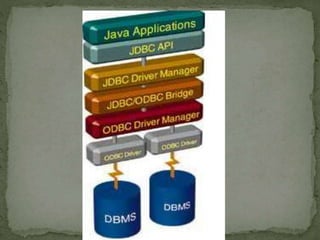
 Open Database Connectivity developed by Microsoft
to provide interaction with databases using SQL.
 Use the JDBC-ODBC bridge to make ODBC work with
Java.
Since it's going to take some time for vendors to create
JDBC drivers, Javasoft has released a JDBC-ODBC
bridge that allows you to create Java applications to
talk to ODBC drivers which are readily available today
6
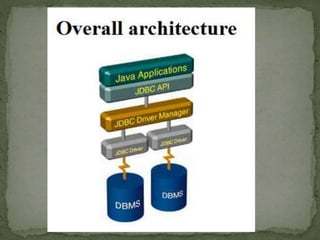
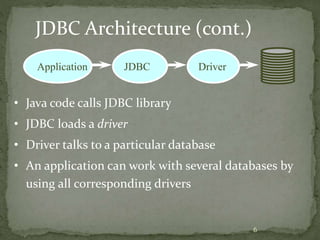
JDBC Architecture (cont.)
Application JDBC Driver
• Java code calls JDBC library
• JDBC loads a driver
• Driver talks to a particular database
• An application can work with several databases by
using all corresponding drivers
7
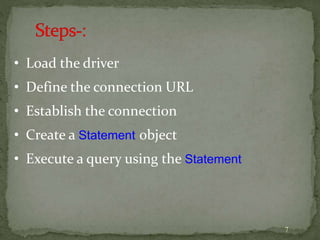
• Load the driver
• Define the connection URL
• Establish the connection
• Create a Statement object
• Execute a query using the Statement
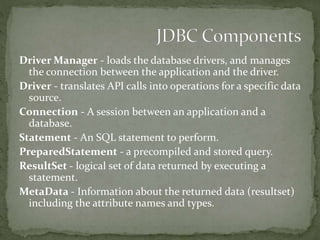
Driver Manager - loads the database drivers, and manages
the connection between the application and the driver.
Driver - translates API calls into operations for a specific data
source.
Connection - A session between an application and a
database.
Statement - An SQL statement to perform.
PreparedStatement - a precompiled and stored query.
ResultSet - logical set of data returned by executing a
statement.
MetaData - Information about the returned data (resultset)
including the attribute names and types.
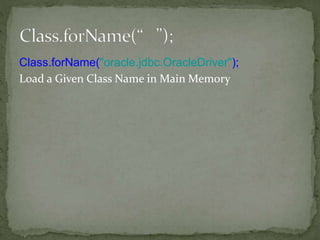
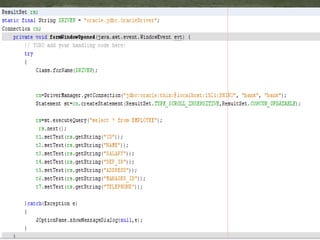
Class.forName("oracle.jdbc.OracleDriver");
Load a Given Class Name in Main Memory
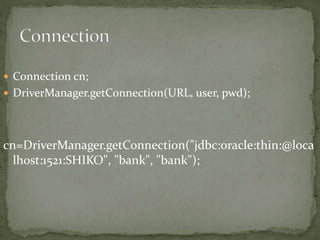
 Connection cn;
 DriverManager.getConnection(URL, user, pwd);
cn=DriverManager.getConnection("jdbc:oracle:thin:@loca
lhost:1521:SHIKO", "bank", "bank");
 We use Statement objects in order to
 Query the database
 Update the database
 They are created by the Connection
Statement st=cn.createStatement();
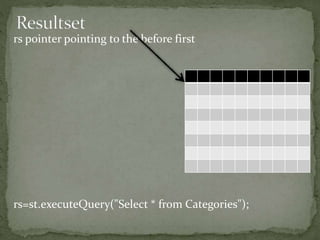
rs pointer pointing to the before first
rs=st.executeQuery("Select * from Categories");
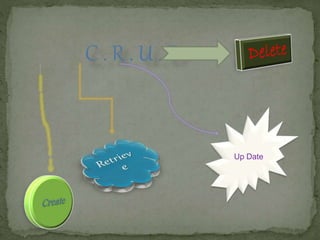
C . R . U . D
Up Date
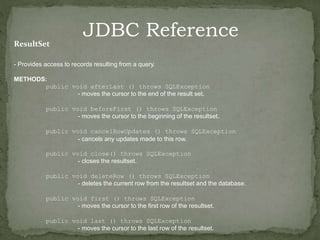
JDBC Reference
ResultSet
- Provides access to records resulting from a query.
METHODS:
public void afterLast () throws SQLException
- moves the cursor to the end of the result set.
public void beforeFirst () throws SQLException
- moves the cursor to the beginning of the resultset.
public void cancelRowUpdates () throws SQLException
- cancels any updates made to this row.
public void close() throws SQLException
- closes the resultset.
public void deleteRow () throws SQLException
- deletes the current row from the resultset and the database.
public void first () throws SQLException
- moves the cursor to the first row of the resultset.
public void last () throws SQLException
- moves the cursor to the last row of the resultset.
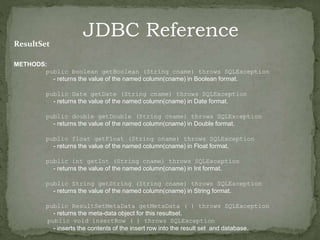
JDBC Reference
ResultSet
METHODS:
public boolean getBoolean (String cname) throws SQLException
- returns the value of the named column(cname) in Boolean format.
public Date getDate (String cname) throws SQLException
- returns the value of the named column(cname) in Date format.
public double getDouble (String cname) throws SQLException
- returns the value of the named column(cname) in Double format.
public float getFloat (String cname) throws SQLException
- returns the value of the named column(cname) in Float format.
public int getInt (String cname) throws SQLException
- returns the value of the named column(cname) in Int format.
public String getString (String cname) throws SQLException
- returns the value of the named column(cname) in String format.
public ResultSetMetaData getMetaData ( ) throws SQLException
- returns the meta-data object for this resultset.
public void insertRow ( ) throws SQLException
- inserts the contents of the insert row into the result set and database.
JDBC

JDBC

  • 2.
    JDBC :- isused for accessing databases from Java applications A Java API for executing SQL statements • Extends the Java language. • Supported by the java.sql package • uniform interface to different data sources so programmer writes ONE database interface; using JDBC, program can access any data source without recoding
  • 4.
     Open DatabaseConnectivity developed by Microsoft to provide interaction with databases using SQL.  Use the JDBC-ODBC bridge to make ODBC work with Java. Since it's going to take some time for vendors to create JDBC drivers, Javasoft has released a JDBC-ODBC bridge that allows you to create Java applications to talk to ODBC drivers which are readily available today
  • 6.
    6 JDBC Architecture (cont.) ApplicationJDBC Driver • Java code calls JDBC library • JDBC loads a driver • Driver talks to a particular database • An application can work with several databases by using all corresponding drivers
  • 7.
    7 • Load thedriver • Define the connection URL • Establish the connection • Create a Statement object • Execute a query using the Statement
  • 8.
    Driver Manager -loads the database drivers, and manages the connection between the application and the driver. Driver - translates API calls into operations for a specific data source. Connection - A session between an application and a database. Statement - An SQL statement to perform. PreparedStatement - a precompiled and stored query. ResultSet - logical set of data returned by executing a statement. MetaData - Information about the returned data (resultset) including the attribute names and types.
  • 9.
  • 10.
     Connection cn; DriverManager.getConnection(URL, user, pwd); cn=DriverManager.getConnection("jdbc:oracle:thin:@loca lhost:1521:SHIKO", "bank", "bank");
  • 11.
     We useStatement objects in order to  Query the database  Update the database  They are created by the Connection Statement st=cn.createStatement();
  • 12.
    rs pointer pointingto the before first rs=st.executeQuery("Select * from Categories");
  • 15.
    C . R. U . D Up Date
  • 17.
    JDBC Reference ResultSet - Providesaccess to records resulting from a query. METHODS: public void afterLast () throws SQLException - moves the cursor to the end of the result set. public void beforeFirst () throws SQLException - moves the cursor to the beginning of the resultset. public void cancelRowUpdates () throws SQLException - cancels any updates made to this row. public void close() throws SQLException - closes the resultset. public void deleteRow () throws SQLException - deletes the current row from the resultset and the database. public void first () throws SQLException - moves the cursor to the first row of the resultset. public void last () throws SQLException - moves the cursor to the last row of the resultset.
  • 18.
    JDBC Reference ResultSet METHODS: public booleangetBoolean (String cname) throws SQLException - returns the value of the named column(cname) in Boolean format. public Date getDate (String cname) throws SQLException - returns the value of the named column(cname) in Date format. public double getDouble (String cname) throws SQLException - returns the value of the named column(cname) in Double format. public float getFloat (String cname) throws SQLException - returns the value of the named column(cname) in Float format. public int getInt (String cname) throws SQLException - returns the value of the named column(cname) in Int format. public String getString (String cname) throws SQLException - returns the value of the named column(cname) in String format. public ResultSetMetaData getMetaData ( ) throws SQLException - returns the meta-data object for this resultset. public void insertRow ( ) throws SQLException - inserts the contents of the insert row into the result set and database.

Editor's Notes