Get IT right
Git Kung Fu
Bartosz Majsak (@majson), Thomas Hug (@gizmoo360)

http://ctp.com
http://github.com/ctpconsulting
1

© 2013 Cambridge Technology Partners
Copyright © 2013 Cambridge Technology Partners All Rights Reserved. Cambridge, its logo, and Get IT Right are trademarks of Cambridge Technology Partners.
About Us


Bartosz Majsak
 Java

Developer by day
 Open source junkie by night (Arquillian core team member)
 Conference speaker by passion (Devoxx, Jazoon ...)



Thomas Hug
 With

Cambridge Technology Partners since 2002
 Java Developer, TTL, Solution Architect
 Apache Committer, OSS contributor and aficionado

2

© 2013 Cambridge Technology Partners

10/25/2013
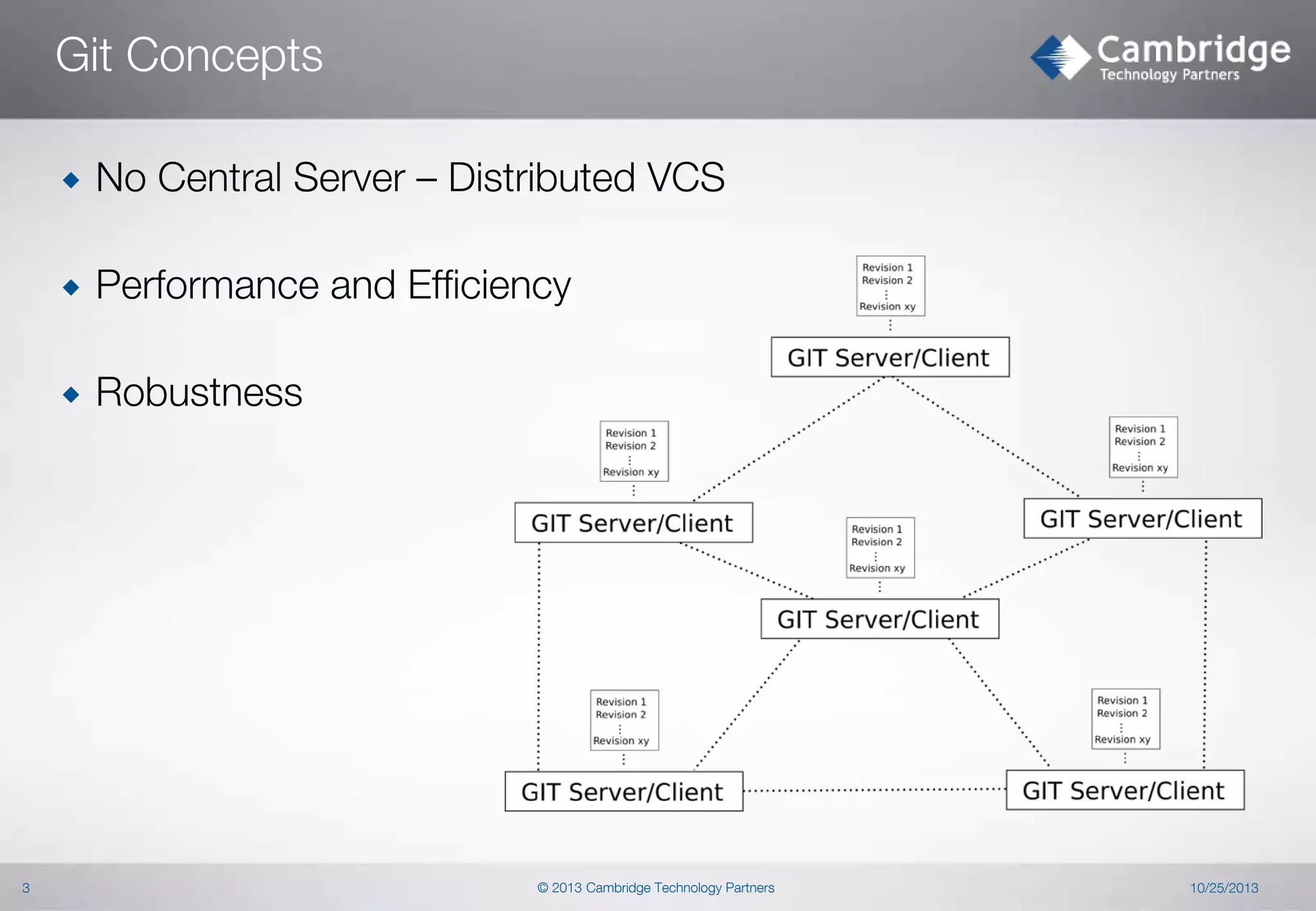
Git Concepts



Performance and Efficiency



3

No Central Server – Distributed VCS

Robustness

© 2013 Cambridge Technology Partners

10/25/2013
Git Internals

© 2013 Cambridge Technology Partners
Git Architecture


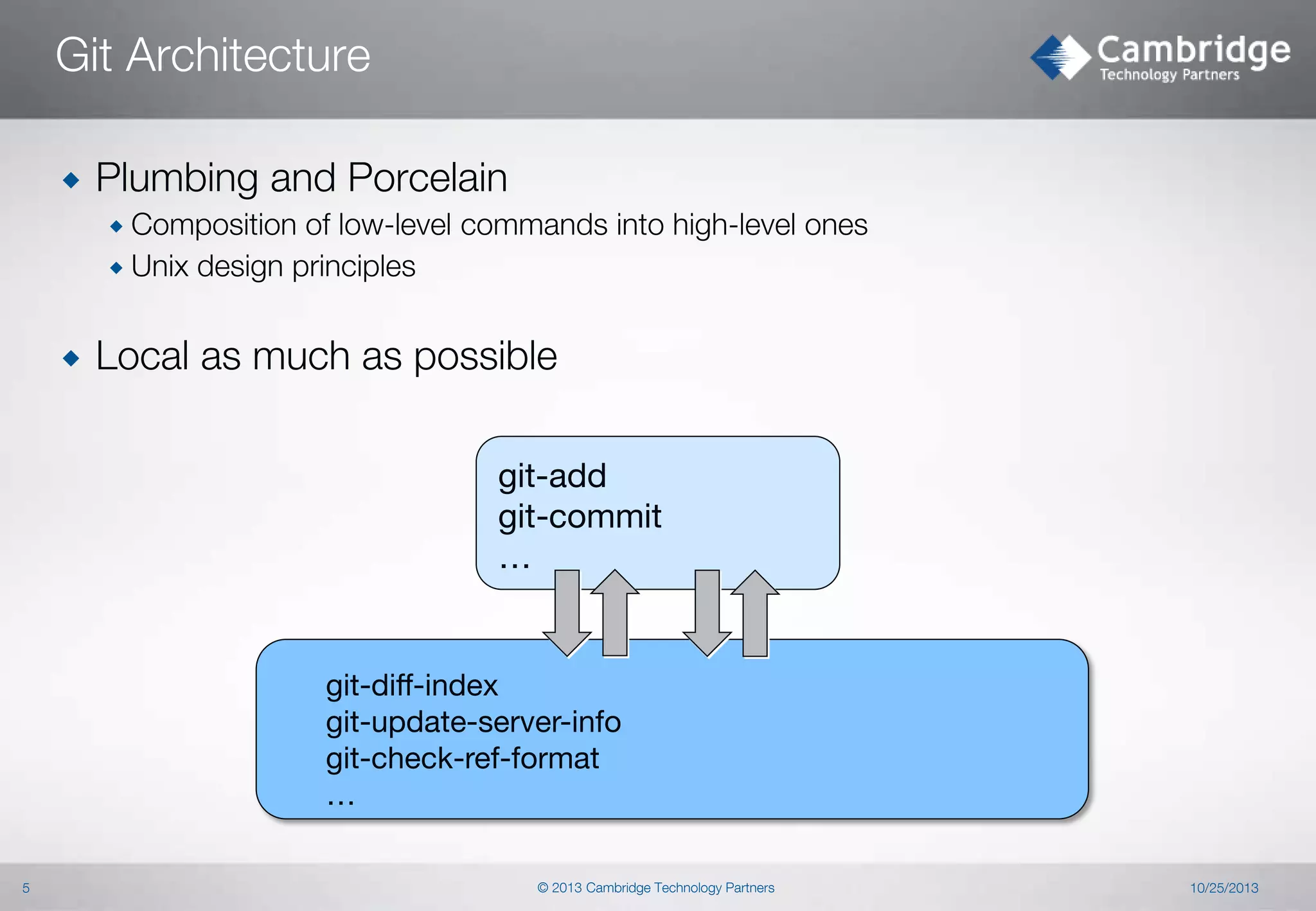
Plumbing and Porcelain
 Composition

of low-level commands into high-level ones
 Unix design principles


Local as much as possible
git-add
git-commit
…

git-diff-index
git-update-server-info
git-check-ref-format
…
5

© 2013 Cambridge Technology Partners

10/25/2013
Git Storage


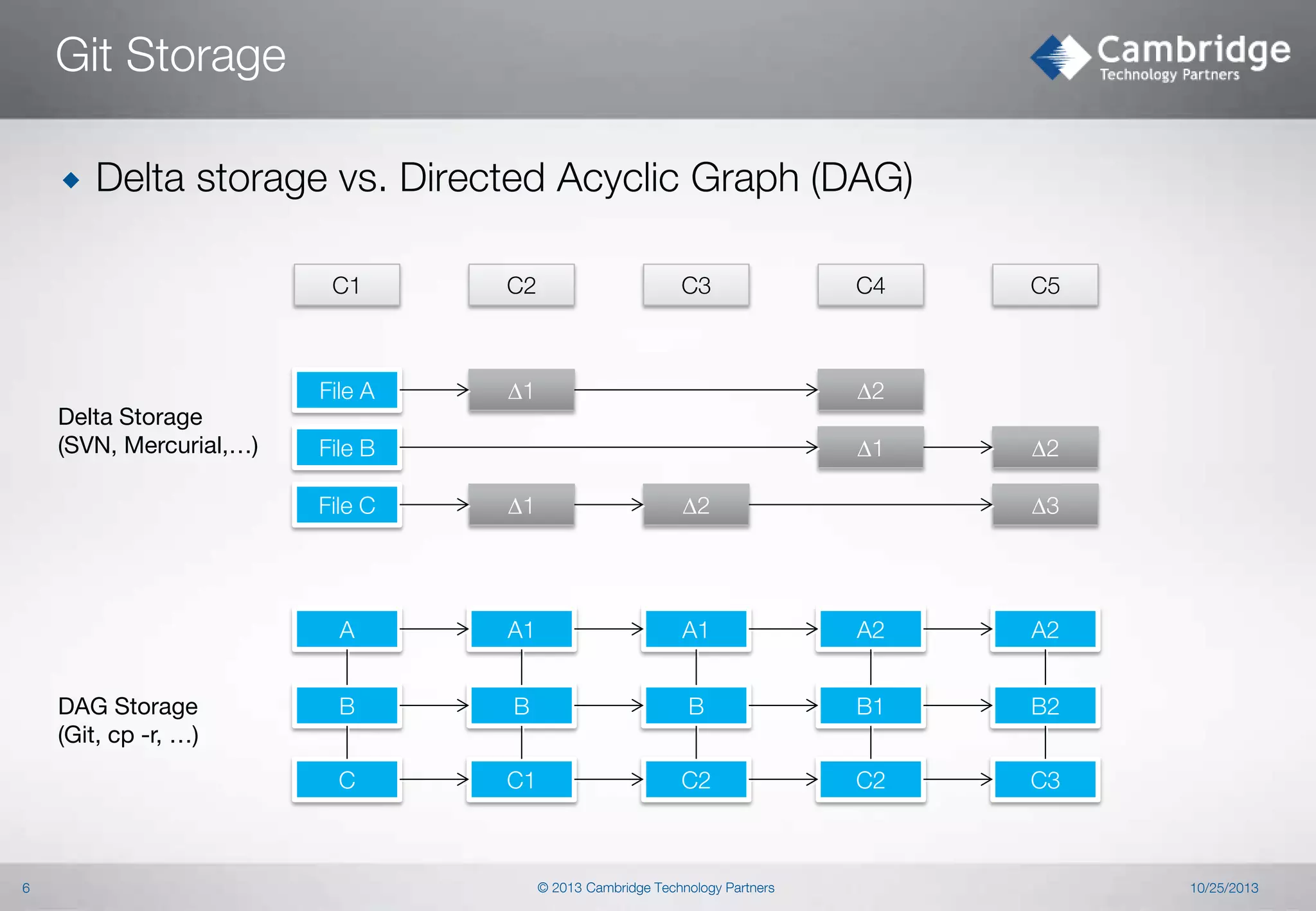
Delta storage vs. Directed Acyclic Graph (DAG)
C1

File A
Delta Storage
(SVN, Mercurial,…)

C2

C3

D1

C4

C5

D2
D1

File B

D2

File C

A1

A1

A2

A2

B

B

B

B1

B2

C

6

D2

A
DAG Storage
(Git, cp -r, …)

D1

C1

C2

C2

C3

© 2013 Cambridge Technology Partners

D3

10/25/2013
Git Storage – Object Model (1)


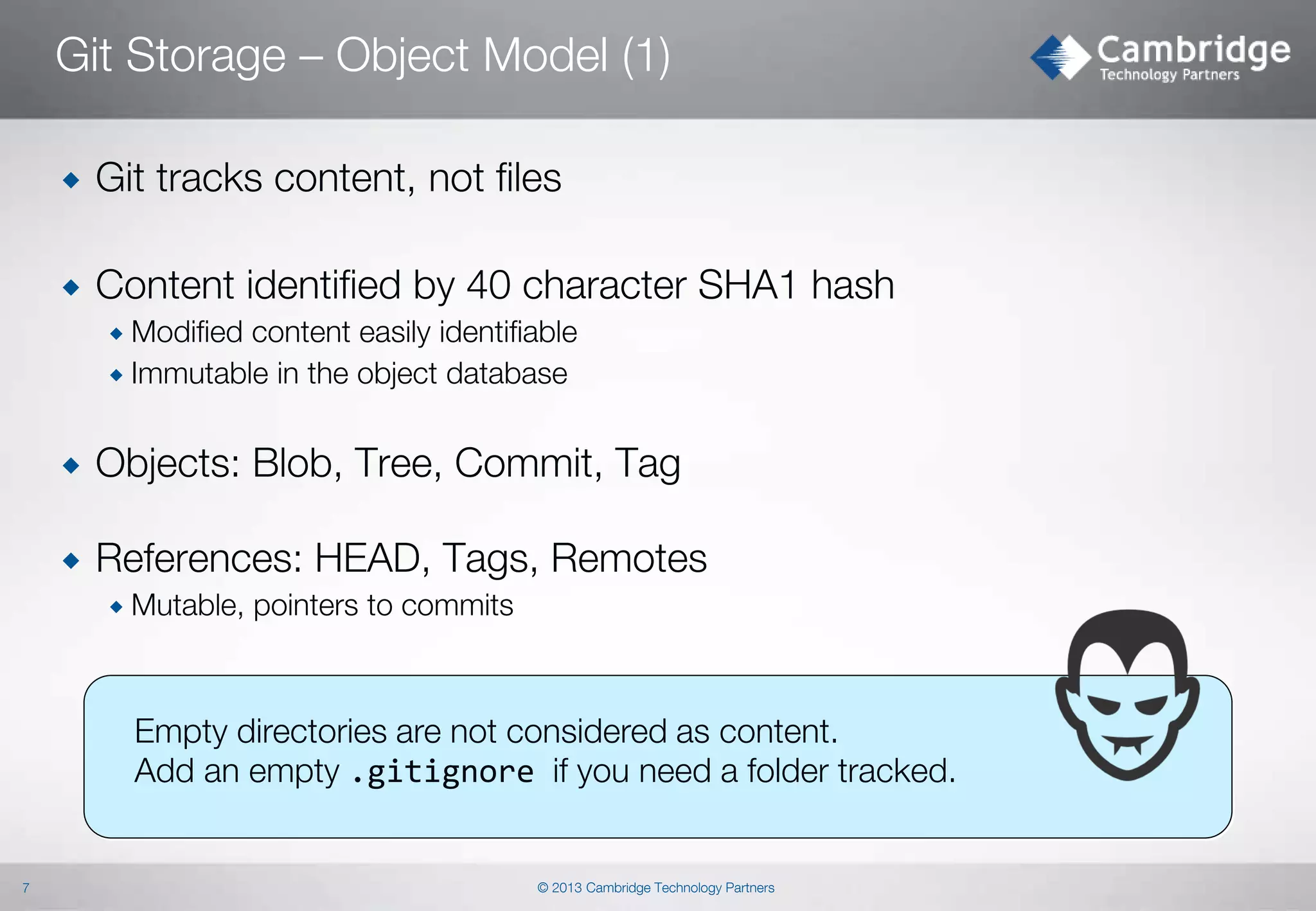
Git tracks content, not files



Content identified by 40 character SHA1 hash
 Modified

content easily identifiable
 Immutable in the object database


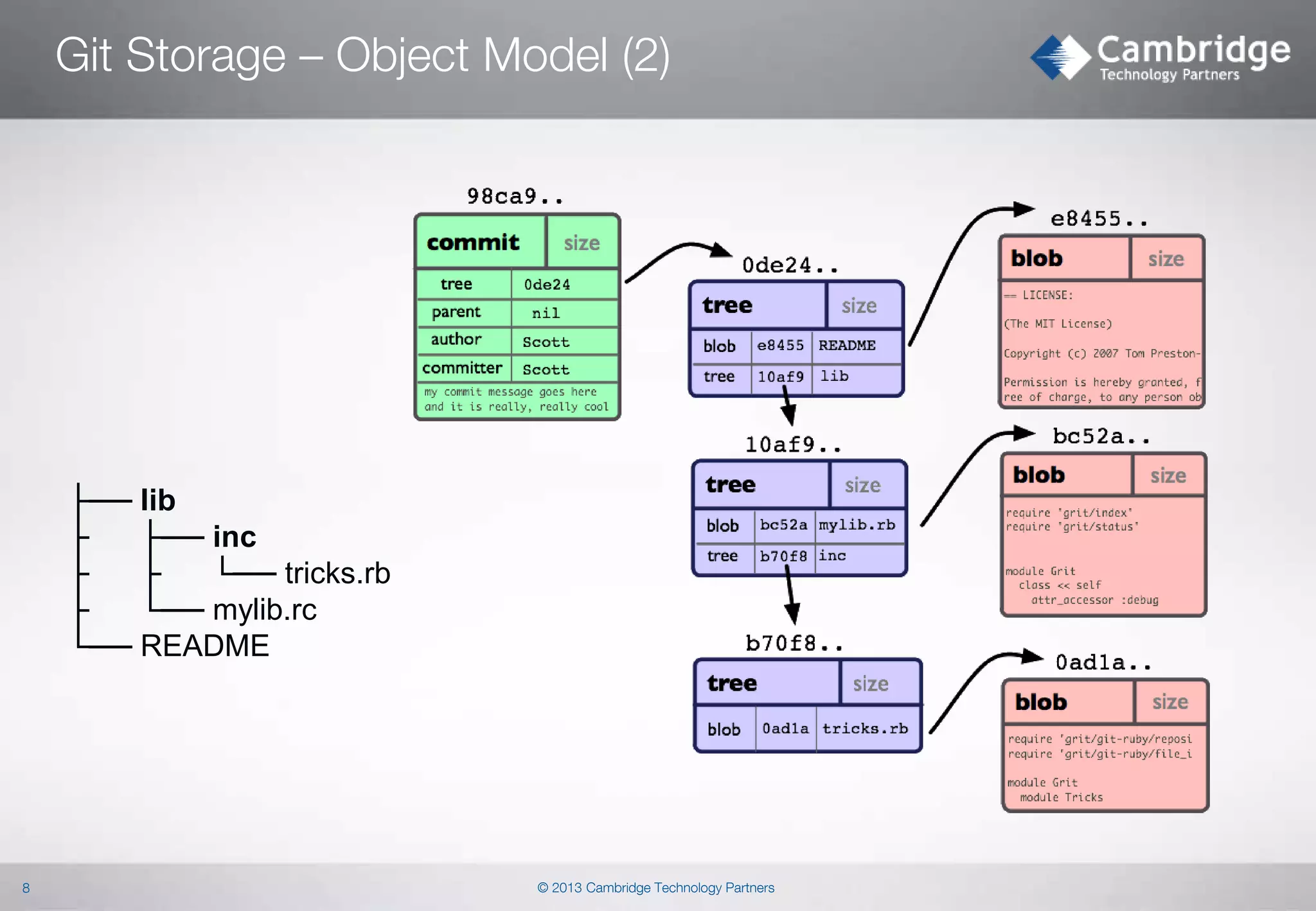
Objects: Blob, Tree, Commit, Tag



References: HEAD, Tags, Remotes
 Mutable,

pointers to commits

Empty directories are not considered as content.
Add an empty .gitignore if you need a folder tracked.

7

© 2013 Cambridge Technology Partners
Git Storage – Object Model (2)

├── lib
├
├── inc
├
├
└── tricks.rb
├
└── mylib.rc
└── README

8

© 2013 Cambridge Technology Partners
Git Storage – Local Repository


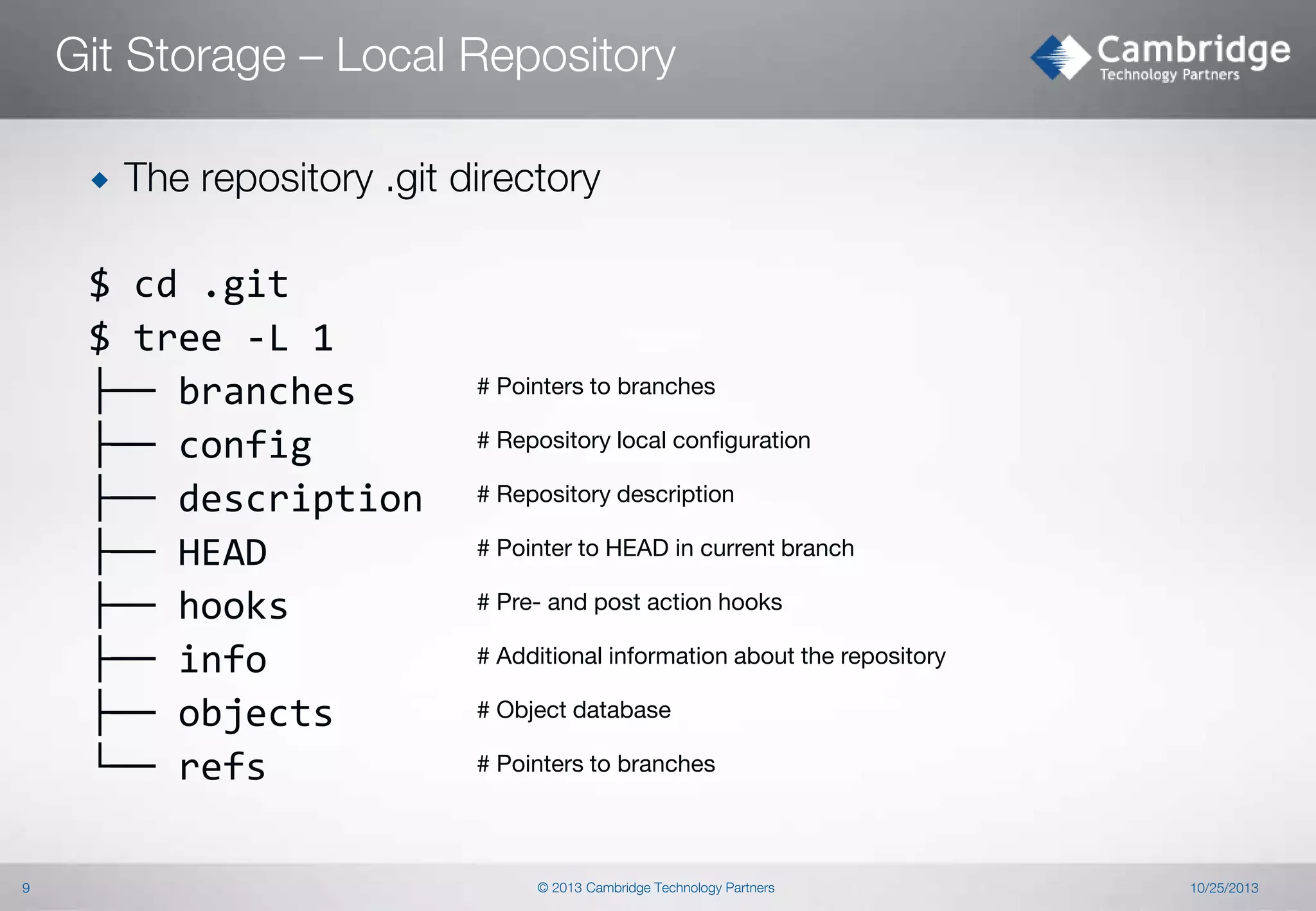
The repository .git directory

$ cd .git
$ tree -L 1
├── branches
├── config
├── description
├── HEAD
├── hooks
├── info
├── objects
└── refs
9

# Pointers to branches
# Repository local configuration
# Repository description

# Pointer to HEAD in current branch
# Pre- and post action hooks
# Additional information about the repository
# Object database
# Pointers to branches

© 2013 Cambridge Technology Partners

10/25/2013
Rewriting History

© 2013 Cambridge Technology Partners
Rebasing
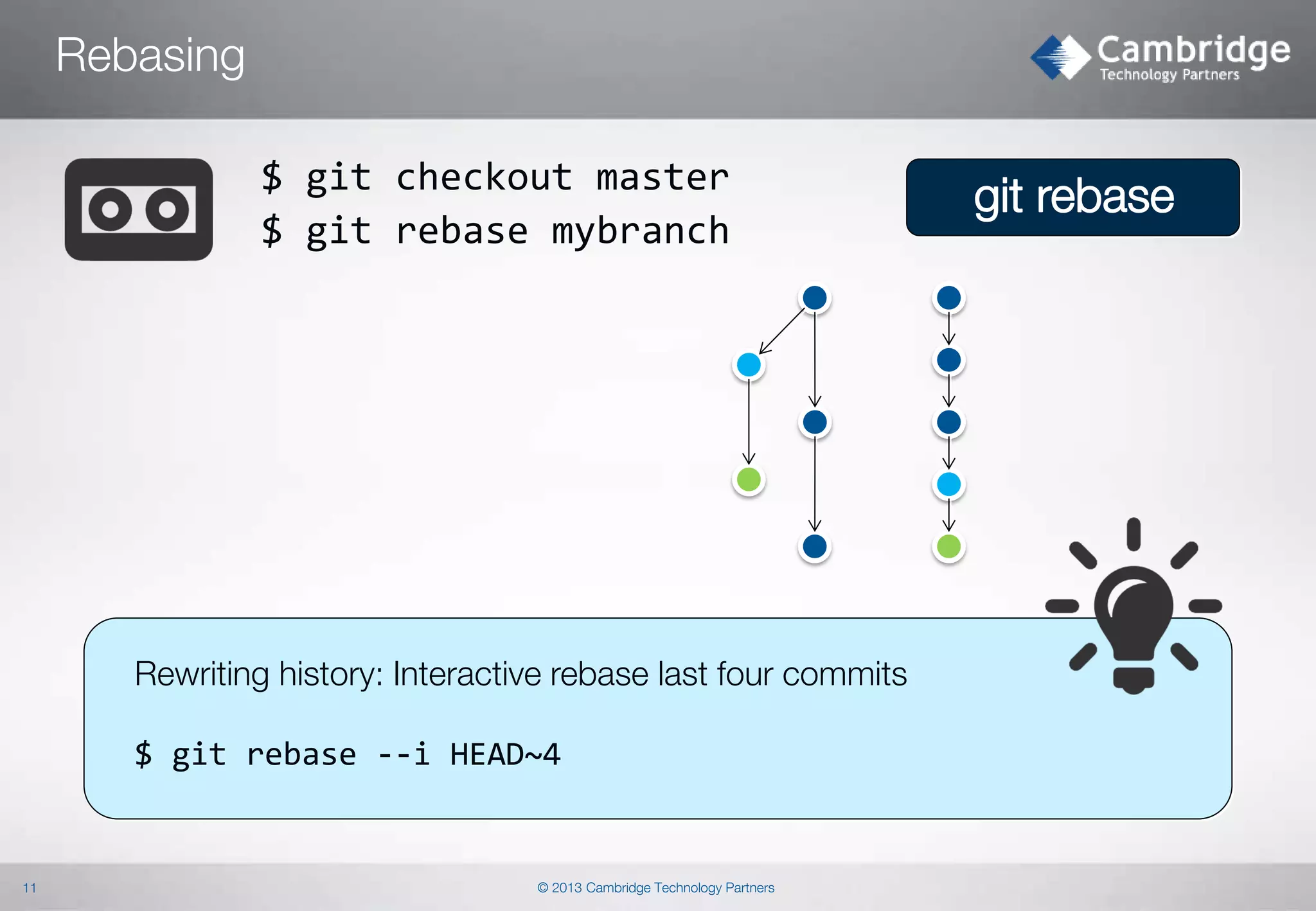
$ git checkout master
$ git rebase mybranch

Rewriting history: Interactive rebase last four commits
$ git rebase --i HEAD~4

11

© 2013 Cambridge Technology Partners

git rebase
All your base are belong to us
Objectives: Learn how interactive rebasing works.


Experiment with interactive rebase on selected branch
 Reword

commit messages
 Combine commits into one

$ git rebase –i [commits range]

12

© 2013 Cambridge Technology Partners

10/25/2013
Cherry-pick
$ git cherry-pick [-x]

$ git cherry –v <other_branch>
Lets you check if given commit from other branch
has been already applied on the current branch

13

© 2013 Cambridge Technology Partners

Feature

Cherry-pick „replays” arbitrary commits onto
your current branch.

10/25/2013
Filter branch
$ git filter-branch



14

Removing a file from every commit
Changing commit metadata globally

© 2013 Cambridge Technology Partners

10/25/2013
Recovering from Mistakes

© 2013 Cambridge Technology Partners
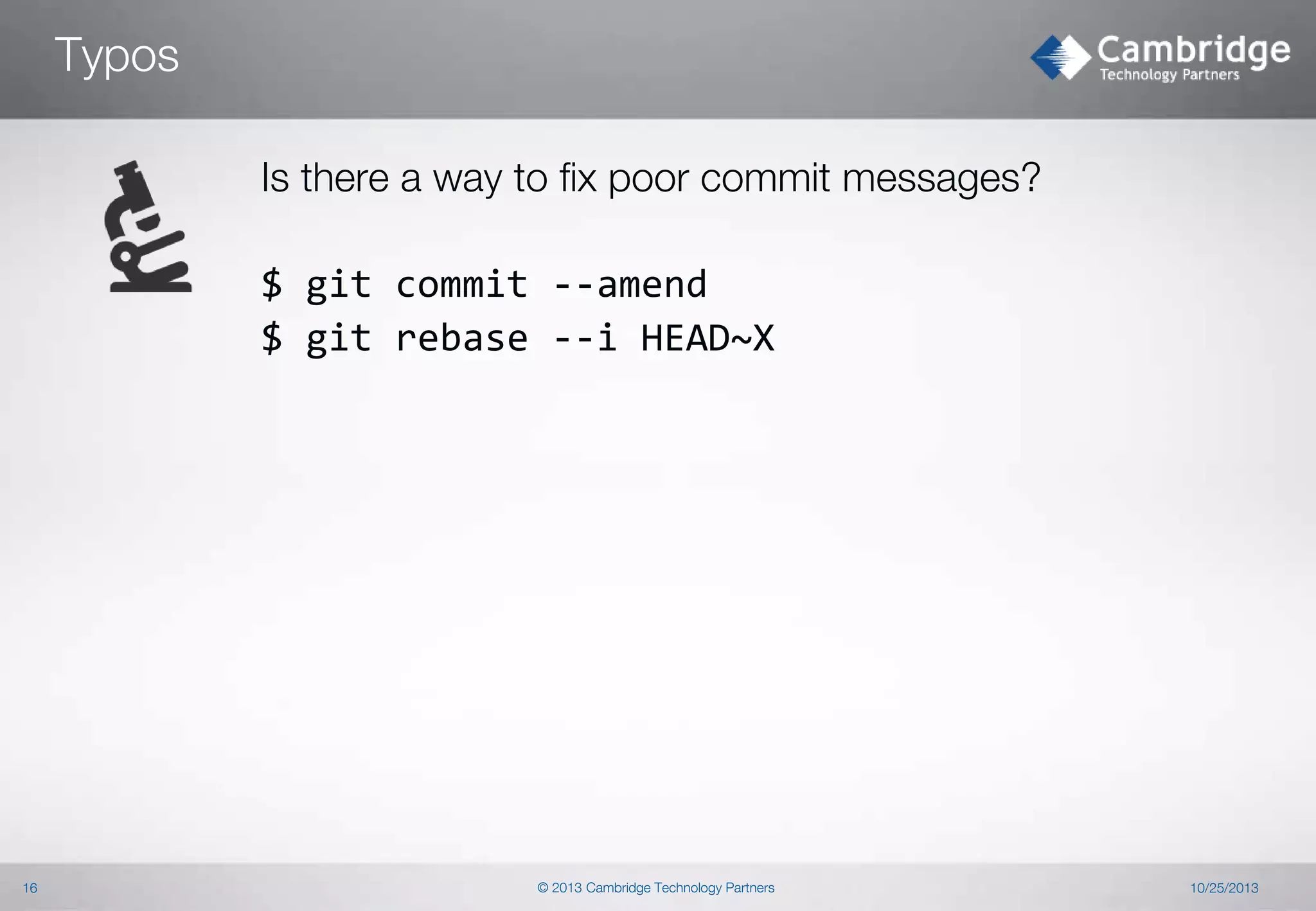
Typos
Is there a way to fix poor commit messages?
$ git commit --amend
$ git rebase --i HEAD~X

16

© 2013 Cambridge Technology Partners

10/25/2013
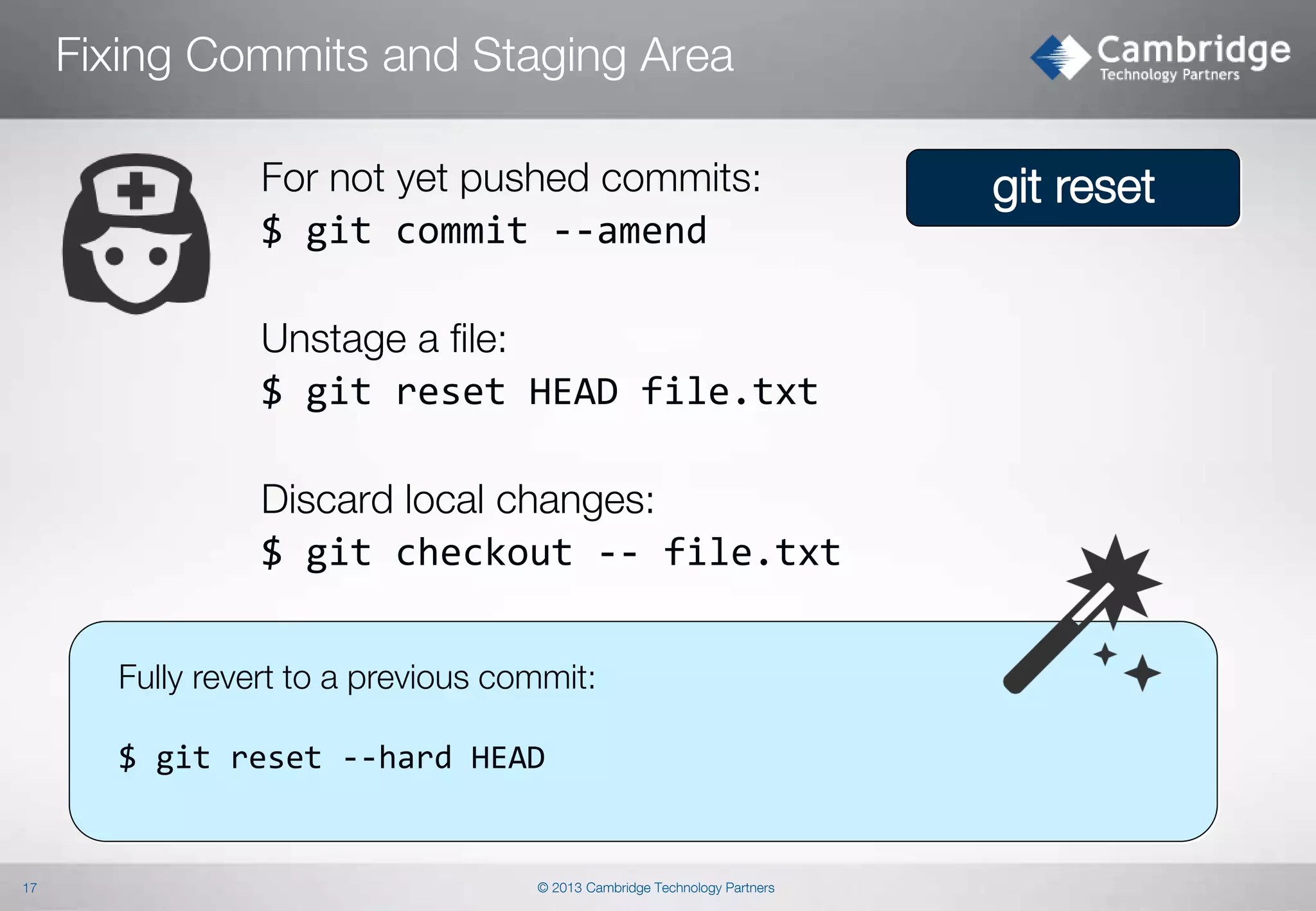
Fixing Commits and Staging Area
For not yet pushed commits:
$ git commit --amend
Unstage a file:
$ git reset HEAD file.txt
Discard local changes:
$ git checkout -- file.txt
Fully revert to a previous commit:

$ git reset --hard HEAD

17

© 2013 Cambridge Technology Partners

git reset
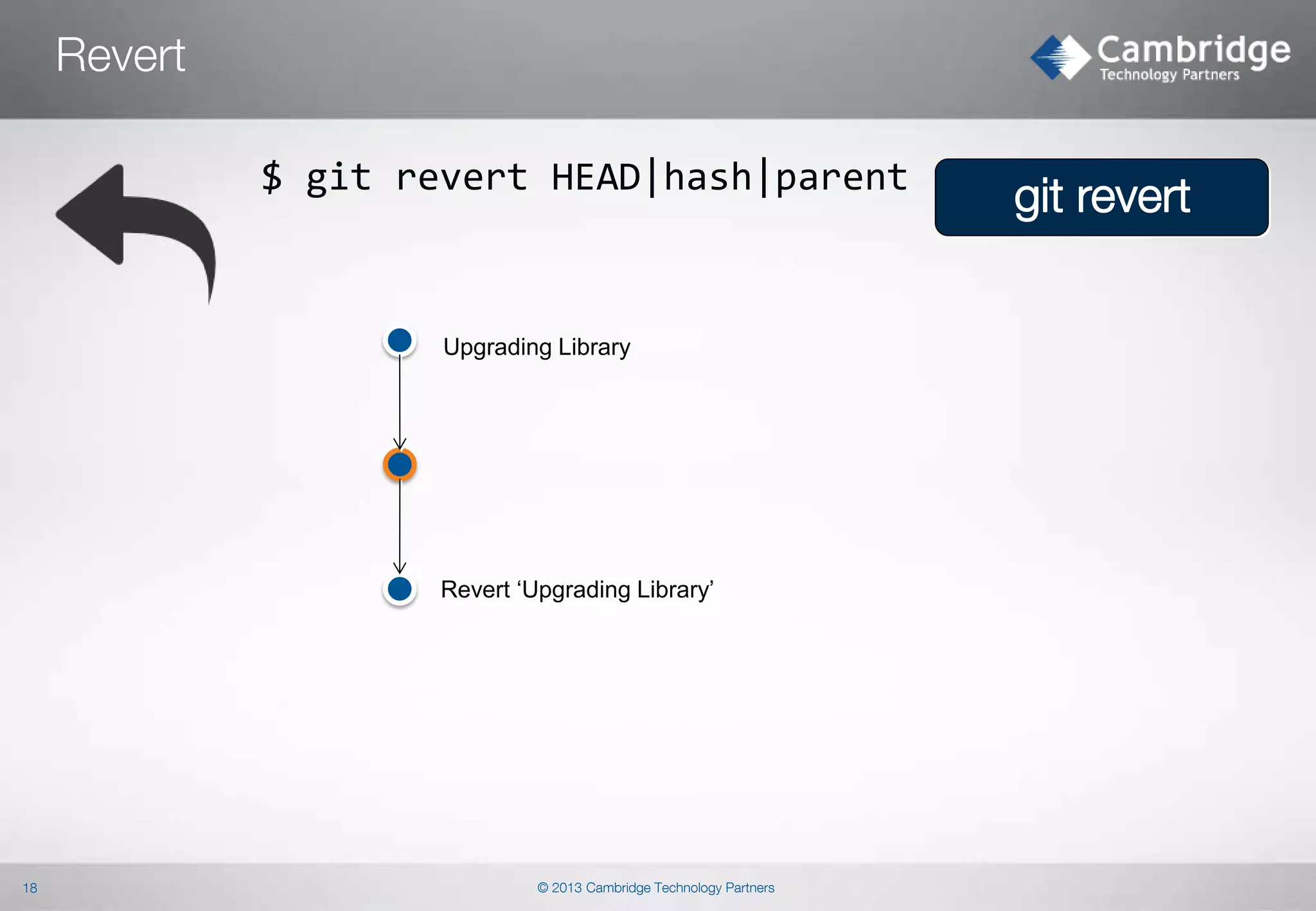
Revert
$ git revert HEAD|hash|parent

Upgrading Library

Revert ‘Upgrading Library’

18

© 2013 Cambridge Technology Partners

git revert
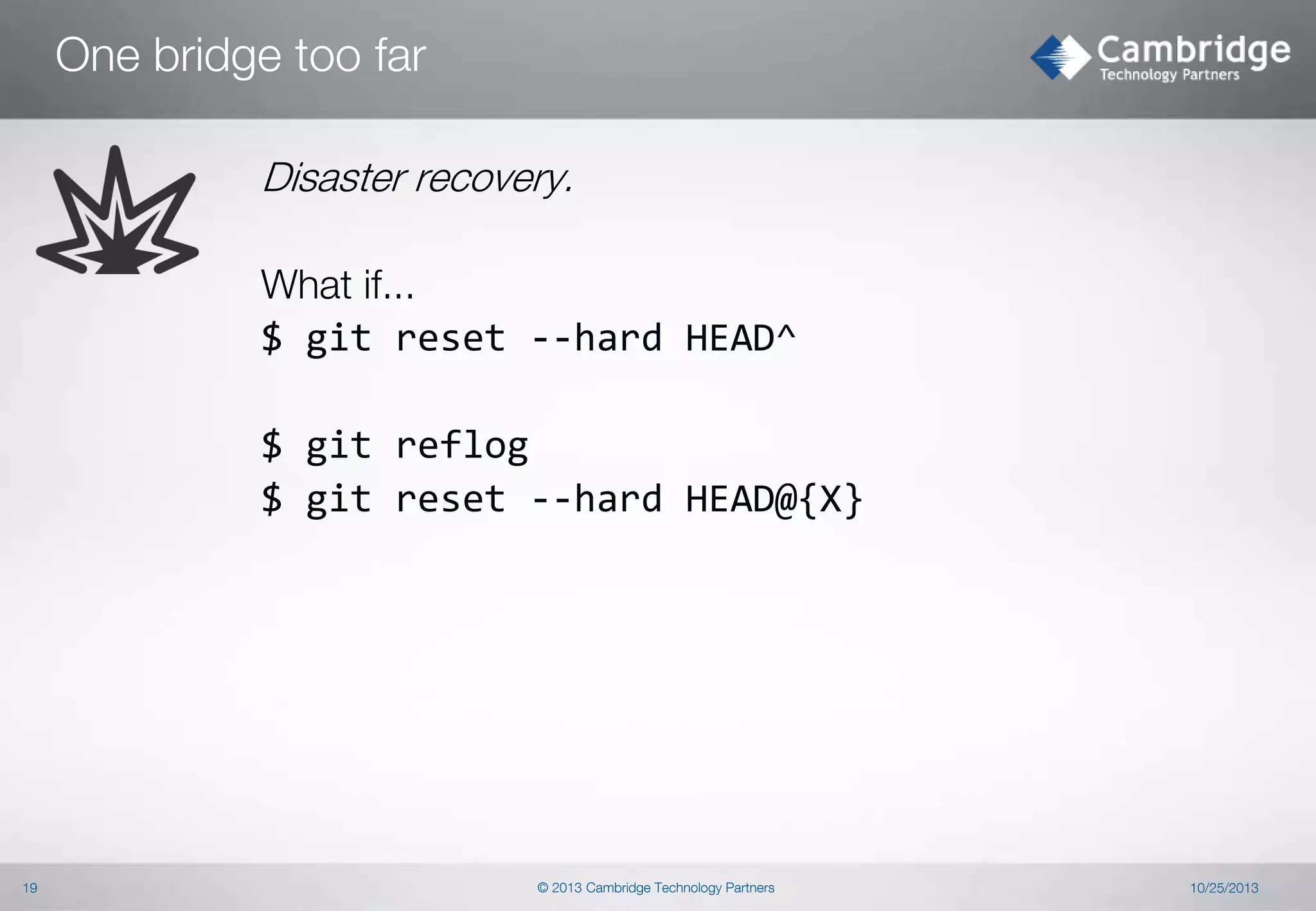
One bridge too far
Disaster recovery.
What if...
$ git reset --hard HEAD^
$ git reflog
$ git reset --hard HEAD@{X}

19

© 2013 Cambridge Technology Partners

10/25/2013
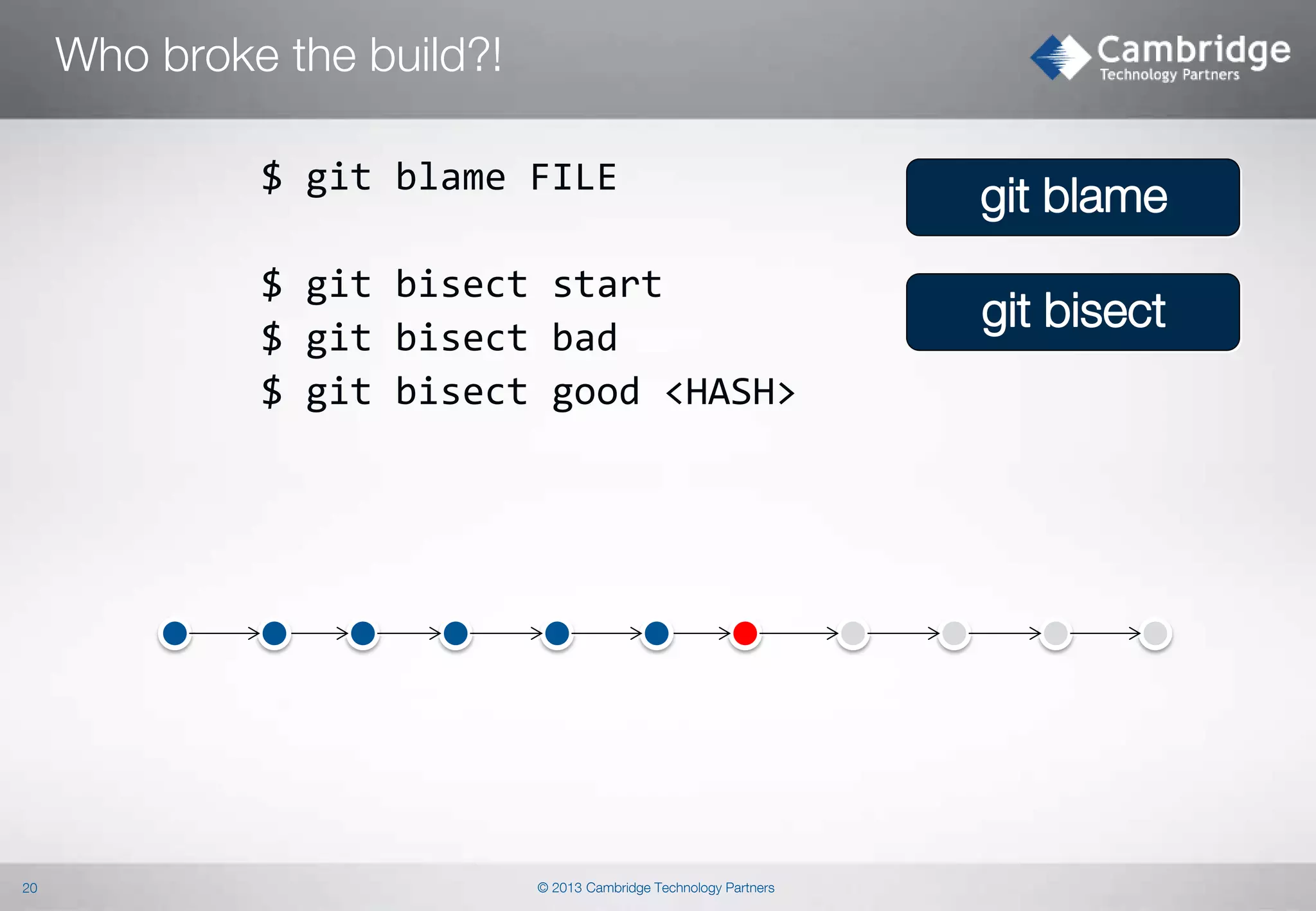
Who broke the build?!
$ git blame FILE
$ git bisect start
$ git bisect bad
$ git bisect good <HASH>

20

© 2013 Cambridge Technology Partners

git blame
git bisect
Who broke the build?! - Pickaxe
$ git log –S'search_term' [-p] <resource>
$ git log –G'regex'

git log –S|G

--name-status
--pickaxe-all

21

© 2013 Cambridge Technology Partners
Sharing without network

© 2013 Cambridge Technology Partners
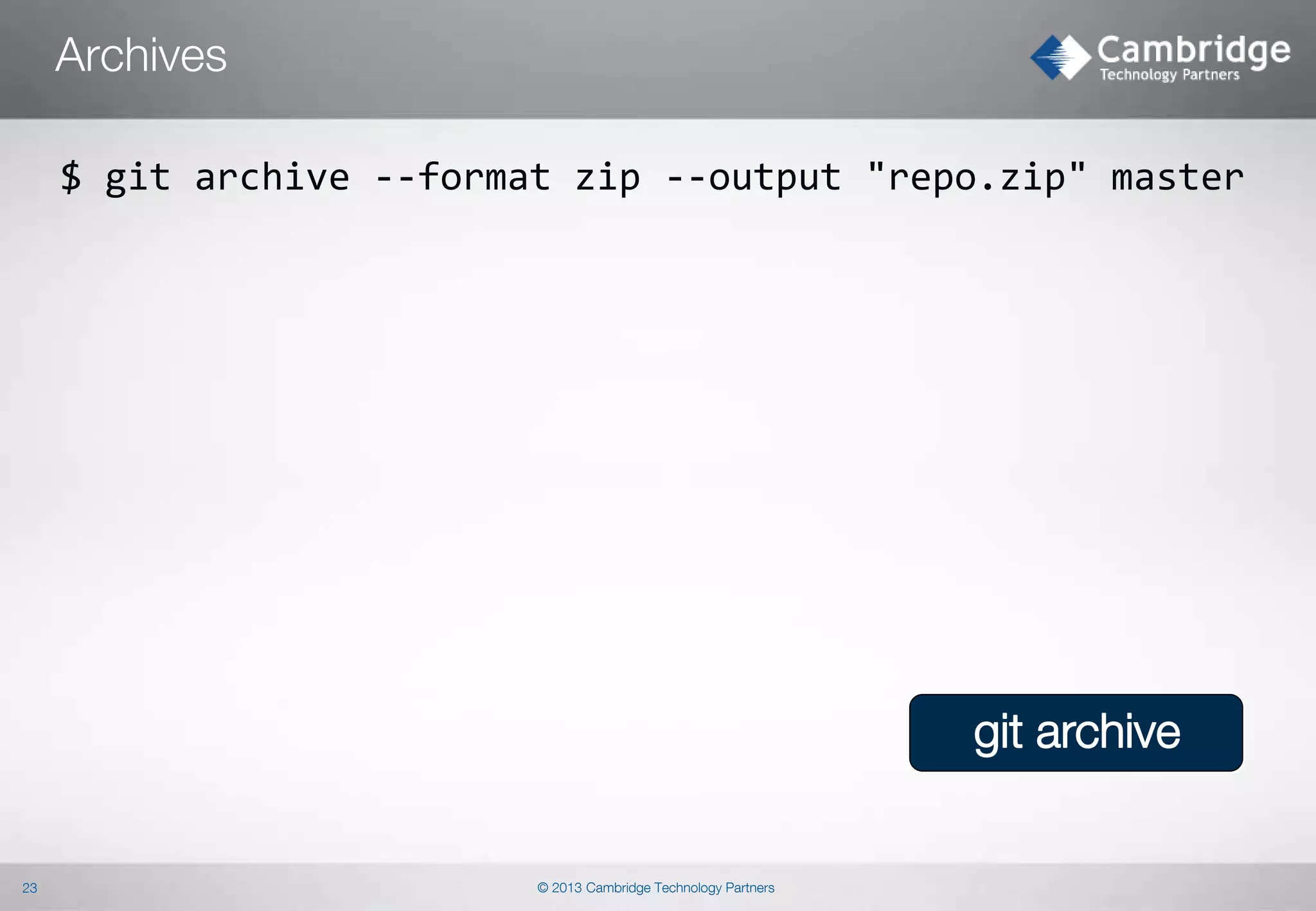
Archives
$ git archive --format zip --output "repo.zip" master

git archive

23

© 2013 Cambridge Technology Partners
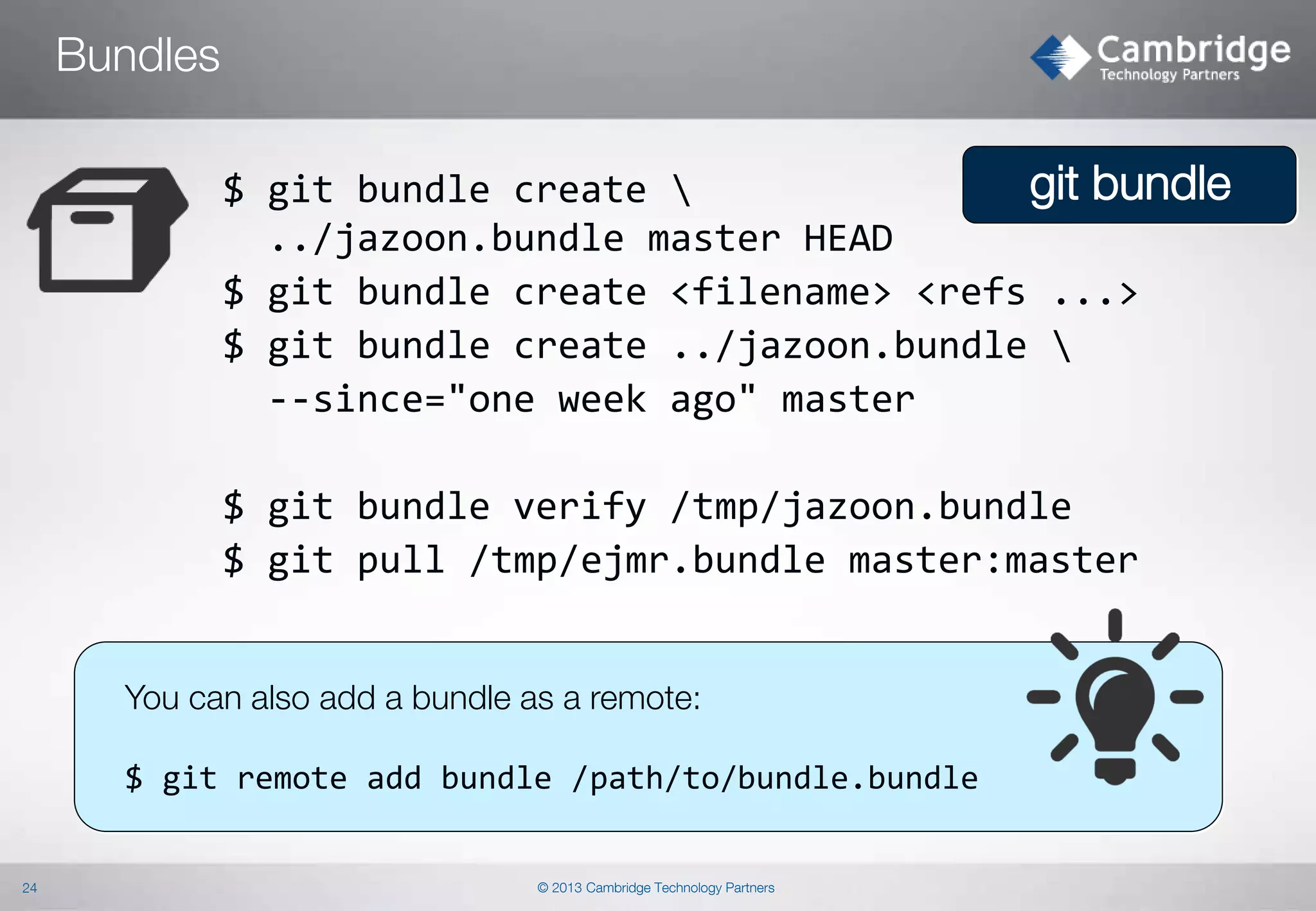
Bundles
git bundle
$ git bundle create 
../jazoon.bundle master HEAD
$ git bundle create <filename> <refs ...>
$ git bundle create ../jazoon.bundle 
--since="one week ago" master
$ git bundle verify /tmp/jazoon.bundle
$ git pull /tmp/ejmr.bundle master:master

You can also add a bundle as a remote:

$ git remote add bundle /path/to/bundle.bundle

24

© 2013 Cambridge Technology Partners
Repeat Yourself
Repeat Yourself
Repeat Yourself

© 2013 Cambridge Technology Partners
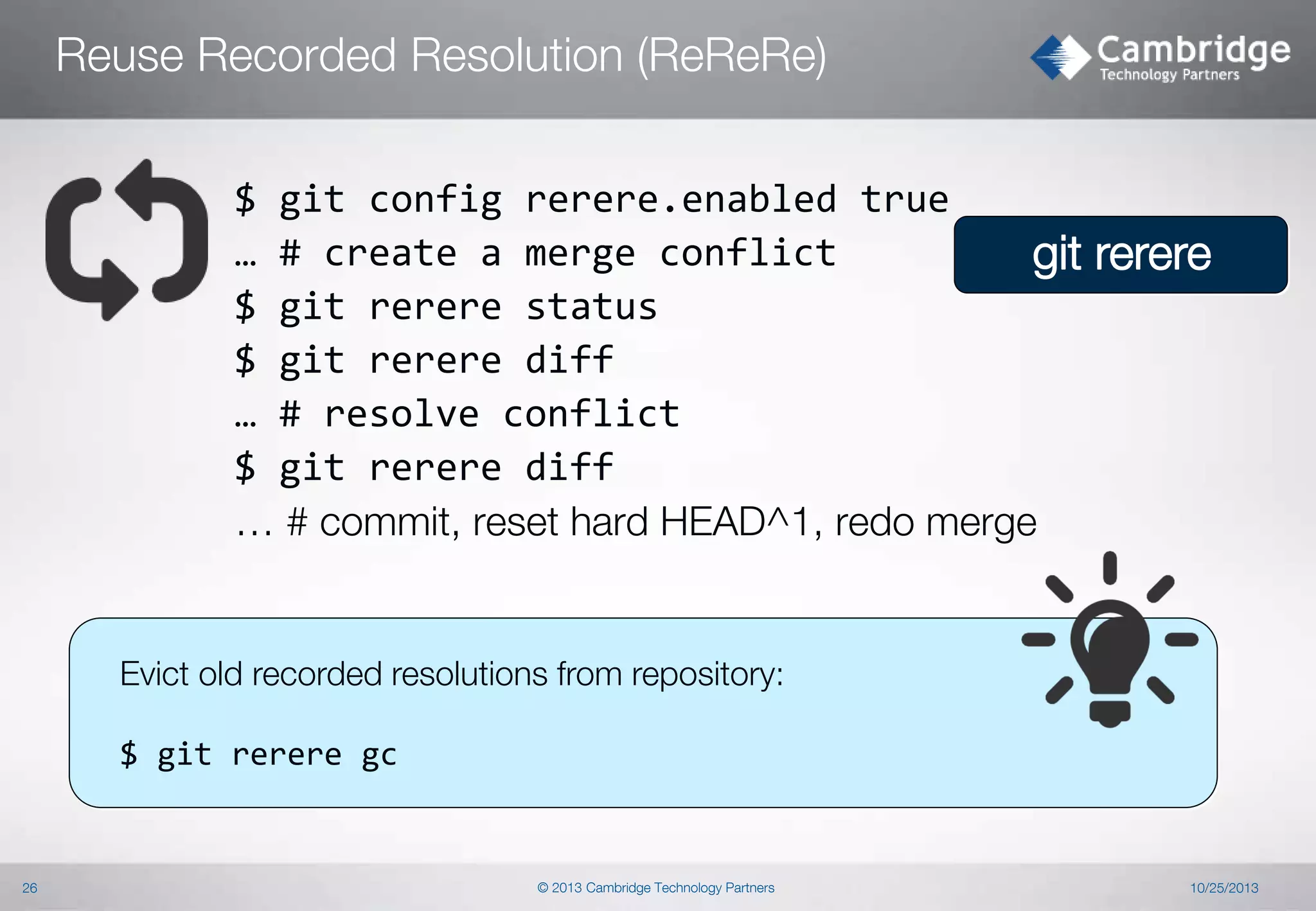
Reuse Recorded Resolution (ReReRe)
$ git config rerere.enabled true
… # create a merge conflict
git rerere
$ git rerere status
$ git rerere diff
… # resolve conflict
$ git rerere diff
… # commit, reset hard HEAD^1, redo merge

Evict old recorded resolutions from repository:
$ git rerere gc

26

© 2013 Cambridge Technology Partners

10/25/2013
Other tricks

© 2013 Cambridge Technology Partners
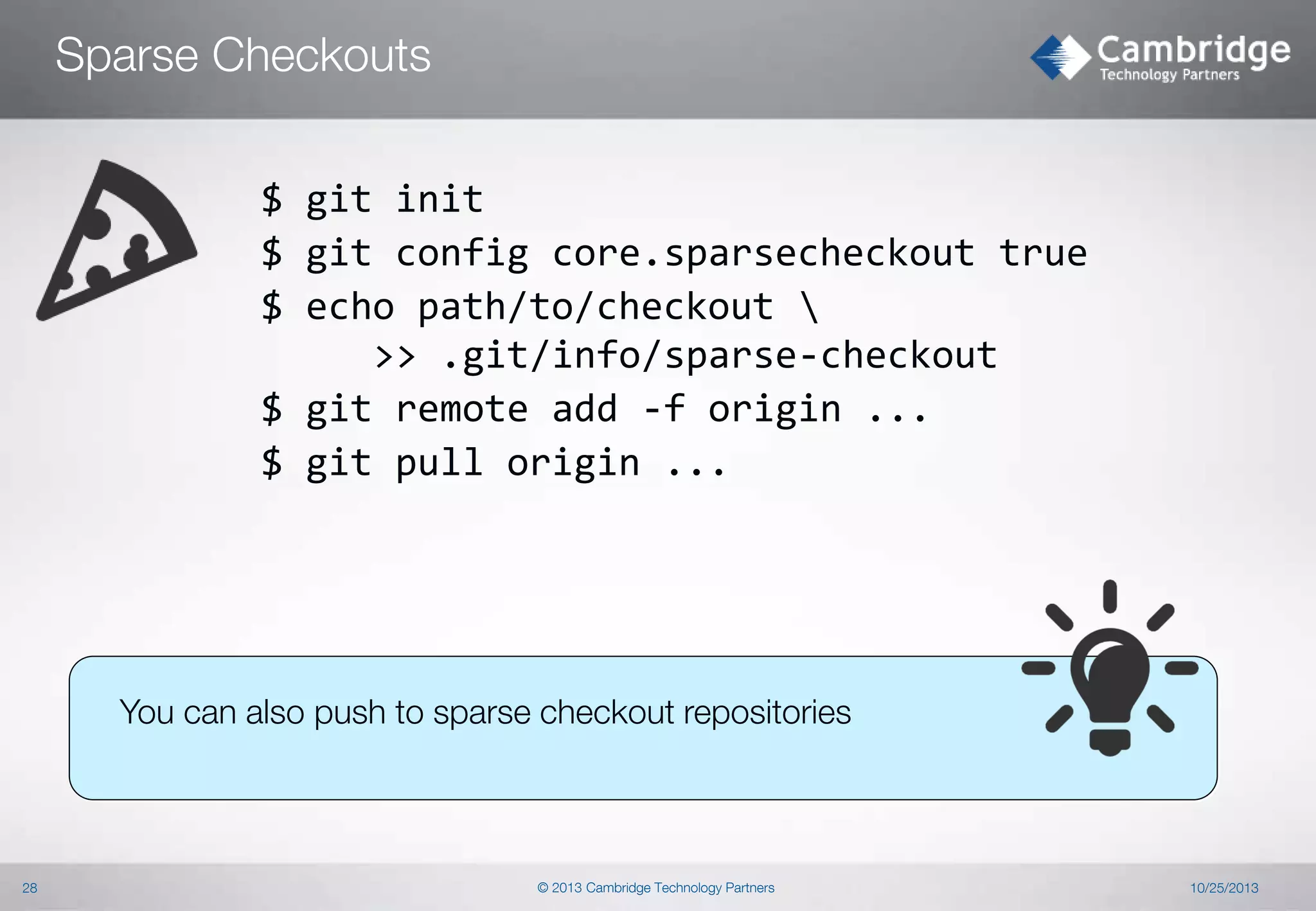
Sparse Checkouts
$ git init
$ git config core.sparsecheckout true
$ echo path/to/checkout 
>> .git/info/sparse-checkout
$ git remote add -f origin ...
$ git pull origin ...

You can also push to sparse checkout repositories

28

© 2013 Cambridge Technology Partners

10/25/2013
Orphan Branches

??

$ git checkout --orphan [branch]
$ git rm -rf *
Use for:
 Documentation (combine with hooks or CI server!)
 Resources

Have a look at the GitHub gh-pages for some ideas
what orphan branches can do.

29

© 2013 Cambridge Technology Partners

10/25/2013
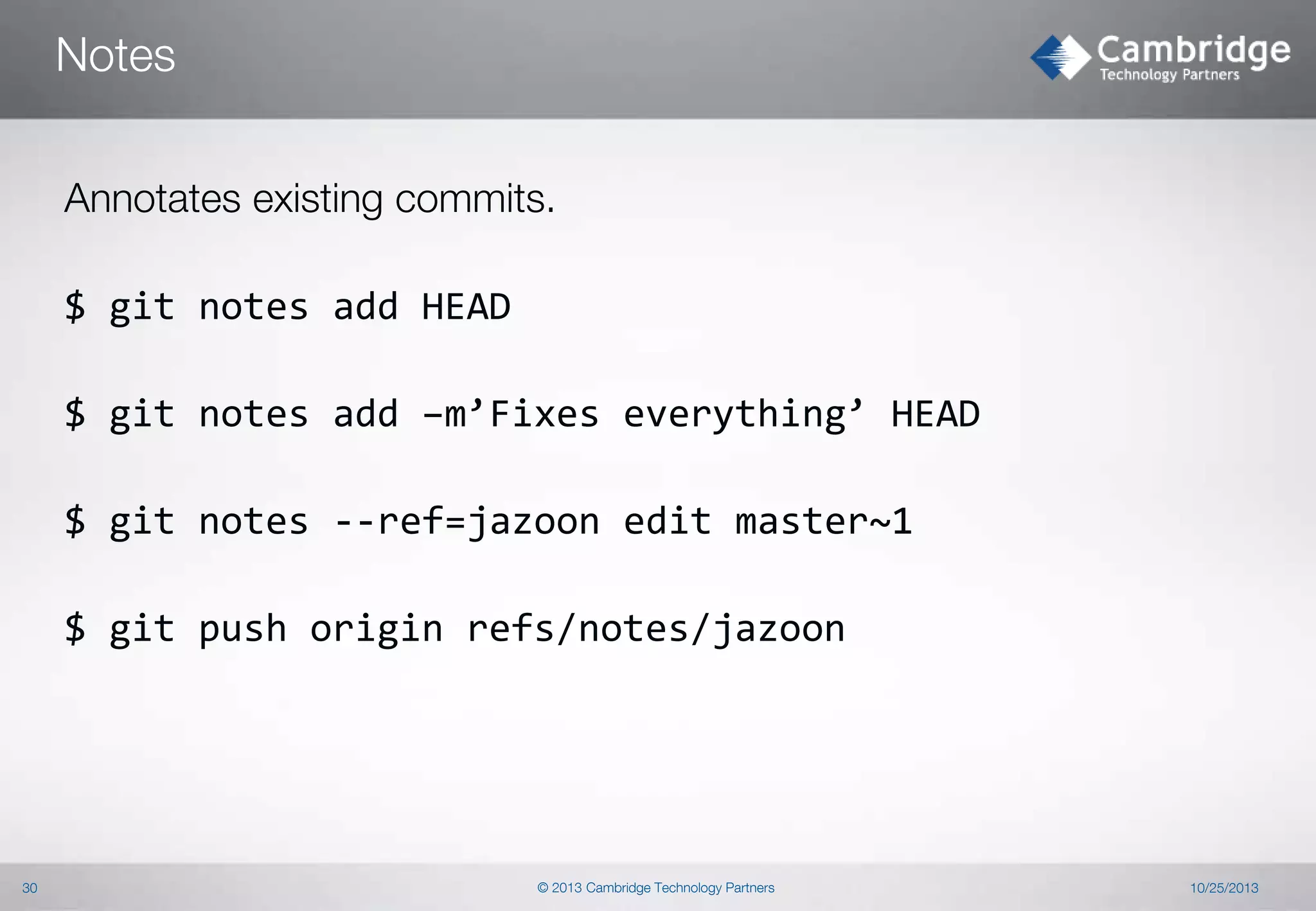
Notes
Annotates existing commits.
$ git notes add HEAD
$ git notes add –m’Fixes everything’ HEAD
$ git notes --ref=jazoon edit master~1
$ git push origin refs/notes/jazoon

30

© 2013 Cambridge Technology Partners

10/25/2013
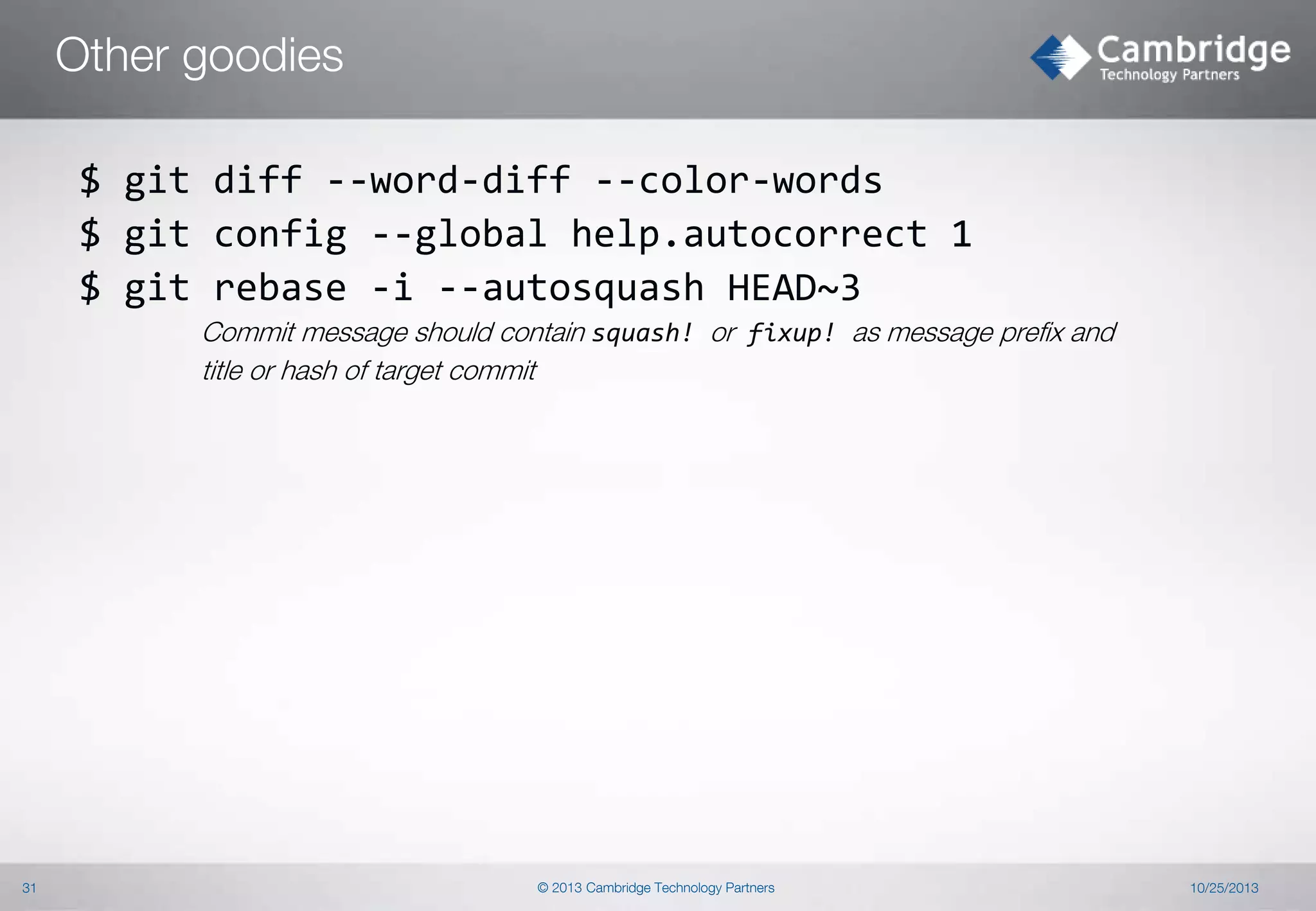
Other goodies
$ git diff --word-diff --color-words
$ git config --global help.autocorrect 1
$ git rebase -i --autosquash HEAD~3
Commit message should contain squash! or fixup! as message prefix and
title or hash of target commit

31

© 2013 Cambridge Technology Partners

10/25/2013
Hooks

© 2013 Cambridge Technology Partners
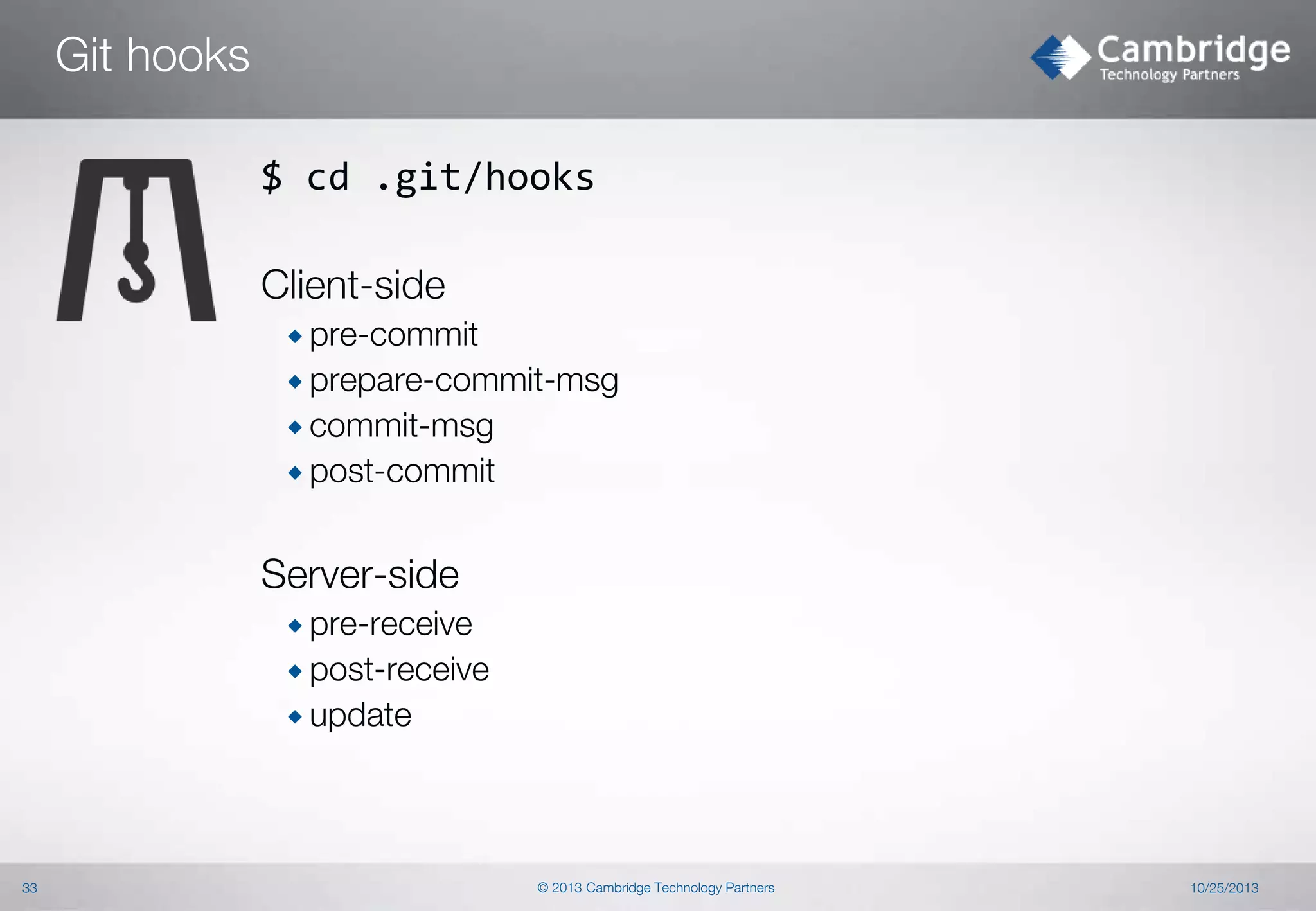
Git hooks
$ cd .git/hooks
Client-side
 pre-commit
 prepare-commit-msg
 commit-msg

 post-commit

Server-side
 pre-receive
 post-receive
 update

33

© 2013 Cambridge Technology Partners

10/25/2013
Workflows

© 2013 Cambridge Technology Partners
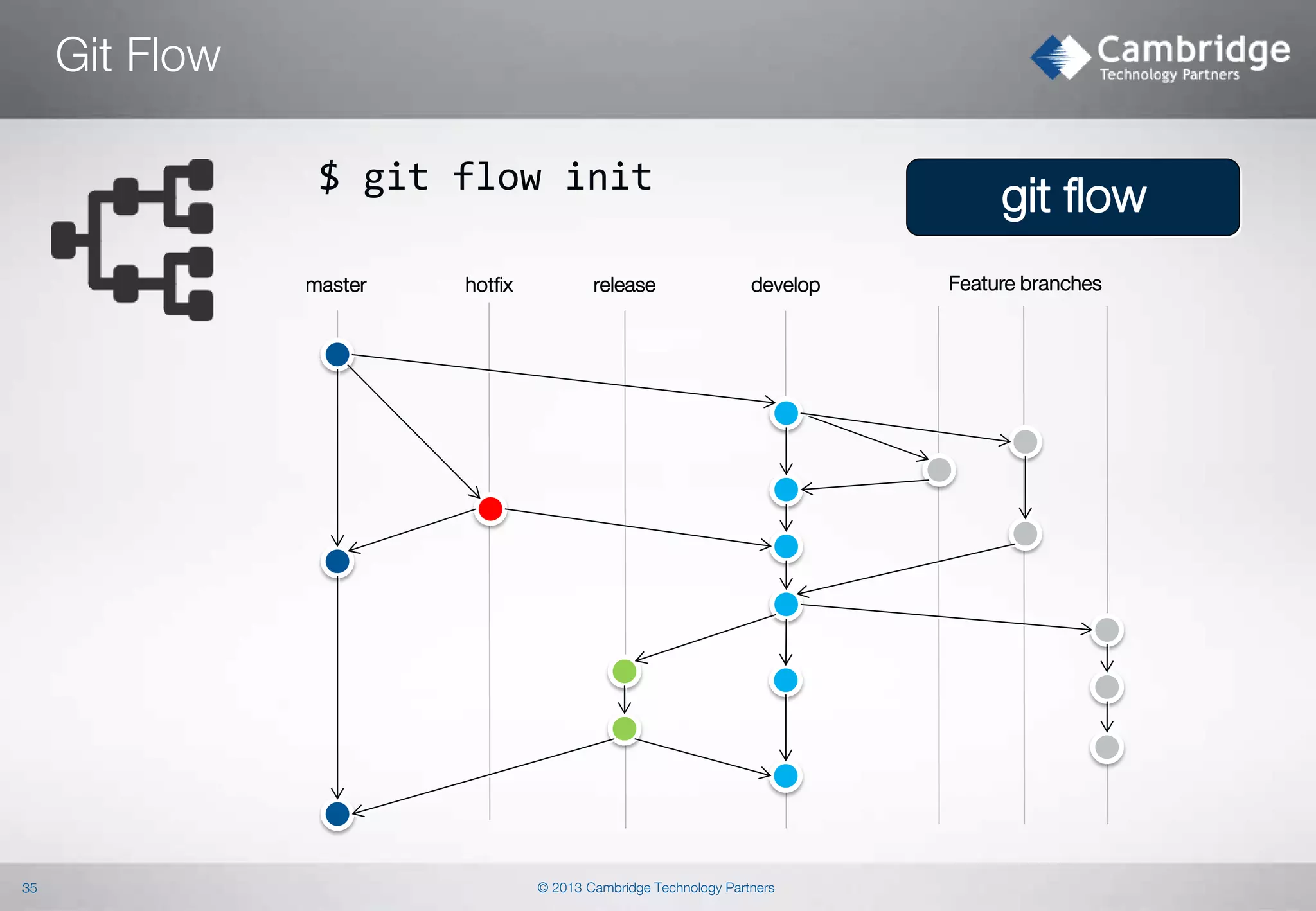
Git Flow
$ git flow init
master

35

hotfix

release

git flow
develop

© 2013 Cambridge Technology Partners

Feature branches
Git in the Enterprise

© 2013 Cambridge Technology Partners
Get IT right
Thank you!

37

© 2013 Cambridge Technology Partners
Credits


38

Icons provided by Icons8: http://icons8.com/

© 2013 Cambridge Technology Partners

10/25/2013

JAZOON'13 - Bartosz Majsak - Git Workshop - Kung Fu

  • 1.
    Get IT right GitKung Fu Bartosz Majsak (@majson), Thomas Hug (@gizmoo360) http://ctp.com http://github.com/ctpconsulting 1 © 2013 Cambridge Technology Partners Copyright © 2013 Cambridge Technology Partners All Rights Reserved. Cambridge, its logo, and Get IT Right are trademarks of Cambridge Technology Partners.
  • 2.
    About Us  Bartosz Majsak Java Developer by day  Open source junkie by night (Arquillian core team member)  Conference speaker by passion (Devoxx, Jazoon ...)  Thomas Hug  With Cambridge Technology Partners since 2002  Java Developer, TTL, Solution Architect  Apache Committer, OSS contributor and aficionado 2 © 2013 Cambridge Technology Partners 10/25/2013
  • 3.
    Git Concepts   Performance andEfficiency  3 No Central Server – Distributed VCS Robustness © 2013 Cambridge Technology Partners 10/25/2013
  • 4.
    Git Internals © 2013Cambridge Technology Partners
  • 5.
    Git Architecture  Plumbing andPorcelain  Composition of low-level commands into high-level ones  Unix design principles  Local as much as possible git-add git-commit … git-diff-index git-update-server-info git-check-ref-format … 5 © 2013 Cambridge Technology Partners 10/25/2013
  • 6.
    Git Storage  Delta storagevs. Directed Acyclic Graph (DAG) C1 File A Delta Storage (SVN, Mercurial,…) C2 C3 D1 C4 C5 D2 D1 File B D2 File C A1 A1 A2 A2 B B B B1 B2 C 6 D2 A DAG Storage (Git, cp -r, …) D1 C1 C2 C2 C3 © 2013 Cambridge Technology Partners D3 10/25/2013
  • 7.
    Git Storage –Object Model (1)  Git tracks content, not files  Content identified by 40 character SHA1 hash  Modified content easily identifiable  Immutable in the object database  Objects: Blob, Tree, Commit, Tag  References: HEAD, Tags, Remotes  Mutable, pointers to commits Empty directories are not considered as content. Add an empty .gitignore if you need a folder tracked. 7 © 2013 Cambridge Technology Partners
  • 8.
    Git Storage –Object Model (2) ├── lib ├ ├── inc ├ ├ └── tricks.rb ├ └── mylib.rc └── README 8 © 2013 Cambridge Technology Partners
  • 9.
    Git Storage –Local Repository  The repository .git directory $ cd .git $ tree -L 1 ├── branches ├── config ├── description ├── HEAD ├── hooks ├── info ├── objects └── refs 9 # Pointers to branches # Repository local configuration # Repository description # Pointer to HEAD in current branch # Pre- and post action hooks # Additional information about the repository # Object database # Pointers to branches © 2013 Cambridge Technology Partners 10/25/2013
  • 10.
    Rewriting History © 2013Cambridge Technology Partners
  • 11.
    Rebasing $ git checkoutmaster $ git rebase mybranch Rewriting history: Interactive rebase last four commits $ git rebase --i HEAD~4 11 © 2013 Cambridge Technology Partners git rebase
  • 12.
    All your baseare belong to us Objectives: Learn how interactive rebasing works.  Experiment with interactive rebase on selected branch  Reword commit messages  Combine commits into one $ git rebase –i [commits range] 12 © 2013 Cambridge Technology Partners 10/25/2013
  • 13.
    Cherry-pick $ git cherry-pick[-x] $ git cherry –v <other_branch> Lets you check if given commit from other branch has been already applied on the current branch 13 © 2013 Cambridge Technology Partners Feature Cherry-pick „replays” arbitrary commits onto your current branch. 10/25/2013
  • 14.
    Filter branch $ gitfilter-branch   14 Removing a file from every commit Changing commit metadata globally © 2013 Cambridge Technology Partners 10/25/2013
  • 15.
    Recovering from Mistakes ©2013 Cambridge Technology Partners
  • 16.
    Typos Is there away to fix poor commit messages? $ git commit --amend $ git rebase --i HEAD~X 16 © 2013 Cambridge Technology Partners 10/25/2013
  • 17.
    Fixing Commits andStaging Area For not yet pushed commits: $ git commit --amend Unstage a file: $ git reset HEAD file.txt Discard local changes: $ git checkout -- file.txt Fully revert to a previous commit: $ git reset --hard HEAD 17 © 2013 Cambridge Technology Partners git reset
  • 18.
    Revert $ git revertHEAD|hash|parent Upgrading Library Revert ‘Upgrading Library’ 18 © 2013 Cambridge Technology Partners git revert
  • 19.
    One bridge toofar Disaster recovery. What if... $ git reset --hard HEAD^ $ git reflog $ git reset --hard HEAD@{X} 19 © 2013 Cambridge Technology Partners 10/25/2013
  • 20.
    Who broke thebuild?! $ git blame FILE $ git bisect start $ git bisect bad $ git bisect good <HASH> 20 © 2013 Cambridge Technology Partners git blame git bisect
  • 21.
    Who broke thebuild?! - Pickaxe $ git log –S'search_term' [-p] <resource> $ git log –G'regex' git log –S|G --name-status --pickaxe-all 21 © 2013 Cambridge Technology Partners
  • 22.
    Sharing without network ©2013 Cambridge Technology Partners
  • 23.
    Archives $ git archive--format zip --output "repo.zip" master git archive 23 © 2013 Cambridge Technology Partners
  • 24.
    Bundles git bundle $ gitbundle create ../jazoon.bundle master HEAD $ git bundle create <filename> <refs ...> $ git bundle create ../jazoon.bundle --since="one week ago" master $ git bundle verify /tmp/jazoon.bundle $ git pull /tmp/ejmr.bundle master:master You can also add a bundle as a remote: $ git remote add bundle /path/to/bundle.bundle 24 © 2013 Cambridge Technology Partners
  • 25.
    Repeat Yourself Repeat Yourself RepeatYourself © 2013 Cambridge Technology Partners
  • 26.
    Reuse Recorded Resolution(ReReRe) $ git config rerere.enabled true … # create a merge conflict git rerere $ git rerere status $ git rerere diff … # resolve conflict $ git rerere diff … # commit, reset hard HEAD^1, redo merge Evict old recorded resolutions from repository: $ git rerere gc 26 © 2013 Cambridge Technology Partners 10/25/2013
  • 27.
    Other tricks © 2013Cambridge Technology Partners
  • 28.
    Sparse Checkouts $ gitinit $ git config core.sparsecheckout true $ echo path/to/checkout >> .git/info/sparse-checkout $ git remote add -f origin ... $ git pull origin ... You can also push to sparse checkout repositories 28 © 2013 Cambridge Technology Partners 10/25/2013
  • 29.
    Orphan Branches ?? $ gitcheckout --orphan [branch] $ git rm -rf * Use for:  Documentation (combine with hooks or CI server!)  Resources Have a look at the GitHub gh-pages for some ideas what orphan branches can do. 29 © 2013 Cambridge Technology Partners 10/25/2013
  • 30.
    Notes Annotates existing commits. $git notes add HEAD $ git notes add –m’Fixes everything’ HEAD $ git notes --ref=jazoon edit master~1 $ git push origin refs/notes/jazoon 30 © 2013 Cambridge Technology Partners 10/25/2013
  • 31.
    Other goodies $ gitdiff --word-diff --color-words $ git config --global help.autocorrect 1 $ git rebase -i --autosquash HEAD~3 Commit message should contain squash! or fixup! as message prefix and title or hash of target commit 31 © 2013 Cambridge Technology Partners 10/25/2013
  • 32.
    Hooks © 2013 CambridgeTechnology Partners
  • 33.
    Git hooks $ cd.git/hooks Client-side  pre-commit  prepare-commit-msg  commit-msg  post-commit Server-side  pre-receive  post-receive  update 33 © 2013 Cambridge Technology Partners 10/25/2013
  • 34.
    Workflows © 2013 CambridgeTechnology Partners
  • 35.
    Git Flow $ gitflow init master 35 hotfix release git flow develop © 2013 Cambridge Technology Partners Feature branches
  • 36.
    Git in theEnterprise © 2013 Cambridge Technology Partners
  • 37.
    Get IT right Thankyou! 37 © 2013 Cambridge Technology Partners
  • 38.
    Credits  38 Icons provided byIcons8: http://icons8.com/ © 2013 Cambridge Technology Partners 10/25/2013