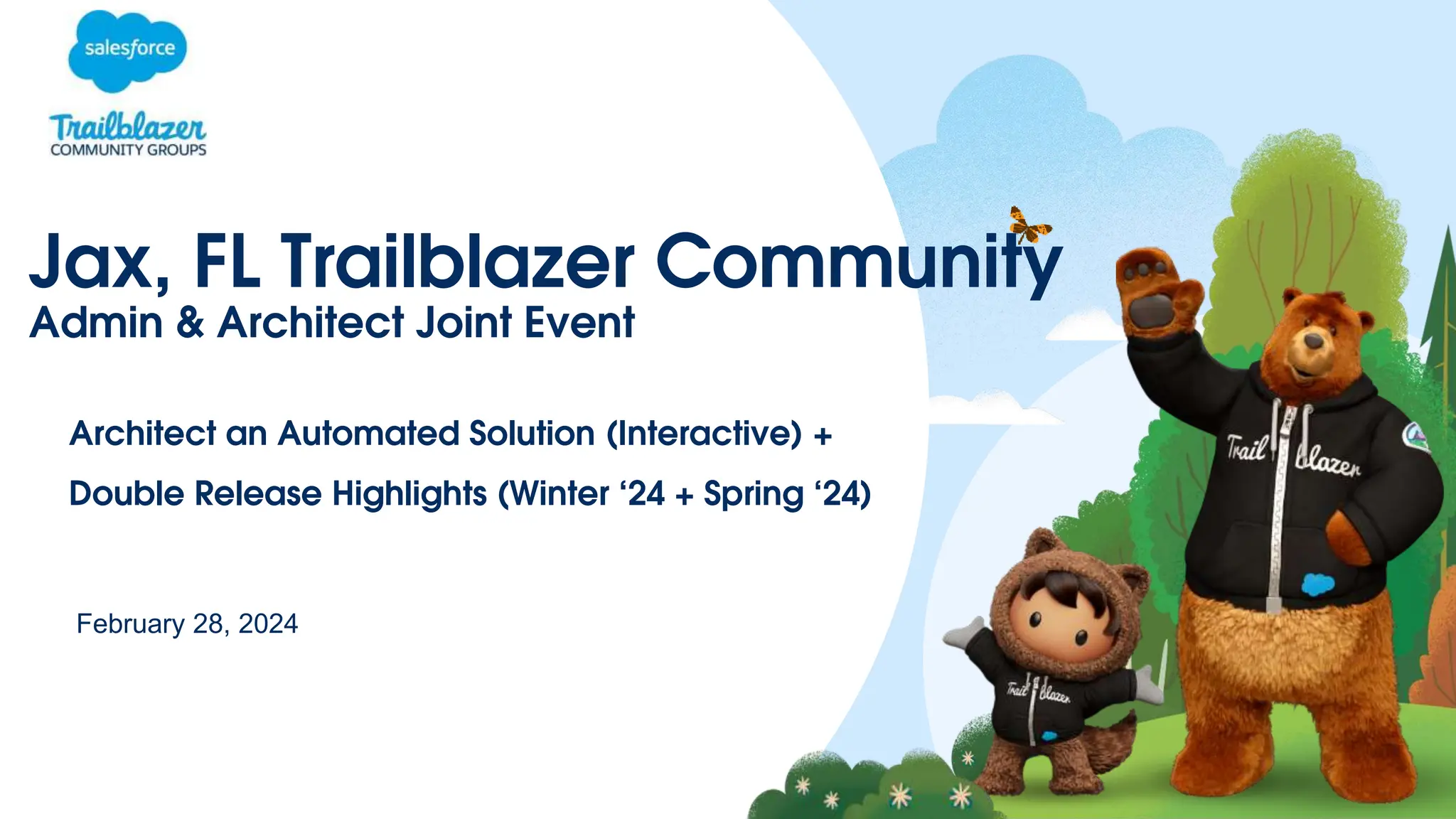
Jax, FL Trailblazer Community
February 28, 2024
Admin & Architect Joint Event
Architect an Automated Solution (Interactive) +
Double Release Highlights (Winter ‘24 + Spring ‘24)
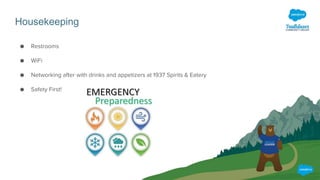
Housekeeping
● Restrooms
● WiFi
● Networking after with drinks and appetizers at 1937 Spirits & Eatery
● Safety First!
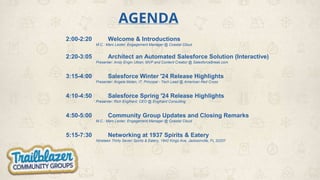
AGENDA
2:00-2:20 Welcome & Introductions
M.C.: Marc Lester, Engagement Manager @ Coastal Cloud
2:20-3:05 Architect an Automated Salesforce Solution (Interactive)
Presenter: Andy Engin Utkan, MVP and Content Creator @ SalesforceBreak.com
3:15-4:00 Salesforce Winter '24 Release Highlights
Presenter: Angela Moten, IT, Principal - Tech Lead @ American Red Cross
4:10-4:50 Salesforce Spring '24 Release Highlights
Presenter: Rich Englhard, CEO @ Englhard Consulting
4:50-5:00 Community Group Updates and Closing Remarks
M.C.: Marc Lester, Engagement Manager @ Coastal Cloud
5:15-7:30 Networking at 1937 Spirits & Eatery
Nineteen Thirty Seven Spirits & Eatery, 1842 Kings Ave, Jacksonville, FL 32207
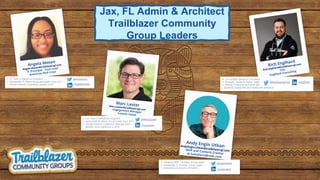
• 12+ Years in Salesforce Ecosystem
• Jacksonville, FL Admin Group Leader since 2017
• Florida Dreamin’ Conference Planning Team
Member since origination in 2018
/marclester
@MarcJLester
• 6+ Years in Salesforce Ecosystem
• Jacksonville, FL Admin Group participant since 2017
• Florida Dreamin’ Conference Speaker 2019 /angelamoten
@amoteninc
Jax, FL Admin & Architect
Trailblazer Community
Group Leaders
• 12x certified Salesforce Consultant
• Flownatic, Husband, Father, Golfer
• Helping companies automate their
processes saving time and money with Salesforce.
/englhard
@DevelopingFlow
• Salesforce MVP | Architect & Consultant
• Jacksonville, FL Architect Group Leader
• Dreamforce & Dreamin’ Presenter
/enginutkan
@enginutkan
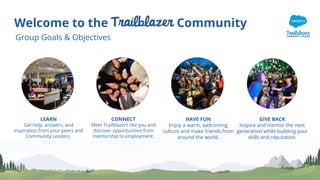
Welcome to the Community
Group Goals & Objectives
LEARN
Get help, answers, and
inspiration from your peers and
Community Leaders.
CONNECT
Meet Trailblazers like you and
discover opportunities from
mentorship to employment.
HAVE FUN
Enjoy a warm, welcoming
culture and make friends from
around the world.
GIVE BACK
Inspire and mentor the next
generation while building your
skills and reputation.
Thank You to the CSX team for Hosting today’s event!!!
Career Connections?
New to the
Trailblazer Community?
WELCOME
to the Salesforce Ohana!!
Architect an Automated Salesforce Solution (Interactive)
All the resources that were mentioned during this presentation
are accessible here:
https://architect.salesforce.com/
Salesforce Winter '24
Release Highlights
Presenter: Angela Moten
IT, Principal - Tech Lead | Salesforce Admin Developer
@ American Red Cross
Winter ‘24
Admins, Business Users,
Developers, Community
Groups, and more.
031621
This presentation contains forward-looking statements about the Company’s financial and operating results, which may include expected GAAP and
non-GAAP financial and other operating and non-operating results, including revenue, net income, earnings per share, operating cash flow growth, operating margin improvement, expected
revenue growth, expected current remaining performance obligation growth, expected tax rates, stock-based compensation expenses, amortization of purchased intangibles, shares outstanding,
market growth, environmental, social and governance goals, expected capital allocation, including mergers and acquisitions (such as the proposed acquisition of Slack Technologies, Inc.), capital
expenditures and other investments, expectations regarding closing contemplated acquisitions and contributions from acquired companies. The achievement or success of the matters covered
by such forward-looking statements involves risks, uncertainties and assumptions. If any such risks or uncertainties materialize or if any of the assumptions prove incorrect, the Company’s results
could differ materially from the results expressed or implied by the forward-looking statements it makes. The risks and uncertainties referred to above include those factors discussed in
Salesforce’s reports filed from time to time with the Securities and Exchange Commission, including, but not limited to: risks associated with our ability to consummate the proposed Slack
Technologies, Inc. transaction on a timely basis or at all; our ability to successfully integrate Slack Technologies, Inc.’s operations; our ability to realize the anticipated benefits of the proposed
transaction; the impact of Slack Technologies, Inc.’s business model on our ability to forecast revenue results; disruption from the transaction making it more difficult to maintain business and
operational relationships; the impact of, and actions we may take in response to, the COVID-19 pandemic, related public health measures and resulting economic downturn and market volatility;
our ability to maintain service performance and security levels meeting the expectations of our customers, and the resources and costs required to avoid unanticipated downtime and prevent,
detect and remediate performance degradation and security breaches; our ability to secure and costs related to data center capacity and other infrastructure provided by third parties; our
reliance on third-party hardware, software and platform providers; the effect of evolving domestic and foreign government regulations, including those related to the provision of services on the
Internet, those related to accessing the Internet, and those addressing data privacy; current and potential litigation involving us or our industry, including litigation involving acquired entities such
as Tableau; regulatory developments and regulatory investigations involving us or affecting our industry; our ability to successfully introduce new services and product features, including any
efforts to expand our services beyond the CRM market; the success of our strategy of acquiring or making investments in complementary businesses and strategic partnerships; our ability to
compete in the market in which we participate; the success of our business strategy and our plan to build our business; our ability to execute our business plans; our ability to continue to grow
unearned revenue and remaining performance obligation; the pace of change and innovation in enterprise cloud computing services; the seasonal nature of our sales cycles; our ability to limit
customer attrition and costs related to those efforts; the success of our international expansion strategy; the demands on our personnel and infrastructure resulting from significant growth in our
customer base and operations; our dependency on the development and maintenance of the infrastructure of the Internet; our real estate and office facilities strategy and related costs and
uncertainties; fluctuations in, and our ability to predict, our operating results and cash flows; the variability in our results arising from the accounting for term license revenue products; the
performance and fair value of our investments in complementary businesses through our strategic investment portfolio; our ability to protect our intellectual property rights; our ability to
develop our brands; the valuation of our deferred tax assets and the release of related valuation allowances; uncertainties regarding our tax obligations in connection with potential jurisdictional
transfers of intellectual property; uncertainties regarding the effect of general economic conditions; and risks related to our debt and lease obligations.
Forward-Looking Statements
Let’s Get
Started
Angela Moten
Admin Group Co-Leader
IT, Principal - Tech Lead
Salesforce Admin Developer
American Red Cross
Selective Sandbox Access helps you limit access to a sandbox to only
required users when refreshing or creating a sandbox.
By default, all active users in the source org have access to the sandbox, but
only the user who creates the sandbox has their email address in the original
format (without .invalid appended to it).
With selective access, a Salesforce admin grants access to specific users
through a public group. The email addresses for the users included in the
group remain in their original format and don’t need to be modified. Users who
aren’t part of the public group must be unfrozen in the sandbox to access it.
Select Who Has Access To a Sandbox
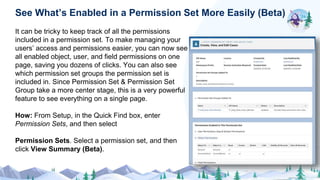
It can be tricky to keep track of all the permissions
included in a permission set. To make managing your
users’ access and permissions easier, you can now see
all enabled object, user, and field permissions on one
page, saving you dozens of clicks. You can also see
which permission set groups the permission set is
included in. Since Permission Set & Permission Set
Group take a more center stage, this is a very powerful
feature to see everything on a single page.
How: From Setup, in the Quick Find box, enter
Permission Sets, and then select
Permission Sets. Select a permission set, and then
click View Summary (Beta).
See What’s Enabled in a Permission Set More Easily (Beta)
Get a snapshot of the account records that are shared
manually or through account teams and which users or
groups have access to them. Create a custom report
type on the Account Share object, and then build
reports. More power to Admins!
How: From Setup, in the Quick Find box, enter Report
Types, and then select Report Types. Select Account
Share as the primary object. After you deploy the
custom report type, users can select it when building
reports.
See Who Has Access to Accounts from Manual Shares and
Account Teams with Reports
Manage public group membership more easily. Now
you can see which users, roles, and other groups have
been added to public groups by creating a custom
report type. Previously, you clicked in each public group
or ran queries to see its members. More power to
Admins!
Where: This change applies to Lightning Experience
and Salesforce Classic in Enterprise, Performance,
Unlimited, and Developer editions.
How: From Setup, in the Quick Find box, enter Report
Types, and then select Report Types. Select Group
Member as the primary object. After you deploy the
custom report type, users can select it when building
reports.
View Public Group Members with Reports
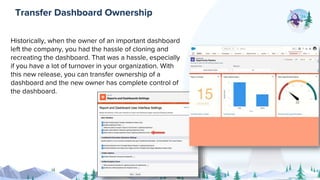
Historically, when the owner of an important dashboard
left the company, you had the hassle of cloning and
recreating the dashboard. That was a hassle, especially
if you have a lot of turnover in your organization. With
this new release, you can transfer ownership of a
dashboard and the new owner has complete control of
the dashboard.
Transfer Dashboard Ownership
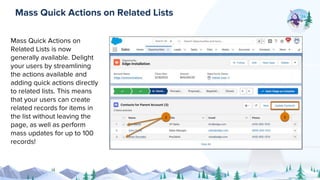
Mass Quick Actions on
Related Lists is now
generally available. Delight
your users by streamlining
the actions available and
adding quick actions directly
to related lists. This means
that your users can create
related records for items in
the list without leaving the
page, as well as perform
mass updates for up to 100
records!
Mass Quick Actions on Related Lists
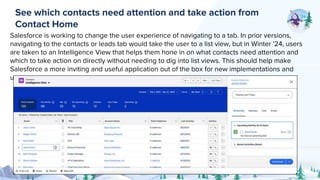
Salesforce is working to change the user experience of navigating to a tab. In prior versions,
navigating to the contacts or leads tab would take the user to a list view, but in Winter '24, users
are taken to an Intelligence View that helps them hone in on what contacts need attention and
which to take action on directly without needing to dig into list views. This should help make
Salesforce a more inviting and useful application out of the box for new implementations and
users.
See which contacts need attention and take action from
Contact Home
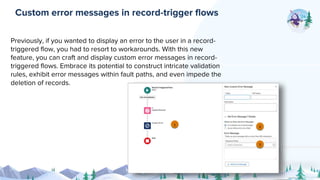
Previously, if you wanted to display an error to the user in a record-
triggered flow, you had to resort to workarounds. With this new
feature, you can craft and display custom error messages in record-
triggered flows. Embrace its potential to construct intricate validation
rules, exhibit error messages within fault paths, and even impede the
deletion of records.
Custom error messages in record-trigger flows
Navigating your repertoire of record-triggered flows is
about to become easier than ever. Flow Trigger
Explorer, initially unveiled in the Spring ’22 release,
receives a welcomed enhancement in Winter ’24. Now,
you can filter your flows by status, package state, or
process type, ensuring swift access to the specific flows
you need, when you need them.
Filter flows in Flow Trigger Explorer
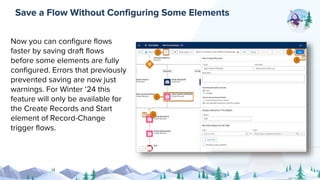
Now you can configure flows
faster by saving draft flows
before some elements are fully
configured. Errors that previously
prevented saving are now just
warnings. For Winter ‘24 this
feature will only be available for
the Create Records and Start
element of Record-Change
trigger flows.
Save a Flow Without Configuring Some Elements
The Winter ’24 release introduces three new “Wait”
elements. The “Wait for Conditions” element seamlessly
fills the void left by its predecessor. Additionally, “Wait
for Amount of Time” and “Wait Until Date” elements
grant you the ability to pause flows for specific durations
or until predetermined dates and times. These
streamlined “Wait” mechanisms offer enhanced flow
control.
“Pause” element replaced by “Wait” element
Visit salesforce.com/releases
Watch the demo videos
Take the Release Highlights Trail
Dive into the detailed Release Notes
Join the Release Readiness
Trailblazers Community Group
1
2
3
4
5
How do I Learn More?
Thank You
Salesforce Spring '24
Release Highlights
Presenter: Rich Englhard
CEO
@ Englhard Consulting
Salesforce Spring '24
Release Highlights
All the resources that were mentioned during this
presentation are accessible here:
Spring ’24 Release Overview Deck
Community Group Updates and
Closing Remarks
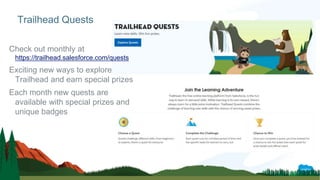
Check out monthly at
https://trailhead.salesforce.com/quests
Exciting new ways to explore
Trailhead and earn special prizes
Each month new quests are
available with special prizes and
unique badges
Trailhead Quests
JOIN THE MOVEMENT & START HAVING AN IMPACT
TODAY 🤗
CALL OUT!!!
for
Speakers at a Future Meeting
We would love to have a customer present
about how they are using Salesforce!
Please let Rich, Angela or I know
if you are interested.
Upcoming Administrator Group Events
❑ March - TrailblazerDX Watch Party (tentative)
❑ April - Volunteer Event, Feeding Northeast FL, Friday, 4/12 1:00-3:30 (networking 3:45-5:30 @ Crispy’s)
❑ Updates from any other group leaders (Architect, Nonprofit, Developer, WIT or Slack)?
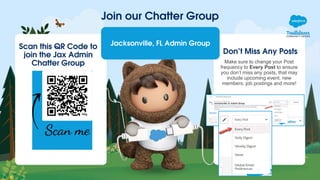
Don’t Miss Any Posts
Make sure to change your Post
frequency to Every Post to ensure
you don’t miss any posts, that may
include upcoming event, new
members, job postings and more!
Join our Chatter Group
Jacksonville, FL Admin Group
Scan this QR Code to
join the Jax Admin
Chatter Group
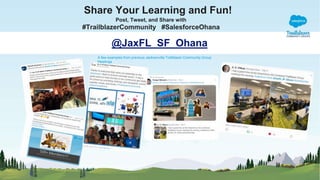
Share Your Learning and Fun!
Post, Tweet, and Share with
#TrailblazerCommunity #SalesforceOhana
@JaxFL_SF_Ohana
A few examples from previous Jacksonville Trailblazer Community Group
Meetings
Thank you

Jax, FL Admin Community Group 02.28.2024 Deck.pptx

  • 1.
    Jax, FL TrailblazerCommunity February 28, 2024 Admin & Architect Joint Event Architect an Automated Solution (Interactive) + Double Release Highlights (Winter ‘24 + Spring ‘24)
  • 2.
    Housekeeping ● Restrooms ● WiFi ●Networking after with drinks and appetizers at 1937 Spirits & Eatery ● Safety First!
  • 3.
    AGENDA 2:00-2:20 Welcome &Introductions M.C.: Marc Lester, Engagement Manager @ Coastal Cloud 2:20-3:05 Architect an Automated Salesforce Solution (Interactive) Presenter: Andy Engin Utkan, MVP and Content Creator @ SalesforceBreak.com 3:15-4:00 Salesforce Winter '24 Release Highlights Presenter: Angela Moten, IT, Principal - Tech Lead @ American Red Cross 4:10-4:50 Salesforce Spring '24 Release Highlights Presenter: Rich Englhard, CEO @ Englhard Consulting 4:50-5:00 Community Group Updates and Closing Remarks M.C.: Marc Lester, Engagement Manager @ Coastal Cloud 5:15-7:30 Networking at 1937 Spirits & Eatery Nineteen Thirty Seven Spirits & Eatery, 1842 Kings Ave, Jacksonville, FL 32207
  • 4.
    • 12+ Yearsin Salesforce Ecosystem • Jacksonville, FL Admin Group Leader since 2017 • Florida Dreamin’ Conference Planning Team Member since origination in 2018 /marclester @MarcJLester • 6+ Years in Salesforce Ecosystem • Jacksonville, FL Admin Group participant since 2017 • Florida Dreamin’ Conference Speaker 2019 /angelamoten @amoteninc Jax, FL Admin & Architect Trailblazer Community Group Leaders • 12x certified Salesforce Consultant • Flownatic, Husband, Father, Golfer • Helping companies automate their processes saving time and money with Salesforce. /englhard @DevelopingFlow • Salesforce MVP | Architect & Consultant • Jacksonville, FL Architect Group Leader • Dreamforce & Dreamin’ Presenter /enginutkan @enginutkan
  • 5.
    Welcome to theCommunity Group Goals & Objectives LEARN Get help, answers, and inspiration from your peers and Community Leaders. CONNECT Meet Trailblazers like you and discover opportunities from mentorship to employment. HAVE FUN Enjoy a warm, welcoming culture and make friends from around the world. GIVE BACK Inspire and mentor the next generation while building your skills and reputation.
  • 7.
    Thank You tothe CSX team for Hosting today’s event!!!
  • 9.
  • 10.
    New to the TrailblazerCommunity? WELCOME to the Salesforce Ohana!!
  • 12.
    Architect an AutomatedSalesforce Solution (Interactive) All the resources that were mentioned during this presentation are accessible here: https://architect.salesforce.com/
  • 13.
    Salesforce Winter '24 ReleaseHighlights Presenter: Angela Moten IT, Principal - Tech Lead | Salesforce Admin Developer @ American Red Cross
  • 14.
    Winter ‘24 Admins, BusinessUsers, Developers, Community Groups, and more.
  • 15.
    031621 This presentation containsforward-looking statements about the Company’s financial and operating results, which may include expected GAAP and non-GAAP financial and other operating and non-operating results, including revenue, net income, earnings per share, operating cash flow growth, operating margin improvement, expected revenue growth, expected current remaining performance obligation growth, expected tax rates, stock-based compensation expenses, amortization of purchased intangibles, shares outstanding, market growth, environmental, social and governance goals, expected capital allocation, including mergers and acquisitions (such as the proposed acquisition of Slack Technologies, Inc.), capital expenditures and other investments, expectations regarding closing contemplated acquisitions and contributions from acquired companies. The achievement or success of the matters covered by such forward-looking statements involves risks, uncertainties and assumptions. If any such risks or uncertainties materialize or if any of the assumptions prove incorrect, the Company’s results could differ materially from the results expressed or implied by the forward-looking statements it makes. The risks and uncertainties referred to above include those factors discussed in Salesforce’s reports filed from time to time with the Securities and Exchange Commission, including, but not limited to: risks associated with our ability to consummate the proposed Slack Technologies, Inc. transaction on a timely basis or at all; our ability to successfully integrate Slack Technologies, Inc.’s operations; our ability to realize the anticipated benefits of the proposed transaction; the impact of Slack Technologies, Inc.’s business model on our ability to forecast revenue results; disruption from the transaction making it more difficult to maintain business and operational relationships; the impact of, and actions we may take in response to, the COVID-19 pandemic, related public health measures and resulting economic downturn and market volatility; our ability to maintain service performance and security levels meeting the expectations of our customers, and the resources and costs required to avoid unanticipated downtime and prevent, detect and remediate performance degradation and security breaches; our ability to secure and costs related to data center capacity and other infrastructure provided by third parties; our reliance on third-party hardware, software and platform providers; the effect of evolving domestic and foreign government regulations, including those related to the provision of services on the Internet, those related to accessing the Internet, and those addressing data privacy; current and potential litigation involving us or our industry, including litigation involving acquired entities such as Tableau; regulatory developments and regulatory investigations involving us or affecting our industry; our ability to successfully introduce new services and product features, including any efforts to expand our services beyond the CRM market; the success of our strategy of acquiring or making investments in complementary businesses and strategic partnerships; our ability to compete in the market in which we participate; the success of our business strategy and our plan to build our business; our ability to execute our business plans; our ability to continue to grow unearned revenue and remaining performance obligation; the pace of change and innovation in enterprise cloud computing services; the seasonal nature of our sales cycles; our ability to limit customer attrition and costs related to those efforts; the success of our international expansion strategy; the demands on our personnel and infrastructure resulting from significant growth in our customer base and operations; our dependency on the development and maintenance of the infrastructure of the Internet; our real estate and office facilities strategy and related costs and uncertainties; fluctuations in, and our ability to predict, our operating results and cash flows; the variability in our results arising from the accounting for term license revenue products; the performance and fair value of our investments in complementary businesses through our strategic investment portfolio; our ability to protect our intellectual property rights; our ability to develop our brands; the valuation of our deferred tax assets and the release of related valuation allowances; uncertainties regarding our tax obligations in connection with potential jurisdictional transfers of intellectual property; uncertainties regarding the effect of general economic conditions; and risks related to our debt and lease obligations. Forward-Looking Statements
  • 16.
    Let’s Get Started Angela Moten AdminGroup Co-Leader IT, Principal - Tech Lead Salesforce Admin Developer American Red Cross
  • 17.
    Selective Sandbox Accesshelps you limit access to a sandbox to only required users when refreshing or creating a sandbox. By default, all active users in the source org have access to the sandbox, but only the user who creates the sandbox has their email address in the original format (without .invalid appended to it). With selective access, a Salesforce admin grants access to specific users through a public group. The email addresses for the users included in the group remain in their original format and don’t need to be modified. Users who aren’t part of the public group must be unfrozen in the sandbox to access it. Select Who Has Access To a Sandbox
  • 18.
    It can betricky to keep track of all the permissions included in a permission set. To make managing your users’ access and permissions easier, you can now see all enabled object, user, and field permissions on one page, saving you dozens of clicks. You can also see which permission set groups the permission set is included in. Since Permission Set & Permission Set Group take a more center stage, this is a very powerful feature to see everything on a single page. How: From Setup, in the Quick Find box, enter Permission Sets, and then select Permission Sets. Select a permission set, and then click View Summary (Beta). See What’s Enabled in a Permission Set More Easily (Beta)
  • 19.
    Get a snapshotof the account records that are shared manually or through account teams and which users or groups have access to them. Create a custom report type on the Account Share object, and then build reports. More power to Admins! How: From Setup, in the Quick Find box, enter Report Types, and then select Report Types. Select Account Share as the primary object. After you deploy the custom report type, users can select it when building reports. See Who Has Access to Accounts from Manual Shares and Account Teams with Reports
  • 20.
    Manage public groupmembership more easily. Now you can see which users, roles, and other groups have been added to public groups by creating a custom report type. Previously, you clicked in each public group or ran queries to see its members. More power to Admins! Where: This change applies to Lightning Experience and Salesforce Classic in Enterprise, Performance, Unlimited, and Developer editions. How: From Setup, in the Quick Find box, enter Report Types, and then select Report Types. Select Group Member as the primary object. After you deploy the custom report type, users can select it when building reports. View Public Group Members with Reports
  • 21.
    Historically, when theowner of an important dashboard left the company, you had the hassle of cloning and recreating the dashboard. That was a hassle, especially if you have a lot of turnover in your organization. With this new release, you can transfer ownership of a dashboard and the new owner has complete control of the dashboard. Transfer Dashboard Ownership
  • 22.
    Mass Quick Actionson Related Lists is now generally available. Delight your users by streamlining the actions available and adding quick actions directly to related lists. This means that your users can create related records for items in the list without leaving the page, as well as perform mass updates for up to 100 records! Mass Quick Actions on Related Lists
  • 23.
    Salesforce is workingto change the user experience of navigating to a tab. In prior versions, navigating to the contacts or leads tab would take the user to a list view, but in Winter '24, users are taken to an Intelligence View that helps them hone in on what contacts need attention and which to take action on directly without needing to dig into list views. This should help make Salesforce a more inviting and useful application out of the box for new implementations and users. See which contacts need attention and take action from Contact Home
  • 24.
    Previously, if youwanted to display an error to the user in a record- triggered flow, you had to resort to workarounds. With this new feature, you can craft and display custom error messages in record- triggered flows. Embrace its potential to construct intricate validation rules, exhibit error messages within fault paths, and even impede the deletion of records. Custom error messages in record-trigger flows
  • 25.
    Navigating your repertoireof record-triggered flows is about to become easier than ever. Flow Trigger Explorer, initially unveiled in the Spring ’22 release, receives a welcomed enhancement in Winter ’24. Now, you can filter your flows by status, package state, or process type, ensuring swift access to the specific flows you need, when you need them. Filter flows in Flow Trigger Explorer
  • 26.
    Now you canconfigure flows faster by saving draft flows before some elements are fully configured. Errors that previously prevented saving are now just warnings. For Winter ‘24 this feature will only be available for the Create Records and Start element of Record-Change trigger flows. Save a Flow Without Configuring Some Elements
  • 27.
    The Winter ’24release introduces three new “Wait” elements. The “Wait for Conditions” element seamlessly fills the void left by its predecessor. Additionally, “Wait for Amount of Time” and “Wait Until Date” elements grant you the ability to pause flows for specific durations or until predetermined dates and times. These streamlined “Wait” mechanisms offer enhanced flow control. “Pause” element replaced by “Wait” element
  • 28.
    Visit salesforce.com/releases Watch thedemo videos Take the Release Highlights Trail Dive into the detailed Release Notes Join the Release Readiness Trailblazers Community Group 1 2 3 4 5 How do I Learn More?
  • 29.
  • 30.
    Salesforce Spring '24 ReleaseHighlights Presenter: Rich Englhard CEO @ Englhard Consulting
  • 31.
    Salesforce Spring '24 ReleaseHighlights All the resources that were mentioned during this presentation are accessible here: Spring ’24 Release Overview Deck
  • 32.
    Community Group Updatesand Closing Remarks
  • 33.
    Check out monthlyat https://trailhead.salesforce.com/quests Exciting new ways to explore Trailhead and earn special prizes Each month new quests are available with special prizes and unique badges Trailhead Quests
  • 34.
    JOIN THE MOVEMENT& START HAVING AN IMPACT TODAY 🤗
  • 35.
    CALL OUT!!! for Speakers ata Future Meeting We would love to have a customer present about how they are using Salesforce! Please let Rich, Angela or I know if you are interested.
  • 36.
    Upcoming Administrator GroupEvents ❑ March - TrailblazerDX Watch Party (tentative) ❑ April - Volunteer Event, Feeding Northeast FL, Friday, 4/12 1:00-3:30 (networking 3:45-5:30 @ Crispy’s) ❑ Updates from any other group leaders (Architect, Nonprofit, Developer, WIT or Slack)?
  • 37.
    Don’t Miss AnyPosts Make sure to change your Post frequency to Every Post to ensure you don’t miss any posts, that may include upcoming event, new members, job postings and more! Join our Chatter Group Jacksonville, FL Admin Group Scan this QR Code to join the Jax Admin Chatter Group
  • 38.
    Share Your Learningand Fun! Post, Tweet, and Share with #TrailblazerCommunity #SalesforceOhana @JaxFL_SF_Ohana A few examples from previous Jacksonville Trailblazer Community Group Meetings
  • 39.