ORACLE.COM/JAVAMAGAZINE  ///////////////////////////////////////////   MARCH/APRIL 2014
ABOUTUS
01
JAVATECHJAVAINACTIONCOMMUNITY
blog
//table of contents /
JAVA
COMMUNITY
03
From the Editor
15
Java Nation
News, people, books,
and events
23
JCP Executive Series
Q&A with Goldman Sachs
John Weir and Donald Raab
discuss the impact of
lambda expressions.
JAVATECH
33
New to Java
How to Become an
Embedded Developer
in Minutes
Jump into programming
the next big thing using
embedded Java.
41
New to Java
Three Hundred Sixty–
Degree Exploration
of Java EE 7
Part 3 in our series
on Java EE 7
50
Java Architect
Processing Data with
Java SE 8 Streams
Use stream operations to
express sophisticated data
processing queries.
56
Java Architect
JSR 308 Explained:
Java Type Annotations
The benefits of type annotations
and example use cases
62
Embedded
JavaFX and Near
Field Communication
on the Raspberry Pi
Use your Java skills to create
end-to-end applications that
span card readers on embedded
devices to back-end systems.
69
Polyglot
Take Time to Play
Learn how to take advantage
of the client tier.
75
Fix This
Take our concurrency
code challenge!
COVER ART BY I-HUA CHEN
28
FROM SMART
GRIDS TO
MICROBREWS
V2COM uses Java to
connect millions of
intelligent devices.
66
JAVA ME 8 AND
THE INTERNET
OF THINGS
Top features of
Java ME 8
05
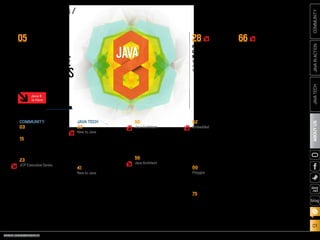
JAVA8:
EXPLORETHE
POSSIBILITIESFrom embedded to the cloud,
get there with Java 8.
Java 8
Is Here
New theme icon. See how it works.
ORACLE.COM/JAVAMAGAZINE  ///////////////////////////////////////////   MARCH/APRIL 2014
JAVATECH
02
COMMUNITYJAVAINACTIONABOUTUS
blog
EDITORIAL
Editor in Chief
Caroline Kvitka
Community Editors
Cassandra Clark, Sonya Barry,
Yolande Poirier
Java in Action Editor
Michelle Kovac
Technology Editors
Janice Heiss, Tori Wieldt
Contributing Writer
Kevin Farnham
Contributing Editors
Claire Breen, Blair Campbell, Karen Perkins
DESIGN
Senior Creative Director
Francisco G Delgadillo
Senior Design Director
Suemi Lam
Design Director
Richard Merchán
Contributing Designers
Jaime Ferrand, Arianna Pucherelli
Production Designers
Sheila Brennan, Kathy Cygnarowicz
PUBLISHING
Vice President
Jeff Spicer
Publisher
Jennifer Hamilton +1.650.506.3794
Associate Publisher and Audience
Development Director
Karin Kinnear +1.650.506.1985
ADVERTISING SALES
President, Sprocket Media
Kyle Walkenhorst +1.323.340.8585
Western and Central US, LAD, and
Canada, Sprocket Media
Tom Cometa +1.510.339.2403
Eastern US and EMEA/APAC,
Sprocket Media
Mark Makinney +1.805.709.4745
Advertising Sales Assistant
Cindy Elhaj +1.626.396.9400 x 201
Mailing-List Rentals
Contact your sales representative.
RESOURCES
Oracle Products
+1.800.367.8674 (US/Canada)
Oracle Services
+1.888.283.0591 (US)
Oracle Press Books
oraclepressbooks.com
ARTICLE SUBMISSION
If you are interested in submitting an article, please e-mail the editors.
SUBSCRIPTION INFORMATION
Subscriptions are complimentary for qualified individuals who complete the
subscription form.
MAGAZINE CUSTOMER SERVICE
java@halldata.com  Phone +1.847.763.9635
PRIVACY
Oracle Publishing allows sharing of its mailing list with selected third parties. If you prefer
that your mailing address or e-mail address not be included in this program, contact
Customer Service.
Copyright © 2014, Oracle and/or its affiliates. All Rights Reserved. No part of this publication may be reprinted or otherwise
reproduced without permission from the editors. JAVA MAGAZINE IS PROVIDED ON AN “AS IS” BASIS. ORACLE EXPRESSLY
DISCLAIMS ALL WARRANTIES, WHETHER EXPRESS OR IMPLIED. IN NO EVENT SHALL ORACLE BE LIABLE FOR ANY
DAMAGES OF ANY KIND ARISING FROM YOUR USE OF OR RELIANCE ON ANY INFORMATION PROVIDED HEREIN. The
information is intended to outline our general product direction. It is intended for information purposes only, and may not be
incorporated into any contract. It is not a commitment to deliver any material, code, or functionality, and should not be relied
upon in making purchasing decisions. The development, release, and timing of any features or functionality described for Oracle’s
products remains at the sole discretion of Oracle. Oracle and Java are registered trademarks of Oracle Corporation and/or its
affiliates. Other names may be trademarks of their respective owners.
Java Magazine is published bimonthly with a free subscription price by
Oracle, 500 Oracle Parkway, MS OPL-3C, Redwood City, CA 94065-1600.
Digital Publishing by GTxcel
ORACLE.COM/JAVAMAGAZINE  ///////////////////////////////////////////   MARCH/APRIL 2014
COMMUNITY
03
JAVATECHABOUTUSJAVAINACTION
blog
//from the editor /
	 hange is good—when it comes with benefits. In the case of Java 8, those benefits come in the
form of more productivity for developers plus expanded opportunities to develop applications that span from
embedded devices to the cloud. Java 8 is here—you can download Java SE 8 today, while Java
ME 8 is available in Early Access form. We’ve dedicated most of this issue to Java 8—just look
for the theme icon for articles on this topic.
The biggest change in Java SE 8—what some have called the most significant upgrade to the Java program-
ming language ever—is lambda expressions, or closures. “Lambda expressions are anonymous methods that
provide developers with a simple and compact means for representing behavior as data,” explains Brian Goetz,
Java language architect at Oracle. “In a few years, developers will wonder how they ever lived without [them].”
There’s plenty more to get excited about, including Nashorn, a next-generation JavaScript engine; Compact
Profiles, which offer a convergence of the Java ME Connected Device Configuration (CDC) product with Java SE 8;
and a new date and time API. You, the Java community, also played a huge role in bringing Java 8 to fruition. We
examine all that and more in our Java 8 cover story.
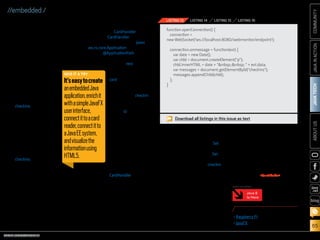
In “Java ME 8 and the Internet of Things,” we explore the new features that make
Java ME 8 a comprehensive platform for connected devices. And if you’re ready to get
going with embedded development, Angela Caicedo shows you how.
This issue is jam-packed with information to get you started with Java 8 (including
articles on streams and type annotations). So go on . . . embrace change and explore
the possibilities. Let us know where you take Java 8.
Caroline Kvitka, Editor in Chief BIO
//send us your feedback /
We’ll review all
suggestions for future
improvements.
Depending on volume,
some messages may
not get a direct reply.
C
PHOTOGRAPH BY BOB ADLER
My local and global JUGs
are great places to network
both for knowledge and work.
My global JUG introduces
me to Java developers all
over the world.
Régina ten Bruggencate
JDuchess
FINDYOUR
JUG HERE
LEARN MORE
Java 8
Is Here
ORACLE.COM/JAVAMAGAZINE  ///////////////////////////////////////////   MARCH/APRIL 2014
JAVATECH
05
COMMUNITYJAVAINACTIONABOUTUS
blog
JAVAEXPLORETHE
POSSIBILITIES
Fromembeddedtothecloud,gettherewithJava8.
BY TIMOTHY BENEKE
1.	 LAMBDAEXPRESSIONS
2.	NASHORNANDJAVASCRIPT
3.	COMPACTPROFILES
4.	DATEANDTIMEAPI
5.	JAVAFX8
6.	COMMUNITYINVOLVEMENT
7.	 JAVAME8
8.	JAVASE8ANDTHEJVM
J
ava 8, which encompasses both
Java SE 8 and Java ME 8, might
be the most significant expan-
sion of the Java platform yet.
Lambda expressions and the
Stream API increase the expres-
sive power of the platform and
make it easier for developers to take
advantage of modern, multicore
processors. Compact Profiles in Java
SE 8 allow developers to use just
ART BY I-HUA CHEN
Java 8
Is Here
ORACLE.COM/JAVAMAGAZINE  ///////////////////////////////////////////   MARCH/APRIL 2014
JAVATECH
06
COMMUNITYJAVAINACTIONABOUTUS
blog
Lambda expressions are at the
heart of Java SE 8. “Lambda
expressions, also known as clo-
sures, are anonymous methods
that provide developers with a
simple and compact means for
representing behavior as data,”
explains Brian Goetz, Oracle’s
Java language architect and
Specification Lead for JSR 335,
Lambda Expressions for the Java
Programming Language. “This
enables the development of
libraries that do a better job of
abstracting over behavior, which
in turn leads to more-expressive,
less error-prone code.”
While Java has always provided
reasonable tools such as classes,
inheritance, and generics for
abstracting over data, Java SE 8
provides new tools for abstracting
over behavior. As Goetz explains,
“If we want to model a workflow
such as ‘do A before you start, do
B for every file in this group, do C
if you encounter an error, and do
D when you’re done,’
we don’t have ideal
tools for express-
ing the behaviors A
through D, and this
affects the sort of
APIs we design. We
have to break up
the phases of the
workflow, and the
client code has to be
directly involved in
each phase, rather
than saying ‘here’s
what I want; go do
it.’ This negatively
affects reusability,
readability, and performance.”
According to Goetz, the typical
developer’s initial experience with
lambda expressions is likely to be
through the powerful new APIs
for manipulating
collections. Business
logic typically is full
of ad hoc query-like
calculations over
collections; the core
libraries now make
it easier to express
the “what” of such
a query without
getting bogged
down in details
about the “how.”
The other major
language feature of
Java SE 8 is default
methods, which
“Thisisthemost
significantupgrade
oftheJava
programmingmodel
ever.Inafewyears,
developerswill
wonderhowthey
everlivedwithoutit.
Icertainlydo!”
—BrianGoetz,Java
LanguageArchitect,Oracle
LAMBDA
EXPRESSIONS
1a subset of the platform,
and are a significant step
toward the convergence of
Java SE and Java ME. Java
ME 8 itself, meanwhile, has
been updated to include
more-recent Java Virtual
Machine (JVM), language,
and library features while
retaining the focus on small
embedded devices. Java 8
allows developers to apply
the same skill set across
a wide range of scenarios,
from the smallest embed-
ded Internet of Things (IoT)
devices to enterprise serv-
ers in the cloud.
As Mark Reinhold, chief
architect of the Java Platform
Group at Oracle, put it, “Java
8 is the first truly revolution-
ary release we’ve done in a
very long time.”
Here, we take a look at
eight key pieces of Java 8.
PHOTOGRAPH BY TIM GRAY/GETTY IMAGES
ORACLE.COM/JAVAMAGAZINE  ///////////////////////////////////////////   MARCH/APRIL 2014
JAVATECH
07
COMMUNITYJAVAINACTIONABOUTUS
blog
enable interfaces to
evolve over time. Default
methods are necessary
for Java SE 8 given that
some core library classes,
such as Collections, are
more than 15 years old.
Without default meth-
ods, some core library
classes would be unable
to support lambdas.
“More generally,”
explains Goetz, “if you
want libraries to stay
relevant over long peri-
ods of time, they need
to be flexible, so we
needed to address this
problem while maintain-
ing our commitment to
compatibility.”
When asked about the
challenges Java devel-
opers face in working
with lambdas, Goetz
is optimistic. “The big
challenge,” he says, “is
accepting that this is
not simply a matter of
new syntax; there are
some new concepts that
developers will have to
learn just to be able to
read Java code, even if
they do not plan to take
advantage of these new
features in the code they
write. There are also big
additions to the core
libraries that develop-
ers will have to learn—
but these costs should
be more than offset by
increases in productivity
and expressiveness.”
Goetz makes no effort
to hide his enthusiasm
for lambdas: “I think this
is the most significant
upgrade of the Java pro-
gramming model ever—
and yet, it still feels like
the Java we know and
love,” he insists. “In a
few years, developers will
wonder how they ever
lived without it. I cer-
tainly do!”
Java Language Architect
Brian Goetz shows how
the Java core libraries have
been enhanced to enable
more-query-like calcula-
tions over collections.
“Consider something like
‘find artists with albums
that have fewer than eight
tracks.’ This is easy enough
to write with a for loop, but
the resulting code is full
of accidental detail about
‘how,’ which obfuscates the
‘what,’” he says. In Java
SE 8, it looks like this:
Set<Artists> artists =
albums.stream()
.filter(album -> album.
getTracks().size() < 8)
.map(album -> album.
getArtist())
.collect(toSet());
“Here, we’ve said ‘give
us the elements of albums,
select the ones with fewer
than eight tracks, for each
of those get the artist, and
then collect them into a
set.’ The code reads like
the problem statement,
which is good because
code that is easy to read
also is more likely to be
correct,” says Goetz.
This shift from hand-
written loops to aggregate
operations using lambdas
and streams inverts the
control of the computa-
tion. “With the for loop, the
client is in control at every
step, asking the Iterator
for the next element on
each iteration,” Goetz
says. “With lambdas and
streams, the library is in
control, but still allows the
computation to be easily
customized by the client.”
He goes on to explain,
“In the albums calculation
above, it might look like
we’re doing three passes
on the data, but in fact the
three are fused into a single
pass. This is possible only
because the client was able
to express everything it
wanted in one go, parame-
terizing the steps with vari-
ous bits of behavior, rather
than being involved in every
loop iteration.”
EASIER QUERIES
AND CALCULATIONS
WITH LAMBDAS
Brian Goetz does a live
hacking session on lambda
expressions.
COMMUNITY SPOTLIGHT
ADOPT-A-JSR
JSR335:Lambda
ExpressionsfortheJava
ProgrammingLanguage
ADOPTEDBY:JoziJUG
(Johannesburg,South
Africa),LondonJava
Community,andSouJava
(SãoPaulo,Brazil)
WHAT:JoziJUGorganized
aJava8hackathonand
presentedatalkonlambda
expressionstoitsmembers.
LondonJavaCommunity
heldthreehackdaysand
presenteda“Lambdas:
MythsandMistakes”talk
to140Javadevelopers.
SouJavaheldseveral
lambdaexpressionsses-
sionsforitsmembers
andevangelizedJava8,
Adopt-a-JSR,andthe
JCPinBrazil,Colombia,
andbeyond.
MORE ON LAMBDAS
•	Project Lambda
•	Lambda Expressions
tutorial
•	“Looking Ahead to
Project Lambda”
ORACLE.COM/JAVAMAGAZINE  ///////////////////////////////////////////   MARCH/APRIL 2014
JAVATECH
08
COMMUNITYJAVAINACTIONABOUTUS
blog
“Nashorn is a part of Java SE 8 that
is intended to provide a version of
JavaScript that would run as part
of the JVM—a more modern ver-
sion of JavaScript using newer JVM
technologies,” observes Jim Laskey,
engineering lead for multilan-
guages at Oracle. With Java SE 8,
Nashorn is being shipped as a javax
.script engine embedded in the JDK,
which means that any Java applica-
tion can now contain components
written in JavaScript. JavaScript is
a popular language with features
similar to Java’s features that is
ideal for transmitting code across
networks. In addition, there is now
a command-line tool (jjs) that
allows developers to use Nashorn
as a scripting tool. Nashorn, which
replaces Rhino, also an open source
JavaScript engine, is both faster and
lighter and integrates JavaScript and
Java more tightly.
As a consequence, JavaScript
developers can take advantage of
the wealth of libraries normally only
available to Java developers, and can
implement portions of their applica-
tion in a simpler, lightweight pro-
gramming language. Developers can
now implement runtime dynamic
features and bypass build cycles,
while users and field engineers can
make configuration changes without
having to rebuild the application.
“Nashorn will allow JavaScript to
be used in ways that have not been
available before,” he says.
Laskey is quick to point out,
“Although Nashorn JavaScript is not
the same as browser JavaScript, and
currently lacks DOM components, it
is a full-featured programming lan-
guage with access to all of the avail-
able Java libraries.”
“NashornwillallowJavaScripttobeused
inwaysthathavenotbeenavailablebefore.”
—JimLaskey,EngineeringLeadforMultilanguages,Oracle
NASHORNAND
JAVASCRIPT2
PHOTOGRAPH BY DAN CALLIS/GETTY IMAGES
MORE ON NASHORN
•	Project Nashorn
•	“Oracle Nashorn: A Next-Generation
JavaScript Engine for the JVM”
ORACLE.COM/JAVAMAGAZINE  ///////////////////////////////////////////   MARCH/APRIL 2014
JAVATECH
09
COMMUNITYJAVAINACTIONABOUTUS
blog
Compact Profiles, three well-defined API subsets
of the Java 8 specification, offer a convergence
of the Java ME Connected Device Configuration
(CDC) with Java SE 8. With full Java 8 language
and API support, developers now have a single
specification that will support the Java ME CDC
class of devices under the Java SE umbrella.
For many years, embedded developers have
wanted to allow subsetting of the Java SE plat-
form in order to deploy smaller binaries in their
embedded devices. Compact Profiles enable
the creation of applications that do not require
the entire platform to be deployed and run on
small devices. Because Compact Profiles are
much smaller than the full Java SE Java runtime
environment (JRE), they enable applications to
be deployed on platforms with limited storage.
The smallest of these runtimes is 11 MB, which is
more than four times smaller than the equiva-
lent traditional JRE.
Java SE applications can now be designed to
run on resource-constrained devices by targeting
the specific APIs that are available in Compact
Profiles. The Compact Profiles were primarily
designed for embedded developers who wish to
use Java for the creation of embedded solutions
with limited static and dynamic storage. By keep-
ing the amount of RAM and flash to a minimum,
the bill of materials (BOM) cost for embedded
devices is also kept to a minimum, resulting in
increased profit for device distributors.
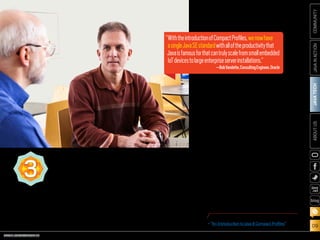
Bob Vandette, consulting engineer at Oracle,
sums it up: “With the introduction of Compact
Profiles, we now have a single Java SE standard
with all of the productivity that Java is famous
for that can truly scale from small embedded IoT
devices to large enterprise server installations.”
“WiththeintroductionofCompactProfiles,wenowhave
asingleJavaSEstandardwithalloftheproductivitythat
Javaisfamousforthatcantrulyscalefromsmallembedded
IoTdevicestolargeenterpriseserverinstallations.”
—BobVandette,ConsultingEngineer,Oracle
COMPACTPROFILES3
PHOTOGRAPH BY TIM GRAY/GETTY IMAGES
MORE ON COMPACT PROFILES
•	“An Introduction to Java 8 Compact Profiles”
ORACLE.COM/JAVAMAGAZINE  ///////////////////////////////////////////   MARCH/APRIL 2014
JAVATECH
10
COMMUNITYJAVAINACTIONABOUTUS
blog
Java SE 8 introduces a new java
.time API with a fluent and famil-
iar style that is easy to read and
write without the aid of IDEs. It
provides excellent support for
the international ISO 8601 time
standard that global businesses
use and also supports the fre-
quently used Japanese, Minguo,
Hijrah, and Thai Buddhist calen-
dars. Each of the new core Java
classes—for date, time, date
and time combined, time zones,
instants, duration, and clocks—
has a specific purpose and has
explicitly defined behavior with-
out side effects. The types are
immutable to simplify concur-
rency issues when
used in multitask-
ing environments.
In addition, the
extensibility of the
API enables the
addition of new
calendars, units,
fields of dates, and
times. Developers
can focus on completing a partic-
ular task without being concerned
about unrelated functions.
The new API uses immutable
values, with each computation
producing a new value. With
immutable objects, an instance
can be shared with a library or a
concurrent task without concern
that the value will change unex-
pectedly, explains Roger Riggs,
consulting member of the techni-
cal staff at Oracle. This contrasts
with the current Date and Calendar
types that hold a mutable value
and are not multithread safe.
Using immutable values elimi-
nates many problems for multi-
threaded programming.
“The current APIs for Date and
Calendar combine many functions
in each type, which often results
in unexpected interactions that
increase programming complex-
ity,” explains Riggs. “The new APIs
offer greater clarity of purpose,
ease of use, and maintenance.”
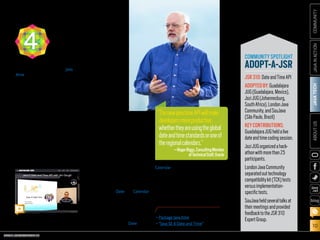
Jim Gough of the London Java
Community hacks on date and time.
COMMUNITY SPOTLIGHT
ADOPT-A-JSR
JSR310:DateandTimeAPI
ADOPTEDBY:Guadalajara
JUG(Guadalajara,Mexico),
JoziJUG(Johannesburg,
SouthAfrica),LondonJava
Community,andSouJava
(SãoPaulo,Brazil)
KEYCONTRIBUTIONS:
GuadalajaraJUGheldalive
dateandtimecodingsession.
JoziJUGorganizedahack-
athonwithmorethan25
participants.
LondonJavaCommunity
separatedouttechnology
compatibilitykit(TCK)tests
versusimplementation-
specifictests.
SouJavaheldseveraltalksat
theirmeetingsandprovided
feedbacktotheJSR310
ExpertGroup.
DATEAND
TIMEAPI4
“Thenewjava.timeAPIwillmake
developersmoreproductive,
whethertheyareusingtheglobal
dateandtimestandardsoroneof
theregionalcalendars.”
—RogerRiggs,ConsultingMember
ofTechnicalStaff,Oracle
PHOTOGRAPH BY TIM GRAY/GETTY IMAGES
MORE ON DATE AND TIME
•	Package java.time
•	“Java SE 8 Date and Time”
ORACLE.COM/JAVAMAGAZINE  ///////////////////////////////////////////   MARCH/APRIL 2014
JAVATECH
11
COMMUNITYJAVAINACTIONABOUTUS
blog
“JavaFX 8 is integrated with Java SE 8 and works
well with lambda expressions. It simplifies many
kinds of code, such as event handlers, cell value
factories, and cell value factories on TableView,”
explains Richard Bair, client Java architect at
Oracle. “It brings some much-requested new
UI controls and APIs such as TreeTableView and
APIs that enable modal dialogs.”
In addition, says Bair, JavaFX 8 offers a pow-
erful rich text node for the scene graph, and
the Java community is fast at work on several
projects building rich text and code editors on
top of this support. In addition, the default look
of JavaFX applications has been refreshed with
a new theme, called “Modena.” JavaFX 8 also
offers increased support for third-party compo-
nents, many of which can now work out of the
box. All of the above will lead to enhanced pro-
ductivity for JavaFX developers, he says.
Much progress has also been made on the
performance front, largely due to the effort
to bring JavaFX to embedded devices such as
the Raspberry Pi and Freescale i.MX 6 boards.
Increased 3-D support in JavaFX has opened
new opportunities for developers, with AMD
contributing COLLADA importer functionality
to OpenJFX, which is a lively and thriving
community, Bair adds.
“The new Scene Builder 2, the first Scene
Builder actually built with Scene Builder, has
an excellent CSS inspector, so developers can
better understand why things are styled as they
are,” explains Bair. It is also modular and can
be embedded in any IDE. Scene Builder 2 works
with FXML, an open and published format, so
developers can hack the FXML file directly.
“I encourage everybody to download
JavaFX 8, try it out, and provide feedback
to the team,” he adds.
JAVAFX85
“JavaFX8isintegratedwithJavaSE8andworks
wellwithlambdaexpressions.Itsimplifiesmany
kindsofcode,suchaseventhandlers,cellvalue
factories,andcellvaluefactoriesonTableView.”
—RichardBair,ClientJavaArchitect,Oracle
Mark Reinhold (left),
chief architect of the
Java Platform Group at
Oracle, and Richard Bair,
client Java architect
at Oracle, talk about
JavaFX 8 and lambdas.
PHOTOGRAPH BY BOB ADLER
MORE ON JAVAFX 8
•	JavaFX 8 Overview
ORACLE.COM/JAVAMAGAZINE  ///////////////////////////////////////////   MARCH/APRIL 2014
JAVATECH
12
COMMUNITYJAVAINACTIONABOUTUS
blog
The Java community has been vital in the cre-
ation of Java 8. It has provided ongoing feed-
back to Specification Leads, made requests for
new Java functionality, uncovered bugs, con-
tributed to code fixes, and much more.
Java user groups (JUGs), which are centers
of Java community learning and participation,
have been essential. As Java Champion and
SouJava JUG Leader Bruno Souza explains,
“Java 8 has set a new standard of community
participation. There are Java user groups all
over the world running programs
and providing feedback for the JCP
specifications and being active in
OpenJDK.” The OpenJDK community
is where developers collaborate on
the open source reference imple-
mentation of the Java SE platform.
The Adopt-a-JSR program, cre-
ated to encourage JUG members,
individuals, and other organiza-
tions to get involved in JSRs, has resulted in
increased grassroots and developer partici-
pation in not only Java 8 but other emerging
standards as well. More than 26 JUGs have
participated in the program.
The Java Community Process (JCP), with its
enhanced openness and flexibility, has made
it easier for both organizations and individu-
als to contribute to the Java platform. “The
JCP now has a much more transparent pro-
cess,” says Souza. “It’s a lot easier for some-
one to go to the JCP site and get involved. This
increased transparency has made it easier for
the community to participate.”
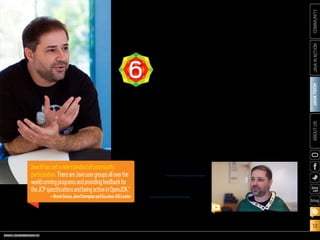
SouJava’s Bruno Souza explains how community
participation has changed with Java 8.
COMMUNITY
INVOLVEMENT6
“Java8hassetanewstandardofcommunity
participation.ThereareJavausergroupsalloverthe
worldrunningprogramsandprovidingfeedbackfor
theJCPspecificationsandbeingactiveinOpenJDK.”
—BrunoSouza,JavaChampionandSouJavaJUGLeader
PHOTOGRAPH AND VIDEO BY BOB ADLER
ORACLE.COM/JAVAMAGAZINE  ///////////////////////////////////////////   MARCH/APRIL 2014
JAVATECH
13
COMMUNITYJAVAINACTIONABOUTUS
blog
“Java ME 8 is a major step in the
convergence of Java ME and
Java SE and the unification of
the Java ecosystem, enabling
Java developers to more eas-
ily deploy their existing skills
across a range of embedded
devices, drawing upon the rich-
ness and portability of the Java
platform,” explains Terrence
Barr, senior technologist and
product manager at Oracle who
focuses on the IoT and embed-
ded technologies. “This results
in a faster time to market,
as well as cross-platform
compatibility and embedded
device scalability.”
With the advent of Java ME 8,
developers can take their exist-
ing skills and begin writing
applications for the rapidly
developing realm of embedded
devices—using the same famil-
iar platform, language, pro-
gramming model, and tools.
With the embedded space
and the fast-developing IoT
in a state of flux, Java ME 8
offers a flexible and scalable
development/deployment
environment.
See “Java ME 8 and the
Internet of Things” in this
issue for details.
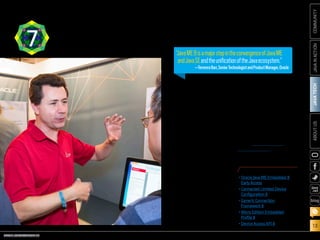
JAVAME87 “JavaME8isamajorstepintheconvergenceofJavaME
andJavaSEandtheunificationoftheJavaecosystem.”
—TerrenceBarr,SeniorTechnologistandProductManager,Oracle
PHOTOGRAPH BY TON HENDRIKS
MORE ON JAVA ME 8
•	Oracle Java ME Embedded 8
Early Access
•	Connected Limited Device
Configuration 8
•	Generic Connection
Framework 8
•	Micro Edition Embedded
Profile 8
•	Device Access API 8
ORACLE.COM/JAVAMAGAZINE  ///////////////////////////////////////////   MARCH/APRIL 2014
JAVATECH
14
COMMUNITYJAVAINACTIONABOUTUS
blog
“Java SE 8 offers an improved,
more mature G1 garbage col-
lector. G1’s scalability is getting
better, and more work is being
done concurrently,” explains
Jon Masamitsu, principal
member of the technical staff
at Oracle. “G1’s basic design is
not changing, but incremental
improvements toward more-
dependable pause times have
been made in many areas.
More generally, in all the gar-
bage collectors the command-
line flags are now more con-
sistent, with flag discrepancies
corrected. This should make
it easier for users to switch
among the different garbage
collectors and have the com-
mand-line flags have a com-
mon meaning where possible.”
In addition, Java SE 8
removes the need to tune the
permanent generation. The
Java HotSpot VM’s internal rep-
resentation of Java classes has
been re-engineered and moved
out of the permanent genera-
tion (which has been removed
entirely) and moved into native
memory and/or the Java heap.
Previously, tuning the size of
the permanent generation was
a tiresome, trial-and-error pro-
cess. The maximum size of the
permanent generation had to
be set at startup, and there was
no intuitive way to know how
large it should be. Developers
need no longer guess about
a size for the permanent
generation.
Finally, Java ME 8 has been
updated with the JVM, the lan-
guage, and the libraries to be
aligned with Java SE 8.
COMMUNITY SPOTLIGHT
TESTJAVA8
TheTestJava8program
wasinitiatedbytheLondon
JavaCommunityaspartof
theAdopt-a-JSRprogram.
Theaimoftheprogramwas
forJavausergroupmembers
tohelpwithtestingJava8
onseveralopensource
softwareprojectspriorto
thelaunchofJava8.
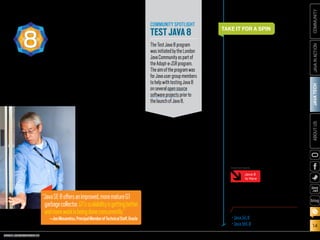
“JavaSE8offersanimproved,morematureG1
garbagecollector.G1’sscalabilityisgettingbetter,
andmoreworkisbeingdoneconcurrently.”
—JonMasamitsu,PrincipalMemberofTechnicalStaff,Oracle
JAVASE8
ANDTHEJVM8 All in all, Java 8 offers a new oppor-
tunity for enhanced innovation for
Java developers who operate on
anything from tiny devices to cloud-
based systems. We can expect
increases in developer productiv-
ity and application performance
through the reduced boilerplate
code and increased parallel pro-
gramming that lambdas offer. Java 8
offers best-in-class diagnostics,
with a complete tool chain to con-
tinuously collect low-level and
detailed runtime information.
By bringing the advantages of
Java SE to embedded development,
developers can transfer their Java
skills to fast-evolving new realms in
the IoT, enabling Java to support any
device of any size. It is an exciting
time to be a Java developer, so take it
for a spin, and tell us about the ride.
TAKE IT FOR A SPIN
PHOTOGRAPH BY BOB ADLER
Timothy Beneke is a freelance writer
and editor, best known for his books
on gender.
DOWNLOAD JAVA 8
•	Java SE 8
•	Java ME 8
Java 8
Is Here
MORE ON TOPIC:
ORACLE.COM/JAVAMAGAZINE  ///////////////////////////////////////////   MARCH/APRIL 2014
COMMUNITY
15
JAVATECHABOUTUSJAVAINACTION
blog
More than 20 Java user group (JUG) leaders from
all over the world attended the International Oracle
User Group Community (IOUC) Annual Summit
January 21–23, 2014, in Redwood Shores, California.
The IOUC is a community of leaders representing
Oracle user groups worldwide. User group leaders
from all over the world, including more than 20 JUG
leaders, attended the summit to learn about Oracle
products and technologies, provide feedback to
product groups, network, and share best practices.
The unofficial kickoff to the Java track was a
Brazilian barbecue at the home of Stephen Chin,
a Java evangelist at Oracle. Bruno Souza, leader
of SouJava in Brazil and a member of the Java
Community Process (JCP) Executive Committee,
acted as executive chef, manning the barbecue for
hours after just stepping off a flight from Brazil.
The official Java track began the following day,
PHOTOGRAPHS BY BOB ADLER
//javanation/IOUC Summit /
ORACLE USER GROUP
LEADERS’ SUMMIT
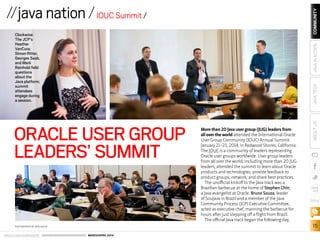
Clockwise:
The JCP’s
Heather
VanCura;
Simon Ritter,
Georges Saab,
and Mark
Reinhold field
questions
about the
Java platform;
summit
attendees
engage during
a session.
ORACLE.COM/JAVAMAGAZINE  ///////////////////////////////////////////   MARCH/APRIL 2014
COMMUNITY
16
JAVATECHABOUTUSJAVAINACTION
blog
//java nation / IOUC Summit //
with a session on the future
of Java. Oracle’s Mark
Reinhold, Georges Saab,
Henrik Stahl, and Simon
Ritter hosted an interactive
discussion of what’s next
for the Java EE, Java SE, and
Java ME platforms (beyond
Java EE 7, Java SE 8, and Java
ME 8). Topics included the
Internet of Things, big data,
Project Sumatra, OpenJDK,
alternative languages for the
Java Virtual Machine, mod-
ularity, adoption of the Java
platform, and more.
In a session on JUGs and
the JCP, Heather VanCura
and Patrick Curran of the JCP
led a discussion about how
JUGs can be more involved
with the JCP and JSRs,
including the Adopt-a-JSR
program. “Adopt-a-JSR has
been a great push and has
put the JCP back in the spot-
light,” said VanCura. “There
is more interest from JUGs,
more people are involved,
and there are more discus-
sions.” One way that many
JUGs are involving their
members is through hack-
athons. Badr Elhouari of the
Morocco Java User Group
said that getting a hack-
athon going is easy. “Have a
speaker,” he said, “and then
do a hands-on activity at
your JUG meeting.”
Other topics of discus-
sion were barriers to par-
Oracle’s Sharat
Chander assembled a
panel of experts to dis-
cuss IoT: Bruno Souza,
SouJava president
and Java Community
Process (JCP) Executive
Committee member;
Stephen Chin and Jai Suri
of Oracle; Ian Ferguson
of ARM; and Richard
Niemiec, Midwest Oracle
Users Group leader.
The panel started by
defining the Internet of
Things. Most computers
already talk to a “back
end,” so what makes IoT
different? “IoT makes
computers invisible,”
Souza explained. “They
are everywhere and all
connected. You don’t
think of your refrigera-
tor as a computer.” Suri
talked about the mul-
titude of devices and
networks involved, the
challenge of data in many
different formats, and
powering small devices.
The panel also dis-
cussed the challenges
of IoT. Chin asked, “How
many people have a wire-
less router at home?” and
many hands went up. But
when he asked how many
people had updated
their router firmware
in the last six months,
most hands dropped.
With more devices come
more software, more
management, and more
vulnerability. Security is
a real issue, especially for
devices and industries
that haven’t had to con-
sider it before. And it’s
not if you get hacked, but
when. “One good thing
about Java in the IoT
space,” Suri commented,
“is that it provides a level
of abstraction that allows
for better security and
quicker updates. That’s
especially important in
devices that are out in the
field for years.”
Whatever it is, IoT is
coming fast. New applica-
tions are happening daily.
The coolest IoT innova-
tion hasn’t even been
thought of yet.
Clothes that monitor your baby’s vital signs.
Prescription medicine bottles that remind you
to take your pills (and can tell others when you
don’t). Wind turbines that turn themselves
on in anticipation of high energy usage. Traffic
lights that adjust to traffic conditions. Trash
cans that send a text when they are full. These
are all examples of the rapidly growing world
of the Internet of Things (IoT). There is a lot
of interest in this topic, so it wasn’t surprising
that the Internet of Things session was full at
the IOUC Summit.
HOT TOPIC:
INTERNET
OF THINGS
Summit attendees have a healthy discussion over lunch.
PHOTOGRAPH BY BOB ADLER
ORACLE.COM/JAVAMAGAZINE  ///////////////////////////////////////////   MARCH/APRIL 2014
COMMUNITY
17
JAVATECHABOUTUSJAVAINACTION
blog
//java nation / IOUC Summit //
ticipation in the JCP for those
who don’t speak English and
ways to work around this;
lack of awareness of the JCP;
and complexity in getting
involved. However, Adopt-
a-JSR is helping to lower the
barriers to participation and
to promote experimenta-
tion. By participating in the
Adopt-a-JSR program, said
SouJava’s Souza, your mem-
bers will feel like they are
participating and they will
learn more about Java.
Other session topics dur-
ing the summit
included gamifi-
cation, managing
your community,
getting the most
out of Java.net, and
feedback about
JavaOne.
SouJava’s Bruno Souza (center) grilled up a traditional Brazilian
feast to welcome Java user group leaders to the summit.
GAMIFICATION FOR
USER GROUPS
At the Gamification session at the
IOUC Summit, user group lead-
ers discussed how to drive mem-
bership. Typically, they give away
software licenses, books, and
goodies to encourage attendance
at monthly meetings. Others have
used gamification to get their
communities to brainstorm on
mascot names, or post pictures
and comments on social media.
Hackathons also require the use of
similar techniques to keep attendees motivated to create applications over
several days. SouJava Leader Bruno Souza said that his Java user group (JUG)
successfully ran hackathons that combined brainstorming, team building,
training, hacking sessions, and prizes to keep participants engaged.
Gamification lets you turn life into a game, said Houston JUG Leader Jim
Bethancourt. The key advantages are driving audience engagement, mak-
ing the user experience more enjoyable, and getting users to come back.
The forum platform Stack Overflow is a great example of running a thriv-
ing community of developers with its point systems, he said. Contributors
get rewarded with points for their useful entries, and visitors easily find the
most-relevant and best-rated entries.
The ArabOUG has implemented a point system to keep its community
active. The group gives out points to its members, who contribute applica-
tions, articles, and translations. It partnered with training organizations and
other services to give its members free training and services in exchange
for points. As a result, members don’t have to pay for services using online
payments, which governments in many countries in North Africa and the
Middle East don’t allow.
ArabOUG Leader Mohamed Chargui talks
about his experience using gamification.
Java user group leaders share their
reasons for attending the summit.
PHOTOGRAPH COURTESY OF STEPHEN CHIN; VIDEO BY BOB ADLER
ORACLE.COM/JAVAMAGAZINE  ///////////////////////////////////////////   MARCH/APRIL 2014
COMMUNITY
18
JAVATECHABOUTUSJAVAINACTION
blog
//java nation /
IoT Developer
Challenge
From March 3 to May 30,
2014, Oracle Technology
Network is hosting an
Internet of Things (IoT)
Developer Challenge. Open
to online submissions, the
challenge gives developers
the chance to submit an innovative, ground-
breaking, business-ready IoT project using
embedded Java and any hardware, whether it
is computer boards such as the Raspberry Pi,
sensors, or other IoT technologies. Members of
winning teams will each receive a JavaOne 2014
pass, plus up to US$2,000 for flight and hotel
expenses. A student category with prizes is also
available, thanks to Oracle Academy.
During the challenge period, Oracle Tech-
nology Network will offer free online training
on IoT, the Raspberry Pi, embedded Java, and
more. By registering, you will enter a chance to
win a Raspberry Pi.
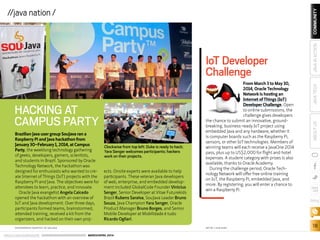
Brazilian Java user group SouJava ran a
Raspberry Pi and Java hackathon from
January 30–February 1, 2014, at Campus
Party, the weeklong technology gathering
of geeks, developers, gamers, scientists,
and students in Brazil. Sponsored by Oracle
Technology Network, the hackathon was
designed for enthusiasts who wanted to cre-
ate Internet of Things (IoT) projects with the
Raspberry Pi and Java. The objectives were for
attendees to learn, practice, and innovate.
Oracle Java evangelist Angela Caicedo
opened the hackathon with an overview of
IoT and Java development. Over three days,
participants formed teams, brainstormed,
attended training, received a kit from the
organizers, and hacked on their own proj-
ects. Onsite experts were available to help
participants. These veteran Java developers
of web, enterprise, and embedded develop-
ment included GlobalCode Founder Vinicius
Senger, Senior Developer at Vitae Futurekids
Brazil Rubens Saraiva, SouJava Leader Bruno
Souza, Java Champion Yara Senger, Oracle
Product Manager Bruno Borges, and Senior
Mobile Developer at Mobilidade é tudo
Ricardo Ogliari.
HACKING AT
CAMPUS PARTY
Clockwise from top left: Duke is ready to hack;
Yara Senger welcomes participants; hackers
work on their projects.
PHOTOGRAPHS COURTESY OF SOUJAVA ART BY I-HUA CHEN
ORACLE.COM/JAVAMAGAZINE  ///////////////////////////////////////////   MARCH/APRIL 2014
COMMUNITY
19
JAVATECHABOUTUSJAVAINACTION
blog
Howard Lewis Ship is
a Java EE and Clojure
developer, author,
blogger, and speaker.
The creator of the
Apache Tapestry open
source web frame-
work, he became a
Java Champion in
February 2010.
Java Magazine: Where
did you grow up?
Ship: I grew up
south of Boston,
Massachusetts, and
got my CS degree at
Worcester Polytechnic
Institute.
Java Magazine: When
did you first become
interested in comput-
ers and programming?
Ship: My dad bought
a Burroughs B800
computer, a beast
I called “HAL,” for
doing payrolls for his
CPA business. It came
with a “Battleship”
game you played by
printing the map on
the line printer and
entering shots using
the keyboard.
Java Magazine: What
was your first com-
puter and program-
ming language?
Ship: I had access to
our high school’s PDP-
11 when I was in junior
high. I started out
by entering and run-
ning BASIC code from
David Ahl’s BASIC
Computer Games. I
also experimented
with Pascal and Logo
on an Apple, and even
wrote some games
that had a smidgen of
6502 assembly code.
Java Magazine: What
was your first profes-
sional programming
job?
Ship: I helped my
dad after school,
customizing an
invoicing, inventory,
accounts payable,
and accounts receiv-
able business suite.
An early programming
accomplishment was
developing an auto-
matic zip-code-to-
UPS-zone lookup that
saved my Dad’s order
entry team lots of time
and tedious effort.
Java Magazine: What
do you enjoy for fun
and relaxation?
Ship: I have a four-
year-old and a one-
year-old, so fun and
relaxation are mostly
“something I used
to do.” I enjoy skiing,
photography, read-
ing, flying stunt kites,
and playing board and
card games.
Java Magazine: What
“side effects” of your
career do you enjoy
the most?
Ship: I love to speak at
conferences and see
the work people are
doing. I’m especially
interested to see how
people are using my
open source projects.
It is fascinating that so
much innovative work
happens in smaller
cities, not just the
larger technology cen-
ters. It’s everywhere!
Java Magazine: What
are you looking for-
ward to?
Ship: It will be inter-
esting to see the func-
tional programming
aspects of Java SE 8 go
mainstream. For some
developers, it will open
their eyes to the limi-
tations that have been
around them. I fear,
though, that for many
others it will mostly
provide a new way to
do things wrong.
But what I’m really
looking forward to
is the kids being old
enough to take care
of themselves in the
morning, so that I can
sleep in every once in
a while.
JAVA CHAMPION PROFILE
HOWARD LEWIS SHIP
//java nation /
Java User Group Münster was
formed in December 2008
by Thomas Kruse and Gerrit
Grunwald (inset), who continue
to lead the group today.
Münster’s geographic loca-
tion posed some challenges
as the Java user group (JUG) was getting
started. Münster is only about 50 km away
from Germany’s populous Ruhr area, which
has some long-established larger JUGs that
included members from the Münster area.
Nevertheless, the JUG continued to meet;
Kruse and Grunwald continued spreading the
word; and JUG Münster’s membership steadily
grew to the current level of 280 members.
JUG Münster has had an active meeting
and events schedule from the start. “Since we
started in 2008, we’ve met every two weeks for
a so-called ‘Java Roundtable,’” says Grunwald.
“In addition, we arrange 10 events each year
where we invite external speakers; and we have
an annual event for Software Freedom Day.”
Developers who come to Java after having
worked with other languages are often sur-
prised by Java’s community aspect. “Java is not
a young language/environment anymore, but
still has the greatest community that I know,
and one reason for this is the Java user groups…
so let’s keep this alive,” says Grunwald.
JUG Münster
FEATURED JAVA USER GROUP
ORACLE.COM/JAVAMAGAZINE  ///////////////////////////////////////////   MARCH/APRIL 2014
COMMUNITY
20
JAVATECHABOUTUSJAVAINACTION
blog
//java nation /
THE JAVAFX ANDROID
COMMUNITY PROJECT
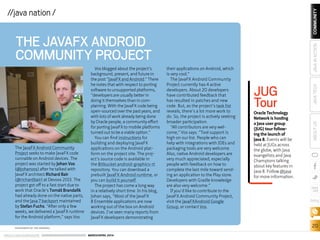
The JavaFX Android Community
Project seeks to make JavaFX code
runnable on Android devices. The
project was started by Johan Vos
(@johanvos) after he talked with
JavaFX architect Richard Bair
(@richardbair) at Devoxx 2013. The
project got off to a fast start due to
work that Oracle’s Tomáš Brandalík
had already done on the native parts,
and the Java 7 backport maintained
by Stefan Fuchs. “After only a few
weeks, we delivered a JavaFX runtime
for the Android platform,” says Vos.
Vos blogged about the project’s
background, present, and future in
the post “JavaFX and Android.” There
he notes that with respect to porting
software to unsupported platforms,
“developers are usually better in
doing it themselves than in com-
plaining. With the JavaFX code being
open-sourced over the past years, and
with lots of work already being done
by Oracle people, a community effort
for porting JavaFX to mobile platforms
turned out to be a viable option.”
You can find instructions for
building and deploying JavaFX
applications on the Android plat-
form on the project site. The proj-
ect’s source code is available in
the Bitbucket android-graphics-rt
repository. You can download a
prebuilt JavaFX Android runtime, or
you can build it yourself.
The project has come a long way
in a relatively short time. In his blog,
Johan says, “Most of the JavaFX
8 Ensemble applications are now
working out of the box on Android
devices. I’ve seen many reports from
JavaFX developers demonstrating
their applications on Android, which
is very cool.”
The JavaFX Android Community
Project currently has 4 active
developers. About 20 developers
have contributed feedback that
has resulted in patches and new
code. But, as the project’s task list
reveals, there’s a lot more work to
do. So, the project is actively seeking
broader participation.
“All contributors are very wel-
come,” Vos says. “Tool support is
high on our list. People who can
help with integrations with IDEs and
packaging tools are very welcome.
Also, native Android developers are
very much appreciated, especially
people with feedback on how to
complete the last mile toward send-
ing an application to the Play store.
Developers with Gradle knowledge
are also very welcome.”
If you’d like to contribute to the
JavaFX Android Community Project,
visit the JavaFXAndroid Google
Group, or contact Vos.
JUG
TourOracle Technology
Network is hosting
a Java user group
(JUG) tour follow-
ing the launch of
Java 8. Events will be
held at JUGs across
the globe, with Java
evangelists and Java
Champions talking
about key features in
Java 8. Follow @java
for more information.
PHOTOGRAPH BY TON HENDRIKS
ORACLE.COM/JAVAMAGAZINE  ///////////////////////////////////////////   MARCH/APRIL 2014
COMMUNITY
21
JAVATECHABOUTUSJAVAINACTION
blog
EVENTS
Devoxx France APRIL 16–18
PARIS, FRANCE
Now in its third year, Devoxx France brings together 1,500 Java
enthusiasts in an adrenaline rush of technical content, training,
and community networking. The conference focuses on Java, web
technologies, mobile, cloud, agile, Java Virtual Machine languages,
and entrepreneurship. This year’s theme, “Born to Be,” is about
being and becoming a developer.
4Developers
APRIL 7
WARSAW, POLAND
4Developers is a technical confer-
ence intended for developers, archi-
tects, testers, coders, team leaders,
project managers, IT departments,
as well as all IT students. The event is
designed for both professionals and
amateurs working in different tech-
nological fields.
Great Indian Developer Summit
(GIDS)
APRIL 22–25
BANGALORE, INDIA
Twenty-five thousand develop-
ers are expected at this four-day
conference. At the dedicated Java
track, top experts Stephen Chin,
Venkat Subramaniam, Erik Hatcher,
Kito Mann, Pratik Patel, and oth-
ers will talk about Java 8, lambdas,
InvokeDynamic, the Raspberry Pi,
JavaFX, and more.
JAX 2014
MAY 12–16
MAINZ, GERMANY
This conference on Java and the
enterprise focuses on current and
future trends in web, Android, soft-
ware architecture, cloud, agile man-
agement methods, big data, and
more. More than 180 speakers will
present 230 talks and 20 day-long
sessions on Java 8, Java EE, JavaFX,
embedded Java, Java core, and agile.
GeeCON 2014
MAY 14–16
KRAKOW, POLAND
With its motto “Let’s move the Java
world,” the conference focuses on
Java technologies, dynamic lan-
guages, rich internet applications,
enterprise architectures, patterns,
distributed computing, software
craftsmanship, and more.
JEEConf
MAY 23–24
KIEV, UKRAINE
JEE is the largest developer con-
ference in Ukraine. It focuses on
Java technologies for application
development.
Devoxx UK
JUNE 12–13
LONDON, ENGLAND
Devoxx UK is part of the Devoxx fam-
ily of conferences. Run by the local
Java community, this developer con-
ference consists of a packed sched-
ule of presentations, hands-on labs,
quickies, and Birds-of-a-Feather
(BOF) sessions. Top local and inter-
national speakers present an array
of Java topics on web, mobile, Java
Virtual Machine languages, agile,
and more.
PHOTOGRAPH COURTESY OF WILHELM LAPPE ON FLICKR
//java nation /
Paris, France
ORACLE.COM/JAVAMAGAZINE  ///////////////////////////////////////////   MARCH/APRIL 2014
COMMUNITY
22
JAVATECHABOUTUSJAVAINACTION
blog
//java nation /
JAVA SE 8 FOR THE REALLY
IMPATIENT
By Cay S. Horstmann
Addison-Wesley Professional
(January 2014)
Author of Core Java
and internationally
renowned Java expert
Cay S. Horstmann con-
cisely introduces Java
SE 8’s most valuable new
features (plus a few Java
SE 7 innovations that
haven’t gotten the atten-
tion they deserve). If you’re
an experienced Java pro-
grammer, Horstmann’s
practical insights and
sample code will help you
quickly take advantage
of these and other Java
language and platform
improvements.
JAVA 8 LAMBDAS
By Richard Warburton
O’Reilly (April 2014)
If you’re an experienced
Java programmer, Java 8
Lambdas shows you
how to make use of your
existing skills to adapt
your thinking and your
codebase to use lambda
expressions properly.
Starting with basic exam-
ples, this book is focused
solely on Java SE 8 lan-
guage changes and related
API changes. Lambdas
make a programmer’s job
easier, and this book will
teach you how. Coverage
includes introductory
syntax for lambda expres-
sions, method references
that allow you to reuse
existing named methods
from your codebase, and
the collection library in
Java SE 8.
JAVA: THE COMPLETE
REFERENCE, NINTH EDITION
By Herbert Schildt
Oracle Press (April 2014)
In Java: The Complete
Reference, Ninth Edition,
Herbert Schildt uses the
clear, concise, uncom-
promising style that has
made the previous eight
editions so successful
worldwide. This compre-
hensive volume covers the
entire language, including
its syntax, keywords, and
fundamental program-
ming principles. Schildt
also presents detailed
information about Java’s
core libraries and key
programming techniques.
Of course, coverage of new
features added by Java
SE 8, such as lambda
expressions and modules,
is included.
JAVA FOR DUMMIES,
6TH EDITION
By Barry Burd
Wiley (March 2014)
In this update of a best-
selling book, veteran
author Barry Burd shows
you how to create basic
Java objects and clearly
explains when you should
simply reuse existing code.
He explores how Java SE 8
offers more-robust func-
tionality and new features
such as closures to keep
Java competitive with more
syntax-friendly languages
like Python and Ruby. He
also covers object-
oriented programming
basics with Java, code
reuse, the essentials of
creating a Java program
using the new JDK 7, creat-
ing basic Java objects, and
new Eclipse features.
JAVA BOOKS
NightHacking
Tour
Java Evangelist Stephen
Chin is making his way
across Europe—visiting
Java user groups, con­
ducting interviews, and
broadcasting it all. Chin
will be talking with com-
munity experts about Java
8, the community, the
future of Java, the Internet
of Things, and more. Join
him at an event or watch
his sessions online at
nighthacking.com.
ORACLE.COM/JAVAMAGAZINE  ///////////////////////////////////////////   MARCH/APRIL 2014
23
blog
COMMUNITYJAVATECHABOUTUSJAVAINACTION
J
ohn Weir is the global head of
Application Platforms at Goldman
Sachs. In 2011, Goldman Sachs was
elected to the Executive Committee of
the Java Community Process (JCP), with
Weir as the firm’s representative. He
previously represented Goldman Sachs
on the FpML Standards Committee for
Credit Derivatives and was also on the
FpML Architecture Committee. He joined
JCP Executive Series
Goldman Sachs’ GS Collections
Leverages Lambdas
Goldman Sachs’ John Weir and Donald Raab discuss the creation of GS Collections,
the impact of Java SE 8’s lambda expressions, and how their work interacts with
the JCP. BY STEVE MELOAN
PHOTOGRAPHY BY LAURA BARISONZI/GETTY IMAGES
Goldman Sachs’
Donald Raab (left),
manager of the JVM
Architecture team,
and John Weir, global
head of Application
Platforms, talk at the
company’s New York
City office.
Java 8
Is Here
ORACLE.COM/JAVAMAGAZINE  ///////////////////////////////////////////   MARCH/APRIL 2014
24
blog
COMMUNITYJAVATECHABOUTUSJAVAINACTION
Goldman Sachs in 1997 and has held a
number of senior technology roles. He
was named technology fellow in 2004
and managing director in 2008.
Donald Raab manages the JVM
Architecture team, which is part of
the Enterprise Platforms group in the
Technology division at Goldman Sachs.
Raab serves as a member of the JSR 335
Expert Group (Lambda Expressions for
the Java Programming Language) and
is one of the alternate representatives
for Goldman Sachs on the JCP Executive
Committee. He joined Goldman Sachs in
2001 as a technical architect on the PARA
team. He was named technology fellow
in 2007 and managing director in 2013.
Java Magazine: Tell us about the genesis
of GS Collections. When did you begin
work, and what were your initial goals?
Raab: GS Collections began in 2004 as
a Goldman Sachs internal project called
CARAMEL, which stood
for collections, arrays, map
iteration library. We were
dealing with very large Java
heaps, on the order of ten
gigabytes to a hundred
gigabytes. And in these
spaces, we operated on
large collections to process
lists, sets, and maps that
had millions or even hun-
dreds of millions of ele-
ments. The codebases were
very large—with thousands
and sometimes tens of thousands of
iteration patterns implemented with
handwritten for loops.
Prior to Java SE 8, in the collec-
tions space, there was no rich API.
Developers had to re-create patterns
again and again. Our goal was to pro-
vide a functional API that would reduce
duplicate code by separating the
“what” from the “how” in a developer’s
code. We also wanted to leverage paral-
lelism using the fork/join library, allow-
ing developers to optimize performance
across multiple processor cores.
The API for GS Collections was heavily
influenced by my experiences program-
ming in Smalltalk, which had useful
methods like select, reject, and collect.
Over the years, we’ve added methods
like flatCollect, groupBy, partition,
and zip, which were influenced by
our experiences with languages like
Haskell, Ruby, and Scala. There are also
optimized replacements for
the JDK Collections classes,
like HashMap, ArrayList, and
HashSet. GS Collections is
tuned for both large- and
small-scale performance.
It’s ready for Java SE 8
lambdas today, but it also
works with Java 5 through
Java 7.
Java Magazine: Internal
iteration is a key concept
for GS Collections. Why is
it so powerful?
Raab: Internal iterators reduce errors
and hide the implementation details
of collections they’re operating across.
They relieve the developer from the
responsibility of optimizing the various
datatypes being processed. An inter-
nal iterator is passed an operation to
perform, and the iterator applies that
operation to every element in the
data collection.
For example, if one collection is being
transformed to another, and I know the
target is the same size as the source,
it can be presized in the algorithm, so
the developer doesn’t have to handle
implementation details. This approach
simplifies code and promotes reuse.
In the Java space, most developers
implement what’s called eager iteration,
Weir tackles a problem
on the whiteboard,
while Raab looks on.
REALITY CHECK
“Innovationneedsto
becarefullyvetted
bythecommunity
throughtheJSR
process.”
—JohnWeir,GlobalHead
ofApplicationPlatforms,
GoldmanSachs
ORACLE.COM/JAVAMAGAZINE  ///////////////////////////////////////////   MARCH/APRIL 2014
25
blog
COMMUNITYJAVATECHABOUTUSJAVAINACTION
where computation happens immedi-
ately. But there are patterns where it’s
advantageous to perform computation
lazily, meaning that processing can be
done a bit later. This type of processing
is not easily implemented by develop-
ers. But using internal iteration, pro-
cessing details are handled internally
by the collections classes.
Internal iteration is also advanta-
geous for code maintenance. It makes
large codebases much more readable.
Over the long life of an application, this
can have tremendously important pro-
ductivity ramifications.
Java Magazine: How will Java SE 8’s
lambda expressions interact with GS
Collections? Are there other Java SE 8
features of interest?
Raab: GS Collections was developed
at the outset around the concepts
embodied in lambda expressions.
Having lambdas built into Java SE 8 is
absolutely terrific; we will be able to
leverage them extensively across our
APIs. We have 90+ functional methods
that can be called by passing lambdas.
This Java SE 8 feature will deliver a
huge upside. We’ll be able to delete a
lot of code. I imagine a savings between
20 percent and 30 percent.
For example, the Select pattern
handwritten in Java SE 7 looks like this:
While the Select pattern in GS
Collections with Java SE 8 looks like this:
Another interesting development
in Java 8, virtual extension methods,
will benefit GS Collections. This fea-
ture allows behaviors to be added to
interfaces, which will help reduce the
amount of duplicate code in the GS
Collections testing hierarchy by
building-in default methods and
behaviors. This will allow the mixing
and matching of different testing con-
cerns across the framework.
Method references, another Java SE 8
feature closely tied to lambdas, will also
benefit GS Collections. They provide an
even more concise and readable format
for leveraging functional APIs.
The following is a method reference
code example from our GS Collections
Kata Java 8 Solutions:
Method references make mainte-
nance and review cleaner and easier.
ListInteger results = new ArrayList();
for (Integer each : list)
{
if (each  50)
{
results.add(each);
}
}
list.select(each - each  50);
/**
* Aggregate the total order values by
item.
*/
@Test
public void totalOrderValuesByItem()
{
MutableMapString, Double map =
this.company
.getOrders()
.flatCollect(Order::getLineItems)
.aggregateBy(LineItem::getName,
() - 0.0, (result, lineItem) -
result + lineItem.getValue());
Verify.assertSize(12, map);
Assert.assertEquals(100.0, map
.get(shed), 0.0);
Assert.assertEquals(10.5, map
.get(cup), 0.0);
}
Weir and Raab fuel
up and catch up on
projects.
ORACLE.COM/JAVAMAGAZINE  ///////////////////////////////////////////   MARCH/APRIL 2014
26
blog
COMMUNITYJAVATECHABOUTUSJAVAINACTION
Optimizations have been made within
the language and the JVM [Java Virtual
Machine] to take advantage of these
innovations.
Java Magazine: When did GS
Collections become open source? Tell
us about that process.
Raab: We open-sourced GS Collections
in January 2012. Before doing that, we
open-sourced it internally. At Goldman
Sachs we have a large number of
developers and applications; it’s a very
collaborative and consensus-driven
organization. We wanted to find out
if there was a viable community of
potential users for GS Collections. And
we discovered that the demand was
definitely there.
In addition to open-sourcing the col-
lections library, we decided to include
the associated training libraries, the
GS Collections Kata, which is a great
way to learn not just GS Collections
but also Java SE 8 lambda expressions
and method references.
Java Magazine: How has Goldman
Sachs contributed to the JCP process?
Weir: We’re engaged in the JCP pro-
cess at several different levels. Our role
with the Executive Committee involves
reviewing JSRs at various stages. And
internally we leverage our network
to interact with several thousand
Goldman Sachs developers to get their
JSR feedback. For example, on JSR 310,
the new and improved Date and Time
API, we uncovered a problem with a
method that replaces getDateTimeMillis
from Joda-Time. The new method to
extract time in milliseconds ran about
three and a half times slower and cre-
ated some garbage on the JVM. The
Goldman Sachs community uncovered
this due to our extensive codebase, and
we were able to offer feedback through
our role in the Executive Committee.
We also participate directly in the JSR
process. We’ve been involved as con-
tributing members in lambda expres-
sions, the Collections API, the JCache
API, and also the Identity API. We also
participate in debates and discussions
as to how the JCP process should oper-
ate, evolve, and move forward.
Java Magazine: JCP member companies
have diverse interests and priorities.
How are these needs best orchestrated
within the JCP?
Weir: One of the great strengths of the
Executive Committee is its breadth of
organizational participation—from ven-
dors and redistributors of the Java plat-
form, to framework and library provid-
ers, to Java user groups [JUGs] and end
users. It’s an excellent representative
community all sitting at the virtual table
with the goal of guiding Java’s evolution.
That goal unifies the community, in
spite of some vigorous competition on
the vendor side. We try to maintain
a cohesive Java platform that doesn’t
become fragmented and continues to
accommodate a broad array of func-
tional demands.
Java Magazine: What is the proper bal-
ance between promoting standards and
promoting innovation?
Weir: We all want innovation. And inno-
vation is always there. It’s a fundamen-
tal ingredient when developers solve
problems. Donald talked earlier about
CARAMEL evolving into GS Collections.
That software resulted from develop-
ers striving for a simplified, transpar-
Raab and Weir look at
the effect that lambda
expressions have on
their code.
ORACLE.COM/JAVAMAGAZINE  ///////////////////////////////////////////   MARCH/APRIL 2014
27
blog
COMMUNITYJAVATECHABOUTUSJAVAINACTION
ent, and more engaging API. In the
Java ecosystem, we have a great degree
of openness, which spurs innovation.
There is a collective wisdom that comes
from talented people solving real-world
problems. But innovation needs to
be carefully vetted by the community
through the JSR process, to make sure
that a diverse range of needs are being
met. Millions of developers are affected
by these standards. The platform has to
function as an integrated whole.
The work that was done in JSR 348
to improve transparency across the
JSR process has been very beneficial. It
requires that Expert Groups use pub-
lic mailing lists and maintain a public
Issue Tracker. JSR 348 mandates that
all JCP members and members of the
public must have the opportunity to
view, comment on, and participate in
the process. These developments will
make the JSR process a lot less opaque,
and will extend the reach to as broad a
community as possible.
Java Magazine: What are your views on
improving JCP participation?
Weir: The Executive Committee is cur-
rently debating the topic of how to
improve participation. A wide range
of enterprises—from pharmaceuti-
cals, to financial services, to consumer
products—have significant numbers
of Java developers. For an individual to
join the JCP and participate in the pro-
cess, their employer must sign the Java
Specification Participation Agreement
(JSPA). Because this is a legal contract,
there can be restrictions for some
companies. Consequently, some Java
developers don’t have a mechanism to
become involved. Having seen the ben-
efit from large numbers of developers
engaged in software evolution, with GS
Collections, we’re particularly invested
in the process as a core value. So we’re
intent on broadening involvement,
but it must be done in a thoughtful
and methodical way that reflects the
best interests of the community. JSR
348 is tackling that. I believe that
increasing participation will increase
the rate at which new innovations can
be integrated into the Java platform.
There are millions of Java developers
out there, and we’d like to give them
all the opportunity to participate in
the process.
Java Magazine: Any closing remarks?
Weir: We enjoy engaging in the JCP
process. Our role on the Executive
Committee is a high-priority task.
Frequently we leverage our internal JUG
to comment on JSRs.
JSR participation is beneficial for
us, and also beneficial for the broader
Java enterprise. Donald mentioned the
GS Collections Kata. People are using
the training materials we created for
GS Collections and applying them to
general training for lambda expres-
sions and Java SE 8. We’re pleased to
have made contributions to the
greater community.
Raab: I would echo John’s comments
regarding our commitment to Java.
We’re working with JUGs globally,
including groups in New York, London,
and Hong Kong. The community is
huge and diverse, which is fantastic.
We’ve also just signed the agree-
ment to participate in OpenJDK, and
we look forward to making direct con-
tributions. We want to give back to
the open source community through
this process.
The Java platform is a very impor-
tant element of the Goldman Sachs
infrastructure. We’re committed to
making sure that it continues to evolve
and develop to provide benefits for the
community and our firm. /article
LEARN MORE
•	GS Collections
•	lambda expressions
Java 8
Is Here
MORE ON TOPIC:
Steve Meloan is a former C/UNIX soft-
ware developer who has covered the web
and the internet for such publications as
Wired, Rolling Stone, Playboy, SF Weekly,
and the San Francisco Examiner. He
recently published a science-adventure
novel, The Shroud, and regularly
contributes to The Huffington Post.
CHANGE MAKER
“[Lambda
expressions]will
deliverahuge
upside.We’llbe
abletodelete
alotofcode.
Iimaginea
savingsbetween
20percentand
30percent.”
—DonaldRaab,
JVMArchitecture
TeamManager,
GoldmanSachs
ORACLE.COM/JAVAMAGAZINE  ///////////////////////////////////////////   MARCH/APRIL 2014
28
COMMUNITYJAVAINACTIONJAVATECHABOUTUS
blog
V2COM uses Java to connect millions of intelligent devices.
BY DAVID BAUM AND ED BAUM
T
he science fiction films of yes-
teryear often depict a world of
pervasive automation. Computers
are everywhere, and people are con-
stantly interacting with them. Other,
perhaps more-prescient cinematic
visions foresee chic living environments
without a CPU in sight. The gadgets
work autonomously, with circuits and
controllers hidden from view.
Fast-forward to the present. The
technologies that we use every day
are fading into the background as the
Internet of Things ushers in a new era
of intelligent, seamlessly connected
devices. With embedded microproces-
sors and a wireless communications
fabric, today’s “computers” require
less intervention than ever before,
even as they enable a higher degree
of automation. At the forefront of this
transformation is V2COM, a leading
Latin American provider of smart grid
technologies and advanced metering
infrastructure.
“The Internet of Things is here, now,”
says Guilherme Spina, managing direc-
tor at V2COM. “This is an interesting
phase as IT moves from the data cen-PHOTOGRAPHY BY PAULO FRIDMAN
FROM SMART GRIDS
TO MICROBREWS
Java 8
Is Here
Guilherme Spina (left),
managing director at
V2COM, talks with
Leonardo De Moura
Rocha Lima, chief
technology officer,
at the company’s
headquarters in
São Paulo, Brazil.
ORACLE.COM/JAVAMAGAZINE  ///////////////////////////////////////////   MARCH/APRIL 2014
29
COMMUNITYJAVAINACTIONJAVATECHABOUTUS
blog
ter and the desktop out to the streets
to be embedded in all types of things.
For example, in the energy industry,
companies are replacing dumb meters
with smart meters that not only enable
people to conserve energy but also to
play an active role in providing other
services, such as internet connectivity
and in-home automation solutions. Java
is key to creating and delivering these
solutions to our clients.”
FROM STARTUP TO INDUSTRY
LEADER WITH JAVA
When it was formed in 2002, V2COM
was—in Spina’s words—a “bootstrap
startup.” The fundamental ideas upon
which the company is based were for-
mulated during the mobile phone phe-
nomenon that swept through Brazil
in the 1990s. Spina and his colleagues
realized they could leverage the same
communications infrastructure that
connects people to automate remote
devices.
One of the first orders of business
for V2COM’s founders was to choose a
software platform to manage the inter-
actions between these remote devices
and legacy systems. “We chose Java
from the beginning,” Spina says. “We
liked the speed of development and
ability to reuse components by writing
code once and deploying it many times,
Lima checks in with
V2COM colleagues.
V2COM
v2com.mobi
Industry:
High technology/
energy
Location:
São Paulo, Brazil
Employees:
50
Oracle technologies
used:
Oracle Java ME
Embedded, Oracle
Java SE Embedded,
Oracle Utilities Meter
Data Management,
GlassFish Server Open
Source Edition, Oracle
Database, Oracle
WebLogic Server
ORACLE.COM/JAVAMAGAZINE  ///////////////////////////////////////////   MARCH/APRIL 2014
30
COMMUNITYJAVAINACTIONJAVATECHABOUTUS
blog
supporting functionality on both the
mobile side and the server side. Also,
we found that the majority of the peo-
ple we hired were proficient with Java.”
Spina and his colleagues also favored
Java for its high level of support for
object-oriented programming and for
its open source development environ-
ment, which makes it easier to add
intelligence to a wide variety of end
units such as meters, transformers, and
circuit breakers. These components
work together to manage energy flow at
homes and businesses and report back
to the energy distribution systems at a
utility company’s head office.
“A complex set of rules governs these
devices, so we need a software infra-
structure that allows us to code in a way
that is manageable, expandable, scal-
able, and not too complex,” Spina says.
“Our system embeds Java in all these
different computing platforms, from
the back-end applications to the edge
devices and pole-top smart concentra-
tors, creating an environment of distrib-
uted processing.”
Today V2COM offers hardware, soft-
ware, and services that can reduce
losses and increase water and energy
efficiency, connecting more than 1
million devices on its platform. Spina
believes the electric power
industry is ripe for disrup-
tion, as analog distribution
systems, control mecha-
nisms, and usage meters
are replaced by computer-
ized devices. Smart grids
can support millions of
remote intelligent devices
that handle complex
operations in the field, all
connected to a data center
through smart concentra-
tors. These massive, intelli-
gent networks allow elec-
tric companies to better
manage the flow and con-
sumption of energy, with
less equipment and fewer
IT and field resources. And
for that, Spina explains,
you need dynamic man-
agement of energy distribution—some-
thing for which Java is innately suited.
LAYING THE GROUNDWORK
FOR SMART CITIES
In the energy sector, V2COM’s inno-
vative solutions use Gemalto M2M’s
Cinterion modules with Oracle Java
ME Embedded to share energy usage
data over cellular wireless networks.
These modules communicate with
V2COM’s Intelligenceware Suite, which
uses Oracle Java SE Embedded, Oracle
Utilities Meter Data Management, and
GlassFish Server Open Source Edition
to transmit meter and sensor data to
back-end utility systems.
One of V2COM’s most successful
projects was for Elektro, an energy dis-
tribution company in Brazil controlled
by Iberdrola Group. Elektro, which
serves 2.3 million clients and reaches
5.5 million people, enlisted V2COM to
automate its commercial and industrial
metering processes. Together the com-
panies created a flexible solution that is
modernizing electrical power delivery
in Latin America. The project includes
intelligent communication modules
connected to legacy electronic meters
through the public cellular network. In
addition to improving energy efficiency
and decreasing energy loss, the solution
has helped Elektro improve its remote
monitoring capabilities and respond to
incidents faster. It also helps the com-
pany detect fraud and field installation
problems that weren’t visible before.
Lima (center) and
Spina (right) get a
project update from
a V2COM team
member.
ORACLE.COM/JAVAMAGAZINE  ///////////////////////////////////////////   MARCH/APRIL 2014
31
COMMUNITYJAVAINACTIONJAVATECHABOUTUS
blog
V2COM and Elektro consider the
venture to be an important step toward
a much more extensive set of dis-
tributed computing solutions. “The
Elektro engagement is exciting because
it lays the groundwork for smart-city
projects,” says Leonardo De Moura
Rocha Lima, chief technology officer
at V2COM. “Cities face huge chal-
lenges including congestion, pollu-
tion, blackouts, crime, debt, and ris-
ing costs, while competing with each
other for investments, jobs, and talent.
Technology is the best answer to man-
age these challenges.”
V2COM’s smart grid solutions are
the first vector for smart cities that will
have smart street lighting, smart traffic
control, smart video monitoring, and
other remote intelligent devices shar-
ing the same architecture and working
in an orchestrated fashion. Elektro is
using V2COM’s solution as a test bed
for these highly automated cities.
V2COMandtheJava
CommunityProcess
All Java technology is developed through the Java
Community Process (JCP), an open, industry-led orga-
nization chartered with evolving the Java platform.
V2COM is on the JCP Executive Committee, through
which it has influenced the Java ME 8 specification.
V2COM owes its involvement with the JCP to a for-
tuitous seating arrangement that placed V2COM’s chief
technology officer, Leonardo De Moura Rocha Lima, next
to Terrence Barr, principal product manager for Java ME,
at an Oracle Technology Network community event for
Java developers in Brazil a few years ago.
“As we chatted about V2COM’s product strategy,
technical requirements, and use cases, it became clear
to me that the company’s general concept and approach
to the solution was something that Oracle should sup-
port in its architecture,” Barr recalls.
Barr and Lima kept in touch. When the JCP program
office later contacted Barr looking for candidates for the
Executive Committee, he suggested V2COM as a likely
member. “They have a lot of experience with embedded
Java,” Barr says. “We like their vision for the Internet of
Things, and we are confident the community will benefit
from their contributions to the standardization process.”
For example, V2COM’s work with modularization
makes it easier to partition an application across a wide
range of remote devices and reuse the code in differ-
ent projects. It also simplifies software updates because
developers only have to update a single module, rather
than multiple modules tailored to each type of field device.
“V2COM’s input has been extremely valuable,” Barr
says. “They are helping adapt the Java ME platform to
support a variety of Internet of Things use cases.”
Smart meters line
the walls of the
lab at V2COM
headquarters.
ORACLE.COM/JAVAMAGAZINE  ///////////////////////////////////////////   MARCH/APRIL 2014
32
COMMUNITYJAVAINACTIONJAVATECHABOUTUS
blog
“The backbone of tomorrow’s smart
cities is the distribution network of the
electrical utility,” Lima explains. “Java is
the connecting fabric.”
Spina predicts that Brazil will deploy
as many as 60 million smart meters
over the next 10 years. “Java is a good
fit for this massive project because it is
available both on the embedded devices
and on the server side,” Lima adds. “It’s
the same technology, the same lan-
guage, and the same feature set.”
JAVA 8 IN THE WORLD OF
CONNECTED DEVICES
V2COM has come a long way since
2002. Today, with more than 1 million
devices connected to its platform, the
company is a significant contributor to
the Internet of Things, which Gartner
predicts will include 26 billion con-
nected devices by 2020.
Beyond the modernization of Brazil’s
energy infrastructure, says Spina,
Java will play a key role in connecting
and enabling the Internet of Things
on a global scale. In the meantime, as
V2COM’s distributed computing
model transforms the energy sector,
embedded Java technology is estab-
lishing new patterns and precedents for
many industries.
For example, just as Java took com-
plexity out of processes and operat-
ing systems, it will eventually simplify
networks and network protocols. “Lots
of devices utilize proprietary networks.
But with Java, we can standardize,”
says Spina. “The almost 10 million Java
developers can easily start program-
ming for the Internet of Things without
having to learn a lot of complex net-
work protocols. Today programming
mobile apps is cool. Tomorrow it will be
Internet of Things solutions.”
New features in Java ME 8 are par-
ticularly important to this development.
“Java 8 permits a distinct separation of
services,” Spina continues, “along with
modularization so we can run different
services on the same virtual machines,
with a clearer boundary between them.”
It’s no coincidence that these features
that are so valuable in delivering smart
grid technology are now part of Java
ME 8. V2COM shares its expertise as a
member of the Executive Committee of
Oracle’s Java Community Process (JCP).
Through the JCP, V2COM contributed
key concepts to the Java ME 8 specifi-
cation. (See the “V2COM and the Java
Community Process” sidebar.)
V2COM’s work with Java took a
refreshing turn when company directors
realized they could use the same distrib-
uted infrastructure to accurately monitor
and control refrigerator temperatures—a
crucial variable in brewing beer.
“Our home-brew project is just one
example of how flexible this technol-
ogy can be,” Lima says. “In addition to
monitoring beer temperature, it could
be used in medical laboratories to con-
trol the temperature of vaccines or in
other sensitive environments.”
Whether V2COM is monitoring elec-
trical usage, the temperature of beer, or
movements in a video field, it uses the
same basic Java infrastructure to com-
municate between the end devices and
the central controllers.
“It’s the same set of Java services up to
the application layer on the embedded
device,” Lima summarizes. “In the fast-
growing Internet of Things, Java can be
the common connecting technology for
all these possible use cases.” /article
Based in Santa Barbara, California, David
Baum and Ed Baum write about innova-
tive businesses, emerging technologies,
and compelling lifestyles.
Java 8
Is Here
MORE ON TOPIC:
Left to right:
Guilherme Vallerini,
Lima, and Spina
taste the beer they
make at V2COM’s
headquarters.
ORACLE.COM/JAVAMAGAZINE  ///////////////////////////////////////////   MARCH/APRIL 2014
JAVATECH
33
COMMUNITYJAVAINACTIONABOUTUS
blog
//new to java /
In my 10 years as a Java
evangelist, I’ve never been
more excited about a Java
release. Not only is Java 8 a
great release with cool new
features in the language
itself, but it also provides
great things on the embed-
ded side, great optimizations,
and really small specifica-
tions. If you are a Java devel-
oper and ready to jump with
me into the new wave of
machine-to-machine
technology—better said, into
programming the
next big thing—
let’s get started
with the Internet of
Things (IoT).
Before you
get started with
embedded pro-
gramming, you
need to under-
stand exactly what
you are planning
to build and where you are
planning to run your applica-
tion. This is critical, because
there are different flavors of
embedded Java that will fit
your needs perfectly.
If you are looking to build
applications similar to the
ones you run on your desktop,
or if you are looking for great
UIs, you need to take a look
at Oracle Java SE Embedded,
which is derived from Java SE.
It supports the same plat-
forms and functionality as Java
SE. Additionally, it
provides specific
features and sup-
ports additional
platforms, it has
small-footprint Java
runtime environ-
ments (JREs), it
supports headless
configurations,
and it has memory
optimizations.
On the other hand, if you
are looking for an easy way to
connect peripherals, such as
switches, sensors, motors,
and the like, Oracle Java ME
Embedded is your best bet.
It has the Device Access API,
which defines APIs for some
of the most common periph-
eral devices that can be found
in embedded platforms:
general-purpose input/output
(GPIO), inter-integrated circuit
(I2
C) bus, serial peripheral
interface (SPI) bus, analog-
to-digital converter (ADC),
digital-to-analog converter
(DAC), universal asynchronous
receiver/transmitter (UART),
memory-mapped input/out-
put (MMIO), AT command
devices, watchdog timers,
pulse counters, pulse-width
modulation (PWM) genera-
tors, and generic devices.
The Device Access API is
not present in Oracle Java SE
Embedded (at least not yet),
so if you still want to use
Oracle Java SE Embedded and
also work with peripherals,
you have to rely on external
APIs, such as Pi4J.
In term of devices,
embedded Java covers an
extremely wide range from
conventional Java SE desk-
top and server platforms
to the STMicroelectronics
STM32F4DISCOVERY board,
Raspberry Pi, and Windows.
For this article, I’m going to
use the Raspberry Pi, not only
because it’s a very powerful
credit-card-size single-board
computer, but also because
it’s very affordable. The latest
model costs only US$35.
Getting Your Raspberry
Pi Ready
In order to boot, the
Raspberry Pi requires a Linux
image on a Secure Digital
How to Become an Embedded
Developer in Minutes
Jump into programming the next big thing using embedded Java.
ANGELACAICEDO
BIO
Java 8
Is Here
SHARED ROOTS
OracleJava
SEEmbedded
supportsthe
sameplatforms
andfunctionality
asJavaSE.
ORACLE.COM/JAVAMAGAZINE  ///////////////////////////////////////////   MARCH/APRIL 2014
JAVATECH
34
COMMUNITYJAVAINACTIONABOUTUS
blog
//new to java /
(SD) memory card. There is no hard
drive for the computer. Instead, an
SD card stores the Linux image that
the computer runs when it is pow-
ered on. This SD memory card also
acts as the storage for other appli-
cations loaded onto the card.
To configure your SD card, per-
form the following steps:
1.	 Format your SD card.
2.	 Download Raspbian, a free
operating system based on
Debian that is optimized spe-
cifically for the Raspberry Pi
hardware.
3.	 Create a bootable image. You
can use applications such as
Win32 Disk Imager to easily
create your image.
Once you have your SD card
ready, you can turn on your
Raspberry Pi. The first time you
boot your Raspberry Pi, it will take
you to the Raspberry Pi Software
Configuration Tool to perform
some basic configuration. Here are
the additional tasks you should
perform:
1.	 Ensure that all the SD card
storage is available to the
operating system by selecting
the Expand Filesystem option.
2.	 Set the language and
regional setting to match
your location by selecting the
Internationalisation option.
3.	 Set up the Raspberry Pi as a
headless (that is, without a
monitor attached) embedded
device by allowing access via
Secure Shell (SSH). To config-
ure this, select the Advanced
option from the main menu.
4.	 Ensure that the Raspberry
Pi always has the same IP
address by setting a static IP
address. Although this is not
required, I find it very useful
when using the Raspberry Pi
headless. To set up the static
IP address, edit the /etc/
network/interfaces file. An
example of this file is shown
in Figure 1.
Now you are ready to connect to
the Raspberry Pi. One option is to
use PuTTY. An example of how to
connect is shown in Figure 2.
Figure 1 Figure 2
ORACLE.COM/JAVAMAGAZINE  ///////////////////////////////////////////   MARCH/APRIL 2014
JAVATECH
35
COMMUNITYJAVAINACTIONABOUTUS
blog
//new to java /
Installing Embedded Java on the
Raspberry Pi
Now, this is where you decide the
kind of application you want to
run on your device. I personally
love having fun with peripherals,
so in this article I’m going to use
Oracle Java ME Embedded, so I can
leverage the Device Access API.
But remember, you can also run
Oracle Java SE Embedded on your
Raspberry Pi.
Installing the Oracle Java ME
Embedded binary on the Raspberry
Pi is very simple. Just use FTP to
transfer the Raspberry Pi distribu-
tion zip file from your desktop to
the Raspberry Pi over the SSH con-
nection. Then unzip the file into a
new directory, and you’re done.
Putting Things Together
One great option for creating your
embedded application is using the
NetBeans IDE with the Java ME
SDK. Combining these two allows
you to test your application, even
before you run it on your device, by
using an emulator. You will be able
to automatically transfer your code
and execute it on your Raspberry Pi,
and you can even debug it on the
fly. All you need to ensure is that
the Java ME SDK is part of the Java
platforms on your IDE. You need
to enable the SDK in the NetBeans
IDE by selecting Tools-Java
Platforms, clicking Add Platform,
and then specifying the directory
that contains the SDK.
In order to remotely manage your
embedded applications on your
Raspberry Pi, you need to have the
Application Management System
(AMS) running. Through SSH, sim-
ply execute the following command:
Your First Embedded App
Oracle Java ME Embedded applica-
tions look exactly like other Java ME
applications. Listing 1 shows the
simplest example you can have.
Your application must inherit
from the MIDlet class, and it should
override two lifecycle methods:
startApp and destroyApp. These two
methods will be invoked when the
application gets started and just
before it gets destroyed. The code
in Listing 1 just prints a text mes-
sage on the device console.
Turning on the Lights!
Now let’s do something a bit more
interesting, such as turning an LED
on and off by pressing a switch.
First, let’s have a look at the GPIO
pins on the Raspberry Pi (see
Figure 3).
The GPIO connector has a num-
ber of different types of connec-
tions on it:
■■ GPIO pins
■■ I2
C pins
■■ SPI pins
■■ Serial Rx and Tx pins
This means that we have several
options for where to connect our
pi@raspberrypi sudo
javame8ea/bin/usertest.sh
Download all listings in this issue as text
public class Midlet extends MIDlet {
@Override
public void startApp() {
System.out.println(Started...);
}
@Override
public void destroyApp(boolean unconditional) {
System.out.println(Destroyed...);
}
}
LISTING 1
Figure 3
ORACLE.COM/JAVAMAGAZINE  ///////////////////////////////////////////   MARCH/APRIL 2014
JAVATECH
36
COMMUNITYJAVAINACTIONABOUTUS
blog
//new to java /
LED and switch; any of the
GPIO pins will work fine.
Just make a note of the pin
number and ID for each
device, because you will
need this information to
reference each device from
your code.
Let’s do some basic
soldering and create the
circuit shown in Figure 4.
Note that we are connect-
ing the LED to pin 16
(GPIO 23) and the switch
to pin 11 (GPIO 17). A cou-
ple of resistors are added
to make sure the volt-
age levels are within the
required range.
Now let’s have a look
at the program. In the
Device Access API, there
is a class called PeripheralManager
that allows you to connect to any
peripheral (regardless of what it is)
by using the peripheral ID, which
simplifies your coding a lot. For
example, to connect to your LED,
simply use the static method open,
and provide the pin ID 23, as shown
in Listing 2. Done!
To change the value of the LED
(to turn it on and off), use the
setValue method with the desired
value:
It really can’t get any easier.
To connect the switch, we could
potentially use the same open
method on PeripheralManager,
but because we would like to set
some configuration information,
we are going to use a slightly dif-
ferent approach. First, we create a
GPIOPinConfig object (see Listing 3),
which contains information such as
the following:
■■ Device name
■■ Pin number
■■ Direction: input, output, or both
■■ Mode: pull-up, pull-down, push-
pull, or open-drain
■■ Trigger: none, falling-edge,
rising-edge, both edges, high-
level, low-level, or both levels
■■ Initial value
Then, we call the open method
using this configuration object, as
shown in Listing 4.
We can also add listeners to the
pins, so we will get notified every
time a pin value changes. In our
case, we want to be notified when
the switch value changes, so we
can set the LED value accordingly:
Then implement the value
Changed method that will be called
when events occur, as shown in
Listing 5.
It’s also important that you close
the pins when you are done, and
also make sure you turn your LED
off (see Listing 6).
The whole class can be found
here.
Now, all we are missing is the
main MIDlet that invokes our
code. The startApp method shown
in Listing 7 will create an object
to control our two GPIO devices
(LED and switch) and listen to our
inputs, and the stopApp method
will make sure everything is closed
(stopped) properly.
Sensing Your Environment
LEDs and switches are nice, but
what is really interesting is when
we start sensing our surround-
ing environment. In the following
example, I want to show how to get
// Turn the LED on
led1.setValue(true);
button1.setInputListener(this);
Figure 4
Download all listings in this issue as text
private static final int LED1_ID = 23;
...
GPIOPin led1 = (GPIOPin) PeripheralManager.open(LED_ID);
LISTING 2 LISTING 3 LISTING 4 LISTING 5 LISTING 6
ORACLE.COM/JAVAMAGAZINE  ///////////////////////////////////////////   MARCH/APRIL 2014
JAVATECH
37
COMMUNITYJAVAINACTIONABOUTUS
blog
//new to java /
started with sensors that use the
I2
C protocol.
I2
C devices are perhaps the most
widely available devices, and their
biggest advantage is the simplicity
of their design. I2
C devices use only
two bidirectional open-drain lines:
Serial Data Line (SDA) and Serial
Clock Line (SCL).
Devices on the bus will have a
specific address. A master control-
ler sets up the communication
with an indi-
vidual compo-
nent on the bus
by sending out
a start request
on the SDA line,
followed by the
address of the
device. If the
device with that
address is ready,
it responds with
an acknowledge
request. Data is
then sent on the
SDA line, using
the SCL line to
control the tim-
ing of each bit
of data.
When the communication with
a single device is complete, the
master sends a stop request. This
simple protocol makes it possible
to have multiple I2
C devices on a
single two-line bus.
Getting I2
C Working on the
Raspberry Pi
If you look at the Raspberry Pi pins
again (see Figure 3), you will see
that there are two pins for I2
C: pin 3
is the data bus (SDA) and pin 5 is
the clock (SCL). I2
C is not enabled
by default, so there are a few steps
we need to follow in order to make
it available to our application.
First, use a terminal to connect
to your Raspberry Pi, and then add
the following lines to the /etc/
modules file:
It’s very useful to have the
i2c-tools package installed, so the
tools will be handy for detecting
devices and making sure every-
thing works properly. You can install
the package using the following
commands:
Lastly, there is a blacklist file
called /etc/modprobe.d/
raspi-blacklist.conf; by default SPI
and I2
C are part of this blacklist.
What this means is that unless
we remove or comment out these
lines, I2
C and SPI won’t work on
your Raspberry Pi. Edit the file and
i2c-bcm2708
i2c-dev
sudo apt-get install
python-smbus
sudo apt-get install i2c-tools
Download all listings in this issue as text
public class Midlet extends MIDlet{
private MyFirstGPIO gpioTest;
@Override
public void startApp() {
gpioTest = new MyFirstGPIO();
try {
gpioTest.start();
} catch (PeripheralTypeNotSupportedException |
PeripheralNotFoundException|
PeripheralConfigInvalidException |
PeripheralExistsException ex) {
System.out.println(GPIO error:+ex.getMessage());
} catch (IOException ex) {
System.out.println(IOException:  + ex);
}
}
@Override
public void destroyApp(boolean unconditional) {
try {
gpioTest.stop();
} catch (IOException ex) {
System.out.println(IOException:  + ex);
}
}
}
}
LISTING 7
NOW IS THE TIME
IfyouareaJava
developerand
youarereadyto
jumpintothenew
waveofmachine-
to-machine
technology—
let’sget
startedwith
theInternetof
Things(IoT).
ORACLE.COM/JAVAMAGAZINE  ///////////////////////////////////////////   MARCH/APRIL 2014
JAVATECH
38
COMMUNITYJAVAINACTIONABOUTUS
blog
//new to java /
remove the following lines:
Restart the Raspberry Pi
to make sure all the
changes are applied.
Adding Sensors
The BMP180 board from
Bosch Sensortec is a low-
cost sensing solution for
measuring barometric
pressure and temperature.
Because pressure changes
with altitude, you can also
use it as an altimeter. It
uses the I2
C protocol and
a voltage in the range of
3V to 5V, which is per-
fect for connecting to our
Raspberry Pi.
Let’s go back to soldering to con-
nect the BMP180 board to your
Raspberry Pi using the diagram
shown in Figure 5. Normally, when
you use an I2
C device, a pull-up
resistor is required for the SDA
and SCL lines. Fortunately, the
Raspberry Pi provides pull-up resis-
tors, so a simple connection is all
you need.
Once we connect the board to
the Raspberry Pi, we can check
whether we can see an I2
C device.
On your Raspberry Pi run the fol-
lowing command:
You should be able to see your
device in the table. Figure 6 shows
two I2
C devices: one at address 40
and one at address 70.
Using an I2
C Device to Get the
Temperature
There are a few things you need to
know before you programmatically
connect to an I2
C device:
■■ What is the device’s address?
I2
C uses 7 bits for a device
address, and the Raspberry Pi
uses I2
C bus 1.
■■ What is the register’s address?
In our case, we are going to read
the temperature value, and this
register is located at address
0xF6. (This is specific to the
BMP180 board.)
■■ Do you need to configure any
control registers to start sens-
ing? Some devices are in a sleep
mode by default, which means
they won’t be sensing any data
until you wake them up. The
control register for our device is
address 0xF4. (This is specific to
the BMP180 board.)
■■ What is the clock frequency for
your device? In our case, the
BMP180 board uses 3.4 MHz.
Listing 8 defines the values for
the BMP180 as static variables to
be used later in the code.
Once again, the way we connect
programmatically to the device is
using the PeripheralManager’s static
method open. In this case, we will
provide an I2CDeviceConfig object
that is specific to an I2
C device (see
Listing 9). The I2CDeviceConfig
object allows us to specify the
device’s bus, address, address size
(in bits), and clock speed.
To take a temperature reading,
we need to follow three steps:
1.	 Read calibration data from
the device, as shown in
Listings 10a and 10b. This is
specific to the BMP180 board,
and you might not need to
perform this step when using
other temperature sensors.
2.	 Write to a control register on
the device to initiate a tem-
blacklist spi-bcm2708
blacklist i2c-bcm2708
sudo i2cdetect -y 1
Figure 6
Figure 5
ORACLE.COM/JAVAMAGAZINE  ///////////////////////////////////////////   MARCH/APRIL 2014
JAVATECH
39
COMMUNITYJAVAINACTIONABOUTUS
blog
//new to java /
perature measurement (see
Listing 11).
3.	 Read the uncompensated
temperature as a two-byte
word, and use the calibration
constants to determine the
true temperature, as shown in
Listing 12. (Once again, this is
specific to this sensor.)
Finally, the temperature in
Celsius will be stored in the celsius
variable. You can find the entire
program here.
As an exercise, you can extend
the program to read the pressure,
the altitude, or both.
Conclusion
This article took you through the
steps required to start creating
embedded Java applications by
showing real examples of how to
use GPIO and the I2
C devices. Now
it’s your turn to find more devices
that you would like to connect to
your Raspberry Pi so you can have
fun with embedded Java on the
Raspberry Pi. /article
LEARN MORE
•	Getting Started with Oracle Java ME
Embedded 3.3 on the Keil Board
Java 8
Is Here
MORE ON TOPIC:
Download all listings in this issue as text
//Raspberry Pi's I2C bus
private static final int i2cBus = 1;
// Device address
private static final int address = 0x77;
// 3.4MHz Max clock
private static final int serialClock = 3400000;
// Device address size in bits
private static final int addressSizeBits = 7;
...
// Temperature Control Register Data
private static final byte controlRegister = (byte) 0xF4;
// Temperature read address
private static final byte tempAddr = (byte) 0xF6;
// Read temperature command
private static final byte getTempCmd = (byte) 0x2E;
...
// Device object
private I2CDevice bmp180;
LISTING 8 LISTING 9 LISTING 10a LISTING 10b LISTING 11 LISTING 12
One of the most elevating things
in the world is to build up a
community where you can hang
out with your geek friends, educate
each other, create values, and
give experience to your members.
CsabaToth
Nashville,TN Java Users' Group (NJUG)
FINDYOUR
JUG HERE
LEARN MORE
ORACLE.COM/JAVAMAGAZINE  ///////////////////////////////////////////   MARCH/APRIL 2014
JAVATECH
41
COMMUNITYJAVAINACTIONABOUTUS
blog
//new to java /
This article is the third in a
three-part series demon-
strating how to use Java EE 7
improvements and newer web
standards, such as HTML5,
WebSocket, and JavaScript
Object Notation (JSON) pro-
cessing, to build modern
enterprise applications.
In this third part, we will
improve the movieplex7
application, which we started
in the first two articles, by
adding the ability to view
ticket sales, accumulate movie
points, and chat with others.
Note: The complete source
code for the application can
be downloaded here.
Overview of the Demo
Application
In the first two articles,
we learned how to down-
load, install, and configure
NetBeans and GlassFish 4,
which will also be used for
building and deploying the
application in this article. We
built the application from the
ground up, using JavaServer
Faces (JSF) 2.2 and making
use of new technology, such
as the Faces Flow for naviga-
tion. We demonstrated how
to utilize Java Persistence API
(JPA) 2.1, Java API for RESTful
Web Services (JAX-RS), and
JSON Processing (JSON-P) 1.0
for implementing business
logic and data manipulation.
For the remainder of this
article, please follow along
using the Maven-based proj-
ect that you created using
NetBeans IDE in Part 1 and
Part 2 of this series.
Movie Ticket Sales
Java API for Batch Processing
1.0 (JSR 352) will be used in
this section to import movie
ticket sales for each show and
populate the database by
reading cumulative sales from
a comma-separated values
(CSV) file.
Batch processing is a
method for executing a series
of tasks or jobs. Most often,
these jobs do not require
intervention, and they are
bulk-oriented and long-
running. For details regarding
batch processing terminol-
ogy, please refer to the “Java
EE 7 Tutorial.”
Generate classes. First, let’s
create the classes that will
be used to process movie
sales and persist them to the
database.
1.	 Right-click Source
Packages, select New
and Java Package, and
then specify the name
of the package as org
.glassfish.movieplex7
.batch. Click Finish.
2.	 Right-click the newly
created package, select
New and Java Class, and
then provide the name
SalesReader. Change the
class definition to extend
AbstractItemWriter, and
resolve imports.
AbstractItemReader
implements the
ItemReader interface,
which defines methods
for reading a stream of
items.
3.	 Add @Named and
@Dependent as class-
level annotations, and
resolve imports.
The @Named annota-
tion allows the bean to
be injected into the job
XML, and @Dependent
makes the bean avail-
able for injection.
4.	 Add the following field
JOSHJUNEAU
BIO
Learn how to use the Java API for Batch Processing, utilize Java Message Service,
and create a chat client using WebSockets.
Part3
Three Hundred Sixty–Degree
Exploration of Java EE 7
ORACLE.COM/JAVAMAGAZINE  ///////////////////////////////////////////   MARCH/APRIL 2014
JAVATECH
42
COMMUNITYJAVAINACTIONABOUTUS
blog
//new to java /
to the class to declare the
reader:
5.	 Provide an implementation for
reading the CSV file by adding
the open method shown in
Listing 1.
For this example, the CSV
file must be placed within
the META-INF directory of the
application, which resides at
the root of the application
source packages.
6.	 Override the readItem method
and replace with the code
shown in Listing 2. Resolve
imports.
The readItem method is
responsible for reading the
next item from the stream,
with a null indicating the end
of the stream.
7.	Add a new Java class to the
org.glassfish.movieplex7.batch
package, and name it
SalesProcessor. Implement
ItemProcessor by adding
the following to the class
definition:
Implementing ItemProcessor
allows the class to operate on
an input item and produce an
output item.
8.	 Add @Named and
@Dependent class-level anno-
tations, and resolve imports.
Click the yellow lightbulb,
and choose Implement all
abstract methods, as shown
in Figure 1.
9.	 Change the implementation
of processItem to match that
shown in Listing 3 and resolve
imports.
The processItem method
creates a new Sales object,
and then it creates a
StringTokenizer that is used
to parse through each item
within the object passed in.
The Sales object is populated
with the processed item value
and then returned.
10.	 Create a new Java class within
the org.glassfish.movieplex7
.batch package, and name
it SalesWriter. Extend
AbstractItemWriter by add-
ing the following to the class
definition:
11.	 Add @Named and
@Dependent class-level anno-
tations, and then resolve
imports.
12.	 Click the yellow lightbulb to
add the import for javax.batch
.api.chunk.AbstractItemWriter.
Once the import has been
added, click the lightbulb and
choose Implement all abstract
methods to add the writeItems
method to the class.
13.	 To gain access to the data
store, inject an EntityManager
instance into the class by add-
ing the following declaration:
14.	 Replace the code within the
writeItems method with a for
loop, which will be used for
persisting all the Sales objects
that have been aggregated
from the batch runtime, as
shown in Listing 4.
15.	 Add the @Transactional anno-
tation to the method to incor-
porate transaction control
into your method. Resolve the
imports.
Create a batch job. The next task
is to implement a procedural task
within XML. In this case, the job
will consist of one chunk that con-
tains three items. Those items
are the reader, processor,
private BufferedReader reader; implements ItemProcessor
extends AbstractItemWriter
@PersistenceContext
EntityManager em;
Figure 1
Download all listings in this issue as text
public void open(Serializable checkpoint) throws Exception {
reader = new BufferedReader(
new InputStreamReader(Thread.currentThread()
.getContextClassLoader().getResourceAsStream
(META-INF/sales.csv)));
}
LISTING 1 LISTING 2 LISTING 3 LISTING 4
ORACLE.COM/JAVAMAGAZINE  ///////////////////////////////////////////   MARCH/APRIL 2014
JAVATECH
43
COMMUNITYJAVAINACTIONABOUTUS
blog
//new to java /
and writer elements, and their
respective class implementations
are SalesReader, SalesProcessor,
and SalesWriter. To create the task
within XML, use the following
procedure:
1.	 Create a new folder to contain
the batch XML by right-
clicking META-INF and select-
ing New and then Folder.
Name the folder batch-jobs.
Click Finish.
2.	 Create the XML file by right-
clicking the batch-jobs folder
and selecting New and then
XML Document. Name the
file eod-sales. Click Next and
accept all default values.
Click Finish.
Note the following about
the XML file:
■■ The item-count attribute
of chunk indicates that
there are three items to be
given to the writer.
■■ The skip-limit attribute of
chunk indicates the num-
ber of exceptions that will
be skipped.
■■ skippable-exception-
classes/ lists the set of
exceptions to be skipped by
chunk processing.
3.	 Add the job definition to
the XML by replacing the con-
tents of the newly created file
with the code shown in
Listing 5.
Invoke the batch job. Create the
implementation for invoking the
batch job.
1.	 Right-click the org.glassfish
.movieplex7.batch package,
select New and then Session
Bean, and then provide the
name SalesBean. Click Finish.
2.	 Add the runJob method, as
shown in Listing 6, to the new
session bean.
In the code, the
BatchRuntime is used to
obtain a new JobOperator. The
new JobOperator is then used
to start the batch process
outlined within eod-sales, and
it could also be used for stop-
ping or restarting the job.
3.	 Add the @Named annotation
to the class to make it inject-
able. Resolve imports.
4.	 Inject EntityManager into the
class, as seen below:
5.	 Add a method named get
SalesData to the class, which
will use an @NamedQuery
to return all rows within the
table, as shown in Listing 7.
Resolve imports.
6.	 To create a view to show the
sales, right-click Web Pages
and select New and then
Folder. Specify batch for the
folder name. Click Finish, and
right-click the newly created
folder and select New and
then Faces Template Client.
Specify sales for the File
Name, and browse to
WEB-INF/template.xhtml
to specify the template.
Then click Finish. Replace
all the content within the
ui:composition tags with
the code shown in Listing 8.
Repair namespace prefix/URI
mapping by clicking the yellow
lightbulb.
This page contains a
dataTable, which will be used
to display the contents of
the sales file once the batch
process has populated the
database. It also contains two
commandButtons: one to run
the job and one to refresh
the page.
7.	Edit the template.xhtml file to
incorporate a link to the sales
.xhtml view by adding the
code shown in Listing 9.
8.	 Finally, run the project, and
click the Sales link in the left
navigational menu, which will
open the Movie Sales view.
Click the Run Job button; the
batch job will be initiated,
@PersistenceContext
EntityManager em;
Download all listings in this issue as text
?xml version=1.0?
job id=endOfDaySales xmlns=
http://xmlns.jcp.org/xml/ns/javaee version=1.0
step id=populateSales 
chunk item-count=3 skip-limit=5
reader ref=salesReader/
processor ref=salesProcessor/
writer ref=salesWriter/
skippable-exception-classes
include class=java.lang.NumberFormatException/
/skippable-exception-classes
/chunk
/step
/job
LISTING 5 LISTING 6 LISTING 7 LISTING 8 LISTING 9
ORACLE.COM/JAVAMAGAZINE  ///////////////////////////////////////////   MARCH/APRIL 2014
JAVATECH
44
COMMUNITYJAVAINACTIONABOUTUS
blog
//new to java /
processing the CSV file and
inserting the amounts into
the SALES database table.
Click the Refresh button to
display the list of sales that
have been processed, as
shown in Figure 2.
Movie Points
To implement a movie point sys-
tem for the movieplex7 applica-
tion, we’ll use Java Message Service
(JMS) 2.0 and its new API. JMS 2.0
increases developer productivity
by decreasing the amount of code
and complexity that are necessary
for sending and receiving messages
compared with prior releases.
Note: In order to work with JMS,
a topic or queue must be cre-
ated within the application server
container. This can be done with
code or via the application server’s
administrative utilities. In this
example, you will learn how to cre-
ate a queue using code.
Create a JSF managed bean. First,
let’s create a JSF managed bean
that will be bound to a JSF view for
collecting movie points data and
sending that data to the queue.
1.	 Create a new package in the
movieplex7 application by
right-clicking Source Packages
and then selecting New and
Java Package. Specify the
name org.glassfish.movieplex7
.points, and then click Finish.
2.	 Create a class within the new
package by right-clicking the
package and selecting New
and then Java Class. Specify
the name SendPointsBean.
Implement Serializable, and
add the following class-level
annotations to make the
bean Expression Language
(EL)–injectable and session-
scoped. Resolve imports.
3.	 Add the String field shown in
Listing 10 to the class, which
will be bound to a JSF
inputText field to capture point
data. Generate the getters/
setters for the field by right-
clicking the editor pane and
selecting Insert Code and then
Getter and Setter. Select the
field, and click Generate.
Note: This field uses bean
validation annotations to
ensure that the text entered
into the field adheres to the
required format.
4.	 Inject an instance of
JMSContext and a Queue into
the class by adding the fol-
lowing code. Then resolve
imports, taking care to import
javax.jms.Queue.
JMSContext is a new JMS
2.0 interface that combines
@Named
@SessionScoped
@Inject
JMSContext context;
@Resource(mappedName =
java:global/jms/pointsQueue)
Queue pointsQueue;
Figure 2
@NotNull
@Pattern(regexp = ^d{2},d{2},
message = Message format must be 2 digits, comma,
2 digits, e.g. 12,12)
private String message;
LISTING 10
Download all listings in this issue as text
ORACLE.COM/JAVAMAGAZINE  ///////////////////////////////////////////   MARCH/APRIL 2014
JAVATECH
45
COMMUNITYJAVAINACTIONABOUTUS
blog
//new to java /
Connection and Session
objects into a single object.
Note: Java EE–compliant
application servers con-
tain a default JMS con-
nection factory under
the name java:comp/
DefaultJMSConnectionFactory,
which is used when no con-
nection factory is specified.
5.	 To send the message to the
JMS queue, add the method
shown in Listing 11 to the class.
The JMSContext
createProducer method can be
used to create a JMSProducer,
which provides methods to
configure and send messages
synchronously and asynchro-
nously. The send method of
the JMSProducer is used to
send a message to the queue
instance, which we will create
in the next step.
6.	 Right-click the org.glassfish
.movieplex7.points package,
select New and then Java
Class, and specify the name
ReceivePointsBean. Implement
Serializable, and add the class-
level annotations shown in
Listing 12.
Introduced in JMS 2.0, the
@JMSDestinationDefinition
annotation is used to reduce
the administrative overhead of
application configuration by
programmatically provisioning
required resources. In this
case, the annotation is used
to create a javax.jms.queue
named java:global/jms/
pointsQueue.
7.	Inject the JMSContext and
Queue resources that will be
used within the class by add-
ing the following code. Then
resolve imports, being sure
to import the correct classes:
javax.jms.Queue and so on.
Note: Although we are
creating the queue by using
the @JMSDestinationDefinition
annotation, we still need to
inject the queue into the class
via pointsQueue to make it
usable.
8.	 Add the receiveMessage()
method shown in Listing 13.
This method uses the
JMSContext to create a con-
sumer for the pointsQueue
and then synchronously
receive a String message from
the queue.
9.	 Add a method named
getQueueSize, which is shown
in Listing 14, for returning the
number of messages currently
in the queue. Resolve imports.
This method creates a
QueueBrowser and then uses
it to traverse through each
message within the queue
and add it to the total.
Create a Facelet. Next, we need to
create a Facelet view that will be
used for entering movie points and
simulating the send/receive mes-
sage functionality.
1.	 Add a new folder by right-
clicking Web Pages and select-
ing New and then Folder.
Name the folder points, and
then click Finish.
2.	 Create a new XHTML file
named points.xhtml within
that folder. Add the code
shown in Listing 15 to the
view, replacing the code
within the ui:composition
elements. Click the yel-
low lightbulb to resolve the
namespace prefix/URI map-
ping, as needed.
This view contains a field
for entering a message, along
with a commandButton that
invokes the sendMessage
method. When the method
is invoked, the message con-
tained within the inputText is
added to the queue, and the
queueSize is increased by 1.
Another commandButton
in the view invokes the
receiveMessage method,
@Inject
JMSContext context;
@Resource(mappedName=
java:global/jms/pointsQueue)
Queue pointsQueue;
public void sendMessage() {
System.out.println(Sending message:  + message);
context.createProducer().send(pointsQueue, message);
}
LISTING 11 LISTING 12 LISTING 13 LISTING 14 LISTING 15
Download all listings in this issue as text
ORACLE.COM/JAVAMAGAZINE  ///////////////////////////////////////////   MARCH/APRIL 2014
JAVATECH
46
COMMUNITYJAVAINACTIONABOUTUS
blog
//new to java /
which will read a message
from the queue and decre-
ment the queueSize by 1.
3.	 Add the code shown in
Listing 16 to template.xhtml
along with the other
outputLink components,
exposing the points.xhtml
view to the application.
Run the movieplex7 application.
1.	 Click the Points link (see
Figure 3).
Currently, the queue con-
tains zero messages.
2.	 Add the text 1212 to the field
and click Send Message.
An error will be displayed
(see Figure 4). This message
was produced by the bean
validation that was added to
SendPointsBean.
3.	 Insert a comma so the con-
tents of the field is 12,12 and
click Send Message.
This time the error mes-
sage disappears and the
queue is increased by 1 (see
Figure 5).
4.	 Click the Receive Message
button, and note that the
queue is decremented by 1,
because a message has been
read from the queue (see
Figure 6).
Continue to send and receive
messages in any order. You should
notice the queue number being
incremented each time a mes-
sage is sent and decremented with
every message received.
Movie Chat
In this section, we will build a chat
room for movieplex7 visitors using
Figure 4
p/
h:outputLink value=
${facesContext.externalContext.requestContextPath}
/faces/points/points.xhtml
Points/h:outputLink
LISTING 16
Download all listings in this issue as text
Figure 3 Figure 5
Figure 6
ORACLE.COM/JAVAMAGAZINE  ///////////////////////////////////////////   MARCH/APRIL 2014
JAVATECH
47
COMMUNITYJAVAINACTIONABOUTUS
blog
//new to java /
the WebSocket 1.0 API, which
provides a full-duplex, bidirec-
tional communication protocol
over a single TCP connection that
defines an opening handshake and
data transfer.
A standard API for WebSocket,
under JSR 356, has been added to
Java EE 7, enabling developers to
create WebSocket solutions using a
common API, rather than custom-
ized frameworks.
Create a class to implement
WebSocket communication. To
begin, let’s create the Java class for
implementation of the WebSocket
communication.
1.	 Create a new package by right-
clicking Source Packages and
selecting New and then Java
Package. Name the package
org.glassfish.movieplex7.chat.
2.	 Create the class by right-
clicking Source Packages
and selecting New and then
Java Class. Name the class
ChatServer.
3.	 Replace the code within
the new class with the code
shown in Listing 17. Resolve
imports, being careful to
ensure the import of
javax.websocket.Session,
among others.
The code for the ChatServer class
does the following:
■■ @ServerEndpoint is used to
indicate that this class is a
WebSocket endpoint. The value
attribute defines the URI to be
used for accessing the endpoint.
■■ @OnOpen and @OnClose anno-
tate the methods that are invoked
when a session is opened or
closed, respectively. The Session
parameter defines the client that
is requesting the initiation or ter-
mination of a connection.
■■ @OnMessage annotates the
method that is invoked when a
message is received. The first
parameter is the payload of the
message, and the second is the
client session that defines the
other end of the connection.
This method broadcasts the
received message to all the con-
nected clients.
Generate the web view. Now, let’s
generate the web view for the
chat client.
1.	 Right-click Web Pages and
select New and then Folder.
Provide the name chat, and
click Finish.
2.	 Create a new XHTML file,
specifying chatroom for the
File Name, and browse to
WEB-INF/template.xhtml to
specify the template. Keep the
other defaults and click Finish.
3.	 Replace all the content within
the ui:composition tags with
the code shown in Listing 18.
This code constructs the
HTML form that will be used
for the chat client, using two
textareas that will be used to
display the chat log and cur-
rent user list and an input
textField for entering a user-
name and messages. There
are three buttons: one to open
a WebSocket session, another
to send a message, and the
last to disconnect the session.
All three are bound via the
onclick attribute to JavaScript
functions, which implement
the WebSocket communi-
cation. Near the end of the
HTML is a script element,
public class ChatServer {
private static final SetSession peers =
Collections.synchronizedSet(new HashSetSession());
@OnOpen
public void onOpen(Session peer) {
peers.add(peer);
}
@OnClose
public void onClose(Session peer) {
peers.remove(peer);
}
@OnMessage
public void message(String message, Session client)
throws IOException, EncodeException {
for (Session peer : peers) {
if (!peers.equals(client)) {
peer.getBasicRemote().sendObject(message);
}
}
}
}
LISTING 17 LISTING 18
Download all listings in this issue as text
ORACLE.COM/JAVAMAGAZINE  ///////////////////////////////////////////   MARCH/APRIL 2014
JAVATECH
48
COMMUNITYJAVAINACTIONABOUTUS
blog
//new to java /
which includes the websocket
.js JavaScript file.
4.	 To create the JavaScript
file that will contain the
WebSocket communication
implementation, right-click
chat in Web Pages, select New
and then Web and JavaScript
File. Name the file websocket,
and click Finish. Edit
websocket.js so it contains the
code shown in Listings 19a
and 19b.
The websocket.js imple-
mentation constructs the
endpoint URI by append-
ing the URI specified in
the ChatServer class. A new
WebSocket object is then
created, and each WebSocket
event function is assigned
to a JavaScript function that
is implemented within the
file. When a user clicks the
Join button on the page, the
username is captured, and
the initial WebSocket send
method is invoked, passing
the username.
When messages are sent,
any relevant data is passed
as a parameter to the
send_message function, which
appends the username to the
message and broadcasts to
all clients. The onMessage
method is invoked each time
a message is received, updat-
ing the list of logged-in users.
The Disconnect button on the
page initiates the closing of
the WebSocket connection.
5.	 Edit WEB-INF/template.xhtml
and overwrite the outputLink
element for Item 2 with the
code shown in Listing 20.
6.	 Run the project and navigate
to the chat room by clicking
the Chat Room link in the left
menu, as shown in Figure 7.
You will see the CONNECTED
message presented at the
var wsUri = 'ws://' + document.location.host
+ document.location.pathname.substr(0,
document.location.pathname.indexOf
(/faces)) + '/websocket';
console.log(wsUri);
var websocket = new WebSocket(wsUri);
var username;
websocket.onopen = function(evt) {
onOpen(evt);
};
websocket.onmessage = function(evt) {
onMessage(evt);
};
websocket.onerror = function(evt) {
onError(evt);
};
websocket.onclose = function(evt) {
onClose(evt);
};
var output = document.getElementById(output);
function join() {
username = textField.value;
websocket.send(username +  joined);
}
function send_message() {
websocket.send(username + :  + textField.value);
}
LISTING 19a LISTING 19b LISTING 20
Download all listings in this issue as text
Figure 7
ORACLE.COM/JAVAMAGAZINE  ///////////////////////////////////////////   MARCH/APRIL 2014
JAVATECH
49
COMMUNITYJAVAINACTIONABOUTUS
blog
//new to java /
bottom of the chat room (see
Figure 8).
7.	Open a separate browser and
enter the URI localhost:8080/
movieplex7, and then open
the chat room in that browser.
Click Join in one of the browser
windows (we will refer to it as
“browser 1”), and you will be
joined to the room as Duke.
You should see the user list
updated in the other browser
window (browser 2) as well.
Join the session in browser 2
under a different name (for
example, Duke2), and you
should see the user list in
each of the windows updated
(see Figure 9).
Note: Chrome Developer
Tools can be used to monitor
WebSocket traffic.
Conclusion
In this article, we modified the
movieplex7 application that was
started in Part 1 and Part 2, provid-
ing the ability to calculate movie
sales, assign movie points, and
chat with peers. The article covered
the following technologies:
■■ Batch processing for Java EE
■■ JMS 2.0
■■ WebSocket 1.0
This three-part article series has
taken you on a whirlwind tour of
the new features that are available
in Java EE 7. To learn more about
Java EE 7, take a look at the online
tutorial. /article
Figure 8
Figure 9
LEARN MORE
•	Part 1 of this series
•	Part 2 of this series
ORACLE.COM/JAVAMAGAZINE  ///////////////////////////////////////////   MARCH/APRIL 2014
JAVATECH
50
COMMUNITYJAVAINACTIONABOUTUS
blog
//java architect /
What would you do
without collections?
Nearly every Java application
makes and processes collec-
tions. They are fundamental
to many programming tasks:
they let you group and pro-
cess data. For example, you
might want to create a collec-
tion of banking transactions
to represent a customer’s
statement. Then, you might
want to process the whole
collection to find out how
much money the customer
spent. Despite their impor-
tance, processing collections
is far from perfect in Java.
First, typical processing
patterns on collections are
similar to SQL-like operations
such as “finding” (for exam-
ple, find the transaction with
highest value) or “grouping”
(for example, group all trans-
actions related to grocery
shopping). Most databases let
you specify such operations
declaratively. For example,
the following SQL query
lets you find the transaction
ID with the highest value:
SELECT id, MAX(value) from
transactions.
As you can see, we don’t
need to implement how to
calculate the maximum value
(for example, using loops and
a variable to track the high-
est value). We only express
what we expect. This basic
idea means that you need
to worry less about how to
explicitly implement such
queries—it is handled for
you. Why can’t we do some-
thing similar with collections?
How many times do you find
yourself reimplementing
these operations using loops
over and over again?
Second, how can we pro-
cess really large collections
efficiently? Ideally, to speed
up the processing, you want
to leverage multicore archi-
tectures. However, writing
parallel code is hard and
error-prone.
Java SE 8 to the rescue!
The Java API designers are
updating the API with a new
abstraction called Stream
that lets you process data in a
declarative way. Furthermore,
streams can leverage multi­
core architectures without
you having to write a single
line of multithread code.
Sounds good, doesn’t it?
That’s what this series of
articles will explore.
Before we explore in
detail what you can do with
streams, let’s take a look at an
example so you have a sense
of the new programming style
with Java SE 8 streams. Let’s
say we need to find all trans-
actions of type grocery and
return a list of transaction IDs
sorted in decreasing order of
transaction value. In Java SE 7,
we’d do that as shown in
Listing 1. In Java SE 8, we’d do
it as shown in Listing 2.
Figure 1 illustrates the Java
SE 8 code. First, we obtain a
stream from the list of trans-
actions (the data) using the
stream() method available on
List. Next, several operations
(filter, sorted, map, collect)
are chained together to form
Use stream operations to express sophisticated data processing queries.RAOUL-GABRIELURMA
BIO
Part1
Processing Data with
Java SE 8 Streams
Predicate Comparator Function
transactions filter map collectsorted
Figure 1
Java 8
Is Here
ORACLE.COM/JAVAMAGAZINE  ///////////////////////////////////////////   MARCH/APRIL 2014
JAVATECH
51
COMMUNITYJAVAINACTIONABOUTUS
blog
//java architect /
a pipeline, which can be seen as
forming a query on the data.
So how about parallelizing the
code? In Java SE 8 it’s easy: just
replace stream() with parallel
Stream(), as shown in Listing 3,
and the Streams API will internally
decompose your query to lever-
age the multiple cores on your
computer.
Don’t worry if this code is
slightly overwhelming. We will
explore how it works in the
next sections. However, notice
the use of lambda expressions
(for example, t- t.getCategory()
== Transaction.GROCERY) and
method references (for example,
Transaction::getId), which you
should be familiar with by now. (To
brush up on lambda expressions,
refer to previous Java Magazine
articles and other resources listed
at the end of this article.)
For now, you can see a stream
as an abstraction for express-
ing efficient, SQL-like operations
on a collection of data. In addi-
tion, these operations can be suc-
cinctly parameterized with lambda
expressions.
At the end of this series of articles
about Java SE 8 streams, you will be
able to use the Streams API to write
code similar to Listing 3 to express
powerful queries.
Getting Started with Streams
Let’s start with a bit of theory.
What’s the definition of a stream?
A short definition is “a sequence of
elements from a source that sup-
ports aggregate operations.” Let’s
break it down:
■■ Sequence of elements: A
stream provides an interface to
a sequenced set of values of a
specific element type. However,
streams don’t actually store
elements; they are computed
on demand.
■■ Source: Streams consume from
a data-providing source such
as collections, arrays, or I/O
resources.
■■ Aggregate operations: Streams
support SQL-like operations and
common operations from func-
tional programing languages,
such as filter, map, reduce, find,
match, sorted, and so on.
Furthermore, stream opera-
tions have two fundamental
characteristics that make them
very different from collection
operations:
■■ Pipelining: Many stream opera-
tions return a stream them-
selves. This allows operations to
be chained to form a larger
pipeline. This enables certain
optimizations, such as laziness
and short-circuiting, which we
explore later.
■■ Internal iteration: In contrast
to collections, which are iter-
ated explicitly (external iteration),
stream operations do the itera-
tion behind the scenes for you.
Let’s revisit our earlier code
Download all listings in this issue as text
ListTransaction groceryTransactions = new Arraylist();
for(Transaction t: transactions){
if(t.getType() == Transaction.GROCERY){
groceryTransactions.add(t);
}
}
Collections.sort(groceryTransactions, new Comparator(){
public int compare(Transaction t1, Transaction t2){
return t2.getValue().compareTo(t1.getValue());
}
});
ListInteger transactionIds = new ArrayList();
for(Transaction t: groceryTransactions){
transactionsIds.add(t.getId());
}
LISTING 1 LISTING 2 LISTING 3
filter(t-t.getType()==
Transaction.GROCERY)
sorted(comparing(Transaction::getValue)
.reversed()
)
map(Transaction::getId)
collect(toList())
id:1
value:100
id:3
value:80
id:3
value:80
id:6
value:120
id:6
value:120
6 3 10
6 3 10
id:3
value:80
id:6
value:120
id:7
value:40
id:10
value:50
id:10
value:50
id:10
value:50
StreamTransaction
StreamTransaction
StreamTransaction
StreamInteger
ListInteger
TRANSACTIONS
STREAM
Figure 2
ORACLE.COM/JAVAMAGAZINE  ///////////////////////////////////////////   MARCH/APRIL 2014
JAVATECH
52
COMMUNITYJAVAINACTIONABOUTUS
blog
//java architect /
example to explain these ideas.
Figure 2 illustrates Listing 2 in
more detail.
We first get a stream from the
list of transactions by calling the
stream() method. The datasource is
the list of transactions and will be
providing a sequence of elements
to the stream. Next, we apply a
series of aggregate operations on
the stream: filter (to
filter elements given a
predicate), sorted (to
sort the elements given
a comparator), and map
(to extract information).
All these operations
except collect return
a Stream so they can
be chained to form a
pipeline, which can be
viewed as a query on
the source.
No work is actu-
ally done until collect
is invoked. The collect
operation will start
processing the pipeline
to return a result (something that
is not a Stream; here, a List). Don’t
worry about collect for now; we
will explore it in detail in a future
article. At the moment, you can see
collect as an operation that takes
as an argument various recipes
for accumulating the elements of
a stream into a summary result.
Here, toList() describes a recipe for
converting a Stream into a List.
Before we explore the different
methods available on a stream, it
is good to pause and reflect on the
conceptual difference between a
stream and a collection.
Streams Versus Collections
Both the existing Java notion of
collections and the new notion of
streams provide inter-
faces to a sequence of
elements. So what’s the
difference? In a nutshell,
collections are about
data and streams are
about computations.
Consider a movie
stored on a DVD. This
is a collection (perhaps
of bytes or perhaps of
frames—we don’t care
which here) because it
contains the whole data
structure. Now consider
watching the same
video when it is being
streamed over the inter-
net. It is now a stream (of bytes or
frames). The streaming video player
needs to have downloaded only a
few frames in advance of where the
user is watching, so you can start
displaying values from the begin-
ning of the stream before most of
the values in the stream have even
been computed (consider stream-
ing a live football game).
In the coarsest terms, the dif-
ference between collections and
streams has to do with when things
are computed. A collection is an
in-memory data structure, which
holds all the values that the data
structure currently has—every ele-
ment in the collection has to be
computed before it can be added to
the collection. In contrast, a stream
is a conceptually fixed data struc-
ture in which elements are com-
puted on demand.
Using the Collection interface
requires iteration to be done by
the user (for example, using the
enhanced for loop called foreach);
this is called external iteration.
In contrast, the Streams library
uses internal iteration—it does
the iteration for you and takes care
of storing the resulting stream
value somewhere; you merely
provide a function saying what’s
to be done. The code in Listing 4
(external iteration with a collec-
tion) and Listing 5 (internal itera-
tion with a stream) illustrates
this difference.
In Listing 4, we explicitly iterate
the list of transactions sequentially
to extract each transaction ID and
add it to an accumulator. In con-
trast, when using a stream, there’s
no explicit iteration. The code in
Listing 5 builds a query, where the
map operation is parameterized
to extract the transaction IDs and
the collect operation converts the
resulting Stream into a List.
You should now have a good idea
of what a stream is and what you
can do with it. Let’s now look at the
different operations supported by
streams so you can express your
own data processing queries.
Stream Operations: Exploiting
Streams to Process Data
The Stream interface in java.util
.stream.Stream defines many
operations, which can be grouped
in two categories. In the example
illustrated in Figure 1, you can see
the following operations:
■■ filter, sorted, and map, which can
be connected together to form a
pipeline
Download all listings in this issue as text
ListString transactionIds = new ArrayList();
for(Transaction t: transactions){
transactionIds.add(t.getId());
}
LISTING 4 LISTING 5
BEHIND THE SCENES
Incontrastto
collections,which
areiterated
explicitly(external
iteration),stream
operationsdo
theiteration
behindthe
scenesforyou.
ORACLE.COM/JAVAMAGAZINE  ///////////////////////////////////////////   MARCH/APRIL 2014
JAVATECH
53
COMMUNITYJAVAINACTIONABOUTUS
blog
//java architect /
■■ collect, which closed the pipeline
and returned a result
Stream operations that can be
connected are called intermediate
operations. They can be connected
together because their return type
is a Stream. Operations that close
a stream pipeline are called ter-
minal operations. They produce a
result from a pipeline such as a List,
an Integer, or even void (any non-
Stream type).
You might be wondering why
the distinction is important. Well,
intermediate operations do not
perform any processing until a
terminal operation is invoked on
the stream pipeline; they are “lazy.”
This is because intermediate oper-
ations can usually be “merged” and
processed into a single pass by the
terminal operation.
For example, consider the code in
Listing 6, which computes two even
square numbers from a given list of
numbers. You might be surprised
that it prints the following:
This is because limit(2) uses
short-circuiting; we need to process
only part of the stream, not all of it,
to return a result. This is similar to
evaluating a large Boolean expres-
sion chained with the and operator:
as soon as one expression returns
false, we can deduce that the whole
expression is false without evalu-
ating all of it. Here, the operation
limit returns a stream of size 2.
In addition, the operations filter
and map have been merged in the
same pass.
To summarize what we’ve learned
so far, working with streams, in
general, involves three things:
■■ A datasource (such as a collec-
tion) on which to perform a query
■■ A chain of intermediate opera-
tions, which form a stream
pipeline
■■ One terminal operation, which
executes the stream pipeline and
produces a result
Let’s now take a tour of some
of the operations available on
streams. Refer to the java.util
.stream.Stream interface for the
complete list, as well as to the
resources at the end of this article
for more examples.
Filtering. There are several opera-
tions that can be used to filter ele-
ments from a stream:
■■ filter(Predicate): Takes a predicate
(java.util.function.Predicate) as an
argument and returns a stream
including all elements that
match the given predicate
■■ distinct: Returns a stream with
unique elements (according to
the implementation of equals for
a stream element)
■■ limit(n): Returns a stream that is
no longer than the given size n
■■ skip(n): Returns a stream with
the first n number of elements
discarded
Finding and matching. A common
data processing pattern is deter-
mining whether some elements
match a given property. You can
use the anyMatch, allMatch, and
noneMatch operations to help you
do this. They all take a predicate as
an argument and return a boolean
as the result (they are, therefore,
terminal operations). For example,
you can use allMatch to check that
all elements in a stream of transac-
tions have a value higher than 100,
as shown in Listing 7.
In addition, the Stream interface
provides the operations findFirst
and findAny for retrieving elements
that match a given predicate. They
both return an Optional object, as
shown in Listing 8.
The OptionalT class (java.util
.Optional) is a container class to
represent the existence or absence
of a value. In Listing 8, it is possible
that findAny doesn’t find any trans-
action of type grocery. The Optional
class contains several methods to
test the existence of an element.
For example, if a transaction is
present, we can choose to apply an
operation on the optional object
by using the ifPresent method, as
shown in Listing 9 (where we just
print the transaction).
filtering 1
filtering 2
mapping 2
filtering 3
filtering 4
mapping 4
Download all listings in this issue as text
ListInteger numbers = Arrays.asList(1, 2, 3, 4, 5, 6, 7, 8);
ListInteger twoEvenSquares =
numbers.stream()
.filter(n - {
System.out.println(filtering  + n);
return n % 2 == 0;
})
.map(n - {
System.out.println(mapping  + n);
return n * n;
})
.limit(2)
.collect(toList());
LISTING 6 LISTING 7 LISTING 8 LISTING 9
ORACLE.COM/JAVAMAGAZINE  ///////////////////////////////////////////   MARCH/APRIL 2014
JAVATECH
54
COMMUNITYJAVAINACTIONABOUTUS
blog
//java architect /
Mapping. Streams support the
method map, which takes a func-
tion (java.util.function.Function) as
an argument to project the ele-
ments of a stream into another
form. The function is applied to
each element, “mapping” it into a
new element.
For example, you might want to
use it to extract information from
each element of a stream. In the
example in Listing 10, we return a
list of the length of each word from
a list.
Reducing. So far, the terminal oper-
ations we’ve seen return a boolean
(allMatch and so on), void (forEach),
or an Optional object (findAny and
so on). We have also been using
collect to combine all elements in a
Stream into a List.
However, you can also combine
all elements in a stream to for-
mulate more-complicated pro-
cess queries, such as “what is the
transaction with the highest ID?”
or “calculate
the sum of all
transactions’
values.” This is
possible using
the reduce
operation
on streams,
which repeat-
edly applies an
operation (for
example, add-
ing two numbers) on each element
until a result is produced. It’s often
called a fold operation in functional
programming because you can
view this operation as “folding”
repeatedly a long piece of paper
(your stream) until it forms one
little square, which is the result of
the fold operation.
It helps to first look at how we
could calculate the sum of a list
using a for loop:
Each element of the list of num-
bers is combined iteratively using
the addition operator to produce
a result. We essentially “reduced”
the list of numbers into one num-
ber. There are two parameters in
this code: the initial value of the
sum variable, in this case 0, and the
operation for combining all the ele-
ments of the list, in this case +.
Using the reduce method on
streams, we can sum all the ele-
ments of a stream as shown in
Listing 11. The reduce method takes
two arguments:
■■ An initial value, here 0
■■ A BinaryOperatorT to combine
two elements and produce a
new value
The reduce method essentially
int sum = 0;
for (int x : numbers) {
sum += x;
}
abstracts the pattern of repeated
application. Other queries such as
“calculate the product” or “calcu-
late the maximum” (see Listing 12)
become special use cases of the
reduce method.
Numeric Streams
You have just seen that you can
use the reduce method to calculate
the sum of a stream of integers.
However, there’s a cost: we per-
form many boxing operations to
repeatedly add Integer objects
together. Wouldn’t it be nicer if we
could call a sum method, as shown
in Listing 13, to be more explicit
about the intent of our code?
Java SE 8 introduces three primi-
tive specialized stream interfaces
to tackle this issue—IntStream,
DoubleStream, and LongStream—
that respectively specialize the ele-
ments of a stream to be int, double,
and long.
The most-common methods you
will use to convert a stream to a
specialized version are mapToInt,
mapToDouble, and mapToLong.
These methods work exactly like
the method map that we saw ear-
lier, but they return a specialized
stream instead of a StreamT.
For example, we could improve
the code in Listing 13 as shown in
Listing 14. You can also convert from
a primitive stream to a stream of
objects using the boxed operation.
Finally, another useful form
of numeric streams is numeric
ranges. For example, you might
want to generate all numbers
between 1 and 100. Java SE 8 intro-
duces two static methods available
on IntStream, DoubleStream, and
LongStream to help generate such
ranges: range and rangeClosed.
Both methods take the start-
ing value of the range as the first
parameter and the end value of
the range as the second param-
eter. However, range is exclusive,
whereas rangeClosed is inclusive.
Listing 15 is an example that uses
rangeClosed to return a stream of all
odd numbers between 10 and 30.
ListString words = Arrays.asList(Oracle, Java, Magazine);
ListInteger wordLengths =
words.stream()
.map(String::length)
.collect(toList());
LISTING 10 LISTING 11 LISTING 12 LISTING 13 LISTING 14 LISTING 15
Download all listings in this issue as text
LEVERAGE CORES
TheStreamsAPI
willinternally
decomposeyour
querytoleverage
themultiplecores
onyourcomputer.
ORACLE.COM/JAVAMAGAZINE  ///////////////////////////////////////////   MARCH/APRIL 2014
JAVATECH
55
COMMUNITYJAVAINACTIONABOUTUS
blog
//java architect /
Building Streams
There are several ways to build
streams. You’ve seen how you can
get a stream from a collection.
Moreover, we played with streams
of numbers. You can also create
streams from values, an array, or a
file. In addition, you can even gen-
erate a stream from a function to
produce infinite streams!
Creating a stream from values or
from an array is straightforward:
just use the static methods Stream
.of for values and Arrays.stream for
an array, as shown in Listing 16.
You can also convert a file in a
stream of lines using the Files.lines
static method. For example, in
Listing 17 we count the number of
lines in a file.
Infinite streams. Finally, here’s
a mind-blowing idea before we
conclude this first article about
streams. By now you should under-
stand that elements of a stream
are produced on demand. There
are two static
methods—
Stream.iterate
and Stream
.generate—that
let you cre-
ate a stream
from a func-
tion. However,
because ele-
ments are
calculated on
demand, these two operations can
produce elements “forever.” This
is what we call an infinite stream:
a stream that doesn’t have a fixed
size, as a stream does when we cre-
ate it from a fixed collection.
Listing 18 is an example that
uses iterate to create a stream of
all numbers that are multiples of
10. The iterate method takes an
initial value (here, 0) and a lambda
(of type UnaryOperatorT) to apply
successively on each new value
produced.
We can turn an infinite stream
into a fixed-size stream using the
limit operation. For example, we
can limit the size of the stream to 5,
as shown in Listing 19.
Conclusion
Java SE 8 introduces the Streams
API, which lets you express sophis-
ticated data processing queries.
In this article, you’ve seen that a
stream supports many operations
such as filter, map, reduce, and
iterate that can be combined to
write concise and expressive data
processing queries. This new way of
writing code is very different from
how you would process collections
before Java SE 8. However, it has
many benefits. First, the Streams
API makes use of several tech-
niques such as laziness and short-
circuiting to optimize your data pro-
cessing queries. Second, streams
can be parallelized automatically to
leverage multicore architectures.
In the next article in this series, we
will explore more-advanced opera-
tions, such as flatMap and collect.
Stay tuned. /article
LEARN MORE
•	Java 8 Lambdas in Action
•	GitHub repository with Java SE 8
code examples
•	“Java 8: Lambdas, Part 1” by
Ted Neward
StreamInteger numbersFromValues = Stream.of(1, 2, 3, 4);
int[] numbers = {1, 2, 3, 4};
IntStream numbersFromArray = Arrays.stream(numbers);
LISTING 16 LISTING 17 LISTING 18 LISTING 19
Download all listings in this issue as text
BLOW YOUR MIND
Here’samind-
blowingidea:
thesetwo
operationscan
produceelements
“forever.”
Java 8
Is Here
MORE ON TOPIC:
My local and global JUGs
are great places to network
both for knowledge and work.
My global JUG introduces
me to Java developers all
over the world.
Régina ten Bruggencate
JDuchess
FINDYOUR
JUG HERE
LEARN MORE
ORACLE.COM/JAVAMAGAZINE  ///////////////////////////////////////////   MARCH/APRIL 2014
JAVATECH
56
COMMUNITYJAVAINACTIONABOUTUS
blog
//java architect /
Annotations were intro-
duced into Java in Java
SE 5, providing a form of
syntactic metadata that can
be added to program con-
structs. Annotations can be
processed at compile time,
and they have no direct effect
on the operation of the code.
However, they have many use
cases. For instance, they can
produce informational mes-
sages for the developer at
compile time, detecting errors
or suppressing warnings. In
addition, annotations can be
processed to generate Java
source files or resources that
can be used to modify anno-
tated code. The latter is useful
for helping to cut down on
the amount of configuration
resources that must be main-
tained by an application.
JSR 308, Annotations on
Java Types, has been incorpo-
rated as part of Java SE 8.
This JSR builds upon the
existing annotation frame-
work, allowing type annota-
tions to become part of the
language. Beginning in Java
SE 8, annotations can be
applied to types in addition
to all of their existing uses
within Java declarations. This
means annotations can now
be applied anywhere a type
is specified, including during
class instance creation, type
casting, the implementation
of interfaces, and the specifi-
cation of throws clauses. This
allows developers to apply
the benefits of annotations in
even more places.
Annotations on types can
be useful in many cases, most
notably to enforce stronger
typing, which can help reduce
the number of errors within
code. Compiler checkers can
be written to verify annotated
code, enforcing rules by gen-
erating compiler
warnings when
code does not
meet certain
requirements.
Java SE 8 does not
provide a default
type-checking
framework, but
it is possible to
write custom
annotations and
processors for
type checking.
There are also a
number of type-
checking frame-
works that can be
downloaded, which can be
used as plug-ins to the Java
compiler to check and enforce
types that have been anno-
tated. Type-checking frame-
works comprise type annota-
tion definitions and one or
more pluggable modules that
are used with the compiler
for annotation
processing.
This article
begins with a
brief overview of
annotations, and
then you’ll learn
how to apply
annotations to
Java types, write
type annotations,
and use compile-
time plug-ins for
type checking.
After reading this
article, you’ll be
able to use type
annotations to
enforce stronger typing in
your Java source code.
Overview of Built-in
Annotations
Annotations can be easily
recognized in code because
the annotation name is pref-
aced with the @ character.
JSR 308 Explained:
Java Type Annotations
The benefits of type annotations and example use cases
JOSHJUNEAU
BIO
NEED INFO?
Annotations
havenodirect
effectoncode
operation,butat
processingtime,
theycancausean
annotationprocessor
togeneratefilesor
provideinformational
messages.
Java 8
Is Here
ORACLE.COM/JAVAMAGAZINE  ///////////////////////////////////////////   MARCH/APRIL 2014
JAVATECH
57
COMMUNITYJAVAINACTIONABOUTUS
blog
//java architect /
Annotations have no direct effect
on code operation, but at process-
ing time, they can cause an annota-
tion processor to generate files or
provide informational messages.
In its simplest form, an annota-
tion can be placed in Java source
code to indicate that the compiler
must perform specific “checking”
on the annotated component to
ensure that the code conforms to
specified rules.
Java comes with a basic set of
built-in annotations. The following
Java annotations are available for
use out of the box:
■■ @Deprecated: Indicates that the
marked element should no lon-
ger be used. Most often, another
element has been created that
encapsulates the marked ele-
ment’s functionality, and the
marked element will no longer
be supported. This annotation
will cause the compiler to gener-
ate a warning when the marked
element is found in source code.
■■ @Override: Indicates that the
marked method overrides
another method that is defined
in a superclass. The compiler will
generate a warning if the marked
method does not override a
method in a superclass.
■■ @SuppressWarnings: Indicates
that if the marked element gen-
erates warnings, the compiler
should suppress those warnings.
■■ @SafeVarargs: Indicates that the
marked element does not per-
form potentially unsafe opera-
tions via its varargs parameter.
Causes the compiler to suppress
unchecked warnings related to
varargs.
■■ @FunctionalInterface: Indicates
that the type declaration is
intended to be a functional
interface.
Listing 1 shows a couple of
examples using these built-in
annotations.
Use Cases for Annotations
on Types
Annotations can exist on any
Java type declaration or expression
to help enforce stronger typing.
The following use cases explain
where type annotations can be of
great value.
Generation of new objects. Type
annotations can provide static veri-
fication when creating new objects
to help enforce the compatibility
of annotations on the object con-
structor. For example:
Generics and arrays. Generics
and arrays are great candidates for
type annotations, because they
can help restrict the data that is
to be expected for these objects.
Not only can a type annotation use
compiler checking to ensure that
the correct datatypes are being
stored in these elements, but the
annotations can also be useful as a
visual reminder to the developer for
signifying the intent of a variable or
array, for example:
Type casting. Type casts can be
annotated to ensure that annotated
types are retained in the casting.
They can also be used as qualifiers
to warn against unintended casting
uses, for instance:
or
Inheritance. Enforcing the proper
type or object that a class extends
or implements can significantly
reduce the number of errors in
application code. Listing 2 contains
an example of a type annotation on
an implementation clause.
Exceptions. Exceptions can be
an­no­tated to ensure that they ad-
here to certain criteria, for example:
Receivers. It is possible to annotate
a receiver parameter of a method
by explicitly listing it within the
parameter list. Listing 3 shows a
demonstration of type annotations
on a method receiver parameter.
Applying Type Annotations
Type annotations can be applied
on types in a variety of ways. Most
Forecast currentForecast =
new @Interned Forecast();
@NonEmpty Forecast []
@Readonly Object x; …
(@Readonly Date) x …
Object myObject =
(@NotNull Object) obj
catch (@Critical Exception e) {
...
}
Download all listings in this issue as text
@Override
public void start(Stage primaryStage) {
...
}
@Deprecated
public void buttonAction(ActionEvent event){
...
}
LISTING 1 LISTING 2 LISTING 3
ORACLE.COM/JAVAMAGAZINE  ///////////////////////////////////////////   MARCH/APRIL 2014
JAVATECH
58
COMMUNITYJAVAINACTIONABOUTUS
blog
//java architect /
often, they are placed directly
before the type to which they apply.
However, in the case of arrays, they
should be placed before the rel-
evant part of the type. For instance,
in the following declaration, the
array should be read-only:
When annotating arrays and
array types, it is important to
place the annotation in the correct
position so that it applies to the
intended element within the array.
Here are a few examples:
■■ Annotating the int type:
■■ Annotating the array type int[]:
■■ Annotating the array type int[][]:
■■ Annotating the type int[], which
is a component type of int[][]:
Using Available Type
Annotations
To enforce stronger type check-
ing, you must have a proper set
of annotations that can be used
to enforce certain criteria on your
types. As such, there are a number
of type-checking annotations that
are available for use today, includ-
ing those that are available with the
Checker Framework.
Java SE 8 does not include any
annotations specific to types,
but libraries such as the Checker
Framework contain annotations
that can be applied to types for ver-
ifying certain criteria. For example,
the Checker Framework contains
the @NonNull annotation, which
can be applied to a type so that
upon compilation it is verified to
not be null. The Checker Framework
also contains the @Interned anno-
tation, which indicates that a
variable refers to the canonical
representation of an object. The
following are a few other examples
of annotations available with the
Checker Framework:
■■ @GuardedBy: Indicates a type
whose value may be accessed
only when the given lock is held
■■ @Untainted: Indicates a type
that includes only untainted,
trusted values
■■ @Tainted: Indicates a type
that may include only tainted,
untrusted values; a supertype of
@Untainted
■■ @Regex: Indicates a valid regular
expression on Strings
To make use of the annota-
tions that are part of the Checker
Framework, you must download
the framework, and then add
the annotation source files to
your CLASSPATH, or—if you are
using Maven—add the Checker
Framework as a dependency.
If you are using an IDE, such as
NetBeans, you can easily add the
Checker Framework as a depen-
dency using the Add Dependency
dialog box. For example, Figure 1
shows how to add a dependency to
a Maven project.
Once the dependencies have
been added to the application, you
can begin to use the annotations on
your types by importing them into
your classes, as shown in Listing 4.
If you have a requirement that
is not met by any of the existing
Forecast @Readonly [] fiveDay =
new Forecast @Readonly [5];
@ReadOnly int [] nums;
int @ReadOnly [] nums;
int @ReadOnly [][] nums;
int [] @ReadOnly [] nums;
Figure 1
Download all listings in this issue as text
import checkers.interning.quals.Interned;
import checkers.nullness.quals.NonNull;
...
@ZipCode
@NonNull
String zipCode;
LISTING 4
ORACLE.COM/JAVAMAGAZINE  ///////////////////////////////////////////   MARCH/APRIL 2014
JAVATECH
59
COMMUNITYJAVAINACTIONABOUTUS
blog
//java architect /
implementations, you also have the
option of creating custom annota-
tions to suit your needs.
Defining Custom Annotations
Annotations are a form of interface,
and an annotation type definition
looks very similar to an interface
definition. The difference between
the two is that the annotation type
definition includes the interface
keyword prefixed with the @ char-
acter. Annotation definitions also
include annotations themselves,
which specify information about
the type definition. The follow-
ing list of annotations can be used
when defining an annotation:
■■ @Retention: Specifies how the
annotation should be stored.
Options are CLASS (default
value; not accessible at runtime),
RUNTIME (available at runtime),
and SOURCE (after the class is
compiled, the annotation is
disregarded).
■■ @Documented: Marks the anno-
tation for inclusion in Javadoc.
■■ @Target: Specifies the contexts
to which the annotation can be
applied. Contains a single ele-
ment, value, of type java.lang
.annotation.ElementType[].
■■ @Inherited: Marks the annota-
tion to be inherited by subclasses
of the annotated class.
The definitions for standard
declaration annotations and type
annotation look very similar. The
key differentiator is in the @Target
specification, which denotes the
kind of elements to which a par-
ticular annotation can be applied.
Declaration annotations target
fields, whereas type annotations
target types.
A declaration annotation may con-
tain the following meta-annotation:
A type annotation must contain
the following meta-annotation:
If the type annotation is to tar-
get a type parameter, the annota-
tion must contain the following
meta-annotation:
A type annotation may apply to
more than one context. In such
cases, more than one ElementType
can be specified within a list. If
the same ElementType is specified
more than once within the list,
then a compile-time error will be
displayed.
Listing 5 shows the complete
listing for an @NonNull type anno-
tation definition. In the listing, the
definition of @NonNull includes
two targets, which means that the
annotation may be applied to either
a type or a type parameter.
Similar to standard declaration
annotations, type annotations
can also contain parameters, and
they may contain default values.
To specify parameters for type
annotations, add their declara-
tions within the annotation inter-
face. Listing 6 demonstrates a type
annotation with one parameter: a
string field identified by zip.
It is possible that an annotation
can be applied on both a field and a
type simultaneously. For instance,
if an annotation of @Foo was
applied to a variable declaration,
it could also be applied to the type
declaration at the same time if the
@Target contains both elements.
Such a scenario might look like the
following declaration, which applies
to both the type String and the vari-
able myString:
Processing Type Annotations
After you apply type annotations to
the code, you must use a compiler
plug-in to process the annotations
accordingly. As mentioned previ-
ously, annotations have no opera-
tional effect on application code.
The processor performs the magic
as it parses the code and performs
certain tasks when annotations are
encountered.
If you write custom annota-
tions, you must also write custom
compiler plug-ins to process them.
JSR 269, Pluggable Annotation
Processing API, provides support
for developing custom annotation
processors. Developing an anno-
tation processor is out of scope
for this article, but the Pluggable
Annotation Processing API makes
it easy to do. There are also anno-
tation processors available for
download, such as the Checker
Framework processors.
Using a type-qualifier compiler
plug-in. The Checker Framework
@Target(ElementType.FIELD)
@Target(ElementType.TYPE_USE)
@Target
(ElementType.TYPE_PARAMETER)
@Foo String myString;
Download all listings in this issue as text
@Documented
@Retention(RetentionPolicy.RUNTIME)
@Target({ElementType.TYPE_USE, ElementType.TYPE_PARAMETER})
@TypeQualifier
public @interface NonNull {
}
LISTING 5 LISTING 6
ORACLE.COM/JAVAMAGAZINE  ///////////////////////////////////////////   MARCH/APRIL 2014
JAVATECH
60
COMMUNITYJAVAINACTIONABOUTUS
blog
//java architect /
is a library that can be used within
your applications, even if you are
using older releases of Java. The
framework contains a number of
type annotations that are ready
to be utilized, along with annota-
tion processors that can be speci-
fied when compiling your code.
Annotation support in Java SE 8
enables the use of third-party
libraries such as the Checker
Framework, making it easy to
incorporate prebuilt type annota-
tions into new and existing code.
Previously, we saw how to incor-
porate the Checker
Framework into a proj-
ect in order to make
use of the type annota-
tions that come with it.
However, if you do not
also use a custom anno-
tation processor, these
annotations will not be
processed, and they’ll
be useful only for docu-
mentation purposes.
The Checker
Framework contains a
number of custom pro-
cessors for each of the
type annotations that
are available with the
framework. Once the
framework is installed
onto a machine, a cus-
tom javac compiler that
is packaged with the
framework can be used to compile
annotated applications.
To make use of the Checker
Framework, simply download
the .zip file and extract it to your
machine. Optionally, update your
execution path or create an alias to
make it easy to execute the Checker
Framework binaries. Once installed,
the framework can be verified by
executing a command similar to the
one shown in Listing 7.
It helps to know which annota-
tions are available for use, so users
of the Checker Framework should
first review the frame-
work documentation to
read about them. The
Checker Framework
refers to type annota-
tions as qualifiers. Once
you are familiar with the
qualifiers that are avail-
able for use, determine
which of them might
be useful to incorporate
on types within existing
applications. If you are
authoring a new appli-
cation, apply the qualifi-
ers to types accordingly
to take advantage of the
benefits.
To check your code,
the compiler must be
directed as to which
processors to use for
type checking. This can
be done by executing the custom
javac normally and specifying the
–processor flag along with the fully
qualified processor name.
For instance, if the @NonNull
annotation is used, then the
nullness processor must be speci-
fied when compiling the code. If
you have installed the Checker
Framework, use the custom javac
that is distributed with the frame-
work, and specify the checkers
.nullness.NullnessChecker processor
to process the annotations.
Listing 8 contains a sample class
that makes use of the @NonNull
annotation. To compile this class,
use the command in Listing 9. If
the class shown in Listing 8 is
compiled, then no warnings will
be noted.
However, assigning null to the
annotated variable declaration will
cause the nullness checker to pro-
vide a warning. Listing 10 shows
the modified class, and Listing 11
shows the warning that the com-
piler will produce.
Rather than using the custom
javac binary, you can use the stan-
dard JDK installation and run
checkers.jar, which will utilize the
Checker compiler rather than the
standard compiler. Listing 12 dem-
onstrates an invocation of checkers
.jar, rather than the custom javac.
The Checker Framework con-
tains instructions for adding the
custom javac command to your
CLASSPATH and creating an alias,
and it describes more ways to make
it easy to integrate the framework
into your compile process. For
complete details, please see the
documentation.
Compilation using multiple pro-
cessors at once. What if you wish to
specify more than one processor
at compilation time? Via auto-
discovery, it is possible to use mul-
java -jar binary/checkers.jar -version
javac 1.8.0-jsr308-1.7.1
LISTING 7 LISTING 8 LISTING 9 LISTING 10 LISTING 11 LISTING 12
Download all listings in this issue as text
CONFORMIST CODE
Initssimplest
form,an
annotation
canbeplaced
inJavasource
codetoindicate
thatthecompiler
mustperform
specific“checking”
ontheannotated
componentto
ensurethatthe
codeconformsto
specifiedrules.
ORACLE.COM/JAVAMAGAZINE  ///////////////////////////////////////////   MARCH/APRIL 2014
JAVATECH
61
COMMUNITYJAVAINACTIONABOUTUS
blog
//java architect /
tiple processors when compiling
with the Checker Framework. To
enable auto-discovery, a configura-
tion file named META-INF/services/
javax.annotation.processing
.Processor must be placed within
the CLASSPATH. This file must
contain the name of each Checker
plug-in that will be used, one per
line. When using auto-discovery,
the javac compiler will always run
the listed Checker plug-ins, even if
the –processor flag is not specified.
To disable auto-discovery, pass
the –proc:none command-line
option to javac. This option disables
all annotation processing.
Using a Maven plug-in. A plug-in
is available that allows the Checker
Framework to become part of any
Maven project. To use the plug-in,
modify the project object model
(POM) to specify the Checker
Framework repositories, add the
dependencies to your project, and
attach the plug-in to the project
build lifecycle. Listing 13, Listing 14,
and Listing 15 show an example for
accomplishing each of these tasks.
Using the Maven plug-in
makes it easy to bind the Checker
Framework to a project for use
within an IDE as well. For instance,
if the plug-in is configured on
a NetBeans Maven project, the
Checker Framework will process
annotations each time the project
is built within NetBeans.
Distributing Code Containing
Type Annotations
To make use of a particular type
annotation, its declaration must be
within the CLASSPATH. The same
holds true when distributing appli-
cations that contain type annota-
tions. To compile or run source
code containing type annotations,
minimally the annotation declara-
tion classes must exist within the
CLASSPATH.
If you’ve written custom annota-
tions, they might already be part of
the application source code. If not,
a JAR file containing those annota-
tion declarations should be pack-
aged with the code distribution.
The Checker Framework includes
a JAR file, checkers-quals.jar, which
includes the declarations of the
distributed qualifiers (annota-
tions). If you are using the Checker
Framework annotations within an
application, you should package
this JAR file with the distribution.
Conclusion
Java SE 8 adds support for type
annotations. Type annotations can
provide a stronger type-checking
system, reducing the number
of errors and bugs within code.
Applications using type annota-
tions are also backward compatible,
because annotations do not affect
runtime operation.
Developers can opt to create
custom type annotations, or use
annotations from third-party solu-
tions. One of the most well-known
type-checking frameworks is the
Checker Framework, which can
be used with Java SE 8 or previ-
ous releases. To begin making your
applications less error-prone, take
a look at the Checker Framework
documentation. /article
Download all listings in this issue as text
!-- Add repositories to POM --
repositories
repository
idchecker-framework-repo/id
urlhttp://types.cs.washington.edu/m2-repo/url
/repository
/repositories
pluginRepositories
pluginRepository
idchecker-framework-repo/id
urlhttp://types.cs.washington.edu/m2-repo/url
/pluginRepository
/pluginRepositories
LISTING 13 LISTING 14 LISTING 15
LEARN MORE
•	Annotations lesson from
The Java Tutorials
•	Checker Framework
Java 8
Is Here
MORE ON TOPIC:
ORACLE.COM/JAVAMAGAZINE  ///////////////////////////////////////////   MARCH/APRIL 2014
JAVATECH
62
COMMUNITYJAVAINACTIONABOUTUS
blog
//embedded /
JavaFX has already proven
to be an excellent platform
running on the Raspberry Pi.
If you are working on client-
side Java development on
embedded devices, you
probably know that JavaFX
and the Raspberry Pi make
for a great combination. In
a number of cases, embed-
ded devices are used in kiosk
environments. A card reader
is connected to an
embedded device,
and users have to
scan a card to initi-
ate an action—for
example, to be
allowed to enter
a room, pay for
something, or gain
some credits.
There are differ-
ent types of card
readers, different
types of cards, and
different protocols. In this
article, we look at how Java
SE 8, which is available for
the Raspberry Pi, can be used
to communicate with a near
field communication (NFC)
card reader, show a status
message on a screen, or
send information to a back-
end system.
Note: The source code
for the examples shown
in this article
is available at
https://bitbucket
.org/johanvos/
javafx-pi-nfc.
Components of
Our System
The NFC specifi-
cation defines a
number of stan-
dards for the near
field communi-
cation between
devices, including radio
communication between
devices that are close to
each other. Various cards
are equipped with a chipset.
In this article, we will use a
MIFARE DESFire card.
A card reader needs to be
chosen that works out of the
box on the Raspberry Pi.
The USB-based ACR122U
card reader from Advanced
Card Systems Ltd. is a widely
used device that can easily be
connected to the Raspberry
Pi and allows it to read
MIFARE cards.
Note: It is recommended
that a powered USB hub be
used for connecting the card
reader to the Raspberry Pi,
because card readers con-
sume a lot of power.
In order to have visual
feedback, we need to attach
a screen to the Raspberry
Pi. A variety of screens are
available, including a regular
HDMI monitor and smaller
screens suited for cars,
kiosks, and copiers.
Although this is the setup
we will use in this article, dif-
ferent setups are possible.
Set Up the Raspberry Pi
In order to run the code pro-
vided for this project, you
need a working setup. We
will use an image for the
Raspberry Pi that is available
for download here.
In order to have the
ACR122U card reader work
with this image, you have to
install two additional pack-
ages. Run the following com-
mands to do this:
sudo apt-get update
sudo apt-get install libpcsclite1
pcscd
JavaFX and Near Field Communication
on the Raspberry Pi
Use your Java skills to create end-to-end applications that span card readers on embedded devices to
back-end systems.JOHANVOS
BIO
PHOTOGRAPH BY
TON HENDRIKS
YOU’RE READY
Youcanuse
yourexisting
Javaskillsto
createend-to-end
applicationsthat
spandifferent
environments.
Java 8
Is Here
ORACLE.COM/JAVAMAGAZINE  ///////////////////////////////////////////   MARCH/APRIL 2014
JAVATECH
63
COMMUNITYJAVAINACTIONABOUTUS
blog
//embedded /
Install Java
Download Java SE 8 and install on
the Raspberry Pi.
Java SE comes with a package,
javax.smartcardio, that allows devel-
opers to communicate with smart
card readers. By default, this pack-
age will look for a personal com-
puter/smart card (PC/SC) imple-
mentation on the system.
Now that you have installed the
required Linux packages on your
Raspberry Pi, the only remaining
task is that we have to point the
Java Virtual Machine to the location
of the pcsclite library.
This is done by setting the system
property sun.security.smartcardio
.library to the location of the pcsclite
library as follows:
The JavaFX Application
Making a connection with a card
reader and reading cards are opera-
tions that can take some time.
Hence, it is not a good idea to
execute those tasks at the JavaFX
application thread level. Instead, we
will create a dedicated thread that
will deal with the card reader and
uses the standard JavaFX way to
update the user interface.
Creating the user interface. We will
create a very simple user interface
that shows the identifier of the lat-
est successfully scanned card. This
identifier is stored in StringProperty
latestId, as follows:
Our simple user interface con-
tains only an HBox with a label
containing some static informa-
tion followed by a label containing
the identifier of the latest scanned
card. It is constructed as shown in
Listing 1.
Communicating with the card
reader. The thread responsible for
the communication with the card
reader is created in a function called
doCardReaderCommunication,
which is called in the start()
method of the JavaFX application.
A JavaFX Task is created, assigned
to a new thread, and started, as
follows:
This Task performs the following
work:
1.	 It detects a card reader.
2.	 It detects a card being recog-
nized by the card reader.
3.	 It reads the identifier from
the card.
4.	 It updates the value of latestId.
5.	 It waits for the card to be
removed.
6.	 It goes back to Step 2.
Detecting a card reader. Before
we can access a card reader we
need a TerminalFactory. The
javax.microcard package pro-
vides a static method for getting
a default TerminalFactory, and it
allows us to create more-specific
TerminalFactory instances for dif-
ferent types of card readers. The
default TerminalFactory will use
the PC/SC stack that we installed
on the Raspberry Pi, and it is
obtained by calling the code shown
in Listing 2. Using the code shown
in Listing 3, we can query
terminalFactory to detect the card
readers that are installed.
In this case, our setup was
successful, and cardTerminal
List contains one element. This
CardTerminal is obtained by running
the code shown in Listing 4.
Detecting cards. Once we have a
reference to the card reader, we
can start reading cards. We will do
this using the infinite loop shown
in Listing 5. In real-world cases, a
dummy card could be used to
stop reading.
The thread will block until the
reader detects a card. Once a card
is detected, we will handle it as
discussed in the next section. Then,
the thread will block again until the
card is removed.
Handling cards. The handleCard
method is called when we know
that a card is presented to the
card reader. Note that a card can
be removed during the process of
reading, and proper exception han-
dling is required.
A connection to the card is
obtained by calling the code shown
in Listing 6.
Before we can read the identifier
on the card, we need to know
what type of card we are reading.
java -Dsun.security.smartcardio
.library=/path/to/libpcsclite.so
private StringProperty latestId =
new SimpleStringProperty( --- );
Task task = new Task() {
…
};
Thread thread = new Thread(task);
thread.start();
Download all listings in this issue as text
HBox hbox = new HBox(3);
Label info = new Label(Last checkin by: );
Label latestCheckinLabel = new Label();
latestCheckinLabel.textProperty().bind(latestId);
hbox.getChildren().addAll(info, latestCheckinLabel);
Scene scene = new Scene(hbox, 400, 250);
primaryStage.setScene(scene);
primaryStage.show();
LISTING 1 LISTING 2 LISTING 3 LISTING 4 LISTING 5 LISTING 6
ORACLE.COM/JAVAMAGAZINE  ///////////////////////////////////////////   MARCH/APRIL 2014
JAVATECH
64
COMMUNITYJAVAINACTIONABOUTUS
blog
//embedded /
Different card types use different
addresses to store the identifier.
In our simple demo, we will limit
ourselves to MIFARE DESFire cards,
but the example can easily be
extended to other card types.
Information on the type of card
we are reading can be obtained
by inspecting the ATR (answer-to-
reset) bytes of the card as follows:
We compare the bytes in this atr
object with the bytes we expect on
a DESFire card, as follows:
As shown in Listing 7, desfire is
a static byte array containing the
information we expect.
If we have a supported card type
(that is, a DESFire card), we can
query the identi-
fier. In order to
do so, we need
to transmit an
application pro-
tocol data unit
(APDU) com-
mand over the
basic logic chan-
nel of the card,
and then read
the response.
Using the javax
.microcard package, this is done as
shown in Listing 8.
The getAddress parameter we are
passing is a static byte array that
defines how to read the identifier
for a DESFire card, and it is declared
as shown in Listing 9. Different card
types might require a different
byte array.
The function readable(byte[])
translates the byte array into a
more human-readable format by
converting each byte to its hexa-
decimal String representation (see
Listing 10).
Now that we have a readable
identifier for the card, we need
to show the identifier in the user
interface. Because the identifier
is obtained on a thread different
from the JavaFX application thread
(that is, from the communication
thread), we need to make sure
that we don’t change the latestId
StringProperty directly from the
communication thread. Rather,
we need to put the change on
the JavaFX application thread as
shown here.
This separation of concerns also
guarantees that the communica-
tion with the card reader is not
disturbed by activity in the user
interface and vice versa.
Sending the data to a back end.
In many cases, visual feedback is
required when a reader scans a
card. In other cases, the informa-
tion needs to be sent to a back-end
system. In the next section, we will
send data to the back end using a
very simple client-server module by
which identifiers are sent from the
Raspberry Pi to a Java EE 7 back end
and then visualized on a web page.
Sending data from a JavaFX appli-
cation to a REST-based back-end
system is easily done using DataFX.
The code shown in Listing 11
will send the identifier uid to
a REST endpoint at http://
192.168.1.6:8080/webmonitor/
rest/card/checkin.
Note that we will use the POST
method, because a form param-
eter is specified in the REST
request. This method should be
called whenever a new identifier is
read. Because DataFX deals with
the threading, we have to call this
method from the JavaFX applica-
tion thread. Hence, we can do this
in the same code block in which we
set the value of the latestId prop-
erty (see Listing 12).
In real-world applications, the
server might send additional infor-
mation, such as the real name of
the user of the card, back to the cli-
ent. The client application can use
this information to make the user
interface more personal.
The Back End
We will now create a very simple
back end that accepts the REST
requests and shows them on a
ATR atr = card.getATR();
Arrays.equals(
desfire, atr.getBytes());
Platform.runLater(new Runnable() {
public void run() {
latestId.setValue(uid);
}
});
Download all listings in this issue as text
static byte[] desfire =
new byte[]{0x3b, (byte) 0x81, (byte) 0x80,
0x01, (byte) 0x80, (byte) 0x80};
LISTING 7 LISTING 8 LISTING 9 LISTING 10 LISTING 11 LISTING 12
KIOSK 101
Inakiosk,a
cardreaderis
connectedtoan
embeddeddevice,
andusersscan
acardtoinitiate
anaction.
ORACLE.COM/JAVAMAGAZINE  ///////////////////////////////////////////   MARCH/APRIL 2014
JAVATECH
65
COMMUNITYJAVAINACTIONABOUTUS
blog
//embedded /
web page. Because it is not
assumed that the user of the
web page knows when cards are
being scanned, it makes sense to
dynamically update the web page
whenever a card has been scanned.
This can easily be done leveraging
the WebSocket API in Java EE 7. It
is surprising how little
code is required for
doing this.
We will start with
the web page, which is
a simple HTML page
with a division named
checkins that will con-
tain the list of identi-
fiers and a time stamp
indicating when each
card scan happened.
When the HTML page
is loaded, a WebSocket
is created, pointing to
our simple back end.
The content of the
checkins division is
populated whenever a
message arrives over
the WebSocket. This
is easily achieved using the code
shown in Listing 13.
Note that the HTML page will
open a WebSocket toward local-
host:8080/webmonitor/endpoint,
while the JavaFX application will
push identifiers to localhost:8080/
webmonitor/rest/card/checkin.
The glue for this is our single-file
back-end system, implemented in
a class named CardHandler.
Because CardHandler provides a
REST endpoint, it extends javax
.ws.rs.core.Application, and it con-
tains an @ApplicationPath annota-
tion specifying that the REST inter-
face is located at the rest value.
The handler itself is
registered at a path
card, and the particular
method for receiving
identifiers is associated
with the path checkin.
This method also takes
a form parameter
named id, which con-
tains the identifier (see
Listing 14).
If we want to send
this information to
WebSocket clients, for
example, to the simple
web page we created
in the previous section,
we need to register a
WebSocket endpoint as
well. We can leverage
CardHandler for this,
because a class can have multiple
annotations. Doing so, we put all
the back-end code into a single file.
This is probably not the best idea
for a more complex production
system, but by doing it here, we
can see how easy it is to create an
enterprise application in Java, com-
bining REST and WebSockets.
When the WebSocket endpoint
receives a connection request, the
created session is stored in a Set.
When the connection is closed, the
session is removed from the Set, as
shown in Listing 15.
We can now modify the checkin
method created in Listing 14, and
send the identifier to the connected
WebSocket clients, as shown in
Listing 16.
Conclusion
In this article, we saw how easy
it is to create an embedded Java
application, enrich it with a simple
JavaFX user interface, connect it to
external hardware (a card reader),
connect it to a Java EE system, and
visualize the information using
HTML5.
The underlying systems all use
the same Java SE code. As a conse-
quence, developers can use their
existing Java skills to create end-to-
end applications that span different
environments. /article
LEARN MORE
•	Raspberry Pi
•	JavaFX
function openConnection() {
connection =
new WebSocket('ws://localhost:8080/webmonitor/endpoint');
connection.onmessage = function(evt) {
var date = new Date();
var chld = document.createElement(p);
chld.innerHTML = date + nbsp;:nbsp;  + evt.data;
var messages = document.getElementById(checkins);
messages.appendChild(chld);
};
}
LISTING 13 LISTING 14 LISTING 15 LISTING 16
Download all listings in this issue as text
Java 8
Is Here
MORE ON TOPIC:
GIVE IT A TRY
It’seasytocreate
anembeddedJava
application,enrichit
withasimpleJavaFX
userinterface,
connectittoacard
reader,connectitto
aJavaEEsystem,
andvisualizethe
informationusing
HTML5.
ORACLE.COM/JAVAMAGAZINE  ///////////////////////////////////////////   MARCH/APRIL 2014
JAVATECH
66
COMMUNITYJAVAINACTIONABOUTUS
blog
//embedded /
Amajor theme of the 2014
Consumer Electronics
Show in Las Vegas, Nevada,
was wearable computing.
Under the hood of such
diverse hardware devices
as sleep-monitoring infant
clothes, sports-enhancing
wristbands, and pet accel-
erometer collars, as well
as mainstay technologies
such as connected vehicles,
smart appliances, medical
sensors, smart meters, and
industrial controllers, lies a
broad array of embedded
and connected computations
devices—increasingly termed
the Internet of Things. By
many estimates, this decade
will see billions of such con-
nected things, spanning a
broad range of hardware and
memory specifications.
But every good story begins
with a challenge of some
kind. For all the promise and
possibility of the exploding
space of embedded devices,
there are also a number
of obstacles. The ubiquity
and pervasiveness of such
technologies, along with
the growing fragmentation
of hardware architectures,
devices, system software,
and infrastructure, cries out
for unified development
standards in terms of pro-
gramming language, soft-
ware platform, tools, test-
ing, deployment, scalability,
and developer community.
The hardware and software
fragmentation of the cur-
rent embedded space often
requires piecing together the
entire development stack
for a given hardware plat-
form—including the runtime,
the tools, the languages, the
APIs, the protocols, and the
connectivity.
Java ME 8 provides a
purpose-built, scalable, and
flexible development and
deployment environment for
the embedded space, includ-
ing language, standards,
platform, tools, security, scal-
ability, and a 9-million-plus
community of Java developers
already versed in the overall
language and platform—all
poised to help facilitate what
many predict will be a third
IT revolution. Figure 1 shows
an overview of the Java ME 8
platform. The following sec-
tions explore the top new
features of Java ME 8.
Connected Limited Device
Configuration 8
Connected Limited Device
Configuration 8 (CLDC 8)—the
configuration underpinnings
of Java ME 8—is an extended,
strict subset of Java SE 8
that provides an evolution-
ary update to CLDC 1.1.1 while
bringing the virtual machine
(VM), Java language, and core
API libraries into alignment
with Java SE 8. CLDC 8 aligns
the two platforms in terms
of tools and programming
model, while providing many
new features specifically tar-
geting the embedded space,
as well as ensuring backward
binary compatibility. CLDC 8
Java ME 8 and the Internet of Things
Top features of Java ME 8
BARR PHOTOGRAPH BY
TON HENDRIKS
Java 8
Is Here
BIO
STEVEMELOANAND
TERRENCEBARR
Additional
APIs
(Examples)
Application
(Examples)
JavaVM
On-DeviceI/O
Access
GenericConnection
Framework
SecurityandTrust
Services
Application
Platform
JavaME8PlatformOverview
Logistics
Additional
OptionalAPIs
VerticalSpecific
APIs
Securityand
Management
Additional
OptionalJSRs
Protocolsand
DataConversion
Sensors
Wireless
Communication
WebServices
SATSAJavaMEEmbeddedProfile
(MEEP)8(JSR361)GCF8DeviceI/O
API
Messaging
JavaMEConnectedLimitedDeviceConfiguration(CLDC)8(JSR360)
Location
eHealth Smart
Metering Telemetry
Figure 1
ORACLE.COM/JAVAMAGAZINE  ///////////////////////////////////////////   MARCH/APRIL 2014
JAVATECH
67
COMMUNITYJAVAINACTIONABOUTUS
blog
//embedded /
also provides such new Java lan-
guage features as assertions,
generics, annotations, and more.
Java ME 8 is the first major step
in the convergence of Java SE and
Java ME, with further alignment
planned for future releases.
Java developers can now more
easily take their existing skills and
begin writing applications for the
exploding realm of embedded
devices—using the same familiar
platform, language, programming
model, and tools. In so doing, they
achieve a much faster time to mar-
ket as well as cross-platform com-
patibility and embedded
device scalability. Being
mindful of appropri-
ate language and API
subsets, it’s possible
to create an applica-
tion or library that will
run unmodified across
a range of hardware,
from very small CLDC 8
devices up to larger Java
SE 8 type devices.
Generic Connection
Framework 8
In the desktop or server
world, one typically finds
a simple and stable
Ethernet pipe into the
application or system.
But the embedded space
often presents highly
varied connection options and
needs—cellular, Wi-Fi, and wired
(and often multiple connectivity
options in a single device)—in order
to achieve the required flexibility
for a specific use case.
The Generic Connection
Framework 8 (GCF 8) AccessPoint
API provides fine-grained and
optimized connectivity control—
depending upon use case, avail-
able connection options, roaming
specifications and costs, and data
transfer needs.
And in a predicted era of billions
of connected embedded devices,
the ability to locate and
intercommunicate via
IP address is essential.
GCF 8 provides full IPv6
support to tackle the
long-anticipated issue
of IPv4 address exhaus-
tion. There is also sup-
port for IP multicast—
not only for installing a
device into the network
and detecting and con-
necting to peers, but
also the ability to act as
a server while using fully
encrypted Secure Server
Socket connections.
Because security is
important in today’s
wirelessly connected
world, and will be even
more so with millions
or billions of devices in a con-
nected Internet of Things, GCF 8
also provides the latest security
standards—including Transport
Layer Security (TLS) 1.2 and
secure datagram connections via
Datagram Transport Layer Security
(DTLS) 1.2—offering the highest
levels of networked encryption and
authentication.
Micro Edition Embedded Profile 8
While CLDC 8 provides the basic
Java platform—in terms of the core
runtime, core language features,
and core APIs—it does not fully
define the embedded application
platform. Micro Edition Embedded
Profile 8 (MEEP 8) sits on top of
CLDC 8 and provides the applica-
tion model and container, a means
to provision applications to a
system, to share code among appli-
cations, and to update software
components during the lifetime
of the system, for example, to add
new functionality or to deploy
updates and bug fixes.
MEEP 8 also provides for par-
titioning and modularizing the
individual functional components
of an application—an interface to
a sensor, data filtering logic, con-
nection to a server, and so on. In
this way, processing granularity
is established at the service level
rather than at the application level,
making provisioning, manage-
ment, and updating of the embed-
ded application much simpler and
more elegant.
Meanwhile, right sizing via pro-
file sets provides highly specific
customization of memory footprint
for given application use cases. A
particular application might not
need or use a given set of func-
tionality. Selecting the appropriate
profile set can, thereby, eliminate
unnecessary functionality and
memory uses. If a later use case
expands functionality, additional
optional packages (technology-
specific APIs) can be added—offer-
ing seamless scaling.
Pertinent to both minimizing
memory footprint and modulariz-
ing application functionality,
MEEP 8 also provides shared
libraries (LIBlets)—where mul-
tiple applications can share com-
mon library code. Read-only code
thus resides in one shared place in
memory, rather than within each
individual application space. As an
added bonus, such shared library
space can be updated or altered
just one time for all applications
accessing it.
Meanwhile, so that applications
running on embedded devices can
maximally collaborate and com-
municate, MEEP 8 offers both
asynchronous event-based mes-
saging (akin to a publish-subscribe
mechanism) and synchronous
EMBEDDED-READY
Withastableof
9-million-plusJava
developersalready
inthefield,the
JavaME8release
offersnotonly
vastnewcareer
possibilities,
butprovidesan
industry-growth
catalystforthe
entireburgeoning
embeddedspace.
ORACLE.COM/JAVAMAGAZINE  ///////////////////////////////////////////   MARCH/APRIL 2014
JAVATECH
68
COMMUNITYJAVAINACTIONABOUTUS
blog
//embedded /
Inter-MIDlet Communication
(IMC; akin to a UNIX pipe).
MEEP 8 also provides a sophis-
ticated and fine-grained security
model, enabling use case–specific
security policies for authentication
and authorization (see Figure 2).
Sandboxed execution ensures
secure code loading, verifica-
tion, datatyping, and configurable
permission controls for access to
resources and data. Individual soft-
ware components are associated
with specific clients and inherit
their allowed privileges. And such
permissions are confirmed at every
access event.
Device Access API
The Device Access API for Java
ME 8, already present in previ-
ous Java ME releases, is critical
functionality that enables embed-
ded Java applications to access
peripheral devices such as but-
tons, switches, sensors, LEDs, LCD
screens, audio, and more in a
platform-neutral way. It now
expands access to more devices
and adds new functionality. And
late binding functionality allows
for the addition of new peripheral
types without changing the API.
Java ME SDK 8
Java ME SDK 8 offers a full-featured
and purpose-built toolset for
embedded development, including
emulation and simulation environ-
ments for a variety of devices—so
applications can be developed in
parallel with hardware, thereby
vastly improving time to market.
Developers can simulate, test, and
debug in emulation mode, and then
once the actual hardware devices
and peripherals are in place, have
much greater confidence in the final
testing of applications.
In addition to security, memory,
and network monitoring tools, the
Developer Agent in Java ME SDK 8
provides levels of access and control
beyond those of typical embedded
development environments, includ-
ing the ability to reset devices,
access file systems (on screen-
less devices), make configuration
changes, and more—all from Java
ME SDK 8. Meanwhile, NetBeans
plug-ins offer full-featured, IDE
integration with the Java ME SDK—
providing a familiar and unified
development environment across
Java ME, Java SE, and Java EE, with
support for Eclipse becoming avail-
able alongside the Eclipse support
timeline for Java SE 8, Java ME 8,
and Java ME SDK 8.
Conclusion
Earlier eras of the cell phone
space saw fragmented hardware
that was, in many ways, similar
to today’s embedded technol-
ogy space. Part of what ultimately
helped spawn the explosive growth
of smartphones and mobile apps
was the establishment of standard
development platforms, languages,
and tools. 
Java ME 8 now offers just such
a comprehensive, purpose-built
platform for connected embedded
devices and the Internet of Things.
And with a stable of 9-million-plus
Java developers already in the field,
the release offers not only vast
new career possibilities, but pro-
vides an industry-growth catalyst
for the entire burgeoning embed-
ded space.
So get started today. Oracle
Java ME Embedded 8 (the
Oracle implementation of the
Java ME 8 standard) is now
available in Early Access form
for the Raspberry Pi Model B
(ARM11) and STMicroelectronics
STM32F4DISCOVERY (ARM
Cortex-M4) platforms.
And an Early Access version
of the Oracle Java ME SDK 8 is
also now available—supporting
development of Java ME 8 Early
Access–based applications in an
emulation runtime for Windows 7
as well as for the Raspberry Pi and
STMicroelectronics devices men-
tioned previously.
The Oracle Java ME Embedded 8
and Oracle Java ME SDK 8 Early
Access releases are available at no
cost for evaluation and develop-
ment purposes under the Oracle
Technology Network Developer
License. /article
LEARN MORE
•	Oracle Java ME Embedded FAQ
•	JSR 360 (Connected Limited Device
Configuration 8)
•	JSR 361 (Java ME Embedded Profile)
Java 8
Is Here
MORE ON TOPIC:
Device
JavaME8SecurityDomains
Supportfordevice-andclient-specificsecuritypolicies
DevicePolicies
ClientPolicies
CodePrivileges
ClientA
App1
ClientB
App3
App2
Securityprivilegesrequestedby
softwarecomponentsaregoverned
bydeviceandclientpolicies
Figure 2
ORACLE.COM/JAVAMAGAZINE  ///////////////////////////////////////////   MARCH/APRIL 2014
JAVATECH
69
COMMUNITYJAVAINACTIONABOUTUS
blog
//polyglot programmer /
In Part 1, we examined the
Play Framework, a light-
weight, stateless, server-side
web framework that is writ-
ten in Scala and is usable
from either Scala or Java.
We explored a simple “hello
world” application, examined
Play’s model-view-controller
(MVC) components, talked
about its routing scheme
and syntax, and played
with HTML form input and
processing. We noted that
the code was minimalistic,
straightforward, and relatively
easy to understand.
However, web applica-
tions built for 2013 are either
entirely “client-side” using
JavaScript technologies such
as AngularJS or Ember.js, or
they are a hybrid of client-side
JavaScript using components
and scripts (usually, either
based on jQuery or using that
library directly) and server-
side processing. Now, with the
rise of more-powerful mobile
devices, we’re seeing mobile
clients that live natively on the
device and do significant work
on the device, rather than on
the device’s web browser.
While such an approach has
its strengths, there are signifi-
cant advantages to pushing
more of the display and pro-
cessing work into the client
tier. For starters, the fewer
round-trips the application
has to take back to the server,
the more responsive the
application appears. In a tra-
ditional, entirely server-side
HTML-based application, each
form submission—and the
subsequent processing and
response—requires a com-
plete round-trip to the server.
No matter how fast the web
server responds, there’s going
to be a noticeable pause and
lag. There’s also little the
application can do to improve
this, because it depends on
the network in between the
browser and the server.
On top of the responsive-
ness gained from using the
client tier, browsers
can be insecure.
Many applications
work with sensitive
data that shouldn’t
be in the browser
until the user has
demonstrated
proof of iden-
tity and has the
appropriate rights
to see that data.
Unfortunately,
between the
plain-text nature
of HTTP and the
fact that it’s trivial
to install devel-
oper tools into
any browser, any-
thing hosted in
the browser is a
short step from
being displayed in plain text.
(Yes, you can use HTTPS to
secure the data in between
the browser and the server;
however, you can’t stop a
malicious user from using
developer tools to view the
running code, and
you can’t stop a
malicious user
from using Telnet
to view the HTML
and JavaScript in
raw text.)
These reasons,
combined with
a basic desire to
offer APIs over
HTTP as an inte-
gration effort, or
even as a product
itself, yield a new
trend in server-
side Web devel-
opment: building
RESTful (or, if you
prefer, “REST-ish”
or “REST-like”)
endpoints that
offer data-only
processing elements. This, in
many respects, is the “new
web” and any modern server-
side web developer should
be prepared to build these
kinds of processing points if
they’re going to support mod-
TEDNEWARD
BIO
PHOTOGRAPH BY
PHIL SALTONSTALL
Learn how to take advantage of the client tier.
Part2
Take Time to Play
EASY ENDPOINTS
Playmakesit
nearlytrivialto
buildRESTful
endpointsthat
offerdata-only
processing
elements.In
fact,Playmakes
iteasiertobuild
theseendpoints
thantobuilda
traditionalweb
application.
ORACLE.COM/JAVAMAGAZINE  ///////////////////////////////////////////   MARCH/APRIL 2014
JAVATECH
70
COMMUNITYJAVAINACTIONABOUTUS
blog
//polyglot programmer /
ern web development. Fortunately,
Play makes it nearly trivial to build
these kinds of endpoints. In fact,
Play makes it easier to build these
API endpoints than to build a tradi-
tional web application.
Revisiting the MVC Pattern
Recall that in a traditional MVC
application, models contain the
data and entities the application
manipulates, controllers do the
actual heavy lifting, and views
handle the display of that data and
work. Because all of this is execut-
ing on the server, the user generally
sees only the views, and the mod-
els are generally close to the data-
base structures they represent, or
the database structures are gener-
ated off of those models. (Which
approach the application takes
usually depends on whether the
architect is of the “business objects
first” or the “database
first” camp.)
In an application
where the views are
done on the client
tier, the server-side
perspective changes
slightly. While it’s sim-
ple to pronounce that
the server-side MVC
still works exactly as
before—with the views
now being pure data
and with JavaScript
Object Notation (JSON) or XML
being the preferred formats—
things start to get confusing. The
“views” are handing back entities
of pure data—which to the client-
side technology might be “models”
in their MVC lexicon. Throw in the
cost of traversing the network,
and it’s not always reasonable to
expect that client-side “models”
will follow server-side models on a
one-to-one basis.
Consider the ubiquitous shop-
ping cart in an e-commerce appli-
cation. In a server-side scenario,
the Customer model object pro-
vides the customer’s name, and
linked Address objects provide the
shipping and billing addresses for
the order, while individual Item
objects provide the price, quantity,
and description for each item in
the cart. All this information can
be neatly partitioned into the indi-
vidual objects, com-
plete with business
logic to ensure that tax
is calculated correctly,
shipping-and-handling
charges are dealt with
appropriately, and so
on. The server-side
view can access each
of these objects in
turn while construct-
ing the HTML code for
the checkout page, and
when it’s all assem-
bled, shoot back the complete
HTML view for the user.
When we move that view pro-
cessing to the client, however, it’s
not as simple as it was before. If
the client-side view processing
tries to access each of the data ele-
ments from the relevant objects
on the server, the application will
spend nearly a dozen round-trips
to the server just to assemble the
view for a single shopping cart.
Not only will this crush the appli-
cation’s performance, it will kill
scalability.
Instead, we need to start think-
ing about a different model: a
client-side model that is some-
times called a view model. We can
take either a big-picture view and
say that the MVC pattern is still in
effect—with the views being on the
client, displaying view models, and
sending input to controllers on the
server, where they are transformed
into server models and manipu-
lated as necessary—or we can take
a more fractal view and suggest
that MVC is now happening in two
places: once on the server (with the
server views being the JSON/XML
that is shipped back and forth)
and once on the client (with the
client controllers performing only
the work that it makes sense to do
there, such as formatting and basic
data validation). Neither approach
is entirely right or wrong, but
attempting to mix and match the
two styles usually results in chaos
and confusion.
This perspective of differ-
ent models for different tiers is
sometimes called the Model-
View-ViewModel (MVVM) pat-
tern, and it originated around
Microsoft’s Silverlight and Windows
Presentation Foundation, but there
are enough subtle differences
between view model and MVVM
that I don’t care to use the name.
Regardless of what the model is
called, it requires rethinking how
an application is built, beyond what
Play can provide. But what Play can
provide is a lot of help for building
the server-side endpoints.
Endpoint Design
Let’s create a new application that
will supply information about com-
puter systems across history. (This
is a variant of the Play computer-
database sample, which ships as
part of the Play distribution. For
a preview, look at the samples/
java/computer-database subdirec-
tory of the Play distribution and
do a trial run to see that sample in
action.) These computer systems
have a fairly flat structure consist-
ing of four fields: the name of the
computer, its introduction date,
its discontinuation date (if there is
one), and the company that offered
the computer.
NIFTY STUFF
ThePlayFramework
isagreatexample
ofhowrethinking
theserver-side
webstackcanlead
tosomereallynifty
enhancements.
ORACLE.COM/JAVAMAGAZINE  ///////////////////////////////////////////   MARCH/APRIL 2014
JAVATECH
71
COMMUNITYJAVAINACTIONABOUTUS
blog
//polyglot programmer /
From an API design perspective,
for the endpoint URLs, we have one
resource—computers. (You might
argue that companies should be
another resource, but for simplicity,
I’m limiting it to just computers.)
We’ll want to view the entire list
of computers and obtain the data
for a particular computer. So at a
minimum, we want two endpoints:
■■ We’ll use a GET to /computers to
get a list of all computers.
■■ We’ll use a GET to /computers/
id (where id is a unique
identifier) to get the data for a
particular computer.
Historically, in the database
world, the identifier has been an
incrementing integer, but some in
the REST camp will argue that URLs
should always be meaningful and,
therefore, the identifier should be
the unique name of the computer.
For simplicity, I’m going to stick
with an integer, but Play won’t care
either way. So if you really want
/computers/thinkpad-w510 as a
URL pattern, you can have it.
Models, Views, and Controllers
Because we installed Play in Part 1
of this series, type play new
computer-database at the com-
mand prompt to start the Play
console and create a new applica-
tion called computer-database.
Then we will start creating model
classes. We’ll start with Computer,
and just to prove a point, let’s
break Company out as a separate
server-side model object, as shown
in Listing 1. (These will obviously
need to be in separate files; I’m
combining them here because they
share the same package and import
statements.)
For simplicity, I’m not worrying
about database storage, but Play
works well with Java Persistence
API (JPA) and ships with two other
data-access APIs (Anorm for Scala
developers, Ebean for Java develop-
ers). And it will work with just about
any other Java data-access layer.
Now we want to have two con-
troller actions that respond to two
URL routes: one for the home page
and one for the computers endpoint
we described earlier (see Listing 2).
I leave the home page controller
action in place because people often
browse to the root of a domain
expecting to see something. I
modify the index.scala.html view to
display a simple “There’s nothing to
see here” message. Because I like
the convention, I’ve prefixed the
computers endpoint with /api; that
makes it clearer that this is intended
to be a developer API, not a set of
human-friendly web pages.
Next, it’s time to write the con-
troller action, but first, I need a
simple database of computers and
companies to work with (see
Listing 3). (Yes, I’m aware that the
Download all listings in this issue as text
package models;
import java.util.*;
import play.data.format.*;
import play.data.validation.*;
public class Company {
public Long id;
public String name;
public Company(Long i, String n) {
id = i; name = n;
}
}
public class Computer {
public Long id;
public String name;
public Date introduced;
public Date discontinued;
public Company company;
public Computer(Long id, String n, Date i, Date d, Company c) {
this.id = id;
this.name = n;
this.introduced = i;
this.discontinued = d;
this.company = c;
}
}
LISTING 1 LISTING 2 LISTING 3
ORACLE.COM/JAVAMAGAZINE  ///////////////////////////////////////////   MARCH/APRIL 2014
JAVATECH
72
COMMUNITYJAVAINACTIONABOUTUS
blog
//polyglot programmer /
use of the Date constructor will
generate a deprecation warning,
but I don’t care for this example.
And yes, these “introduced” and
“discontinued” dates are fictitious.)
Browsing to the root of the appli-
cation (http://localhost:9000, if
you’re running the server on the
default port from the Play console)
shows the message specified in
index(), so that’s all good.
Adding a controller action for the
/api/computers endpoint requires
just another static method (see
Listing 4), and while we could cre-
ate a computers.scala.html view for
it, which iterates through the col-
lection of Computer objects in the
computers field, it’s actually easier
to ask the Jackson JSON library
embedded in Play to do the conver-
sion for us.
Note that the “model” being sent
back here is not the same as the
model objects from which it was
generated—in particular, it’s being
flattened out, and the Company
objects are being embedded “by
value” within the JSON generated
from the Computer objects refer-
encing them, as shown in Listing 5.
This is common for client mod-
els, both because it eases the work
needed for this model in the cli-
ent, and because the JSON syntax
doesn’t really support object ref-
erences. But, as you can also tell,
the toJson method didn’t really
do much for us with the Date
objects—it decided to hand back
the millisecond representation of
the Date, rather than a more-sane
“Jan 15 2012” type of representa-
tion. This isn’t a tutorial on the
Jackson JSON library—so I’ll defer
fixing that to readers.
If your users (or clients) prefer
XML over JSON, Play doesn’t have
a handy library bundled with it to
handle XML, but Java ships with
Java API for XML Binding (JAXB),
which you could use to gener-
ate XML out of Java objects gov-
erned by attributes on the model
classes. Numerous other libraries
for generating XML out of Java
objects also litter the web—pick
your favorite. On top of that, Scala
has some great built-in support for
XML primitives, so this might be a
case where using Scala instead of
Java yields a specific and notice-
able advantage.
One note about the use of
JSON versus XML for endpoints—
although enterprise-class organiza-
tions voted with their pocketbooks
for XML (and SOAP, Web Services
Description Language [WSDL], and
a whole library of WS* specifica-
tions), the rest of the web seems to
have voted with their feet for JSON.
Some systems offer both by routing
based on the suffix of the URL pat-
tern requested. So, for example, if
the client wants a JSON representa-
tion, a request is issued to
/api/computers.json, but if the
client wants an XML representa-
tion, a request is issued to /api/
computers.xml. Supporting this
would be trivial to do in the routes
file (see Listing 6).
Alternatively, the controller
action could examine the incoming
request for the suffix on the path,
but this involves parsing, is less
declarative, and represents unnec-
essary work that the framework
could do for us if we declare these
routes explicitly here. (Besides,
some representations might not be
supported for all resource types or
there might be only two such rep-
resentations for this system, so do
the simplest thing that could work.)
What we’ve done so far handles
the case where we want to see the
complete list of computers, but
what about the scenario where we
want to see only a single computer
using JSON? Traditional web appli-
cations would suggest that this
is a query parameter to the URL,
for example, /api/computers?id=2,
but the preferred approach for API
endpoints is to embed the query
parameter as a meaningful part of
the URL, such as /api/computers/2.
Before the panic or heavy sigh sets
in about having to parse the URL
path, check out Listing 7.
In essence, the routes file allows
the declaration of bound wildcards
(my term), meaning the framework
will map a value in a URL request
such as /api/computers/2 to a cor-
responding placeholder in the rout-
ing pattern (the 2 will be mapped
into the placeholder id), and then
pass that value to your controller
action method. This, then, makes
Download all listings in this issue as text
public static Result getComputers() {
return ok(Json.toJson(computers));
}
LISTING 4 LISTING 5 LISTING 6 LISTING 7
ORACLE.COM/JAVAMAGAZINE  ///////////////////////////////////////////   MARCH/APRIL 2014
JAVATECH
73
COMMUNITYJAVAINACTIONABOUTUS
blog
//polyglot programmer /
the controller’s action method
nearly trivial to write (see Listing 8).
In fact, it’s more work to convert
the incoming Long parameter to an
int for use in the List.get() method.
We Are Now Accepting Input
But endpoints like this aren’t
read-only most of the time—the
server usually needs some facility
for accepting changes to existing
resources (either a PUT or a POST
operation, depending on which
church of REST you attend), creat-
ing new resources (either a POST
or a PUT operation; the opposite of
whatever you chose for changes),
and deleting resources (DELETE).
DELETE maps well to a stand-
alone route using a bound wild-
card similar to the earlier GET
example. Accepting changes to
existing resources and creating new
resources, however, require that
the controller action accept incom-
ing values from the HTTP request,
and usually this means either a
slew of query parameters or accept-
ing a JSON (or XML) document in
the body of the request.
Query parameters are fairly easy
to extract out of the URL, because
they’re bound to parameters to the
controller action method from the
routing declaration in the routes file.
So, for example, if we want to add
a “add a new computer to the sys-
tem” endpoint, we can map this in
the routes file as shown in Listing 9.
Assuming that clients
make a GET request to /api/
computers?name=MacBook%20
Air2companyID=1, the name query
string parameter will be bound to
the name parameter in add
Computer(), companyID will be
similarly matched against company
ID, and MacBook Air2 and 1 will be
passed, respectively.
The query parameter approach
has its limitations, however, par-
ticularly when there are more than
just a few fields, or when a field
consists of even a small amount of
human-readable text (something
beyond a name or title). For those
cases, the preference is to send a
body in the HTTP request, usually
consisting of JSON or XML describ-
ing the resource we want to create
or update.
(From an API perspective, real-
istically, the only difference is that
creating a resource will be a POST or
a PUT to /api/computers, whereas
an update will be a POST or a PUT
to /api/computers/id, where id
is the identifier of the resource
being updated. Arguably, if the ID
is part of the document being sent,
PUT or POST to /api/computers
could be an “upsert,” meaning the
controller action would examine
the document and either update or
insert, depending on whether an ID
is present. But this sometimes feels
too subtle and occasionally yields
an odd bug.)
Parsing a request body in Play is
straightforward and easy. Assuming
that we want to add a computer by
accepting POST requests at /api/
computers with a JSON body that
looks like Listing 10, the route would
look like Listing 11, and the control-
ler action method, using the Jackson
library to parse the incoming JSON
and using its methods to pick apart
the JSON, would look like Listing 12.
Although you wouldn’t likely do
this in your own “create” endpoints,
here I’m returning the whole list of
Computer instances upon a suc-
cessful insert, so I can verify that it’s
there and demonstrate that these
controller action methods are, just
as they’ve always been, standard
Java methods that can be daisy-
chained on top of one another when
it makes sense to do so.
Unfortunately, it’s harder to test a
POST from the browser, and I don’t
really want to set up a form in the
application just to test the POST
functionality (particularly since I’d
have to do some serious JavaScript
public static Result getComputer(Long id) {
int index = (int)((long)id + 1);
return ok(Json.toJson(computers.get(index)));
}
LISTING 8 LISTING 9 LISTING 10 LISTING 11 LISTING 12
Download all listings in this issue as text
ORACLE.COM/JAVAMAGAZINE  ///////////////////////////////////////////   MARCH/APRIL 2014
JAVATECH
74
COMMUNITYJAVAINACTIONABOUTUS
blog
//polyglot programmer /
Fu to transform the form fields into
a JSON body). Thankfully, curl, a
command-line utility for sending
HTTP requests of forms, comes to
the rescue. (If you’re on a Mac or
Linux box, it’s already installed. If
you’re on Windows and you haven’t
downloaded it, it’s a trivial down-
load, and it’s so useful in web pro-
gramming, you should grab it now.)
In Listing 13, the server will take
the incoming JSON, parse it, add
it to ListComputer, and redirect
the request to the getComputers()
controller action, which will then
show the full list, including the new
computer just added. (If you’re on
Linux or Mac, you don’t need to
backslash-escape the quotes in the
command—that is necessary only
on Windows.)
Conclusion
Play is definitely an interesting
piece of work, and these two arti-
cles have only scratched the surface
of the framework. Thanks to its
integration with Akka, for example,
it’s nearly trivial to take an incom-
ing HTTP request and farm the
processing out to an Actor for bet-
ter concurrent execution.
We haven’t touched any of the
data-access APIs that ship with
Play; two ship with the framework
(Anorm for Scala and Ebean for
Java), plus there’s a sample dem-
onstrating the use of JPA. Then
there are filters and action com-
position (using attributes to daisy-
chain controller actions without
having to explicitly chain the calls
yourself), WebSocket support, and
much more.
The Play Framework is a great
example of how rethinking the
server-side web stack can lead to
some really nifty enhancements.
Even if you’re not ready to give up
Java EE, looking at Play can offer
some useful insights and inspira-
tion for the design of your code.
Most of all, remember Play’s
mantra: Have fun! /article
LEARN MORE
•	the Play Framework
•	“Take Time to Play” (Part 1 of
this series)
curl --header Content-type: application/json -X POST
http://localhost:9000/api/computers -d
{name:MacBook Air2,companyID:1}
LISTING 13
Download all listings in this issue as text
LEARN MORE
CEJUG is celebrating our 10-year anniversary
in 2012! We follow Java technology with
passion, share knowledge with pleasure,
and create opportunities for students and
professionals with ambition.
Hildeberto Mendonça
The Ceará Java User Group (CEJUG)
FINDYOUR
JUG HERE
ORACLE.COM/JAVAMAGAZINE  ///////////////////////////////////////////   MARCH/APRIL 2014
JAVATECH
75
COMMUNITYJAVAINACTIONABOUTUS
blog
//fixthis/
GOT THE ANSWER?
Look for the answer in the next issue. Or submit your own code challenge!
In the January/February 2014 issue,
Romanian polyglot developer Attila Balazs
presented us with an error-logging challenge. He
gave us code that requires all callsites that submit
runnables to be modified and asked for a simpler
solution. The correct answer is #2: Extend ThreadPoolExecutor
and override the afterExecute method. The javadoc for this
method gives the exception logging as an example for why the
afterExecute method might be overriden. All we need to do is
to replace System.out.println with the proper call to the logger.
Answer #1 wont work because the exception isnt unhandled
it is caught by the ThreadPoolExecutor, and it doesnt make
its way to the UncaughtExceptionHandler. #3 and #4 might
or might not work, depending on the way tasks are submitted
to the executor. #3 doesnt cover the methods from #4, and
#4 doesn’t cover the void execute(Runnable command) method.
An implementation overriding the submission methods needs to
override all four of them to cover all situations.
In this issue, Balazs offers us another challenge. This time
the problem is around a concurrency bug.
ART BY I-HUA CHEN
Hint: Sometimes you
just need to go for it.
1 THE PROBLEM
A programmer needs a collection of counters. Each counter is
identified by a name and starts at 42. The programmer needs
to implement an increment method that takes the name of the
counter, increments it, and returns the new value or initializes it to 42 if its
the first time the particular name was used.
2 THE CODE
The programmer comes up with the following code:
private final ConcurrentMapString, Integer cnts = new
ConcurrentHashMap();
int increment(String name) {
if (cnts.containsKey(name)) {
Integer cnt = cnts.get(name);
cnts.put(name, cnt + 1);
return cnt;
} else {
cnts.put(name, 42);
return 42;
}
}
However, the programmer finds that sometimes this code mysteriously “drops”
incrementation attempts (that is, the increment method is called twice but the
counter is incremented only once).
3 WHAT S THE FIX?
1) Add the keyword synchronized to the method declaration.
2) Use a Hashtable instead of a ConcurrentHashMap.
3) Implement an optimistic concurrency-style algorithm.
4) Use an AtomicLongArray instead of a ConcurrentHashMap.

JavaMagazine - Java SE 8 - 2014-03-04

  • 2.
    ORACLE.COM/JAVAMAGAZINE  ///////////////////////////////////////////  MARCH/APRIL 2014 ABOUTUS 01 JAVATECHJAVAINACTIONCOMMUNITY blog //table of contents / JAVA COMMUNITY 03 From the Editor 15 Java Nation News, people, books, and events 23 JCP Executive Series Q&A with Goldman Sachs John Weir and Donald Raab discuss the impact of lambda expressions. JAVATECH 33 New to Java How to Become an Embedded Developer in Minutes Jump into programming the next big thing using embedded Java. 41 New to Java Three Hundred Sixty– Degree Exploration of Java EE 7 Part 3 in our series on Java EE 7 50 Java Architect Processing Data with Java SE 8 Streams Use stream operations to express sophisticated data processing queries. 56 Java Architect JSR 308 Explained: Java Type Annotations The benefits of type annotations and example use cases 62 Embedded JavaFX and Near Field Communication on the Raspberry Pi Use your Java skills to create end-to-end applications that span card readers on embedded devices to back-end systems. 69 Polyglot Take Time to Play Learn how to take advantage of the client tier. 75 Fix This Take our concurrency code challenge! COVER ART BY I-HUA CHEN 28 FROM SMART GRIDS TO MICROBREWS V2COM uses Java to connect millions of intelligent devices. 66 JAVA ME 8 AND THE INTERNET OF THINGS Top features of Java ME 8 05 JAVA8: EXPLORETHE POSSIBILITIESFrom embedded to the cloud, get there with Java 8. Java 8 Is Here New theme icon. See how it works.
  • 3.
    ORACLE.COM/JAVAMAGAZINE  ///////////////////////////////////////////  MARCH/APRIL 2014 JAVATECH 02 COMMUNITYJAVAINACTIONABOUTUS blog EDITORIAL Editor in Chief Caroline Kvitka Community Editors Cassandra Clark, Sonya Barry, Yolande Poirier Java in Action Editor Michelle Kovac Technology Editors Janice Heiss, Tori Wieldt Contributing Writer Kevin Farnham Contributing Editors Claire Breen, Blair Campbell, Karen Perkins DESIGN Senior Creative Director Francisco G Delgadillo Senior Design Director Suemi Lam Design Director Richard Merchán Contributing Designers Jaime Ferrand, Arianna Pucherelli Production Designers Sheila Brennan, Kathy Cygnarowicz PUBLISHING Vice President Jeff Spicer Publisher Jennifer Hamilton +1.650.506.3794 Associate Publisher and Audience Development Director Karin Kinnear +1.650.506.1985 ADVERTISING SALES President, Sprocket Media Kyle Walkenhorst +1.323.340.8585 Western and Central US, LAD, and Canada, Sprocket Media Tom Cometa +1.510.339.2403 Eastern US and EMEA/APAC, Sprocket Media Mark Makinney +1.805.709.4745 Advertising Sales Assistant Cindy Elhaj +1.626.396.9400 x 201 Mailing-List Rentals Contact your sales representative. RESOURCES Oracle Products +1.800.367.8674 (US/Canada) Oracle Services +1.888.283.0591 (US) Oracle Press Books oraclepressbooks.com ARTICLE SUBMISSION If you are interested in submitting an article, please e-mail the editors. SUBSCRIPTION INFORMATION Subscriptions are complimentary for qualified individuals who complete the subscription form. MAGAZINE CUSTOMER SERVICE java@halldata.com  Phone +1.847.763.9635 PRIVACY Oracle Publishing allows sharing of its mailing list with selected third parties. If you prefer that your mailing address or e-mail address not be included in this program, contact Customer Service. Copyright © 2014, Oracle and/or its affiliates. All Rights Reserved. No part of this publication may be reprinted or otherwise reproduced without permission from the editors. JAVA MAGAZINE IS PROVIDED ON AN “AS IS” BASIS. ORACLE EXPRESSLY DISCLAIMS ALL WARRANTIES, WHETHER EXPRESS OR IMPLIED. IN NO EVENT SHALL ORACLE BE LIABLE FOR ANY DAMAGES OF ANY KIND ARISING FROM YOUR USE OF OR RELIANCE ON ANY INFORMATION PROVIDED HEREIN. The information is intended to outline our general product direction. It is intended for information purposes only, and may not be incorporated into any contract. It is not a commitment to deliver any material, code, or functionality, and should not be relied upon in making purchasing decisions. The development, release, and timing of any features or functionality described for Oracle’s products remains at the sole discretion of Oracle. Oracle and Java are registered trademarks of Oracle Corporation and/or its affiliates. Other names may be trademarks of their respective owners. Java Magazine is published bimonthly with a free subscription price by Oracle, 500 Oracle Parkway, MS OPL-3C, Redwood City, CA 94065-1600. Digital Publishing by GTxcel
  • 4.
    ORACLE.COM/JAVAMAGAZINE  ///////////////////////////////////////////  MARCH/APRIL 2014 COMMUNITY 03 JAVATECHABOUTUSJAVAINACTION blog //from the editor / hange is good—when it comes with benefits. In the case of Java 8, those benefits come in the form of more productivity for developers plus expanded opportunities to develop applications that span from embedded devices to the cloud. Java 8 is here—you can download Java SE 8 today, while Java ME 8 is available in Early Access form. We’ve dedicated most of this issue to Java 8—just look for the theme icon for articles on this topic. The biggest change in Java SE 8—what some have called the most significant upgrade to the Java program- ming language ever—is lambda expressions, or closures. “Lambda expressions are anonymous methods that provide developers with a simple and compact means for representing behavior as data,” explains Brian Goetz, Java language architect at Oracle. “In a few years, developers will wonder how they ever lived without [them].” There’s plenty more to get excited about, including Nashorn, a next-generation JavaScript engine; Compact Profiles, which offer a convergence of the Java ME Connected Device Configuration (CDC) product with Java SE 8; and a new date and time API. You, the Java community, also played a huge role in bringing Java 8 to fruition. We examine all that and more in our Java 8 cover story. In “Java ME 8 and the Internet of Things,” we explore the new features that make Java ME 8 a comprehensive platform for connected devices. And if you’re ready to get going with embedded development, Angela Caicedo shows you how. This issue is jam-packed with information to get you started with Java 8 (including articles on streams and type annotations). So go on . . . embrace change and explore the possibilities. Let us know where you take Java 8. Caroline Kvitka, Editor in Chief BIO //send us your feedback / We’ll review all suggestions for future improvements. Depending on volume, some messages may not get a direct reply. C PHOTOGRAPH BY BOB ADLER My local and global JUGs are great places to network both for knowledge and work. My global JUG introduces me to Java developers all over the world. Régina ten Bruggencate JDuchess FINDYOUR JUG HERE LEARN MORE Java 8 Is Here
  • 6.
    ORACLE.COM/JAVAMAGAZINE  ///////////////////////////////////////////  MARCH/APRIL 2014 JAVATECH 05 COMMUNITYJAVAINACTIONABOUTUS blog JAVAEXPLORETHE POSSIBILITIES Fromembeddedtothecloud,gettherewithJava8. BY TIMOTHY BENEKE 1. LAMBDAEXPRESSIONS 2. NASHORNANDJAVASCRIPT 3. COMPACTPROFILES 4. DATEANDTIMEAPI 5. JAVAFX8 6. COMMUNITYINVOLVEMENT 7. JAVAME8 8. JAVASE8ANDTHEJVM J ava 8, which encompasses both Java SE 8 and Java ME 8, might be the most significant expan- sion of the Java platform yet. Lambda expressions and the Stream API increase the expres- sive power of the platform and make it easier for developers to take advantage of modern, multicore processors. Compact Profiles in Java SE 8 allow developers to use just ART BY I-HUA CHEN Java 8 Is Here ORACLE.COM/JAVAMAGAZINE  ///////////////////////////////////////////   MARCH/APRIL 2014
  • 7.
    ORACLE.COM/JAVAMAGAZINE  ///////////////////////////////////////////  MARCH/APRIL 2014 JAVATECH 06 COMMUNITYJAVAINACTIONABOUTUS blog Lambda expressions are at the heart of Java SE 8. “Lambda expressions, also known as clo- sures, are anonymous methods that provide developers with a simple and compact means for representing behavior as data,” explains Brian Goetz, Oracle’s Java language architect and Specification Lead for JSR 335, Lambda Expressions for the Java Programming Language. “This enables the development of libraries that do a better job of abstracting over behavior, which in turn leads to more-expressive, less error-prone code.” While Java has always provided reasonable tools such as classes, inheritance, and generics for abstracting over data, Java SE 8 provides new tools for abstracting over behavior. As Goetz explains, “If we want to model a workflow such as ‘do A before you start, do B for every file in this group, do C if you encounter an error, and do D when you’re done,’ we don’t have ideal tools for express- ing the behaviors A through D, and this affects the sort of APIs we design. We have to break up the phases of the workflow, and the client code has to be directly involved in each phase, rather than saying ‘here’s what I want; go do it.’ This negatively affects reusability, readability, and performance.” According to Goetz, the typical developer’s initial experience with lambda expressions is likely to be through the powerful new APIs for manipulating collections. Business logic typically is full of ad hoc query-like calculations over collections; the core libraries now make it easier to express the “what” of such a query without getting bogged down in details about the “how.” The other major language feature of Java SE 8 is default methods, which “Thisisthemost significantupgrade oftheJava programmingmodel ever.Inafewyears, developerswill wonderhowthey everlivedwithoutit. Icertainlydo!” —BrianGoetz,Java LanguageArchitect,Oracle LAMBDA EXPRESSIONS 1a subset of the platform, and are a significant step toward the convergence of Java SE and Java ME. Java ME 8 itself, meanwhile, has been updated to include more-recent Java Virtual Machine (JVM), language, and library features while retaining the focus on small embedded devices. Java 8 allows developers to apply the same skill set across a wide range of scenarios, from the smallest embed- ded Internet of Things (IoT) devices to enterprise serv- ers in the cloud. As Mark Reinhold, chief architect of the Java Platform Group at Oracle, put it, “Java 8 is the first truly revolution- ary release we’ve done in a very long time.” Here, we take a look at eight key pieces of Java 8. PHOTOGRAPH BY TIM GRAY/GETTY IMAGES
  • 8.
    ORACLE.COM/JAVAMAGAZINE  ///////////////////////////////////////////  MARCH/APRIL 2014 JAVATECH 07 COMMUNITYJAVAINACTIONABOUTUS blog enable interfaces to evolve over time. Default methods are necessary for Java SE 8 given that some core library classes, such as Collections, are more than 15 years old. Without default meth- ods, some core library classes would be unable to support lambdas. “More generally,” explains Goetz, “if you want libraries to stay relevant over long peri- ods of time, they need to be flexible, so we needed to address this problem while maintain- ing our commitment to compatibility.” When asked about the challenges Java devel- opers face in working with lambdas, Goetz is optimistic. “The big challenge,” he says, “is accepting that this is not simply a matter of new syntax; there are some new concepts that developers will have to learn just to be able to read Java code, even if they do not plan to take advantage of these new features in the code they write. There are also big additions to the core libraries that develop- ers will have to learn— but these costs should be more than offset by increases in productivity and expressiveness.” Goetz makes no effort to hide his enthusiasm for lambdas: “I think this is the most significant upgrade of the Java pro- gramming model ever— and yet, it still feels like the Java we know and love,” he insists. “In a few years, developers will wonder how they ever lived without it. I cer- tainly do!” Java Language Architect Brian Goetz shows how the Java core libraries have been enhanced to enable more-query-like calcula- tions over collections. “Consider something like ‘find artists with albums that have fewer than eight tracks.’ This is easy enough to write with a for loop, but the resulting code is full of accidental detail about ‘how,’ which obfuscates the ‘what,’” he says. In Java SE 8, it looks like this: Set<Artists> artists = albums.stream() .filter(album -> album. getTracks().size() < 8) .map(album -> album. getArtist()) .collect(toSet()); “Here, we’ve said ‘give us the elements of albums, select the ones with fewer than eight tracks, for each of those get the artist, and then collect them into a set.’ The code reads like the problem statement, which is good because code that is easy to read also is more likely to be correct,” says Goetz. This shift from hand- written loops to aggregate operations using lambdas and streams inverts the control of the computa- tion. “With the for loop, the client is in control at every step, asking the Iterator for the next element on each iteration,” Goetz says. “With lambdas and streams, the library is in control, but still allows the computation to be easily customized by the client.” He goes on to explain, “In the albums calculation above, it might look like we’re doing three passes on the data, but in fact the three are fused into a single pass. This is possible only because the client was able to express everything it wanted in one go, parame- terizing the steps with vari- ous bits of behavior, rather than being involved in every loop iteration.” EASIER QUERIES AND CALCULATIONS WITH LAMBDAS Brian Goetz does a live hacking session on lambda expressions. COMMUNITY SPOTLIGHT ADOPT-A-JSR JSR335:Lambda ExpressionsfortheJava ProgrammingLanguage ADOPTEDBY:JoziJUG (Johannesburg,South Africa),LondonJava Community,andSouJava (SãoPaulo,Brazil) WHAT:JoziJUGorganized aJava8hackathonand presentedatalkonlambda expressionstoitsmembers. LondonJavaCommunity heldthreehackdaysand presenteda“Lambdas: MythsandMistakes”talk to140Javadevelopers. SouJavaheldseveral lambdaexpressionsses- sionsforitsmembers andevangelizedJava8, Adopt-a-JSR,andthe JCPinBrazil,Colombia, andbeyond. MORE ON LAMBDAS • Project Lambda • Lambda Expressions tutorial • “Looking Ahead to Project Lambda”
  • 9.
    ORACLE.COM/JAVAMAGAZINE  ///////////////////////////////////////////  MARCH/APRIL 2014 JAVATECH 08 COMMUNITYJAVAINACTIONABOUTUS blog “Nashorn is a part of Java SE 8 that is intended to provide a version of JavaScript that would run as part of the JVM—a more modern ver- sion of JavaScript using newer JVM technologies,” observes Jim Laskey, engineering lead for multilan- guages at Oracle. With Java SE 8, Nashorn is being shipped as a javax .script engine embedded in the JDK, which means that any Java applica- tion can now contain components written in JavaScript. JavaScript is a popular language with features similar to Java’s features that is ideal for transmitting code across networks. In addition, there is now a command-line tool (jjs) that allows developers to use Nashorn as a scripting tool. Nashorn, which replaces Rhino, also an open source JavaScript engine, is both faster and lighter and integrates JavaScript and Java more tightly. As a consequence, JavaScript developers can take advantage of the wealth of libraries normally only available to Java developers, and can implement portions of their applica- tion in a simpler, lightweight pro- gramming language. Developers can now implement runtime dynamic features and bypass build cycles, while users and field engineers can make configuration changes without having to rebuild the application. “Nashorn will allow JavaScript to be used in ways that have not been available before,” he says. Laskey is quick to point out, “Although Nashorn JavaScript is not the same as browser JavaScript, and currently lacks DOM components, it is a full-featured programming lan- guage with access to all of the avail- able Java libraries.” “NashornwillallowJavaScripttobeused inwaysthathavenotbeenavailablebefore.” —JimLaskey,EngineeringLeadforMultilanguages,Oracle NASHORNAND JAVASCRIPT2 PHOTOGRAPH BY DAN CALLIS/GETTY IMAGES MORE ON NASHORN • Project Nashorn • “Oracle Nashorn: A Next-Generation JavaScript Engine for the JVM”
  • 10.
    ORACLE.COM/JAVAMAGAZINE  ///////////////////////////////////////////  MARCH/APRIL 2014 JAVATECH 09 COMMUNITYJAVAINACTIONABOUTUS blog Compact Profiles, three well-defined API subsets of the Java 8 specification, offer a convergence of the Java ME Connected Device Configuration (CDC) with Java SE 8. With full Java 8 language and API support, developers now have a single specification that will support the Java ME CDC class of devices under the Java SE umbrella. For many years, embedded developers have wanted to allow subsetting of the Java SE plat- form in order to deploy smaller binaries in their embedded devices. Compact Profiles enable the creation of applications that do not require the entire platform to be deployed and run on small devices. Because Compact Profiles are much smaller than the full Java SE Java runtime environment (JRE), they enable applications to be deployed on platforms with limited storage. The smallest of these runtimes is 11 MB, which is more than four times smaller than the equiva- lent traditional JRE. Java SE applications can now be designed to run on resource-constrained devices by targeting the specific APIs that are available in Compact Profiles. The Compact Profiles were primarily designed for embedded developers who wish to use Java for the creation of embedded solutions with limited static and dynamic storage. By keep- ing the amount of RAM and flash to a minimum, the bill of materials (BOM) cost for embedded devices is also kept to a minimum, resulting in increased profit for device distributors. Bob Vandette, consulting engineer at Oracle, sums it up: “With the introduction of Compact Profiles, we now have a single Java SE standard with all of the productivity that Java is famous for that can truly scale from small embedded IoT devices to large enterprise server installations.” “WiththeintroductionofCompactProfiles,wenowhave asingleJavaSEstandardwithalloftheproductivitythat Javaisfamousforthatcantrulyscalefromsmallembedded IoTdevicestolargeenterpriseserverinstallations.” —BobVandette,ConsultingEngineer,Oracle COMPACTPROFILES3 PHOTOGRAPH BY TIM GRAY/GETTY IMAGES MORE ON COMPACT PROFILES • “An Introduction to Java 8 Compact Profiles”
  • 11.
    ORACLE.COM/JAVAMAGAZINE  ///////////////////////////////////////////  MARCH/APRIL 2014 JAVATECH 10 COMMUNITYJAVAINACTIONABOUTUS blog Java SE 8 introduces a new java .time API with a fluent and famil- iar style that is easy to read and write without the aid of IDEs. It provides excellent support for the international ISO 8601 time standard that global businesses use and also supports the fre- quently used Japanese, Minguo, Hijrah, and Thai Buddhist calen- dars. Each of the new core Java classes—for date, time, date and time combined, time zones, instants, duration, and clocks— has a specific purpose and has explicitly defined behavior with- out side effects. The types are immutable to simplify concur- rency issues when used in multitask- ing environments. In addition, the extensibility of the API enables the addition of new calendars, units, fields of dates, and times. Developers can focus on completing a partic- ular task without being concerned about unrelated functions. The new API uses immutable values, with each computation producing a new value. With immutable objects, an instance can be shared with a library or a concurrent task without concern that the value will change unex- pectedly, explains Roger Riggs, consulting member of the techni- cal staff at Oracle. This contrasts with the current Date and Calendar types that hold a mutable value and are not multithread safe. Using immutable values elimi- nates many problems for multi- threaded programming. “The current APIs for Date and Calendar combine many functions in each type, which often results in unexpected interactions that increase programming complex- ity,” explains Riggs. “The new APIs offer greater clarity of purpose, ease of use, and maintenance.” Jim Gough of the London Java Community hacks on date and time. COMMUNITY SPOTLIGHT ADOPT-A-JSR JSR310:DateandTimeAPI ADOPTEDBY:Guadalajara JUG(Guadalajara,Mexico), JoziJUG(Johannesburg, SouthAfrica),LondonJava Community,andSouJava (SãoPaulo,Brazil) KEYCONTRIBUTIONS: GuadalajaraJUGheldalive dateandtimecodingsession. JoziJUGorganizedahack- athonwithmorethan25 participants. LondonJavaCommunity separatedouttechnology compatibilitykit(TCK)tests versusimplementation- specifictests. SouJavaheldseveraltalksat theirmeetingsandprovided feedbacktotheJSR310 ExpertGroup. DATEAND TIMEAPI4 “Thenewjava.timeAPIwillmake developersmoreproductive, whethertheyareusingtheglobal dateandtimestandardsoroneof theregionalcalendars.” —RogerRiggs,ConsultingMember ofTechnicalStaff,Oracle PHOTOGRAPH BY TIM GRAY/GETTY IMAGES MORE ON DATE AND TIME • Package java.time • “Java SE 8 Date and Time”
  • 12.
    ORACLE.COM/JAVAMAGAZINE  ///////////////////////////////////////////  MARCH/APRIL 2014 JAVATECH 11 COMMUNITYJAVAINACTIONABOUTUS blog “JavaFX 8 is integrated with Java SE 8 and works well with lambda expressions. It simplifies many kinds of code, such as event handlers, cell value factories, and cell value factories on TableView,” explains Richard Bair, client Java architect at Oracle. “It brings some much-requested new UI controls and APIs such as TreeTableView and APIs that enable modal dialogs.” In addition, says Bair, JavaFX 8 offers a pow- erful rich text node for the scene graph, and the Java community is fast at work on several projects building rich text and code editors on top of this support. In addition, the default look of JavaFX applications has been refreshed with a new theme, called “Modena.” JavaFX 8 also offers increased support for third-party compo- nents, many of which can now work out of the box. All of the above will lead to enhanced pro- ductivity for JavaFX developers, he says. Much progress has also been made on the performance front, largely due to the effort to bring JavaFX to embedded devices such as the Raspberry Pi and Freescale i.MX 6 boards. Increased 3-D support in JavaFX has opened new opportunities for developers, with AMD contributing COLLADA importer functionality to OpenJFX, which is a lively and thriving community, Bair adds. “The new Scene Builder 2, the first Scene Builder actually built with Scene Builder, has an excellent CSS inspector, so developers can better understand why things are styled as they are,” explains Bair. It is also modular and can be embedded in any IDE. Scene Builder 2 works with FXML, an open and published format, so developers can hack the FXML file directly. “I encourage everybody to download JavaFX 8, try it out, and provide feedback to the team,” he adds. JAVAFX85 “JavaFX8isintegratedwithJavaSE8andworks wellwithlambdaexpressions.Itsimplifiesmany kindsofcode,suchaseventhandlers,cellvalue factories,andcellvaluefactoriesonTableView.” —RichardBair,ClientJavaArchitect,Oracle Mark Reinhold (left), chief architect of the Java Platform Group at Oracle, and Richard Bair, client Java architect at Oracle, talk about JavaFX 8 and lambdas. PHOTOGRAPH BY BOB ADLER MORE ON JAVAFX 8 • JavaFX 8 Overview
  • 13.
    ORACLE.COM/JAVAMAGAZINE  ///////////////////////////////////////////  MARCH/APRIL 2014 JAVATECH 12 COMMUNITYJAVAINACTIONABOUTUS blog The Java community has been vital in the cre- ation of Java 8. It has provided ongoing feed- back to Specification Leads, made requests for new Java functionality, uncovered bugs, con- tributed to code fixes, and much more. Java user groups (JUGs), which are centers of Java community learning and participation, have been essential. As Java Champion and SouJava JUG Leader Bruno Souza explains, “Java 8 has set a new standard of community participation. There are Java user groups all over the world running programs and providing feedback for the JCP specifications and being active in OpenJDK.” The OpenJDK community is where developers collaborate on the open source reference imple- mentation of the Java SE platform. The Adopt-a-JSR program, cre- ated to encourage JUG members, individuals, and other organiza- tions to get involved in JSRs, has resulted in increased grassroots and developer partici- pation in not only Java 8 but other emerging standards as well. More than 26 JUGs have participated in the program. The Java Community Process (JCP), with its enhanced openness and flexibility, has made it easier for both organizations and individu- als to contribute to the Java platform. “The JCP now has a much more transparent pro- cess,” says Souza. “It’s a lot easier for some- one to go to the JCP site and get involved. This increased transparency has made it easier for the community to participate.” SouJava’s Bruno Souza explains how community participation has changed with Java 8. COMMUNITY INVOLVEMENT6 “Java8hassetanewstandardofcommunity participation.ThereareJavausergroupsalloverthe worldrunningprogramsandprovidingfeedbackfor theJCPspecificationsandbeingactiveinOpenJDK.” —BrunoSouza,JavaChampionandSouJavaJUGLeader PHOTOGRAPH AND VIDEO BY BOB ADLER
  • 14.
    ORACLE.COM/JAVAMAGAZINE  ///////////////////////////////////////////  MARCH/APRIL 2014 JAVATECH 13 COMMUNITYJAVAINACTIONABOUTUS blog “Java ME 8 is a major step in the convergence of Java ME and Java SE and the unification of the Java ecosystem, enabling Java developers to more eas- ily deploy their existing skills across a range of embedded devices, drawing upon the rich- ness and portability of the Java platform,” explains Terrence Barr, senior technologist and product manager at Oracle who focuses on the IoT and embed- ded technologies. “This results in a faster time to market, as well as cross-platform compatibility and embedded device scalability.” With the advent of Java ME 8, developers can take their exist- ing skills and begin writing applications for the rapidly developing realm of embedded devices—using the same famil- iar platform, language, pro- gramming model, and tools. With the embedded space and the fast-developing IoT in a state of flux, Java ME 8 offers a flexible and scalable development/deployment environment. See “Java ME 8 and the Internet of Things” in this issue for details. JAVAME87 “JavaME8isamajorstepintheconvergenceofJavaME andJavaSEandtheunificationoftheJavaecosystem.” —TerrenceBarr,SeniorTechnologistandProductManager,Oracle PHOTOGRAPH BY TON HENDRIKS MORE ON JAVA ME 8 • Oracle Java ME Embedded 8 Early Access • Connected Limited Device Configuration 8 • Generic Connection Framework 8 • Micro Edition Embedded Profile 8 • Device Access API 8
  • 15.
    ORACLE.COM/JAVAMAGAZINE  ///////////////////////////////////////////  MARCH/APRIL 2014 JAVATECH 14 COMMUNITYJAVAINACTIONABOUTUS blog “Java SE 8 offers an improved, more mature G1 garbage col- lector. G1’s scalability is getting better, and more work is being done concurrently,” explains Jon Masamitsu, principal member of the technical staff at Oracle. “G1’s basic design is not changing, but incremental improvements toward more- dependable pause times have been made in many areas. More generally, in all the gar- bage collectors the command- line flags are now more con- sistent, with flag discrepancies corrected. This should make it easier for users to switch among the different garbage collectors and have the com- mand-line flags have a com- mon meaning where possible.” In addition, Java SE 8 removes the need to tune the permanent generation. The Java HotSpot VM’s internal rep- resentation of Java classes has been re-engineered and moved out of the permanent genera- tion (which has been removed entirely) and moved into native memory and/or the Java heap. Previously, tuning the size of the permanent generation was a tiresome, trial-and-error pro- cess. The maximum size of the permanent generation had to be set at startup, and there was no intuitive way to know how large it should be. Developers need no longer guess about a size for the permanent generation. Finally, Java ME 8 has been updated with the JVM, the lan- guage, and the libraries to be aligned with Java SE 8. COMMUNITY SPOTLIGHT TESTJAVA8 TheTestJava8program wasinitiatedbytheLondon JavaCommunityaspartof theAdopt-a-JSRprogram. Theaimoftheprogramwas forJavausergroupmembers tohelpwithtestingJava8 onseveralopensource softwareprojectspriorto thelaunchofJava8. “JavaSE8offersanimproved,morematureG1 garbagecollector.G1’sscalabilityisgettingbetter, andmoreworkisbeingdoneconcurrently.” —JonMasamitsu,PrincipalMemberofTechnicalStaff,Oracle JAVASE8 ANDTHEJVM8 All in all, Java 8 offers a new oppor- tunity for enhanced innovation for Java developers who operate on anything from tiny devices to cloud- based systems. We can expect increases in developer productiv- ity and application performance through the reduced boilerplate code and increased parallel pro- gramming that lambdas offer. Java 8 offers best-in-class diagnostics, with a complete tool chain to con- tinuously collect low-level and detailed runtime information. By bringing the advantages of Java SE to embedded development, developers can transfer their Java skills to fast-evolving new realms in the IoT, enabling Java to support any device of any size. It is an exciting time to be a Java developer, so take it for a spin, and tell us about the ride. TAKE IT FOR A SPIN PHOTOGRAPH BY BOB ADLER Timothy Beneke is a freelance writer and editor, best known for his books on gender. DOWNLOAD JAVA 8 • Java SE 8 • Java ME 8 Java 8 Is Here MORE ON TOPIC:
  • 16.
    ORACLE.COM/JAVAMAGAZINE  ///////////////////////////////////////////  MARCH/APRIL 2014 COMMUNITY 15 JAVATECHABOUTUSJAVAINACTION blog More than 20 Java user group (JUG) leaders from all over the world attended the International Oracle User Group Community (IOUC) Annual Summit January 21–23, 2014, in Redwood Shores, California. The IOUC is a community of leaders representing Oracle user groups worldwide. User group leaders from all over the world, including more than 20 JUG leaders, attended the summit to learn about Oracle products and technologies, provide feedback to product groups, network, and share best practices. The unofficial kickoff to the Java track was a Brazilian barbecue at the home of Stephen Chin, a Java evangelist at Oracle. Bruno Souza, leader of SouJava in Brazil and a member of the Java Community Process (JCP) Executive Committee, acted as executive chef, manning the barbecue for hours after just stepping off a flight from Brazil. The official Java track began the following day, PHOTOGRAPHS BY BOB ADLER //javanation/IOUC Summit / ORACLE USER GROUP LEADERS’ SUMMIT Clockwise: The JCP’s Heather VanCura; Simon Ritter, Georges Saab, and Mark Reinhold field questions about the Java platform; summit attendees engage during a session.
  • 17.
    ORACLE.COM/JAVAMAGAZINE  ///////////////////////////////////////////  MARCH/APRIL 2014 COMMUNITY 16 JAVATECHABOUTUSJAVAINACTION blog //java nation / IOUC Summit // with a session on the future of Java. Oracle’s Mark Reinhold, Georges Saab, Henrik Stahl, and Simon Ritter hosted an interactive discussion of what’s next for the Java EE, Java SE, and Java ME platforms (beyond Java EE 7, Java SE 8, and Java ME 8). Topics included the Internet of Things, big data, Project Sumatra, OpenJDK, alternative languages for the Java Virtual Machine, mod- ularity, adoption of the Java platform, and more. In a session on JUGs and the JCP, Heather VanCura and Patrick Curran of the JCP led a discussion about how JUGs can be more involved with the JCP and JSRs, including the Adopt-a-JSR program. “Adopt-a-JSR has been a great push and has put the JCP back in the spot- light,” said VanCura. “There is more interest from JUGs, more people are involved, and there are more discus- sions.” One way that many JUGs are involving their members is through hack- athons. Badr Elhouari of the Morocco Java User Group said that getting a hack- athon going is easy. “Have a speaker,” he said, “and then do a hands-on activity at your JUG meeting.” Other topics of discus- sion were barriers to par- Oracle’s Sharat Chander assembled a panel of experts to dis- cuss IoT: Bruno Souza, SouJava president and Java Community Process (JCP) Executive Committee member; Stephen Chin and Jai Suri of Oracle; Ian Ferguson of ARM; and Richard Niemiec, Midwest Oracle Users Group leader. The panel started by defining the Internet of Things. Most computers already talk to a “back end,” so what makes IoT different? “IoT makes computers invisible,” Souza explained. “They are everywhere and all connected. You don’t think of your refrigera- tor as a computer.” Suri talked about the mul- titude of devices and networks involved, the challenge of data in many different formats, and powering small devices. The panel also dis- cussed the challenges of IoT. Chin asked, “How many people have a wire- less router at home?” and many hands went up. But when he asked how many people had updated their router firmware in the last six months, most hands dropped. With more devices come more software, more management, and more vulnerability. Security is a real issue, especially for devices and industries that haven’t had to con- sider it before. And it’s not if you get hacked, but when. “One good thing about Java in the IoT space,” Suri commented, “is that it provides a level of abstraction that allows for better security and quicker updates. That’s especially important in devices that are out in the field for years.” Whatever it is, IoT is coming fast. New applica- tions are happening daily. The coolest IoT innova- tion hasn’t even been thought of yet. Clothes that monitor your baby’s vital signs. Prescription medicine bottles that remind you to take your pills (and can tell others when you don’t). Wind turbines that turn themselves on in anticipation of high energy usage. Traffic lights that adjust to traffic conditions. Trash cans that send a text when they are full. These are all examples of the rapidly growing world of the Internet of Things (IoT). There is a lot of interest in this topic, so it wasn’t surprising that the Internet of Things session was full at the IOUC Summit. HOT TOPIC: INTERNET OF THINGS Summit attendees have a healthy discussion over lunch. PHOTOGRAPH BY BOB ADLER
  • 18.
    ORACLE.COM/JAVAMAGAZINE  ///////////////////////////////////////////  MARCH/APRIL 2014 COMMUNITY 17 JAVATECHABOUTUSJAVAINACTION blog //java nation / IOUC Summit // ticipation in the JCP for those who don’t speak English and ways to work around this; lack of awareness of the JCP; and complexity in getting involved. However, Adopt- a-JSR is helping to lower the barriers to participation and to promote experimenta- tion. By participating in the Adopt-a-JSR program, said SouJava’s Souza, your mem- bers will feel like they are participating and they will learn more about Java. Other session topics dur- ing the summit included gamifi- cation, managing your community, getting the most out of Java.net, and feedback about JavaOne. SouJava’s Bruno Souza (center) grilled up a traditional Brazilian feast to welcome Java user group leaders to the summit. GAMIFICATION FOR USER GROUPS At the Gamification session at the IOUC Summit, user group lead- ers discussed how to drive mem- bership. Typically, they give away software licenses, books, and goodies to encourage attendance at monthly meetings. Others have used gamification to get their communities to brainstorm on mascot names, or post pictures and comments on social media. Hackathons also require the use of similar techniques to keep attendees motivated to create applications over several days. SouJava Leader Bruno Souza said that his Java user group (JUG) successfully ran hackathons that combined brainstorming, team building, training, hacking sessions, and prizes to keep participants engaged. Gamification lets you turn life into a game, said Houston JUG Leader Jim Bethancourt. The key advantages are driving audience engagement, mak- ing the user experience more enjoyable, and getting users to come back. The forum platform Stack Overflow is a great example of running a thriv- ing community of developers with its point systems, he said. Contributors get rewarded with points for their useful entries, and visitors easily find the most-relevant and best-rated entries. The ArabOUG has implemented a point system to keep its community active. The group gives out points to its members, who contribute applica- tions, articles, and translations. It partnered with training organizations and other services to give its members free training and services in exchange for points. As a result, members don’t have to pay for services using online payments, which governments in many countries in North Africa and the Middle East don’t allow. ArabOUG Leader Mohamed Chargui talks about his experience using gamification. Java user group leaders share their reasons for attending the summit. PHOTOGRAPH COURTESY OF STEPHEN CHIN; VIDEO BY BOB ADLER
  • 19.
    ORACLE.COM/JAVAMAGAZINE  ///////////////////////////////////////////  MARCH/APRIL 2014 COMMUNITY 18 JAVATECHABOUTUSJAVAINACTION blog //java nation / IoT Developer Challenge From March 3 to May 30, 2014, Oracle Technology Network is hosting an Internet of Things (IoT) Developer Challenge. Open to online submissions, the challenge gives developers the chance to submit an innovative, ground- breaking, business-ready IoT project using embedded Java and any hardware, whether it is computer boards such as the Raspberry Pi, sensors, or other IoT technologies. Members of winning teams will each receive a JavaOne 2014 pass, plus up to US$2,000 for flight and hotel expenses. A student category with prizes is also available, thanks to Oracle Academy. During the challenge period, Oracle Tech- nology Network will offer free online training on IoT, the Raspberry Pi, embedded Java, and more. By registering, you will enter a chance to win a Raspberry Pi. Brazilian Java user group SouJava ran a Raspberry Pi and Java hackathon from January 30–February 1, 2014, at Campus Party, the weeklong technology gathering of geeks, developers, gamers, scientists, and students in Brazil. Sponsored by Oracle Technology Network, the hackathon was designed for enthusiasts who wanted to cre- ate Internet of Things (IoT) projects with the Raspberry Pi and Java. The objectives were for attendees to learn, practice, and innovate. Oracle Java evangelist Angela Caicedo opened the hackathon with an overview of IoT and Java development. Over three days, participants formed teams, brainstormed, attended training, received a kit from the organizers, and hacked on their own proj- ects. Onsite experts were available to help participants. These veteran Java developers of web, enterprise, and embedded develop- ment included GlobalCode Founder Vinicius Senger, Senior Developer at Vitae Futurekids Brazil Rubens Saraiva, SouJava Leader Bruno Souza, Java Champion Yara Senger, Oracle Product Manager Bruno Borges, and Senior Mobile Developer at Mobilidade é tudo Ricardo Ogliari. HACKING AT CAMPUS PARTY Clockwise from top left: Duke is ready to hack; Yara Senger welcomes participants; hackers work on their projects. PHOTOGRAPHS COURTESY OF SOUJAVA ART BY I-HUA CHEN
  • 20.
    ORACLE.COM/JAVAMAGAZINE  ///////////////////////////////////////////  MARCH/APRIL 2014 COMMUNITY 19 JAVATECHABOUTUSJAVAINACTION blog Howard Lewis Ship is a Java EE and Clojure developer, author, blogger, and speaker. The creator of the Apache Tapestry open source web frame- work, he became a Java Champion in February 2010. Java Magazine: Where did you grow up? Ship: I grew up south of Boston, Massachusetts, and got my CS degree at Worcester Polytechnic Institute. Java Magazine: When did you first become interested in comput- ers and programming? Ship: My dad bought a Burroughs B800 computer, a beast I called “HAL,” for doing payrolls for his CPA business. It came with a “Battleship” game you played by printing the map on the line printer and entering shots using the keyboard. Java Magazine: What was your first com- puter and program- ming language? Ship: I had access to our high school’s PDP- 11 when I was in junior high. I started out by entering and run- ning BASIC code from David Ahl’s BASIC Computer Games. I also experimented with Pascal and Logo on an Apple, and even wrote some games that had a smidgen of 6502 assembly code. Java Magazine: What was your first profes- sional programming job? Ship: I helped my dad after school, customizing an invoicing, inventory, accounts payable, and accounts receiv- able business suite. An early programming accomplishment was developing an auto- matic zip-code-to- UPS-zone lookup that saved my Dad’s order entry team lots of time and tedious effort. Java Magazine: What do you enjoy for fun and relaxation? Ship: I have a four- year-old and a one- year-old, so fun and relaxation are mostly “something I used to do.” I enjoy skiing, photography, read- ing, flying stunt kites, and playing board and card games. Java Magazine: What “side effects” of your career do you enjoy the most? Ship: I love to speak at conferences and see the work people are doing. I’m especially interested to see how people are using my open source projects. It is fascinating that so much innovative work happens in smaller cities, not just the larger technology cen- ters. It’s everywhere! Java Magazine: What are you looking for- ward to? Ship: It will be inter- esting to see the func- tional programming aspects of Java SE 8 go mainstream. For some developers, it will open their eyes to the limi- tations that have been around them. I fear, though, that for many others it will mostly provide a new way to do things wrong. But what I’m really looking forward to is the kids being old enough to take care of themselves in the morning, so that I can sleep in every once in a while. JAVA CHAMPION PROFILE HOWARD LEWIS SHIP //java nation / Java User Group Münster was formed in December 2008 by Thomas Kruse and Gerrit Grunwald (inset), who continue to lead the group today. Münster’s geographic loca- tion posed some challenges as the Java user group (JUG) was getting started. Münster is only about 50 km away from Germany’s populous Ruhr area, which has some long-established larger JUGs that included members from the Münster area. Nevertheless, the JUG continued to meet; Kruse and Grunwald continued spreading the word; and JUG Münster’s membership steadily grew to the current level of 280 members. JUG Münster has had an active meeting and events schedule from the start. “Since we started in 2008, we’ve met every two weeks for a so-called ‘Java Roundtable,’” says Grunwald. “In addition, we arrange 10 events each year where we invite external speakers; and we have an annual event for Software Freedom Day.” Developers who come to Java after having worked with other languages are often sur- prised by Java’s community aspect. “Java is not a young language/environment anymore, but still has the greatest community that I know, and one reason for this is the Java user groups… so let’s keep this alive,” says Grunwald. JUG Münster FEATURED JAVA USER GROUP
  • 21.
    ORACLE.COM/JAVAMAGAZINE  ///////////////////////////////////////////  MARCH/APRIL 2014 COMMUNITY 20 JAVATECHABOUTUSJAVAINACTION blog //java nation / THE JAVAFX ANDROID COMMUNITY PROJECT The JavaFX Android Community Project seeks to make JavaFX code runnable on Android devices. The project was started by Johan Vos (@johanvos) after he talked with JavaFX architect Richard Bair (@richardbair) at Devoxx 2013. The project got off to a fast start due to work that Oracle’s Tomáš Brandalík had already done on the native parts, and the Java 7 backport maintained by Stefan Fuchs. “After only a few weeks, we delivered a JavaFX runtime for the Android platform,” says Vos. Vos blogged about the project’s background, present, and future in the post “JavaFX and Android.” There he notes that with respect to porting software to unsupported platforms, “developers are usually better in doing it themselves than in com- plaining. With the JavaFX code being open-sourced over the past years, and with lots of work already being done by Oracle people, a community effort for porting JavaFX to mobile platforms turned out to be a viable option.” You can find instructions for building and deploying JavaFX applications on the Android plat- form on the project site. The proj- ect’s source code is available in the Bitbucket android-graphics-rt repository. You can download a prebuilt JavaFX Android runtime, or you can build it yourself. The project has come a long way in a relatively short time. In his blog, Johan says, “Most of the JavaFX 8 Ensemble applications are now working out of the box on Android devices. I’ve seen many reports from JavaFX developers demonstrating their applications on Android, which is very cool.” The JavaFX Android Community Project currently has 4 active developers. About 20 developers have contributed feedback that has resulted in patches and new code. But, as the project’s task list reveals, there’s a lot more work to do. So, the project is actively seeking broader participation. “All contributors are very wel- come,” Vos says. “Tool support is high on our list. People who can help with integrations with IDEs and packaging tools are very welcome. Also, native Android developers are very much appreciated, especially people with feedback on how to complete the last mile toward send- ing an application to the Play store. Developers with Gradle knowledge are also very welcome.” If you’d like to contribute to the JavaFX Android Community Project, visit the JavaFXAndroid Google Group, or contact Vos. JUG TourOracle Technology Network is hosting a Java user group (JUG) tour follow- ing the launch of Java 8. Events will be held at JUGs across the globe, with Java evangelists and Java Champions talking about key features in Java 8. Follow @java for more information. PHOTOGRAPH BY TON HENDRIKS
  • 22.
    ORACLE.COM/JAVAMAGAZINE  ///////////////////////////////////////////  MARCH/APRIL 2014 COMMUNITY 21 JAVATECHABOUTUSJAVAINACTION blog EVENTS Devoxx France APRIL 16–18 PARIS, FRANCE Now in its third year, Devoxx France brings together 1,500 Java enthusiasts in an adrenaline rush of technical content, training, and community networking. The conference focuses on Java, web technologies, mobile, cloud, agile, Java Virtual Machine languages, and entrepreneurship. This year’s theme, “Born to Be,” is about being and becoming a developer. 4Developers APRIL 7 WARSAW, POLAND 4Developers is a technical confer- ence intended for developers, archi- tects, testers, coders, team leaders, project managers, IT departments, as well as all IT students. The event is designed for both professionals and amateurs working in different tech- nological fields. Great Indian Developer Summit (GIDS) APRIL 22–25 BANGALORE, INDIA Twenty-five thousand develop- ers are expected at this four-day conference. At the dedicated Java track, top experts Stephen Chin, Venkat Subramaniam, Erik Hatcher, Kito Mann, Pratik Patel, and oth- ers will talk about Java 8, lambdas, InvokeDynamic, the Raspberry Pi, JavaFX, and more. JAX 2014 MAY 12–16 MAINZ, GERMANY This conference on Java and the enterprise focuses on current and future trends in web, Android, soft- ware architecture, cloud, agile man- agement methods, big data, and more. More than 180 speakers will present 230 talks and 20 day-long sessions on Java 8, Java EE, JavaFX, embedded Java, Java core, and agile. GeeCON 2014 MAY 14–16 KRAKOW, POLAND With its motto “Let’s move the Java world,” the conference focuses on Java technologies, dynamic lan- guages, rich internet applications, enterprise architectures, patterns, distributed computing, software craftsmanship, and more. JEEConf MAY 23–24 KIEV, UKRAINE JEE is the largest developer con- ference in Ukraine. It focuses on Java technologies for application development. Devoxx UK JUNE 12–13 LONDON, ENGLAND Devoxx UK is part of the Devoxx fam- ily of conferences. Run by the local Java community, this developer con- ference consists of a packed sched- ule of presentations, hands-on labs, quickies, and Birds-of-a-Feather (BOF) sessions. Top local and inter- national speakers present an array of Java topics on web, mobile, Java Virtual Machine languages, agile, and more. PHOTOGRAPH COURTESY OF WILHELM LAPPE ON FLICKR //java nation / Paris, France
  • 23.
    ORACLE.COM/JAVAMAGAZINE  ///////////////////////////////////////////  MARCH/APRIL 2014 COMMUNITY 22 JAVATECHABOUTUSJAVAINACTION blog //java nation / JAVA SE 8 FOR THE REALLY IMPATIENT By Cay S. Horstmann Addison-Wesley Professional (January 2014) Author of Core Java and internationally renowned Java expert Cay S. Horstmann con- cisely introduces Java SE 8’s most valuable new features (plus a few Java SE 7 innovations that haven’t gotten the atten- tion they deserve). If you’re an experienced Java pro- grammer, Horstmann’s practical insights and sample code will help you quickly take advantage of these and other Java language and platform improvements. JAVA 8 LAMBDAS By Richard Warburton O’Reilly (April 2014) If you’re an experienced Java programmer, Java 8 Lambdas shows you how to make use of your existing skills to adapt your thinking and your codebase to use lambda expressions properly. Starting with basic exam- ples, this book is focused solely on Java SE 8 lan- guage changes and related API changes. Lambdas make a programmer’s job easier, and this book will teach you how. Coverage includes introductory syntax for lambda expres- sions, method references that allow you to reuse existing named methods from your codebase, and the collection library in Java SE 8. JAVA: THE COMPLETE REFERENCE, NINTH EDITION By Herbert Schildt Oracle Press (April 2014) In Java: The Complete Reference, Ninth Edition, Herbert Schildt uses the clear, concise, uncom- promising style that has made the previous eight editions so successful worldwide. This compre- hensive volume covers the entire language, including its syntax, keywords, and fundamental program- ming principles. Schildt also presents detailed information about Java’s core libraries and key programming techniques. Of course, coverage of new features added by Java SE 8, such as lambda expressions and modules, is included. JAVA FOR DUMMIES, 6TH EDITION By Barry Burd Wiley (March 2014) In this update of a best- selling book, veteran author Barry Burd shows you how to create basic Java objects and clearly explains when you should simply reuse existing code. He explores how Java SE 8 offers more-robust func- tionality and new features such as closures to keep Java competitive with more syntax-friendly languages like Python and Ruby. He also covers object- oriented programming basics with Java, code reuse, the essentials of creating a Java program using the new JDK 7, creat- ing basic Java objects, and new Eclipse features. JAVA BOOKS NightHacking Tour Java Evangelist Stephen Chin is making his way across Europe—visiting Java user groups, con­ ducting interviews, and broadcasting it all. Chin will be talking with com- munity experts about Java 8, the community, the future of Java, the Internet of Things, and more. Join him at an event or watch his sessions online at nighthacking.com.
  • 24.
    ORACLE.COM/JAVAMAGAZINE  ///////////////////////////////////////////  MARCH/APRIL 2014 23 blog COMMUNITYJAVATECHABOUTUSJAVAINACTION J ohn Weir is the global head of Application Platforms at Goldman Sachs. In 2011, Goldman Sachs was elected to the Executive Committee of the Java Community Process (JCP), with Weir as the firm’s representative. He previously represented Goldman Sachs on the FpML Standards Committee for Credit Derivatives and was also on the FpML Architecture Committee. He joined JCP Executive Series Goldman Sachs’ GS Collections Leverages Lambdas Goldman Sachs’ John Weir and Donald Raab discuss the creation of GS Collections, the impact of Java SE 8’s lambda expressions, and how their work interacts with the JCP. BY STEVE MELOAN PHOTOGRAPHY BY LAURA BARISONZI/GETTY IMAGES Goldman Sachs’ Donald Raab (left), manager of the JVM Architecture team, and John Weir, global head of Application Platforms, talk at the company’s New York City office. Java 8 Is Here
  • 25.
    ORACLE.COM/JAVAMAGAZINE  ///////////////////////////////////////////  MARCH/APRIL 2014 24 blog COMMUNITYJAVATECHABOUTUSJAVAINACTION Goldman Sachs in 1997 and has held a number of senior technology roles. He was named technology fellow in 2004 and managing director in 2008. Donald Raab manages the JVM Architecture team, which is part of the Enterprise Platforms group in the Technology division at Goldman Sachs. Raab serves as a member of the JSR 335 Expert Group (Lambda Expressions for the Java Programming Language) and is one of the alternate representatives for Goldman Sachs on the JCP Executive Committee. He joined Goldman Sachs in 2001 as a technical architect on the PARA team. He was named technology fellow in 2007 and managing director in 2013. Java Magazine: Tell us about the genesis of GS Collections. When did you begin work, and what were your initial goals? Raab: GS Collections began in 2004 as a Goldman Sachs internal project called CARAMEL, which stood for collections, arrays, map iteration library. We were dealing with very large Java heaps, on the order of ten gigabytes to a hundred gigabytes. And in these spaces, we operated on large collections to process lists, sets, and maps that had millions or even hun- dreds of millions of ele- ments. The codebases were very large—with thousands and sometimes tens of thousands of iteration patterns implemented with handwritten for loops. Prior to Java SE 8, in the collec- tions space, there was no rich API. Developers had to re-create patterns again and again. Our goal was to pro- vide a functional API that would reduce duplicate code by separating the “what” from the “how” in a developer’s code. We also wanted to leverage paral- lelism using the fork/join library, allow- ing developers to optimize performance across multiple processor cores. The API for GS Collections was heavily influenced by my experiences program- ming in Smalltalk, which had useful methods like select, reject, and collect. Over the years, we’ve added methods like flatCollect, groupBy, partition, and zip, which were influenced by our experiences with languages like Haskell, Ruby, and Scala. There are also optimized replacements for the JDK Collections classes, like HashMap, ArrayList, and HashSet. GS Collections is tuned for both large- and small-scale performance. It’s ready for Java SE 8 lambdas today, but it also works with Java 5 through Java 7. Java Magazine: Internal iteration is a key concept for GS Collections. Why is it so powerful? Raab: Internal iterators reduce errors and hide the implementation details of collections they’re operating across. They relieve the developer from the responsibility of optimizing the various datatypes being processed. An inter- nal iterator is passed an operation to perform, and the iterator applies that operation to every element in the data collection. For example, if one collection is being transformed to another, and I know the target is the same size as the source, it can be presized in the algorithm, so the developer doesn’t have to handle implementation details. This approach simplifies code and promotes reuse. In the Java space, most developers implement what’s called eager iteration, Weir tackles a problem on the whiteboard, while Raab looks on. REALITY CHECK “Innovationneedsto becarefullyvetted bythecommunity throughtheJSR process.” —JohnWeir,GlobalHead ofApplicationPlatforms, GoldmanSachs
  • 26.
    ORACLE.COM/JAVAMAGAZINE  ///////////////////////////////////////////  MARCH/APRIL 2014 25 blog COMMUNITYJAVATECHABOUTUSJAVAINACTION where computation happens immedi- ately. But there are patterns where it’s advantageous to perform computation lazily, meaning that processing can be done a bit later. This type of processing is not easily implemented by develop- ers. But using internal iteration, pro- cessing details are handled internally by the collections classes. Internal iteration is also advanta- geous for code maintenance. It makes large codebases much more readable. Over the long life of an application, this can have tremendously important pro- ductivity ramifications. Java Magazine: How will Java SE 8’s lambda expressions interact with GS Collections? Are there other Java SE 8 features of interest? Raab: GS Collections was developed at the outset around the concepts embodied in lambda expressions. Having lambdas built into Java SE 8 is absolutely terrific; we will be able to leverage them extensively across our APIs. We have 90+ functional methods that can be called by passing lambdas. This Java SE 8 feature will deliver a huge upside. We’ll be able to delete a lot of code. I imagine a savings between 20 percent and 30 percent. For example, the Select pattern handwritten in Java SE 7 looks like this: While the Select pattern in GS Collections with Java SE 8 looks like this: Another interesting development in Java 8, virtual extension methods, will benefit GS Collections. This fea- ture allows behaviors to be added to interfaces, which will help reduce the amount of duplicate code in the GS Collections testing hierarchy by building-in default methods and behaviors. This will allow the mixing and matching of different testing con- cerns across the framework. Method references, another Java SE 8 feature closely tied to lambdas, will also benefit GS Collections. They provide an even more concise and readable format for leveraging functional APIs. The following is a method reference code example from our GS Collections Kata Java 8 Solutions: Method references make mainte- nance and review cleaner and easier. ListInteger results = new ArrayList(); for (Integer each : list) { if (each 50) { results.add(each); } } list.select(each - each 50); /** * Aggregate the total order values by item. */ @Test public void totalOrderValuesByItem() { MutableMapString, Double map = this.company .getOrders() .flatCollect(Order::getLineItems) .aggregateBy(LineItem::getName, () - 0.0, (result, lineItem) - result + lineItem.getValue()); Verify.assertSize(12, map); Assert.assertEquals(100.0, map .get(shed), 0.0); Assert.assertEquals(10.5, map .get(cup), 0.0); } Weir and Raab fuel up and catch up on projects.
  • 27.
    ORACLE.COM/JAVAMAGAZINE  ///////////////////////////////////////////  MARCH/APRIL 2014 26 blog COMMUNITYJAVATECHABOUTUSJAVAINACTION Optimizations have been made within the language and the JVM [Java Virtual Machine] to take advantage of these innovations. Java Magazine: When did GS Collections become open source? Tell us about that process. Raab: We open-sourced GS Collections in January 2012. Before doing that, we open-sourced it internally. At Goldman Sachs we have a large number of developers and applications; it’s a very collaborative and consensus-driven organization. We wanted to find out if there was a viable community of potential users for GS Collections. And we discovered that the demand was definitely there. In addition to open-sourcing the col- lections library, we decided to include the associated training libraries, the GS Collections Kata, which is a great way to learn not just GS Collections but also Java SE 8 lambda expressions and method references. Java Magazine: How has Goldman Sachs contributed to the JCP process? Weir: We’re engaged in the JCP pro- cess at several different levels. Our role with the Executive Committee involves reviewing JSRs at various stages. And internally we leverage our network to interact with several thousand Goldman Sachs developers to get their JSR feedback. For example, on JSR 310, the new and improved Date and Time API, we uncovered a problem with a method that replaces getDateTimeMillis from Joda-Time. The new method to extract time in milliseconds ran about three and a half times slower and cre- ated some garbage on the JVM. The Goldman Sachs community uncovered this due to our extensive codebase, and we were able to offer feedback through our role in the Executive Committee. We also participate directly in the JSR process. We’ve been involved as con- tributing members in lambda expres- sions, the Collections API, the JCache API, and also the Identity API. We also participate in debates and discussions as to how the JCP process should oper- ate, evolve, and move forward. Java Magazine: JCP member companies have diverse interests and priorities. How are these needs best orchestrated within the JCP? Weir: One of the great strengths of the Executive Committee is its breadth of organizational participation—from ven- dors and redistributors of the Java plat- form, to framework and library provid- ers, to Java user groups [JUGs] and end users. It’s an excellent representative community all sitting at the virtual table with the goal of guiding Java’s evolution. That goal unifies the community, in spite of some vigorous competition on the vendor side. We try to maintain a cohesive Java platform that doesn’t become fragmented and continues to accommodate a broad array of func- tional demands. Java Magazine: What is the proper bal- ance between promoting standards and promoting innovation? Weir: We all want innovation. And inno- vation is always there. It’s a fundamen- tal ingredient when developers solve problems. Donald talked earlier about CARAMEL evolving into GS Collections. That software resulted from develop- ers striving for a simplified, transpar- Raab and Weir look at the effect that lambda expressions have on their code.
  • 28.
    ORACLE.COM/JAVAMAGAZINE  ///////////////////////////////////////////  MARCH/APRIL 2014 27 blog COMMUNITYJAVATECHABOUTUSJAVAINACTION ent, and more engaging API. In the Java ecosystem, we have a great degree of openness, which spurs innovation. There is a collective wisdom that comes from talented people solving real-world problems. But innovation needs to be carefully vetted by the community through the JSR process, to make sure that a diverse range of needs are being met. Millions of developers are affected by these standards. The platform has to function as an integrated whole. The work that was done in JSR 348 to improve transparency across the JSR process has been very beneficial. It requires that Expert Groups use pub- lic mailing lists and maintain a public Issue Tracker. JSR 348 mandates that all JCP members and members of the public must have the opportunity to view, comment on, and participate in the process. These developments will make the JSR process a lot less opaque, and will extend the reach to as broad a community as possible. Java Magazine: What are your views on improving JCP participation? Weir: The Executive Committee is cur- rently debating the topic of how to improve participation. A wide range of enterprises—from pharmaceuti- cals, to financial services, to consumer products—have significant numbers of Java developers. For an individual to join the JCP and participate in the pro- cess, their employer must sign the Java Specification Participation Agreement (JSPA). Because this is a legal contract, there can be restrictions for some companies. Consequently, some Java developers don’t have a mechanism to become involved. Having seen the ben- efit from large numbers of developers engaged in software evolution, with GS Collections, we’re particularly invested in the process as a core value. So we’re intent on broadening involvement, but it must be done in a thoughtful and methodical way that reflects the best interests of the community. JSR 348 is tackling that. I believe that increasing participation will increase the rate at which new innovations can be integrated into the Java platform. There are millions of Java developers out there, and we’d like to give them all the opportunity to participate in the process. Java Magazine: Any closing remarks? Weir: We enjoy engaging in the JCP process. Our role on the Executive Committee is a high-priority task. Frequently we leverage our internal JUG to comment on JSRs. JSR participation is beneficial for us, and also beneficial for the broader Java enterprise. Donald mentioned the GS Collections Kata. People are using the training materials we created for GS Collections and applying them to general training for lambda expres- sions and Java SE 8. We’re pleased to have made contributions to the greater community. Raab: I would echo John’s comments regarding our commitment to Java. We’re working with JUGs globally, including groups in New York, London, and Hong Kong. The community is huge and diverse, which is fantastic. We’ve also just signed the agree- ment to participate in OpenJDK, and we look forward to making direct con- tributions. We want to give back to the open source community through this process. The Java platform is a very impor- tant element of the Goldman Sachs infrastructure. We’re committed to making sure that it continues to evolve and develop to provide benefits for the community and our firm. /article LEARN MORE • GS Collections • lambda expressions Java 8 Is Here MORE ON TOPIC: Steve Meloan is a former C/UNIX soft- ware developer who has covered the web and the internet for such publications as Wired, Rolling Stone, Playboy, SF Weekly, and the San Francisco Examiner. He recently published a science-adventure novel, The Shroud, and regularly contributes to The Huffington Post. CHANGE MAKER “[Lambda expressions]will deliverahuge upside.We’llbe abletodelete alotofcode. Iimaginea savingsbetween 20percentand 30percent.” —DonaldRaab, JVMArchitecture TeamManager, GoldmanSachs
  • 29.
    ORACLE.COM/JAVAMAGAZINE  ///////////////////////////////////////////  MARCH/APRIL 2014 28 COMMUNITYJAVAINACTIONJAVATECHABOUTUS blog V2COM uses Java to connect millions of intelligent devices. BY DAVID BAUM AND ED BAUM T he science fiction films of yes- teryear often depict a world of pervasive automation. Computers are everywhere, and people are con- stantly interacting with them. Other, perhaps more-prescient cinematic visions foresee chic living environments without a CPU in sight. The gadgets work autonomously, with circuits and controllers hidden from view. Fast-forward to the present. The technologies that we use every day are fading into the background as the Internet of Things ushers in a new era of intelligent, seamlessly connected devices. With embedded microproces- sors and a wireless communications fabric, today’s “computers” require less intervention than ever before, even as they enable a higher degree of automation. At the forefront of this transformation is V2COM, a leading Latin American provider of smart grid technologies and advanced metering infrastructure. “The Internet of Things is here, now,” says Guilherme Spina, managing direc- tor at V2COM. “This is an interesting phase as IT moves from the data cen-PHOTOGRAPHY BY PAULO FRIDMAN FROM SMART GRIDS TO MICROBREWS Java 8 Is Here Guilherme Spina (left), managing director at V2COM, talks with Leonardo De Moura Rocha Lima, chief technology officer, at the company’s headquarters in São Paulo, Brazil.
  • 30.
    ORACLE.COM/JAVAMAGAZINE  ///////////////////////////////////////////  MARCH/APRIL 2014 29 COMMUNITYJAVAINACTIONJAVATECHABOUTUS blog ter and the desktop out to the streets to be embedded in all types of things. For example, in the energy industry, companies are replacing dumb meters with smart meters that not only enable people to conserve energy but also to play an active role in providing other services, such as internet connectivity and in-home automation solutions. Java is key to creating and delivering these solutions to our clients.” FROM STARTUP TO INDUSTRY LEADER WITH JAVA When it was formed in 2002, V2COM was—in Spina’s words—a “bootstrap startup.” The fundamental ideas upon which the company is based were for- mulated during the mobile phone phe- nomenon that swept through Brazil in the 1990s. Spina and his colleagues realized they could leverage the same communications infrastructure that connects people to automate remote devices. One of the first orders of business for V2COM’s founders was to choose a software platform to manage the inter- actions between these remote devices and legacy systems. “We chose Java from the beginning,” Spina says. “We liked the speed of development and ability to reuse components by writing code once and deploying it many times, Lima checks in with V2COM colleagues. V2COM v2com.mobi Industry: High technology/ energy Location: São Paulo, Brazil Employees: 50 Oracle technologies used: Oracle Java ME Embedded, Oracle Java SE Embedded, Oracle Utilities Meter Data Management, GlassFish Server Open Source Edition, Oracle Database, Oracle WebLogic Server
  • 31.
    ORACLE.COM/JAVAMAGAZINE  ///////////////////////////////////////////  MARCH/APRIL 2014 30 COMMUNITYJAVAINACTIONJAVATECHABOUTUS blog supporting functionality on both the mobile side and the server side. Also, we found that the majority of the peo- ple we hired were proficient with Java.” Spina and his colleagues also favored Java for its high level of support for object-oriented programming and for its open source development environ- ment, which makes it easier to add intelligence to a wide variety of end units such as meters, transformers, and circuit breakers. These components work together to manage energy flow at homes and businesses and report back to the energy distribution systems at a utility company’s head office. “A complex set of rules governs these devices, so we need a software infra- structure that allows us to code in a way that is manageable, expandable, scal- able, and not too complex,” Spina says. “Our system embeds Java in all these different computing platforms, from the back-end applications to the edge devices and pole-top smart concentra- tors, creating an environment of distrib- uted processing.” Today V2COM offers hardware, soft- ware, and services that can reduce losses and increase water and energy efficiency, connecting more than 1 million devices on its platform. Spina believes the electric power industry is ripe for disrup- tion, as analog distribution systems, control mecha- nisms, and usage meters are replaced by computer- ized devices. Smart grids can support millions of remote intelligent devices that handle complex operations in the field, all connected to a data center through smart concentra- tors. These massive, intelli- gent networks allow elec- tric companies to better manage the flow and con- sumption of energy, with less equipment and fewer IT and field resources. And for that, Spina explains, you need dynamic man- agement of energy distribution—some- thing for which Java is innately suited. LAYING THE GROUNDWORK FOR SMART CITIES In the energy sector, V2COM’s inno- vative solutions use Gemalto M2M’s Cinterion modules with Oracle Java ME Embedded to share energy usage data over cellular wireless networks. These modules communicate with V2COM’s Intelligenceware Suite, which uses Oracle Java SE Embedded, Oracle Utilities Meter Data Management, and GlassFish Server Open Source Edition to transmit meter and sensor data to back-end utility systems. One of V2COM’s most successful projects was for Elektro, an energy dis- tribution company in Brazil controlled by Iberdrola Group. Elektro, which serves 2.3 million clients and reaches 5.5 million people, enlisted V2COM to automate its commercial and industrial metering processes. Together the com- panies created a flexible solution that is modernizing electrical power delivery in Latin America. The project includes intelligent communication modules connected to legacy electronic meters through the public cellular network. In addition to improving energy efficiency and decreasing energy loss, the solution has helped Elektro improve its remote monitoring capabilities and respond to incidents faster. It also helps the com- pany detect fraud and field installation problems that weren’t visible before. Lima (center) and Spina (right) get a project update from a V2COM team member.
  • 32.
    ORACLE.COM/JAVAMAGAZINE  ///////////////////////////////////////////  MARCH/APRIL 2014 31 COMMUNITYJAVAINACTIONJAVATECHABOUTUS blog V2COM and Elektro consider the venture to be an important step toward a much more extensive set of dis- tributed computing solutions. “The Elektro engagement is exciting because it lays the groundwork for smart-city projects,” says Leonardo De Moura Rocha Lima, chief technology officer at V2COM. “Cities face huge chal- lenges including congestion, pollu- tion, blackouts, crime, debt, and ris- ing costs, while competing with each other for investments, jobs, and talent. Technology is the best answer to man- age these challenges.” V2COM’s smart grid solutions are the first vector for smart cities that will have smart street lighting, smart traffic control, smart video monitoring, and other remote intelligent devices shar- ing the same architecture and working in an orchestrated fashion. Elektro is using V2COM’s solution as a test bed for these highly automated cities. V2COMandtheJava CommunityProcess All Java technology is developed through the Java Community Process (JCP), an open, industry-led orga- nization chartered with evolving the Java platform. V2COM is on the JCP Executive Committee, through which it has influenced the Java ME 8 specification. V2COM owes its involvement with the JCP to a for- tuitous seating arrangement that placed V2COM’s chief technology officer, Leonardo De Moura Rocha Lima, next to Terrence Barr, principal product manager for Java ME, at an Oracle Technology Network community event for Java developers in Brazil a few years ago. “As we chatted about V2COM’s product strategy, technical requirements, and use cases, it became clear to me that the company’s general concept and approach to the solution was something that Oracle should sup- port in its architecture,” Barr recalls. Barr and Lima kept in touch. When the JCP program office later contacted Barr looking for candidates for the Executive Committee, he suggested V2COM as a likely member. “They have a lot of experience with embedded Java,” Barr says. “We like their vision for the Internet of Things, and we are confident the community will benefit from their contributions to the standardization process.” For example, V2COM’s work with modularization makes it easier to partition an application across a wide range of remote devices and reuse the code in differ- ent projects. It also simplifies software updates because developers only have to update a single module, rather than multiple modules tailored to each type of field device. “V2COM’s input has been extremely valuable,” Barr says. “They are helping adapt the Java ME platform to support a variety of Internet of Things use cases.” Smart meters line the walls of the lab at V2COM headquarters.
  • 33.
    ORACLE.COM/JAVAMAGAZINE  ///////////////////////////////////////////  MARCH/APRIL 2014 32 COMMUNITYJAVAINACTIONJAVATECHABOUTUS blog “The backbone of tomorrow’s smart cities is the distribution network of the electrical utility,” Lima explains. “Java is the connecting fabric.” Spina predicts that Brazil will deploy as many as 60 million smart meters over the next 10 years. “Java is a good fit for this massive project because it is available both on the embedded devices and on the server side,” Lima adds. “It’s the same technology, the same lan- guage, and the same feature set.” JAVA 8 IN THE WORLD OF CONNECTED DEVICES V2COM has come a long way since 2002. Today, with more than 1 million devices connected to its platform, the company is a significant contributor to the Internet of Things, which Gartner predicts will include 26 billion con- nected devices by 2020. Beyond the modernization of Brazil’s energy infrastructure, says Spina, Java will play a key role in connecting and enabling the Internet of Things on a global scale. In the meantime, as V2COM’s distributed computing model transforms the energy sector, embedded Java technology is estab- lishing new patterns and precedents for many industries. For example, just as Java took com- plexity out of processes and operat- ing systems, it will eventually simplify networks and network protocols. “Lots of devices utilize proprietary networks. But with Java, we can standardize,” says Spina. “The almost 10 million Java developers can easily start program- ming for the Internet of Things without having to learn a lot of complex net- work protocols. Today programming mobile apps is cool. Tomorrow it will be Internet of Things solutions.” New features in Java ME 8 are par- ticularly important to this development. “Java 8 permits a distinct separation of services,” Spina continues, “along with modularization so we can run different services on the same virtual machines, with a clearer boundary between them.” It’s no coincidence that these features that are so valuable in delivering smart grid technology are now part of Java ME 8. V2COM shares its expertise as a member of the Executive Committee of Oracle’s Java Community Process (JCP). Through the JCP, V2COM contributed key concepts to the Java ME 8 specifi- cation. (See the “V2COM and the Java Community Process” sidebar.) V2COM’s work with Java took a refreshing turn when company directors realized they could use the same distrib- uted infrastructure to accurately monitor and control refrigerator temperatures—a crucial variable in brewing beer. “Our home-brew project is just one example of how flexible this technol- ogy can be,” Lima says. “In addition to monitoring beer temperature, it could be used in medical laboratories to con- trol the temperature of vaccines or in other sensitive environments.” Whether V2COM is monitoring elec- trical usage, the temperature of beer, or movements in a video field, it uses the same basic Java infrastructure to com- municate between the end devices and the central controllers. “It’s the same set of Java services up to the application layer on the embedded device,” Lima summarizes. “In the fast- growing Internet of Things, Java can be the common connecting technology for all these possible use cases.” /article Based in Santa Barbara, California, David Baum and Ed Baum write about innova- tive businesses, emerging technologies, and compelling lifestyles. Java 8 Is Here MORE ON TOPIC: Left to right: Guilherme Vallerini, Lima, and Spina taste the beer they make at V2COM’s headquarters.
  • 34.
    ORACLE.COM/JAVAMAGAZINE  ///////////////////////////////////////////  MARCH/APRIL 2014 JAVATECH 33 COMMUNITYJAVAINACTIONABOUTUS blog //new to java / In my 10 years as a Java evangelist, I’ve never been more excited about a Java release. Not only is Java 8 a great release with cool new features in the language itself, but it also provides great things on the embed- ded side, great optimizations, and really small specifica- tions. If you are a Java devel- oper and ready to jump with me into the new wave of machine-to-machine technology—better said, into programming the next big thing— let’s get started with the Internet of Things (IoT). Before you get started with embedded pro- gramming, you need to under- stand exactly what you are planning to build and where you are planning to run your applica- tion. This is critical, because there are different flavors of embedded Java that will fit your needs perfectly. If you are looking to build applications similar to the ones you run on your desktop, or if you are looking for great UIs, you need to take a look at Oracle Java SE Embedded, which is derived from Java SE. It supports the same plat- forms and functionality as Java SE. Additionally, it provides specific features and sup- ports additional platforms, it has small-footprint Java runtime environ- ments (JREs), it supports headless configurations, and it has memory optimizations. On the other hand, if you are looking for an easy way to connect peripherals, such as switches, sensors, motors, and the like, Oracle Java ME Embedded is your best bet. It has the Device Access API, which defines APIs for some of the most common periph- eral devices that can be found in embedded platforms: general-purpose input/output (GPIO), inter-integrated circuit (I2 C) bus, serial peripheral interface (SPI) bus, analog- to-digital converter (ADC), digital-to-analog converter (DAC), universal asynchronous receiver/transmitter (UART), memory-mapped input/out- put (MMIO), AT command devices, watchdog timers, pulse counters, pulse-width modulation (PWM) genera- tors, and generic devices. The Device Access API is not present in Oracle Java SE Embedded (at least not yet), so if you still want to use Oracle Java SE Embedded and also work with peripherals, you have to rely on external APIs, such as Pi4J. In term of devices, embedded Java covers an extremely wide range from conventional Java SE desk- top and server platforms to the STMicroelectronics STM32F4DISCOVERY board, Raspberry Pi, and Windows. For this article, I’m going to use the Raspberry Pi, not only because it’s a very powerful credit-card-size single-board computer, but also because it’s very affordable. The latest model costs only US$35. Getting Your Raspberry Pi Ready In order to boot, the Raspberry Pi requires a Linux image on a Secure Digital How to Become an Embedded Developer in Minutes Jump into programming the next big thing using embedded Java. ANGELACAICEDO BIO Java 8 Is Here SHARED ROOTS OracleJava SEEmbedded supportsthe sameplatforms andfunctionality asJavaSE.
  • 35.
    ORACLE.COM/JAVAMAGAZINE  ///////////////////////////////////////////  MARCH/APRIL 2014 JAVATECH 34 COMMUNITYJAVAINACTIONABOUTUS blog //new to java / (SD) memory card. There is no hard drive for the computer. Instead, an SD card stores the Linux image that the computer runs when it is pow- ered on. This SD memory card also acts as the storage for other appli- cations loaded onto the card. To configure your SD card, per- form the following steps: 1. Format your SD card. 2. Download Raspbian, a free operating system based on Debian that is optimized spe- cifically for the Raspberry Pi hardware. 3. Create a bootable image. You can use applications such as Win32 Disk Imager to easily create your image. Once you have your SD card ready, you can turn on your Raspberry Pi. The first time you boot your Raspberry Pi, it will take you to the Raspberry Pi Software Configuration Tool to perform some basic configuration. Here are the additional tasks you should perform: 1. Ensure that all the SD card storage is available to the operating system by selecting the Expand Filesystem option. 2. Set the language and regional setting to match your location by selecting the Internationalisation option. 3. Set up the Raspberry Pi as a headless (that is, without a monitor attached) embedded device by allowing access via Secure Shell (SSH). To config- ure this, select the Advanced option from the main menu. 4. Ensure that the Raspberry Pi always has the same IP address by setting a static IP address. Although this is not required, I find it very useful when using the Raspberry Pi headless. To set up the static IP address, edit the /etc/ network/interfaces file. An example of this file is shown in Figure 1. Now you are ready to connect to the Raspberry Pi. One option is to use PuTTY. An example of how to connect is shown in Figure 2. Figure 1 Figure 2
  • 36.
    ORACLE.COM/JAVAMAGAZINE  ///////////////////////////////////////////  MARCH/APRIL 2014 JAVATECH 35 COMMUNITYJAVAINACTIONABOUTUS blog //new to java / Installing Embedded Java on the Raspberry Pi Now, this is where you decide the kind of application you want to run on your device. I personally love having fun with peripherals, so in this article I’m going to use Oracle Java ME Embedded, so I can leverage the Device Access API. But remember, you can also run Oracle Java SE Embedded on your Raspberry Pi. Installing the Oracle Java ME Embedded binary on the Raspberry Pi is very simple. Just use FTP to transfer the Raspberry Pi distribu- tion zip file from your desktop to the Raspberry Pi over the SSH con- nection. Then unzip the file into a new directory, and you’re done. Putting Things Together One great option for creating your embedded application is using the NetBeans IDE with the Java ME SDK. Combining these two allows you to test your application, even before you run it on your device, by using an emulator. You will be able to automatically transfer your code and execute it on your Raspberry Pi, and you can even debug it on the fly. All you need to ensure is that the Java ME SDK is part of the Java platforms on your IDE. You need to enable the SDK in the NetBeans IDE by selecting Tools-Java Platforms, clicking Add Platform, and then specifying the directory that contains the SDK. In order to remotely manage your embedded applications on your Raspberry Pi, you need to have the Application Management System (AMS) running. Through SSH, sim- ply execute the following command: Your First Embedded App Oracle Java ME Embedded applica- tions look exactly like other Java ME applications. Listing 1 shows the simplest example you can have. Your application must inherit from the MIDlet class, and it should override two lifecycle methods: startApp and destroyApp. These two methods will be invoked when the application gets started and just before it gets destroyed. The code in Listing 1 just prints a text mes- sage on the device console. Turning on the Lights! Now let’s do something a bit more interesting, such as turning an LED on and off by pressing a switch. First, let’s have a look at the GPIO pins on the Raspberry Pi (see Figure 3). The GPIO connector has a num- ber of different types of connec- tions on it: ■■ GPIO pins ■■ I2 C pins ■■ SPI pins ■■ Serial Rx and Tx pins This means that we have several options for where to connect our pi@raspberrypi sudo javame8ea/bin/usertest.sh Download all listings in this issue as text public class Midlet extends MIDlet { @Override public void startApp() { System.out.println(Started...); } @Override public void destroyApp(boolean unconditional) { System.out.println(Destroyed...); } } LISTING 1 Figure 3
  • 37.
    ORACLE.COM/JAVAMAGAZINE  ///////////////////////////////////////////  MARCH/APRIL 2014 JAVATECH 36 COMMUNITYJAVAINACTIONABOUTUS blog //new to java / LED and switch; any of the GPIO pins will work fine. Just make a note of the pin number and ID for each device, because you will need this information to reference each device from your code. Let’s do some basic soldering and create the circuit shown in Figure 4. Note that we are connect- ing the LED to pin 16 (GPIO 23) and the switch to pin 11 (GPIO 17). A cou- ple of resistors are added to make sure the volt- age levels are within the required range. Now let’s have a look at the program. In the Device Access API, there is a class called PeripheralManager that allows you to connect to any peripheral (regardless of what it is) by using the peripheral ID, which simplifies your coding a lot. For example, to connect to your LED, simply use the static method open, and provide the pin ID 23, as shown in Listing 2. Done! To change the value of the LED (to turn it on and off), use the setValue method with the desired value: It really can’t get any easier. To connect the switch, we could potentially use the same open method on PeripheralManager, but because we would like to set some configuration information, we are going to use a slightly dif- ferent approach. First, we create a GPIOPinConfig object (see Listing 3), which contains information such as the following: ■■ Device name ■■ Pin number ■■ Direction: input, output, or both ■■ Mode: pull-up, pull-down, push- pull, or open-drain ■■ Trigger: none, falling-edge, rising-edge, both edges, high- level, low-level, or both levels ■■ Initial value Then, we call the open method using this configuration object, as shown in Listing 4. We can also add listeners to the pins, so we will get notified every time a pin value changes. In our case, we want to be notified when the switch value changes, so we can set the LED value accordingly: Then implement the value Changed method that will be called when events occur, as shown in Listing 5. It’s also important that you close the pins when you are done, and also make sure you turn your LED off (see Listing 6). The whole class can be found here. Now, all we are missing is the main MIDlet that invokes our code. The startApp method shown in Listing 7 will create an object to control our two GPIO devices (LED and switch) and listen to our inputs, and the stopApp method will make sure everything is closed (stopped) properly. Sensing Your Environment LEDs and switches are nice, but what is really interesting is when we start sensing our surround- ing environment. In the following example, I want to show how to get // Turn the LED on led1.setValue(true); button1.setInputListener(this); Figure 4 Download all listings in this issue as text private static final int LED1_ID = 23; ... GPIOPin led1 = (GPIOPin) PeripheralManager.open(LED_ID); LISTING 2 LISTING 3 LISTING 4 LISTING 5 LISTING 6
  • 38.
    ORACLE.COM/JAVAMAGAZINE  ///////////////////////////////////////////  MARCH/APRIL 2014 JAVATECH 37 COMMUNITYJAVAINACTIONABOUTUS blog //new to java / started with sensors that use the I2 C protocol. I2 C devices are perhaps the most widely available devices, and their biggest advantage is the simplicity of their design. I2 C devices use only two bidirectional open-drain lines: Serial Data Line (SDA) and Serial Clock Line (SCL). Devices on the bus will have a specific address. A master control- ler sets up the communication with an indi- vidual compo- nent on the bus by sending out a start request on the SDA line, followed by the address of the device. If the device with that address is ready, it responds with an acknowledge request. Data is then sent on the SDA line, using the SCL line to control the tim- ing of each bit of data. When the communication with a single device is complete, the master sends a stop request. This simple protocol makes it possible to have multiple I2 C devices on a single two-line bus. Getting I2 C Working on the Raspberry Pi If you look at the Raspberry Pi pins again (see Figure 3), you will see that there are two pins for I2 C: pin 3 is the data bus (SDA) and pin 5 is the clock (SCL). I2 C is not enabled by default, so there are a few steps we need to follow in order to make it available to our application. First, use a terminal to connect to your Raspberry Pi, and then add the following lines to the /etc/ modules file: It’s very useful to have the i2c-tools package installed, so the tools will be handy for detecting devices and making sure every- thing works properly. You can install the package using the following commands: Lastly, there is a blacklist file called /etc/modprobe.d/ raspi-blacklist.conf; by default SPI and I2 C are part of this blacklist. What this means is that unless we remove or comment out these lines, I2 C and SPI won’t work on your Raspberry Pi. Edit the file and i2c-bcm2708 i2c-dev sudo apt-get install python-smbus sudo apt-get install i2c-tools Download all listings in this issue as text public class Midlet extends MIDlet{ private MyFirstGPIO gpioTest; @Override public void startApp() { gpioTest = new MyFirstGPIO(); try { gpioTest.start(); } catch (PeripheralTypeNotSupportedException | PeripheralNotFoundException| PeripheralConfigInvalidException | PeripheralExistsException ex) { System.out.println(GPIO error:+ex.getMessage()); } catch (IOException ex) { System.out.println(IOException: + ex); } } @Override public void destroyApp(boolean unconditional) { try { gpioTest.stop(); } catch (IOException ex) { System.out.println(IOException: + ex); } } } } LISTING 7 NOW IS THE TIME IfyouareaJava developerand youarereadyto jumpintothenew waveofmachine- to-machine technology— let’sget startedwith theInternetof Things(IoT).
  • 39.
    ORACLE.COM/JAVAMAGAZINE  ///////////////////////////////////////////  MARCH/APRIL 2014 JAVATECH 38 COMMUNITYJAVAINACTIONABOUTUS blog //new to java / remove the following lines: Restart the Raspberry Pi to make sure all the changes are applied. Adding Sensors The BMP180 board from Bosch Sensortec is a low- cost sensing solution for measuring barometric pressure and temperature. Because pressure changes with altitude, you can also use it as an altimeter. It uses the I2 C protocol and a voltage in the range of 3V to 5V, which is per- fect for connecting to our Raspberry Pi. Let’s go back to soldering to con- nect the BMP180 board to your Raspberry Pi using the diagram shown in Figure 5. Normally, when you use an I2 C device, a pull-up resistor is required for the SDA and SCL lines. Fortunately, the Raspberry Pi provides pull-up resis- tors, so a simple connection is all you need. Once we connect the board to the Raspberry Pi, we can check whether we can see an I2 C device. On your Raspberry Pi run the fol- lowing command: You should be able to see your device in the table. Figure 6 shows two I2 C devices: one at address 40 and one at address 70. Using an I2 C Device to Get the Temperature There are a few things you need to know before you programmatically connect to an I2 C device: ■■ What is the device’s address? I2 C uses 7 bits for a device address, and the Raspberry Pi uses I2 C bus 1. ■■ What is the register’s address? In our case, we are going to read the temperature value, and this register is located at address 0xF6. (This is specific to the BMP180 board.) ■■ Do you need to configure any control registers to start sens- ing? Some devices are in a sleep mode by default, which means they won’t be sensing any data until you wake them up. The control register for our device is address 0xF4. (This is specific to the BMP180 board.) ■■ What is the clock frequency for your device? In our case, the BMP180 board uses 3.4 MHz. Listing 8 defines the values for the BMP180 as static variables to be used later in the code. Once again, the way we connect programmatically to the device is using the PeripheralManager’s static method open. In this case, we will provide an I2CDeviceConfig object that is specific to an I2 C device (see Listing 9). The I2CDeviceConfig object allows us to specify the device’s bus, address, address size (in bits), and clock speed. To take a temperature reading, we need to follow three steps: 1. Read calibration data from the device, as shown in Listings 10a and 10b. This is specific to the BMP180 board, and you might not need to perform this step when using other temperature sensors. 2. Write to a control register on the device to initiate a tem- blacklist spi-bcm2708 blacklist i2c-bcm2708 sudo i2cdetect -y 1 Figure 6 Figure 5
  • 40.
    ORACLE.COM/JAVAMAGAZINE  ///////////////////////////////////////////  MARCH/APRIL 2014 JAVATECH 39 COMMUNITYJAVAINACTIONABOUTUS blog //new to java / perature measurement (see Listing 11). 3. Read the uncompensated temperature as a two-byte word, and use the calibration constants to determine the true temperature, as shown in Listing 12. (Once again, this is specific to this sensor.) Finally, the temperature in Celsius will be stored in the celsius variable. You can find the entire program here. As an exercise, you can extend the program to read the pressure, the altitude, or both. Conclusion This article took you through the steps required to start creating embedded Java applications by showing real examples of how to use GPIO and the I2 C devices. Now it’s your turn to find more devices that you would like to connect to your Raspberry Pi so you can have fun with embedded Java on the Raspberry Pi. /article LEARN MORE • Getting Started with Oracle Java ME Embedded 3.3 on the Keil Board Java 8 Is Here MORE ON TOPIC: Download all listings in this issue as text //Raspberry Pi's I2C bus private static final int i2cBus = 1; // Device address private static final int address = 0x77; // 3.4MHz Max clock private static final int serialClock = 3400000; // Device address size in bits private static final int addressSizeBits = 7; ... // Temperature Control Register Data private static final byte controlRegister = (byte) 0xF4; // Temperature read address private static final byte tempAddr = (byte) 0xF6; // Read temperature command private static final byte getTempCmd = (byte) 0x2E; ... // Device object private I2CDevice bmp180; LISTING 8 LISTING 9 LISTING 10a LISTING 10b LISTING 11 LISTING 12 One of the most elevating things in the world is to build up a community where you can hang out with your geek friends, educate each other, create values, and give experience to your members. CsabaToth Nashville,TN Java Users' Group (NJUG) FINDYOUR JUG HERE LEARN MORE
  • 42.
    ORACLE.COM/JAVAMAGAZINE  ///////////////////////////////////////////  MARCH/APRIL 2014 JAVATECH 41 COMMUNITYJAVAINACTIONABOUTUS blog //new to java / This article is the third in a three-part series demon- strating how to use Java EE 7 improvements and newer web standards, such as HTML5, WebSocket, and JavaScript Object Notation (JSON) pro- cessing, to build modern enterprise applications. In this third part, we will improve the movieplex7 application, which we started in the first two articles, by adding the ability to view ticket sales, accumulate movie points, and chat with others. Note: The complete source code for the application can be downloaded here. Overview of the Demo Application In the first two articles, we learned how to down- load, install, and configure NetBeans and GlassFish 4, which will also be used for building and deploying the application in this article. We built the application from the ground up, using JavaServer Faces (JSF) 2.2 and making use of new technology, such as the Faces Flow for naviga- tion. We demonstrated how to utilize Java Persistence API (JPA) 2.1, Java API for RESTful Web Services (JAX-RS), and JSON Processing (JSON-P) 1.0 for implementing business logic and data manipulation. For the remainder of this article, please follow along using the Maven-based proj- ect that you created using NetBeans IDE in Part 1 and Part 2 of this series. Movie Ticket Sales Java API for Batch Processing 1.0 (JSR 352) will be used in this section to import movie ticket sales for each show and populate the database by reading cumulative sales from a comma-separated values (CSV) file. Batch processing is a method for executing a series of tasks or jobs. Most often, these jobs do not require intervention, and they are bulk-oriented and long- running. For details regarding batch processing terminol- ogy, please refer to the “Java EE 7 Tutorial.” Generate classes. First, let’s create the classes that will be used to process movie sales and persist them to the database. 1. Right-click Source Packages, select New and Java Package, and then specify the name of the package as org .glassfish.movieplex7 .batch. Click Finish. 2. Right-click the newly created package, select New and Java Class, and then provide the name SalesReader. Change the class definition to extend AbstractItemWriter, and resolve imports. AbstractItemReader implements the ItemReader interface, which defines methods for reading a stream of items. 3. Add @Named and @Dependent as class- level annotations, and resolve imports. The @Named annota- tion allows the bean to be injected into the job XML, and @Dependent makes the bean avail- able for injection. 4. Add the following field JOSHJUNEAU BIO Learn how to use the Java API for Batch Processing, utilize Java Message Service, and create a chat client using WebSockets. Part3 Three Hundred Sixty–Degree Exploration of Java EE 7
  • 43.
    ORACLE.COM/JAVAMAGAZINE  ///////////////////////////////////////////  MARCH/APRIL 2014 JAVATECH 42 COMMUNITYJAVAINACTIONABOUTUS blog //new to java / to the class to declare the reader: 5. Provide an implementation for reading the CSV file by adding the open method shown in Listing 1. For this example, the CSV file must be placed within the META-INF directory of the application, which resides at the root of the application source packages. 6. Override the readItem method and replace with the code shown in Listing 2. Resolve imports. The readItem method is responsible for reading the next item from the stream, with a null indicating the end of the stream. 7. Add a new Java class to the org.glassfish.movieplex7.batch package, and name it SalesProcessor. Implement ItemProcessor by adding the following to the class definition: Implementing ItemProcessor allows the class to operate on an input item and produce an output item. 8. Add @Named and @Dependent class-level anno- tations, and resolve imports. Click the yellow lightbulb, and choose Implement all abstract methods, as shown in Figure 1. 9. Change the implementation of processItem to match that shown in Listing 3 and resolve imports. The processItem method creates a new Sales object, and then it creates a StringTokenizer that is used to parse through each item within the object passed in. The Sales object is populated with the processed item value and then returned. 10. Create a new Java class within the org.glassfish.movieplex7 .batch package, and name it SalesWriter. Extend AbstractItemWriter by add- ing the following to the class definition: 11. Add @Named and @Dependent class-level anno- tations, and then resolve imports. 12. Click the yellow lightbulb to add the import for javax.batch .api.chunk.AbstractItemWriter. Once the import has been added, click the lightbulb and choose Implement all abstract methods to add the writeItems method to the class. 13. To gain access to the data store, inject an EntityManager instance into the class by add- ing the following declaration: 14. Replace the code within the writeItems method with a for loop, which will be used for persisting all the Sales objects that have been aggregated from the batch runtime, as shown in Listing 4. 15. Add the @Transactional anno- tation to the method to incor- porate transaction control into your method. Resolve the imports. Create a batch job. The next task is to implement a procedural task within XML. In this case, the job will consist of one chunk that con- tains three items. Those items are the reader, processor, private BufferedReader reader; implements ItemProcessor extends AbstractItemWriter @PersistenceContext EntityManager em; Figure 1 Download all listings in this issue as text public void open(Serializable checkpoint) throws Exception { reader = new BufferedReader( new InputStreamReader(Thread.currentThread() .getContextClassLoader().getResourceAsStream (META-INF/sales.csv))); } LISTING 1 LISTING 2 LISTING 3 LISTING 4
  • 44.
    ORACLE.COM/JAVAMAGAZINE  ///////////////////////////////////////////  MARCH/APRIL 2014 JAVATECH 43 COMMUNITYJAVAINACTIONABOUTUS blog //new to java / and writer elements, and their respective class implementations are SalesReader, SalesProcessor, and SalesWriter. To create the task within XML, use the following procedure: 1. Create a new folder to contain the batch XML by right- clicking META-INF and select- ing New and then Folder. Name the folder batch-jobs. Click Finish. 2. Create the XML file by right- clicking the batch-jobs folder and selecting New and then XML Document. Name the file eod-sales. Click Next and accept all default values. Click Finish. Note the following about the XML file: ■■ The item-count attribute of chunk indicates that there are three items to be given to the writer. ■■ The skip-limit attribute of chunk indicates the num- ber of exceptions that will be skipped. ■■ skippable-exception- classes/ lists the set of exceptions to be skipped by chunk processing. 3. Add the job definition to the XML by replacing the con- tents of the newly created file with the code shown in Listing 5. Invoke the batch job. Create the implementation for invoking the batch job. 1. Right-click the org.glassfish .movieplex7.batch package, select New and then Session Bean, and then provide the name SalesBean. Click Finish. 2. Add the runJob method, as shown in Listing 6, to the new session bean. In the code, the BatchRuntime is used to obtain a new JobOperator. The new JobOperator is then used to start the batch process outlined within eod-sales, and it could also be used for stop- ping or restarting the job. 3. Add the @Named annotation to the class to make it inject- able. Resolve imports. 4. Inject EntityManager into the class, as seen below: 5. Add a method named get SalesData to the class, which will use an @NamedQuery to return all rows within the table, as shown in Listing 7. Resolve imports. 6. To create a view to show the sales, right-click Web Pages and select New and then Folder. Specify batch for the folder name. Click Finish, and right-click the newly created folder and select New and then Faces Template Client. Specify sales for the File Name, and browse to WEB-INF/template.xhtml to specify the template. Then click Finish. Replace all the content within the ui:composition tags with the code shown in Listing 8. Repair namespace prefix/URI mapping by clicking the yellow lightbulb. This page contains a dataTable, which will be used to display the contents of the sales file once the batch process has populated the database. It also contains two commandButtons: one to run the job and one to refresh the page. 7. Edit the template.xhtml file to incorporate a link to the sales .xhtml view by adding the code shown in Listing 9. 8. Finally, run the project, and click the Sales link in the left navigational menu, which will open the Movie Sales view. Click the Run Job button; the batch job will be initiated, @PersistenceContext EntityManager em; Download all listings in this issue as text ?xml version=1.0? job id=endOfDaySales xmlns= http://xmlns.jcp.org/xml/ns/javaee version=1.0 step id=populateSales chunk item-count=3 skip-limit=5 reader ref=salesReader/ processor ref=salesProcessor/ writer ref=salesWriter/ skippable-exception-classes include class=java.lang.NumberFormatException/ /skippable-exception-classes /chunk /step /job LISTING 5 LISTING 6 LISTING 7 LISTING 8 LISTING 9
  • 45.
    ORACLE.COM/JAVAMAGAZINE  ///////////////////////////////////////////  MARCH/APRIL 2014 JAVATECH 44 COMMUNITYJAVAINACTIONABOUTUS blog //new to java / processing the CSV file and inserting the amounts into the SALES database table. Click the Refresh button to display the list of sales that have been processed, as shown in Figure 2. Movie Points To implement a movie point sys- tem for the movieplex7 applica- tion, we’ll use Java Message Service (JMS) 2.0 and its new API. JMS 2.0 increases developer productivity by decreasing the amount of code and complexity that are necessary for sending and receiving messages compared with prior releases. Note: In order to work with JMS, a topic or queue must be cre- ated within the application server container. This can be done with code or via the application server’s administrative utilities. In this example, you will learn how to cre- ate a queue using code. Create a JSF managed bean. First, let’s create a JSF managed bean that will be bound to a JSF view for collecting movie points data and sending that data to the queue. 1. Create a new package in the movieplex7 application by right-clicking Source Packages and then selecting New and Java Package. Specify the name org.glassfish.movieplex7 .points, and then click Finish. 2. Create a class within the new package by right-clicking the package and selecting New and then Java Class. Specify the name SendPointsBean. Implement Serializable, and add the following class-level annotations to make the bean Expression Language (EL)–injectable and session- scoped. Resolve imports. 3. Add the String field shown in Listing 10 to the class, which will be bound to a JSF inputText field to capture point data. Generate the getters/ setters for the field by right- clicking the editor pane and selecting Insert Code and then Getter and Setter. Select the field, and click Generate. Note: This field uses bean validation annotations to ensure that the text entered into the field adheres to the required format. 4. Inject an instance of JMSContext and a Queue into the class by adding the fol- lowing code. Then resolve imports, taking care to import javax.jms.Queue. JMSContext is a new JMS 2.0 interface that combines @Named @SessionScoped @Inject JMSContext context; @Resource(mappedName = java:global/jms/pointsQueue) Queue pointsQueue; Figure 2 @NotNull @Pattern(regexp = ^d{2},d{2}, message = Message format must be 2 digits, comma, 2 digits, e.g. 12,12) private String message; LISTING 10 Download all listings in this issue as text
  • 46.
    ORACLE.COM/JAVAMAGAZINE  ///////////////////////////////////////////  MARCH/APRIL 2014 JAVATECH 45 COMMUNITYJAVAINACTIONABOUTUS blog //new to java / Connection and Session objects into a single object. Note: Java EE–compliant application servers con- tain a default JMS con- nection factory under the name java:comp/ DefaultJMSConnectionFactory, which is used when no con- nection factory is specified. 5. To send the message to the JMS queue, add the method shown in Listing 11 to the class. The JMSContext createProducer method can be used to create a JMSProducer, which provides methods to configure and send messages synchronously and asynchro- nously. The send method of the JMSProducer is used to send a message to the queue instance, which we will create in the next step. 6. Right-click the org.glassfish .movieplex7.points package, select New and then Java Class, and specify the name ReceivePointsBean. Implement Serializable, and add the class- level annotations shown in Listing 12. Introduced in JMS 2.0, the @JMSDestinationDefinition annotation is used to reduce the administrative overhead of application configuration by programmatically provisioning required resources. In this case, the annotation is used to create a javax.jms.queue named java:global/jms/ pointsQueue. 7. Inject the JMSContext and Queue resources that will be used within the class by add- ing the following code. Then resolve imports, being sure to import the correct classes: javax.jms.Queue and so on. Note: Although we are creating the queue by using the @JMSDestinationDefinition annotation, we still need to inject the queue into the class via pointsQueue to make it usable. 8. Add the receiveMessage() method shown in Listing 13. This method uses the JMSContext to create a con- sumer for the pointsQueue and then synchronously receive a String message from the queue. 9. Add a method named getQueueSize, which is shown in Listing 14, for returning the number of messages currently in the queue. Resolve imports. This method creates a QueueBrowser and then uses it to traverse through each message within the queue and add it to the total. Create a Facelet. Next, we need to create a Facelet view that will be used for entering movie points and simulating the send/receive mes- sage functionality. 1. Add a new folder by right- clicking Web Pages and select- ing New and then Folder. Name the folder points, and then click Finish. 2. Create a new XHTML file named points.xhtml within that folder. Add the code shown in Listing 15 to the view, replacing the code within the ui:composition elements. Click the yel- low lightbulb to resolve the namespace prefix/URI map- ping, as needed. This view contains a field for entering a message, along with a commandButton that invokes the sendMessage method. When the method is invoked, the message con- tained within the inputText is added to the queue, and the queueSize is increased by 1. Another commandButton in the view invokes the receiveMessage method, @Inject JMSContext context; @Resource(mappedName= java:global/jms/pointsQueue) Queue pointsQueue; public void sendMessage() { System.out.println(Sending message: + message); context.createProducer().send(pointsQueue, message); } LISTING 11 LISTING 12 LISTING 13 LISTING 14 LISTING 15 Download all listings in this issue as text
  • 47.
    ORACLE.COM/JAVAMAGAZINE  ///////////////////////////////////////////  MARCH/APRIL 2014 JAVATECH 46 COMMUNITYJAVAINACTIONABOUTUS blog //new to java / which will read a message from the queue and decre- ment the queueSize by 1. 3. Add the code shown in Listing 16 to template.xhtml along with the other outputLink components, exposing the points.xhtml view to the application. Run the movieplex7 application. 1. Click the Points link (see Figure 3). Currently, the queue con- tains zero messages. 2. Add the text 1212 to the field and click Send Message. An error will be displayed (see Figure 4). This message was produced by the bean validation that was added to SendPointsBean. 3. Insert a comma so the con- tents of the field is 12,12 and click Send Message. This time the error mes- sage disappears and the queue is increased by 1 (see Figure 5). 4. Click the Receive Message button, and note that the queue is decremented by 1, because a message has been read from the queue (see Figure 6). Continue to send and receive messages in any order. You should notice the queue number being incremented each time a mes- sage is sent and decremented with every message received. Movie Chat In this section, we will build a chat room for movieplex7 visitors using Figure 4 p/ h:outputLink value= ${facesContext.externalContext.requestContextPath} /faces/points/points.xhtml Points/h:outputLink LISTING 16 Download all listings in this issue as text Figure 3 Figure 5 Figure 6
  • 48.
    ORACLE.COM/JAVAMAGAZINE  ///////////////////////////////////////////  MARCH/APRIL 2014 JAVATECH 47 COMMUNITYJAVAINACTIONABOUTUS blog //new to java / the WebSocket 1.0 API, which provides a full-duplex, bidirec- tional communication protocol over a single TCP connection that defines an opening handshake and data transfer. A standard API for WebSocket, under JSR 356, has been added to Java EE 7, enabling developers to create WebSocket solutions using a common API, rather than custom- ized frameworks. Create a class to implement WebSocket communication. To begin, let’s create the Java class for implementation of the WebSocket communication. 1. Create a new package by right- clicking Source Packages and selecting New and then Java Package. Name the package org.glassfish.movieplex7.chat. 2. Create the class by right- clicking Source Packages and selecting New and then Java Class. Name the class ChatServer. 3. Replace the code within the new class with the code shown in Listing 17. Resolve imports, being careful to ensure the import of javax.websocket.Session, among others. The code for the ChatServer class does the following: ■■ @ServerEndpoint is used to indicate that this class is a WebSocket endpoint. The value attribute defines the URI to be used for accessing the endpoint. ■■ @OnOpen and @OnClose anno- tate the methods that are invoked when a session is opened or closed, respectively. The Session parameter defines the client that is requesting the initiation or ter- mination of a connection. ■■ @OnMessage annotates the method that is invoked when a message is received. The first parameter is the payload of the message, and the second is the client session that defines the other end of the connection. This method broadcasts the received message to all the con- nected clients. Generate the web view. Now, let’s generate the web view for the chat client. 1. Right-click Web Pages and select New and then Folder. Provide the name chat, and click Finish. 2. Create a new XHTML file, specifying chatroom for the File Name, and browse to WEB-INF/template.xhtml to specify the template. Keep the other defaults and click Finish. 3. Replace all the content within the ui:composition tags with the code shown in Listing 18. This code constructs the HTML form that will be used for the chat client, using two textareas that will be used to display the chat log and cur- rent user list and an input textField for entering a user- name and messages. There are three buttons: one to open a WebSocket session, another to send a message, and the last to disconnect the session. All three are bound via the onclick attribute to JavaScript functions, which implement the WebSocket communi- cation. Near the end of the HTML is a script element, public class ChatServer { private static final SetSession peers = Collections.synchronizedSet(new HashSetSession()); @OnOpen public void onOpen(Session peer) { peers.add(peer); } @OnClose public void onClose(Session peer) { peers.remove(peer); } @OnMessage public void message(String message, Session client) throws IOException, EncodeException { for (Session peer : peers) { if (!peers.equals(client)) { peer.getBasicRemote().sendObject(message); } } } } LISTING 17 LISTING 18 Download all listings in this issue as text
  • 49.
    ORACLE.COM/JAVAMAGAZINE  ///////////////////////////////////////////  MARCH/APRIL 2014 JAVATECH 48 COMMUNITYJAVAINACTIONABOUTUS blog //new to java / which includes the websocket .js JavaScript file. 4. To create the JavaScript file that will contain the WebSocket communication implementation, right-click chat in Web Pages, select New and then Web and JavaScript File. Name the file websocket, and click Finish. Edit websocket.js so it contains the code shown in Listings 19a and 19b. The websocket.js imple- mentation constructs the endpoint URI by append- ing the URI specified in the ChatServer class. A new WebSocket object is then created, and each WebSocket event function is assigned to a JavaScript function that is implemented within the file. When a user clicks the Join button on the page, the username is captured, and the initial WebSocket send method is invoked, passing the username. When messages are sent, any relevant data is passed as a parameter to the send_message function, which appends the username to the message and broadcasts to all clients. The onMessage method is invoked each time a message is received, updat- ing the list of logged-in users. The Disconnect button on the page initiates the closing of the WebSocket connection. 5. Edit WEB-INF/template.xhtml and overwrite the outputLink element for Item 2 with the code shown in Listing 20. 6. Run the project and navigate to the chat room by clicking the Chat Room link in the left menu, as shown in Figure 7. You will see the CONNECTED message presented at the var wsUri = 'ws://' + document.location.host + document.location.pathname.substr(0, document.location.pathname.indexOf (/faces)) + '/websocket'; console.log(wsUri); var websocket = new WebSocket(wsUri); var username; websocket.onopen = function(evt) { onOpen(evt); }; websocket.onmessage = function(evt) { onMessage(evt); }; websocket.onerror = function(evt) { onError(evt); }; websocket.onclose = function(evt) { onClose(evt); }; var output = document.getElementById(output); function join() { username = textField.value; websocket.send(username + joined); } function send_message() { websocket.send(username + : + textField.value); } LISTING 19a LISTING 19b LISTING 20 Download all listings in this issue as text Figure 7
  • 50.
    ORACLE.COM/JAVAMAGAZINE  ///////////////////////////////////////////  MARCH/APRIL 2014 JAVATECH 49 COMMUNITYJAVAINACTIONABOUTUS blog //new to java / bottom of the chat room (see Figure 8). 7. Open a separate browser and enter the URI localhost:8080/ movieplex7, and then open the chat room in that browser. Click Join in one of the browser windows (we will refer to it as “browser 1”), and you will be joined to the room as Duke. You should see the user list updated in the other browser window (browser 2) as well. Join the session in browser 2 under a different name (for example, Duke2), and you should see the user list in each of the windows updated (see Figure 9). Note: Chrome Developer Tools can be used to monitor WebSocket traffic. Conclusion In this article, we modified the movieplex7 application that was started in Part 1 and Part 2, provid- ing the ability to calculate movie sales, assign movie points, and chat with peers. The article covered the following technologies: ■■ Batch processing for Java EE ■■ JMS 2.0 ■■ WebSocket 1.0 This three-part article series has taken you on a whirlwind tour of the new features that are available in Java EE 7. To learn more about Java EE 7, take a look at the online tutorial. /article Figure 8 Figure 9 LEARN MORE • Part 1 of this series • Part 2 of this series
  • 51.
    ORACLE.COM/JAVAMAGAZINE  ///////////////////////////////////////////  MARCH/APRIL 2014 JAVATECH 50 COMMUNITYJAVAINACTIONABOUTUS blog //java architect / What would you do without collections? Nearly every Java application makes and processes collec- tions. They are fundamental to many programming tasks: they let you group and pro- cess data. For example, you might want to create a collec- tion of banking transactions to represent a customer’s statement. Then, you might want to process the whole collection to find out how much money the customer spent. Despite their impor- tance, processing collections is far from perfect in Java. First, typical processing patterns on collections are similar to SQL-like operations such as “finding” (for exam- ple, find the transaction with highest value) or “grouping” (for example, group all trans- actions related to grocery shopping). Most databases let you specify such operations declaratively. For example, the following SQL query lets you find the transaction ID with the highest value: SELECT id, MAX(value) from transactions. As you can see, we don’t need to implement how to calculate the maximum value (for example, using loops and a variable to track the high- est value). We only express what we expect. This basic idea means that you need to worry less about how to explicitly implement such queries—it is handled for you. Why can’t we do some- thing similar with collections? How many times do you find yourself reimplementing these operations using loops over and over again? Second, how can we pro- cess really large collections efficiently? Ideally, to speed up the processing, you want to leverage multicore archi- tectures. However, writing parallel code is hard and error-prone. Java SE 8 to the rescue! The Java API designers are updating the API with a new abstraction called Stream that lets you process data in a declarative way. Furthermore, streams can leverage multi­ core architectures without you having to write a single line of multithread code. Sounds good, doesn’t it? That’s what this series of articles will explore. Before we explore in detail what you can do with streams, let’s take a look at an example so you have a sense of the new programming style with Java SE 8 streams. Let’s say we need to find all trans- actions of type grocery and return a list of transaction IDs sorted in decreasing order of transaction value. In Java SE 7, we’d do that as shown in Listing 1. In Java SE 8, we’d do it as shown in Listing 2. Figure 1 illustrates the Java SE 8 code. First, we obtain a stream from the list of trans- actions (the data) using the stream() method available on List. Next, several operations (filter, sorted, map, collect) are chained together to form Use stream operations to express sophisticated data processing queries.RAOUL-GABRIELURMA BIO Part1 Processing Data with Java SE 8 Streams Predicate Comparator Function transactions filter map collectsorted Figure 1 Java 8 Is Here
  • 52.
    ORACLE.COM/JAVAMAGAZINE  ///////////////////////////////////////////  MARCH/APRIL 2014 JAVATECH 51 COMMUNITYJAVAINACTIONABOUTUS blog //java architect / a pipeline, which can be seen as forming a query on the data. So how about parallelizing the code? In Java SE 8 it’s easy: just replace stream() with parallel Stream(), as shown in Listing 3, and the Streams API will internally decompose your query to lever- age the multiple cores on your computer. Don’t worry if this code is slightly overwhelming. We will explore how it works in the next sections. However, notice the use of lambda expressions (for example, t- t.getCategory() == Transaction.GROCERY) and method references (for example, Transaction::getId), which you should be familiar with by now. (To brush up on lambda expressions, refer to previous Java Magazine articles and other resources listed at the end of this article.) For now, you can see a stream as an abstraction for express- ing efficient, SQL-like operations on a collection of data. In addi- tion, these operations can be suc- cinctly parameterized with lambda expressions. At the end of this series of articles about Java SE 8 streams, you will be able to use the Streams API to write code similar to Listing 3 to express powerful queries. Getting Started with Streams Let’s start with a bit of theory. What’s the definition of a stream? A short definition is “a sequence of elements from a source that sup- ports aggregate operations.” Let’s break it down: ■■ Sequence of elements: A stream provides an interface to a sequenced set of values of a specific element type. However, streams don’t actually store elements; they are computed on demand. ■■ Source: Streams consume from a data-providing source such as collections, arrays, or I/O resources. ■■ Aggregate operations: Streams support SQL-like operations and common operations from func- tional programing languages, such as filter, map, reduce, find, match, sorted, and so on. Furthermore, stream opera- tions have two fundamental characteristics that make them very different from collection operations: ■■ Pipelining: Many stream opera- tions return a stream them- selves. This allows operations to be chained to form a larger pipeline. This enables certain optimizations, such as laziness and short-circuiting, which we explore later. ■■ Internal iteration: In contrast to collections, which are iter- ated explicitly (external iteration), stream operations do the itera- tion behind the scenes for you. Let’s revisit our earlier code Download all listings in this issue as text ListTransaction groceryTransactions = new Arraylist(); for(Transaction t: transactions){ if(t.getType() == Transaction.GROCERY){ groceryTransactions.add(t); } } Collections.sort(groceryTransactions, new Comparator(){ public int compare(Transaction t1, Transaction t2){ return t2.getValue().compareTo(t1.getValue()); } }); ListInteger transactionIds = new ArrayList(); for(Transaction t: groceryTransactions){ transactionsIds.add(t.getId()); } LISTING 1 LISTING 2 LISTING 3 filter(t-t.getType()== Transaction.GROCERY) sorted(comparing(Transaction::getValue) .reversed() ) map(Transaction::getId) collect(toList()) id:1 value:100 id:3 value:80 id:3 value:80 id:6 value:120 id:6 value:120 6 3 10 6 3 10 id:3 value:80 id:6 value:120 id:7 value:40 id:10 value:50 id:10 value:50 id:10 value:50 StreamTransaction StreamTransaction StreamTransaction StreamInteger ListInteger TRANSACTIONS STREAM Figure 2
  • 53.
    ORACLE.COM/JAVAMAGAZINE  ///////////////////////////////////////////  MARCH/APRIL 2014 JAVATECH 52 COMMUNITYJAVAINACTIONABOUTUS blog //java architect / example to explain these ideas. Figure 2 illustrates Listing 2 in more detail. We first get a stream from the list of transactions by calling the stream() method. The datasource is the list of transactions and will be providing a sequence of elements to the stream. Next, we apply a series of aggregate operations on the stream: filter (to filter elements given a predicate), sorted (to sort the elements given a comparator), and map (to extract information). All these operations except collect return a Stream so they can be chained to form a pipeline, which can be viewed as a query on the source. No work is actu- ally done until collect is invoked. The collect operation will start processing the pipeline to return a result (something that is not a Stream; here, a List). Don’t worry about collect for now; we will explore it in detail in a future article. At the moment, you can see collect as an operation that takes as an argument various recipes for accumulating the elements of a stream into a summary result. Here, toList() describes a recipe for converting a Stream into a List. Before we explore the different methods available on a stream, it is good to pause and reflect on the conceptual difference between a stream and a collection. Streams Versus Collections Both the existing Java notion of collections and the new notion of streams provide inter- faces to a sequence of elements. So what’s the difference? In a nutshell, collections are about data and streams are about computations. Consider a movie stored on a DVD. This is a collection (perhaps of bytes or perhaps of frames—we don’t care which here) because it contains the whole data structure. Now consider watching the same video when it is being streamed over the inter- net. It is now a stream (of bytes or frames). The streaming video player needs to have downloaded only a few frames in advance of where the user is watching, so you can start displaying values from the begin- ning of the stream before most of the values in the stream have even been computed (consider stream- ing a live football game). In the coarsest terms, the dif- ference between collections and streams has to do with when things are computed. A collection is an in-memory data structure, which holds all the values that the data structure currently has—every ele- ment in the collection has to be computed before it can be added to the collection. In contrast, a stream is a conceptually fixed data struc- ture in which elements are com- puted on demand. Using the Collection interface requires iteration to be done by the user (for example, using the enhanced for loop called foreach); this is called external iteration. In contrast, the Streams library uses internal iteration—it does the iteration for you and takes care of storing the resulting stream value somewhere; you merely provide a function saying what’s to be done. The code in Listing 4 (external iteration with a collec- tion) and Listing 5 (internal itera- tion with a stream) illustrates this difference. In Listing 4, we explicitly iterate the list of transactions sequentially to extract each transaction ID and add it to an accumulator. In con- trast, when using a stream, there’s no explicit iteration. The code in Listing 5 builds a query, where the map operation is parameterized to extract the transaction IDs and the collect operation converts the resulting Stream into a List. You should now have a good idea of what a stream is and what you can do with it. Let’s now look at the different operations supported by streams so you can express your own data processing queries. Stream Operations: Exploiting Streams to Process Data The Stream interface in java.util .stream.Stream defines many operations, which can be grouped in two categories. In the example illustrated in Figure 1, you can see the following operations: ■■ filter, sorted, and map, which can be connected together to form a pipeline Download all listings in this issue as text ListString transactionIds = new ArrayList(); for(Transaction t: transactions){ transactionIds.add(t.getId()); } LISTING 4 LISTING 5 BEHIND THE SCENES Incontrastto collections,which areiterated explicitly(external iteration),stream operationsdo theiteration behindthe scenesforyou.
  • 54.
    ORACLE.COM/JAVAMAGAZINE  ///////////////////////////////////////////  MARCH/APRIL 2014 JAVATECH 53 COMMUNITYJAVAINACTIONABOUTUS blog //java architect / ■■ collect, which closed the pipeline and returned a result Stream operations that can be connected are called intermediate operations. They can be connected together because their return type is a Stream. Operations that close a stream pipeline are called ter- minal operations. They produce a result from a pipeline such as a List, an Integer, or even void (any non- Stream type). You might be wondering why the distinction is important. Well, intermediate operations do not perform any processing until a terminal operation is invoked on the stream pipeline; they are “lazy.” This is because intermediate oper- ations can usually be “merged” and processed into a single pass by the terminal operation. For example, consider the code in Listing 6, which computes two even square numbers from a given list of numbers. You might be surprised that it prints the following: This is because limit(2) uses short-circuiting; we need to process only part of the stream, not all of it, to return a result. This is similar to evaluating a large Boolean expres- sion chained with the and operator: as soon as one expression returns false, we can deduce that the whole expression is false without evalu- ating all of it. Here, the operation limit returns a stream of size 2. In addition, the operations filter and map have been merged in the same pass. To summarize what we’ve learned so far, working with streams, in general, involves three things: ■■ A datasource (such as a collec- tion) on which to perform a query ■■ A chain of intermediate opera- tions, which form a stream pipeline ■■ One terminal operation, which executes the stream pipeline and produces a result Let’s now take a tour of some of the operations available on streams. Refer to the java.util .stream.Stream interface for the complete list, as well as to the resources at the end of this article for more examples. Filtering. There are several opera- tions that can be used to filter ele- ments from a stream: ■■ filter(Predicate): Takes a predicate (java.util.function.Predicate) as an argument and returns a stream including all elements that match the given predicate ■■ distinct: Returns a stream with unique elements (according to the implementation of equals for a stream element) ■■ limit(n): Returns a stream that is no longer than the given size n ■■ skip(n): Returns a stream with the first n number of elements discarded Finding and matching. A common data processing pattern is deter- mining whether some elements match a given property. You can use the anyMatch, allMatch, and noneMatch operations to help you do this. They all take a predicate as an argument and return a boolean as the result (they are, therefore, terminal operations). For example, you can use allMatch to check that all elements in a stream of transac- tions have a value higher than 100, as shown in Listing 7. In addition, the Stream interface provides the operations findFirst and findAny for retrieving elements that match a given predicate. They both return an Optional object, as shown in Listing 8. The OptionalT class (java.util .Optional) is a container class to represent the existence or absence of a value. In Listing 8, it is possible that findAny doesn’t find any trans- action of type grocery. The Optional class contains several methods to test the existence of an element. For example, if a transaction is present, we can choose to apply an operation on the optional object by using the ifPresent method, as shown in Listing 9 (where we just print the transaction). filtering 1 filtering 2 mapping 2 filtering 3 filtering 4 mapping 4 Download all listings in this issue as text ListInteger numbers = Arrays.asList(1, 2, 3, 4, 5, 6, 7, 8); ListInteger twoEvenSquares = numbers.stream() .filter(n - { System.out.println(filtering + n); return n % 2 == 0; }) .map(n - { System.out.println(mapping + n); return n * n; }) .limit(2) .collect(toList()); LISTING 6 LISTING 7 LISTING 8 LISTING 9
  • 55.
    ORACLE.COM/JAVAMAGAZINE  ///////////////////////////////////////////  MARCH/APRIL 2014 JAVATECH 54 COMMUNITYJAVAINACTIONABOUTUS blog //java architect / Mapping. Streams support the method map, which takes a func- tion (java.util.function.Function) as an argument to project the ele- ments of a stream into another form. The function is applied to each element, “mapping” it into a new element. For example, you might want to use it to extract information from each element of a stream. In the example in Listing 10, we return a list of the length of each word from a list. Reducing. So far, the terminal oper- ations we’ve seen return a boolean (allMatch and so on), void (forEach), or an Optional object (findAny and so on). We have also been using collect to combine all elements in a Stream into a List. However, you can also combine all elements in a stream to for- mulate more-complicated pro- cess queries, such as “what is the transaction with the highest ID?” or “calculate the sum of all transactions’ values.” This is possible using the reduce operation on streams, which repeat- edly applies an operation (for example, add- ing two numbers) on each element until a result is produced. It’s often called a fold operation in functional programming because you can view this operation as “folding” repeatedly a long piece of paper (your stream) until it forms one little square, which is the result of the fold operation. It helps to first look at how we could calculate the sum of a list using a for loop: Each element of the list of num- bers is combined iteratively using the addition operator to produce a result. We essentially “reduced” the list of numbers into one num- ber. There are two parameters in this code: the initial value of the sum variable, in this case 0, and the operation for combining all the ele- ments of the list, in this case +. Using the reduce method on streams, we can sum all the ele- ments of a stream as shown in Listing 11. The reduce method takes two arguments: ■■ An initial value, here 0 ■■ A BinaryOperatorT to combine two elements and produce a new value The reduce method essentially int sum = 0; for (int x : numbers) { sum += x; } abstracts the pattern of repeated application. Other queries such as “calculate the product” or “calcu- late the maximum” (see Listing 12) become special use cases of the reduce method. Numeric Streams You have just seen that you can use the reduce method to calculate the sum of a stream of integers. However, there’s a cost: we per- form many boxing operations to repeatedly add Integer objects together. Wouldn’t it be nicer if we could call a sum method, as shown in Listing 13, to be more explicit about the intent of our code? Java SE 8 introduces three primi- tive specialized stream interfaces to tackle this issue—IntStream, DoubleStream, and LongStream— that respectively specialize the ele- ments of a stream to be int, double, and long. The most-common methods you will use to convert a stream to a specialized version are mapToInt, mapToDouble, and mapToLong. These methods work exactly like the method map that we saw ear- lier, but they return a specialized stream instead of a StreamT. For example, we could improve the code in Listing 13 as shown in Listing 14. You can also convert from a primitive stream to a stream of objects using the boxed operation. Finally, another useful form of numeric streams is numeric ranges. For example, you might want to generate all numbers between 1 and 100. Java SE 8 intro- duces two static methods available on IntStream, DoubleStream, and LongStream to help generate such ranges: range and rangeClosed. Both methods take the start- ing value of the range as the first parameter and the end value of the range as the second param- eter. However, range is exclusive, whereas rangeClosed is inclusive. Listing 15 is an example that uses rangeClosed to return a stream of all odd numbers between 10 and 30. ListString words = Arrays.asList(Oracle, Java, Magazine); ListInteger wordLengths = words.stream() .map(String::length) .collect(toList()); LISTING 10 LISTING 11 LISTING 12 LISTING 13 LISTING 14 LISTING 15 Download all listings in this issue as text LEVERAGE CORES TheStreamsAPI willinternally decomposeyour querytoleverage themultiplecores onyourcomputer.
  • 56.
    ORACLE.COM/JAVAMAGAZINE  ///////////////////////////////////////////  MARCH/APRIL 2014 JAVATECH 55 COMMUNITYJAVAINACTIONABOUTUS blog //java architect / Building Streams There are several ways to build streams. You’ve seen how you can get a stream from a collection. Moreover, we played with streams of numbers. You can also create streams from values, an array, or a file. In addition, you can even gen- erate a stream from a function to produce infinite streams! Creating a stream from values or from an array is straightforward: just use the static methods Stream .of for values and Arrays.stream for an array, as shown in Listing 16. You can also convert a file in a stream of lines using the Files.lines static method. For example, in Listing 17 we count the number of lines in a file. Infinite streams. Finally, here’s a mind-blowing idea before we conclude this first article about streams. By now you should under- stand that elements of a stream are produced on demand. There are two static methods— Stream.iterate and Stream .generate—that let you cre- ate a stream from a func- tion. However, because ele- ments are calculated on demand, these two operations can produce elements “forever.” This is what we call an infinite stream: a stream that doesn’t have a fixed size, as a stream does when we cre- ate it from a fixed collection. Listing 18 is an example that uses iterate to create a stream of all numbers that are multiples of 10. The iterate method takes an initial value (here, 0) and a lambda (of type UnaryOperatorT) to apply successively on each new value produced. We can turn an infinite stream into a fixed-size stream using the limit operation. For example, we can limit the size of the stream to 5, as shown in Listing 19. Conclusion Java SE 8 introduces the Streams API, which lets you express sophis- ticated data processing queries. In this article, you’ve seen that a stream supports many operations such as filter, map, reduce, and iterate that can be combined to write concise and expressive data processing queries. This new way of writing code is very different from how you would process collections before Java SE 8. However, it has many benefits. First, the Streams API makes use of several tech- niques such as laziness and short- circuiting to optimize your data pro- cessing queries. Second, streams can be parallelized automatically to leverage multicore architectures. In the next article in this series, we will explore more-advanced opera- tions, such as flatMap and collect. Stay tuned. /article LEARN MORE • Java 8 Lambdas in Action • GitHub repository with Java SE 8 code examples • “Java 8: Lambdas, Part 1” by Ted Neward StreamInteger numbersFromValues = Stream.of(1, 2, 3, 4); int[] numbers = {1, 2, 3, 4}; IntStream numbersFromArray = Arrays.stream(numbers); LISTING 16 LISTING 17 LISTING 18 LISTING 19 Download all listings in this issue as text BLOW YOUR MIND Here’samind- blowingidea: thesetwo operationscan produceelements “forever.” Java 8 Is Here MORE ON TOPIC: My local and global JUGs are great places to network both for knowledge and work. My global JUG introduces me to Java developers all over the world. Régina ten Bruggencate JDuchess FINDYOUR JUG HERE LEARN MORE
  • 57.
    ORACLE.COM/JAVAMAGAZINE  ///////////////////////////////////////////  MARCH/APRIL 2014 JAVATECH 56 COMMUNITYJAVAINACTIONABOUTUS blog //java architect / Annotations were intro- duced into Java in Java SE 5, providing a form of syntactic metadata that can be added to program con- structs. Annotations can be processed at compile time, and they have no direct effect on the operation of the code. However, they have many use cases. For instance, they can produce informational mes- sages for the developer at compile time, detecting errors or suppressing warnings. In addition, annotations can be processed to generate Java source files or resources that can be used to modify anno- tated code. The latter is useful for helping to cut down on the amount of configuration resources that must be main- tained by an application. JSR 308, Annotations on Java Types, has been incorpo- rated as part of Java SE 8. This JSR builds upon the existing annotation frame- work, allowing type annota- tions to become part of the language. Beginning in Java SE 8, annotations can be applied to types in addition to all of their existing uses within Java declarations. This means annotations can now be applied anywhere a type is specified, including during class instance creation, type casting, the implementation of interfaces, and the specifi- cation of throws clauses. This allows developers to apply the benefits of annotations in even more places. Annotations on types can be useful in many cases, most notably to enforce stronger typing, which can help reduce the number of errors within code. Compiler checkers can be written to verify annotated code, enforcing rules by gen- erating compiler warnings when code does not meet certain requirements. Java SE 8 does not provide a default type-checking framework, but it is possible to write custom annotations and processors for type checking. There are also a number of type- checking frame- works that can be downloaded, which can be used as plug-ins to the Java compiler to check and enforce types that have been anno- tated. Type-checking frame- works comprise type annota- tion definitions and one or more pluggable modules that are used with the compiler for annotation processing. This article begins with a brief overview of annotations, and then you’ll learn how to apply annotations to Java types, write type annotations, and use compile- time plug-ins for type checking. After reading this article, you’ll be able to use type annotations to enforce stronger typing in your Java source code. Overview of Built-in Annotations Annotations can be easily recognized in code because the annotation name is pref- aced with the @ character. JSR 308 Explained: Java Type Annotations The benefits of type annotations and example use cases JOSHJUNEAU BIO NEED INFO? Annotations havenodirect effectoncode operation,butat processingtime, theycancausean annotationprocessor togeneratefilesor provideinformational messages. Java 8 Is Here
  • 58.
    ORACLE.COM/JAVAMAGAZINE  ///////////////////////////////////////////  MARCH/APRIL 2014 JAVATECH 57 COMMUNITYJAVAINACTIONABOUTUS blog //java architect / Annotations have no direct effect on code operation, but at process- ing time, they can cause an annota- tion processor to generate files or provide informational messages. In its simplest form, an annota- tion can be placed in Java source code to indicate that the compiler must perform specific “checking” on the annotated component to ensure that the code conforms to specified rules. Java comes with a basic set of built-in annotations. The following Java annotations are available for use out of the box: ■■ @Deprecated: Indicates that the marked element should no lon- ger be used. Most often, another element has been created that encapsulates the marked ele- ment’s functionality, and the marked element will no longer be supported. This annotation will cause the compiler to gener- ate a warning when the marked element is found in source code. ■■ @Override: Indicates that the marked method overrides another method that is defined in a superclass. The compiler will generate a warning if the marked method does not override a method in a superclass. ■■ @SuppressWarnings: Indicates that if the marked element gen- erates warnings, the compiler should suppress those warnings. ■■ @SafeVarargs: Indicates that the marked element does not per- form potentially unsafe opera- tions via its varargs parameter. Causes the compiler to suppress unchecked warnings related to varargs. ■■ @FunctionalInterface: Indicates that the type declaration is intended to be a functional interface. Listing 1 shows a couple of examples using these built-in annotations. Use Cases for Annotations on Types Annotations can exist on any Java type declaration or expression to help enforce stronger typing. The following use cases explain where type annotations can be of great value. Generation of new objects. Type annotations can provide static veri- fication when creating new objects to help enforce the compatibility of annotations on the object con- structor. For example: Generics and arrays. Generics and arrays are great candidates for type annotations, because they can help restrict the data that is to be expected for these objects. Not only can a type annotation use compiler checking to ensure that the correct datatypes are being stored in these elements, but the annotations can also be useful as a visual reminder to the developer for signifying the intent of a variable or array, for example: Type casting. Type casts can be annotated to ensure that annotated types are retained in the casting. They can also be used as qualifiers to warn against unintended casting uses, for instance: or Inheritance. Enforcing the proper type or object that a class extends or implements can significantly reduce the number of errors in application code. Listing 2 contains an example of a type annotation on an implementation clause. Exceptions. Exceptions can be an­no­tated to ensure that they ad- here to certain criteria, for example: Receivers. It is possible to annotate a receiver parameter of a method by explicitly listing it within the parameter list. Listing 3 shows a demonstration of type annotations on a method receiver parameter. Applying Type Annotations Type annotations can be applied on types in a variety of ways. Most Forecast currentForecast = new @Interned Forecast(); @NonEmpty Forecast [] @Readonly Object x; … (@Readonly Date) x … Object myObject = (@NotNull Object) obj catch (@Critical Exception e) { ... } Download all listings in this issue as text @Override public void start(Stage primaryStage) { ... } @Deprecated public void buttonAction(ActionEvent event){ ... } LISTING 1 LISTING 2 LISTING 3
  • 59.
    ORACLE.COM/JAVAMAGAZINE  ///////////////////////////////////////////  MARCH/APRIL 2014 JAVATECH 58 COMMUNITYJAVAINACTIONABOUTUS blog //java architect / often, they are placed directly before the type to which they apply. However, in the case of arrays, they should be placed before the rel- evant part of the type. For instance, in the following declaration, the array should be read-only: When annotating arrays and array types, it is important to place the annotation in the correct position so that it applies to the intended element within the array. Here are a few examples: ■■ Annotating the int type: ■■ Annotating the array type int[]: ■■ Annotating the array type int[][]: ■■ Annotating the type int[], which is a component type of int[][]: Using Available Type Annotations To enforce stronger type check- ing, you must have a proper set of annotations that can be used to enforce certain criteria on your types. As such, there are a number of type-checking annotations that are available for use today, includ- ing those that are available with the Checker Framework. Java SE 8 does not include any annotations specific to types, but libraries such as the Checker Framework contain annotations that can be applied to types for ver- ifying certain criteria. For example, the Checker Framework contains the @NonNull annotation, which can be applied to a type so that upon compilation it is verified to not be null. The Checker Framework also contains the @Interned anno- tation, which indicates that a variable refers to the canonical representation of an object. The following are a few other examples of annotations available with the Checker Framework: ■■ @GuardedBy: Indicates a type whose value may be accessed only when the given lock is held ■■ @Untainted: Indicates a type that includes only untainted, trusted values ■■ @Tainted: Indicates a type that may include only tainted, untrusted values; a supertype of @Untainted ■■ @Regex: Indicates a valid regular expression on Strings To make use of the annota- tions that are part of the Checker Framework, you must download the framework, and then add the annotation source files to your CLASSPATH, or—if you are using Maven—add the Checker Framework as a dependency. If you are using an IDE, such as NetBeans, you can easily add the Checker Framework as a depen- dency using the Add Dependency dialog box. For example, Figure 1 shows how to add a dependency to a Maven project. Once the dependencies have been added to the application, you can begin to use the annotations on your types by importing them into your classes, as shown in Listing 4. If you have a requirement that is not met by any of the existing Forecast @Readonly [] fiveDay = new Forecast @Readonly [5]; @ReadOnly int [] nums; int @ReadOnly [] nums; int @ReadOnly [][] nums; int [] @ReadOnly [] nums; Figure 1 Download all listings in this issue as text import checkers.interning.quals.Interned; import checkers.nullness.quals.NonNull; ... @ZipCode @NonNull String zipCode; LISTING 4
  • 60.
    ORACLE.COM/JAVAMAGAZINE  ///////////////////////////////////////////  MARCH/APRIL 2014 JAVATECH 59 COMMUNITYJAVAINACTIONABOUTUS blog //java architect / implementations, you also have the option of creating custom annota- tions to suit your needs. Defining Custom Annotations Annotations are a form of interface, and an annotation type definition looks very similar to an interface definition. The difference between the two is that the annotation type definition includes the interface keyword prefixed with the @ char- acter. Annotation definitions also include annotations themselves, which specify information about the type definition. The follow- ing list of annotations can be used when defining an annotation: ■■ @Retention: Specifies how the annotation should be stored. Options are CLASS (default value; not accessible at runtime), RUNTIME (available at runtime), and SOURCE (after the class is compiled, the annotation is disregarded). ■■ @Documented: Marks the anno- tation for inclusion in Javadoc. ■■ @Target: Specifies the contexts to which the annotation can be applied. Contains a single ele- ment, value, of type java.lang .annotation.ElementType[]. ■■ @Inherited: Marks the annota- tion to be inherited by subclasses of the annotated class. The definitions for standard declaration annotations and type annotation look very similar. The key differentiator is in the @Target specification, which denotes the kind of elements to which a par- ticular annotation can be applied. Declaration annotations target fields, whereas type annotations target types. A declaration annotation may con- tain the following meta-annotation: A type annotation must contain the following meta-annotation: If the type annotation is to tar- get a type parameter, the annota- tion must contain the following meta-annotation: A type annotation may apply to more than one context. In such cases, more than one ElementType can be specified within a list. If the same ElementType is specified more than once within the list, then a compile-time error will be displayed. Listing 5 shows the complete listing for an @NonNull type anno- tation definition. In the listing, the definition of @NonNull includes two targets, which means that the annotation may be applied to either a type or a type parameter. Similar to standard declaration annotations, type annotations can also contain parameters, and they may contain default values. To specify parameters for type annotations, add their declara- tions within the annotation inter- face. Listing 6 demonstrates a type annotation with one parameter: a string field identified by zip. It is possible that an annotation can be applied on both a field and a type simultaneously. For instance, if an annotation of @Foo was applied to a variable declaration, it could also be applied to the type declaration at the same time if the @Target contains both elements. Such a scenario might look like the following declaration, which applies to both the type String and the vari- able myString: Processing Type Annotations After you apply type annotations to the code, you must use a compiler plug-in to process the annotations accordingly. As mentioned previ- ously, annotations have no opera- tional effect on application code. The processor performs the magic as it parses the code and performs certain tasks when annotations are encountered. If you write custom annota- tions, you must also write custom compiler plug-ins to process them. JSR 269, Pluggable Annotation Processing API, provides support for developing custom annotation processors. Developing an anno- tation processor is out of scope for this article, but the Pluggable Annotation Processing API makes it easy to do. There are also anno- tation processors available for download, such as the Checker Framework processors. Using a type-qualifier compiler plug-in. The Checker Framework @Target(ElementType.FIELD) @Target(ElementType.TYPE_USE) @Target (ElementType.TYPE_PARAMETER) @Foo String myString; Download all listings in this issue as text @Documented @Retention(RetentionPolicy.RUNTIME) @Target({ElementType.TYPE_USE, ElementType.TYPE_PARAMETER}) @TypeQualifier public @interface NonNull { } LISTING 5 LISTING 6
  • 61.
    ORACLE.COM/JAVAMAGAZINE  ///////////////////////////////////////////  MARCH/APRIL 2014 JAVATECH 60 COMMUNITYJAVAINACTIONABOUTUS blog //java architect / is a library that can be used within your applications, even if you are using older releases of Java. The framework contains a number of type annotations that are ready to be utilized, along with annota- tion processors that can be speci- fied when compiling your code. Annotation support in Java SE 8 enables the use of third-party libraries such as the Checker Framework, making it easy to incorporate prebuilt type annota- tions into new and existing code. Previously, we saw how to incor- porate the Checker Framework into a proj- ect in order to make use of the type annota- tions that come with it. However, if you do not also use a custom anno- tation processor, these annotations will not be processed, and they’ll be useful only for docu- mentation purposes. The Checker Framework contains a number of custom pro- cessors for each of the type annotations that are available with the framework. Once the framework is installed onto a machine, a cus- tom javac compiler that is packaged with the framework can be used to compile annotated applications. To make use of the Checker Framework, simply download the .zip file and extract it to your machine. Optionally, update your execution path or create an alias to make it easy to execute the Checker Framework binaries. Once installed, the framework can be verified by executing a command similar to the one shown in Listing 7. It helps to know which annota- tions are available for use, so users of the Checker Framework should first review the frame- work documentation to read about them. The Checker Framework refers to type annota- tions as qualifiers. Once you are familiar with the qualifiers that are avail- able for use, determine which of them might be useful to incorporate on types within existing applications. If you are authoring a new appli- cation, apply the qualifi- ers to types accordingly to take advantage of the benefits. To check your code, the compiler must be directed as to which processors to use for type checking. This can be done by executing the custom javac normally and specifying the –processor flag along with the fully qualified processor name. For instance, if the @NonNull annotation is used, then the nullness processor must be speci- fied when compiling the code. If you have installed the Checker Framework, use the custom javac that is distributed with the frame- work, and specify the checkers .nullness.NullnessChecker processor to process the annotations. Listing 8 contains a sample class that makes use of the @NonNull annotation. To compile this class, use the command in Listing 9. If the class shown in Listing 8 is compiled, then no warnings will be noted. However, assigning null to the annotated variable declaration will cause the nullness checker to pro- vide a warning. Listing 10 shows the modified class, and Listing 11 shows the warning that the com- piler will produce. Rather than using the custom javac binary, you can use the stan- dard JDK installation and run checkers.jar, which will utilize the Checker compiler rather than the standard compiler. Listing 12 dem- onstrates an invocation of checkers .jar, rather than the custom javac. The Checker Framework con- tains instructions for adding the custom javac command to your CLASSPATH and creating an alias, and it describes more ways to make it easy to integrate the framework into your compile process. For complete details, please see the documentation. Compilation using multiple pro- cessors at once. What if you wish to specify more than one processor at compilation time? Via auto- discovery, it is possible to use mul- java -jar binary/checkers.jar -version javac 1.8.0-jsr308-1.7.1 LISTING 7 LISTING 8 LISTING 9 LISTING 10 LISTING 11 LISTING 12 Download all listings in this issue as text CONFORMIST CODE Initssimplest form,an annotation canbeplaced inJavasource codetoindicate thatthecompiler mustperform specific“checking” ontheannotated componentto ensurethatthe codeconformsto specifiedrules.
  • 62.
    ORACLE.COM/JAVAMAGAZINE  ///////////////////////////////////////////  MARCH/APRIL 2014 JAVATECH 61 COMMUNITYJAVAINACTIONABOUTUS blog //java architect / tiple processors when compiling with the Checker Framework. To enable auto-discovery, a configura- tion file named META-INF/services/ javax.annotation.processing .Processor must be placed within the CLASSPATH. This file must contain the name of each Checker plug-in that will be used, one per line. When using auto-discovery, the javac compiler will always run the listed Checker plug-ins, even if the –processor flag is not specified. To disable auto-discovery, pass the –proc:none command-line option to javac. This option disables all annotation processing. Using a Maven plug-in. A plug-in is available that allows the Checker Framework to become part of any Maven project. To use the plug-in, modify the project object model (POM) to specify the Checker Framework repositories, add the dependencies to your project, and attach the plug-in to the project build lifecycle. Listing 13, Listing 14, and Listing 15 show an example for accomplishing each of these tasks. Using the Maven plug-in makes it easy to bind the Checker Framework to a project for use within an IDE as well. For instance, if the plug-in is configured on a NetBeans Maven project, the Checker Framework will process annotations each time the project is built within NetBeans. Distributing Code Containing Type Annotations To make use of a particular type annotation, its declaration must be within the CLASSPATH. The same holds true when distributing appli- cations that contain type annota- tions. To compile or run source code containing type annotations, minimally the annotation declara- tion classes must exist within the CLASSPATH. If you’ve written custom annota- tions, they might already be part of the application source code. If not, a JAR file containing those annota- tion declarations should be pack- aged with the code distribution. The Checker Framework includes a JAR file, checkers-quals.jar, which includes the declarations of the distributed qualifiers (annota- tions). If you are using the Checker Framework annotations within an application, you should package this JAR file with the distribution. Conclusion Java SE 8 adds support for type annotations. Type annotations can provide a stronger type-checking system, reducing the number of errors and bugs within code. Applications using type annota- tions are also backward compatible, because annotations do not affect runtime operation. Developers can opt to create custom type annotations, or use annotations from third-party solu- tions. One of the most well-known type-checking frameworks is the Checker Framework, which can be used with Java SE 8 or previ- ous releases. To begin making your applications less error-prone, take a look at the Checker Framework documentation. /article Download all listings in this issue as text !-- Add repositories to POM -- repositories repository idchecker-framework-repo/id urlhttp://types.cs.washington.edu/m2-repo/url /repository /repositories pluginRepositories pluginRepository idchecker-framework-repo/id urlhttp://types.cs.washington.edu/m2-repo/url /pluginRepository /pluginRepositories LISTING 13 LISTING 14 LISTING 15 LEARN MORE • Annotations lesson from The Java Tutorials • Checker Framework Java 8 Is Here MORE ON TOPIC:
  • 63.
    ORACLE.COM/JAVAMAGAZINE  ///////////////////////////////////////////  MARCH/APRIL 2014 JAVATECH 62 COMMUNITYJAVAINACTIONABOUTUS blog //embedded / JavaFX has already proven to be an excellent platform running on the Raspberry Pi. If you are working on client- side Java development on embedded devices, you probably know that JavaFX and the Raspberry Pi make for a great combination. In a number of cases, embed- ded devices are used in kiosk environments. A card reader is connected to an embedded device, and users have to scan a card to initi- ate an action—for example, to be allowed to enter a room, pay for something, or gain some credits. There are differ- ent types of card readers, different types of cards, and different protocols. In this article, we look at how Java SE 8, which is available for the Raspberry Pi, can be used to communicate with a near field communication (NFC) card reader, show a status message on a screen, or send information to a back- end system. Note: The source code for the examples shown in this article is available at https://bitbucket .org/johanvos/ javafx-pi-nfc. Components of Our System The NFC specifi- cation defines a number of stan- dards for the near field communi- cation between devices, including radio communication between devices that are close to each other. Various cards are equipped with a chipset. In this article, we will use a MIFARE DESFire card. A card reader needs to be chosen that works out of the box on the Raspberry Pi. The USB-based ACR122U card reader from Advanced Card Systems Ltd. is a widely used device that can easily be connected to the Raspberry Pi and allows it to read MIFARE cards. Note: It is recommended that a powered USB hub be used for connecting the card reader to the Raspberry Pi, because card readers con- sume a lot of power. In order to have visual feedback, we need to attach a screen to the Raspberry Pi. A variety of screens are available, including a regular HDMI monitor and smaller screens suited for cars, kiosks, and copiers. Although this is the setup we will use in this article, dif- ferent setups are possible. Set Up the Raspberry Pi In order to run the code pro- vided for this project, you need a working setup. We will use an image for the Raspberry Pi that is available for download here. In order to have the ACR122U card reader work with this image, you have to install two additional pack- ages. Run the following com- mands to do this: sudo apt-get update sudo apt-get install libpcsclite1 pcscd JavaFX and Near Field Communication on the Raspberry Pi Use your Java skills to create end-to-end applications that span card readers on embedded devices to back-end systems.JOHANVOS BIO PHOTOGRAPH BY TON HENDRIKS YOU’RE READY Youcanuse yourexisting Javaskillsto createend-to-end applicationsthat spandifferent environments. Java 8 Is Here
  • 64.
    ORACLE.COM/JAVAMAGAZINE  ///////////////////////////////////////////  MARCH/APRIL 2014 JAVATECH 63 COMMUNITYJAVAINACTIONABOUTUS blog //embedded / Install Java Download Java SE 8 and install on the Raspberry Pi. Java SE comes with a package, javax.smartcardio, that allows devel- opers to communicate with smart card readers. By default, this pack- age will look for a personal com- puter/smart card (PC/SC) imple- mentation on the system. Now that you have installed the required Linux packages on your Raspberry Pi, the only remaining task is that we have to point the Java Virtual Machine to the location of the pcsclite library. This is done by setting the system property sun.security.smartcardio .library to the location of the pcsclite library as follows: The JavaFX Application Making a connection with a card reader and reading cards are opera- tions that can take some time. Hence, it is not a good idea to execute those tasks at the JavaFX application thread level. Instead, we will create a dedicated thread that will deal with the card reader and uses the standard JavaFX way to update the user interface. Creating the user interface. We will create a very simple user interface that shows the identifier of the lat- est successfully scanned card. This identifier is stored in StringProperty latestId, as follows: Our simple user interface con- tains only an HBox with a label containing some static informa- tion followed by a label containing the identifier of the latest scanned card. It is constructed as shown in Listing 1. Communicating with the card reader. The thread responsible for the communication with the card reader is created in a function called doCardReaderCommunication, which is called in the start() method of the JavaFX application. A JavaFX Task is created, assigned to a new thread, and started, as follows: This Task performs the following work: 1. It detects a card reader. 2. It detects a card being recog- nized by the card reader. 3. It reads the identifier from the card. 4. It updates the value of latestId. 5. It waits for the card to be removed. 6. It goes back to Step 2. Detecting a card reader. Before we can access a card reader we need a TerminalFactory. The javax.microcard package pro- vides a static method for getting a default TerminalFactory, and it allows us to create more-specific TerminalFactory instances for dif- ferent types of card readers. The default TerminalFactory will use the PC/SC stack that we installed on the Raspberry Pi, and it is obtained by calling the code shown in Listing 2. Using the code shown in Listing 3, we can query terminalFactory to detect the card readers that are installed. In this case, our setup was successful, and cardTerminal List contains one element. This CardTerminal is obtained by running the code shown in Listing 4. Detecting cards. Once we have a reference to the card reader, we can start reading cards. We will do this using the infinite loop shown in Listing 5. In real-world cases, a dummy card could be used to stop reading. The thread will block until the reader detects a card. Once a card is detected, we will handle it as discussed in the next section. Then, the thread will block again until the card is removed. Handling cards. The handleCard method is called when we know that a card is presented to the card reader. Note that a card can be removed during the process of reading, and proper exception han- dling is required. A connection to the card is obtained by calling the code shown in Listing 6. Before we can read the identifier on the card, we need to know what type of card we are reading. java -Dsun.security.smartcardio .library=/path/to/libpcsclite.so private StringProperty latestId = new SimpleStringProperty( --- ); Task task = new Task() { … }; Thread thread = new Thread(task); thread.start(); Download all listings in this issue as text HBox hbox = new HBox(3); Label info = new Label(Last checkin by: ); Label latestCheckinLabel = new Label(); latestCheckinLabel.textProperty().bind(latestId); hbox.getChildren().addAll(info, latestCheckinLabel); Scene scene = new Scene(hbox, 400, 250); primaryStage.setScene(scene); primaryStage.show(); LISTING 1 LISTING 2 LISTING 3 LISTING 4 LISTING 5 LISTING 6
  • 65.
    ORACLE.COM/JAVAMAGAZINE  ///////////////////////////////////////////  MARCH/APRIL 2014 JAVATECH 64 COMMUNITYJAVAINACTIONABOUTUS blog //embedded / Different card types use different addresses to store the identifier. In our simple demo, we will limit ourselves to MIFARE DESFire cards, but the example can easily be extended to other card types. Information on the type of card we are reading can be obtained by inspecting the ATR (answer-to- reset) bytes of the card as follows: We compare the bytes in this atr object with the bytes we expect on a DESFire card, as follows: As shown in Listing 7, desfire is a static byte array containing the information we expect. If we have a supported card type (that is, a DESFire card), we can query the identi- fier. In order to do so, we need to transmit an application pro- tocol data unit (APDU) com- mand over the basic logic chan- nel of the card, and then read the response. Using the javax .microcard package, this is done as shown in Listing 8. The getAddress parameter we are passing is a static byte array that defines how to read the identifier for a DESFire card, and it is declared as shown in Listing 9. Different card types might require a different byte array. The function readable(byte[]) translates the byte array into a more human-readable format by converting each byte to its hexa- decimal String representation (see Listing 10). Now that we have a readable identifier for the card, we need to show the identifier in the user interface. Because the identifier is obtained on a thread different from the JavaFX application thread (that is, from the communication thread), we need to make sure that we don’t change the latestId StringProperty directly from the communication thread. Rather, we need to put the change on the JavaFX application thread as shown here. This separation of concerns also guarantees that the communica- tion with the card reader is not disturbed by activity in the user interface and vice versa. Sending the data to a back end. In many cases, visual feedback is required when a reader scans a card. In other cases, the informa- tion needs to be sent to a back-end system. In the next section, we will send data to the back end using a very simple client-server module by which identifiers are sent from the Raspberry Pi to a Java EE 7 back end and then visualized on a web page. Sending data from a JavaFX appli- cation to a REST-based back-end system is easily done using DataFX. The code shown in Listing 11 will send the identifier uid to a REST endpoint at http:// 192.168.1.6:8080/webmonitor/ rest/card/checkin. Note that we will use the POST method, because a form param- eter is specified in the REST request. This method should be called whenever a new identifier is read. Because DataFX deals with the threading, we have to call this method from the JavaFX applica- tion thread. Hence, we can do this in the same code block in which we set the value of the latestId prop- erty (see Listing 12). In real-world applications, the server might send additional infor- mation, such as the real name of the user of the card, back to the cli- ent. The client application can use this information to make the user interface more personal. The Back End We will now create a very simple back end that accepts the REST requests and shows them on a ATR atr = card.getATR(); Arrays.equals( desfire, atr.getBytes()); Platform.runLater(new Runnable() { public void run() { latestId.setValue(uid); } }); Download all listings in this issue as text static byte[] desfire = new byte[]{0x3b, (byte) 0x81, (byte) 0x80, 0x01, (byte) 0x80, (byte) 0x80}; LISTING 7 LISTING 8 LISTING 9 LISTING 10 LISTING 11 LISTING 12 KIOSK 101 Inakiosk,a cardreaderis connectedtoan embeddeddevice, andusersscan acardtoinitiate anaction.
  • 66.
    ORACLE.COM/JAVAMAGAZINE  ///////////////////////////////////////////  MARCH/APRIL 2014 JAVATECH 65 COMMUNITYJAVAINACTIONABOUTUS blog //embedded / web page. Because it is not assumed that the user of the web page knows when cards are being scanned, it makes sense to dynamically update the web page whenever a card has been scanned. This can easily be done leveraging the WebSocket API in Java EE 7. It is surprising how little code is required for doing this. We will start with the web page, which is a simple HTML page with a division named checkins that will con- tain the list of identi- fiers and a time stamp indicating when each card scan happened. When the HTML page is loaded, a WebSocket is created, pointing to our simple back end. The content of the checkins division is populated whenever a message arrives over the WebSocket. This is easily achieved using the code shown in Listing 13. Note that the HTML page will open a WebSocket toward local- host:8080/webmonitor/endpoint, while the JavaFX application will push identifiers to localhost:8080/ webmonitor/rest/card/checkin. The glue for this is our single-file back-end system, implemented in a class named CardHandler. Because CardHandler provides a REST endpoint, it extends javax .ws.rs.core.Application, and it con- tains an @ApplicationPath annota- tion specifying that the REST inter- face is located at the rest value. The handler itself is registered at a path card, and the particular method for receiving identifiers is associated with the path checkin. This method also takes a form parameter named id, which con- tains the identifier (see Listing 14). If we want to send this information to WebSocket clients, for example, to the simple web page we created in the previous section, we need to register a WebSocket endpoint as well. We can leverage CardHandler for this, because a class can have multiple annotations. Doing so, we put all the back-end code into a single file. This is probably not the best idea for a more complex production system, but by doing it here, we can see how easy it is to create an enterprise application in Java, com- bining REST and WebSockets. When the WebSocket endpoint receives a connection request, the created session is stored in a Set. When the connection is closed, the session is removed from the Set, as shown in Listing 15. We can now modify the checkin method created in Listing 14, and send the identifier to the connected WebSocket clients, as shown in Listing 16. Conclusion In this article, we saw how easy it is to create an embedded Java application, enrich it with a simple JavaFX user interface, connect it to external hardware (a card reader), connect it to a Java EE system, and visualize the information using HTML5. The underlying systems all use the same Java SE code. As a conse- quence, developers can use their existing Java skills to create end-to- end applications that span different environments. /article LEARN MORE • Raspberry Pi • JavaFX function openConnection() { connection = new WebSocket('ws://localhost:8080/webmonitor/endpoint'); connection.onmessage = function(evt) { var date = new Date(); var chld = document.createElement(p); chld.innerHTML = date + nbsp;:nbsp; + evt.data; var messages = document.getElementById(checkins); messages.appendChild(chld); }; } LISTING 13 LISTING 14 LISTING 15 LISTING 16 Download all listings in this issue as text Java 8 Is Here MORE ON TOPIC: GIVE IT A TRY It’seasytocreate anembeddedJava application,enrichit withasimpleJavaFX userinterface, connectittoacard reader,connectitto aJavaEEsystem, andvisualizethe informationusing HTML5.
  • 67.
    ORACLE.COM/JAVAMAGAZINE  ///////////////////////////////////////////  MARCH/APRIL 2014 JAVATECH 66 COMMUNITYJAVAINACTIONABOUTUS blog //embedded / Amajor theme of the 2014 Consumer Electronics Show in Las Vegas, Nevada, was wearable computing. Under the hood of such diverse hardware devices as sleep-monitoring infant clothes, sports-enhancing wristbands, and pet accel- erometer collars, as well as mainstay technologies such as connected vehicles, smart appliances, medical sensors, smart meters, and industrial controllers, lies a broad array of embedded and connected computations devices—increasingly termed the Internet of Things. By many estimates, this decade will see billions of such con- nected things, spanning a broad range of hardware and memory specifications. But every good story begins with a challenge of some kind. For all the promise and possibility of the exploding space of embedded devices, there are also a number of obstacles. The ubiquity and pervasiveness of such technologies, along with the growing fragmentation of hardware architectures, devices, system software, and infrastructure, cries out for unified development standards in terms of pro- gramming language, soft- ware platform, tools, test- ing, deployment, scalability, and developer community. The hardware and software fragmentation of the cur- rent embedded space often requires piecing together the entire development stack for a given hardware plat- form—including the runtime, the tools, the languages, the APIs, the protocols, and the connectivity. Java ME 8 provides a purpose-built, scalable, and flexible development and deployment environment for the embedded space, includ- ing language, standards, platform, tools, security, scal- ability, and a 9-million-plus community of Java developers already versed in the overall language and platform—all poised to help facilitate what many predict will be a third IT revolution. Figure 1 shows an overview of the Java ME 8 platform. The following sec- tions explore the top new features of Java ME 8. Connected Limited Device Configuration 8 Connected Limited Device Configuration 8 (CLDC 8)—the configuration underpinnings of Java ME 8—is an extended, strict subset of Java SE 8 that provides an evolution- ary update to CLDC 1.1.1 while bringing the virtual machine (VM), Java language, and core API libraries into alignment with Java SE 8. CLDC 8 aligns the two platforms in terms of tools and programming model, while providing many new features specifically tar- geting the embedded space, as well as ensuring backward binary compatibility. CLDC 8 Java ME 8 and the Internet of Things Top features of Java ME 8 BARR PHOTOGRAPH BY TON HENDRIKS Java 8 Is Here BIO STEVEMELOANAND TERRENCEBARR Additional APIs (Examples) Application (Examples) JavaVM On-DeviceI/O Access GenericConnection Framework SecurityandTrust Services Application Platform JavaME8PlatformOverview Logistics Additional OptionalAPIs VerticalSpecific APIs Securityand Management Additional OptionalJSRs Protocolsand DataConversion Sensors Wireless Communication WebServices SATSAJavaMEEmbeddedProfile (MEEP)8(JSR361)GCF8DeviceI/O API Messaging JavaMEConnectedLimitedDeviceConfiguration(CLDC)8(JSR360) Location eHealth Smart Metering Telemetry Figure 1
  • 68.
    ORACLE.COM/JAVAMAGAZINE  ///////////////////////////////////////////  MARCH/APRIL 2014 JAVATECH 67 COMMUNITYJAVAINACTIONABOUTUS blog //embedded / also provides such new Java lan- guage features as assertions, generics, annotations, and more. Java ME 8 is the first major step in the convergence of Java SE and Java ME, with further alignment planned for future releases. Java developers can now more easily take their existing skills and begin writing applications for the exploding realm of embedded devices—using the same familiar platform, language, programming model, and tools. In so doing, they achieve a much faster time to mar- ket as well as cross-platform com- patibility and embedded device scalability. Being mindful of appropri- ate language and API subsets, it’s possible to create an applica- tion or library that will run unmodified across a range of hardware, from very small CLDC 8 devices up to larger Java SE 8 type devices. Generic Connection Framework 8 In the desktop or server world, one typically finds a simple and stable Ethernet pipe into the application or system. But the embedded space often presents highly varied connection options and needs—cellular, Wi-Fi, and wired (and often multiple connectivity options in a single device)—in order to achieve the required flexibility for a specific use case. The Generic Connection Framework 8 (GCF 8) AccessPoint API provides fine-grained and optimized connectivity control— depending upon use case, avail- able connection options, roaming specifications and costs, and data transfer needs. And in a predicted era of billions of connected embedded devices, the ability to locate and intercommunicate via IP address is essential. GCF 8 provides full IPv6 support to tackle the long-anticipated issue of IPv4 address exhaus- tion. There is also sup- port for IP multicast— not only for installing a device into the network and detecting and con- necting to peers, but also the ability to act as a server while using fully encrypted Secure Server Socket connections. Because security is important in today’s wirelessly connected world, and will be even more so with millions or billions of devices in a con- nected Internet of Things, GCF 8 also provides the latest security standards—including Transport Layer Security (TLS) 1.2 and secure datagram connections via Datagram Transport Layer Security (DTLS) 1.2—offering the highest levels of networked encryption and authentication. Micro Edition Embedded Profile 8 While CLDC 8 provides the basic Java platform—in terms of the core runtime, core language features, and core APIs—it does not fully define the embedded application platform. Micro Edition Embedded Profile 8 (MEEP 8) sits on top of CLDC 8 and provides the applica- tion model and container, a means to provision applications to a system, to share code among appli- cations, and to update software components during the lifetime of the system, for example, to add new functionality or to deploy updates and bug fixes. MEEP 8 also provides for par- titioning and modularizing the individual functional components of an application—an interface to a sensor, data filtering logic, con- nection to a server, and so on. In this way, processing granularity is established at the service level rather than at the application level, making provisioning, manage- ment, and updating of the embed- ded application much simpler and more elegant. Meanwhile, right sizing via pro- file sets provides highly specific customization of memory footprint for given application use cases. A particular application might not need or use a given set of func- tionality. Selecting the appropriate profile set can, thereby, eliminate unnecessary functionality and memory uses. If a later use case expands functionality, additional optional packages (technology- specific APIs) can be added—offer- ing seamless scaling. Pertinent to both minimizing memory footprint and modulariz- ing application functionality, MEEP 8 also provides shared libraries (LIBlets)—where mul- tiple applications can share com- mon library code. Read-only code thus resides in one shared place in memory, rather than within each individual application space. As an added bonus, such shared library space can be updated or altered just one time for all applications accessing it. Meanwhile, so that applications running on embedded devices can maximally collaborate and com- municate, MEEP 8 offers both asynchronous event-based mes- saging (akin to a publish-subscribe mechanism) and synchronous EMBEDDED-READY Withastableof 9-million-plusJava developersalready inthefield,the JavaME8release offersnotonly vastnewcareer possibilities, butprovidesan industry-growth catalystforthe entireburgeoning embeddedspace.
  • 69.
    ORACLE.COM/JAVAMAGAZINE  ///////////////////////////////////////////  MARCH/APRIL 2014 JAVATECH 68 COMMUNITYJAVAINACTIONABOUTUS blog //embedded / Inter-MIDlet Communication (IMC; akin to a UNIX pipe). MEEP 8 also provides a sophis- ticated and fine-grained security model, enabling use case–specific security policies for authentication and authorization (see Figure 2). Sandboxed execution ensures secure code loading, verifica- tion, datatyping, and configurable permission controls for access to resources and data. Individual soft- ware components are associated with specific clients and inherit their allowed privileges. And such permissions are confirmed at every access event. Device Access API The Device Access API for Java ME 8, already present in previ- ous Java ME releases, is critical functionality that enables embed- ded Java applications to access peripheral devices such as but- tons, switches, sensors, LEDs, LCD screens, audio, and more in a platform-neutral way. It now expands access to more devices and adds new functionality. And late binding functionality allows for the addition of new peripheral types without changing the API. Java ME SDK 8 Java ME SDK 8 offers a full-featured and purpose-built toolset for embedded development, including emulation and simulation environ- ments for a variety of devices—so applications can be developed in parallel with hardware, thereby vastly improving time to market. Developers can simulate, test, and debug in emulation mode, and then once the actual hardware devices and peripherals are in place, have much greater confidence in the final testing of applications. In addition to security, memory, and network monitoring tools, the Developer Agent in Java ME SDK 8 provides levels of access and control beyond those of typical embedded development environments, includ- ing the ability to reset devices, access file systems (on screen- less devices), make configuration changes, and more—all from Java ME SDK 8. Meanwhile, NetBeans plug-ins offer full-featured, IDE integration with the Java ME SDK— providing a familiar and unified development environment across Java ME, Java SE, and Java EE, with support for Eclipse becoming avail- able alongside the Eclipse support timeline for Java SE 8, Java ME 8, and Java ME SDK 8. Conclusion Earlier eras of the cell phone space saw fragmented hardware that was, in many ways, similar to today’s embedded technol- ogy space. Part of what ultimately helped spawn the explosive growth of smartphones and mobile apps was the establishment of standard development platforms, languages, and tools.  Java ME 8 now offers just such a comprehensive, purpose-built platform for connected embedded devices and the Internet of Things. And with a stable of 9-million-plus Java developers already in the field, the release offers not only vast new career possibilities, but pro- vides an industry-growth catalyst for the entire burgeoning embed- ded space. So get started today. Oracle Java ME Embedded 8 (the Oracle implementation of the Java ME 8 standard) is now available in Early Access form for the Raspberry Pi Model B (ARM11) and STMicroelectronics STM32F4DISCOVERY (ARM Cortex-M4) platforms. And an Early Access version of the Oracle Java ME SDK 8 is also now available—supporting development of Java ME 8 Early Access–based applications in an emulation runtime for Windows 7 as well as for the Raspberry Pi and STMicroelectronics devices men- tioned previously. The Oracle Java ME Embedded 8 and Oracle Java ME SDK 8 Early Access releases are available at no cost for evaluation and develop- ment purposes under the Oracle Technology Network Developer License. /article LEARN MORE • Oracle Java ME Embedded FAQ • JSR 360 (Connected Limited Device Configuration 8) • JSR 361 (Java ME Embedded Profile) Java 8 Is Here MORE ON TOPIC: Device JavaME8SecurityDomains Supportfordevice-andclient-specificsecuritypolicies DevicePolicies ClientPolicies CodePrivileges ClientA App1 ClientB App3 App2 Securityprivilegesrequestedby softwarecomponentsaregoverned bydeviceandclientpolicies Figure 2
  • 70.
    ORACLE.COM/JAVAMAGAZINE  ///////////////////////////////////////////  MARCH/APRIL 2014 JAVATECH 69 COMMUNITYJAVAINACTIONABOUTUS blog //polyglot programmer / In Part 1, we examined the Play Framework, a light- weight, stateless, server-side web framework that is writ- ten in Scala and is usable from either Scala or Java. We explored a simple “hello world” application, examined Play’s model-view-controller (MVC) components, talked about its routing scheme and syntax, and played with HTML form input and processing. We noted that the code was minimalistic, straightforward, and relatively easy to understand. However, web applica- tions built for 2013 are either entirely “client-side” using JavaScript technologies such as AngularJS or Ember.js, or they are a hybrid of client-side JavaScript using components and scripts (usually, either based on jQuery or using that library directly) and server- side processing. Now, with the rise of more-powerful mobile devices, we’re seeing mobile clients that live natively on the device and do significant work on the device, rather than on the device’s web browser. While such an approach has its strengths, there are signifi- cant advantages to pushing more of the display and pro- cessing work into the client tier. For starters, the fewer round-trips the application has to take back to the server, the more responsive the application appears. In a tra- ditional, entirely server-side HTML-based application, each form submission—and the subsequent processing and response—requires a com- plete round-trip to the server. No matter how fast the web server responds, there’s going to be a noticeable pause and lag. There’s also little the application can do to improve this, because it depends on the network in between the browser and the server. On top of the responsive- ness gained from using the client tier, browsers can be insecure. Many applications work with sensitive data that shouldn’t be in the browser until the user has demonstrated proof of iden- tity and has the appropriate rights to see that data. Unfortunately, between the plain-text nature of HTTP and the fact that it’s trivial to install devel- oper tools into any browser, any- thing hosted in the browser is a short step from being displayed in plain text. (Yes, you can use HTTPS to secure the data in between the browser and the server; however, you can’t stop a malicious user from using developer tools to view the running code, and you can’t stop a malicious user from using Telnet to view the HTML and JavaScript in raw text.) These reasons, combined with a basic desire to offer APIs over HTTP as an inte- gration effort, or even as a product itself, yield a new trend in server- side Web devel- opment: building RESTful (or, if you prefer, “REST-ish” or “REST-like”) endpoints that offer data-only processing elements. This, in many respects, is the “new web” and any modern server- side web developer should be prepared to build these kinds of processing points if they’re going to support mod- TEDNEWARD BIO PHOTOGRAPH BY PHIL SALTONSTALL Learn how to take advantage of the client tier. Part2 Take Time to Play EASY ENDPOINTS Playmakesit nearlytrivialto buildRESTful endpointsthat offerdata-only processing elements.In fact,Playmakes iteasiertobuild theseendpoints thantobuilda traditionalweb application.
  • 71.
    ORACLE.COM/JAVAMAGAZINE  ///////////////////////////////////////////  MARCH/APRIL 2014 JAVATECH 70 COMMUNITYJAVAINACTIONABOUTUS blog //polyglot programmer / ern web development. Fortunately, Play makes it nearly trivial to build these kinds of endpoints. In fact, Play makes it easier to build these API endpoints than to build a tradi- tional web application. Revisiting the MVC Pattern Recall that in a traditional MVC application, models contain the data and entities the application manipulates, controllers do the actual heavy lifting, and views handle the display of that data and work. Because all of this is execut- ing on the server, the user generally sees only the views, and the mod- els are generally close to the data- base structures they represent, or the database structures are gener- ated off of those models. (Which approach the application takes usually depends on whether the architect is of the “business objects first” or the “database first” camp.) In an application where the views are done on the client tier, the server-side perspective changes slightly. While it’s sim- ple to pronounce that the server-side MVC still works exactly as before—with the views now being pure data and with JavaScript Object Notation (JSON) or XML being the preferred formats— things start to get confusing. The “views” are handing back entities of pure data—which to the client- side technology might be “models” in their MVC lexicon. Throw in the cost of traversing the network, and it’s not always reasonable to expect that client-side “models” will follow server-side models on a one-to-one basis. Consider the ubiquitous shop- ping cart in an e-commerce appli- cation. In a server-side scenario, the Customer model object pro- vides the customer’s name, and linked Address objects provide the shipping and billing addresses for the order, while individual Item objects provide the price, quantity, and description for each item in the cart. All this information can be neatly partitioned into the indi- vidual objects, com- plete with business logic to ensure that tax is calculated correctly, shipping-and-handling charges are dealt with appropriately, and so on. The server-side view can access each of these objects in turn while construct- ing the HTML code for the checkout page, and when it’s all assem- bled, shoot back the complete HTML view for the user. When we move that view pro- cessing to the client, however, it’s not as simple as it was before. If the client-side view processing tries to access each of the data ele- ments from the relevant objects on the server, the application will spend nearly a dozen round-trips to the server just to assemble the view for a single shopping cart. Not only will this crush the appli- cation’s performance, it will kill scalability. Instead, we need to start think- ing about a different model: a client-side model that is some- times called a view model. We can take either a big-picture view and say that the MVC pattern is still in effect—with the views being on the client, displaying view models, and sending input to controllers on the server, where they are transformed into server models and manipu- lated as necessary—or we can take a more fractal view and suggest that MVC is now happening in two places: once on the server (with the server views being the JSON/XML that is shipped back and forth) and once on the client (with the client controllers performing only the work that it makes sense to do there, such as formatting and basic data validation). Neither approach is entirely right or wrong, but attempting to mix and match the two styles usually results in chaos and confusion. This perspective of differ- ent models for different tiers is sometimes called the Model- View-ViewModel (MVVM) pat- tern, and it originated around Microsoft’s Silverlight and Windows Presentation Foundation, but there are enough subtle differences between view model and MVVM that I don’t care to use the name. Regardless of what the model is called, it requires rethinking how an application is built, beyond what Play can provide. But what Play can provide is a lot of help for building the server-side endpoints. Endpoint Design Let’s create a new application that will supply information about com- puter systems across history. (This is a variant of the Play computer- database sample, which ships as part of the Play distribution. For a preview, look at the samples/ java/computer-database subdirec- tory of the Play distribution and do a trial run to see that sample in action.) These computer systems have a fairly flat structure consist- ing of four fields: the name of the computer, its introduction date, its discontinuation date (if there is one), and the company that offered the computer. NIFTY STUFF ThePlayFramework isagreatexample ofhowrethinking theserver-side webstackcanlead tosomereallynifty enhancements.
  • 72.
    ORACLE.COM/JAVAMAGAZINE  ///////////////////////////////////////////  MARCH/APRIL 2014 JAVATECH 71 COMMUNITYJAVAINACTIONABOUTUS blog //polyglot programmer / From an API design perspective, for the endpoint URLs, we have one resource—computers. (You might argue that companies should be another resource, but for simplicity, I’m limiting it to just computers.) We’ll want to view the entire list of computers and obtain the data for a particular computer. So at a minimum, we want two endpoints: ■■ We’ll use a GET to /computers to get a list of all computers. ■■ We’ll use a GET to /computers/ id (where id is a unique identifier) to get the data for a particular computer. Historically, in the database world, the identifier has been an incrementing integer, but some in the REST camp will argue that URLs should always be meaningful and, therefore, the identifier should be the unique name of the computer. For simplicity, I’m going to stick with an integer, but Play won’t care either way. So if you really want /computers/thinkpad-w510 as a URL pattern, you can have it. Models, Views, and Controllers Because we installed Play in Part 1 of this series, type play new computer-database at the com- mand prompt to start the Play console and create a new applica- tion called computer-database. Then we will start creating model classes. We’ll start with Computer, and just to prove a point, let’s break Company out as a separate server-side model object, as shown in Listing 1. (These will obviously need to be in separate files; I’m combining them here because they share the same package and import statements.) For simplicity, I’m not worrying about database storage, but Play works well with Java Persistence API (JPA) and ships with two other data-access APIs (Anorm for Scala developers, Ebean for Java develop- ers). And it will work with just about any other Java data-access layer. Now we want to have two con- troller actions that respond to two URL routes: one for the home page and one for the computers endpoint we described earlier (see Listing 2). I leave the home page controller action in place because people often browse to the root of a domain expecting to see something. I modify the index.scala.html view to display a simple “There’s nothing to see here” message. Because I like the convention, I’ve prefixed the computers endpoint with /api; that makes it clearer that this is intended to be a developer API, not a set of human-friendly web pages. Next, it’s time to write the con- troller action, but first, I need a simple database of computers and companies to work with (see Listing 3). (Yes, I’m aware that the Download all listings in this issue as text package models; import java.util.*; import play.data.format.*; import play.data.validation.*; public class Company { public Long id; public String name; public Company(Long i, String n) { id = i; name = n; } } public class Computer { public Long id; public String name; public Date introduced; public Date discontinued; public Company company; public Computer(Long id, String n, Date i, Date d, Company c) { this.id = id; this.name = n; this.introduced = i; this.discontinued = d; this.company = c; } } LISTING 1 LISTING 2 LISTING 3
  • 73.
    ORACLE.COM/JAVAMAGAZINE  ///////////////////////////////////////////  MARCH/APRIL 2014 JAVATECH 72 COMMUNITYJAVAINACTIONABOUTUS blog //polyglot programmer / use of the Date constructor will generate a deprecation warning, but I don’t care for this example. And yes, these “introduced” and “discontinued” dates are fictitious.) Browsing to the root of the appli- cation (http://localhost:9000, if you’re running the server on the default port from the Play console) shows the message specified in index(), so that’s all good. Adding a controller action for the /api/computers endpoint requires just another static method (see Listing 4), and while we could cre- ate a computers.scala.html view for it, which iterates through the col- lection of Computer objects in the computers field, it’s actually easier to ask the Jackson JSON library embedded in Play to do the conver- sion for us. Note that the “model” being sent back here is not the same as the model objects from which it was generated—in particular, it’s being flattened out, and the Company objects are being embedded “by value” within the JSON generated from the Computer objects refer- encing them, as shown in Listing 5. This is common for client mod- els, both because it eases the work needed for this model in the cli- ent, and because the JSON syntax doesn’t really support object ref- erences. But, as you can also tell, the toJson method didn’t really do much for us with the Date objects—it decided to hand back the millisecond representation of the Date, rather than a more-sane “Jan 15 2012” type of representa- tion. This isn’t a tutorial on the Jackson JSON library—so I’ll defer fixing that to readers. If your users (or clients) prefer XML over JSON, Play doesn’t have a handy library bundled with it to handle XML, but Java ships with Java API for XML Binding (JAXB), which you could use to gener- ate XML out of Java objects gov- erned by attributes on the model classes. Numerous other libraries for generating XML out of Java objects also litter the web—pick your favorite. On top of that, Scala has some great built-in support for XML primitives, so this might be a case where using Scala instead of Java yields a specific and notice- able advantage. One note about the use of JSON versus XML for endpoints— although enterprise-class organiza- tions voted with their pocketbooks for XML (and SOAP, Web Services Description Language [WSDL], and a whole library of WS* specifica- tions), the rest of the web seems to have voted with their feet for JSON. Some systems offer both by routing based on the suffix of the URL pat- tern requested. So, for example, if the client wants a JSON representa- tion, a request is issued to /api/computers.json, but if the client wants an XML representa- tion, a request is issued to /api/ computers.xml. Supporting this would be trivial to do in the routes file (see Listing 6). Alternatively, the controller action could examine the incoming request for the suffix on the path, but this involves parsing, is less declarative, and represents unnec- essary work that the framework could do for us if we declare these routes explicitly here. (Besides, some representations might not be supported for all resource types or there might be only two such rep- resentations for this system, so do the simplest thing that could work.) What we’ve done so far handles the case where we want to see the complete list of computers, but what about the scenario where we want to see only a single computer using JSON? Traditional web appli- cations would suggest that this is a query parameter to the URL, for example, /api/computers?id=2, but the preferred approach for API endpoints is to embed the query parameter as a meaningful part of the URL, such as /api/computers/2. Before the panic or heavy sigh sets in about having to parse the URL path, check out Listing 7. In essence, the routes file allows the declaration of bound wildcards (my term), meaning the framework will map a value in a URL request such as /api/computers/2 to a cor- responding placeholder in the rout- ing pattern (the 2 will be mapped into the placeholder id), and then pass that value to your controller action method. This, then, makes Download all listings in this issue as text public static Result getComputers() { return ok(Json.toJson(computers)); } LISTING 4 LISTING 5 LISTING 6 LISTING 7
  • 74.
    ORACLE.COM/JAVAMAGAZINE  ///////////////////////////////////////////  MARCH/APRIL 2014 JAVATECH 73 COMMUNITYJAVAINACTIONABOUTUS blog //polyglot programmer / the controller’s action method nearly trivial to write (see Listing 8). In fact, it’s more work to convert the incoming Long parameter to an int for use in the List.get() method. We Are Now Accepting Input But endpoints like this aren’t read-only most of the time—the server usually needs some facility for accepting changes to existing resources (either a PUT or a POST operation, depending on which church of REST you attend), creat- ing new resources (either a POST or a PUT operation; the opposite of whatever you chose for changes), and deleting resources (DELETE). DELETE maps well to a stand- alone route using a bound wild- card similar to the earlier GET example. Accepting changes to existing resources and creating new resources, however, require that the controller action accept incom- ing values from the HTTP request, and usually this means either a slew of query parameters or accept- ing a JSON (or XML) document in the body of the request. Query parameters are fairly easy to extract out of the URL, because they’re bound to parameters to the controller action method from the routing declaration in the routes file. So, for example, if we want to add a “add a new computer to the sys- tem” endpoint, we can map this in the routes file as shown in Listing 9. Assuming that clients make a GET request to /api/ computers?name=MacBook%20 Air2companyID=1, the name query string parameter will be bound to the name parameter in add Computer(), companyID will be similarly matched against company ID, and MacBook Air2 and 1 will be passed, respectively. The query parameter approach has its limitations, however, par- ticularly when there are more than just a few fields, or when a field consists of even a small amount of human-readable text (something beyond a name or title). For those cases, the preference is to send a body in the HTTP request, usually consisting of JSON or XML describ- ing the resource we want to create or update. (From an API perspective, real- istically, the only difference is that creating a resource will be a POST or a PUT to /api/computers, whereas an update will be a POST or a PUT to /api/computers/id, where id is the identifier of the resource being updated. Arguably, if the ID is part of the document being sent, PUT or POST to /api/computers could be an “upsert,” meaning the controller action would examine the document and either update or insert, depending on whether an ID is present. But this sometimes feels too subtle and occasionally yields an odd bug.) Parsing a request body in Play is straightforward and easy. Assuming that we want to add a computer by accepting POST requests at /api/ computers with a JSON body that looks like Listing 10, the route would look like Listing 11, and the control- ler action method, using the Jackson library to parse the incoming JSON and using its methods to pick apart the JSON, would look like Listing 12. Although you wouldn’t likely do this in your own “create” endpoints, here I’m returning the whole list of Computer instances upon a suc- cessful insert, so I can verify that it’s there and demonstrate that these controller action methods are, just as they’ve always been, standard Java methods that can be daisy- chained on top of one another when it makes sense to do so. Unfortunately, it’s harder to test a POST from the browser, and I don’t really want to set up a form in the application just to test the POST functionality (particularly since I’d have to do some serious JavaScript public static Result getComputer(Long id) { int index = (int)((long)id + 1); return ok(Json.toJson(computers.get(index))); } LISTING 8 LISTING 9 LISTING 10 LISTING 11 LISTING 12 Download all listings in this issue as text
  • 75.
    ORACLE.COM/JAVAMAGAZINE  ///////////////////////////////////////////  MARCH/APRIL 2014 JAVATECH 74 COMMUNITYJAVAINACTIONABOUTUS blog //polyglot programmer / Fu to transform the form fields into a JSON body). Thankfully, curl, a command-line utility for sending HTTP requests of forms, comes to the rescue. (If you’re on a Mac or Linux box, it’s already installed. If you’re on Windows and you haven’t downloaded it, it’s a trivial down- load, and it’s so useful in web pro- gramming, you should grab it now.) In Listing 13, the server will take the incoming JSON, parse it, add it to ListComputer, and redirect the request to the getComputers() controller action, which will then show the full list, including the new computer just added. (If you’re on Linux or Mac, you don’t need to backslash-escape the quotes in the command—that is necessary only on Windows.) Conclusion Play is definitely an interesting piece of work, and these two arti- cles have only scratched the surface of the framework. Thanks to its integration with Akka, for example, it’s nearly trivial to take an incom- ing HTTP request and farm the processing out to an Actor for bet- ter concurrent execution. We haven’t touched any of the data-access APIs that ship with Play; two ship with the framework (Anorm for Scala and Ebean for Java), plus there’s a sample dem- onstrating the use of JPA. Then there are filters and action com- position (using attributes to daisy- chain controller actions without having to explicitly chain the calls yourself), WebSocket support, and much more. The Play Framework is a great example of how rethinking the server-side web stack can lead to some really nifty enhancements. Even if you’re not ready to give up Java EE, looking at Play can offer some useful insights and inspira- tion for the design of your code. Most of all, remember Play’s mantra: Have fun! /article LEARN MORE • the Play Framework • “Take Time to Play” (Part 1 of this series) curl --header Content-type: application/json -X POST http://localhost:9000/api/computers -d {name:MacBook Air2,companyID:1} LISTING 13 Download all listings in this issue as text LEARN MORE CEJUG is celebrating our 10-year anniversary in 2012! We follow Java technology with passion, share knowledge with pleasure, and create opportunities for students and professionals with ambition. Hildeberto Mendonça The Ceará Java User Group (CEJUG) FINDYOUR JUG HERE
  • 76.
    ORACLE.COM/JAVAMAGAZINE  ///////////////////////////////////////////  MARCH/APRIL 2014 JAVATECH 75 COMMUNITYJAVAINACTIONABOUTUS blog //fixthis/ GOT THE ANSWER? Look for the answer in the next issue. Or submit your own code challenge! In the January/February 2014 issue, Romanian polyglot developer Attila Balazs presented us with an error-logging challenge. He gave us code that requires all callsites that submit runnables to be modified and asked for a simpler solution. The correct answer is #2: Extend ThreadPoolExecutor and override the afterExecute method. The javadoc for this method gives the exception logging as an example for why the afterExecute method might be overriden. All we need to do is to replace System.out.println with the proper call to the logger. Answer #1 wont work because the exception isnt unhandled it is caught by the ThreadPoolExecutor, and it doesnt make its way to the UncaughtExceptionHandler. #3 and #4 might or might not work, depending on the way tasks are submitted to the executor. #3 doesnt cover the methods from #4, and #4 doesn’t cover the void execute(Runnable command) method. An implementation overriding the submission methods needs to override all four of them to cover all situations. In this issue, Balazs offers us another challenge. This time the problem is around a concurrency bug. ART BY I-HUA CHEN Hint: Sometimes you just need to go for it. 1 THE PROBLEM A programmer needs a collection of counters. Each counter is identified by a name and starts at 42. The programmer needs to implement an increment method that takes the name of the counter, increments it, and returns the new value or initializes it to 42 if its the first time the particular name was used. 2 THE CODE The programmer comes up with the following code: private final ConcurrentMapString, Integer cnts = new ConcurrentHashMap(); int increment(String name) { if (cnts.containsKey(name)) { Integer cnt = cnts.get(name); cnts.put(name, cnt + 1); return cnt; } else { cnts.put(name, 42); return 42; } } However, the programmer finds that sometimes this code mysteriously “drops” incrementation attempts (that is, the increment method is called twice but the counter is incremented only once). 3 WHAT S THE FIX? 1) Add the keyword synchronized to the method declaration. 2) Use a Hashtable instead of a ConcurrentHashMap. 3) Implement an optimistic concurrency-style algorithm. 4) Use an AtomicLongArray instead of a ConcurrentHashMap.