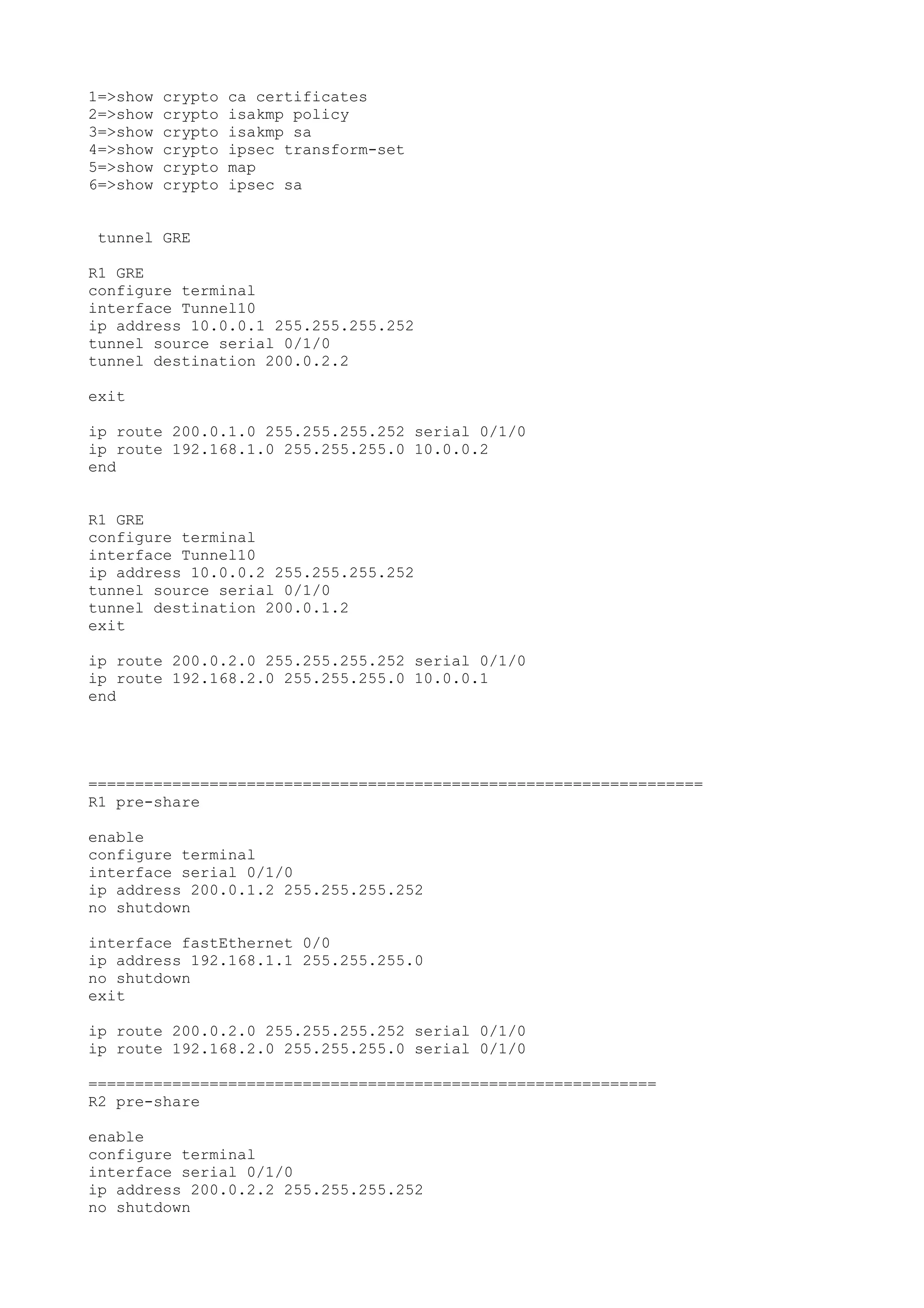
1=>show crypto ca certificates
2=>show crypto isakmp policy
3=>show crypto isakmp sa
4=>show crypto ipsec transform-set
5=>show crypto map
6=>show crypto ipsec sa
tunnel GRE
R1 GRE
configure terminal
interface Tunnel10
ip address 10.0.0.1 255.255.255.252
tunnel source serial 0/1/0
tunnel destination 200.0.2.2
exit
ip route 200.0.1.0 255.255.255.252 serial 0/1/0
ip route 192.168.1.0 255.255.255.0 10.0.0.2
end
R1 GRE
configure terminal
interface Tunnel10
ip address 10.0.0.2 255.255.255.252
tunnel source serial 0/1/0
tunnel destination 200.0.1.2
exit
ip route 200.0.2.0 255.255.255.252 serial 0/1/0
ip route 192.168.2.0 255.255.255.0 10.0.0.1
end
==================================================================
R1 pre-share
enable
configure terminal
interface serial 0/1/0
ip address 200.0.1.2 255.255.255.252
no shutdown
interface fastEthernet 0/0
ip address 192.168.1.1 255.255.255.0
no shutdown
exit
ip route 200.0.2.0 255.255.255.252 serial 0/1/0
ip route 192.168.2.0 255.255.255.0 serial 0/1/0
=============================================================
R2 pre-share
enable
configure terminal
interface serial 0/1/0
ip address 200.0.2.2 255.255.255.252
no shutdown
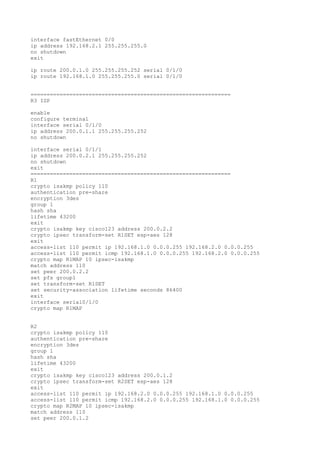
interface fastEthernet 0/0
ip address 192.168.2.1 255.255.255.0
no shutdown
exit
ip route 200.0.1.0 255.255.255.252 serial 0/1/0
ip route 192.168.1.0 255.255.255.0 serial 0/1/0
==============================================================
R3 ISP
enable
configure terminal
interface serial 0/1/0
ip address 200.0.1.1 255.255.255.252
no shutdown
interface serial 0/1/1
ip address 200.0.2.1 255.255.255.252
no shutdown
exit
==============================================================
R1
crypto isakmp policy 110
authentication pre-share
encryption 3des
group 1
hash sha
lifetime 43200
exit
crypto isakmp key cisco123 address 200.0.2.2
crypto ipsec transform-set R1SET esp-aes 128
exit
access-list 110 permit ip 192.168.1.0 0.0.0.255 192.168.2.0 0.0.0.255
access-list 110 permit icmp 192.168.1.0 0.0.0.255 192.168.2.0 0.0.0.255
crypto map R1MAP 10 ipsec-isakmp
match address 110
set peer 200.0.2.2
set pfs group1
set transform-set R1SET
set security-association lifetime seconds 86400
exit
interface serial0/1/0
crypto map R1MAP
R2
crypto isakmp policy 110
authentication pre-share
encryption 3des
group 1
hash sha
lifetime 43200
exit
crypto isakmp key cisco123 address 200.0.1.2
crypto ipsec transform-set R2SET esp-aes 128
exit
access-list 110 permit ip 192.168.2.0 0.0.0.255 192.168.1.0 0.0.0.255
access-list 110 permit icmp 192.168.2.0 0.0.0.255 192.168.1.0 0.0.0.255
crypto map R2MAP 10 ipsec-isakmp
match address 110
set peer 200.0.1.2
set pfs group1
set transform-set R2SET
set security-association lifetime seconds 86400
exit
interface serial0/1/0
crypto map R2MAP
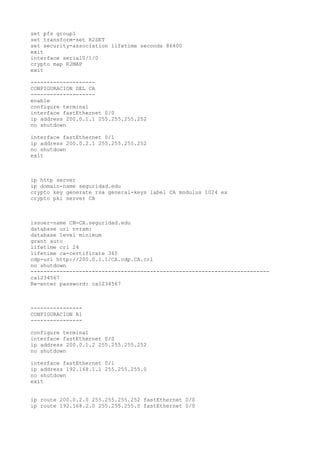
exit
--------------------
CONFIGURACION DEL CA
--------------------
enable
configure terminal
interface fastEthernet 0/0
ip address 200.0.1.1 255.255.255.252
no shutdown
interface fastEthernet 0/1
ip address 200.0.2.1 255.255.255.252
no shutdown
exit
ip http server
ip domain-name seguridad.edu
crypto key generate rsa general-keys label CA modulus 1024 ex
crypto pki server CA
issuer-name CN=CA.seguridad.edu
database url nvram:
database level minimum
grant auto
lifetime crl 24
lifetime ca-certificate 365
cdp-url http://200.0.1.1/CA.cdp.CA.crl
no shutdown
--------------------------------------------------------------------------
ca1234567
Re-enter password: ca1234567
----------------
CONFIGURACION R1
----------------
configure terminal
interface fastEthernet 0/0
ip address 200.0.1.2 255.255.255.252
no shutdown
interface fastEthernet 0/1
ip address 192.168.1.1 255.255.255.0
no shutdown
exit
ip route 200.0.2.0 255.255.255.252 fastEthernet 0/0
ip route 192.168.2.0 255.255.255.0 fastEthernet 0/0
ip domain-name seguridad.edu
crypto key generate rsa usage-keys modulus 1024
crypto ca trustpoint CA
enrollment url http://200.0.1.1:80
revocation-check none
crypto ca authenticate CA
--------------------------------------------------------------------------
Certificate has the following attributes:
Fingerprint MD5: 87B13186 83BD9E72 BB9CA06A 42C6C214
Fingerprint SHA1: 3560514B 9F32D2E4 95E92DA4 6C104ADD BC46E0F5
% Do you accept this certificate? [yes/no]: yes
Trustpoint CA certificate accepted.
--------------------------------------------------------------------------------
--
crypto ca enroll CA
Password: 123456789
Re-password: 123456789
% Include the router serial number in the subject name? [yes/no]: no
% Include an IP address in the subject name? [no]: no
Request certificate from CA? [yes/no]: yes
--------------------------------------------------------------------------------
-
crypto isakmp policy 1
authentication rsa-sig
encryption aes
hash sha
group 2
lifetime 7200
exit
crypto isakmp key 0 cisco address 200.0.2.2 no-xauth
crypto ipsec transform-set R1_MYSET esp-aes esp-sha-hmac
no access-list 117 permit icmp 192.168.1.0 0.0.0.255 192.168.2.0 0.0.0.255
no access-list 117 permit ip 192.168.1.0 0.0.0.255 192.168.2.0 0.0.0.255
--------------------------------------------------------------------------------
-
#ip access-list extended TRAFFIC_R1
#permit ip 192.168.1.0 0.0.0.255 192.168.2.0 0.0.0.255
#exit
--------------------------------------------------------------------------------
--
crypto map R1_MAP 1 ipsec-isakmp
set peer 200.0.2.2
set transform-set R1_MYSET
match address 117
exit
interface fastEthernet 0/0
crypto map R1_MAP
EXIT
----------------
CONFIGURACION R2
----------------
enable
configure terminal
interface fastEthernet 0/0
ip address 200.0.2.2 255.255.255.252
no shutdown
interface fastEthernet 0/1
ip address 192.168.2.1 255.255.255.0
no shutdown
exit
ip route 200.0.1.0 255.255.255.252 fastEthernet 0/0
ip route 192.168.1.0 255.255.255.0 fastEthernet 0/0
ip domain-name seguridad.edu
crypto key generate rsa usage-keys modulus 1024
crypto ca trustpoint CA
enrollment url http://200.0.1.1:80
revocation-check none
crypto ca authenticate CA
--------------------------------------------------------------------------------
--
Certificate has the following attributes:
Fingerprint MD5: 87B13186 83BD9E72 BB9CA06A 42C6C214
Fingerprint SHA1: 3560514B 9F32D2E4 95E92DA4 6C104ADD BC46E0F5
% Do you accept this certificate? [yes/no]: yes
Trustpoint CA certificate accepted.
--------------------------------------------------------------------------------
--
crypto ca enroll CA
Password: 123456789
Re-password: 123456789
% Include the router serial number in the subject name? [yes/no]: no
% Include an IP address in the subject name? [no]: no
Request certificate from CA? [yes/no]: yes
--------------------------------------------------------------------------------
-
crypto isakmp policy 1
authentication rsa-sig
encryption aes
hash sha
group 2
lifetime 7200
exit
crypto isakmp key 0 cisco address 200.0.1.2 no-xauth
crypto ipsec transform-set R2_SET esp-aes esp-sha-hmac
exit
access-list 117 permit icmp 192.168.2.0 0.0.0.255 192.168.1.0 0.0.0.255
access-list 117 permit ip 192.168.2.0 0.0.0.255 192.168.1.0 0.0.0.255
no access-list 117 permit icmp 192.168.2.0 0.0.0.255 192.168.1.0 0.0.0.255
no access-list 117 permit ip 192.168.2.0 0.0.0.255 192.168.1.0 0.0.0.255
--------------------------------------------------------------------------------
-
#ip access-list extended TRAFFIC_R2
#permit ip 192.168.2.0 0.0.0.255 192.168.1.0 0.0.0.255
#exit
crypto map R2_MAP 1 ipsec-isakmp
set peer 200.0.1.2
set transform-set R2_SET
match address 117
EXIT
interface fastEthernet 0/0
crypto map R2_MAP
EXIT
--------------------------------------------------------------------------------
--
Request certificate from CA? [yes/no]: yes
--------------------------------------------------------------------------------
-
crypto isakmp policy 1
authentication rsa-sig
encryption aes
hash sha
group 2
lifetime 7200
exit
crypto isakmp key 0 cisco address 200.0.1.2 no-xauth
crypto ipsec transform-set R2_SET esp-aes esp-sha-hmac
exit
access-list 117 permit icmp 192.168.2.0 0.0.0.255 192.168.1.0 0.0.0.255
access-list 117 permit ip 192.168.2.0 0.0.0.255 192.168.1.0 0.0.0.255
no access-list 117 permit icmp 192.168.2.0 0.0.0.255 192.168.1.0 0.0.0.255
no access-list 117 permit ip 192.168.2.0 0.0.0.255 192.168.1.0 0.0.0.255
--------------------------------------------------------------------------------
-
#ip access-list extended TRAFFIC_R2
#permit ip 192.168.2.0 0.0.0.255 192.168.1.0 0.0.0.255
#exit
crypto map R2_MAP 1 ipsec-isakmp
set peer 200.0.1.2
set transform-set R2_SET
match address 117
EXIT
interface fastEthernet 0/0
crypto map R2_MAP
EXIT
--------------------------------------------------------------------------------
--

Ipsec

  • 1.
    1=>show crypto cacertificates 2=>show crypto isakmp policy 3=>show crypto isakmp sa 4=>show crypto ipsec transform-set 5=>show crypto map 6=>show crypto ipsec sa tunnel GRE R1 GRE configure terminal interface Tunnel10 ip address 10.0.0.1 255.255.255.252 tunnel source serial 0/1/0 tunnel destination 200.0.2.2 exit ip route 200.0.1.0 255.255.255.252 serial 0/1/0 ip route 192.168.1.0 255.255.255.0 10.0.0.2 end R1 GRE configure terminal interface Tunnel10 ip address 10.0.0.2 255.255.255.252 tunnel source serial 0/1/0 tunnel destination 200.0.1.2 exit ip route 200.0.2.0 255.255.255.252 serial 0/1/0 ip route 192.168.2.0 255.255.255.0 10.0.0.1 end ================================================================== R1 pre-share enable configure terminal interface serial 0/1/0 ip address 200.0.1.2 255.255.255.252 no shutdown interface fastEthernet 0/0 ip address 192.168.1.1 255.255.255.0 no shutdown exit ip route 200.0.2.0 255.255.255.252 serial 0/1/0 ip route 192.168.2.0 255.255.255.0 serial 0/1/0 ============================================================= R2 pre-share enable configure terminal interface serial 0/1/0 ip address 200.0.2.2 255.255.255.252 no shutdown
  • 2.
    interface fastEthernet 0/0 ipaddress 192.168.2.1 255.255.255.0 no shutdown exit ip route 200.0.1.0 255.255.255.252 serial 0/1/0 ip route 192.168.1.0 255.255.255.0 serial 0/1/0 ============================================================== R3 ISP enable configure terminal interface serial 0/1/0 ip address 200.0.1.1 255.255.255.252 no shutdown interface serial 0/1/1 ip address 200.0.2.1 255.255.255.252 no shutdown exit ============================================================== R1 crypto isakmp policy 110 authentication pre-share encryption 3des group 1 hash sha lifetime 43200 exit crypto isakmp key cisco123 address 200.0.2.2 crypto ipsec transform-set R1SET esp-aes 128 exit access-list 110 permit ip 192.168.1.0 0.0.0.255 192.168.2.0 0.0.0.255 access-list 110 permit icmp 192.168.1.0 0.0.0.255 192.168.2.0 0.0.0.255 crypto map R1MAP 10 ipsec-isakmp match address 110 set peer 200.0.2.2 set pfs group1 set transform-set R1SET set security-association lifetime seconds 86400 exit interface serial0/1/0 crypto map R1MAP R2 crypto isakmp policy 110 authentication pre-share encryption 3des group 1 hash sha lifetime 43200 exit crypto isakmp key cisco123 address 200.0.1.2 crypto ipsec transform-set R2SET esp-aes 128 exit access-list 110 permit ip 192.168.2.0 0.0.0.255 192.168.1.0 0.0.0.255 access-list 110 permit icmp 192.168.2.0 0.0.0.255 192.168.1.0 0.0.0.255 crypto map R2MAP 10 ipsec-isakmp match address 110 set peer 200.0.1.2
  • 3.
    set pfs group1 settransform-set R2SET set security-association lifetime seconds 86400 exit interface serial0/1/0 crypto map R2MAP exit -------------------- CONFIGURACION DEL CA -------------------- enable configure terminal interface fastEthernet 0/0 ip address 200.0.1.1 255.255.255.252 no shutdown interface fastEthernet 0/1 ip address 200.0.2.1 255.255.255.252 no shutdown exit ip http server ip domain-name seguridad.edu crypto key generate rsa general-keys label CA modulus 1024 ex crypto pki server CA issuer-name CN=CA.seguridad.edu database url nvram: database level minimum grant auto lifetime crl 24 lifetime ca-certificate 365 cdp-url http://200.0.1.1/CA.cdp.CA.crl no shutdown -------------------------------------------------------------------------- ca1234567 Re-enter password: ca1234567 ---------------- CONFIGURACION R1 ---------------- configure terminal interface fastEthernet 0/0 ip address 200.0.1.2 255.255.255.252 no shutdown interface fastEthernet 0/1 ip address 192.168.1.1 255.255.255.0 no shutdown exit ip route 200.0.2.0 255.255.255.252 fastEthernet 0/0 ip route 192.168.2.0 255.255.255.0 fastEthernet 0/0
  • 4.
    ip domain-name seguridad.edu cryptokey generate rsa usage-keys modulus 1024 crypto ca trustpoint CA enrollment url http://200.0.1.1:80 revocation-check none crypto ca authenticate CA -------------------------------------------------------------------------- Certificate has the following attributes: Fingerprint MD5: 87B13186 83BD9E72 BB9CA06A 42C6C214 Fingerprint SHA1: 3560514B 9F32D2E4 95E92DA4 6C104ADD BC46E0F5 % Do you accept this certificate? [yes/no]: yes Trustpoint CA certificate accepted. -------------------------------------------------------------------------------- -- crypto ca enroll CA Password: 123456789 Re-password: 123456789 % Include the router serial number in the subject name? [yes/no]: no % Include an IP address in the subject name? [no]: no Request certificate from CA? [yes/no]: yes -------------------------------------------------------------------------------- - crypto isakmp policy 1 authentication rsa-sig encryption aes hash sha group 2 lifetime 7200 exit crypto isakmp key 0 cisco address 200.0.2.2 no-xauth crypto ipsec transform-set R1_MYSET esp-aes esp-sha-hmac no access-list 117 permit icmp 192.168.1.0 0.0.0.255 192.168.2.0 0.0.0.255 no access-list 117 permit ip 192.168.1.0 0.0.0.255 192.168.2.0 0.0.0.255 -------------------------------------------------------------------------------- - #ip access-list extended TRAFFIC_R1 #permit ip 192.168.1.0 0.0.0.255 192.168.2.0 0.0.0.255 #exit -------------------------------------------------------------------------------- -- crypto map R1_MAP 1 ipsec-isakmp set peer 200.0.2.2 set transform-set R1_MYSET
  • 5.
    match address 117 exit interfacefastEthernet 0/0 crypto map R1_MAP EXIT ---------------- CONFIGURACION R2 ---------------- enable configure terminal interface fastEthernet 0/0 ip address 200.0.2.2 255.255.255.252 no shutdown interface fastEthernet 0/1 ip address 192.168.2.1 255.255.255.0 no shutdown exit ip route 200.0.1.0 255.255.255.252 fastEthernet 0/0 ip route 192.168.1.0 255.255.255.0 fastEthernet 0/0 ip domain-name seguridad.edu crypto key generate rsa usage-keys modulus 1024 crypto ca trustpoint CA enrollment url http://200.0.1.1:80 revocation-check none crypto ca authenticate CA -------------------------------------------------------------------------------- -- Certificate has the following attributes: Fingerprint MD5: 87B13186 83BD9E72 BB9CA06A 42C6C214 Fingerprint SHA1: 3560514B 9F32D2E4 95E92DA4 6C104ADD BC46E0F5 % Do you accept this certificate? [yes/no]: yes Trustpoint CA certificate accepted. -------------------------------------------------------------------------------- -- crypto ca enroll CA Password: 123456789 Re-password: 123456789 % Include the router serial number in the subject name? [yes/no]: no % Include an IP address in the subject name? [no]: no
  • 6.
    Request certificate fromCA? [yes/no]: yes -------------------------------------------------------------------------------- - crypto isakmp policy 1 authentication rsa-sig encryption aes hash sha group 2 lifetime 7200 exit crypto isakmp key 0 cisco address 200.0.1.2 no-xauth crypto ipsec transform-set R2_SET esp-aes esp-sha-hmac exit access-list 117 permit icmp 192.168.2.0 0.0.0.255 192.168.1.0 0.0.0.255 access-list 117 permit ip 192.168.2.0 0.0.0.255 192.168.1.0 0.0.0.255 no access-list 117 permit icmp 192.168.2.0 0.0.0.255 192.168.1.0 0.0.0.255 no access-list 117 permit ip 192.168.2.0 0.0.0.255 192.168.1.0 0.0.0.255 -------------------------------------------------------------------------------- - #ip access-list extended TRAFFIC_R2 #permit ip 192.168.2.0 0.0.0.255 192.168.1.0 0.0.0.255 #exit crypto map R2_MAP 1 ipsec-isakmp set peer 200.0.1.2 set transform-set R2_SET match address 117 EXIT interface fastEthernet 0/0 crypto map R2_MAP EXIT -------------------------------------------------------------------------------- --
  • 7.
    Request certificate fromCA? [yes/no]: yes -------------------------------------------------------------------------------- - crypto isakmp policy 1 authentication rsa-sig encryption aes hash sha group 2 lifetime 7200 exit crypto isakmp key 0 cisco address 200.0.1.2 no-xauth crypto ipsec transform-set R2_SET esp-aes esp-sha-hmac exit access-list 117 permit icmp 192.168.2.0 0.0.0.255 192.168.1.0 0.0.0.255 access-list 117 permit ip 192.168.2.0 0.0.0.255 192.168.1.0 0.0.0.255 no access-list 117 permit icmp 192.168.2.0 0.0.0.255 192.168.1.0 0.0.0.255 no access-list 117 permit ip 192.168.2.0 0.0.0.255 192.168.1.0 0.0.0.255 -------------------------------------------------------------------------------- - #ip access-list extended TRAFFIC_R2 #permit ip 192.168.2.0 0.0.0.255 192.168.1.0 0.0.0.255 #exit crypto map R2_MAP 1 ipsec-isakmp set peer 200.0.1.2 set transform-set R2_SET match address 117 EXIT interface fastEthernet 0/0 crypto map R2_MAP EXIT -------------------------------------------------------------------------------- --