Aims: To demystify the creation and use of audio Examine the uses of audio files in teaching and learning By the end of this session, you should: Be able to use audio in your teaching Understand what podcasting is and how you may use them
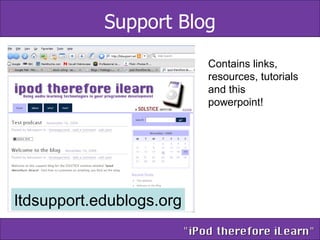
Support Blog ltdsupport.edublogs.org Contains links, resources, tutorials and this powerpoint!
Number of ways to use audio Recording audio Narrating Powerpoint presentations Advanced use of Powerpoint using Microsoft Producer Recording lectures Podcasting
What do I need? Microphone Audio editing software Ideas
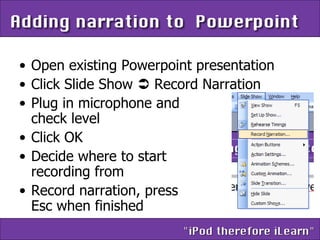
Open existing Powerpoint presentation Click Slide Show    Record Narration Plug in microphone and  check level Click OK Decide where to start  recording from Record narration, press  Esc when finished
I have recorded the narration – now what? Email it to students Upload into WebCT Keep it as an archive of your lecture But be careful… 1 minute of audio = 1 megabyte of file space!
Impatica Plug-in for Powerpoint Software designed to convert files into a compressed format that is optimised for streaming over the Internet.  Typically 95% smaller Ideal for narrated powerpoints
Microsoft Producer Free download for Powerpoint 2003 Capture, synchronise, and publish audio, video, slides, and images to create rich-media presentations viewable in a browser Example
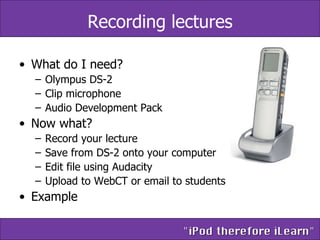
Recording lectures What do I need? Olympus DS-2 Clip microphone Audio Development Pack Now what? Record your lecture Save from DS-2 onto your computer Edit file using Audacity Upload to WebCT or email to students Example
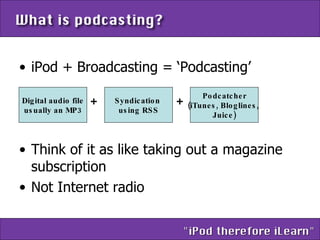
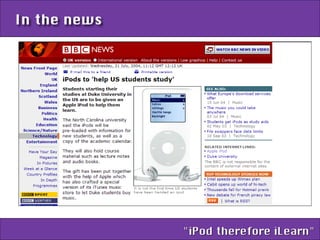
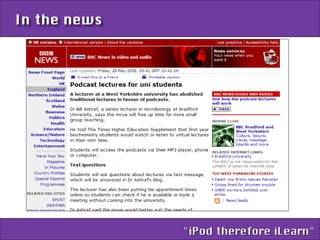
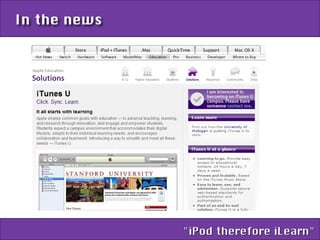
iPod + Broadcasting = ‘Podcasting’ Think of it as like taking out a magazine subscription Not Internet radio Digital audio file usually an MP3 Syndication  using RSS Podcatcher (iTunes, Bloglines,  Juice) + +


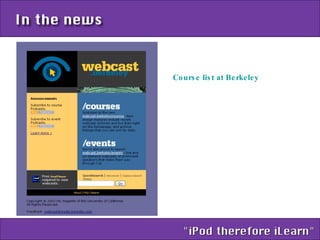
Course list at Berkeley
Designing a podcast Step 1: Select appropriate content  Avoid overly complex and dense content material that includes lots of facts and figures Recordings of classroom lectures may not be the best use of podcasting Narrow the focus of a podcast
Step 2:  Have a clear instructional goal and purpose for each podcast. This will help guide the development process and result in better learning. Designing a podcast
Ways to use audio Group activity Think of as many ways as possible how you could use audio in your teaching
What now? Recording your podcast Broadcasting your podcast Subscribing to RSS feeds
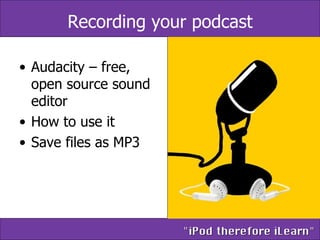
Recording your podcast Audacity – free, open source sound editor How to use it Save files as MP3
Broadcasting Set up a blog Upload your file  Write post
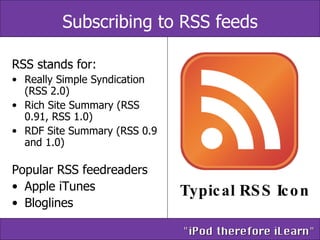
Subscribing to RSS feeds RSS stands for:  Really Simple Syndication (RSS 2.0)  Rich Site Summary (RSS 0.91, RSS 1.0)  RDF Site Summary (RSS 0.9 and 1.0)  Popular RSS feedreaders Apple iTunes Bloglines Typical RSS Icon
Screencasting A  screencast  is a digital recording of computer screen output, often containing audio narration Software  Camtasia Macromedia Captivate ViewletBuilder
Other audio technologies Instant messenging services Skype MSN Messenger Sitespeed
VODcasting No physical lectures! Or this?

iPod Therefore iLearn

  • 1.
  • 2.
    Aims: To demystifythe creation and use of audio Examine the uses of audio files in teaching and learning By the end of this session, you should: Be able to use audio in your teaching Understand what podcasting is and how you may use them
  • 3.
    Support Blog ltdsupport.edublogs.orgContains links, resources, tutorials and this powerpoint!
  • 4.
    Number of waysto use audio Recording audio Narrating Powerpoint presentations Advanced use of Powerpoint using Microsoft Producer Recording lectures Podcasting
  • 5.
    What do Ineed? Microphone Audio editing software Ideas
  • 6.
    Open existing Powerpointpresentation Click Slide Show  Record Narration Plug in microphone and check level Click OK Decide where to start recording from Record narration, press Esc when finished
  • 7.
    I have recordedthe narration – now what? Email it to students Upload into WebCT Keep it as an archive of your lecture But be careful… 1 minute of audio = 1 megabyte of file space!
  • 8.
    Impatica Plug-in forPowerpoint Software designed to convert files into a compressed format that is optimised for streaming over the Internet. Typically 95% smaller Ideal for narrated powerpoints
  • 9.
    Microsoft Producer Freedownload for Powerpoint 2003 Capture, synchronise, and publish audio, video, slides, and images to create rich-media presentations viewable in a browser Example
  • 10.
    Recording lectures Whatdo I need? Olympus DS-2 Clip microphone Audio Development Pack Now what? Record your lecture Save from DS-2 onto your computer Edit file using Audacity Upload to WebCT or email to students Example
  • 11.
    iPod + Broadcasting= ‘Podcasting’ Think of it as like taking out a magazine subscription Not Internet radio Digital audio file usually an MP3 Syndication using RSS Podcatcher (iTunes, Bloglines, Juice) + +
  • 12.
  • 13.
  • 14.
  • 15.
  • 16.
    Designing a podcastStep 1: Select appropriate content Avoid overly complex and dense content material that includes lots of facts and figures Recordings of classroom lectures may not be the best use of podcasting Narrow the focus of a podcast
  • 17.
    Step 2: Have a clear instructional goal and purpose for each podcast. This will help guide the development process and result in better learning. Designing a podcast
  • 18.
    Ways to useaudio Group activity Think of as many ways as possible how you could use audio in your teaching
  • 19.
    What now? Recordingyour podcast Broadcasting your podcast Subscribing to RSS feeds
  • 20.
    Recording your podcastAudacity – free, open source sound editor How to use it Save files as MP3
  • 21.
    Broadcasting Set upa blog Upload your file Write post
  • 22.
    Subscribing to RSSfeeds RSS stands for: Really Simple Syndication (RSS 2.0) Rich Site Summary (RSS 0.91, RSS 1.0) RDF Site Summary (RSS 0.9 and 1.0) Popular RSS feedreaders Apple iTunes Bloglines Typical RSS Icon
  • 23.
    Screencasting A screencast is a digital recording of computer screen output, often containing audio narration Software Camtasia Macromedia Captivate ViewletBuilder
  • 24.
    Other audio technologiesInstant messenging services Skype MSN Messenger Sitespeed
  • 25.
    VODcasting No physicallectures! Or this?

Editor's Notes

  • #2 Welcome, SOLSTICE seminar series My name is…. Can we go around the tables and introduce ourselves and what your reason was for coming today?