Visual Basic .Net
ljrizen
What is Visual Basic .Net?
ljrizen
Visual Basic
ljrizen
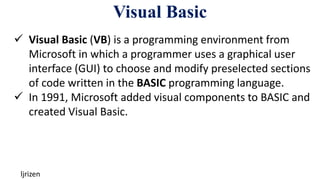
 Visual Basic (VB) is a programming environment from
Microsoft in which a programmer uses a graphical user
interface (GUI) to choose and modify preselected sections
of code written in the BASIC programming language.
 In 1991, Microsoft added visual components to BASIC and
created Visual Basic.
.Net
ljrizen
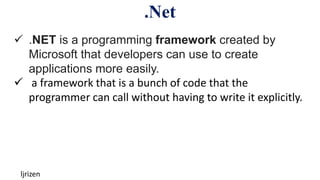
 .NET is a programming framework created by
Microsoft that developers can use to create
applications more easily.
 a framework that is a bunch of code that the
programmer can call without having to write it explicitly.
Visual Basic .Net
ljrizen
 Visual Basic .NET (VB.NET) is a multi-paradigm, object-
oriented programming language, implemented on the
.NET Framework.
 Microsoft launched VB.NET in 2002 as the successor to its
original Visual Basic language.
Visual Basic .Net
ljrizen
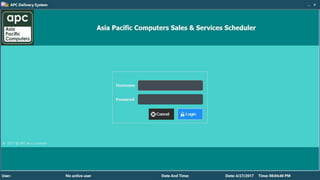
 As a Visual Basic .NET Programmer, You Must Design and
Create the Two Major Components of an Application: the
GUI Elements (Forms and Other Controls) and the
Programming Statements That Respond to And/or
Perform Actions (Event Procedures).
Controls
ljrizen
• As a Windows Operating System user, you are already
familiar with many of these controls:
 Label - A box that displays text
 RadioButton - A round button that can be selected or
not with the mouse
 Form - A window with other controls within
Controls
ljrizen
• CheckBox
• ComboBox
• Button
• GroupBox
• ListBox
• TextBox
• VScrollBar
Controls
ljrizen
• Properties
 Name
 Font
 Forecolor
 Size
 Size
 Location
 Others
ljrizen
Event Procedures
ljrizen
 For every event, there must be an event procedure.
 You will write Visual Basic .NET code that will instruct the
computer what actions to take whenever a specific event
is triggered.
Event Procedures
ljrizen
 MouseClick
 Hover
 Formload
 TextChanged
 SelectedIndexChanged
 Others
Event Procedures
ljrizen
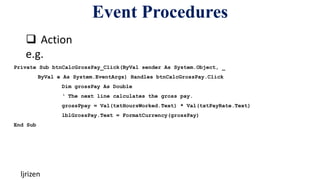
 Action
e.g.
Private Sub btnCalcGrossPay_Click(ByVal sender As System.Object, _
ByVal e As System.EventArgs) Handles btnCalcGrossPay.Click
Dim grossPay As Double
‘ The next line calculates the gross pay.
grossPpay = Val(txtHoursWorked.Text) * Val(txtPayRate.Text)
lblGrossPay.Text = FormatCurrency(grossPay)
End Sub
The Programming Process
ljrizen
 The Programming Process Consists of Several Steps,
Which Include Design, Creation, Testing, and Debugging
Activities
Step 1 of Developing an Application
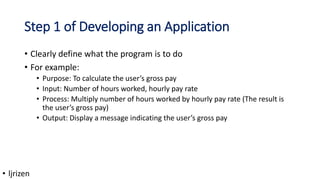
• Clearly define what the program is to do
• For example:
• Purpose: To calculate the user’s gross pay
• Input: Number of hours worked, hourly pay rate
• Process: Multiply number of hours worked by hourly pay rate (The result is
the user’s gross pay)
• Output: Display a message indicating the user’s gross pay
• ljrizen
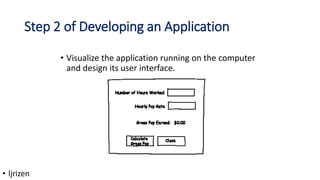
Step 2 of Developing an Application
• Visualize the application running on the computer
and design its user interface.
• ljrizen
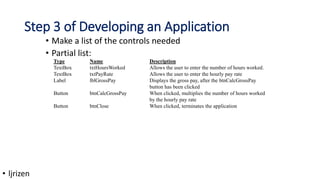
Step 3 of Developing an Application
• Make a list of the controls needed
• Partial list:
Type Name Description
TextBox txtHoursWorked Allows the user to enter the number of hours worked.
TextBox txtPayRate Allows the user to enter the hourly pay rate
Label lblGrossPay Displays the gross pay, after the btnCalcGrossPay
button has been clicked
Button btnCalcGrossPay When clicked, multiplies the number of hours worked
by the hourly pay rate
Button btnClose When clicked, terminates the application
• ljrizen
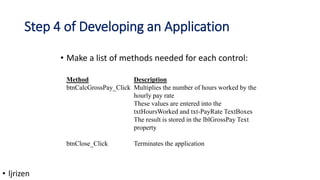
Step 4 of Developing an Application
• Make a list of methods needed for each control:
Method Description
btnCalcGrossPay_Click Multiplies the number of hours worked by the
hourly pay rate
These values are entered into the
txtHoursWorked and txt-PayRate TextBoxes
The result is stored in the lblGrossPay Text
property
btnClose_Click Terminates the application
• ljrizen
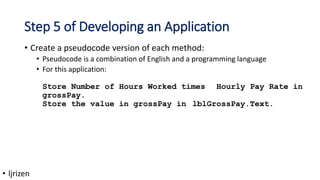
Step 5 of Developing an Application
• Create a pseudocode version of each method:
• Pseudocode is a combination of English and a programming language
• For this application:
Store Number of Hours Worked times Hourly Pay Rate in
grossPay.
Store the value in grossPay in lblGrossPay.Text.
• ljrizen
Step 6 of Developing an Application
• Check the code for errors:
• Go step by step through the code, running it in your
head as though the computer is running it
• Keep track of where in the code is being executed
• Keep track of the values of all of the variables
• ljrizen
Step 7 of Developing an Application
• Use Visual Basic .NET to create the forms and
other controls identified in step 3
• This is the first use of Visual Basic .NET, all of the
previous steps have just been on paper
• ljrizen
Step 8 of Developing an Application
• Use Visual Basic .NET to write the code for the
event procedures and other methods created in
step 5.
• ljrizen
Step 9 of Developing an Application
• Attempt to run the application - find syntax errors
• Correct any syntax errors found and repeat this step as
often as necessary
• All of the syntax errors must be removed before Visual
Basic .NET will create a program that you can actually
run on the computer
• ljrizen
Step 10 of Developing an Application
• Run the application - once all syntax errors are fixed
• Run the program with a variety of test data
• Check the results to be sure that they are correct
• Correct any errors found
• Repeat steps 9 and 10 as many times as necessary
• ljrizen
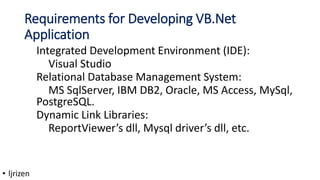
Requirements for Developing VB.Net
Application
Integrated Development Environment (IDE):
Visual Studio
Relational Database Management System:
MS SqlServer, IBM DB2, Oracle, MS Access, MySql,
PostgreSQL.
Dynamic Link Libraries:
ReportViewer’s dll, Mysql driver’s dll, etc.
• ljrizen
Thank You!!!
• ljrizen

Introduction to VB.Net.pptx

  • 1.
  • 2.
    What is VisualBasic .Net? ljrizen
  • 3.
    Visual Basic ljrizen  VisualBasic (VB) is a programming environment from Microsoft in which a programmer uses a graphical user interface (GUI) to choose and modify preselected sections of code written in the BASIC programming language.  In 1991, Microsoft added visual components to BASIC and created Visual Basic.
  • 4.
    .Net ljrizen  .NET isa programming framework created by Microsoft that developers can use to create applications more easily.  a framework that is a bunch of code that the programmer can call without having to write it explicitly.
  • 5.
    Visual Basic .Net ljrizen Visual Basic .NET (VB.NET) is a multi-paradigm, object- oriented programming language, implemented on the .NET Framework.  Microsoft launched VB.NET in 2002 as the successor to its original Visual Basic language.
  • 6.
    Visual Basic .Net ljrizen As a Visual Basic .NET Programmer, You Must Design and Create the Two Major Components of an Application: the GUI Elements (Forms and Other Controls) and the Programming Statements That Respond to And/or Perform Actions (Event Procedures).
  • 7.
    Controls ljrizen • As aWindows Operating System user, you are already familiar with many of these controls:  Label - A box that displays text  RadioButton - A round button that can be selected or not with the mouse  Form - A window with other controls within
  • 8.
    Controls ljrizen • CheckBox • ComboBox •Button • GroupBox • ListBox • TextBox • VScrollBar
  • 9.
    Controls ljrizen • Properties  Name Font  Forecolor  Size  Size  Location  Others
  • 10.
  • 11.
    Event Procedures ljrizen  Forevery event, there must be an event procedure.  You will write Visual Basic .NET code that will instruct the computer what actions to take whenever a specific event is triggered.
  • 12.
    Event Procedures ljrizen  MouseClick Hover  Formload  TextChanged  SelectedIndexChanged  Others
  • 13.
    Event Procedures ljrizen  Action e.g. PrivateSub btnCalcGrossPay_Click(ByVal sender As System.Object, _ ByVal e As System.EventArgs) Handles btnCalcGrossPay.Click Dim grossPay As Double ‘ The next line calculates the gross pay. grossPpay = Val(txtHoursWorked.Text) * Val(txtPayRate.Text) lblGrossPay.Text = FormatCurrency(grossPay) End Sub
  • 14.
    The Programming Process ljrizen The Programming Process Consists of Several Steps, Which Include Design, Creation, Testing, and Debugging Activities
  • 15.
    Step 1 ofDeveloping an Application • Clearly define what the program is to do • For example: • Purpose: To calculate the user’s gross pay • Input: Number of hours worked, hourly pay rate • Process: Multiply number of hours worked by hourly pay rate (The result is the user’s gross pay) • Output: Display a message indicating the user’s gross pay • ljrizen
  • 16.
    Step 2 ofDeveloping an Application • Visualize the application running on the computer and design its user interface. • ljrizen
  • 17.
    Step 3 ofDeveloping an Application • Make a list of the controls needed • Partial list: Type Name Description TextBox txtHoursWorked Allows the user to enter the number of hours worked. TextBox txtPayRate Allows the user to enter the hourly pay rate Label lblGrossPay Displays the gross pay, after the btnCalcGrossPay button has been clicked Button btnCalcGrossPay When clicked, multiplies the number of hours worked by the hourly pay rate Button btnClose When clicked, terminates the application • ljrizen
  • 18.
    Step 4 ofDeveloping an Application • Make a list of methods needed for each control: Method Description btnCalcGrossPay_Click Multiplies the number of hours worked by the hourly pay rate These values are entered into the txtHoursWorked and txt-PayRate TextBoxes The result is stored in the lblGrossPay Text property btnClose_Click Terminates the application • ljrizen
  • 19.
    Step 5 ofDeveloping an Application • Create a pseudocode version of each method: • Pseudocode is a combination of English and a programming language • For this application: Store Number of Hours Worked times Hourly Pay Rate in grossPay. Store the value in grossPay in lblGrossPay.Text. • ljrizen
  • 20.
    Step 6 ofDeveloping an Application • Check the code for errors: • Go step by step through the code, running it in your head as though the computer is running it • Keep track of where in the code is being executed • Keep track of the values of all of the variables • ljrizen
  • 21.
    Step 7 ofDeveloping an Application • Use Visual Basic .NET to create the forms and other controls identified in step 3 • This is the first use of Visual Basic .NET, all of the previous steps have just been on paper • ljrizen
  • 22.
    Step 8 ofDeveloping an Application • Use Visual Basic .NET to write the code for the event procedures and other methods created in step 5. • ljrizen
  • 23.
    Step 9 ofDeveloping an Application • Attempt to run the application - find syntax errors • Correct any syntax errors found and repeat this step as often as necessary • All of the syntax errors must be removed before Visual Basic .NET will create a program that you can actually run on the computer • ljrizen
  • 24.
    Step 10 ofDeveloping an Application • Run the application - once all syntax errors are fixed • Run the program with a variety of test data • Check the results to be sure that they are correct • Correct any errors found • Repeat steps 9 and 10 as many times as necessary • ljrizen
  • 25.
    Requirements for DevelopingVB.Net Application Integrated Development Environment (IDE): Visual Studio Relational Database Management System: MS SqlServer, IBM DB2, Oracle, MS Access, MySql, PostgreSQL. Dynamic Link Libraries: ReportViewer’s dll, Mysql driver’s dll, etc. • ljrizen
  • 26.