
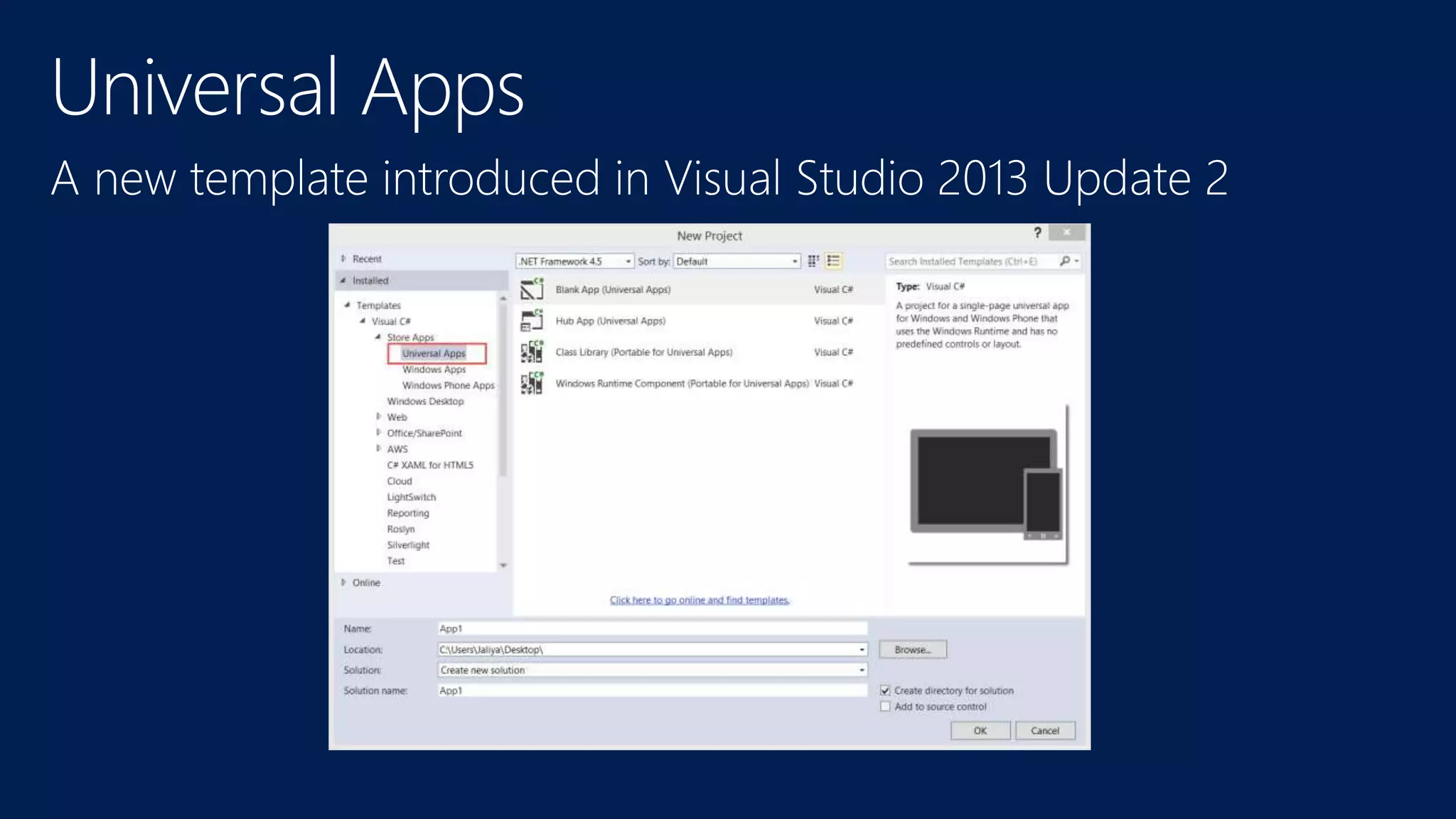


Introduction to Universal
Apps
Jaliya Udagedara
MVP (Visual C#)
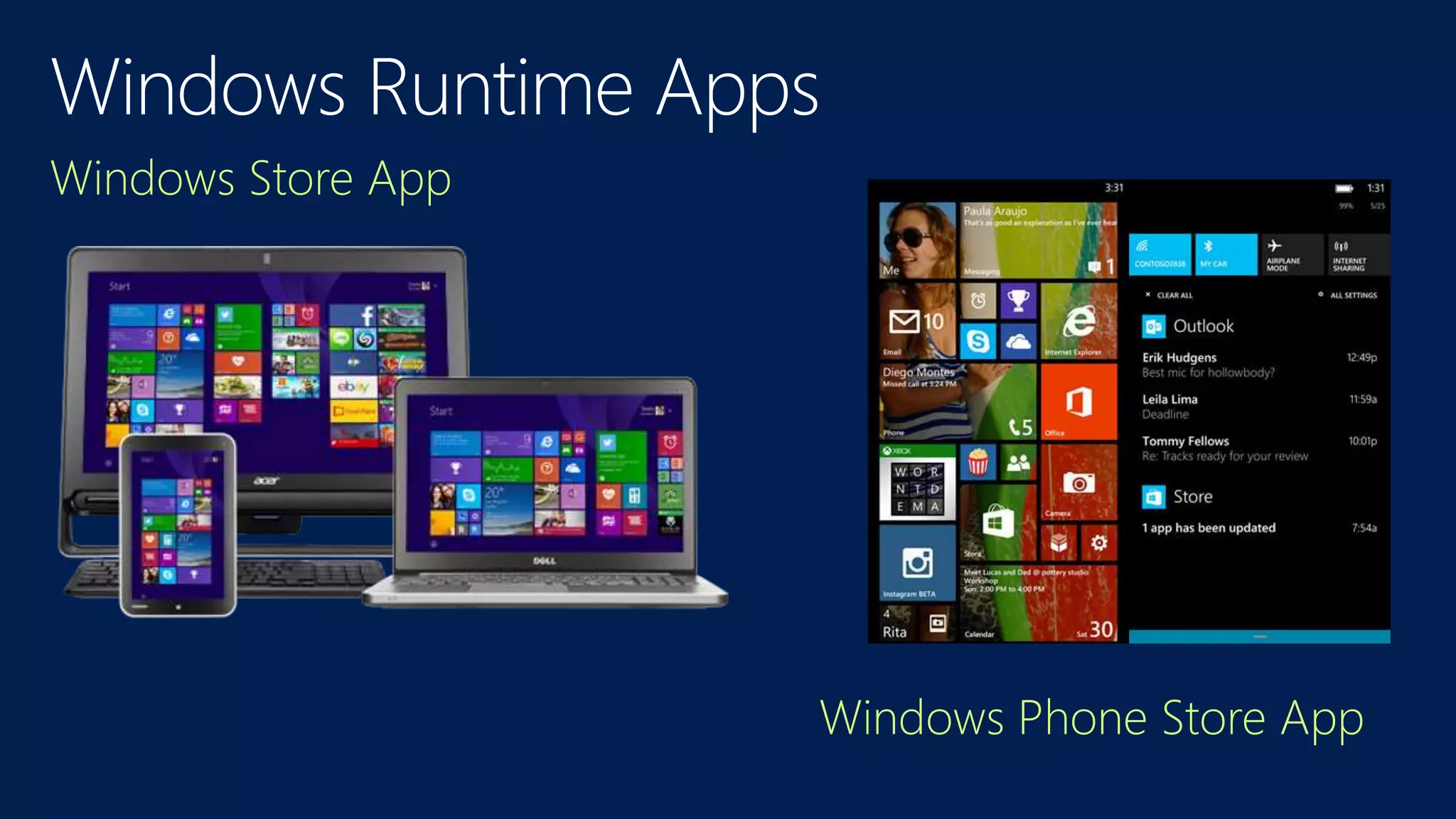
Windows Store App
Windows Phone Store App
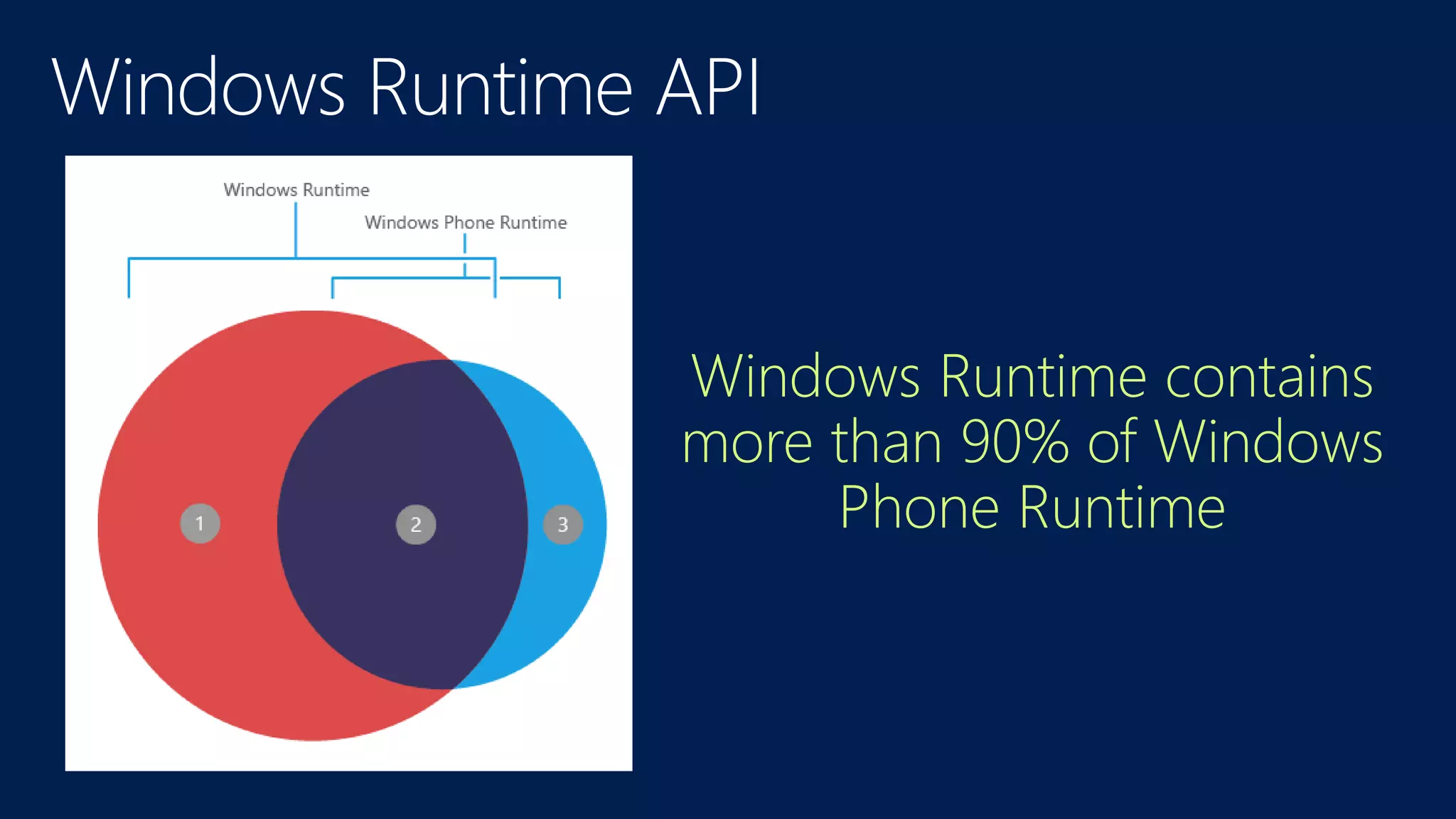
Windows Runtime Apps
Windows Runtime contains
more than 90% of Windows
Phone Runtime
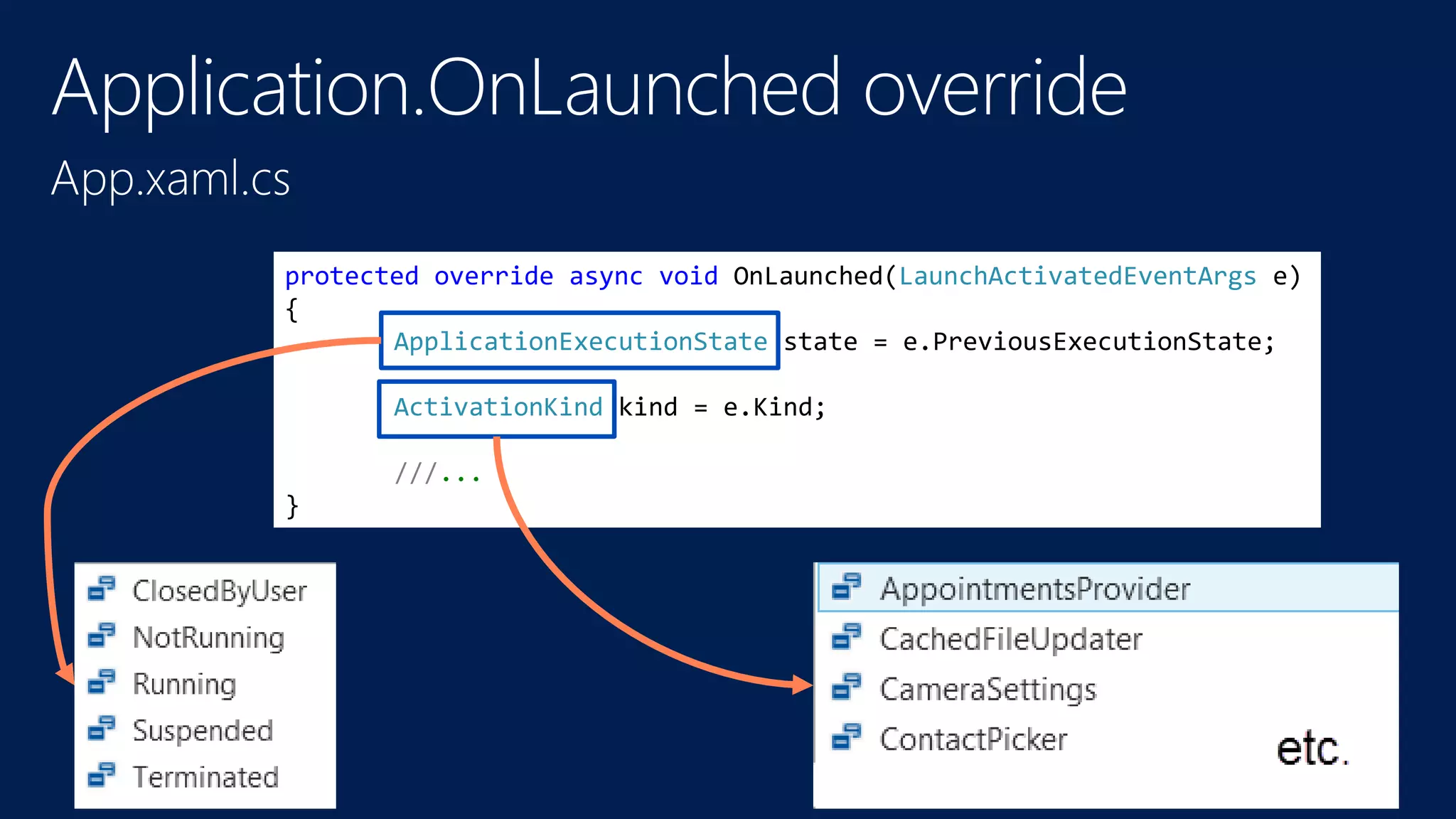
protected override async void OnLaunched(LaunchActivatedEventArgs e)
{
ApplicationExecutionState state = e.PreviousExecutionState;
ActivationKind kind = e.Kind;
///...
}
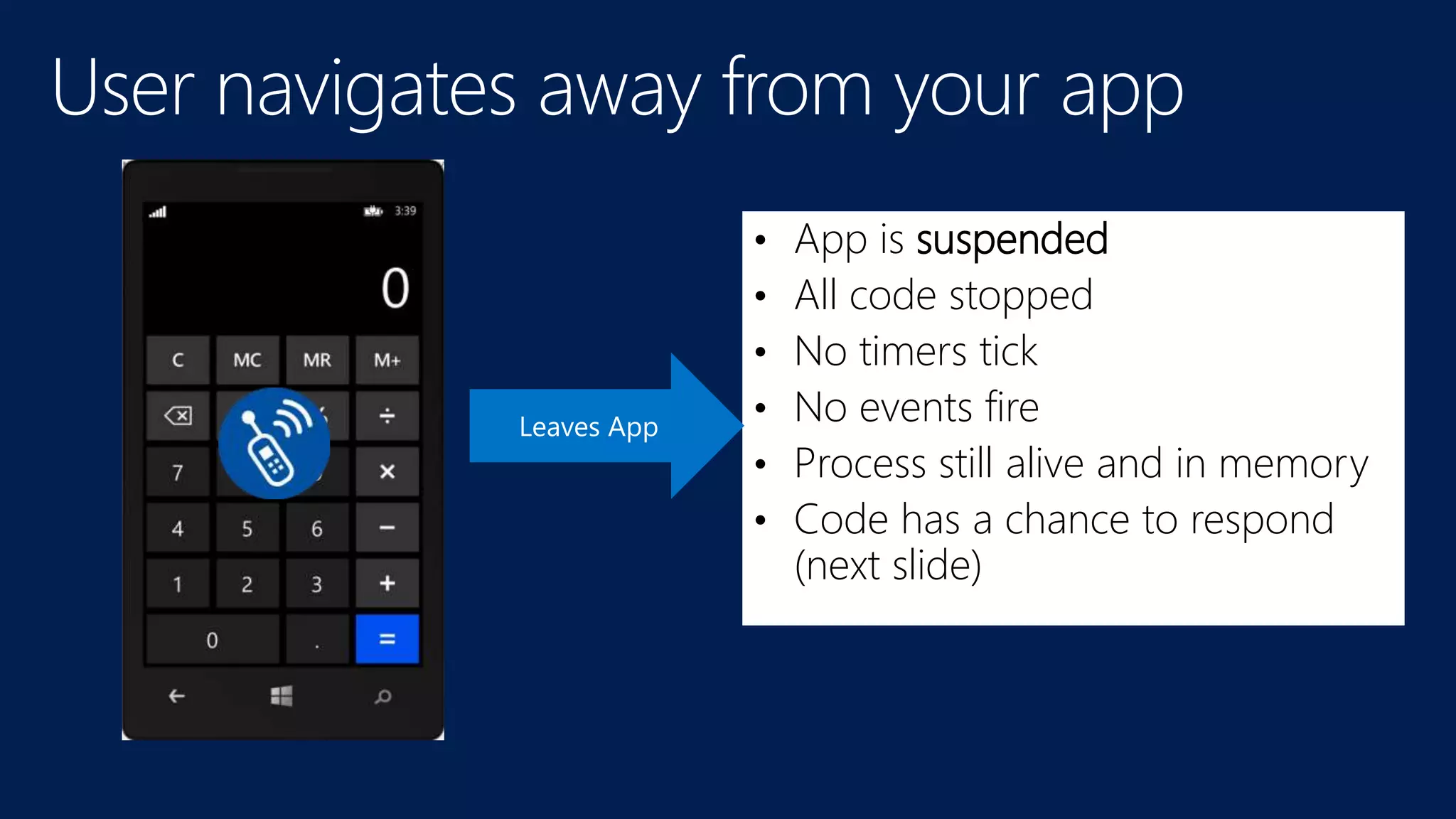
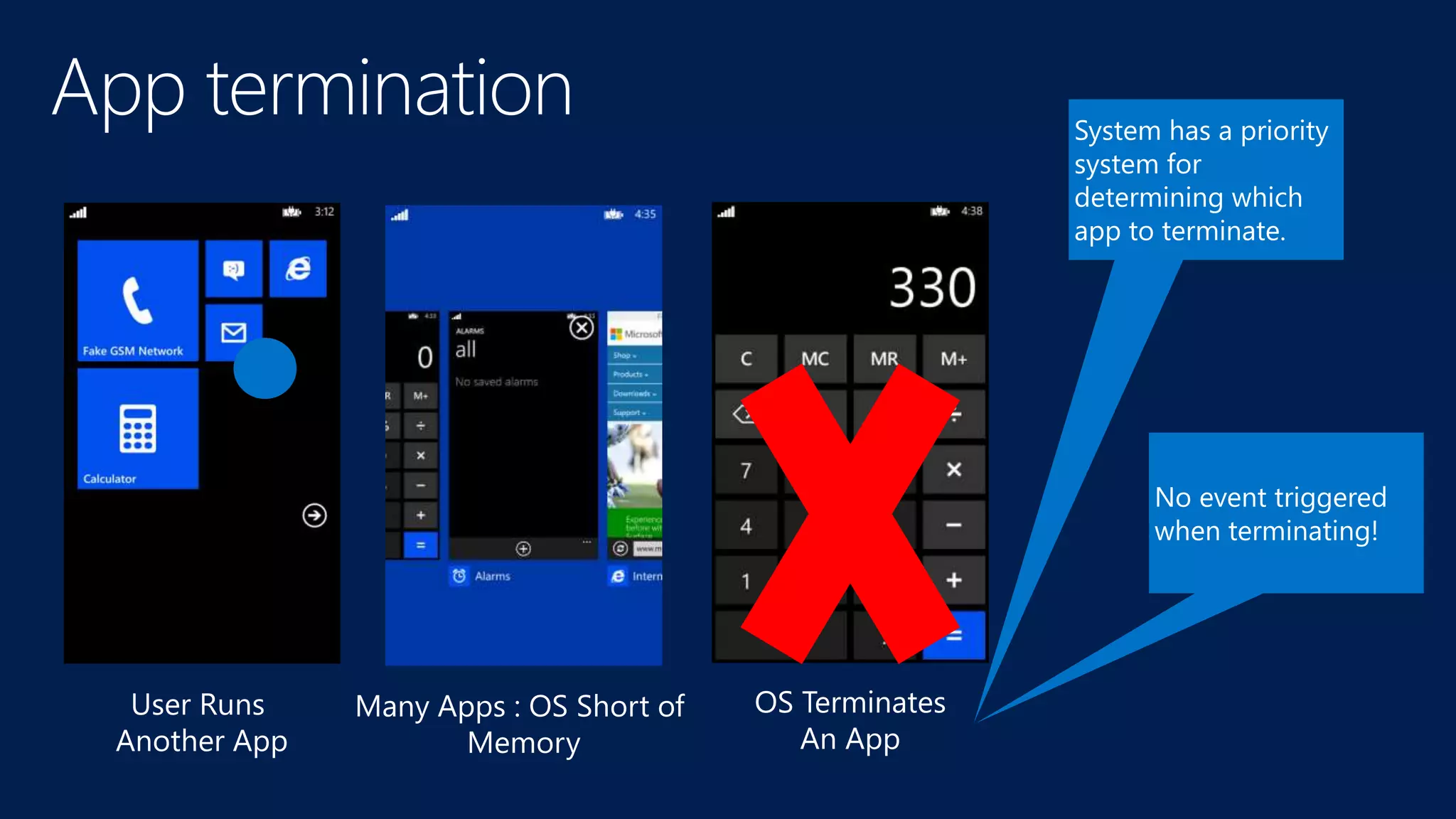
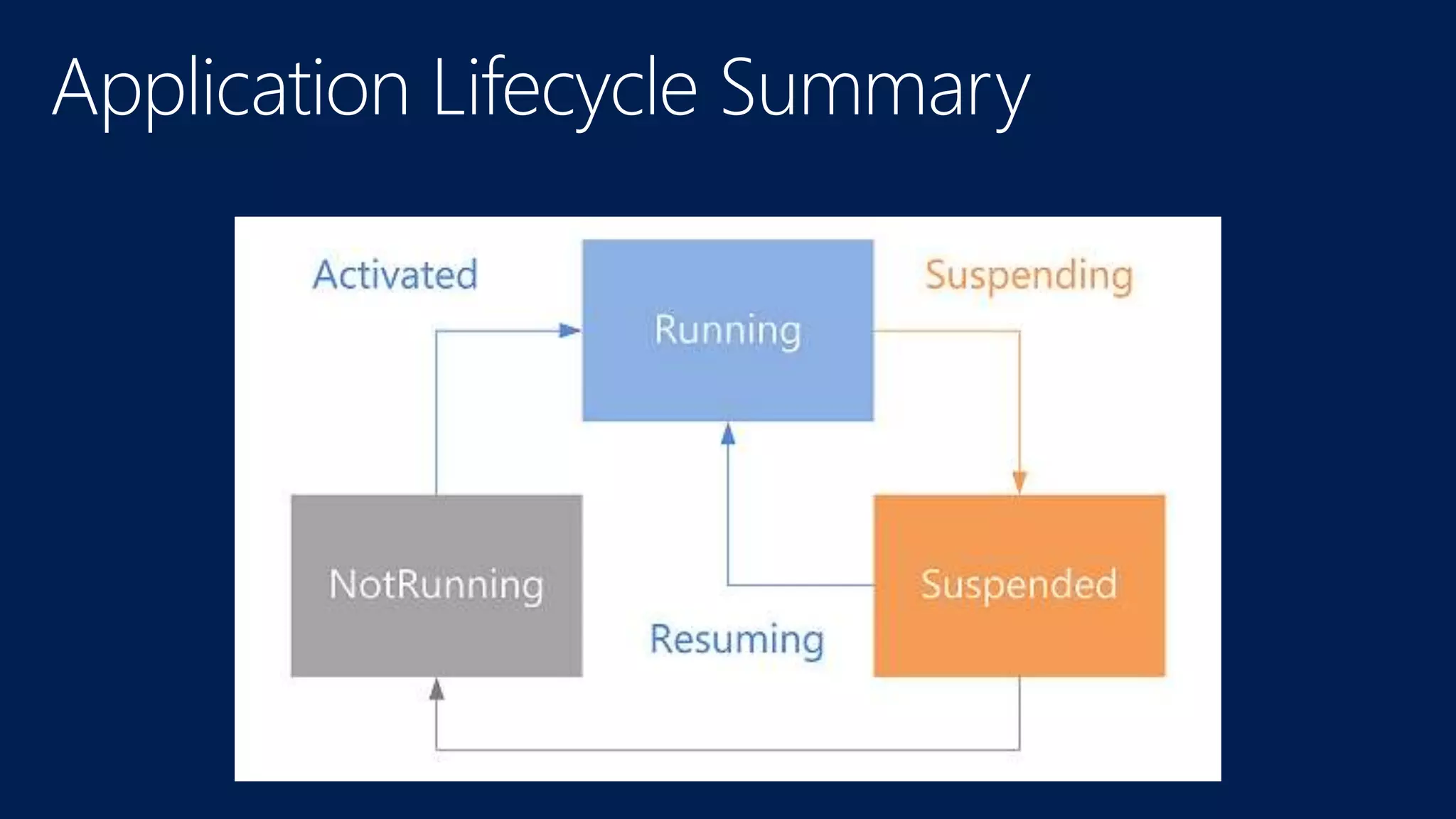
• App is suspended
• All code stopped
• No timers tick
• No events fire
• Process still alive and in memory
• Code has a chance to respond
(next slide)
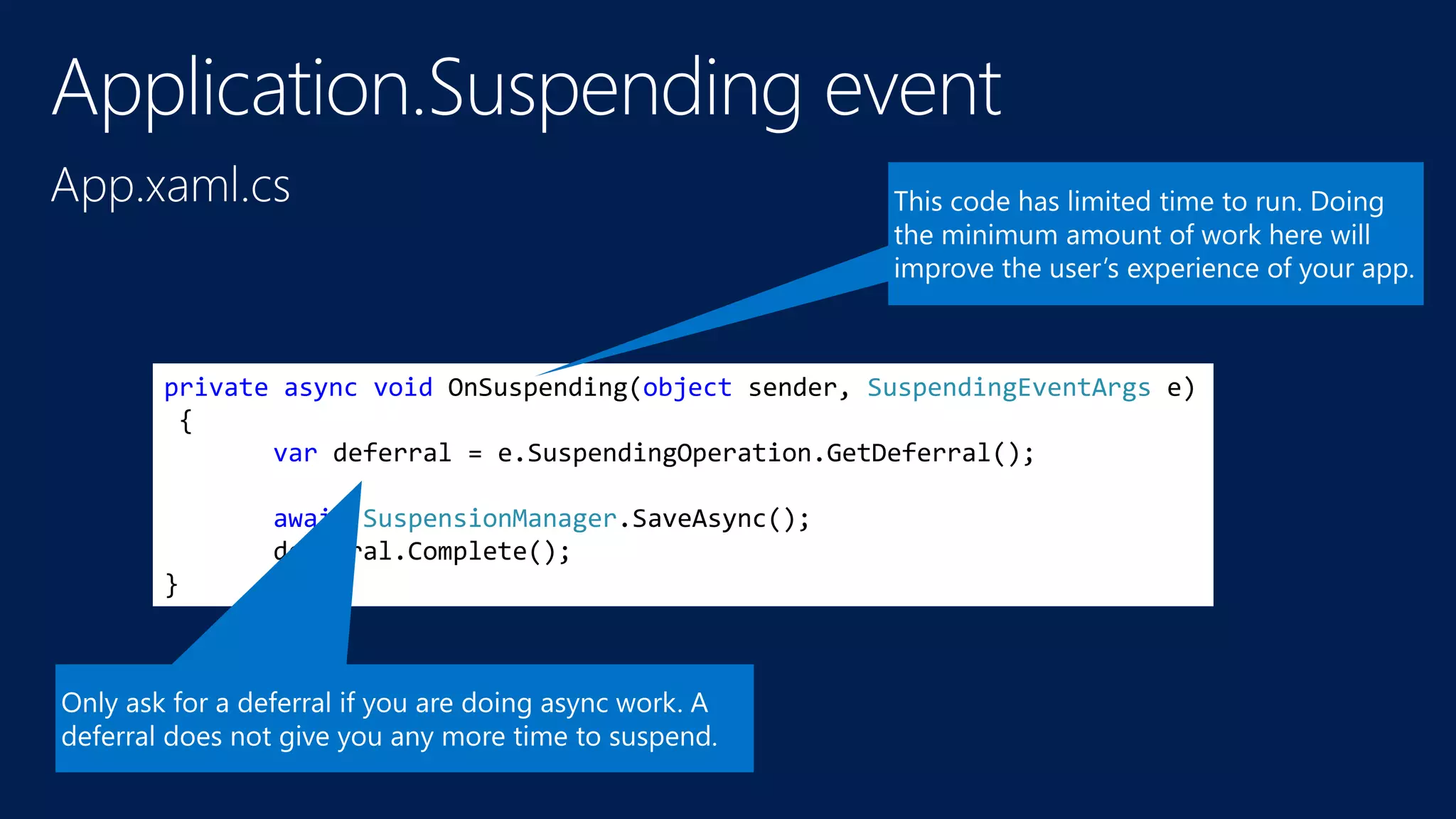
private async void OnSuspending(object sender, SuspendingEventArgs e)
{
var deferral = e.SuspendingOperation.GetDeferral();
await SuspensionManager.SaveAsync();
deferral.Complete();
}
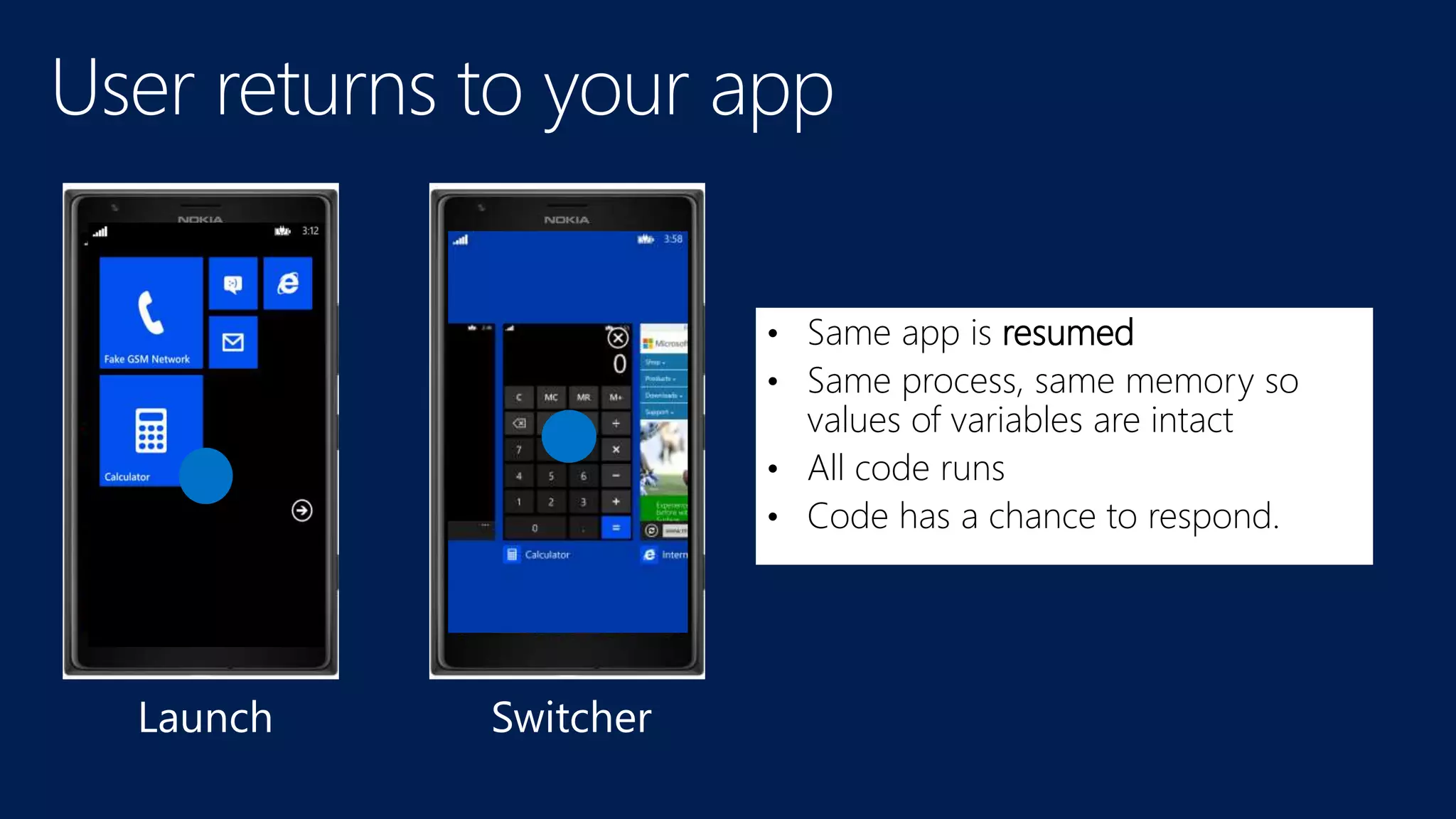
• Same app is resumed
• Same process, same memory so
values of variables are intact
• All code runs
• Code has a chance to respond.
Launch Switcher
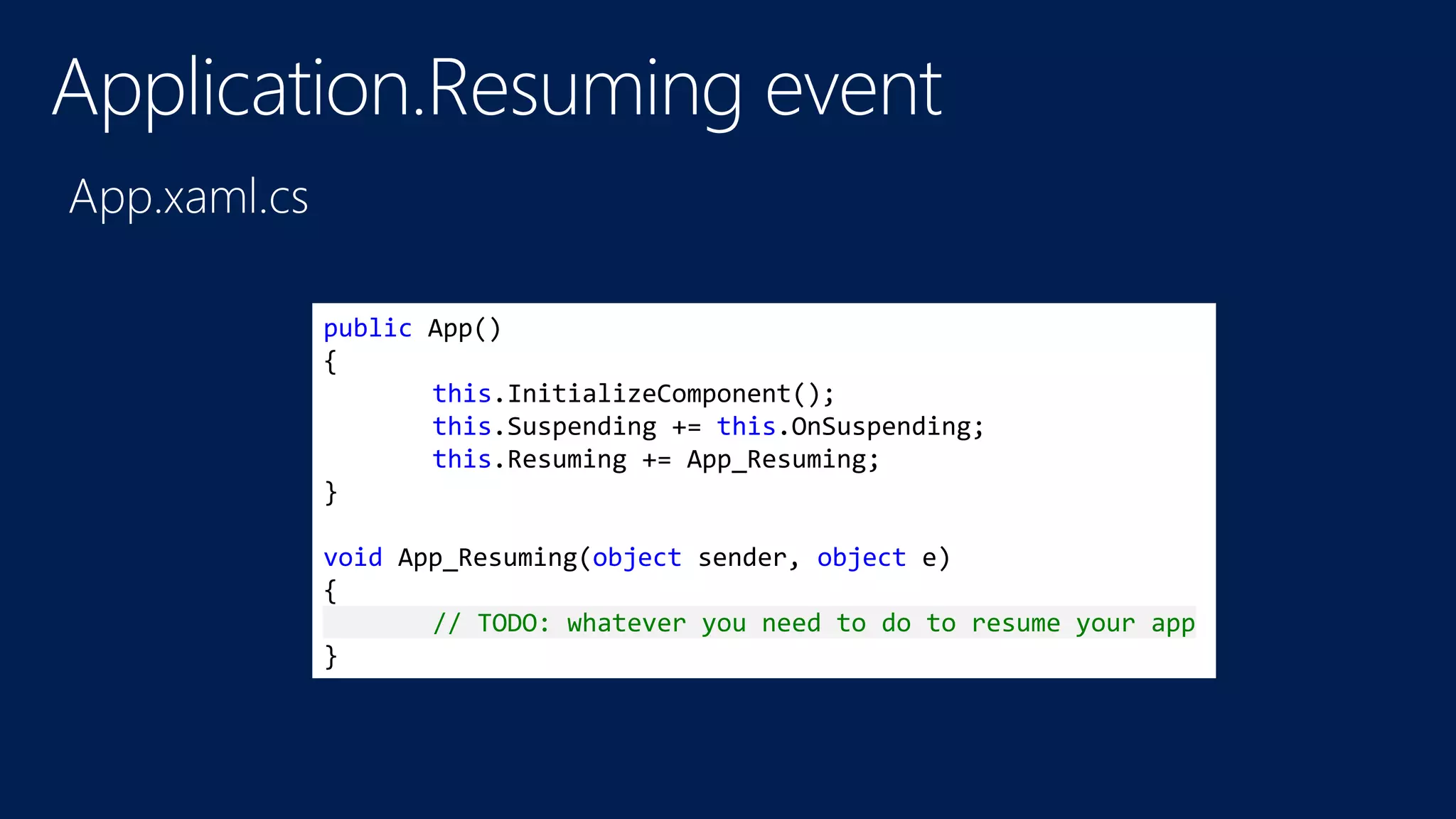
public App()
{
this.InitializeComponent();
this.Suspending += this.OnSuspending;
this.Resuming += App_Resuming;
}
void App_Resuming(object sender, object e)
{
// TODO: whatever you need to do to resume your app
}
http://bit.ly/w8Resuming
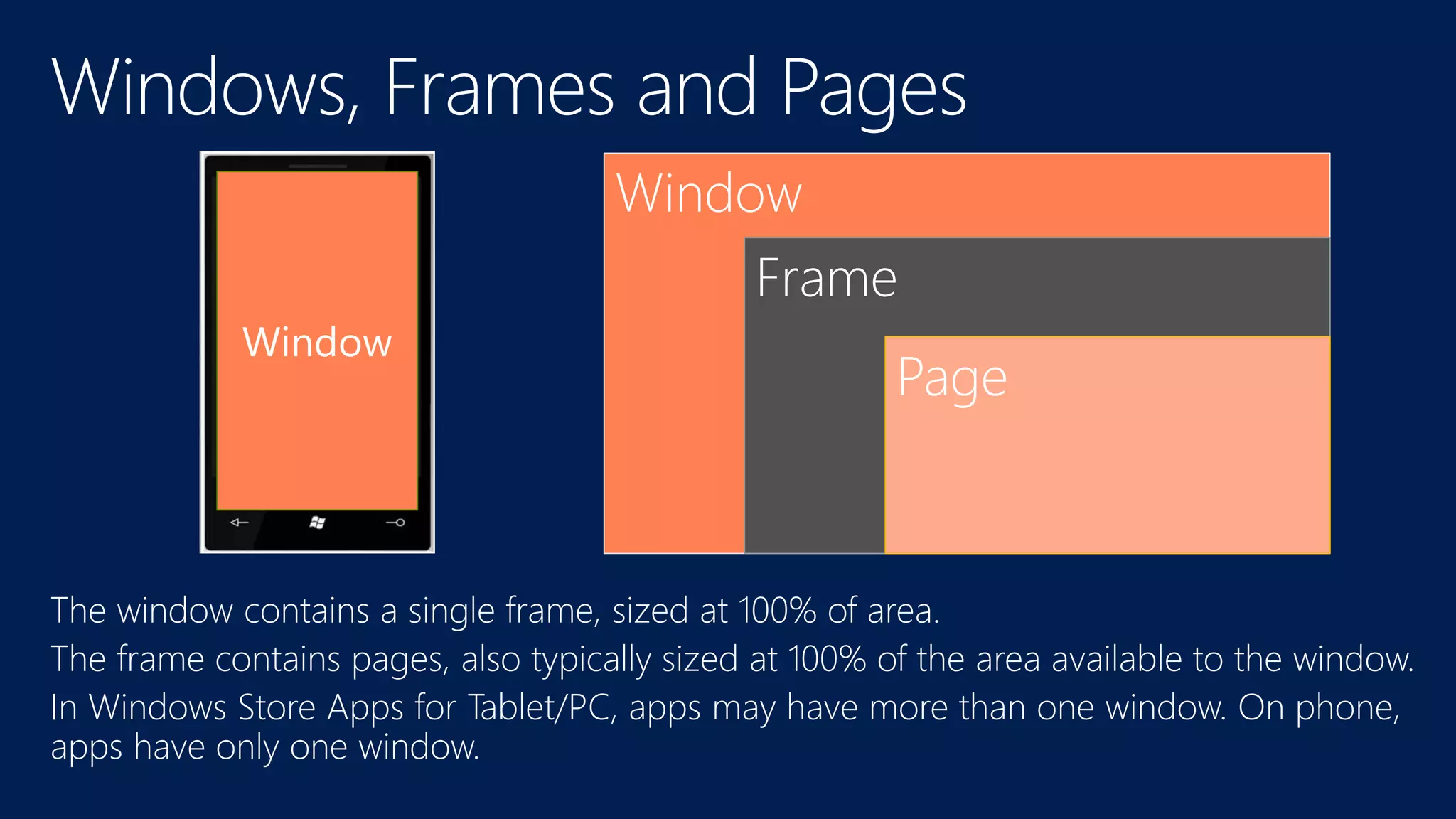
Window
Frame
Page
Window
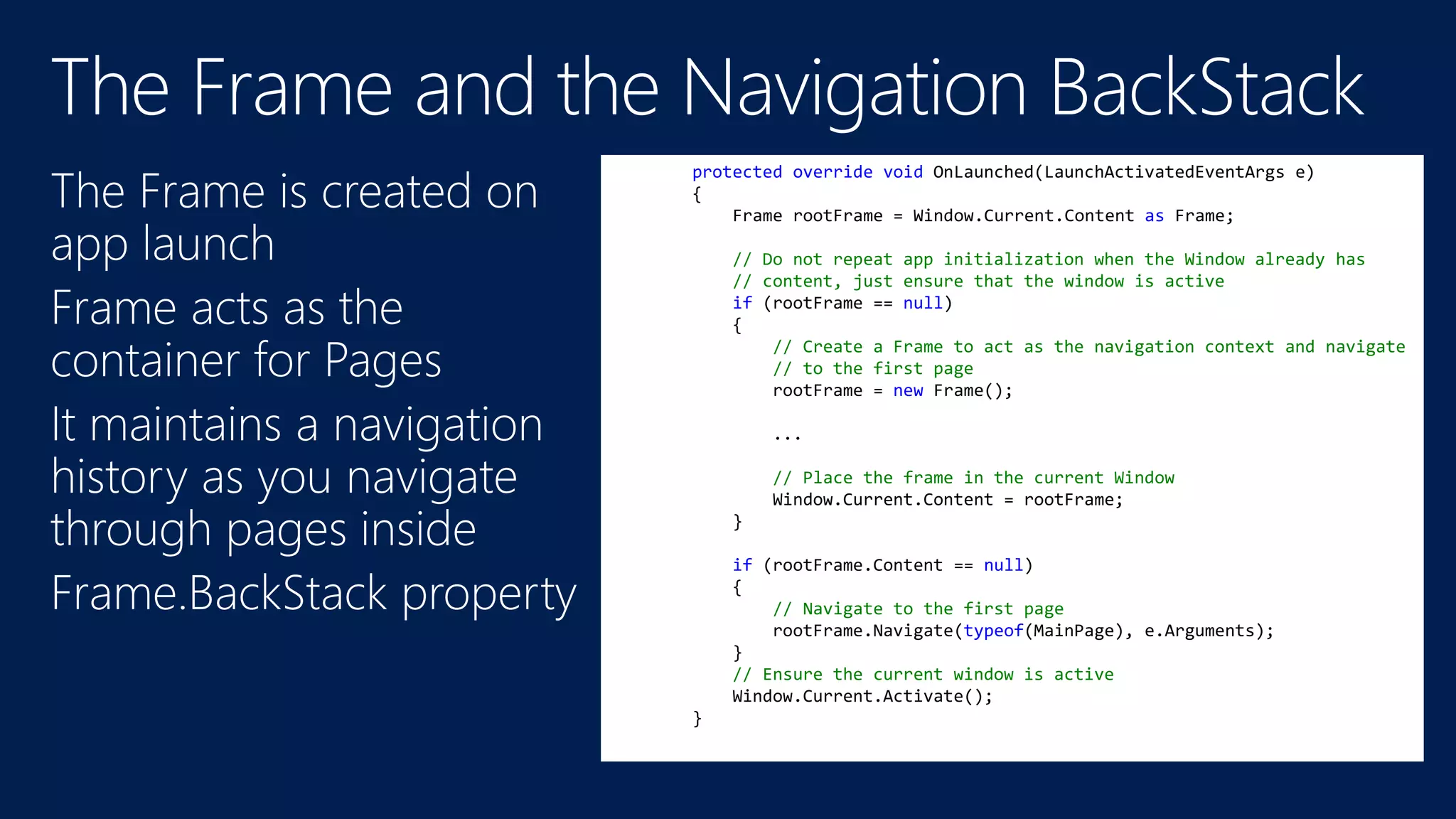
protected override void OnLaunched(LaunchActivatedEventArgs e)
{
Frame rootFrame = Window.Current.Content as Frame;
// Do not repeat app initialization when the Window already has
// content, just ensure that the window is active
if (rootFrame == null)
{
// Create a Frame to act as the navigation context and navigate
// to the first page
rootFrame = new Frame();
...
// Place the frame in the current Window
Window.Current.Content = rootFrame;
}
if (rootFrame.Content == null)
{
// Navigate to the first page
rootFrame.Navigate(typeof(MainPage), e.Arguments);
}
// Ensure the current window is active
Window.Current.Activate();
}
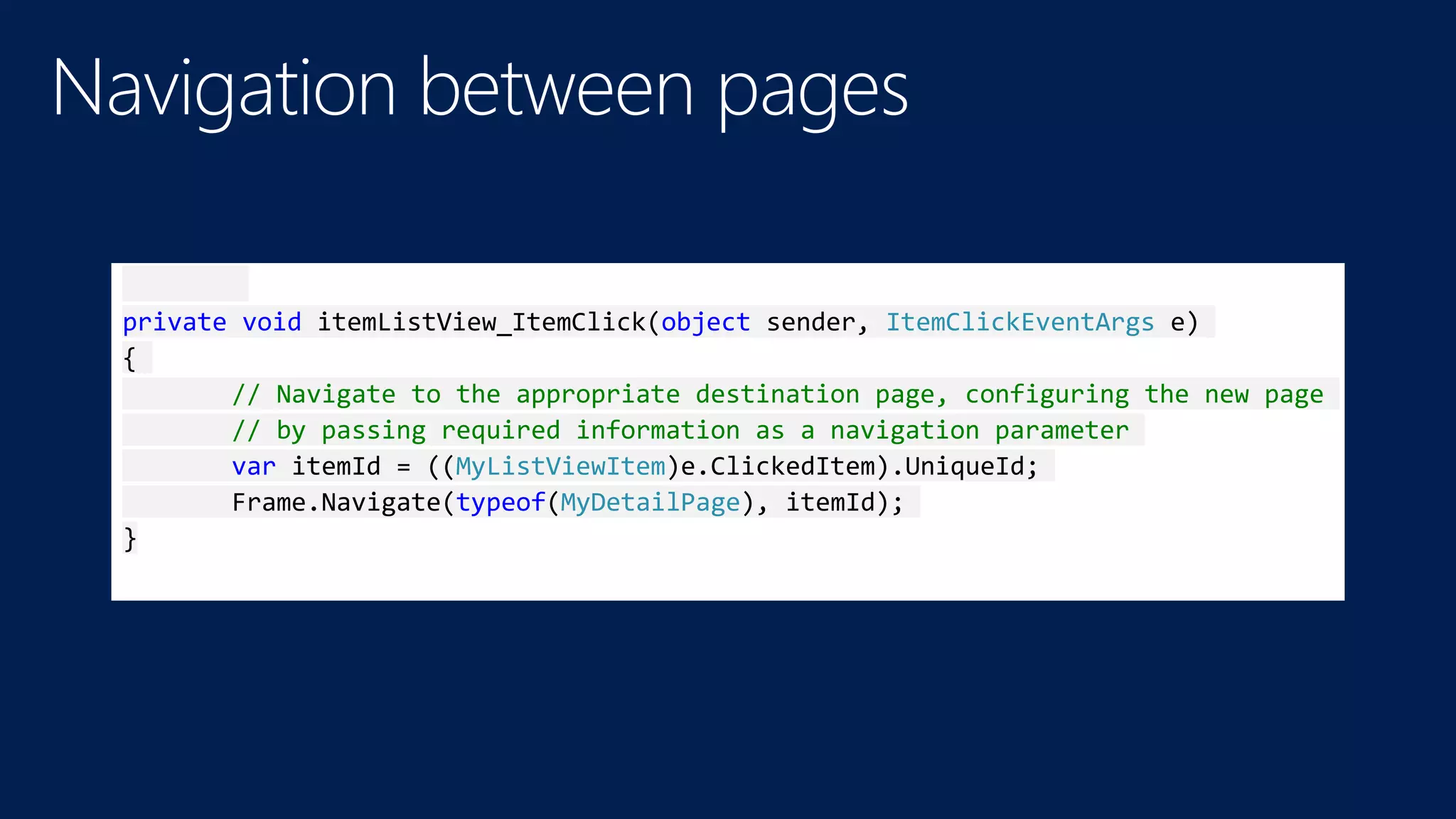
private void itemListView_ItemClick(object sender, ItemClickEventArgs e)
{
// Navigate to the appropriate destination page, configuring the new page
// by passing required information as a navigation parameter
var itemId = ((MyListViewItem)e.ClickedItem).UniqueId;
Frame.Navigate(typeof(MyDetailPage), itemId);
}
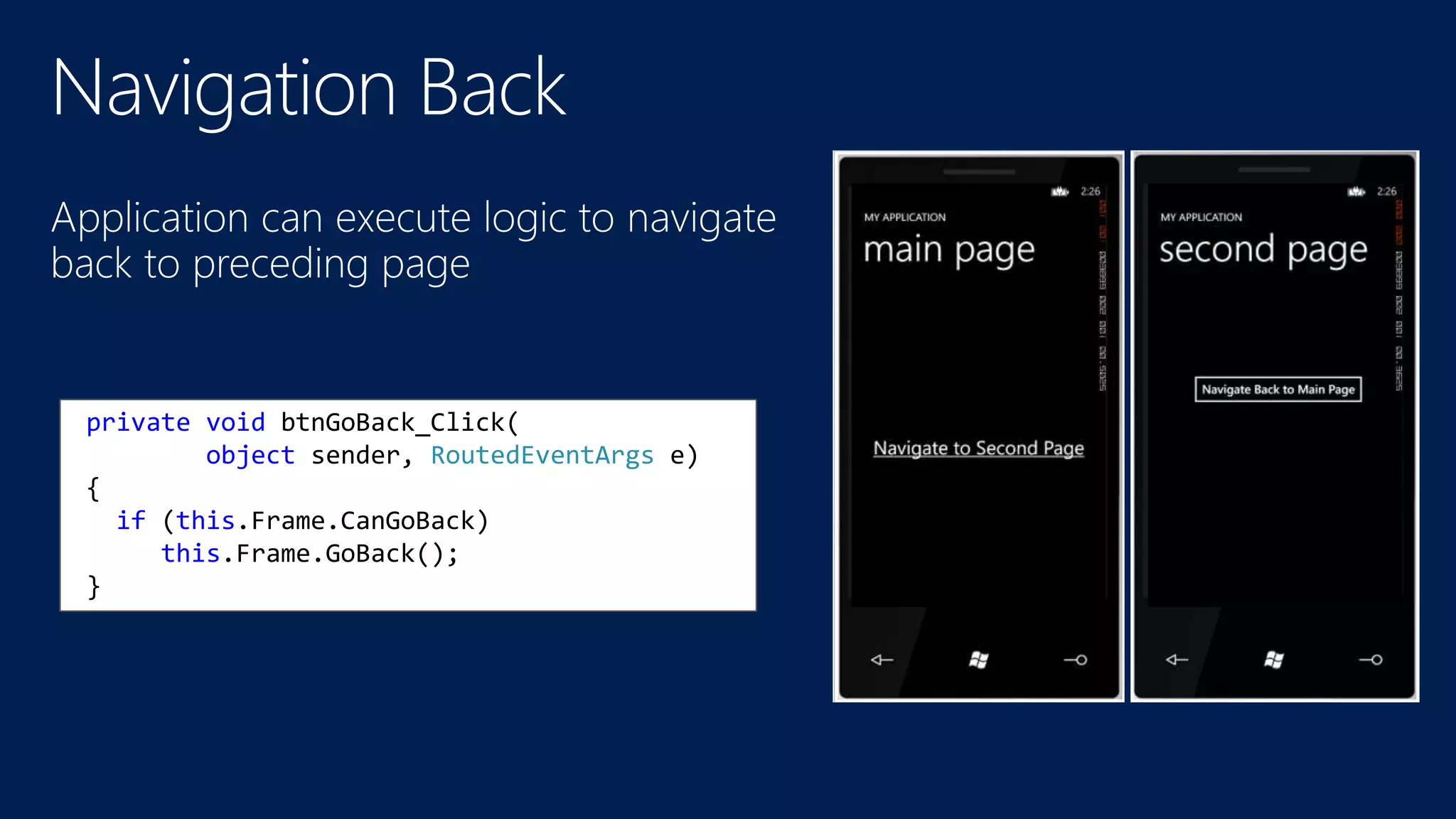
private void btnGoBack_Click(
object sender, RoutedEventArgs e)
{
if (this.Frame.CanGoBack)
this.Frame.GoBack();
}
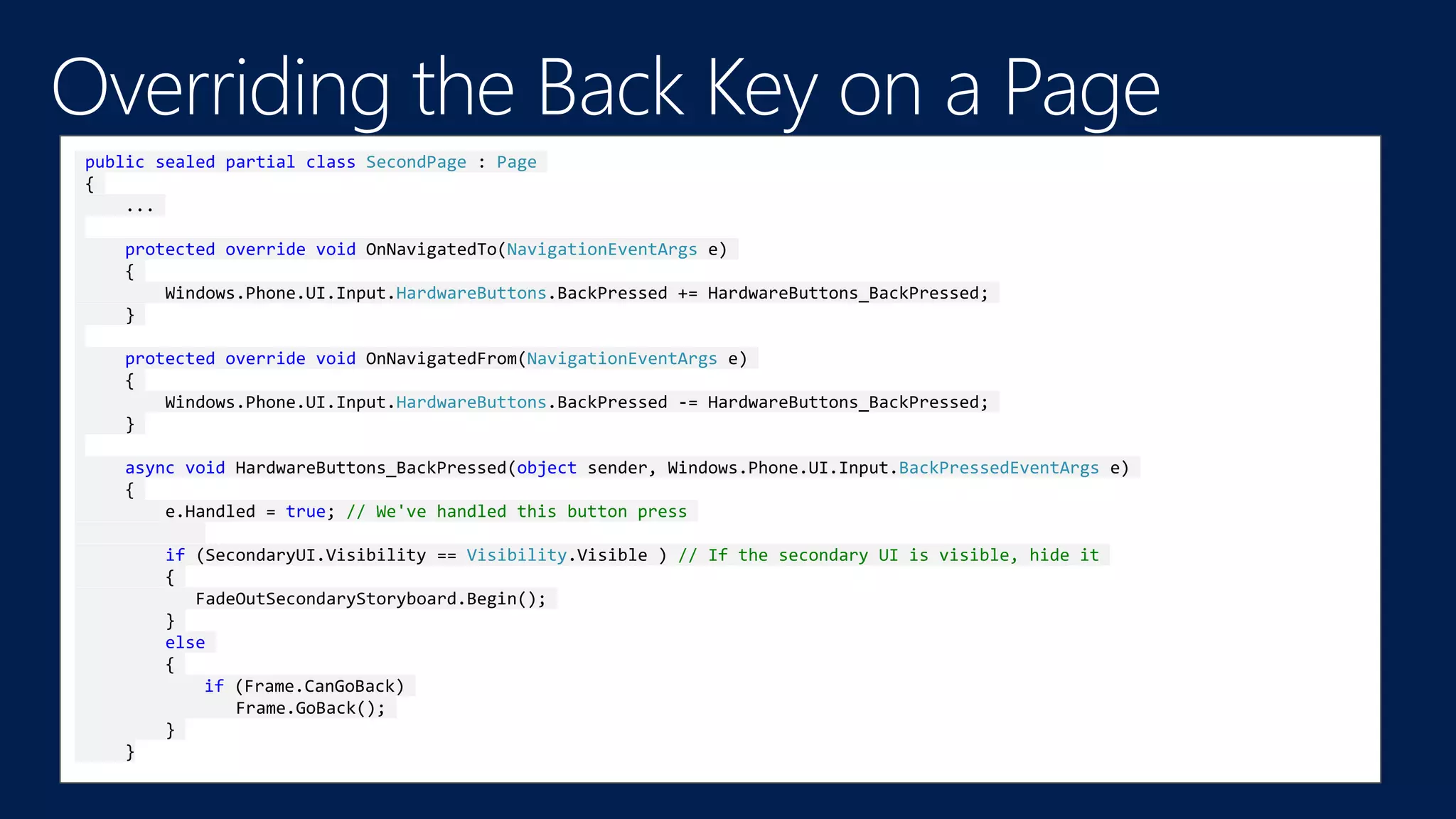
public sealed partial class SecondPage : Page
{
...
protected override void OnNavigatedTo(NavigationEventArgs e)
{
Windows.Phone.UI.Input.HardwareButtons.BackPressed += HardwareButtons_BackPressed;
}
protected override void OnNavigatedFrom(NavigationEventArgs e)
{
Windows.Phone.UI.Input.HardwareButtons.BackPressed -= HardwareButtons_BackPressed;
}
async void HardwareButtons_BackPressed(object sender, Windows.Phone.UI.Input.BackPressedEventArgs e)
{
e.Handled = true; // We've handled this button press
if (SecondaryUI.Visibility == Visibility.Visible ) // If the secondary UI is visible, hide it
{
FadeOutSecondaryStoryboard.Begin();
}
else
{
if (Frame.CanGoBack)
Frame.GoBack();
}
}
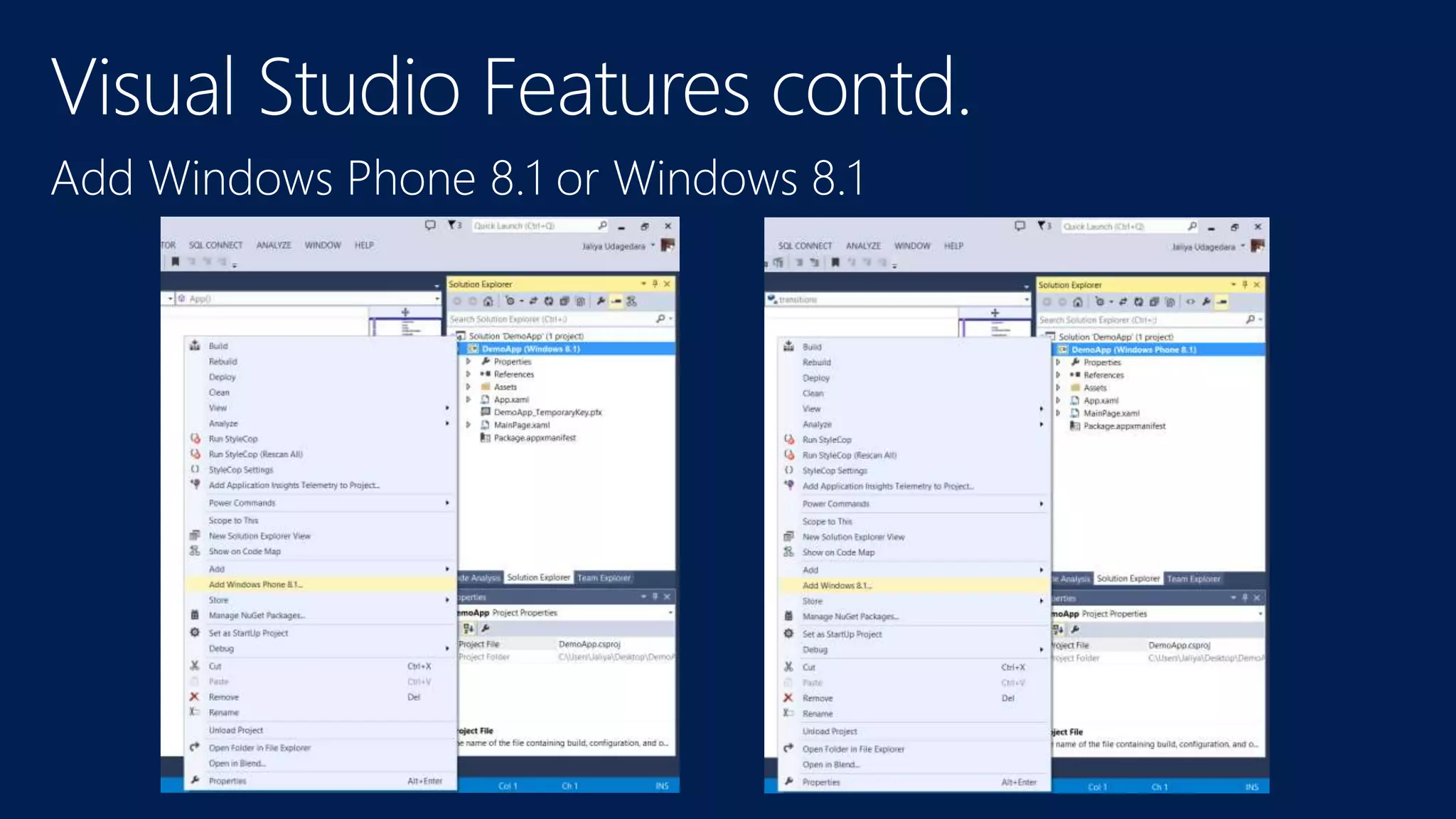
Add Windows Phone 8.1 or Windows 8.1
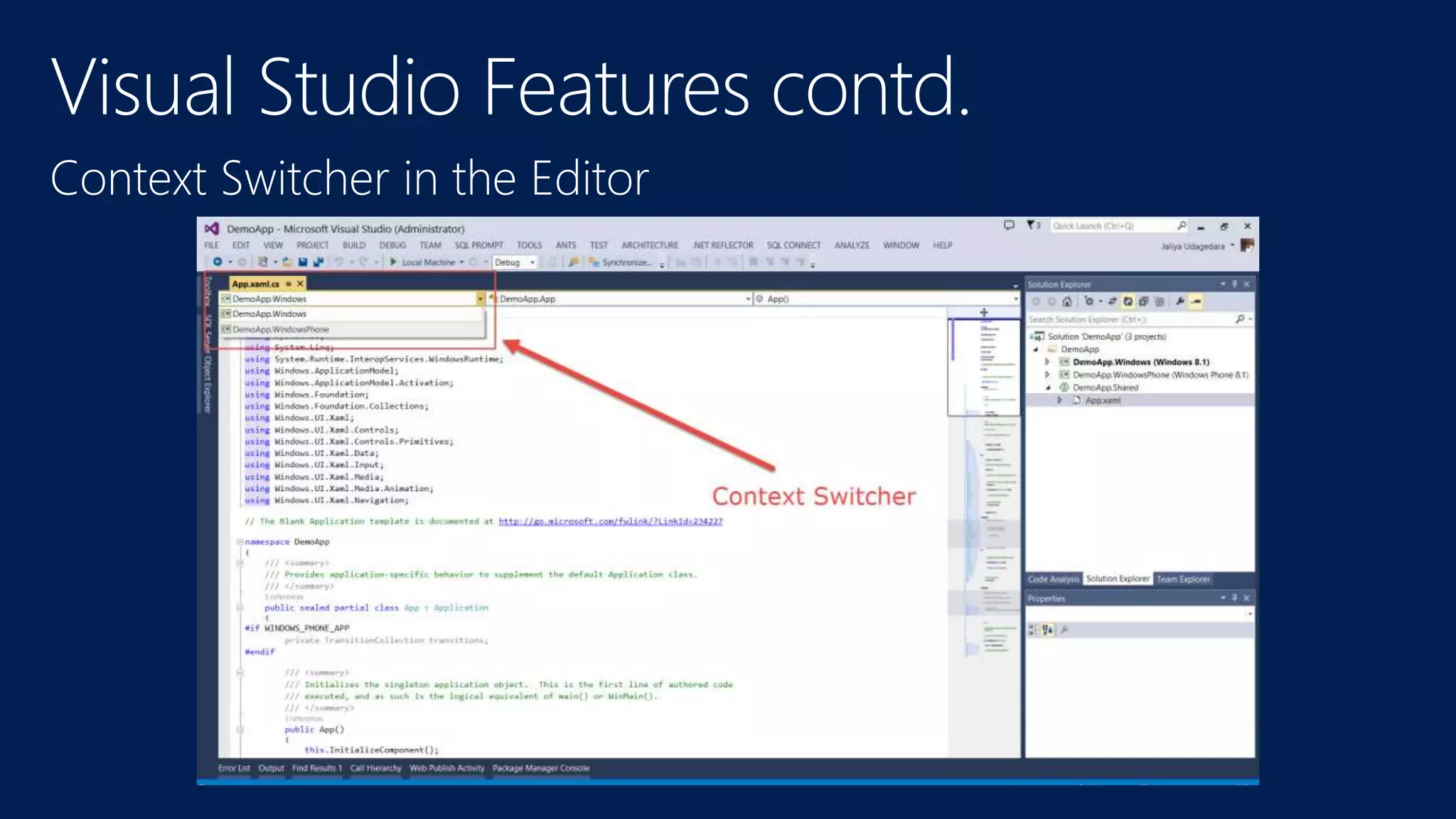
Context Switcher in the Editor
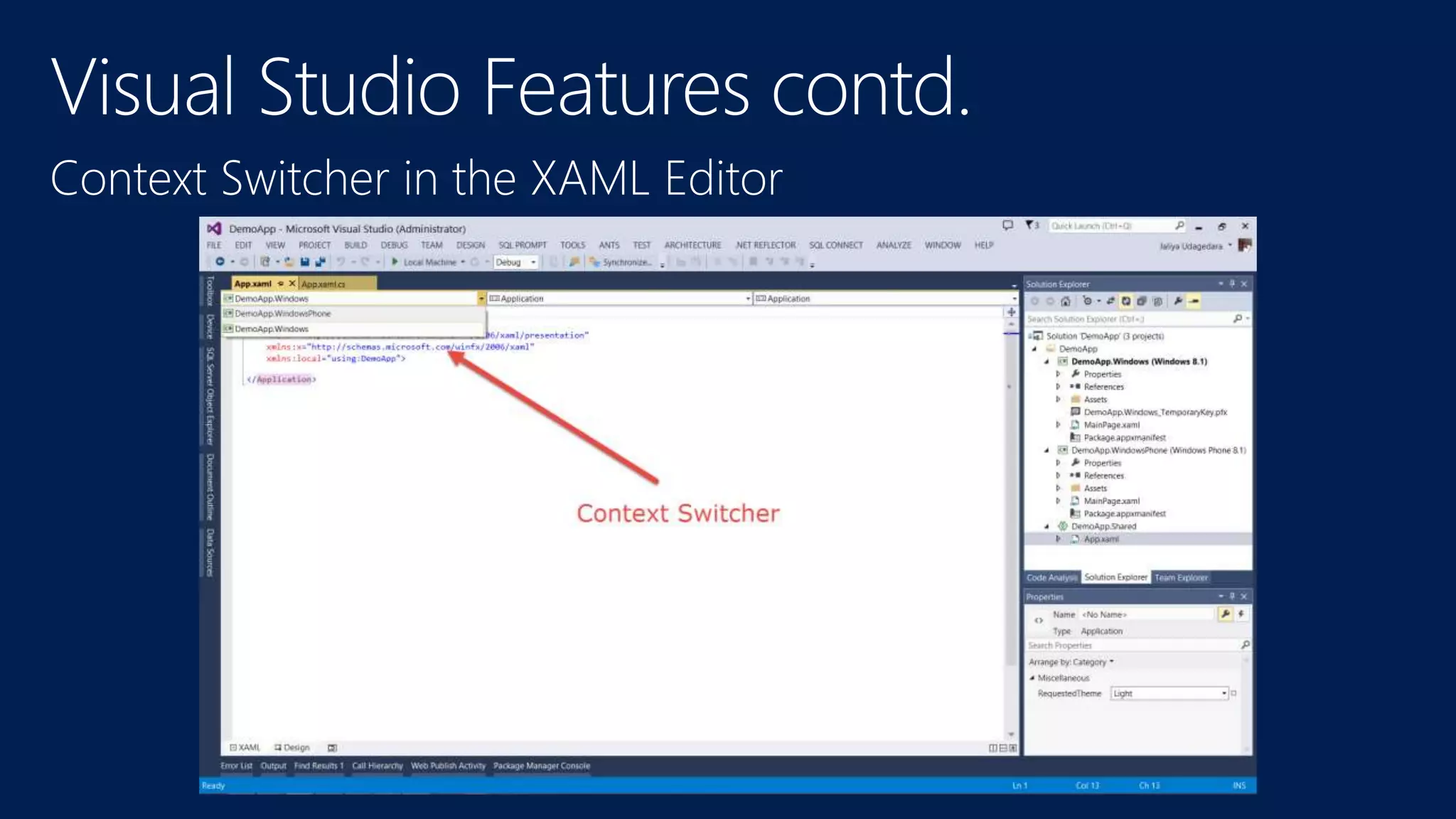
Context Switcher in the XAML Editor
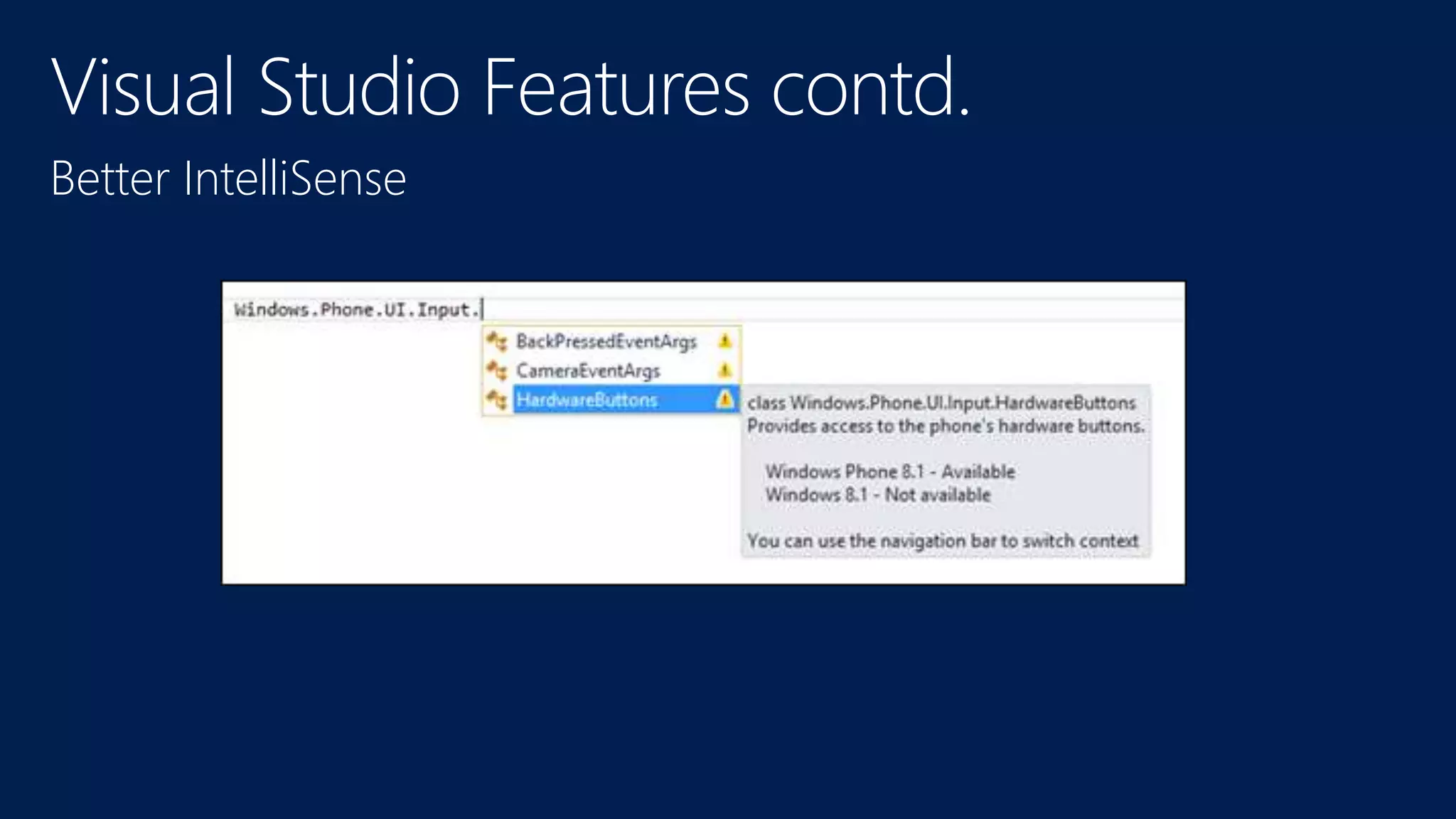
Better IntelliSense
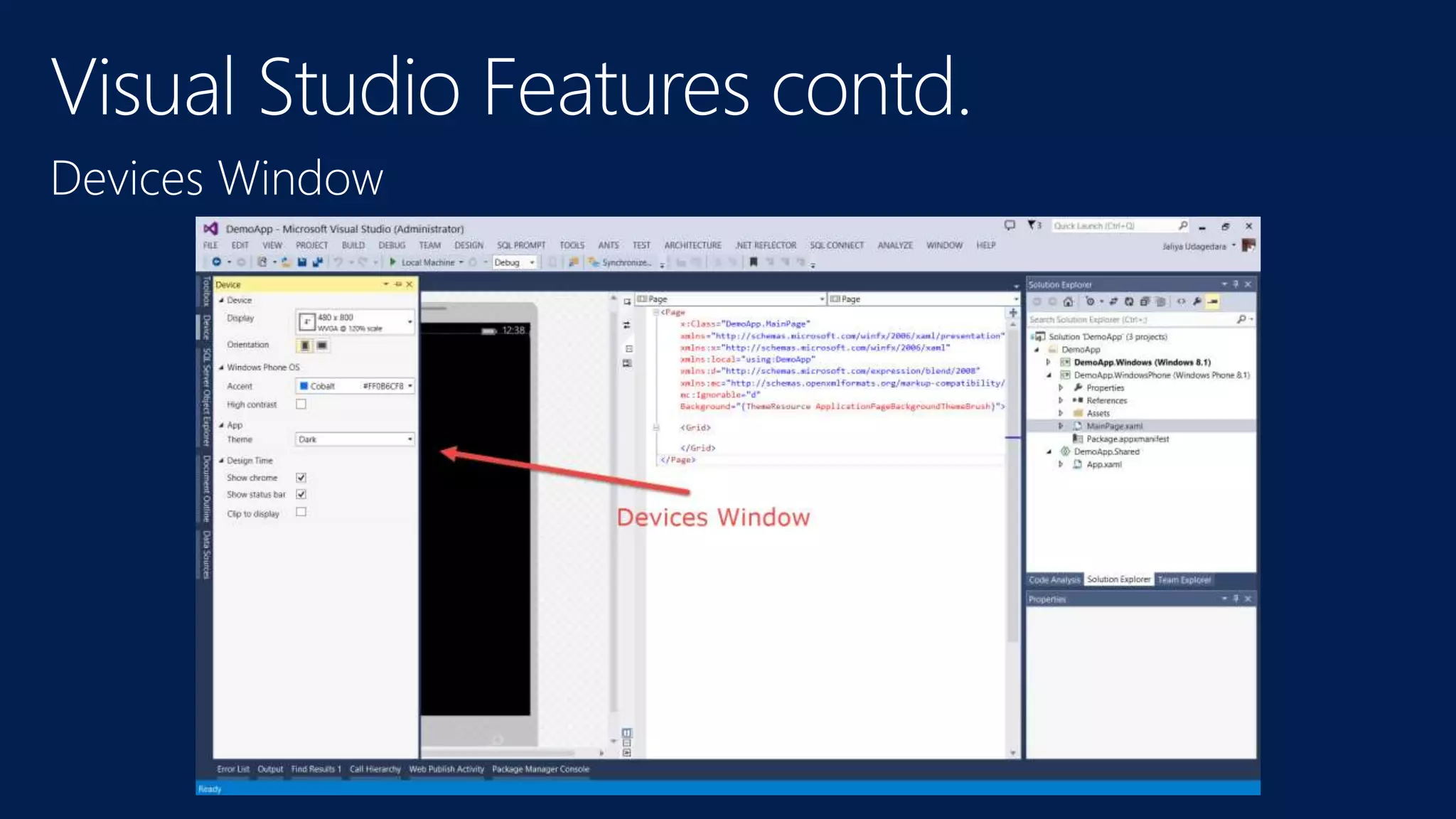
Devices Window
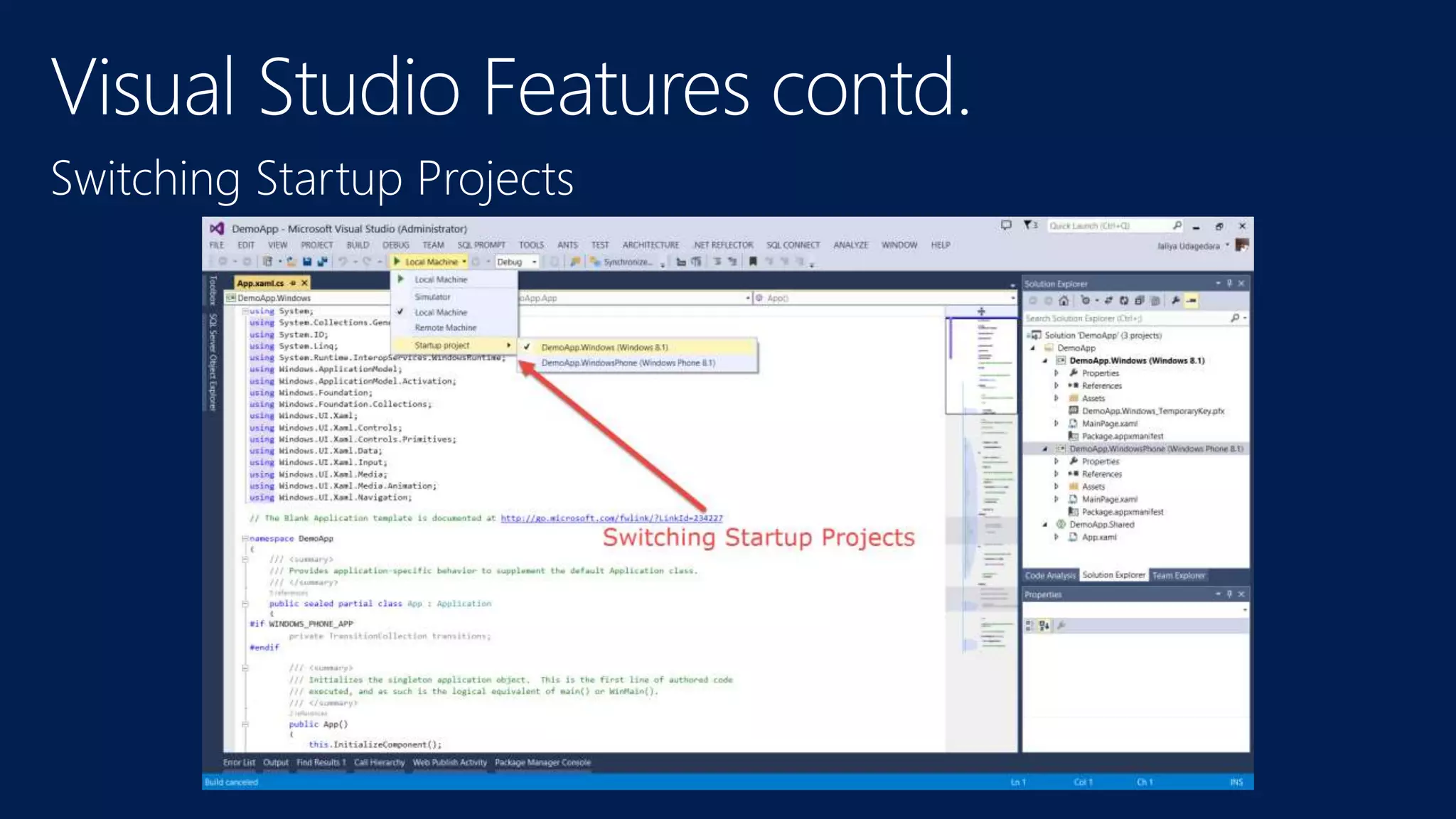
Switching Startup Projects
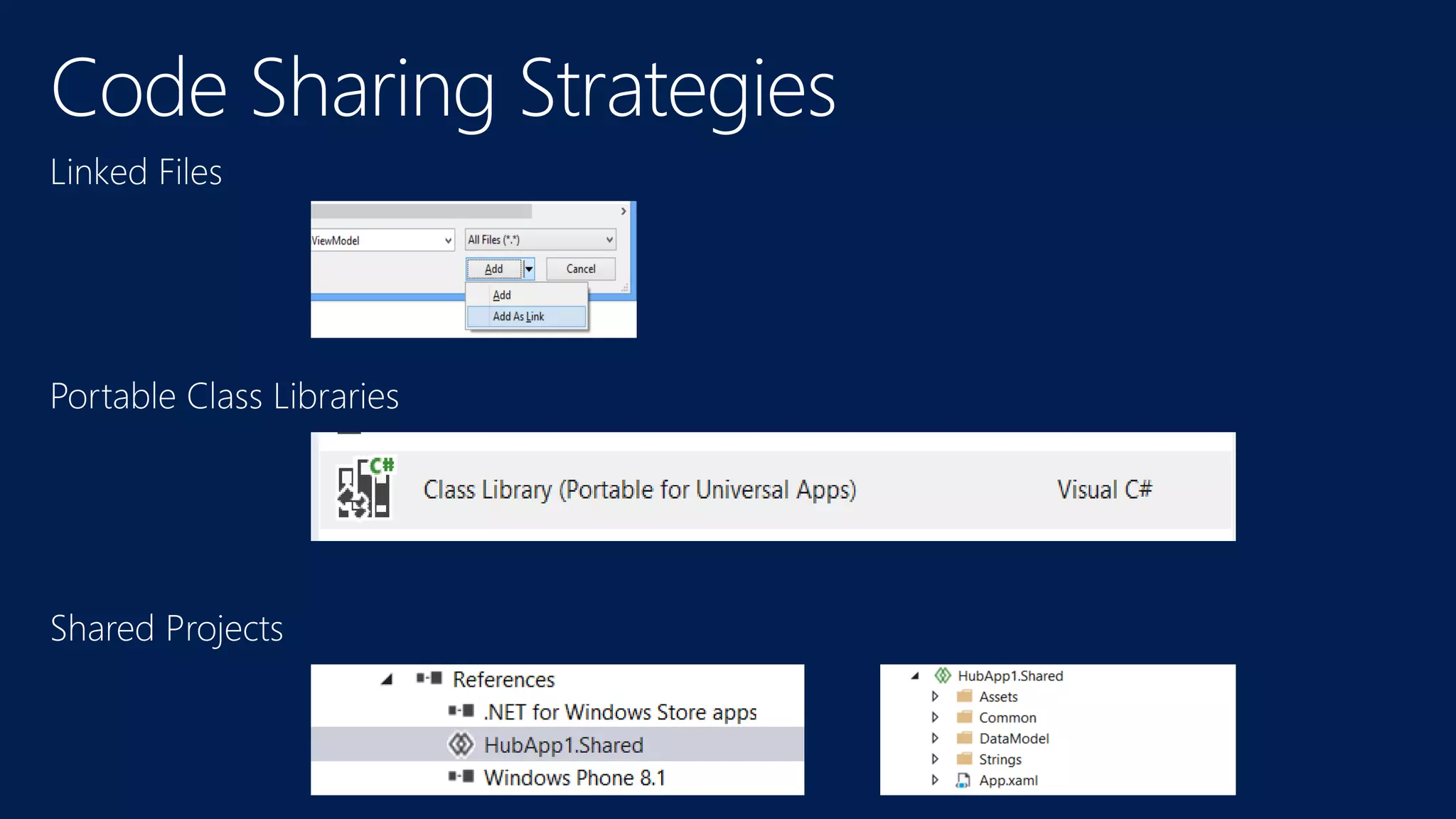
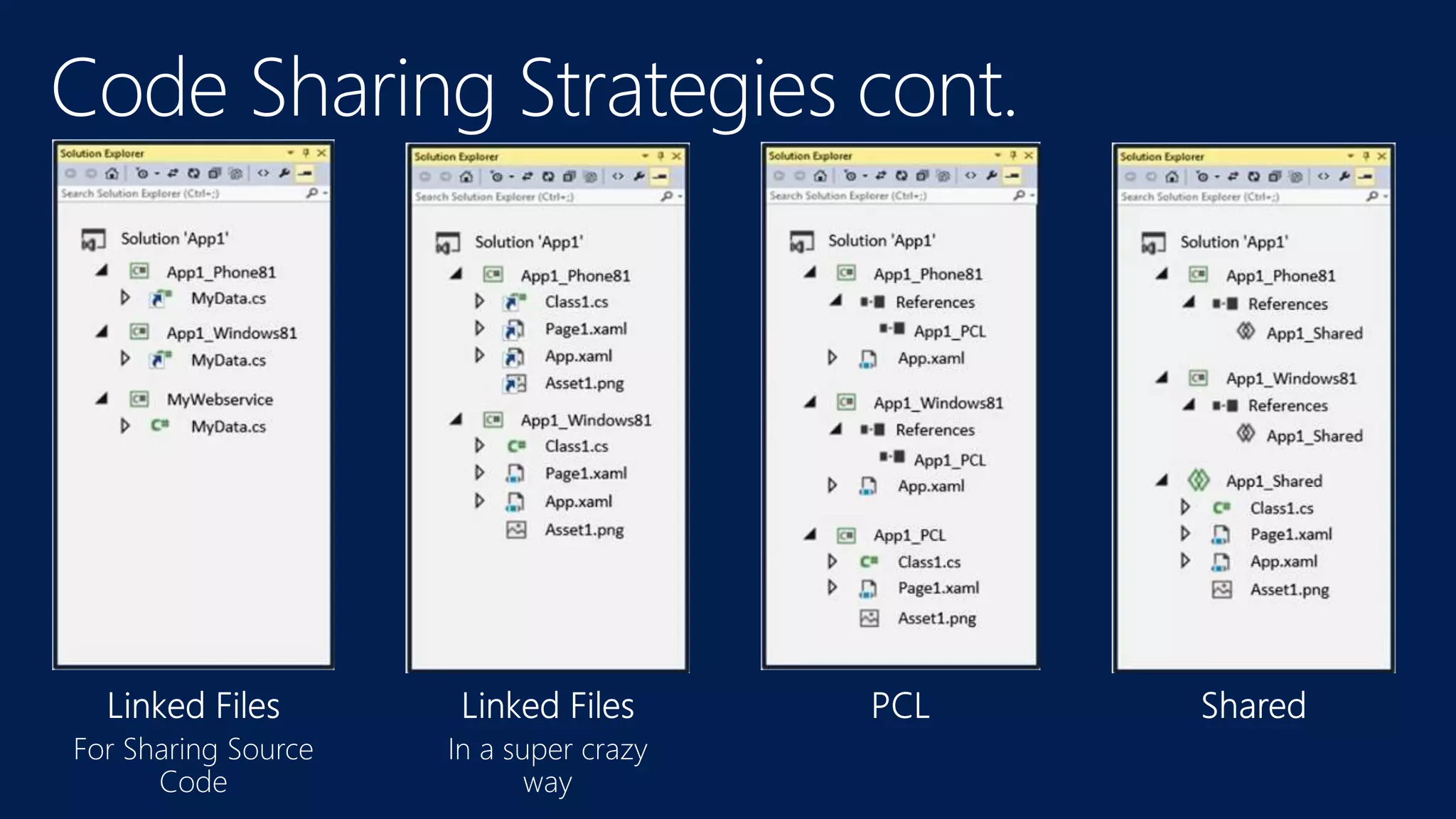
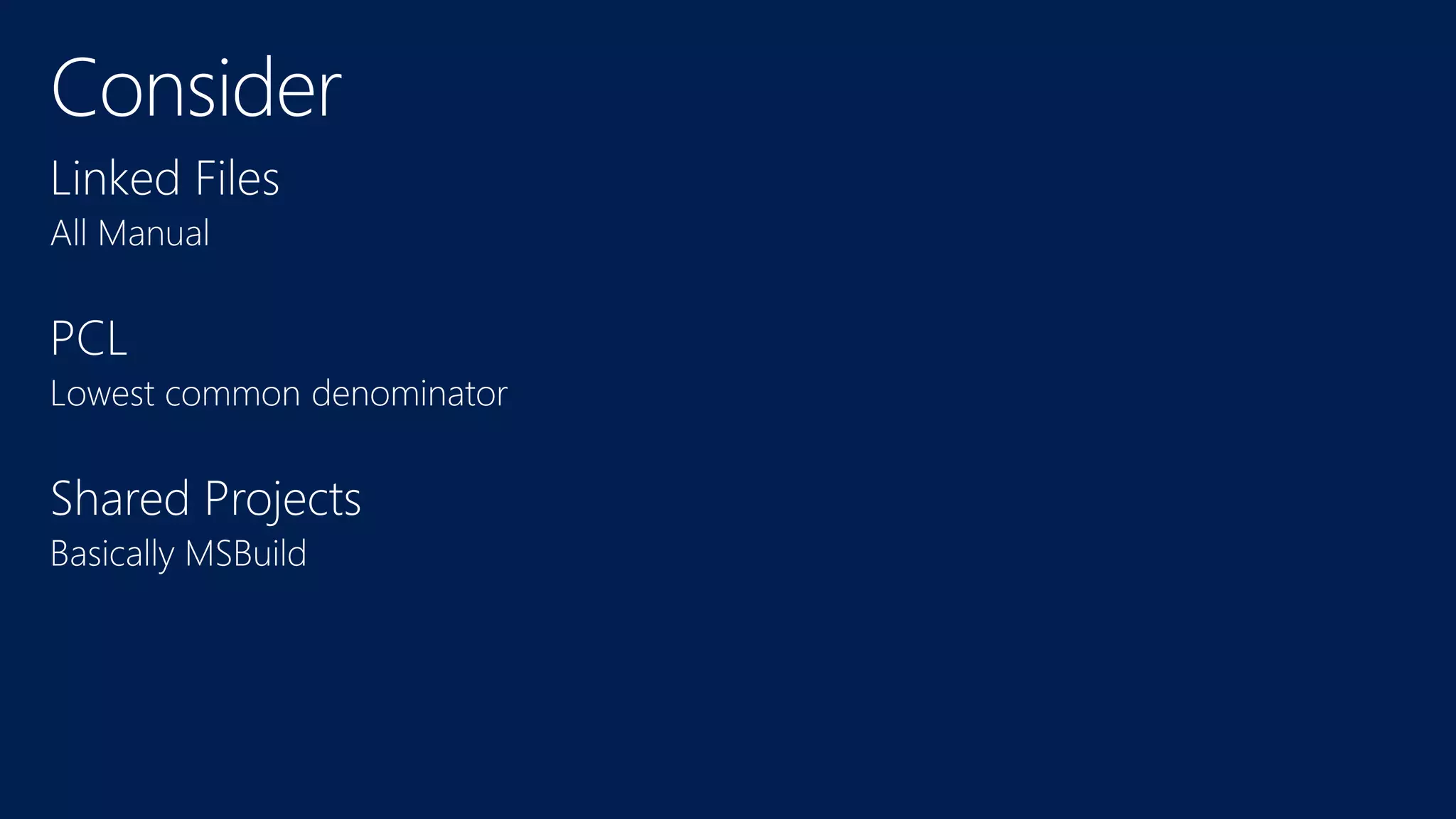
• Code Sharing Strategies
• Linked Files
• PCL
• Shared Projects
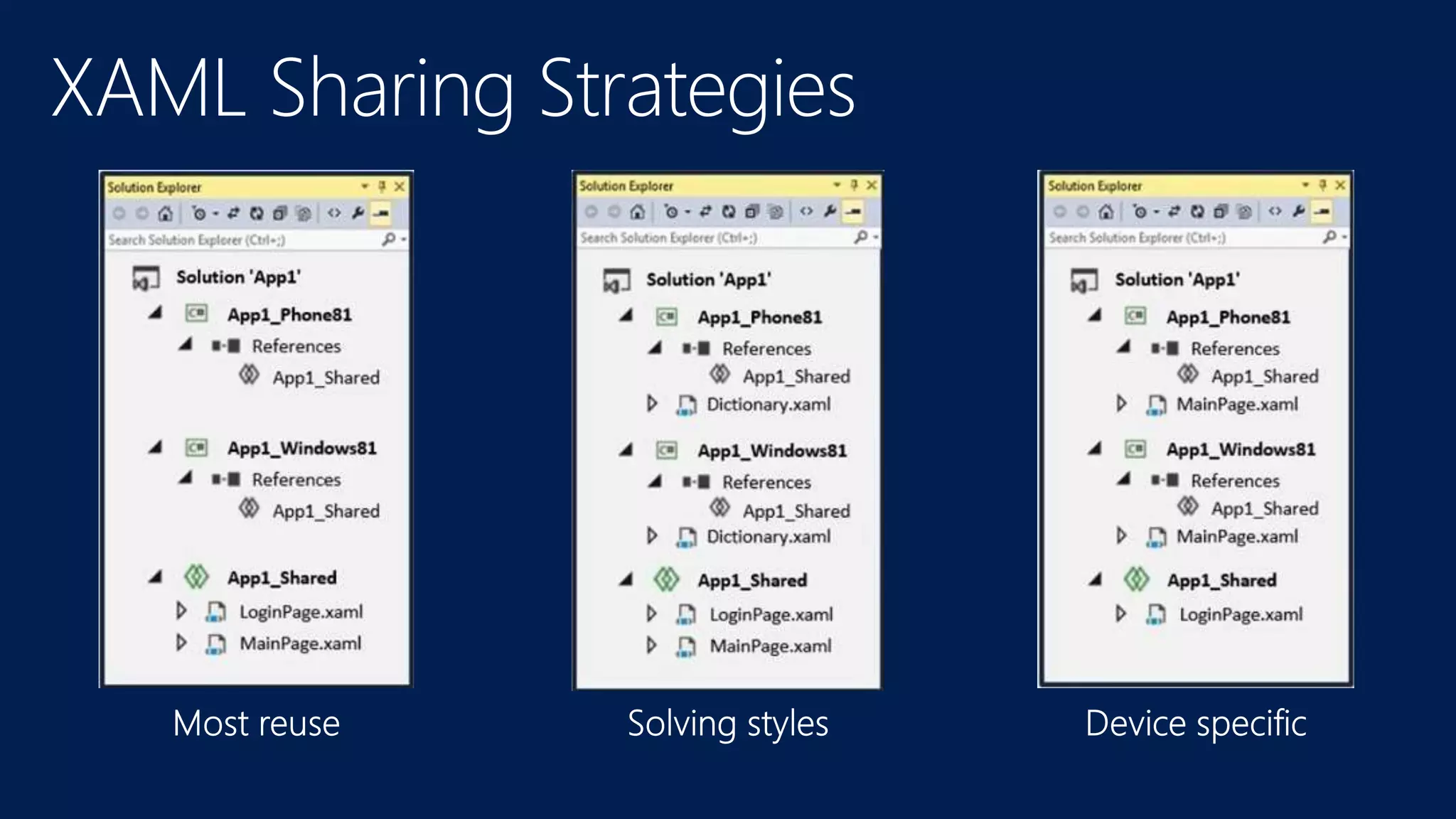
• XAML Sharing Strategies
• Solving Styles
Thank You!
http://www.jaliyaudagedara.blogspot.com/

Introduction to Universal Apps-Jaliya Udagedara

  • 1.
    Introduction to Universal Apps JaliyaUdagedara MVP (Visual C#)
  • 7.
  • 8.
  • 10.
    Windows Runtime contains morethan 90% of Windows Phone Runtime
  • 15.
    protected override asyncvoid OnLaunched(LaunchActivatedEventArgs e) { ApplicationExecutionState state = e.PreviousExecutionState; ActivationKind kind = e.Kind; ///... }
  • 16.
    • App issuspended • All code stopped • No timers tick • No events fire • Process still alive and in memory • Code has a chance to respond (next slide)
  • 17.
    private async voidOnSuspending(object sender, SuspendingEventArgs e) { var deferral = e.SuspendingOperation.GetDeferral(); await SuspensionManager.SaveAsync(); deferral.Complete(); }
  • 18.
    • Same appis resumed • Same process, same memory so values of variables are intact • All code runs • Code has a chance to respond. Launch Switcher
  • 19.
    public App() { this.InitializeComponent(); this.Suspending +=this.OnSuspending; this.Resuming += App_Resuming; } void App_Resuming(object sender, object e) { // TODO: whatever you need to do to resume your app }
  • 20.
  • 24.
  • 25.
    protected override voidOnLaunched(LaunchActivatedEventArgs e) { Frame rootFrame = Window.Current.Content as Frame; // Do not repeat app initialization when the Window already has // content, just ensure that the window is active if (rootFrame == null) { // Create a Frame to act as the navigation context and navigate // to the first page rootFrame = new Frame(); ... // Place the frame in the current Window Window.Current.Content = rootFrame; } if (rootFrame.Content == null) { // Navigate to the first page rootFrame.Navigate(typeof(MainPage), e.Arguments); } // Ensure the current window is active Window.Current.Activate(); }
  • 26.
    private void itemListView_ItemClick(objectsender, ItemClickEventArgs e) { // Navigate to the appropriate destination page, configuring the new page // by passing required information as a navigation parameter var itemId = ((MyListViewItem)e.ClickedItem).UniqueId; Frame.Navigate(typeof(MyDetailPage), itemId); }
  • 27.
    private void btnGoBack_Click( objectsender, RoutedEventArgs e) { if (this.Frame.CanGoBack) this.Frame.GoBack(); }
  • 30.
    public sealed partialclass SecondPage : Page { ... protected override void OnNavigatedTo(NavigationEventArgs e) { Windows.Phone.UI.Input.HardwareButtons.BackPressed += HardwareButtons_BackPressed; } protected override void OnNavigatedFrom(NavigationEventArgs e) { Windows.Phone.UI.Input.HardwareButtons.BackPressed -= HardwareButtons_BackPressed; } async void HardwareButtons_BackPressed(object sender, Windows.Phone.UI.Input.BackPressedEventArgs e) { e.Handled = true; // We've handled this button press if (SecondaryUI.Visibility == Visibility.Visible ) // If the secondary UI is visible, hide it { FadeOutSecondaryStoryboard.Begin(); } else { if (Frame.CanGoBack) Frame.GoBack(); } }
  • 36.
    Add Windows Phone8.1 or Windows 8.1
  • 37.
  • 38.
    Context Switcher inthe XAML Editor
  • 39.
  • 40.
  • 41.
  • 45.
    • Code SharingStrategies • Linked Files • PCL • Shared Projects
  • 49.
    • XAML SharingStrategies • Solving Styles
  • 51.

Editor's Notes

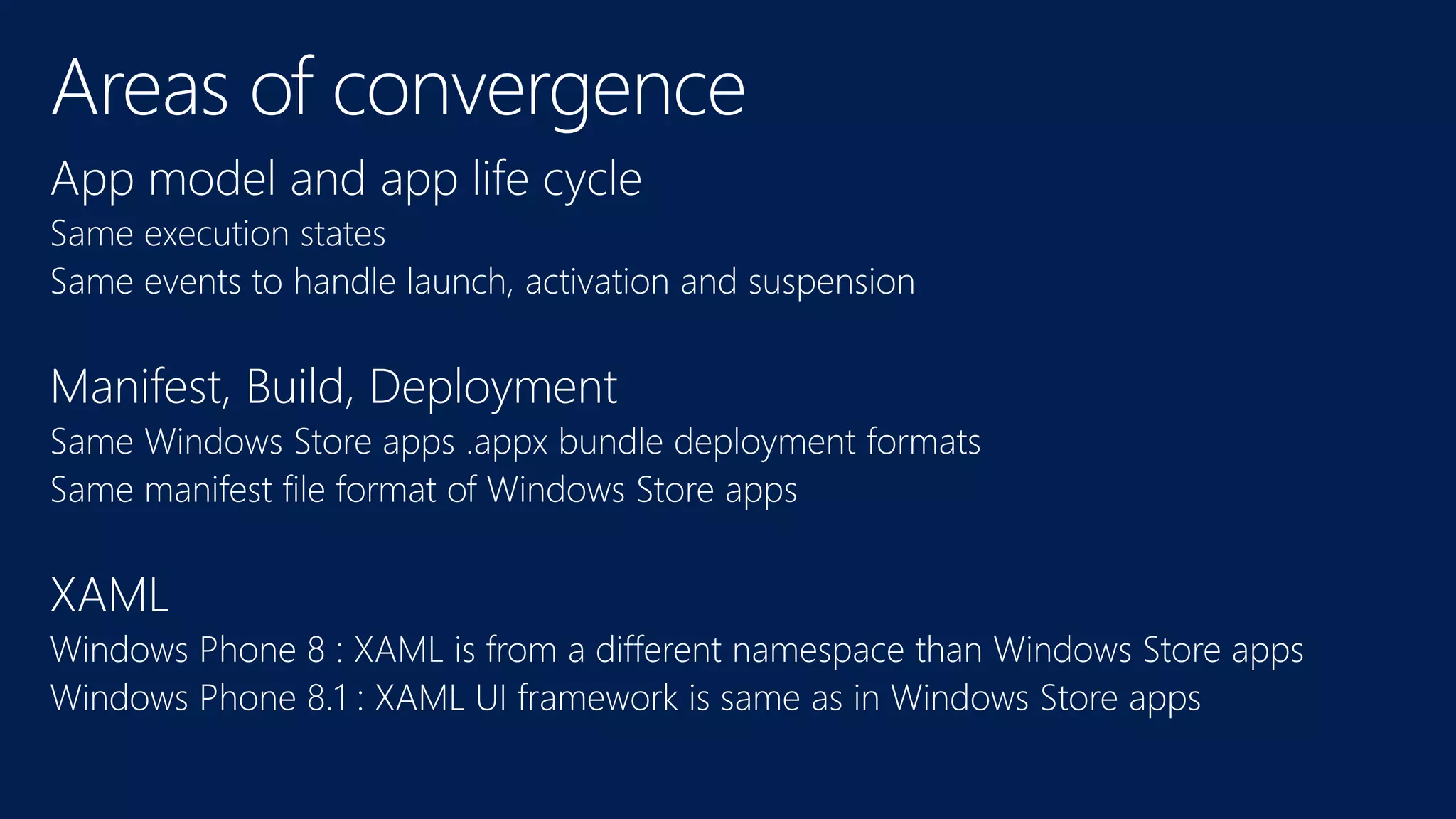
  • #8 Windows 8 and Windows Phone 8 : low convergence Windows 8.1 and Windows Phone 8.1 : high convergence
  • #9 Windows 8 and Windows Phone 8 : low convergence Windows 8.1 and Windows Phone 8.1 : high convergence
  • #10 Manifest A manifest is a set of metadata that describes the assembly itself (name, version, required external assemblies, etc.).
  • #11 Speak about .NET Native
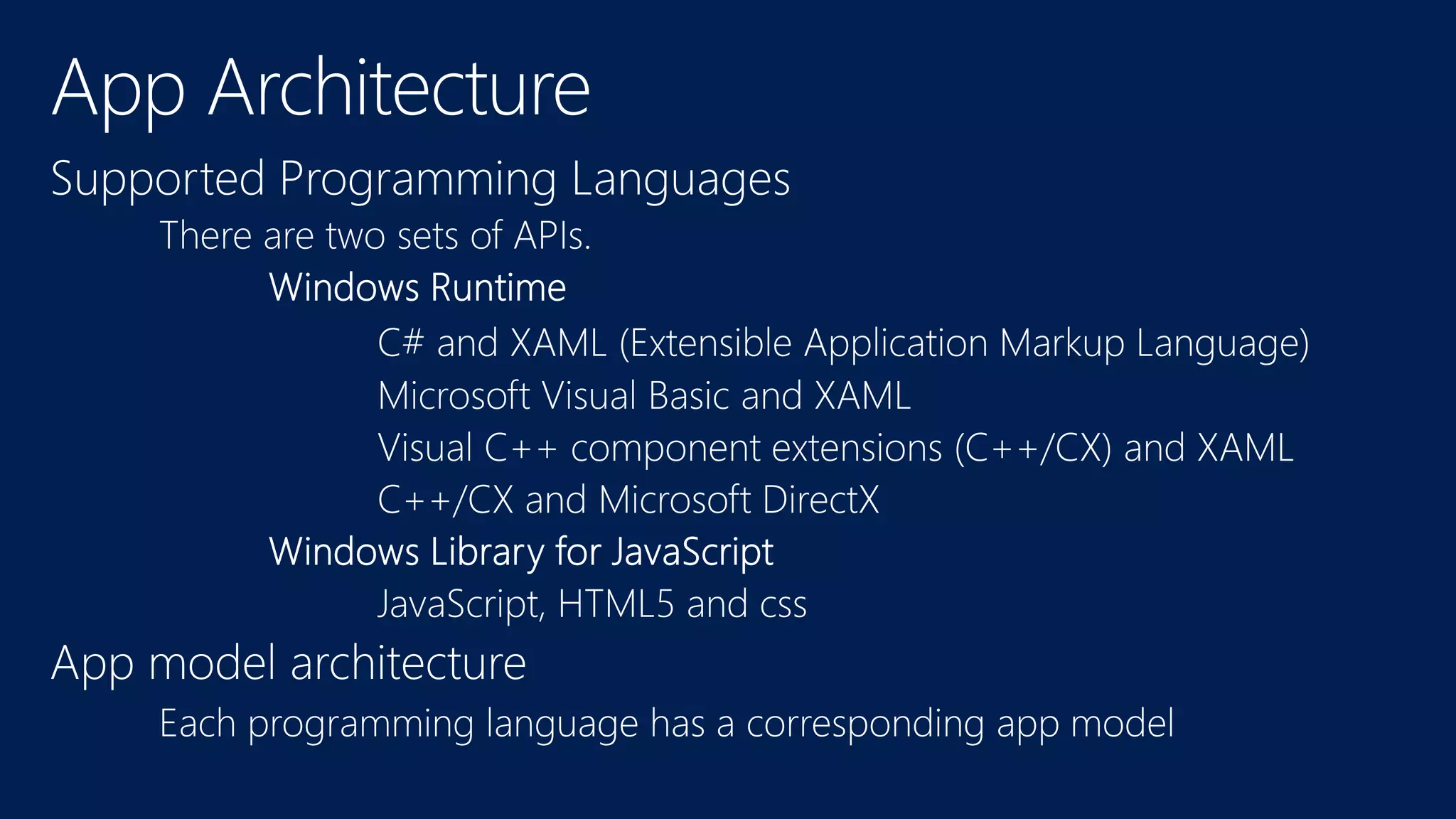
  • #12 Hybrid programming languages are supported.
  • #18 SuspendingOperation.GetDeferral | getDeferral method Requests that the app suspending operation be delayed.