Task on Entry
Collect and stick the following on the next
clean page in your book;
Asking ‘What if’
Mr Blaize
By the end of the lesson you will…
⦿ Objective
› Understand why there is a need to ask ‘What If’
Recognise the need
for a spreadsheet
Identify key elements
of a spreadsheet
Define the key terms
for describing a
spreadsheet
Quick Task
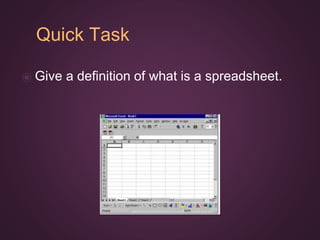
⦿ Give a definition of what is a spreadsheet.
Your Definitions
Definition
An electronic document in
which data is arranged in the
rows and columns of a grid
and can be manipulated and
used in calculations
Task
1. Stick the spreadsheet into your books
2. Draw around a;
a. Row
b. Column
c. Cell
Task
1. Stick the spreadsheet into your books
2. Draw around a;
a. Row
b. Column
c. Cell
Task
1. Give a definition of a
a. Row
b. Column
c. Cell
Your Definitions
1. Give a definition of a
a. Row
b. Column
c. Cell
Task
1. Give a definition of a
a. Row -
i. Each Row is described using a number and goes
across the spreadsheet
b. Column -
i. Each column is described using a letter and goes
down the spreadsheet
c. Cell -
i. Each individual box is called a Cell
Cell Reference
⦿What cell is highlighted?
Cell Reference
⦿What cell is highlighted?
Cell Reference
⦿What cell is highlighted?
Computer Task
⦿Log in to Frog
⦿Access the ‘Spreadsheet’ Site
⦿Access ‘Lesson 1’
⦿Download and attempt the
‘Wizards Challenge’
Progression
What Why How
1. What have I learnt?
2. What do I know now
that I didn't before?
3. What new skills have I
gained?
4. What would I like to
learn?
1. Why have I learnt it?
2. What is the point?
3. What are the real
world applications?
4. How will this help me in
future life/lessons?
1. How have I learnt this?
2. What made it easier to
learn?
3. What will I do to
remember this
learning?
4. What did I do to
overcome any
difficulties?
Choose a question to answer from each column.
You cannot answer the same numbered question across different columns.

Introduction to Spreadsheets

  • 1.
    Task on Entry Collectand stick the following on the next clean page in your book;
  • 2.
  • 3.
    By the endof the lesson you will… ⦿ Objective › Understand why there is a need to ask ‘What If’ Recognise the need for a spreadsheet Identify key elements of a spreadsheet Define the key terms for describing a spreadsheet
  • 4.
    Quick Task ⦿ Givea definition of what is a spreadsheet.
  • 5.
  • 6.
    Definition An electronic documentin which data is arranged in the rows and columns of a grid and can be manipulated and used in calculations
  • 7.
    Task 1. Stick thespreadsheet into your books 2. Draw around a; a. Row b. Column c. Cell
  • 8.
    Task 1. Stick thespreadsheet into your books 2. Draw around a; a. Row b. Column c. Cell
  • 9.
    Task 1. Give adefinition of a a. Row b. Column c. Cell
  • 10.
    Your Definitions 1. Givea definition of a a. Row b. Column c. Cell
  • 11.
    Task 1. Give adefinition of a a. Row - i. Each Row is described using a number and goes across the spreadsheet b. Column - i. Each column is described using a letter and goes down the spreadsheet c. Cell - i. Each individual box is called a Cell
  • 12.
  • 13.
  • 14.
  • 15.
    Computer Task ⦿Log into Frog ⦿Access the ‘Spreadsheet’ Site ⦿Access ‘Lesson 1’ ⦿Download and attempt the ‘Wizards Challenge’
  • 16.
    Progression What Why How 1.What have I learnt? 2. What do I know now that I didn't before? 3. What new skills have I gained? 4. What would I like to learn? 1. Why have I learnt it? 2. What is the point? 3. What are the real world applications? 4. How will this help me in future life/lessons? 1. How have I learnt this? 2. What made it easier to learn? 3. What will I do to remember this learning? 4. What did I do to overcome any difficulties? Choose a question to answer from each column. You cannot answer the same numbered question across different columns.