Opencast Matterhorn for lecture capture and
video management
Scalable. Flexible. Powerful. Open Source.
Stephen Marquard
stephen.marquard@uct.ac.za
University of Cape Town
Opencast Community
Universities, companies and people:
• concerned with academic video
• attracted to the Opencast values of openly exchanging
ideas, experience, knowledge and code
• committed to building and maintaining a robust, flexible,
high-quality open source lecture capture and
academic video management solution.
Now also becoming part of
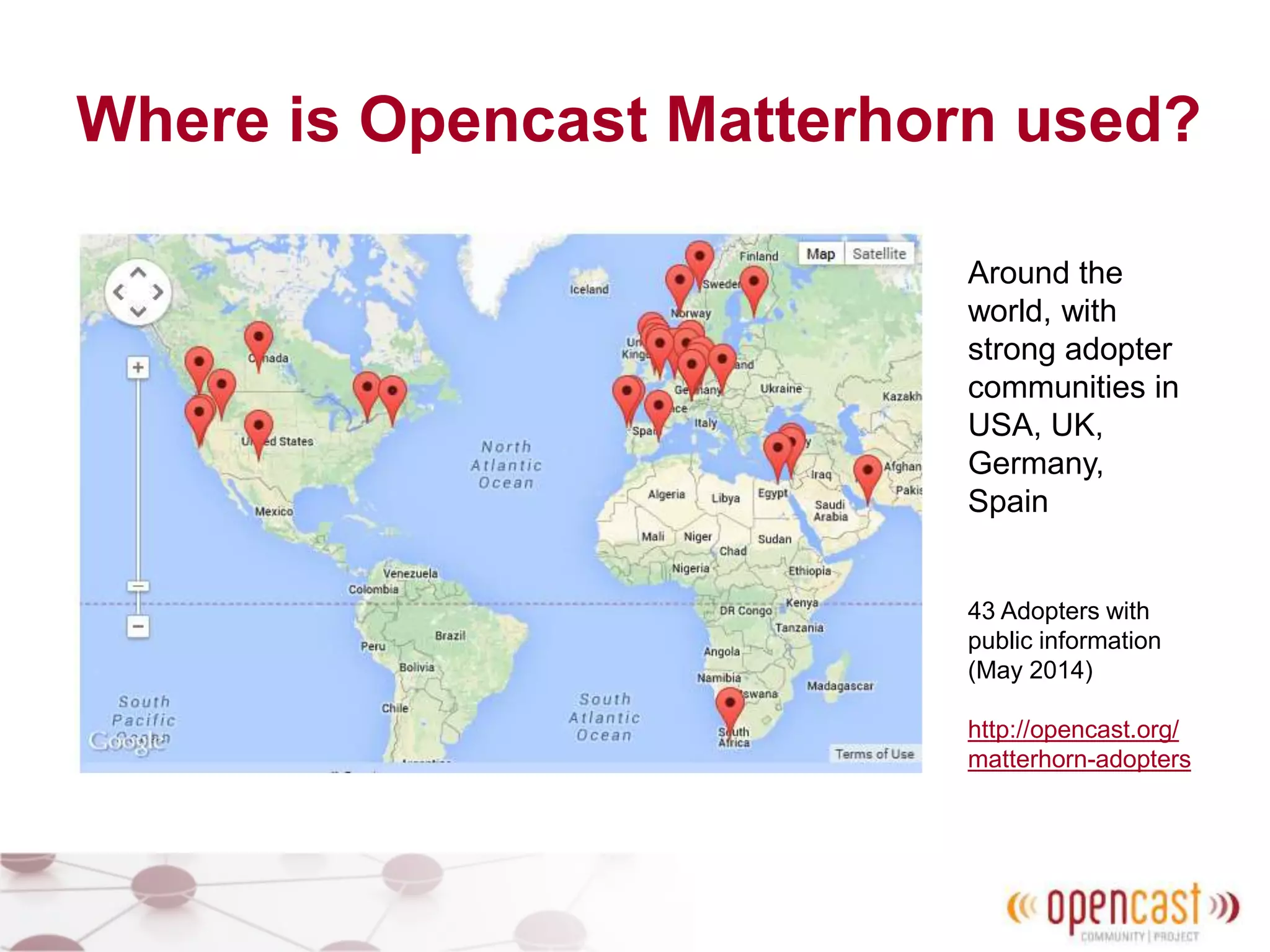
Where is Opencast Matterhorn used?
Around the
world, with
strong adopter
communities in
USA, UK,
Germany,
Spain
43 Adopters with
public information
(May 2014)
http://opencast.org/
matterhorn-adopters
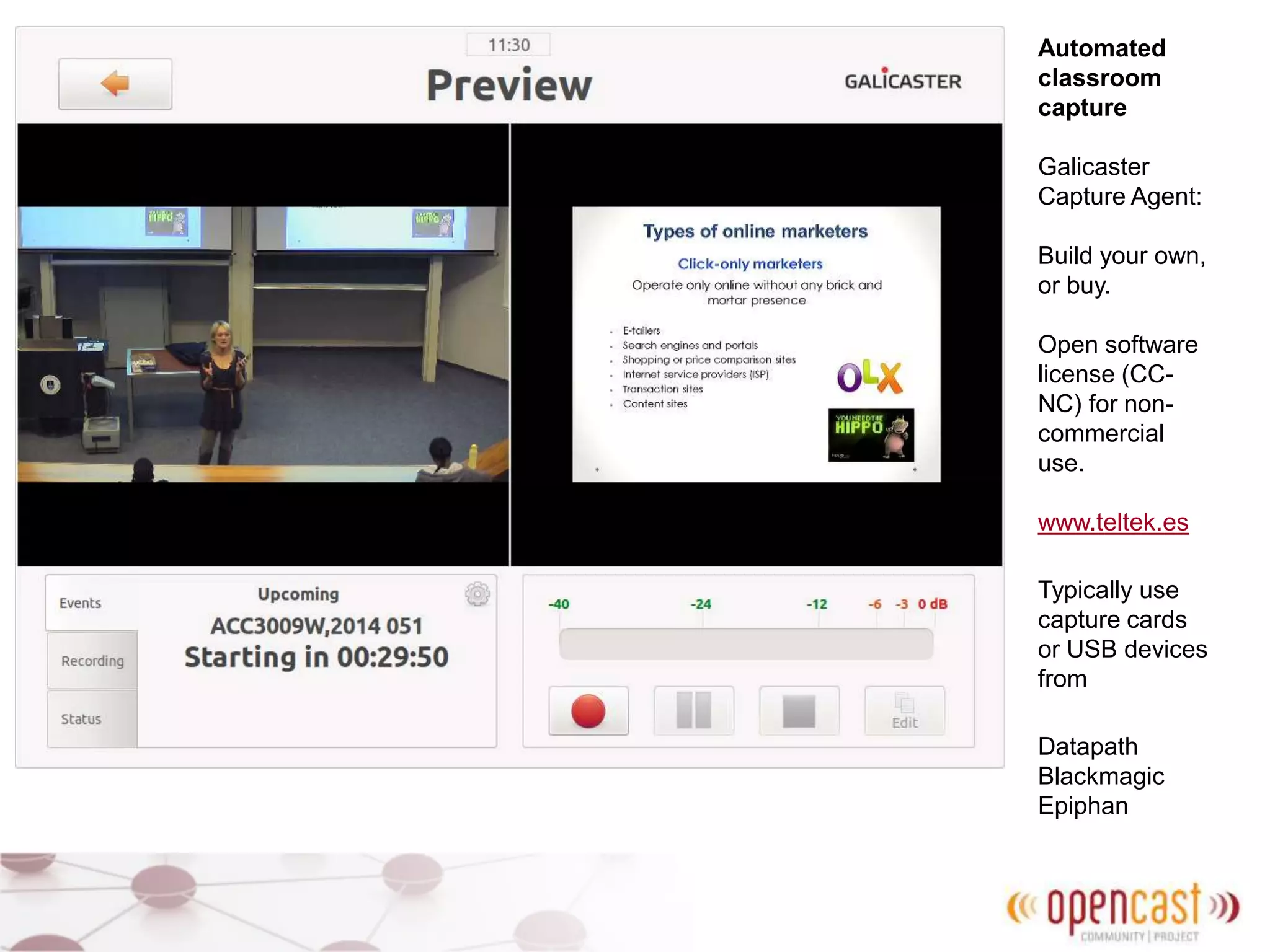
Automated
classroom
capture
Galicaster
Capture Agent:
Build your own,
or buy.
Open software
license (CC-
NC) for non-
commercial
use.
www.teltek.es
Typically use
capture cards
or USB devices
from
Datapath
Blackmagic
Epiphan
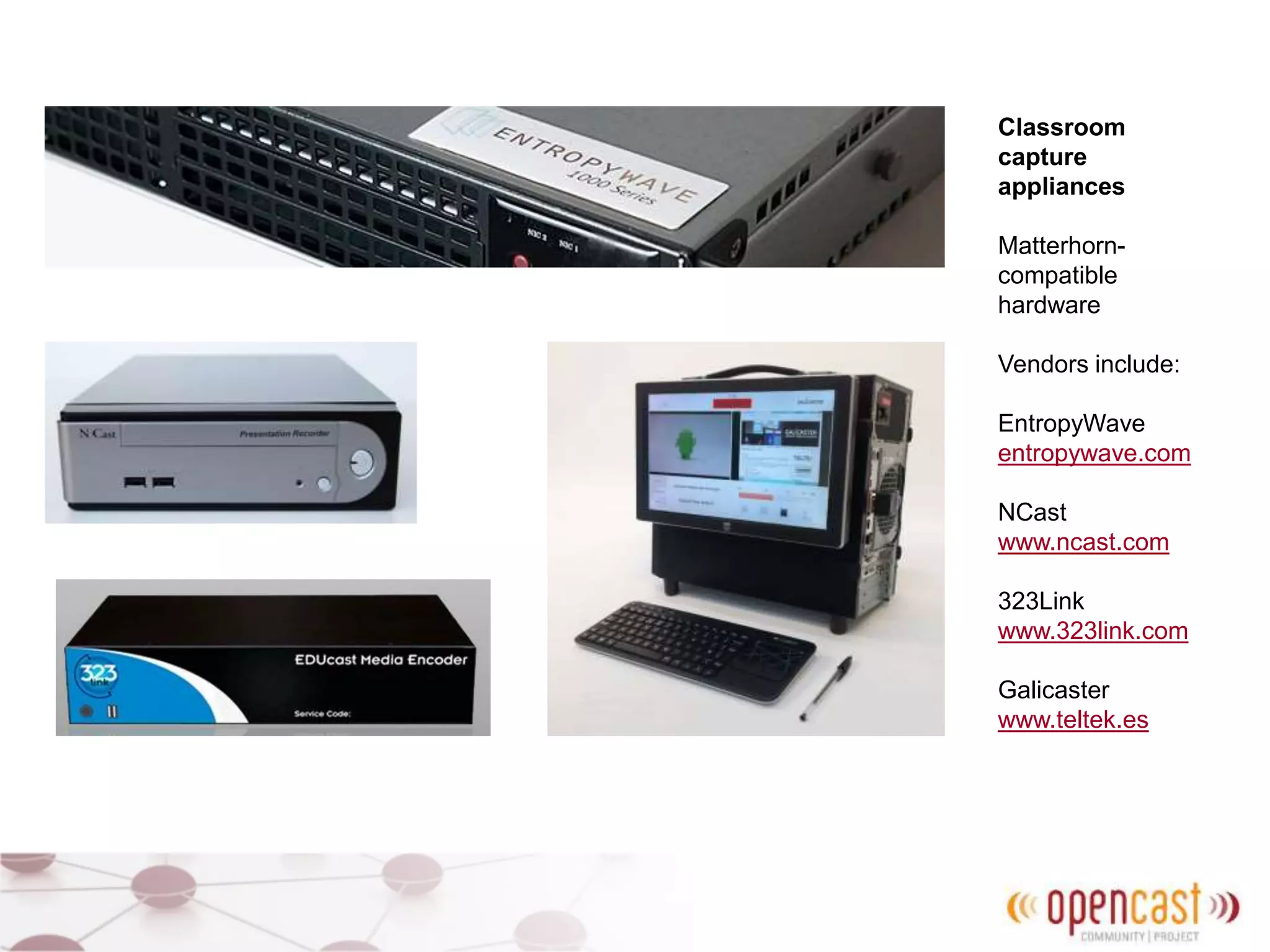
Classroom
capture
appliances
Matterhorn-
compatible
hardware
Vendors include:
EntropyWave
entropywave.com
NCast
www.ncast.com
323Link
www.323link.com
Galicaster
www.teltek.es
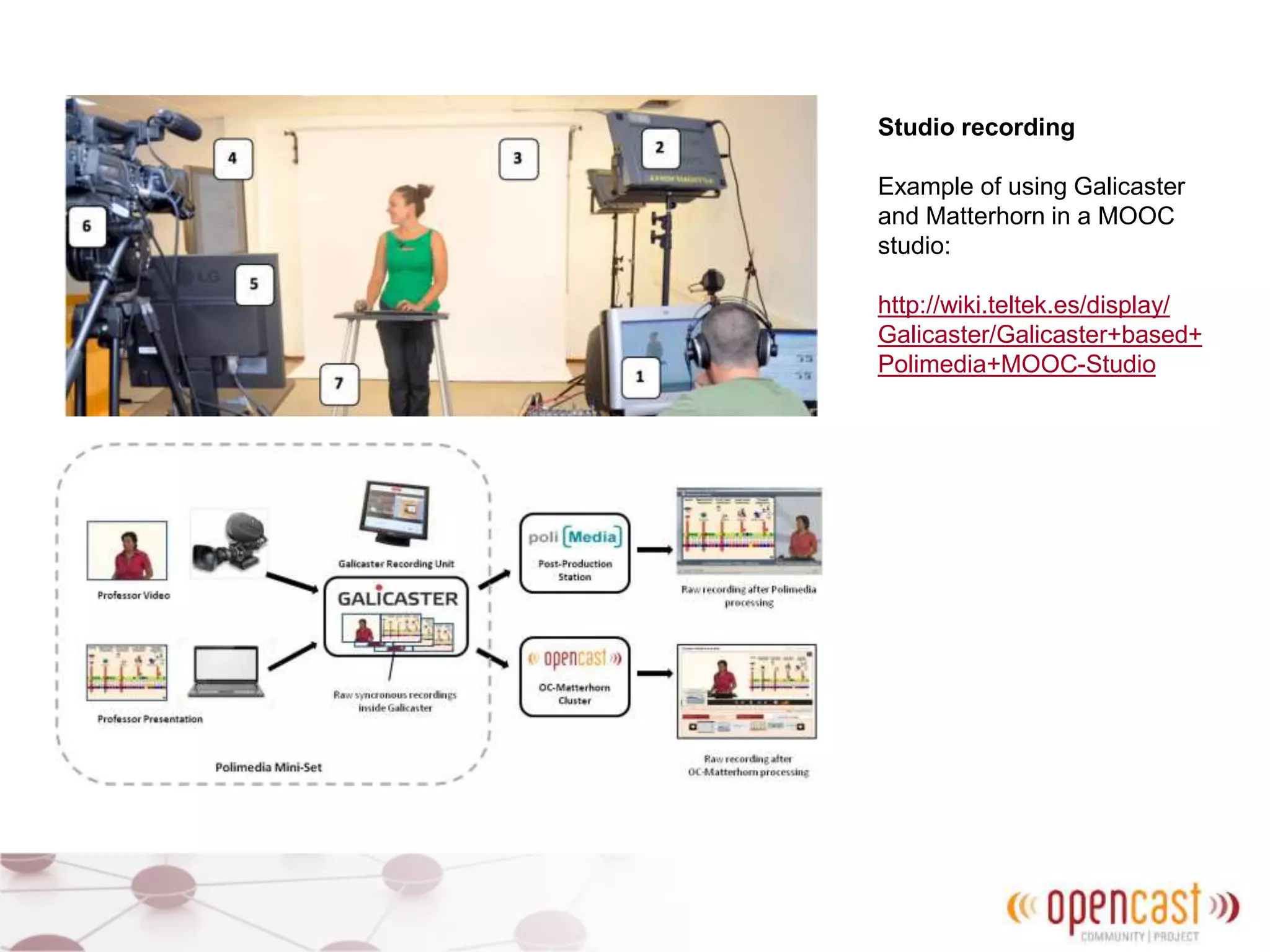
Studio recording
Example of using Galicaster
and Matterhorn in a MOOC
studio:
http://wiki.teltek.es/display/
Galicaster/Galicaster+based+
Polimedia+MOOC-Studio
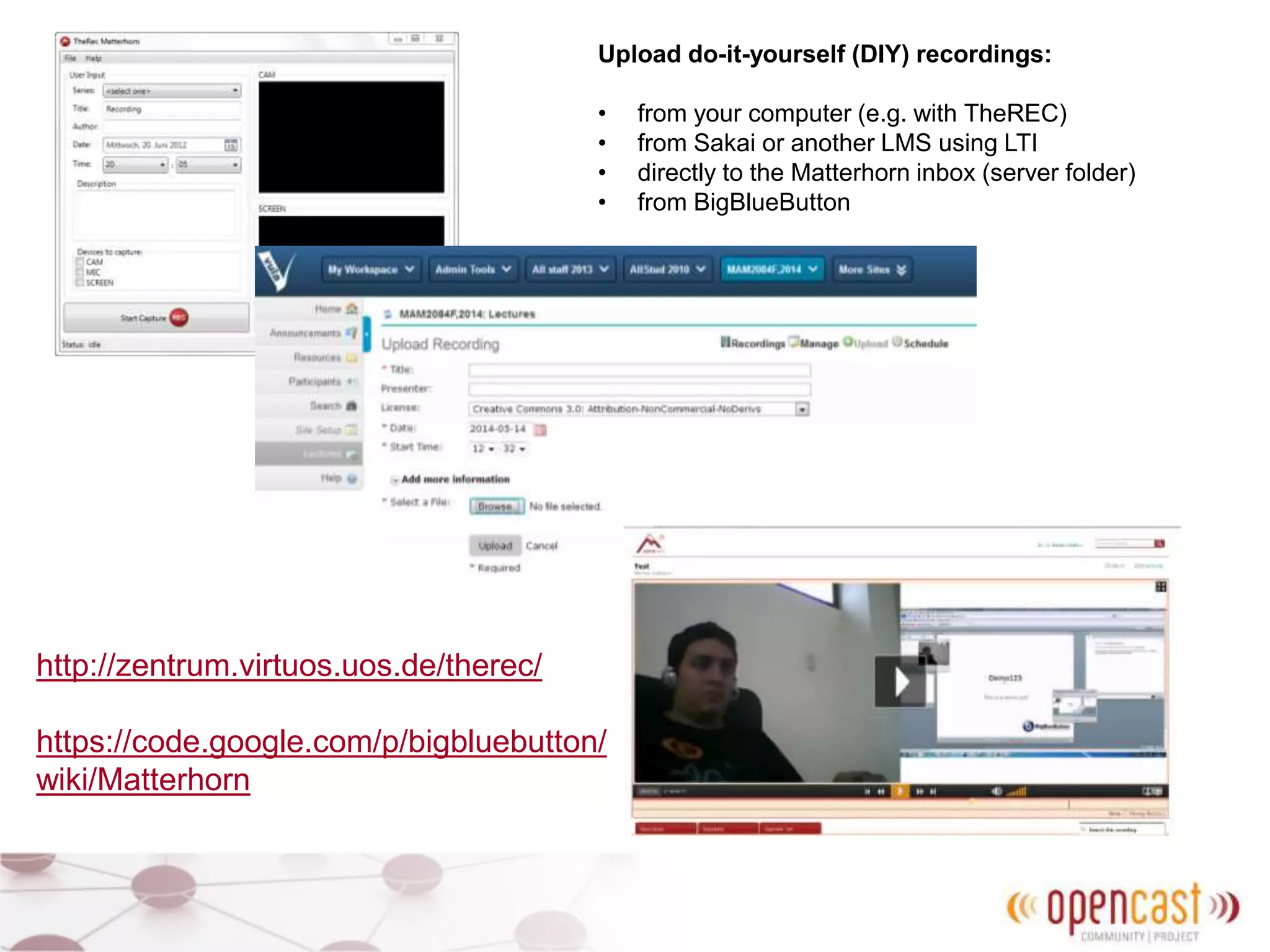
Upload do-it-yourself (DIY) recordings:
• from your computer (e.g. with TheREC)
• from Sakai or another LMS using LTI
• directly to the Matterhorn inbox (server folder)
• from BigBlueButton
http://zentrum.virtuos.uos.de/therec/
https://code.google.com/p/bigbluebutton/
wiki/Matterhorn
Processing
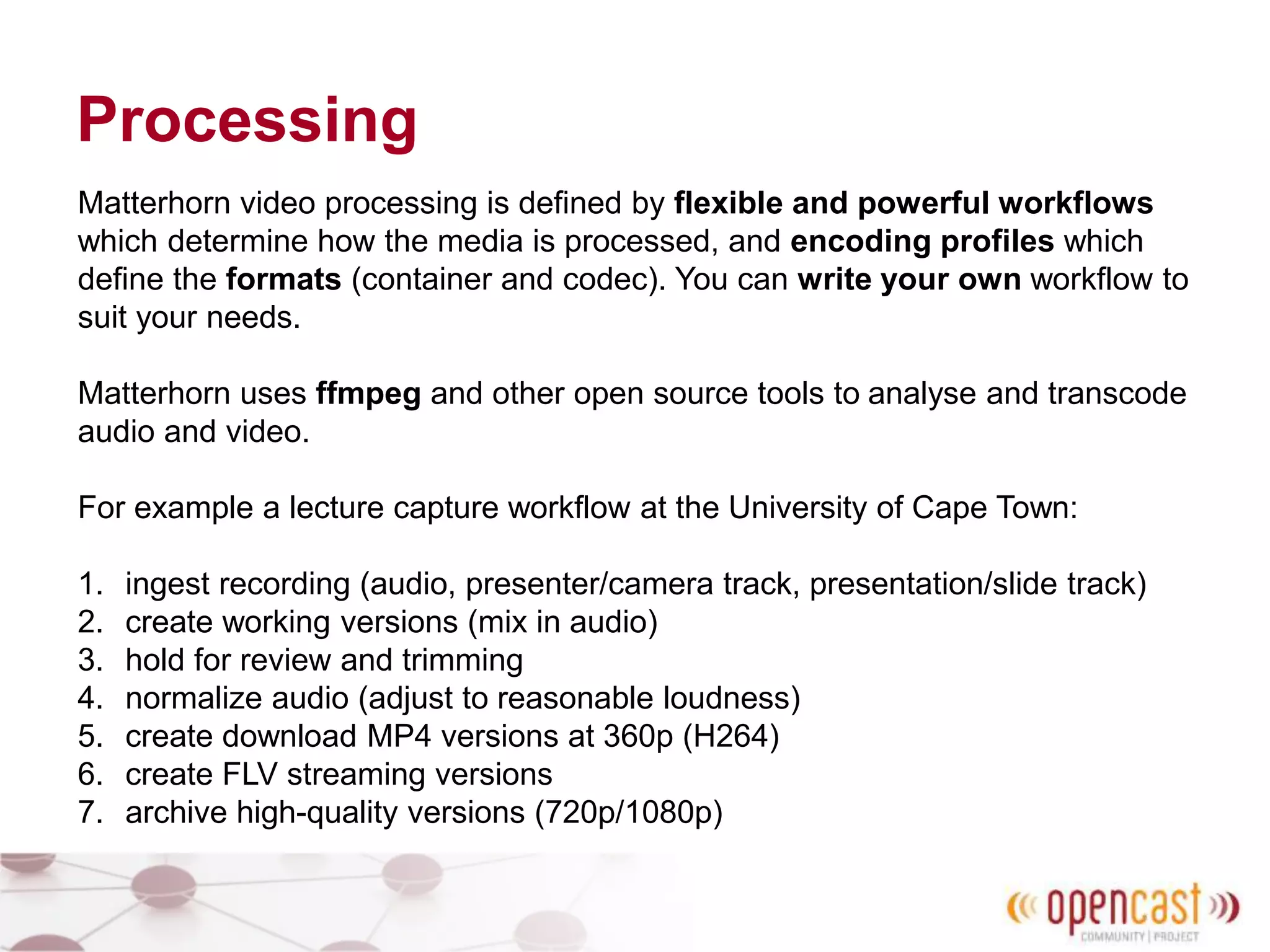
Matterhorn video processing is defined by flexible and powerful workflows
which determine how the media is processed, and encoding profiles which
define the formats (container and codec). You can write your own workflow to
suit your needs.
Matterhorn uses ffmpeg and other open source tools to analyse and transcode
audio and video.
For example a lecture capture workflow at the University of Cape Town:
1. ingest recording (audio, presenter/camera track, presentation/slide track)
2. create working versions (mix in audio)
3. hold for review and trimming
4. normalize audio (adjust to reasonable loudness)
5. create download MP4 versions at 360p (H264)
6. create FLV streaming versions
7. archive high-quality versions (720p/1080p)
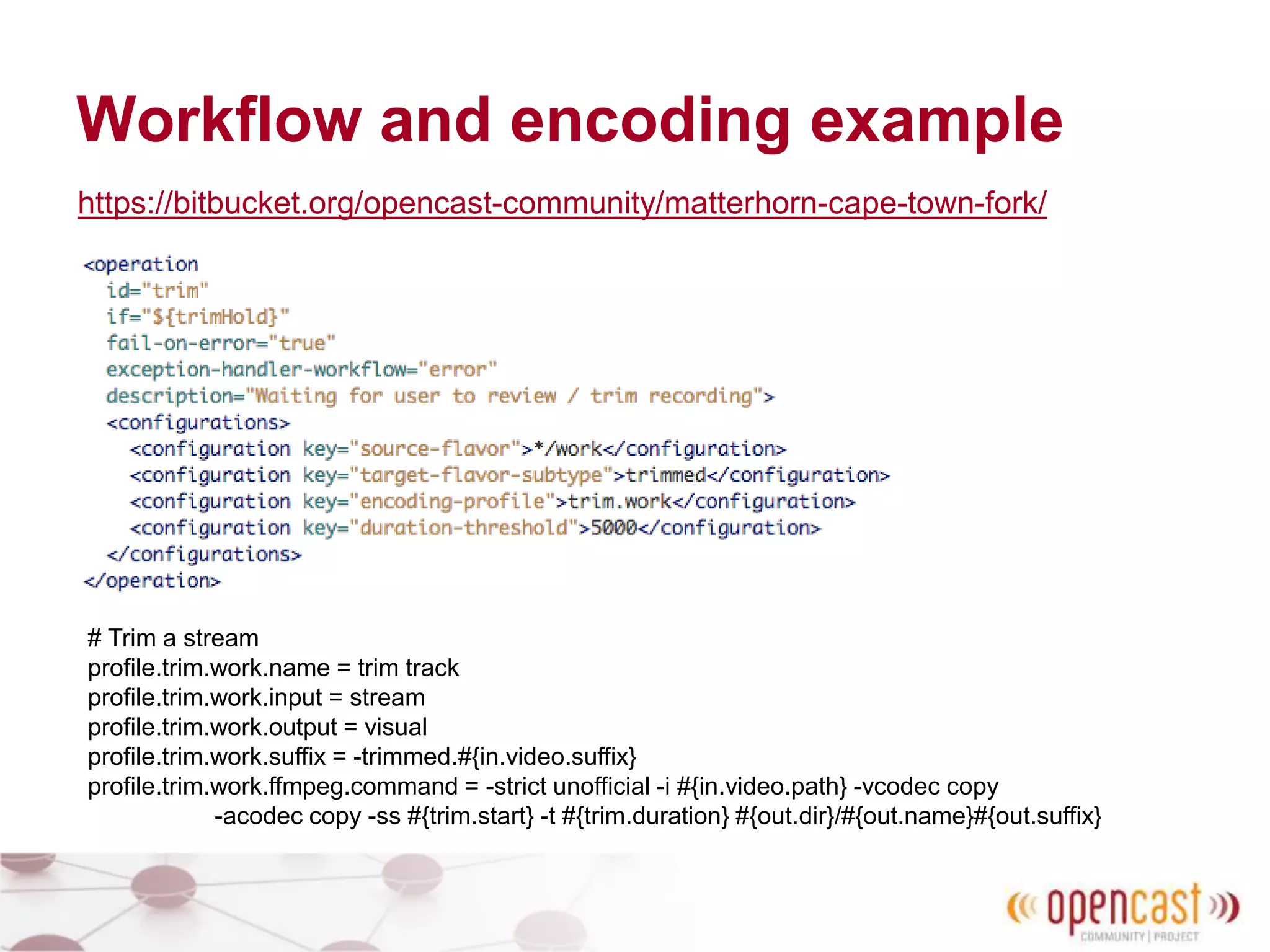
Workflow and encoding example
https://bitbucket.org/opencast-community/matterhorn-cape-town-fork/
# Trim a stream
profile.trim.work.name = trim track
profile.trim.work.input = stream
profile.trim.work.output = visual
profile.trim.work.suffix = -trimmed.#{in.video.suffix}
profile.trim.work.ffmpeg.command = -strict unofficial -i #{in.video.path} -vcodec copy
-acodec copy -ss #{trim.start} -t #{trim.duration} #{out.dir}/#{out.name}#{out.suffix}
Distribute
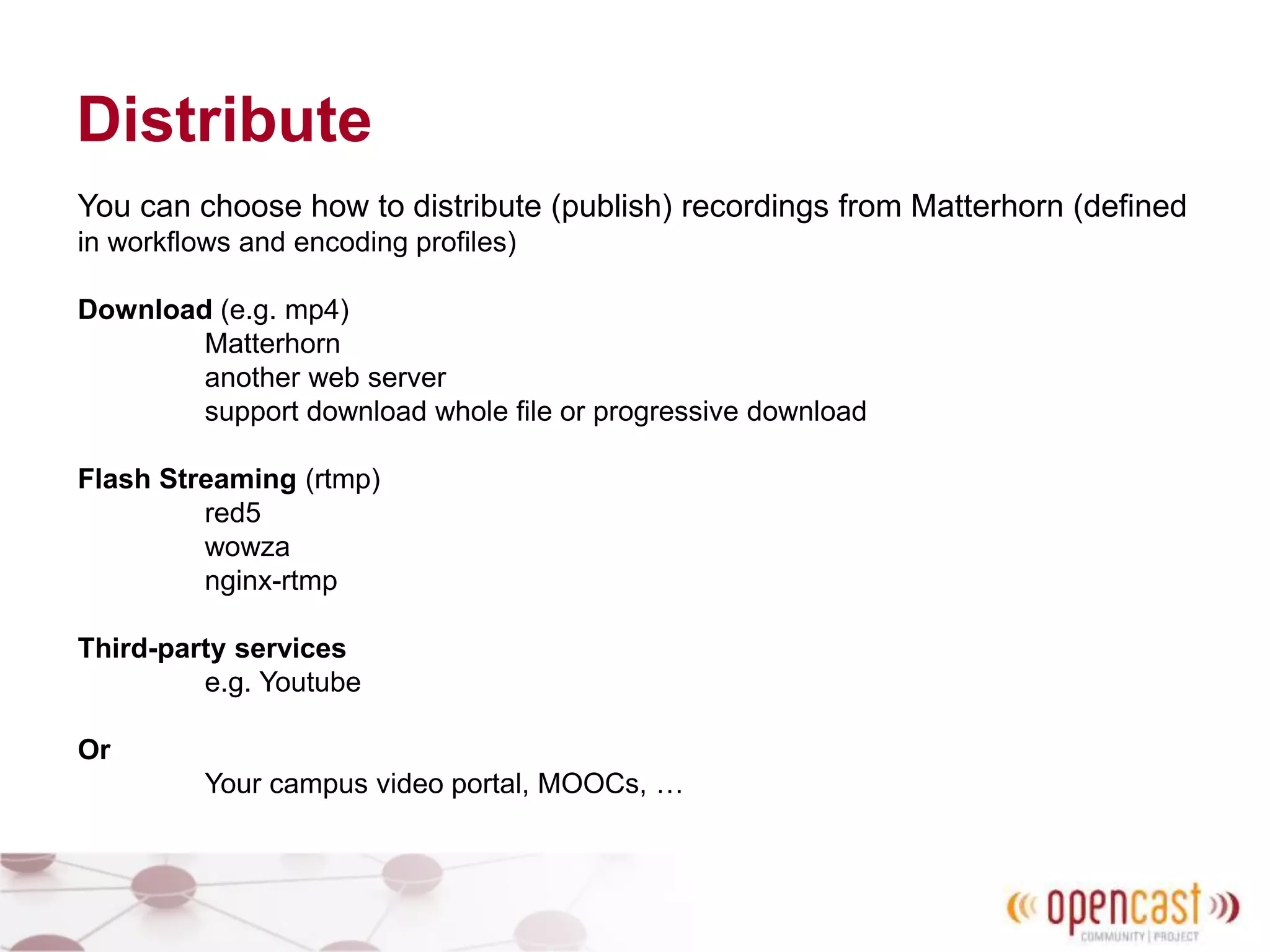
You can choose how to distribute (publish) recordings from Matterhorn (defined
in workflows and encoding profiles)
Download (e.g. mp4)
Matterhorn
another web server
support download whole file or progressive download
Flash Streaming (rtmp)
red5
wowza
nginx-rtmp
Third-party services
e.g. Youtube
Or
Your campus video portal, MOOCs, …
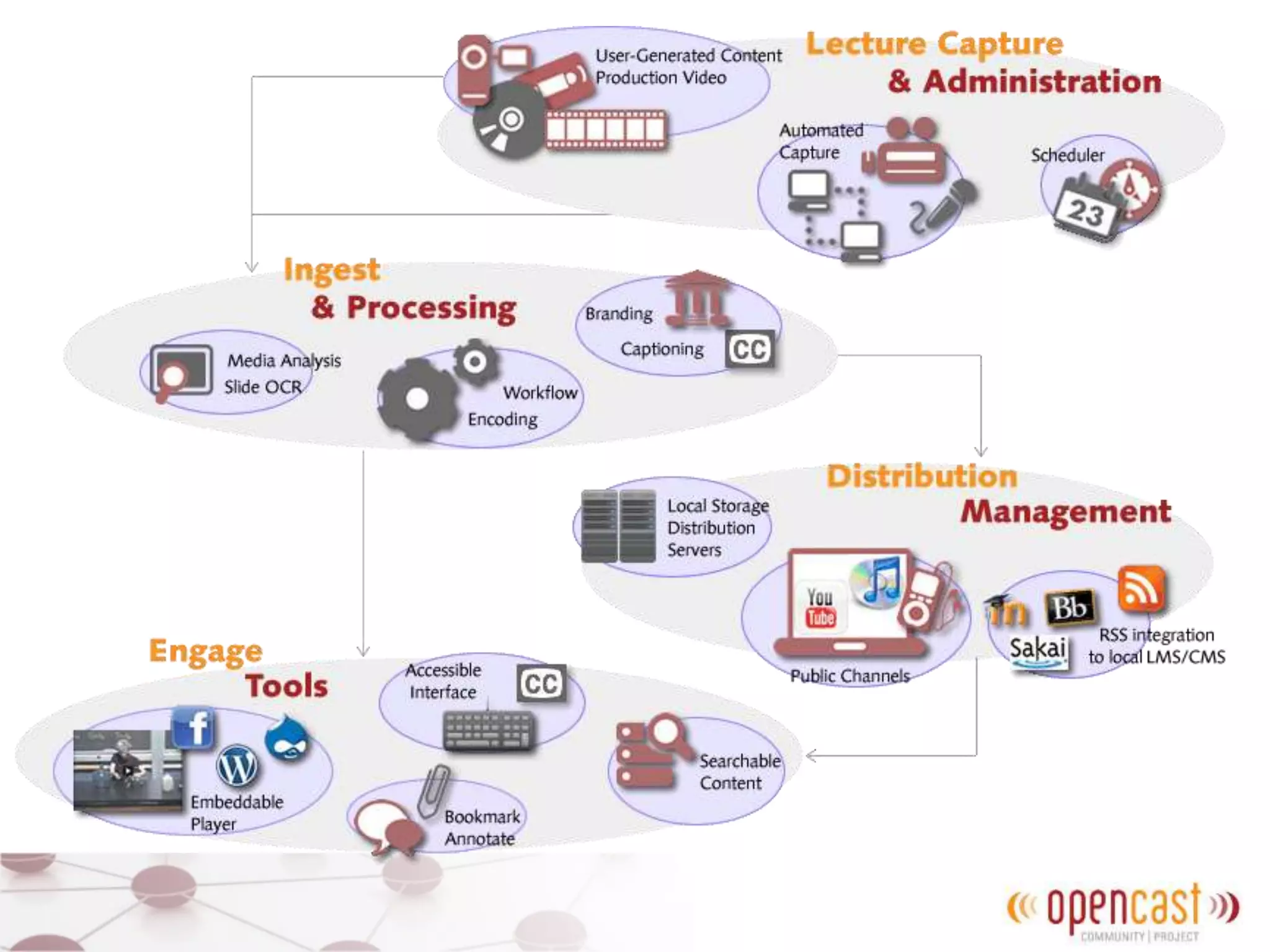
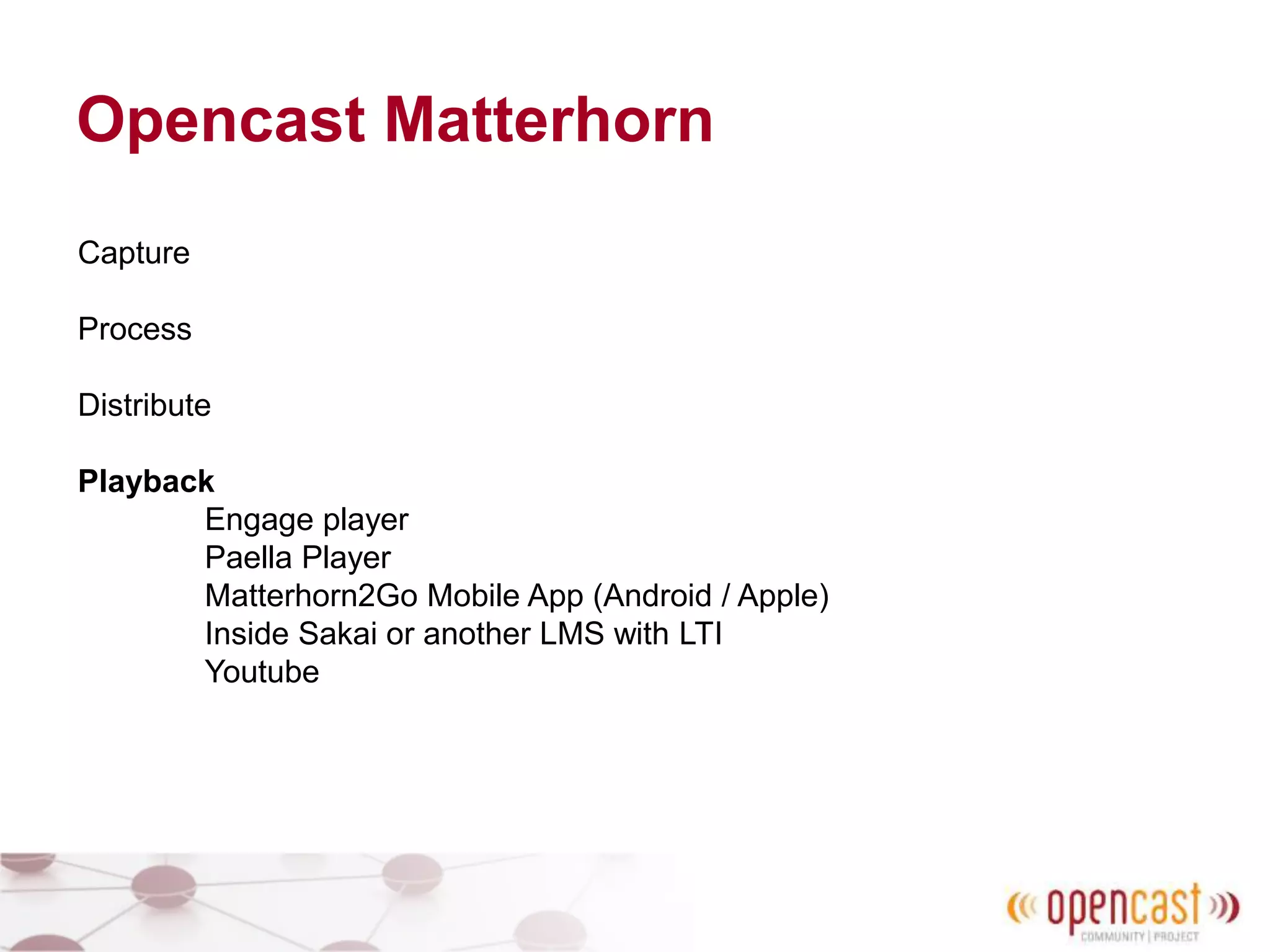
Opencast Matterhorn
Capture
Process
Distribute
Playback
Engage player
Paella Player
Matterhorn2Go Mobile App (Android / Apple)
Inside Sakai or another LMS with LTI
Youtube
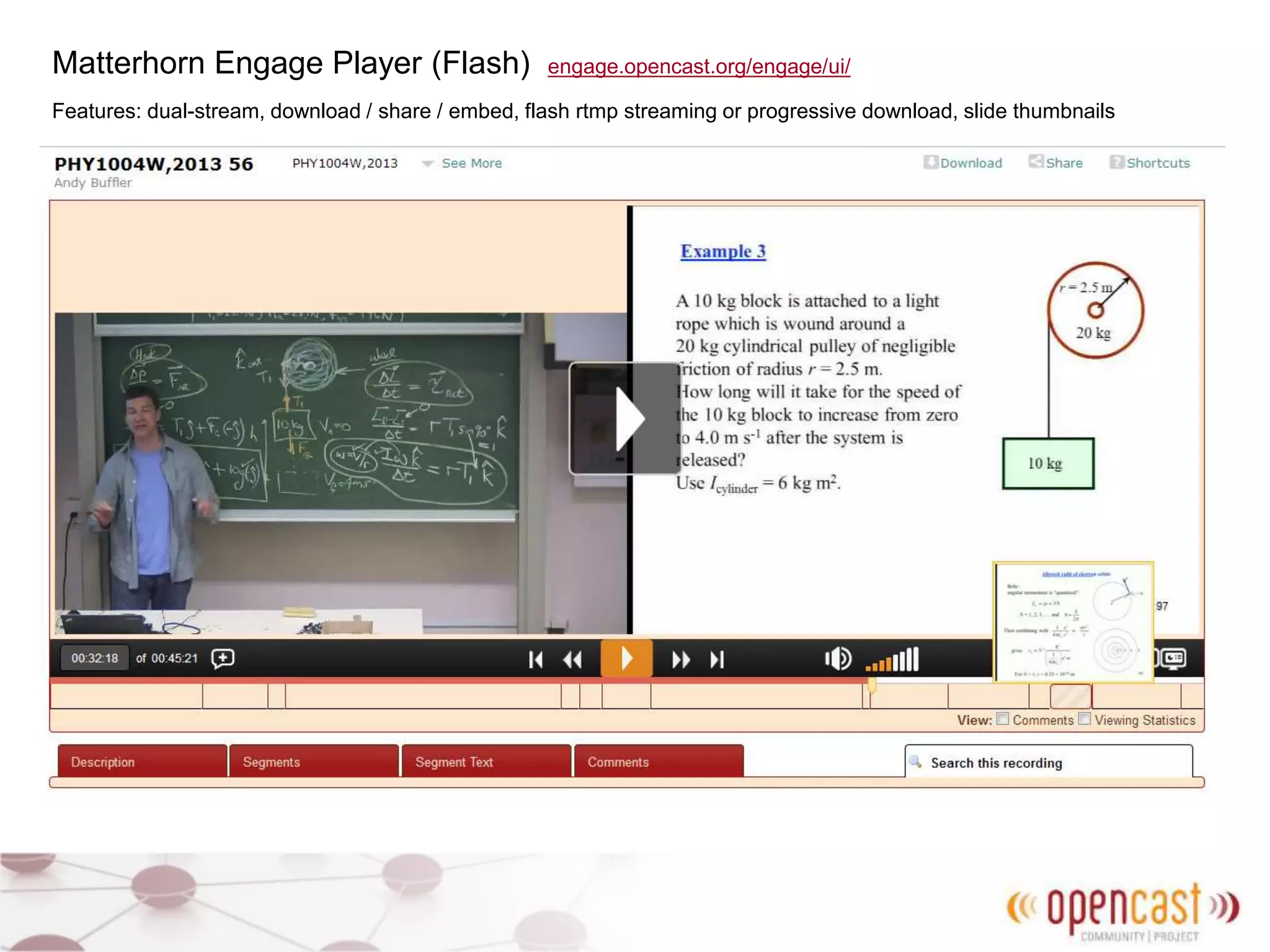
Matterhorn Engage Player (Flash) engage.opencast.org/engage/ui/
Features: dual-stream, download / share / embed, flash rtmp streaming or progressive download, slide thumbnails
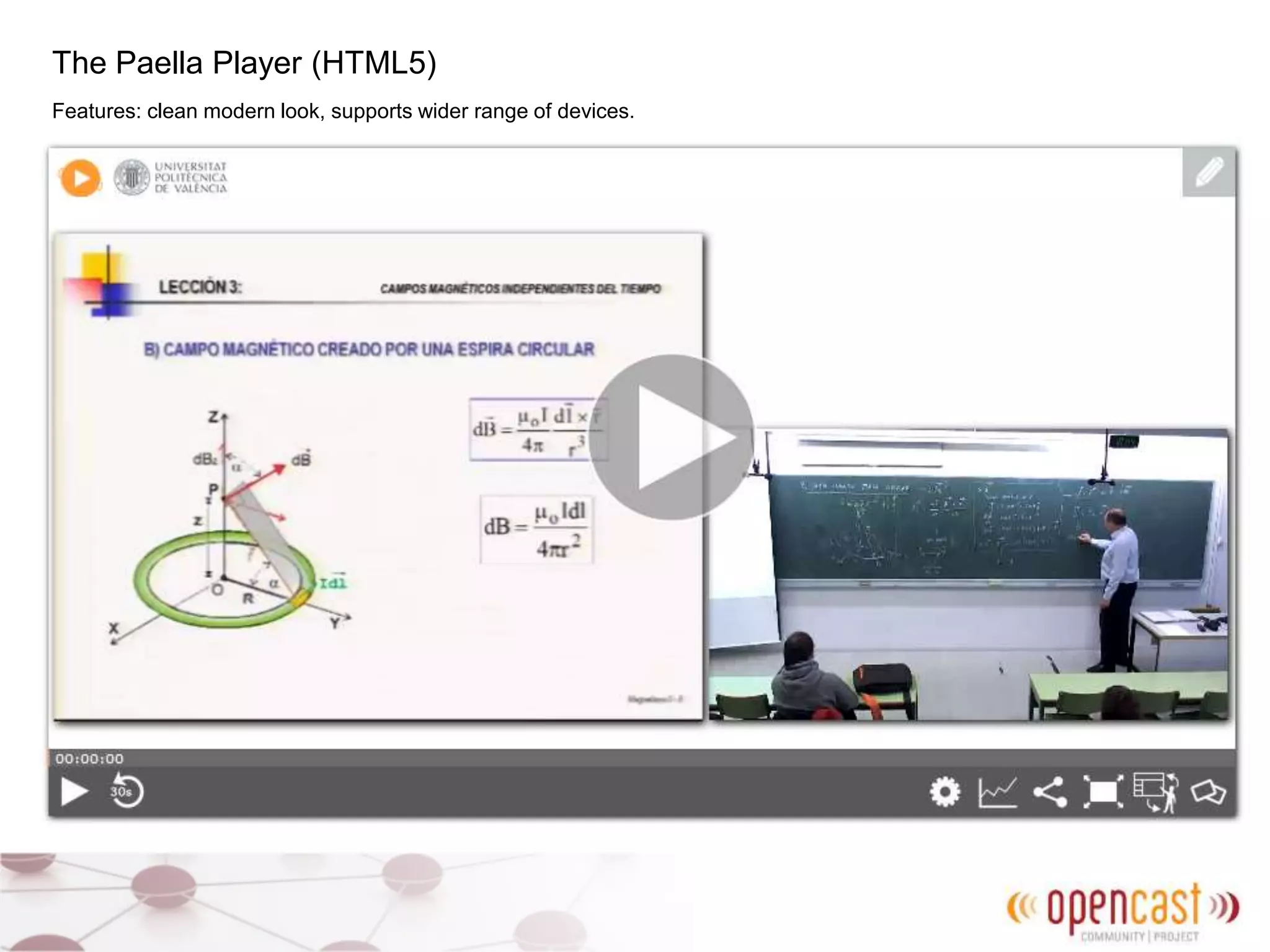
The Paella Player (HTML5)
Features: clean modern look, supports wider range of devices.
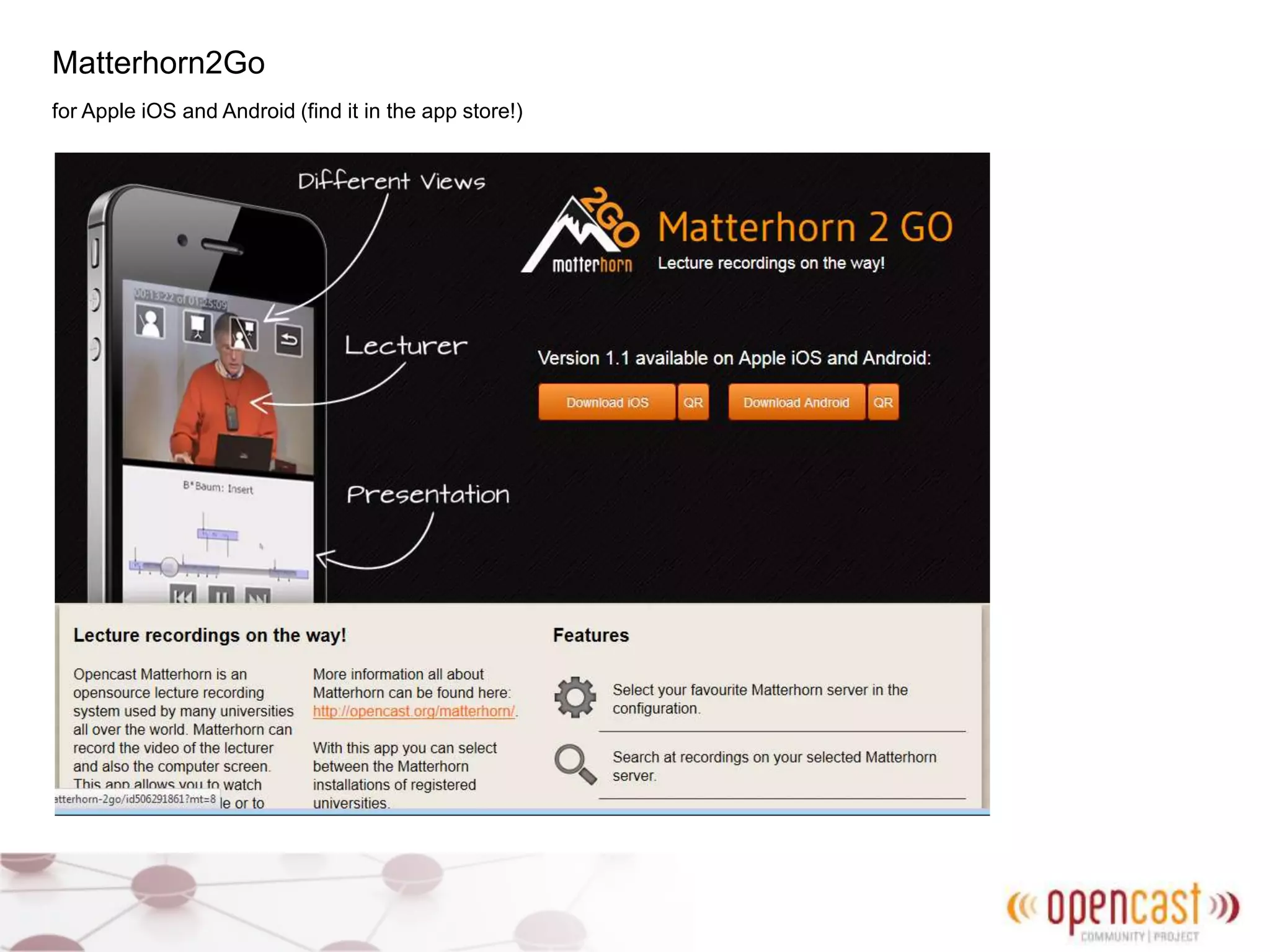
Matterhorn2Go
for Apple iOS and Android (find it in the app store!)
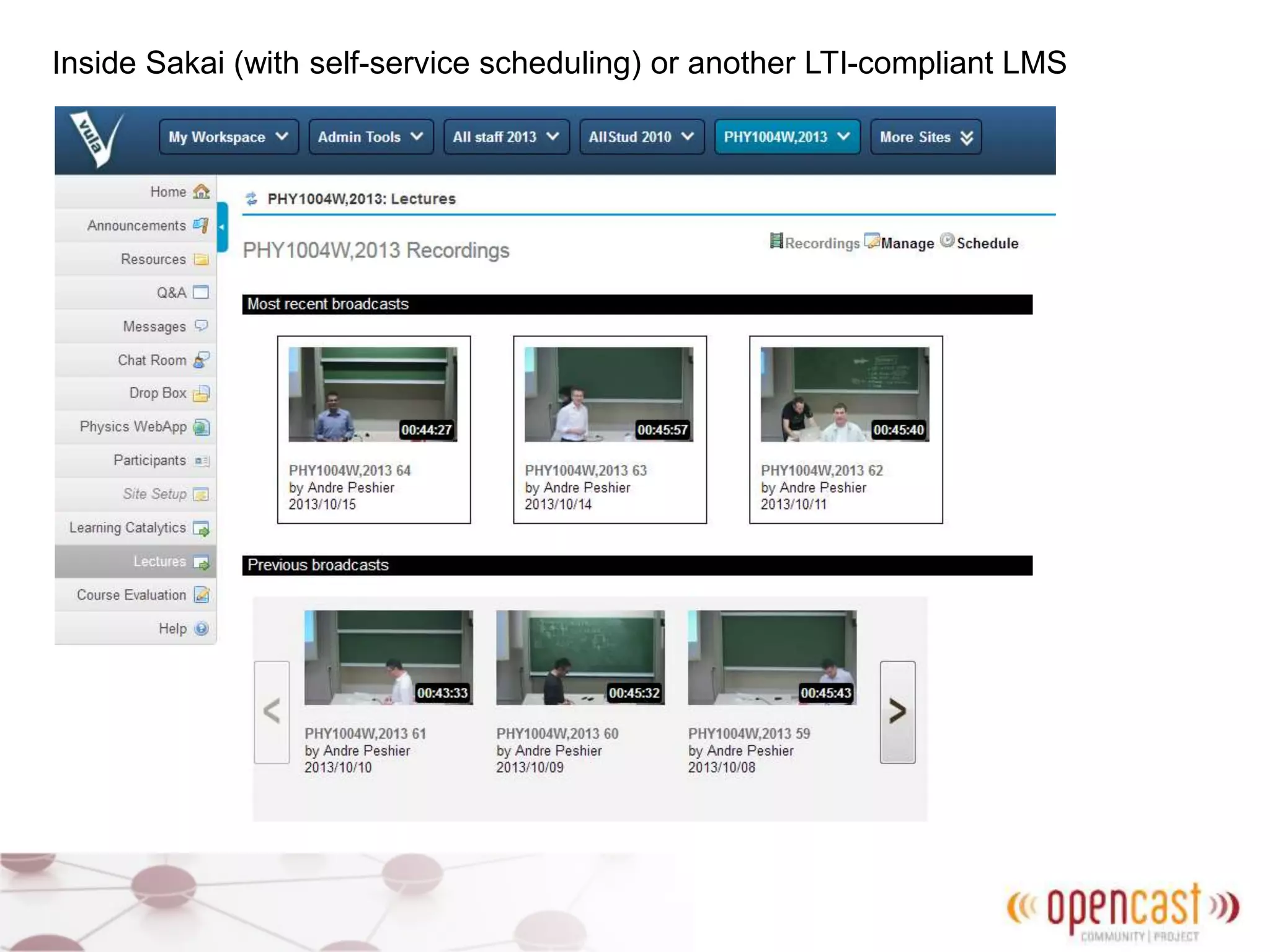
Inside Sakai (with self-service scheduling) or another LTI-compliant LMS
Join the Opencast community
Opencast website
http://opencast.org/ (read the adopter stories!)
Mailing lists
community@opencast.org (low frequency)
matterhorn-users@opencast.org (implementers, users)
matterhorn@opencast.org (developers)
IRC
#opencast (irc.freenode.net)
Source code
https://bitbucket.org/opencast-community
Issue Tracking and Wiki
http://opencast.jira.com
Commercial support
for Matterhorn:
Entwine
entwinemedia.com
Teltek
www.teltek.es
and others.

Introduction to Opencast Matterhorn: Apereo 2014

  • 1.
    Opencast Matterhorn forlecture capture and video management Scalable. Flexible. Powerful. Open Source. Stephen Marquard stephen.marquard@uct.ac.za University of Cape Town
  • 2.
    Opencast Community Universities, companiesand people: • concerned with academic video • attracted to the Opencast values of openly exchanging ideas, experience, knowledge and code • committed to building and maintaining a robust, flexible, high-quality open source lecture capture and academic video management solution. Now also becoming part of
  • 3.
    Where is OpencastMatterhorn used? Around the world, with strong adopter communities in USA, UK, Germany, Spain 43 Adopters with public information (May 2014) http://opencast.org/ matterhorn-adopters
  • 5.
    Automated classroom capture Galicaster Capture Agent: Build yourown, or buy. Open software license (CC- NC) for non- commercial use. www.teltek.es Typically use capture cards or USB devices from Datapath Blackmagic Epiphan
  • 6.
  • 7.
    Studio recording Example ofusing Galicaster and Matterhorn in a MOOC studio: http://wiki.teltek.es/display/ Galicaster/Galicaster+based+ Polimedia+MOOC-Studio
  • 8.
    Upload do-it-yourself (DIY)recordings: • from your computer (e.g. with TheREC) • from Sakai or another LMS using LTI • directly to the Matterhorn inbox (server folder) • from BigBlueButton http://zentrum.virtuos.uos.de/therec/ https://code.google.com/p/bigbluebutton/ wiki/Matterhorn
  • 9.
    Processing Matterhorn video processingis defined by flexible and powerful workflows which determine how the media is processed, and encoding profiles which define the formats (container and codec). You can write your own workflow to suit your needs. Matterhorn uses ffmpeg and other open source tools to analyse and transcode audio and video. For example a lecture capture workflow at the University of Cape Town: 1. ingest recording (audio, presenter/camera track, presentation/slide track) 2. create working versions (mix in audio) 3. hold for review and trimming 4. normalize audio (adjust to reasonable loudness) 5. create download MP4 versions at 360p (H264) 6. create FLV streaming versions 7. archive high-quality versions (720p/1080p)
  • 10.
    Workflow and encodingexample https://bitbucket.org/opencast-community/matterhorn-cape-town-fork/ # Trim a stream profile.trim.work.name = trim track profile.trim.work.input = stream profile.trim.work.output = visual profile.trim.work.suffix = -trimmed.#{in.video.suffix} profile.trim.work.ffmpeg.command = -strict unofficial -i #{in.video.path} -vcodec copy -acodec copy -ss #{trim.start} -t #{trim.duration} #{out.dir}/#{out.name}#{out.suffix}
  • 11.
    Distribute You can choosehow to distribute (publish) recordings from Matterhorn (defined in workflows and encoding profiles) Download (e.g. mp4) Matterhorn another web server support download whole file or progressive download Flash Streaming (rtmp) red5 wowza nginx-rtmp Third-party services e.g. Youtube Or Your campus video portal, MOOCs, …
  • 12.
    Opencast Matterhorn Capture Process Distribute Playback Engage player PaellaPlayer Matterhorn2Go Mobile App (Android / Apple) Inside Sakai or another LMS with LTI Youtube
  • 13.
    Matterhorn Engage Player(Flash) engage.opencast.org/engage/ui/ Features: dual-stream, download / share / embed, flash rtmp streaming or progressive download, slide thumbnails
  • 14.
    The Paella Player(HTML5) Features: clean modern look, supports wider range of devices.
  • 15.
    Matterhorn2Go for Apple iOSand Android (find it in the app store!)
  • 16.
    Inside Sakai (withself-service scheduling) or another LTI-compliant LMS
  • 17.
    Join the Opencastcommunity Opencast website http://opencast.org/ (read the adopter stories!) Mailing lists community@opencast.org (low frequency) matterhorn-users@opencast.org (implementers, users) matterhorn@opencast.org (developers) IRC #opencast (irc.freenode.net) Source code https://bitbucket.org/opencast-community Issue Tracking and Wiki http://opencast.jira.com Commercial support for Matterhorn: Entwine entwinemedia.com Teltek www.teltek.es and others.