||
Stephen Marquard, University of Cape Town
Stuart Phillipson, University of Manchester
Vienna, February 2018
14/02/2018 1
LectureSight is awesome and getting better!
|| 14/02/2018First name Surname (edit via “Insert” > “Header & Footer”) 2
Overview
LectureSight at University of Manchester
LectureSight at University of Cape Town
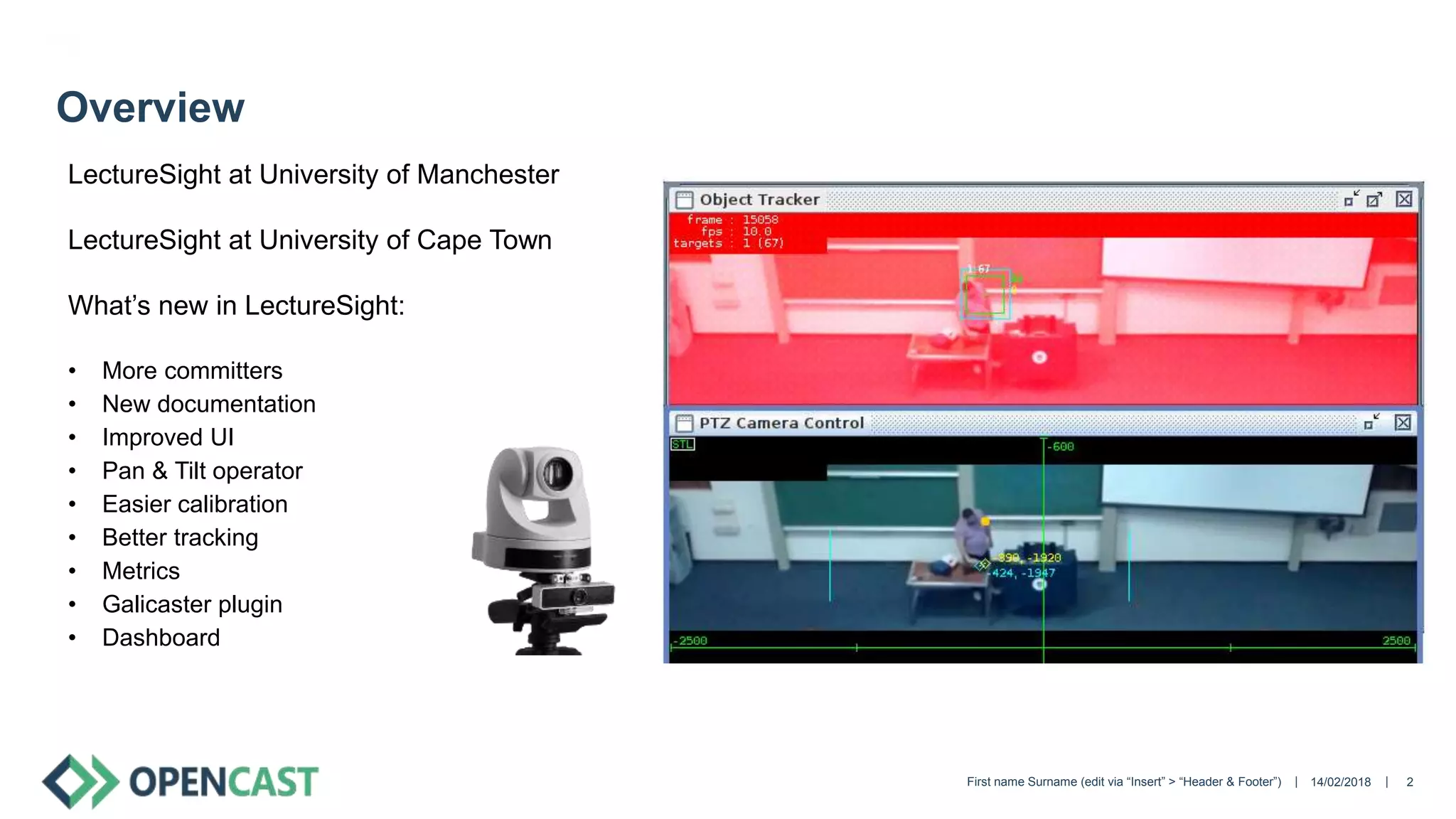
What’s new in LectureSight:
• More committers
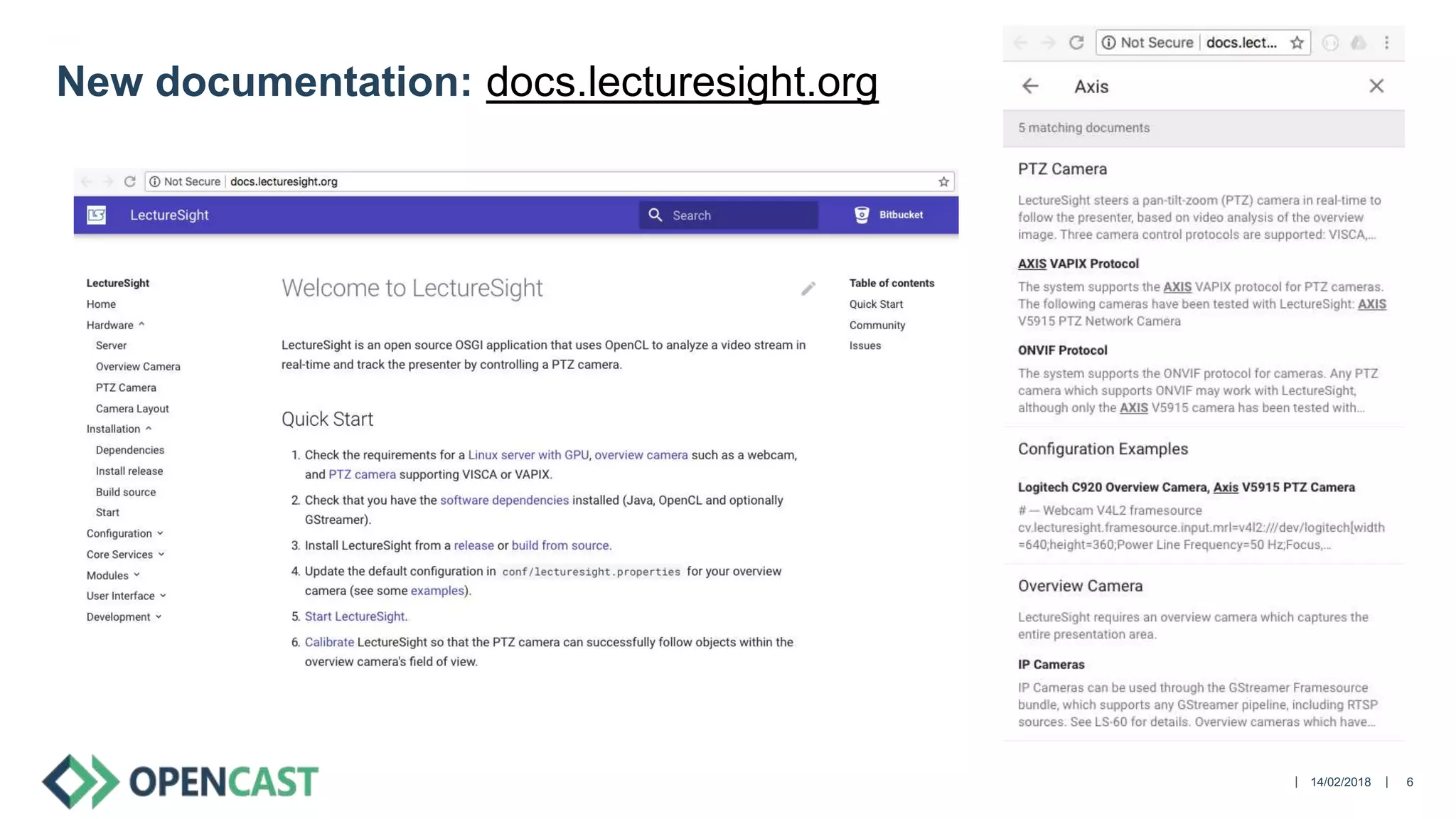
• New documentation
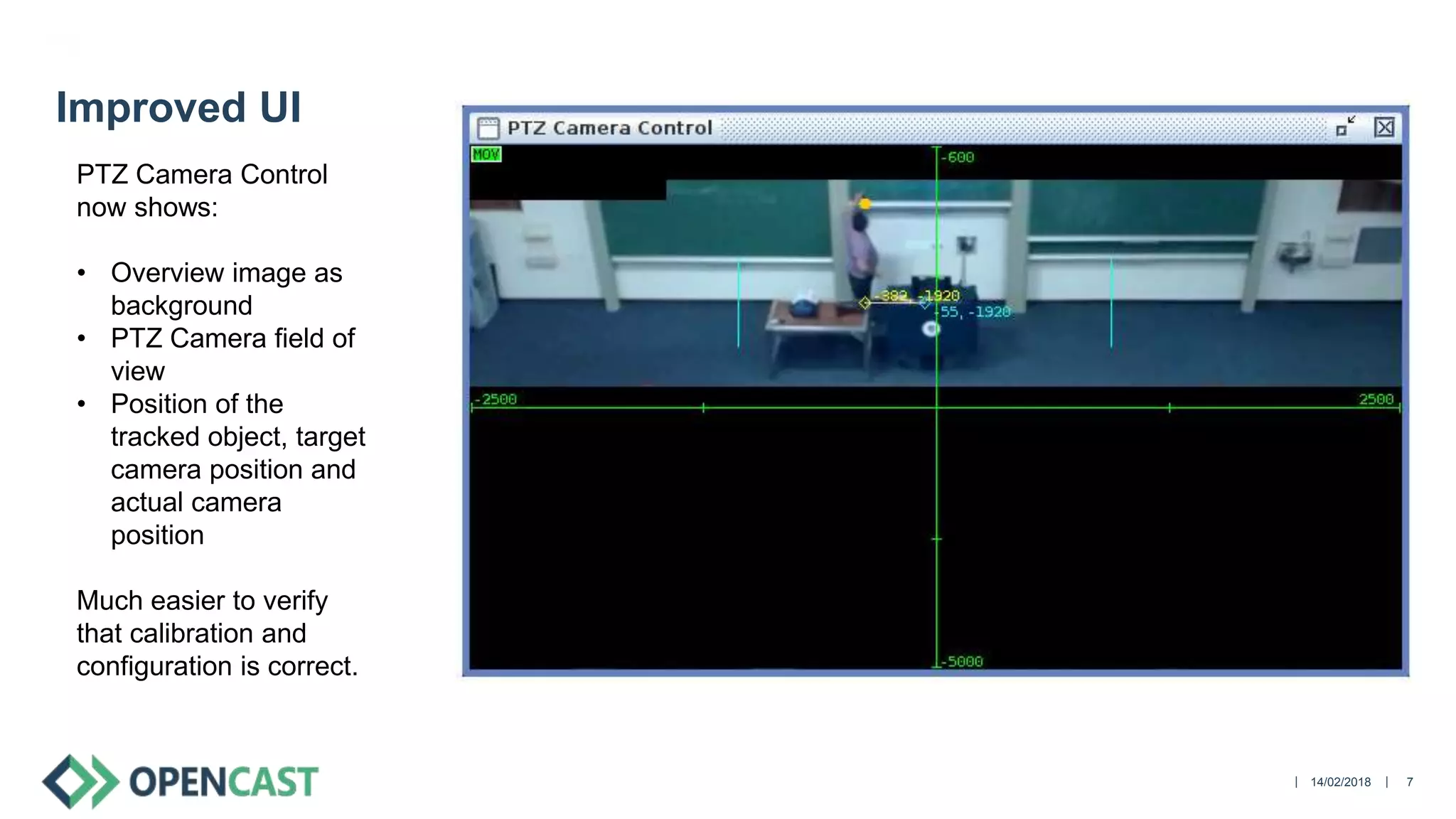
• Improved UI
• Pan & Tilt operator
• Easier calibration
• Better tracking
• Metrics
• Galicaster plugin
• Dashboard
|| 14/02/2018First name Surname (edit via “Insert” > “Header & Footer”) 3
LectureSight at University of Manchester
(Demo video from Manchester)
|| 14/02/2018First name Surname (edit via “Insert” > “Header & Footer”) 4
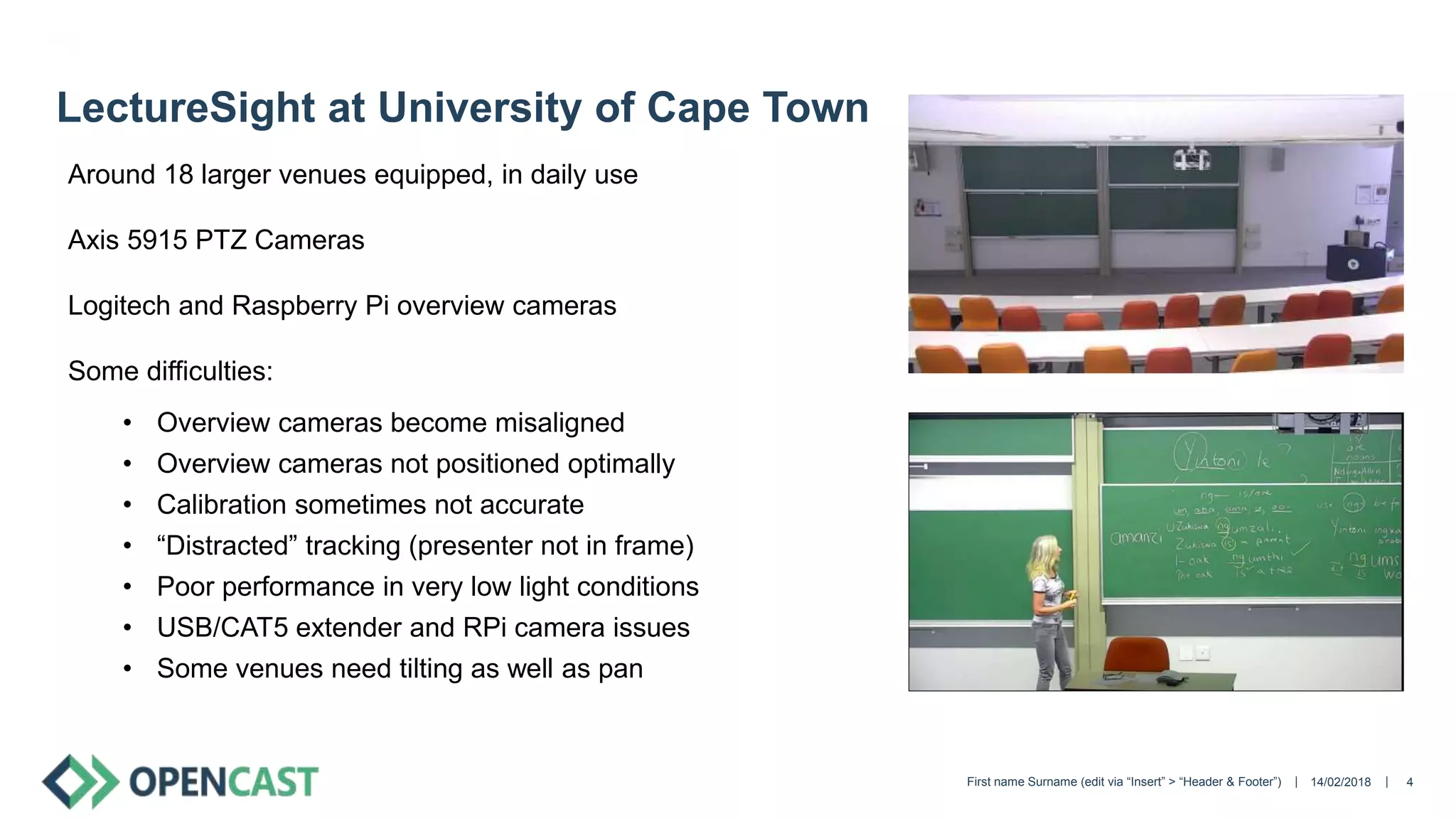
LectureSight at University of Cape Town
Around 18 larger venues equipped, in daily use
Axis 5915 PTZ Cameras
Logitech and Raspberry Pi overview cameras
Some difficulties:
• Overview cameras become misaligned
• Overview cameras not positioned optimally
• Calibration sometimes not accurate
• “Distracted” tracking (presenter not in frame)
• Poor performance in very low light conditions
• USB/CAT5 extender and RPi camera issues
• Some venues need tilting as well as pan
|| 14/02/2018First name Surname (edit via “Insert” > “Header & Footer”) 5
More committers
• Ben Wulff (creator, now at Fraunhofer)
• James Perrin (UoM)
• Stephen Marquard (UCT)
We will review and merge your pull request promptly 
|| 14/02/2018 6
New documentation: docs.lecturesight.org
|| 14/02/2018 7
Improved UI
PTZ Camera Control
now shows:
• Overview image as
background
• PTZ Camera field of
view
• Position of the
tracked object, target
camera position and
actual camera
position
Much easier to verify
that calibration and
configuration is correct.
|| 14/02/2018First name Surname (edit via “Insert” > “Header & Footer”) 8
Pan & Tilt Operator
Contributed by Manchester
Camera now tracks vertically as well as horizontally
|| 14/02/2018First name Surname (edit via “Insert” > “Header & Footer”) 9
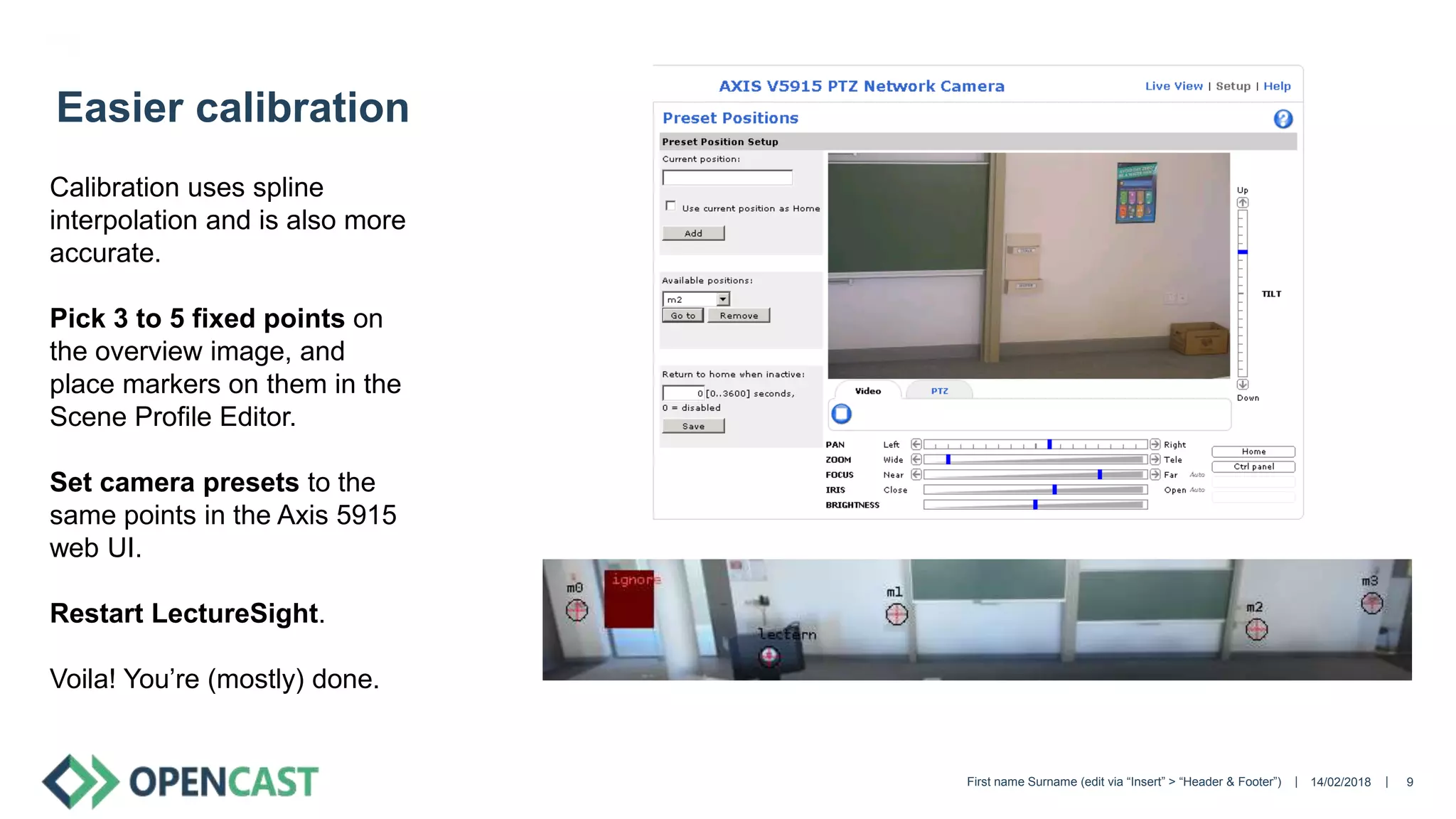
Easier calibration
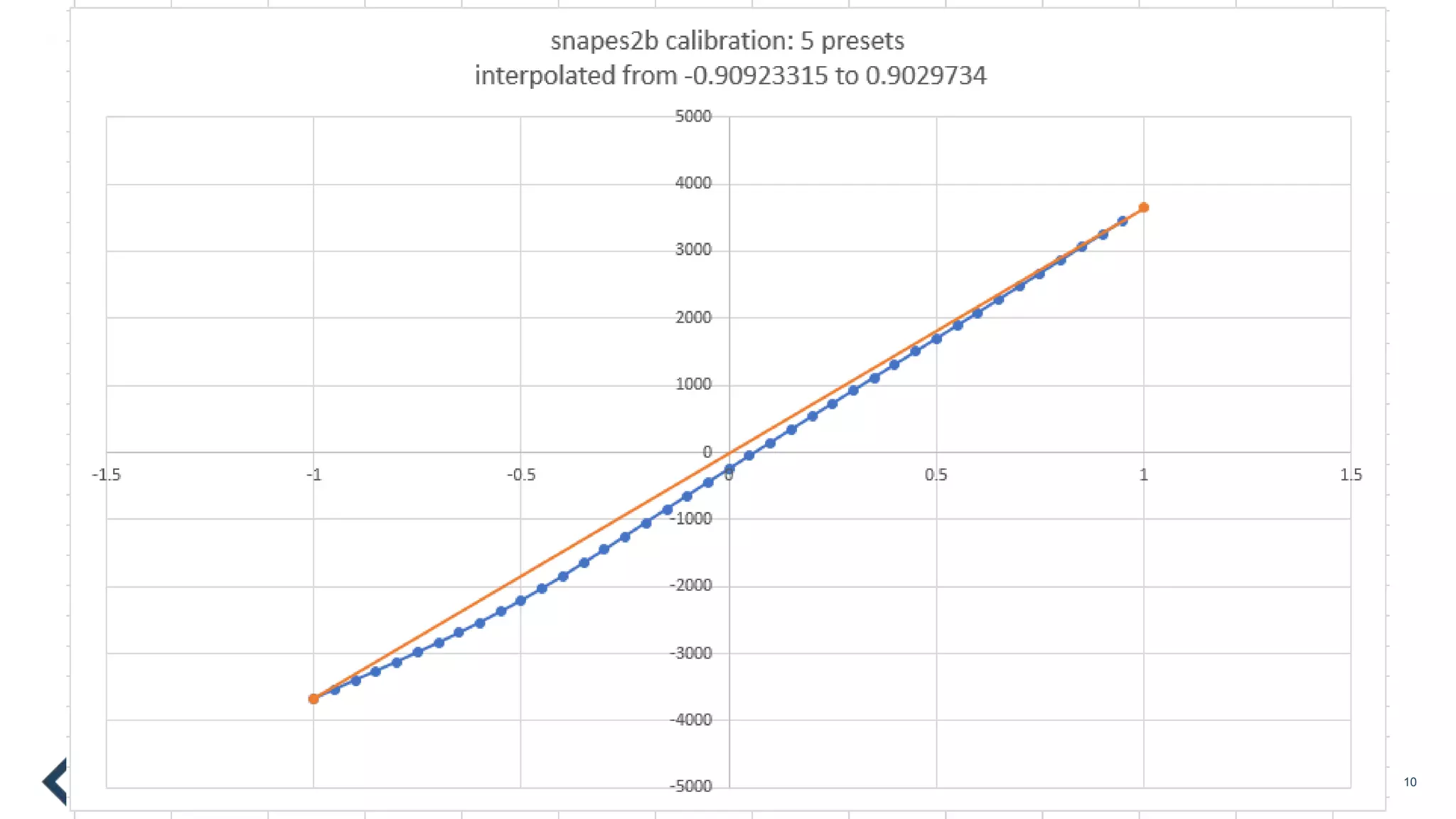
Calibration uses spline
interpolation and is also more
accurate.
Pick 3 to 5 fixed points on
the overview image, and
place markers on them in the
Scene Profile Editor.
Set camera presets to the
same points in the Axis 5915
web UI.
Restart LectureSight.
Voila! You’re (mostly) done.
|| 14/02/2018First name Surname (edit via “Insert” > “Header & Footer”) 10
|| 14/02/2018First name Surname (edit via “Insert” > “Header & Footer”) 11
Better tracking
Tracking persistence has been improved, so the tracker remains
on an object for longer, and is therefore less distracted by transient
movements elsewhere in the image (for example on projector
screens, or encoding artefacts).
Preference is given to tracked objects which have moved some
distance since initial detection (real people)
|| 14/02/2018First name Surname (edit via “Insert” > “Header & Footer”) 12
Metrics
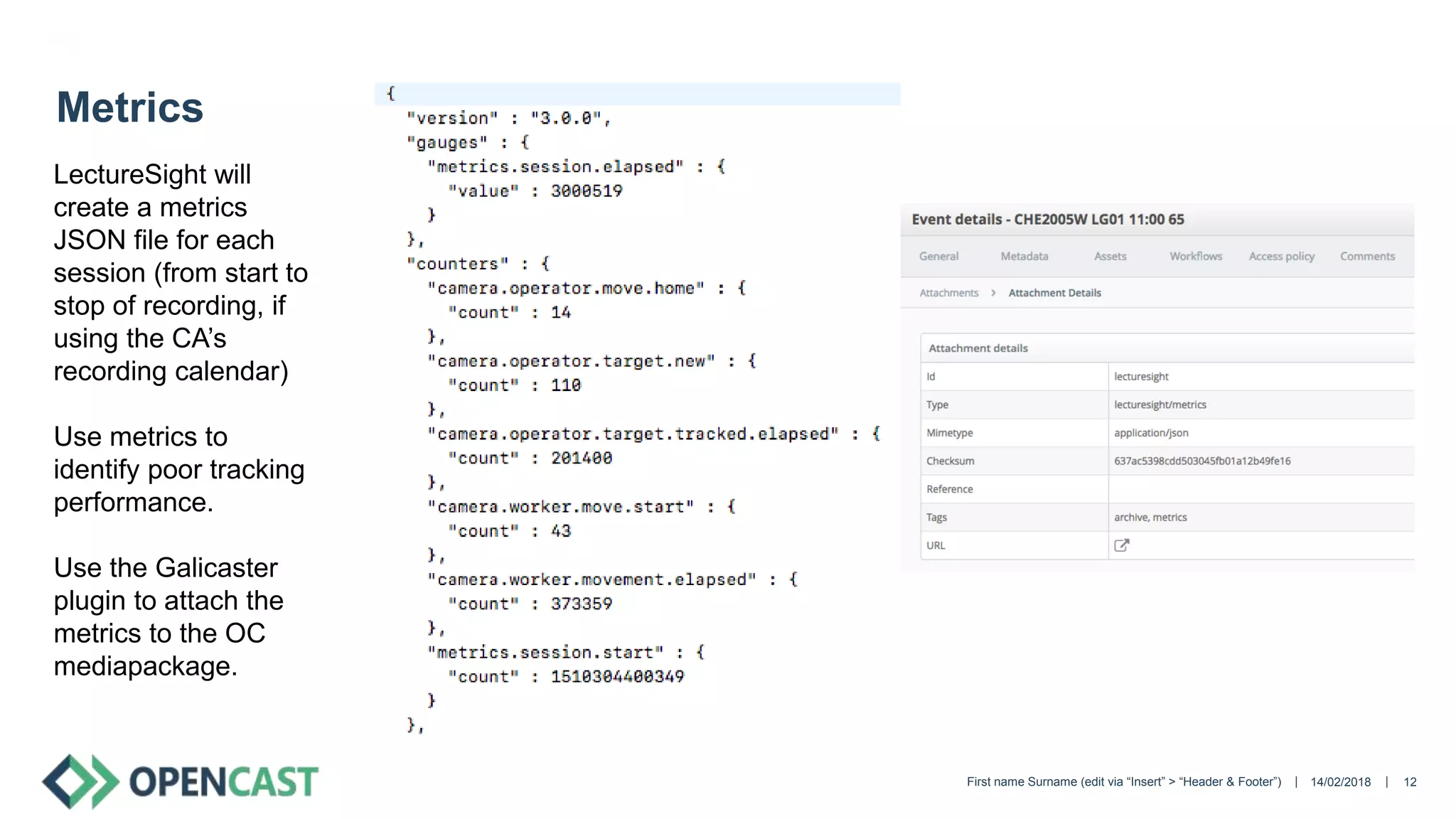
LectureSight will
create a metrics
JSON file for each
session (from start to
stop of recording, if
using the CA’s
recording calendar)
Use metrics to
identify poor tracking
performance.
Use the Galicaster
plugin to attach the
metrics to the OC
mediapackage.
|| 14/02/2018First name Surname (edit via “Insert” > “Header & Footer”) 13
Galicaster plugin
Activates and deactivates LectureSight when recordings are
started and stopped manually in Galicaster
Attaches the LectureSight metrics file to the Opencast
mediapackage.
|| 14/02/2018 14
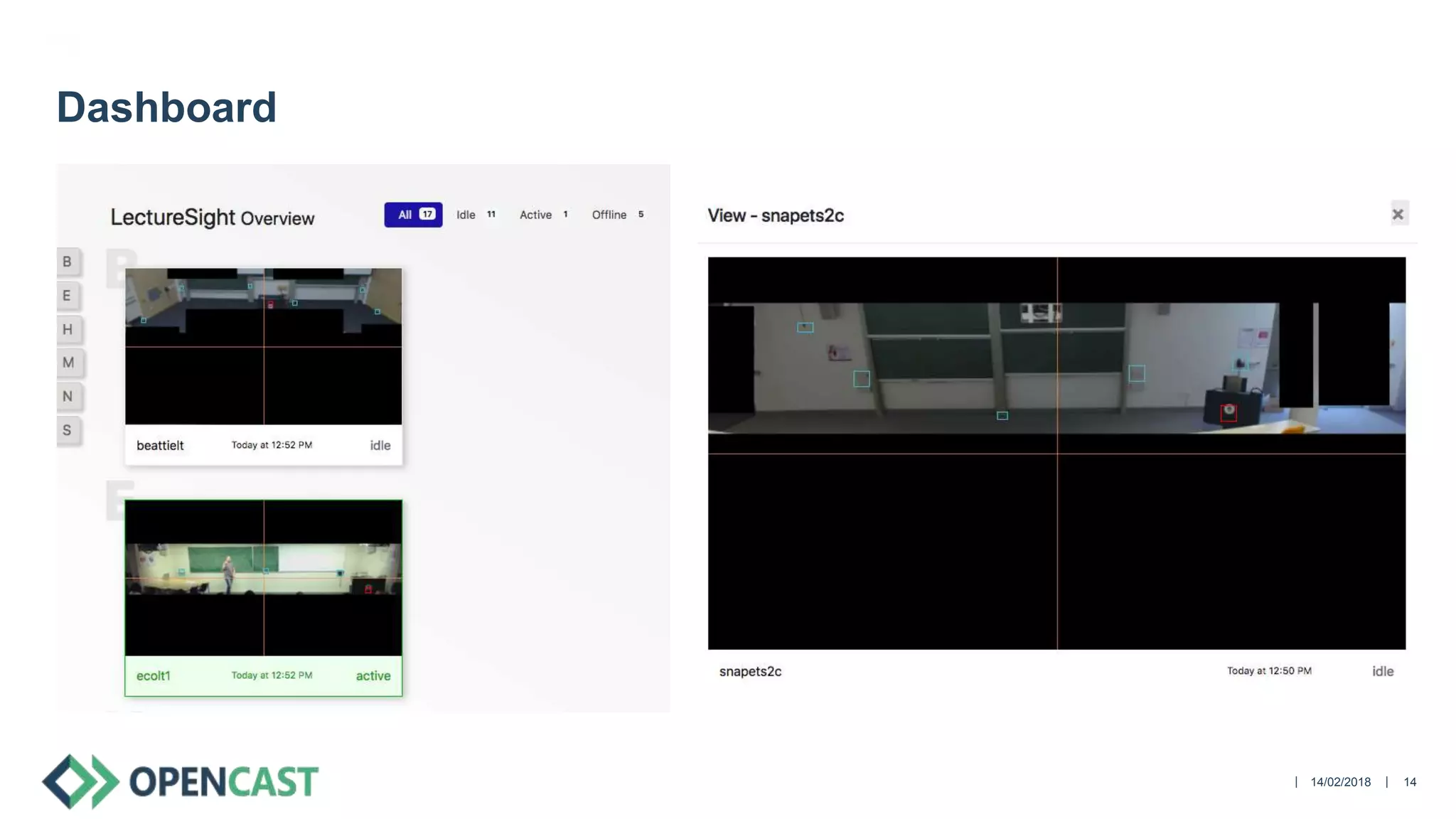
Dashboard
|| 14/02/2018First name Surname (edit via “Insert” > “Header & Footer”) 15
Get LectureSight
http://docs.lecturesight.org/
http://bitbucket.org/bwulff/lecturesight/ (latest: 0.3-sprint)
https://opencast.jira.com/projects/LS/issues
Dashboard:
https://bitbucket.org/cilt/lecturesight-overview
Galicaster plugin:
https://bitbucket.org/cilt/matterhorn_ansible/raw/master/templates/lecturesight.py

LectureSight is awesome and getting better! 

  • 1.
    || Stephen Marquard, Universityof Cape Town Stuart Phillipson, University of Manchester Vienna, February 2018 14/02/2018 1 LectureSight is awesome and getting better!
  • 2.
    || 14/02/2018First nameSurname (edit via “Insert” > “Header & Footer”) 2 Overview LectureSight at University of Manchester LectureSight at University of Cape Town What’s new in LectureSight: • More committers • New documentation • Improved UI • Pan & Tilt operator • Easier calibration • Better tracking • Metrics • Galicaster plugin • Dashboard
  • 3.
    || 14/02/2018First nameSurname (edit via “Insert” > “Header & Footer”) 3 LectureSight at University of Manchester (Demo video from Manchester)
  • 4.
    || 14/02/2018First nameSurname (edit via “Insert” > “Header & Footer”) 4 LectureSight at University of Cape Town Around 18 larger venues equipped, in daily use Axis 5915 PTZ Cameras Logitech and Raspberry Pi overview cameras Some difficulties: • Overview cameras become misaligned • Overview cameras not positioned optimally • Calibration sometimes not accurate • “Distracted” tracking (presenter not in frame) • Poor performance in very low light conditions • USB/CAT5 extender and RPi camera issues • Some venues need tilting as well as pan
  • 5.
    || 14/02/2018First nameSurname (edit via “Insert” > “Header & Footer”) 5 More committers • Ben Wulff (creator, now at Fraunhofer) • James Perrin (UoM) • Stephen Marquard (UCT) We will review and merge your pull request promptly 
  • 6.
    || 14/02/2018 6 Newdocumentation: docs.lecturesight.org
  • 7.
    || 14/02/2018 7 ImprovedUI PTZ Camera Control now shows: • Overview image as background • PTZ Camera field of view • Position of the tracked object, target camera position and actual camera position Much easier to verify that calibration and configuration is correct.
  • 8.
    || 14/02/2018First nameSurname (edit via “Insert” > “Header & Footer”) 8 Pan & Tilt Operator Contributed by Manchester Camera now tracks vertically as well as horizontally
  • 9.
    || 14/02/2018First nameSurname (edit via “Insert” > “Header & Footer”) 9 Easier calibration Calibration uses spline interpolation and is also more accurate. Pick 3 to 5 fixed points on the overview image, and place markers on them in the Scene Profile Editor. Set camera presets to the same points in the Axis 5915 web UI. Restart LectureSight. Voila! You’re (mostly) done.
  • 10.
    || 14/02/2018First nameSurname (edit via “Insert” > “Header & Footer”) 10
  • 11.
    || 14/02/2018First nameSurname (edit via “Insert” > “Header & Footer”) 11 Better tracking Tracking persistence has been improved, so the tracker remains on an object for longer, and is therefore less distracted by transient movements elsewhere in the image (for example on projector screens, or encoding artefacts). Preference is given to tracked objects which have moved some distance since initial detection (real people)
  • 12.
    || 14/02/2018First nameSurname (edit via “Insert” > “Header & Footer”) 12 Metrics LectureSight will create a metrics JSON file for each session (from start to stop of recording, if using the CA’s recording calendar) Use metrics to identify poor tracking performance. Use the Galicaster plugin to attach the metrics to the OC mediapackage.
  • 13.
    || 14/02/2018First nameSurname (edit via “Insert” > “Header & Footer”) 13 Galicaster plugin Activates and deactivates LectureSight when recordings are started and stopped manually in Galicaster Attaches the LectureSight metrics file to the Opencast mediapackage.
  • 14.
  • 15.
    || 14/02/2018First nameSurname (edit via “Insert” > “Header & Footer”) 15 Get LectureSight http://docs.lecturesight.org/ http://bitbucket.org/bwulff/lecturesight/ (latest: 0.3-sprint) https://opencast.jira.com/projects/LS/issues Dashboard: https://bitbucket.org/cilt/lecturesight-overview Galicaster plugin: https://bitbucket.org/cilt/matterhorn_ansible/raw/master/templates/lecturesight.py