Introduction to NoSQL
and Cassandra
Janos Geronimo
Overview
• NoSQL
• Brief History of Cassandra
• Architecture
• Terminology
• Cassandra Query Language
• Basic CRUD Operations using CQL (Possibly in
MULE)
• References, For Further Reading/Implementation
pt2.
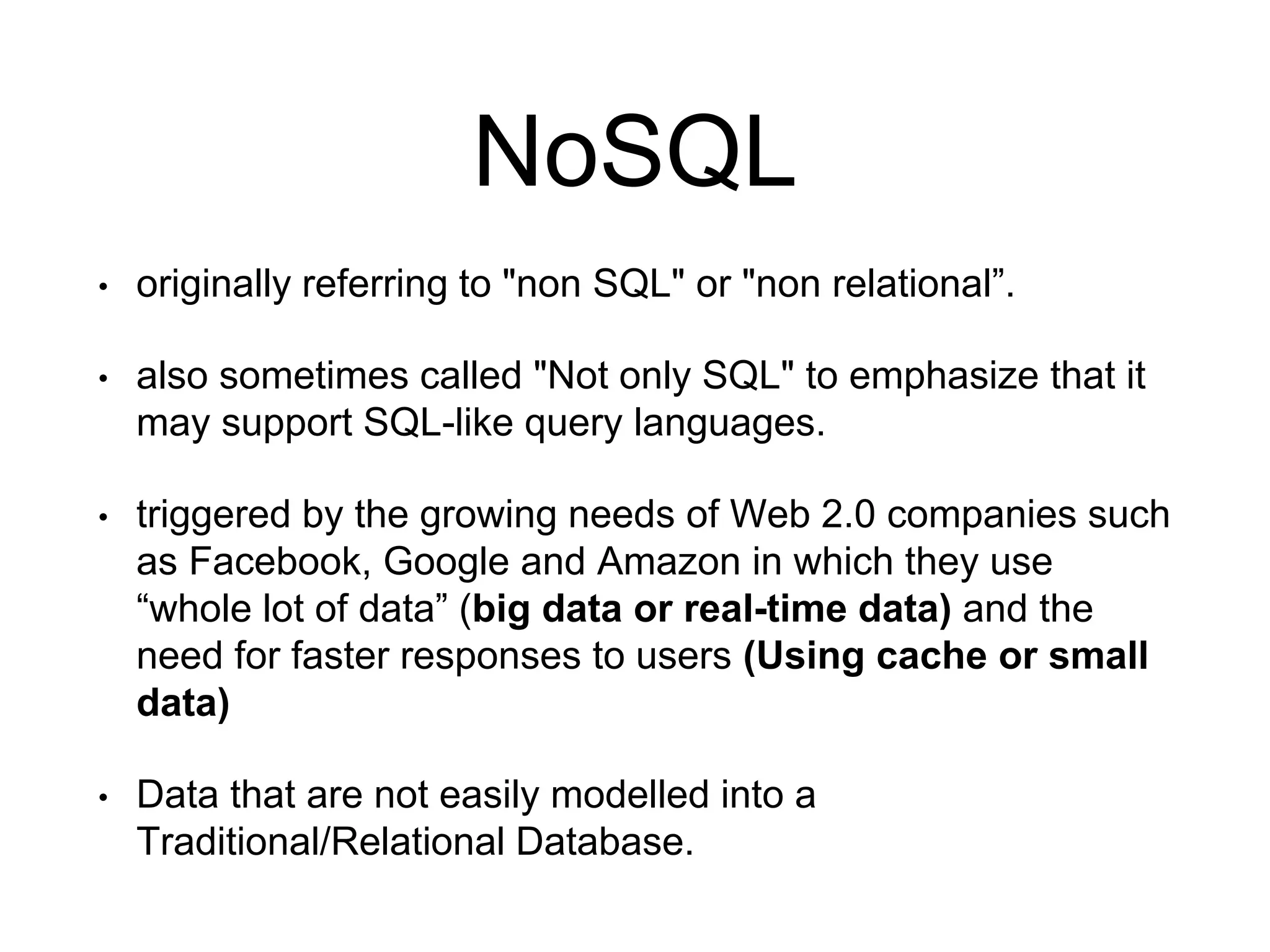
NoSQL
• originally referring to "non SQL" or "non relational”.
• also sometimes called "Not only SQL" to emphasize that it
may support SQL-like query languages.
• triggered by the growing needs of Web 2.0 companies such
as Facebook, Google and Amazon in which they use
“whole lot of data” (big data or real-time data) and the
need for faster responses to users (Using cache or small
data)
• Data that are not easily modelled into a
Traditional/Relational Database.
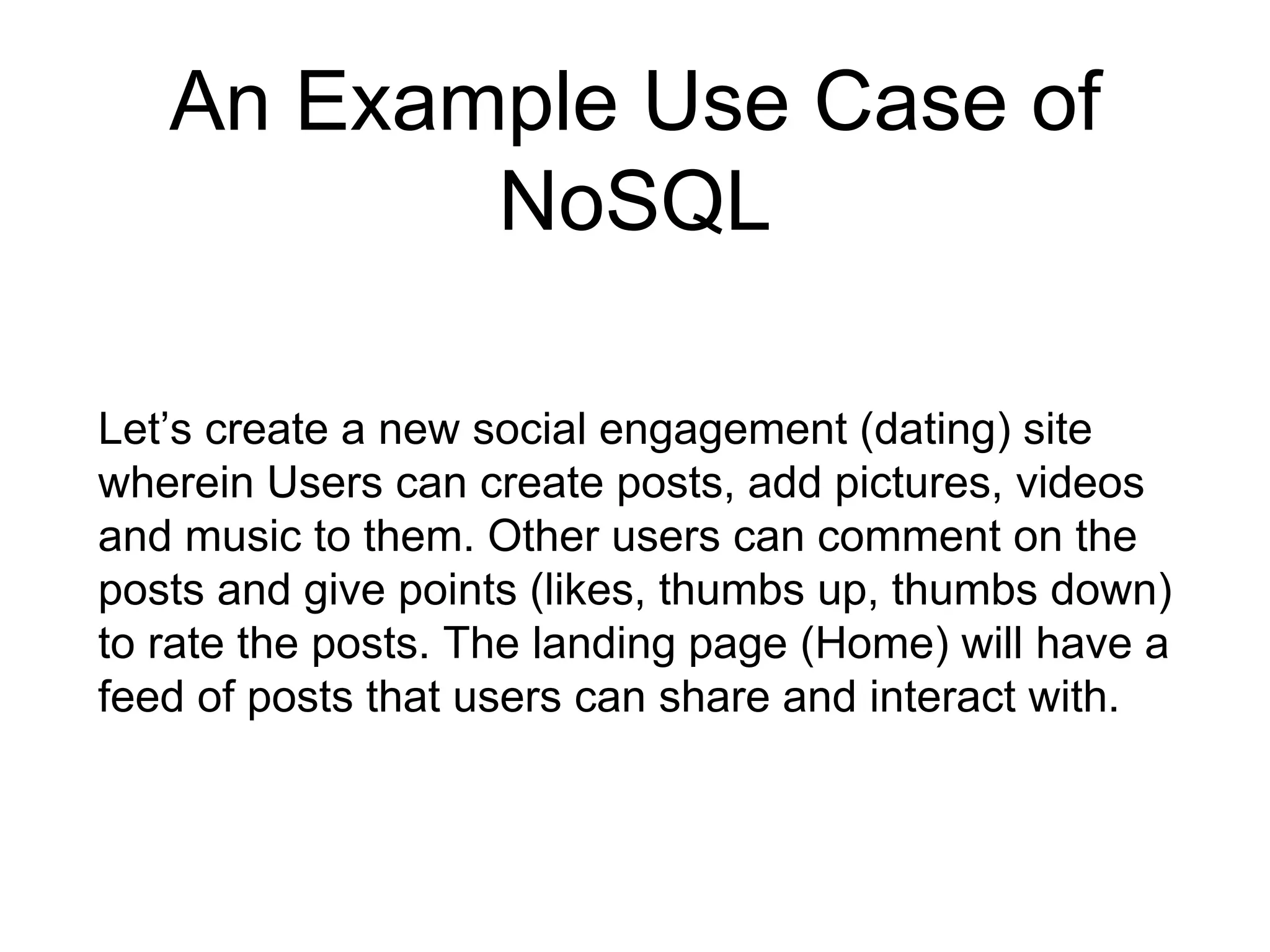
An Example Use Case of
NoSQL
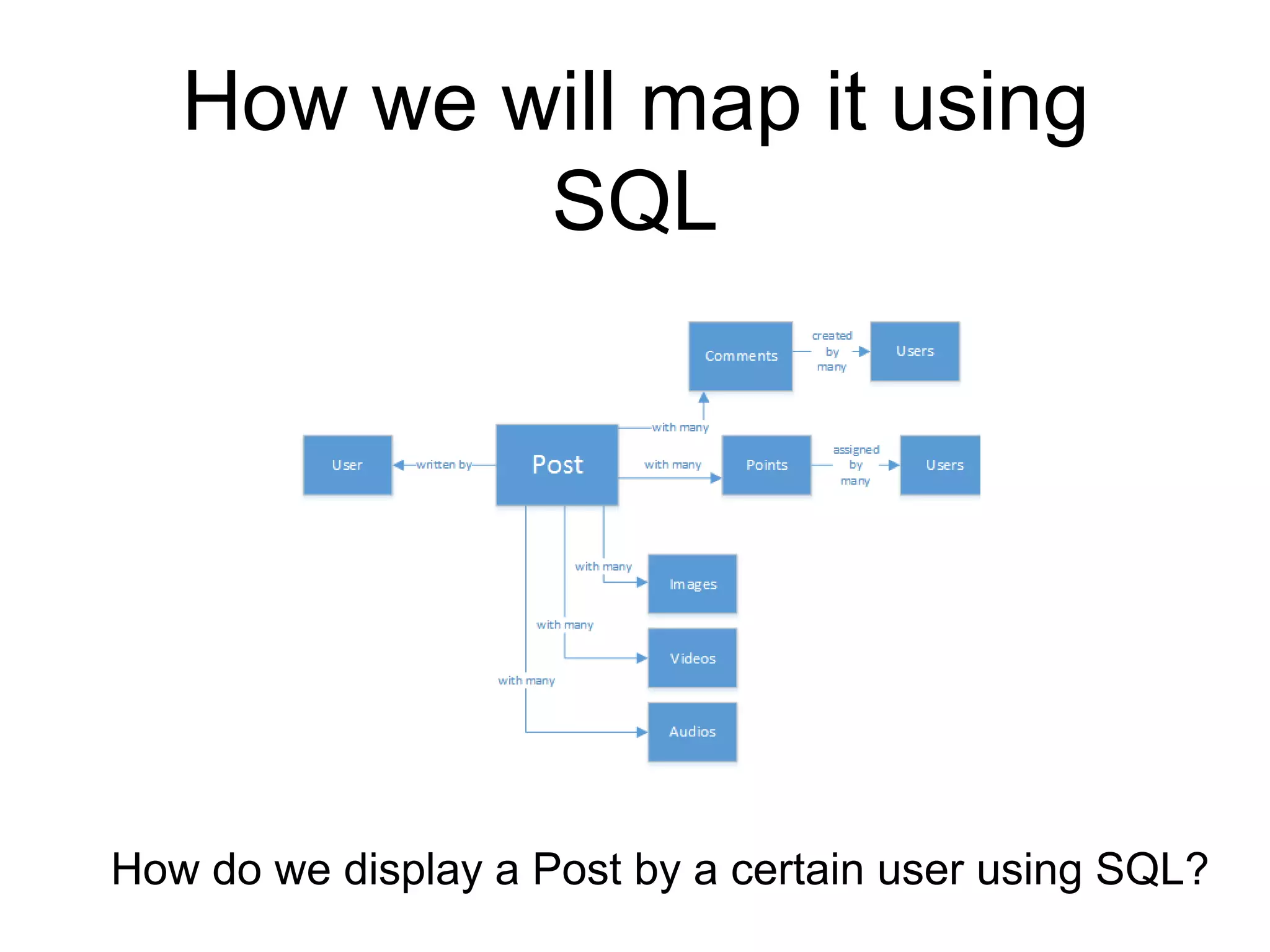
Let’s create a new social engagement (dating) site
wherein Users can create posts, add pictures, videos
and music to them. Other users can comment on the
posts and give points (likes, thumbs up, thumbs down)
to rate the posts. The landing page (Home) will have a
feed of posts that users can share and interact with.
How we will map it using
SQL
How do we display a Post by a certain user using SQL?
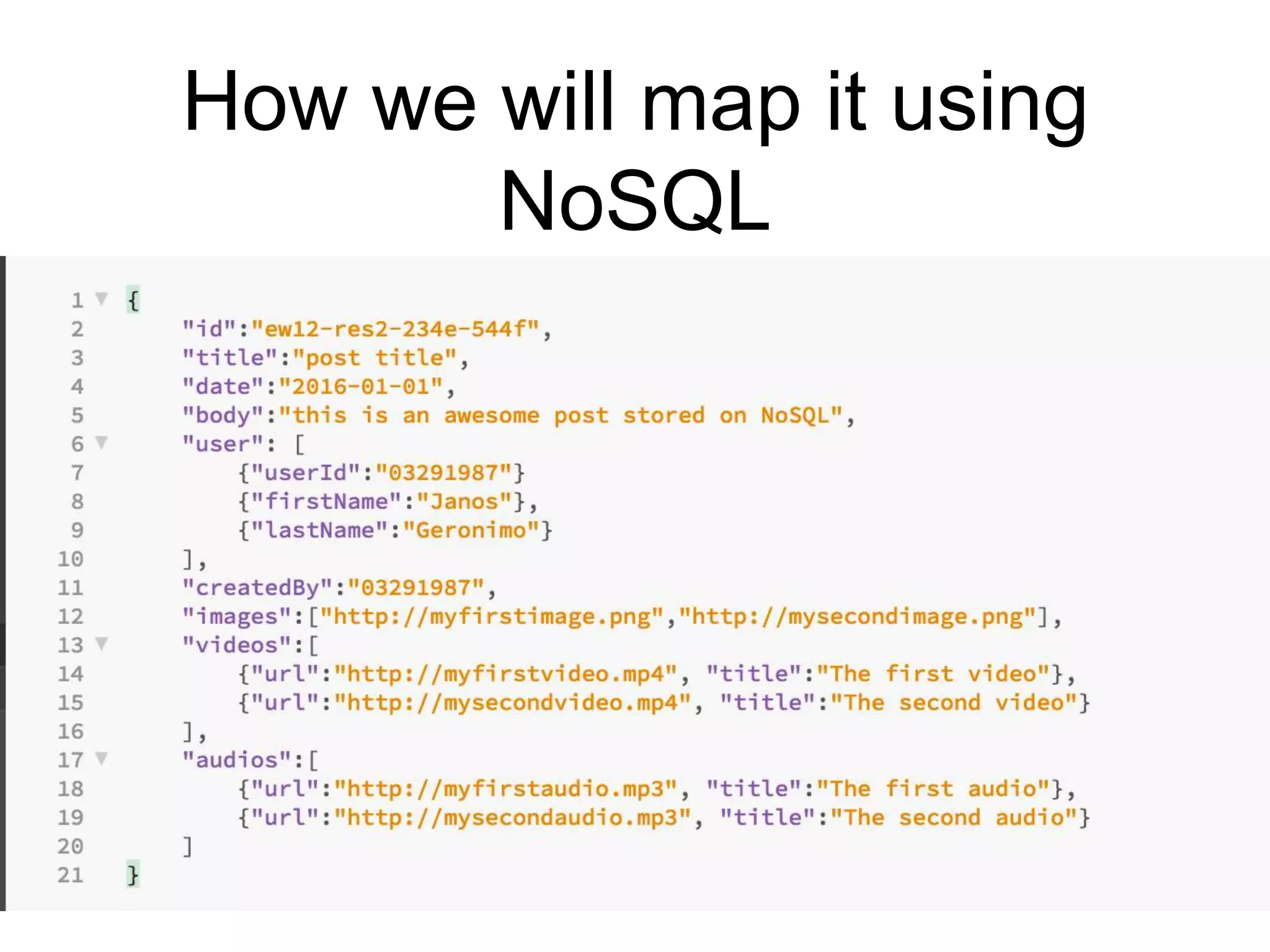
How we will map it using
NoSQL
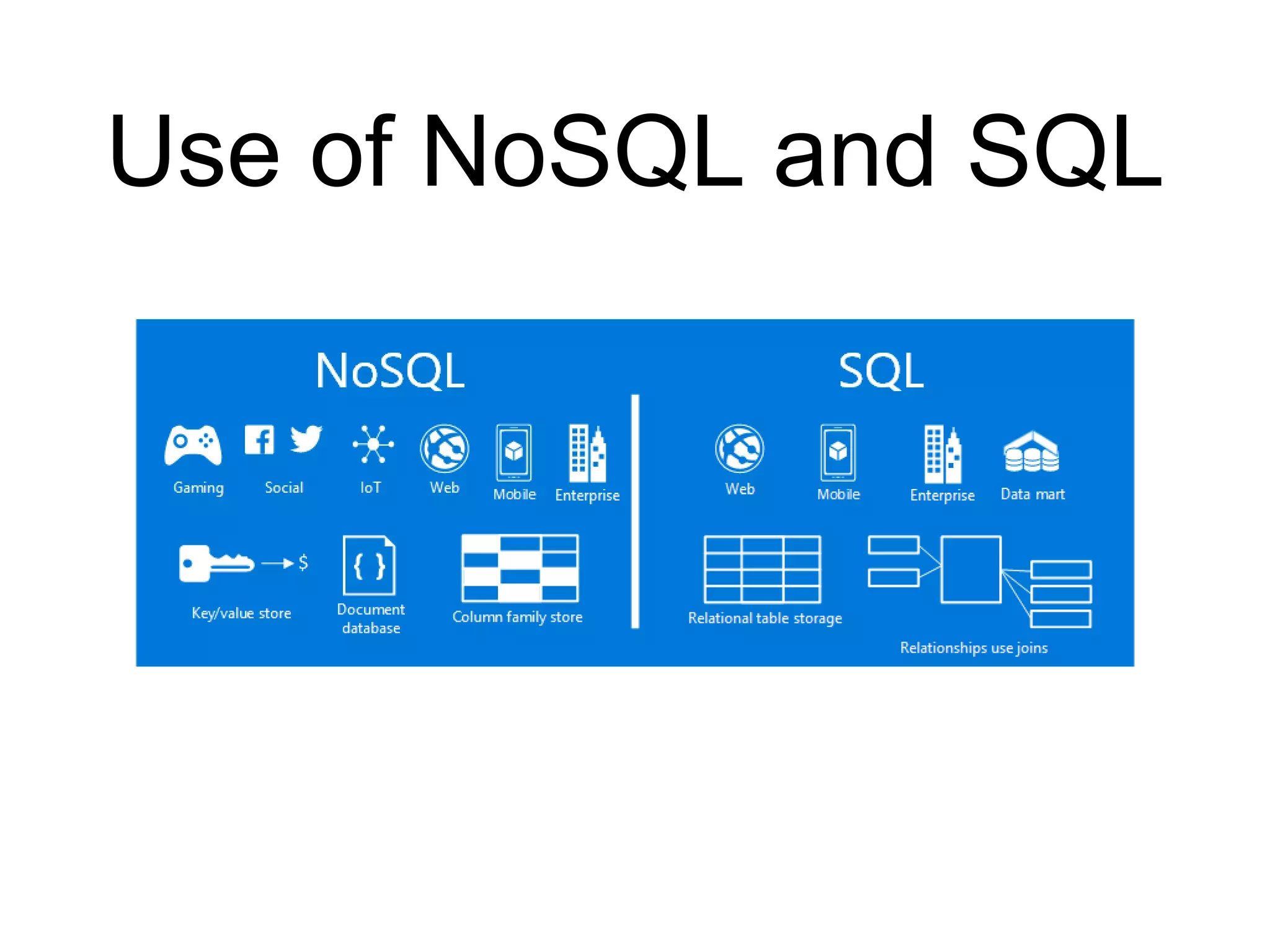
Use of NoSQL and SQL
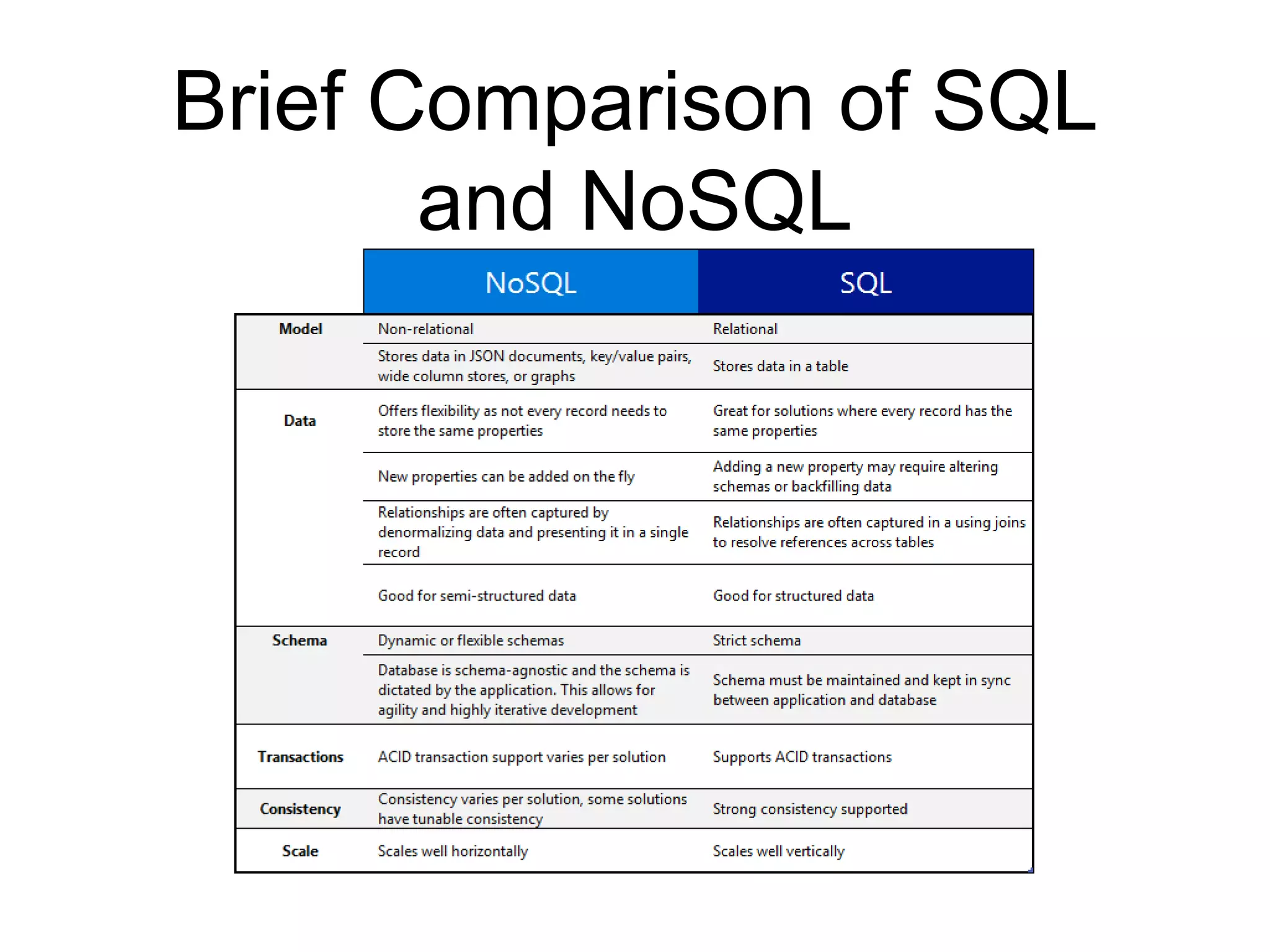
Brief Comparison of SQL
and NoSQL
Brief History of Cassandra
• Cassandra was developed at Facebook for inbox search
(Messaging).
• It was open-sourced by Facebook in July 2008.
• Cassandra was accepted into Apache Incubator in March 2009.
• It was made an Apache top-level project since February 2010.
• The name “Cassandra” was from the Greek Mythology. A gifted
prophet who can see the future, but unfortunately no one
believed in her. It is said that one of the reasons behind the
name(Cassandra) was that NoSQL was not a “believable”
solution to today’s and future data needs.
Features of Cassandra
• Highly Scalable - add more nodes to a cluster / add another cluster to accommodate more customers/clients
and data
• Masterless Design - all nodes are the same, which provides operational simplicity and easy scale-out.
• “Always-on” / Continuous Availability - offers redundancy of both data and node function, has no single point
of failure and it is continuously available for business-critical applications that cannot afford a failure.
• Linear-scale performance - increases throughput through the number of nodes in the cluster.
• Flexible Data Storage - Supports Structured (RDBMS) and Semi Structured Data storage (column name-
value or key-value, Table x Row x Column).
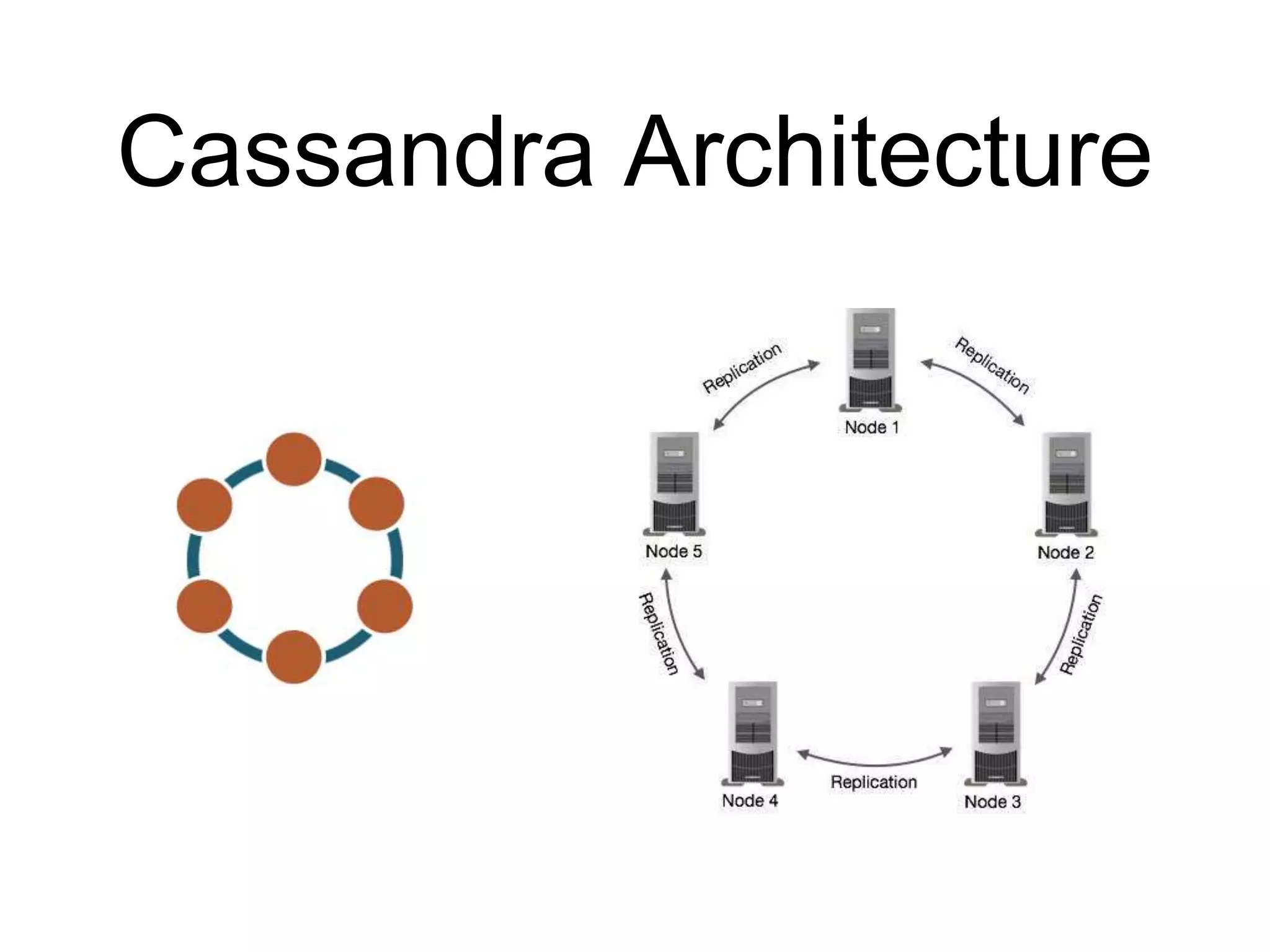
• Data Replication - Data is replicated across all nodes, using Gossip Protocol (which is also used to identify
if a Node in a cluster is alive or not).
• Active “everywhere” design – all nodes may be written to and read from.
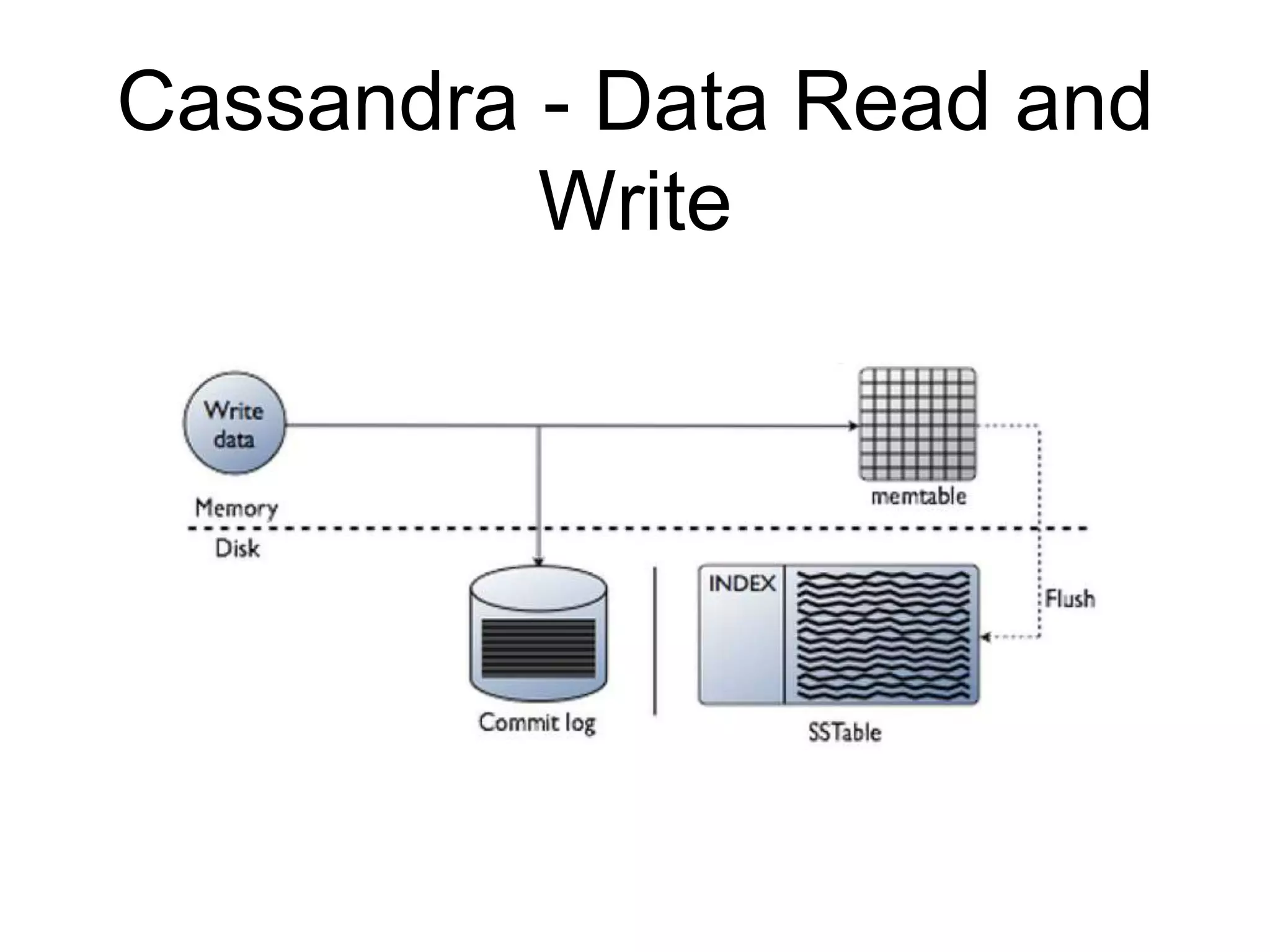
• Strong data protection – a commit log design ensures no data loss and built in security with backup/restore
keeps data protected and safe.
• Cassandra Query Language - primary language for communicating with the Cassandra database
Cassandra Architecture
Cassandra - Data Read and
Write
Terminologies
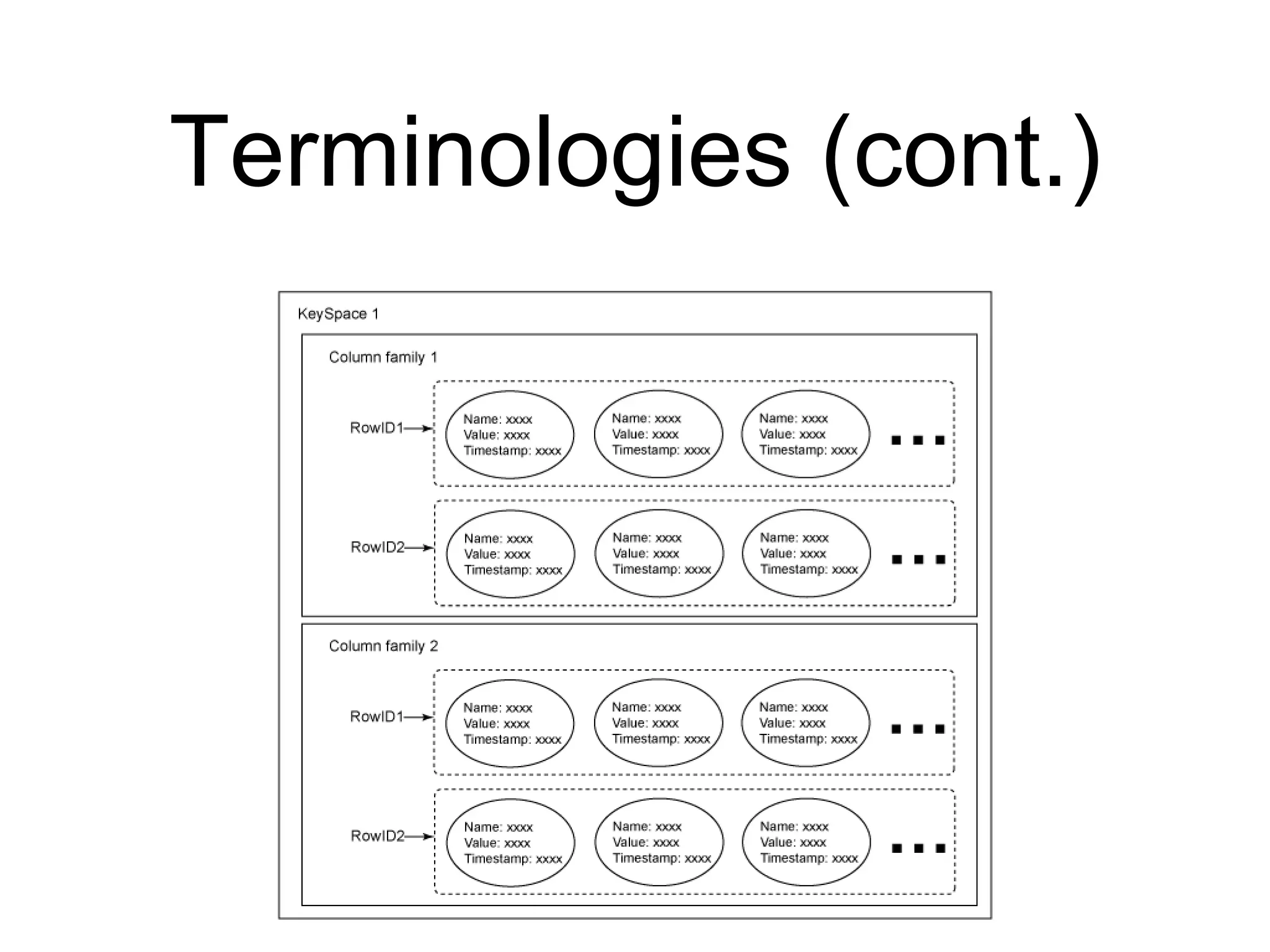
• In Cassandra, a keyspace is a container for your application
data. It is similar to the schema to Oracle or PostgreSQL the
database in RDBMS..
• Column Family / Table − the most basic unit in the Cassandra
data model, and each column consists of a name, a value, and a
timestamp or Time To Live.
• By ignoring the timestamp of the Column, you can represent a
column as a name value pair.
• *You can also configure a Column Family with a TTL.
• Cassandra always stores columns sorted by their Primary Key.
Terminologies (cont.)
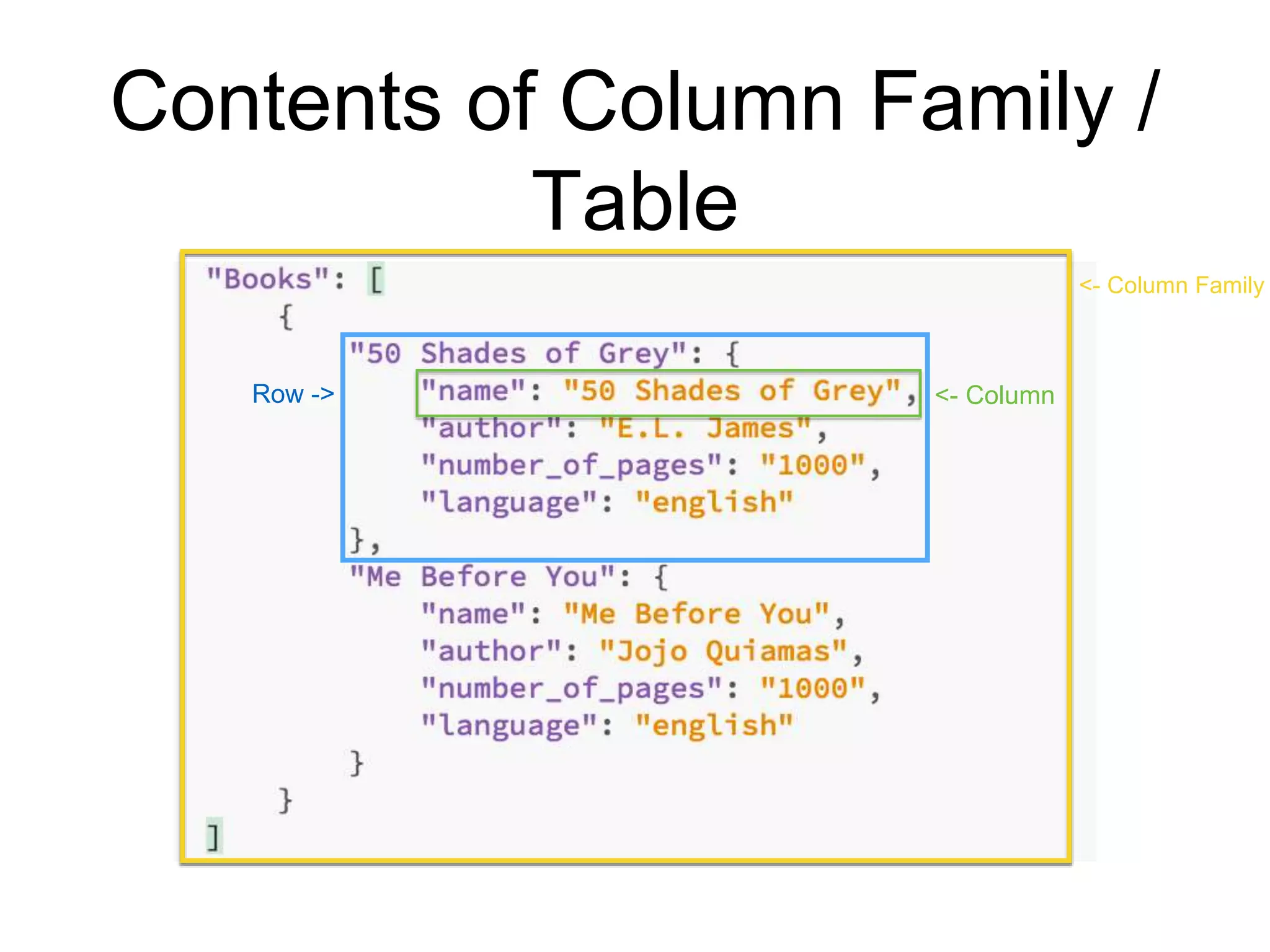
Contents of Column Family /
Table
<- ColumnRow ->
<- Column Family
Cassandra Query Language
• Basic way to interact with Cassandra is using the
CQL shell
• you can Administer cluster nodes, roles and clients
(users) via CQL shell
• With the release of CQL3, it borrowed many of SQL
features such as orderBy, filtering but still no JOINS
and subqueries
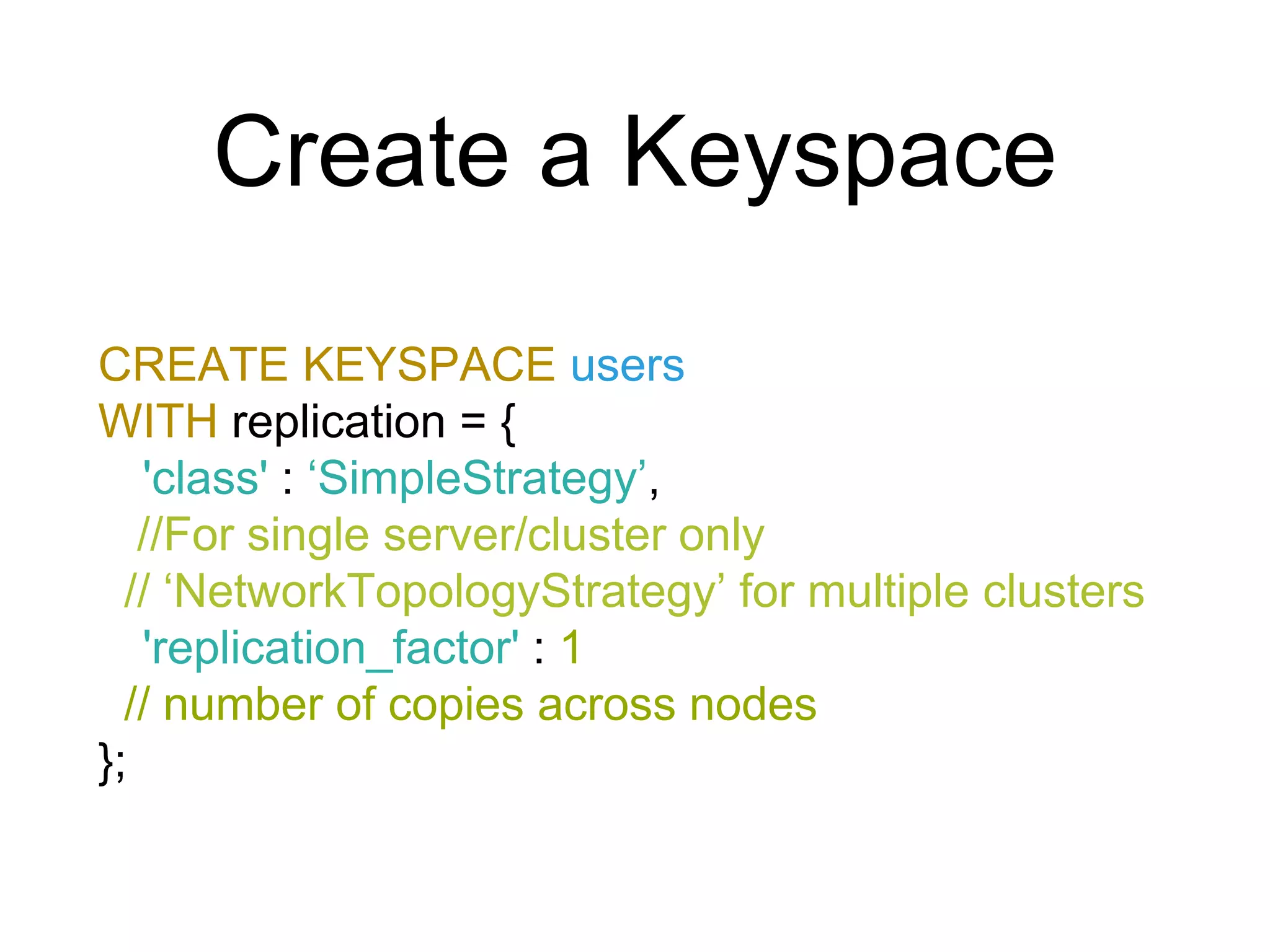
Create a Keyspace
CREATE KEYSPACE users
WITH replication = {
'class' : ‘SimpleStrategy’,
//For single server/cluster only
// ‘NetworkTopologyStrategy’ for multiple clusters
'replication_factor' : 1
// number of copies across nodes
};
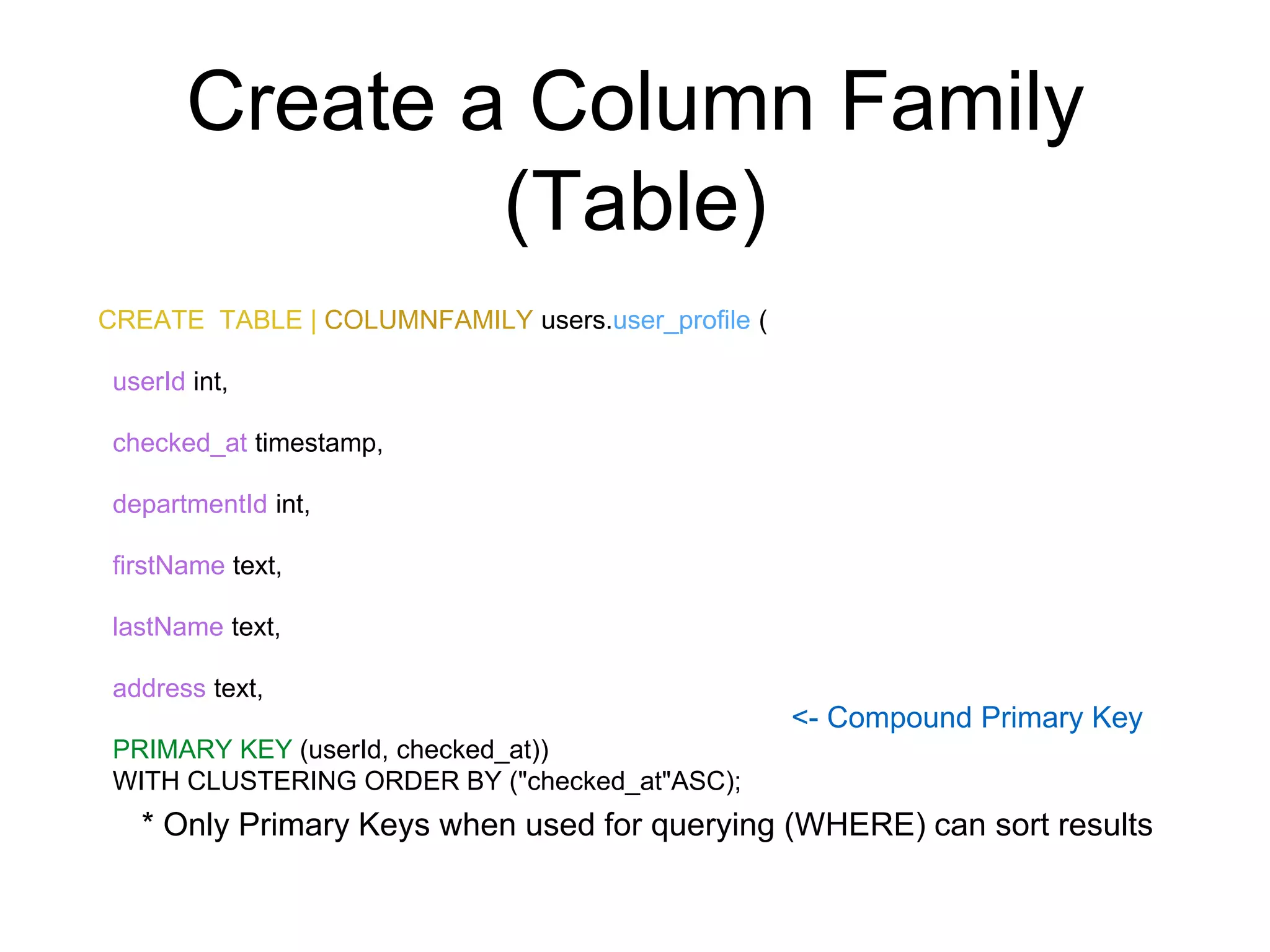
Create a Column Family
(Table)
CREATE TABLE | COLUMNFAMILY users.user_profile (
userId int,
checked_at timestamp,
departmentId int,
firstName text,
lastName text,
address text,
PRIMARY KEY (userId, checked_at))
WITH CLUSTERING ORDER BY ("checked_at"ASC);
<- Compound Primary Key
* Only Primary Keys when used for querying (WHERE) can sort results
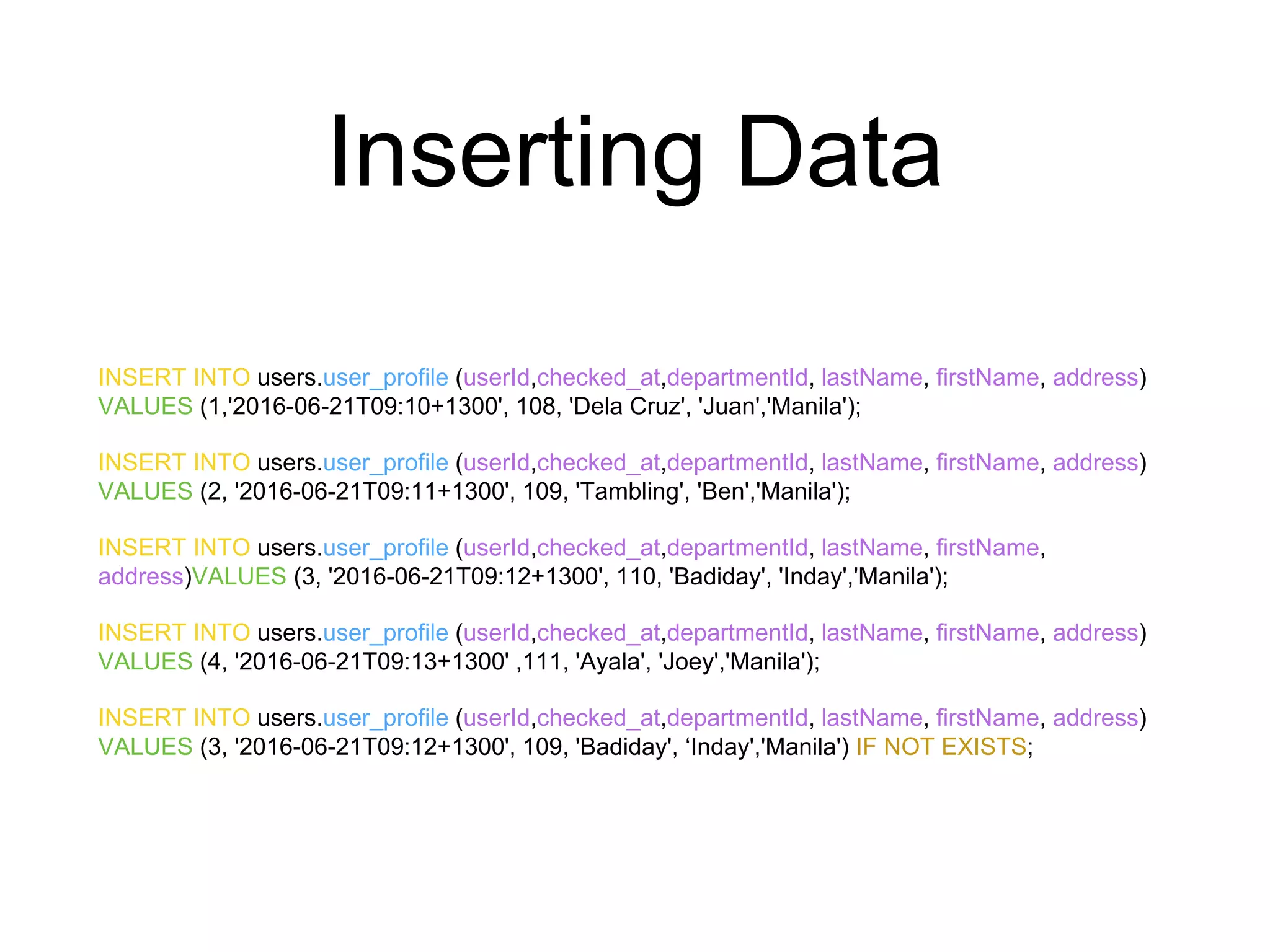
Inserting Data
INSERT INTO users.user_profile (userId,checked_at,departmentId, lastName, firstName, address)
VALUES (1,'2016-06-21T09:10+1300', 108, 'Dela Cruz', 'Juan','Manila');
INSERT INTO users.user_profile (userId,checked_at,departmentId, lastName, firstName, address)
VALUES (2, '2016-06-21T09:11+1300', 109, 'Tambling', 'Ben','Manila');
INSERT INTO users.user_profile (userId,checked_at,departmentId, lastName, firstName,
address)VALUES (3, '2016-06-21T09:12+1300', 110, 'Badiday', 'Inday','Manila');
INSERT INTO users.user_profile (userId,checked_at,departmentId, lastName, firstName, address)
VALUES (4, '2016-06-21T09:13+1300' ,111, 'Ayala', 'Joey','Manila');
INSERT INTO users.user_profile (userId,checked_at,departmentId, lastName, firstName, address)
VALUES (3, '2016-06-21T09:12+1300', 109, 'Badiday', ‘Inday','Manila') IF NOT EXISTS;
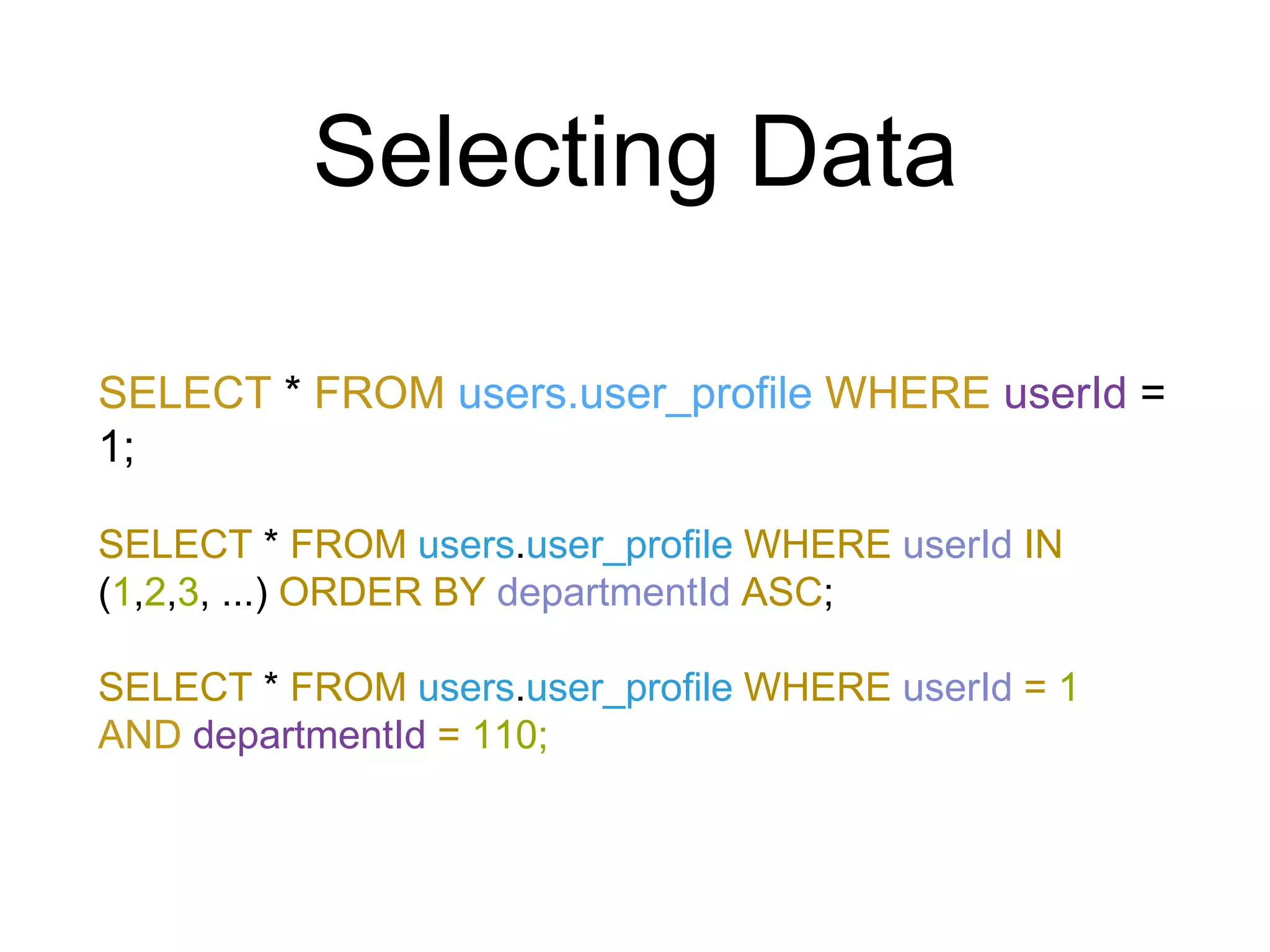
Selecting Data
SELECT * FROM users.user_profile WHERE userId =
1;
SELECT * FROM users.user_profile WHERE userId IN
(1,2,3, ...) ORDER BY departmentId ASC;
SELECT * FROM users.user_profile WHERE userId = 1
AND departmentId = 110;
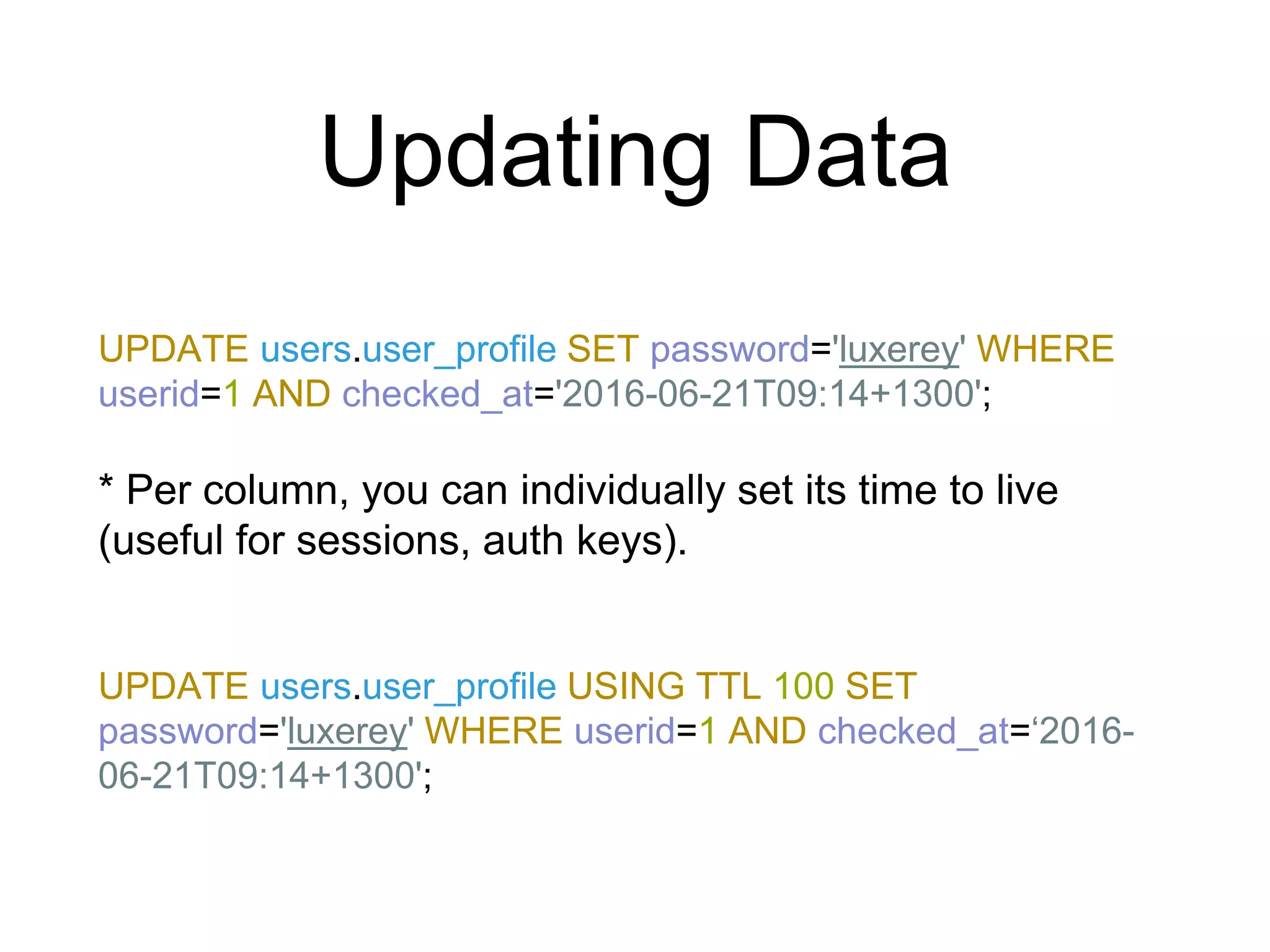
Updating Data
UPDATE users.user_profile SET password='luxerey' WHERE
userid=1 AND checked_at='2016-06-21T09:14+1300';
* Per column, you can individually set its time to live
(useful for sessions, auth keys).
UPDATE users.user_profile USING TTL 100 SET
password='luxerey' WHERE userid=1 AND checked_at=‘2016-
06-21T09:14+1300';
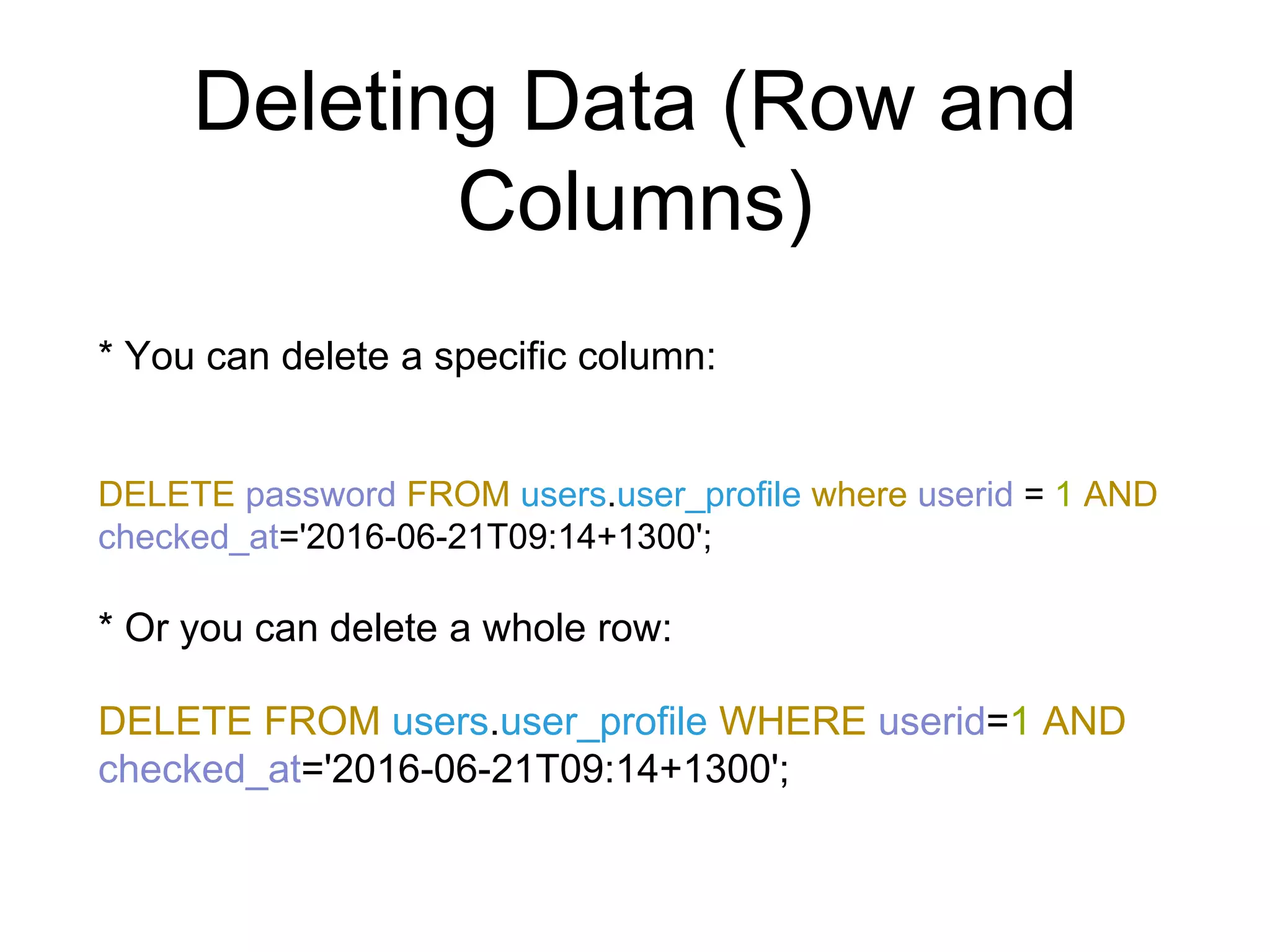
Deleting Data (Row and
Columns)
* You can delete a specific column:
DELETE password FROM users.user_profile where userid = 1 AND
checked_at='2016-06-21T09:14+1300';
* Or you can delete a whole row:
DELETE FROM users.user_profile WHERE userid=1 AND
checked_at='2016-06-21T09:14+1300';
References
• DataStax -
http://www.datastax.com/documentation/cql/3.0/cql/cql_reference
• Planet Cassandra - http://www.planetcassandra.org/blog/cql-
cassandra-query-language/
• https://www.ibm.com/developerworks/library/os-apache-cassandra/
• http://mechanics.flite.com/blog/2013/11/05/breaking-down-the-cql-
where-clause/
• http://hector-client.github.io/hector/build/html/index.html
• http://www.ecyrd.com/cassandracalculator/

Introduction to NoSQL CassandraDB

  • 1.
    Introduction to NoSQL andCassandra Janos Geronimo
  • 2.
    Overview • NoSQL • BriefHistory of Cassandra • Architecture • Terminology • Cassandra Query Language • Basic CRUD Operations using CQL (Possibly in MULE) • References, For Further Reading/Implementation pt2.
  • 3.
    NoSQL • originally referringto "non SQL" or "non relational”. • also sometimes called "Not only SQL" to emphasize that it may support SQL-like query languages. • triggered by the growing needs of Web 2.0 companies such as Facebook, Google and Amazon in which they use “whole lot of data” (big data or real-time data) and the need for faster responses to users (Using cache or small data) • Data that are not easily modelled into a Traditional/Relational Database.
  • 4.
    An Example UseCase of NoSQL Let’s create a new social engagement (dating) site wherein Users can create posts, add pictures, videos and music to them. Other users can comment on the posts and give points (likes, thumbs up, thumbs down) to rate the posts. The landing page (Home) will have a feed of posts that users can share and interact with.
  • 5.
    How we willmap it using SQL How do we display a Post by a certain user using SQL?
  • 6.
    How we willmap it using NoSQL
  • 7.
    Use of NoSQLand SQL
  • 8.
    Brief Comparison ofSQL and NoSQL
  • 9.
    Brief History ofCassandra • Cassandra was developed at Facebook for inbox search (Messaging). • It was open-sourced by Facebook in July 2008. • Cassandra was accepted into Apache Incubator in March 2009. • It was made an Apache top-level project since February 2010. • The name “Cassandra” was from the Greek Mythology. A gifted prophet who can see the future, but unfortunately no one believed in her. It is said that one of the reasons behind the name(Cassandra) was that NoSQL was not a “believable” solution to today’s and future data needs.
  • 10.
    Features of Cassandra •Highly Scalable - add more nodes to a cluster / add another cluster to accommodate more customers/clients and data • Masterless Design - all nodes are the same, which provides operational simplicity and easy scale-out. • “Always-on” / Continuous Availability - offers redundancy of both data and node function, has no single point of failure and it is continuously available for business-critical applications that cannot afford a failure. • Linear-scale performance - increases throughput through the number of nodes in the cluster. • Flexible Data Storage - Supports Structured (RDBMS) and Semi Structured Data storage (column name- value or key-value, Table x Row x Column). • Data Replication - Data is replicated across all nodes, using Gossip Protocol (which is also used to identify if a Node in a cluster is alive or not). • Active “everywhere” design – all nodes may be written to and read from. • Strong data protection – a commit log design ensures no data loss and built in security with backup/restore keeps data protected and safe. • Cassandra Query Language - primary language for communicating with the Cassandra database
  • 11.
  • 12.
    Cassandra - DataRead and Write
  • 13.
    Terminologies • In Cassandra,a keyspace is a container for your application data. It is similar to the schema to Oracle or PostgreSQL the database in RDBMS.. • Column Family / Table − the most basic unit in the Cassandra data model, and each column consists of a name, a value, and a timestamp or Time To Live. • By ignoring the timestamp of the Column, you can represent a column as a name value pair. • *You can also configure a Column Family with a TTL. • Cassandra always stores columns sorted by their Primary Key.
  • 14.
  • 15.
    Contents of ColumnFamily / Table <- ColumnRow -> <- Column Family
  • 16.
    Cassandra Query Language •Basic way to interact with Cassandra is using the CQL shell • you can Administer cluster nodes, roles and clients (users) via CQL shell • With the release of CQL3, it borrowed many of SQL features such as orderBy, filtering but still no JOINS and subqueries
  • 17.
    Create a Keyspace CREATEKEYSPACE users WITH replication = { 'class' : ‘SimpleStrategy’, //For single server/cluster only // ‘NetworkTopologyStrategy’ for multiple clusters 'replication_factor' : 1 // number of copies across nodes };
  • 18.
    Create a ColumnFamily (Table) CREATE TABLE | COLUMNFAMILY users.user_profile ( userId int, checked_at timestamp, departmentId int, firstName text, lastName text, address text, PRIMARY KEY (userId, checked_at)) WITH CLUSTERING ORDER BY ("checked_at"ASC); <- Compound Primary Key * Only Primary Keys when used for querying (WHERE) can sort results
  • 19.
    Inserting Data INSERT INTOusers.user_profile (userId,checked_at,departmentId, lastName, firstName, address) VALUES (1,'2016-06-21T09:10+1300', 108, 'Dela Cruz', 'Juan','Manila'); INSERT INTO users.user_profile (userId,checked_at,departmentId, lastName, firstName, address) VALUES (2, '2016-06-21T09:11+1300', 109, 'Tambling', 'Ben','Manila'); INSERT INTO users.user_profile (userId,checked_at,departmentId, lastName, firstName, address)VALUES (3, '2016-06-21T09:12+1300', 110, 'Badiday', 'Inday','Manila'); INSERT INTO users.user_profile (userId,checked_at,departmentId, lastName, firstName, address) VALUES (4, '2016-06-21T09:13+1300' ,111, 'Ayala', 'Joey','Manila'); INSERT INTO users.user_profile (userId,checked_at,departmentId, lastName, firstName, address) VALUES (3, '2016-06-21T09:12+1300', 109, 'Badiday', ‘Inday','Manila') IF NOT EXISTS;
  • 20.
    Selecting Data SELECT *FROM users.user_profile WHERE userId = 1; SELECT * FROM users.user_profile WHERE userId IN (1,2,3, ...) ORDER BY departmentId ASC; SELECT * FROM users.user_profile WHERE userId = 1 AND departmentId = 110;
  • 21.
    Updating Data UPDATE users.user_profileSET password='luxerey' WHERE userid=1 AND checked_at='2016-06-21T09:14+1300'; * Per column, you can individually set its time to live (useful for sessions, auth keys). UPDATE users.user_profile USING TTL 100 SET password='luxerey' WHERE userid=1 AND checked_at=‘2016- 06-21T09:14+1300';
  • 22.
    Deleting Data (Rowand Columns) * You can delete a specific column: DELETE password FROM users.user_profile where userid = 1 AND checked_at='2016-06-21T09:14+1300'; * Or you can delete a whole row: DELETE FROM users.user_profile WHERE userid=1 AND checked_at='2016-06-21T09:14+1300';
  • 23.
    References • DataStax - http://www.datastax.com/documentation/cql/3.0/cql/cql_reference •Planet Cassandra - http://www.planetcassandra.org/blog/cql- cassandra-query-language/ • https://www.ibm.com/developerworks/library/os-apache-cassandra/ • http://mechanics.flite.com/blog/2013/11/05/breaking-down-the-cql- where-clause/ • http://hector-client.github.io/hector/build/html/index.html • http://www.ecyrd.com/cassandracalculator/