Introduction to Node.JS
www.collaborationtech.co.in
Bengaluru INDIA
Presentation By
Ramananda M.S Rao
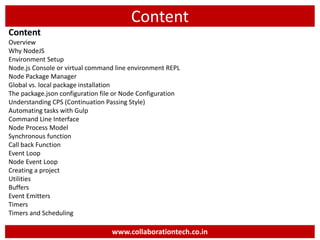
Content
Content
Overview
Why NodeJS
Environment Setup
Node.js Console or virtual command line environment REPL
Node Package Manager
Global vs. local package installation
The package.json configuration file or Node Configuration
Understanding CPS (Continuation Passing Style)
Automating tasks with Gulp
Command Line Interface
Node Process Model
Synchronous function
Call back Function
Event Loop
Node Event Loop
Creating a project
Utilities
Buffers
Event Emitters
Timers
Timers and Scheduling
www.collaborationtech.co.in
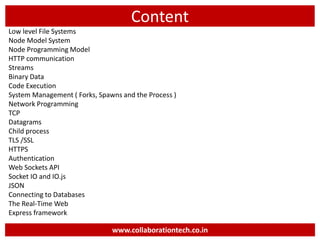
Content
Low level File Systems
Node Model System
Node Programming Model
HTTP communication
Streams
Binary Data
Code Execution
System Management ( Forks, Spawns and the Process )
Network Programming
TCP
Datagrams
Child process
TLS /SSL
HTTPS
Authentication
Web Sockets API
Socket IO and IO.js
JSON
Connecting to Databases
The Real-Time Web
Express framework
www.collaborationtech.co.in
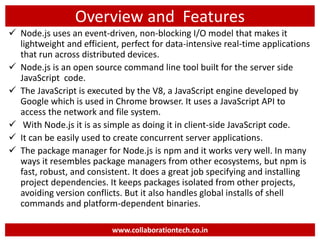
Overview and Features
 Node.js uses an event-driven, non-blocking I/O model that makes it
lightweight and efficient, perfect for data-intensive real-time applications
that run across distributed devices.
 Node.js is an open source command line tool built for the server side
JavaScript code.
 The JavaScript is executed by the V8, a JavaScript engine developed by
Google which is used in Chrome browser. It uses a JavaScript API to
access the network and file system.
 With Node.js it is as simple as doing it in client-side JavaScript code.
 It can be easily used to create concurrent server applications.
 The package manager for Node.js is npm and it works very well. In many
ways it resembles package managers from other ecosystems, but npm is
fast, robust, and consistent. It does a great job specifying and installing
project dependencies. It keeps packages isolated from other projects,
avoiding version conflicts. But it also handles global installs of shell
commands and platform-dependent binaries.
www.collaborationtech.co.in
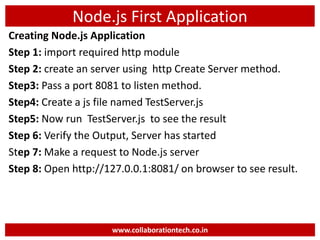
Node.js First Application
Creating Node.js Application
Step 1: import required http module
Step 2: create an server using http Create Server method.
Step3: Pass a port 8081 to listen method.
Step4: Create a js file named TestServer.js
Step5: Now run TestServer.js to see the result
Step 6: Verify the Output, Server has started
Step 7: Make a request to Node.js server
Step 8: Open http://127.0.0.1:8081/ on browser to see result.
www.collaborationtech.co.in
Node.js First Application
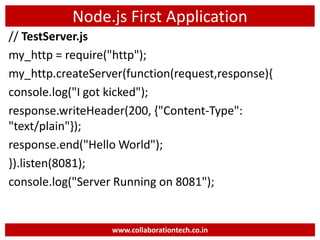
// TestServer.js
my_http = require("http");
my_http.createServer(function(request,response){
console.log("I got kicked");
response.writeHeader(200, {"Content-Type":
"text/plain"});
response.end("Hello World");
}).listen(8081);
console.log("Server Running on 8081");
www.collaborationtech.co.in
Node.JS- NPM
NPM (Node Package Manager) is included in
Node.js installation since Node version 0.6.0.,
so there is no need to install it separately
www.collaborationtech.co.in
Node.js Process Model
Node.js Process Model:
In this section, we will learn about the Node.js process
model and understand why we should use Node.js.
Traditional Web Server Model:
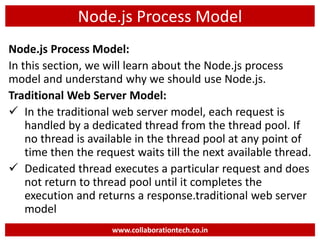
 In the traditional web server model, each request is
handled by a dedicated thread from the thread pool. If
no thread is available in the thread pool at any point of
time then the request waits till the next available thread.
 Dedicated thread executes a particular request and does
not return to thread pool until it completes the
execution and returns a response.traditional web server
model
www.collaborationtech.co.in
Node.js Process Model
Node.js Process Model:
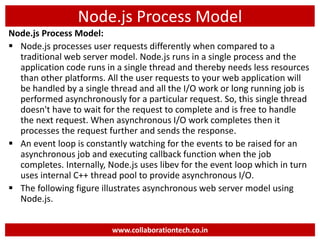
 Node.js processes user requests differently when compared to a
traditional web server model. Node.js runs in a single process and the
application code runs in a single thread and thereby needs less resources
than other platforms. All the user requests to your web application will
be handled by a single thread and all the I/O work or long running job is
performed asynchronously for a particular request. So, this single thread
doesn't have to wait for the request to complete and is free to handle
the next request. When asynchronous I/O work completes then it
processes the request further and sends the response.
 An event loop is constantly watching for the events to be raised for an
asynchronous job and executing callback function when the job
completes. Internally, Node.js uses libev for the event loop which in turn
uses internal C++ thread pool to provide asynchronous I/O.
 The following figure illustrates asynchronous web server model using
Node.js.
www.collaborationtech.co.in
Follow us on Social
Facebook: https://www.facebook.com/collaborationtechnologies/
Twitter : https://twitter.com/collaboration09
Google Plus : https://plus.google.com/100704494006819853579
LinkedIn : https://www.linkedin.com/in/ramananda-rao-a2012545
Instagram : https://instagram.com/collaborationtechnologies
YouTube :
https://www.youtube.com/channel/UCm9nK56LRbWSqcYWbzs8CUg
Skype : facebook:ramananda.rao.7
WhatsApp : +91 9886272445
www.collaborationtech.co.in
THANK YOU
About Us

Introduction to Node.JS

  • 1.
  • 2.
    Content Content Overview Why NodeJS Environment Setup Node.jsConsole or virtual command line environment REPL Node Package Manager Global vs. local package installation The package.json configuration file or Node Configuration Understanding CPS (Continuation Passing Style) Automating tasks with Gulp Command Line Interface Node Process Model Synchronous function Call back Function Event Loop Node Event Loop Creating a project Utilities Buffers Event Emitters Timers Timers and Scheduling www.collaborationtech.co.in
  • 3.
    Content Low level FileSystems Node Model System Node Programming Model HTTP communication Streams Binary Data Code Execution System Management ( Forks, Spawns and the Process ) Network Programming TCP Datagrams Child process TLS /SSL HTTPS Authentication Web Sockets API Socket IO and IO.js JSON Connecting to Databases The Real-Time Web Express framework www.collaborationtech.co.in
  • 4.
    Overview and Features Node.js uses an event-driven, non-blocking I/O model that makes it lightweight and efficient, perfect for data-intensive real-time applications that run across distributed devices.  Node.js is an open source command line tool built for the server side JavaScript code.  The JavaScript is executed by the V8, a JavaScript engine developed by Google which is used in Chrome browser. It uses a JavaScript API to access the network and file system.  With Node.js it is as simple as doing it in client-side JavaScript code.  It can be easily used to create concurrent server applications.  The package manager for Node.js is npm and it works very well. In many ways it resembles package managers from other ecosystems, but npm is fast, robust, and consistent. It does a great job specifying and installing project dependencies. It keeps packages isolated from other projects, avoiding version conflicts. But it also handles global installs of shell commands and platform-dependent binaries. www.collaborationtech.co.in
  • 5.
    Node.js First Application CreatingNode.js Application Step 1: import required http module Step 2: create an server using http Create Server method. Step3: Pass a port 8081 to listen method. Step4: Create a js file named TestServer.js Step5: Now run TestServer.js to see the result Step 6: Verify the Output, Server has started Step 7: Make a request to Node.js server Step 8: Open http://127.0.0.1:8081/ on browser to see result. www.collaborationtech.co.in
  • 6.
    Node.js First Application //TestServer.js my_http = require("http"); my_http.createServer(function(request,response){ console.log("I got kicked"); response.writeHeader(200, {"Content-Type": "text/plain"}); response.end("Hello World"); }).listen(8081); console.log("Server Running on 8081"); www.collaborationtech.co.in
  • 7.
    Node.JS- NPM NPM (NodePackage Manager) is included in Node.js installation since Node version 0.6.0., so there is no need to install it separately www.collaborationtech.co.in
  • 8.
    Node.js Process Model Node.jsProcess Model: In this section, we will learn about the Node.js process model and understand why we should use Node.js. Traditional Web Server Model:  In the traditional web server model, each request is handled by a dedicated thread from the thread pool. If no thread is available in the thread pool at any point of time then the request waits till the next available thread.  Dedicated thread executes a particular request and does not return to thread pool until it completes the execution and returns a response.traditional web server model www.collaborationtech.co.in
  • 9.
    Node.js Process Model Node.jsProcess Model:  Node.js processes user requests differently when compared to a traditional web server model. Node.js runs in a single process and the application code runs in a single thread and thereby needs less resources than other platforms. All the user requests to your web application will be handled by a single thread and all the I/O work or long running job is performed asynchronously for a particular request. So, this single thread doesn't have to wait for the request to complete and is free to handle the next request. When asynchronous I/O work completes then it processes the request further and sends the response.  An event loop is constantly watching for the events to be raised for an asynchronous job and executing callback function when the job completes. Internally, Node.js uses libev for the event loop which in turn uses internal C++ thread pool to provide asynchronous I/O.  The following figure illustrates asynchronous web server model using Node.js. www.collaborationtech.co.in
  • 10.
    Follow us onSocial Facebook: https://www.facebook.com/collaborationtechnologies/ Twitter : https://twitter.com/collaboration09 Google Plus : https://plus.google.com/100704494006819853579 LinkedIn : https://www.linkedin.com/in/ramananda-rao-a2012545 Instagram : https://instagram.com/collaborationtechnologies YouTube : https://www.youtube.com/channel/UCm9nK56LRbWSqcYWbzs8CUg Skype : facebook:ramananda.rao.7 WhatsApp : +91 9886272445 www.collaborationtech.co.in THANK YOU
  • 11.