Compiled by : S. Agarwal, Lecturer & Systems Incharge, St. Xavier's Coll
Study Note developed by
S. Agarwal,
Lecturer & Systems Incharge ,,
St. Xavier’s Computer CentreSt. Xavier’s Computer Centre
St. Xavier’s CollegeSt. Xavier’s College
KolkataKolkata
July-2002
Compiled by : S. Agarwal, Lecturer & Systems Incharge, St. Xavier's Coll
What is a computer ?
A computer is an electronic
device capable of performing
arithmetic and logical
operations. It can also store a
large volume of information.
Compiled by : S. Agarwal, Lecturer & Systems Incharge, St. Xavier's Coll
Arithmetic operations involve the
general mathematical calculations like
addition, subtraction, multiplication and
division.
Logical operations involve comparisions
like > < = etc.
Compiled by : S. Agarwal, Lecturer & Systems Incharge, St. Xavier's Coll
How does a computer work?
INPUT  PROCESS  OUTPUT
INPUT consists of DATADATA & INSTRUCTION.INSTRUCTION.
PROCESS is a set of instructions stored in the
computer to carry out the instructions given by
the user. The process is also called a
PROGRAM.
OUTPUT is the set of results generated after
processing the Input.
Compiled by : S. Agarwal, Lecturer & Systems Incharge, St. Xavier's Coll
DATA & INFORMATION
DATADATA is described as some FACTS, FIGURES
and STATISTICS about a particular instance.
For example : MARKS in individual subjects.
INFORMATIONINFORMATION is some FACTS, FIGURES
and STATISTICS which help us in decisiondecision
makingmaking. Generally information is the result of
data processing.
For example : PERCENTAGE & GRADE.
Compiled by : S. Agarwal, Lecturer & Systems Incharge, St. Xavier's Coll
HARDWARE
Hardware are the PHYSICAL COMPONENTS
of the Computer System.
Examples :
All the electronic parts.
All cables.
All accessories.
Compiled by : S. Agarwal, Lecturer & Systems Incharge, St. Xavier's Coll
SOFTWARE
SOFTWARE are the logical components of the
computer system. These are basically the
programs and information stored in the
computer.
Compiled by : S. Agarwal, Lecturer & Systems Incharge, St. Xavier's Coll
The hardware and software can be better
explained with the help of a music system.
Hardware :
The device, cassette, tape, wires etc.
Software :
The music stored in the tapes.
Compiled by : S. Agarwal, Lecturer & Systems Incharge, St. Xavier's Coll
Characteristics of Computer
SPEED
STORAGE
ACCURACY
VERSATILITY
AUTOMATION
DILIGENCE
Compiled by : S. Agarwal, Lecturer & Systems Incharge, St. Xavier's Coll
SPEED
The speed with which the computer works can
be understood by the units of measurement of
time within a computer. They are :
MILLI SECOND – 1/1000TH
OF A SECOND
MICRO SECOND – 1/1000TH
OF A MILLI SECOND
NANO SECOND – 1/1000TH
OF A MICRO SECOND
PICO SECOND – 1/1000TH
OF A NANO SECOND
Compiled by : S. Agarwal, Lecturer & Systems Incharge, St. Xavier's Coll
STORAGE
As already discussed a computer can store a
large volume of information.
The factors to be considered for storage are :
•RETREIVAL – IMMEDIATE
•SPACE – VERY LITTLE
•MEDIA – MAGNETIC MEDIA
•LONGIVITY – FOREVER
Compiled by : S. Agarwal, Lecturer & Systems Incharge, St. Xavier's Coll
ACCURACY
The accuracy of the computers is consistently
high. Errors in the machinery may occur, but due
to efficient error-detecting techniques, these very
seldom lead to wrong results. Errors in
computing are due to human rather than
technological weaknesses.
So, we can say that
A COMPUTER NEVER MAKES
ANY MISTAKE
Compiled by : S. Agarwal, Lecturer & Systems Incharge, St. Xavier's Coll
VERSATILITY
Computers seem capable of performing any task, provided
the task can be broken to a series of logical steps.
The computer actually performs only four basic operations :
•Exchanges information with the outside world via INPUT /
OUTPUT devices
•Transfers data within the computer to the different units
•Performs basic arithmetical operations
•Performs operations of comparison
We can reduce the daily activities into steps of the above
operations with the help of ProgrammingProgramming.
Compiled by : S. Agarwal, Lecturer & Systems Incharge, St. Xavier's Coll
AUTOMATION
Once a program to perform a particular
task is stored in the computer, the
individual instructions in the program
are carried out one after the other
automatically to complete the task.
Hence the user requires to just press
certain keys and give the data input. The
data is automatically processed to
produce the output.
Compiled by : S. Agarwal, Lecturer & Systems Incharge, St. Xavier's Coll
DILIGENCE
Being a machine, a computer does not suffer
from the human traits of tiredness and lack of
concentration. If 5 million calculations are to be
performed, it will perform all of them, even the
last one with exactly the same accuracy and
speed.
In fact, there are some computers which are
constantly on for hours, days, months and years
are never switched off.
Compiled by : S. Agarwal, Lecturer & Systems Incharge, St. Xavier's Coll
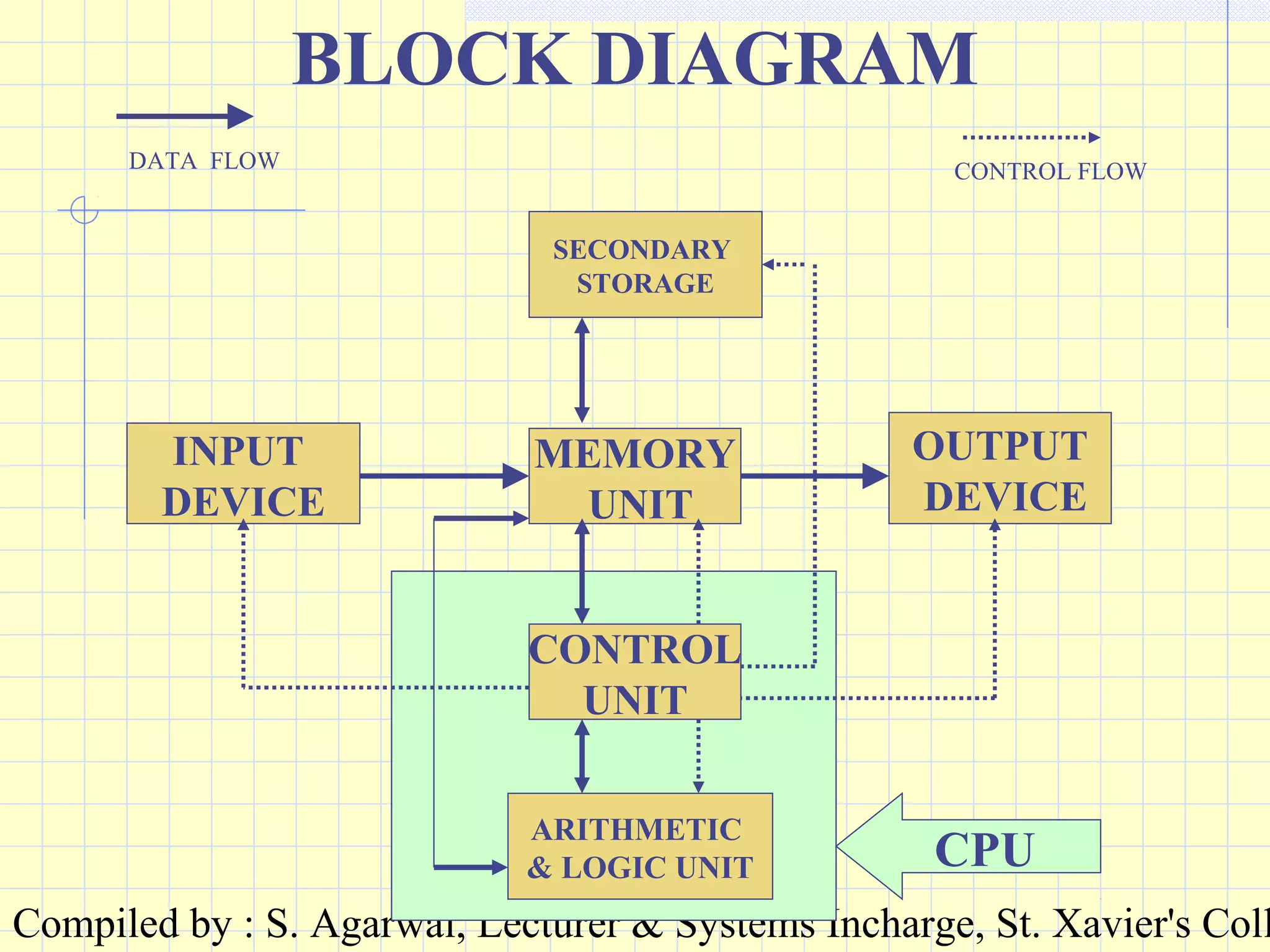
BASIC STRUCTURE
The computer receives input, processes it and
delivers output.
To perform these tasks it has different units and
each unit is responsible for a specific task.
The units are INPUT, MEMORY, CONTROL
UNIT (CU), ARITHMETIC & LOGIC UNIT
(ALU) AND OUTPUT.
The CU and ALU together are called CENTRAL
PROCESSING UNIT (CPU).
Compiled by : S. Agarwal, Lecturer & Systems Incharge, St. Xavier's Coll
INPUT DEVICEINPUT DEVICE
It is used for transferring data from
the users’ end to the computer.
OUTPUT DEVICEOUTPUT DEVICE
It is used to transfer processed
information from the computer to
the user in a way required by the
user.
Compiled by : S. Agarwal, Lecturer & Systems Incharge, St. Xavier's Coll
MEMORY UNITMEMORY UNIT
It stores instruction and data and provides
them to the various other units as and when
required. It is basically the working memory
of the computer system. This memory unit is
volatile, i.e. it is temporary memory and
nothing can be stored here permanently. The
information is stored in the main memory as
long the computer is switched on or as long
as it is required by the computer.
Compiled by : S. Agarwal, Lecturer & Systems Incharge, St. Xavier's Coll
CONTROL UNITCONTROL UNIT
Controls the various operations
within a computer. It basically
manages all the other units and
devices of the computer system. It
does so by transmitting timing and
control signals to the various devices
and units.
Compiled by : S. Agarwal, Lecturer & Systems Incharge, St. Xavier's Coll
ARITHMETIC & LOGIC UNITARITHMETIC & LOGIC UNIT
It performs the various arithmetic
and logical operations on the data
stored in memory, as dictated by the
instruction.
There are various basic circuits to
perform these operations.
Compiled by : S. Agarwal, Lecturer & Systems Incharge, St. Xavier's Coll
SECONDARY STORAGESECONDARY STORAGE
It stores the various data, information
and programs permanently for future
retrieval. The information is
organised in such a way to retrieve it
in minimum time whenever required.
The stored information remains as
long the user wants it.
Compiled by : S. Agarwal, Lecturer & Systems Incharge, St. Xavier's Coll
BUSBUS
These are a set of connecting wires
used for setting interconnection
between the various devices in the
system. Each set of bus has a specific
function to perform like carrying
data, carrying control signals and
addresses.
Compiled by : S. Agarwal, Lecturer & Systems Incharge, St. Xavier's Coll
BLOCK DIAGRAM
MEMORY
UNIT
INPUT
DEVICE
CONTROL
UNIT
ARITHMETIC
& LOGIC UNIT
OUTPUT
DEVICE
SECONDARY
STORAGE
CONTROL FLOWDATA FLOW
CPU
Compiled by : S. Agarwal, Lecturer & Systems Incharge, St. Xavier's Coll
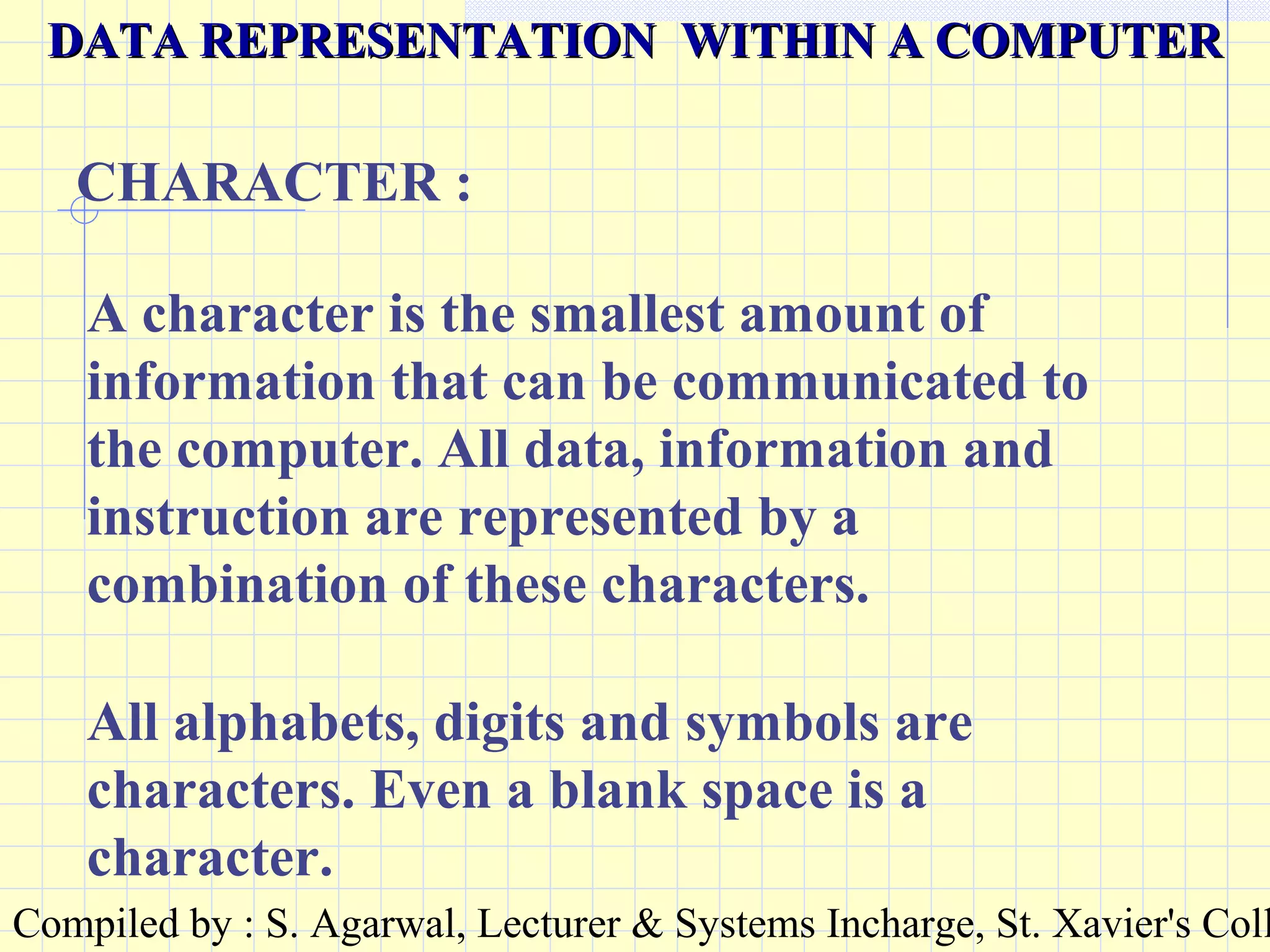
A character is the smallest amount of
information that can be communicated to
the computer. All data, information and
instruction are represented by a
combination of these characters.
CHARACTER :
DATA REPRESENTATION WITHIN A COMPUTERDATA REPRESENTATION WITHIN A COMPUTER
All alphabets, digits and symbols are
characters. Even a blank space is a
character.
Compiled by : S. Agarwal, Lecturer & Systems Incharge, St. Xavier's Coll
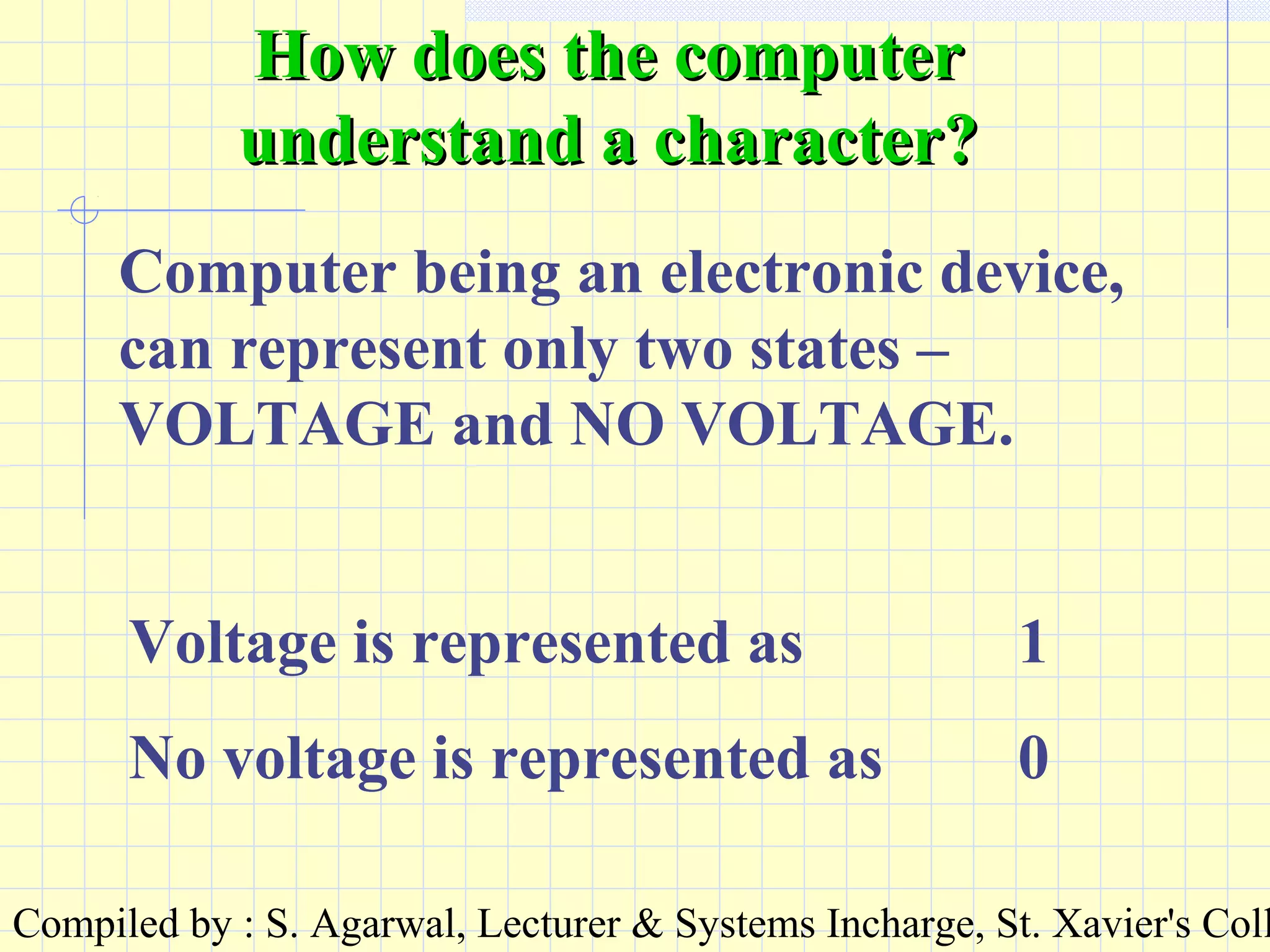
Computer being an electronic device,
can represent only two states –
VOLTAGE and NO VOLTAGE.
Voltage is represented as 1
No voltage is represented as 0
How does the computerHow does the computer
understand a character?understand a character?
Compiled by : S. Agarwal, Lecturer & Systems Incharge, St. Xavier's Coll
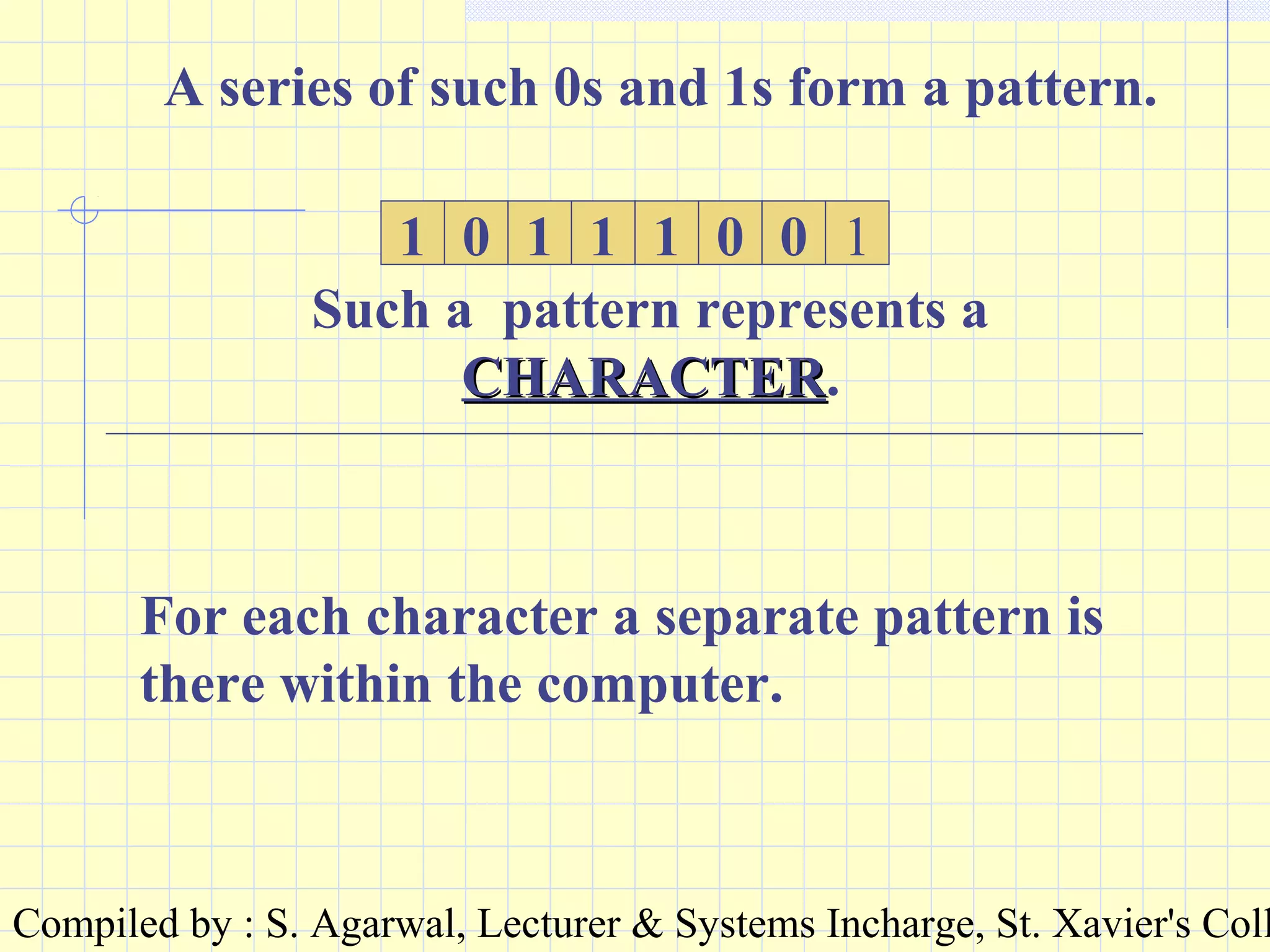
A series of such 0s and 1s form a pattern.
1 0 1 1 1 0 0 1
Such a pattern represents a
CHARACTERCHARACTER.
For each character a separate pattern is
there within the computer.
Compiled by : S. Agarwal, Lecturer & Systems Incharge, St. Xavier's Coll
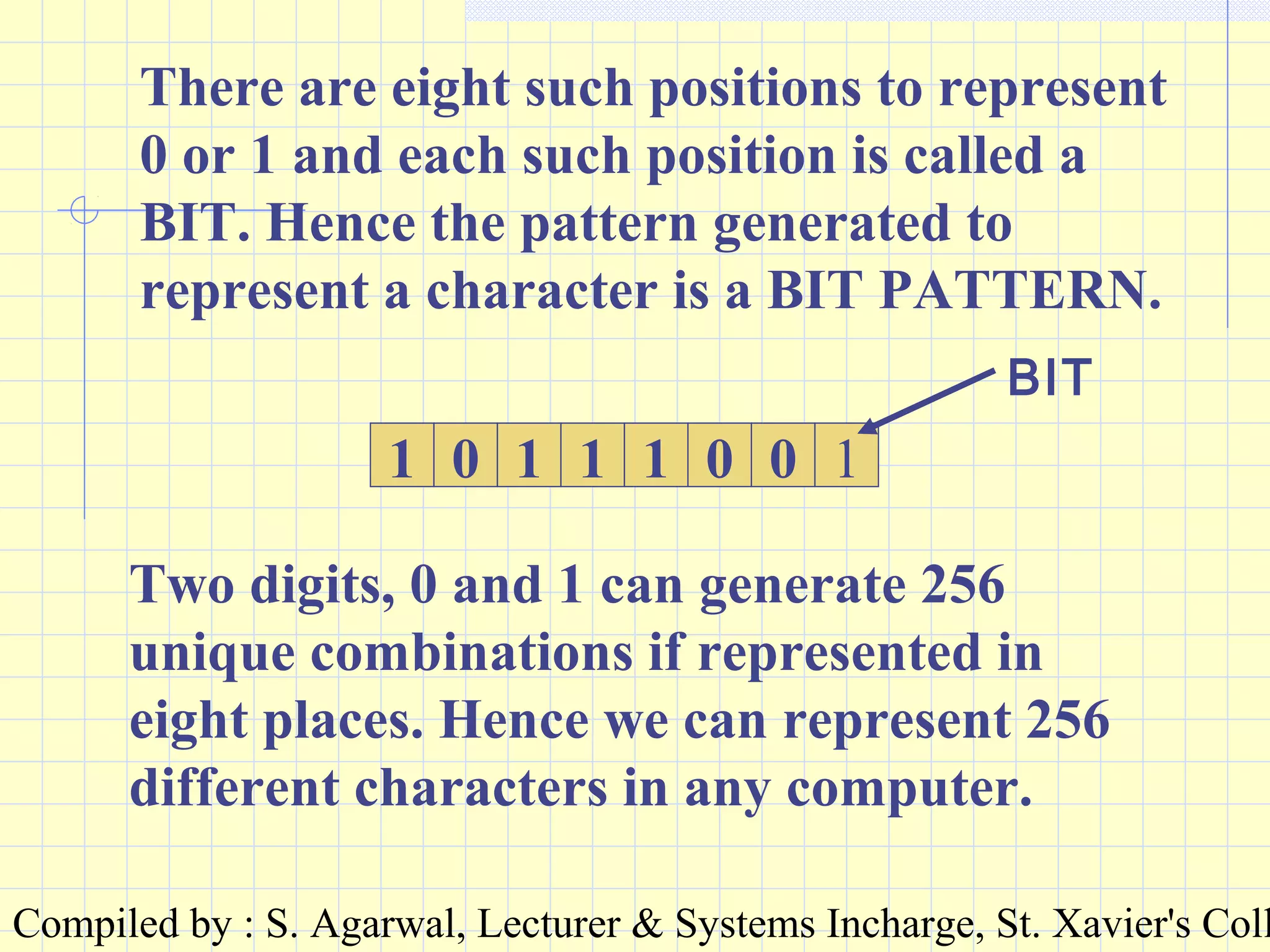
There are eight such positions to represent
0 or 1 and each such position is called a
BIT. Hence the pattern generated to
represent a character is a BIT PATTERN.
01 0 1 1 1 0 1
Two digits, 0 and 1 can generate 256
unique combinations if represented in
eight places. Hence we can represent 256
different characters in any computer.
BIT
Compiled by : S. Agarwal, Lecturer & Systems Incharge, St. Xavier's Coll
ASCII
American Standard Code for
Information Interchange.
It is difficult for us to remember all the 256 bit
patterns and their corresponding characters.
Hence we can convert the bit pattern to a decimal
number. This way each bit pattern will have a
different number and this number, fixed for a
character is called the ASCII code of the
character. All computers follow the same ASCII
code and bit pattern to represent characters.
Compiled by : S. Agarwal, Lecturer & Systems Incharge, St. Xavier's Coll
BINARY
The number system involving two
digits, 0 & 1 is called BINARY.
By using this system a bit pattern
(treated as a binary number) can
be converted to the decimal
number system.
Compiled by : S. Agarwal, Lecturer & Systems Incharge, St. Xavier's Coll
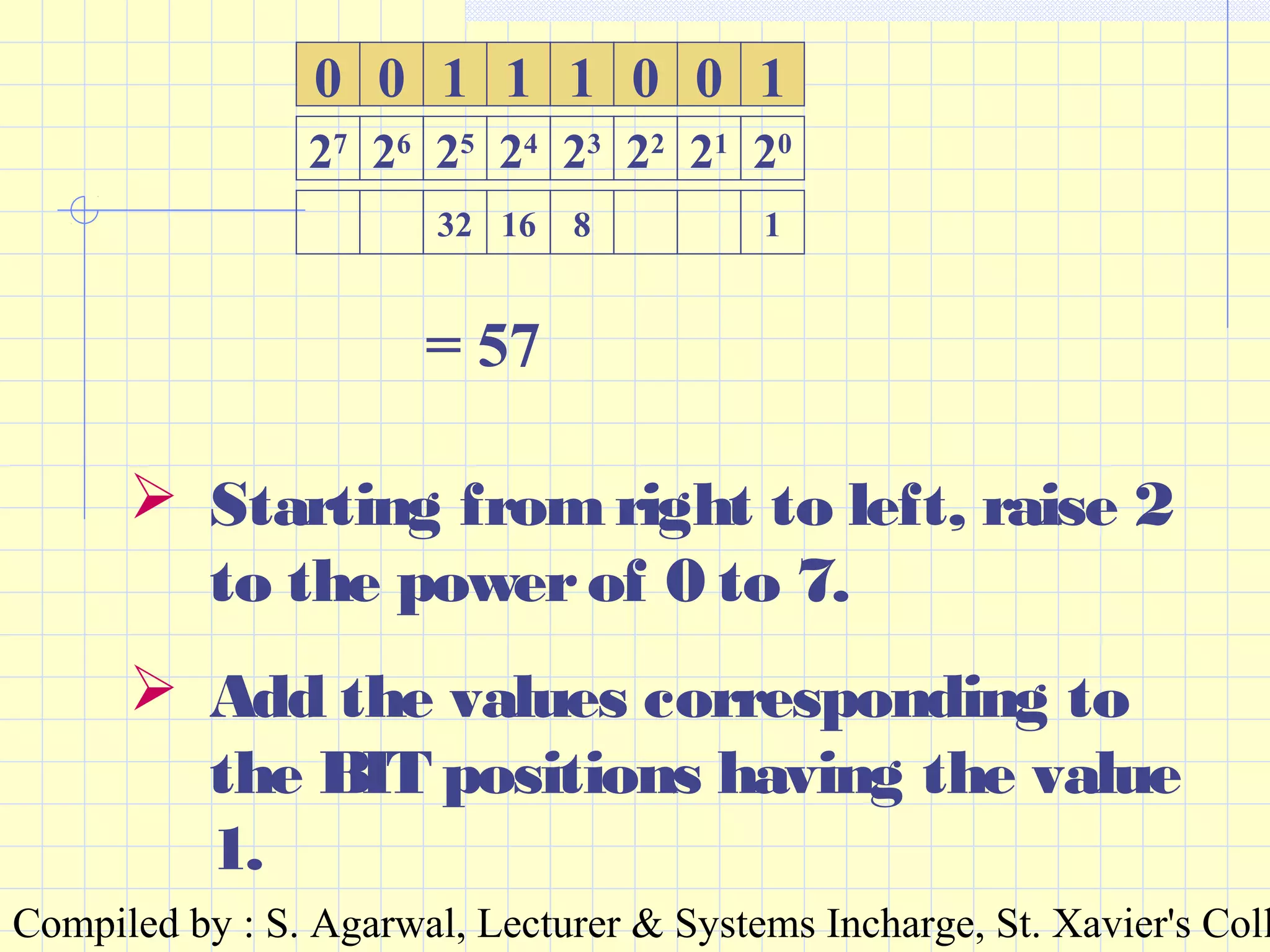
00 0 1 1 1 0 1
32 16 8 1
27
26
25
24
23
22
21
20
= 57
 Starting from right to left, raise 2
to the powerof 0 to 7.
 Add the values corresponding to
the BIT positions having the value
1.
Compiled by : S. Agarwal, Lecturer & Systems Incharge, St. Xavier's Coll
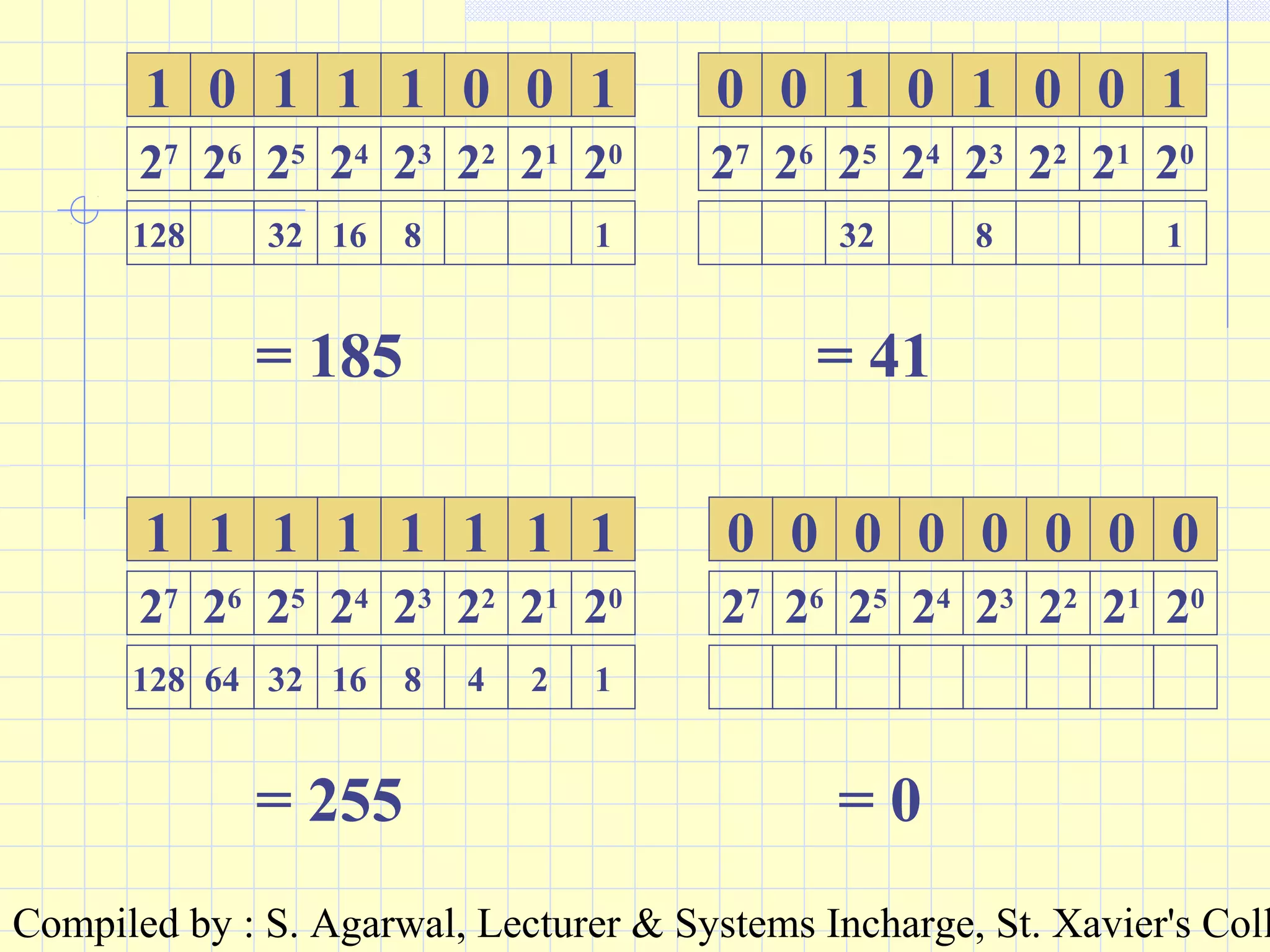
01 0 1 1 1 0 1
128 32 16 8 1
27
26
25
24
23
22
21
20
= 185
0 0 1 0 1 0 1
32 8 1
27
26
25
24
23
22
21
20
0
= 41
11 1 1 1 1 1 1
128 64 32 16 8 4 2 1
27
26
25
24
23
22
21
20
= 255
00 0 0 0 0 0 0
27
26
25
24
23
22
21
20
= 0
Compiled by : S. Agarwal, Lecturer & Systems Incharge, St. Xavier's Coll
BIT
PATTERN
ASCII CODE CHARACTE
R
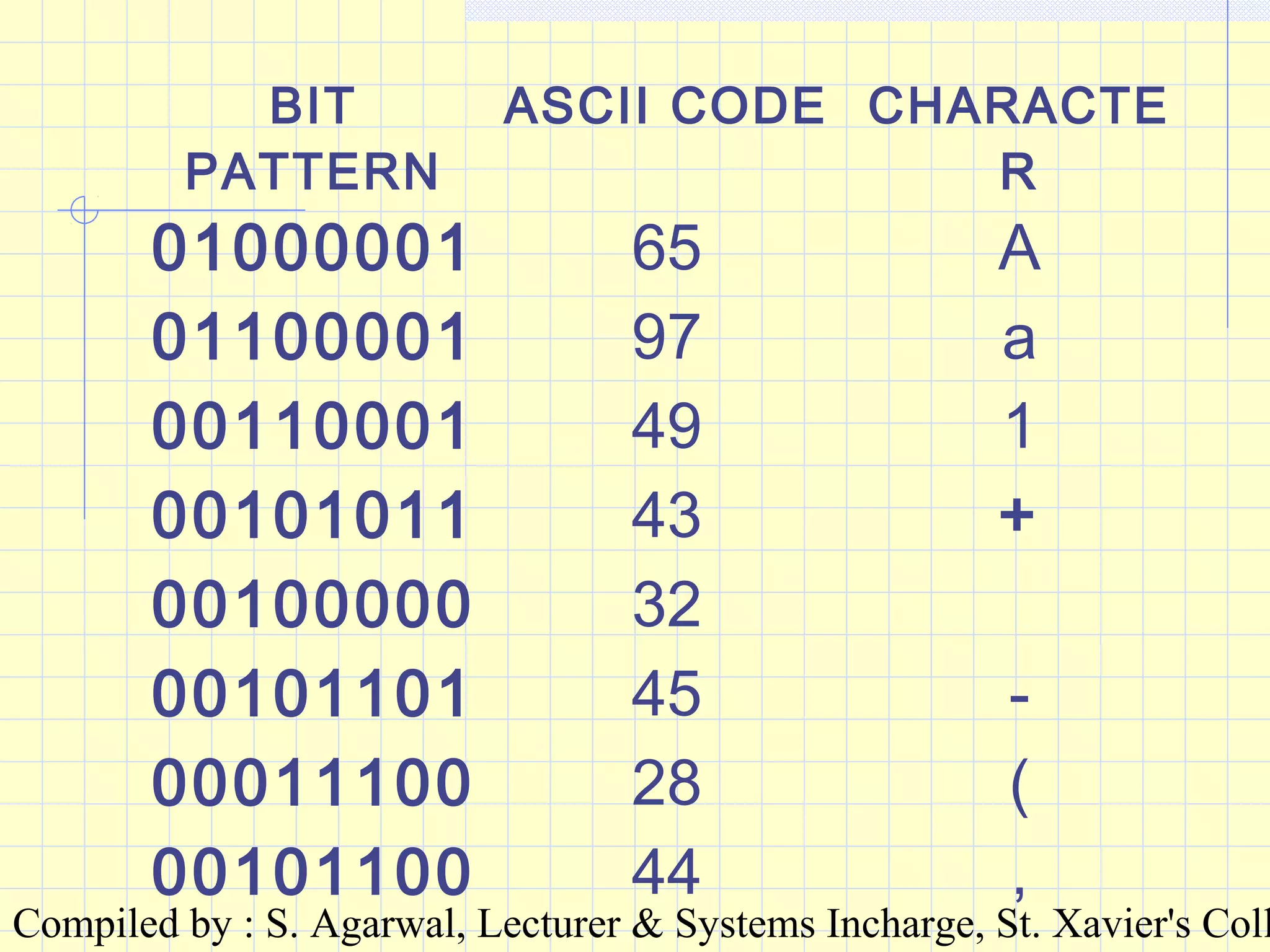
01000001 65 A
01100001 97 a
00110001 49 1
00101011 43 +
00100000 32
00101101 45 -
00011100 28 (
00101100 44 ,
Compiled by : S. Agarwal, Lecturer & Systems Incharge, St. Xavier's Coll
UNIT FOR MEASUREMENT OFUNIT FOR MEASUREMENT OF
INFORMATIONINFORMATION
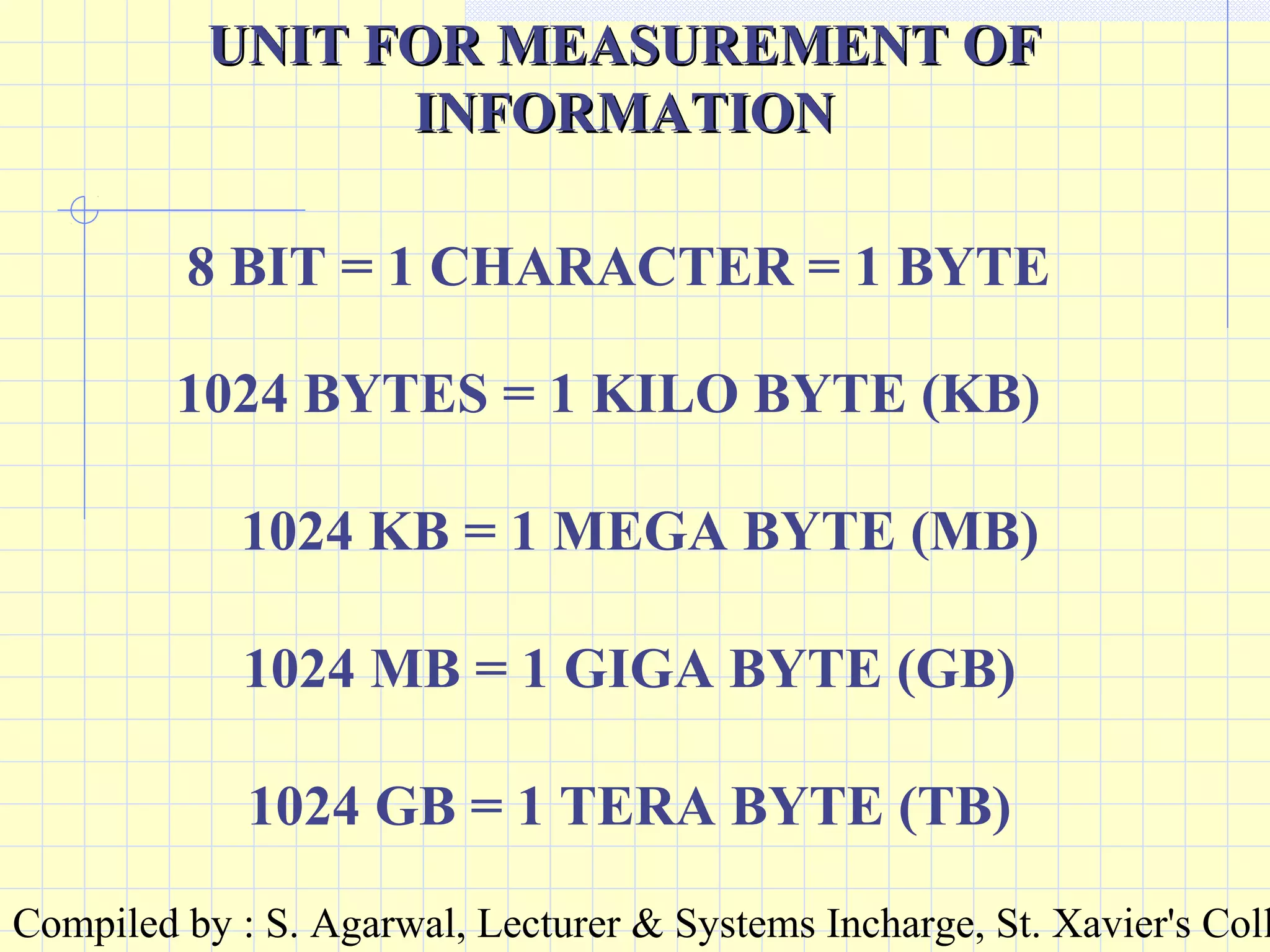
8 BIT = 1 CHARACTER = 1 BYTE
1024 BYTES = 1 KILO BYTE (KB)
1024 KB = 1 MEGA BYTE (MB)
1024 MB = 1 GIGA BYTE (GB)
1024 GB = 1 TERA BYTE (TB)
Compiled by : S. Agarwal, Lecturer & Systems Incharge, St. Xavier's Coll
Input devices :Input devices :
KEYBOARDKEYBOARD : It is an input device: It is an input device
to give character based inputs toto give character based inputs to
the computer. All types of data,the computer. All types of data,
instruction and information can beinstruction and information can be
given through the keyboard.given through the keyboard.
HARDWAREHARDWARE
Compiled by : S. Agarwal, Lecturer & Systems Incharge, St. Xavier's Coll
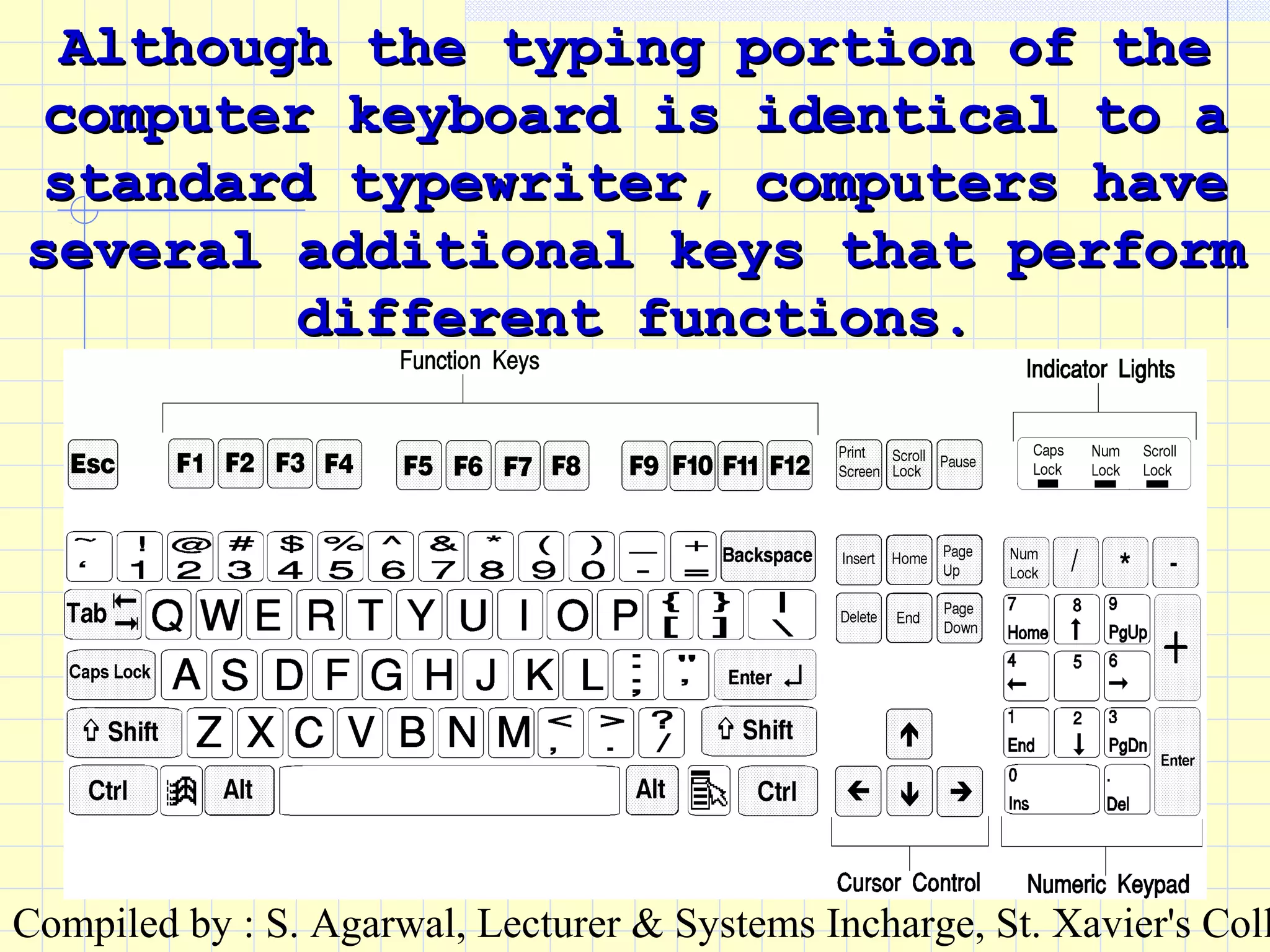
Although the typing portion of theAlthough the typing portion of the
computer keyboard is identical to acomputer keyboard is identical to a
standard typewriter, computers havestandard typewriter, computers have
several additional keys that performseveral additional keys that perform
different functions.different functions.
Compiled by : S. Agarwal, Lecturer & Systems Incharge, St. Xavier's Coll
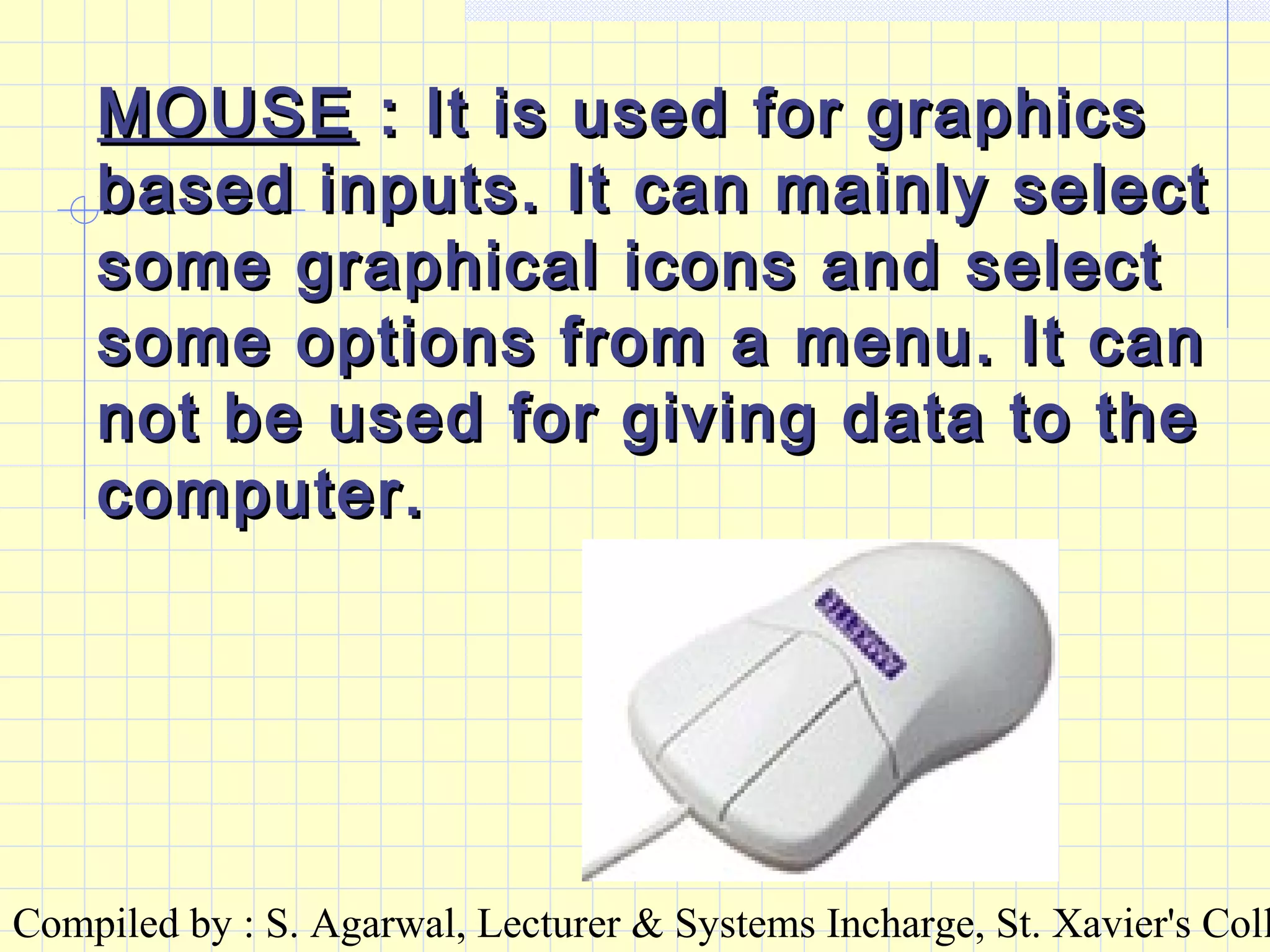
MOUSEMOUSE : It is used for graphics: It is used for graphics
based inputs. It can mainly selectbased inputs. It can mainly select
some graphical icons and selectsome graphical icons and select
some options from a menu. It cansome options from a menu. It can
not be used for giving data to thenot be used for giving data to the
computer.computer.
Compiled by : S. Agarwal, Lecturer & Systems Incharge, St. Xavier's Coll
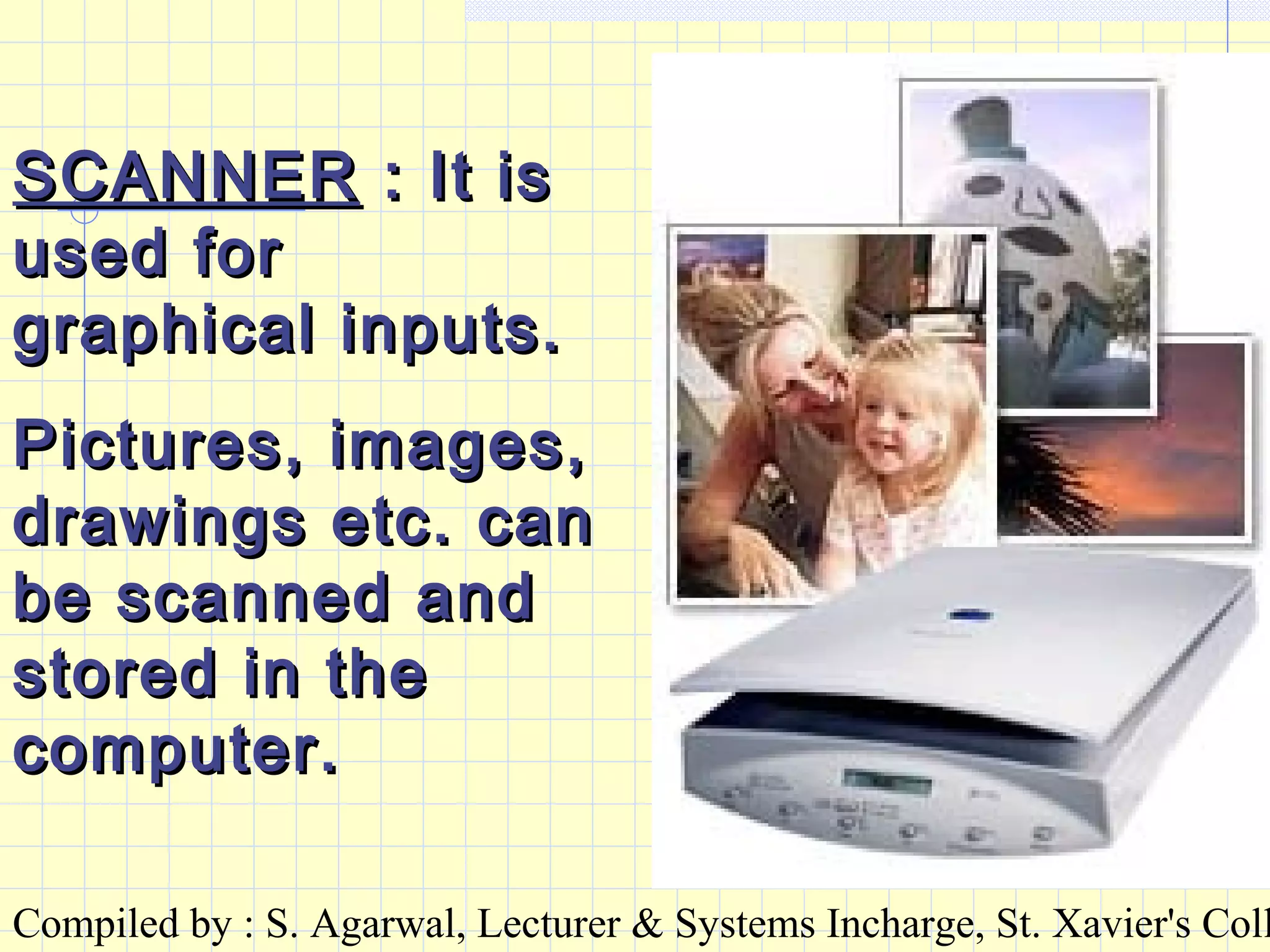
SCANNERSCANNER : It is: It is
used forused for
graphical inputs.graphical inputs.
Pictures, images,Pictures, images,
drawings etc. candrawings etc. can
be scanned andbe scanned and
stored in thestored in the
computer.computer.
Compiled by : S. Agarwal, Lecturer & Systems Incharge, St. Xavier's Coll
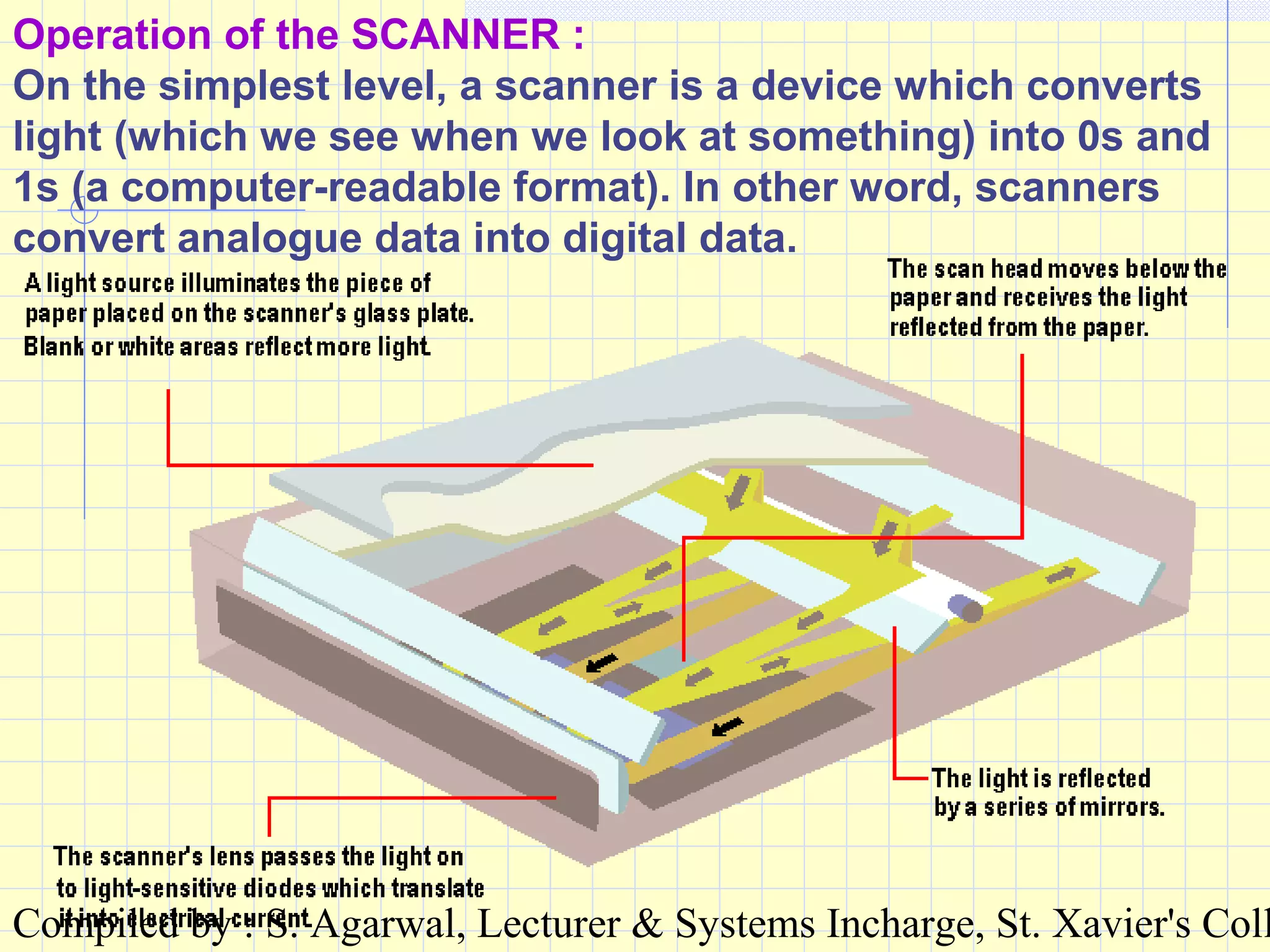
Operation of the SCANNER :
On the simplest level, a scanner is a device which converts
light (which we see when we look at something) into 0s and
1s (a computer-readable format). In other word, scanners
convert analogue data into digital data.
Compiled by : S. Agarwal, Lecturer & Systems Incharge, St. Xavier's Coll
DIFFERENT INPUT TYPESDIFFERENT INPUT TYPES
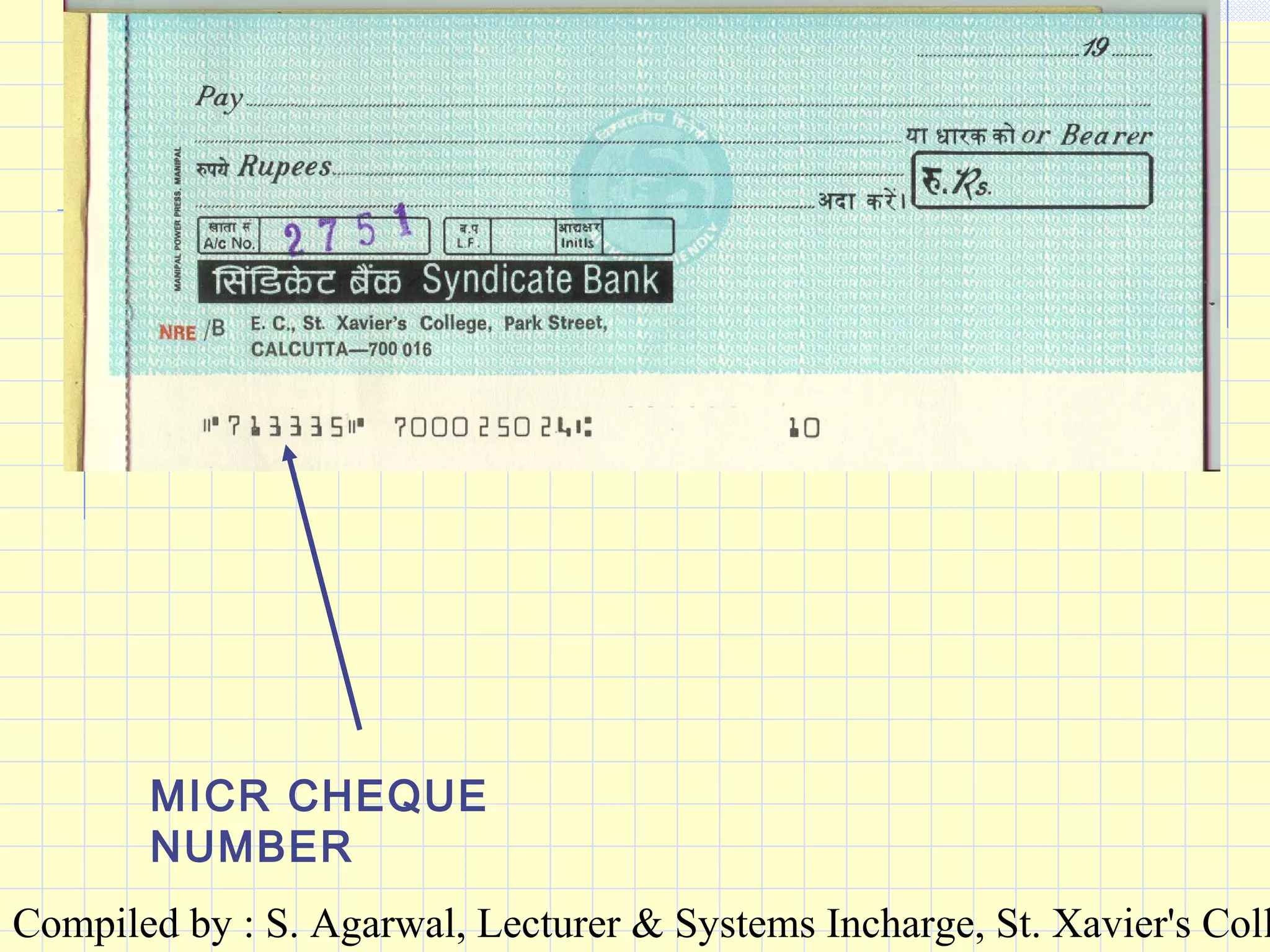
MICRMICR : Magnetic Ink Character: Magnetic Ink Character
Recognition.Recognition.
This system uses highly stylizedThis system uses highly stylized
character shapes printed in an inkcharacter shapes printed in an ink
containing magnetic particles.containing magnetic particles.
These characters pre-printed inThese characters pre-printed in
magnetic ink are recognised by amagnetic ink are recognised by a
device called MICR reader.device called MICR reader.
Mainly used in Bank Cheques.Mainly used in Bank Cheques.
Compiled by : S. Agarwal, Lecturer & Systems Incharge, St. Xavier's Coll
MICR CHEQUE
NUMBER
Compiled by : S. Agarwal, Lecturer & Systems Incharge, St. Xavier's Coll
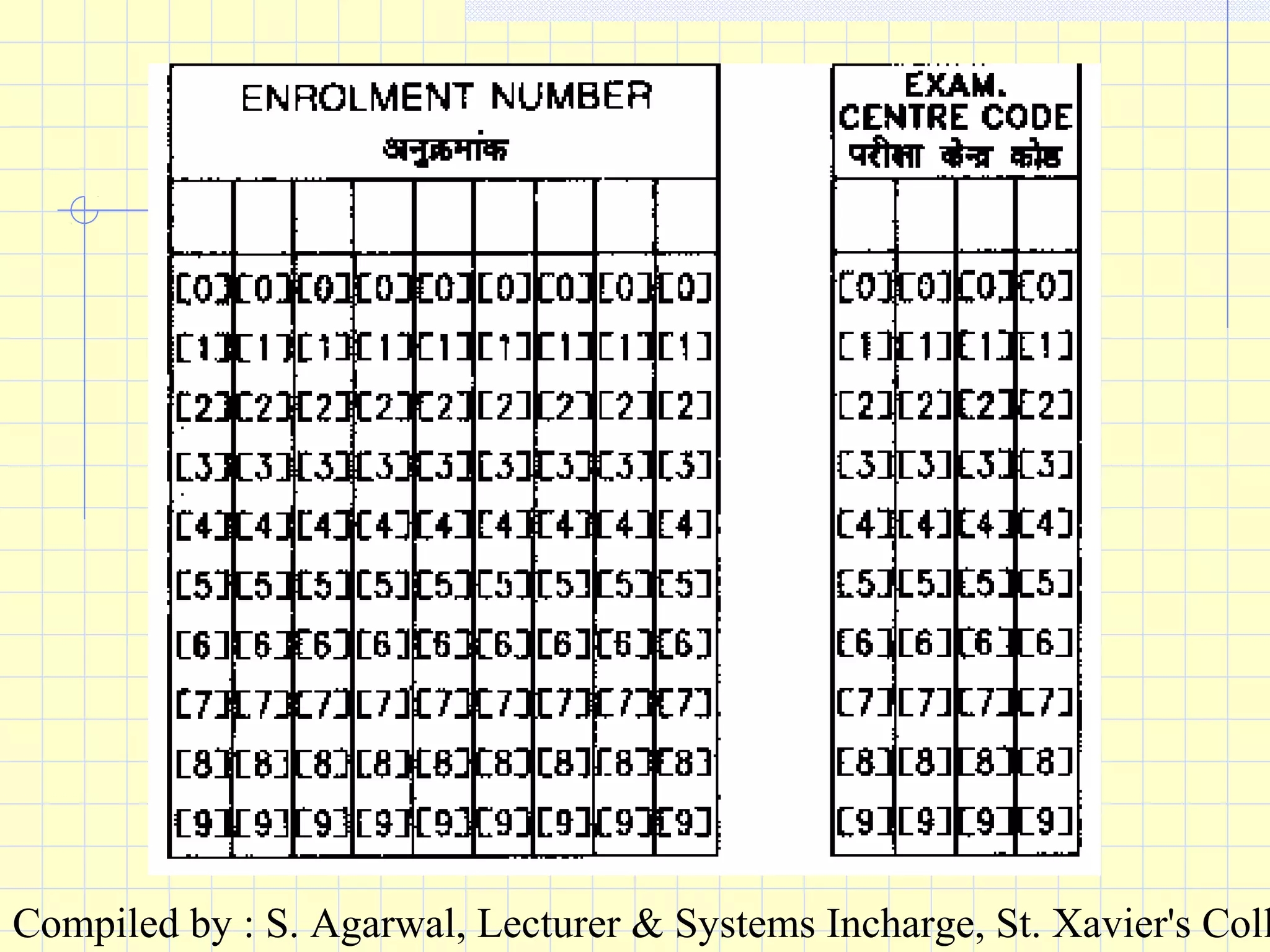
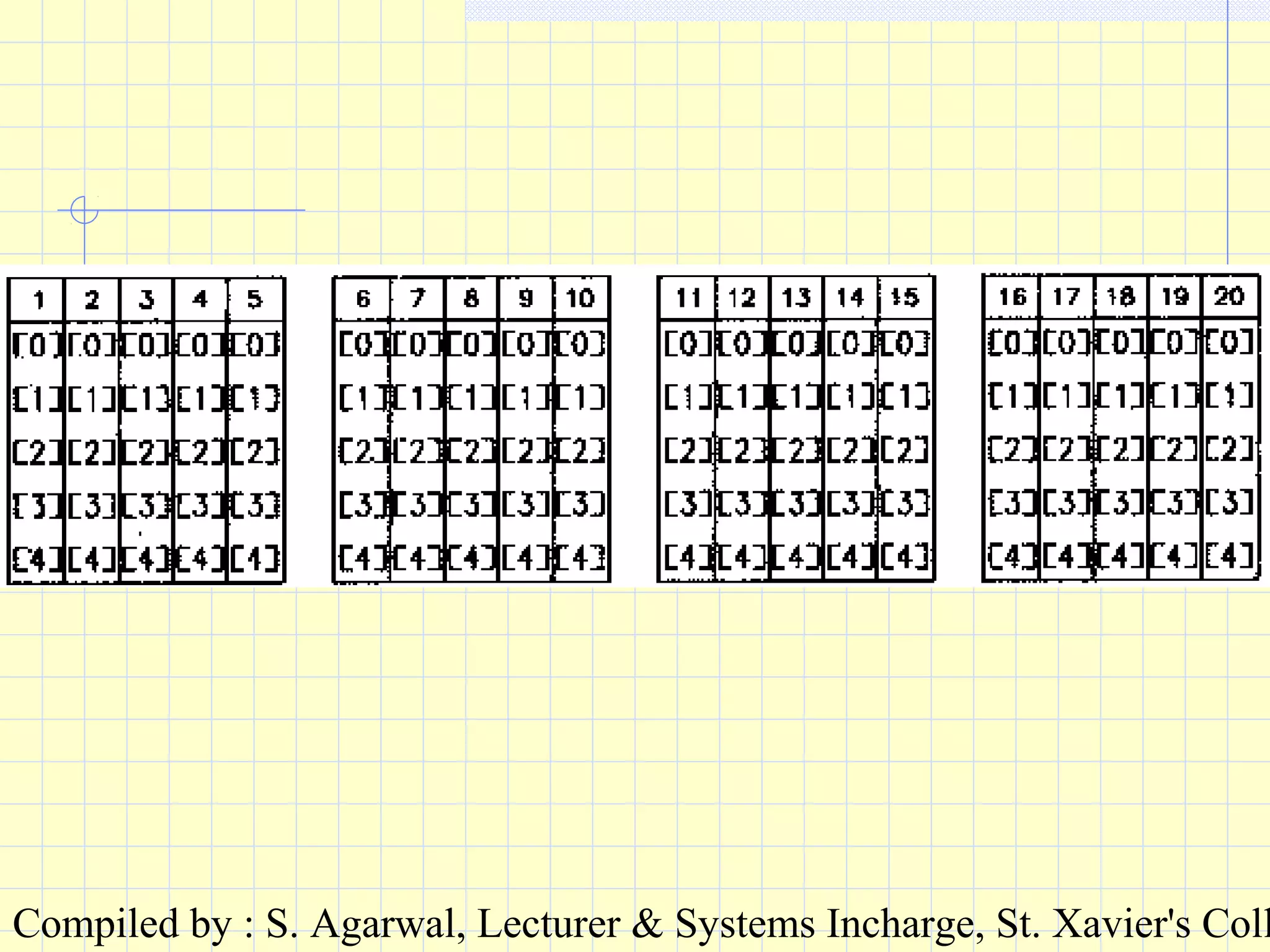
OMROMR : Optical Mark Reading: Optical Mark Reading
Forms and cards are pre-printed forForms and cards are pre-printed for
special purposes so that a mark canspecial purposes so that a mark can
be made in a specified position.be made in a specified position.
Each mark at a position has aEach mark at a position has a
specific meaning and after scanning,specific meaning and after scanning,
the data gets transferred tothe data gets transferred to
computer.computer.
Mainly used in correcting answers toMainly used in correcting answers to
Multiple Choice Question Papers.Multiple Choice Question Papers.
Compiled by : S. Agarwal, Lecturer & Systems Incharge, St. Xavier's Coll
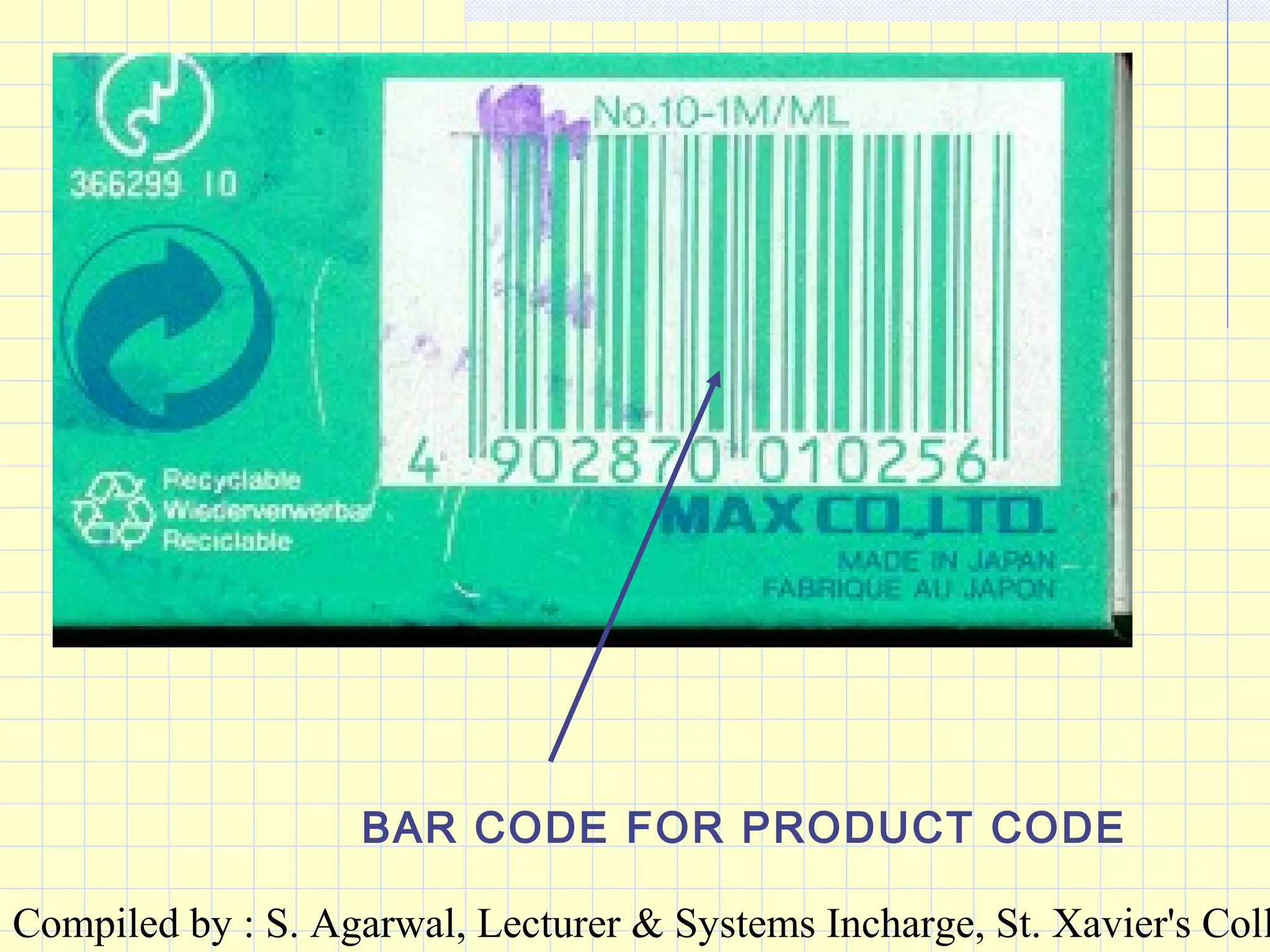
BAR-CODE RECOGNITIONBAR-CODE RECOGNITION : Lines: Lines
or bars can be arranged in a codeor bars can be arranged in a code
and are used particularly forand are used particularly for
labelling goods etc. Bar-codelabelling goods etc. Bar-code
reading is performed by areading is performed by a
scanner. A sequence of bits isscanner. A sequence of bits is
generated and the information isgenerated and the information is
recorded.recorded.
Compiled by : S. Agarwal, Lecturer & Systems Incharge, St. Xavier's Coll
BAR CODE FOR PRODUCT CODE
Compiled by : S. Agarwal, Lecturer & Systems Incharge, St. Xavier's Coll
VOICE INPUTVOICE INPUT : This system: This system
accepts spoken input. Theaccepts spoken input. The
waveform created by the input iswaveform created by the input is
analysed, patterns are extractedanalysed, patterns are extracted
and matched against pre-storedand matched against pre-stored
patterns to identify the input. Thepatterns to identify the input. The
words and phrases the system iswords and phrases the system is
to recognise, are spoken with theto recognise, are spoken with the
system and the patterns aresystem and the patterns are
created for future matching. Forcreated for future matching. For
the voice of more than onethe voice of more than one
person, training with the systemperson, training with the system
Compiled by : S. Agarwal, Lecturer & Systems Incharge, St. Xavier's Coll
OUTPUT DEVICESOUTPUT DEVICES
VDUVDU : Visual Display Unit. Also: Visual Display Unit. Also
called acalled a monitormonitor or aor a screenscreen. It a. It a
device similar to a TV screen. Thedevice similar to a TV screen. The
output on a VDU is temporary.output on a VDU is temporary.
Compiled by : S. Agarwal, Lecturer & Systems Incharge, St. Xavier's Coll
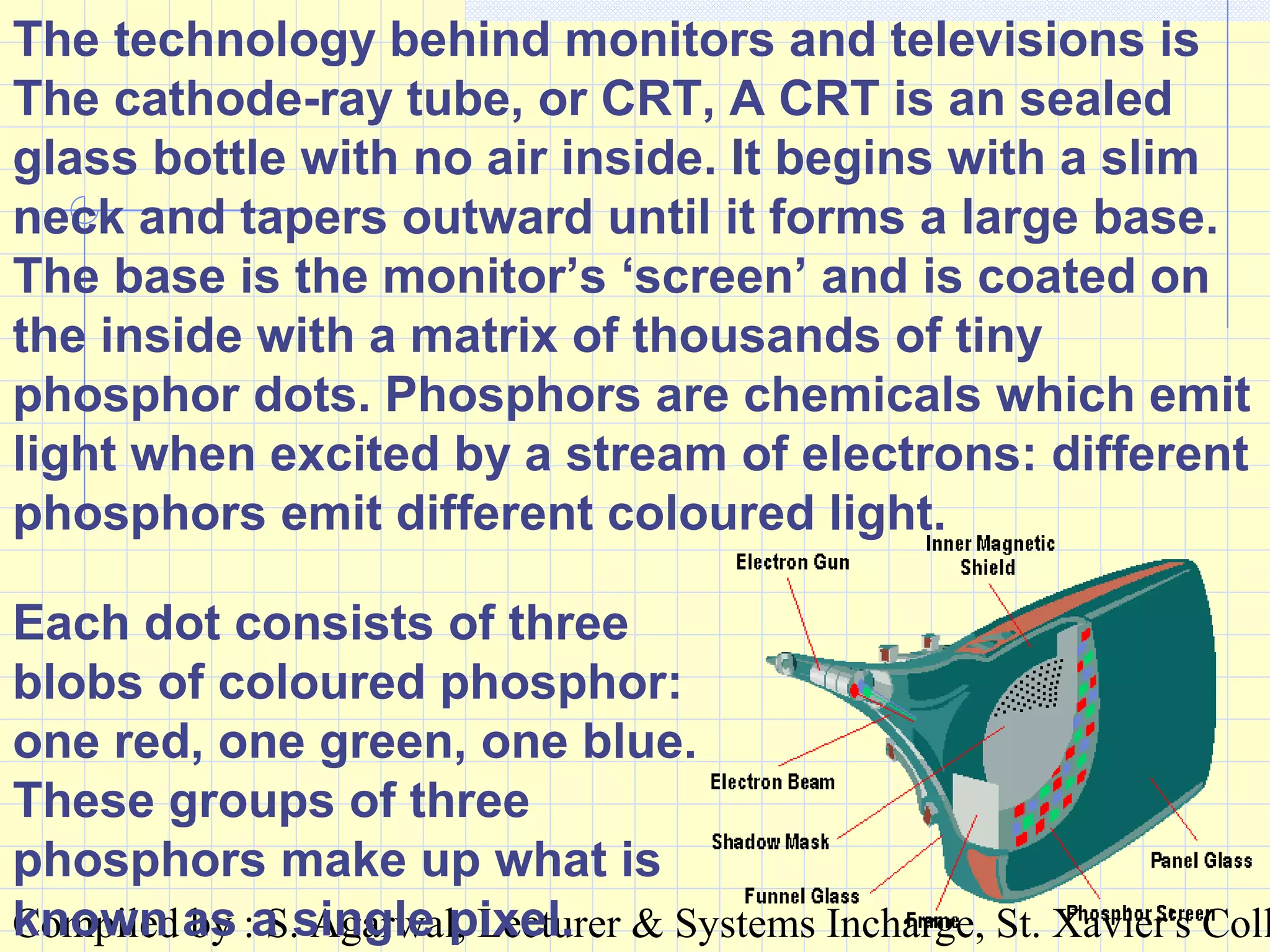
The technology behind monitors and televisions is
The cathode-ray tube, or CRT, A CRT is an sealed
glass bottle with no air inside. It begins with a slim
neck and tapers outward until it forms a large base.
The base is the monitor’s ‘screen’ and is coated on
the inside with a matrix of thousands of tiny
phosphor dots. Phosphors are chemicals which emit
light when excited by a stream of electrons: different
phosphors emit different coloured light.
Each dot consists of three
blobs of coloured phosphor:
one red, one green, one blue.
These groups of three
phosphors make up what is
known as a single pixel.
Compiled by : S. Agarwal, Lecturer & Systems Incharge, St. Xavier's Coll
PRINTERPRINTER : A printer produces: A printer produces
output on paper which can beoutput on paper which can be
permanently kept.permanently kept.
TYPES OF PRINTERS :TYPES OF PRINTERS :
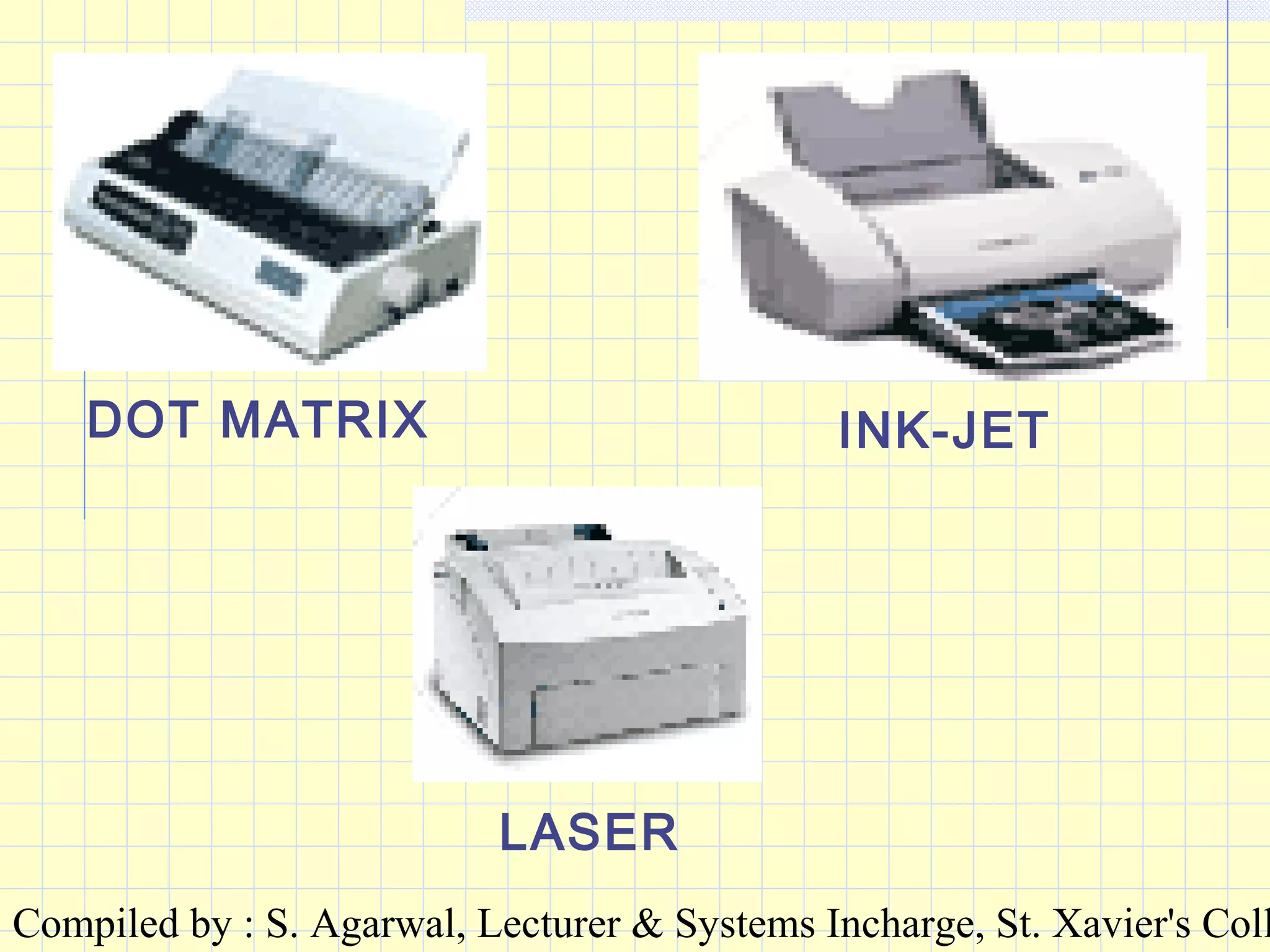
•DOT MATRIXDOT MATRIX
•INK JET PRINTERINK JET PRINTER
•LASER PRINTERLASER PRINTER
Compiled by : S. Agarwal, Lecturer & Systems Incharge, St. Xavier's Coll
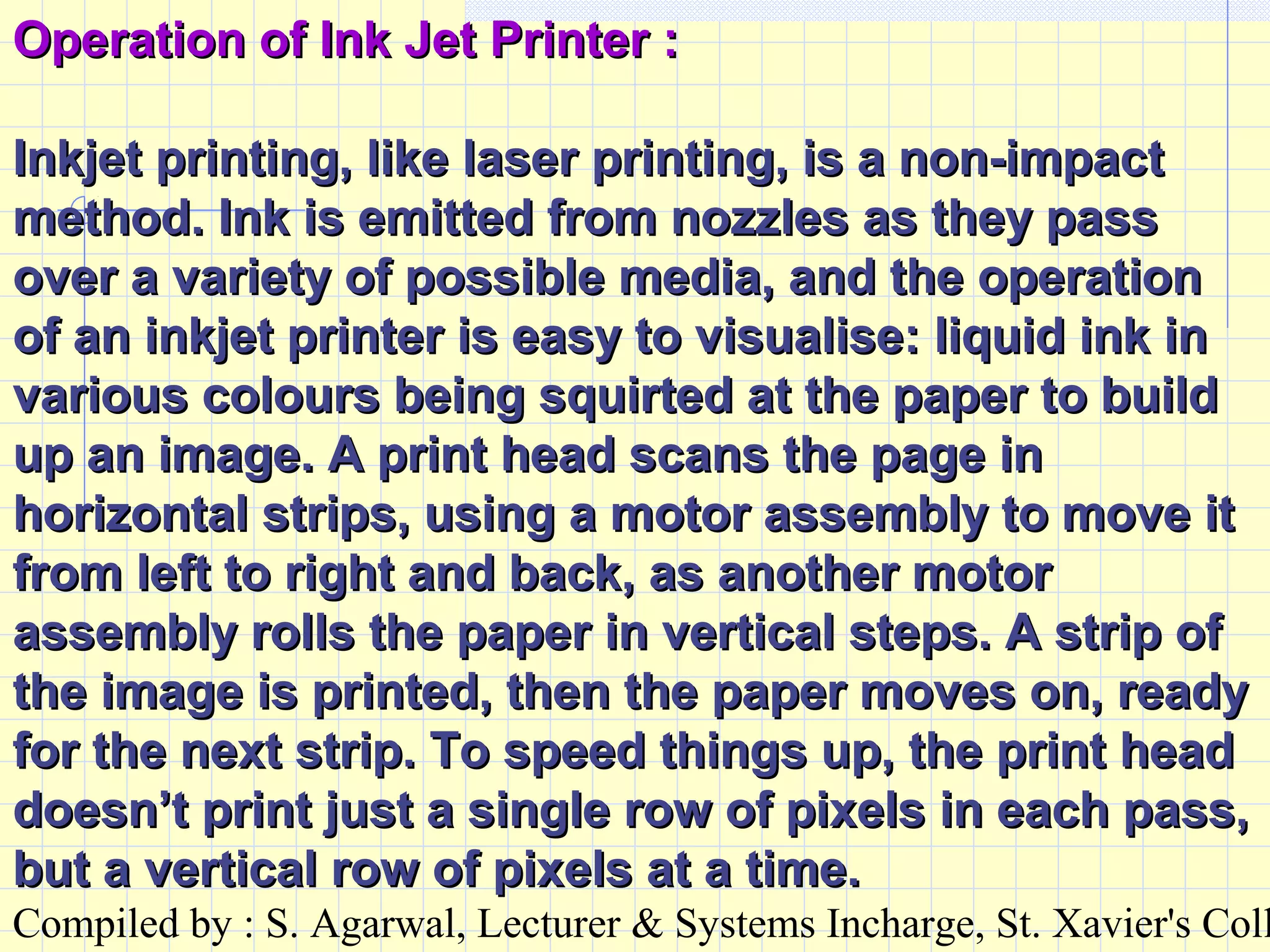
Operation of Ink Jet Printer :Operation of Ink Jet Printer :
Inkjet printing, like laser printing, is a non-impactInkjet printing, like laser printing, is a non-impact
method. Ink is emitted from nozzles as they passmethod. Ink is emitted from nozzles as they pass
over a variety of possible media, and the operationover a variety of possible media, and the operation
of an inkjet printer is easy to visualise: liquid ink inof an inkjet printer is easy to visualise: liquid ink in
various colours being squirted at the paper to buildvarious colours being squirted at the paper to build
up an image. A print head scans the page inup an image. A print head scans the page in
horizontal strips, using a motor assembly to move ithorizontal strips, using a motor assembly to move it
from left to right and back, as another motorfrom left to right and back, as another motor
assembly rolls the paper in vertical steps. A strip ofassembly rolls the paper in vertical steps. A strip of
the image is printed, then the paper moves on, readythe image is printed, then the paper moves on, ready
for the next strip. To speed things up, the print headfor the next strip. To speed things up, the print head
doesn’t print just a single row of pixels in each pass,doesn’t print just a single row of pixels in each pass,
but a vertical row of pixels at a time.but a vertical row of pixels at a time.
Compiled by : S. Agarwal, Lecturer & Systems Incharge, St. Xavier's Coll
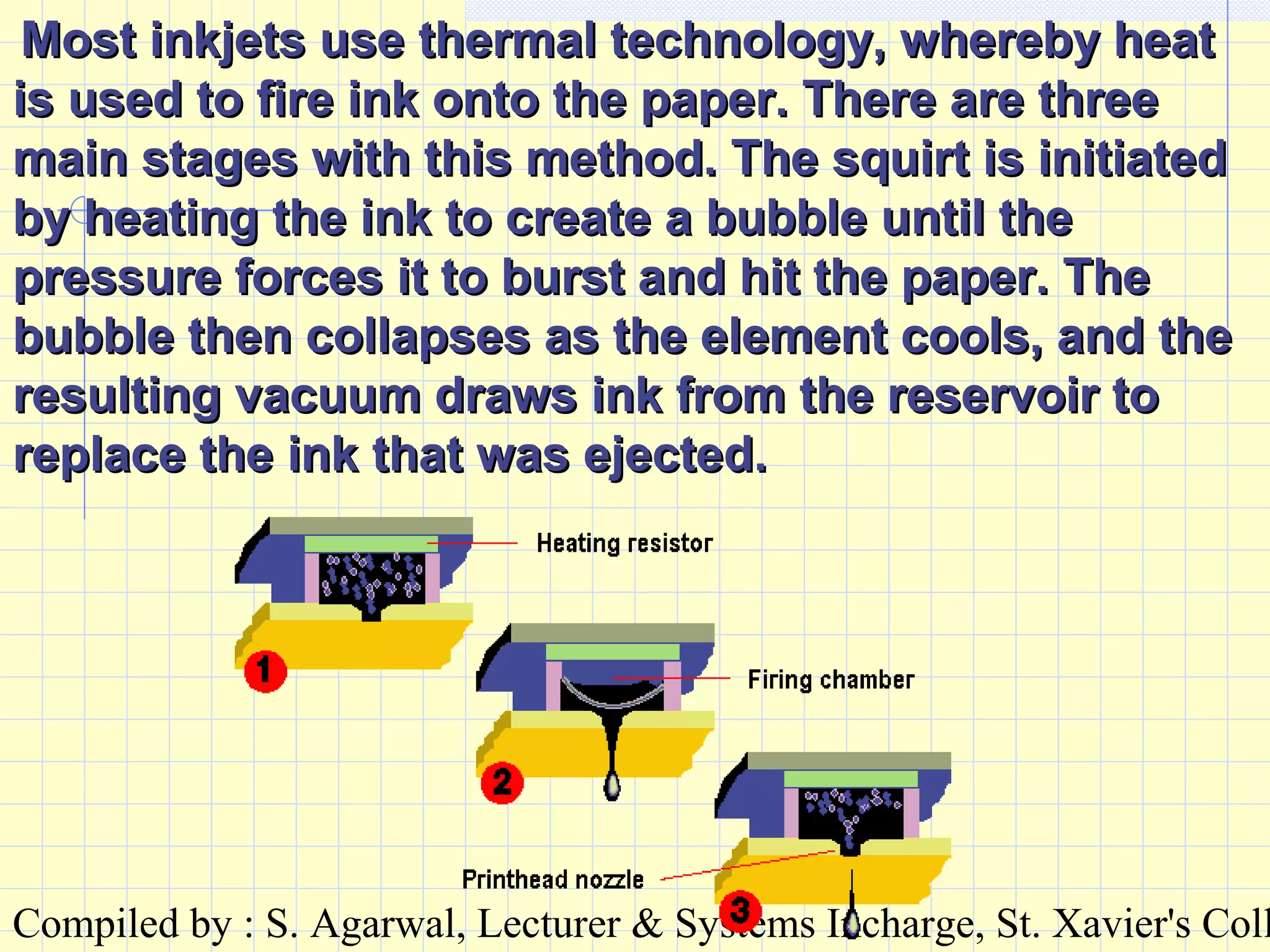
Most inkjets use thermal technology, whereby heatMost inkjets use thermal technology, whereby heat
is used to fire ink onto the paper. There are threeis used to fire ink onto the paper. There are three
main stages with this method. The squirt is initiatedmain stages with this method. The squirt is initiated
by heating the ink to create a bubble until theby heating the ink to create a bubble until the
pressure forces it to burst and hit the paper. Thepressure forces it to burst and hit the paper. The
bubble then collapses as the element cools, and thebubble then collapses as the element cools, and the
resulting vacuum draws ink from the reservoir toresulting vacuum draws ink from the reservoir to
replace the ink that was ejected.replace the ink that was ejected.
Compiled by : S. Agarwal, Lecturer & Systems Incharge, St. Xavier's Coll
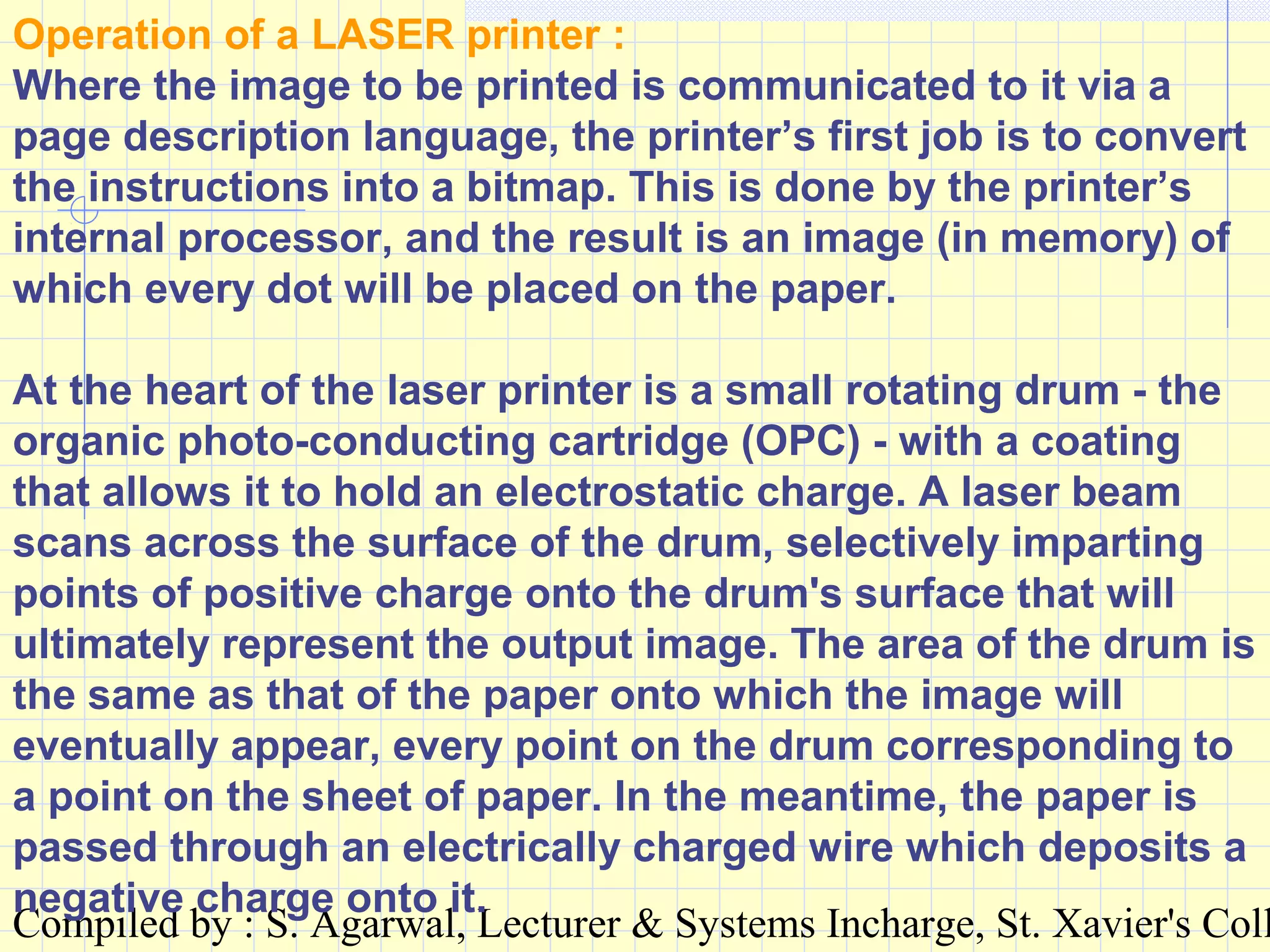
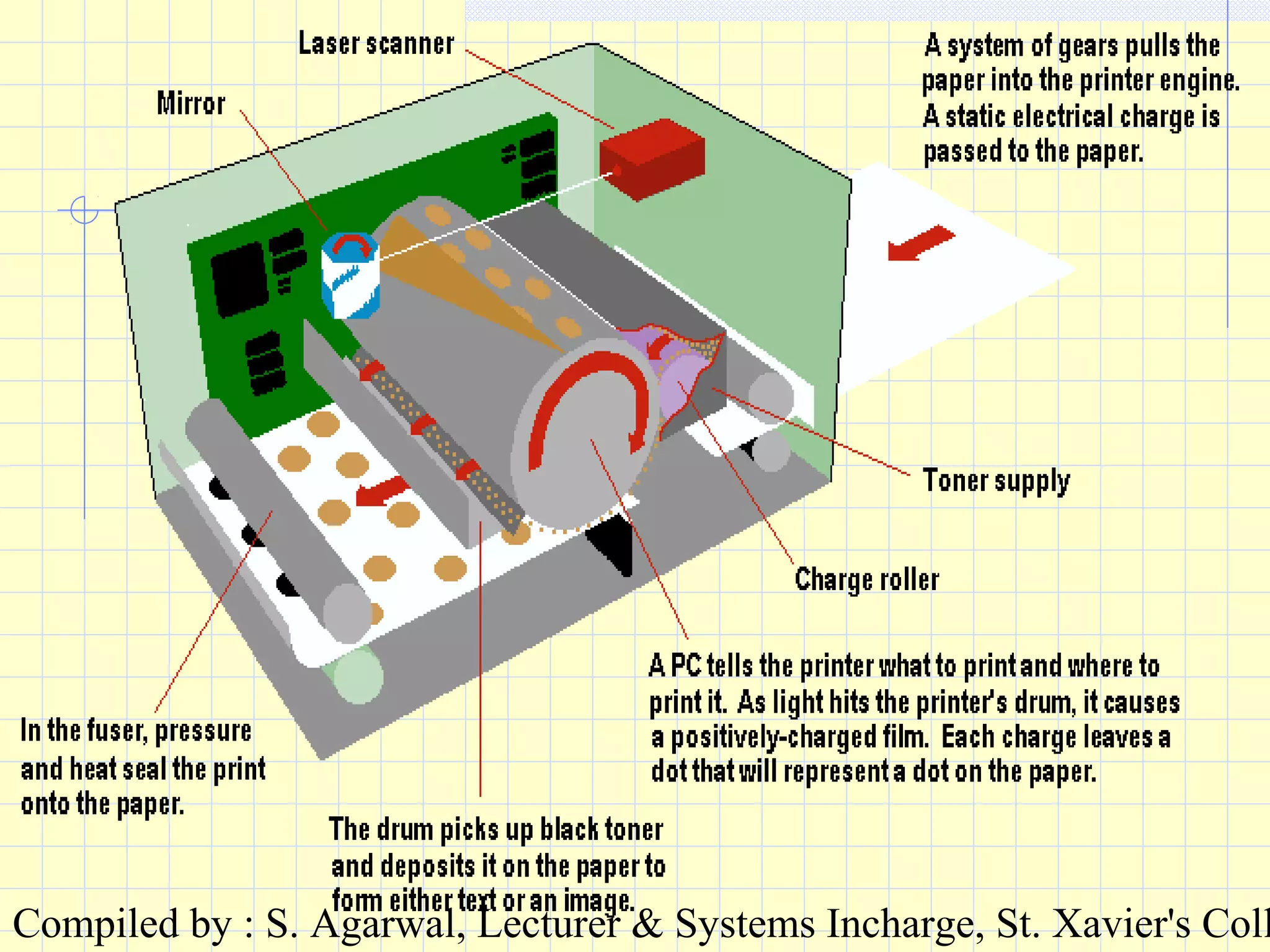
Operation of a LASER printer :
Where the image to be printed is communicated to it via a
page description language, the printer’s first job is to convert
the instructions into a bitmap. This is done by the printer’s
internal processor, and the result is an image (in memory) of
which every dot will be placed on the paper.
At the heart of the laser printer is a small rotating drum - the
organic photo-conducting cartridge (OPC) - with a coating
that allows it to hold an electrostatic charge. A laser beam
scans across the surface of the drum, selectively imparting
points of positive charge onto the drum's surface that will
ultimately represent the output image. The area of the drum is
the same as that of the paper onto which the image will
eventually appear, every point on the drum corresponding to
a point on the sheet of paper. In the meantime, the paper is
passed through an electrically charged wire which deposits a
negative charge onto it.
Compiled by : S. Agarwal, Lecturer & Systems Incharge, St. Xavier's Coll
DOT MATRIX INK-JET
LASER
Compiled by : S. Agarwal, Lecturer & Systems Incharge, St. Xavier's Coll
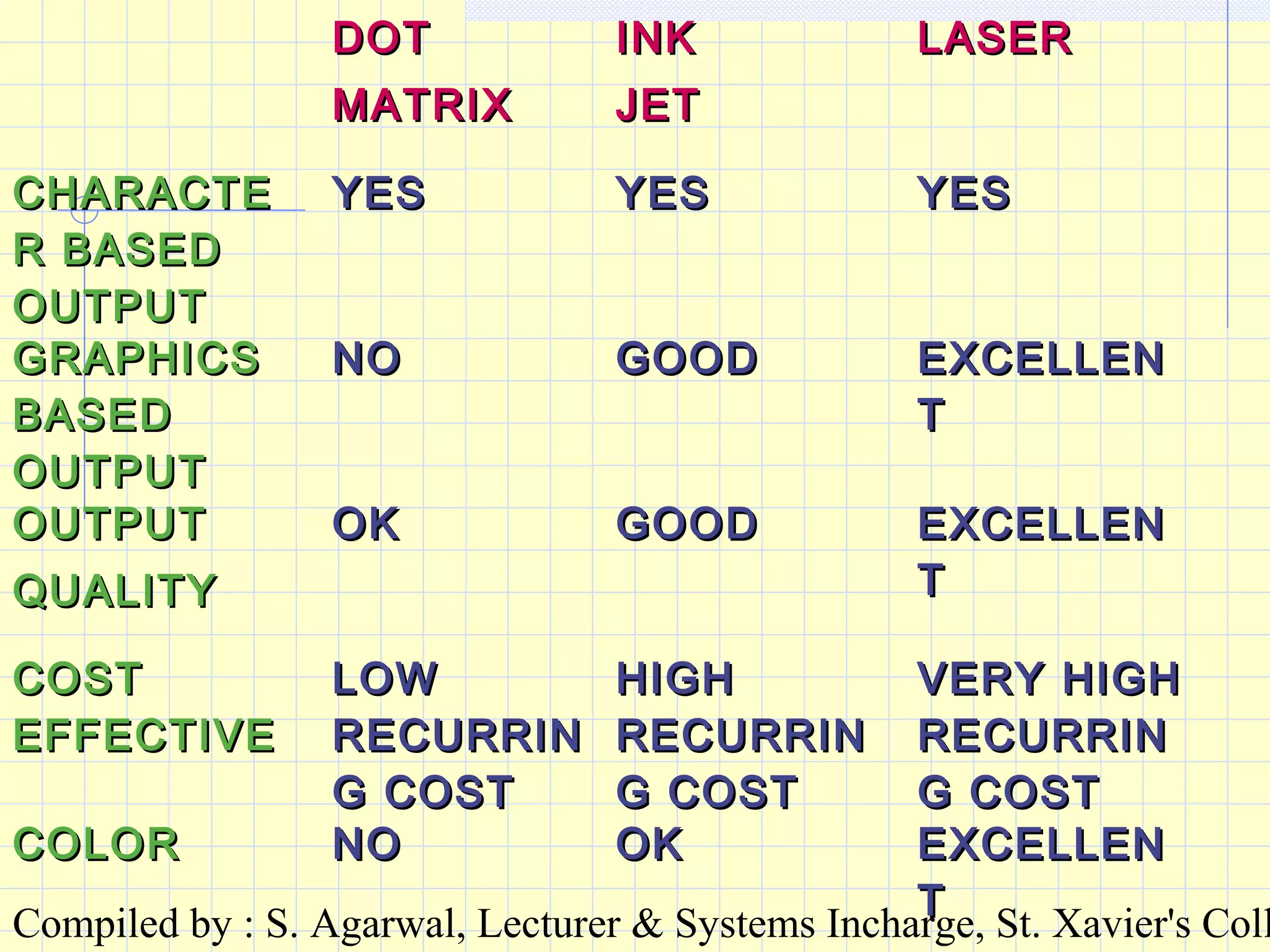
DOTDOT
MATRIXMATRIX
INKINK
JETJET
LASERLASER
CHARACTECHARACTE
R BASEDR BASED
OUTPUTOUTPUT
YESYES YESYES YESYES
GRAPHICSGRAPHICS
BASEDBASED
OUTPUTOUTPUT
NONO GOODGOOD EXCELLENEXCELLEN
TT
OUTPUTOUTPUT
QUALITYQUALITY
OKOK GOODGOOD EXCELLENEXCELLEN
TT
COSTCOST
EFFECTIVEEFFECTIVE
LOWLOW
RECURRINRECURRIN
G COSTG COST
HIGHHIGH
RECURRINRECURRIN
G COSTG COST
VERY HIGHVERY HIGH
RECURRINRECURRIN
G COSTG COST
COLORCOLOR NONO OKOK EXCELLENEXCELLEN
TT
Compiled by : S. Agarwal, Lecturer & Systems Incharge, St. Xavier's Coll
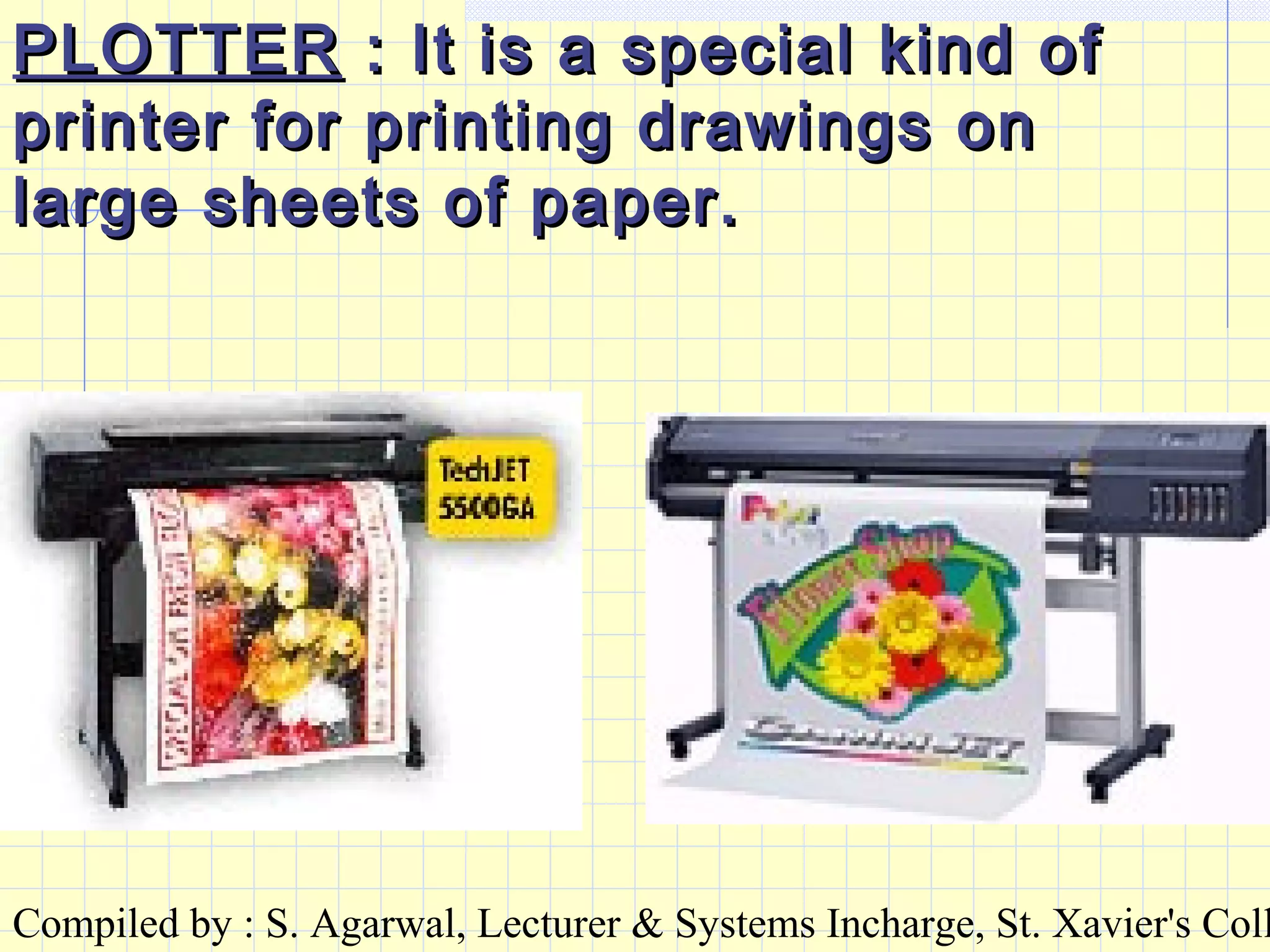
PLOTTERPLOTTER : It is a special kind of: It is a special kind of
printer for printing drawings onprinter for printing drawings on
large sheets of paper.large sheets of paper.
Compiled by : S. Agarwal, Lecturer & Systems Incharge, St. Xavier's Coll
STORAGE DEVICESSTORAGE DEVICES
HARD DISK :HARD DISK : It a device fixed to aIt a device fixed to a
computer and can store largecomputer and can store large
volumes of information. It usesvolumes of information. It uses
magnetic media and electromagnetic media and electro
magnetic theory to read and storemagnetic theory to read and store
information.information.
The standard capacity : 10 – 20The standard capacity : 10 – 20
GBGB
Compiled by : S. Agarwal, Lecturer & Systems Incharge, St. Xavier's Coll
FLOPPY DISK :FLOPPY DISK : It is a cassette likeIt is a cassette like
device to store information. It isdevice to store information. It is
external to a computer and can be putexternal to a computer and can be put
into a floppy disk drive (FDD) attachedinto a floppy disk drive (FDD) attached
to a computer for reading and writingto a computer for reading and writing
information. It also uses electroinformation. It also uses electro
magnetic theory.magnetic theory.
Since it is not fixed to a computer,Since it is not fixed to a computer,
information can be copied from theinformation can be copied from the
hard disk of a computer to a floppy andhard disk of a computer to a floppy and
can be used in another computer.can be used in another computer.
Standard capacity : 1.44 MBStandard capacity : 1.44 MB
Compiled by : S. Agarwal, Lecturer & Systems Incharge, St. Xavier's Coll
CD :CD : It stands for COMPACT DISK. ItIt stands for COMPACT DISK. It
is the same as any other music oris the same as any other music or
video CD. It is also external to avideo CD. It is also external to a
computer and can be put into a CDcomputer and can be put into a CD
drive attached to a computer fordrive attached to a computer for
reading information. It uses OPTICALreading information. It uses OPTICAL
technology to read information.technology to read information.
Information once written into a CD canInformation once written into a CD can
not be erased or changed. Hence it isnot be erased or changed. Hence it is
called a ROM (Read Only Memory).called a ROM (Read Only Memory).
Standard capacity : 650 MBStandard capacity : 650 MB
Compiled by : S. Agarwal, Lecturer & Systems Incharge, St. Xavier's Coll
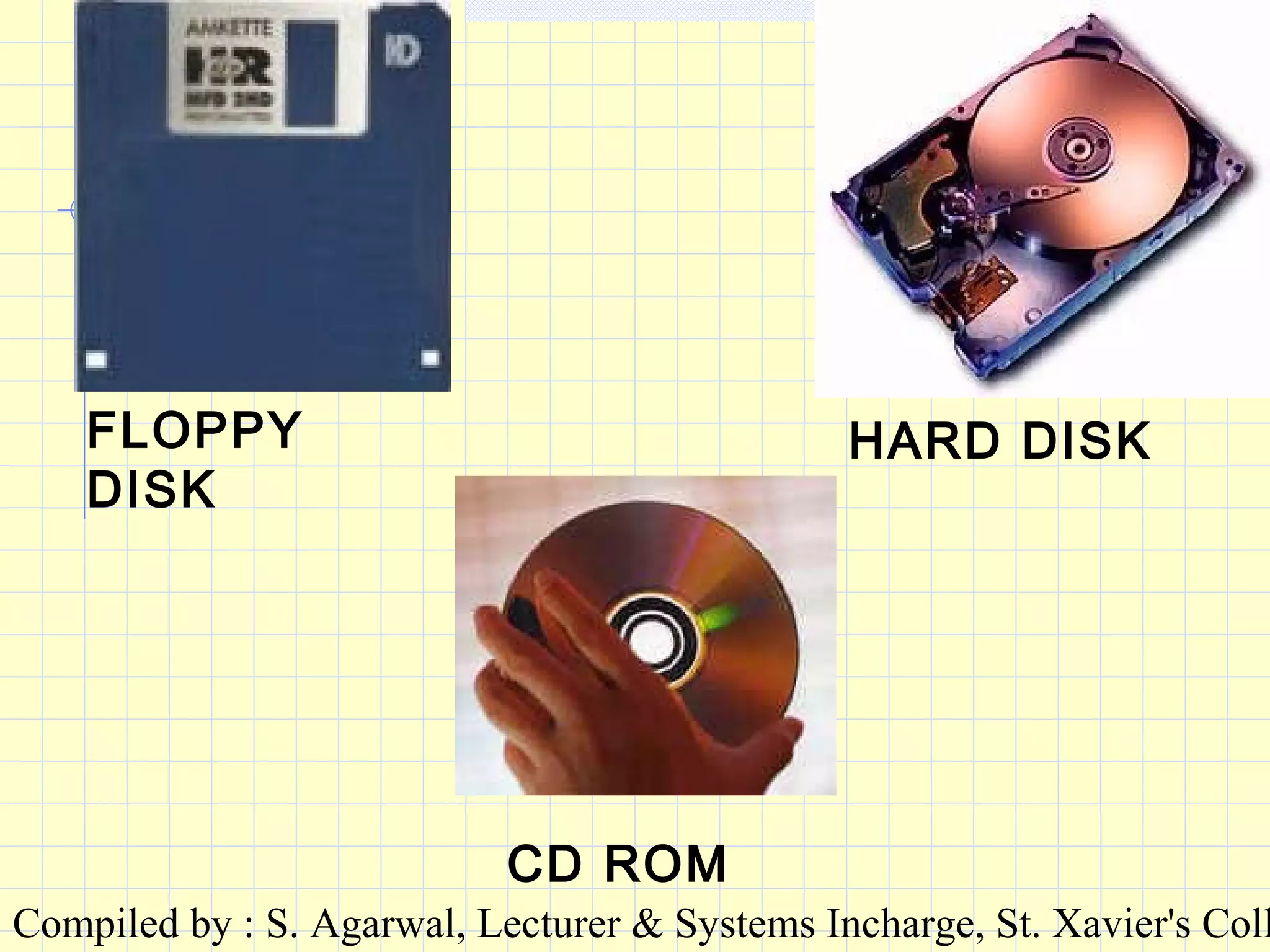
FLOPPY
DISK
HARD DISK
CD ROM
Compiled by : S. Agarwal, Lecturer & Systems Incharge, St. Xavier's Coll
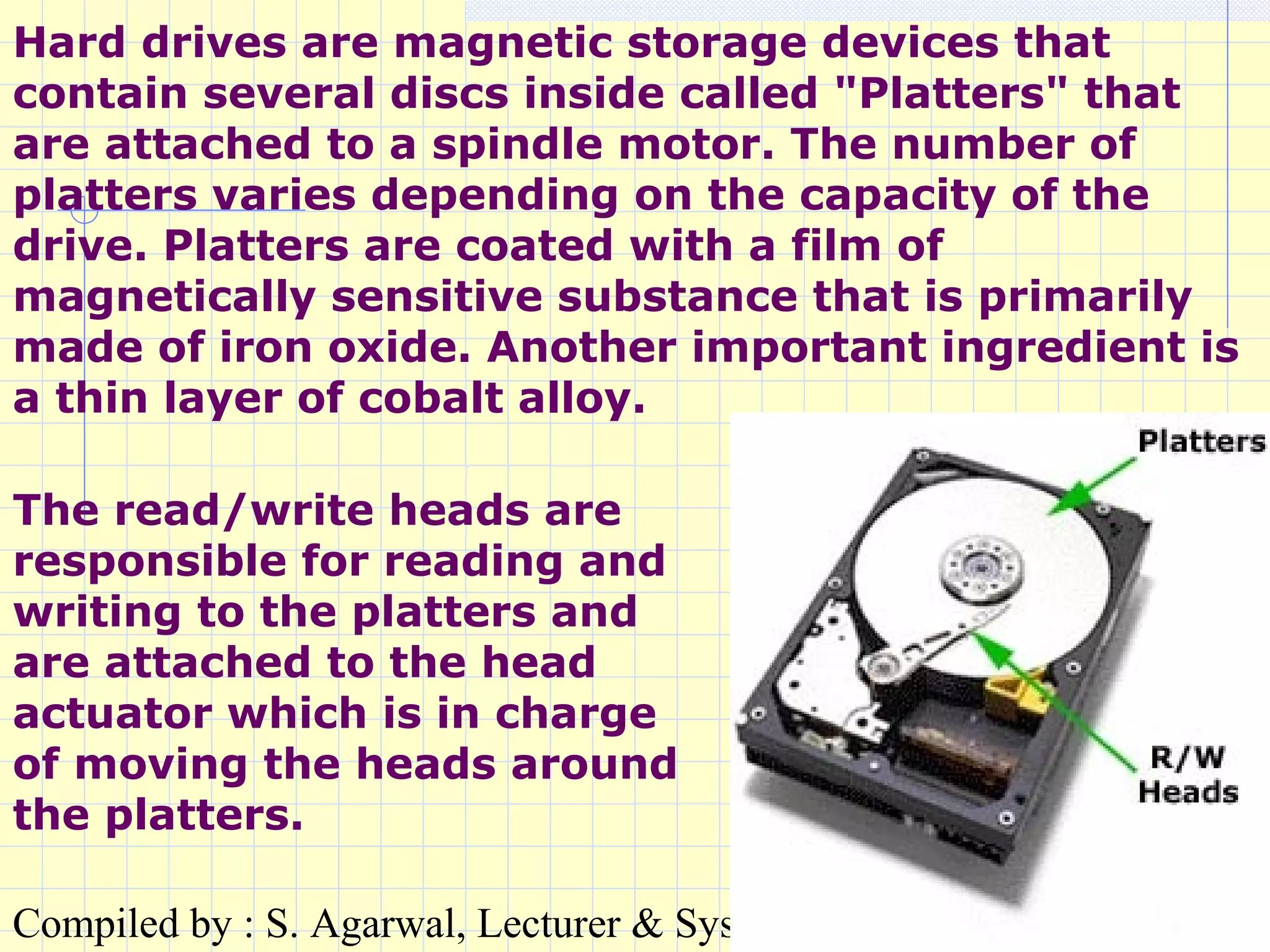
Hard drives are magnetic storage devices that
contain several discs inside called "Platters" that
are attached to a spindle motor. The number of
platters varies depending on the capacity of the
drive. Platters are coated with a film of
magnetically sensitive substance that is primarily
made of iron oxide. Another important ingredient is
a thin layer of cobalt alloy.
The read/write heads are
responsible for reading and
writing to the platters and
are attached to the head
actuator which is in charge
of moving the heads around
the platters.
Compiled by : S. Agarwal, Lecturer & Systems Incharge, St. Xavier's Coll
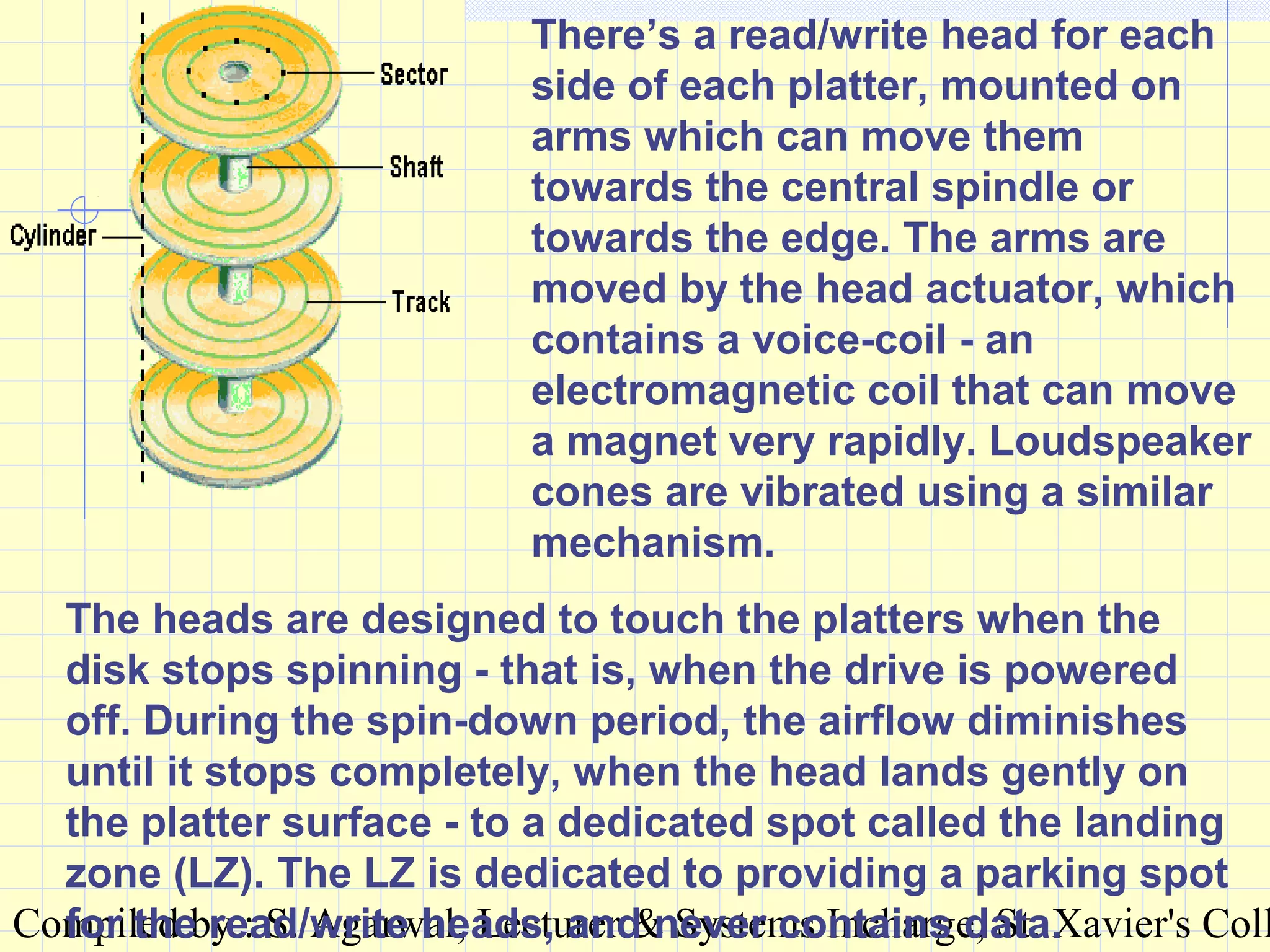
There’s a read/write head for each
side of each platter, mounted on
arms which can move them
towards the central spindle or
towards the edge. The arms are
moved by the head actuator, which
contains a voice-coil - an
electromagnetic coil that can move
a magnet very rapidly. Loudspeaker
cones are vibrated using a similar
mechanism.
The heads are designed to touch the platters when the
disk stops spinning - that is, when the drive is powered
off. During the spin-down period, the airflow diminishes
until it stops completely, when the head lands gently on
the platter surface - to a dedicated spot called the landing
zone (LZ). The LZ is dedicated to providing a parking spot
for the read/write heads, and never contains data.
Compiled by : S. Agarwal, Lecturer & Systems Incharge, St. Xavier's Coll
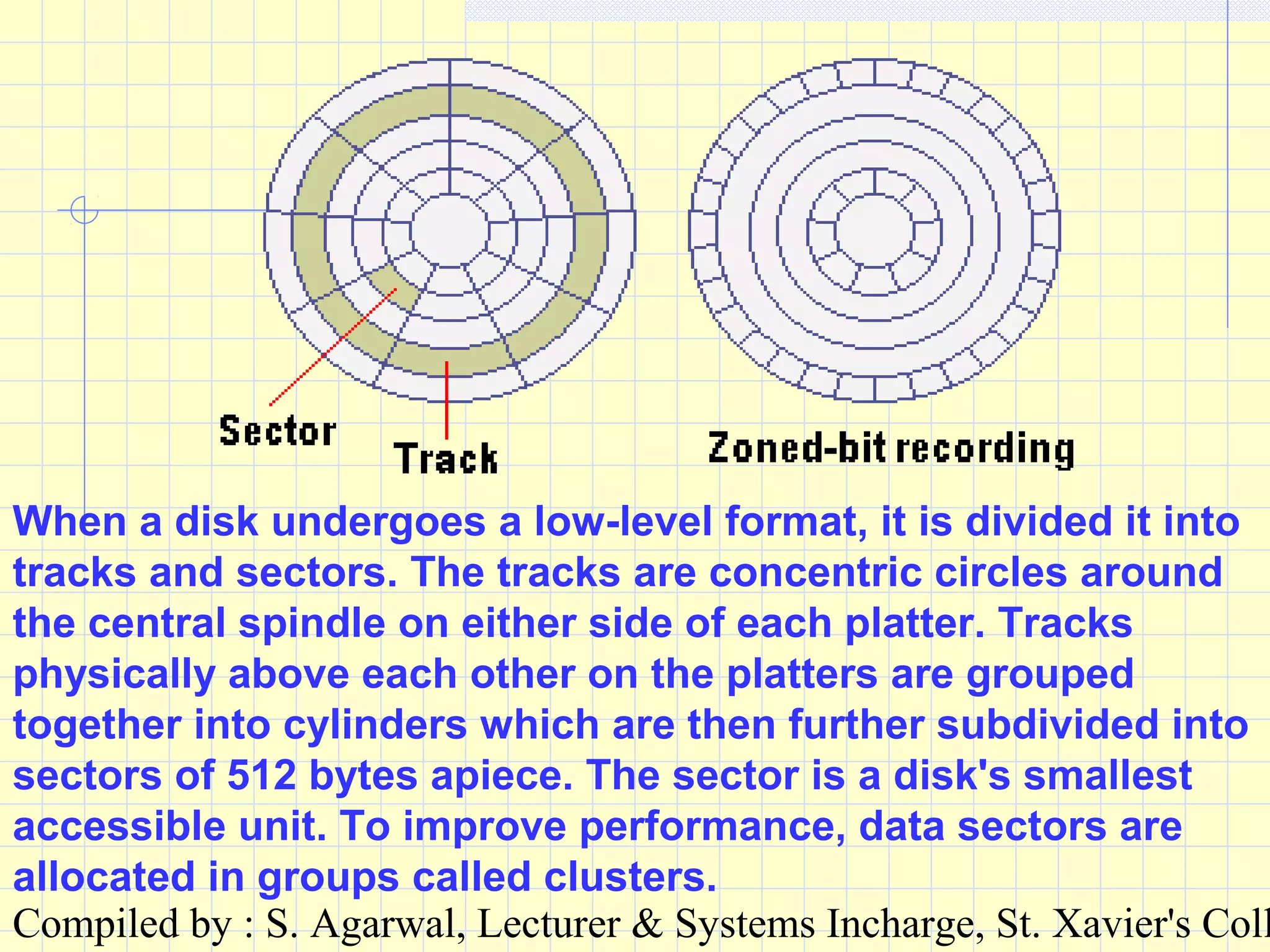
When a disk undergoes a low-level format, it is divided it into
tracks and sectors. The tracks are concentric circles around
the central spindle on either side of each platter. Tracks
physically above each other on the platters are grouped
together into cylinders which are then further subdivided into
sectors of 512 bytes apiece. The sector is a disk's smallest
accessible unit. To improve performance, data sectors are
allocated in groups called clusters.
Compiled by : S. Agarwal, Lecturer & Systems Incharge, St. Xavier's Coll
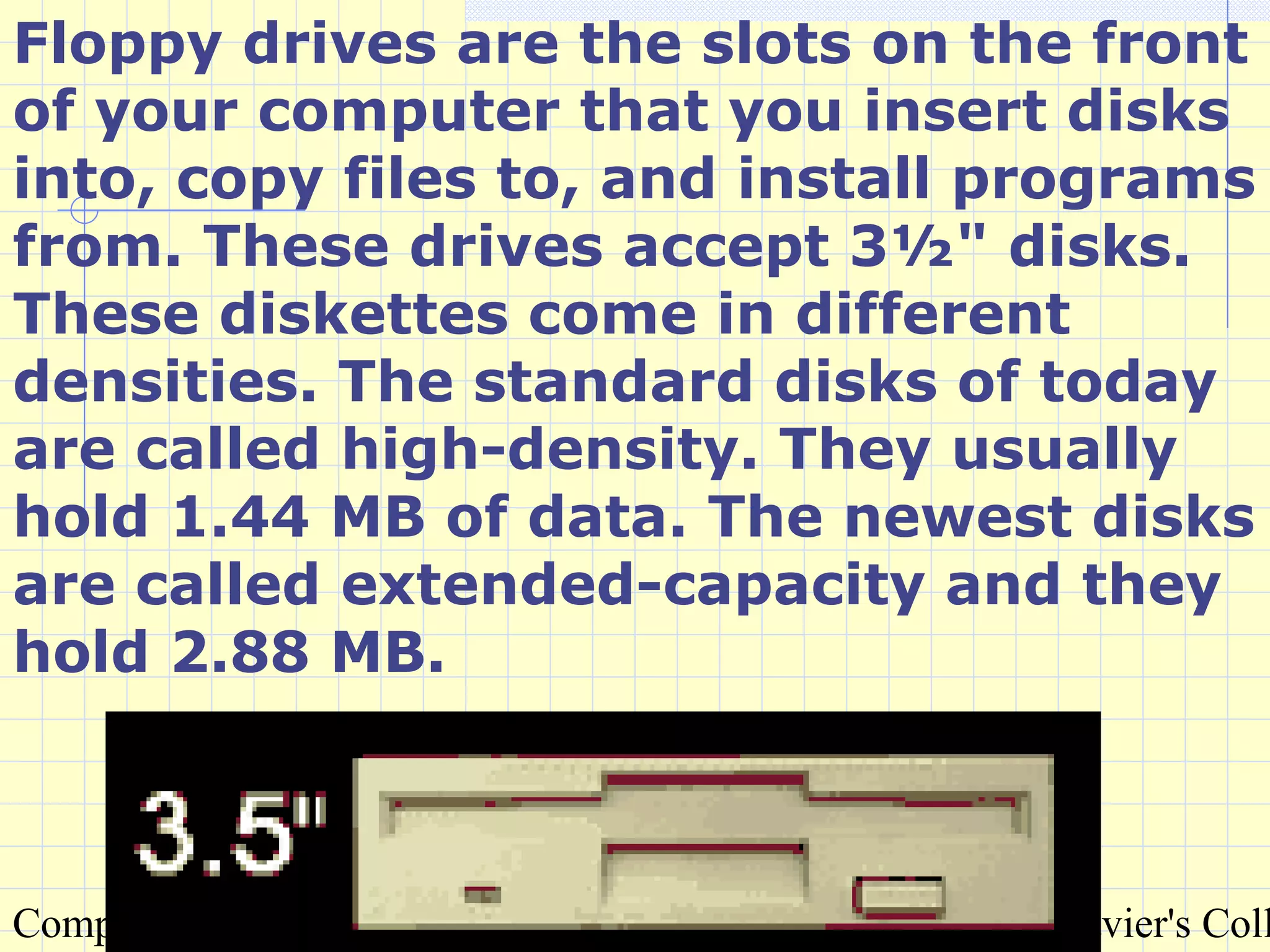
Floppy drives are the slots on the front
of your computer that you insert disks
into, copy files to, and install programs
from. These drives accept 3½" disks.
These diskettes come in different
densities. The standard disks of today
are called high-density. They usually
hold 1.44 MB of data. The newest disks
are called extended-capacity and they
hold 2.88 MB.
Compiled by : S. Agarwal, Lecturer & Systems Incharge, St. Xavier's Coll
Floppy disks are also a form of
magnetic storage that function
similarly to hard drives. There is a
spring loaded metal cover that is
moved aside during operation that
exposes a mylar disk that is coated
with a ferro-magnetic substance.
The drive's read/write heads access
the disk as it turns on a spindle.
Compiled by : S. Agarwal, Lecturer & Systems Incharge, St. Xavier's Coll
The Compact Disc itself is a thinThe Compact Disc itself is a thin
plastic disk some 12 cm. in diameter.plastic disk some 12 cm. in diameter.
Information is encoded in a plastic-Information is encoded in a plastic-
encased spiral track contained onencased spiral track contained on
the top of the disk.the top of the disk.
The spiral track is read optically by aThe spiral track is read optically by a
noncontact head which scansnoncontact head which scans
approximately radially as the diskapproximately radially as the disk
spins just above it.spins just above it.
Compiled by : S. Agarwal, Lecturer & Systems Incharge, St. Xavier's Coll
MEMORYMEMORY : There are two types of: There are two types of
memory : RAM & ROM.memory : RAM & ROM.
RAMRAM : Random Access Memory. It: Random Access Memory. It
is the main memory of theis the main memory of the
computer. It is volatile memorycomputer. It is volatile memory
and the information gets erasedand the information gets erased
whenever the power supply iswhenever the power supply is
switched off.switched off.
Compiled by : S. Agarwal, Lecturer & Systems Incharge, St. Xavier's Coll
There are different types of RAM:
Static RAM (SRAM)Static RAM (SRAM) This RAM will maintain its
data as long as power is provided to the memory
chips. It does not need to be rewritten periodically.
SRAM is very fast but much more expensive than
DRAM. SRAM is often used as cache memory due to
its speed. (CACHE memory is the memory used
directly by the CPU).
Dynamic RAM (DRAM)Dynamic RAM (DRAM) DRAM, unlike SRAM,
must be continually rewritten in order for it to
maintain its data. This is done by placing the
memory on a refresh circuit that rewrites the data
several hundred times per second. DRAM is used for
most system memory because it is cheap and small.
Compiled by : S. Agarwal, Lecturer & Systems Incharge, St. Xavier's Coll
ROMROM : Read Only Memory: Read Only Memory
Information is burnt into the ROMInformation is burnt into the ROM
chip at the time of manufacturing.chip at the time of manufacturing.
It can not be erased or altered andIt can not be erased or altered and
fresh information can not befresh information can not be
written into the ROM. The BIOS iswritten into the ROM. The BIOS is
stored on ROM because the userstored on ROM because the user
cannot disrupt the information.cannot disrupt the information.
BIOS : Basic Input Output System.
It contains some instructionsIt contains some instructions
required internally by therequired internally by the
computer.computer.
Compiled by : S. Agarwal, Lecturer & Systems Incharge, St. Xavier's Coll
There are different types of ROM.
Programmable ROM (PROM)Programmable ROM (PROM) This is basically a blank
ROM chip that can be written to once. It is much like a CD-R
drive that burns the data into the CD. Some companies use
special machinery to write PROMs for special purposes.
Erasable Programmable ROM (EPROM)Erasable Programmable ROM (EPROM) This is just like
PROM except that you can erase the ROM by shining a special
ultra-violet light into a sensor atop the ROM chip for a certain
amount of time. Doing this wipes the data out, allowing it to
be rewritten.
Electrically Erasable Programmable ROM (EEPROM)Electrically Erasable Programmable ROM (EEPROM)
(Also called Flash BIOS) This ROM can be rewritten through
the use of a special software program. Flash BIOS also
operates this way, allowing users to upgrade their BIOS.
ROM is slower than RAM, which is why some try to shadow it
to increase speed.
Compiled by : S. Agarwal, Lecturer & Systems Incharge, St. Xavier's Coll
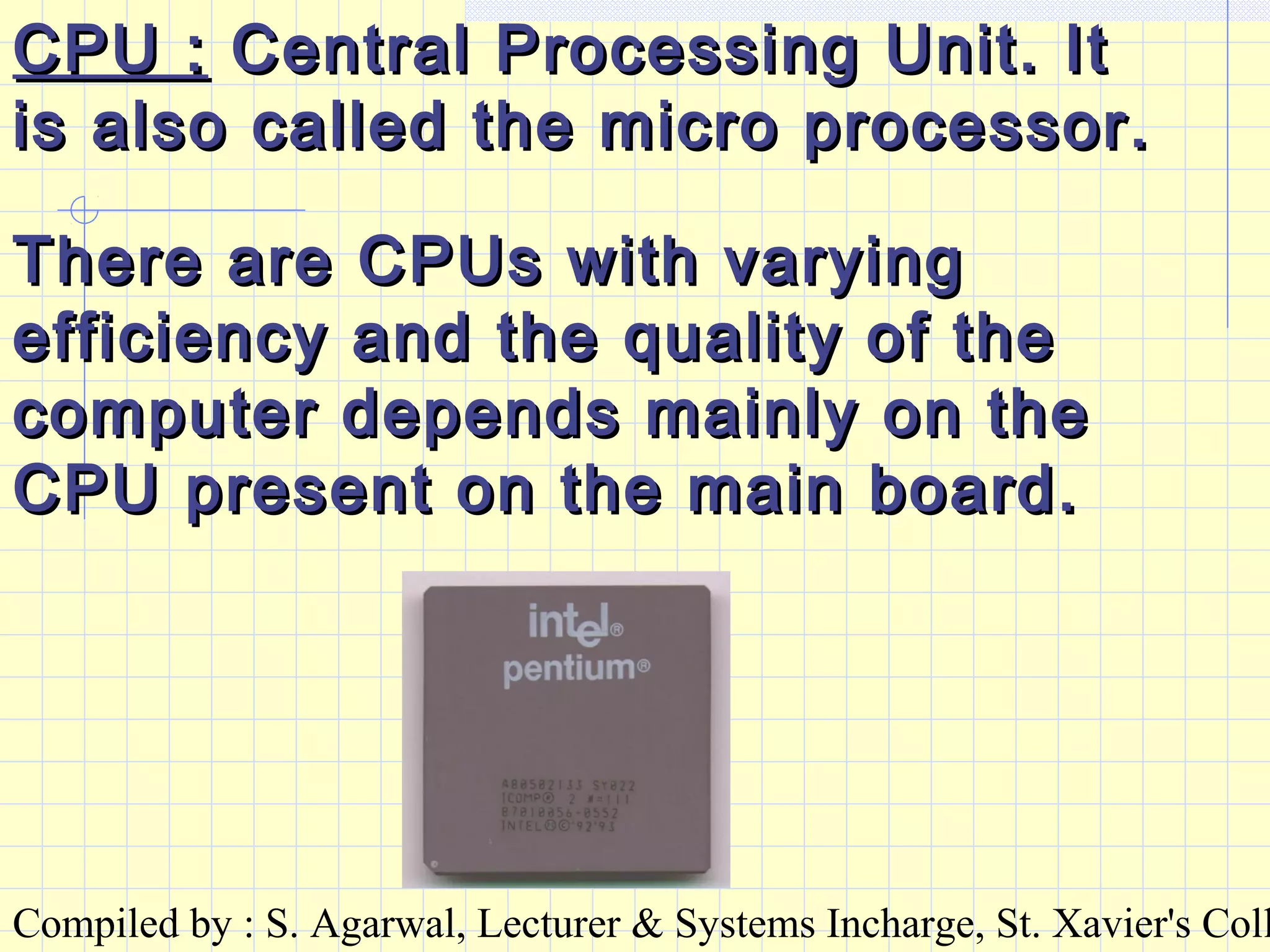
CPU :CPU : Central Processing Unit. ItCentral Processing Unit. It
is also called the micro processor.is also called the micro processor.
There are CPUs with varyingThere are CPUs with varying
efficiency and the quality of theefficiency and the quality of the
computer depends mainly on thecomputer depends mainly on the
CPU present on the main board.CPU present on the main board.
Compiled by : S. Agarwal, Lecturer & Systems Incharge, St. Xavier's Coll
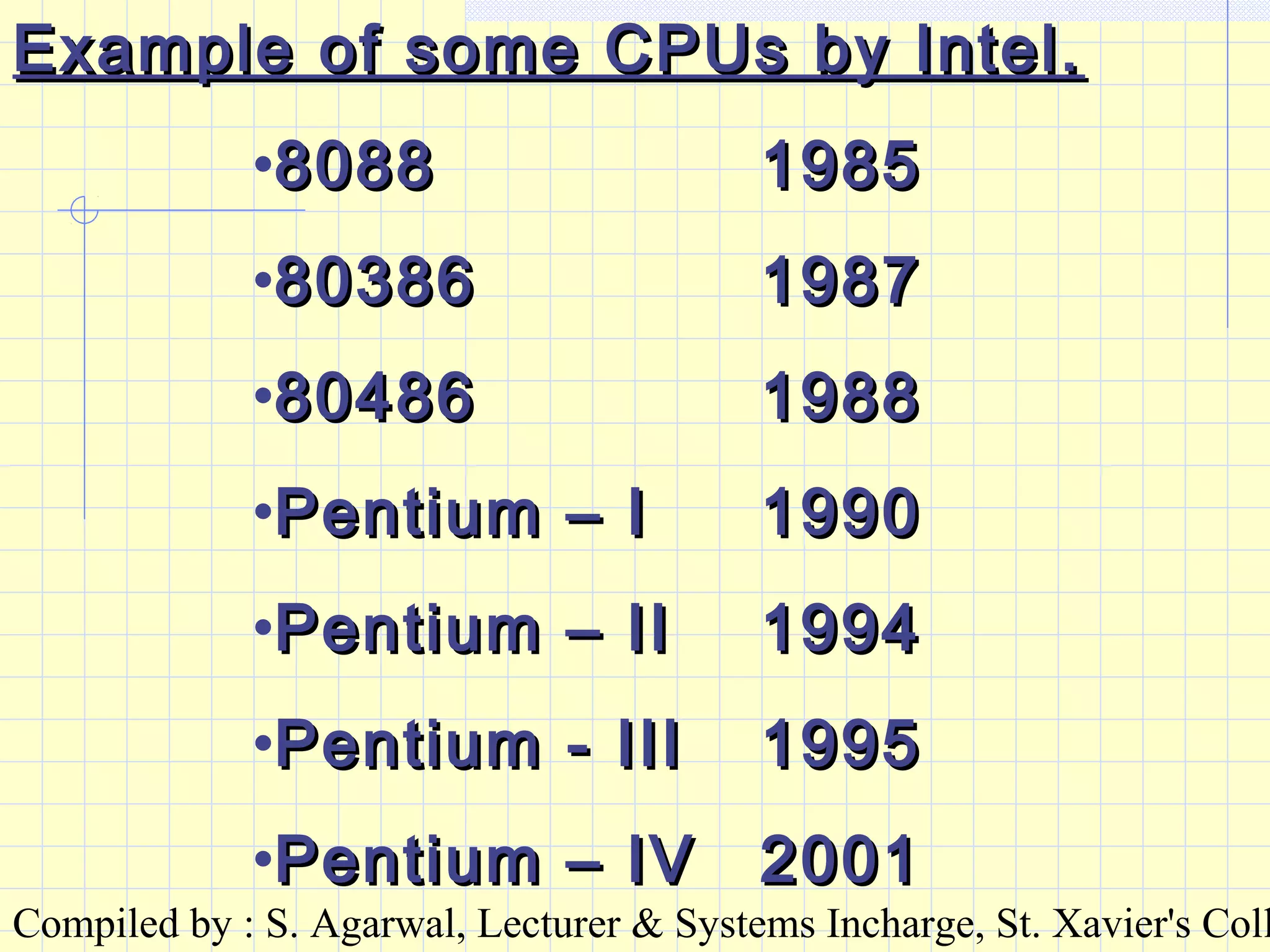
Example of some CPUs by Intel.Example of some CPUs by Intel.
•80888088 19851985
•8038680386 19871987
•8048680486 19881988
•Pentium – IPentium – I 19901990
•Pentium – IIPentium – II 19941994
•Pentium - IIIPentium - III 19951995
•Pentium – IVPentium – IV 20012001
Compiled by : S. Agarwal, Lecturer & Systems Incharge, St. Xavier's Coll
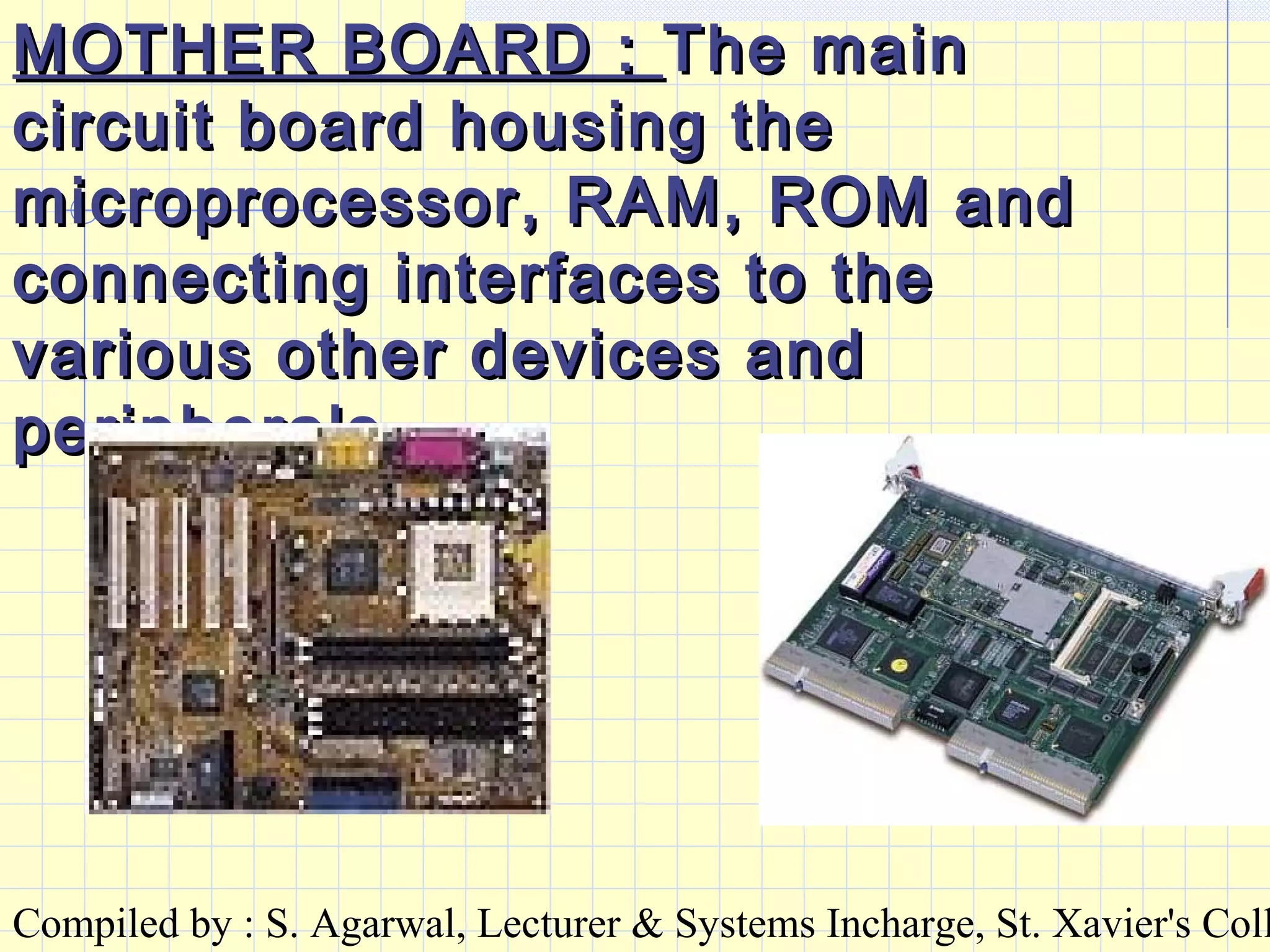
MOTHER BOARD :MOTHER BOARD : The mainThe main
circuit board housing thecircuit board housing the
microprocessor, RAM, ROM andmicroprocessor, RAM, ROM and
connecting interfaces to theconnecting interfaces to the
various other devices andvarious other devices and
peripherals.peripherals.
Compiled by : S. Agarwal, Lecturer & Systems Incharge, St. Xavier's Coll
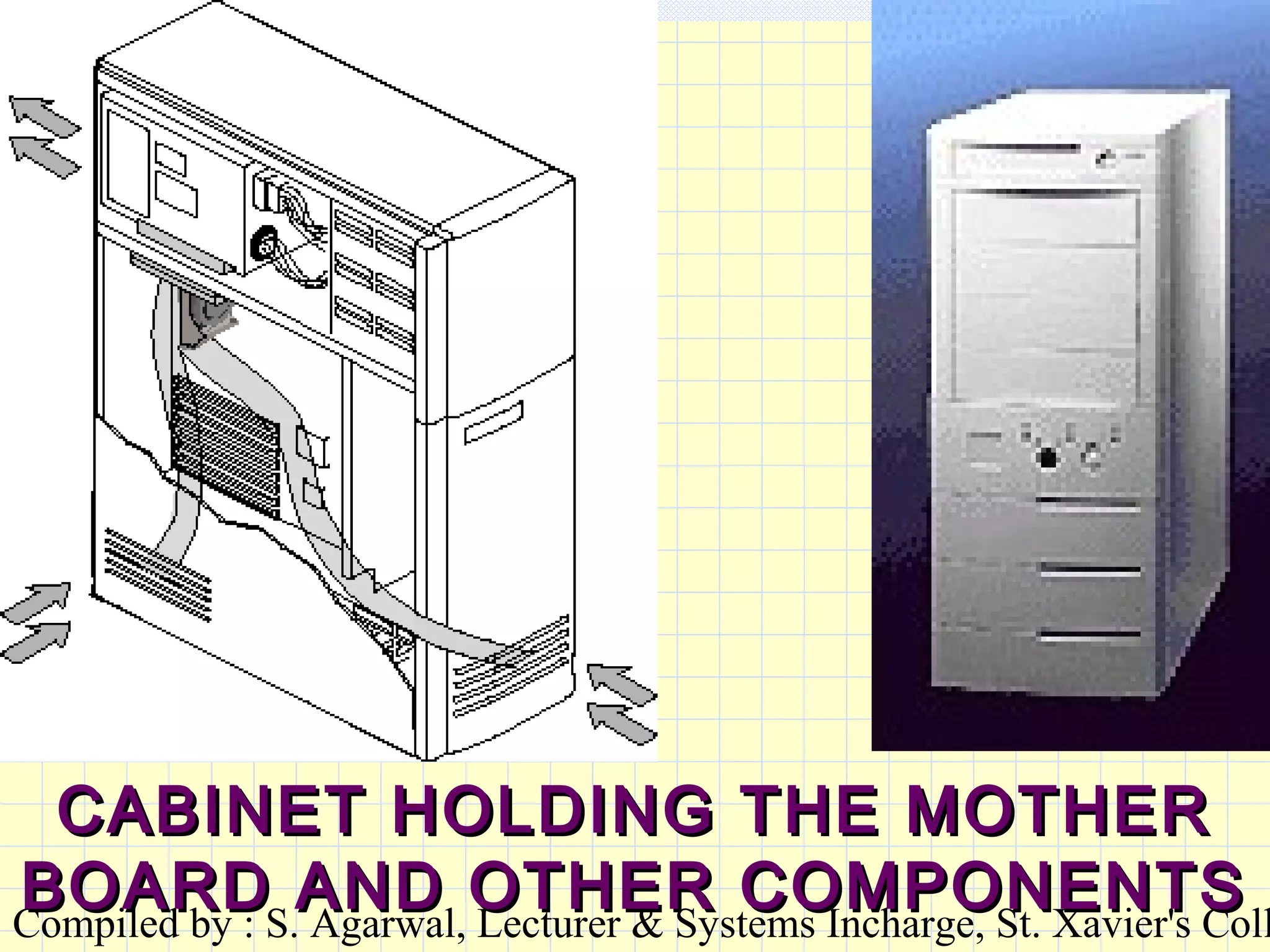
CABINET HOLDING THE MOTHERCABINET HOLDING THE MOTHER
BOARD AND OTHER COMPONENTSBOARD AND OTHER COMPONENTS
Compiled by : S. Agarwal, Lecturer & Systems Incharge, St. Xavier's Coll
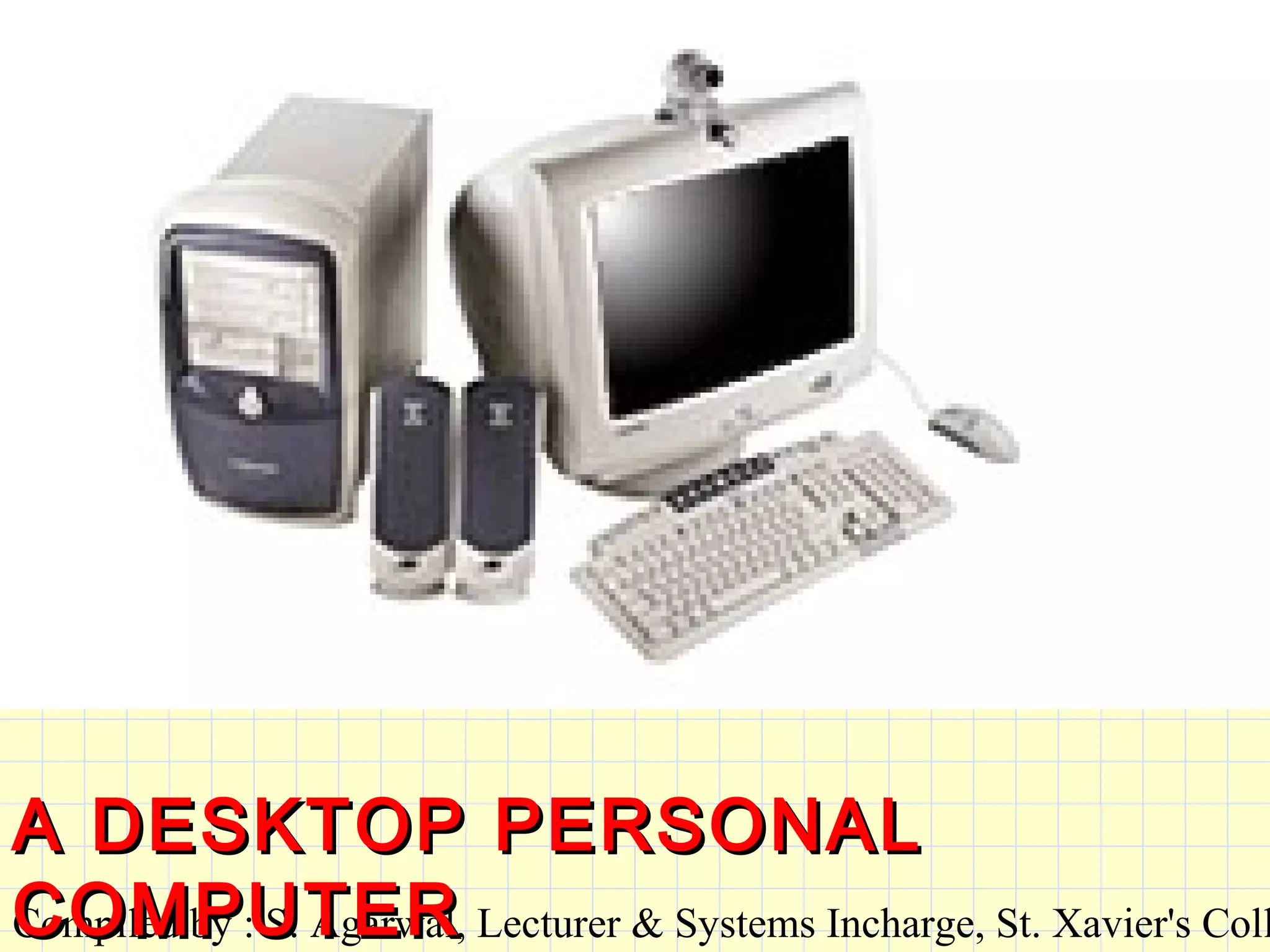
A DESKTOP PERSONALA DESKTOP PERSONAL
COMPUTERCOMPUTER
Compiled by : S. Agarwal, Lecturer & Systems Incharge, St. Xavier's Coll
SOFTWARE :SOFTWARE :
A set of programs that utilises theA set of programs that utilises the
hardware and uses its’ capabilitieshardware and uses its’ capabilities
to perform various tasks.to perform various tasks.
ProgramProgram : A program is a set of: A program is a set of
instructions stored in the computerinstructions stored in the computer
to solve specific problems.to solve specific problems.
Compiled by : S. Agarwal, Lecturer & Systems Incharge, St. Xavier's Coll
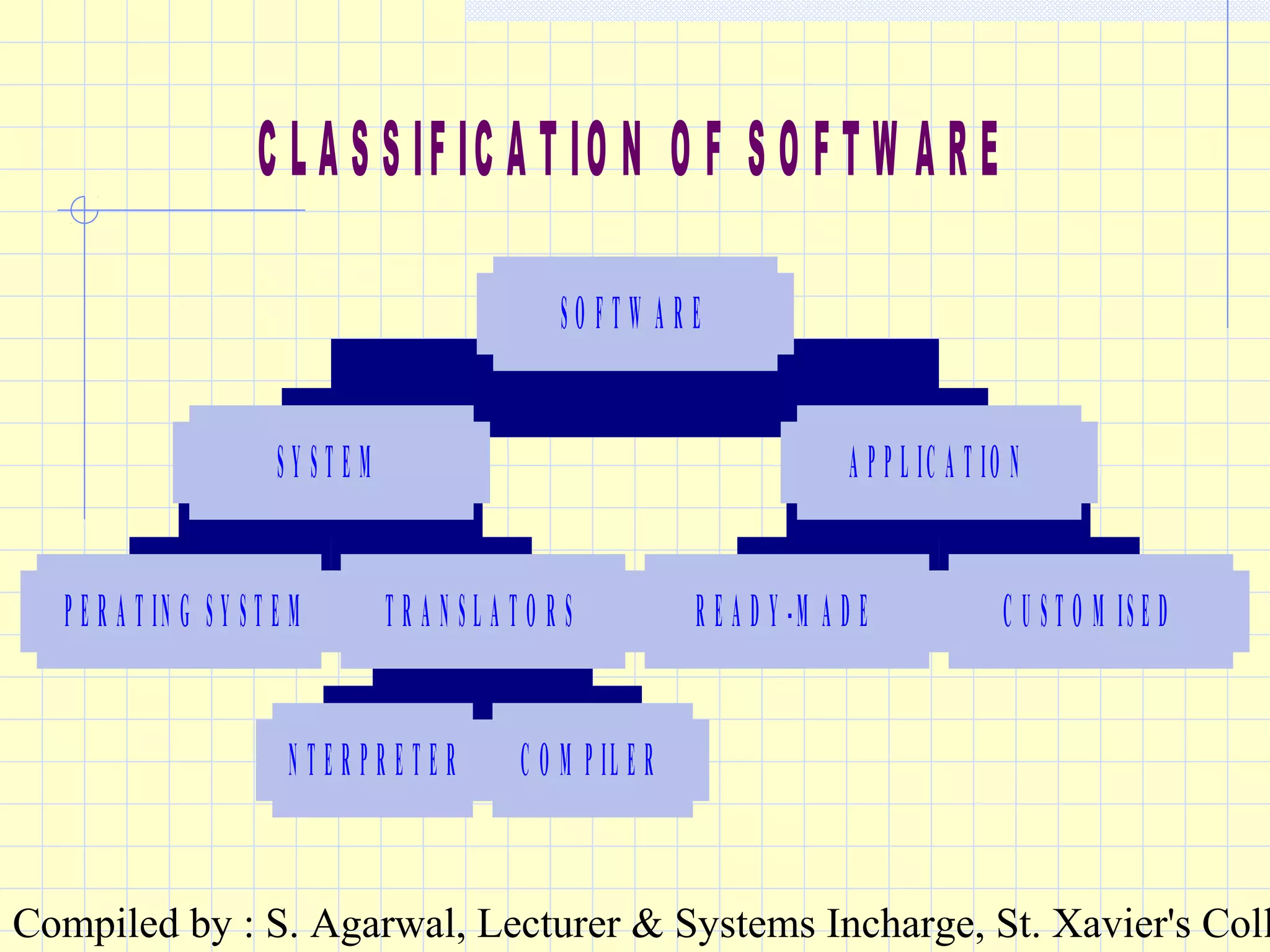
C L A S S IF IC A T IO N O F S O F T W A R E
O P E R A T IN G S Y S T E M
IN T E R P R E T E R C O M P IL E R
T R A N S L A T O R S
S Y S T E M
R E A D Y -M A D E C U S T O M IS E D
A P P L IC A T IO N
S O F T W A R E
Compiled by : S. Agarwal, Lecturer & Systems Incharge, St. Xavier's Coll
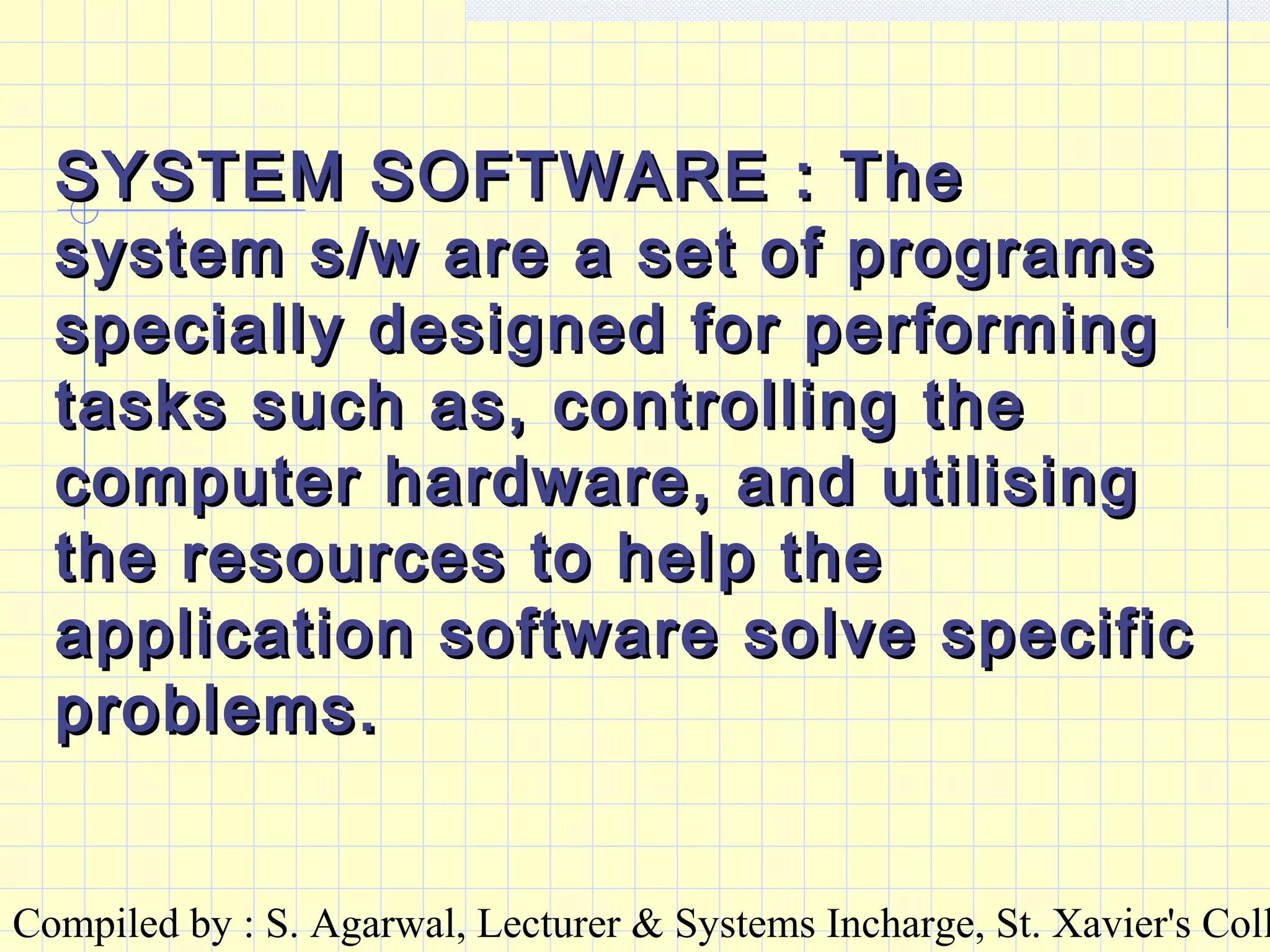
SYSTEM SOFTWARE : TheSYSTEM SOFTWARE : The
system s/w are a set of programssystem s/w are a set of programs
specially designed for performingspecially designed for performing
tasks such as, controlling thetasks such as, controlling the
computer hardware, and utilisingcomputer hardware, and utilising
the resources to help thethe resources to help the
application software solve specificapplication software solve specific
problems.problems.
Compiled by : S. Agarwal, Lecturer & Systems Incharge, St. Xavier's Coll
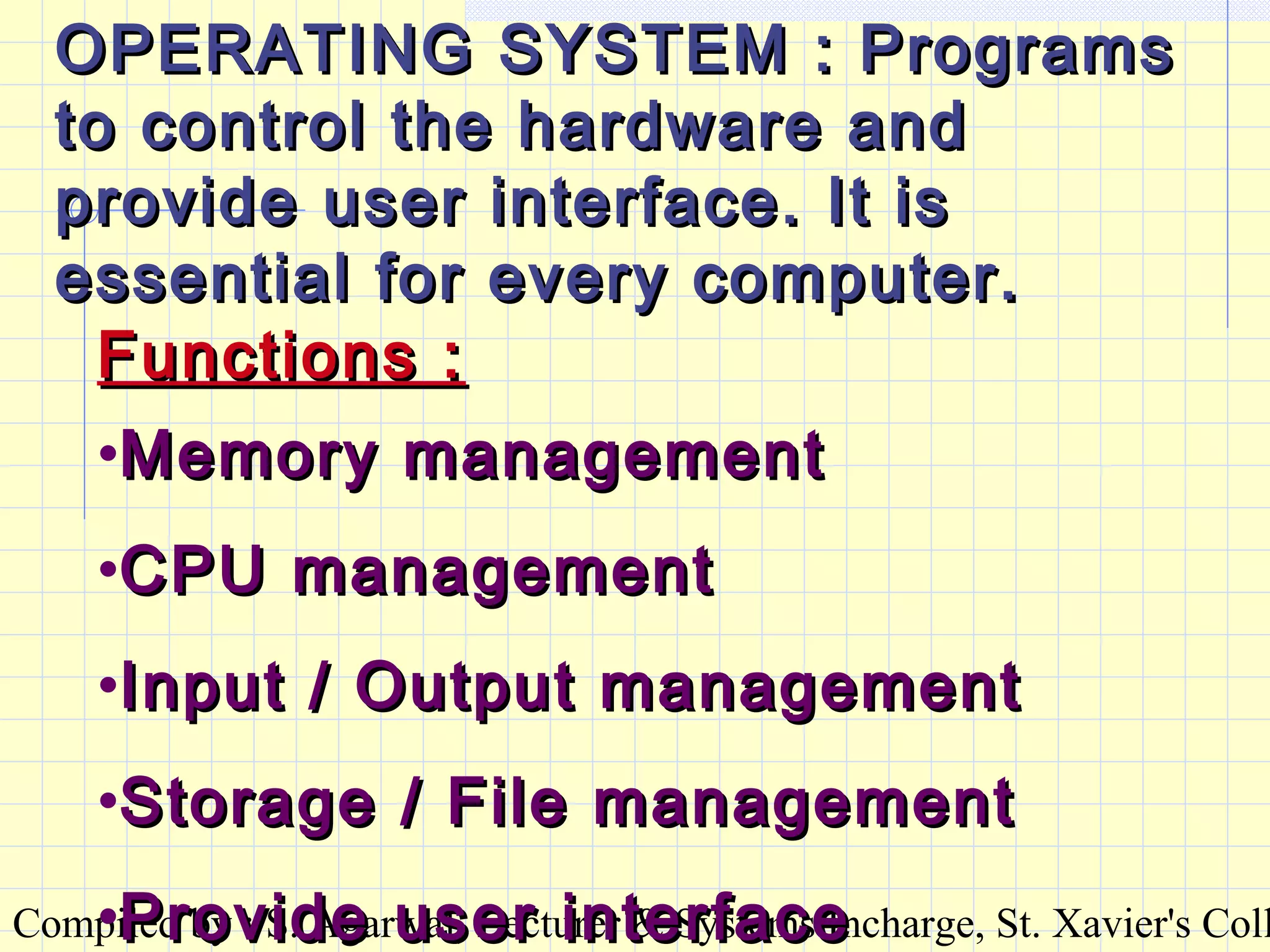
OPERATING SYSTEM : ProgramsOPERATING SYSTEM : Programs
to control the hardware andto control the hardware and
provide user interface. It isprovide user interface. It is
essential for every computer.essential for every computer.
Functions :Functions :
•Memory managementMemory management
•CPU managementCPU management
•Input / Output managementInput / Output management
•Storage / File managementStorage / File management
•Provide user interfaceProvide user interface
Compiled by : S. Agarwal, Lecturer & Systems Incharge, St. Xavier's Coll
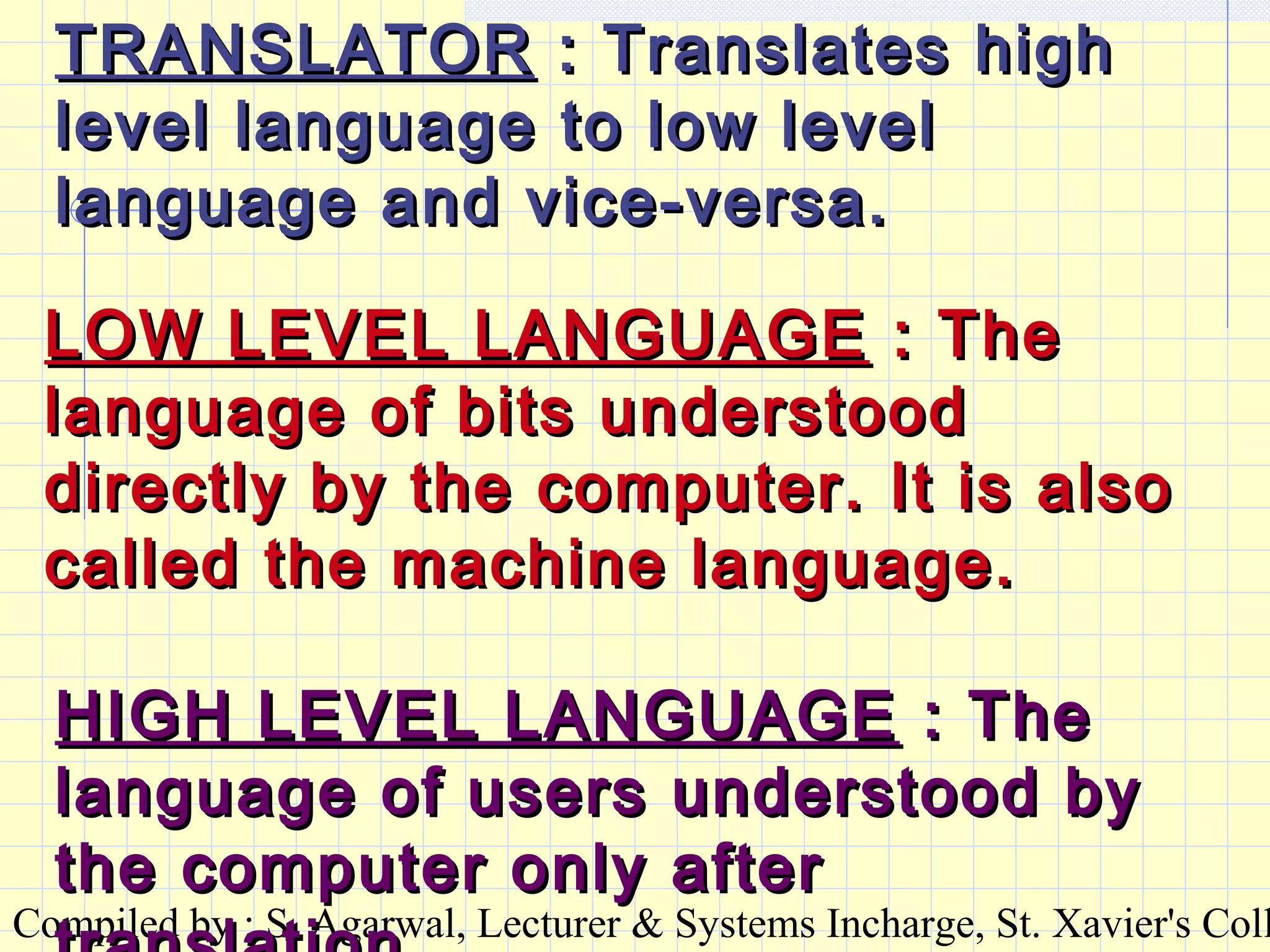
TRANSLATORTRANSLATOR : Translates high: Translates high
level language to low levellevel language to low level
language and vice-versa.language and vice-versa.
LOW LEVEL LANGUAGELOW LEVEL LANGUAGE : The: The
language of bits understoodlanguage of bits understood
directly by the computer. It is alsodirectly by the computer. It is also
called the machine language.called the machine language.
HIGH LEVEL LANGUAGEHIGH LEVEL LANGUAGE : The: The
language of users understood bylanguage of users understood by
the computer only afterthe computer only after
Compiled by : S. Agarwal, Lecturer & Systems Incharge, St. Xavier's Coll
A computer language comprisesA computer language comprises
of key words and syntax. Usingof key words and syntax. Using
the key words and following thethe key words and following the
syntax, commands andsyntax, commands and
instructions are written step byinstructions are written step by
step to develop the program.step to develop the program.
The program is then translatedThe program is then translated
into machine language by usinginto machine language by using
the translators.the translators.
Compiled by : S. Agarwal, Lecturer & Systems Incharge, St. Xavier's Coll
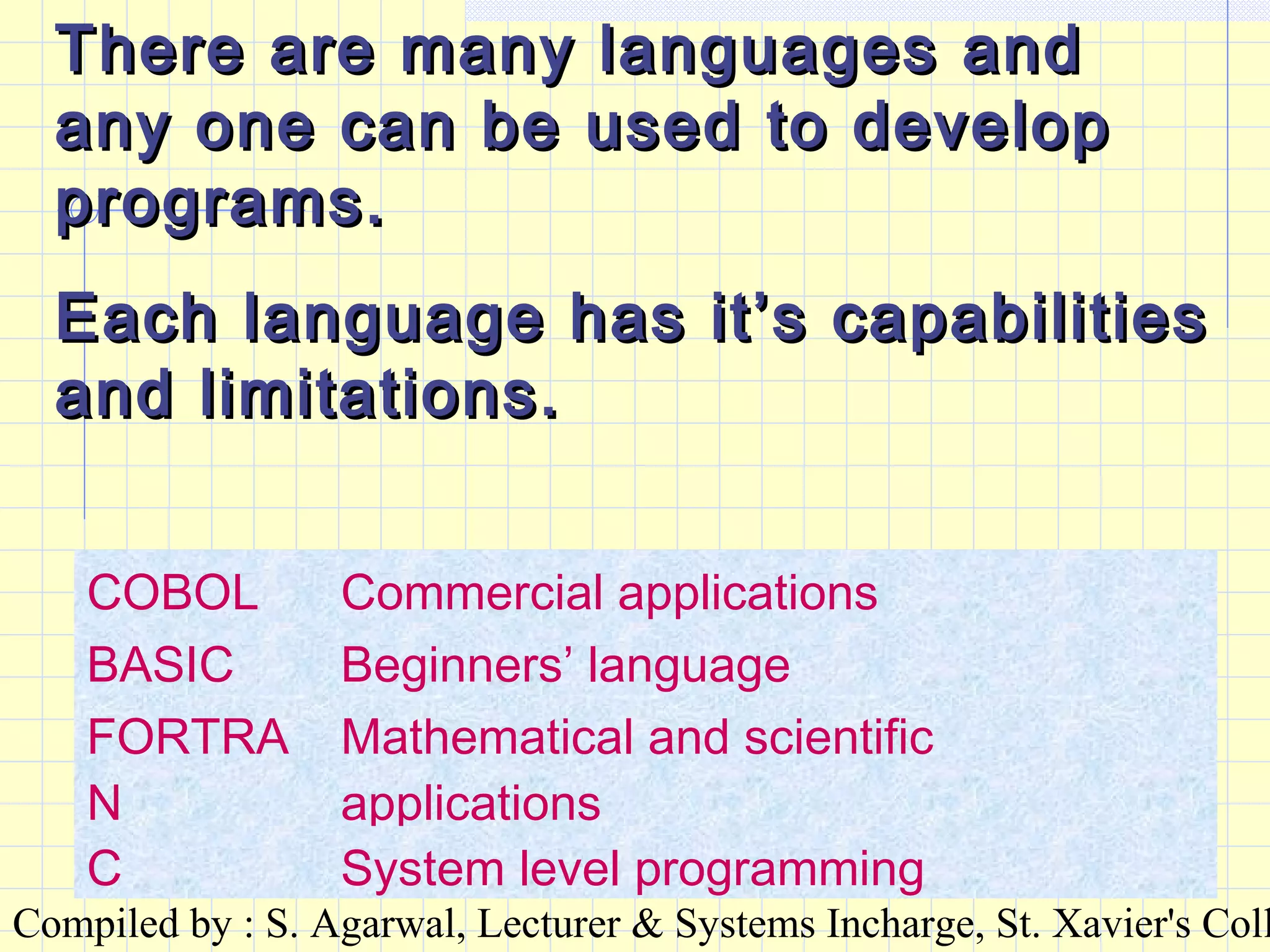
There are many languages andThere are many languages and
any one can be used to developany one can be used to develop
programs.programs.
Each language has it’s capabilitiesEach language has it’s capabilities
and limitations.and limitations.
COBOL Commercial applications
BASIC Beginners’ language
FORTRA
N
Mathematical and scientific
applications
C System level programming
Compiled by : S. Agarwal, Lecturer & Systems Incharge, St. Xavier's Coll
There are two types ofThere are two types of
translators :translators :
INTERPRETER & COMPILER.INTERPRETER & COMPILER.
An interpreter takes oneAn interpreter takes one
instruction at a time, translates itinstruction at a time, translates it
and moves on to the nextand moves on to the next
statement in the program. Hence,statement in the program. Hence,
executing the entire program stepexecuting the entire program step
by step.by step.
Each time we execute a programEach time we execute a program
the source program and thethe source program and the
interpreter, both are required.
Compiled by : S. Agarwal, Lecturer & Systems Incharge, St. Xavier's Coll
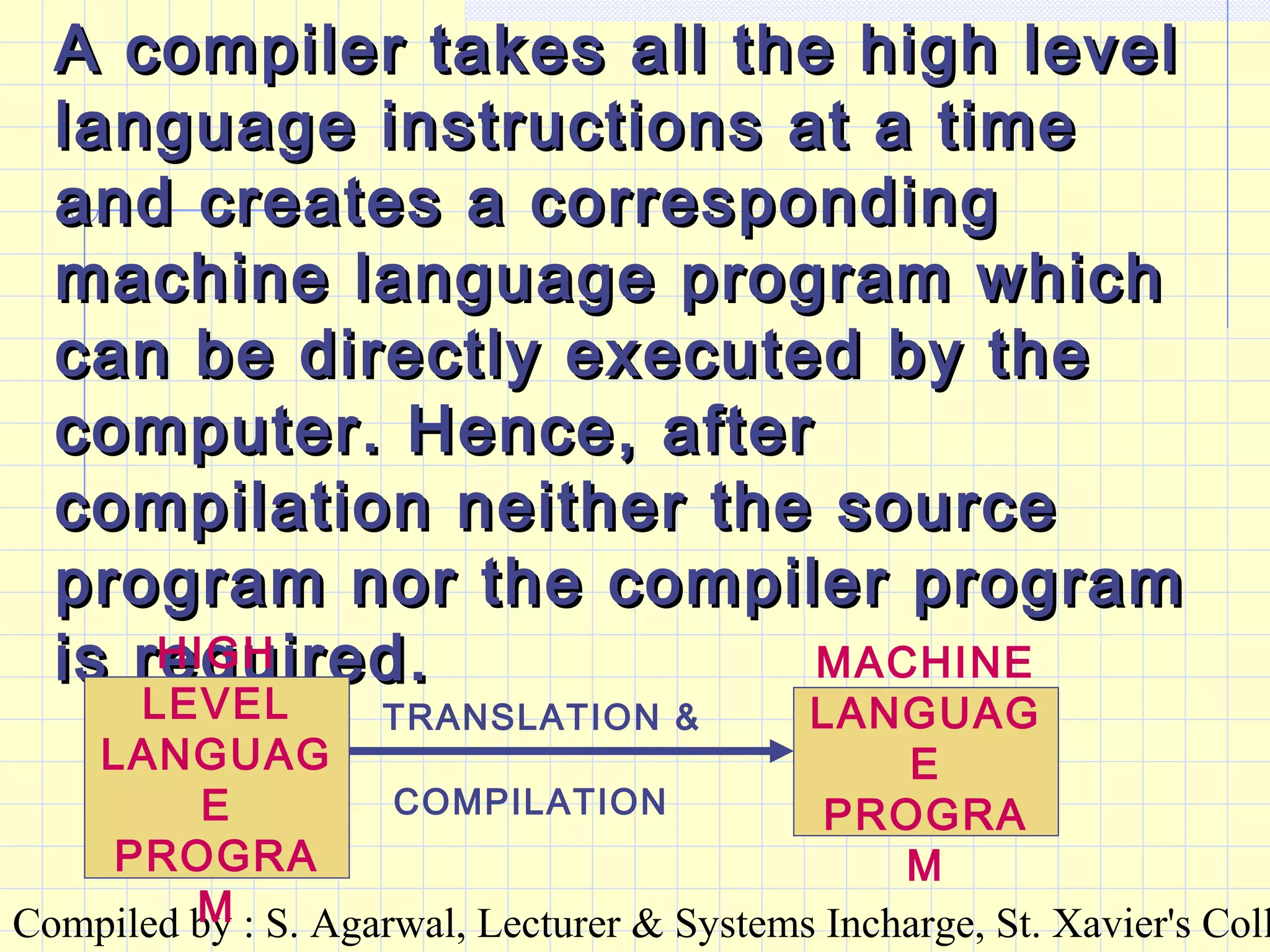
A compiler takes all the high levelA compiler takes all the high level
language instructions at a timelanguage instructions at a time
and creates a correspondingand creates a corresponding
machine language program whichmachine language program which
can be directly executed by thecan be directly executed by the
computer. Hence, aftercomputer. Hence, after
compilation neither the sourcecompilation neither the source
program nor the compiler programprogram nor the compiler program
is required.is required.HIGH
LEVEL
LANGUAG
E
PROGRA
M
MACHINE
LANGUAG
E
PROGRA
M
TRANSLATION &
COMPILATION
Compiled by : S. Agarwal, Lecturer & Systems Incharge, St. Xavier's Coll
APPLICATION SOFTWARE :APPLICATION SOFTWARE :
These are programs developedThese are programs developed
using one of the languages tousing one of the languages to
perform a specific task.perform a specific task.
Compiled by : S. Agarwal, Lecturer & Systems Incharge, St. Xavier's Coll
READY MADE :READY MADE :
These are programs developed byThese are programs developed by
software companies for generalsoftware companies for general
purpose applications. Thesepurpose applications. These
programs can be bought and canprograms can be bought and can
be installed in the hard disk of abe installed in the hard disk of a
computer.computer.
Examples : MS-WORD, FACT,Examples : MS-WORD, FACT,
TALLY, FOXPRO etc.TALLY, FOXPRO etc.
Compiled by : S. Agarwal, Lecturer & Systems Incharge, St. Xavier's Coll
CUSTOMISED OR TAILORCUSTOMISED OR TAILOR
MADE :MADE :
These are programs developed forThese are programs developed for
SPECIFIC USER REQUIREMENTSPECIFIC USER REQUIREMENT
within an organisation. Thesewithin an organisation. These
programs are developed byprograms are developed by
programmers as per the userprogrammers as per the user
requirements.requirements.
Examples : Mark-sheet, Salary,Examples : Mark-sheet, Salary,
Sales information, RailwaySales information, Railway
reservation etc.reservation etc.
Compiled by : S. Agarwal, Lecturer & Systems Incharge, St. Xavier's Coll
MS-DOSMS-DOS
MicrosoftMicrosoft
Disk Operating SystemDisk Operating System
Compiled by : S. Agarwal, Lecturer & Systems Incharge, St. Xavier's Coll
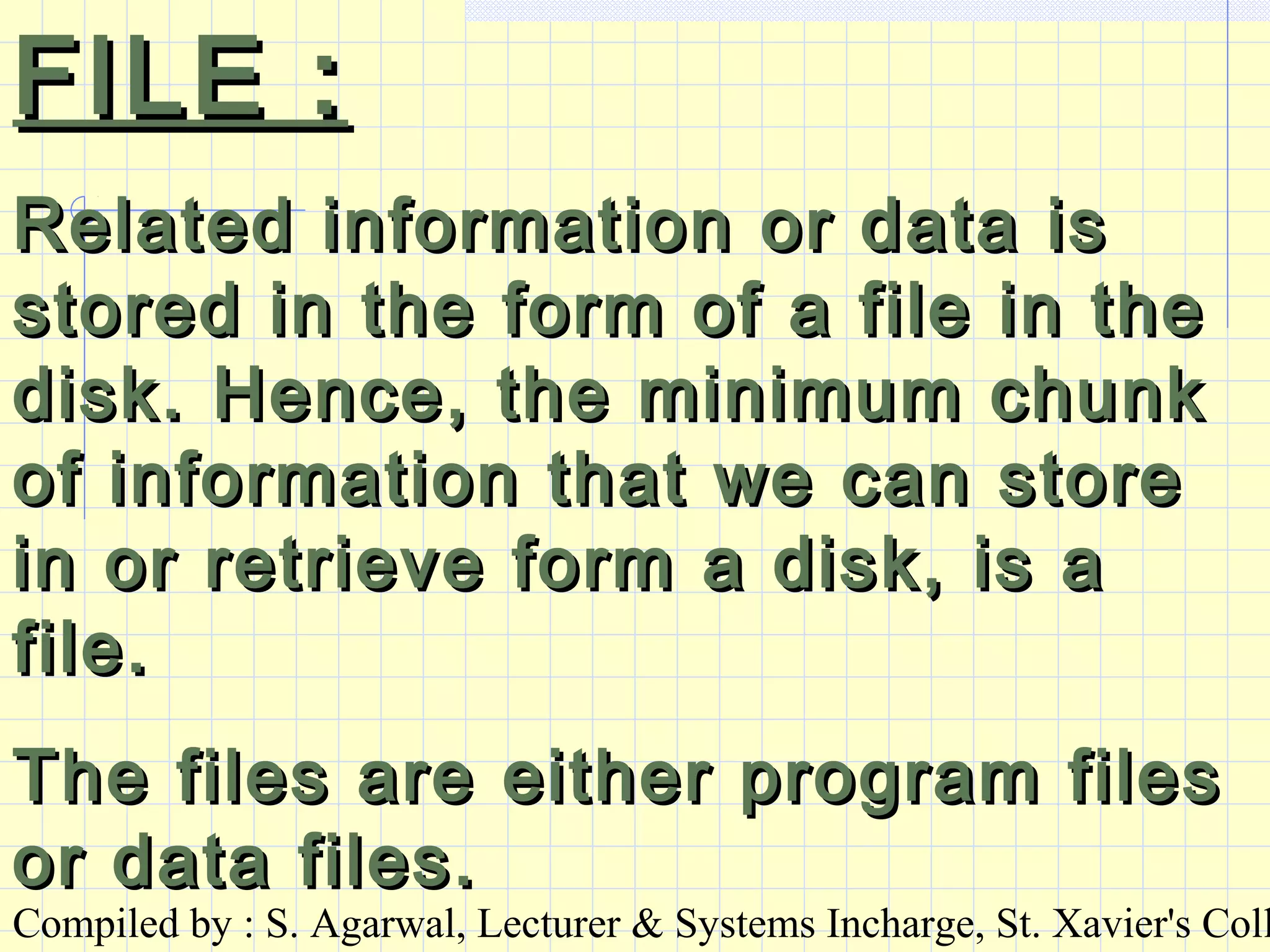
FILE :FILE :
Related information or data isRelated information or data is
stored in the form of a file in thestored in the form of a file in the
disk. Hence, the minimum chunkdisk. Hence, the minimum chunk
of information that we can storeof information that we can store
in or retrieve form a disk, is ain or retrieve form a disk, is a
file.file.
The files are either program filesThe files are either program files
or data files.or data files.
Compiled by : S. Agarwal, Lecturer & Systems Incharge, St. Xavier's Coll
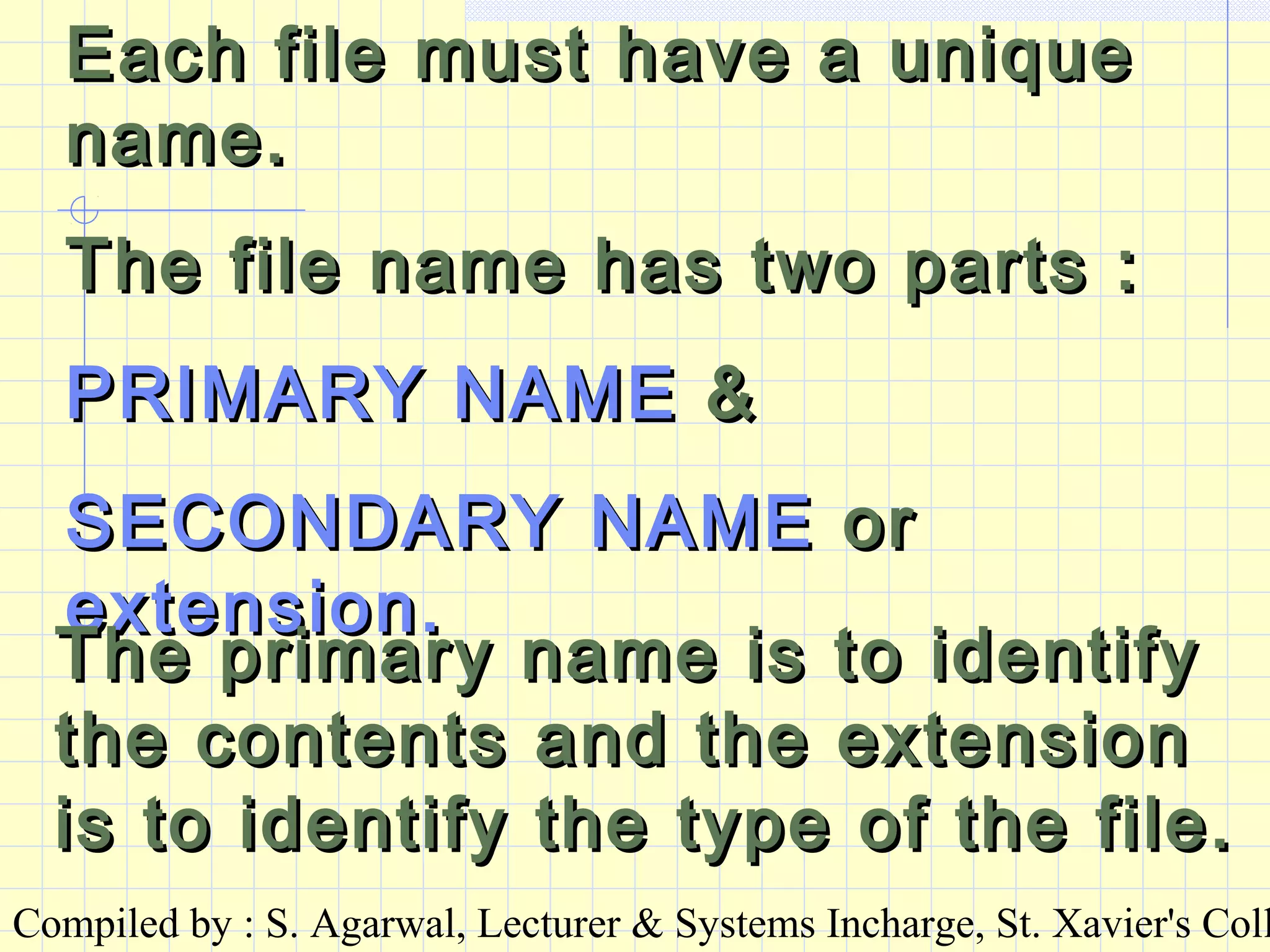
Each file must have a uniqueEach file must have a unique
name.name.
The file name has two parts :The file name has two parts :
PRIMARY NAMEPRIMARY NAME &&
SECONDARY NAMESECONDARY NAME oror
extension.extension.
The primary name is to identifyThe primary name is to identify
the contents and the extensionthe contents and the extension
is to identify the type of the file.is to identify the type of the file.
Compiled by : S. Agarwal, Lecturer & Systems Incharge, St. Xavier's Coll
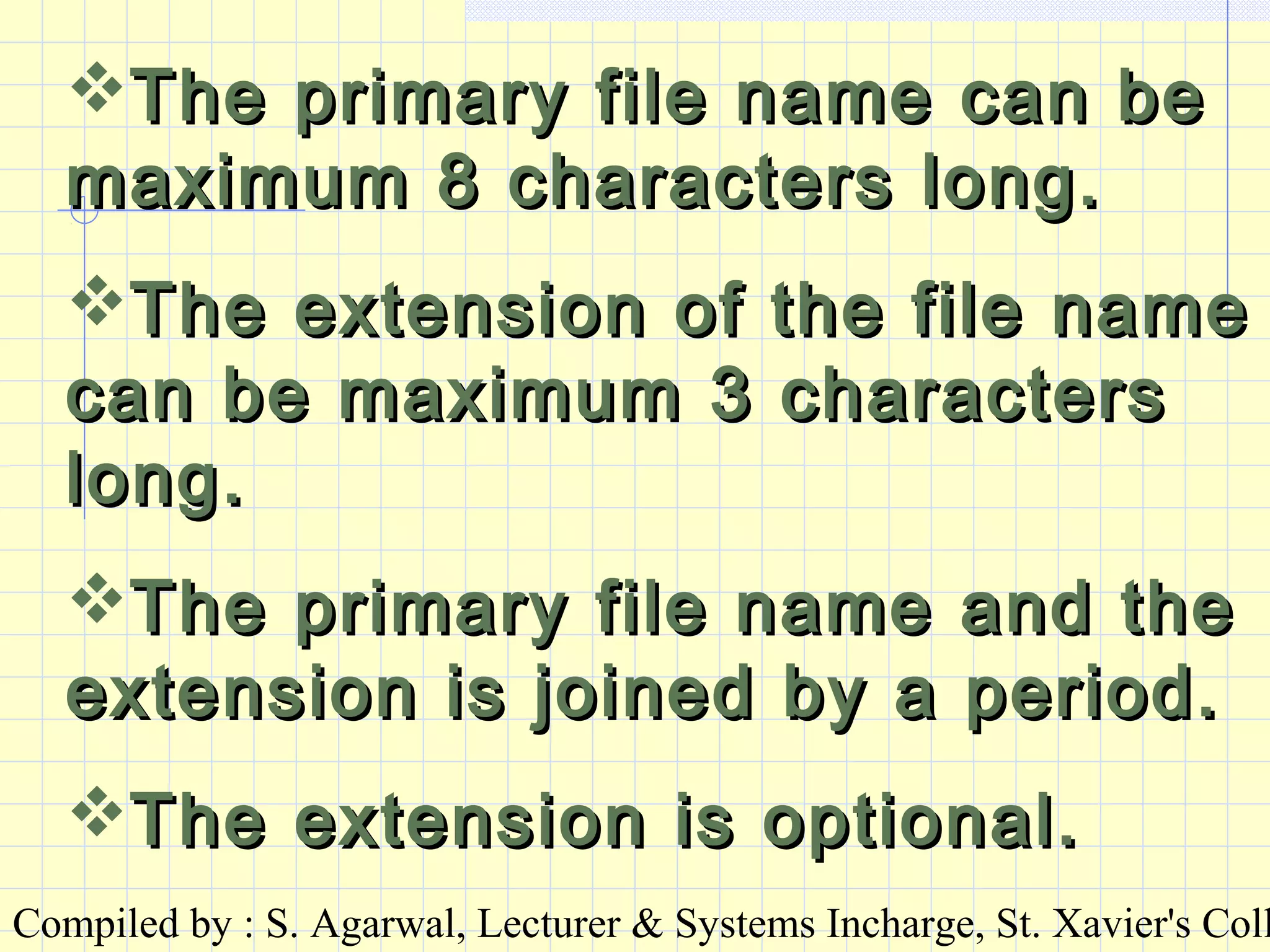
The primary file name can beThe primary file name can be
maximum 8 characters long.maximum 8 characters long.
The extension of the file nameThe extension of the file name
can be maximum 3 characterscan be maximum 3 characters
long.long.
The primary file name and theThe primary file name and the
extension is joined by a period.extension is joined by a period.
The extension is optional.The extension is optional.
Compiled by : S. Agarwal, Lecturer & Systems Incharge, St. Xavier's Coll
Legal characters in the file namesLegal characters in the file names
include all letters of the alphabet,include all letters of the alphabet,
numeric digits and punctuationnumeric digits and punctuation
marksmarks except the following
characters ::
* ? = + | : [ ] ; , /  < > “* ? = + | : [ ] ; , /  < > “
A blank spaceA blank space can notcan not be used inbe used in
the file name.the file name.
Capital & small letters are treatedCapital & small letters are treated
as the same.as the same.
Compiled by : S. Agarwal, Lecturer & Systems Incharge, St. Xavier's Coll
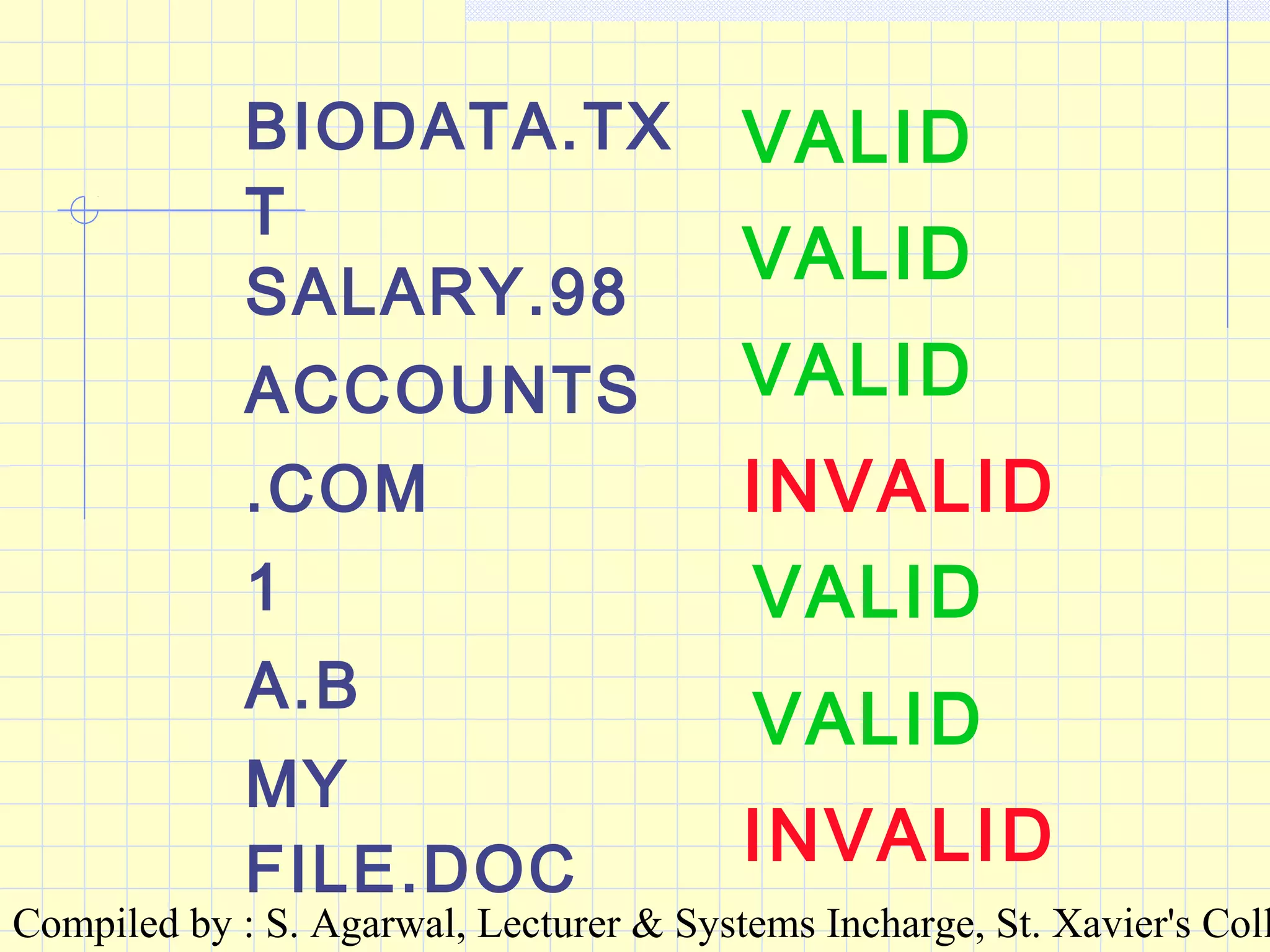
BIODATA.TX
T
SALARY.98
ACCOUNTS
.COM
1
A.B
MY
FILE.DOC
VALID
VALID
VALID
INVALID
VALID
VALID
INVALID
Compiled by : S. Agarwal, Lecturer & Systems Incharge, St. Xavier's Coll
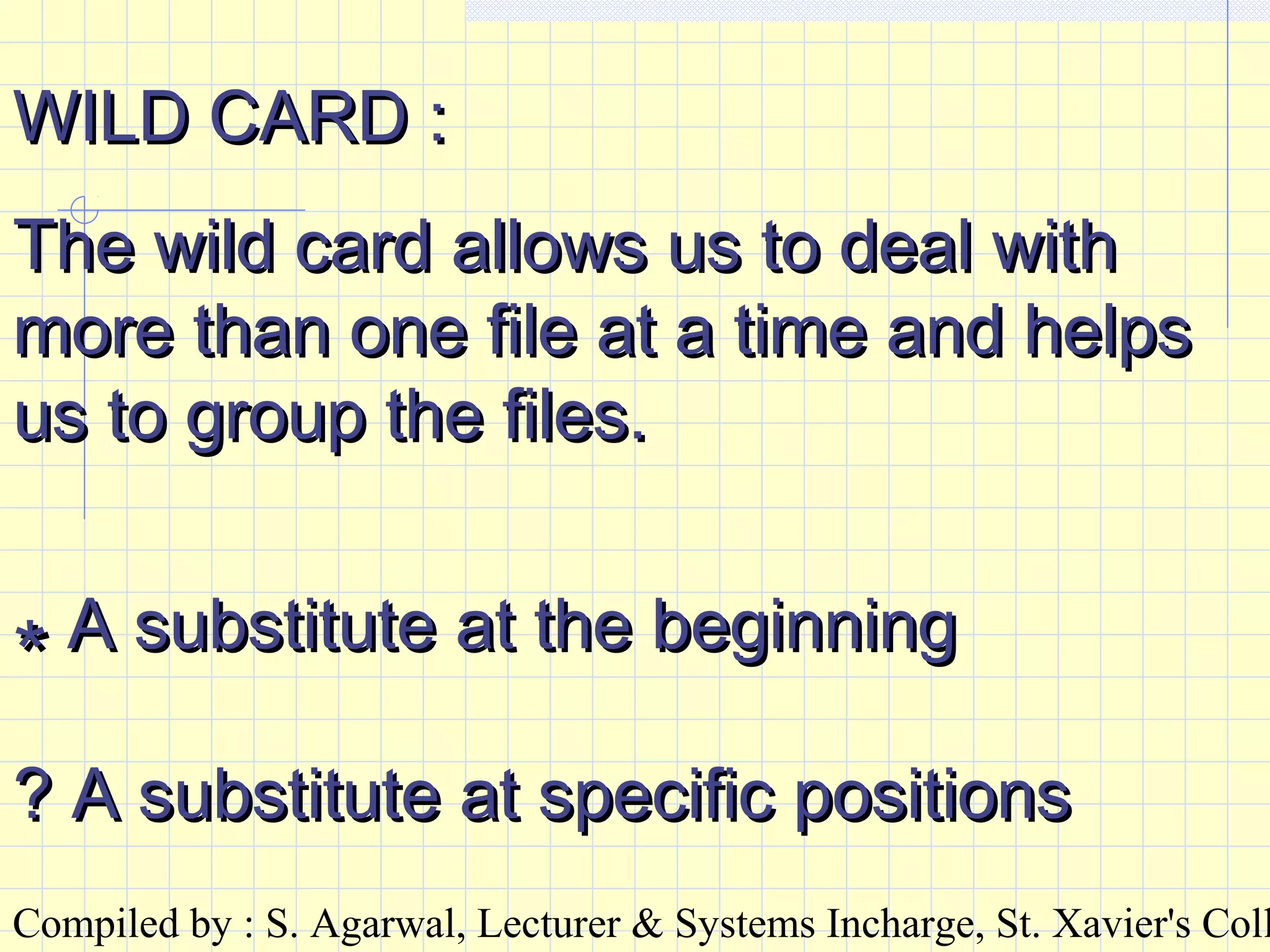
WILD CARD :WILD CARD :
The wild card allows us to deal withThe wild card allows us to deal with
more than one file at a time and helpsmore than one file at a time and helps
us to group the files.us to group the files.
** A substitute at the beginningA substitute at the beginning
? A substitute at specific positions? A substitute at specific positions
Compiled by : S. Agarwal, Lecturer & Systems Incharge, St. Xavier's Coll
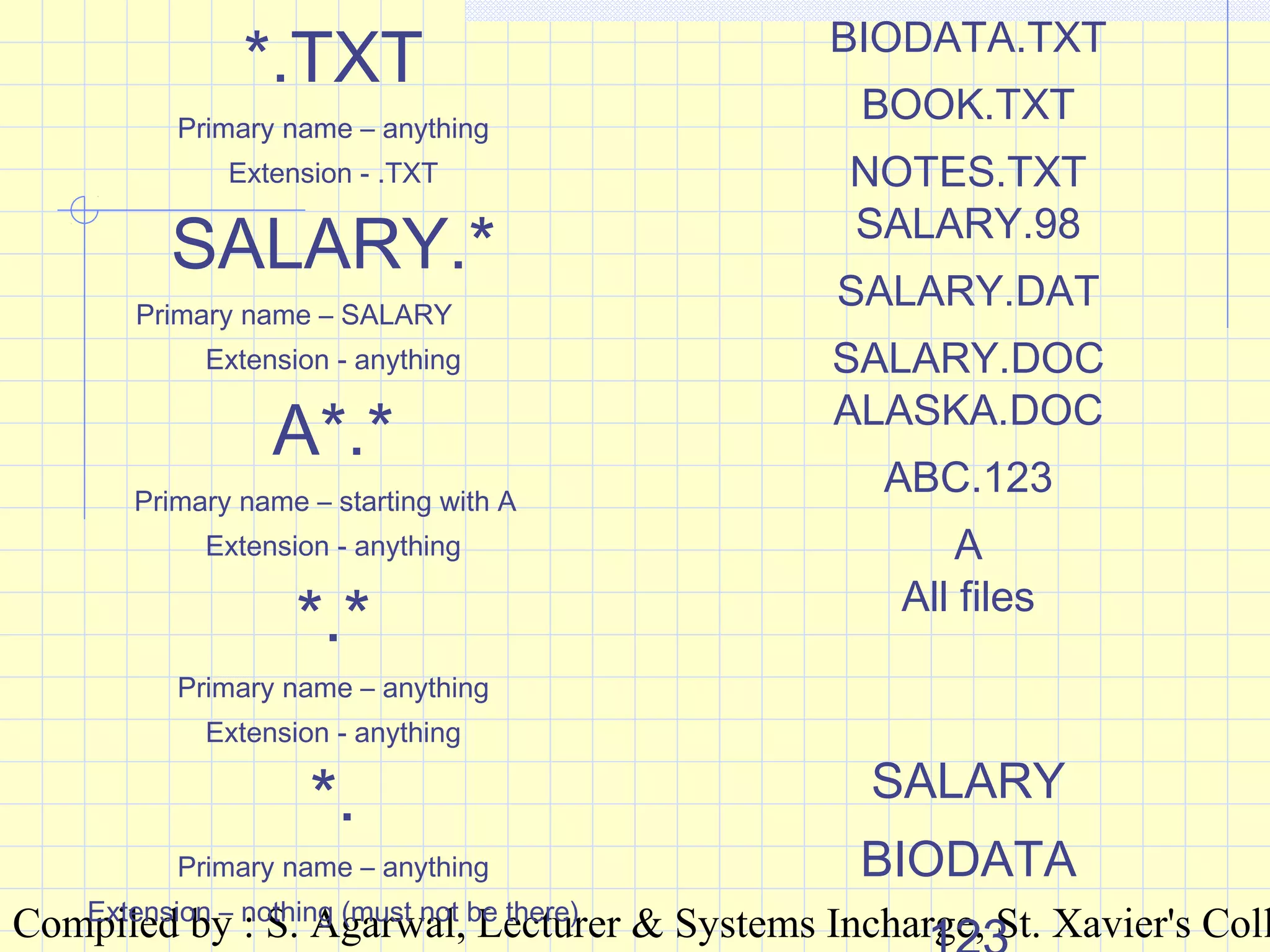
*.TXT
Primary name – anything
Extension - .TXT
BIODATA.TXT
BOOK.TXT
NOTES.TXT
SALARY.*
Primary name – SALARY
Extension - anything
SALARY.98
SALARY.DAT
SALARY.DOC
A*.*
Primary name – starting with A
Extension - anything
ALASKA.DOC
ABC.123
A
*.*
Primary name – anything
Extension - anything
All files
*.
Primary name – anything
Extension – nothing (must not be there)
SALARY
BIODATA
Compiled by : S. Agarwal, Lecturer & Systems Incharge, St. Xavier's Coll
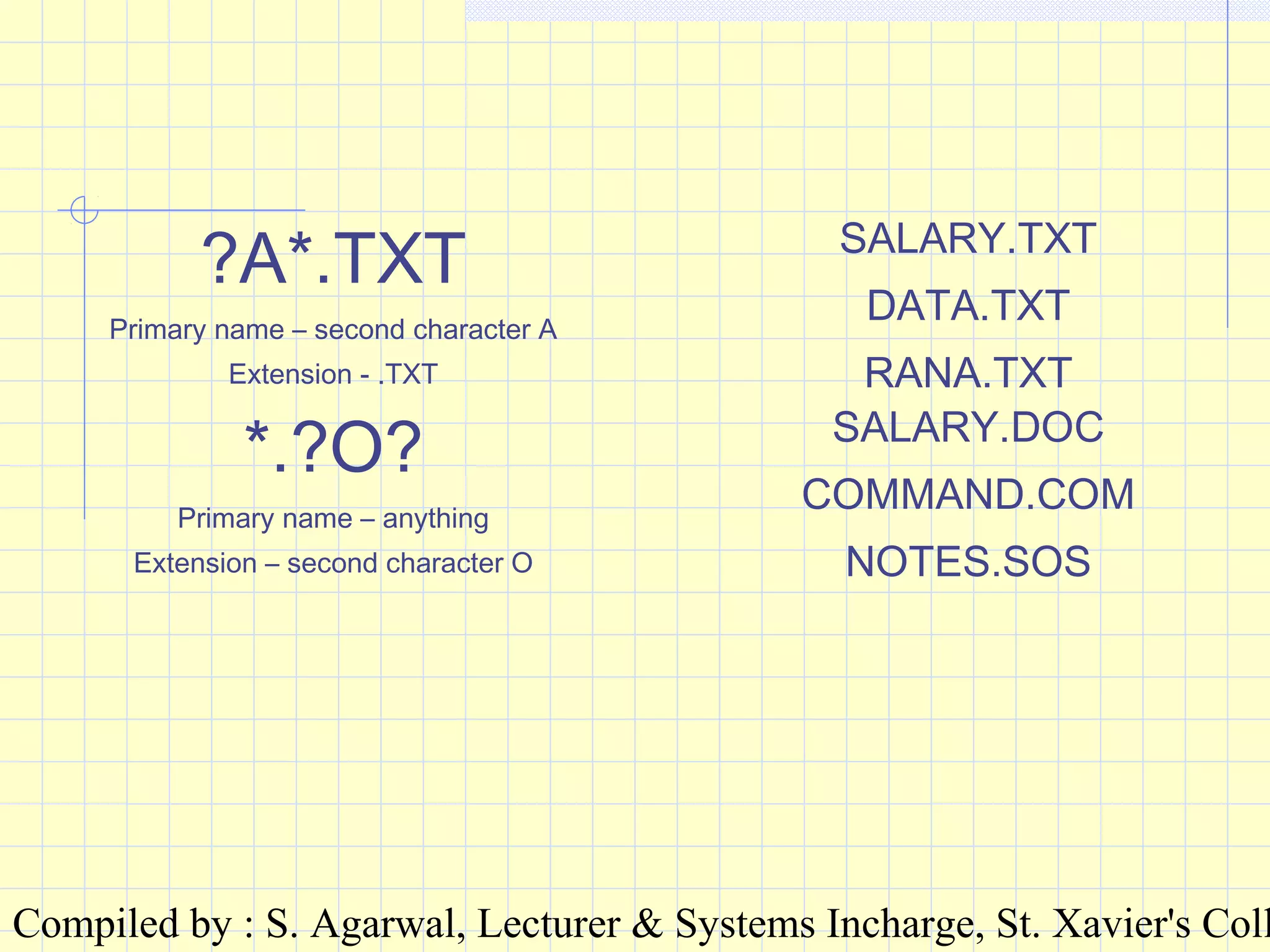
?A*.TXT
Primary name – second character A
Extension - .TXT
SALARY.TXT
DATA.TXT
RANA.TXT
*.?O?
Primary name – anything
Extension – second character O
SALARY.DOC
COMMAND.COM
NOTES.SOS
Compiled by : S. Agarwal, Lecturer & Systems Incharge, St. Xavier's Coll
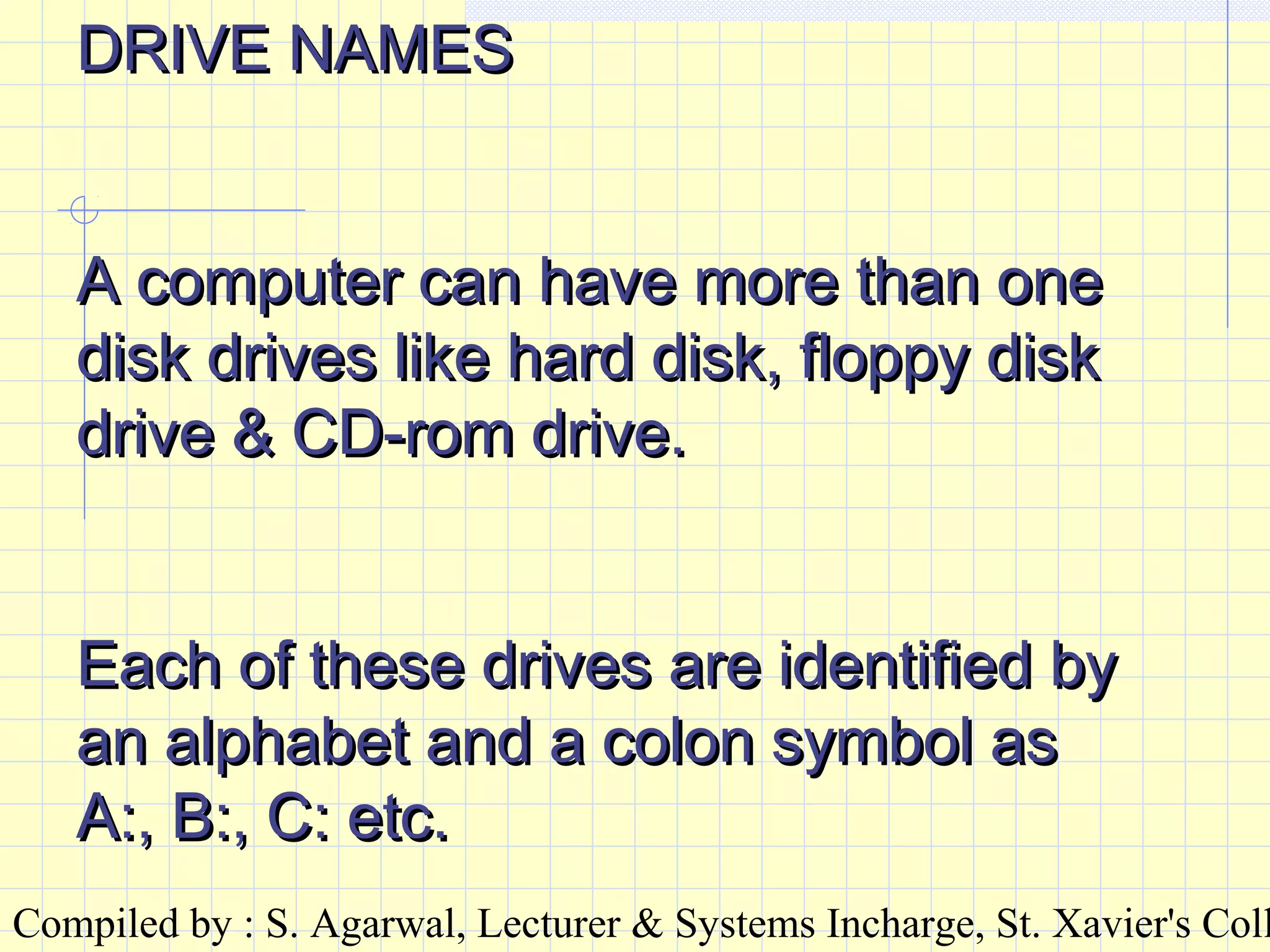
DRIVE NAMESDRIVE NAMES
A computer can have more than oneA computer can have more than one
disk drives like hard disk, floppy diskdisk drives like hard disk, floppy disk
drive & CD-rom drive.drive & CD-rom drive.
Each of these drives are identified byEach of these drives are identified by
an alphabet and a colon symbol asan alphabet and a colon symbol as
A:, B:, C: etc.A:, B:, C: etc.
Compiled by : S. Agarwal, Lecturer & Systems Incharge, St. Xavier's Coll
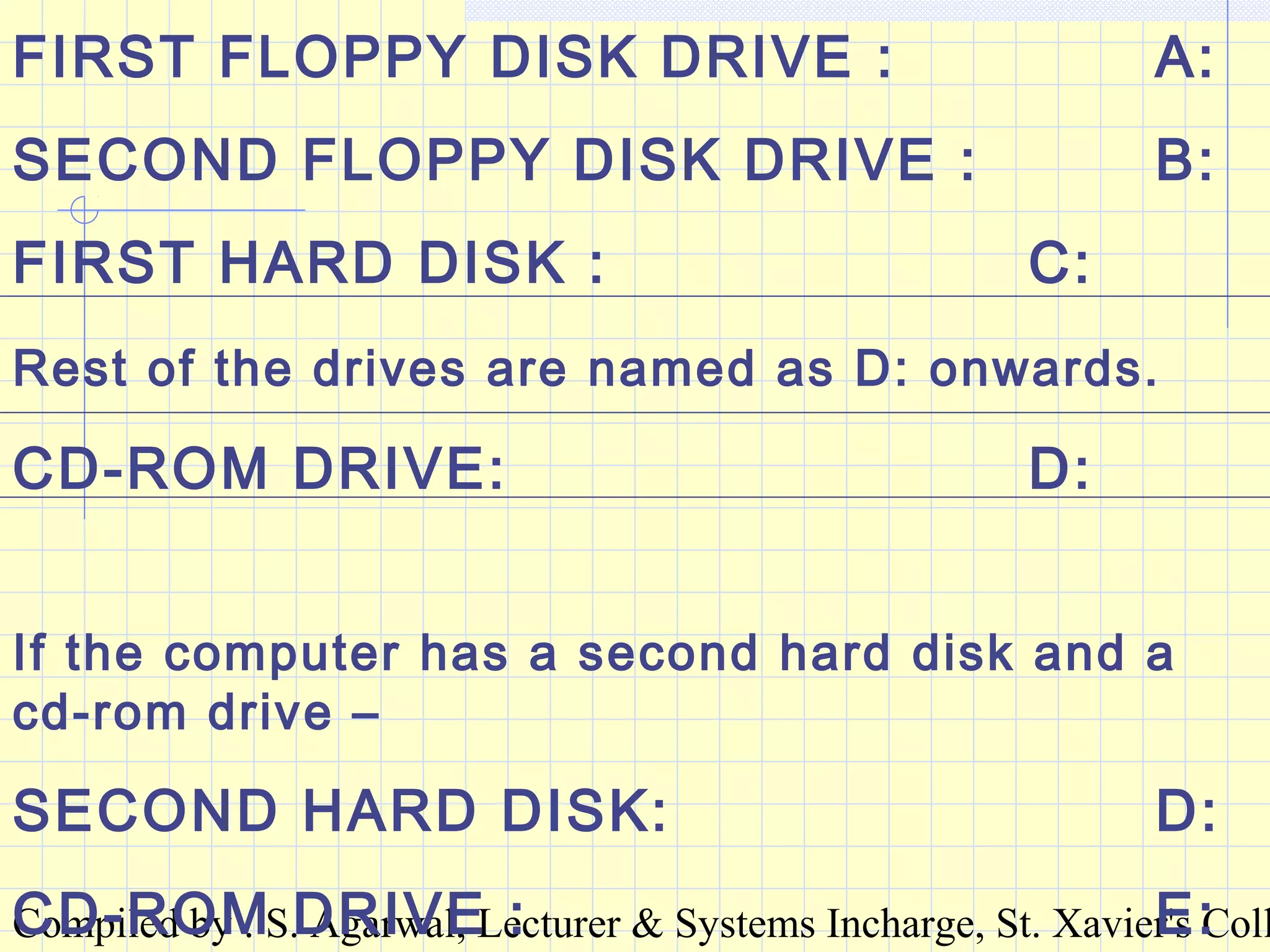
FIRST FLOPPY DISK DRIVE : A:
SECOND FLOPPY DISK DRIVE : B:
FIRST HARD DISK : C:
Rest of the drives are named as D: onwards.
CD-ROM DRIVE: D:
If the computer has a second hard disk and a
cd-rom drive –
SECOND HARD DISK: D:
CD-ROM DRIVE : E:
Compiled by : S. Agarwal, Lecturer & Systems Incharge, St. Xavier's Coll
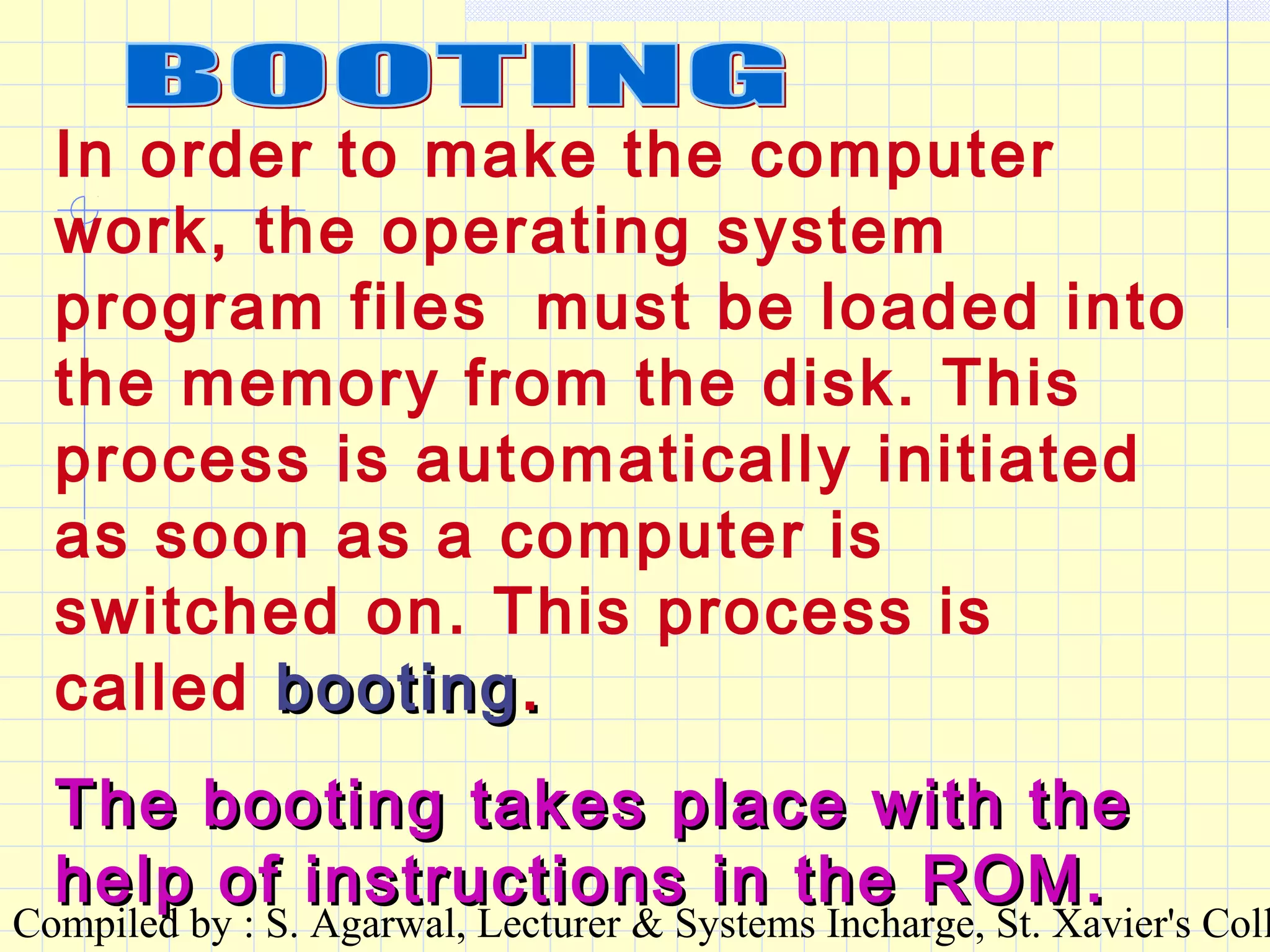
In order to make the computer
work, the operating system
program files must be loaded into
the memory from the disk. This
process is automatically initiated
as soon as a computer is
switched on. This process is
called bootingbooting..
The booting takes place with theThe booting takes place with the
help of instructions in the ROM.help of instructions in the ROM.
Compiled by : S. Agarwal, Lecturer & Systems Incharge, St. Xavier's Coll
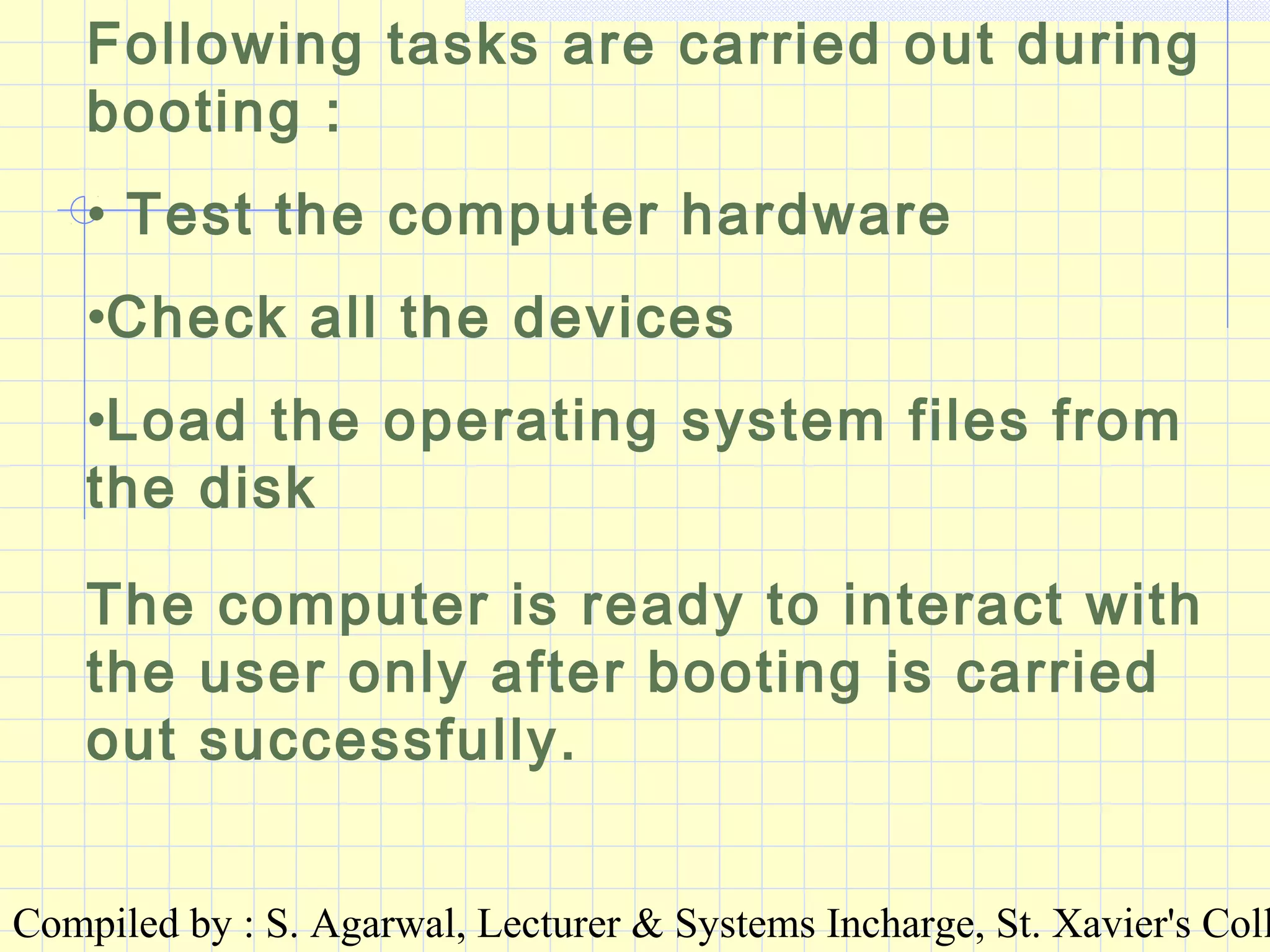
Following tasks are carried out during
booting :
• Test the computer hardware
•Check all the devices
•Load the operating system files from
the disk
The computer is ready to interact with
the user only after booting is carried
out successfully.
Compiled by : S. Agarwal, Lecturer & Systems Incharge, St. Xavier's Coll
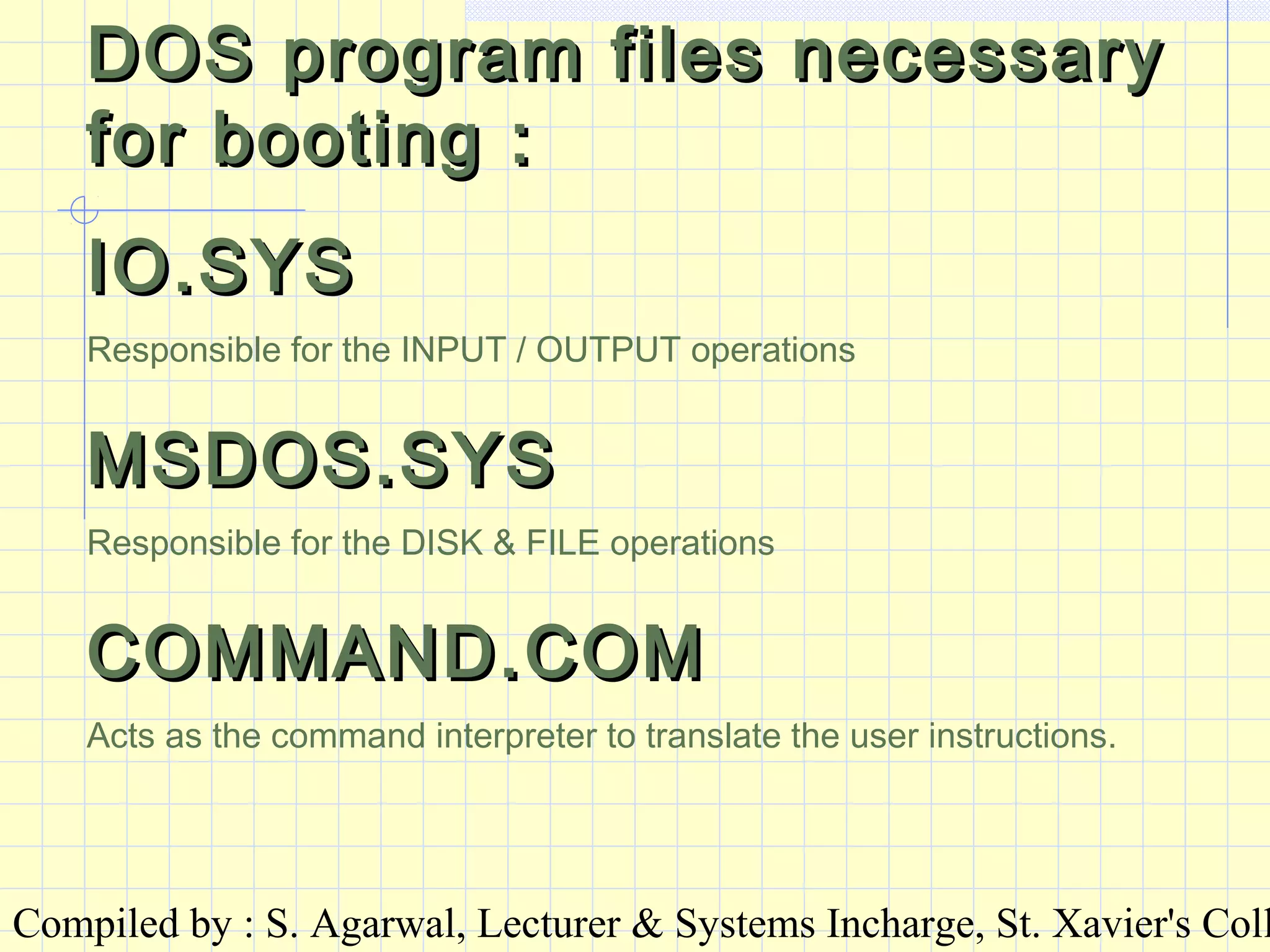
DOS program files necessaryDOS program files necessary
for booting :for booting :
IO.SYSIO.SYS
Responsible for the INPUT / OUTPUT operations
MSDOS.SYSMSDOS.SYS
Responsible for the DISK & FILE operations
COMMAND.COMCOMMAND.COM
Acts as the command interpreter to translate the user instructions.
Compiled by : S. Agarwal, Lecturer & Systems Incharge, St. Xavier's Coll
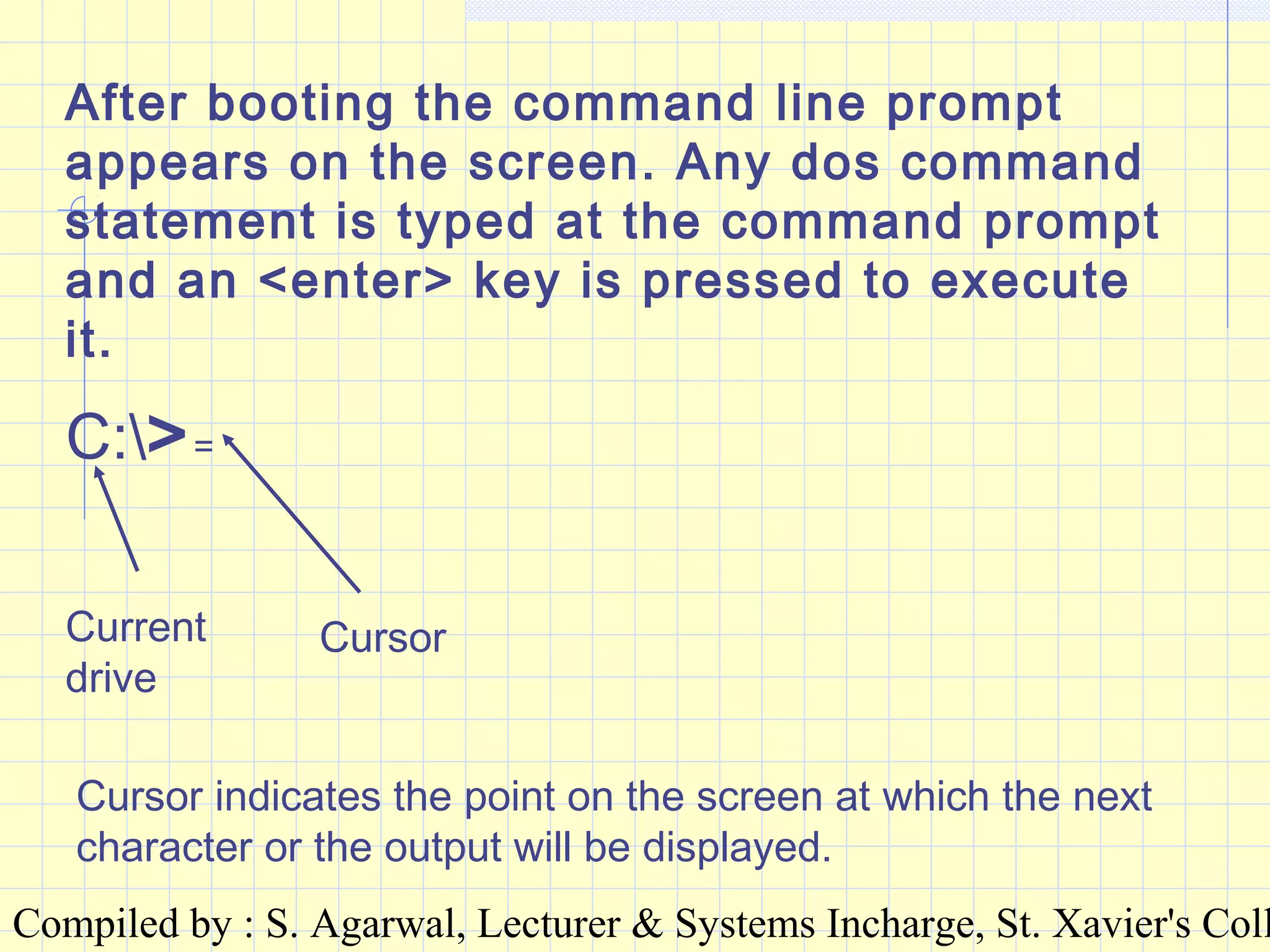
After booting the command line prompt
appears on the screen. Any dos command
statement is typed at the command prompt
and an <enter> key is pressed to execute
it.
C:>=
Current
drive
Cursor
Cursor indicates the point on the screen at which the next
character or the output will be displayed.
Compiled by : S. Agarwal, Lecturer & Systems Incharge, St. Xavier's Coll
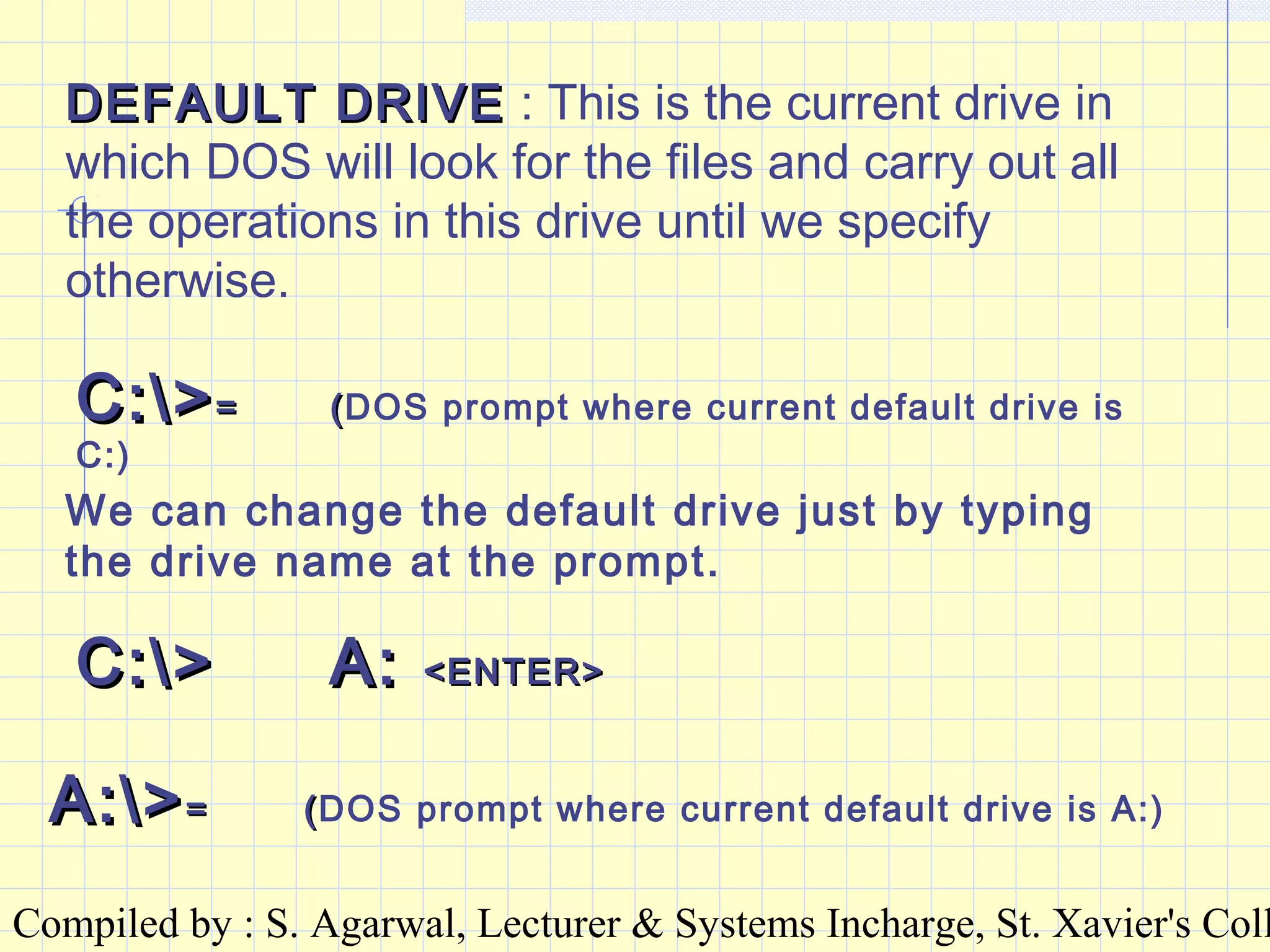
DEFAULT DRIVEDEFAULT DRIVE : This is the current drive in
which DOS will look for the files and carry out all
the operations in this drive until we specify
otherwise.
C:>C:>== ((DOS prompt where current default drive is
C:)
We can change the default drive just by typing
the drive name at the prompt.
C:>C:> A:A: <ENTER><ENTER>
A:>A:>== ((DOS prompt where current default drive is A:)
Compiled by : S. Agarwal, Lecturer & Systems Incharge, St. Xavier's Coll
OME ELEMENTARY DOS COMMANDSOME ELEMENTARY DOS COMMANDS
CLSCLS
This command clears the screenThis command clears the screen
and takes the prompt to the left-topand takes the prompt to the left-top
corner of the screen.corner of the screen.
Compiled by : S. Agarwal, Lecturer & Systems Incharge, St. Xavier's Coll
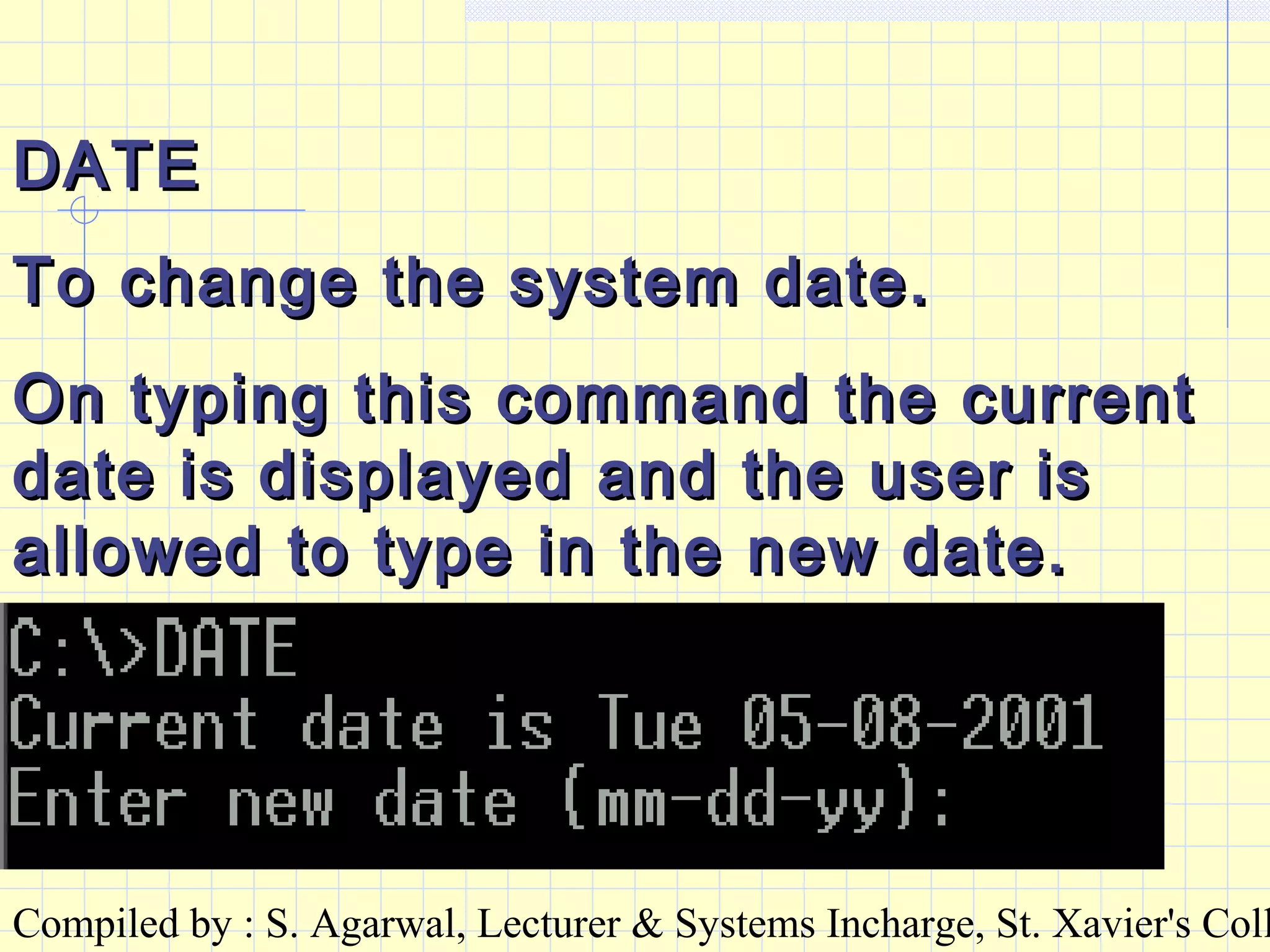
DATEDATE
To change the system date.To change the system date.
On typing this command the currentOn typing this command the current
date is displayed and the user isdate is displayed and the user is
allowed to type in the new date.allowed to type in the new date.
Compiled by : S. Agarwal, Lecturer & Systems Incharge, St. Xavier's Coll
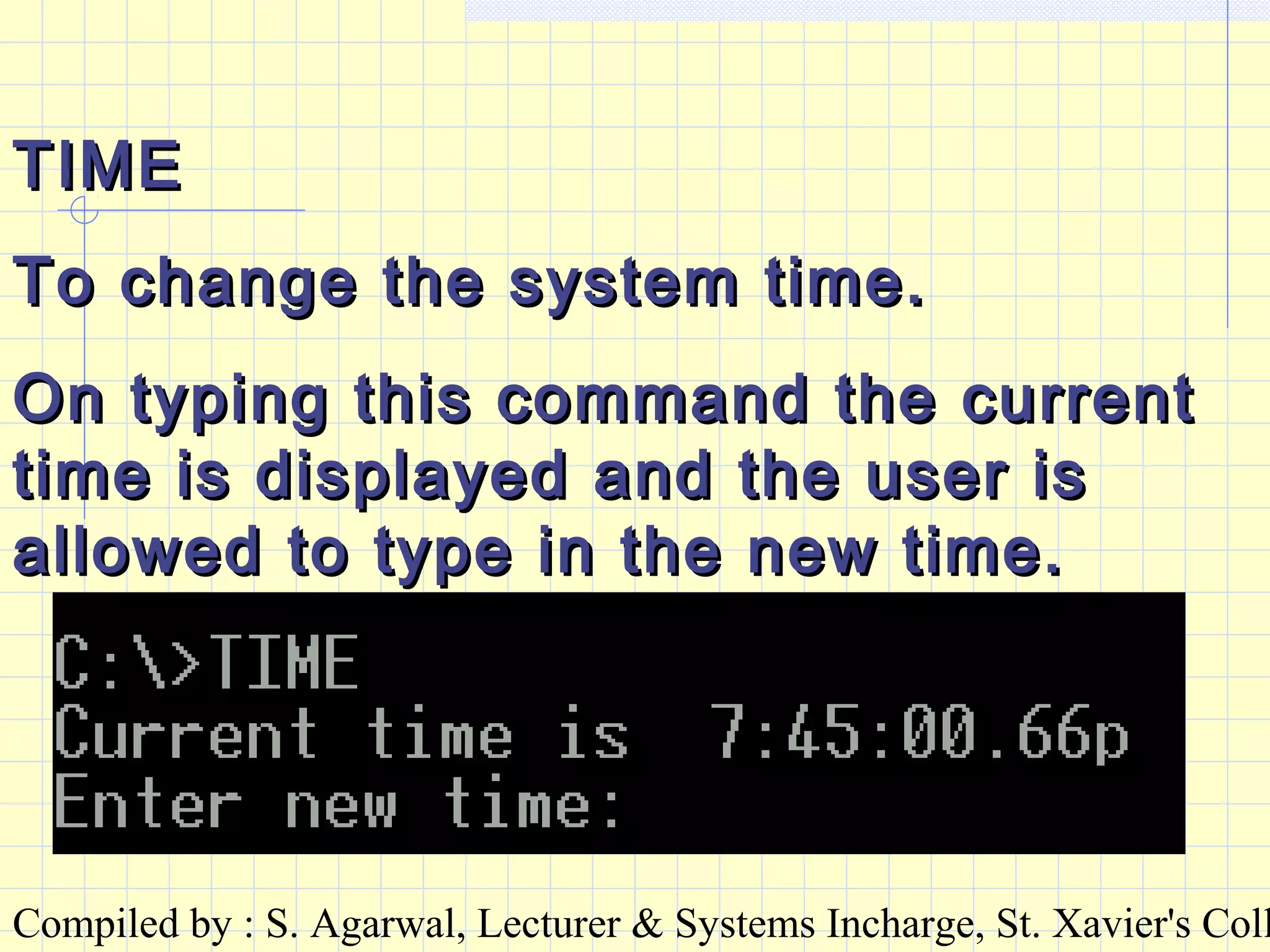
TIMETIME
To change the system time.To change the system time.
On typing this command the currentOn typing this command the current
time is displayed and the user istime is displayed and the user is
allowed to type in the new time.allowed to type in the new time.
Compiled by : S. Agarwal, Lecturer & Systems Incharge, St. Xavier's Coll
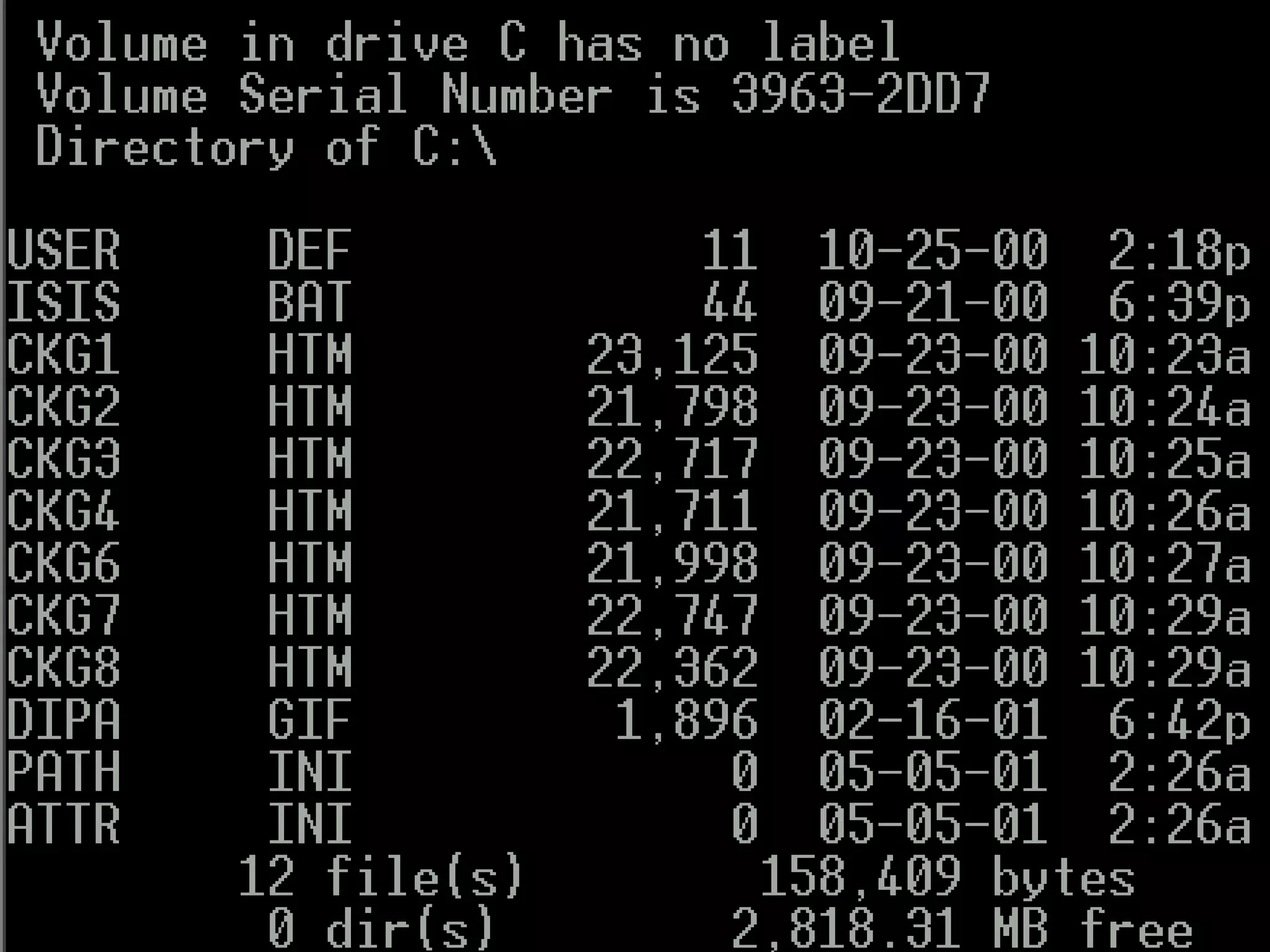
DIRDIR
This command gives a listing, calledThis command gives a listing, called
the directory, of the files stored on athe directory, of the files stored on a
disk.disk.
It displays :It displays :
•file namesfile names
•SizeSize
•date & time when the file was created or updated.date & time when the file was created or updated.
Compiled by : S. Agarwal, Lecturer & Systems Incharge, St. Xavier's Coll
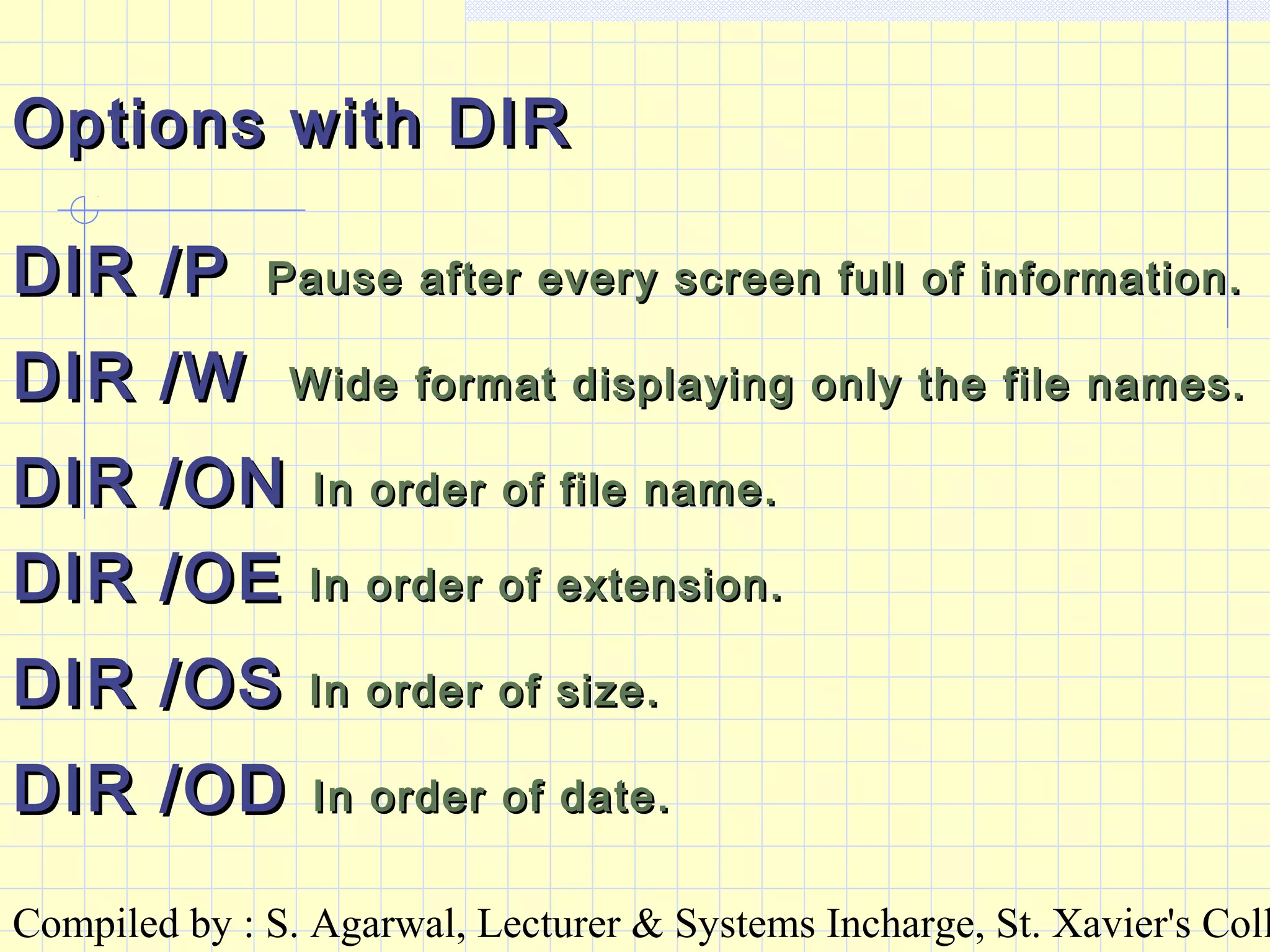
Options with DIROptions with DIR
DIR /PDIR /P Pause after every screen full of information.Pause after every screen full of information.
DIR /WDIR /W Wide format displaying only the file names.Wide format displaying only the file names.
DIR /ONDIR /ON In order of file name.In order of file name.
DIR /OEDIR /OE In order of extension.In order of extension.
DIR /OSDIR /OS In order of size.In order of size.
DIR /ODDIR /OD In order of date.In order of date.
Compiled by : S. Agarwal, Lecturer & Systems Incharge, St. Xavier's Coll
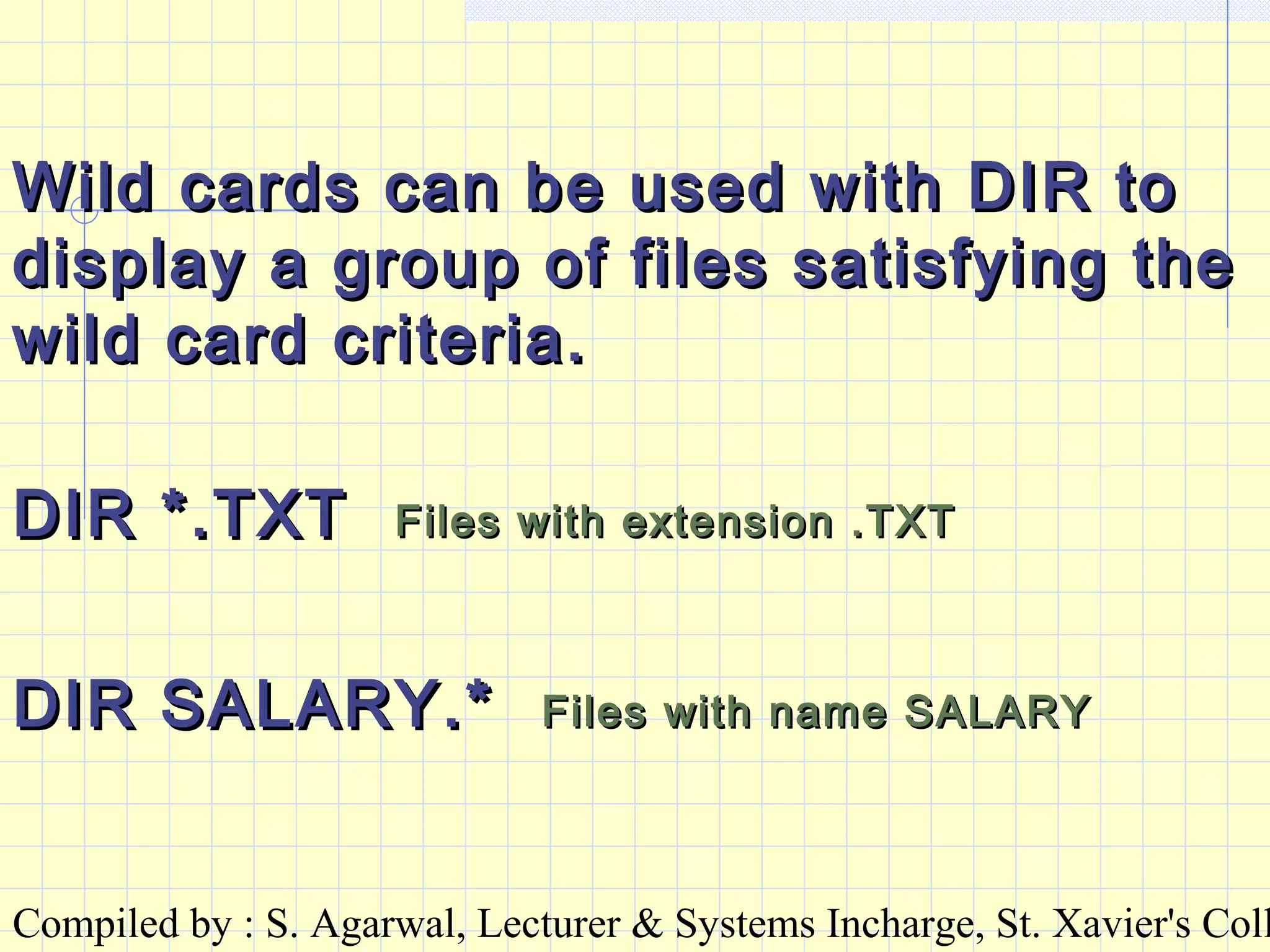
Wild cards can be used with DIR toWild cards can be used with DIR to
display a group of files satisfying thedisplay a group of files satisfying the
wild card criteria.wild card criteria.
DIR *.TXTDIR *.TXT Files with extension .TXTFiles with extension .TXT
DIR SALARY.*DIR SALARY.* Files with name SALARYFiles with name SALARY
Compiled by : S. Agarwal, Lecturer & Systems Incharge, St. Xavier's Coll
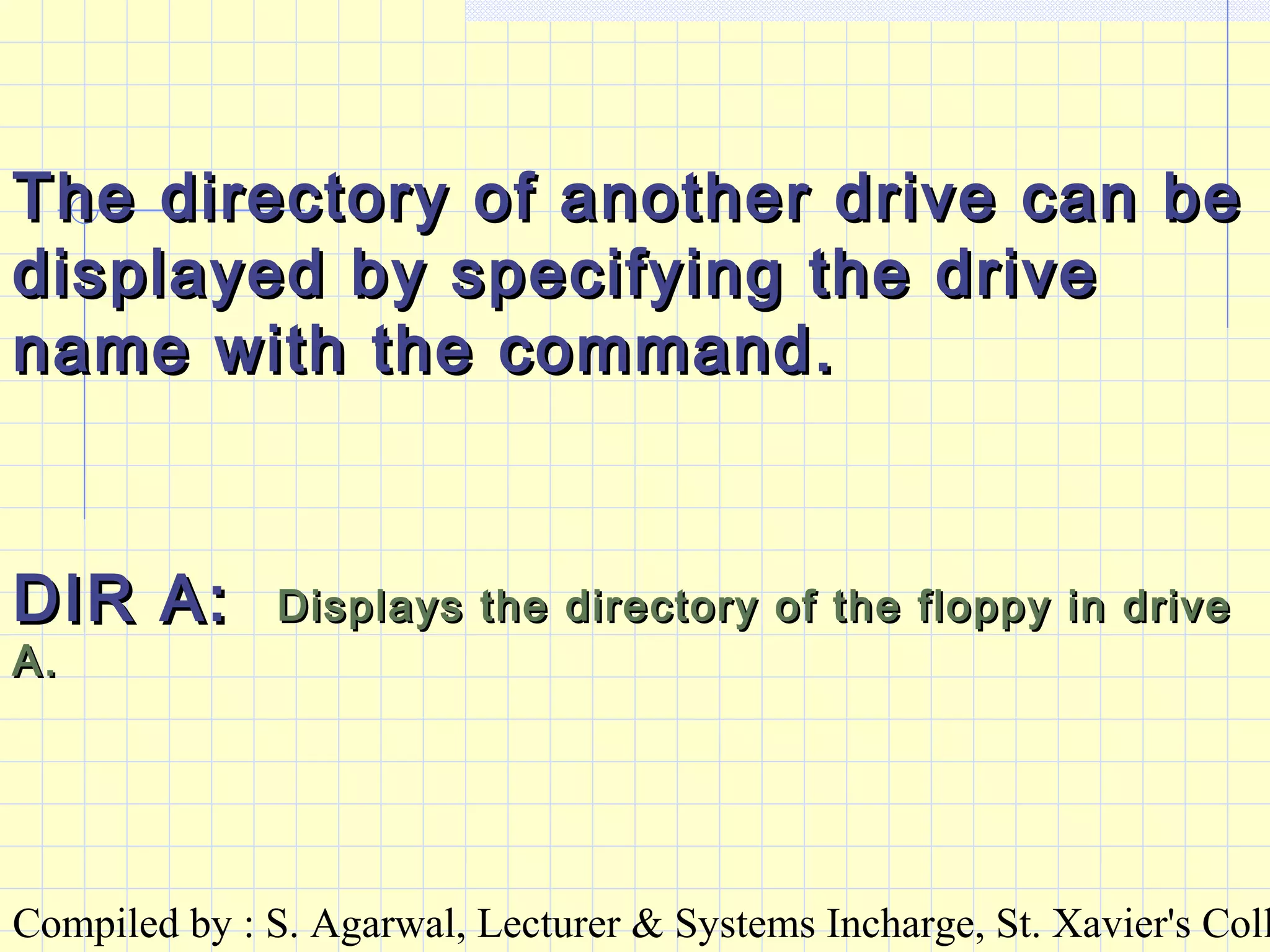
The directory of another drive can beThe directory of another drive can be
displayed by specifying the drivedisplayed by specifying the drive
name with the command.name with the command.
DIR A:DIR A: Displays the directory of the floppy in driveDisplays the directory of the floppy in drive
A.A.
Compiled by : S. Agarwal, Lecturer & Systems Incharge, St. Xavier's Coll
BASIC FILE COMMANDSBASIC FILE COMMANDS
COPYCOPY Make copies of files.Make copies of files.
SYNTAXSYNTAX
COPY [SOURCE] [TARGET]COPY [SOURCE] [TARGET]
The source has to be a file name or wildcardThe source has to be a file name or wildcard
specification. It may or may not have a drive name. It itspecification. It may or may not have a drive name. It it
does not have a drive name, the file(s) is collected fromdoes not have a drive name, the file(s) is collected from
the default drive.the default drive.
The target may be a file name or a drive name.The target may be a file name or a drive name.
Compiled by : S. Agarwal, Lecturer & Systems Incharge, St. Xavier's Coll
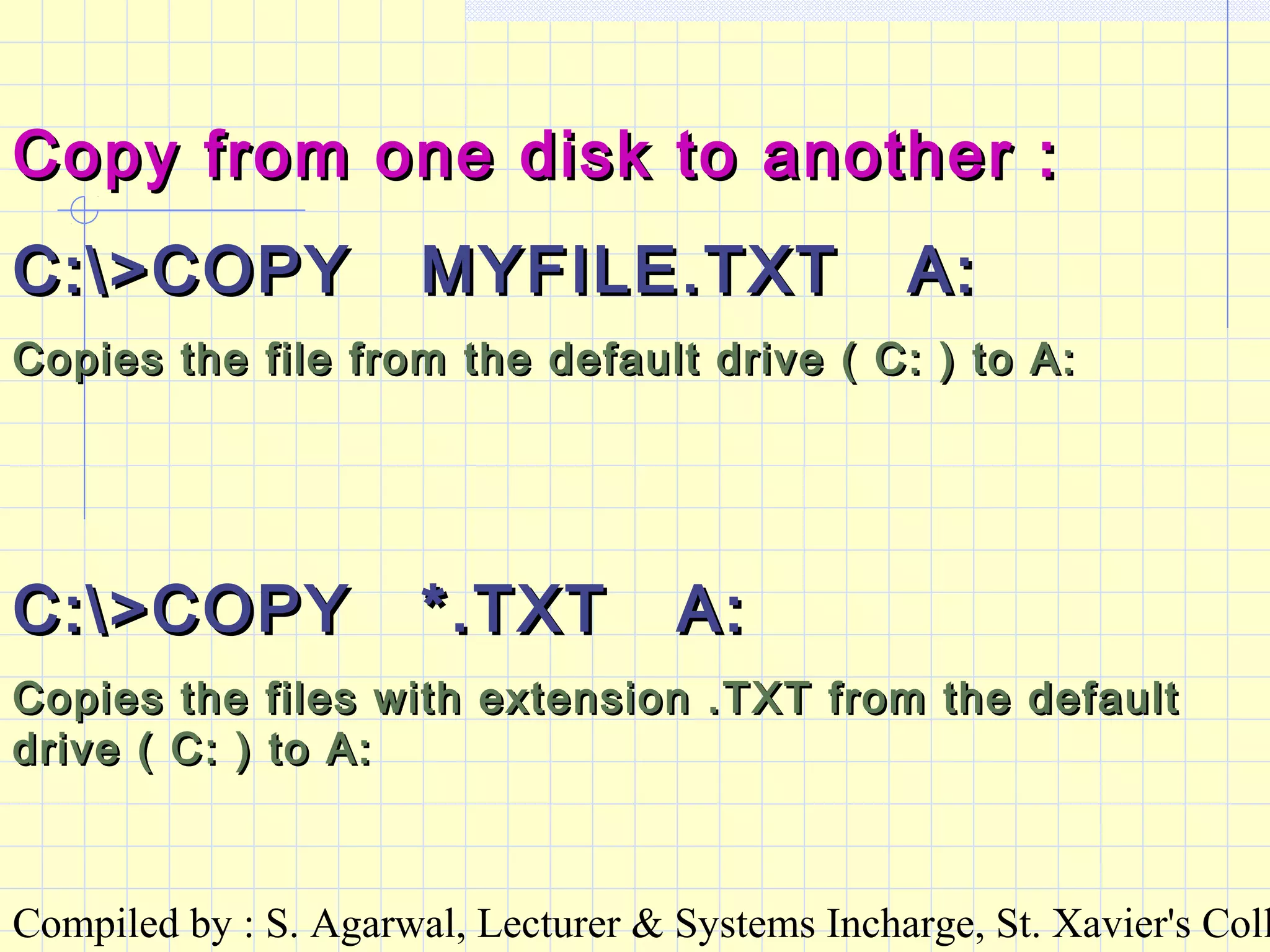
Copy from one disk to another :Copy from one disk to another :
C:>COPY MYFILE.TXT A:C:>COPY MYFILE.TXT A:
Copies the file from the default drive ( C: ) to A:Copies the file from the default drive ( C: ) to A:
C:>COPY *.TXT A:C:>COPY *.TXT A:
Copies the files with extension .TXT from the defaultCopies the files with extension .TXT from the default
drive ( C: ) to A:drive ( C: ) to A:
Compiled by : S. Agarwal, Lecturer & Systems Incharge, St. Xavier's Coll
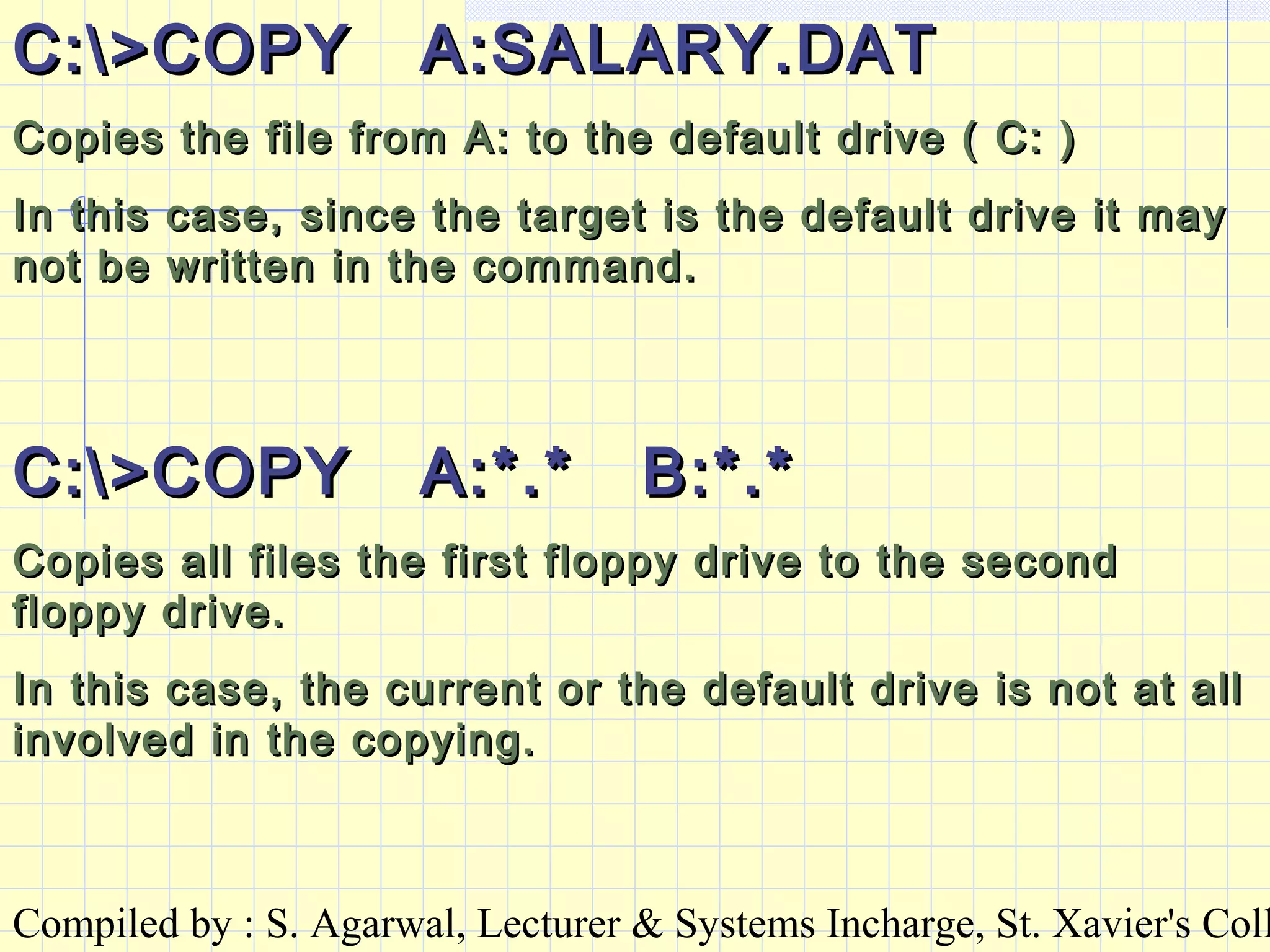
C:>COPY A:SALARY.DATC:>COPY A:SALARY.DAT
Copies the file from A: to the default drive ( C: )Copies the file from A: to the default drive ( C: )
In this case, since the target is the default drive it mayIn this case, since the target is the default drive it may
not be written in the command.not be written in the command.
C:>COPY A:*.* B:*.*C:>COPY A:*.* B:*.*
Copies all files the first floppy drive to the secondCopies all files the first floppy drive to the second
floppy drive.floppy drive.
In this case, the current or the default drive is not at allIn this case, the current or the default drive is not at all
involved in the copying.involved in the copying.
Compiled by : S. Agarwal, Lecturer & Systems Incharge, St. Xavier's Coll
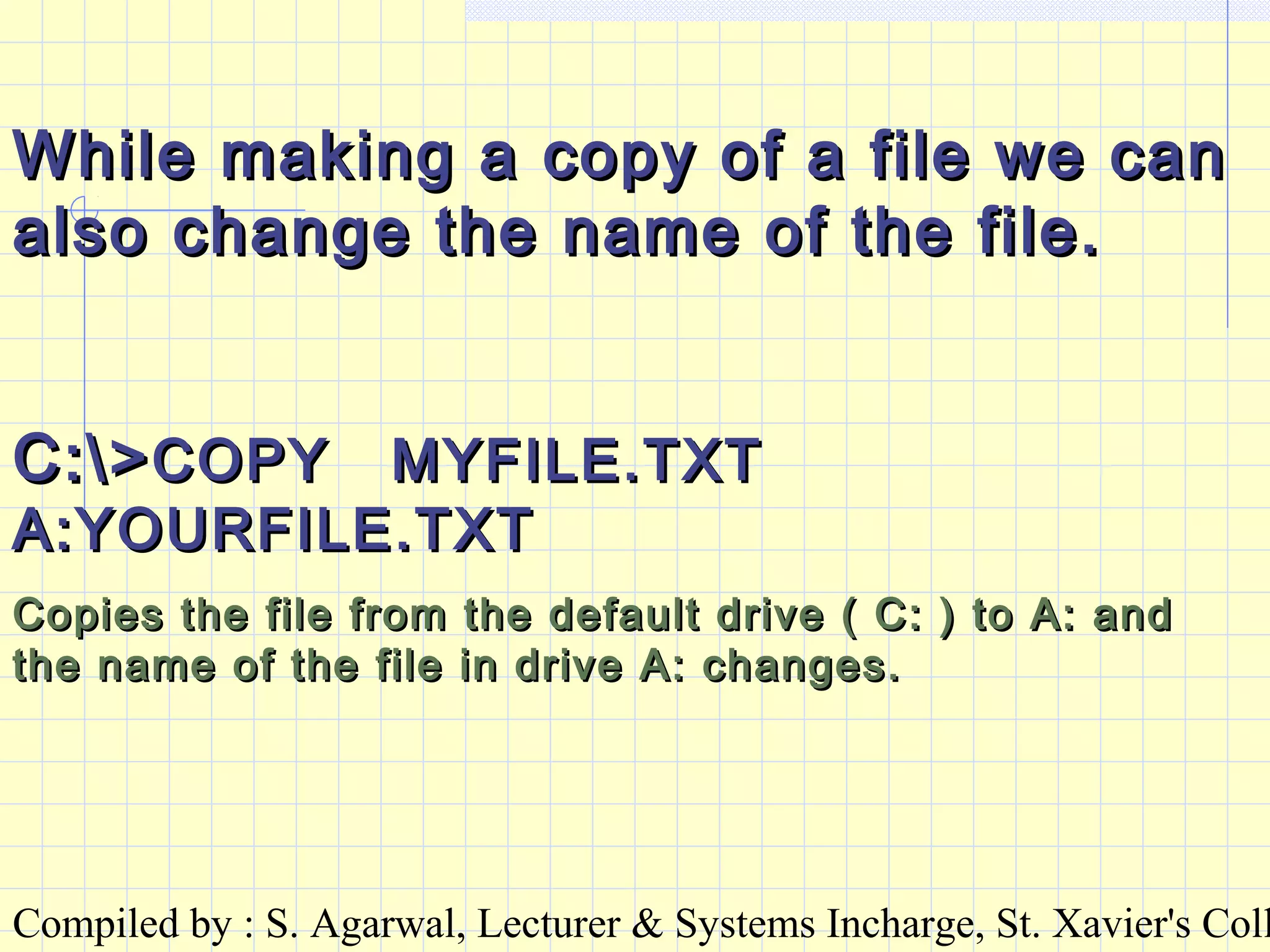
While making a copy of a file we canWhile making a copy of a file we can
also change the name of the file.also change the name of the file.
C:>C:>COPY MYFILE.TXTCOPY MYFILE.TXT
A:YOURFILE.TXTA:YOURFILE.TXT
Copies the file from the default drive ( C: ) to A: andCopies the file from the default drive ( C: ) to A: and
the name of the file in drive A: changes.the name of the file in drive A: changes.
Compiled by : S. Agarwal, Lecturer & Systems Incharge, St. Xavier's Coll
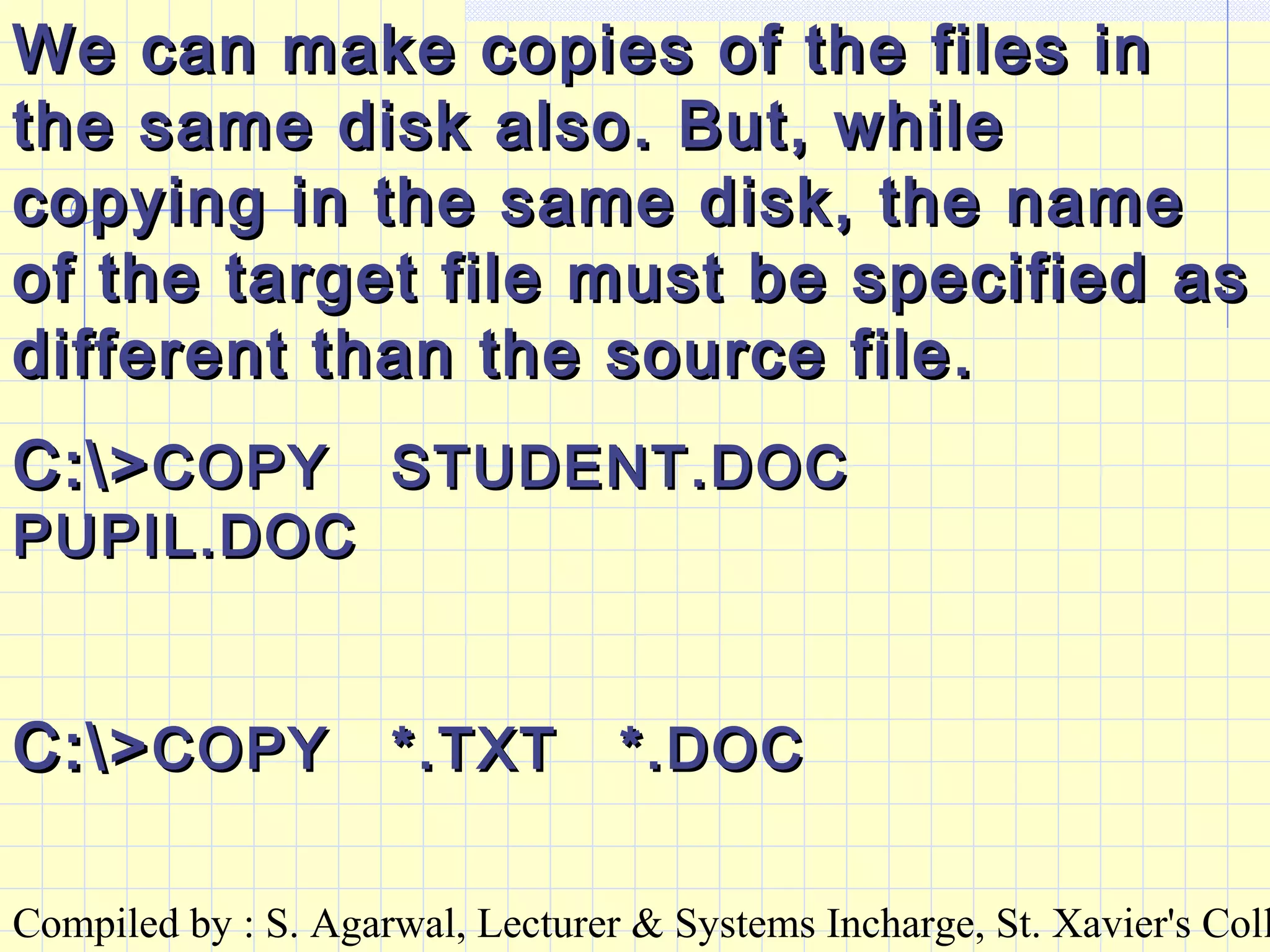
We can make copies of the files inWe can make copies of the files in
the same disk also. But, whilethe same disk also. But, while
copying in the same disk, the namecopying in the same disk, the name
of the target file must be specified asof the target file must be specified as
different than the source file.different than the source file.
C:>C:>COPY STUDENT.DOCCOPY STUDENT.DOC
PUPIL.DOCPUPIL.DOC
C:>C:>COPY *.TXT *.DOCCOPY *.TXT *.DOC
Compiled by : S. Agarwal, Lecturer & Systems Incharge, St. Xavier's Coll
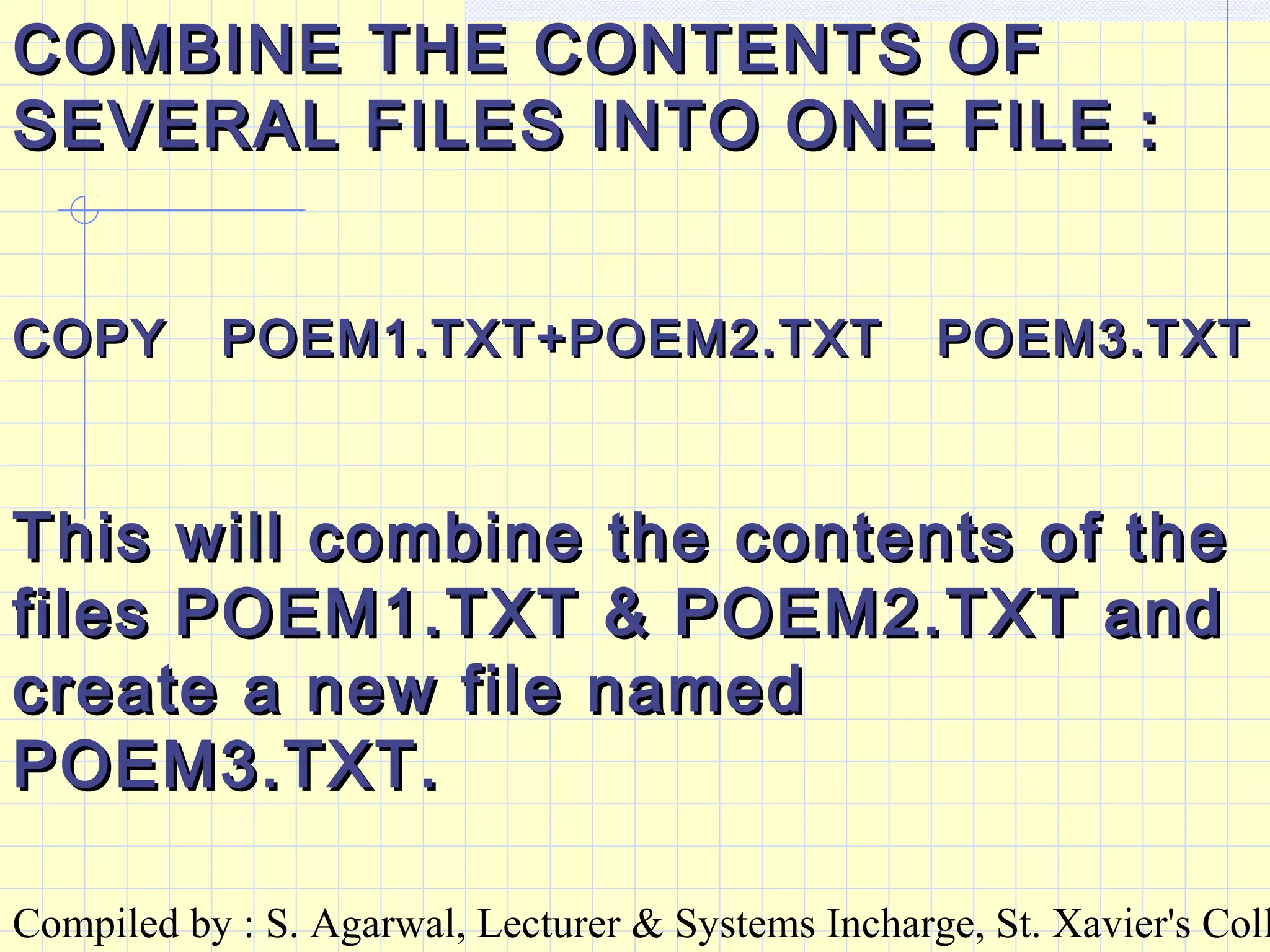
COMBINE THE CONTENTS OFCOMBINE THE CONTENTS OF
SEVERAL FILES INTO ONE FILE :SEVERAL FILES INTO ONE FILE :
COPY POEM1.TXT+POEM2.TXT POEM3.TXTCOPY POEM1.TXT+POEM2.TXT POEM3.TXT
This will combine the contents of theThis will combine the contents of the
files POEM1.TXT & POEM2.TXT andfiles POEM1.TXT & POEM2.TXT and
create a new file namedcreate a new file named
POEM3.TXT.POEM3.TXT.
Compiled by : S. Agarwal, Lecturer & Systems Incharge, St. Xavier's Coll
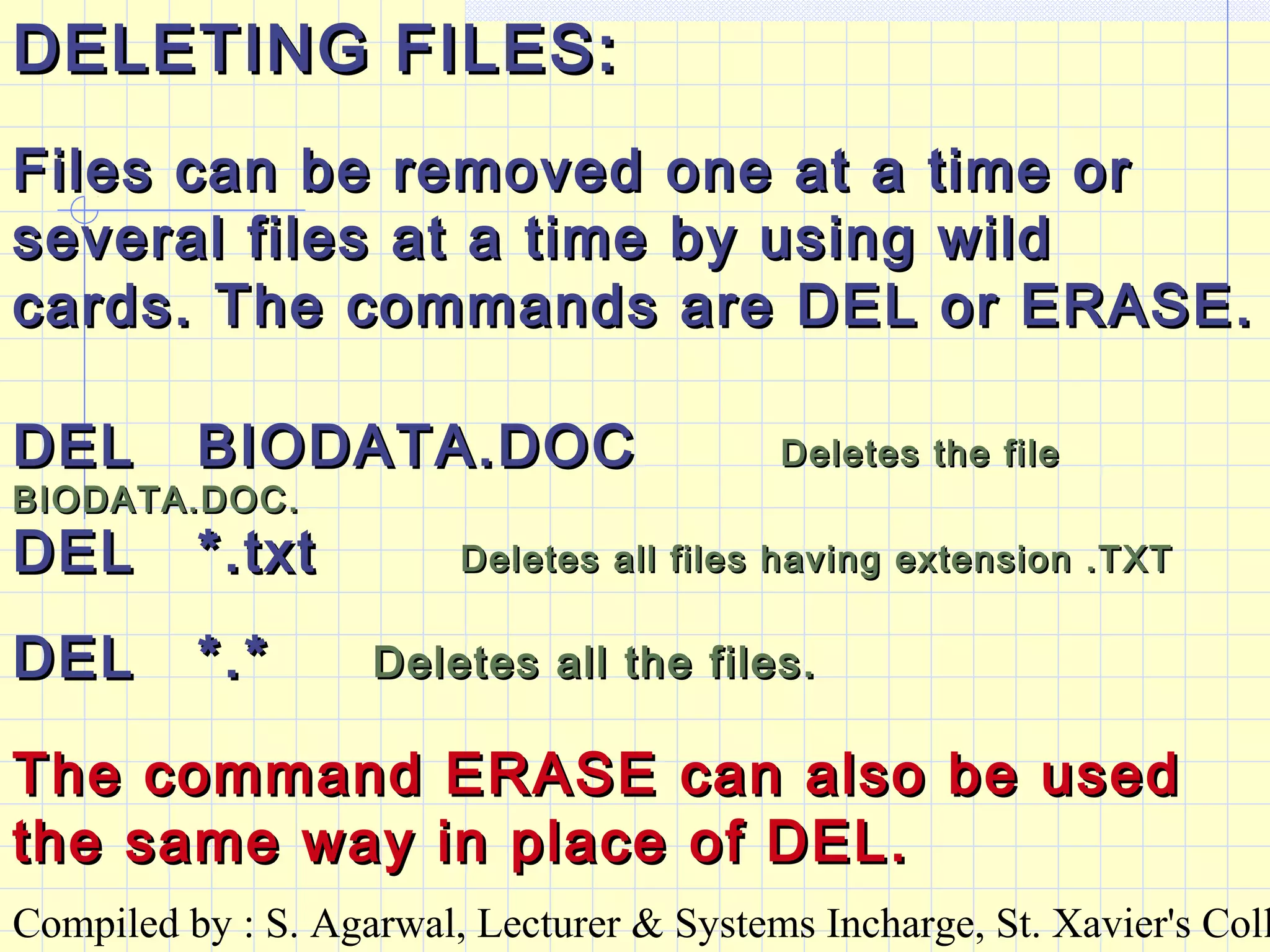
DELETING FILES:DELETING FILES:
Files can be removed one at a time orFiles can be removed one at a time or
several files at a time by using wildseveral files at a time by using wild
cards. The commands are DEL or ERASE.cards. The commands are DEL or ERASE.
DEL BIODATA.DOCDEL BIODATA.DOC Deletes the fileDeletes the file
BIODATA.DOC.BIODATA.DOC.
DEL *.txtDEL *.txt Deletes all files having extension .TXTDeletes all files having extension .TXT
DEL *.*DEL *.* Deletes all the files.Deletes all the files.
The command ERASE can also be usedThe command ERASE can also be used
the same way in place of DEL.the same way in place of DEL.
Compiled by : S. Agarwal, Lecturer & Systems Incharge, St. Xavier's Coll
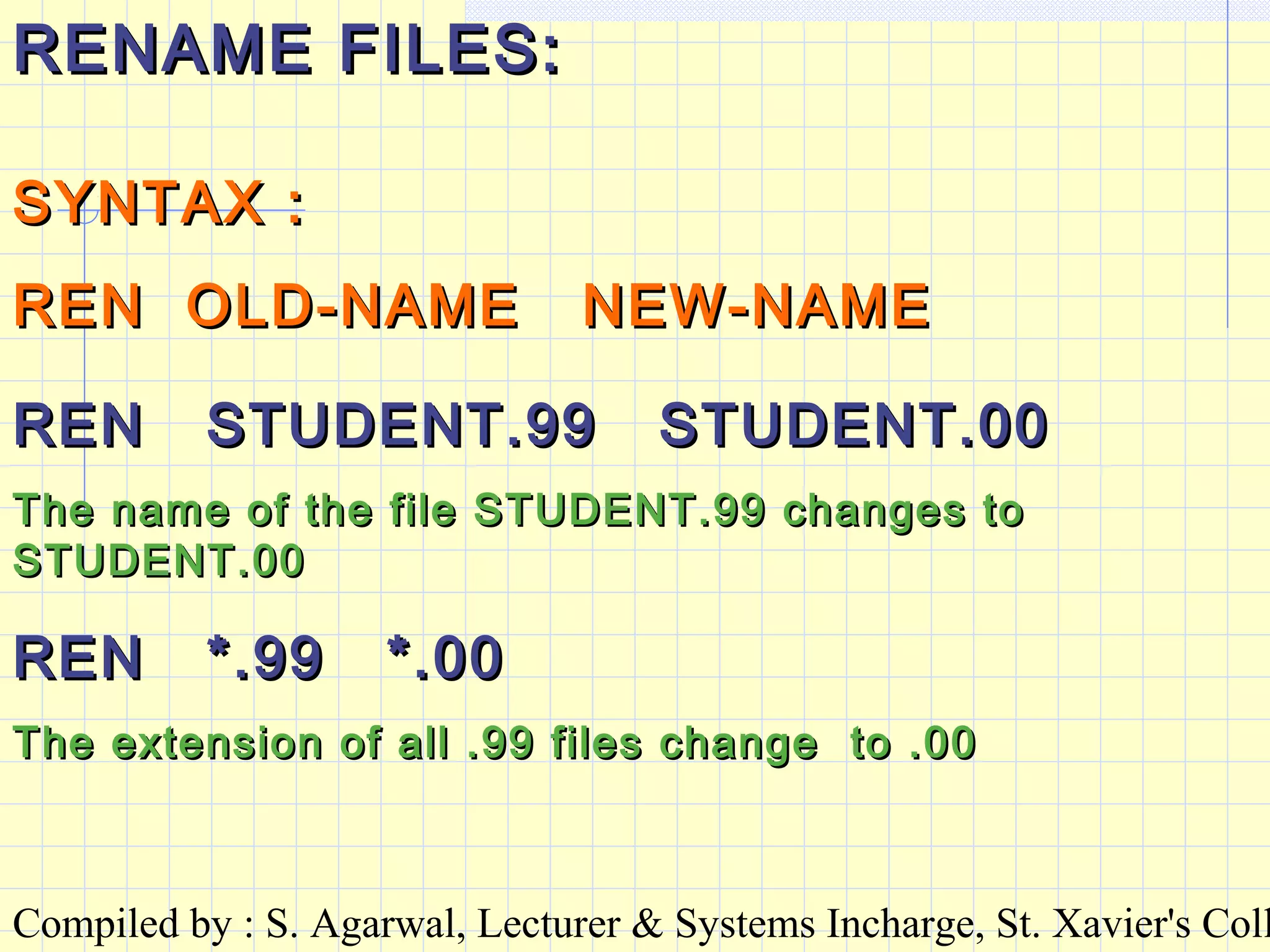
RENAME FILES:RENAME FILES:
SYNTAX :SYNTAX :
REN OLD-NAME NEW-NAMEREN OLD-NAME NEW-NAME
REN STUDENT.99 STUDENT.00REN STUDENT.99 STUDENT.00
The name of the file STUDENT.99 changes toThe name of the file STUDENT.99 changes to
STUDENT.00STUDENT.00
REN *.99 *.00REN *.99 *.00
The extension of all .99 files change to .00The extension of all .99 files change to .00
Compiled by : S. Agarwal, Lecturer & Systems Incharge, St. Xavier's Coll
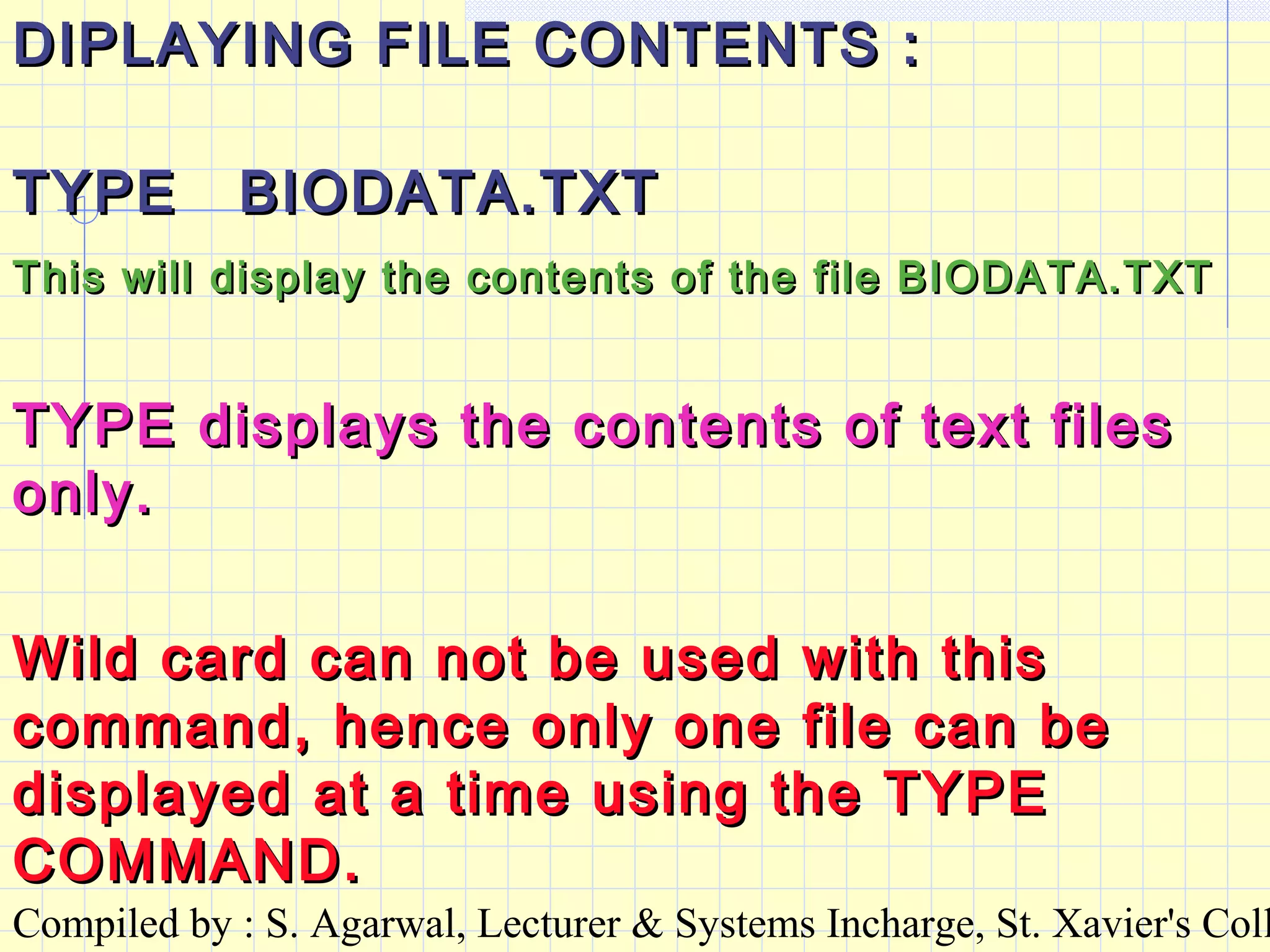
DIPLAYING FILE CONTENTS :DIPLAYING FILE CONTENTS :
TYPE BIODATA.TXTTYPE BIODATA.TXT
This will display the contents of the file BIODATA.TXTThis will display the contents of the file BIODATA.TXT
Wild card can not be used with thisWild card can not be used with this
command, hence only one file can becommand, hence only one file can be
displayed at a time using the TYPEdisplayed at a time using the TYPE
COMMAND.COMMAND.
TYPE displays the contents of text filesTYPE displays the contents of text files
only.only.
Compiled by : S. Agarwal, Lecturer & Systems Incharge, St. Xavier's Coll
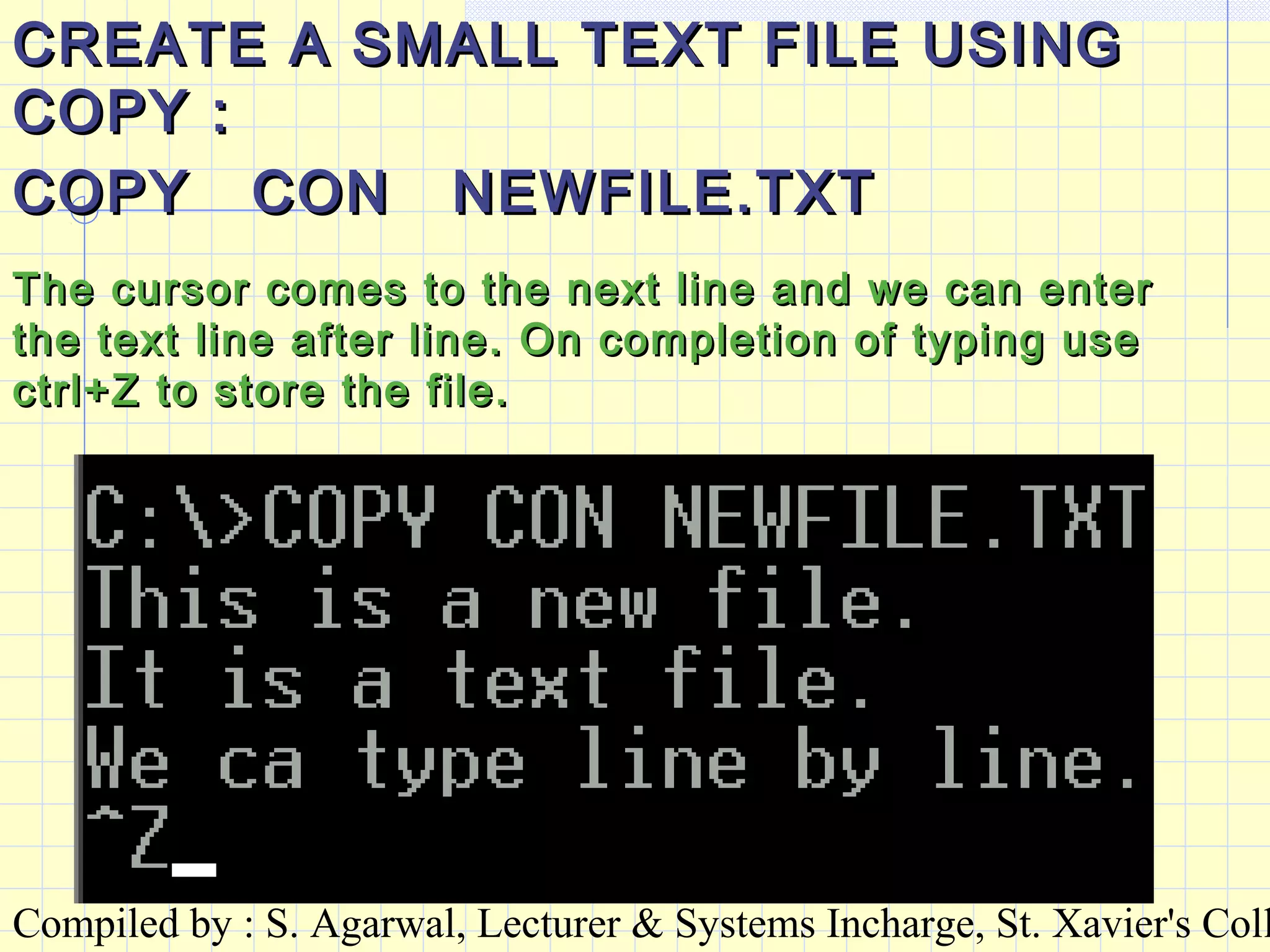
CREATE A SMALL TEXT FILE USINGCREATE A SMALL TEXT FILE USING
COPY :COPY :
COPY CON NEWFILE.TXTCOPY CON NEWFILE.TXT
The cursor comes to the next line and we can enterThe cursor comes to the next line and we can enter
the text line after line. On completion of typing usethe text line after line. On completion of typing use
ctrl+Z to store the file.ctrl+Z to store the file.
Compiled by : S. Agarwal, Lecturer & Systems Incharge, St. Xavier's Coll
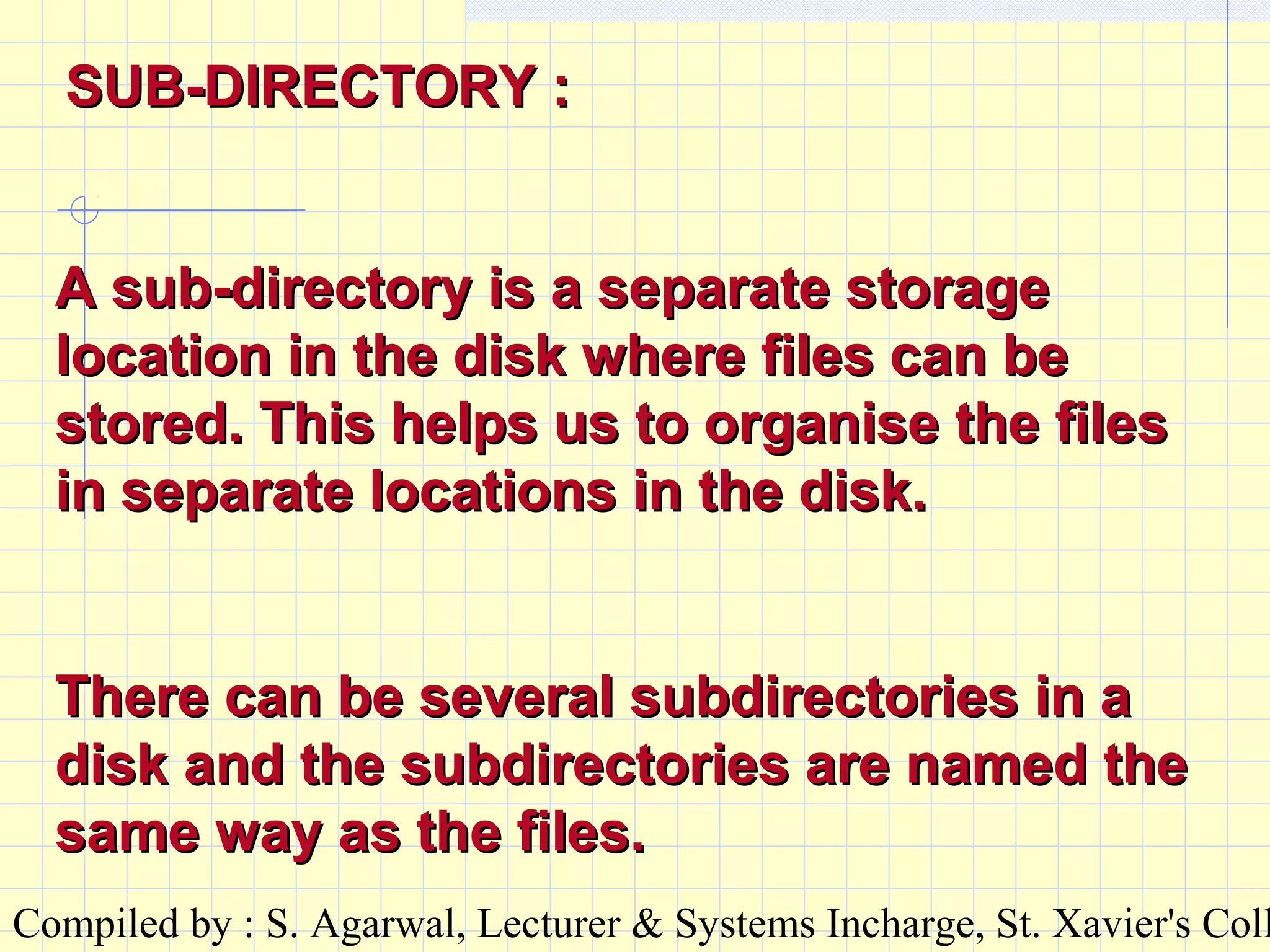
A sub-directory is a separate storageA sub-directory is a separate storage
location in the disk where files can belocation in the disk where files can be
stored. This helps us to organise the filesstored. This helps us to organise the files
in separate locations in the disk.in separate locations in the disk.
There can be several subdirectories in aThere can be several subdirectories in a
disk and the subdirectories are named thedisk and the subdirectories are named the
same way as the files.same way as the files.
SUB-DIRECTORY :SUB-DIRECTORY :
Compiled by : S. Agarwal, Lecturer & Systems Incharge, St. Xavier's Coll
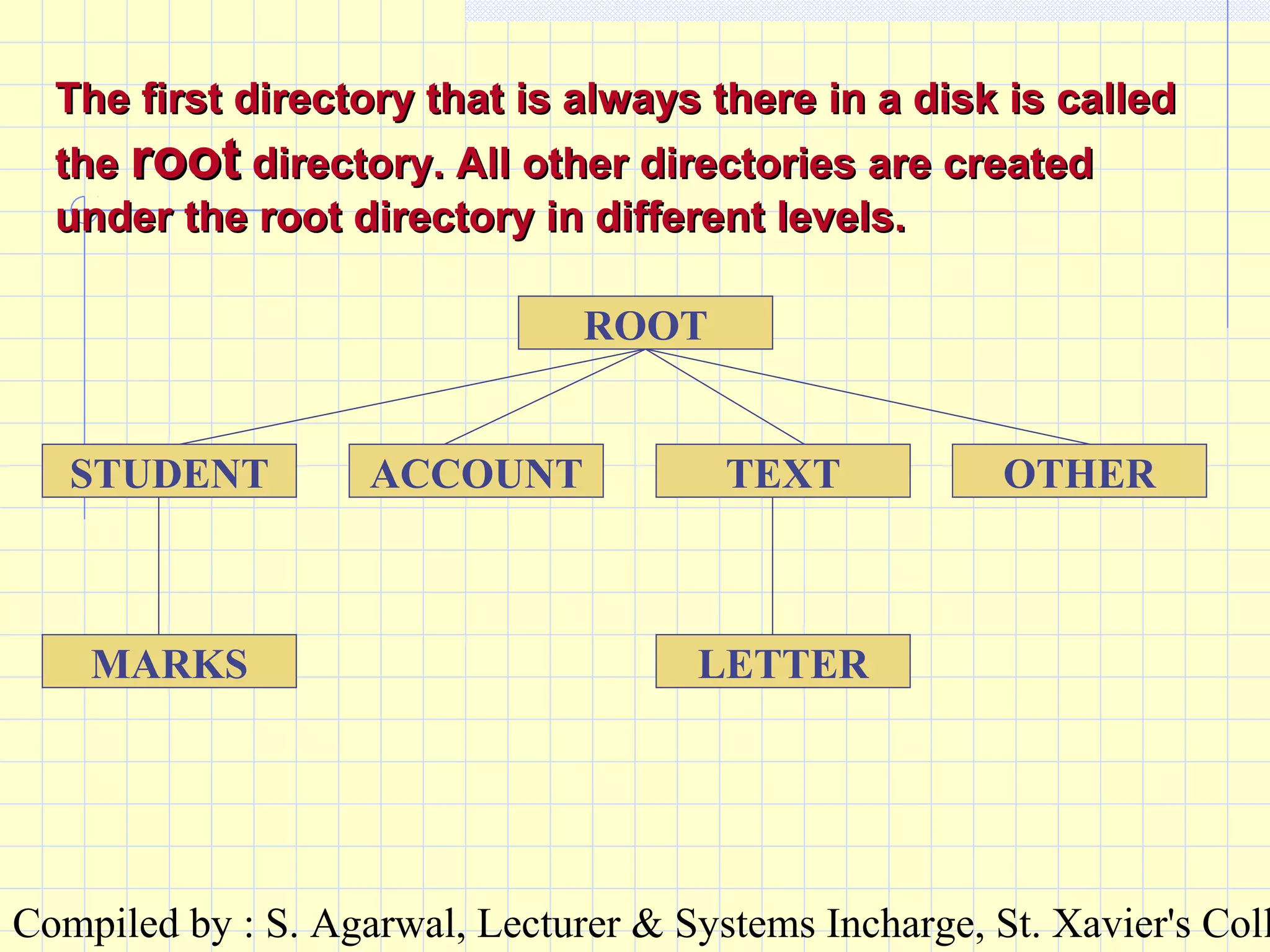
The first directory that is always there in a disk is calledThe first directory that is always there in a disk is called
thethe rootroot directory. All other directories are createddirectory. All other directories are created
under the root directory in different levels.under the root directory in different levels.
LETTER
ROOT
STUDENT ACCOUNT TEXT OTHER
MARKS
Compiled by : S. Agarwal, Lecturer & Systems Incharge, St. Xavier's Coll
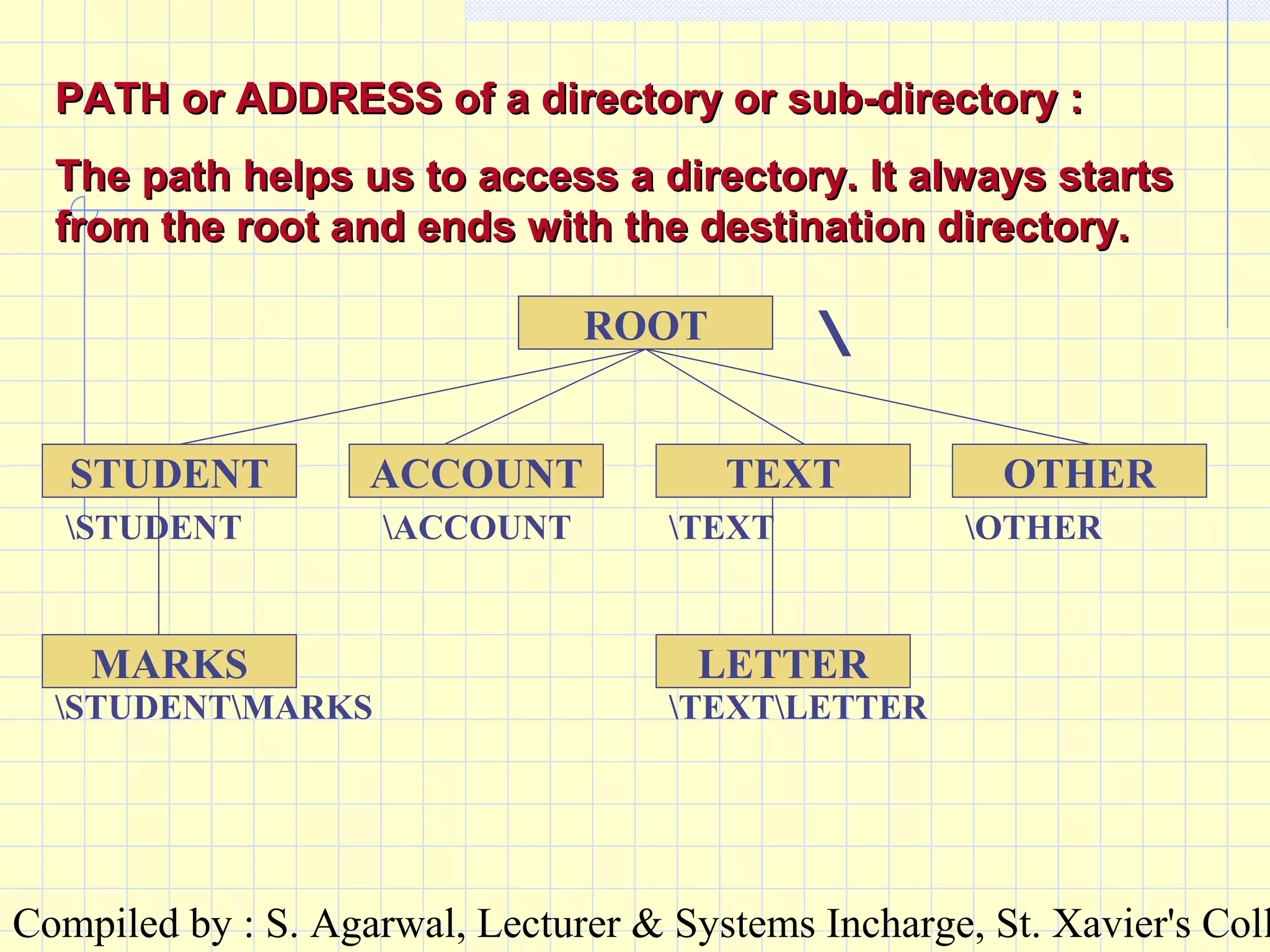
PATH or ADDRESS of a directory or sub-directory :PATH or ADDRESS of a directory or sub-directory :
The path helps us to access a directory. It always startsThe path helps us to access a directory. It always starts
from the root and ends with the destination directory.from the root and ends with the destination directory.
LETTER
ROOT
STUDENT ACCOUNT TEXT OTHER
MARKS

STUDENT ACCOUNT TEXT OTHER
STUDENTMARKS TEXTLETTER
Compiled by : S. Agarwal, Lecturer & Systems Incharge, St. Xavier's Coll
ROOT
STUDENT ACCOUNT TEXT OTHER
MARKS LETTER
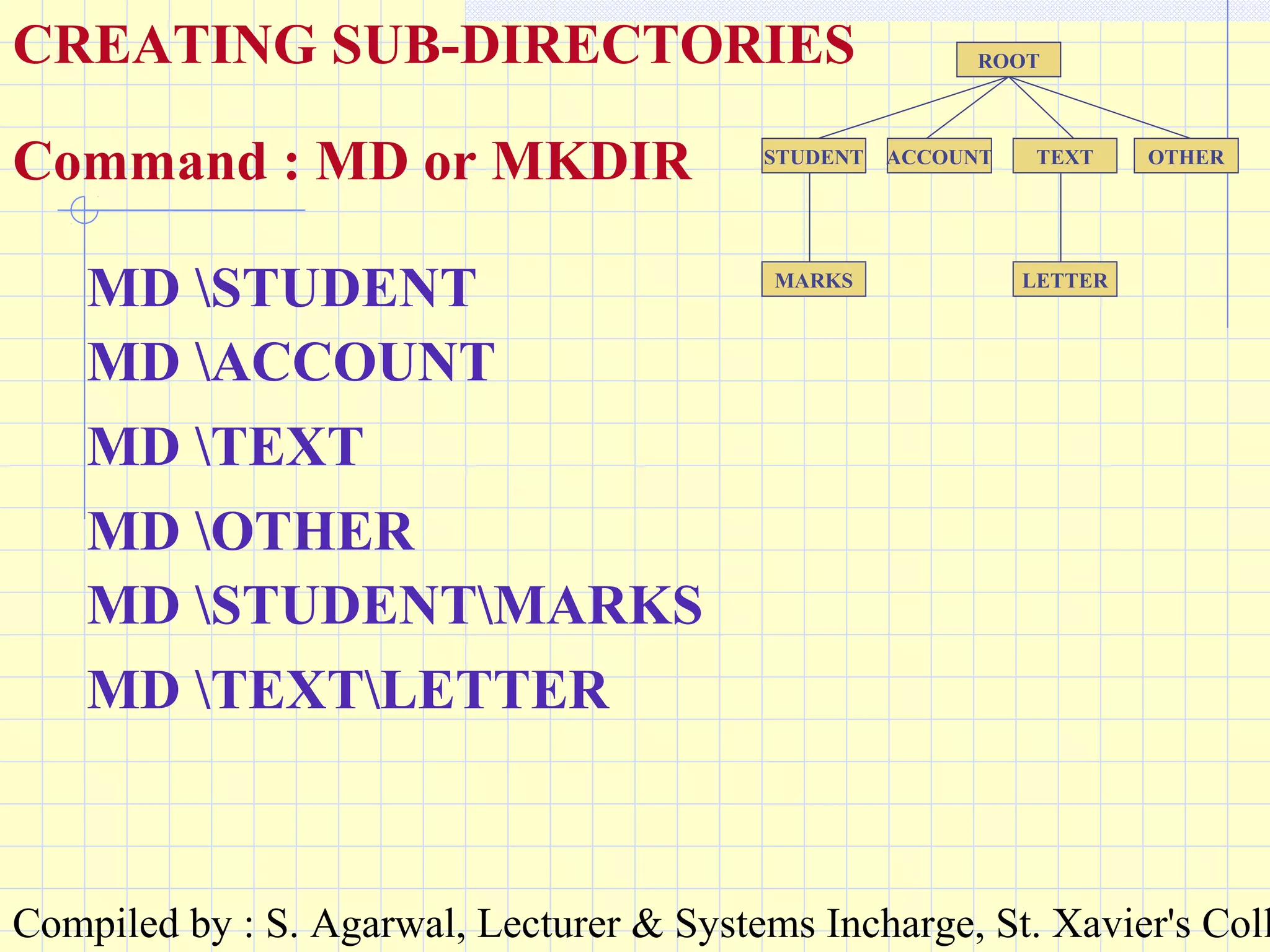
CREATING SUB-DIRECTORIES
Command : MD or MKDIR
MD STUDENT
MD ACCOUNT
MD TEXT
MD OTHER
MD STUDENTMARKS
MD TEXTLETTER
Compiled by : S. Agarwal, Lecturer & Systems Incharge, St. Xavier's Coll
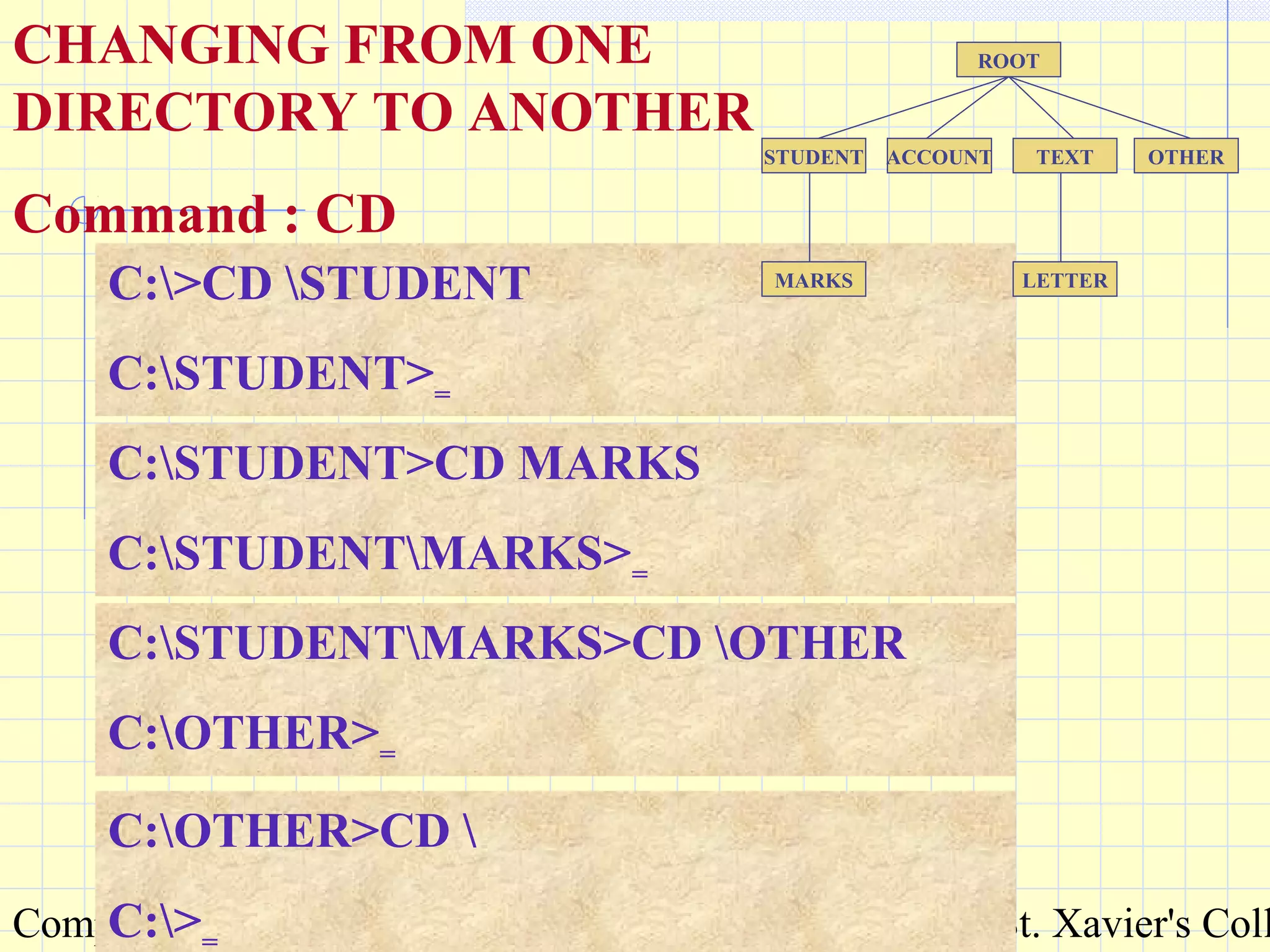
C:>CD STUDENT
C:STUDENT>=
ACCOUNT
ROOT
STUDENT TEXT OTHER
MARKS LETTER
CHANGING FROM ONE
DIRECTORY TO ANOTHER
Command : CD
C:STUDENT>CD MARKS
C:STUDENTMARKS>=
C:STUDENTMARKS>CD OTHER
C:OTHER>=
C:OTHER>CD 
C:>=
Compiled by : S. Agarwal, Lecturer & Systems Incharge, St. Xavier's Coll
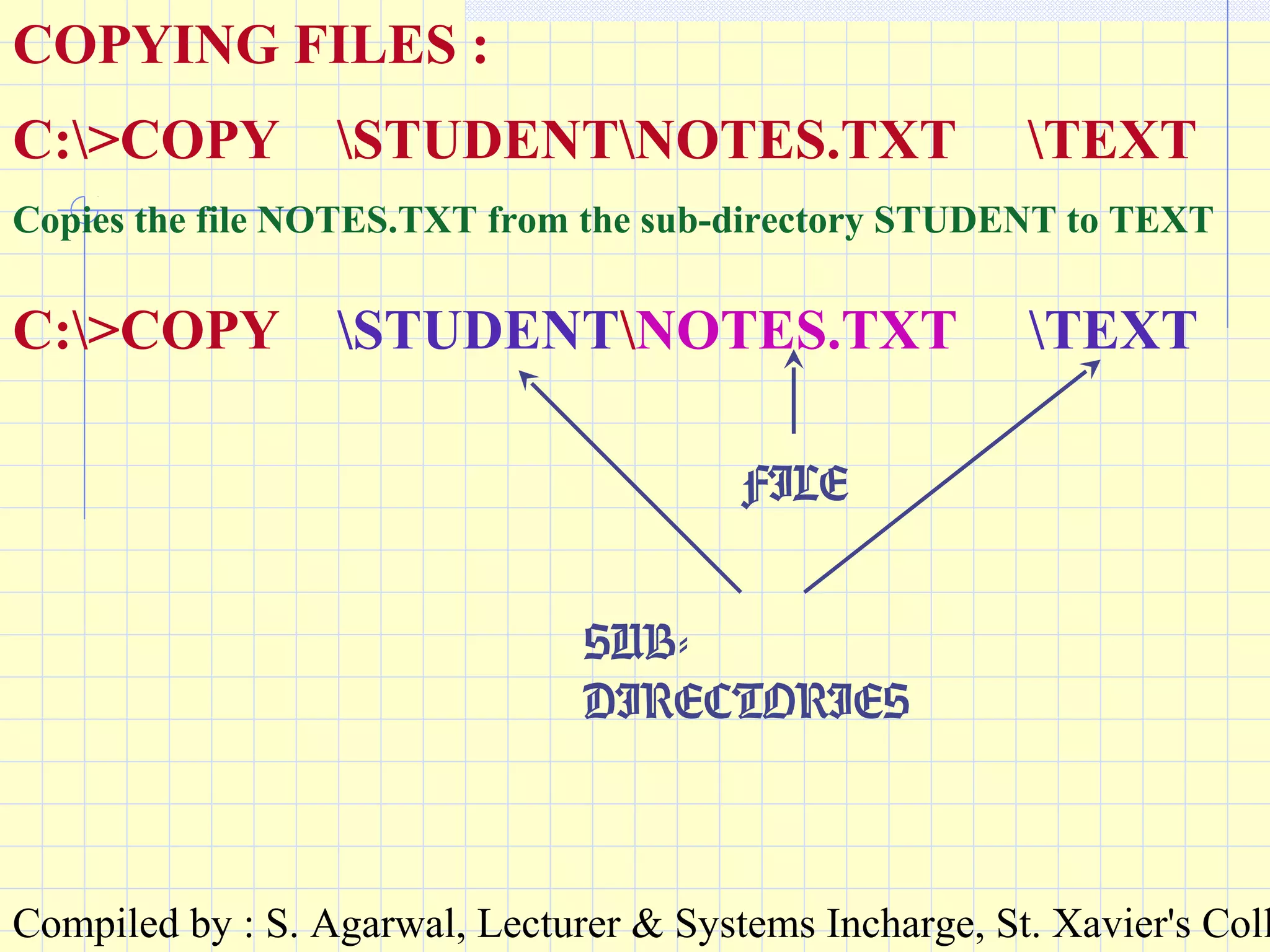
COPYING FILES :
C:>COPY STUDENTNOTES.TXT TEXT
Copies the file NOTES.TXT from the sub-directory STUDENT to TEXT
C:>COPY STUDENTNOTES.TXT TEXT
SUB-
DIRECTORIES
FILE
Compiled by : S. Agarwal, Lecturer & Systems Incharge, St. Xavier's Coll
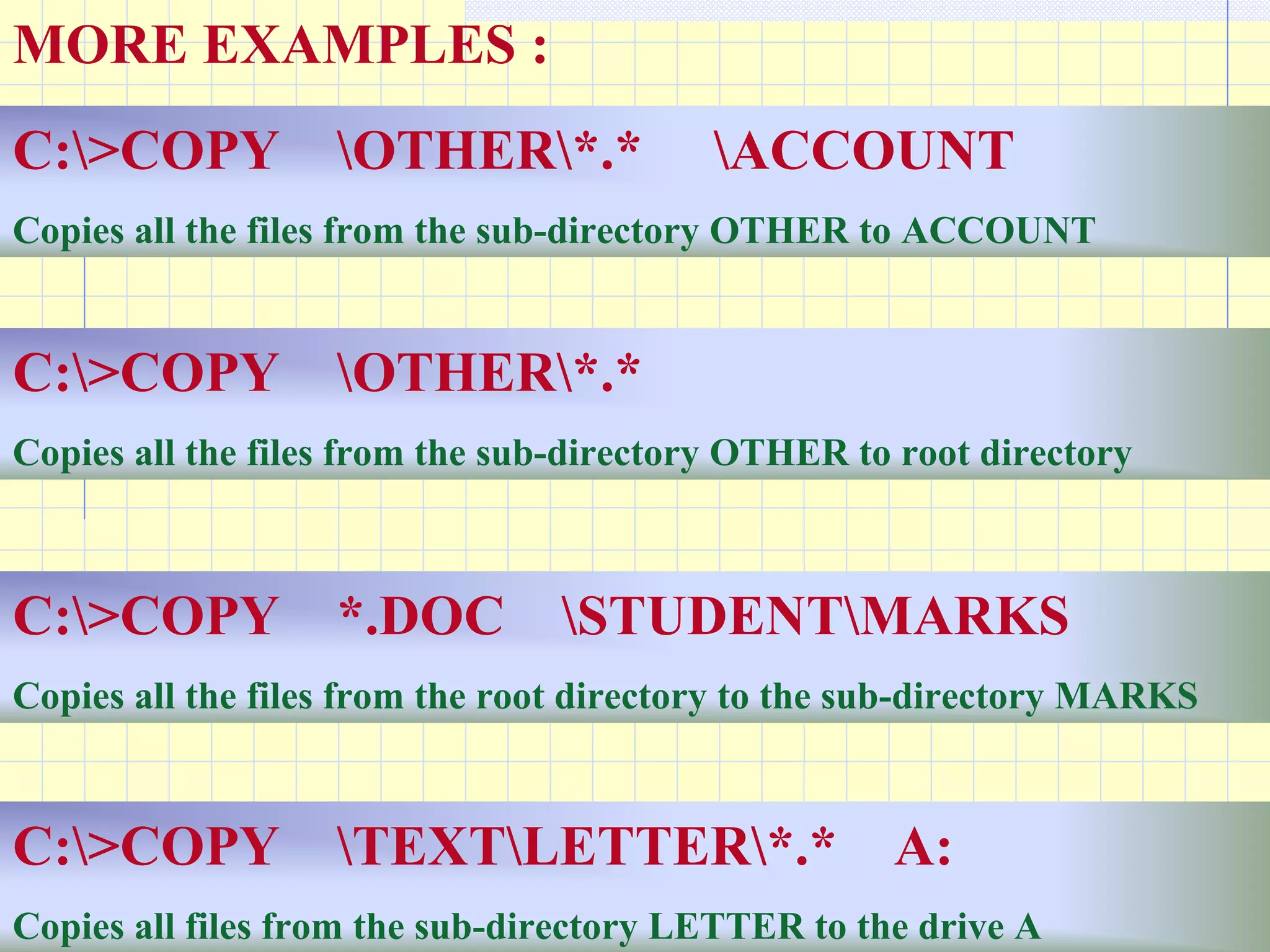
MORE EXAMPLES :
C:>COPY OTHER*.* ACCOUNT
Copies all the files from the sub-directory OTHER to ACCOUNT
C:>COPY OTHER*.*
Copies all the files from the sub-directory OTHER to root directory
C:>COPY *.DOC STUDENTMARKS
Copies all the files from the root directory to the sub-directory MARKS
C:>COPY TEXTLETTER*.* A:
Copies all files from the sub-directory LETTER to the drive A
Compiled by : S. Agarwal, Lecturer & Systems Incharge, St. Xavier's Coll
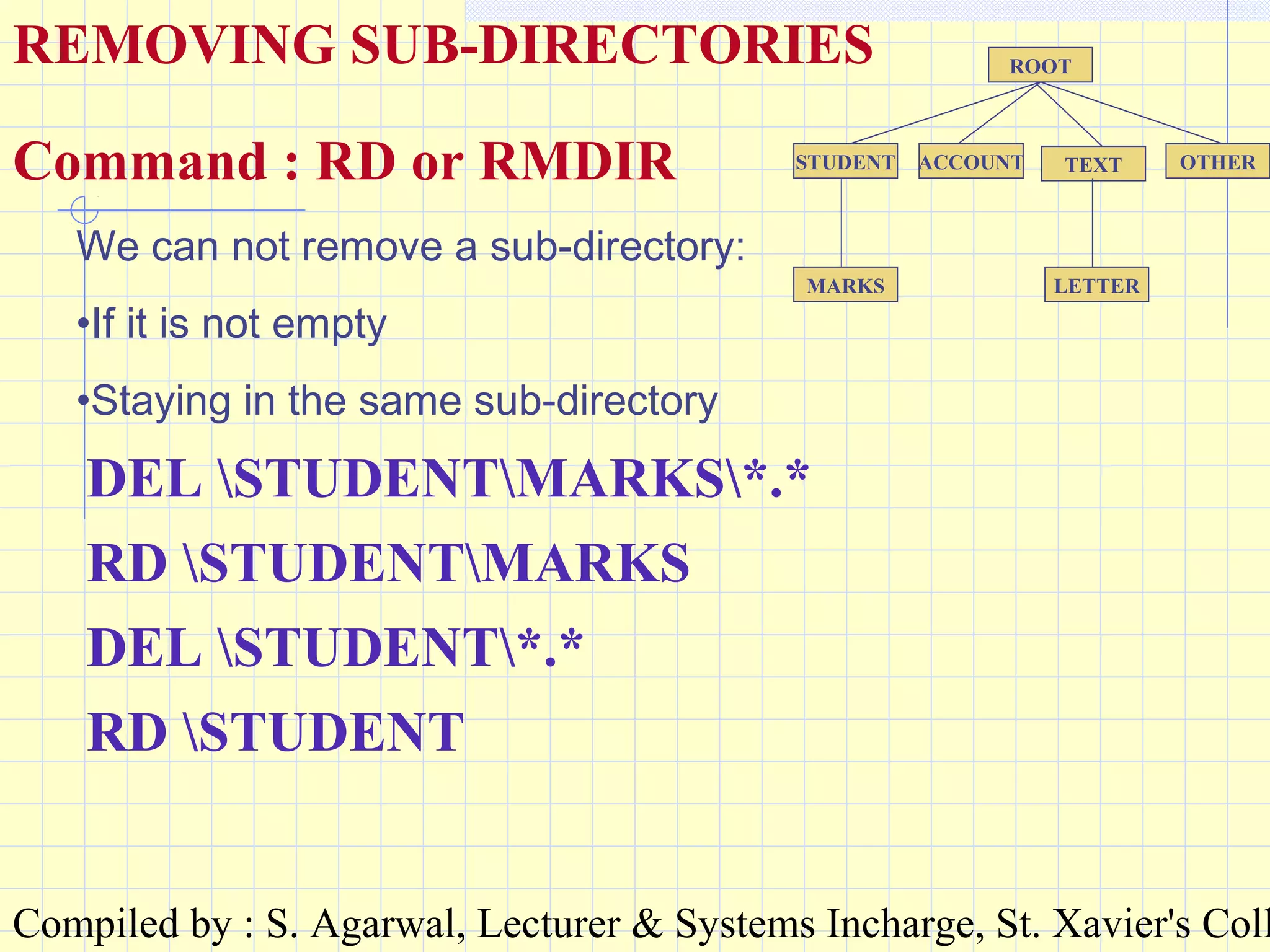
ROOT
STUDENT ACCOUNT TEXT OTHER
MARKS LETTER
REMOVING SUB-DIRECTORIES
Command : RD or RMDIR
DEL STUDENTMARKS*.*
RD STUDENTMARKS
We can not remove a sub-directory:
•If it is not empty
•Staying in the same sub-directory
DEL STUDENT*.*
RD STUDENT
Compiled by : S. Agarwal, Lecturer & Systems Incharge, St. Xavier's Coll
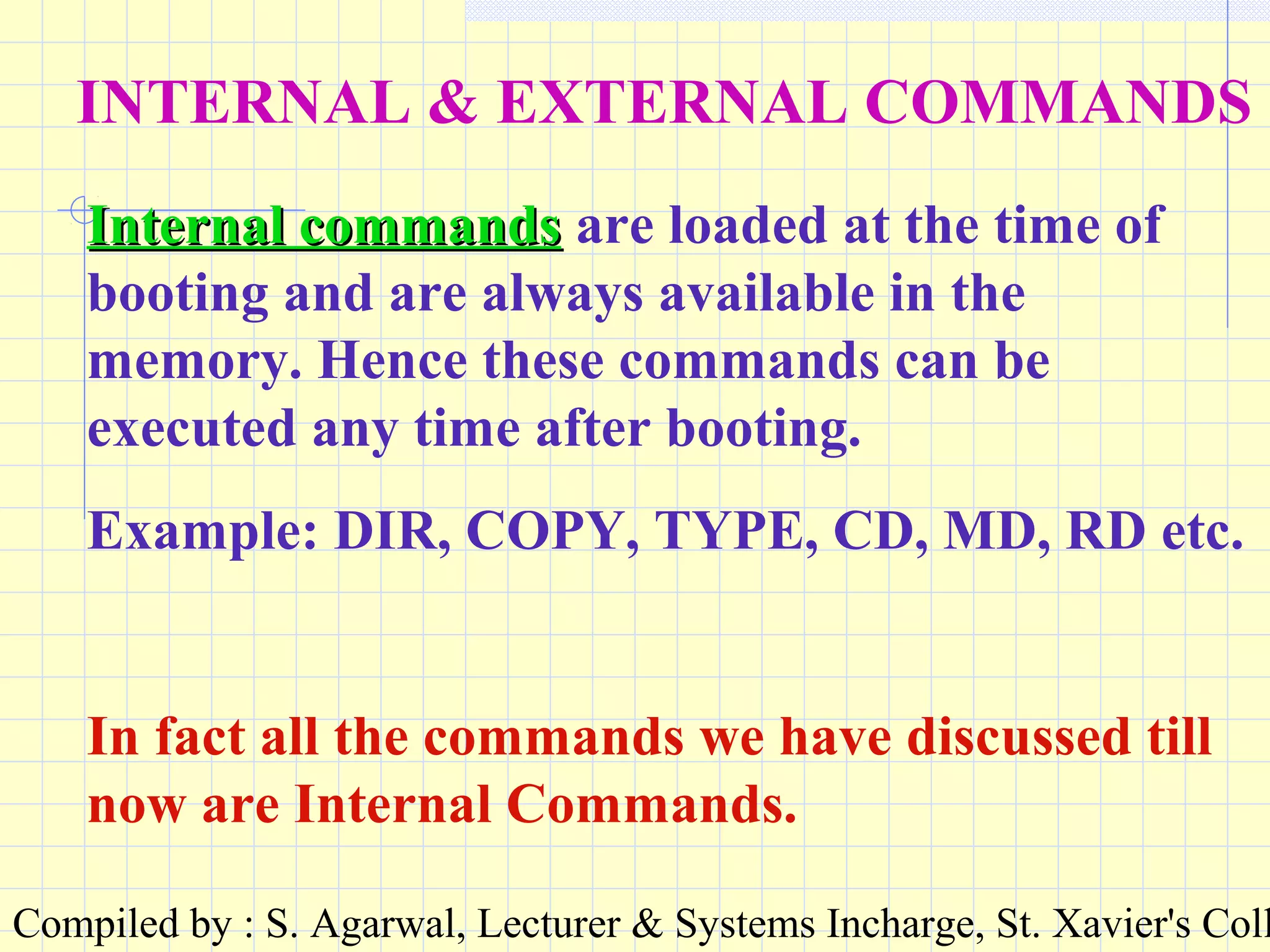
INTERNAL & EXTERNAL COMMANDS
Internal commandsInternal commands are loaded at the time of
booting and are always available in the
memory. Hence these commands can be
executed any time after booting.
Example: DIR, COPY, TYPE, CD, MD, RD etc.
In fact all the commands we have discussed till
now are Internal Commands.
Compiled by : S. Agarwal, Lecturer & Systems Incharge, St. Xavier's Coll
External commandsExternal commands are separate utility
programs that accompany the operating system.
These commands are executed with the help of
program files present in the disk. Typically the
primary name of a program file for a particular
external command is the same as the command
itself and the extension is either .COM or .EXE.
Example: TREE, FORMAT, LABEL, SYS,
DISKCOPY, ATTRIB, SCANDISK, MORE etc.
Compiled by : S. Agarwal, Lecturer & Systems Incharge, St. Xavier's Coll
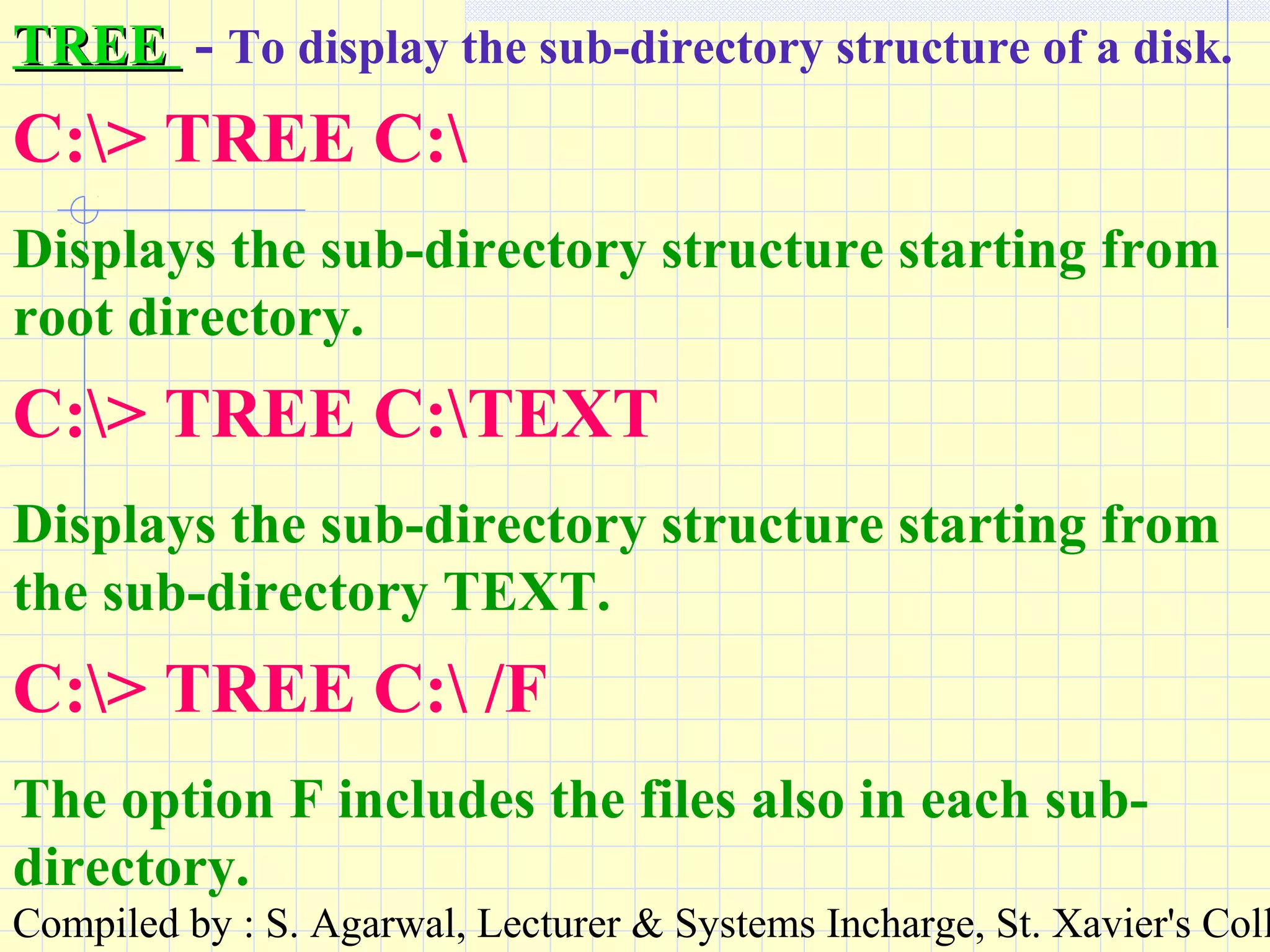
TREETREE - To display the sub-directory structure of a disk.
C:> TREE C:
Displays the sub-directory structure starting from
root directory.
C:> TREE C:TEXT
Displays the sub-directory structure starting from
the sub-directory TEXT.
C:> TREE C: /F
The option F includes the files also in each sub-
directory.
Compiled by : S. Agarwal, Lecturer & Systems Incharge, St. Xavier's Coll
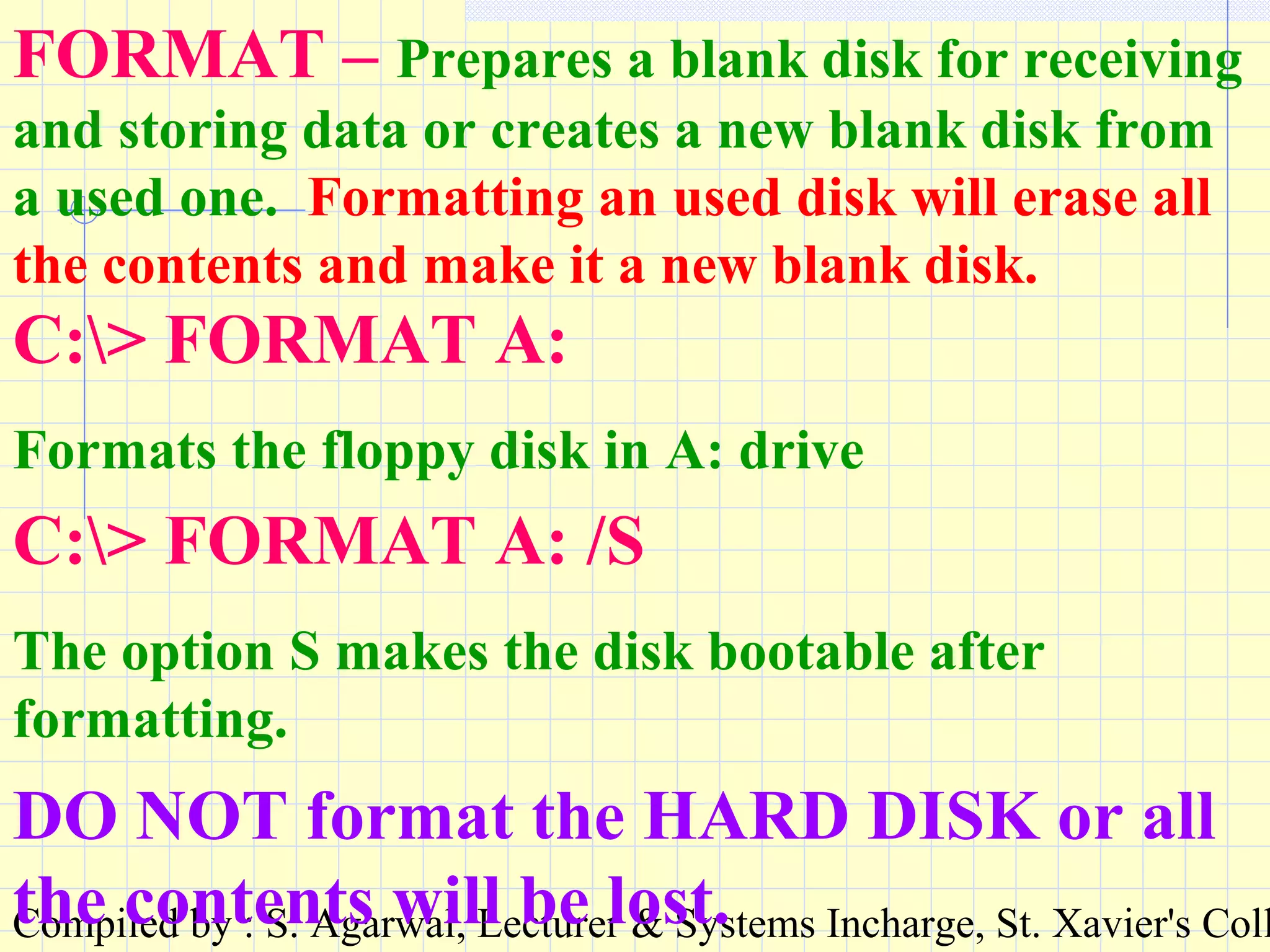
FORMAT – Prepares a blank disk for receiving
and storing data or creates a new blank disk from
a used one. Formatting an used disk will erase all
the contents and make it a new blank disk.
C:> FORMAT A:
Formats the floppy disk in A: drive
C:> FORMAT A: /S
The option S makes the disk bootable after
formatting.
DO NOT format the HARD DISK or all
the contents will be lost.
Compiled by : S. Agarwal, Lecturer & Systems Incharge, St. Xavier's Coll
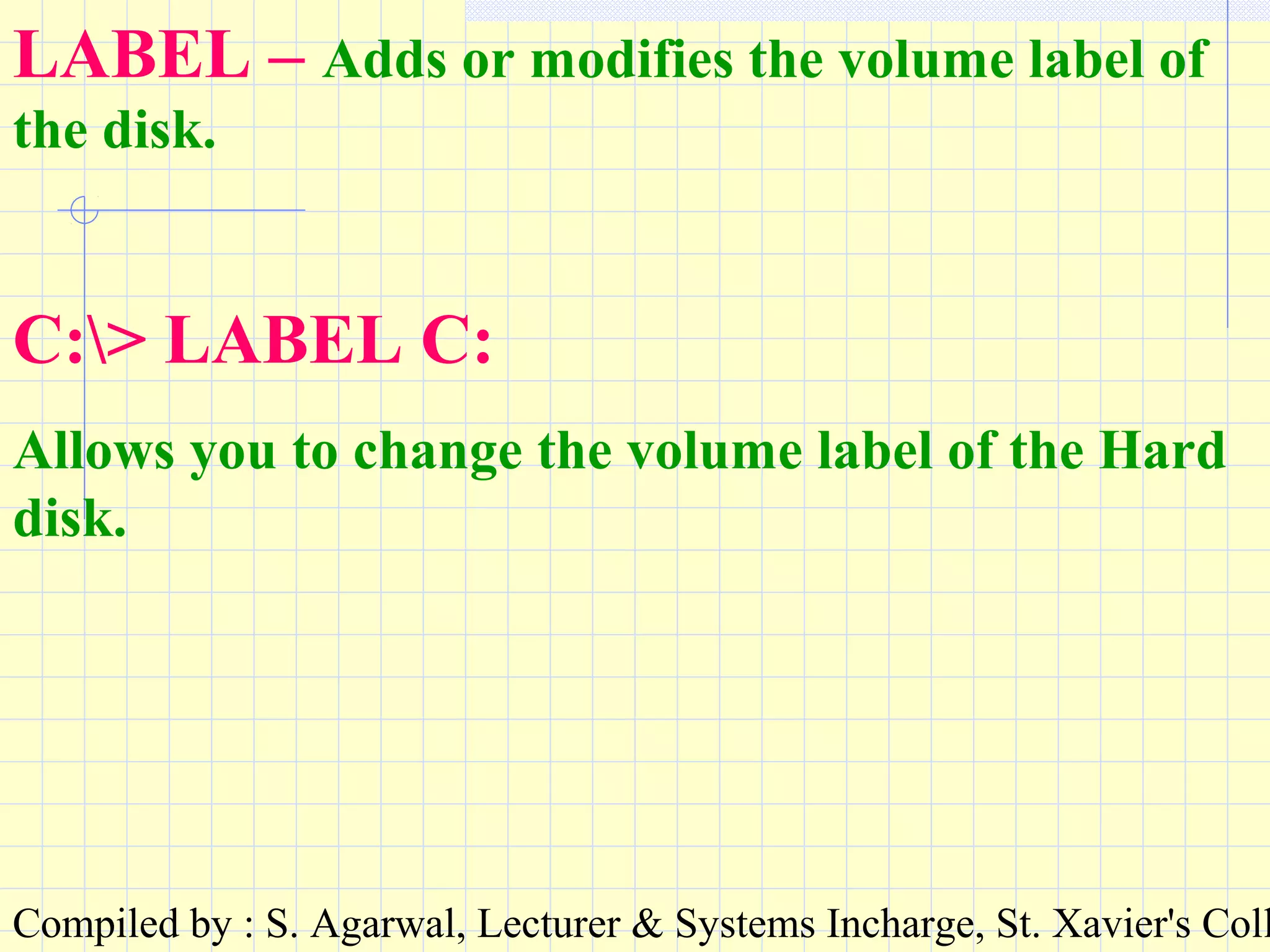
LABEL – Adds or modifies the volume label of
the disk.
C:> LABEL C:
Allows you to change the volume label of the Hard
disk.
Compiled by : S. Agarwal, Lecturer & Systems Incharge, St. Xavier's Coll
SYS – Copies the DOS system files into a disk and
makes it bootable.
C:> SYS A:
Will transfer the system files to the floppy in drive
A: and make it bootable.
Compiled by : S. Agarwal, Lecturer & Systems Incharge, St. Xavier's Coll
DISKCOPY – Copies an entire disk into
another and makes an identical disk. It overwrites
the contents of the target disk.
C:> DISKCOPY A: B:
Will copy the contents of the floppy in drive A: to
the floppy in drive B:
Compiled by : S. Agarwal, Lecturer & Systems Incharge, St. Xavier's Coll
ATTRIB – Changes the attributes of a file. A file
can be made read-only or hidden.
C:> ATTRIB +R MYFILE.TXT
Makes the file read-only.
C:> ATTRIB +H MYFILE.TXT
Makes the file hidden.
C:> ATTRIB -R –H MYFILE.TXT
Removes the read-only and hidden attributes.
Wild cards can be used to change the
attributes of a group of files.
Compiled by : S. Agarwal, Lecturer & Systems Incharge, St. Xavier's Coll
SCANDISK – Analyses and repairs logical and
physical disk errors.
It identifies the bad sectors from the disk
and marks them so that no data is stored
there.
C:> SCANDISK C:
Compiled by : S. Agarwal, Lecturer & Systems Incharge, St. Xavier's Coll
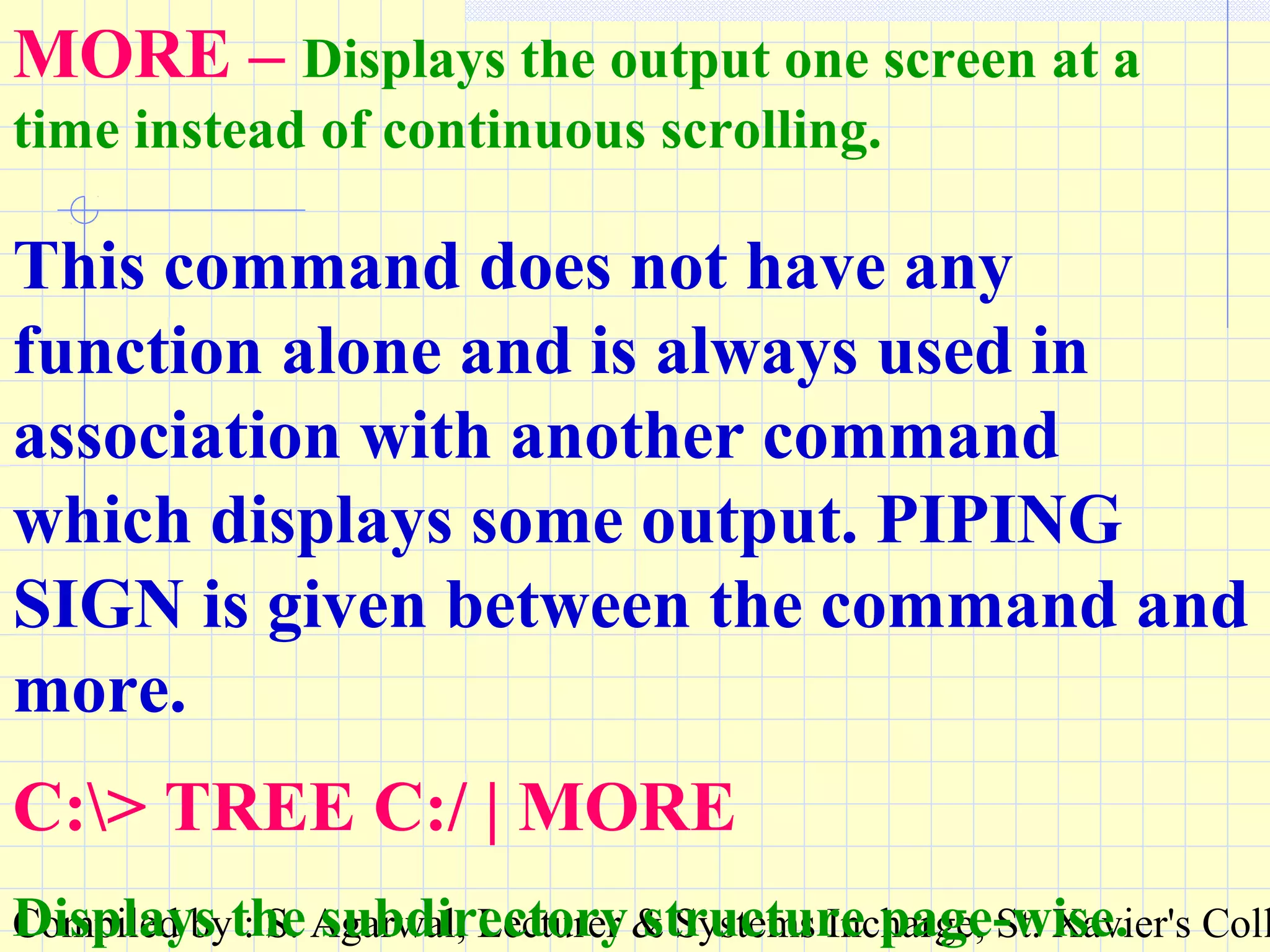
MORE – Displays the output one screen at a
time instead of continuous scrolling.
This command does not have any
function alone and is always used in
association with another command
which displays some output. PIPING
SIGN is given between the command and
more.
C:> TREE C:/ | MORE
Displays the subdirectory structure page-wise.
Compiled by : S. Agarwal, Lecturer & Systems Incharge, St. Xavier's Coll
End of show.End of show.
Thank you.Thank you.

Introduction to computers

  • 1.
    Compiled by :S. Agarwal, Lecturer & Systems Incharge, St. Xavier's Coll
  • 2.
    Compiled by :S. Agarwal, Lecturer & Systems Incharge, St. Xavier's Coll Study Note developed by S. Agarwal, Lecturer & Systems Incharge ,, St. Xavier’s Computer CentreSt. Xavier’s Computer Centre St. Xavier’s CollegeSt. Xavier’s College KolkataKolkata July-2002
  • 3.
    Compiled by :S. Agarwal, Lecturer & Systems Incharge, St. Xavier's Coll What is a computer ? A computer is an electronic device capable of performing arithmetic and logical operations. It can also store a large volume of information.
  • 4.
    Compiled by :S. Agarwal, Lecturer & Systems Incharge, St. Xavier's Coll Arithmetic operations involve the general mathematical calculations like addition, subtraction, multiplication and division. Logical operations involve comparisions like > < = etc.
  • 5.
    Compiled by :S. Agarwal, Lecturer & Systems Incharge, St. Xavier's Coll How does a computer work? INPUT  PROCESS  OUTPUT INPUT consists of DATADATA & INSTRUCTION.INSTRUCTION. PROCESS is a set of instructions stored in the computer to carry out the instructions given by the user. The process is also called a PROGRAM. OUTPUT is the set of results generated after processing the Input.
  • 6.
    Compiled by :S. Agarwal, Lecturer & Systems Incharge, St. Xavier's Coll DATA & INFORMATION DATADATA is described as some FACTS, FIGURES and STATISTICS about a particular instance. For example : MARKS in individual subjects. INFORMATIONINFORMATION is some FACTS, FIGURES and STATISTICS which help us in decisiondecision makingmaking. Generally information is the result of data processing. For example : PERCENTAGE & GRADE.
  • 7.
    Compiled by :S. Agarwal, Lecturer & Systems Incharge, St. Xavier's Coll HARDWARE Hardware are the PHYSICAL COMPONENTS of the Computer System. Examples : All the electronic parts. All cables. All accessories.
  • 8.
    Compiled by :S. Agarwal, Lecturer & Systems Incharge, St. Xavier's Coll SOFTWARE SOFTWARE are the logical components of the computer system. These are basically the programs and information stored in the computer.
  • 9.
    Compiled by :S. Agarwal, Lecturer & Systems Incharge, St. Xavier's Coll The hardware and software can be better explained with the help of a music system. Hardware : The device, cassette, tape, wires etc. Software : The music stored in the tapes.
  • 10.
    Compiled by :S. Agarwal, Lecturer & Systems Incharge, St. Xavier's Coll Characteristics of Computer SPEED STORAGE ACCURACY VERSATILITY AUTOMATION DILIGENCE
  • 11.
    Compiled by :S. Agarwal, Lecturer & Systems Incharge, St. Xavier's Coll SPEED The speed with which the computer works can be understood by the units of measurement of time within a computer. They are : MILLI SECOND – 1/1000TH OF A SECOND MICRO SECOND – 1/1000TH OF A MILLI SECOND NANO SECOND – 1/1000TH OF A MICRO SECOND PICO SECOND – 1/1000TH OF A NANO SECOND
  • 12.
    Compiled by :S. Agarwal, Lecturer & Systems Incharge, St. Xavier's Coll STORAGE As already discussed a computer can store a large volume of information. The factors to be considered for storage are : •RETREIVAL – IMMEDIATE •SPACE – VERY LITTLE •MEDIA – MAGNETIC MEDIA •LONGIVITY – FOREVER
  • 13.
    Compiled by :S. Agarwal, Lecturer & Systems Incharge, St. Xavier's Coll ACCURACY The accuracy of the computers is consistently high. Errors in the machinery may occur, but due to efficient error-detecting techniques, these very seldom lead to wrong results. Errors in computing are due to human rather than technological weaknesses. So, we can say that A COMPUTER NEVER MAKES ANY MISTAKE
  • 14.
    Compiled by :S. Agarwal, Lecturer & Systems Incharge, St. Xavier's Coll VERSATILITY Computers seem capable of performing any task, provided the task can be broken to a series of logical steps. The computer actually performs only four basic operations : •Exchanges information with the outside world via INPUT / OUTPUT devices •Transfers data within the computer to the different units •Performs basic arithmetical operations •Performs operations of comparison We can reduce the daily activities into steps of the above operations with the help of ProgrammingProgramming.
  • 15.
    Compiled by :S. Agarwal, Lecturer & Systems Incharge, St. Xavier's Coll AUTOMATION Once a program to perform a particular task is stored in the computer, the individual instructions in the program are carried out one after the other automatically to complete the task. Hence the user requires to just press certain keys and give the data input. The data is automatically processed to produce the output.
  • 16.
    Compiled by :S. Agarwal, Lecturer & Systems Incharge, St. Xavier's Coll DILIGENCE Being a machine, a computer does not suffer from the human traits of tiredness and lack of concentration. If 5 million calculations are to be performed, it will perform all of them, even the last one with exactly the same accuracy and speed. In fact, there are some computers which are constantly on for hours, days, months and years are never switched off.
  • 17.
    Compiled by :S. Agarwal, Lecturer & Systems Incharge, St. Xavier's Coll BASIC STRUCTURE The computer receives input, processes it and delivers output. To perform these tasks it has different units and each unit is responsible for a specific task. The units are INPUT, MEMORY, CONTROL UNIT (CU), ARITHMETIC & LOGIC UNIT (ALU) AND OUTPUT. The CU and ALU together are called CENTRAL PROCESSING UNIT (CPU).
  • 18.
    Compiled by :S. Agarwal, Lecturer & Systems Incharge, St. Xavier's Coll INPUT DEVICEINPUT DEVICE It is used for transferring data from the users’ end to the computer. OUTPUT DEVICEOUTPUT DEVICE It is used to transfer processed information from the computer to the user in a way required by the user.
  • 19.
    Compiled by :S. Agarwal, Lecturer & Systems Incharge, St. Xavier's Coll MEMORY UNITMEMORY UNIT It stores instruction and data and provides them to the various other units as and when required. It is basically the working memory of the computer system. This memory unit is volatile, i.e. it is temporary memory and nothing can be stored here permanently. The information is stored in the main memory as long the computer is switched on or as long as it is required by the computer.
  • 20.
    Compiled by :S. Agarwal, Lecturer & Systems Incharge, St. Xavier's Coll CONTROL UNITCONTROL UNIT Controls the various operations within a computer. It basically manages all the other units and devices of the computer system. It does so by transmitting timing and control signals to the various devices and units.
  • 21.
    Compiled by :S. Agarwal, Lecturer & Systems Incharge, St. Xavier's Coll ARITHMETIC & LOGIC UNITARITHMETIC & LOGIC UNIT It performs the various arithmetic and logical operations on the data stored in memory, as dictated by the instruction. There are various basic circuits to perform these operations.
  • 22.
    Compiled by :S. Agarwal, Lecturer & Systems Incharge, St. Xavier's Coll SECONDARY STORAGESECONDARY STORAGE It stores the various data, information and programs permanently for future retrieval. The information is organised in such a way to retrieve it in minimum time whenever required. The stored information remains as long the user wants it.
  • 23.
    Compiled by :S. Agarwal, Lecturer & Systems Incharge, St. Xavier's Coll BUSBUS These are a set of connecting wires used for setting interconnection between the various devices in the system. Each set of bus has a specific function to perform like carrying data, carrying control signals and addresses.
  • 24.
    Compiled by :S. Agarwal, Lecturer & Systems Incharge, St. Xavier's Coll BLOCK DIAGRAM MEMORY UNIT INPUT DEVICE CONTROL UNIT ARITHMETIC & LOGIC UNIT OUTPUT DEVICE SECONDARY STORAGE CONTROL FLOWDATA FLOW CPU
  • 25.
    Compiled by :S. Agarwal, Lecturer & Systems Incharge, St. Xavier's Coll A character is the smallest amount of information that can be communicated to the computer. All data, information and instruction are represented by a combination of these characters. CHARACTER : DATA REPRESENTATION WITHIN A COMPUTERDATA REPRESENTATION WITHIN A COMPUTER All alphabets, digits and symbols are characters. Even a blank space is a character.
  • 26.
    Compiled by :S. Agarwal, Lecturer & Systems Incharge, St. Xavier's Coll Computer being an electronic device, can represent only two states – VOLTAGE and NO VOLTAGE. Voltage is represented as 1 No voltage is represented as 0 How does the computerHow does the computer understand a character?understand a character?
  • 27.
    Compiled by :S. Agarwal, Lecturer & Systems Incharge, St. Xavier's Coll A series of such 0s and 1s form a pattern. 1 0 1 1 1 0 0 1 Such a pattern represents a CHARACTERCHARACTER. For each character a separate pattern is there within the computer.
  • 28.
    Compiled by :S. Agarwal, Lecturer & Systems Incharge, St. Xavier's Coll There are eight such positions to represent 0 or 1 and each such position is called a BIT. Hence the pattern generated to represent a character is a BIT PATTERN. 01 0 1 1 1 0 1 Two digits, 0 and 1 can generate 256 unique combinations if represented in eight places. Hence we can represent 256 different characters in any computer. BIT
  • 29.
    Compiled by :S. Agarwal, Lecturer & Systems Incharge, St. Xavier's Coll ASCII American Standard Code for Information Interchange. It is difficult for us to remember all the 256 bit patterns and their corresponding characters. Hence we can convert the bit pattern to a decimal number. This way each bit pattern will have a different number and this number, fixed for a character is called the ASCII code of the character. All computers follow the same ASCII code and bit pattern to represent characters.
  • 30.
    Compiled by :S. Agarwal, Lecturer & Systems Incharge, St. Xavier's Coll BINARY The number system involving two digits, 0 & 1 is called BINARY. By using this system a bit pattern (treated as a binary number) can be converted to the decimal number system.
  • 31.
    Compiled by :S. Agarwal, Lecturer & Systems Incharge, St. Xavier's Coll 00 0 1 1 1 0 1 32 16 8 1 27 26 25 24 23 22 21 20 = 57  Starting from right to left, raise 2 to the powerof 0 to 7.  Add the values corresponding to the BIT positions having the value 1.
  • 32.
    Compiled by :S. Agarwal, Lecturer & Systems Incharge, St. Xavier's Coll 01 0 1 1 1 0 1 128 32 16 8 1 27 26 25 24 23 22 21 20 = 185 0 0 1 0 1 0 1 32 8 1 27 26 25 24 23 22 21 20 0 = 41 11 1 1 1 1 1 1 128 64 32 16 8 4 2 1 27 26 25 24 23 22 21 20 = 255 00 0 0 0 0 0 0 27 26 25 24 23 22 21 20 = 0
  • 33.
    Compiled by :S. Agarwal, Lecturer & Systems Incharge, St. Xavier's Coll BIT PATTERN ASCII CODE CHARACTE R 01000001 65 A 01100001 97 a 00110001 49 1 00101011 43 + 00100000 32 00101101 45 - 00011100 28 ( 00101100 44 ,
  • 34.
    Compiled by :S. Agarwal, Lecturer & Systems Incharge, St. Xavier's Coll
  • 35.
    Compiled by :S. Agarwal, Lecturer & Systems Incharge, St. Xavier's Coll UNIT FOR MEASUREMENT OFUNIT FOR MEASUREMENT OF INFORMATIONINFORMATION 8 BIT = 1 CHARACTER = 1 BYTE 1024 BYTES = 1 KILO BYTE (KB) 1024 KB = 1 MEGA BYTE (MB) 1024 MB = 1 GIGA BYTE (GB) 1024 GB = 1 TERA BYTE (TB)
  • 36.
    Compiled by :S. Agarwal, Lecturer & Systems Incharge, St. Xavier's Coll Input devices :Input devices : KEYBOARDKEYBOARD : It is an input device: It is an input device to give character based inputs toto give character based inputs to the computer. All types of data,the computer. All types of data, instruction and information can beinstruction and information can be given through the keyboard.given through the keyboard. HARDWAREHARDWARE
  • 37.
    Compiled by :S. Agarwal, Lecturer & Systems Incharge, St. Xavier's Coll Although the typing portion of theAlthough the typing portion of the computer keyboard is identical to acomputer keyboard is identical to a standard typewriter, computers havestandard typewriter, computers have several additional keys that performseveral additional keys that perform different functions.different functions.
  • 38.
    Compiled by :S. Agarwal, Lecturer & Systems Incharge, St. Xavier's Coll MOUSEMOUSE : It is used for graphics: It is used for graphics based inputs. It can mainly selectbased inputs. It can mainly select some graphical icons and selectsome graphical icons and select some options from a menu. It cansome options from a menu. It can not be used for giving data to thenot be used for giving data to the computer.computer.
  • 39.
    Compiled by :S. Agarwal, Lecturer & Systems Incharge, St. Xavier's Coll
  • 40.
    Compiled by :S. Agarwal, Lecturer & Systems Incharge, St. Xavier's Coll SCANNERSCANNER : It is: It is used forused for graphical inputs.graphical inputs. Pictures, images,Pictures, images, drawings etc. candrawings etc. can be scanned andbe scanned and stored in thestored in the computer.computer.
  • 41.
    Compiled by :S. Agarwal, Lecturer & Systems Incharge, St. Xavier's Coll Operation of the SCANNER : On the simplest level, a scanner is a device which converts light (which we see when we look at something) into 0s and 1s (a computer-readable format). In other word, scanners convert analogue data into digital data.
  • 42.
    Compiled by :S. Agarwal, Lecturer & Systems Incharge, St. Xavier's Coll DIFFERENT INPUT TYPESDIFFERENT INPUT TYPES MICRMICR : Magnetic Ink Character: Magnetic Ink Character Recognition.Recognition. This system uses highly stylizedThis system uses highly stylized character shapes printed in an inkcharacter shapes printed in an ink containing magnetic particles.containing magnetic particles. These characters pre-printed inThese characters pre-printed in magnetic ink are recognised by amagnetic ink are recognised by a device called MICR reader.device called MICR reader. Mainly used in Bank Cheques.Mainly used in Bank Cheques.
  • 43.
    Compiled by :S. Agarwal, Lecturer & Systems Incharge, St. Xavier's Coll MICR CHEQUE NUMBER
  • 44.
    Compiled by :S. Agarwal, Lecturer & Systems Incharge, St. Xavier's Coll OMROMR : Optical Mark Reading: Optical Mark Reading Forms and cards are pre-printed forForms and cards are pre-printed for special purposes so that a mark canspecial purposes so that a mark can be made in a specified position.be made in a specified position. Each mark at a position has aEach mark at a position has a specific meaning and after scanning,specific meaning and after scanning, the data gets transferred tothe data gets transferred to computer.computer. Mainly used in correcting answers toMainly used in correcting answers to Multiple Choice Question Papers.Multiple Choice Question Papers.
  • 45.
    Compiled by :S. Agarwal, Lecturer & Systems Incharge, St. Xavier's Coll
  • 46.
    Compiled by :S. Agarwal, Lecturer & Systems Incharge, St. Xavier's Coll
  • 47.
    Compiled by :S. Agarwal, Lecturer & Systems Incharge, St. Xavier's Coll BAR-CODE RECOGNITIONBAR-CODE RECOGNITION : Lines: Lines or bars can be arranged in a codeor bars can be arranged in a code and are used particularly forand are used particularly for labelling goods etc. Bar-codelabelling goods etc. Bar-code reading is performed by areading is performed by a scanner. A sequence of bits isscanner. A sequence of bits is generated and the information isgenerated and the information is recorded.recorded.
  • 48.
    Compiled by :S. Agarwal, Lecturer & Systems Incharge, St. Xavier's Coll BAR CODE FOR PRODUCT CODE
  • 49.
    Compiled by :S. Agarwal, Lecturer & Systems Incharge, St. Xavier's Coll VOICE INPUTVOICE INPUT : This system: This system accepts spoken input. Theaccepts spoken input. The waveform created by the input iswaveform created by the input is analysed, patterns are extractedanalysed, patterns are extracted and matched against pre-storedand matched against pre-stored patterns to identify the input. Thepatterns to identify the input. The words and phrases the system iswords and phrases the system is to recognise, are spoken with theto recognise, are spoken with the system and the patterns aresystem and the patterns are created for future matching. Forcreated for future matching. For the voice of more than onethe voice of more than one person, training with the systemperson, training with the system
  • 50.
    Compiled by :S. Agarwal, Lecturer & Systems Incharge, St. Xavier's Coll OUTPUT DEVICESOUTPUT DEVICES VDUVDU : Visual Display Unit. Also: Visual Display Unit. Also called acalled a monitormonitor or aor a screenscreen. It a. It a device similar to a TV screen. Thedevice similar to a TV screen. The output on a VDU is temporary.output on a VDU is temporary.
  • 51.
    Compiled by :S. Agarwal, Lecturer & Systems Incharge, St. Xavier's Coll The technology behind monitors and televisions is The cathode-ray tube, or CRT, A CRT is an sealed glass bottle with no air inside. It begins with a slim neck and tapers outward until it forms a large base. The base is the monitor’s ‘screen’ and is coated on the inside with a matrix of thousands of tiny phosphor dots. Phosphors are chemicals which emit light when excited by a stream of electrons: different phosphors emit different coloured light. Each dot consists of three blobs of coloured phosphor: one red, one green, one blue. These groups of three phosphors make up what is known as a single pixel.
  • 52.
    Compiled by :S. Agarwal, Lecturer & Systems Incharge, St. Xavier's Coll PRINTERPRINTER : A printer produces: A printer produces output on paper which can beoutput on paper which can be permanently kept.permanently kept. TYPES OF PRINTERS :TYPES OF PRINTERS : •DOT MATRIXDOT MATRIX •INK JET PRINTERINK JET PRINTER •LASER PRINTERLASER PRINTER
  • 53.
    Compiled by :S. Agarwal, Lecturer & Systems Incharge, St. Xavier's Coll Operation of Ink Jet Printer :Operation of Ink Jet Printer : Inkjet printing, like laser printing, is a non-impactInkjet printing, like laser printing, is a non-impact method. Ink is emitted from nozzles as they passmethod. Ink is emitted from nozzles as they pass over a variety of possible media, and the operationover a variety of possible media, and the operation of an inkjet printer is easy to visualise: liquid ink inof an inkjet printer is easy to visualise: liquid ink in various colours being squirted at the paper to buildvarious colours being squirted at the paper to build up an image. A print head scans the page inup an image. A print head scans the page in horizontal strips, using a motor assembly to move ithorizontal strips, using a motor assembly to move it from left to right and back, as another motorfrom left to right and back, as another motor assembly rolls the paper in vertical steps. A strip ofassembly rolls the paper in vertical steps. A strip of the image is printed, then the paper moves on, readythe image is printed, then the paper moves on, ready for the next strip. To speed things up, the print headfor the next strip. To speed things up, the print head doesn’t print just a single row of pixels in each pass,doesn’t print just a single row of pixels in each pass, but a vertical row of pixels at a time.but a vertical row of pixels at a time.
  • 54.
    Compiled by :S. Agarwal, Lecturer & Systems Incharge, St. Xavier's Coll Most inkjets use thermal technology, whereby heatMost inkjets use thermal technology, whereby heat is used to fire ink onto the paper. There are threeis used to fire ink onto the paper. There are three main stages with this method. The squirt is initiatedmain stages with this method. The squirt is initiated by heating the ink to create a bubble until theby heating the ink to create a bubble until the pressure forces it to burst and hit the paper. Thepressure forces it to burst and hit the paper. The bubble then collapses as the element cools, and thebubble then collapses as the element cools, and the resulting vacuum draws ink from the reservoir toresulting vacuum draws ink from the reservoir to replace the ink that was ejected.replace the ink that was ejected.
  • 55.
    Compiled by :S. Agarwal, Lecturer & Systems Incharge, St. Xavier's Coll Operation of a LASER printer : Where the image to be printed is communicated to it via a page description language, the printer’s first job is to convert the instructions into a bitmap. This is done by the printer’s internal processor, and the result is an image (in memory) of which every dot will be placed on the paper. At the heart of the laser printer is a small rotating drum - the organic photo-conducting cartridge (OPC) - with a coating that allows it to hold an electrostatic charge. A laser beam scans across the surface of the drum, selectively imparting points of positive charge onto the drum's surface that will ultimately represent the output image. The area of the drum is the same as that of the paper onto which the image will eventually appear, every point on the drum corresponding to a point on the sheet of paper. In the meantime, the paper is passed through an electrically charged wire which deposits a negative charge onto it.
  • 56.
    Compiled by :S. Agarwal, Lecturer & Systems Incharge, St. Xavier's Coll
  • 57.
    Compiled by :S. Agarwal, Lecturer & Systems Incharge, St. Xavier's Coll DOT MATRIX INK-JET LASER
  • 58.
    Compiled by :S. Agarwal, Lecturer & Systems Incharge, St. Xavier's Coll DOTDOT MATRIXMATRIX INKINK JETJET LASERLASER CHARACTECHARACTE R BASEDR BASED OUTPUTOUTPUT YESYES YESYES YESYES GRAPHICSGRAPHICS BASEDBASED OUTPUTOUTPUT NONO GOODGOOD EXCELLENEXCELLEN TT OUTPUTOUTPUT QUALITYQUALITY OKOK GOODGOOD EXCELLENEXCELLEN TT COSTCOST EFFECTIVEEFFECTIVE LOWLOW RECURRINRECURRIN G COSTG COST HIGHHIGH RECURRINRECURRIN G COSTG COST VERY HIGHVERY HIGH RECURRINRECURRIN G COSTG COST COLORCOLOR NONO OKOK EXCELLENEXCELLEN TT
  • 59.
    Compiled by :S. Agarwal, Lecturer & Systems Incharge, St. Xavier's Coll PLOTTERPLOTTER : It is a special kind of: It is a special kind of printer for printing drawings onprinter for printing drawings on large sheets of paper.large sheets of paper.
  • 60.
    Compiled by :S. Agarwal, Lecturer & Systems Incharge, St. Xavier's Coll STORAGE DEVICESSTORAGE DEVICES HARD DISK :HARD DISK : It a device fixed to aIt a device fixed to a computer and can store largecomputer and can store large volumes of information. It usesvolumes of information. It uses magnetic media and electromagnetic media and electro magnetic theory to read and storemagnetic theory to read and store information.information. The standard capacity : 10 – 20The standard capacity : 10 – 20 GBGB
  • 61.
    Compiled by :S. Agarwal, Lecturer & Systems Incharge, St. Xavier's Coll FLOPPY DISK :FLOPPY DISK : It is a cassette likeIt is a cassette like device to store information. It isdevice to store information. It is external to a computer and can be putexternal to a computer and can be put into a floppy disk drive (FDD) attachedinto a floppy disk drive (FDD) attached to a computer for reading and writingto a computer for reading and writing information. It also uses electroinformation. It also uses electro magnetic theory.magnetic theory. Since it is not fixed to a computer,Since it is not fixed to a computer, information can be copied from theinformation can be copied from the hard disk of a computer to a floppy andhard disk of a computer to a floppy and can be used in another computer.can be used in another computer. Standard capacity : 1.44 MBStandard capacity : 1.44 MB
  • 62.
    Compiled by :S. Agarwal, Lecturer & Systems Incharge, St. Xavier's Coll CD :CD : It stands for COMPACT DISK. ItIt stands for COMPACT DISK. It is the same as any other music oris the same as any other music or video CD. It is also external to avideo CD. It is also external to a computer and can be put into a CDcomputer and can be put into a CD drive attached to a computer fordrive attached to a computer for reading information. It uses OPTICALreading information. It uses OPTICAL technology to read information.technology to read information. Information once written into a CD canInformation once written into a CD can not be erased or changed. Hence it isnot be erased or changed. Hence it is called a ROM (Read Only Memory).called a ROM (Read Only Memory). Standard capacity : 650 MBStandard capacity : 650 MB
  • 63.
    Compiled by :S. Agarwal, Lecturer & Systems Incharge, St. Xavier's Coll FLOPPY DISK HARD DISK CD ROM
  • 64.
    Compiled by :S. Agarwal, Lecturer & Systems Incharge, St. Xavier's Coll Hard drives are magnetic storage devices that contain several discs inside called "Platters" that are attached to a spindle motor. The number of platters varies depending on the capacity of the drive. Platters are coated with a film of magnetically sensitive substance that is primarily made of iron oxide. Another important ingredient is a thin layer of cobalt alloy. The read/write heads are responsible for reading and writing to the platters and are attached to the head actuator which is in charge of moving the heads around the platters.
  • 65.
    Compiled by :S. Agarwal, Lecturer & Systems Incharge, St. Xavier's Coll There’s a read/write head for each side of each platter, mounted on arms which can move them towards the central spindle or towards the edge. The arms are moved by the head actuator, which contains a voice-coil - an electromagnetic coil that can move a magnet very rapidly. Loudspeaker cones are vibrated using a similar mechanism. The heads are designed to touch the platters when the disk stops spinning - that is, when the drive is powered off. During the spin-down period, the airflow diminishes until it stops completely, when the head lands gently on the platter surface - to a dedicated spot called the landing zone (LZ). The LZ is dedicated to providing a parking spot for the read/write heads, and never contains data.
  • 66.
    Compiled by :S. Agarwal, Lecturer & Systems Incharge, St. Xavier's Coll When a disk undergoes a low-level format, it is divided it into tracks and sectors. The tracks are concentric circles around the central spindle on either side of each platter. Tracks physically above each other on the platters are grouped together into cylinders which are then further subdivided into sectors of 512 bytes apiece. The sector is a disk's smallest accessible unit. To improve performance, data sectors are allocated in groups called clusters.
  • 67.
    Compiled by :S. Agarwal, Lecturer & Systems Incharge, St. Xavier's Coll Floppy drives are the slots on the front of your computer that you insert disks into, copy files to, and install programs from. These drives accept 3½" disks. These diskettes come in different densities. The standard disks of today are called high-density. They usually hold 1.44 MB of data. The newest disks are called extended-capacity and they hold 2.88 MB.
  • 68.
    Compiled by :S. Agarwal, Lecturer & Systems Incharge, St. Xavier's Coll Floppy disks are also a form of magnetic storage that function similarly to hard drives. There is a spring loaded metal cover that is moved aside during operation that exposes a mylar disk that is coated with a ferro-magnetic substance. The drive's read/write heads access the disk as it turns on a spindle.
  • 69.
    Compiled by :S. Agarwal, Lecturer & Systems Incharge, St. Xavier's Coll The Compact Disc itself is a thinThe Compact Disc itself is a thin plastic disk some 12 cm. in diameter.plastic disk some 12 cm. in diameter. Information is encoded in a plastic-Information is encoded in a plastic- encased spiral track contained onencased spiral track contained on the top of the disk.the top of the disk. The spiral track is read optically by aThe spiral track is read optically by a noncontact head which scansnoncontact head which scans approximately radially as the diskapproximately radially as the disk spins just above it.spins just above it.
  • 70.
    Compiled by :S. Agarwal, Lecturer & Systems Incharge, St. Xavier's Coll MEMORYMEMORY : There are two types of: There are two types of memory : RAM & ROM.memory : RAM & ROM. RAMRAM : Random Access Memory. It: Random Access Memory. It is the main memory of theis the main memory of the computer. It is volatile memorycomputer. It is volatile memory and the information gets erasedand the information gets erased whenever the power supply iswhenever the power supply is switched off.switched off.
  • 71.
    Compiled by :S. Agarwal, Lecturer & Systems Incharge, St. Xavier's Coll There are different types of RAM: Static RAM (SRAM)Static RAM (SRAM) This RAM will maintain its data as long as power is provided to the memory chips. It does not need to be rewritten periodically. SRAM is very fast but much more expensive than DRAM. SRAM is often used as cache memory due to its speed. (CACHE memory is the memory used directly by the CPU). Dynamic RAM (DRAM)Dynamic RAM (DRAM) DRAM, unlike SRAM, must be continually rewritten in order for it to maintain its data. This is done by placing the memory on a refresh circuit that rewrites the data several hundred times per second. DRAM is used for most system memory because it is cheap and small.
  • 72.
    Compiled by :S. Agarwal, Lecturer & Systems Incharge, St. Xavier's Coll ROMROM : Read Only Memory: Read Only Memory Information is burnt into the ROMInformation is burnt into the ROM chip at the time of manufacturing.chip at the time of manufacturing. It can not be erased or altered andIt can not be erased or altered and fresh information can not befresh information can not be written into the ROM. The BIOS iswritten into the ROM. The BIOS is stored on ROM because the userstored on ROM because the user cannot disrupt the information.cannot disrupt the information. BIOS : Basic Input Output System. It contains some instructionsIt contains some instructions required internally by therequired internally by the computer.computer.
  • 73.
    Compiled by :S. Agarwal, Lecturer & Systems Incharge, St. Xavier's Coll There are different types of ROM. Programmable ROM (PROM)Programmable ROM (PROM) This is basically a blank ROM chip that can be written to once. It is much like a CD-R drive that burns the data into the CD. Some companies use special machinery to write PROMs for special purposes. Erasable Programmable ROM (EPROM)Erasable Programmable ROM (EPROM) This is just like PROM except that you can erase the ROM by shining a special ultra-violet light into a sensor atop the ROM chip for a certain amount of time. Doing this wipes the data out, allowing it to be rewritten. Electrically Erasable Programmable ROM (EEPROM)Electrically Erasable Programmable ROM (EEPROM) (Also called Flash BIOS) This ROM can be rewritten through the use of a special software program. Flash BIOS also operates this way, allowing users to upgrade their BIOS. ROM is slower than RAM, which is why some try to shadow it to increase speed.
  • 74.
    Compiled by :S. Agarwal, Lecturer & Systems Incharge, St. Xavier's Coll CPU :CPU : Central Processing Unit. ItCentral Processing Unit. It is also called the micro processor.is also called the micro processor. There are CPUs with varyingThere are CPUs with varying efficiency and the quality of theefficiency and the quality of the computer depends mainly on thecomputer depends mainly on the CPU present on the main board.CPU present on the main board.
  • 75.
    Compiled by :S. Agarwal, Lecturer & Systems Incharge, St. Xavier's Coll Example of some CPUs by Intel.Example of some CPUs by Intel. •80888088 19851985 •8038680386 19871987 •8048680486 19881988 •Pentium – IPentium – I 19901990 •Pentium – IIPentium – II 19941994 •Pentium - IIIPentium - III 19951995 •Pentium – IVPentium – IV 20012001
  • 76.
    Compiled by :S. Agarwal, Lecturer & Systems Incharge, St. Xavier's Coll MOTHER BOARD :MOTHER BOARD : The mainThe main circuit board housing thecircuit board housing the microprocessor, RAM, ROM andmicroprocessor, RAM, ROM and connecting interfaces to theconnecting interfaces to the various other devices andvarious other devices and peripherals.peripherals.
  • 77.
    Compiled by :S. Agarwal, Lecturer & Systems Incharge, St. Xavier's Coll
  • 78.
    Compiled by :S. Agarwal, Lecturer & Systems Incharge, St. Xavier's Coll CABINET HOLDING THE MOTHERCABINET HOLDING THE MOTHER BOARD AND OTHER COMPONENTSBOARD AND OTHER COMPONENTS
  • 79.
    Compiled by :S. Agarwal, Lecturer & Systems Incharge, St. Xavier's Coll A DESKTOP PERSONALA DESKTOP PERSONAL COMPUTERCOMPUTER
  • 80.
    Compiled by :S. Agarwal, Lecturer & Systems Incharge, St. Xavier's Coll SOFTWARE :SOFTWARE : A set of programs that utilises theA set of programs that utilises the hardware and uses its’ capabilitieshardware and uses its’ capabilities to perform various tasks.to perform various tasks. ProgramProgram : A program is a set of: A program is a set of instructions stored in the computerinstructions stored in the computer to solve specific problems.to solve specific problems.
  • 81.
    Compiled by :S. Agarwal, Lecturer & Systems Incharge, St. Xavier's Coll C L A S S IF IC A T IO N O F S O F T W A R E O P E R A T IN G S Y S T E M IN T E R P R E T E R C O M P IL E R T R A N S L A T O R S S Y S T E M R E A D Y -M A D E C U S T O M IS E D A P P L IC A T IO N S O F T W A R E
  • 82.
    Compiled by :S. Agarwal, Lecturer & Systems Incharge, St. Xavier's Coll SYSTEM SOFTWARE : TheSYSTEM SOFTWARE : The system s/w are a set of programssystem s/w are a set of programs specially designed for performingspecially designed for performing tasks such as, controlling thetasks such as, controlling the computer hardware, and utilisingcomputer hardware, and utilising the resources to help thethe resources to help the application software solve specificapplication software solve specific problems.problems.
  • 83.
    Compiled by :S. Agarwal, Lecturer & Systems Incharge, St. Xavier's Coll OPERATING SYSTEM : ProgramsOPERATING SYSTEM : Programs to control the hardware andto control the hardware and provide user interface. It isprovide user interface. It is essential for every computer.essential for every computer. Functions :Functions : •Memory managementMemory management •CPU managementCPU management •Input / Output managementInput / Output management •Storage / File managementStorage / File management •Provide user interfaceProvide user interface
  • 84.
    Compiled by :S. Agarwal, Lecturer & Systems Incharge, St. Xavier's Coll TRANSLATORTRANSLATOR : Translates high: Translates high level language to low levellevel language to low level language and vice-versa.language and vice-versa. LOW LEVEL LANGUAGELOW LEVEL LANGUAGE : The: The language of bits understoodlanguage of bits understood directly by the computer. It is alsodirectly by the computer. It is also called the machine language.called the machine language. HIGH LEVEL LANGUAGEHIGH LEVEL LANGUAGE : The: The language of users understood bylanguage of users understood by the computer only afterthe computer only after
  • 85.
    Compiled by :S. Agarwal, Lecturer & Systems Incharge, St. Xavier's Coll A computer language comprisesA computer language comprises of key words and syntax. Usingof key words and syntax. Using the key words and following thethe key words and following the syntax, commands andsyntax, commands and instructions are written step byinstructions are written step by step to develop the program.step to develop the program. The program is then translatedThe program is then translated into machine language by usinginto machine language by using the translators.the translators.
  • 86.
    Compiled by :S. Agarwal, Lecturer & Systems Incharge, St. Xavier's Coll There are many languages andThere are many languages and any one can be used to developany one can be used to develop programs.programs. Each language has it’s capabilitiesEach language has it’s capabilities and limitations.and limitations. COBOL Commercial applications BASIC Beginners’ language FORTRA N Mathematical and scientific applications C System level programming
  • 87.
    Compiled by :S. Agarwal, Lecturer & Systems Incharge, St. Xavier's Coll There are two types ofThere are two types of translators :translators : INTERPRETER & COMPILER.INTERPRETER & COMPILER. An interpreter takes oneAn interpreter takes one instruction at a time, translates itinstruction at a time, translates it and moves on to the nextand moves on to the next statement in the program. Hence,statement in the program. Hence, executing the entire program stepexecuting the entire program step by step.by step. Each time we execute a programEach time we execute a program the source program and thethe source program and the interpreter, both are required.
  • 88.
    Compiled by :S. Agarwal, Lecturer & Systems Incharge, St. Xavier's Coll A compiler takes all the high levelA compiler takes all the high level language instructions at a timelanguage instructions at a time and creates a correspondingand creates a corresponding machine language program whichmachine language program which can be directly executed by thecan be directly executed by the computer. Hence, aftercomputer. Hence, after compilation neither the sourcecompilation neither the source program nor the compiler programprogram nor the compiler program is required.is required.HIGH LEVEL LANGUAG E PROGRA M MACHINE LANGUAG E PROGRA M TRANSLATION & COMPILATION
  • 89.
    Compiled by :S. Agarwal, Lecturer & Systems Incharge, St. Xavier's Coll APPLICATION SOFTWARE :APPLICATION SOFTWARE : These are programs developedThese are programs developed using one of the languages tousing one of the languages to perform a specific task.perform a specific task.
  • 90.
    Compiled by :S. Agarwal, Lecturer & Systems Incharge, St. Xavier's Coll READY MADE :READY MADE : These are programs developed byThese are programs developed by software companies for generalsoftware companies for general purpose applications. Thesepurpose applications. These programs can be bought and canprograms can be bought and can be installed in the hard disk of abe installed in the hard disk of a computer.computer. Examples : MS-WORD, FACT,Examples : MS-WORD, FACT, TALLY, FOXPRO etc.TALLY, FOXPRO etc.
  • 91.
    Compiled by :S. Agarwal, Lecturer & Systems Incharge, St. Xavier's Coll CUSTOMISED OR TAILORCUSTOMISED OR TAILOR MADE :MADE : These are programs developed forThese are programs developed for SPECIFIC USER REQUIREMENTSPECIFIC USER REQUIREMENT within an organisation. Thesewithin an organisation. These programs are developed byprograms are developed by programmers as per the userprogrammers as per the user requirements.requirements. Examples : Mark-sheet, Salary,Examples : Mark-sheet, Salary, Sales information, RailwaySales information, Railway reservation etc.reservation etc.
  • 92.
    Compiled by :S. Agarwal, Lecturer & Systems Incharge, St. Xavier's Coll MS-DOSMS-DOS MicrosoftMicrosoft Disk Operating SystemDisk Operating System
  • 93.
    Compiled by :S. Agarwal, Lecturer & Systems Incharge, St. Xavier's Coll FILE :FILE : Related information or data isRelated information or data is stored in the form of a file in thestored in the form of a file in the disk. Hence, the minimum chunkdisk. Hence, the minimum chunk of information that we can storeof information that we can store in or retrieve form a disk, is ain or retrieve form a disk, is a file.file. The files are either program filesThe files are either program files or data files.or data files.
  • 94.
    Compiled by :S. Agarwal, Lecturer & Systems Incharge, St. Xavier's Coll Each file must have a uniqueEach file must have a unique name.name. The file name has two parts :The file name has two parts : PRIMARY NAMEPRIMARY NAME && SECONDARY NAMESECONDARY NAME oror extension.extension. The primary name is to identifyThe primary name is to identify the contents and the extensionthe contents and the extension is to identify the type of the file.is to identify the type of the file.
  • 95.
    Compiled by :S. Agarwal, Lecturer & Systems Incharge, St. Xavier's Coll The primary file name can beThe primary file name can be maximum 8 characters long.maximum 8 characters long. The extension of the file nameThe extension of the file name can be maximum 3 characterscan be maximum 3 characters long.long. The primary file name and theThe primary file name and the extension is joined by a period.extension is joined by a period. The extension is optional.The extension is optional.
  • 96.
    Compiled by :S. Agarwal, Lecturer & Systems Incharge, St. Xavier's Coll Legal characters in the file namesLegal characters in the file names include all letters of the alphabet,include all letters of the alphabet, numeric digits and punctuationnumeric digits and punctuation marksmarks except the following characters :: * ? = + | : [ ] ; , / < > “* ? = + | : [ ] ; , / < > “ A blank spaceA blank space can notcan not be used inbe used in the file name.the file name. Capital & small letters are treatedCapital & small letters are treated as the same.as the same.
  • 97.
    Compiled by :S. Agarwal, Lecturer & Systems Incharge, St. Xavier's Coll BIODATA.TX T SALARY.98 ACCOUNTS .COM 1 A.B MY FILE.DOC VALID VALID VALID INVALID VALID VALID INVALID
  • 98.
    Compiled by :S. Agarwal, Lecturer & Systems Incharge, St. Xavier's Coll WILD CARD :WILD CARD : The wild card allows us to deal withThe wild card allows us to deal with more than one file at a time and helpsmore than one file at a time and helps us to group the files.us to group the files. ** A substitute at the beginningA substitute at the beginning ? A substitute at specific positions? A substitute at specific positions
  • 99.
    Compiled by :S. Agarwal, Lecturer & Systems Incharge, St. Xavier's Coll *.TXT Primary name – anything Extension - .TXT BIODATA.TXT BOOK.TXT NOTES.TXT SALARY.* Primary name – SALARY Extension - anything SALARY.98 SALARY.DAT SALARY.DOC A*.* Primary name – starting with A Extension - anything ALASKA.DOC ABC.123 A *.* Primary name – anything Extension - anything All files *. Primary name – anything Extension – nothing (must not be there) SALARY BIODATA
  • 100.
    Compiled by :S. Agarwal, Lecturer & Systems Incharge, St. Xavier's Coll ?A*.TXT Primary name – second character A Extension - .TXT SALARY.TXT DATA.TXT RANA.TXT *.?O? Primary name – anything Extension – second character O SALARY.DOC COMMAND.COM NOTES.SOS
  • 101.
    Compiled by :S. Agarwal, Lecturer & Systems Incharge, St. Xavier's Coll DRIVE NAMESDRIVE NAMES A computer can have more than oneA computer can have more than one disk drives like hard disk, floppy diskdisk drives like hard disk, floppy disk drive & CD-rom drive.drive & CD-rom drive. Each of these drives are identified byEach of these drives are identified by an alphabet and a colon symbol asan alphabet and a colon symbol as A:, B:, C: etc.A:, B:, C: etc.
  • 102.
    Compiled by :S. Agarwal, Lecturer & Systems Incharge, St. Xavier's Coll FIRST FLOPPY DISK DRIVE : A: SECOND FLOPPY DISK DRIVE : B: FIRST HARD DISK : C: Rest of the drives are named as D: onwards. CD-ROM DRIVE: D: If the computer has a second hard disk and a cd-rom drive – SECOND HARD DISK: D: CD-ROM DRIVE : E:
  • 103.
    Compiled by :S. Agarwal, Lecturer & Systems Incharge, St. Xavier's Coll In order to make the computer work, the operating system program files must be loaded into the memory from the disk. This process is automatically initiated as soon as a computer is switched on. This process is called bootingbooting.. The booting takes place with theThe booting takes place with the help of instructions in the ROM.help of instructions in the ROM.
  • 104.
    Compiled by :S. Agarwal, Lecturer & Systems Incharge, St. Xavier's Coll Following tasks are carried out during booting : • Test the computer hardware •Check all the devices •Load the operating system files from the disk The computer is ready to interact with the user only after booting is carried out successfully.
  • 105.
    Compiled by :S. Agarwal, Lecturer & Systems Incharge, St. Xavier's Coll DOS program files necessaryDOS program files necessary for booting :for booting : IO.SYSIO.SYS Responsible for the INPUT / OUTPUT operations MSDOS.SYSMSDOS.SYS Responsible for the DISK & FILE operations COMMAND.COMCOMMAND.COM Acts as the command interpreter to translate the user instructions.
  • 106.
    Compiled by :S. Agarwal, Lecturer & Systems Incharge, St. Xavier's Coll After booting the command line prompt appears on the screen. Any dos command statement is typed at the command prompt and an <enter> key is pressed to execute it. C:>= Current drive Cursor Cursor indicates the point on the screen at which the next character or the output will be displayed.
  • 107.
    Compiled by :S. Agarwal, Lecturer & Systems Incharge, St. Xavier's Coll DEFAULT DRIVEDEFAULT DRIVE : This is the current drive in which DOS will look for the files and carry out all the operations in this drive until we specify otherwise. C:>C:>== ((DOS prompt where current default drive is C:) We can change the default drive just by typing the drive name at the prompt. C:>C:> A:A: <ENTER><ENTER> A:>A:>== ((DOS prompt where current default drive is A:)
  • 108.
    Compiled by :S. Agarwal, Lecturer & Systems Incharge, St. Xavier's Coll OME ELEMENTARY DOS COMMANDSOME ELEMENTARY DOS COMMANDS CLSCLS This command clears the screenThis command clears the screen and takes the prompt to the left-topand takes the prompt to the left-top corner of the screen.corner of the screen.
  • 109.
    Compiled by :S. Agarwal, Lecturer & Systems Incharge, St. Xavier's Coll DATEDATE To change the system date.To change the system date. On typing this command the currentOn typing this command the current date is displayed and the user isdate is displayed and the user is allowed to type in the new date.allowed to type in the new date.
  • 110.
    Compiled by :S. Agarwal, Lecturer & Systems Incharge, St. Xavier's Coll TIMETIME To change the system time.To change the system time. On typing this command the currentOn typing this command the current time is displayed and the user istime is displayed and the user is allowed to type in the new time.allowed to type in the new time.
  • 111.
    Compiled by :S. Agarwal, Lecturer & Systems Incharge, St. Xavier's Coll DIRDIR This command gives a listing, calledThis command gives a listing, called the directory, of the files stored on athe directory, of the files stored on a disk.disk. It displays :It displays : •file namesfile names •SizeSize •date & time when the file was created or updated.date & time when the file was created or updated.
  • 112.
    Compiled by :S. Agarwal, Lecturer & Systems Incharge, St. Xavier's Coll
  • 113.
    Compiled by :S. Agarwal, Lecturer & Systems Incharge, St. Xavier's Coll Options with DIROptions with DIR DIR /PDIR /P Pause after every screen full of information.Pause after every screen full of information. DIR /WDIR /W Wide format displaying only the file names.Wide format displaying only the file names. DIR /ONDIR /ON In order of file name.In order of file name. DIR /OEDIR /OE In order of extension.In order of extension. DIR /OSDIR /OS In order of size.In order of size. DIR /ODDIR /OD In order of date.In order of date.
  • 114.
    Compiled by :S. Agarwal, Lecturer & Systems Incharge, St. Xavier's Coll Wild cards can be used with DIR toWild cards can be used with DIR to display a group of files satisfying thedisplay a group of files satisfying the wild card criteria.wild card criteria. DIR *.TXTDIR *.TXT Files with extension .TXTFiles with extension .TXT DIR SALARY.*DIR SALARY.* Files with name SALARYFiles with name SALARY
  • 115.
    Compiled by :S. Agarwal, Lecturer & Systems Incharge, St. Xavier's Coll The directory of another drive can beThe directory of another drive can be displayed by specifying the drivedisplayed by specifying the drive name with the command.name with the command. DIR A:DIR A: Displays the directory of the floppy in driveDisplays the directory of the floppy in drive A.A.
  • 116.
    Compiled by :S. Agarwal, Lecturer & Systems Incharge, St. Xavier's Coll BASIC FILE COMMANDSBASIC FILE COMMANDS COPYCOPY Make copies of files.Make copies of files. SYNTAXSYNTAX COPY [SOURCE] [TARGET]COPY [SOURCE] [TARGET] The source has to be a file name or wildcardThe source has to be a file name or wildcard specification. It may or may not have a drive name. It itspecification. It may or may not have a drive name. It it does not have a drive name, the file(s) is collected fromdoes not have a drive name, the file(s) is collected from the default drive.the default drive. The target may be a file name or a drive name.The target may be a file name or a drive name.
  • 117.
    Compiled by :S. Agarwal, Lecturer & Systems Incharge, St. Xavier's Coll Copy from one disk to another :Copy from one disk to another : C:>COPY MYFILE.TXT A:C:>COPY MYFILE.TXT A: Copies the file from the default drive ( C: ) to A:Copies the file from the default drive ( C: ) to A: C:>COPY *.TXT A:C:>COPY *.TXT A: Copies the files with extension .TXT from the defaultCopies the files with extension .TXT from the default drive ( C: ) to A:drive ( C: ) to A:
  • 118.
    Compiled by :S. Agarwal, Lecturer & Systems Incharge, St. Xavier's Coll C:>COPY A:SALARY.DATC:>COPY A:SALARY.DAT Copies the file from A: to the default drive ( C: )Copies the file from A: to the default drive ( C: ) In this case, since the target is the default drive it mayIn this case, since the target is the default drive it may not be written in the command.not be written in the command. C:>COPY A:*.* B:*.*C:>COPY A:*.* B:*.* Copies all files the first floppy drive to the secondCopies all files the first floppy drive to the second floppy drive.floppy drive. In this case, the current or the default drive is not at allIn this case, the current or the default drive is not at all involved in the copying.involved in the copying.
  • 119.
    Compiled by :S. Agarwal, Lecturer & Systems Incharge, St. Xavier's Coll While making a copy of a file we canWhile making a copy of a file we can also change the name of the file.also change the name of the file. C:>C:>COPY MYFILE.TXTCOPY MYFILE.TXT A:YOURFILE.TXTA:YOURFILE.TXT Copies the file from the default drive ( C: ) to A: andCopies the file from the default drive ( C: ) to A: and the name of the file in drive A: changes.the name of the file in drive A: changes.
  • 120.
    Compiled by :S. Agarwal, Lecturer & Systems Incharge, St. Xavier's Coll We can make copies of the files inWe can make copies of the files in the same disk also. But, whilethe same disk also. But, while copying in the same disk, the namecopying in the same disk, the name of the target file must be specified asof the target file must be specified as different than the source file.different than the source file. C:>C:>COPY STUDENT.DOCCOPY STUDENT.DOC PUPIL.DOCPUPIL.DOC C:>C:>COPY *.TXT *.DOCCOPY *.TXT *.DOC
  • 121.
    Compiled by :S. Agarwal, Lecturer & Systems Incharge, St. Xavier's Coll COMBINE THE CONTENTS OFCOMBINE THE CONTENTS OF SEVERAL FILES INTO ONE FILE :SEVERAL FILES INTO ONE FILE : COPY POEM1.TXT+POEM2.TXT POEM3.TXTCOPY POEM1.TXT+POEM2.TXT POEM3.TXT This will combine the contents of theThis will combine the contents of the files POEM1.TXT & POEM2.TXT andfiles POEM1.TXT & POEM2.TXT and create a new file namedcreate a new file named POEM3.TXT.POEM3.TXT.
  • 122.
    Compiled by :S. Agarwal, Lecturer & Systems Incharge, St. Xavier's Coll DELETING FILES:DELETING FILES: Files can be removed one at a time orFiles can be removed one at a time or several files at a time by using wildseveral files at a time by using wild cards. The commands are DEL or ERASE.cards. The commands are DEL or ERASE. DEL BIODATA.DOCDEL BIODATA.DOC Deletes the fileDeletes the file BIODATA.DOC.BIODATA.DOC. DEL *.txtDEL *.txt Deletes all files having extension .TXTDeletes all files having extension .TXT DEL *.*DEL *.* Deletes all the files.Deletes all the files. The command ERASE can also be usedThe command ERASE can also be used the same way in place of DEL.the same way in place of DEL.
  • 123.
    Compiled by :S. Agarwal, Lecturer & Systems Incharge, St. Xavier's Coll RENAME FILES:RENAME FILES: SYNTAX :SYNTAX : REN OLD-NAME NEW-NAMEREN OLD-NAME NEW-NAME REN STUDENT.99 STUDENT.00REN STUDENT.99 STUDENT.00 The name of the file STUDENT.99 changes toThe name of the file STUDENT.99 changes to STUDENT.00STUDENT.00 REN *.99 *.00REN *.99 *.00 The extension of all .99 files change to .00The extension of all .99 files change to .00
  • 124.
    Compiled by :S. Agarwal, Lecturer & Systems Incharge, St. Xavier's Coll DIPLAYING FILE CONTENTS :DIPLAYING FILE CONTENTS : TYPE BIODATA.TXTTYPE BIODATA.TXT This will display the contents of the file BIODATA.TXTThis will display the contents of the file BIODATA.TXT Wild card can not be used with thisWild card can not be used with this command, hence only one file can becommand, hence only one file can be displayed at a time using the TYPEdisplayed at a time using the TYPE COMMAND.COMMAND. TYPE displays the contents of text filesTYPE displays the contents of text files only.only.
  • 125.
    Compiled by :S. Agarwal, Lecturer & Systems Incharge, St. Xavier's Coll CREATE A SMALL TEXT FILE USINGCREATE A SMALL TEXT FILE USING COPY :COPY : COPY CON NEWFILE.TXTCOPY CON NEWFILE.TXT The cursor comes to the next line and we can enterThe cursor comes to the next line and we can enter the text line after line. On completion of typing usethe text line after line. On completion of typing use ctrl+Z to store the file.ctrl+Z to store the file.
  • 126.
    Compiled by :S. Agarwal, Lecturer & Systems Incharge, St. Xavier's Coll A sub-directory is a separate storageA sub-directory is a separate storage location in the disk where files can belocation in the disk where files can be stored. This helps us to organise the filesstored. This helps us to organise the files in separate locations in the disk.in separate locations in the disk. There can be several subdirectories in aThere can be several subdirectories in a disk and the subdirectories are named thedisk and the subdirectories are named the same way as the files.same way as the files. SUB-DIRECTORY :SUB-DIRECTORY :
  • 127.
    Compiled by :S. Agarwal, Lecturer & Systems Incharge, St. Xavier's Coll The first directory that is always there in a disk is calledThe first directory that is always there in a disk is called thethe rootroot directory. All other directories are createddirectory. All other directories are created under the root directory in different levels.under the root directory in different levels. LETTER ROOT STUDENT ACCOUNT TEXT OTHER MARKS
  • 128.
    Compiled by :S. Agarwal, Lecturer & Systems Incharge, St. Xavier's Coll PATH or ADDRESS of a directory or sub-directory :PATH or ADDRESS of a directory or sub-directory : The path helps us to access a directory. It always startsThe path helps us to access a directory. It always starts from the root and ends with the destination directory.from the root and ends with the destination directory. LETTER ROOT STUDENT ACCOUNT TEXT OTHER MARKS STUDENT ACCOUNT TEXT OTHER STUDENTMARKS TEXTLETTER
  • 129.
    Compiled by :S. Agarwal, Lecturer & Systems Incharge, St. Xavier's Coll ROOT STUDENT ACCOUNT TEXT OTHER MARKS LETTER CREATING SUB-DIRECTORIES Command : MD or MKDIR MD STUDENT MD ACCOUNT MD TEXT MD OTHER MD STUDENTMARKS MD TEXTLETTER
  • 130.
    Compiled by :S. Agarwal, Lecturer & Systems Incharge, St. Xavier's Coll C:>CD STUDENT C:STUDENT>= ACCOUNT ROOT STUDENT TEXT OTHER MARKS LETTER CHANGING FROM ONE DIRECTORY TO ANOTHER Command : CD C:STUDENT>CD MARKS C:STUDENTMARKS>= C:STUDENTMARKS>CD OTHER C:OTHER>= C:OTHER>CD C:>=
  • 131.
    Compiled by :S. Agarwal, Lecturer & Systems Incharge, St. Xavier's Coll COPYING FILES : C:>COPY STUDENTNOTES.TXT TEXT Copies the file NOTES.TXT from the sub-directory STUDENT to TEXT C:>COPY STUDENTNOTES.TXT TEXT SUB- DIRECTORIES FILE
  • 132.
    Compiled by :S. Agarwal, Lecturer & Systems Incharge, St. Xavier's Coll MORE EXAMPLES : C:>COPY OTHER*.* ACCOUNT Copies all the files from the sub-directory OTHER to ACCOUNT C:>COPY OTHER*.* Copies all the files from the sub-directory OTHER to root directory C:>COPY *.DOC STUDENTMARKS Copies all the files from the root directory to the sub-directory MARKS C:>COPY TEXTLETTER*.* A: Copies all files from the sub-directory LETTER to the drive A
  • 133.
    Compiled by :S. Agarwal, Lecturer & Systems Incharge, St. Xavier's Coll ROOT STUDENT ACCOUNT TEXT OTHER MARKS LETTER REMOVING SUB-DIRECTORIES Command : RD or RMDIR DEL STUDENTMARKS*.* RD STUDENTMARKS We can not remove a sub-directory: •If it is not empty •Staying in the same sub-directory DEL STUDENT*.* RD STUDENT
  • 134.
    Compiled by :S. Agarwal, Lecturer & Systems Incharge, St. Xavier's Coll INTERNAL & EXTERNAL COMMANDS Internal commandsInternal commands are loaded at the time of booting and are always available in the memory. Hence these commands can be executed any time after booting. Example: DIR, COPY, TYPE, CD, MD, RD etc. In fact all the commands we have discussed till now are Internal Commands.
  • 135.
    Compiled by :S. Agarwal, Lecturer & Systems Incharge, St. Xavier's Coll External commandsExternal commands are separate utility programs that accompany the operating system. These commands are executed with the help of program files present in the disk. Typically the primary name of a program file for a particular external command is the same as the command itself and the extension is either .COM or .EXE. Example: TREE, FORMAT, LABEL, SYS, DISKCOPY, ATTRIB, SCANDISK, MORE etc.
  • 136.
    Compiled by :S. Agarwal, Lecturer & Systems Incharge, St. Xavier's Coll TREETREE - To display the sub-directory structure of a disk. C:> TREE C: Displays the sub-directory structure starting from root directory. C:> TREE C:TEXT Displays the sub-directory structure starting from the sub-directory TEXT. C:> TREE C: /F The option F includes the files also in each sub- directory.
  • 137.
    Compiled by :S. Agarwal, Lecturer & Systems Incharge, St. Xavier's Coll FORMAT – Prepares a blank disk for receiving and storing data or creates a new blank disk from a used one. Formatting an used disk will erase all the contents and make it a new blank disk. C:> FORMAT A: Formats the floppy disk in A: drive C:> FORMAT A: /S The option S makes the disk bootable after formatting. DO NOT format the HARD DISK or all the contents will be lost.
  • 138.
    Compiled by :S. Agarwal, Lecturer & Systems Incharge, St. Xavier's Coll LABEL – Adds or modifies the volume label of the disk. C:> LABEL C: Allows you to change the volume label of the Hard disk.
  • 139.
    Compiled by :S. Agarwal, Lecturer & Systems Incharge, St. Xavier's Coll SYS – Copies the DOS system files into a disk and makes it bootable. C:> SYS A: Will transfer the system files to the floppy in drive A: and make it bootable.
  • 140.
    Compiled by :S. Agarwal, Lecturer & Systems Incharge, St. Xavier's Coll DISKCOPY – Copies an entire disk into another and makes an identical disk. It overwrites the contents of the target disk. C:> DISKCOPY A: B: Will copy the contents of the floppy in drive A: to the floppy in drive B:
  • 141.
    Compiled by :S. Agarwal, Lecturer & Systems Incharge, St. Xavier's Coll ATTRIB – Changes the attributes of a file. A file can be made read-only or hidden. C:> ATTRIB +R MYFILE.TXT Makes the file read-only. C:> ATTRIB +H MYFILE.TXT Makes the file hidden. C:> ATTRIB -R –H MYFILE.TXT Removes the read-only and hidden attributes. Wild cards can be used to change the attributes of a group of files.
  • 142.
    Compiled by :S. Agarwal, Lecturer & Systems Incharge, St. Xavier's Coll SCANDISK – Analyses and repairs logical and physical disk errors. It identifies the bad sectors from the disk and marks them so that no data is stored there. C:> SCANDISK C:
  • 143.
    Compiled by :S. Agarwal, Lecturer & Systems Incharge, St. Xavier's Coll MORE – Displays the output one screen at a time instead of continuous scrolling. This command does not have any function alone and is always used in association with another command which displays some output. PIPING SIGN is given between the command and more. C:> TREE C:/ | MORE Displays the subdirectory structure page-wise.
  • 144.
    Compiled by :S. Agarwal, Lecturer & Systems Incharge, St. Xavier's Coll End of show.End of show. Thank you.Thank you.