Computer Types
Computer:
In thesimplest terms, a contemporary computer is a fast electronic calculating machine that
accepts digitized input information, processes it according to a list of internally stored instructions,
and produces the resulting output information.
The list of instructions is called a computer program, and the internal storage is called computer
memory.
Many types of computers exist that differ widely in size, cost, computational power, and intended
use.
The most common computer is the personal computer, which has found wide use in homes,
schools, and business offices.
It is the most common form of desktop computers.
4.
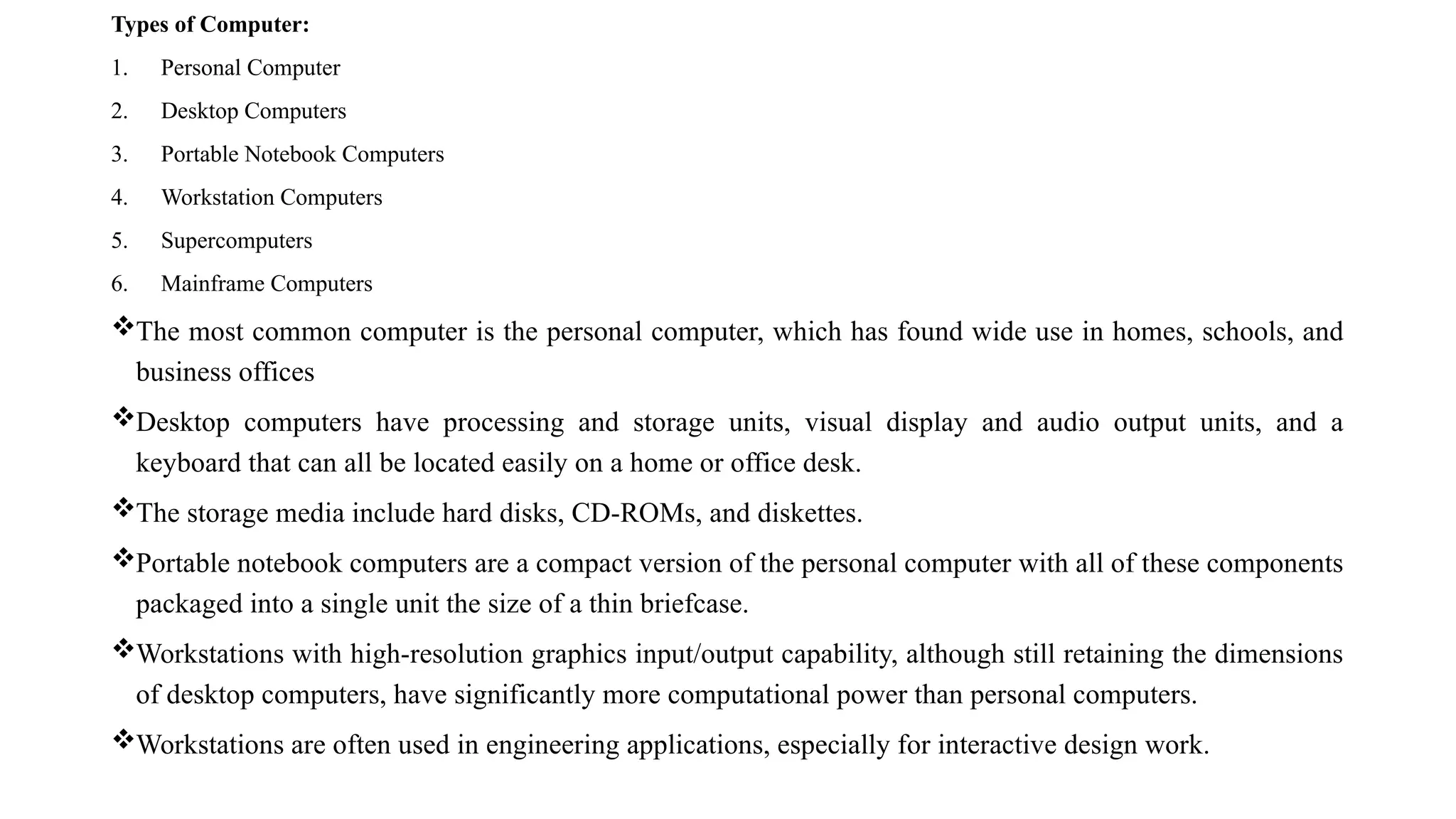
Types of Computer:
1.Personal Computer
2. Desktop Computers
3. Portable Notebook Computers
4. Workstation Computers
5. Supercomputers
6. Mainframe Computers
The most common computer is the personal computer, which has found wide use in homes, schools, and
business offices
Desktop computers have processing and storage units, visual display and audio output units, and a
keyboard that can all be located easily on a home or office desk.
The storage media include hard disks, CD-ROMs, and diskettes.
Portable notebook computers are a compact version of the personal computer with all of these components
packaged into a single unit the size of a thin briefcase.
Workstations with high-resolution graphics input/output capability, although still retaining the dimensions
of desktop computers, have significantly more computational power than personal computers.
Workstations are often used in engineering applications, especially for interactive design work.
5.
Enterprise systems, ormainframes, are used for business data processing in medium to large
corporations that require shared access to large database and storage capacity than workstations
can provide.
Supercomputers are used for the large-scale numerical calculations required in applications such
as weather forecasting and aircraft design and simulation.
In enterprise systems, servers, and supercomputers, the functional units, including multiple
processors, may consist of a number of separate and often large units.
We now takea closer look at the information handled by a computer.
It is convenient to distinguish between two types of instructions or data.
Instructions, or computer instructions, are explicit commands that
Govern the transfer of information within a computer as well as between the computer and it’s I/O
devices.
Specify the arithmetic and logic operations to be performed.
A list of instructions that performs a task is called a program.
Usually the program is stored in the memory.
The processor then fetches the instructions that make up the program from the memory, one after
another, and performs the desired operations.
The computer is completely controlled by the stored program, except for possible external interruption
by an operator or by I/O devices connected to the machine.
Data are numbers and encoded characters that are used as operands by the instructions.
The term data, however, is often used to mean any digital information.
An example of this is the task of compiling a high-level language source program into a list of machine
instructions containing a machine language program, called the object program.
The source program is the input data to the compiler program which translates the source program into a
machine language program.
8.
Information handled bya computer must be encoded in a suitable format.
Most present-day hardware employs digital circuits that have only two stable states, ON and OFF.
Each number, character, or instruction is encoded as a string of binary digits called bits, each
having one of two possible values, 0 or 1.
Occasionally, the binary-coded decimal (BCD) format is employed, in which each decimal digit is
encoded by four bits.
Alphabetic characters are also expressed in terms of binary codes.
Several coding schemes have been developed. Two of the most widely used schemes are ASCII
(American Standard Code for Information Interchange), in which each character is represented as
a 7-bit code, and EBCDIC (Extended Binary-Coded Decimal Interchange Code), in which eight
bits are used to denote a character.
9.
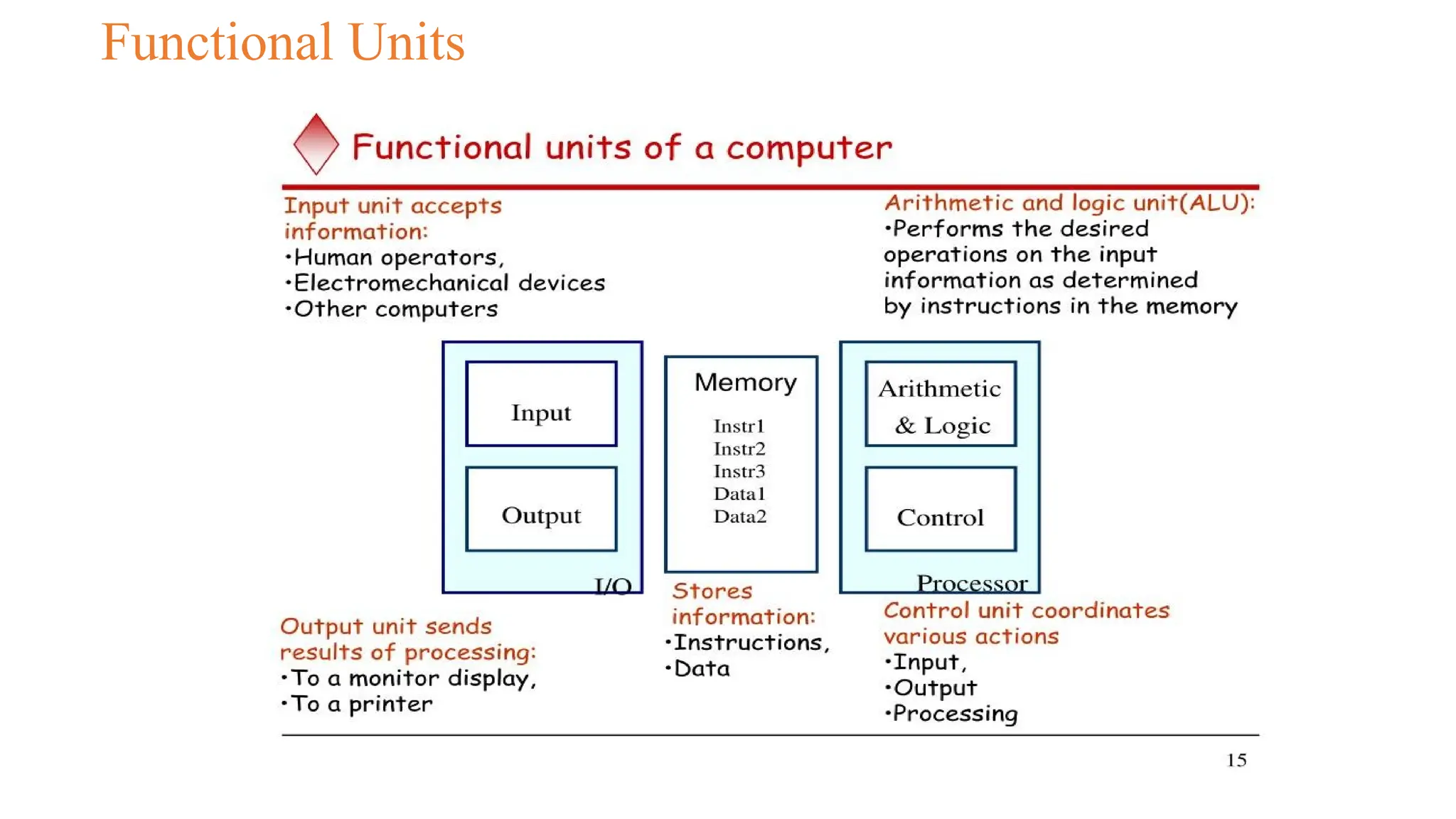
1. Input Unit
Computersaccept coded information through input units, which read the data.
The most well-known input device is the keyboard.
Whenever a key is pressed, the corresponding letter or digit is automatically translated into its
corresponding binary code and transmitted over a cable to either the memory or the processor.
Many other kinds of input devices are available, including joysticks, trackballs, and mouses.
These are often used as graphic input devices in conjunction with displays.
Microphones can be used to capture audio input which is then sampled and converted into digital
codes for storage and processing.
10.
2. Memory Unit
Thefunction of the memory unit is to store programs and data. There are two classes of storage,
called primary and secondary.
Primary storage is a fast memory that operates at electronic speeds.
Programs must be stored in the memory while they are being executed.
The memory contains a large number of storage cells, each capable of storing one bit of
information.
We rarely read for return of individual cells but instead are processed in a group of fixed size
called words.
The memory is organized so that the contents of one group of fixed size called words. The
memory is in one basic operation.
To provide easy access to any word in the memory, a distinct address is associated with each word
by location.
Address are numbers that identify successive locations.
A given word is accessed by specifying its address and issuing a control command that starts the
storage or retrieval process.
11.
The number ofbits in each word is often referred to as the word length of the computer and it
ranges from 16 to 64 bits.
The capacity of the memory is one factor that characterizes the size of a computer.
Small machines typically have only a few tens of millions of words, whereas medium and large
machines normally have many tens or hundreds of millions of words.
Data are usually processed within a machine in units of words, multiples of words, or parts of
words.
When the memory is accessed, usually only one word of data is read or written.
Programs must reside in the memory during execution.
Instructions and data can be written into the memory or read out under the control of the
processor.
It is essential to be able to access any word location in the memory as quickly as possible.
Memory in which any location can be reached in a short and fixed amount of time after specifying
its address is called random-access memory (RAM).
The time required to access one word is called the memory access time.
This time is fixed, independent of the location of the word being accessed few (ns) to about 100 ns
for modern RAM units.
The memory of a computer is normally implemented as a memory hierarchy of three or four levels
of semiconductor RAM units with different speeds and sizes.
12.
They are tightlycoupled with the processor, often being part of the same integrated circuit chip to
achieve high performance.
The largest and slowest unit is referred to as the main memory.
Although primary storage is essential, it tends to be expensive.
Thus additional, cheaper, secondary storage is used when large amounts of data and many
programs have to be stored, particularly for information that is accessed infrequently.
A wide selection of secondary storage devices is available, including magnetic disks and tapes and
optical disks (CD-ROMs).
13.
3. Arithmetic andLogic Unit
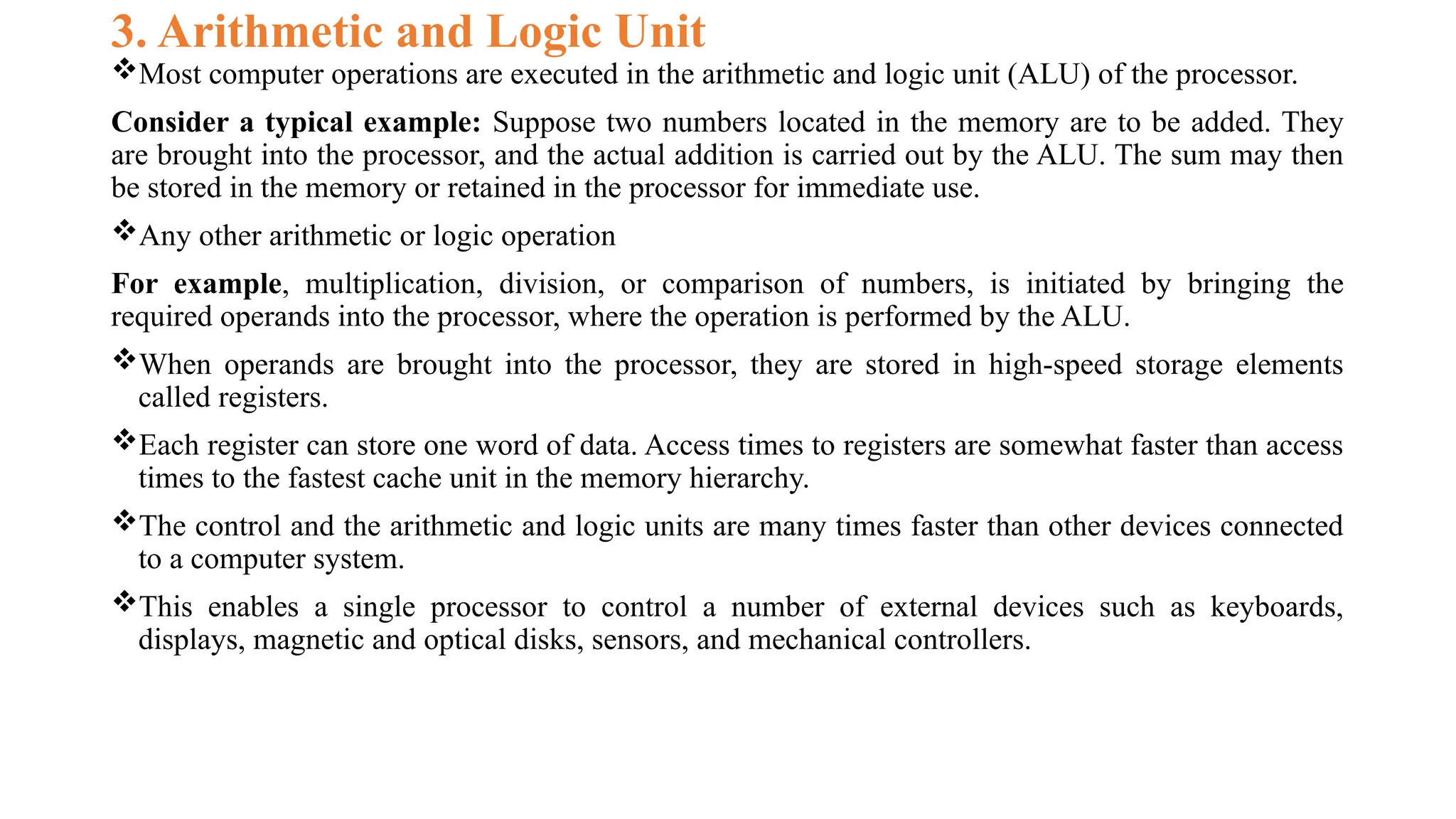
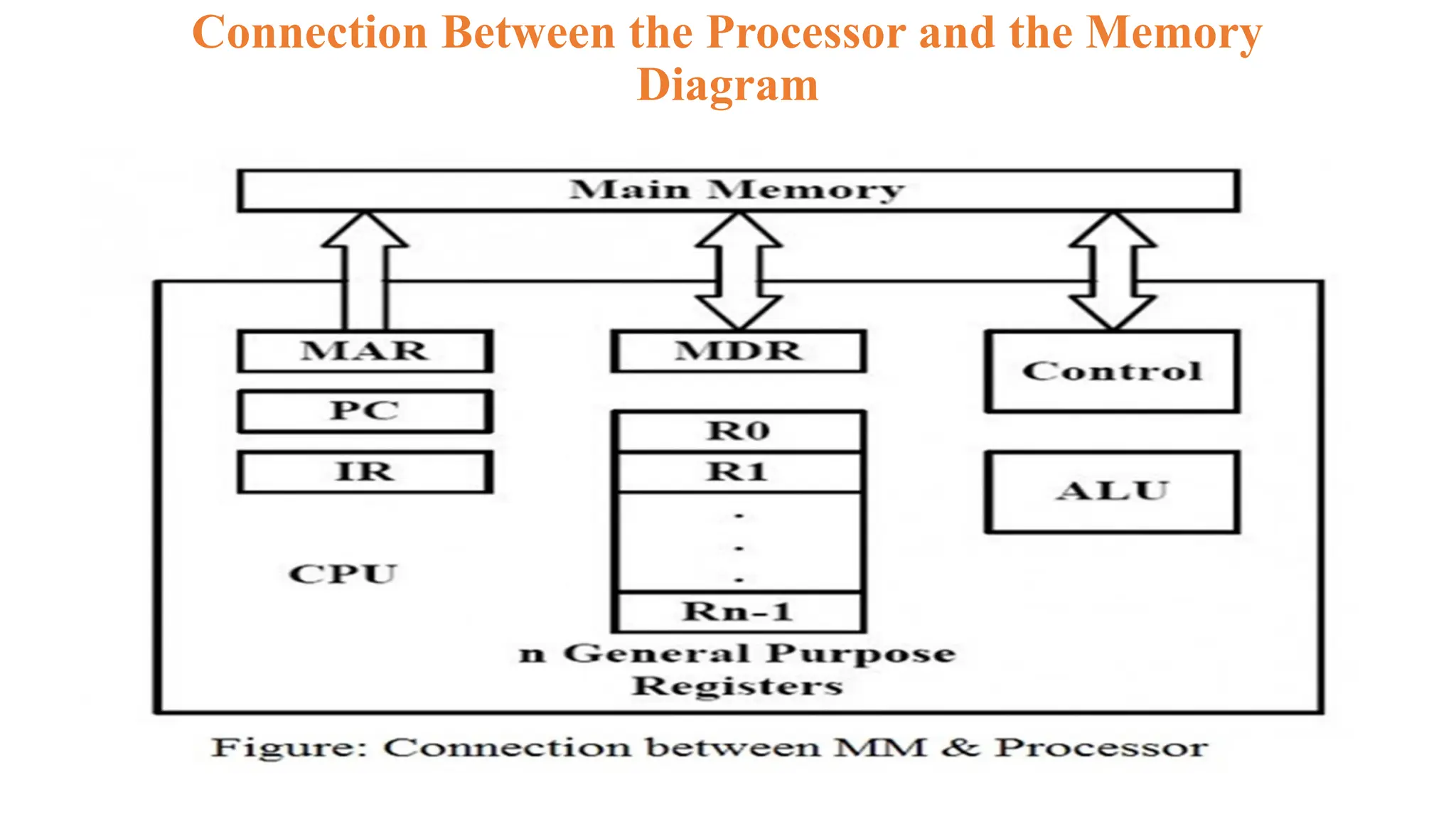
Most computer operations are executed in the arithmetic and logic unit (ALU) of the processor.
Consider a typical example: Suppose two numbers located in the memory are to be added. They
are brought into the processor, and the actual addition is carried out by the ALU. The sum may then
be stored in the memory or retained in the processor for immediate use.
Any other arithmetic or logic operation
For example, multiplication, division, or comparison of numbers, is initiated by bringing the
required operands into the processor, where the operation is performed by the ALU.
When operands are brought into the processor, they are stored in high-speed storage elements
called registers.
Each register can store one word of data. Access times to registers are somewhat faster than access
times to the fastest cache unit in the memory hierarchy.
The control and the arithmetic and logic units are many times faster than other devices connected
to a computer system.
This enables a single processor to control a number of external devices such as keyboards,
displays, magnetic and optical disks, sensors, and mechanical controllers.
14.
4. Output Unit
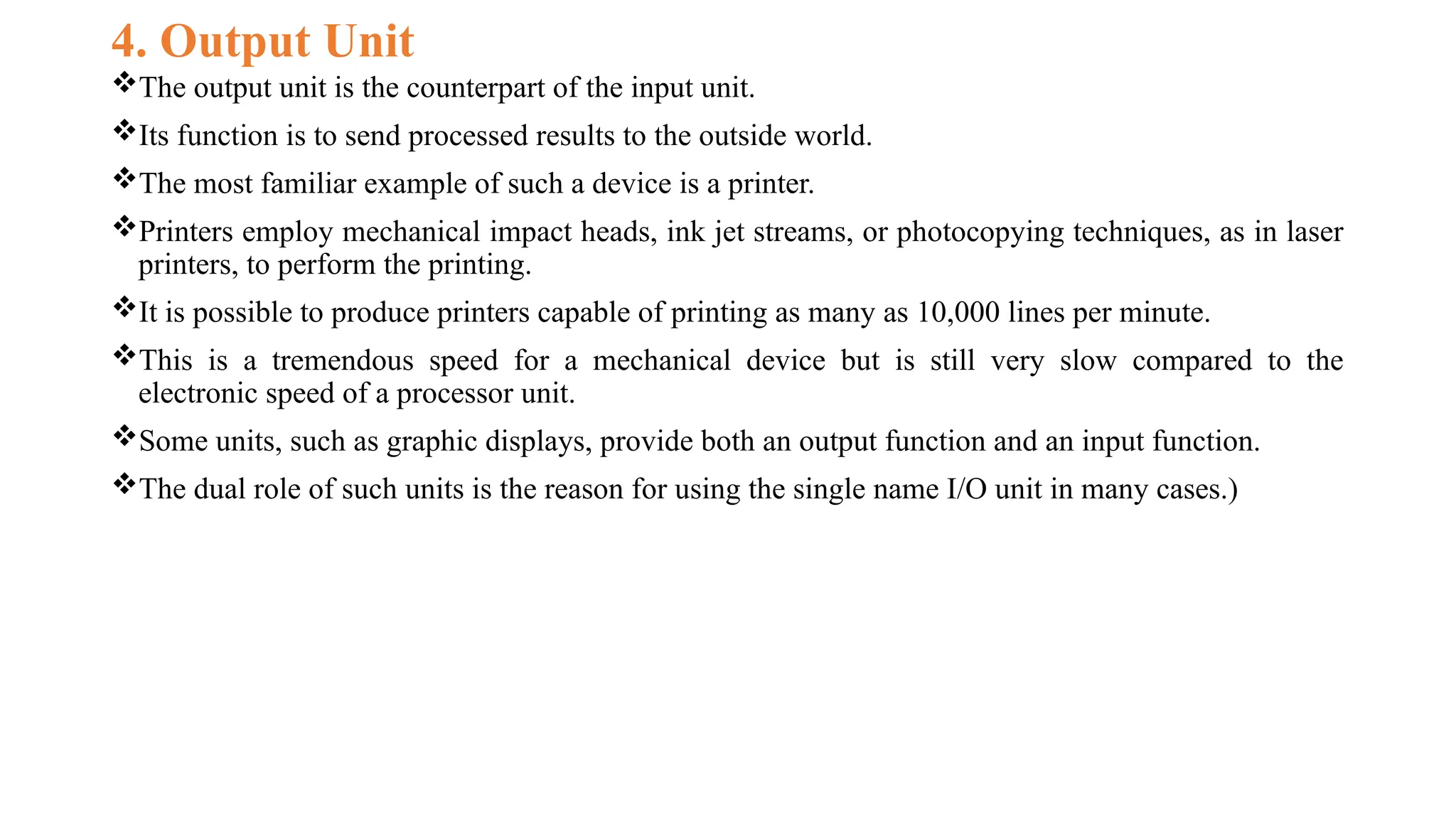
Theoutput unit is the counterpart of the input unit.
Its function is to send processed results to the outside world.
The most familiar example of such a device is a printer.
Printers employ mechanical impact heads, ink jet streams, or photocopying techniques, as in laser
printers, to perform the printing.
It is possible to produce printers capable of printing as many as 10,000 lines per minute.
This is a tremendous speed for a mechanical device but is still very slow compared to the
electronic speed of a processor unit.
Some units, such as graphic displays, provide both an output function and an input function.
The dual role of such units is the reason for using the single name I/O unit in many cases.)
15.
5. Control Unit
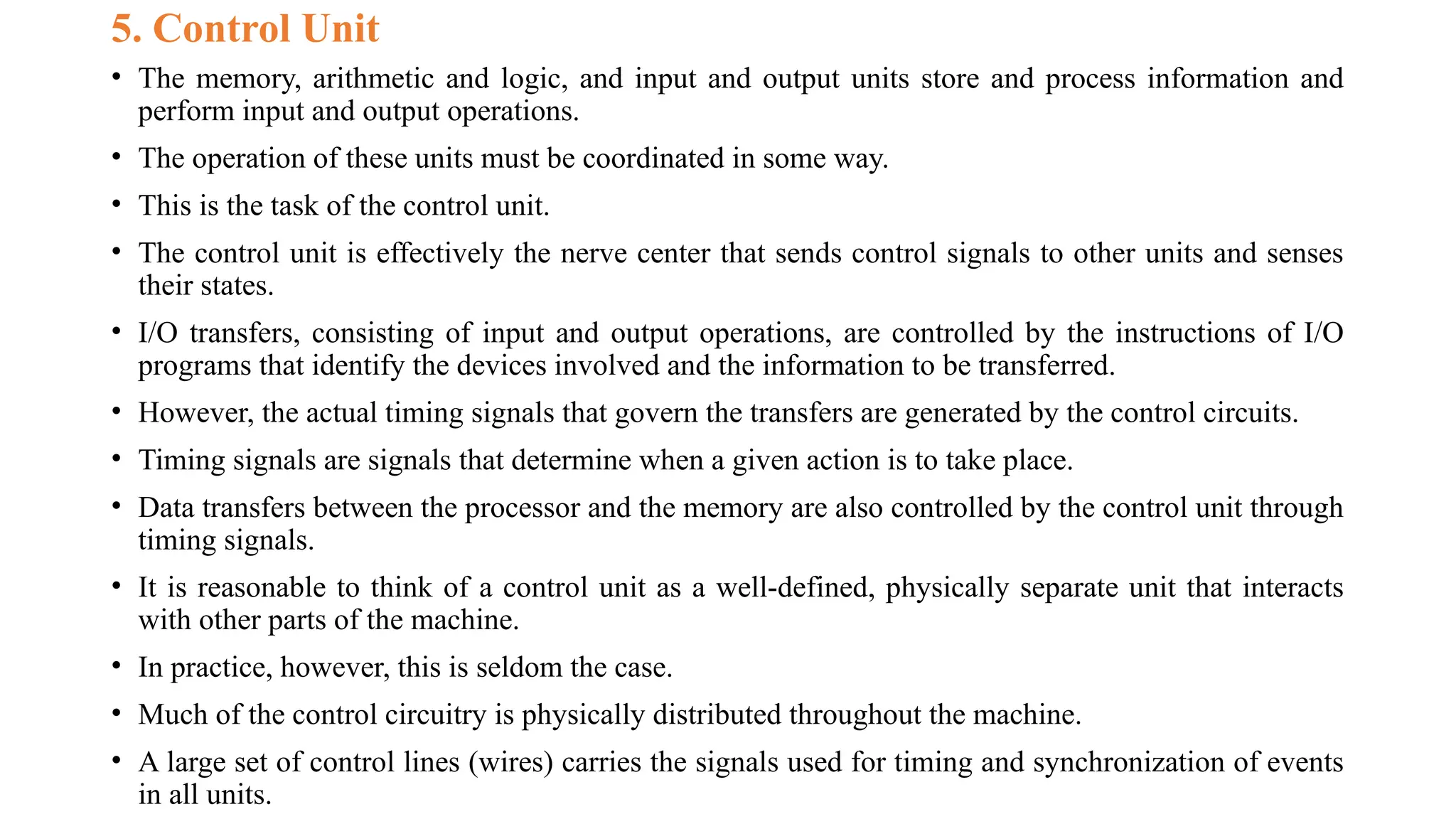
•The memory, arithmetic and logic, and input and output units store and process information and
perform input and output operations.
• The operation of these units must be coordinated in some way.
• This is the task of the control unit.
• The control unit is effectively the nerve center that sends control signals to other units and senses
their states.
• I/O transfers, consisting of input and output operations, are controlled by the instructions of I/O
programs that identify the devices involved and the information to be transferred.
• However, the actual timing signals that govern the transfers are generated by the control circuits.
• Timing signals are signals that determine when a given action is to take place.
• Data transfers between the processor and the memory are also controlled by the control unit through
timing signals.
• It is reasonable to think of a control unit as a well-defined, physically separate unit that interacts
with other parts of the machine.
• In practice, however, this is seldom the case.
• Much of the control circuitry is physically distributed throughout the machine.
• A large set of control lines (wires) carries the signals used for timing and synchronization of events
in all units.
16.
Basic Operational Concepts
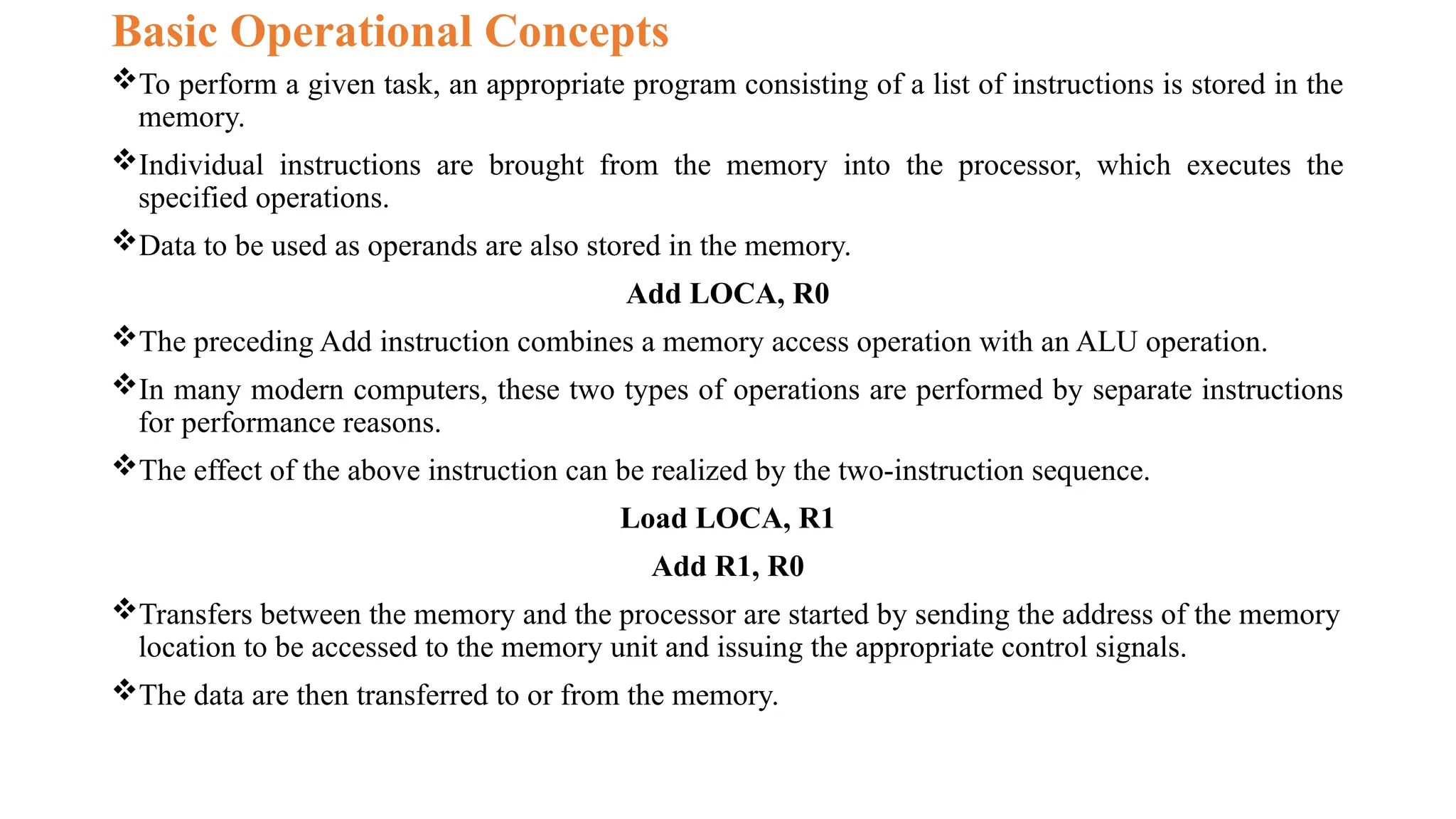
Toperform a given task, an appropriate program consisting of a list of instructions is stored in the
memory.
Individual instructions are brought from the memory into the processor, which executes the
specified operations.
Data to be used as operands are also stored in the memory.
Add LOCA, R0
The preceding Add instruction combines a memory access operation with an ALU operation.
In many modern computers, these two types of operations are performed by separate instructions
for performance reasons.
The effect of the above instruction can be realized by the two-instruction sequence.
Load LOCA, R1
Add R1, R0
Transfers between the memory and the processor are started by sending the address of the memory
location to be accessed to the memory unit and issuing the appropriate control signals.
The data are then transferred to or from the memory.
Bus Structures
• Toachieve a reasonable speed of operation, a computer must be organized so that all its units can
handle one full word of data at a given time.
• When a word of data is transferred between units, all its bits are transferred in parallel, that is, the bits
are transferred simultaneously over many wires, or lines, one bit per line.
• A group of lines that serves as a connecting path for several devices is called a bus. In addition to the
lines that carry the data, the bus must have lines for address and control purposes.
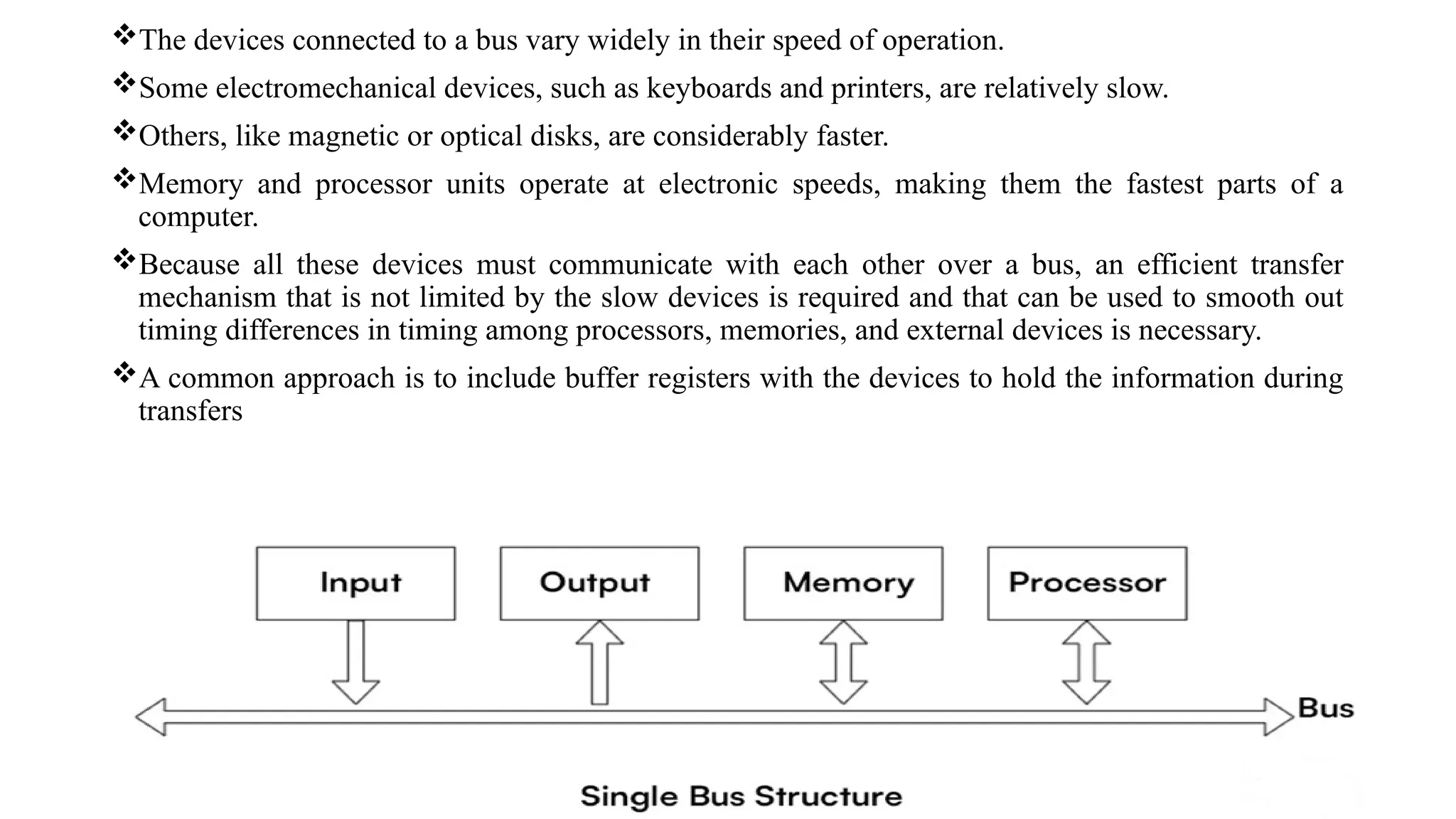
• The simplest way to interconnect functional units is to use a single bus, as shown in Figure in next
slide.
• All units are connected to this bus.
• Because the bus can be used for only one transfer at a time, only two units can actively use the bus at
any given time.
• Bus control lines are used to arbitrate multiple requests for use of the bus.
• The main virtue of the single-bus structure is its low cost and its flexibility for attaching peripheral
devices.
• Systems that contain multiple buses achieve more concurrency in operations by allowing two or more
transfers to be carried out at the same time.
• This leads to better performance but at an increased cost.
19.
The devices connectedto a bus vary widely in their speed of operation.
Some electromechanical devices, such as keyboards and printers, are relatively slow.
Others, like magnetic or optical disks, are considerably faster.
Memory and processor units operate at electronic speeds, making them the fastest parts of a
computer.
Because all these devices must communicate with each other over a bus, an efficient transfer
mechanism that is not limited by the slow devices is required and that can be used to smooth out
timing differences in timing among processors, memories, and external devices is necessary.
A common approach is to include buffer registers with the devices to hold the information during
transfers
20.
To illustrate thistechnique, consider the transfer of an encoded character from a processor to a
character printer.
The processor sends the character over the bus to the printer buffer.
Since the buffer is an electronic register, this transfer requires relatively little time.
Once the buffer is loaded, the printer can start printing without further intervention by the
processor.
Both the bus and the processor are no longer needed and can be released for other activity.
The printer continues printing the character in its buffer and is not available for further transfers
until this process is completed.
Thus, buffer registers smooth out timing differences until this process is completed for memories,
and I/O devices.
They prevent the data high-speed processor from being locked to a slow I/O device during a
sequence of data transfers
This allows the processor to switch rapidly from one device to another, interweaving its processing
activity with data transfers involving several I/O devices
21.
Software
Software: Software isa set of instructions data or programs that tells a computer electronic device
for web-based application what to do and how to do it.
In order for a user to enter and run an application program, the computer must already contain
some system software in its memory. System software is a collection of programs that are
executed as needed to perform functions such as:
Receiving and interpreting user commands
Entering and editing application programs and storing them as files in secondary storage devices
Managing the storage and retrieval of files in secondary storage devices
Running standard application programs such as word processors, spreadsheets, or games, with
data supplied by the user
Controlling I/O units to receive input information and produce output results
Translating programs from source form prepared by the user into object form consisting of
machine instructions
Linking and running user-written application programs with existing standard library routines,
such as numerical computation packages
22.
Application programs areusually written in a high-level programming language, such as C, C++,
Java, or Fortran, in which the programmer specifies mathematical or text-processing operations.
These operations are described in a format that is independent of the particular computer used to
execute the program.
A programmer using a high-level language need not know the details of machine program
instructions.
A system software program called a compiler translates the high-level language program into a
suitable machine language program containing instructions such as the Add and Load instructions
discussed.
Another important system program that all programmers use is a text editor.
It is used for entering and editing application programs.
The user of this program interactively executes commands that allow statements of a source
program entered at a keyboard to be accumulated in a file.
A file is simply a sequence of alphanumeric characters or binary data that is stored in memory or
in secondary storage.
A file can be referred to by a name chosen by the user.
23.
In order tounderstand the basics of operating systems, let us consider a system with one processor,
one disk, and one printer.
First, we discuss the steps involved in running one application program.
Once we have explained these steps, we can understand how the operating system manages the
execution of more than one application program at the same time.
Assume that the application program has been compiled from a high-level language form into a
machine language form and stored on the disk.
The first step is to transfer this file into the memory.
When the transfer is complete, execution of the program is started.
Assume that part of the program’s task involves reading a data file from the disk into the memory,
performing some computation on the data, and printing the results.
When execution of the program reaches the point where the data file is needed, the program
requests the operating system to transfer the data file from the disk to the memory.
The OS performs this task and passes execution control back to the application program, which
then proceeds to perform the required computation.
When the computation is completed and the results are ready to be printed, the application
program again sends a request to the operating system.
An OS routine is then executed to cause the printer to print the results.
24.
We have seenhow execution control passes back and forth between the application program and
the OS routines.
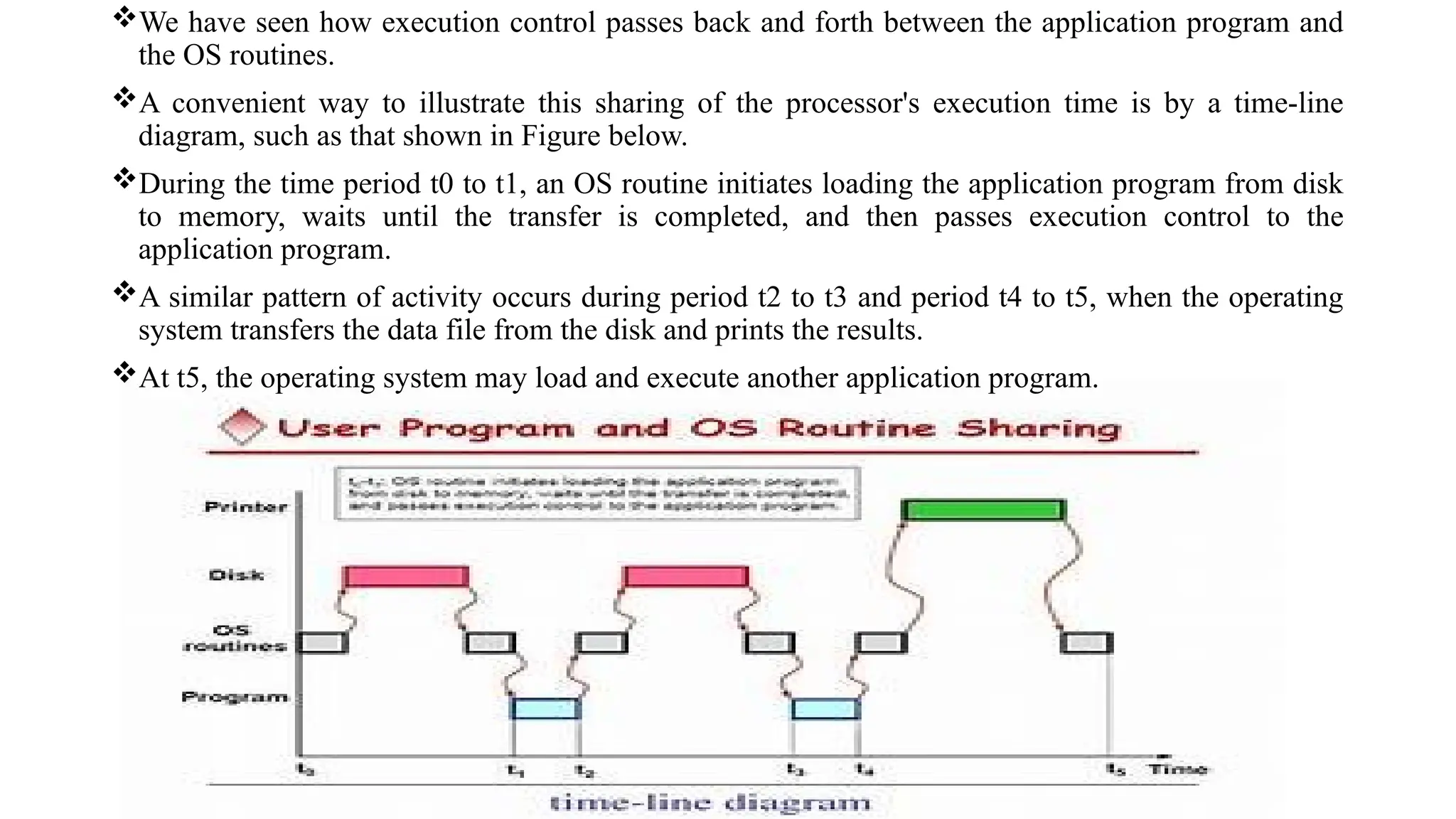
A convenient way to illustrate this sharing of the processor's execution time is by a time-line
diagram, such as that shown in Figure below.
During the time period t0 to t1, an OS routine initiates loading the application program from disk
to memory, waits until the transfer is completed, and then passes execution control to the
application program.
A similar pattern of activity occurs during period t2 to t3 and period t4 to t5, when the operating
system transfers the data file from the disk and prints the results.
At t5, the operating system may load and execute another application program.
25.
Performance
• The mostimportant measure of the performance of a computer is how quickly it can execute
programs.
• The speed with which a computer executes programs is affected by the design of its hardware and
its machine language instructions.
• Because programs are usually written in a high-level language, performance is also affected by the
compiler that translates programs into machine language.
• For best performance, it is necessary to design the compiler, the machine instruction set, and the
hardware in a coordinated way.
• We do not describe the details of compiler design in this book. We concentrate on the design of
instruction sets and hardware.
• This elapsed time is a measure of the performance of the entire computer system.
• It is affected by the speed of the processor, the disk, and the printer.
• To discuss the performance of the processor, we should consider only the periods during which the
processor is active.
26.
Just as theelapsed time for the execution of a program depends on all units in a computer system,
the processor time depends on the hardware involved in the execution of individual machine
instructions.
This hardware comprises the processor and the memory, as well as selected control circuits, as
shown in previous Figure(single-bus structure).
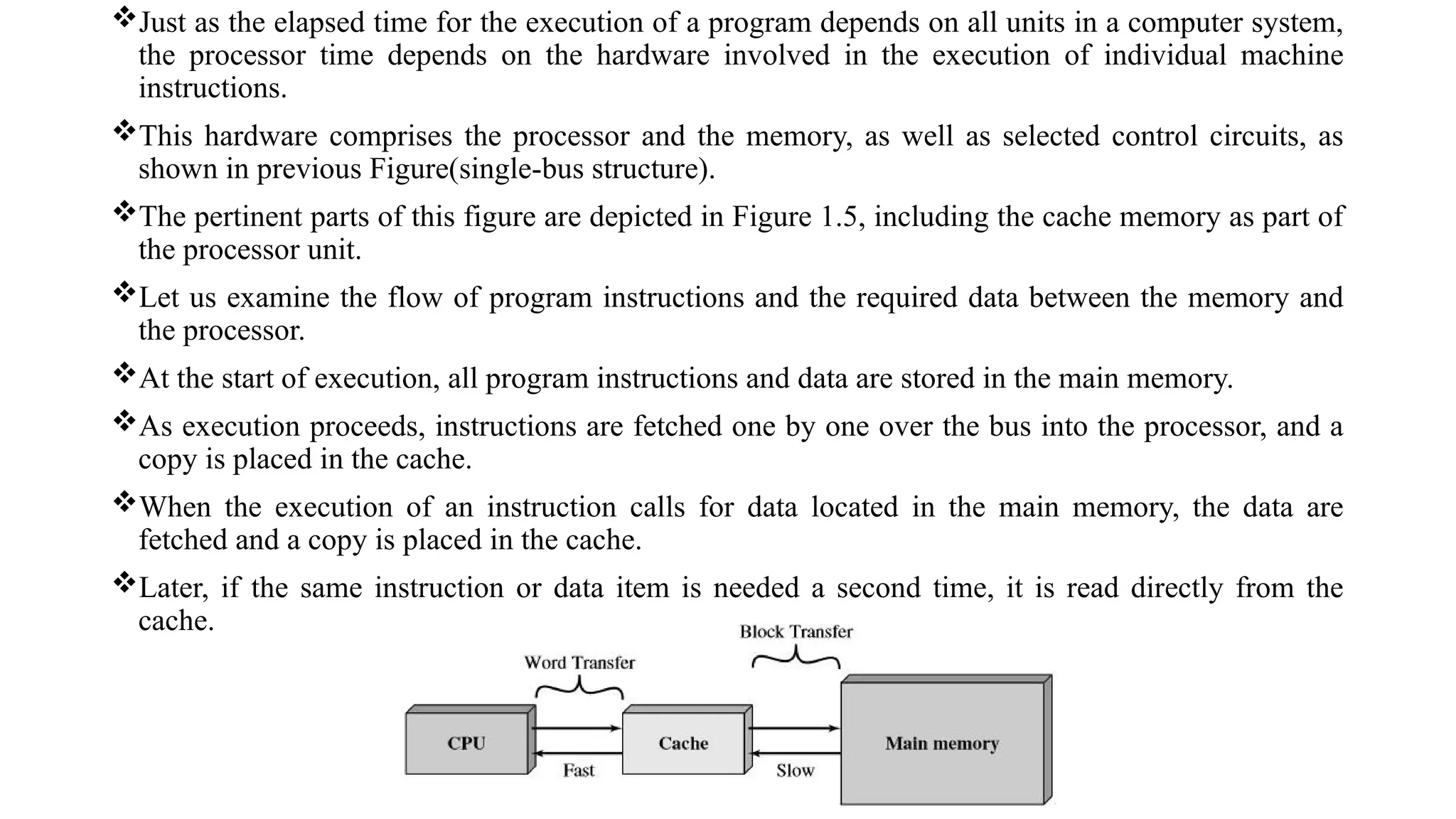
The pertinent parts of this figure are depicted in Figure 1.5, including the cache memory as part of
the processor unit.
Let us examine the flow of program instructions and the required data between the memory and
the processor.
At the start of execution, all program instructions and data are stored in the main memory.
As execution proceeds, instructions are fetched one by one over the bus into the processor, and a
copy is placed in the cache.
When the execution of an instruction calls for data located in the main memory, the data are
fetched and a copy is placed in the cache.
Later, if the same instruction or data item is needed a second time, it is read directly from the
cache.
27.
The processor anda relatively small cache memory can be fabricated on a single integrated circuit
chip.
The internal speed of performing the basic steps of instruction processing on such chips is very
high and is considerably faster than the speed at which instructions and data can be fetched from
and written into the main memory.
A program will be executed faster if the movement of instructions and data between the main
memory and the processor is minimized, which is achieved by using the cache.
Processor Clock:
Processor circuits are controlled by a timing signal called a clock.
The clock defines regular time intervals, called clock cycles.
To execute a machine instruction, the processor divides the action to be performed into a sequence
of basic steps, such that each step can be completed in one clock cycle.
The length $$P$$ of one clock cycle is an important parameter that affects processor performance.
Its inverse is the clock rate, $$R = 1 / P$$, which is measured in cycles per second.
Processors used by today’s personal computers and workstations have clock rates that range from
a few hundred million to over a billion cycles per second.
In standard electrical engineering terminology, the term “cycles per second” is called hertz (Hz).
28.
BASIC PERFORMANCE EQUATION
Wenow focus our attention on the processor time component of the total elapsed time.
Let $$T$$ be the processor time required to execute a program that has been prepared in some
high-level language.
The compiler generates a machine language object program that corresponds to the source program.
Assume that complete execution of the object program requires the execution of $$N$$ machine
instructions.
The number $$N$$ is the actual number of instruction executions, and is not necessarily equal to
the number of machine instructions in the object program.
Some instructions may be executed more than once, which is the case for instructions used in a
program loop.
Others may not be executed at all, depending on the input data used.
Suppose the average number of basic steps needed to execute one machine instruction is $$S$$,
where each basic step is completed in one clock cycle.
If the clock rate is $$R$$ cycles per second, the program execution time is given by
This is often referred to as the basic performance equation.



![Ise iv-computer organization [10 cs46]-notes new](https://cdn.slidesharecdn.com/ss_thumbnails/ise-iv-computerorganization10cs46-notesnew-140624013827-phpapp01-thumbnail.jpg?width=640&height=640&fit=bounds)


