Introduction to Computer Science
What is a Computer?
• A computer is an electronic device responsible
accepting data, processing it, output and store it.
• A computer ACCEPTS, then PROCCESS, then
OUTPUT and lastly STORES the accepted data
when necessary.
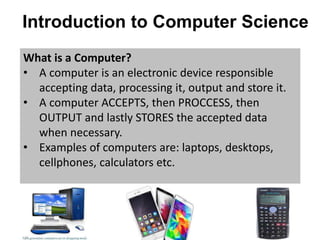
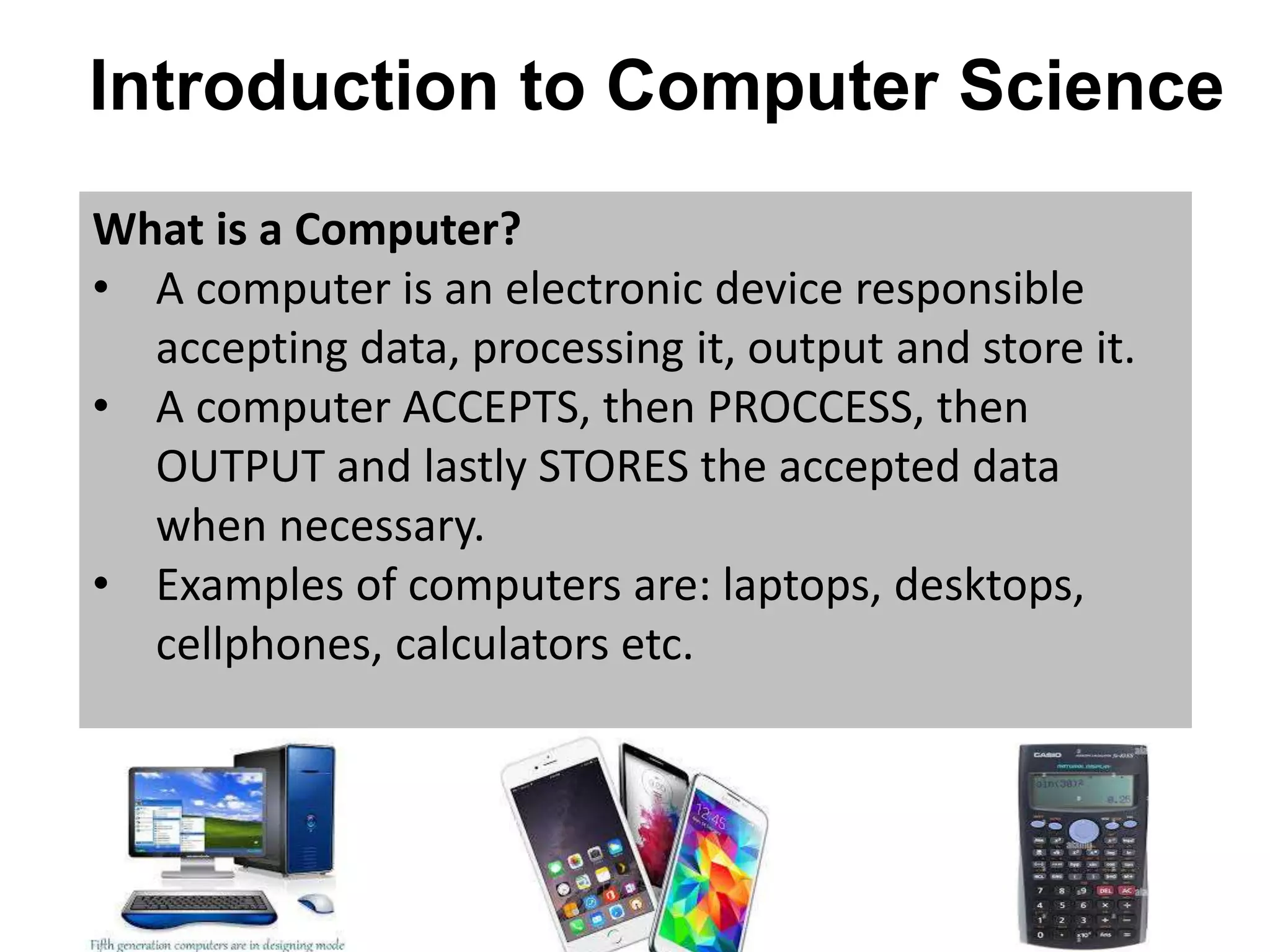
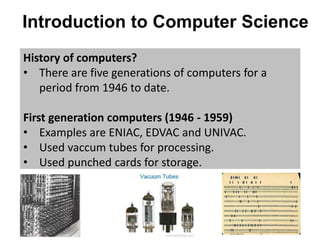
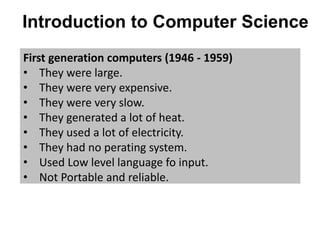
• Examples of computers are: laptops, desktops,
cellphones, calculators etc.
Introduction to Computer Science
History of computers?
• There are five generations of computers for a
period from 1946 to date.
First generation computers (1946 - 1959)
• Examples are ENIAC, EDVAC and UNIVAC.
• Used vaccum tubes for processing.
• Used punched cards for storage.
Introduction to Computer Science
First generation computers (1946 - 1959)
• They were large.
• They were very expensive.
• They were very slow.
• They generated a lot of heat.
• They used a lot of electricity.
• They had no perating system.
• Used Low level language fo input.
• Not Portable and reliable.
Introduction to Computer Science
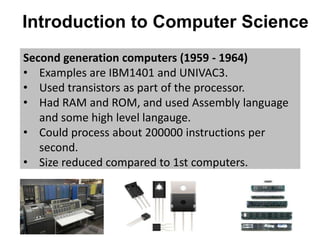
Second generation computers (1959 - 1964)
• Examples are IBM1401 and UNIVAC3.
• Used transistors as part of the processor.
• Had RAM and ROM, and used Assembly language
and some high level langauge.
• Could process about 200000 instructions per
second.
• Size reduced compared to 1st computers.
Introduction to Computer Science
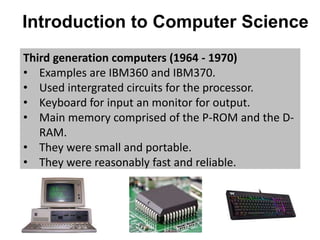
Third generation computers (1964 - 1970)
• Examples are IBM360 and IBM370.
• Used intergrated circuits for the processor.
• Keyboard for input an monitor for output.
• Main memory comprised of the P-ROM and the D-
RAM.
• They were small and portable.
• They were reasonably fast and reliable.
Introduction to Computer Science
Third generation computers (1964 - 1970)
• Had an oparating system and used High level
language making it easy to learn.
• Nevertheless, intergrated circuits required air
conditioning.
• Very advanced technology was required to
produce these circuits.
Introduction to Computer Science
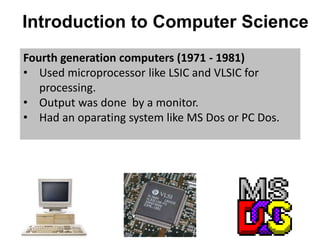
Fourth generation computers (1971 - 1981)
• Used microprocessor like LSIC and VLSIC for
processing.
• Output was done by a monitor.
• Had an oparating system like MS Dos or PC Dos.
Introduction to Computer Science
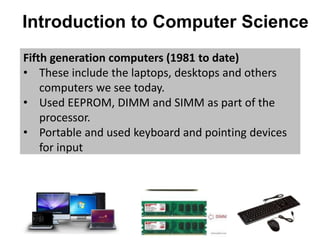
Fifth generation computers (1981 to date)
• These include the laptops, desktops and others
computers we see today.
• Used EEPROM, DIMM and SIMM as part of the
processor.
• Portable and used keyboard and pointing devices
for input
Classification Of Computers
Criteria used for classification of computers
• Computers can be classified according to:
①Size
②Type
③Purpose
Classification According to Size.
• Computers can be classified according to their
size, how big they are.
• That is how many users can use the computer at
the same time.
Classification Of Computers
• This gives us four classes namely:
①Super computers
②Mainframe computers
③Mini computers
④Micro computers
Classification Of Computers
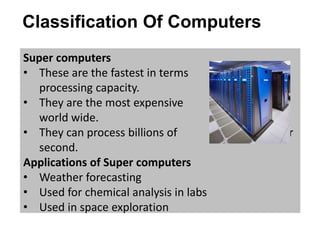
Super computers
• These are the fastest in terms of
processing capacity.
• They are the most expensive computers
world wide.
• They can process billions of instructions per
second.
Applications of Super computers
• Weather forecasting
• Used for chemical analysis in labs
• Used in space exploration
Classification Of Computers
Applications of Super computers
n.b and many other applications where data
processing is required to be fast.
• The demand for these computers is increasing Day
by day as the need for fast data processing is also
increasing daily.
Classification Of Computers
Mainframe computers
• These computers are designed to
support hundreds or even v thousands of
users simultaneously.
• Not only users but supports multi
programs to be run at the same time.
• They are also capable of processing large amounts
of data, with no bugs or runtime errors.
• They got a long life of at least 50 years without any
problem.
Classification Of Computers
Applications of Mainframe computers
• Health centers where they will be used to keep
and manage patients' records.
• Education especially at Universities to manage all
the activities like results publication as well as
registration.
• Banking where it will be responsible for processing
large transactions and stuff.
Classification Of Computers
Mini computers
• These are midsize computers supporting up to 200
users at the same time.
• Mini computers lie between mainframe and micro
computers.
• They are less expensive than mainframe
computers and are generally fast, compared to
their sizes.
Classification Of Computers
Uses of Mini computers
• They can be used in control systems to control
processes in industries
• Also used for data management in organization, to
manage , store and keep organization's data.
Classification Of Computers
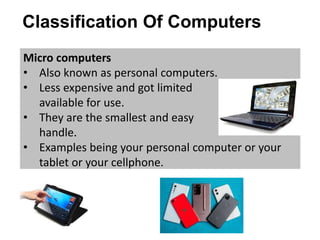
Micro computers
• Also known as personal computers.
• Less expensive and got limited softwares
available for use.
• They are the smallest and easy to
handle.
• Examples being your personal computer or your
tablet or your cellphone.
Classification Of Computers
Classification According to type
• Classification According to type only gives us three
different groups of computers which are
①Analogue computers
②Digital computers
③Hybrid computers.
Classification Of Computers
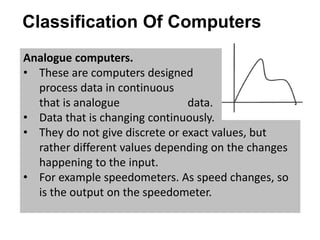
Analogue computers.
• These are computers designed to
process data in continuous varying form,
that is analogue data.
• Data that is changing continuously.
• They do not give discrete or exact values, but
rather different values depending on the changes
happening to the input.
• For example speedometers. As speed changes, so
is the output on the speedometer.
Classification Of Computers
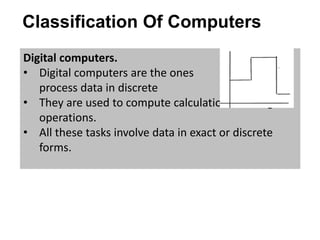
Digital computers.
• Digital computers are the ones that
process data in discrete forms.
• They are used to compute calculations and logical
operations.
• All these tasks involve data in exact or discrete
forms.
Classification Of Computers
Hybrid computers.
• These got features of both analogue computers
and digital computers.
• They are fast like analogue computers and
accurate like digital computers.
Classification Of Computers
Classification According to Purpose
• Classification According to purpose gives us
①General purpose computers.
②Special purpose computers.
Classification Of Computers
General purpose computers
• These are computers used for general tasks like
playing games, playing music, creating documents
and other things you may think of.
Classification Of Computers
General purpose computers
• These are computers used for general tasks like
playing games, playing music, creating documents
and other things you may think of.
Special purpose computers.
• They are used for special purpose like control and
monitoring.
• Examples, are computers used in hospitals for
monitoring patients.
• Embedded computer is also a special example of a
special purpose computers.
Classification Of Computers
• Embedded computers are microprocessors
Attached to non computer equipment like stoves ,
where they will be used for control and
maintenance.
YouTube Video Links
• https://youtu.be/uS_VHDAmCxA
• https://youtu.be/BJLNXXTMWu4
• Like and Subscribe to support creation of more
computer science content

Introduction to computer science

  • 1.
    Introduction to ComputerScience What is a Computer? • A computer is an electronic device responsible accepting data, processing it, output and store it. • A computer ACCEPTS, then PROCCESS, then OUTPUT and lastly STORES the accepted data when necessary. • Examples of computers are: laptops, desktops, cellphones, calculators etc.
  • 2.
    Introduction to ComputerScience History of computers? • There are five generations of computers for a period from 1946 to date. First generation computers (1946 - 1959) • Examples are ENIAC, EDVAC and UNIVAC. • Used vaccum tubes for processing. • Used punched cards for storage.
  • 3.
    Introduction to ComputerScience First generation computers (1946 - 1959) • They were large. • They were very expensive. • They were very slow. • They generated a lot of heat. • They used a lot of electricity. • They had no perating system. • Used Low level language fo input. • Not Portable and reliable.
  • 4.
    Introduction to ComputerScience Second generation computers (1959 - 1964) • Examples are IBM1401 and UNIVAC3. • Used transistors as part of the processor. • Had RAM and ROM, and used Assembly language and some high level langauge. • Could process about 200000 instructions per second. • Size reduced compared to 1st computers.
  • 5.
    Introduction to ComputerScience Third generation computers (1964 - 1970) • Examples are IBM360 and IBM370. • Used intergrated circuits for the processor. • Keyboard for input an monitor for output. • Main memory comprised of the P-ROM and the D- RAM. • They were small and portable. • They were reasonably fast and reliable.
  • 6.
    Introduction to ComputerScience Third generation computers (1964 - 1970) • Had an oparating system and used High level language making it easy to learn. • Nevertheless, intergrated circuits required air conditioning. • Very advanced technology was required to produce these circuits.
  • 7.
    Introduction to ComputerScience Fourth generation computers (1971 - 1981) • Used microprocessor like LSIC and VLSIC for processing. • Output was done by a monitor. • Had an oparating system like MS Dos or PC Dos.
  • 8.
    Introduction to ComputerScience Fifth generation computers (1981 to date) • These include the laptops, desktops and others computers we see today. • Used EEPROM, DIMM and SIMM as part of the processor. • Portable and used keyboard and pointing devices for input
  • 9.
    Classification Of Computers Criteriaused for classification of computers • Computers can be classified according to: ①Size ②Type ③Purpose Classification According to Size. • Computers can be classified according to their size, how big they are. • That is how many users can use the computer at the same time.
  • 10.
    Classification Of Computers •This gives us four classes namely: ①Super computers ②Mainframe computers ③Mini computers ④Micro computers
  • 11.
    Classification Of Computers Supercomputers • These are the fastest in terms of processing capacity. • They are the most expensive computers world wide. • They can process billions of instructions per second. Applications of Super computers • Weather forecasting • Used for chemical analysis in labs • Used in space exploration
  • 12.
    Classification Of Computers Applicationsof Super computers n.b and many other applications where data processing is required to be fast. • The demand for these computers is increasing Day by day as the need for fast data processing is also increasing daily.
  • 13.
    Classification Of Computers Mainframecomputers • These computers are designed to support hundreds or even v thousands of users simultaneously. • Not only users but supports multi programs to be run at the same time. • They are also capable of processing large amounts of data, with no bugs or runtime errors. • They got a long life of at least 50 years without any problem.
  • 14.
    Classification Of Computers Applicationsof Mainframe computers • Health centers where they will be used to keep and manage patients' records. • Education especially at Universities to manage all the activities like results publication as well as registration. • Banking where it will be responsible for processing large transactions and stuff.
  • 15.
    Classification Of Computers Minicomputers • These are midsize computers supporting up to 200 users at the same time. • Mini computers lie between mainframe and micro computers. • They are less expensive than mainframe computers and are generally fast, compared to their sizes.
  • 16.
    Classification Of Computers Usesof Mini computers • They can be used in control systems to control processes in industries • Also used for data management in organization, to manage , store and keep organization's data.
  • 17.
    Classification Of Computers Microcomputers • Also known as personal computers. • Less expensive and got limited softwares available for use. • They are the smallest and easy to handle. • Examples being your personal computer or your tablet or your cellphone.
  • 18.
    Classification Of Computers ClassificationAccording to type • Classification According to type only gives us three different groups of computers which are ①Analogue computers ②Digital computers ③Hybrid computers.
  • 19.
    Classification Of Computers Analoguecomputers. • These are computers designed to process data in continuous varying form, that is analogue data. • Data that is changing continuously. • They do not give discrete or exact values, but rather different values depending on the changes happening to the input. • For example speedometers. As speed changes, so is the output on the speedometer.
  • 20.
    Classification Of Computers Digitalcomputers. • Digital computers are the ones that process data in discrete forms. • They are used to compute calculations and logical operations. • All these tasks involve data in exact or discrete forms.
  • 21.
    Classification Of Computers Hybridcomputers. • These got features of both analogue computers and digital computers. • They are fast like analogue computers and accurate like digital computers.
  • 22.
    Classification Of Computers ClassificationAccording to Purpose • Classification According to purpose gives us ①General purpose computers. ②Special purpose computers.
  • 23.
    Classification Of Computers Generalpurpose computers • These are computers used for general tasks like playing games, playing music, creating documents and other things you may think of.
  • 24.
    Classification Of Computers Generalpurpose computers • These are computers used for general tasks like playing games, playing music, creating documents and other things you may think of. Special purpose computers. • They are used for special purpose like control and monitoring. • Examples, are computers used in hospitals for monitoring patients. • Embedded computer is also a special example of a special purpose computers.
  • 25.
    Classification Of Computers •Embedded computers are microprocessors Attached to non computer equipment like stoves , where they will be used for control and maintenance.
  • 26.
    YouTube Video Links •https://youtu.be/uS_VHDAmCxA • https://youtu.be/BJLNXXTMWu4 • Like and Subscribe to support creation of more computer science content