Procedural Programming
By
G. Lakshmana Rao
Assistant Professor
Computer Science and Engineering
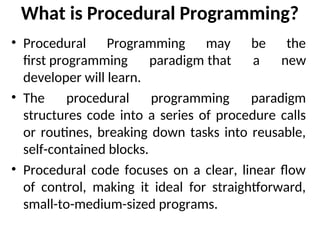
What is Procedural Programming?
• Procedural Programming may be the
first programming paradigm that a new
developer will learn.
• The ​
​
​
procedural programming paradigm
structures code into a series of procedure calls
or routines, breaking down tasks into reusable,
self-contained blocks.
• Procedural code focuses on a clear, linear flow
of control, making it ideal for straightforward,
small-to-medium-sized programs.
• By following a top-down approach, it simplifies complex
problems into manageable routines, making it a
foundational technique for understanding more
advanced programming concepts.
• In fact, procedural programming is still essential in
2025, powering critical systems like operating systems
(e.g., Linux kernel in C), embedded devices, and
performance-sensitive applications, where its
straightforward, efficient structure is necessary for low-
level control and resource management.
• Common procedural languages include C, Pascal, and
BASIC.
• https://hackr.io/blog/procedural-programming
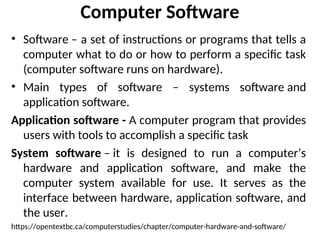
Computer Software
• Software – a set of instructions or programs that tells a
computer what to do or how to perform a specific task
(computer software runs on hardware).
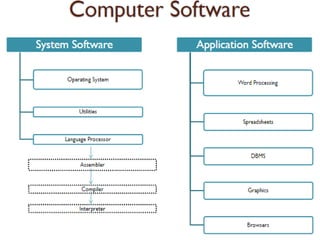
• Main types of software – systems software and
application software.
Application software - A computer program that provides
users with tools to accomplish a specific task
System software – it is designed to run a computer’s
hardware and application software, and make the
computer system available for use. It serves as the
interface between hardware, application software, and
the user.
https://opentextbc.ca/computerstudies/chapter/computer-hardware-and-software/
What is Computer ?
 Computer is an electronic device.
 Can store large amounts of data.
 Can performing operations on data.
 Performing given function on the data & displays the result
as output.
 Process data whenever needed.
 Known from ‘to compute’
What is Process?
 Computer works on data as per programme is called
process.
 Processing means operations like…..
 Calculations,
 Logical decision making,
 Outputting data,
 Communicating with others computer etc.
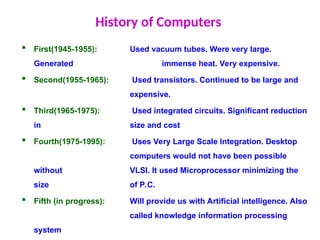
History of Computers
 First(1945-1955): Used vacuum tubes. Were very large.
Generated immense heat. Very expensive.
 Second(1955-1965): Used transistors. Continued to be large and
expensive.
 Third(1965-1975): Used integrated circuits. Significant reduction
in size and cost
 Fourth(1975-1995): Uses Very Large Scale Integration. Desktop
computers would not have been possible
without VLSI. It used Microprocessor minimizing the
size of P.C.
 Fifth (in progress): Will provide us with Artificial intelligence. Also
called knowledge information processing
system
Characteristics of Computer
 Speed
 Arithmetical and Logical
Operations
 Accuracy
 Reliability
 Storage
 Retrieving Data and
Programme
 Automation
 Versatility (Flexible)
 Consistency
 Communications
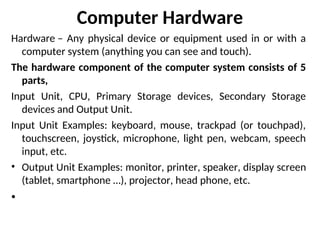
Computer Hardware
Hardware – Any physical device or equipment used in or with a
computer system (anything you can see and touch).
The hardware component of the computer system consists of 5
parts,
Input Unit, CPU, Primary Storage devices, Secondary Storage
devices and Output Unit.
Input Unit Examples: keyboard, mouse, trackpad (or touchpad),
touchscreen, joystick, microphone, light pen, webcam, speech
input, etc.
• Output Unit Examples: monitor, printer, speaker, display screen
(tablet, smartphone …), projector, head phone, etc.
•
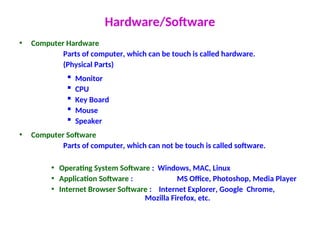
Hardware/Software
• Computer Hardware
Parts of computer, which can be touch is called hardware.
(Physical Parts)
 Monitor
 CPU
 Key Board
 Mouse
 Speaker
• Computer Software
Parts of computer, which can not be touch is called software.
• Operating System Software : Windows, MAC, Linux
• Application Software : MS Office, Photoshop, Media Player
• Internet Browser Software : Internet Explorer, Google Chrome,
Mozilla Firefox, etc.
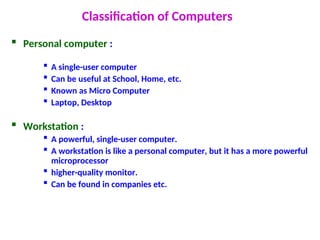
Classification of Computers
 Personal computer :
 A single-user computer
 Can be useful at School, Home, etc.
 Known as Micro Computer
 Laptop, Desktop
 Workstation :
 A powerful, single-user computer.
 A workstation is like a personal computer, but it has a more powerful
microprocessor
 higher-quality monitor.
 Can be found in companies etc.
 Minicomputer
 A multi-user computer
 Capable of supporting from 10 to hundreds of users simultaneously.
 Can be found in banks, government departments etc.
 Mainframe
 A powerful multi-user computer
 Capable of supporting hundreds or thousands of users simultaneously.
 Supercomputer
 An extremely fast computer
 Can perform hundreds of millions of instructions per second
 Weather, scientific research can be done by these types of computer.
Applications of Computer
• Science research
• Education
• Business applications
• Banking
• Office Automation
• Desktop publishing
• Management aids
• Engineering designing
• Road traffic control
• Railway
• Medicine
• Information services
What is Internet
 Inter connection of many computers via network.
 Global connected through network (through LAN or WAN)
 To provide the various application services i.e. E-Mail, Usenet (News),
WWW, Telnet, FTP, etc
 At any time millions user connected to the internet from many countries.
Uses of Internet
 Searching
 E-mail service
 Commercial Services
 Electronic books & Publication
 Video Conferencing
 Sharing data and results quickly
 Retrieving files & Program of all types
 Find information databases and tutorials
 News paper columns
 Banking
 Downloading / Uploading any information
 News, sports, stocks, music etc.
 Use of internet in various fields like education, Business, governance, etc.
 And many more ………………..
Useful Keys Internet
• Network: Connecting computers with each other For exchanging
information
• Client : It is a programme or computer for getting special
information from another compute.
• Server: It is a programme or computer, which gives information to
the client computer.
• Protocol: It’s a rules for connecting to the internet. (TCP/IP)
• Portal: It is a website. Known as a gateway of internet.
(Search engine)
28/01/25 23
Router: It is a device, which decides where data will be send
(Network point)
www : World Wide Web
Browser: It is a programme which helps us to use internet
Website: Group of different web pages.
URL : Universal Resource Locator
.com : Commercial organization
.net : Large Networks
.gov : Government organization
.org : non-profit making organization
.edu : educational organization
.mil : military organization
.in : India
.au : Australia
.us : United States
.uk : United Kingdom
Types of Website (Domain No.)
Problem Solving
Computers play an important role in problem solving. We
communicate with a computer through some programming
language. But before we start the programming, the problem
to be solved requires some analysis.
Steps in Problem Solving:
1. Studying the problem in detail.
2. Understand carefully the given input and what input and what
output is required. Also identify the conditions and constraints
to be used.
3. Generating various methods of solution of the given problem.
4. Selecting the method which is considered to be best.
5. Preparing sequential steps for determining the solution.
6. Write a program to compute the results as using a computer
and get the results.
Algorithms
• An Algorithm is a finite sequence of well defined steps for solving a
problem.
• The most fundamental concept in computer science is the
algorithm. An algorithm is a step-by- step procedure for solving a
problem.
An algorithm has five important features:
1. Inputs: An algorithm may specify the quantities which are to be
read.
2. Outputs: An algorithm must specify the quantities which are to be
displayed or printed.
3. Definiteness: Each instruction must be clear and unambiguous.
4. Finiteness: An algorithm should be terminated after finite number
of steps.
5. Effectiveness: An algorithm must be effective which means that all
operations are executable.
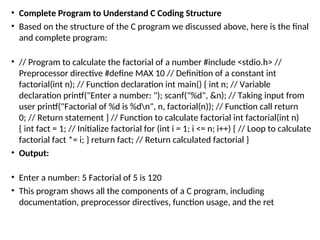
• Complete Program to Understand C Coding Structure
• Based on the structure of the C program we discussed above, here is the final
and complete program:
• // Program to calculate the factorial of a number #include <stdio.h> //
Preprocessor directive #define MAX 10 // Definition of a constant int
factorial(int n); // Function declaration int main() { int n; // Variable
declaration printf("Enter a number: "); scanf("%d", &n); // Taking input from
user printf("Factorial of %d is %dn", n, factorial(n)); // Function call return
0; // Return statement } // Function to calculate factorial int factorial(int n)
{ int fact = 1; // Initialize factorial for (int i = 1; i <= n; i++) { // Loop to calculate
factorial fact *= i; } return fact; // Return calculated factorial }
• Output:
• Enter a number: 5 Factorial of 5 is 120
• This program shows all the components of a C program, including
documentation, preprocessor directives, function usage, and the ret
Thank You
Thank You

Introduction to Computer Fundamentals.ppt

  • 1.
    Procedural Programming By G. LakshmanaRao Assistant Professor Computer Science and Engineering
  • 2.
    What is ProceduralProgramming? • Procedural Programming may be the first programming paradigm that a new developer will learn. • The ​ ​ ​ procedural programming paradigm structures code into a series of procedure calls or routines, breaking down tasks into reusable, self-contained blocks. • Procedural code focuses on a clear, linear flow of control, making it ideal for straightforward, small-to-medium-sized programs.
  • 3.
    • By followinga top-down approach, it simplifies complex problems into manageable routines, making it a foundational technique for understanding more advanced programming concepts. • In fact, procedural programming is still essential in 2025, powering critical systems like operating systems (e.g., Linux kernel in C), embedded devices, and performance-sensitive applications, where its straightforward, efficient structure is necessary for low- level control and resource management. • Common procedural languages include C, Pascal, and BASIC. • https://hackr.io/blog/procedural-programming
  • 7.
    Computer Software • Software– a set of instructions or programs that tells a computer what to do or how to perform a specific task (computer software runs on hardware). • Main types of software – systems software and application software. Application software - A computer program that provides users with tools to accomplish a specific task System software – it is designed to run a computer’s hardware and application software, and make the computer system available for use. It serves as the interface between hardware, application software, and the user. https://opentextbc.ca/computerstudies/chapter/computer-hardware-and-software/
  • 11.
    What is Computer?  Computer is an electronic device.  Can store large amounts of data.  Can performing operations on data.  Performing given function on the data & displays the result as output.  Process data whenever needed.  Known from ‘to compute’
  • 12.
    What is Process? Computer works on data as per programme is called process.  Processing means operations like…..  Calculations,  Logical decision making,  Outputting data,  Communicating with others computer etc.
  • 13.
    History of Computers First(1945-1955): Used vacuum tubes. Were very large. Generated immense heat. Very expensive.  Second(1955-1965): Used transistors. Continued to be large and expensive.  Third(1965-1975): Used integrated circuits. Significant reduction in size and cost  Fourth(1975-1995): Uses Very Large Scale Integration. Desktop computers would not have been possible without VLSI. It used Microprocessor minimizing the size of P.C.  Fifth (in progress): Will provide us with Artificial intelligence. Also called knowledge information processing system
  • 14.
    Characteristics of Computer Speed  Arithmetical and Logical Operations  Accuracy  Reliability  Storage  Retrieving Data and Programme  Automation  Versatility (Flexible)  Consistency  Communications
  • 16.
    Computer Hardware Hardware –Any physical device or equipment used in or with a computer system (anything you can see and touch). The hardware component of the computer system consists of 5 parts, Input Unit, CPU, Primary Storage devices, Secondary Storage devices and Output Unit. Input Unit Examples: keyboard, mouse, trackpad (or touchpad), touchscreen, joystick, microphone, light pen, webcam, speech input, etc. • Output Unit Examples: monitor, printer, speaker, display screen (tablet, smartphone …), projector, head phone, etc. •
  • 17.
    Hardware/Software • Computer Hardware Partsof computer, which can be touch is called hardware. (Physical Parts)  Monitor  CPU  Key Board  Mouse  Speaker • Computer Software Parts of computer, which can not be touch is called software. • Operating System Software : Windows, MAC, Linux • Application Software : MS Office, Photoshop, Media Player • Internet Browser Software : Internet Explorer, Google Chrome, Mozilla Firefox, etc.
  • 18.
    Classification of Computers Personal computer :  A single-user computer  Can be useful at School, Home, etc.  Known as Micro Computer  Laptop, Desktop  Workstation :  A powerful, single-user computer.  A workstation is like a personal computer, but it has a more powerful microprocessor  higher-quality monitor.  Can be found in companies etc.
  • 19.
     Minicomputer  Amulti-user computer  Capable of supporting from 10 to hundreds of users simultaneously.  Can be found in banks, government departments etc.  Mainframe  A powerful multi-user computer  Capable of supporting hundreds or thousands of users simultaneously.  Supercomputer  An extremely fast computer  Can perform hundreds of millions of instructions per second  Weather, scientific research can be done by these types of computer.
  • 20.
    Applications of Computer •Science research • Education • Business applications • Banking • Office Automation • Desktop publishing • Management aids • Engineering designing • Road traffic control • Railway • Medicine • Information services
  • 21.
    What is Internet Inter connection of many computers via network.  Global connected through network (through LAN or WAN)  To provide the various application services i.e. E-Mail, Usenet (News), WWW, Telnet, FTP, etc  At any time millions user connected to the internet from many countries.
  • 22.
    Uses of Internet Searching  E-mail service  Commercial Services  Electronic books & Publication  Video Conferencing  Sharing data and results quickly  Retrieving files & Program of all types  Find information databases and tutorials  News paper columns  Banking  Downloading / Uploading any information  News, sports, stocks, music etc.  Use of internet in various fields like education, Business, governance, etc.  And many more ………………..
  • 23.
    Useful Keys Internet •Network: Connecting computers with each other For exchanging information • Client : It is a programme or computer for getting special information from another compute. • Server: It is a programme or computer, which gives information to the client computer. • Protocol: It’s a rules for connecting to the internet. (TCP/IP) • Portal: It is a website. Known as a gateway of internet. (Search engine) 28/01/25 23
  • 24.
    Router: It isa device, which decides where data will be send (Network point) www : World Wide Web Browser: It is a programme which helps us to use internet Website: Group of different web pages. URL : Universal Resource Locator
  • 25.
    .com : Commercialorganization .net : Large Networks .gov : Government organization .org : non-profit making organization .edu : educational organization .mil : military organization .in : India .au : Australia .us : United States .uk : United Kingdom Types of Website (Domain No.)
  • 26.
    Problem Solving Computers playan important role in problem solving. We communicate with a computer through some programming language. But before we start the programming, the problem to be solved requires some analysis. Steps in Problem Solving: 1. Studying the problem in detail. 2. Understand carefully the given input and what input and what output is required. Also identify the conditions and constraints to be used. 3. Generating various methods of solution of the given problem. 4. Selecting the method which is considered to be best. 5. Preparing sequential steps for determining the solution. 6. Write a program to compute the results as using a computer and get the results.
  • 27.
    Algorithms • An Algorithmis a finite sequence of well defined steps for solving a problem. • The most fundamental concept in computer science is the algorithm. An algorithm is a step-by- step procedure for solving a problem. An algorithm has five important features: 1. Inputs: An algorithm may specify the quantities which are to be read. 2. Outputs: An algorithm must specify the quantities which are to be displayed or printed. 3. Definiteness: Each instruction must be clear and unambiguous. 4. Finiteness: An algorithm should be terminated after finite number of steps. 5. Effectiveness: An algorithm must be effective which means that all operations are executable.
  • 28.
    • Complete Programto Understand C Coding Structure • Based on the structure of the C program we discussed above, here is the final and complete program: • // Program to calculate the factorial of a number #include <stdio.h> // Preprocessor directive #define MAX 10 // Definition of a constant int factorial(int n); // Function declaration int main() { int n; // Variable declaration printf("Enter a number: "); scanf("%d", &n); // Taking input from user printf("Factorial of %d is %dn", n, factorial(n)); // Function call return 0; // Return statement } // Function to calculate factorial int factorial(int n) { int fact = 1; // Initialize factorial for (int i = 1; i <= n; i++) { // Loop to calculate factorial fact *= i; } return fact; // Return calculated factorial } • Output: • Enter a number: 5 Factorial of 5 is 120 • This program shows all the components of a C program, including documentation, preprocessor directives, function usage, and the ret
  • 29.