The Pros & Cons of
Cloud Computing
Pros & Cons Of
Cloud Computing
Page 2
What Is Cloud Computing?
Small and large businesses alike have been looking at cloud computing for the past couple of years.
The question that most businesses ask today is this: "should we do it?" This report is offered by
The HelpDesk LLC to its clients in order to define cloud computing and determine whether it is a
solution for your business. First, a definition.
Cloud computing is not a new concept, only the name. The concept has been around and in use for
years. Most small businesses have a server in their office with a series of desktop computers
networked to the server. That hardware layer is typically referred to as "the network," or "the
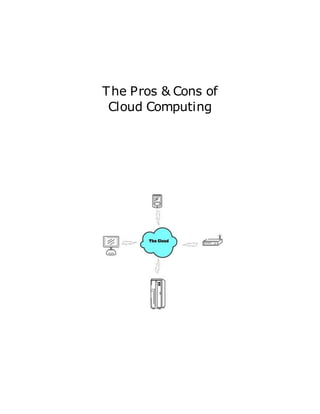
information systems." With cloud computing, imagine that you no longer have the server in your
office. Instead it is out there somewhere else on the Internet, or in other words it is "in the cloud."
With cloud computing your network is suddenly accessible from anywhere that you have access to
the Internet, from whatever device you happen to have with you -- laptop, iPad®, mobile phone,
etc. A comparable reference point would be Google Docs. When you submit your documents to
Google Docs for others to access via the Internet, this is an example of cloud computing in action.
At first, the concept for the average small business person seems very appealing. Without a large
upfront investment to build an in-house network, the entire business operation can be up and
running in a short period of time. The cost is basically pay-as-you-go and is based on the amount of
storage space and computing power that you use.
The following list outlines the advantages and drawbacks of cloud computing:
Advantages of Cloud Computing
1) Low Cost -- Entering the cloud is a low-cost proposition. It does not require a large capital
investment up front for hardware, equipment and infrastructure. You will need to have
desktops, laptops or some type of device to access the Internet and utilize your data. But,
the investment in implementing and maintaining your own in-house network is minimal.
For many small businesses, this is important. The cost of maintaining an in-house network
is enormous and seems to be increasing every day. With an in-house network, there are the
costs of software and hardware upgrades as well as maintaining and training of an IT staff.
Because these responsibilities are with the cloud services provider, those costs are theirs.
The best way to think of the cost of cloud computing is to think in terms of renting vs.
owning. The cloud provider owns and maintains all of the resources and the business client
begins to use it for a monthly or annual fee. This is similar to what is commonly referred to
as the Software-as-a-Service (or SaaS) model. You pay as you go. This type of model gives
the business owner more predictability in budgeting for these costs.
2) Flexibility -- With cloud computing, because you only pay for what you use, you have the
flexibility to only use what you need. This means if you are a small business in a start-up
mode, you can start small. As the business grows, you simply use more computing
Pros & Cons Of
Cloud Computing
Page 3
resources as needed. It can be very fast to set up, implement, and bring into operation.
Some cloud providers are set up to automatically scale for your resource demands.
The infrastructure can usually be customized to your needs. It can be a private network,
public, or a combination of both. In addition, the cloud supports multi-platform
development environments.
3) Simple, Fast, Easy -- The beauty of cloud computing is that it's easy. Using cloud
computing can streamline many parts of your business. Your business can run more
efficiently when you tap into web-based applications that are available in the cloud.
Everything from prospect management applications to customer billing and invoicing can be
moved out of your shop and into the cloud. This gives you the ability to focus on what you
do best in your business and excel at your strengths while someone else handles the
administrative functions.
4) Accessibility -- Regardless of where you are in the world, you can access your cloud based
applications. Gone are the complicated remote login procedures required for your in-house
network. The only thing required is a device that can access the web and an Internet
connection. This means your staff can have access anywhere and at anytime, from home,
office or on the road at a client's office.
5) Sustainability -- Should a natural disaster strike your business, the good news is that your
computing capability resides somewhere else. Obviously, this is a disadvantage if the
disaster hits your cloud provider. (See Disadvantage #2 below.)
Potential Disadvantages of Cloud Computing
1) Security of Your Data -- This is one of the primary concerns related to cloud computing.
In a very basic sense, the data that used to reside within the four walls of your facility now
resides elsewhere. The security of that data must be addressed, particularly if the data
contains trade secrets, proprietary lists, customer files, etc.
Adding to the concern are the results from a recent survey: 69% of cloud providers said that
data security was the responsibility of the end-user. By contrast, only 35% of the end-users
agreed that they should be responsible. It is clear that there is a disparity between cloud
providers and cloud users about who is responsible for data security.
"Anyone purchasing cloud services should assume that their data is vulnerable to
compromise," said Derek Carr, President of The HelpDesk LLC. "Going into it with that
frame of mind sets the stage for proper measures to be taken right from the start," he added.
While many small businesses do not have the resources to adequately protect their data even
when it is in-house, a reasonably priced off-site solution may be right for certain
applications. The key is asking the right questions of the provider and getting good advice.
Pros & Cons Of
Cloud Computing
Page 4
2) Redundancy -- This term refers to the reliability of your web-based applications that run in
the cloud. A practical example would be if the server that your website is running on
crashes, another server picks up where the other left off and your business keeps going.
This is redundancy.
In the cloud many think that because their applications are running "out there" on the
Internet that there is built-in redundancy. This is a misconception and not true. The typical
cloud provider will have resources running on one server. Some will have multiple servers
and this is good; however, the truth is that those multiple servers typically reside in one data
center.
If there is a problem at the data center that takes down multiple servers, or the entire data
center, then your business can come down with it. This has happened. There are several
recent examples of major entities being down for anywhere from an hour to several days
over the past two years. These have included Amazon, Microsoft SideKick, Google,
Hotmail, Intuit and others.
3) Costs When Under Attack -- Even though cloud computing offers a great low cost option
for small businesses, it can actually cost more money if a company's website comes under a
distributed denial of service (DDoS) attack. The reason is that the typical goal of a DDoS
attack is to gobble up resources in order to render the server incapacitated. If the cloud
computing provider has no protections in place against DDoS attacks, when the site is
attacked, the provider will simply begin to increase the resources that the site requires (due
to the attack) and bill for the resources provided. It is important to ask the provider what
kind of provisions they have to protect against this type of attack.
4) Performance Can Vary -- In a cloud environment, your applications are running on servers
that simultaneously provide resources to other businesses. As the requirements for the other
users go up and down, the performance of your share of the resources will vary. Often, a
cloud provider may claim that the resources available to you are unlimited. This may be
theoretically true, but from a practical point of view the hardware scalability is probably
limited. You may not know exactly how scalable it is until you reach your usage limitation
on their system.
.

Introduction to cloud-computing ,types of cloud computing

  • 1.
    The Pros &Cons of Cloud Computing
  • 2.
    Pros & ConsOf Cloud Computing Page 2 What Is Cloud Computing? Small and large businesses alike have been looking at cloud computing for the past couple of years. The question that most businesses ask today is this: "should we do it?" This report is offered by The HelpDesk LLC to its clients in order to define cloud computing and determine whether it is a solution for your business. First, a definition. Cloud computing is not a new concept, only the name. The concept has been around and in use for years. Most small businesses have a server in their office with a series of desktop computers networked to the server. That hardware layer is typically referred to as "the network," or "the information systems." With cloud computing, imagine that you no longer have the server in your office. Instead it is out there somewhere else on the Internet, or in other words it is "in the cloud." With cloud computing your network is suddenly accessible from anywhere that you have access to the Internet, from whatever device you happen to have with you -- laptop, iPad®, mobile phone, etc. A comparable reference point would be Google Docs. When you submit your documents to Google Docs for others to access via the Internet, this is an example of cloud computing in action. At first, the concept for the average small business person seems very appealing. Without a large upfront investment to build an in-house network, the entire business operation can be up and running in a short period of time. The cost is basically pay-as-you-go and is based on the amount of storage space and computing power that you use. The following list outlines the advantages and drawbacks of cloud computing: Advantages of Cloud Computing 1) Low Cost -- Entering the cloud is a low-cost proposition. It does not require a large capital investment up front for hardware, equipment and infrastructure. You will need to have desktops, laptops or some type of device to access the Internet and utilize your data. But, the investment in implementing and maintaining your own in-house network is minimal. For many small businesses, this is important. The cost of maintaining an in-house network is enormous and seems to be increasing every day. With an in-house network, there are the costs of software and hardware upgrades as well as maintaining and training of an IT staff. Because these responsibilities are with the cloud services provider, those costs are theirs. The best way to think of the cost of cloud computing is to think in terms of renting vs. owning. The cloud provider owns and maintains all of the resources and the business client begins to use it for a monthly or annual fee. This is similar to what is commonly referred to as the Software-as-a-Service (or SaaS) model. You pay as you go. This type of model gives the business owner more predictability in budgeting for these costs. 2) Flexibility -- With cloud computing, because you only pay for what you use, you have the flexibility to only use what you need. This means if you are a small business in a start-up mode, you can start small. As the business grows, you simply use more computing
  • 3.
    Pros & ConsOf Cloud Computing Page 3 resources as needed. It can be very fast to set up, implement, and bring into operation. Some cloud providers are set up to automatically scale for your resource demands. The infrastructure can usually be customized to your needs. It can be a private network, public, or a combination of both. In addition, the cloud supports multi-platform development environments. 3) Simple, Fast, Easy -- The beauty of cloud computing is that it's easy. Using cloud computing can streamline many parts of your business. Your business can run more efficiently when you tap into web-based applications that are available in the cloud. Everything from prospect management applications to customer billing and invoicing can be moved out of your shop and into the cloud. This gives you the ability to focus on what you do best in your business and excel at your strengths while someone else handles the administrative functions. 4) Accessibility -- Regardless of where you are in the world, you can access your cloud based applications. Gone are the complicated remote login procedures required for your in-house network. The only thing required is a device that can access the web and an Internet connection. This means your staff can have access anywhere and at anytime, from home, office or on the road at a client's office. 5) Sustainability -- Should a natural disaster strike your business, the good news is that your computing capability resides somewhere else. Obviously, this is a disadvantage if the disaster hits your cloud provider. (See Disadvantage #2 below.) Potential Disadvantages of Cloud Computing 1) Security of Your Data -- This is one of the primary concerns related to cloud computing. In a very basic sense, the data that used to reside within the four walls of your facility now resides elsewhere. The security of that data must be addressed, particularly if the data contains trade secrets, proprietary lists, customer files, etc. Adding to the concern are the results from a recent survey: 69% of cloud providers said that data security was the responsibility of the end-user. By contrast, only 35% of the end-users agreed that they should be responsible. It is clear that there is a disparity between cloud providers and cloud users about who is responsible for data security. "Anyone purchasing cloud services should assume that their data is vulnerable to compromise," said Derek Carr, President of The HelpDesk LLC. "Going into it with that frame of mind sets the stage for proper measures to be taken right from the start," he added. While many small businesses do not have the resources to adequately protect their data even when it is in-house, a reasonably priced off-site solution may be right for certain applications. The key is asking the right questions of the provider and getting good advice.
  • 4.
    Pros & ConsOf Cloud Computing Page 4 2) Redundancy -- This term refers to the reliability of your web-based applications that run in the cloud. A practical example would be if the server that your website is running on crashes, another server picks up where the other left off and your business keeps going. This is redundancy. In the cloud many think that because their applications are running "out there" on the Internet that there is built-in redundancy. This is a misconception and not true. The typical cloud provider will have resources running on one server. Some will have multiple servers and this is good; however, the truth is that those multiple servers typically reside in one data center. If there is a problem at the data center that takes down multiple servers, or the entire data center, then your business can come down with it. This has happened. There are several recent examples of major entities being down for anywhere from an hour to several days over the past two years. These have included Amazon, Microsoft SideKick, Google, Hotmail, Intuit and others. 3) Costs When Under Attack -- Even though cloud computing offers a great low cost option for small businesses, it can actually cost more money if a company's website comes under a distributed denial of service (DDoS) attack. The reason is that the typical goal of a DDoS attack is to gobble up resources in order to render the server incapacitated. If the cloud computing provider has no protections in place against DDoS attacks, when the site is attacked, the provider will simply begin to increase the resources that the site requires (due to the attack) and bill for the resources provided. It is important to ask the provider what kind of provisions they have to protect against this type of attack. 4) Performance Can Vary -- In a cloud environment, your applications are running on servers that simultaneously provide resources to other businesses. As the requirements for the other users go up and down, the performance of your share of the resources will vary. Often, a cloud provider may claim that the resources available to you are unlimited. This may be theoretically true, but from a practical point of view the hardware scalability is probably limited. You may not know exactly how scalable it is until you reach your usage limitation on their system. .