l Enterprise Search8.0 の新機能
l 8.0 Technical Enablement
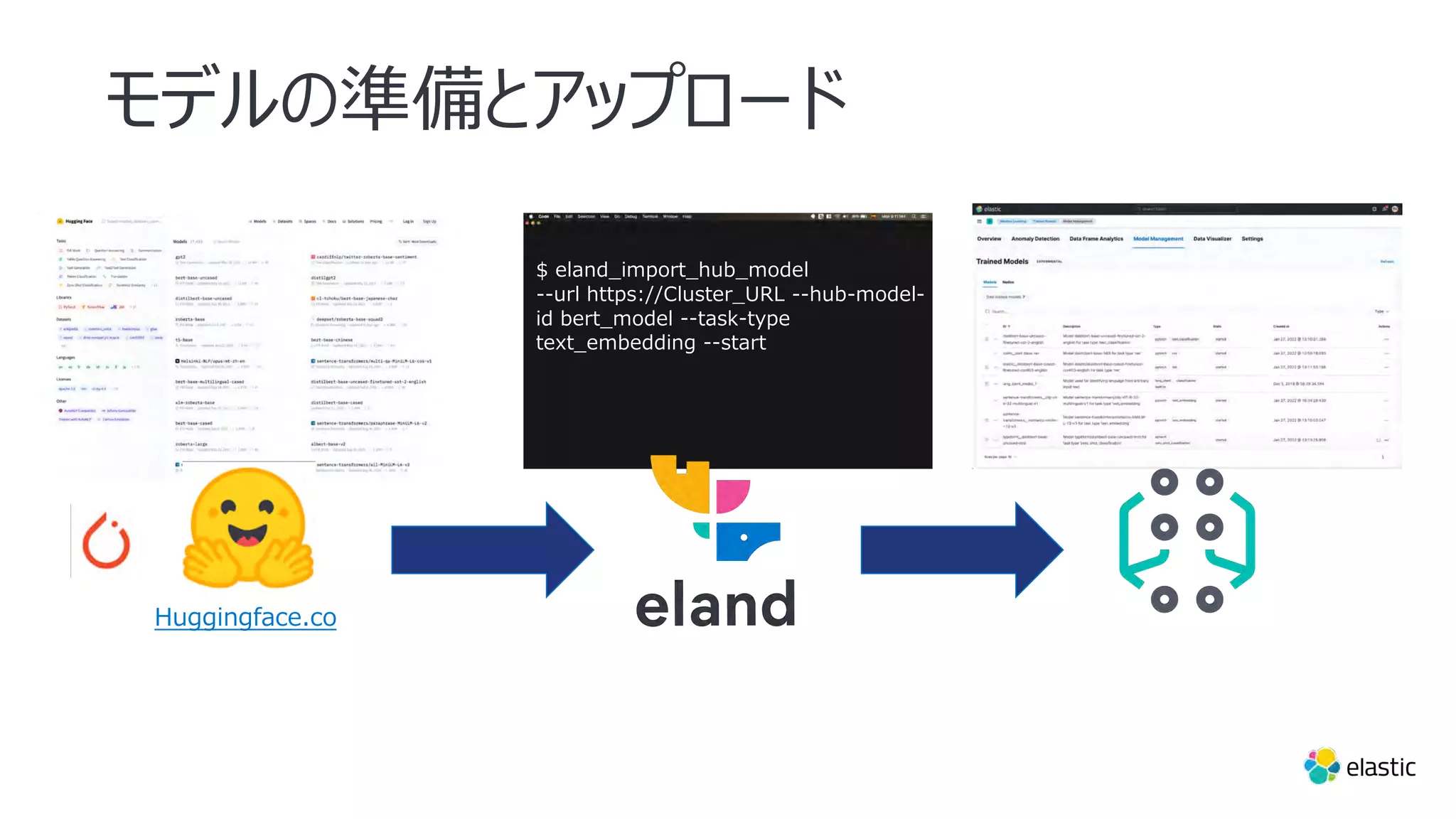
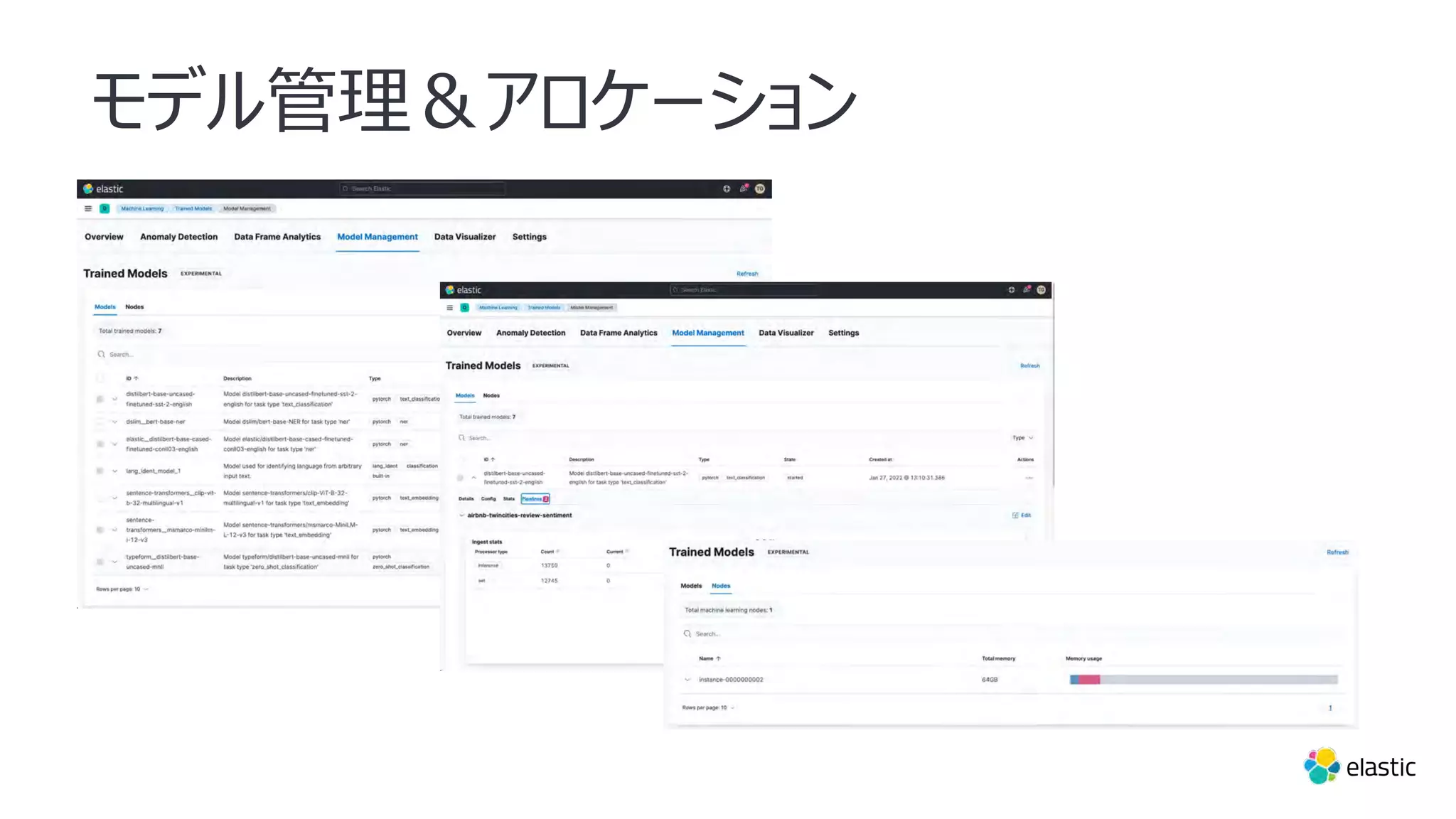
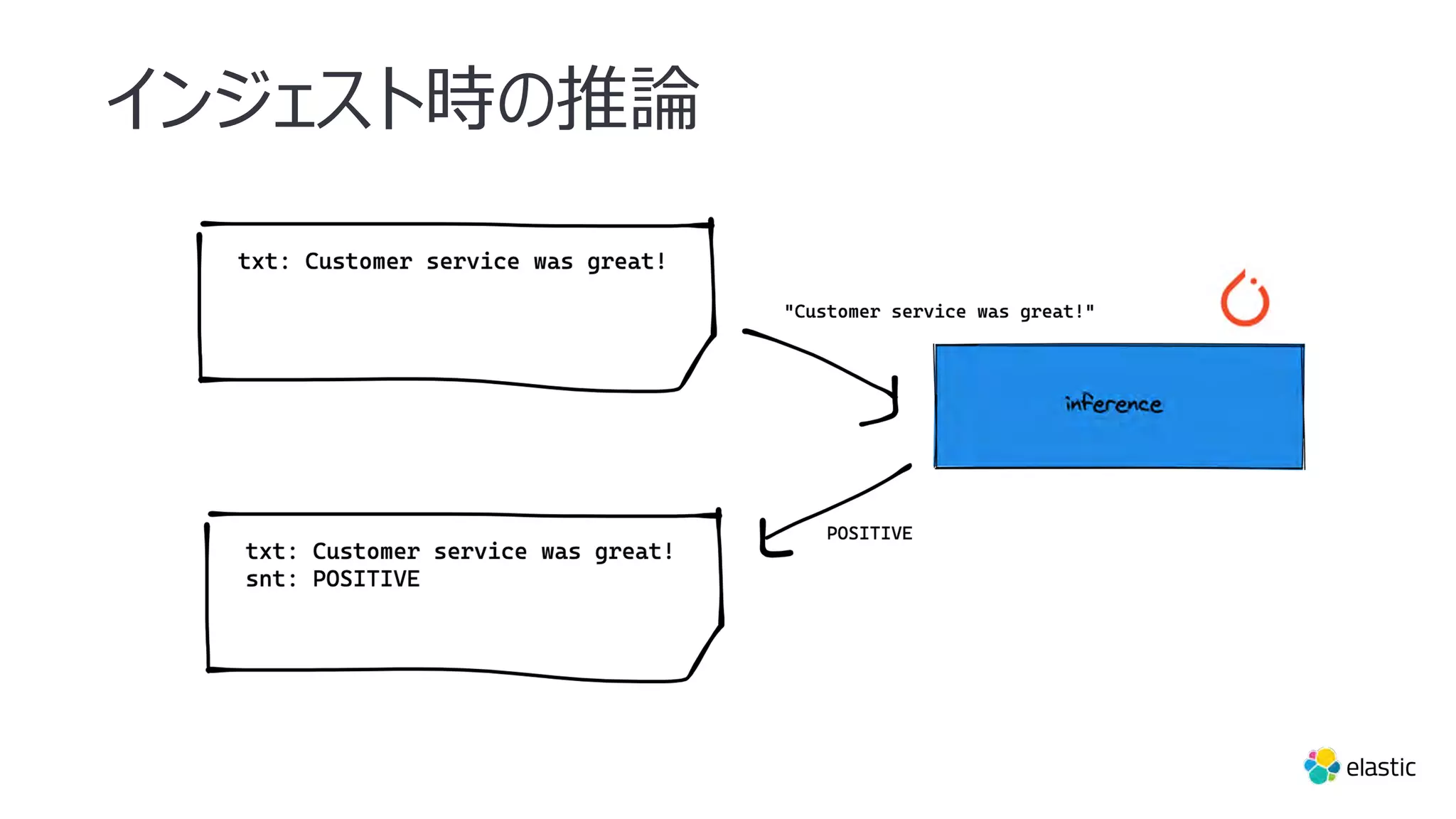
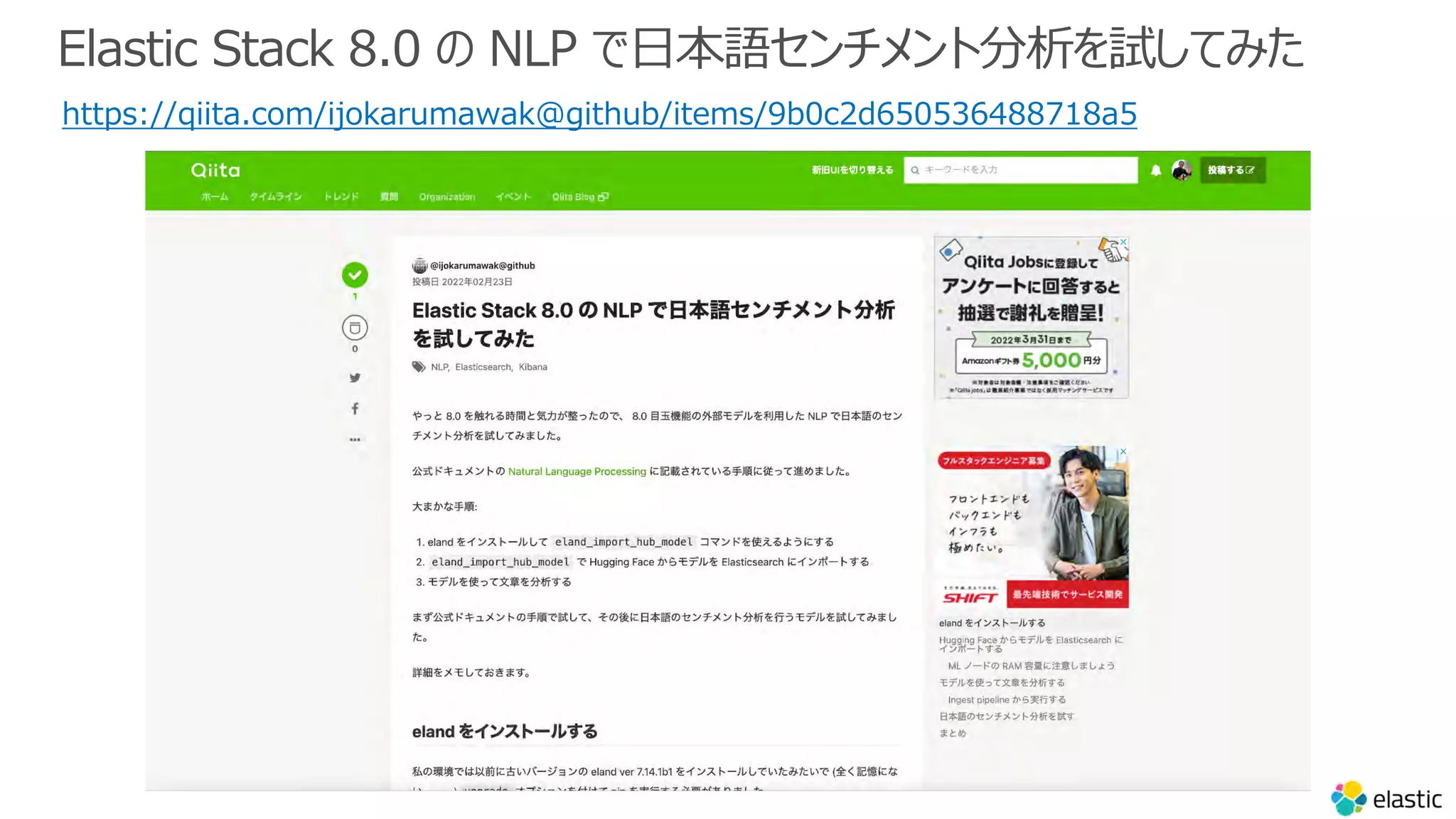
– NLP と ML のサードパーティモデル
l Platform /Observability 8.0 の新機能
アジェンダ
4.
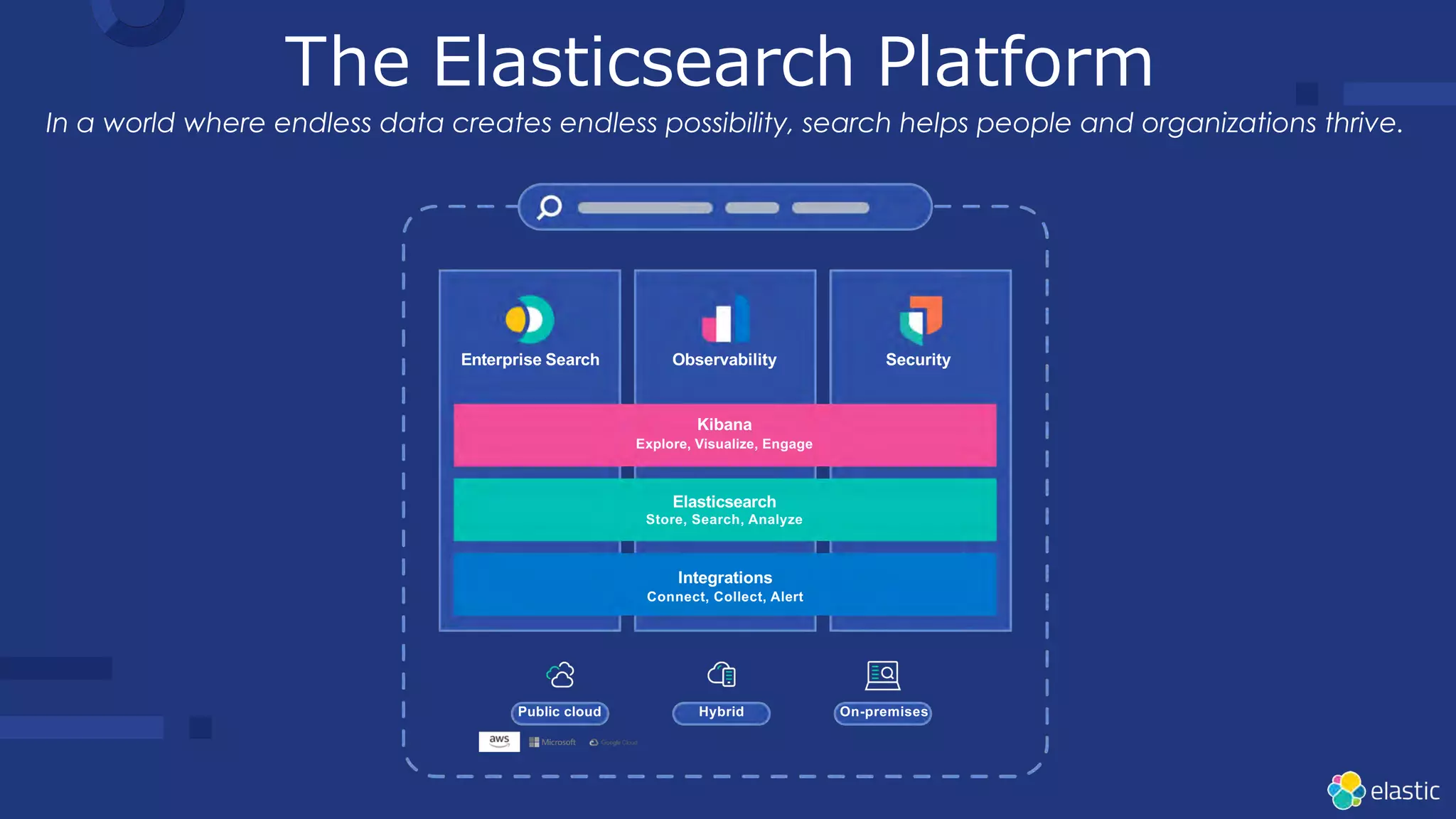
The Elasticsearch Platform
EnterpriseSearch Observability Security
Kibana
Explore, Visualize, Engage
Elasticsearch
Store, Search, Analyze
Integrations
Connect, Collect, Alert
Public cloud Hybrid On-premises
In a world where endless data creates endless possibility, search helps people and organizations thrive.
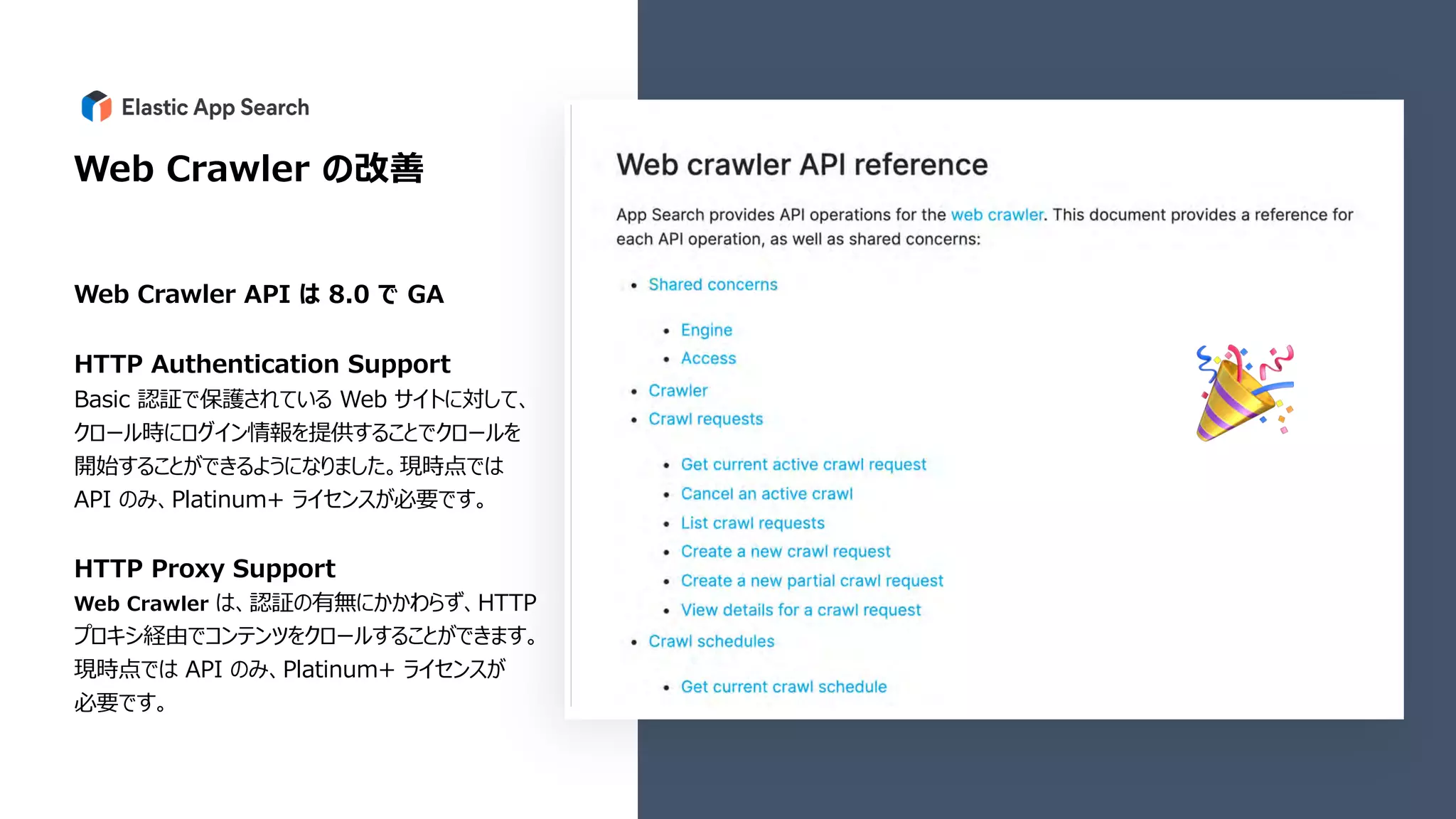
Web Crawler の改善
WebCrawler API は 8.0 で GA
HTTP Authentication Support
Basic 認証で保護されている Web サイトに対して、
クロール時にログイン情報を提供することでクロールを
開始することができるようになりました。現時点では
API のみ、Platinum+ ライセンスが必要です。
HTTP Proxy Support
Web Crawler は、認証の有無にかかわらず、HTTP
プロキシ経由でコンテンツをクロールすることができます。
現時点では API のみ、Platinum+ ライセンスが
必要です。
🎉
20.
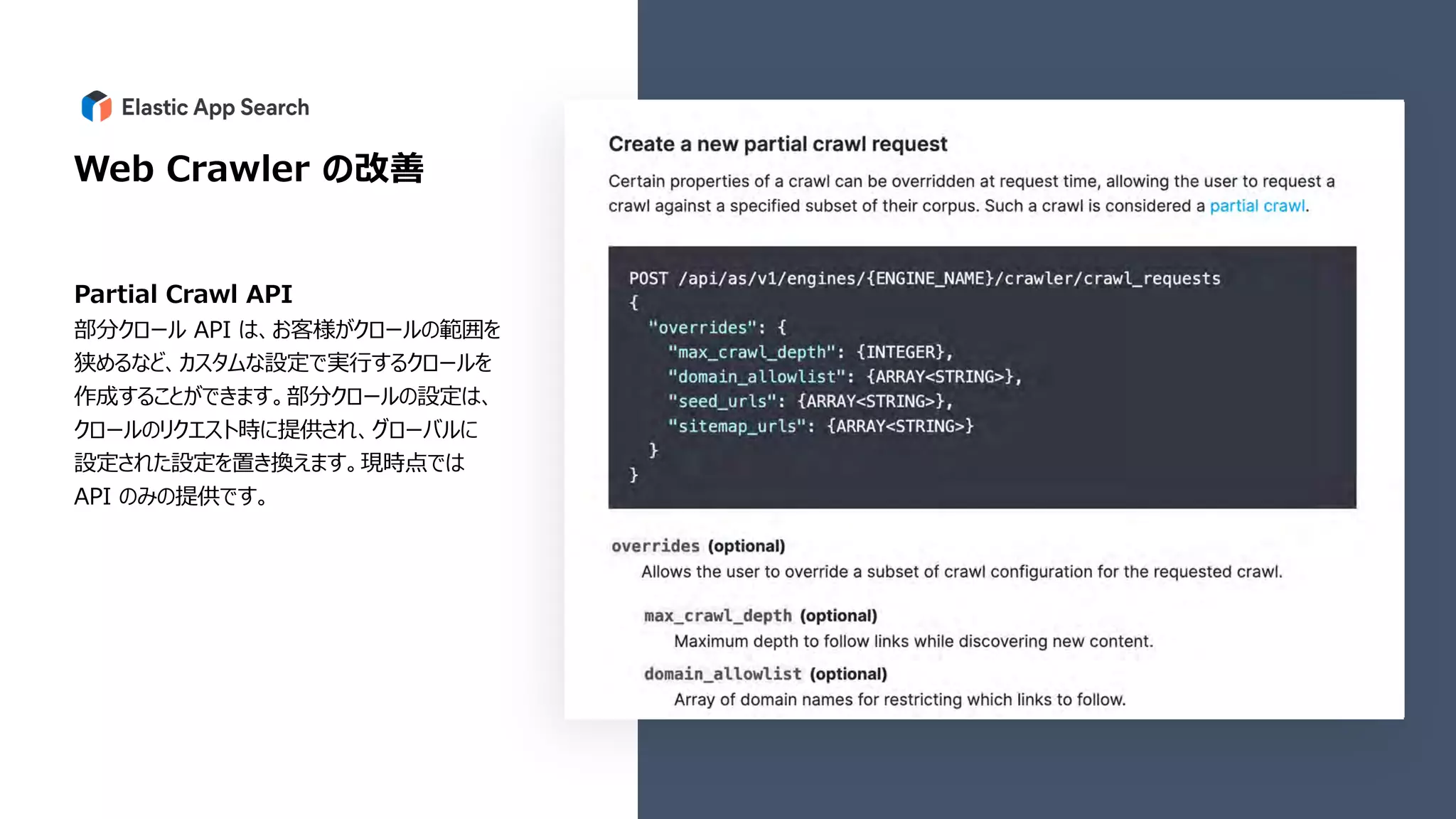
Web Crawler の改善
PartialCrawl API
部分クロール API は、お客様がクロールの範囲を
狭めるなど、カスタムな設定で実⾏するクロールを
作成することができます。部分クロールの設定は、
クロールのリクエスト時に提供され、グローバルに
設定された設定を置き換えます。現時点では
API のみの提供です。
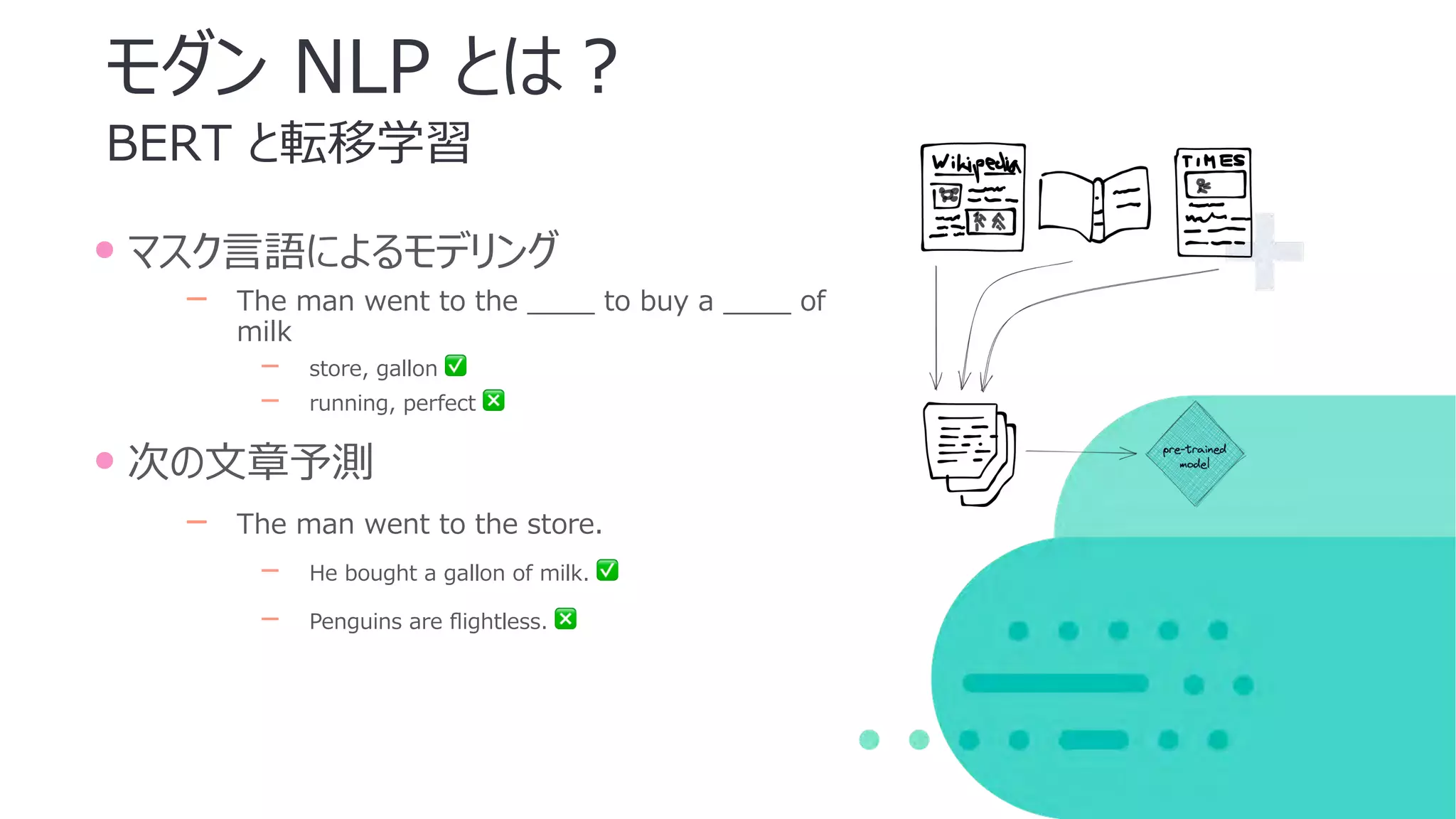
BERT と転移学習
モダン NLPとは︖
• マスク⾔語によるモデリング
‒ The man went to the ____ to buy a ____ of
milk
‒ store, gallon ✅
‒ running, perfect ❎
• 次の⽂章予測
‒ The man went to the store.
‒ He bought a gallon of milk. ✅
‒ Penguins are flightless. ❎
質疑応答
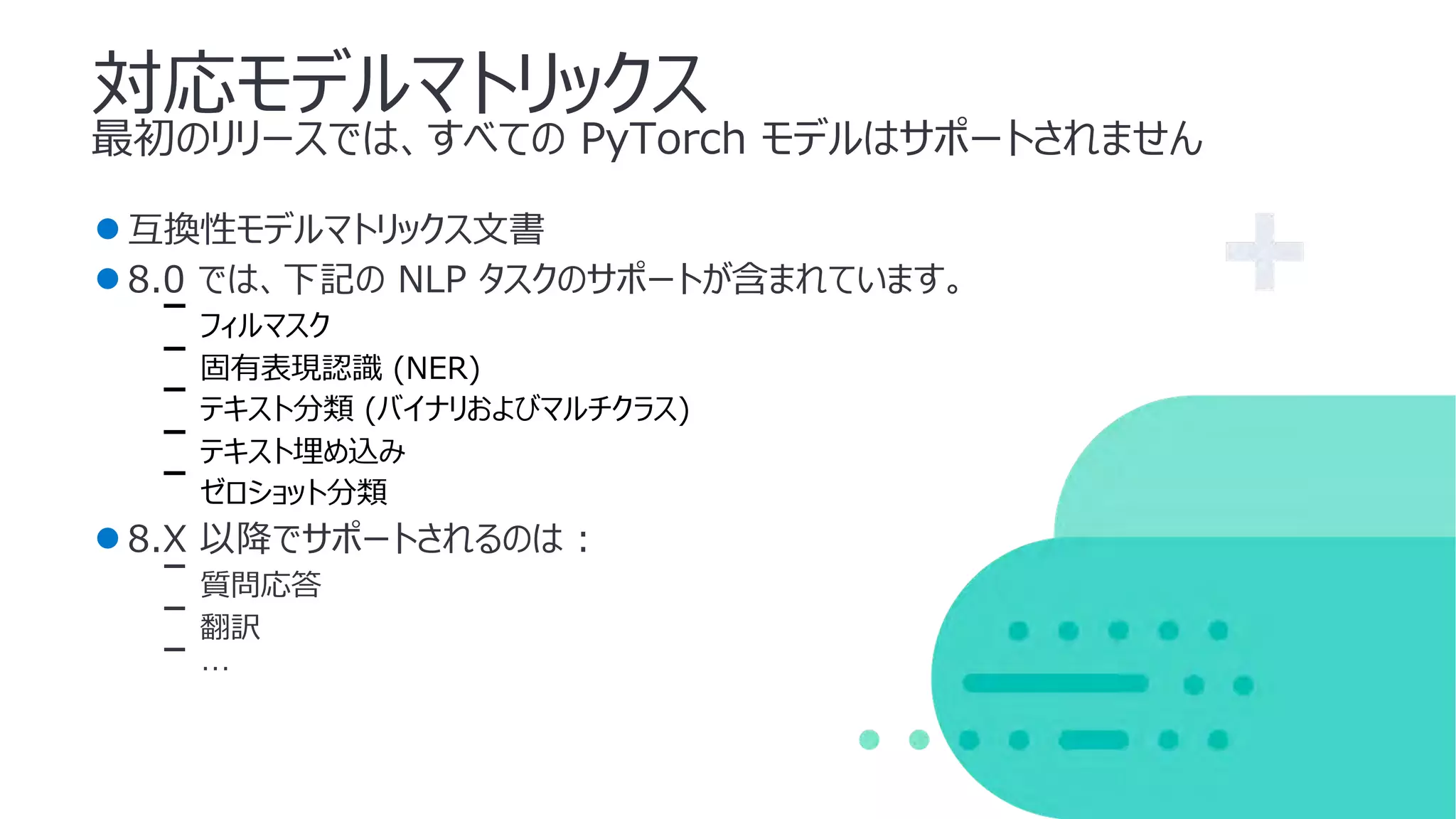
NLP タスク
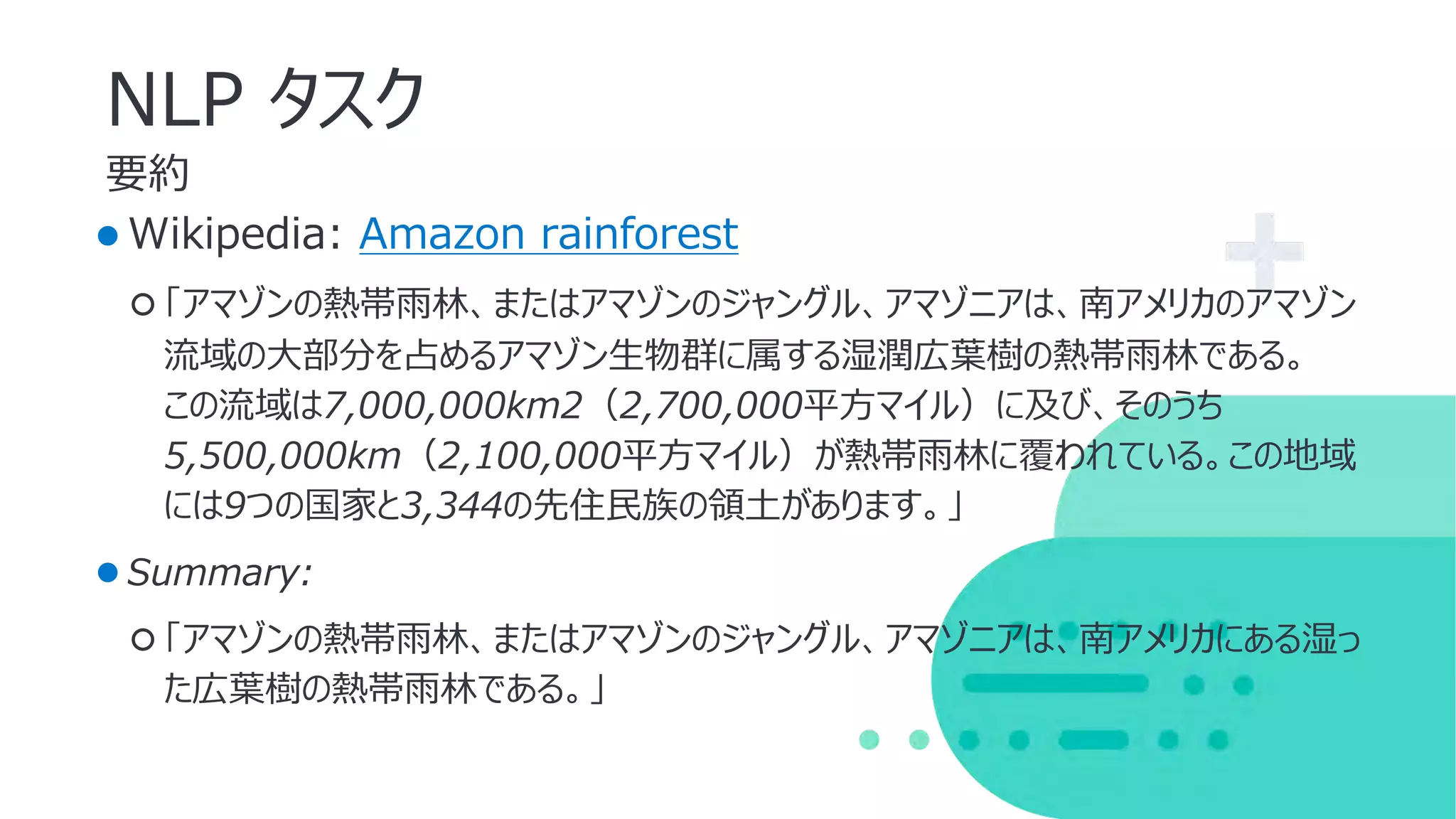
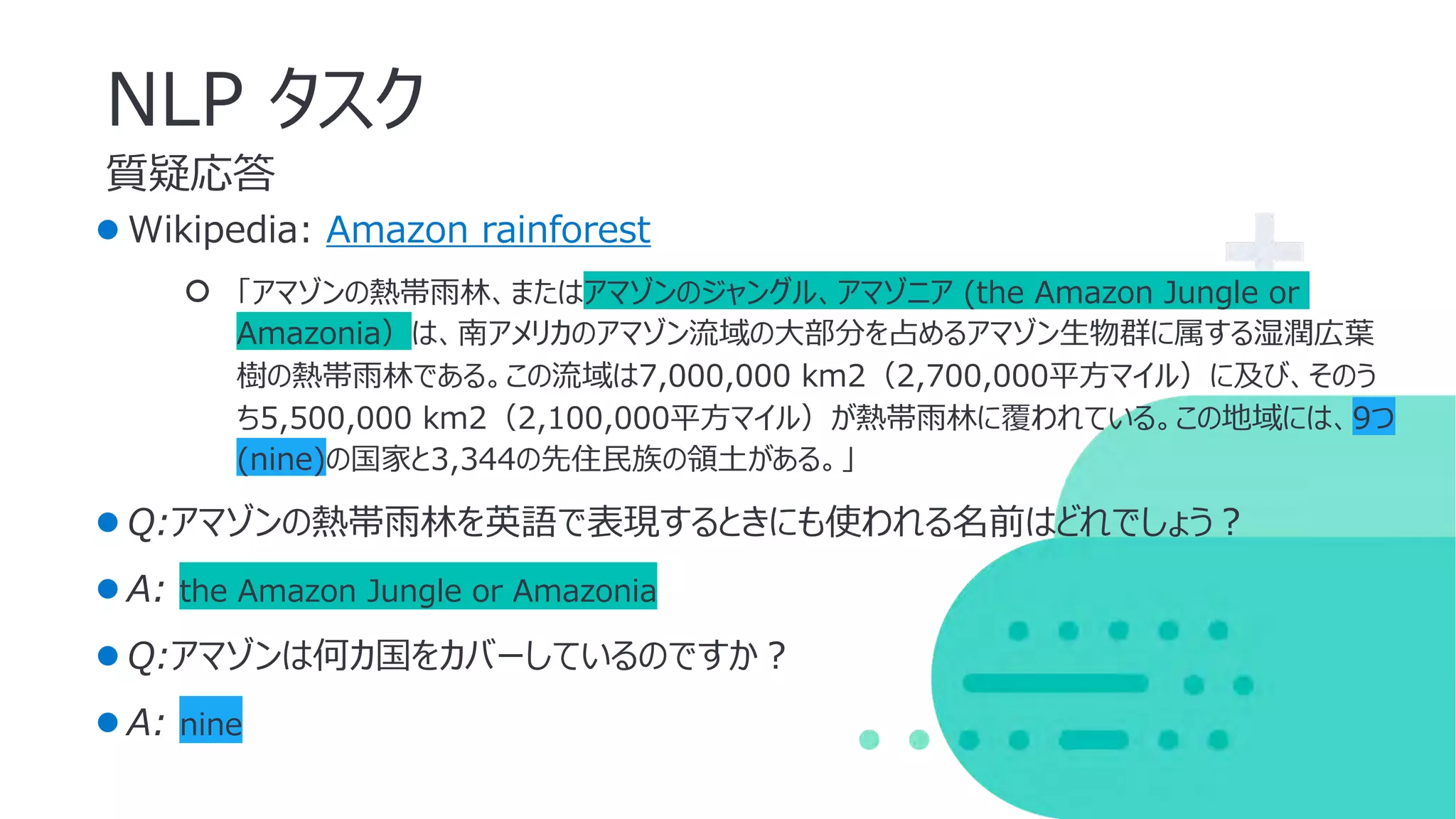
●Wikipedia: Amazonrainforest
○ 「アマゾンの熱帯⾬林、またはアマゾンのジャングル、アマゾニア (the Amazon Jungle or
Amazonia)は、南アメリカのアマゾン流域の⼤部分を占めるアマゾン⽣物群に属する湿潤広葉
樹の熱帯⾬林である。この流域は7,000,000 km2(2,700,000平⽅マイル)に及び、そのう
ち5,500,000 km2(2,100,000平⽅マイル)が熱帯⾬林に覆われている。この地域には、9つ
(nine)の国家と3,344の先住⺠族の領⼟がある。」
●Q:アマゾンの熱帯⾬林を英語で表現するときにも使われる名前はどれでしょう︖
●A: the Amazon Jungle or Amazonia
●Q:アマゾンは何カ国をカバーしているのですか︖
●A: nine
39.
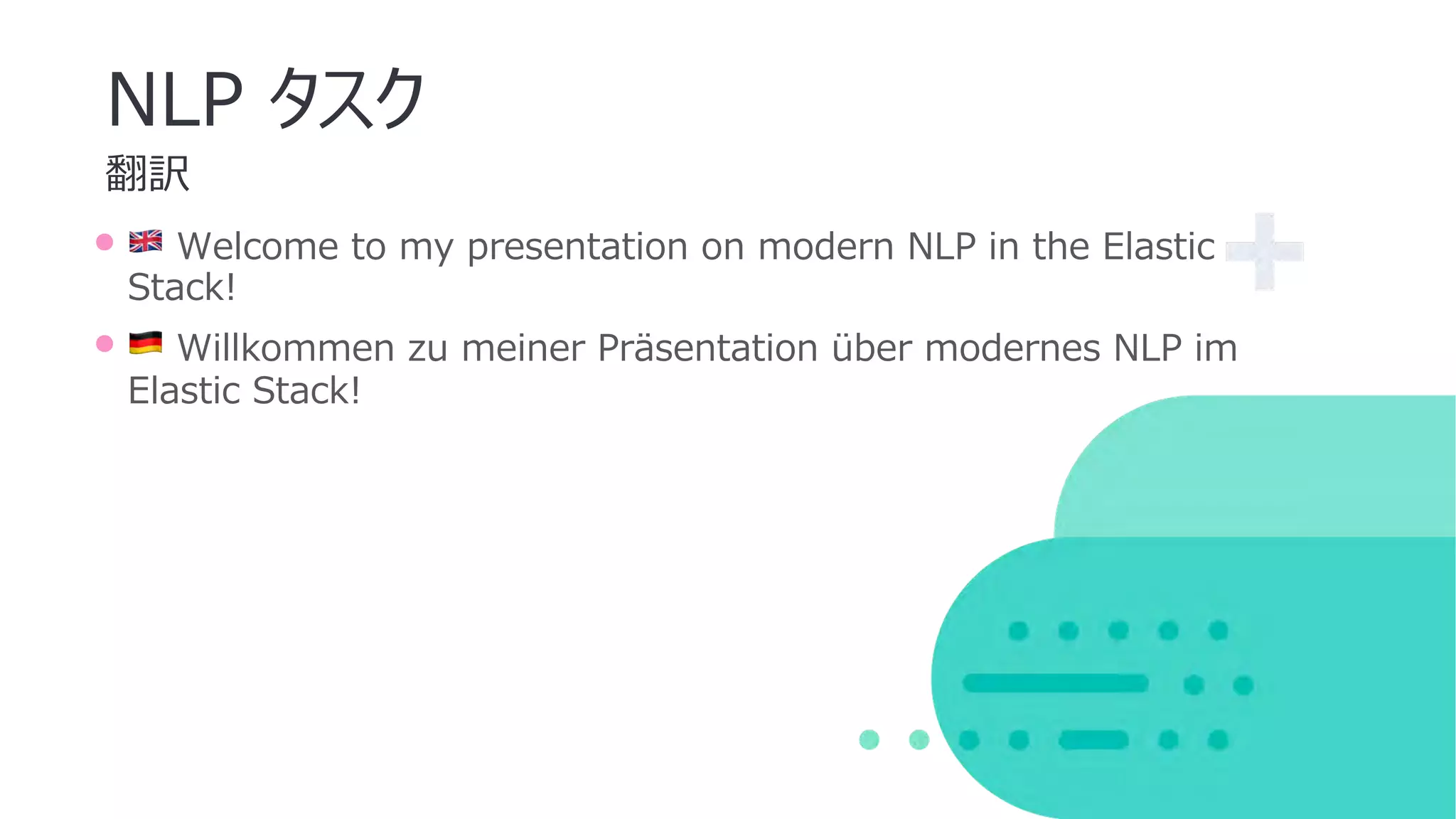
翻訳
NLP タスク
• 🇬🇧Welcome to my presentation on modern NLP in the Elastic
Stack!
• 🇩🇪 Willkommen zu meiner Präsentation über modernes NLP im
Elastic Stack!
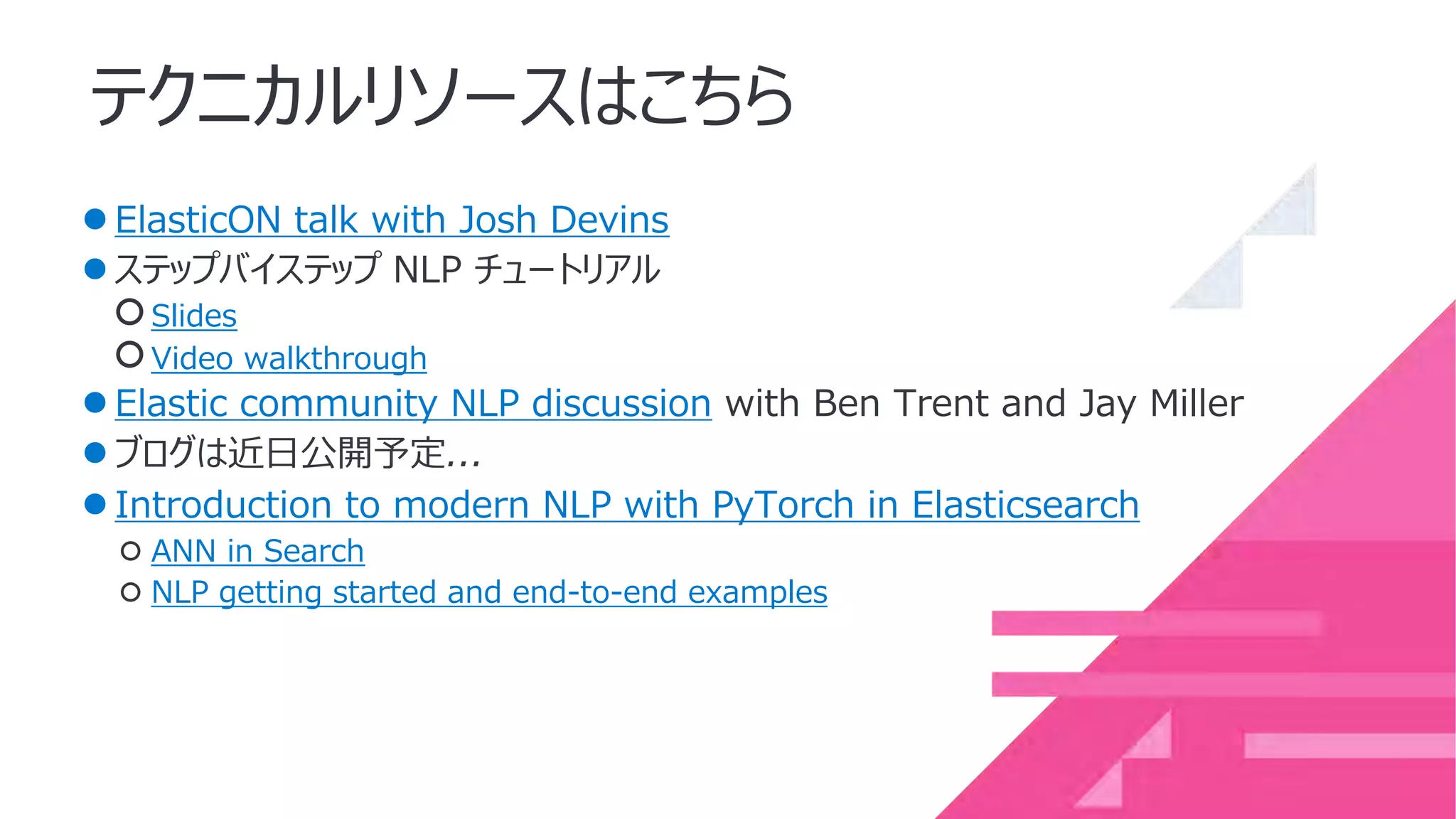
テクニカルリソースはこちら
●ElasticON talk withJosh Devins
●ステップバイステップ NLP チュートリアル
○Slides
○Video walkthrough
●Elastic community NLP discussion with Ben Trent and Jay Miller
●ブログは近⽇公開予定...
●Introduction to modern NLP with PyTorch in Elasticsearch
○ ANN in Search
○ NLP getting started and end-to-end examples
$ ./bin/elasticsearch
━━━━━━━━━━━━━━━━━━━━━━━━━━━━━━━━━━━━━━━━━━━━━━━━━━━━━━━━━━━━━━━━━━━━━━━━━
━━━━━━━━━━━━━━━━━━━━━━━━━━━━━━━━━━━━━━━━━━━━━━━━━━
✅ Elasticsearchsecurity features have been automatically configured!
✅ Authentication is enabled and cluster connections are encrypted.
ℹ Password for the elastic user (reset with `bin/elasticsearch-reset-password -u elastic`):
rF9rNFzJuB9Ay29*00j4
ℹ HTTP CA certificate SHA-256 fingerprint:
bf2409b479d26c63dd1755624ccd2125cb19a2f785da78eb3e67673306ae4613
ℹ Configure Kibana to use this cluster:
• Run Kibana and click the configuration link in the terminal when Kibana starts.
• Copy the following enrollment token and paste it into Kibana in your browser (valid for the next 30 minutes):
eyJ2ZXIiOiI4LjAuMCIsImFkciI6WyIxMC4xNTYuMC4xNTo5MjAwIl0sImZnciI6ImJmMjQwOWI0NzlkMjZjNjNkZDE3NTU2MjRjY2QyMTI1Y2Ix
OWEyZjc4NWRhNzhlYjNlNjc2NzMzMDZhZTQ2MTMiLCJrZXkiOiJzZTRJdFg0QmVPWFhBZDZ0QU9vTDp2UzFTYkdsQlJnaVB2MGY3akNqd3ZnIn
0=
ℹ Configure other nodes to join this cluster:
• On this node:
⁃ Create an enrollment token with `bin/elasticsearch-create-enrollment-token -s node`.
⁃ Uncomment the transport.host setting at the end of config/elasticsearch.yml.
⁃ Restart Elasticsearch.
• On other nodes:
⁃ Start Elasticsearch with `bin/elasticsearch --enrollment-token <token>`, using the enrollment token that you generated.
━━━━━━━━━━━━━━━━━━━━━━━━━━━━━━━━━━━━━━━━━━━━━━━━━━━━━━━━━━━━━━━━━━━━━━━━━
━━━━━━━━━━━━━━━━━━━━━━━━━━━━━━━━━━━━━━━━━━━━━━━━━━
$ ./bin/kibana
[2022-02-01T12:32:54.636+01:00][INFO ][plugins-service] Plugin "metricsEntities" is disabled.
[2022-02-01T12:32:54.722+01:00][INFO ][http.server.Preboot] http server running at http://localhost:5601
[2022-02-01T12:32:54.769+01:00][INFO ][plugins-system.preboot] Setting up [1] plugins: [interactiveSetup]
[2022-02-01T12:32:54.771+01:00][INFO ][preboot] "interactiveSetup" plugin is holding setup: Validating Elasticsearch
connection configuration…
[2022-02-01T12:32:54.813+01:00][INFO ][root] Holding setup until preboot stage is completed.
i Kibana has not been configured.
Go to http://localhost:5601/?code=535232 to get started.
Simplicity
and
Choice
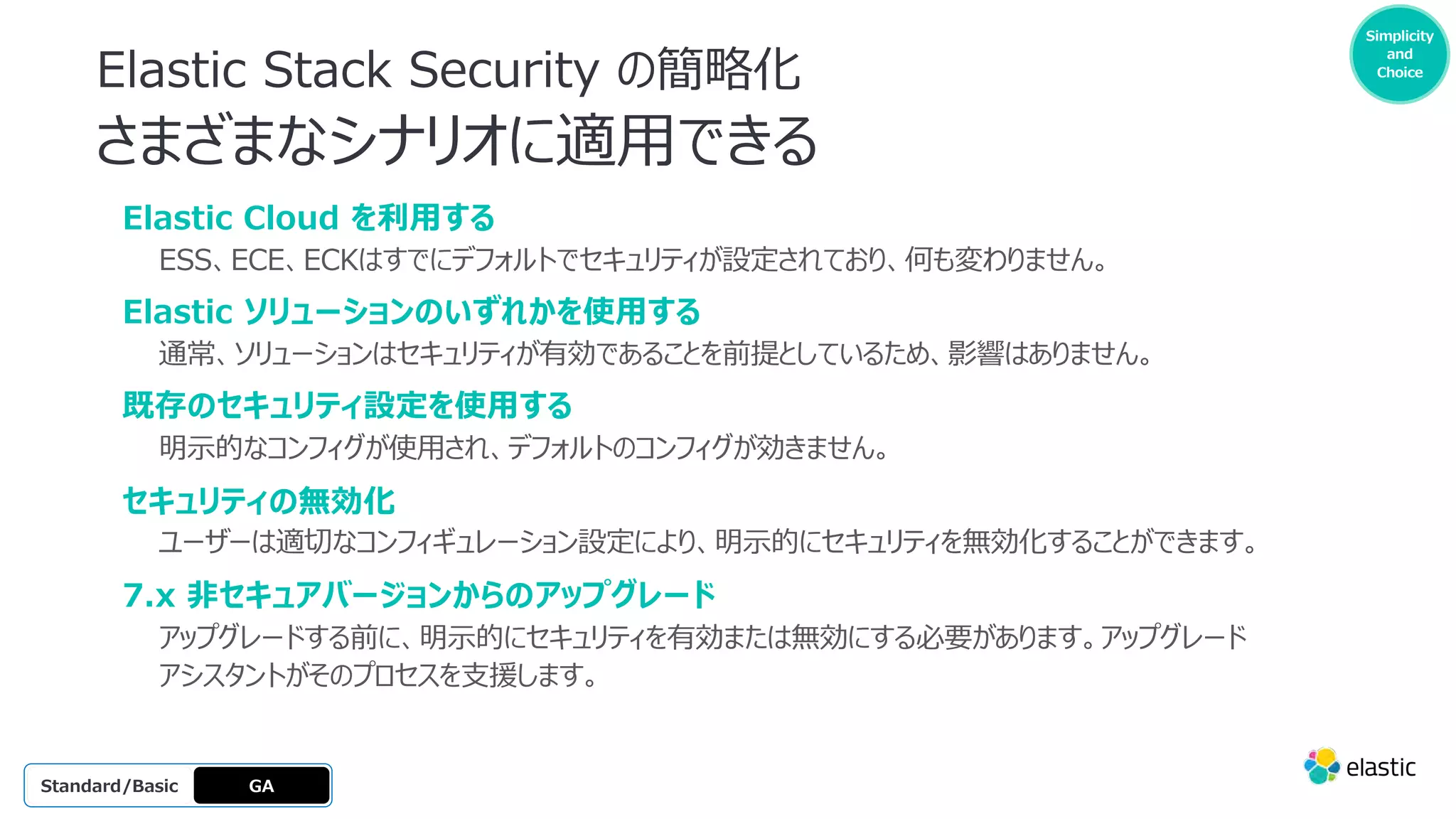
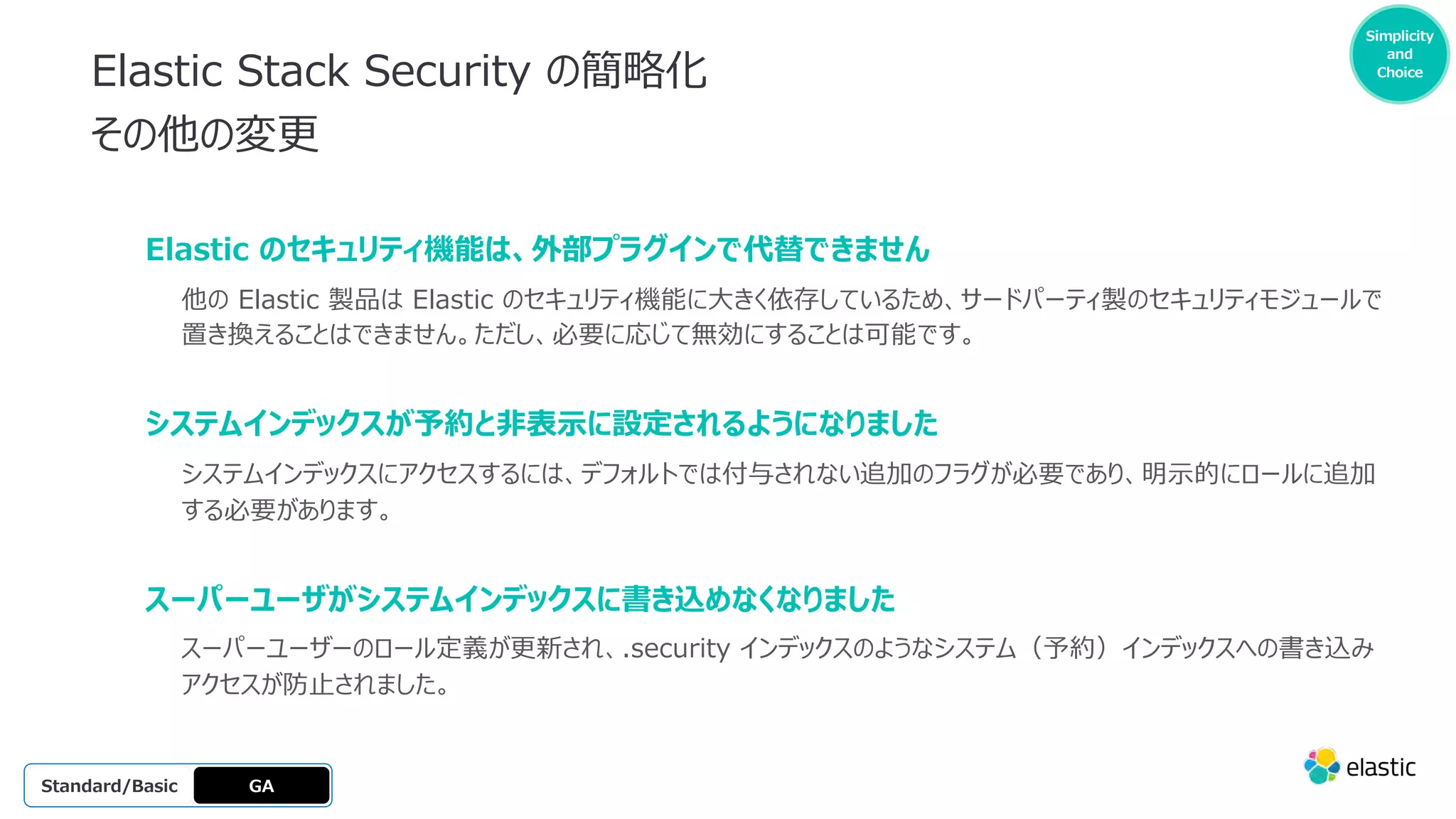
Elastic Stack Security の簡略化
導⼊の流れ
GA
OSS
Platinum
Enterprise
Gold
Standard/Basic
1
Elasticsearch を起動し、エンロールメントトークンを取得します。
2 Kibana を実⾏し、リンクをクリック
します。
3 トークンを貼り付けます。
4 セットアップを待機します。
5
elastic ユーザー
として接続します。
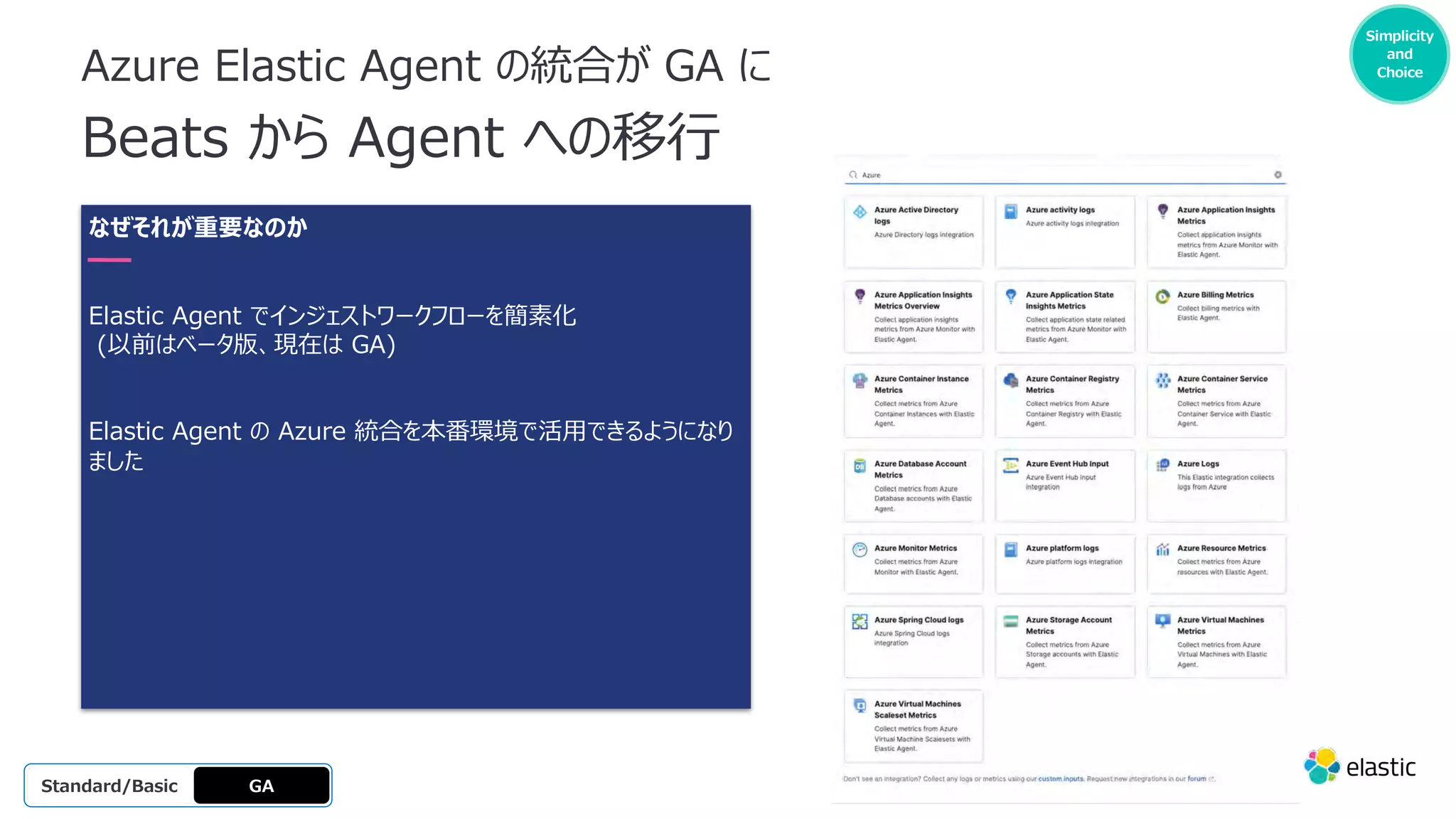
Azure Elastic Agentの統合が GA に
Beats から Agent への移⾏
GA
OSS
Platinum
Enterprise
Gold
Standard/Basic
Simplicity
and
Choice
なぜそれが重要なのか
Elastic Agent でインジェストワークフローを簡素化
(以前はベータ版、現在は GA)
Elastic Agent の Azure 統合を本番環境で活⽤できるようになり
ました
Making it
easier to
get
started
Simplicity
and
Choice
71.
新しい Elastic Agentの統合
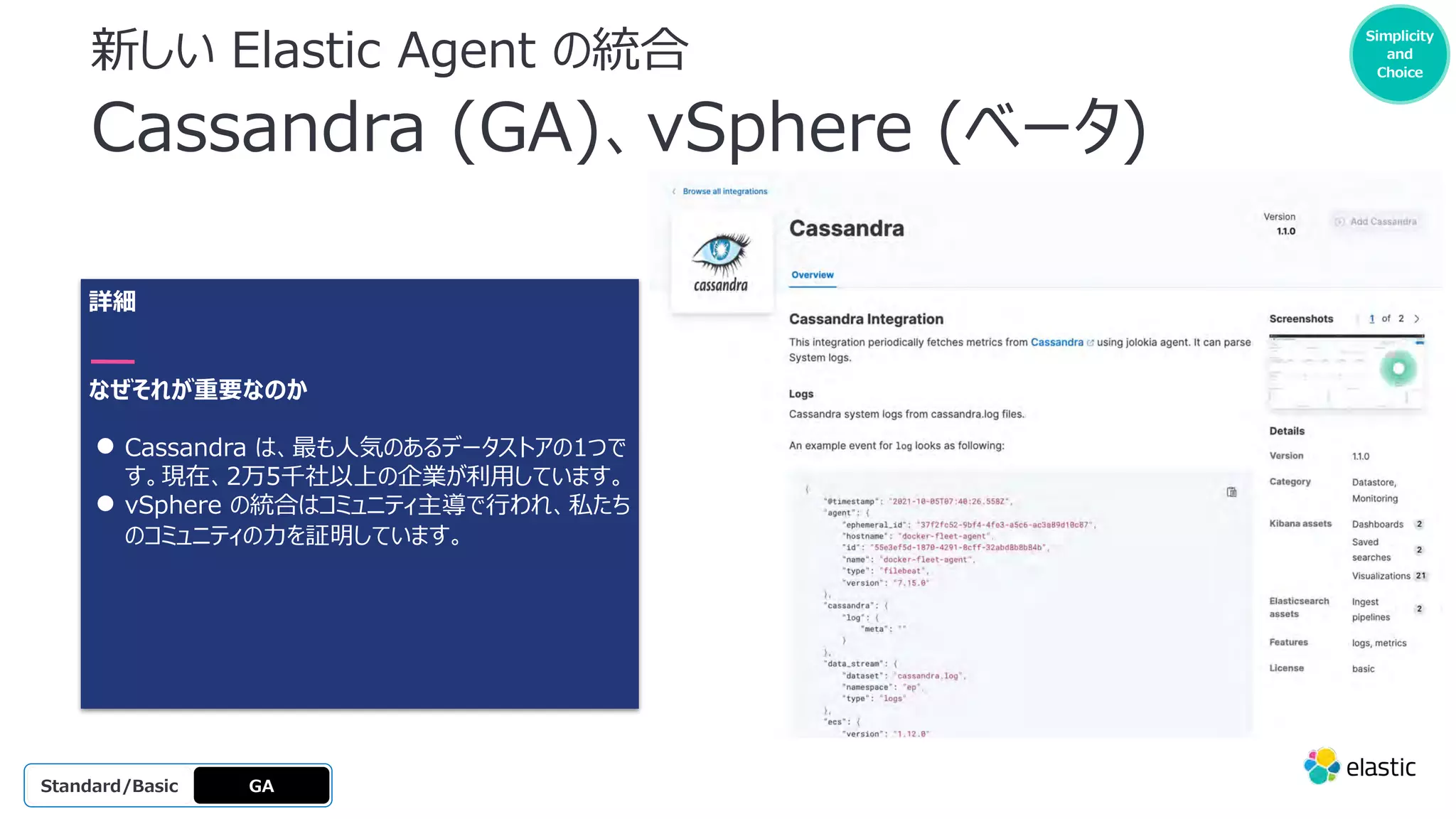
Cassandra (GA)、vSphere (ベータ)
詳細
なぜそれが重要なのか
● Cassandra は、最も⼈気のあるデータストアの1つで
す。現在、2万5千社以上の企業が利⽤しています。
● vSphere の統合はコミュニティ主導で⾏われ、私たち
のコミュニティの⼒を証明しています。
GA
OSS
Platinum
Enterprise
Gold
Standard/Basic
Making it
easier to
get
started
Simplicity
and
Choice




![Beta
Platinum
Enterprise
Gold
Standard/Basic Experimental
エンジンごとに設定可能な
シャード数
なぜそれが重要なのか
API 経由でより多くのシャード数を持つエンジン
を作成可能
⼤規模環境でのスケールアップを実現
GA
OSS GA
All license levels
curl -X POST 'https://[instance
id].ent.[region].[provider].cloud.es.io:443/api/as/v1/engi
nes' ¥
-H 'Content-Type: application/json' ¥
-H 'Authorization: Bearer private-xxxxxxxxxxxxxxxxxxxx'
¥
-d '{
"name": "my-large-engine",
"index_create_settings_override": {
"number_of_shards": 10
}](https://image.slidesharecdn.com/introducingtheelastic8-220224041611/75/Introducing-the-elastic-8-0-release-a-new-era-of-speed-scale-relevance-and-simplicity-15-2048.jpg)
![Beta
Platinum
Enterprise
Gold
Standard/Basi
c
Experimental
Geolocation Sorting
なぜそれが重要なのか
Search API により、検索結果を指定した地点
からの距離でソートすることができます。
GA
OSS GA
All license
levels
curl -X GET 'https://[instance
id].ent.[region].[provider].cloud.es.io:443/api/as/v1/engines/national-parks-
demo/search' ¥
-H 'Content-Type: application/json' ¥
-H 'Authorization: Bearer search-soaewu2ye6uc45dr8mcd54v8' ¥
-d '{
"query": "park",
"sort": [
{
"location": {
"center": [38.89, -77.08],
"order": "asc"
}
},
{
"title": "asc"
}
]
}'](https://image.slidesharecdn.com/introducingtheelastic8-220224041611/75/Introducing-the-elastic-8-0-release-a-new-era-of-speed-scale-relevance-and-simplicity-16-2048.jpg)
![Beta
Platinum
Enterprise
Gold
Standard/Basic Experimental
Simplified Query
Correlation 簡易クエリ相関
なぜそれが重要なのか
Enterprise Search のクエリと Elasticsearch
のクエリとの相関関係を簡素化。
X-Enterprise-Search-Debug: true ヘッダで
起動された Enterprise Search API クエリには、
基となる Elasticsearch のリクエストとレスポンス
が含まれます。
GA
OSS GA
All license levels
$ curl -s -uelastic:changeme 'localhost:3002/api/as/v1/engines/my-meta-
engine/search' -H 'Content-Type: application/json' -H 'X-Enterprise-Search-
Debug: true' -d '{"query":""}' | jq .meta
{
"alerts": [],
"warnings": [],
"precision": 2,
"page": {
"current": 1,
"total_pages": 1,
"total_results": 6,
"size": 10
},
"engine": {
"name": "my-meta-engine",
"type": "meta"
},
"elasticsearch": {
"request_header": { ... },
"request_body": { ... },
"response": { ... }
},
"request_id": "fcbf3c18-472a-4c06-98d5-6490c3efd9e0"
}](https://image.slidesharecdn.com/introducingtheelastic8-220224041611/75/Introducing-the-elastic-8-0-release-a-new-era-of-speed-scale-relevance-and-simplicity-17-2048.jpg)
![Beta
Platinum
Enterprise
Gold
Standard/Basi
c
Experimental
Simplified Query
Profiling クエリプロファイリングの簡略化
なぜそれが重要なのか
X-Enterprise-Search-Profile: true を
指定すると、Enterprise Searchクエリのクエリ
プロファイリングが利⽤できます。
Elasticsearch Profiling API を活⽤します。
GA
OSS GA
All license
levels
$ curl -s -uelastic:changeme 'localhost:3002/api/as/v1/engines/my-meta-
engine/search' -H 'Content-Type: application/json' -H 'X-Enterprise-Search-Profile:
true' -d '{"query":""}'
"profile": {
"shards": [
{
"id": "[rRA2W-p4SbS9myI865zQDw][.ent-search-engine-
documents-me-test-engine-1][0]",
"searches": [
{
"query": [...],
"rewrite_time": 51443,
"collector": [...]
}
],
"aggregations": [...]
}
]
}](https://image.slidesharecdn.com/introducingtheelastic8-220224041611/75/Introducing-the-elastic-8-0-release-a-new-era-of-speed-scale-relevance-and-simplicity-18-2048.jpg)










![$ ./bin/elasticsearch
━━━━━━━━━━━━━━━━━━━━━━━━━━━━━━━━━━━━━━━━━━━━━━━━━━━━━━━━━━━━━━━━━━━━━━━━━
━━━━━━━━━━━━━━━━━━━━━━━━━━━━━━━━━━━━━━━━━━━━━━━━━━
✅ Elasticsearch security features have been automatically configured!
✅ Authentication is enabled and cluster connections are encrypted.
ℹ Password for the elastic user (reset with `bin/elasticsearch-reset-password -u elastic`):
rF9rNFzJuB9Ay29*00j4
ℹ HTTP CA certificate SHA-256 fingerprint:
bf2409b479d26c63dd1755624ccd2125cb19a2f785da78eb3e67673306ae4613
ℹ Configure Kibana to use this cluster:
• Run Kibana and click the configuration link in the terminal when Kibana starts.
• Copy the following enrollment token and paste it into Kibana in your browser (valid for the next 30 minutes):
eyJ2ZXIiOiI4LjAuMCIsImFkciI6WyIxMC4xNTYuMC4xNTo5MjAwIl0sImZnciI6ImJmMjQwOWI0NzlkMjZjNjNkZDE3NTU2MjRjY2QyMTI1Y2Ix
OWEyZjc4NWRhNzhlYjNlNjc2NzMzMDZhZTQ2MTMiLCJrZXkiOiJzZTRJdFg0QmVPWFhBZDZ0QU9vTDp2UzFTYkdsQlJnaVB2MGY3akNqd3ZnIn
0=
ℹ Configure other nodes to join this cluster:
• On this node:
⁃ Create an enrollment token with `bin/elasticsearch-create-enrollment-token -s node`.
⁃ Uncomment the transport.host setting at the end of config/elasticsearch.yml.
⁃ Restart Elasticsearch.
• On other nodes:
⁃ Start Elasticsearch with `bin/elasticsearch --enrollment-token <token>`, using the enrollment token that you generated.
━━━━━━━━━━━━━━━━━━━━━━━━━━━━━━━━━━━━━━━━━━━━━━━━━━━━━━━━━━━━━━━━━━━━━━━━━
━━━━━━━━━━━━━━━━━━━━━━━━━━━━━━━━━━━━━━━━━━━━━━━━━━
$ ./bin/kibana
[2022-02-01T12:32:54.636+01:00][INFO ][plugins-service] Plugin "metricsEntities" is disabled.
[2022-02-01T12:32:54.722+01:00][INFO ][http.server.Preboot] http server running at http://localhost:5601
[2022-02-01T12:32:54.769+01:00][INFO ][plugins-system.preboot] Setting up [1] plugins: [interactiveSetup]
[2022-02-01T12:32:54.771+01:00][INFO ][preboot] "interactiveSetup" plugin is holding setup: Validating Elasticsearch
connection configuration…
[2022-02-01T12:32:54.813+01:00][INFO ][root] Holding setup until preboot stage is completed.
i Kibana has not been configured.
Go to http://localhost:5601/?code=535232 to get started.
Simplicity
and
Choice
Elastic Stack Security の簡略化
導⼊の流れ
GA
OSS
Platinum
Enterprise
Gold
Standard/Basic
1
Elasticsearch を起動し、エンロールメントトークンを取得します。
2 Kibana を実⾏し、リンクをクリック
します。
3 トークンを貼り付けます。
4 セットアップを待機します。
5
elastic ユーザー
として接続します。](https://image.slidesharecdn.com/introducingtheelastic8-220224041611/75/Introducing-the-elastic-8-0-release-a-new-era-of-speed-scale-relevance-and-simplicity-60-2048.jpg)