MCOM 585 Internship Log Fall 2009
                                                                                 Dr Walton's      Dr. Sockman's
Week      Date     Time        Hours            Summary/Reflection               Comments         Comments
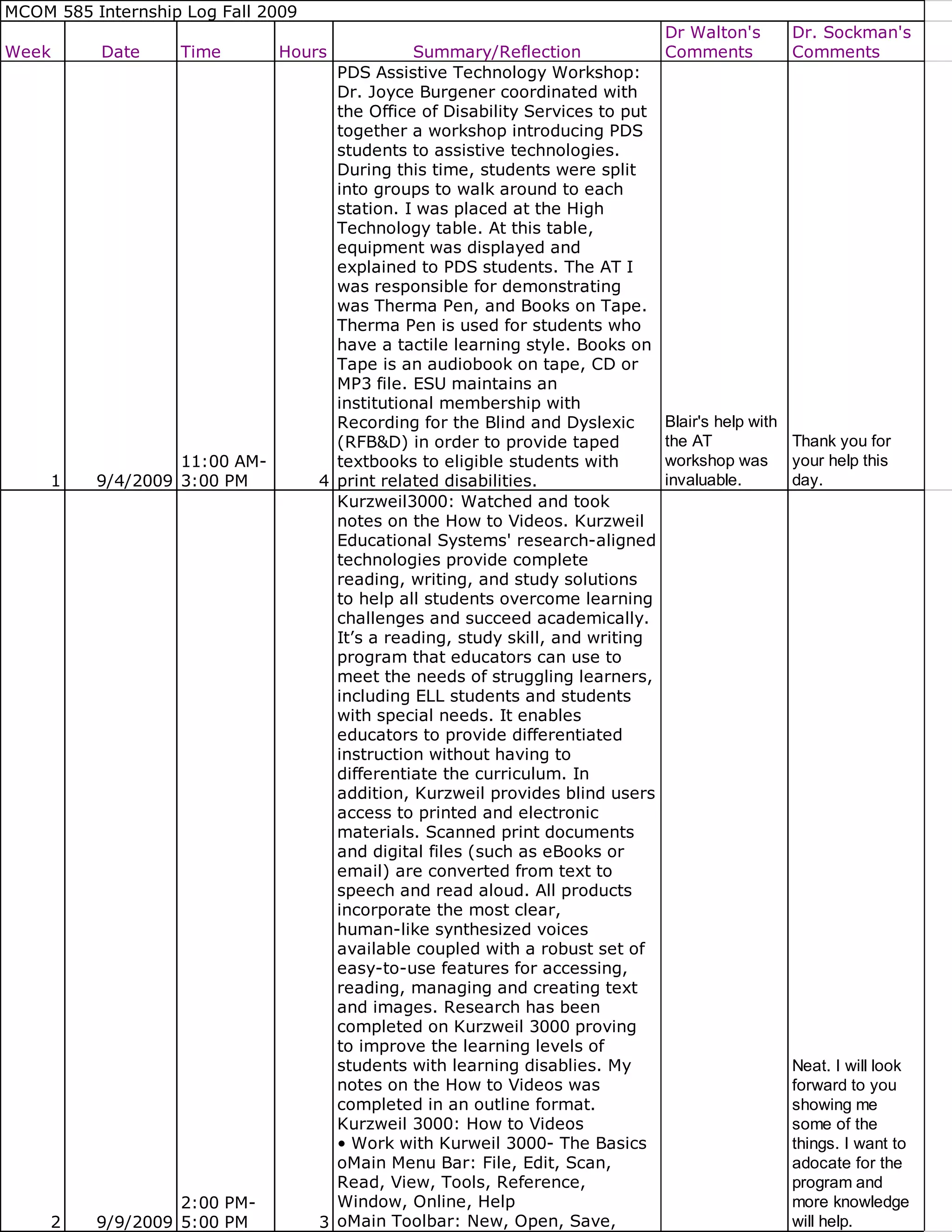
                                      PDS Assistive Technology Workshop:
                                      Dr. Joyce Burgener coordinated with
                                      the Office of Disability Services to put
                                      together a workshop introducing PDS
                                      students to assistive technologies.
                                      During this time, students were split
                                      into groups to walk around to each
                                      station. I was placed at the High
                                      Technology table. At this table,
                                      equipment was displayed and
                                      explained to PDS students. The AT I
                                      was responsible for demonstrating
                                      was Therma Pen, and Books on Tape.
                                      Therma Pen is used for students who
                                      have a tactile learning style. Books on
                                      Tape is an audiobook on tape, CD or
                                      MP3 file. ESU maintains an
                                      institutional membership with
                                      Recording for the Blind and Dyslexic       Blair's help with
                                      (RFB&D) in order to provide taped          the AT            Thank you for
                   11:00 AM-          textbooks to eligible students with        workshop was your help this
     1    9/4/2009 3:00 PM          4 print related disabilities.                invaluable.       day.
                                      Kurzweil3000: Watched and took
                                      notes on the How to Videos. Kurzweil
                                      Educational Systems' research-aligned
                                      technologies provide complete
                                      reading, writing, and study solutions
                                      to help all students overcome learning
                                      challenges and succeed academically.
                                      It’s a reading, study skill, and writing
                                      program that educators can use to
                                      meet the needs of struggling learners,
                                      including ELL students and students
                                      with special needs. It enables
                                      educators to provide differentiated
                                      instruction without having to
                                      differentiate the curriculum. In
                                      addition, Kurzweil provides blind users
                                      access to printed and electronic
                                      materials. Scanned print documents
                                      and digital files (such as eBooks or
                                      email) are converted from text to
                                      speech and read aloud. All products
                                      incorporate the most clear,
                                      human-like synthesized voices
                                      available coupled with a robust set of
                                      easy-to-use features for accessing,
                                      reading, managing and creating text
                                      and images. Research has been
                                      completed on Kurzweil 3000 proving
                                      to improve the learning levels of
                                      students with learning disablies. My                        Neat. I will look
                                      notes on the How to Videos was                              forward to you
                                      completed in an outline format.                             showing me
                                      Kurzweil 3000: How to Videos                                some of the
                                      • Work with Kurweil 3000- The Basics                        things. I want to
                                      oMain Menu Bar: File, Edit, Scan,                           adocate for the
                                      Read, View, Tools, Reference,                               program and
                   2:00 PM-           Window, Online, Help                                        more knowledge
     2    9/9/2009 5:00 PM          3 oMain Toolbar: New, Open, Save,                             will help.
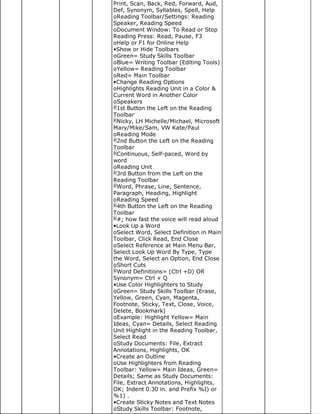
Print, Scan, Back, Red, Forward, Aud,
Def, Synonym, Syllables, Spell, Help
oReading Toolbar/Settings: Reading
Speaker, Reading Speed
oDocument Window: To Read or Stop
Reading Press: Read, Pause, F3
oHelp or F1 for Online Help
•Show or Hide Toolbars
oGreen= Study Skills Toolbar
oBlue= Writing Toolbar (Editing Tools)
oYellow= Reading Toolbar
oRed= Main Toolbar
•Change Reading Options
oHighlights Reading Unit in a Color &
Current Word in Another Color
oSpeakers
 1st Button the Left on the Reading
Toolbar
 Nicky, LH Michelle/Michael, Microsoft
Mary/Mike/Sam, VW Kate/Paul
oReading Mode
 2nd Button the Left on the Reading
Toolbar
 Continuous, Self-paced, Word by
word
oReading Unit
 3rd Button from the Left on the
Reading Toolbar
 Word, Phrase, Line, Sentence,
Paragraph, Heading, Highlight
oReading Speed
 4th Button the Left on the Reading
Toolbar
 #; how fast the voice will read aloud
•Look Up a Word
oSelect Word, Select Definition in Main
Toolbar, Click Read, End Close
oSelect Reference at Main Menu Bar,
Select Look Up Word By Type, Type
the Word, Select an Option, End Close
oShort Cuts
 Word Definitions= (Ctrl +D) OR
Synonym= Ctrl + Q
•Use Color Highlighters to Study
oGreen= Study Skills Toolbar (Erase,
Yellow, Green, Cyan, Magenta,
Footnote, Sticky, Text, Close, Voice,
Delete, Bookmark)
oExample: Highlight Yellow= Main
Ideas, Cyan= Details, Select Reading
Unit Highlight in the Reading Toolbar,
Select Read
oStudy Documents: File, Extract
Annotations, Highlights, OK
•Create an Outline
oUse Highlighters from Reading
Toolbar: Yellow= Main Ideas, Green=
Details; Same as Study Documents:
File, Extract Annotations, Highlights,
OK; Indent 0.30 in. and Prefix %I) or
%1) .
•Create Sticky Notes and Text Notes
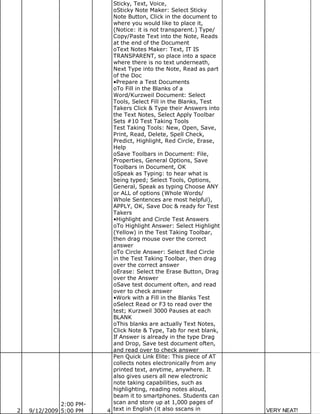
oStudy Skills Toolbar: Footnote,
Sticky, Text, Voice,
                           oSticky Note Maker: Select Sticky
                           Note Button, Click in the document to
                           where you would like to place it,
                           (Notice: it is not transparent.) Type/
                           Copy/Paste Text into the Note, Reads
                           at the end of the Document
                           oText Notes Maker: Text, IT IS
                           TRANSPARENT, so place into a space
                           where there is no text underneath,
                           Next Type into the Note, Read as part
                           of the Doc
                           •Prepare a Test Documents
                           oTo Fill in the Blanks of a
                           Word/Kurzweil Document: Select
                           Tools, Select Fill in the Blanks, Test
                           Takers Click & Type their Answers into
                           the Text Notes, Select Apply Toolbar
                           Sets #10 Test Taking Tools
                           Test Taking Tools: New, Open, Save,
                           Print, Read, Delete, Spell Check,
                           Predict, Highlight, Red Circle, Erase,
                           Help
                           oSave Toolbars in Document: File,
                           Properties, General Options, Save
                           Toolbars in Document, OK
                           oSpeak as Typing: to hear what is
                           being typed; Select Tools, Options,
                           General, Speak as typing Choose ANY
                           or ALL of options (Whole Words/
                           Whole Sentences are most helpful),
                           APPLY, OK, Save Doc & ready for Test
                           Takers
                           •Highlight and Circle Test Answers
                           oTo Highlight Answer: Select Highlight
                           (Yellow) in the Test Taking Toolbar,
                           then drag mouse over the correct
                           answer
                           oTo Circle Answer: Select Red Circle
                           in the Test Taking Toolbar, then drag
                           over the correct answer
                           oErase: Select the Erase Button, Drag
                           over the Answer
                           oSave test document often, and read
                           over to check answer
                           •Work with a Fill in the Blanks Test
                           oSelect Read or F3 to read over the
                           test; Kurzweil 3000 Pauses at each
                           BLANK
                           oThis blanks are actually Text Notes,
                           Click Note & Type, Tab for next blank,
                           If Answer is already in the type Drag
                           and Drop, Save test document often,
                           and read over to check answer
                           Pen Quick Link Elite: This piece of AT
                           collects notes electronically from any
                           printed text, anytime, anywhere. It
                           also gives users all new electronic
                           note taking capabilities, such as
                           highlighting, reading notes aloud,
                           beam it to smartphones. Students can
              2:00 PM-     scan and store up at 1,000 pages of
2   9/12/2009 5:00 PM    4 text in English (it also sscans in       VERY NEAT!
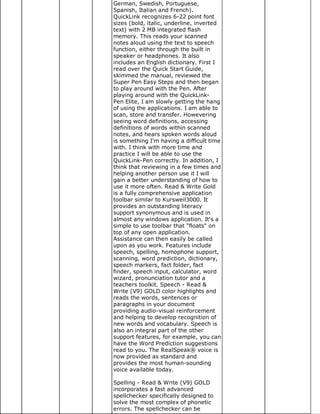
German, Swedish, Portuguese,
Spanish, Italian and French).
QuickLink recognizes 6-22 point font
sizes (bold, italic, underline, inverted
text) with 2 MB integrated flash
memory. This reads your scanned
notes aloud using the text to speech
function, either through the built in
speaker or headphones. It also
includes an English dictionary. First I
read over the Quick Start Guide,
skimmed the manual, reviewed the
Super Pen Easy Steps and then began
to play around with the Pen. After
playing around with the QuickLink-
Pen Elite, I am slowly getting the hang
of using the applications. I am able to
scan, store and transfer. Howevering
seeing word definitions, accessing
definitions of words within scanned
notes, and hears spoken words aloud
is something I'm having a difficult time
with. I think with more time and
practice I will be able to use the
QuickLink-Pen correctly. In addition, I
think that reviewing in a few times and
helping another person use it I will
gain a better understanding of how to
use it more often. Read & Write Gold
is a fully comprehensive application
toolbar similar to Kursweil3000. It
provides an outstanding literacy
support synonymous and is used in
almost any windows application. It's a
simple to use toolbar that "floats" on
top of any open application.
Assistance can then easily be called
upon as you work. Features include
speech, spelling, homophone support,
scanning, word prediction, dictionary,
speech markers, fact folder, fact
finder, speech input, calculator, word
wizard, pronunciation tutor and a
teachers toolkit. Speech - Read &
Write (V9) GOLD color highlights and
reads the words, sentences or
paragraphs in your document
providing audio-visual reinforcement
and helping to develop recognition of
new words and vocabulary. Speech is
also an integral part of the other
support features, for example, you can
have the Word Prediction suggestions
read to you. The RealSpeak® voice is
now provided as standard and
provides the most human-sounding
voice available today.

Spelling - Read & Write (V9) GOLD
incorporates a fast advanced
spellchecker specifically designed to
solve the most complex of phonetic
errors. The spellchecker can be
customized to suit individual needs
and provides audible definitions of
alternative suggestions to help you
choose the correct one.

Homophone Support - Read & Write
(V9) GOLD will identify and provide
audible definitions for like sounding
words to improve the accuracy of your
work.

Scanning - Scan any text document
into Word or any other major word
processor enabling on screen editing
and text reading. Scanned material
will be incorporated into a familiar
mainstream environment, allowing the
document to be made easily available
to other Users. This is key to inclusive
education and integration. There is
also the option to scan any text
document into Internet Explorer for
"near perfect" image generation or a
text only image to which a User
defined style sheet can be applied.

Word Prediction - This will aid in
sentence construction by suggesting
and predicting words. Word predictor
will learn as correct text is typed,
dramatically aiding the development
of literacy and increasing accuracy.
With context and phonetic based word
prediction.

Dictionary - 180,000-word talking
dictionary and dictionary will benefit
you by helping to increase your
literacy and creative writing skills.

Speech Maker - converts selected text
into speech, which can be saved as an
audio file (.wav, MP3, .wma) capable
of being played on any suitable
device.

Fact Folder – This desk research tool
allows you to capture text from any
application, classify it, attach pictures
and bibliography information and
record its source. This information can
be converted to a slide show and
document to help studying and
revision.

Fact Finder – this web search tool
searches the web to find relevant
information associated with your
research topic. Search engines in 6
different categories are provided for
you to choose from.

Speech Input (only available with USA
version) – speak into your computer
                           and have what you say converted to
                           text on the screen. Help is provided to
                           assist you to train the software to
                           recognize your voice.

                           Simple and Scientific Calculator – On
                           screen calculator provides all the main
                           functions of a simple or scientific
                           calculator with audible feedback and
                           audit trail.

                           Word Wizard - Word wizard assists in
                           developing creative sentences by
                           offering solutions for vocabulary.
                           When you are searching for the word
                           you want to use Word Wizard takes
                           you though a simple step by step
                           process till you find the word you are
                           looking for.

                           Pronunciation Tutor - The
                           Pronunciation Tutor will break words
                           into syllables allowing easy
                           recognition and pronunciation.
                           Includes a moving mouth, to aid the
                           development of more accurate
                           speech.

                           Teachers Toolkit – enables educators
                           to specify which Read & Write (V9)
                           GOLD features a particular student
                           has access to and see student spelling
                           logs and activity logs.
                           Resources: Andrich, R., & Besio, S.
                           (2002). Being informed, demanding
                           and responsible consumers of
                           assistive technology: an educational
                           issue. Disability and Rehabilitation,
                           24(1/2/3), 152-159. King, T. W.
                           (1998). Assistive Technology:
                           Essential Human Factors. Boston, MA:
                           Allyn & Bacon. State., & Governments,
                           L. (n.d.). Student Placement in
                           Elementary and Secondary Schools
                           and Section 504 and Title II of the
                           Americans with Disabilities Act.
                           Retrieved September 15, 2009, from
                           http://www.ed.gov/about/offices
                           /list/oc/docs/placpub.html Used
                           Kurzweil 3000 to create Sticky Notes
                           and Text Notes within the resource
                           article given on AT. In addition,
                           worked with a student worker to
                           create Kurweil3000 Files and MP3
                           Files. Kurzweil 3000 files can come
                           from the publisher, scan in with a
                           scanner or from a PDF file. PDF needs
                           to be saved in a KES1V Printer in
                           which is the Kurzweil Format. To
                           create an MP3 File from the Kurzweil      It seems like
              2:00 PM-     Text, unwanted text/images must be        many could
3   9/15/2009 5:00 PM    3 removed before hand. Once unwanted        benefit from this.
text/images are removed, select File,
                           Audio Filer, Create Audio File using
                           Speaker VW Paul because he sounds
                           more realistic and Speed can be
                           140-150, 145 is most common. MP3
                           Files are stored in folders by textbook
                           name and saved by chapter numbers.
                           In addition to reviewing and learning
                           more about Kurzweil 3000, Dr. Walton
                           gave me a list of students to contact
                           about scheduling meeting times for
                           training on equipment. Training will
                           take place in three sessions : 1)
                           Introduction of Equipment/Program in
                           detail, 2) Review Equipment/Program
                           with the student, and 3) Monitor
                           student while he/she is working
                           independently on equipment/program
                           and be around for assistance. AT
                           Training that I will assist students in,
                           as of now, will include Kurzweil 3000,
                           Read and Write Gold, and Reading
                           Pen. When the students are using
                           Kurzweil3000 I would like to teach
                           them how to use it for two major
                           functions: 1) Read Aloud and 2) Take
                           Notes from text to study from. Other
                           AT that I will train students in will
                           come once I have completed training
                           myself.
                                                                       We have a lot
                                                                       of incoming
                                                                       students who
                                                                       have never had
                                                                       access to this
                           AT Training: 3 PM Train Student I in        technology but
              2:00 PM-     Kurzweil 3000. 4 PM Train Student A         will benefit from
3   9/16/2009 5:00 PM    3 in Read & Write Gold.                       using it.
                           2 PM Train Student C in Kurzweil3000.
                           3 PM Webinar for myself on
                           Kurzweril3000. The Webinar needed
                           to be downloaded by Cisco WebEX
                           Meeting Center in order to view.
                           Cambium Learning Family of
                           companies and is split into three
                           different groups. They harness the
                           unique attributes of technology to
                           address specific instructional needs. It
                           is helpful for students that are
                           struggling and/or part of the 2
                           sections of the RTI model. This
                           program is for third grade students to
                           adulthood. Kurzweil3000 supports                                Note: Unless you
                           fluency, vocabulary, comprehension,                             want the
                           writing, and test taking skills. It is a                        information for
                           text to speech program. The                                     yourself, the
                           framework of how to teach writing is                            copy & pasted
                           developed within the tools. Quickly                             information in
                           students go from reading to writing                             here is not
                           and can manage complex tasks to                                 necessary. That
                           become better writers. A central                                is - all of the info
              2:00 PM-     problem in the writing of students with                         on the product or
4   9/22/2009 5:00 PM    3 learning disabilities is their failure to                       webinar.
plan and organize their thoughts.
                           Powerful writing features and tools
                           were created to work with the writing
                           process. Brainstorming and outlining
                           tools are there to help students create
                           notes to save for writing assignments.
                           Kurzweil3000 bridges the gap between
                           reading and writing by allowing
                           students to quickly use organizational
                           notes while working with a draft. In
                           addition, it helps prompt students to
                           use word areas such as transitional
                           words or summary verbs, accessing
                           definitions and a floating word list.
                           Draft and split screen mode is
                           available for students to write and
                           revise in a single shot. In addition,
                           within the same screen a review
                           checklist can be created for students
                           to double check their work. Note
                           Snippet is in a read only view. Access
                           notes with a working document. New
                           writing templates, as well as create
                           your own, for common writing tasks.
                           Writing templates include graphical
                           brainstorm view similar to kidspiration
                           and inspiration programs.
                           Kurzweil3000 brings reading and
                           writing closer together by
                           incorporating powerful writing tools
                           and supports students' needs. Within
                           this powerpoint presentation, a step
                           by step tutorial was given in the new
                           program of Kurzweil very similar to
                           the how to videos from the help
                           button. 4 PM Train Student J in
                           Kurzweil3000. NEW! "Connecting the
                           Power of Audio Books Players with
                           Accessible Educational Content".
                           (2009, September 15). Retrieved
                           September 22, 2009, from
                           www.humanware.ca/web
                           /en/newsletter/60-t.html Products for
                           Blindness, Low Vision & Learning
                           Disabilities - HumanWare USA. (n.d.).
                           Retrieved September 22, 2009, from
                           http://www.humanware.com for PDF
                           Downloadable file of Resource Guide-
                           Assistive Technologies That Support
                           Learning Disabilities.
                           2 PM Train Student M in Read&Write
                           Gold with a Webinar. Webinar is web
                           conferencing used to conduct live
                           meetings, trainings or presentations
                           via the Internet. In a web conference,
                           each participant sits at his/her won
                           computer and is connected to other
                           participants via internet. The purpose
                           of this webinar was to accomplish
                           three goals with the Read & Write
                           Gold program. The goals were: (1)
              2:00 PM-     What is Read & Write Gold?; (2) What
4   9/23/2009 5:00 PM    3 does it do?; and (3) How does it work?    same as above.
Within this web conference I learned
many important skills that will help me
use this program as well as teach
other students. Read & Write Gold is
assists students to read, write and
study/research. When using this to
read, it can read files in three different
formats (Text, PDF, Html) each with
different ways of operating.

Read & Write Gold helps all readers
and writers succeed. It improves
reading fluency and comprehension,
facilitates research, writing and test
taking, encourages independence and
inclusion, provides tools suited for
instructional supports across all RTI
Tiers, supports principles of UDL,
integrates with mainstream Windows
applications and includes powerful
teacher support tools. This program
supports students with reading and
writing difficulties, learning
disabilities, and English as a second
language.
Features included in the Read & Write
Gold are: Text to Speech, Phonetic
Spell Checker, Word Prediction,
Talking Dictionary, Word Wizard,
Homophone Checker, Talking
Calculator, Screenshot Reader,
Speech Maker, DAISY Reader,
Pronunciation Tutor, Scanning, Fact
Finder, Fact Folder, Online Fact
Mapper, Screen Masking, Speech
Input, Online Translator, PDF aloud,
Study Skills Tools, Summary Feature,
NIMAS Conversion Tool and Teacher’s
Toolkit.
Using the webinar was very
constructive. It trained two other
people as well as me in operating
Read & Write Gold at the same time. I
had never done a webinar before this
experience so I was not sure what was
going to happen. It was interesting
and convenient because if I missed
something I could just ask or if
someone else missed something they
could ask. Everyone was able to takes
notes consistently. Overall, it was a
very enjoyable experience and I would
like to be trained with webinars more
often.
3 PM Student I follow up training. 4 PM
Student A Kurzweil3000 Training.
Schofield, J. (2009, September 23).
Gadgets for people with disabilities:
free-form phones and talking jam-jars
| Technology | The Guardian .
Retrieved September 24, 2009, from
http://www.guardian.co.uk
/technology/2009/sep/23/gadgets-
people-disabilities-phones/print
                           GLADER, P. (n.d.). Online High
                           Schools Test Students' Social Skills -
                           WSJ.com. Retrieved September 24,
                           2009, from http://online.wsj.com
                           /article
                           /SB125374569191035579.html?m
                           2 PM Train Student C. 3 PM Train
                           Student L. 4 PM Train Student A.
                           Clicker 5 is a writing support and
                           multimedia tool for students. It is
                           raising reading and writing standards
                           in the classroom around the world. It
                           helps all learners succeed including
                           struggling readers and writers, English
                           language learners, and more able
                           students. It can be used on Windows,
                           as well as Mac Computers. Includes
                           speech supported word-processor,
                           text is highlighted as it is spoken and
                           everything that is typed will be spoken
                           back to the student in a clear voice.
                           Students can hear if they make any
                           mistakes and then correct those
                           mistakes.
                           Clicker also has grids that support
                           student writing. Grids allow students
                           to write full words, phrase and
                           pictures. Students are able to create
                           sentences without having to type out
                           each letter. It is very motivating for
                           early learners or struggling writers.
                           Grids can be sequenced to support
                           larger pieces of writing into small
                           sections.
                           Talking Books- can create books
                           appropriate for students of all ages.
                           Using Talking Books students can view
                           complex text with speech support to
                           create their own book based on their
                           comprehension of the original text.
                           Students can type directly into the text
                           box or use a pop-up grid to support
                           their writing. The internet is helpful for
                           students to look up new words not in
                           the word blank. Clicker 5 supports
                           photos and text from a website to be
                           used as a copy and paste tool. Always
                           look up copyright issues before using
                           items from the internet.
                           Creating Grids on Clicker 5 you can
                           type words into the grid, or you may
                           use existing Clicker 5 Grids to be
                           personalized for the classroom.              It will be
                           Pictures are already included and will       interesting to
                           appear when that word is typed into a        learn your
                           cell. Also you may use your own              usefulness of
                           photos to personalize the learning.          these items. I
                           Creating Multimedia Projects on              know many
                           Clicker 5 will integrate technology into     teachers enjoy
                           the curriculum. Students will locate         Talking Books. I
              2:00 PM-     and create their own photos from the         had never heard
5   9/30/2009 5:00 PM    3 book. The projects are determined by         of Clicker 5.
outcomes, support literacy, encourage
                           creativity, and motivate students of all
                           abilities.
                           Clicker is the proven reading and
                           writing tool that helps students of all
                           abilities to achieve rapid and
                           permanent gains in their levels of
                           reading and writing. Clicker is used on
                           over half a million school computers,
                           and is central in many special needs
                           environments as well as a mainstay in
                           regular education. Clicker 5 boost
                           writing independence, encourages
                           self-correction with a natural voice,
                           built writing confidence, promotes
                           reading independence with talking
                           books, develops English language
                           learners’ literacy skills, and supports
                           students with all needs.
                           Clicker Paint is an educational art tool
                           to support teaching and learning in all
                           content areas involving the use of
                           Clicker 5. This program was designed
                           by teachers and has many uses for in
                           the classroom. In addition, it was
                           designed for student use therefore
                           making the layout on their level
                           creating a new way of meeting course
                           objectives. Clicker Paint students can
                           create a talking books with picture
                           sequences, in addition to a variety of
                           literacy activities. Interactive
                           Whiteboards can be used with Clicker
                           Paint with the whole classroom or in a
                           small group setting.
                           2 PM Train Student J.
                           PPT on Ethics & AT: How can we get it
                           right? Dr Gillian Ward Sr Lecturer in
                           AT Coventry University
                           PPT on Ethical issues in AT
                           Goode., & Susan. (2006). Assistive
                           Technology and Diversity Issues.
                           Topics in Early Childhood Special
                           Education, 26(1), 51-54.
                           Martinez-Marrero, I., & Estrada-
                           Hernandez, N. (2008). Assistive
                           Technology: An Instructional Tool to
                           Assist College Students with Written
                           Language Disabilities. TechTrends,
                           52(1), 56-62.
                           Gamble, M. J., Dowler, D. L., &
                           Orslene, L. E. (2006). Assistive
                           technology: Choosing the right tool for
                           the right job. Journal of Vocational
                           Rehabilitation, 24, 73-80.
                           Levy, N. (2002). Reconsidering
                           Cochlear implants: the lessons of
                           Martha’s Vineyard. Bioethics, 16(2),
                           135-152.
                           Alaimo, C. A. (2009, October 1).           I attended one
                           High-tech math helps heads to D-M          of Blair's
              2:00 PM-     school. Retrieved October 2, 2009,         training
5   10/1/2009 5:00 PM    3 from www.azstarnet.com/sn                  sessions.        OK
/education/311362 • Feldman, B.
                           (2009, October 2). Surfing the Net
                           With Kids: Phonics - The Boston
                           Globe. Retrieved October 2, 2009,
                           from http://www.boston.com/lifestyle/
                           2 PM Train Student T in Kurzweil3000.
                           NO SHOW :( 3 PM Train Student M in
                           Kurzweil3000. 4 PM Train Student D in
                           Kurzweil3000. NO SHOW Assistive
                           Technology Articles from ERIC:
                           Bausch, M., Quinn, B., Chung, Y.,
                           Ault, M., & Behrmann, M. (2009).
                           Assistive Technology in the
                           Individualized Education Plan: Analysis
                           of Policies across Ten States. Journal
                           of Special Education Leadership,
                           22(1), 9-23.
                           http://search.ebscohost.com Dreon,
                           O., & Dietrich, N. (2009). Turning
                           Lemons into Lemonade: Teaching
                           Assistive Technology through Wikis
                           and Embedded Video. TechTrends:
                           Linking Research and Practice to
                           Improve Learning, 53(1), 78-80.
                           http://search.ebscohost.com
                           Education’s, t. U. (2006). MOVING
                           TOWARD SOLUTIONS. Retrieved
                           October 6, 2009, from
                           http://74.125.93.132
                           /custom?q=cache:0xK8ZXFzkLcJ:www.
                           /documents
                           /MovingTowardSolutions.pdf+Moving+T
                           cd=1&hl=en&ct=clnk&gl=us&
                           client=google-coop-np Garland-
                           Thomson, R. (2006). Ways of Staring
                           -- Garland-Thomson 5 (2): 173 --
                           Journal of Visual Culture. Retrieved
                           October 6, 2009, from
                           http://vcu.sagepub.com/cgi/content
                           /abstract/5/2/173 Jutai, J., Strong, J.,
                           & Russell-Minda, E. (2009).
                           Effectiveness of Assistive Technologies
                           for Low Vision Rehabilitation: A
                           Systematic Review. Journal of Visual
                           Impairment & Blindness, 103(4),
                           210-222. http://search.ebscohost.com
                           MacMillan, A. (2009, October 5).
                           Internet addiction linked to ADHD,       She is very
                           depression in teens - CNN.com.           thorough in her
                           Retrieved October 6, 2009, from          instructions
                           http://www.cnn.com/2009/HEALTH           while being able
                           /10/05                                   to connect the
                           /depression.adhd.internet.addiction      process to
                           /index.html Mueller, J., Wood, E.,       things the
                           Hunt, J., & Specht, J. (2009).           student has
                           Assessing Adult Student Reactions to done before.
                           Assistive Technology in Writing          She connects
                           Instruction. Adult Basic Education and the study skills
                           Literacy Journal, 3(1), 13-23.           part of Kurzweil
                           http://search.ebscohost.com Platt, T. to useful skills
                           (2003, July 7). The Frightening          for each
              2:00 PM-     Agenda of the American Eugenics          student. Great
6   10/6/2009 5:00 PM    3 Movement. Retrieved October 6,           job.             ok
2009, from http://hnn.us/articles
                           /1551.htm Peters, K., Remmel, E., &
                           Richards, D. (2009). Language,
                           Mental State Vocabulary, and False
                           Belief Understanding in Children with
                           Cochlear Implants. Language, Speech,
                           and Hearing Services in Schools,
                           40(3), 245-255.
                           http://search.ebscohost.com Zambo,
                           D. (2009). Using Visual Literacy to
                           Help Adolescents Understand How
                           Images Influence Their Lives.
                           TEACHING Exceptional Children,
                           41(6), 60-67.
                           http://search.ebscohost.com
                           Zascavage, V., & Winterman, K.
                           (2009). What Middle School Educators
                           Should Know about Assistive
                           Technology and Universal Design for
                           Learning. Middle School Journal,
                           40(4), 46-52.
                           http://search.ebscohost.com
                           3 PM Train Student AL in
                           Kurzweil3000. 4 PM Train Student TY
                           in Kurzweil3000. Contacted students
                           to come in for training. Also contacted
              2:00 PM-     students to come in for training who
6   10/7/2009 5:00 PM    3 did not show up yesterday.                  OK
                           2 PM Train Student TY. 3 PM Train
                           Student AL. 4 PM Train Student MC All
                           students seems to understand how
                           Kurzweil300 is supposed to operate.
                           Now we just need to get their books in
                           electronic format for them to use
                           Kurzweil 3000. Begin researching
                           ideas for the topic of "Thanksgiving" to
                           create a Talking Book in Microsoft
                           PPT. Talking Books created in
                           Microsoft PPT to create mouse-
                           operated talking books using pictures
                           scanned in from real books. The
                           purpose of this is important because
                           access to literature is necessary for all
                           students. Talking books are visual aids
                           with stimulating and colorful books
                           being read aloud by creator or MP3
                           files. I am very excited to begin
             2:00 PM-      working with Talking Books in PPT as
7 10/14/2009 5:00 PM     3 well as Clicker.                            OK
                           Recreate Ordering Books for Spring
                           Checklist/Handout Went on Clicker 5 &
                           reviewed Examples in Science & Math.
                           I really enjoyed all of the visual and
                           auditory effects. I felt that these
                           resources were educational and fun. I
                           would like to continue reviewing
                           Clicker and seeing what other
                           options/strategies are out there, in
                           addition to the other subjects.Talking
                           Books: Dougherty, B. (2008). Littlest
                           Pilgrim. New York: Cartwheel Books
             2:00 PM-      This book is the one I decided to use
8 10/20/2009 6:00 PM     4 to create my talking book.This book is      ok
32 pages long and the reading level is
                          for students ages 4-8. I began
                          scanning in all of the pictures from the
                          book. I rather have too many picture
                          than not enough. However, the
                          appearance was not coming out clear
                          enough (after I scanned all 32
                          pages!). So I decided to go back,
                          RE-Scan & maybe play around/change
                          the setting of the photo begining
                          scanned before scanning. Finally I
                          found a setting that was suitable. I
                          only scanned a few this way as a test.
                          After I scanned a few pages, I opened
                          the photos in Adobe's Photoshop CS4.
                          In Photoshop CS4, I selected
                          Adjustments, Auto Curves. This gave
                          the picture a clearer picture that
                          looked similar to the picture book
                          itself. I plan on finishing scanning
                          tomorrow in the setting I found
                          appropriate and Photoshoping all of
                          the photos to make the photos look
                          clear and neat.
                          Scanned, uploaded and Photoshop all
                          images from "The Littlest Pilgrim."
                          Created a Talking Book using
                          Microsoft PPT 2007. Read, researched
                          and developed a PowerPoint
                          Presentation of Talking Books. The
                          PPT includes: (1) What are Talking
                          books? (2) Who uses talking books?
                          (3) How to create a Talking Book
                          (STEP BY STEP Directions), (4) My
                          Example in PPT 07, (5) Summary and
                          (6) References. I will email you my
                          PPT for any feedback to improve on.
                          Overall, I really enjoyed creating the
                          Talking Book. I feel that this was
                          extremely useful for me to learn
                          because I do not know what type of
                          classroom I will be teaching in. In
                          addition, I am not aware of the type of
                          resources and materials my school
                          district will have access to and
                          developing a Talking Book for a
                          student/ classes interests and
                          development level is going to be
                          helpful and useful in the future. I do
                          not mind using the Power Talk. I could
                          record my own voice reading the text,
                          just like in a vodcast/podcast.
                          However, I am not comfortable
                          enough with recording my own voice.
                          Unless someone else I know is
                          interested in performing for my
                          assignments, I will most likely use
                          Power Talk. I also finished created a
                          handout for the DS Office. The
                          Handout was developed for students
                          to order books for their spring          This is a good
             2:00 PM-     semester classes. I will also take       job on creating
8 10/21/2009 7:00 PM    5 home Clicker 5 & Clicker Paint to        a talking book.   ok
download onto my HOME lab top. This
                            way I will be able to read the manual
                            and identify concepts on Clicker
                            outside of the DS Office.
                            Feedback from Talking Book.
                            Downloaded a Book from a Word File
                            into a Kurzweil3000 File. Research
                            topic on Veteran's Day for Clicker
                            project. Presentation on Moodle VS
             2:00 PM-       Wikispace for a Distance Education
9 10/27/2009 5:00 PM      3 Course                                                     ok
                            Research Moodle to create a                                OK -Let me know
                            presentation of a basic overview of                        if you have any
                            Moodle. Research sources were:                             question. I
             2:00 PM-       Google, Moodle.org, Youtube.com and                        cannot answer
9 10/28/2009 5:00 PM      3 Slideshare.net.                                            all, but a lot.
                            Trained Student JS in Kurzweil3000
                            and downloaded textbooks on to his
                            jump drive. I have all of my resources
                            and materials ready to create
                            templates in Clicker 5 on the topic of
                            Veterans Day. However it is not
                            working. I took out the User Guide
                            Manual and began to follow that STEP
                            by STEP. But again it was not inserting
                            my text/graphics. I went onto the
                            Clicker website and download/read
                            over Power Points on Clicker 5 & Paint
                            in the classroom. Each PPT gave ideas
                            and strategies on using in the
                            classroom and what you can create
                            just NOT HOW TO CREATE. As you can
                            tell I am getting a little frustrated. I
                            told Dr. Walton and she searched for
                            videos yet the videos wouldn't play.
                            They were only text boxes listing the
                            same steps as in the manual. I
                            emailed the Tech Support from the
                            website and they said it would take at
                            least 48 hours to email me back. After
                            reviewing the samples that Clicker
                            displays, I wanted to create templates
                            that would be useful for labeling,
                            classifying, unscramble terms, fill-in
                            missing letters, and so forth with grid
                            tables already developed with the
                            terms and pictures for visual
                            definition/cue for students to display
                            the term. Most of the terms were
                            symbols, such as American Flag, Bald
                            Eagle, Plane (Air Force), Boat (Navy),
                            and so on. Finally, I decided to take a
                            break and take the Manual home with
                            me to work on the program at my
                            computer. Maybe I will have better
                            results. I wonder if I can find a
                            template similar in Microsoft Office??!
                            I went back to work on Kurzweil 3000,
                            to read over an article or two for my
                            graduate courses and then maybe            Clicker 5 did not
                            develop a handout on Kurzweil 3000         seem to be
               2:00 PM-     for future student use. Kurzweil 3000      working very
10   11/3/2009 5:00 PM    3 was not responding. Therefore, I           well.             OK
closed out the program.
                                                                       Clicker 5 just
                            Worked on using Clicker 5 again.           needs a better
                            Finally completed what I needed to         computer as
               2:00 PM-     accomplish. Will present Moodle next       you saw when
10   11/4/2009 5:00 PM    3 week.                                      we worked on it.
                            Low Vision Expo at the Chateau Resort
                            and Conference Center in
                            Tannersville, PA. The event will           I spoke with a
                            feature expert presenations on the         representative
                            lastest in devices, technology and         of MCCB who
                            techniques all for people with low         was very glad
                            vision. I really enjoyed myself at this    that Blair
                            event. I went home leaving with a lot      attended the
               1:00 PM-     of useful resources as well as hearing     Low Vision
10   11/6/2009 5:00 PM    4 personal experiences.                      Expo.              ok
                            I put a folder on Dr Walton's desktop
                            and labeled it BLAIR.
                            Everything that I have created so far
                            is in that folder.

                            Kurzweil 3000 is a mixture of things. It
                            is a PDF File with 3 sections.
                            The First section is a PowerPoint
                            Presentation that I FOUND online. I
                            felt that it gave a great explanation
                            along with details describing an
                            overview of Kurzweil 3000.
                            The NEXT Part is a little CHEAT SHEET
                            (3 pages long) That I created for the
                            students I was training.
                            The Third Part is something I found
                            online that I thought would be really
                            helpful for teachers & students, it
                            combines SQ3R & Kurzweil.

                            Clicker PPT Is Divided into 5 Sections
                            -What is clicker 5?
                            -What is new?
                            -Clicker in your classroom
                            -Quick Tips
                            -Additional Information
                            All of the SLIDES WITH SCREEN
                            SHOTS were taken FROM THE
                            CLICKER website. I felt that there
                            were a clearer visual aid than the
                            ones I was creating. Using Kurzweil
                            3000 to read over articles & PPTS on       Blair developed
                            Digital Books. Scanned hard copy of        a training
                            files into the Kurzweil3000 format.        powerpoint on
                            Used Kurzweil 3000 to read and             Kurzweil and
                            highlight useful information about         Clicker 5. She
                            Trade Books, eBooks, MP3 Books, etc.       created and
                            Saved files into PDF & merged into         demonstrated a
              2:00 PM-      ONE document to my jump drive for          lesson done in
11 11/10/2009 5:00 PM     3 later use.                                 Clicker.
                            PaTTAN Assistive Technology (AT)
                            Expo 2009 K-12 in Lehigh                   Blair presented
                            Valley/Allentown, PA. This expo is an      me with
                            opportunity for educators & families to    information from
                            explore software, devices and              AT Expo and we
              9:00 AM-      strategies that enable students to         had a discuss
11 11/11/2009 4:00 PM     7 access curriculum and meet with            about AT.        ok
success.
                                                                         Dr. Sockman
                                                                         and I spoke
                                                                         about Blair and
                                                                         her internship,
                                                                         professional
                               Intern Meeting with Dr. Sockman to        development
              2:00   PM-       Review Artifacts and Reflections on       and personal
11 11/12/2009 2:30   PM    0.5 Internship                                growth. Nov. 11
              4:00   PM-       Speaking to Dr. Sockman's MCOM 580
11 11/12/2009 4:30   PM    0.5 Class EfolioPA
                               2 PM Training in Kurzweil 3000 for a
                               graduate student in AT course.

                              2:30 PM Help Dr. Walton to play a CD
                              within her PowerPoint with the one CD
                              for all slides.

                              3-5 PM Research References on Font
                              Preferences

                              Arditi, A. (2004). Adjustable
                              typography: an approach to enhancing
                              low vision text accessibility.
                              Ergonomics, 47(5), 469-482.
                              Retrieved from Computers & Applied
                              Sciences Complete database.

                              Arditi, A., & Cho, J. (2005). Serifs and
                              font legibility. Vision Research,
                              45(23), 2926-2933. Retrieved from
                              MEDLINE database

                              Bailey, I., Lueck, A., Greer, R., Tuan,
                              K., Bailey, V., & Dornbusch, H.
                              (2003). Understanding the
                              Relationships Between Print Size and
                              Reading in Low Vision. Journal of
                              Visual Impairment & Blindness, 97(6),
                              325. Retrieved from Academic Search
                              Complete database.

                              Bernard, M., Chaparro, B., Mills, M., &
                              Halcomb, C. (2003). Comparing the
                              effects of text size and format on the
                              readibility of computer-displayed
                              Times New Roman and Arial text.
                              International Journal of Human-
                              Computer Studies, 59(6), 823.
                              doi:10.1016/S1071-5819(03)00121-6.

                              Bradbury, H., & Ross, K. (1990). THE
                              EFFECTS OF NOVELTY AND CHOICE
                              MATERIALS ON THE INTRANSITIVITY
                              OF PREFERENCES OF CHILDREN AND
                              ADULTS. Annals of Operations
                              Research, 23(1-4), 141-159.             Interesting
                              Retrieved from Computers & Applied      articles that
                              Sciences Complete database              show the need
                                                                      to be aware of
                              Erdoğan, Y., & Bayram, S. (2007). The font size for any
              2:00PM          effects of gender and visual disability print
12 11/17/2009 -5:00PM       3 factors on the legibility of web pages. presentation.
Journal of Literacy & Technology,
                          8(1), 1-20. Retrieved from Education
                          Research Complete database.

                          Fiske, D. (1994). Removing Obstacles
                          to Easy Reading. Technical
                          Communication: Journal of the Society
                          for Technical Communication, 41(2),
                          269-75. Retrieved from ERIC
                          database.

                          Kay, R. (2001). Type Fonts.
                          Computerworld, 35(1), 54. Retrieved
                          from Computers & Applied Sciences
                          Complete database

                          Mansfield, J., Legge, G., & Bane, M.
                          (1996). Psychophysics of reading. XV:
                          Font effects in normal and low vision.
                          Investigative Ophthalmology & Visual
                          Science, 37(8), 1492-1501. Retrieved
                          from MEDLINE database.

                          Pei Fen, C., Yan Peng, L., & Siew
                          Woei, L. (2009). On the Design
                          Preferences for Ebooks. IETE Technical
                          Review, 26(3), 213-222.
                          doi:10.4103/0256-4602.50706

                          Russell-Minda, E., Jutai, J., Strong, J.,
                          Campbell, K., Gold, D., Pretty, L., et
                          al. (2007). The Legibility of Typefaces
                          for Readers with Low Vision: A
                          Research Review. Journal of Visual
                          Impairment & Blindness, 101(7),
                          402-415. Retrieved from Education
                          Research Complete database.

                          Schaefer, K. (2003). E-Space
                          Inclusion: A Case for the Americans
                          with Disabilities Act in Cyberspace.
                          Journal of Public Policy & Marketing,
                          22(2), 223-227. Retrieved from
                          Business Source Premier database.

                          Handout from Gary Braman MCOM 262
                          DeskTop Publishing Basics
                          Font Videos http://www.youtube.com
                          /watch?v=m6djQHeqMwQ&NR=1
                          http://www.youtube.com
                          /watch?v=9MoxKXEBRC8&NR=1
                          http://www.youtube.com
                          /watch?v=ezyRovNSaHs
                          Surface Computer
                          http://www.collegehumor.com
                          /video:1762379
                          Information On Amazon Kindle
                          http://www.amazon.com/Kindle-
                          Amazons-Original-Wireless-
                          generation/dp/B000FI73MA
                                                                      Kindle videos
              2:00PM      http://en.wikipedia.org                     were very
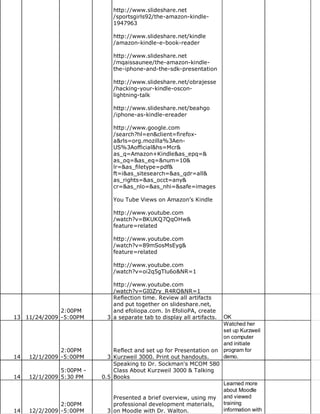
12 11/18/2009 -5:00PM   3 /wiki/Amazon_Kindle                         interesting.
http://www.slideshare.net
                              /sportsgirls92/the-amazon-kindle-
                              1947963

                              http://www.slideshare.net/kindle
                              /amazon-kindle-e-book-reader

                              http://www.slideshare.net
                              /mqaissaunee/the-amazon-kindle-
                              the-iphone-and-the-sdk-presentation

                              http://www.slideshare.net/obrajesse
                              /hacking-your-kindle-oscon-
                              lightning-talk

                              http://www.slideshare.net/beahgo
                              /iphone-as-kindle-ereader

                              http://www.google.com
                              /search?hl=en&client=firefox-
                              a&rls=org.mozilla%3Aen-
                              US%3Aofficial&hs=Mcr&
                              as_q=Amazon+Kindle&as_epq=&
                              as_oq=&as_eq=&num=10&
                              lr=&as_filetype=pdf&
                              ft=i&as_sitesearch=&as_qdr=all&
                              as_rights=&as_occt=any&
                              cr=&as_nlo=&as_nhi=&safe=images

                              You Tube Views on Amazon’s Kindle

                              http://www.youtube.com
                              /watch?v=BKUKQ7QqOHw&
                              feature=related

                              http://www.youtube.com
                              /watch?v=89mSosMsEyg&
                              feature=related

                              http://www.youtube.com
                              /watch?v=oi2q5gTlu6o&NR=1

                             http://www.youtube.com
                             /watch?v=GI0Zry_R4RQ&NR=1
                             Reflection time. Review all artifacts
                             and put together on slideshare.net,
              2:00PM         and efoliopa.com. In EfolioPA, create
13 11/24/2009 -5:00PM      3 a separate tab to display all artifacts.   OK
                                                                        Watched her
                                                                        set up Kurzweil
                                                                        on computer
                                                                        and initiate
               2:00PM         Reflect and set up for Presentation on    program for
14   12/1/2009 -5:00PM      3 Kurzweil 3000. Print out handouts.        demo.
                              Speaking to Dr. Sockman's MCOM 580
               5:00PM -       Class About Kurzweil 3000 & Talking
14   12/1/2009 5:30 PM    0.5 Books
                                                                        Learned more
                                                                        about Moodle
                             Presented a brief overview, using my       and viewed
               2:00PM        professional development materials,        training
14   12/2/2009 -5:00PM     3 on Moodle with Dr. Walton.                 information with
Blair.
               12:00 PM-       Lunch to celebrate the ending of the
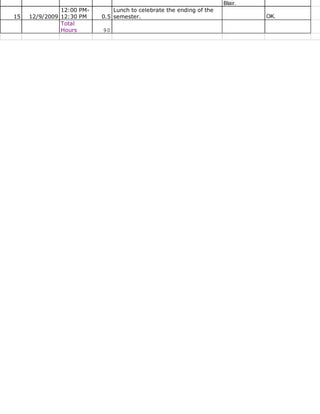
15   12/9/2009 12:30 PM    0.5 semester.                                       OK.
               Total
               Hours       90

Internship Log

  • 1.
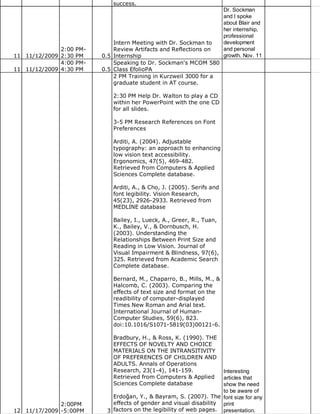
    MCOM 585 InternshipLog Fall 2009 Dr Walton's Dr. Sockman's Week Date Time Hours Summary/Reflection Comments Comments PDS Assistive Technology Workshop: Dr. Joyce Burgener coordinated with the Office of Disability Services to put together a workshop introducing PDS students to assistive technologies. During this time, students were split into groups to walk around to each station. I was placed at the High Technology table. At this table, equipment was displayed and explained to PDS students. The AT I was responsible for demonstrating was Therma Pen, and Books on Tape. Therma Pen is used for students who have a tactile learning style. Books on Tape is an audiobook on tape, CD or MP3 file. ESU maintains an institutional membership with Recording for the Blind and Dyslexic Blair's help with (RFB&D) in order to provide taped the AT Thank you for 11:00 AM- textbooks to eligible students with workshop was your help this 1 9/4/2009 3:00 PM 4 print related disabilities. invaluable. day. Kurzweil3000: Watched and took notes on the How to Videos. Kurzweil Educational Systems' research-aligned technologies provide complete reading, writing, and study solutions to help all students overcome learning challenges and succeed academically. It’s a reading, study skill, and writing program that educators can use to meet the needs of struggling learners, including ELL students and students with special needs. It enables educators to provide differentiated instruction without having to differentiate the curriculum. In addition, Kurzweil provides blind users access to printed and electronic materials. Scanned print documents and digital files (such as eBooks or email) are converted from text to speech and read aloud. All products incorporate the most clear, human-like synthesized voices available coupled with a robust set of easy-to-use features for accessing, reading, managing and creating text and images. Research has been completed on Kurzweil 3000 proving to improve the learning levels of students with learning disablies. My Neat. I will look notes on the How to Videos was forward to you completed in an outline format. showing me Kurzweil 3000: How to Videos some of the • Work with Kurweil 3000- The Basics things. I want to oMain Menu Bar: File, Edit, Scan, adocate for the Read, View, Tools, Reference, program and 2:00 PM- Window, Online, Help more knowledge 2 9/9/2009 5:00 PM 3 oMain Toolbar: New, Open, Save, will help.
  • 2.
    Print, Scan, Back,Red, Forward, Aud, Def, Synonym, Syllables, Spell, Help oReading Toolbar/Settings: Reading Speaker, Reading Speed oDocument Window: To Read or Stop Reading Press: Read, Pause, F3 oHelp or F1 for Online Help •Show or Hide Toolbars oGreen= Study Skills Toolbar oBlue= Writing Toolbar (Editing Tools) oYellow= Reading Toolbar oRed= Main Toolbar •Change Reading Options oHighlights Reading Unit in a Color & Current Word in Another Color oSpeakers 1st Button the Left on the Reading Toolbar Nicky, LH Michelle/Michael, Microsoft Mary/Mike/Sam, VW Kate/Paul oReading Mode 2nd Button the Left on the Reading Toolbar Continuous, Self-paced, Word by word oReading Unit 3rd Button from the Left on the Reading Toolbar Word, Phrase, Line, Sentence, Paragraph, Heading, Highlight oReading Speed 4th Button the Left on the Reading Toolbar #; how fast the voice will read aloud •Look Up a Word oSelect Word, Select Definition in Main Toolbar, Click Read, End Close oSelect Reference at Main Menu Bar, Select Look Up Word By Type, Type the Word, Select an Option, End Close oShort Cuts Word Definitions= (Ctrl +D) OR Synonym= Ctrl + Q •Use Color Highlighters to Study oGreen= Study Skills Toolbar (Erase, Yellow, Green, Cyan, Magenta, Footnote, Sticky, Text, Close, Voice, Delete, Bookmark) oExample: Highlight Yellow= Main Ideas, Cyan= Details, Select Reading Unit Highlight in the Reading Toolbar, Select Read oStudy Documents: File, Extract Annotations, Highlights, OK •Create an Outline oUse Highlighters from Reading Toolbar: Yellow= Main Ideas, Green= Details; Same as Study Documents: File, Extract Annotations, Highlights, OK; Indent 0.30 in. and Prefix %I) or %1) . •Create Sticky Notes and Text Notes oStudy Skills Toolbar: Footnote,
  • 3.
    Sticky, Text, Voice, oSticky Note Maker: Select Sticky Note Button, Click in the document to where you would like to place it, (Notice: it is not transparent.) Type/ Copy/Paste Text into the Note, Reads at the end of the Document oText Notes Maker: Text, IT IS TRANSPARENT, so place into a space where there is no text underneath, Next Type into the Note, Read as part of the Doc •Prepare a Test Documents oTo Fill in the Blanks of a Word/Kurzweil Document: Select Tools, Select Fill in the Blanks, Test Takers Click & Type their Answers into the Text Notes, Select Apply Toolbar Sets #10 Test Taking Tools Test Taking Tools: New, Open, Save, Print, Read, Delete, Spell Check, Predict, Highlight, Red Circle, Erase, Help oSave Toolbars in Document: File, Properties, General Options, Save Toolbars in Document, OK oSpeak as Typing: to hear what is being typed; Select Tools, Options, General, Speak as typing Choose ANY or ALL of options (Whole Words/ Whole Sentences are most helpful), APPLY, OK, Save Doc & ready for Test Takers •Highlight and Circle Test Answers oTo Highlight Answer: Select Highlight (Yellow) in the Test Taking Toolbar, then drag mouse over the correct answer oTo Circle Answer: Select Red Circle in the Test Taking Toolbar, then drag over the correct answer oErase: Select the Erase Button, Drag over the Answer oSave test document often, and read over to check answer •Work with a Fill in the Blanks Test oSelect Read or F3 to read over the test; Kurzweil 3000 Pauses at each BLANK oThis blanks are actually Text Notes, Click Note & Type, Tab for next blank, If Answer is already in the type Drag and Drop, Save test document often, and read over to check answer Pen Quick Link Elite: This piece of AT collects notes electronically from any printed text, anytime, anywhere. It also gives users all new electronic note taking capabilities, such as highlighting, reading notes aloud, beam it to smartphones. Students can 2:00 PM- scan and store up at 1,000 pages of 2 9/12/2009 5:00 PM 4 text in English (it also sscans in VERY NEAT!
  • 4.
    German, Swedish, Portuguese, Spanish,Italian and French). QuickLink recognizes 6-22 point font sizes (bold, italic, underline, inverted text) with 2 MB integrated flash memory. This reads your scanned notes aloud using the text to speech function, either through the built in speaker or headphones. It also includes an English dictionary. First I read over the Quick Start Guide, skimmed the manual, reviewed the Super Pen Easy Steps and then began to play around with the Pen. After playing around with the QuickLink- Pen Elite, I am slowly getting the hang of using the applications. I am able to scan, store and transfer. Howevering seeing word definitions, accessing definitions of words within scanned notes, and hears spoken words aloud is something I'm having a difficult time with. I think with more time and practice I will be able to use the QuickLink-Pen correctly. In addition, I think that reviewing in a few times and helping another person use it I will gain a better understanding of how to use it more often. Read & Write Gold is a fully comprehensive application toolbar similar to Kursweil3000. It provides an outstanding literacy support synonymous and is used in almost any windows application. It's a simple to use toolbar that "floats" on top of any open application. Assistance can then easily be called upon as you work. Features include speech, spelling, homophone support, scanning, word prediction, dictionary, speech markers, fact folder, fact finder, speech input, calculator, word wizard, pronunciation tutor and a teachers toolkit. Speech - Read & Write (V9) GOLD color highlights and reads the words, sentences or paragraphs in your document providing audio-visual reinforcement and helping to develop recognition of new words and vocabulary. Speech is also an integral part of the other support features, for example, you can have the Word Prediction suggestions read to you. The RealSpeak® voice is now provided as standard and provides the most human-sounding voice available today. Spelling - Read & Write (V9) GOLD incorporates a fast advanced spellchecker specifically designed to solve the most complex of phonetic errors. The spellchecker can be
  • 5.
    customized to suitindividual needs and provides audible definitions of alternative suggestions to help you choose the correct one. Homophone Support - Read & Write (V9) GOLD will identify and provide audible definitions for like sounding words to improve the accuracy of your work. Scanning - Scan any text document into Word or any other major word processor enabling on screen editing and text reading. Scanned material will be incorporated into a familiar mainstream environment, allowing the document to be made easily available to other Users. This is key to inclusive education and integration. There is also the option to scan any text document into Internet Explorer for "near perfect" image generation or a text only image to which a User defined style sheet can be applied. Word Prediction - This will aid in sentence construction by suggesting and predicting words. Word predictor will learn as correct text is typed, dramatically aiding the development of literacy and increasing accuracy. With context and phonetic based word prediction. Dictionary - 180,000-word talking dictionary and dictionary will benefit you by helping to increase your literacy and creative writing skills. Speech Maker - converts selected text into speech, which can be saved as an audio file (.wav, MP3, .wma) capable of being played on any suitable device. Fact Folder – This desk research tool allows you to capture text from any application, classify it, attach pictures and bibliography information and record its source. This information can be converted to a slide show and document to help studying and revision. Fact Finder – this web search tool searches the web to find relevant information associated with your research topic. Search engines in 6 different categories are provided for you to choose from. Speech Input (only available with USA
  • 6.
    version) – speakinto your computer and have what you say converted to text on the screen. Help is provided to assist you to train the software to recognize your voice. Simple and Scientific Calculator – On screen calculator provides all the main functions of a simple or scientific calculator with audible feedback and audit trail. Word Wizard - Word wizard assists in developing creative sentences by offering solutions for vocabulary. When you are searching for the word you want to use Word Wizard takes you though a simple step by step process till you find the word you are looking for. Pronunciation Tutor - The Pronunciation Tutor will break words into syllables allowing easy recognition and pronunciation. Includes a moving mouth, to aid the development of more accurate speech. Teachers Toolkit – enables educators to specify which Read & Write (V9) GOLD features a particular student has access to and see student spelling logs and activity logs. Resources: Andrich, R., & Besio, S. (2002). Being informed, demanding and responsible consumers of assistive technology: an educational issue. Disability and Rehabilitation, 24(1/2/3), 152-159. King, T. W. (1998). Assistive Technology: Essential Human Factors. Boston, MA: Allyn & Bacon. State., & Governments, L. (n.d.). Student Placement in Elementary and Secondary Schools and Section 504 and Title II of the Americans with Disabilities Act. Retrieved September 15, 2009, from http://www.ed.gov/about/offices /list/oc/docs/placpub.html Used Kurzweil 3000 to create Sticky Notes and Text Notes within the resource article given on AT. In addition, worked with a student worker to create Kurweil3000 Files and MP3 Files. Kurzweil 3000 files can come from the publisher, scan in with a scanner or from a PDF file. PDF needs to be saved in a KES1V Printer in which is the Kurzweil Format. To create an MP3 File from the Kurzweil It seems like 2:00 PM- Text, unwanted text/images must be many could 3 9/15/2009 5:00 PM 3 removed before hand. Once unwanted benefit from this.
  • 7.
    text/images are removed,select File, Audio Filer, Create Audio File using Speaker VW Paul because he sounds more realistic and Speed can be 140-150, 145 is most common. MP3 Files are stored in folders by textbook name and saved by chapter numbers. In addition to reviewing and learning more about Kurzweil 3000, Dr. Walton gave me a list of students to contact about scheduling meeting times for training on equipment. Training will take place in three sessions : 1) Introduction of Equipment/Program in detail, 2) Review Equipment/Program with the student, and 3) Monitor student while he/she is working independently on equipment/program and be around for assistance. AT Training that I will assist students in, as of now, will include Kurzweil 3000, Read and Write Gold, and Reading Pen. When the students are using Kurzweil3000 I would like to teach them how to use it for two major functions: 1) Read Aloud and 2) Take Notes from text to study from. Other AT that I will train students in will come once I have completed training myself. We have a lot of incoming students who have never had access to this AT Training: 3 PM Train Student I in technology but 2:00 PM- Kurzweil 3000. 4 PM Train Student A will benefit from 3 9/16/2009 5:00 PM 3 in Read & Write Gold. using it. 2 PM Train Student C in Kurzweil3000. 3 PM Webinar for myself on Kurzweril3000. The Webinar needed to be downloaded by Cisco WebEX Meeting Center in order to view. Cambium Learning Family of companies and is split into three different groups. They harness the unique attributes of technology to address specific instructional needs. It is helpful for students that are struggling and/or part of the 2 sections of the RTI model. This program is for third grade students to adulthood. Kurzweil3000 supports Note: Unless you fluency, vocabulary, comprehension, want the writing, and test taking skills. It is a information for text to speech program. The yourself, the framework of how to teach writing is copy & pasted developed within the tools. Quickly information in students go from reading to writing here is not and can manage complex tasks to necessary. That become better writers. A central is - all of the info 2:00 PM- problem in the writing of students with on the product or 4 9/22/2009 5:00 PM 3 learning disabilities is their failure to webinar.
  • 8.
    plan and organizetheir thoughts. Powerful writing features and tools were created to work with the writing process. Brainstorming and outlining tools are there to help students create notes to save for writing assignments. Kurzweil3000 bridges the gap between reading and writing by allowing students to quickly use organizational notes while working with a draft. In addition, it helps prompt students to use word areas such as transitional words or summary verbs, accessing definitions and a floating word list. Draft and split screen mode is available for students to write and revise in a single shot. In addition, within the same screen a review checklist can be created for students to double check their work. Note Snippet is in a read only view. Access notes with a working document. New writing templates, as well as create your own, for common writing tasks. Writing templates include graphical brainstorm view similar to kidspiration and inspiration programs. Kurzweil3000 brings reading and writing closer together by incorporating powerful writing tools and supports students' needs. Within this powerpoint presentation, a step by step tutorial was given in the new program of Kurzweil very similar to the how to videos from the help button. 4 PM Train Student J in Kurzweil3000. NEW! "Connecting the Power of Audio Books Players with Accessible Educational Content". (2009, September 15). Retrieved September 22, 2009, from www.humanware.ca/web /en/newsletter/60-t.html Products for Blindness, Low Vision & Learning Disabilities - HumanWare USA. (n.d.). Retrieved September 22, 2009, from http://www.humanware.com for PDF Downloadable file of Resource Guide- Assistive Technologies That Support Learning Disabilities. 2 PM Train Student M in Read&Write Gold with a Webinar. Webinar is web conferencing used to conduct live meetings, trainings or presentations via the Internet. In a web conference, each participant sits at his/her won computer and is connected to other participants via internet. The purpose of this webinar was to accomplish three goals with the Read & Write Gold program. The goals were: (1) 2:00 PM- What is Read & Write Gold?; (2) What 4 9/23/2009 5:00 PM 3 does it do?; and (3) How does it work? same as above.
  • 9.
    Within this webconference I learned many important skills that will help me use this program as well as teach other students. Read & Write Gold is assists students to read, write and study/research. When using this to read, it can read files in three different formats (Text, PDF, Html) each with different ways of operating. Read & Write Gold helps all readers and writers succeed. It improves reading fluency and comprehension, facilitates research, writing and test taking, encourages independence and inclusion, provides tools suited for instructional supports across all RTI Tiers, supports principles of UDL, integrates with mainstream Windows applications and includes powerful teacher support tools. This program supports students with reading and writing difficulties, learning disabilities, and English as a second language. Features included in the Read & Write Gold are: Text to Speech, Phonetic Spell Checker, Word Prediction, Talking Dictionary, Word Wizard, Homophone Checker, Talking Calculator, Screenshot Reader, Speech Maker, DAISY Reader, Pronunciation Tutor, Scanning, Fact Finder, Fact Folder, Online Fact Mapper, Screen Masking, Speech Input, Online Translator, PDF aloud, Study Skills Tools, Summary Feature, NIMAS Conversion Tool and Teacher’s Toolkit. Using the webinar was very constructive. It trained two other people as well as me in operating Read & Write Gold at the same time. I had never done a webinar before this experience so I was not sure what was going to happen. It was interesting and convenient because if I missed something I could just ask or if someone else missed something they could ask. Everyone was able to takes notes consistently. Overall, it was a very enjoyable experience and I would like to be trained with webinars more often. 3 PM Student I follow up training. 4 PM Student A Kurzweil3000 Training. Schofield, J. (2009, September 23). Gadgets for people with disabilities: free-form phones and talking jam-jars | Technology | The Guardian . Retrieved September 24, 2009, from http://www.guardian.co.uk /technology/2009/sep/23/gadgets-
  • 10.
    people-disabilities-phones/print GLADER, P. (n.d.). Online High Schools Test Students' Social Skills - WSJ.com. Retrieved September 24, 2009, from http://online.wsj.com /article /SB125374569191035579.html?m 2 PM Train Student C. 3 PM Train Student L. 4 PM Train Student A. Clicker 5 is a writing support and multimedia tool for students. It is raising reading and writing standards in the classroom around the world. It helps all learners succeed including struggling readers and writers, English language learners, and more able students. It can be used on Windows, as well as Mac Computers. Includes speech supported word-processor, text is highlighted as it is spoken and everything that is typed will be spoken back to the student in a clear voice. Students can hear if they make any mistakes and then correct those mistakes. Clicker also has grids that support student writing. Grids allow students to write full words, phrase and pictures. Students are able to create sentences without having to type out each letter. It is very motivating for early learners or struggling writers. Grids can be sequenced to support larger pieces of writing into small sections. Talking Books- can create books appropriate for students of all ages. Using Talking Books students can view complex text with speech support to create their own book based on their comprehension of the original text. Students can type directly into the text box or use a pop-up grid to support their writing. The internet is helpful for students to look up new words not in the word blank. Clicker 5 supports photos and text from a website to be used as a copy and paste tool. Always look up copyright issues before using items from the internet. Creating Grids on Clicker 5 you can type words into the grid, or you may use existing Clicker 5 Grids to be personalized for the classroom. It will be Pictures are already included and will interesting to appear when that word is typed into a learn your cell. Also you may use your own usefulness of photos to personalize the learning. these items. I Creating Multimedia Projects on know many Clicker 5 will integrate technology into teachers enjoy the curriculum. Students will locate Talking Books. I 2:00 PM- and create their own photos from the had never heard 5 9/30/2009 5:00 PM 3 book. The projects are determined by of Clicker 5.
  • 11.
    outcomes, support literacy,encourage creativity, and motivate students of all abilities. Clicker is the proven reading and writing tool that helps students of all abilities to achieve rapid and permanent gains in their levels of reading and writing. Clicker is used on over half a million school computers, and is central in many special needs environments as well as a mainstay in regular education. Clicker 5 boost writing independence, encourages self-correction with a natural voice, built writing confidence, promotes reading independence with talking books, develops English language learners’ literacy skills, and supports students with all needs. Clicker Paint is an educational art tool to support teaching and learning in all content areas involving the use of Clicker 5. This program was designed by teachers and has many uses for in the classroom. In addition, it was designed for student use therefore making the layout on their level creating a new way of meeting course objectives. Clicker Paint students can create a talking books with picture sequences, in addition to a variety of literacy activities. Interactive Whiteboards can be used with Clicker Paint with the whole classroom or in a small group setting. 2 PM Train Student J. PPT on Ethics & AT: How can we get it right? Dr Gillian Ward Sr Lecturer in AT Coventry University PPT on Ethical issues in AT Goode., & Susan. (2006). Assistive Technology and Diversity Issues. Topics in Early Childhood Special Education, 26(1), 51-54. Martinez-Marrero, I., & Estrada- Hernandez, N. (2008). Assistive Technology: An Instructional Tool to Assist College Students with Written Language Disabilities. TechTrends, 52(1), 56-62. Gamble, M. J., Dowler, D. L., & Orslene, L. E. (2006). Assistive technology: Choosing the right tool for the right job. Journal of Vocational Rehabilitation, 24, 73-80. Levy, N. (2002). Reconsidering Cochlear implants: the lessons of Martha’s Vineyard. Bioethics, 16(2), 135-152. Alaimo, C. A. (2009, October 1). I attended one High-tech math helps heads to D-M of Blair's 2:00 PM- school. Retrieved October 2, 2009, training 5 10/1/2009 5:00 PM 3 from www.azstarnet.com/sn sessions. OK
  • 12.
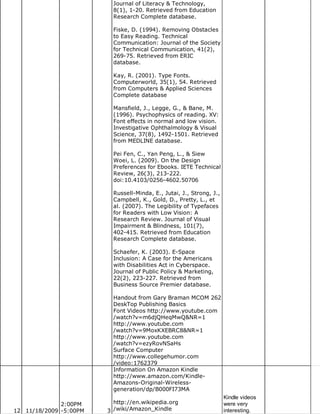
    /education/311362 • Feldman,B. (2009, October 2). Surfing the Net With Kids: Phonics - The Boston Globe. Retrieved October 2, 2009, from http://www.boston.com/lifestyle/ 2 PM Train Student T in Kurzweil3000. NO SHOW :( 3 PM Train Student M in Kurzweil3000. 4 PM Train Student D in Kurzweil3000. NO SHOW Assistive Technology Articles from ERIC: Bausch, M., Quinn, B., Chung, Y., Ault, M., & Behrmann, M. (2009). Assistive Technology in the Individualized Education Plan: Analysis of Policies across Ten States. Journal of Special Education Leadership, 22(1), 9-23. http://search.ebscohost.com Dreon, O., & Dietrich, N. (2009). Turning Lemons into Lemonade: Teaching Assistive Technology through Wikis and Embedded Video. TechTrends: Linking Research and Practice to Improve Learning, 53(1), 78-80. http://search.ebscohost.com Education’s, t. U. (2006). MOVING TOWARD SOLUTIONS. Retrieved October 6, 2009, from http://74.125.93.132 /custom?q=cache:0xK8ZXFzkLcJ:www. /documents /MovingTowardSolutions.pdf+Moving+T cd=1&hl=en&ct=clnk&gl=us& client=google-coop-np Garland- Thomson, R. (2006). Ways of Staring -- Garland-Thomson 5 (2): 173 -- Journal of Visual Culture. Retrieved October 6, 2009, from http://vcu.sagepub.com/cgi/content /abstract/5/2/173 Jutai, J., Strong, J., & Russell-Minda, E. (2009). Effectiveness of Assistive Technologies for Low Vision Rehabilitation: A Systematic Review. Journal of Visual Impairment & Blindness, 103(4), 210-222. http://search.ebscohost.com MacMillan, A. (2009, October 5). Internet addiction linked to ADHD, She is very depression in teens - CNN.com. thorough in her Retrieved October 6, 2009, from instructions http://www.cnn.com/2009/HEALTH while being able /10/05 to connect the /depression.adhd.internet.addiction process to /index.html Mueller, J., Wood, E., things the Hunt, J., & Specht, J. (2009). student has Assessing Adult Student Reactions to done before. Assistive Technology in Writing She connects Instruction. Adult Basic Education and the study skills Literacy Journal, 3(1), 13-23. part of Kurzweil http://search.ebscohost.com Platt, T. to useful skills (2003, July 7). The Frightening for each 2:00 PM- Agenda of the American Eugenics student. Great 6 10/6/2009 5:00 PM 3 Movement. Retrieved October 6, job. ok
  • 13.
    2009, from http://hnn.us/articles /1551.htm Peters, K., Remmel, E., & Richards, D. (2009). Language, Mental State Vocabulary, and False Belief Understanding in Children with Cochlear Implants. Language, Speech, and Hearing Services in Schools, 40(3), 245-255. http://search.ebscohost.com Zambo, D. (2009). Using Visual Literacy to Help Adolescents Understand How Images Influence Their Lives. TEACHING Exceptional Children, 41(6), 60-67. http://search.ebscohost.com Zascavage, V., & Winterman, K. (2009). What Middle School Educators Should Know about Assistive Technology and Universal Design for Learning. Middle School Journal, 40(4), 46-52. http://search.ebscohost.com 3 PM Train Student AL in Kurzweil3000. 4 PM Train Student TY in Kurzweil3000. Contacted students to come in for training. Also contacted 2:00 PM- students to come in for training who 6 10/7/2009 5:00 PM 3 did not show up yesterday. OK 2 PM Train Student TY. 3 PM Train Student AL. 4 PM Train Student MC All students seems to understand how Kurzweil300 is supposed to operate. Now we just need to get their books in electronic format for them to use Kurzweil 3000. Begin researching ideas for the topic of "Thanksgiving" to create a Talking Book in Microsoft PPT. Talking Books created in Microsoft PPT to create mouse- operated talking books using pictures scanned in from real books. The purpose of this is important because access to literature is necessary for all students. Talking books are visual aids with stimulating and colorful books being read aloud by creator or MP3 files. I am very excited to begin 2:00 PM- working with Talking Books in PPT as 7 10/14/2009 5:00 PM 3 well as Clicker. OK Recreate Ordering Books for Spring Checklist/Handout Went on Clicker 5 & reviewed Examples in Science & Math. I really enjoyed all of the visual and auditory effects. I felt that these resources were educational and fun. I would like to continue reviewing Clicker and seeing what other options/strategies are out there, in addition to the other subjects.Talking Books: Dougherty, B. (2008). Littlest Pilgrim. New York: Cartwheel Books 2:00 PM- This book is the one I decided to use 8 10/20/2009 6:00 PM 4 to create my talking book.This book is ok
  • 14.
    32 pages longand the reading level is for students ages 4-8. I began scanning in all of the pictures from the book. I rather have too many picture than not enough. However, the appearance was not coming out clear enough (after I scanned all 32 pages!). So I decided to go back, RE-Scan & maybe play around/change the setting of the photo begining scanned before scanning. Finally I found a setting that was suitable. I only scanned a few this way as a test. After I scanned a few pages, I opened the photos in Adobe's Photoshop CS4. In Photoshop CS4, I selected Adjustments, Auto Curves. This gave the picture a clearer picture that looked similar to the picture book itself. I plan on finishing scanning tomorrow in the setting I found appropriate and Photoshoping all of the photos to make the photos look clear and neat. Scanned, uploaded and Photoshop all images from "The Littlest Pilgrim." Created a Talking Book using Microsoft PPT 2007. Read, researched and developed a PowerPoint Presentation of Talking Books. The PPT includes: (1) What are Talking books? (2) Who uses talking books? (3) How to create a Talking Book (STEP BY STEP Directions), (4) My Example in PPT 07, (5) Summary and (6) References. I will email you my PPT for any feedback to improve on. Overall, I really enjoyed creating the Talking Book. I feel that this was extremely useful for me to learn because I do not know what type of classroom I will be teaching in. In addition, I am not aware of the type of resources and materials my school district will have access to and developing a Talking Book for a student/ classes interests and development level is going to be helpful and useful in the future. I do not mind using the Power Talk. I could record my own voice reading the text, just like in a vodcast/podcast. However, I am not comfortable enough with recording my own voice. Unless someone else I know is interested in performing for my assignments, I will most likely use Power Talk. I also finished created a handout for the DS Office. The Handout was developed for students to order books for their spring This is a good 2:00 PM- semester classes. I will also take job on creating 8 10/21/2009 7:00 PM 5 home Clicker 5 & Clicker Paint to a talking book. ok
  • 15.
    download onto myHOME lab top. This way I will be able to read the manual and identify concepts on Clicker outside of the DS Office. Feedback from Talking Book. Downloaded a Book from a Word File into a Kurzweil3000 File. Research topic on Veteran's Day for Clicker project. Presentation on Moodle VS 2:00 PM- Wikispace for a Distance Education 9 10/27/2009 5:00 PM 3 Course ok Research Moodle to create a OK -Let me know presentation of a basic overview of if you have any Moodle. Research sources were: question. I 2:00 PM- Google, Moodle.org, Youtube.com and cannot answer 9 10/28/2009 5:00 PM 3 Slideshare.net. all, but a lot. Trained Student JS in Kurzweil3000 and downloaded textbooks on to his jump drive. I have all of my resources and materials ready to create templates in Clicker 5 on the topic of Veterans Day. However it is not working. I took out the User Guide Manual and began to follow that STEP by STEP. But again it was not inserting my text/graphics. I went onto the Clicker website and download/read over Power Points on Clicker 5 & Paint in the classroom. Each PPT gave ideas and strategies on using in the classroom and what you can create just NOT HOW TO CREATE. As you can tell I am getting a little frustrated. I told Dr. Walton and she searched for videos yet the videos wouldn't play. They were only text boxes listing the same steps as in the manual. I emailed the Tech Support from the website and they said it would take at least 48 hours to email me back. After reviewing the samples that Clicker displays, I wanted to create templates that would be useful for labeling, classifying, unscramble terms, fill-in missing letters, and so forth with grid tables already developed with the terms and pictures for visual definition/cue for students to display the term. Most of the terms were symbols, such as American Flag, Bald Eagle, Plane (Air Force), Boat (Navy), and so on. Finally, I decided to take a break and take the Manual home with me to work on the program at my computer. Maybe I will have better results. I wonder if I can find a template similar in Microsoft Office??! I went back to work on Kurzweil 3000, to read over an article or two for my graduate courses and then maybe Clicker 5 did not develop a handout on Kurzweil 3000 seem to be 2:00 PM- for future student use. Kurzweil 3000 working very 10 11/3/2009 5:00 PM 3 was not responding. Therefore, I well. OK
  • 16.
    closed out theprogram. Clicker 5 just Worked on using Clicker 5 again. needs a better Finally completed what I needed to computer as 2:00 PM- accomplish. Will present Moodle next you saw when 10 11/4/2009 5:00 PM 3 week. we worked on it. Low Vision Expo at the Chateau Resort and Conference Center in Tannersville, PA. The event will I spoke with a feature expert presenations on the representative lastest in devices, technology and of MCCB who techniques all for people with low was very glad vision. I really enjoyed myself at this that Blair event. I went home leaving with a lot attended the 1:00 PM- of useful resources as well as hearing Low Vision 10 11/6/2009 5:00 PM 4 personal experiences. Expo. ok I put a folder on Dr Walton's desktop and labeled it BLAIR. Everything that I have created so far is in that folder. Kurzweil 3000 is a mixture of things. It is a PDF File with 3 sections. The First section is a PowerPoint Presentation that I FOUND online. I felt that it gave a great explanation along with details describing an overview of Kurzweil 3000. The NEXT Part is a little CHEAT SHEET (3 pages long) That I created for the students I was training. The Third Part is something I found online that I thought would be really helpful for teachers & students, it combines SQ3R & Kurzweil. Clicker PPT Is Divided into 5 Sections -What is clicker 5? -What is new? -Clicker in your classroom -Quick Tips -Additional Information All of the SLIDES WITH SCREEN SHOTS were taken FROM THE CLICKER website. I felt that there were a clearer visual aid than the ones I was creating. Using Kurzweil 3000 to read over articles & PPTS on Blair developed Digital Books. Scanned hard copy of a training files into the Kurzweil3000 format. powerpoint on Used Kurzweil 3000 to read and Kurzweil and highlight useful information about Clicker 5. She Trade Books, eBooks, MP3 Books, etc. created and Saved files into PDF & merged into demonstrated a 2:00 PM- ONE document to my jump drive for lesson done in 11 11/10/2009 5:00 PM 3 later use. Clicker. PaTTAN Assistive Technology (AT) Expo 2009 K-12 in Lehigh Blair presented Valley/Allentown, PA. This expo is an me with opportunity for educators & families to information from explore software, devices and AT Expo and we 9:00 AM- strategies that enable students to had a discuss 11 11/11/2009 4:00 PM 7 access curriculum and meet with about AT. ok
  • 17.
    success. Dr. Sockman and I spoke about Blair and her internship, professional Intern Meeting with Dr. Sockman to development 2:00 PM- Review Artifacts and Reflections on and personal 11 11/12/2009 2:30 PM 0.5 Internship growth. Nov. 11 4:00 PM- Speaking to Dr. Sockman's MCOM 580 11 11/12/2009 4:30 PM 0.5 Class EfolioPA 2 PM Training in Kurzweil 3000 for a graduate student in AT course. 2:30 PM Help Dr. Walton to play a CD within her PowerPoint with the one CD for all slides. 3-5 PM Research References on Font Preferences Arditi, A. (2004). Adjustable typography: an approach to enhancing low vision text accessibility. Ergonomics, 47(5), 469-482. Retrieved from Computers & Applied Sciences Complete database. Arditi, A., & Cho, J. (2005). Serifs and font legibility. Vision Research, 45(23), 2926-2933. Retrieved from MEDLINE database Bailey, I., Lueck, A., Greer, R., Tuan, K., Bailey, V., & Dornbusch, H. (2003). Understanding the Relationships Between Print Size and Reading in Low Vision. Journal of Visual Impairment & Blindness, 97(6), 325. Retrieved from Academic Search Complete database. Bernard, M., Chaparro, B., Mills, M., & Halcomb, C. (2003). Comparing the effects of text size and format on the readibility of computer-displayed Times New Roman and Arial text. International Journal of Human- Computer Studies, 59(6), 823. doi:10.1016/S1071-5819(03)00121-6. Bradbury, H., & Ross, K. (1990). THE EFFECTS OF NOVELTY AND CHOICE MATERIALS ON THE INTRANSITIVITY OF PREFERENCES OF CHILDREN AND ADULTS. Annals of Operations Research, 23(1-4), 141-159. Interesting Retrieved from Computers & Applied articles that Sciences Complete database show the need to be aware of Erdoğan, Y., & Bayram, S. (2007). The font size for any 2:00PM effects of gender and visual disability print 12 11/17/2009 -5:00PM 3 factors on the legibility of web pages. presentation.
  • 18.
    Journal of Literacy& Technology, 8(1), 1-20. Retrieved from Education Research Complete database. Fiske, D. (1994). Removing Obstacles to Easy Reading. Technical Communication: Journal of the Society for Technical Communication, 41(2), 269-75. Retrieved from ERIC database. Kay, R. (2001). Type Fonts. Computerworld, 35(1), 54. Retrieved from Computers & Applied Sciences Complete database Mansfield, J., Legge, G., & Bane, M. (1996). Psychophysics of reading. XV: Font effects in normal and low vision. Investigative Ophthalmology & Visual Science, 37(8), 1492-1501. Retrieved from MEDLINE database. Pei Fen, C., Yan Peng, L., & Siew Woei, L. (2009). On the Design Preferences for Ebooks. IETE Technical Review, 26(3), 213-222. doi:10.4103/0256-4602.50706 Russell-Minda, E., Jutai, J., Strong, J., Campbell, K., Gold, D., Pretty, L., et al. (2007). The Legibility of Typefaces for Readers with Low Vision: A Research Review. Journal of Visual Impairment & Blindness, 101(7), 402-415. Retrieved from Education Research Complete database. Schaefer, K. (2003). E-Space Inclusion: A Case for the Americans with Disabilities Act in Cyberspace. Journal of Public Policy & Marketing, 22(2), 223-227. Retrieved from Business Source Premier database. Handout from Gary Braman MCOM 262 DeskTop Publishing Basics Font Videos http://www.youtube.com /watch?v=m6djQHeqMwQ&NR=1 http://www.youtube.com /watch?v=9MoxKXEBRC8&NR=1 http://www.youtube.com /watch?v=ezyRovNSaHs Surface Computer http://www.collegehumor.com /video:1762379 Information On Amazon Kindle http://www.amazon.com/Kindle- Amazons-Original-Wireless- generation/dp/B000FI73MA Kindle videos 2:00PM http://en.wikipedia.org were very 12 11/18/2009 -5:00PM 3 /wiki/Amazon_Kindle interesting.
  • 19.
    http://www.slideshare.net /sportsgirls92/the-amazon-kindle- 1947963 http://www.slideshare.net/kindle /amazon-kindle-e-book-reader http://www.slideshare.net /mqaissaunee/the-amazon-kindle- the-iphone-and-the-sdk-presentation http://www.slideshare.net/obrajesse /hacking-your-kindle-oscon- lightning-talk http://www.slideshare.net/beahgo /iphone-as-kindle-ereader http://www.google.com /search?hl=en&client=firefox- a&rls=org.mozilla%3Aen- US%3Aofficial&hs=Mcr& as_q=Amazon+Kindle&as_epq=& as_oq=&as_eq=&num=10& lr=&as_filetype=pdf& ft=i&as_sitesearch=&as_qdr=all& as_rights=&as_occt=any& cr=&as_nlo=&as_nhi=&safe=images You Tube Views on Amazon’s Kindle http://www.youtube.com /watch?v=BKUKQ7QqOHw& feature=related http://www.youtube.com /watch?v=89mSosMsEyg& feature=related http://www.youtube.com /watch?v=oi2q5gTlu6o&NR=1 http://www.youtube.com /watch?v=GI0Zry_R4RQ&NR=1 Reflection time. Review all artifacts and put together on slideshare.net, 2:00PM and efoliopa.com. In EfolioPA, create 13 11/24/2009 -5:00PM 3 a separate tab to display all artifacts. OK Watched her set up Kurzweil on computer and initiate 2:00PM Reflect and set up for Presentation on program for 14 12/1/2009 -5:00PM 3 Kurzweil 3000. Print out handouts. demo. Speaking to Dr. Sockman's MCOM 580 5:00PM - Class About Kurzweil 3000 & Talking 14 12/1/2009 5:30 PM 0.5 Books Learned more about Moodle Presented a brief overview, using my and viewed 2:00PM professional development materials, training 14 12/2/2009 -5:00PM 3 on Moodle with Dr. Walton. information with
  • 20.
    Blair. 12:00 PM- Lunch to celebrate the ending of the 15 12/9/2009 12:30 PM 0.5 semester. OK. Total Hours 90