Student Internet SafetyLaura Zunker, Ed.D.
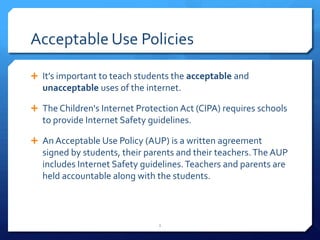
Acceptable Use PoliciesIt’s important to teach students the acceptable and unacceptable uses of the internet.The Children's Internet Protection Act (CIPA) requires schools to provide Internet Safety guidelines.An Acceptable Use Policy (AUP) is a written agreement signed by students, their parents and their teachers. The AUP includes Internet Safety guidelines. Teachers and parents are held accountable along with the students. 2
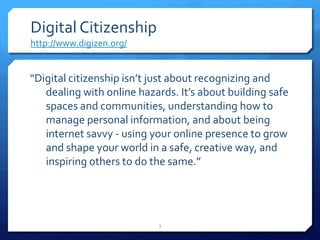
Digital Citizenshiphttp://www.digizen.org/“Digital citizenship isn’t just about recognizing and dealing with online hazards. It’s about building safe spaces and communities, understanding how to manage personal information, and about being internet savvy - using your online presence to grow and shape your world in a safe, creative way, and inspiring others to do the same.”3
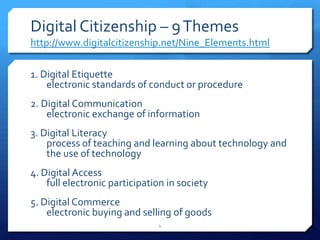
Digital Citizenship – 9 Themeshttp://www.digitalcitizenship.net/Nine_Elements.html1. Digital Etiquetteelectronic standards of conduct or procedure2. Digital Communicationelectronic exchange of information3. Digital Literacyprocess of teaching and learning about technology and the use of technology4. Digital Accessfull electronic participation in society 5. Digital Commerceelectronic buying and selling of goods4
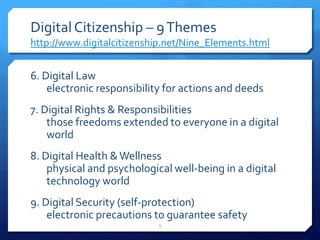
Digital Citizenship – 9 Themeshttp://www.digitalcitizenship.net/Nine_Elements.html6. Digital Lawelectronic responsibility for actions and deeds 7. Digital Rights & Responsibilitiesthose freedoms extended to everyone in a digital world8. Digital Health & Wellnessphysical and psychological well-being in a digital technology world9. Digital Security (self-protection)electronic precautions to guarantee safety5
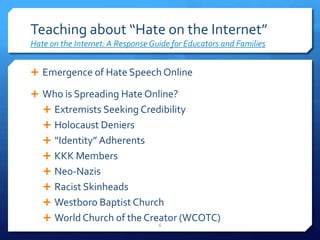
Teaching about “Hate on the Internet”Hate on the Internet: A Response Guide for Educators and FamiliesEmergence of Hate Speech OnlineWho is Spreading Hate Online?Extremists Seeking CredibilityHolocaust Deniers“Identity” AdherentsKKK MembersNeo-NazisRacist SkinheadsWestboro Baptist ChurchWorld Church of the Creator (WCOTC)6
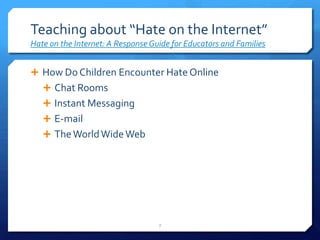
Teaching about “Hate on the Internet”Hate on the Internet: A Response Guide for Educators and FamiliesHow Do Children Encounter Hate OnlineChat RoomsInstant MessagingE-mailThe World Wide Web7
Teaching about “Hate on the Internet”Hate on the Internet: A Response Guide for Educators and FamiliesExamples of Hateful Web Sites Targeting YouthMartin Luther King, Jr.: An Historical Examination:  This misleading hate site, which is designed to interest students researching the civil rights movement, appears under a variety of different Web addresses when children search for information about Dr. Martin Luther King, Jr. Stormfront for Kids: 15-year-old Derek Black, son of Stormfront Webmaster Don Black, is credited with creating this Web site that targets youth.World Church of the Creator Kids!: This game-based site describes its purpose as making it “fun and easy for children to learn about Creativity.” 8
Teaching about “Hate on the Internet”Hate on the Internet: A Response Guide for Educators and FamiliesHelping Children Navigate the Internet SafelyProtecting Children OnlineInternet FiltersSkills to Assess Web Site ContentEVALUATING WEB SITES is a S.N.A.P.! S = Source–  Somebody created this site. Who? N = Nature– Why does this site exist? Purpose? A = Appearance/Accessibility– Does this site function efficiently? P = Page Content– Is the information accurate and reliable? © 1999 by Jo Monahan, M.S., Coordinator of Electronic Information Services, University of North Texas. All rights reserved.  Permission to reprint granted. 9
Activities and LessonsGet Your Liscence-  http://pbskids.org/license/Adventures in Internet Saftey - http://home.disney.go.com/guestservices/safetyAT&T Internet Safety Land - http://www.att.com/Common/images/safety/game.htmlID the Creep - http://www.idthecreep.com/Media Awareness Network - http://www.media-awareness.ca/english/games/index.cfm10
Activities and LessonsNetSmartzKids - http://www.netsmartzkids.org/games/Safe Surfing with Doug - http://www2.disney.co.uk/DisneyOnline/Safesurfing/main.htmlI Keep Safe Kids (Internet Safety Video) - http://www.ikeepsafe.org/iksc_kids/Brain Pop Spotlight: Digital Citizenship - http://www.brainpop.com/spotlight/digitalcitizenship/11
Resourceshttp://ritter.tea.state.tx.us/imet/intersafe/educators/http://www.partnersagainsthate.org/http://www.digitalcitizenship.net/Nine_Elements.htmlhttp://www.digizen.org/12
Questions13

Internet safety

  • 1.
  • 2.
    Acceptable Use PoliciesIt’simportant to teach students the acceptable and unacceptable uses of the internet.The Children's Internet Protection Act (CIPA) requires schools to provide Internet Safety guidelines.An Acceptable Use Policy (AUP) is a written agreement signed by students, their parents and their teachers. The AUP includes Internet Safety guidelines. Teachers and parents are held accountable along with the students. 2
  • 3.
    Digital Citizenshiphttp://www.digizen.org/“Digital citizenshipisn’t just about recognizing and dealing with online hazards. It’s about building safe spaces and communities, understanding how to manage personal information, and about being internet savvy - using your online presence to grow and shape your world in a safe, creative way, and inspiring others to do the same.”3
  • 4.
    Digital Citizenship –9 Themeshttp://www.digitalcitizenship.net/Nine_Elements.html1. Digital Etiquetteelectronic standards of conduct or procedure2. Digital Communicationelectronic exchange of information3. Digital Literacyprocess of teaching and learning about technology and the use of technology4. Digital Accessfull electronic participation in society 5. Digital Commerceelectronic buying and selling of goods4
  • 5.
    Digital Citizenship –9 Themeshttp://www.digitalcitizenship.net/Nine_Elements.html6. Digital Lawelectronic responsibility for actions and deeds 7. Digital Rights & Responsibilitiesthose freedoms extended to everyone in a digital world8. Digital Health & Wellnessphysical and psychological well-being in a digital technology world9. Digital Security (self-protection)electronic precautions to guarantee safety5
  • 6.
    Teaching about “Hateon the Internet”Hate on the Internet: A Response Guide for Educators and FamiliesEmergence of Hate Speech OnlineWho is Spreading Hate Online?Extremists Seeking CredibilityHolocaust Deniers“Identity” AdherentsKKK MembersNeo-NazisRacist SkinheadsWestboro Baptist ChurchWorld Church of the Creator (WCOTC)6
  • 7.
    Teaching about “Hateon the Internet”Hate on the Internet: A Response Guide for Educators and FamiliesHow Do Children Encounter Hate OnlineChat RoomsInstant MessagingE-mailThe World Wide Web7
  • 8.
    Teaching about “Hateon the Internet”Hate on the Internet: A Response Guide for Educators and FamiliesExamples of Hateful Web Sites Targeting YouthMartin Luther King, Jr.: An Historical Examination: This misleading hate site, which is designed to interest students researching the civil rights movement, appears under a variety of different Web addresses when children search for information about Dr. Martin Luther King, Jr. Stormfront for Kids: 15-year-old Derek Black, son of Stormfront Webmaster Don Black, is credited with creating this Web site that targets youth.World Church of the Creator Kids!: This game-based site describes its purpose as making it “fun and easy for children to learn about Creativity.” 8
  • 9.
    Teaching about “Hateon the Internet”Hate on the Internet: A Response Guide for Educators and FamiliesHelping Children Navigate the Internet SafelyProtecting Children OnlineInternet FiltersSkills to Assess Web Site ContentEVALUATING WEB SITES is a S.N.A.P.! S = Source– Somebody created this site. Who? N = Nature– Why does this site exist? Purpose? A = Appearance/Accessibility– Does this site function efficiently? P = Page Content– Is the information accurate and reliable? © 1999 by Jo Monahan, M.S., Coordinator of Electronic Information Services, University of North Texas. All rights reserved. Permission to reprint granted. 9
  • 10.
    Activities and LessonsGetYour Liscence- http://pbskids.org/license/Adventures in Internet Saftey - http://home.disney.go.com/guestservices/safetyAT&T Internet Safety Land - http://www.att.com/Common/images/safety/game.htmlID the Creep - http://www.idthecreep.com/Media Awareness Network - http://www.media-awareness.ca/english/games/index.cfm10
  • 11.
    Activities and LessonsNetSmartzKids- http://www.netsmartzkids.org/games/Safe Surfing with Doug - http://www2.disney.co.uk/DisneyOnline/Safesurfing/main.htmlI Keep Safe Kids (Internet Safety Video) - http://www.ikeepsafe.org/iksc_kids/Brain Pop Spotlight: Digital Citizenship - http://www.brainpop.com/spotlight/digitalcitizenship/11
  • 12.
  • 13.