Respected Sir & Dear friends
Welcome
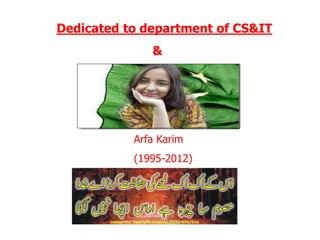
Arfa Karim
(1995-2012)
Dedicated to department of CS&IT
&
Presented by
SE-I Group
( Bilal Maqbool )
AN INTRODUCTION TO
INTERNET TECHNOLOGY
Group Members
1. Bilal Maqbool. 10
2. Abdul Ghafar. 14
3. Nisar Ahmed. 06
4. Shahzad Tanvir. 21
5. Muhammad Junaid. 45
First Member
Bilal Maqbool
Roll # 10
Internet Introduction & History
Definition of Internet
By the turn of the century, information, including access to the
Internet, will be the basis for personal, economic, and political
advancement. The popular name for the Internet is the information
superhighway.
The Internet links are computer networks all over the world so that
users can share resources and communicate with each other. Some
computers have direct access to all the facilities on the Internet
such as the universities. And other computers, eg privately-owned
ones, have indirect links through a commercial service provider, who
offers some or all of the Internet facilities.
Who Pays for the Internet?
There is no clear answer to this
question because the Internet is not
one "thing", its many things. No one
central agency exists that charges
individual Internet users.
Electronic mail, or e-mail, is probably the
most popular and widely used Internet
function. E-mail, email, or just mail, is a fast
and efficient way to communicate with friends
or colleagues. You can communicate with one
person at a time or thousands
Electronic mail on
the internet:
Domains
EDU Educational sites
COM Commercial sites
GOV Government sites
NET Network administrative organizations
MIL Military sites
ORG Organizations
.xx where xx is the country code (e.g., .eg for Egypt).
Introduction to Gopher:
Gopher is a client/server system that
allows you to access many Internet
resources simply by making selections
from a sequence of menus. Each time
you make a selection, Gopher carries
out your request to the computer that
contains the information and "serves"
it up.
Where did Gopher come
from?
"Born" in April 1991, gopher began as a
project at the Microcomputer,
Workstation, and Networks Center at
the University of Minnesota to help
people on campus get answers to
computer-related questions. At the
time, the computer center staff had
accumulated answers to thousands of
questions regarding computers and
software.
Why is it called
Gopher?
The name "Gopher" is appropriate for three
reasons:
1.Just as a real gopher successfully navigates
beneath the prairie, the Internet Gopher tunnels
through the invisible paths of the Internet to
help you find the information you want.
2. The name refers to someone who fetches
things or provides service for other people.
3. The Golden Gopher is the mascot of the
University of Minnesota.
A look at search
engines:
The World Wide Web is "indexed" through the
use of search engines, which are also referred to
as "spiders," "robots," "crawlers," or "worms".
These search engines comb through the Web
documents, identifying text that is the basis for
keyword searching. Each search engine works in a
different way. Some engines scan for information
in the title or header of the document; others
look at the bold "headings" on the page for their
information. The fact that search engines gather
information differently means that each will
probably yield different results.
History Of Internet
Defense Advanced Research Projects
Agency (DARPA) in late 1962 to head the
work to develop it.
The Internet, then known as ARPANET,
was brought online in 1969 under a
contract let by the renamed Advanced
Research Projects Agency (ARPA) which
initially connected four major computers
at universities in the southwestern US
Who was the first to
use the Internet?
Charley Kline at UCLA sent the first
packets on ARPANet as he tried to
connect to Stanford Research
Institute on Oct 29, 1969.
Did Al Gore invent the
Internet?
According to a CNN transcript of an
interview with Wolf Blitzer, Al Gore
said,"During my service in the United
States Congress, I took the initiative in
creating the Internet." Al Gore was not
yet in Congress in 1969 when ARPANET
started or in 1974 when the term Internet
first came into use. Gore was elected to
Congress in 1976.
THANKS FOR YOUR ATTENTION
Second Member
Abdul Ghafar.
Roll # 14
Working of Internet
How does Internet work?
The unique thing about the Internet is that it
allows many different computers to connect and
talk to each other. This is possible because of a
set of standards, known as protocols, that govern
the transmission of data over the network:
TCP/IP (Transmission Control Protocol/Internet
Protocol). Most people who use the Internet
aren't so interested in details related to these
protocols. They do, however, want to know what
they can do on the Internet and how to do it
effectively.
Internet Addresses
Because the Internet is a global network
of computers each computer connected to
the Internet must have a unique address.
Internet addresses are in the form
nnn.nnn.nnn.nnn where nnn must be a
number from 0 - 255. This address is
known as an IP address.
Protocol Stacks and
Packets
Your computer is connected to the
Internet and has a unique address. How
does it 'talk' to other computers
connected to the Internet? An example
should serve here: Let's say your IP
address is 1.2.3.4 and you want to send a
message to the computer 5.6.7.8. The
message you want to send is "Hello
computer 5.6.7.8!".
Domain Names and
Address Resolution
The DNS is a distributed database
which keeps track of computer's names
and their corresponding IP addresses
on the Internet.
Many computers connected to the
Internet host part of the DNS database
and the software that allows others to
access it. These computers are known as
DNS servers.
Application Protocols: HTTP
and the World Wide Web
One of the most commonly used services on the

Internet is the World Wide Web (WWW). The
application protocol that makes the web work is
Hypertext Transfer Protocol or HTTP. Do not
confuse this with the Hypertext Markup
Language (HTML). HTML is the language used to
write web pages. HTTP is the protocol that web
browsers and web servers use to communicate
with each other over the Internet.
Uniform Resource
Locators, or URLs:
A Uniform Resource Locator or URL is the
address of a document you'll find on the
WWW. Your WWW browser interprets
the information in the URL in order to
connect to the proper Internet server and
to retrieve your desired document.
Transmission Control
Protocol
Under the application layer in the protocol stack
is the TCP layer. When applications open a
connection to another computer on the Internet,
the messages they send (using a specific
application layer protocol) get passed down the
stack to the TCP layer. TCP is responsible for
routing application protocols to the correct
application on the destination computer.
Internet Protocol
Unlike TCP, IP is an unreliable, connectionless
protocol. IP doesn't care whether a packet
gets to its destination or not. Nor does IP
know about connections and port numbers. IP's
job is too send and route packets to other
computers. IP packets are independent
entities and may arrive out of order or not at
all.
THANKS FOR YOUR ATTENTION
Third Member
Nisar Ahmed.
Roll # 06
Security of Internet
Internet security
Internet security is a branch of computer security
specifically related to the Internet. Its objective is
to establish rules and measures to use against attacks
over the Internet. The Internet represents an
insecure channel for exchanging information leading
to a high risk of intrusion or fraud, such as phishing.
Different methods have been used to protect the
transfer of data, including encryption.
Security problems
Most of the security problems encountered
on the Internet are due to human mistakes.
The first level of security "leaks" usually
occurs during the development of the
website. If a website developer doesn't
correctly plan or proof test his scripts, an
eventual hacker could extract confidential
information from the website itself. This is
usually done by exploiting particular errors
or by inserting some particular code
snippets into an input field or website URL.
Types of security
1. Network layer security
2. IP Protocol
Electronic mail security (E-mail)
1. Pretty Good Privacy (PGP)
2. Multipurpose Internet Mail
Extensions (MIME)
3. Secure/Multipurpose Internet Mail
Extensions (S/MIME)
4. Message Authentication Code
Firewalls
A firewall controls access between
networks. It generally consists of
gateways and filters which vary from
one firewall to another. Firewalls also
screen network traffic and are able to
block traffic that is dangerous.
Firewalls act as the intermediate server
between SMTP and HTTP connections.
Role of firewalls in Internet
security and web security
Firewalls impose restrictions on incoming
and outgoing packets to and from private
networks. All the traffic, whether
incoming or outgoing, must pass through
the firewall; only authorized traffic is
allowed to pass through it. Firewalls create
checkpoints between an internal private
network and the public Internet, also
known as choke points.
Viruses
• Trojan horse
• Spyware
• Worms
• Botnet
Antivirus
Antivirus programs and Internet security
programs are useful in protecting a computer or
programmable device from malware.
Such programs are used to detect and usually
eliminate viruses; however, it is now common to
see security suites, containing also firewalls, anti-
spyware, theft protection, and so on to more
thoroughly protect users.
THANKS FOR YOUR ATTENTION
Fourth Member
Shahzad Tanvir.
Roll # 21
Advantages & Disadvantages of Internet
Advantages
• E-mail:
• 24 hours a day - 7 days a week:
• Information:
• Online Chat:
• Services:
• Communities:
• Ecommerce:
• Software Downloads:
• Entertainment:
Disadvantages
• Theft of Personal information:
• Negative effects on family
communication:
• Internet addiction:
• Children using the Internet
• Virus threat:
• Spamming:
The Disadvantages of the
Internet at Home
• Isolation
• Addiction
• Inaccurate Information
• Hacking of Personal Information
• Viruses
• Inappropriate Websites
THANKS FOR YOUR ATTENTION
Fifth Member
Muhammad Junaid.
Roll # 45
Future of Internet
The Future of the internet
– Some of the major trends shaping the future of the
Internet are summarized below, along with extrapolated
predictions:
– Globalism
– Communities
– Virtual reality
– Bandwidth.
– Wireless.
– Grids
– Integration
Audio web surfing
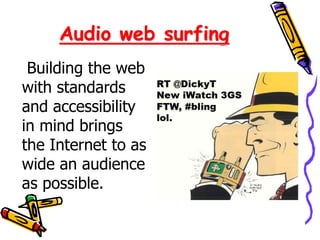
Building the web
with standards
and accessibility
in mind brings
the Internet to as
wide an audience
as possible.
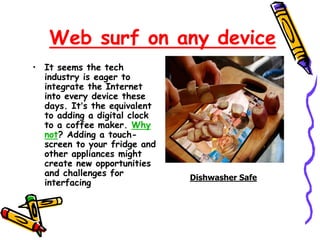
Web surf on any device
• It seems the tech
industry is eager to
integrate the Internet
into every device these
days. It’s the equivalent
to adding a digital clock
to a coffee maker. Why
not? Adding a touch-
screen to your fridge and
other appliances might
create new opportunities
and challenges for
interfacing
Dishwasher Safe
• Input revisited
• Mobile networking
• The end of .com domination
• IE6 stops being used
THANKS FOR YOUR ATTENTION
Questions
?
?
??
?
?
‫سواالت‬
Internet presentation

Internet presentation

  • 2.
    Respected Sir &Dear friends Welcome
  • 3.
  • 4.
    Presented by SE-I Group (Bilal Maqbool ) AN INTRODUCTION TO INTERNET TECHNOLOGY
  • 5.
    Group Members 1. BilalMaqbool. 10 2. Abdul Ghafar. 14 3. Nisar Ahmed. 06 4. Shahzad Tanvir. 21 5. Muhammad Junaid. 45
  • 6.
    First Member Bilal Maqbool Roll# 10 Internet Introduction & History
  • 7.
    Definition of Internet Bythe turn of the century, information, including access to the Internet, will be the basis for personal, economic, and political advancement. The popular name for the Internet is the information superhighway. The Internet links are computer networks all over the world so that users can share resources and communicate with each other. Some computers have direct access to all the facilities on the Internet such as the universities. And other computers, eg privately-owned ones, have indirect links through a commercial service provider, who offers some or all of the Internet facilities.
  • 8.
    Who Pays forthe Internet? There is no clear answer to this question because the Internet is not one "thing", its many things. No one central agency exists that charges individual Internet users.
  • 9.
    Electronic mail, ore-mail, is probably the most popular and widely used Internet function. E-mail, email, or just mail, is a fast and efficient way to communicate with friends or colleagues. You can communicate with one person at a time or thousands Electronic mail on the internet:
  • 10.
    Domains EDU Educational sites COMCommercial sites GOV Government sites NET Network administrative organizations MIL Military sites ORG Organizations .xx where xx is the country code (e.g., .eg for Egypt).
  • 11.
    Introduction to Gopher: Gopheris a client/server system that allows you to access many Internet resources simply by making selections from a sequence of menus. Each time you make a selection, Gopher carries out your request to the computer that contains the information and "serves" it up.
  • 12.
    Where did Gophercome from? "Born" in April 1991, gopher began as a project at the Microcomputer, Workstation, and Networks Center at the University of Minnesota to help people on campus get answers to computer-related questions. At the time, the computer center staff had accumulated answers to thousands of questions regarding computers and software.
  • 13.
    Why is itcalled Gopher? The name "Gopher" is appropriate for three reasons: 1.Just as a real gopher successfully navigates beneath the prairie, the Internet Gopher tunnels through the invisible paths of the Internet to help you find the information you want. 2. The name refers to someone who fetches things or provides service for other people. 3. The Golden Gopher is the mascot of the University of Minnesota.
  • 14.
    A look atsearch engines: The World Wide Web is "indexed" through the use of search engines, which are also referred to as "spiders," "robots," "crawlers," or "worms". These search engines comb through the Web documents, identifying text that is the basis for keyword searching. Each search engine works in a different way. Some engines scan for information in the title or header of the document; others look at the bold "headings" on the page for their information. The fact that search engines gather information differently means that each will probably yield different results.
  • 15.
    History Of Internet DefenseAdvanced Research Projects Agency (DARPA) in late 1962 to head the work to develop it. The Internet, then known as ARPANET, was brought online in 1969 under a contract let by the renamed Advanced Research Projects Agency (ARPA) which initially connected four major computers at universities in the southwestern US
  • 16.
    Who was thefirst to use the Internet? Charley Kline at UCLA sent the first packets on ARPANet as he tried to connect to Stanford Research Institute on Oct 29, 1969.
  • 17.
    Did Al Goreinvent the Internet? According to a CNN transcript of an interview with Wolf Blitzer, Al Gore said,"During my service in the United States Congress, I took the initiative in creating the Internet." Al Gore was not yet in Congress in 1969 when ARPANET started or in 1974 when the term Internet first came into use. Gore was elected to Congress in 1976.
  • 18.
    THANKS FOR YOURATTENTION
  • 19.
    Second Member Abdul Ghafar. Roll# 14 Working of Internet
  • 20.
    How does Internetwork? The unique thing about the Internet is that it allows many different computers to connect and talk to each other. This is possible because of a set of standards, known as protocols, that govern the transmission of data over the network: TCP/IP (Transmission Control Protocol/Internet Protocol). Most people who use the Internet aren't so interested in details related to these protocols. They do, however, want to know what they can do on the Internet and how to do it effectively.
  • 21.
    Internet Addresses Because theInternet is a global network of computers each computer connected to the Internet must have a unique address. Internet addresses are in the form nnn.nnn.nnn.nnn where nnn must be a number from 0 - 255. This address is known as an IP address.
  • 22.
    Protocol Stacks and Packets Yourcomputer is connected to the Internet and has a unique address. How does it 'talk' to other computers connected to the Internet? An example should serve here: Let's say your IP address is 1.2.3.4 and you want to send a message to the computer 5.6.7.8. The message you want to send is "Hello computer 5.6.7.8!".
  • 23.
    Domain Names and AddressResolution The DNS is a distributed database which keeps track of computer's names and their corresponding IP addresses on the Internet. Many computers connected to the Internet host part of the DNS database and the software that allows others to access it. These computers are known as DNS servers.
  • 24.
    Application Protocols: HTTP andthe World Wide Web One of the most commonly used services on the Internet is the World Wide Web (WWW). The application protocol that makes the web work is Hypertext Transfer Protocol or HTTP. Do not confuse this with the Hypertext Markup Language (HTML). HTML is the language used to write web pages. HTTP is the protocol that web browsers and web servers use to communicate with each other over the Internet.
  • 25.
    Uniform Resource Locators, orURLs: A Uniform Resource Locator or URL is the address of a document you'll find on the WWW. Your WWW browser interprets the information in the URL in order to connect to the proper Internet server and to retrieve your desired document.
  • 26.
    Transmission Control Protocol Under theapplication layer in the protocol stack is the TCP layer. When applications open a connection to another computer on the Internet, the messages they send (using a specific application layer protocol) get passed down the stack to the TCP layer. TCP is responsible for routing application protocols to the correct application on the destination computer.
  • 27.
    Internet Protocol Unlike TCP,IP is an unreliable, connectionless protocol. IP doesn't care whether a packet gets to its destination or not. Nor does IP know about connections and port numbers. IP's job is too send and route packets to other computers. IP packets are independent entities and may arrive out of order or not at all.
  • 28.
    THANKS FOR YOURATTENTION
  • 29.
    Third Member Nisar Ahmed. Roll# 06 Security of Internet
  • 30.
    Internet security Internet securityis a branch of computer security specifically related to the Internet. Its objective is to establish rules and measures to use against attacks over the Internet. The Internet represents an insecure channel for exchanging information leading to a high risk of intrusion or fraud, such as phishing. Different methods have been used to protect the transfer of data, including encryption.
  • 31.
    Security problems Most ofthe security problems encountered on the Internet are due to human mistakes. The first level of security "leaks" usually occurs during the development of the website. If a website developer doesn't correctly plan or proof test his scripts, an eventual hacker could extract confidential information from the website itself. This is usually done by exploiting particular errors or by inserting some particular code snippets into an input field or website URL.
  • 32.
    Types of security 1.Network layer security 2. IP Protocol Electronic mail security (E-mail) 1. Pretty Good Privacy (PGP) 2. Multipurpose Internet Mail Extensions (MIME) 3. Secure/Multipurpose Internet Mail Extensions (S/MIME) 4. Message Authentication Code
  • 33.
    Firewalls A firewall controlsaccess between networks. It generally consists of gateways and filters which vary from one firewall to another. Firewalls also screen network traffic and are able to block traffic that is dangerous. Firewalls act as the intermediate server between SMTP and HTTP connections.
  • 34.
    Role of firewallsin Internet security and web security Firewalls impose restrictions on incoming and outgoing packets to and from private networks. All the traffic, whether incoming or outgoing, must pass through the firewall; only authorized traffic is allowed to pass through it. Firewalls create checkpoints between an internal private network and the public Internet, also known as choke points.
  • 35.
    Viruses • Trojan horse •Spyware • Worms • Botnet
  • 36.
    Antivirus Antivirus programs andInternet security programs are useful in protecting a computer or programmable device from malware. Such programs are used to detect and usually eliminate viruses; however, it is now common to see security suites, containing also firewalls, anti- spyware, theft protection, and so on to more thoroughly protect users.
  • 37.
    THANKS FOR YOURATTENTION
  • 38.
    Fourth Member Shahzad Tanvir. Roll# 21 Advantages & Disadvantages of Internet
  • 39.
    Advantages • E-mail: • 24hours a day - 7 days a week: • Information: • Online Chat: • Services: • Communities: • Ecommerce: • Software Downloads: • Entertainment:
  • 40.
    Disadvantages • Theft ofPersonal information: • Negative effects on family communication: • Internet addiction: • Children using the Internet • Virus threat: • Spamming:
  • 41.
    The Disadvantages ofthe Internet at Home • Isolation • Addiction • Inaccurate Information • Hacking of Personal Information • Viruses • Inappropriate Websites
  • 42.
    THANKS FOR YOURATTENTION
  • 43.
    Fifth Member Muhammad Junaid. Roll# 45 Future of Internet
  • 44.
    The Future ofthe internet – Some of the major trends shaping the future of the Internet are summarized below, along with extrapolated predictions: – Globalism – Communities – Virtual reality – Bandwidth. – Wireless. – Grids – Integration
  • 45.
    Audio web surfing Buildingthe web with standards and accessibility in mind brings the Internet to as wide an audience as possible.
  • 46.
    Web surf onany device • It seems the tech industry is eager to integrate the Internet into every device these days. It’s the equivalent to adding a digital clock to a coffee maker. Why not? Adding a touch- screen to your fridge and other appliances might create new opportunities and challenges for interfacing Dishwasher Safe
  • 47.
    • Input revisited •Mobile networking • The end of .com domination • IE6 stops being used
  • 48.
    THANKS FOR YOURATTENTION
  • 49.