Interacting with Oracle Database
Server:
SQL Statements in PL/SQL Programs
SELECT Statements in PL/SQL
• SELECT select_list INTO {variable_name[, variable_name]... | record_name}
FROM table [WHERE condition];
• Use the SELECT statement to retrieve data from the database.
– select_list: List of at least one column; can include SQL expressions, row
functions, or group functions
– variable_name: Scalar variable that holds the retrieved value
– record_name:PL/SQL record that holds the retrieved values
– Table: Specifies the database table name
– Condition:
• Ex1:
DECLARE
v_fname VARCHAR2(25);
BEGIN
SELECT custName INTO v_fname
FROM tbCustomer WHERE custID=2;
DBMS_OUTPUT.PUT_LINE(' cust name is : '||v_fname);
END;
SELECT Statements in PL/SQL
• EX1:
SELECT EMPID, EMPNAME,GENDER,ADDRESS,DOB,SSID
FROM TBEMPLOYEE;
• EX:SELECT DISTINCT ADDRESS FROM TBEMPLOYEE;
• Ex2:
DECLARE
empName TBEMPLOYEE.EMPNAME%TYPE;
empDob TBEMPLOYEE.DOB%TYPE;
empSalary TBEMPLOYEE.SALARY%TYPE;
BEGIN
SELECT EMPNAME,dob, salary
INTO empName,empDob, empSalary
FROM TBEMPLOYEE
WHERE EMPNAME = 'Chan Da' AND GENDER='Male' AND Address='Phnom Penh';
DBMS_OUTPUT.PUT_LINE ('Name is :'|| empName);
DBMS_OUTPUT.PUT_LINE ('Salary is :'|| empSalary);
DBMS_OUTPUT.PUT_LINE ('DOB is :'|| empDob);
END;
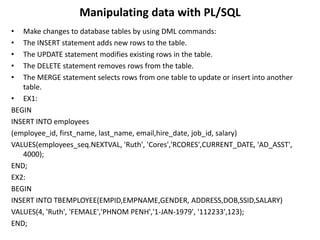
Manipulating data with PL/SQL
• Make changes to database tables by using DML commands:
• The INSERT statement adds new rows to the table.
• The UPDATE statement modifies existing rows in the table.
• The DELETE statement removes rows from the table.
• The MERGE statement selects rows from one table to update or insert into another
table.
• EX1:
BEGIN
INSERT INTO employees
(employee_id, first_name, last_name, email,hire_date, job_id, salary)
VALUES(employees_seq.NEXTVAL, 'Ruth', 'Cores','RCORES',CURRENT_DATE, 'AD_ASST',
4000);
END;
EX2:
BEGIN
INSERT INTO TBEMPLOYEE(EMPID,EMPNAME,GENDER, ADDRESS,DOB,SSID,SALARY)
VALUES(4, 'Ruth', 'FEMALE','PHNOM PENH','1-JAN-1979', '112233',123);
END;
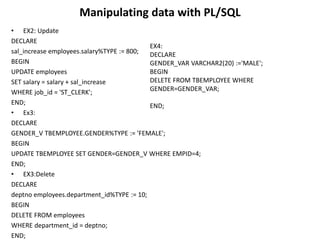
Manipulating data with PL/SQL
• EX2: Update
DECLARE
sal_increase employees.salary%TYPE := 800;
BEGIN
UPDATE employees
SET salary = salary + sal_increase
WHERE job_id = 'ST_CLERK';
END;
• Ex3:
DECLARE
GENDER_V TBEMPLOYEE.GENDER%TYPE := 'FEMALE';
BEGIN
UPDATE TBEMPLOYEE SET GENDER=GENDER_V WHERE EMPID=4;
END;
• EX3:Delete
DECLARE
deptno employees.department_id%TYPE := 10;
BEGIN
DELETE FROM employees
WHERE department_id = deptno;
END;
EX4:
DECLARE
GENDER_VAR VARCHAR2(20) :='MALE';
BEGIN
DELETE FROM TBEMPLOYEE WHERE
GENDER=GENDER_VAR;
END;
Manipulating data with PL/SQL
• Syntax: Merge
BEGIN
MERGE INTO copy_emp c
USING employees e
ON (e.employee_id = c.empno)
WHEN MATCHED THEN
UPDATE SET
c.first_name = e.first_name,
c.last_name = e.last_name,
c.email = e.email,
. . .
WHEN NOT MATCHED THEN
INSERT VALUES(e.employee_id, e.first_name, e.last_name,
. . .,e.department_id);
END;
Manipulating data with PL/SQL
• EX4: Merge
BEGIN
MERGE INTO copy_emp c
USING employees e
ON (e.employee_id = c.empno)
WHEN MATCHED THEN
UPDATE SET
c.first_name = e.first_name,
c.last_name = e.last_name,
c.email = e.email,
c.phone_number = e.phone_number,
c.hire_date = e.hire_date,
c.job_id = e.job_id,
c.salary = e.salary,
c.commission_pct = e.commission_pct,
c.manager_id = e.manager_id,
c.department_id = e.department_id
WHEN NOT MATCHED THEN
INSERT VALUES(e.employee_id,
e.first_name, e.last_name,
e.email, e.phone_number, e.hire_date,
e.job_id,
e.salary, e.commission_pct, e.manager_id,
e.department_id);
END;
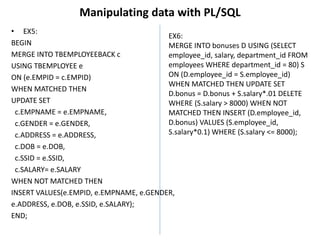
Manipulating data with PL/SQL
• EX5:
BEGIN
MERGE INTO TBEMPLOYEEBACK c
USING TBEMPLOYEE e
ON (e.EMPID = c.EMPID)
WHEN MATCHED THEN
UPDATE SET
c.EMPNAME = e.EMPNAME,
c.GENDER = e.GENDER,
c.ADDRESS = e.ADDRESS,
c.DOB = e.DOB,
c.SSID = e.SSID,
c.SALARY= e.SALARY
WHEN NOT MATCHED THEN
INSERT VALUES(e.EMPID, e.EMPNAME, e.GENDER,
e.ADDRESS, e.DOB, e.SSID, e.SALARY);
END;
EX6:
MERGE INTO bonuses D USING (SELECT
employee_id, salary, department_id FROM
employees WHERE department_id = 80) S
ON (D.employee_id = S.employee_id)
WHEN MATCHED THEN UPDATE SET
D.bonus = D.bonus + S.salary*.01 DELETE
WHERE (S.salary > 8000) WHEN NOT
MATCHED THEN INSERT (D.employee_id,
D.bonus) VALUES (S.employee_id,
S.salary*0.1) WHERE (S.salary <= 8000);
Table Relationship
• In SQL Developer, go to View > Data Modeler > Browser. In the Browser view
right click on Relational Models and create a new one. This should create a new
blank diagram. You can drag and drop tables from the Connection view into the
diagram.
• ALTER TABLE TBPRODUCTS ADD
CONSTRAINT FK_PRODUCT_CATE_NUM
FOREIGN KEY (CATEID) REFERENCES TBCATEGORY(CATEID);
• ALTER TABLE TBSALE ADD
CONSTRAINT FK_SALE_CUSTOMER_NUM
FOREIGN KEY (CUSTID)
REFERENCES TBCUSTOMER(CUSTID);
Or using wizard by sql developer
JOIN operations
• The JOIN operations, which are among the possible TableExpressions in a FROM clause,
perform joins between two tables.
1. INNER JOIN operation: Specifies a join between two tables with an explicit join clause.
SYNTAX:
TableExpression [ INNER ] JOIN
TableExpression { ON booleanExpression | USING clause }
EX1:
SELECT *
FROM TBPRODUCTS INNER JOIN
TBCATEGORY ON
TBPRODUCTS.CATEID = TBCATEGORY.CATEID;
EX2:
SELECT * FROM SAMP.EMPLOYEE
INNER JOIN SAMP.STAFF ON
EMPLOYEE.SALARY < STAFF.SALARY
EX6:
MERGE INTO bonuses D USING (SELECT
employee_id, salary, department_id FROM
employees WHERE department_id = 80) S
ON (D.employee_id = S.employee_id)
WHEN MATCHED THEN UPDATE SET
D.bonus = D.bonus + S.salary*.01 DELETE
WHERE (S.salary > 8000) WHEN NOT
MATCHED THEN INSERT (D.employee_id,
D.bonus) VALUES (S.employee_id,
S.salary*0.1) WHERE (S.salary <= 8000);
JOIN operations
• Oracle JOINS are used to retrieve data from multiple tables. An Oracle JOIN is
performed whenever two or more tables are joined in a SQL statement.
• There are 4 different types of Oracle joins:
– Oracle INNER JOIN (or sometimes called simple join)
– Oracle LEFT OUTER JOIN (or sometimes called LEFT JOIN)
– Oracle RIGHT OUTER JOIN (or sometimes called RIGHT JOIN)
– Oracle FULL OUTER JOIN (or sometimes called FULL JOIN)
• INNER JOIN (SIMPLE JOIN)
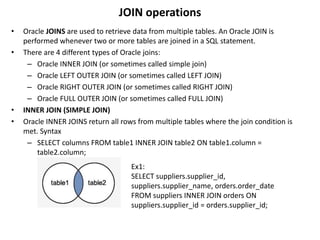
• Oracle INNER JOINS return all rows from multiple tables where the join condition is
met. Syntax
– SELECT columns FROM table1 INNER JOIN table2 ON table1.column =
table2.column;
Ex1:
SELECT suppliers.supplier_id,
suppliers.supplier_name, orders.order_date
FROM suppliers INNER JOIN orders ON
suppliers.supplier_id = orders.supplier_id;
JOIN operations
• Old Syntax
– older implicit syntax as follows (but we still recommend using the INNER JOIN
keyword syntax):
– SELECT suppliers.supplier_id, suppliers.supplier_name, orders.order_date FROM
suppliers, orders WHERE suppliers.supplier_id = orders.supplier_id;
JOIN operations
• LEFT OUTER JOIN
– This type of join returns all rows from the LEFT-hand table specified in the ON
condition and only those rows from the other table where the joined fields are
equal (join condition is met).
• Syntax: Oracle LEFT OUTER JOIN is:
• SELECT columns FROM table1 LEFT [OUTER] JOIN table2
ON table1.column = table2.column;
• Ex1:
– SELECT suppliers.supplier_id, suppliers.supplier_name, orders.order_date FROM
suppliers LEFT OUTER JOIN orders ON suppliers.supplier_id = orders.supplier_id;
• Old Syntax
– LEFT OUTER JOIN example above
could be rewritten using the older
implicit syntax that utilizes the outer
join operator (+) as follows
(but we still recommend using the LEFT OUTER JOIN
keyword syntax):
SELECT suppliers.supplier_id, suppliers.supplier_name,
orders.order_date FROM suppliers, orders WHERE suppliers.supplier_id = orders.supplier_id(+);
JOIN operations
• Right join returns all rows from the RIGHT-hand table specified in the ON condition
and only those rows from the other table where the joined fields are equal (join
condition is met).
• Syntax
• SELECT columns FROM table1 RIGHT [OUTER] JOIN table2 ON table1.column =
table2.column;
EX:
SELECT orders.order_id, orders.order_date,
suppliers.supplier_name FROM suppliers RIGHT
OUTER JOIN orders ON suppliers.supplier_id =
orders.supplier_id;
Old Syntax:utilizes the outer join operator (+) as follows (but we still
recommend using the RIGHT OUTER JOIN keyword syntax):
SELECT orders.order_id, orders.order_date, suppliers.supplier_name
FROM suppliers, orders WHERE suppliers.supplier_id(+) =
orders.supplier_id;
JOIN operations
• FULL OUTER JOIN
• returns all rows from the LEFT-hand table and RIGHT-hand table with nulls in place
where the join condition is not met.
• Syntax
• SELECT columns FROM table1 FULL [OUTER] JOIN table2 ON table1.column =
table2.column;
Ex:
SELECT suppliers.supplier_id, suppliers.supplier_name,
orders.order_date FROM suppliers FULL OUTER JOIN
orders ON suppliers.supplier_id = orders.supplier_id;
Introducing SQL cursors
• EX4: Merge
BEGIN
MERGE INTO copy_emp c
USING employees e
ON (e.employee_id = c.empno)
WHEN MATCHED THEN
UPDATE SET
c.first_name = e.first_name,
c.last_name = e.last_name,
c.email = e.email,
c.phone_number = e.phone_number,
c.hire_date = e.hire_date,
c.job_id = e.job_id,
c.salary = e.salary,
c.commission_pct = e.commission_pct,
c.manager_id = e.manager_id,
c.department_id = e.department_id

Interacting with Oracle Database

  • 1.
    Interacting with OracleDatabase Server: SQL Statements in PL/SQL Programs
  • 2.
    SELECT Statements inPL/SQL • SELECT select_list INTO {variable_name[, variable_name]... | record_name} FROM table [WHERE condition]; • Use the SELECT statement to retrieve data from the database. – select_list: List of at least one column; can include SQL expressions, row functions, or group functions – variable_name: Scalar variable that holds the retrieved value – record_name:PL/SQL record that holds the retrieved values – Table: Specifies the database table name – Condition: • Ex1: DECLARE v_fname VARCHAR2(25); BEGIN SELECT custName INTO v_fname FROM tbCustomer WHERE custID=2; DBMS_OUTPUT.PUT_LINE(' cust name is : '||v_fname); END;
  • 3.
    SELECT Statements inPL/SQL • EX1: SELECT EMPID, EMPNAME,GENDER,ADDRESS,DOB,SSID FROM TBEMPLOYEE; • EX:SELECT DISTINCT ADDRESS FROM TBEMPLOYEE; • Ex2: DECLARE empName TBEMPLOYEE.EMPNAME%TYPE; empDob TBEMPLOYEE.DOB%TYPE; empSalary TBEMPLOYEE.SALARY%TYPE; BEGIN SELECT EMPNAME,dob, salary INTO empName,empDob, empSalary FROM TBEMPLOYEE WHERE EMPNAME = 'Chan Da' AND GENDER='Male' AND Address='Phnom Penh'; DBMS_OUTPUT.PUT_LINE ('Name is :'|| empName); DBMS_OUTPUT.PUT_LINE ('Salary is :'|| empSalary); DBMS_OUTPUT.PUT_LINE ('DOB is :'|| empDob); END;
  • 4.
    Manipulating data withPL/SQL • Make changes to database tables by using DML commands: • The INSERT statement adds new rows to the table. • The UPDATE statement modifies existing rows in the table. • The DELETE statement removes rows from the table. • The MERGE statement selects rows from one table to update or insert into another table. • EX1: BEGIN INSERT INTO employees (employee_id, first_name, last_name, email,hire_date, job_id, salary) VALUES(employees_seq.NEXTVAL, 'Ruth', 'Cores','RCORES',CURRENT_DATE, 'AD_ASST', 4000); END; EX2: BEGIN INSERT INTO TBEMPLOYEE(EMPID,EMPNAME,GENDER, ADDRESS,DOB,SSID,SALARY) VALUES(4, 'Ruth', 'FEMALE','PHNOM PENH','1-JAN-1979', '112233',123); END;
  • 5.
    Manipulating data withPL/SQL • EX2: Update DECLARE sal_increase employees.salary%TYPE := 800; BEGIN UPDATE employees SET salary = salary + sal_increase WHERE job_id = 'ST_CLERK'; END; • Ex3: DECLARE GENDER_V TBEMPLOYEE.GENDER%TYPE := 'FEMALE'; BEGIN UPDATE TBEMPLOYEE SET GENDER=GENDER_V WHERE EMPID=4; END; • EX3:Delete DECLARE deptno employees.department_id%TYPE := 10; BEGIN DELETE FROM employees WHERE department_id = deptno; END; EX4: DECLARE GENDER_VAR VARCHAR2(20) :='MALE'; BEGIN DELETE FROM TBEMPLOYEE WHERE GENDER=GENDER_VAR; END;
  • 6.
    Manipulating data withPL/SQL • Syntax: Merge BEGIN MERGE INTO copy_emp c USING employees e ON (e.employee_id = c.empno) WHEN MATCHED THEN UPDATE SET c.first_name = e.first_name, c.last_name = e.last_name, c.email = e.email, . . . WHEN NOT MATCHED THEN INSERT VALUES(e.employee_id, e.first_name, e.last_name, . . .,e.department_id); END;
  • 7.
    Manipulating data withPL/SQL • EX4: Merge BEGIN MERGE INTO copy_emp c USING employees e ON (e.employee_id = c.empno) WHEN MATCHED THEN UPDATE SET c.first_name = e.first_name, c.last_name = e.last_name, c.email = e.email, c.phone_number = e.phone_number, c.hire_date = e.hire_date, c.job_id = e.job_id, c.salary = e.salary, c.commission_pct = e.commission_pct, c.manager_id = e.manager_id, c.department_id = e.department_id WHEN NOT MATCHED THEN INSERT VALUES(e.employee_id, e.first_name, e.last_name, e.email, e.phone_number, e.hire_date, e.job_id, e.salary, e.commission_pct, e.manager_id, e.department_id); END;
  • 8.
    Manipulating data withPL/SQL • EX5: BEGIN MERGE INTO TBEMPLOYEEBACK c USING TBEMPLOYEE e ON (e.EMPID = c.EMPID) WHEN MATCHED THEN UPDATE SET c.EMPNAME = e.EMPNAME, c.GENDER = e.GENDER, c.ADDRESS = e.ADDRESS, c.DOB = e.DOB, c.SSID = e.SSID, c.SALARY= e.SALARY WHEN NOT MATCHED THEN INSERT VALUES(e.EMPID, e.EMPNAME, e.GENDER, e.ADDRESS, e.DOB, e.SSID, e.SALARY); END; EX6: MERGE INTO bonuses D USING (SELECT employee_id, salary, department_id FROM employees WHERE department_id = 80) S ON (D.employee_id = S.employee_id) WHEN MATCHED THEN UPDATE SET D.bonus = D.bonus + S.salary*.01 DELETE WHERE (S.salary > 8000) WHEN NOT MATCHED THEN INSERT (D.employee_id, D.bonus) VALUES (S.employee_id, S.salary*0.1) WHERE (S.salary <= 8000);
  • 9.
    Table Relationship • InSQL Developer, go to View > Data Modeler > Browser. In the Browser view right click on Relational Models and create a new one. This should create a new blank diagram. You can drag and drop tables from the Connection view into the diagram. • ALTER TABLE TBPRODUCTS ADD CONSTRAINT FK_PRODUCT_CATE_NUM FOREIGN KEY (CATEID) REFERENCES TBCATEGORY(CATEID); • ALTER TABLE TBSALE ADD CONSTRAINT FK_SALE_CUSTOMER_NUM FOREIGN KEY (CUSTID) REFERENCES TBCUSTOMER(CUSTID);
  • 10.
    Or using wizardby sql developer
  • 11.
    JOIN operations • TheJOIN operations, which are among the possible TableExpressions in a FROM clause, perform joins between two tables. 1. INNER JOIN operation: Specifies a join between two tables with an explicit join clause. SYNTAX: TableExpression [ INNER ] JOIN TableExpression { ON booleanExpression | USING clause } EX1: SELECT * FROM TBPRODUCTS INNER JOIN TBCATEGORY ON TBPRODUCTS.CATEID = TBCATEGORY.CATEID; EX2: SELECT * FROM SAMP.EMPLOYEE INNER JOIN SAMP.STAFF ON EMPLOYEE.SALARY < STAFF.SALARY EX6: MERGE INTO bonuses D USING (SELECT employee_id, salary, department_id FROM employees WHERE department_id = 80) S ON (D.employee_id = S.employee_id) WHEN MATCHED THEN UPDATE SET D.bonus = D.bonus + S.salary*.01 DELETE WHERE (S.salary > 8000) WHEN NOT MATCHED THEN INSERT (D.employee_id, D.bonus) VALUES (S.employee_id, S.salary*0.1) WHERE (S.salary <= 8000);
  • 12.
    JOIN operations • OracleJOINS are used to retrieve data from multiple tables. An Oracle JOIN is performed whenever two or more tables are joined in a SQL statement. • There are 4 different types of Oracle joins: – Oracle INNER JOIN (or sometimes called simple join) – Oracle LEFT OUTER JOIN (or sometimes called LEFT JOIN) – Oracle RIGHT OUTER JOIN (or sometimes called RIGHT JOIN) – Oracle FULL OUTER JOIN (or sometimes called FULL JOIN) • INNER JOIN (SIMPLE JOIN) • Oracle INNER JOINS return all rows from multiple tables where the join condition is met. Syntax – SELECT columns FROM table1 INNER JOIN table2 ON table1.column = table2.column; Ex1: SELECT suppliers.supplier_id, suppliers.supplier_name, orders.order_date FROM suppliers INNER JOIN orders ON suppliers.supplier_id = orders.supplier_id;
  • 13.
    JOIN operations • OldSyntax – older implicit syntax as follows (but we still recommend using the INNER JOIN keyword syntax): – SELECT suppliers.supplier_id, suppliers.supplier_name, orders.order_date FROM suppliers, orders WHERE suppliers.supplier_id = orders.supplier_id;
  • 14.
    JOIN operations • LEFTOUTER JOIN – This type of join returns all rows from the LEFT-hand table specified in the ON condition and only those rows from the other table where the joined fields are equal (join condition is met). • Syntax: Oracle LEFT OUTER JOIN is: • SELECT columns FROM table1 LEFT [OUTER] JOIN table2 ON table1.column = table2.column; • Ex1: – SELECT suppliers.supplier_id, suppliers.supplier_name, orders.order_date FROM suppliers LEFT OUTER JOIN orders ON suppliers.supplier_id = orders.supplier_id; • Old Syntax – LEFT OUTER JOIN example above could be rewritten using the older implicit syntax that utilizes the outer join operator (+) as follows (but we still recommend using the LEFT OUTER JOIN keyword syntax): SELECT suppliers.supplier_id, suppliers.supplier_name, orders.order_date FROM suppliers, orders WHERE suppliers.supplier_id = orders.supplier_id(+);
  • 15.
    JOIN operations • Rightjoin returns all rows from the RIGHT-hand table specified in the ON condition and only those rows from the other table where the joined fields are equal (join condition is met). • Syntax • SELECT columns FROM table1 RIGHT [OUTER] JOIN table2 ON table1.column = table2.column; EX: SELECT orders.order_id, orders.order_date, suppliers.supplier_name FROM suppliers RIGHT OUTER JOIN orders ON suppliers.supplier_id = orders.supplier_id; Old Syntax:utilizes the outer join operator (+) as follows (but we still recommend using the RIGHT OUTER JOIN keyword syntax): SELECT orders.order_id, orders.order_date, suppliers.supplier_name FROM suppliers, orders WHERE suppliers.supplier_id(+) = orders.supplier_id;
  • 16.
    JOIN operations • FULLOUTER JOIN • returns all rows from the LEFT-hand table and RIGHT-hand table with nulls in place where the join condition is not met. • Syntax • SELECT columns FROM table1 FULL [OUTER] JOIN table2 ON table1.column = table2.column; Ex: SELECT suppliers.supplier_id, suppliers.supplier_name, orders.order_date FROM suppliers FULL OUTER JOIN orders ON suppliers.supplier_id = orders.supplier_id;
  • 17.
    Introducing SQL cursors •EX4: Merge BEGIN MERGE INTO copy_emp c USING employees e ON (e.employee_id = c.empno) WHEN MATCHED THEN UPDATE SET c.first_name = e.first_name, c.last_name = e.last_name, c.email = e.email, c.phone_number = e.phone_number, c.hire_date = e.hire_date, c.job_id = e.job_id, c.salary = e.salary, c.commission_pct = e.commission_pct, c.manager_id = e.manager_id, c.department_id = e.department_id

Editor's Notes

  • #4 DECLARE hire_date employees.hire_date%TYPE; sysdate hire_date%TYPE; employee_id employees.employee_id%TYPE := 176; BEGIN SELECT hire_date, sysdate INTO hire_date, sysdate FROM employees WHERE employee_id = employee_id; END;
  • #14 EX1: SELECT TBCUSTOMER.CUSTID,TBCUSTOMER.CustName,TBCUSTOMER.CustName, TBCUSTOMER.GENDER, TBSALE.INVOICEDATE FROM TBCUSTOMER INNER JOIN TBSALE ON TBCUSTOMER.CUSTID=TBSALE.CUSTID; EX2: SELECT TBCUSTOMER.CUSTID,TBCUSTOMER.CustName, TBCUSTOMER.GENDER, TBSALE.INVOICEDATE, TBEMPLOYEE.EMPNAME, TBEMPLOYEE.GENDER FROM TBCUSTOMER INNER JOIN(TBSALE INNER JOIN TBEMPLOYEE ON TBSALE.EMPID=TBEMPLOYEE.EMPID)ON TBCUSTOMER.CUSTID=TBSALE.CUSTID;